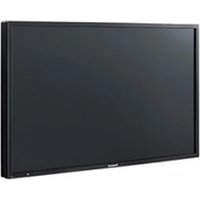
TH-55AF1U - Screen PANASONIC - Free user manual and instructions
Find the device manual for free TH-55AF1U PANASONIC in PDF.


Pick your language and provide your email: we'll send you a specifically translated version.
| Product Type | Professional Display Screen |
| Brand | Panasonic |
| Model | TH-55AF1U |
| Screen Size | 55 inches (139.7 cm diagonal) |
| Resolution | 1920 x 1080 (Full HD) |
| Brightness | 500 cd/m² |
| Contrast Ratio | 1200:1 (typical) |
| Aspect Ratio | 16:9 |
| Power Consumption | 120 W (typical), 0.5 W (standby) |
| Weight | Approximately 25 kg (55.1 lbs) |
| Dimensions (W x H x D) | 1235 x 717 x 68 mm (48.6 x 28.2 x 2.7 in) |
| VESA Mount | 400 x 400 mm |
| Input Ports | HDMI, DVI-D, VGA, DisplayPort, USB, RS-232C |
| Operating Temperature | 0°C to 40°C (32°F to 104°F) |
| Cleaning Instructions | Wipe with a soft, dry cloth. Do not use abrasive cleaners. |
| Safety Features | Overheating protection, Kensington lock slot |
| Spare Parts Availability | Contact Panasonic support for replacement parts |
Frequently Asked Questions - TH-55AF1U PANASONIC
How do I clean the screen of my Panasonic TH-55AF1U?
Use a soft, lint-free cloth slightly dampened with water. Gently wipe the screen in a circular motion. Avoid using any chemical cleaners or abrasive materials.
What is the recommended VESA mount pattern for this display?
The VESA mount pattern is 400 x 400 mm. Use screws that are M8 or M6, with a length appropriate for your mount.
How do I reset the display to factory settings?
Press the 'Menu' button on the remote or control panel, navigate to 'Setup', then select 'Factory Reset'. Confirm the action.
Can I connect a laptop via HDMI?
Yes, the display has multiple HDMI inputs. Simply connect the laptop using an HDMI cable and select the corresponding input source.
What should I do if the screen does not power on?
Check the power cable connection and ensure the power outlet is working. Also, verify that the main power switch on the display is turned on. If the issue persists, contact Panasonic support.
Is there a remote control included?
Yes, the display comes with a remote control for easy operation. If lost, you can order a replacement from Panasonic.
How do I adjust picture settings (brightness, contrast)?
Press the 'Menu' button, go to 'Picture' settings. Here you can adjust brightness, contrast, color, and sharpness to your preference.
Can this display be used for digital signage?
Yes, the TH-55AF1U is designed for professional use including digital signage. It supports 24/7 operation and has input options suitable for media players.
What is the maximum resolution supported via DisplayPort?
The display supports up to 1920 x 1080 at 60 Hz via DisplayPort. For higher resolutions, check the specifications as it may depend on the version.
How can I control the display via RS-232C?
Use a standard RS-232C cable to connect a computer. Refer to the manual for the command set and baud rate settings to control the display remotely.
User questions about TH-55AF1U PANASONIC
0 question about this device. Answer the ones you know or ask your own.
Ask a new question about this device
No questions yet. Be the first to ask one.
Download the instructions for your Screen in PDF format for free! Find your manual TH-55AF1U - PANASONIC and take your electronic device back in hand. On this page are published all the documents necessary for the use of your device. TH-55AF1U by PANASONIC.
USER MANUAL TH-55AF1U PANASONIC
Manual assistant
Powered by Anthropic
Waiting for your message
Product information
Brand : PANASONIC
Model : TH-55AF1U
Category : Screen