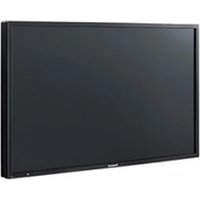
TH-37PH10UK - Screen PANASONIC - Free user manual and instructions
Find the device manual for free TH-37PH10UK PANASONIC in PDF.


Pick your language and provide your email: we'll send you a specifically translated version.
| Product Type | Plasma Display Panel |
| Brand | Panasonic |
| Model | TH-37PH10UK |
| Screen Size (Diagonal) | 37 inches (94 cm) |
| Aspect Ratio | 16:9 |
| Resolution | 1024 x 768 pixels (XGA) |
| Input Terminals | VGA, Composite Video, S-Video, Component Video (Y/Pb/Pr), Audio L/R |
| Output Terminals | Monitor Out (Composite), Audio Out |
| Dimensions (W x H x D) | Approx. 33.5 x 22.5 x 10.6 inches (851 x 572 x 270 mm) with stand |
| Weight | Approx. 66 lbs (30 kg) with stand |
| Power Supply | AC 120V, 60Hz |
| Power Consumption | Approx. 300W (typical) |
| Standby Power Consumption | Less than 1W |
| Built-in Speakers | None (external speakers required) |
| VESA Mount Compatible | Yes (400 x 400 mm) |
| Key Features | Progressive scan, 3D Y/C comb filter, auto-setup, multi-language OSD |
| Cleaning Instructions | Wipe with a soft, dry cloth; do not use abrasive cleaners |
| Safety Notices | Do not expose to moisture; allow adequate ventilation; unplug during storms |
| Spare Parts Availability | Contact Panasonic service center for replacement parts |
| Repairability Index | Not rated |
Frequently Asked Questions - TH-37PH10UK PANASONIC
How do I connect my laptop to the Panasonic TH-37PH10UK?
Use a VGA cable from your laptop's external monitor port to the VGA input on the display. You may need to switch input source using the INPUT button on the remote or the panel.
What is the maximum resolution supported via VGA?
The display supports resolutions up to 1024 x 768 pixels (XGA) natively. Higher resolutions may be downscaled.
Does this monitor have built-in speakers?
No, the TH-37PH10UK does not have built-in speakers. You need to connect external speakers to the audio output or use a separate audio system.
How do I clean the screen safely?
Turn off the display and unplug it. Use a soft, dry microfiber cloth to gently wipe the screen. Do not use liquid cleaners or abrasive materials.
Is the display wall-mountable?
Yes, it is compatible with VESA 400 x 400 mm wall mounts. Ensure the mount can support the weight (approx. 30 kg).
How do I adjust picture settings?
Press the MENU button on the remote or the display to open the on-screen display (OSD). Use navigation keys to adjust brightness, contrast, color, etc.
What should I do if the display does not turn on?
Check the power cord connection and ensure the outlet is working. Try pressing the POWER button on the display itself. If the problem persists, contact Panasonic support.
How do I select the correct input source?
Repeatedly press the INPUT button on the remote or the display to cycle through available inputs: VGA, Video 1 (composite), Video 2 (S-video), Component, etc.
Can I use this display as a computer monitor?
Yes, it can be used as a computer monitor via the VGA input. For best results, set your computer's resolution to 1024 x 768.
Where can I find the user manual for this model?
The manual is available for free download on notice-facile.com in PDF format. You can also request a translated version by email.
User questions about TH-37PH10UK PANASONIC
0 question about this device. Answer the ones you know or ask your own.
Ask a new question about this device
No questions yet. Be the first to ask one.
Download the instructions for your Screen in PDF format for free! Find your manual TH-37PH10UK - PANASONIC and take your electronic device back in hand. On this page are published all the documents necessary for the use of your device. TH-37PH10UK by PANASONIC.
USER MANUAL TH-37PH10UK PANASONIC
Manual assistant
Powered by Anthropic
Waiting for your message
Product information
Brand : PANASONIC
Model : TH-37PH10UK
Category : Screen