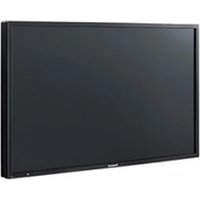
TH-47LF25U - Screen PANASONIC - Free user manual and instructions
Find the device manual for free TH-47LF25U PANASONIC in PDF.


Pick your language and provide your email: we'll send you a specifically translated version.
| Product Type | Professional LCD Display |
| Screen Size | 47 inches (diagonal) |
| Resolution | 1920 x 1080 (Full HD) |
| Brightness | 450 cd/m² (typical) |
| Contrast Ratio | 1200:1 |
| Viewing Angle | 178° horizontal and vertical |
| Inputs | HDMI, DVI-D, VGA, Composite, USB |
| Dimensions (W x H x D) | Approx. 1074 x 622 x 95 mm |
| Weight | Approx. 21 kg |
| Power Consumption | 190 W (typical), ≤1 W standby |
| Power Supply | AC 100-240V, 50/60Hz |
| VESA Mounting | 400 x 400 mm |
| Operating Temperature | 0°C to 40°C |
| Cleaning | Use soft, dry cloth; avoid liquids |
| Safety | Place on stable surface; ensure ventilation |
Frequently Asked Questions - TH-47LF25U PANASONIC
How do I clean the Panasonic TH-47LF25U screen?
Use a soft, lint-free cloth slightly dampened with water. Avoid using abrasive cleaners or liquids directly on the screen.
What is the VESA mount pattern for this display?
The VESA mount pattern is 400 x 400 mm, compatible with standard wall mounts.
What video inputs does the TH-47LF25U support?
It supports HDMI, DVI-D, VGA, Composite, and USB inputs.
Can I use the display in portrait mode?
Yes, the display is designed for both landscape and portrait orientations when properly mounted.
What is the power consumption in standby mode?
Standby power consumption is less than 1 watt.
How do I reset the display to factory settings?
Press the MENU button, navigate to Setup, select Factory Reset, and confirm.
Is there a built-in speaker?
This model includes built-in speakers (2x 10W) for basic audio.
What should I do if the display has no image?
Check the power cable, input source, and ensure the display is not in standby. Try a different input or device.
Can I control the display remotely via RS-232?
Yes, it supports RS-232C control for integration with external systems.
What is the recommended operating temperature?
The recommended operating temperature is 0°C to 40°C with humidity between 20% and 80%.
User questions about TH-47LF25U PANASONIC
0 question about this device. Answer the ones you know or ask your own.
Ask a new question about this device
No questions yet. Be the first to ask one.
Download the instructions for your Screen in PDF format for free! Find your manual TH-47LF25U - PANASONIC and take your electronic device back in hand. On this page are published all the documents necessary for the use of your device. TH-47LF25U by PANASONIC.
USER MANUAL TH-47LF25U PANASONIC
Manual assistant
Powered by Anthropic
Waiting for your message
Product information
Brand : PANASONIC
Model : TH-47LF25U
Category : Screen