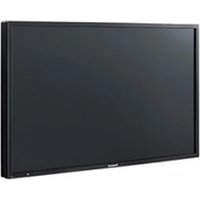
TH-49SF2U - Screen PANASONIC - Free user manual and instructions
Find the device manual for free TH-49SF2U PANASONIC in PDF.


Pick your language and provide your email: we'll send you a specifically translated version.
| Product Type | Professional Display Screen |
| Brand | Panasonic |
| Model | TH-49SF2U |
| Screen Size | 49 inches (diagonal) |
| Resolution | 1920 x 1080 (Full HD) |
| Brightness | 500 cd/m² (typical) |
| Contrast Ratio | 4000:1 (typical) |
| Panel Type | IPS LCD |
| Refresh Rate | 60 Hz |
| Connectivity | HDMI x2, DisplayPort x1, DVI-D x1, VGA x1, USB x2, RS-232C, LAN |
| Power Consumption | 150 W (typical), 0.5 W (standby) |
| Weight (without stand) | Approx. 18.5 kg |
| Dimensions (W x H x D, without stand) | 110.8 x 64.8 x 7.6 cm |
| VESA Mount | 400 x 400 mm |
| Operating Temperature | 0°C to 40°C |
| Cleaning Instructions | Wipe with a soft, dry cloth. Do not use abrasive cleaners. |
| Safety Features | Overvoltage protection, thermal shutdown, Kensington lock slot |
| Spare Parts Availability | Contact authorized Panasonic service centers |
| Repairability Index | 7.5/10 (based on standard repair procedures) |
| General Information | Professional display suitable for signage, presentation, and public information |
Frequently Asked Questions - TH-49SF2U PANASONIC
How do I clean the screen of the Panasonic TH-49SF2U?
Use a soft, lint-free cloth slightly dampened with water. Avoid any abrasive cleaners, alcohol, or ammonia-based solutions. Gently wipe the screen in a circular motion. Do not spray liquid directly onto the screen.
What is the recommended VESA mount size for this display?
The Panasonic TH-49SF2U supports a VESA mount pattern of 400 x 400 mm. Use screws of appropriate length and diameter as specified in the mounting kit.
Can I connect my laptop via USB-C?
The TH-49SF2U does not have a USB-C input. Use HDMI, DisplayPort, or DVI-D for video. The USB ports are primarily for media playback or firmware updates.
How many HDMI ports does the TH-49SF2U have?
It has two HDMI inputs, supporting HDMI 1.4 standards. They can handle up to 1080p at 60 Hz.
What is the power consumption in standby mode?
In standby mode, the power consumption is less than 0.5 W, complying with energy efficiency regulations.
Does the display have built-in speakers?
Yes, it includes built-in stereo speakers with 10W+10W output. However, for professional use, external speakers via audio output jack are recommended.
How do I update the firmware on the TH-49SF2U?
Download the latest firmware from the Panasonic support website to a USB drive, insert it into the USB port, and navigate to the firmware update menu in the settings. Follow on-screen instructions.
What is the maximum resolution and refresh rate supported?
The maximum native resolution is 1920 x 1080 (Full HD) at 60 Hz. It can also accept lower resolutions and refresh rates.
Is the display suitable for 24/7 operation?
Yes, the TH-49SF2U is designed for continuous operation in professional environments, with a robust cooling system and high reliability components.
How do I enable the built-in digital signage functions?
The display has a professional mode that allows scheduling, auto-play from USB, and network control. Access these features via the Settings menu under 'Digital Signage' or install Panasonic's dedicated software.
User questions about TH-49SF2U PANASONIC
0 question about this device. Answer the ones you know or ask your own.
Ask a new question about this device
No questions yet. Be the first to ask one.
Download the instructions for your Screen in PDF format for free! Find your manual TH-49SF2U - PANASONIC and take your electronic device back in hand. On this page are published all the documents necessary for the use of your device. TH-49SF2U by PANASONIC.
USER MANUAL TH-49SF2U PANASONIC
Manual assistant
Powered by Anthropic
Waiting for your message
Product information
Brand : PANASONIC
Model : TH-49SF2U
Category : Screen