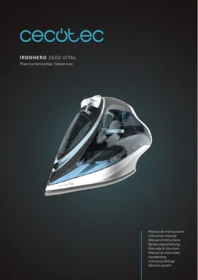
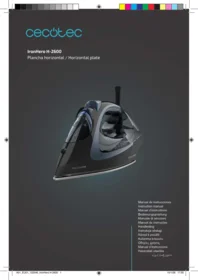
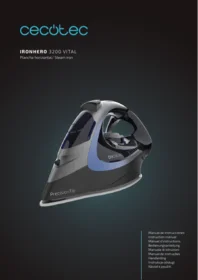
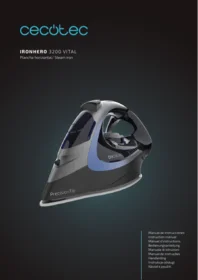
Ironhero 2600 Vital - Iron CECOTEC - Free user manual and instructions
Find the device manual for free Ironhero 2600 Vital CECOTEC in PDF.


| Product type | Steam iron |
| Brand | Cecotec |
| Model | Ironhero 2600 Vital |
| Power | 2600 W |
| Power supply voltage | 220-240 V ~ 50/60 Hz |
| Water tank capacity | 350 ml |
| Soleplate | Ceramic soleplate |
| Continuous steam output | Up to 40 g/min |
| Variable steam output | Yes, adjustable |
| Spray function | Yes |
| Anti-drip function | Yes |
| Anti-scale system | Yes, with self-cleaning function |
| Auto shut-off | Yes |
| Power cord | 2.5 meters |
| Dimensions (L x W x H) | 30 x 15 x 20 cm |
| Weight | 1.3 kg |
| Color | White and purple |
| Care and cleaning | Use the self-cleaning function regularly; clean the soleplate with a damp cloth |
| Safety | Safety auto shut-off in case of overheating or inactivity |
| Spare parts and repairability | Available on Cecotec website; repairable by a professional |
| General information | Cordless iron available as an option |
Frequently Asked Questions - Ironhero 2600 Vital CECOTEC
User questions about Ironhero 2600 Vital CECOTEC
0 question about this device. Answer the ones you know or ask your own.
Ask a new question about this device
Download the instructions for your Iron in PDF format for free! Find your manual Ironhero 2600 Vital - CECOTEC and take your electronic device back in hand. On this page are published all the documents necessary for the use of your device. Ironhero 2600 Vital by CECOTEC.
USER MANUAL Ironhero 2600 Vital CECOTEC
Safety instructions 7
-
Parts and components 35
-
Before use 35
-
Operation 35
Important 36
-
Cleaning and maintenance 37
-
Troubleshooting 38
-
Technical specifications 39
-
Disposal of old electrical and electronic appliances 39
-
Technical support and warranty 39
-
Copyright 39
SOMMAIRE
Read these instructions thoroughly before using the device. Keep this instruction manual for future reference or new users.
- This device is designed for domestic use only and is not intended for bars, restaurants, farmhouses, hotels, motels, and offices.
- This appliance can be used by children aged 8 years and above and persons with reduced physical, sensory, or mental capabilities or lack of experience and knowledge if they have been given supervision or instruction concerning the use of the appliance in a safe way and understand the hazards involved. Children must not play with the appliance. Cleaning and maintenance should not be carried out by children without supervision.
- Keep the iron and its cord out of reach of children under 8 years of age when the appliance is plugged into a mains socket or when it is cooling down.
- Do not leave the appliance unattended while it is hot, plugged into an outlet, or on the ironing board.
- Unplug the appliance from the mains before filling or emptying the water tank.
- The filling opening must not be open during use.
- Place and use the appliance on a flat, stable, dry, and heat-resistant surface. Make sure the surface is stable.
- Do not operate the appliance if it has been dropped, shows visible damage, or is leaking.
- This symbol means “caution, hot surface”. The accessible surfaces of the appliance may reach high temperatures during operation. Be careful not to burn yourself. Do not touch hot surfaces during operation or immediately after.
- Check the power cable regularly for visible damage. If the power cord is damaged, it must be replaced by the official Cecotec Service Centre or similarly qualified personnel to avoid hazards.
- Make sure that the mains voltage matches the voltage stated on the rating label of the appliance and that the wall outlet is earthed.
- Do not twist, bend, pull, or damage the power cable. Protect it from sharp edges and heat sources. Do not allow the cable to touch hot surfaces. Do not let the cable hang over the edge of the working surface or worktop.
- Do not immerse the cable, plug, or any other part of the appliance in water or any other liquid or expose electrical connections to water. Make sure your hands are dry before handling the plug or switching on the appliance.
- Avoid contact with the steam emitted by the appliance. Steam temperature is very high and can cause burns and other damage.
- The appliance is not intended to be operated by means of an external timer or separate remote-control system.
- Switch off and unplug the appliance when not in use and before cleaning it. Pull from the plug, not the cable, to disconnect it from the outlet.
- Keeping the iron at maximum temperature for too long may cause discolouration, which will not affect the performance of the appliance.
- Do not try to repair the device by yourself. Contact the official Cecotec Technical Support Service for advice.
- Cecotec takes no responsibility for any damage caused by misuse of the machine. Any misuse or non-compliance with these instructions voids the warranty and Cecotec's liability.
INSTRUCTIONS DE SÉCURITÉ
A. Soleplate
B. Spray nozzle
C. Water tank
D. Water tank cover
E. Spraying button
F. Steam burst button
G. Handle
H. Cable protector
I. Rear cover
J. LED indicator light
K. Steam switch
L. Temperature/thermostat knob
NOTE:
the graphics in this manual are schematic representations and may not exactly match the device.
2. BEFORE USE
- This appliance is packaged in a way as to protect it during transport. Take the device out of its box and remove all packaging materials. You can keep the original box and other packaging elements in a safe place. This will help you prevent damage to the device when transporting it in the future. In case the original packaging is disposed of, make sure all packaging materials are recycled accordingly.
- Make sure all parts and components are included and in good conditions. If there is any piece missing or in bad conditions, contact the official Cecotec Technical Support Service immediately.
Box content
- Iron
- Instruction manual
3. OPERATION
Water filling
Make sure that the iron is unplugged and that the temperature/thermostat knob is in the MIN
ENGLISH
position. Place the iron on a stand, tilt it forward at an angle of approximately 45 degrees and pour water through the filler opening into the MAX position of the water tank.
Vertical steaming
The "steam burst" can also be applied when the iron is held vertically, which is useful for removing wrinkles from hanging clothes, curtains, etc.
Dry ironing
- Place the steam switch in the O position (that is, no steam.)
- According to the care label of the different garments, set the correct ironing temperature to start ironing.
Steam ironing
- Fill the iron with water according to the water filling methods.
- Plug the appliance into the main socket.
- Set the temperature/thermostat selector to MAX position according to the temperature/ thermostat knob for steam ironing, otherwise water may come out of the soleplate.
- When the indicator light goes out, it means that the right temperature for ironing has been reached.
- Set the steam switch correctly. To increase the steam, turn the switch counterclockwise and to decrease the steam turn the switch clockwise.
Steam burst
This function is suitable for difficult creases and thick fabrics. When you press the "Steam Burst" button, the soleplate emits an intense burst of steam, which is very useful for removing stubborn creases. The steam function can only be used when ironing at a high ironing temperature. For optimal results, there should be a 5 second rest period between pressing the steam button. To avoid water leakage through the soleplate, do not press the steam button continuously for more than 5 seconds. In addition, you should allow an interval of at least one minute before using the steam burst function.
Spraying methods
By pressing the spraying button, a couple of times, garments can be dampened at any temperature. Make sure there's enough water in the tank.
IMPORTANT
Self-cleaning
- Use the self-cleaning function once every two weeks. If the water in your area is very chalky (i.e. if flakes come out of the soleplate during ironing), you should use the self-
cleaning function more frequently.) Make sure the iron is unplugged, turn the steam switch to the "O" position and fill the water tank to the MAX position.
- Do not put vinegar or other liquid solutions in the water tank.
- Select the maximum ironing temperature and plug the appliance into the mains socket. Unplug the iron when the power indicator light has gone out, rest the iron on a base and press and hold the self-cleaning button while moving the iron back and forth.
- Steam and boiling water will come out of the soleplate of the iron, then any impurities (if any) will be expelled.
- Release the self-cleaning button as soon as all the water in the tank has been used up.
- Repeat the self-cleaning process if the iron still contains many impurities.
- After the self-cleaning process, plug the iron into the socket and allow it to heat up so that the soleplate dries.
- Unplug the iron when it has reached the set ironing temperature.
- After this, gently move the iron over a piece of used cloth to remove any water stains that may have formed on the soleplate and allow the iron to cool down before storing it.
Anti-drip
- The anti-drip system is designed to automatically prevent water from escaping from the soleplate when the iron is too cold.
- During the use of the iron, the anti-drip system may emit a loud clicking noise, especially during heating or cooling. This is perfectly normal and indicates that the system is working properly.
Built-in anti-scale system
The anti-limescale cartridge is designed to reduce limescale build-up that occurs during steam ironing. This will extend the life of your iron. However, please note that the anti-scale cartridge will not completely stop the natural limescale build-up process.
Type of fabric and position of the temperature/thermostat knob: Fig. 2
4. CLEANING AND MAINTENANCE
Before cleaning the iron, unplug it from the socket and allow it to cool down sufficiently.
- Clean the soleplate with a damp cloth and a non-abrasive (liquid) cleaner.
- If the fibre is stuck to the soleplate, use a cloth dampened with vinegar to clean the plate.
- Never use strong acids to avoid damaging the soleplate.
- If limescale blocks the steam hole, remove it with a toothpick. Do not damage the surface of the soleplate.
-
Place the iron on its end, allow it to cool down sufficiently and, in the meantime, pour out the excess water from the box and set the steam switch to the "O" position.
-
TROUBLESHOOTING
| Problem | Cause | Solution |
| Not enough or too much heat | You have not turned the temperature/thermostat knob correctly or the iron is not correctly plugged in. | Correct the position of the temperature/thermostat knob and check if the iron is correctly plugged in. |
| No steam or leakage | The temperature/thermostat knob has been set to the MIN position. | Turn the temperature/ thermostat knob to select the desired temperature. |
| Steam burst or vertical steam are not working | The steam burst function (vertical steam) has been used too often in a very short period of time. The iron is not hot enough | Continue ironing in horizontal position and wait for a while before using the (vertical) steam burst function again. |
| Water dripping from the soleplate of the iron | You have set the steam switch outside the steam range. | Set the steam switch within the steam range. |
| The heat is still not enough. | Press the steam button only after the indicator light goes out | |
| Water is above the maximum position. | Pour in the remaining water. | |
| Little steam | Check if the steam switch is in the correct position. | Set the steam switch to the correct position. |
| The steam outlet orifice is blocked. | Clean the steam outlet orifice with distilled water. | |
| There is little water in the water tank. | Fill up the water tank. | |
| Iron does not spray | Not enough pressure or air inside. | Press the spray nozzle and the spraying button several times continuously. |
6. TECHNICAL SPECIFICATIONS
Product reference: 01870
Product: IronHero 2600 Vital Steam Iron
Rated voltage: 220-240 V
Frequency: 50/60 Hz
Power: 2600 W
Technical specifications may change without prior notification to improve product quality. Made in China | Designed in Spain
7. DISPOSAL OF OLD ELECTRICAL AND ELECTRONIC APPLIANCES
This symbol indicates that, according to the applicable regulations, the product and/or batteries must be disposed of separately from household waste. When this product reaches the end of its shelf life, you should dispose of the cells/batteries/accumulators and take them to a collection point designated by the local authorities.
Consumers must contact their local authorities or retailer for information
concerning the correct disposal of old appliances and/or their batteries.
Compliance with the above guidelines will help protecting the environment.
8. TECHNICAL SUPPORT AND WARRANTY
Cecotec shall be liable to the end user or consumer for any lack of conformity that exists at the time of delivery of the product under the terms, conditions, and deadlines established by the applicable regulations.
It is recommended that repairs be carried out by qualified personnel.
If at any moment you detect any problem with your product or have any doubt, do not hesitate to contact the official Cecotec Technical Support Service at +34 963 210 728.
9. COPYRIGHT
The intellectual property rights over the texts in this manual belong to CECOTEC INNOVACIONES, S.L. All rights reserved. The contents of this publication may not, in whole or in part, be reproduced, stored in a retrieval system, transmitted, or distributed by any means (electronic, mechanical, photocopying, recording or similar) without the prior authorization of CECOTEC INNOVACIONES, S.L.
FRANÇAIS
1. PIÈCES ET COMPOSANTS
Img. 1
5. PROBLEEMOPLOSSING
- SOMMAIRE
- INSTRUCTIONS DE SÉCURITÉ
- NOTE:
- BEFORE USE
- Box content
- OPERATION
- Water filling
- ENGLISH
- Vertical steaming
- Dry ironing
- Steam ironing
- Steam burst
- Spraying methods
- IMPORTANT
- Self-cleaning
- Anti-drip
- Built-in anti-scale system
- CLEANING AND MAINTENANCE
- TECHNICAL SPECIFICATIONS
- DISPOSAL OF OLD ELECTRICAL AND ELECTRONIC APPLIANCES
- TECHNICAL SUPPORT AND WARRANTY
- COPYRIGHT
- FRANÇAIS
- PIÈCES ET COMPOSANTS
- Img. 1
- PROBLEEMOPLOSSING
Brand : CECOTEC
Model : Ironhero 2600 Vital
Category : Iron