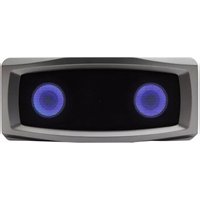
iRhythms A211 - Loudspeaker Cyber Acoustics - Free user manual and instructions
Find the device manual for free iRhythms A211 Cyber Acoustics in PDF.


Pick your language and provide your email: we'll send you a specifically translated version.
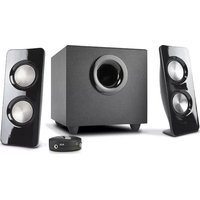
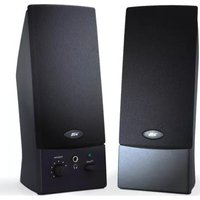
| Product Type | Desktop Speaker System |
| Brand | Cyber Acoustics |
| Model | iRhythms A211 |
| Speaker Type | Stereo 2.0 speakers |
| Number of Speakers | 2 (left and right) |
| Driver Size | 2 inches (51 mm) per speaker |
| Total Power Output | 6 Watts RMS |
| Frequency Response | 80 Hz - 20 kHz |
| Impedance | 4 Ohms |
| Connectivity | 3.5mm stereo audio input |
| Power Source | USB powered (5V DC) |
| Dimensions (Each Speaker) | 3.5 x 3.5 x 4.0 inches (89 x 89 x 102 mm) |
| Weight (Total) | 1.2 lbs (0.54 kg) |
| Color | Black |
| Controls | Volume control knob, power button with LED |
| Included Accessories | USB cable, 3.5mm audio cable, user manual |
| Warranty | 1 year limited warranty |
Frequently Asked Questions - iRhythms A211 Cyber Acoustics
How do I connect the iRhythms A211 speakers to my computer?
Connect the included 3.5mm audio cable from your computer's headphone jack to the audio input on the right speaker. Then plug the USB cable into a USB port on your computer to power the speakers. Turn on the speakers using the power button on the right speaker.
Why is there no sound coming from the speakers?
Check that the speakers are powered on and the volume knob is turned up. Verify that the audio cable is securely connected to both the computer and the speaker. Also ensure your computer's audio output is enabled and not muted. Try testing with a different audio source.
Can I use these speakers with my TV?
Yes, if your TV has a 3.5mm headphone output, you can connect the speakers. Alternatively, you can use a RCA to 3.5mm adapter if your TV has RCA audio outputs. Note that the speakers are powered via USB, so you may need to plug them into a USB charger or a USB port on your TV.
How do I adjust the volume on the speakers?
Use the volume control knob located on the front of the right speaker. Turn it clockwise to increase volume and counterclockwise to decrease. The LED on the power button indicates the speaker is on.
Are the speakers compatible with Bluetooth?
No, the iRhythms A211 is a wired speaker system and does not support Bluetooth. It requires a 3.5mm audio cable connection.
How do I clean the speakers?
Unplug the speakers before cleaning. Wipe the exterior with a soft, dry cloth. Do not use any liquids or cleaning agents, as they may damage the speaker grille or electronics.
What is the power source? Do I need batteries?
The speakers are powered via a USB cable (included). Connect the USB end to a computer USB port or a USB wall adapter (5V, 500mA or more). No batteries are required.
Can I use the speakers with a smartphone?
Yes, if your smartphone has a 3.5mm headphone jack, connect it using the included audio cable. For smartphones without a headphone jack, you will need a USB-C to 3.5mm adapter. Power the speakers via a USB power bank or USB wall charger.
My speakers produce a humming noise. What should I do?
Ensure the audio cable is not near any power cables or other electronic devices that could cause interference. Try connecting the USB power to a different USB port. Also check the audio source for ground loop issues. If the humming persists, the speakers may need service.
How long is the included audio cable?
The included 3.5mm audio cable is approximately 48 inches (1.2 meters) long, suitable for typical desktop setups.
User questions about iRhythms A211 Cyber Acoustics
0 question about this device. Answer the ones you know or ask your own.
Ask a new question about this device
No questions yet. Be the first to ask one.
Download the instructions for your Loudspeaker in PDF format for free! Find your manual iRhythms A211 - Cyber Acoustics and take your electronic device back in hand. On this page are published all the documents necessary for the use of your device. iRhythms A211 by Cyber Acoustics.
USER MANUAL iRhythms A211 Cyber Acoustics
Manual assistant
Powered by Anthropic
Waiting for your message
Product information
Brand : Cyber Acoustics
Model : iRhythms A211
Category : Loudspeaker