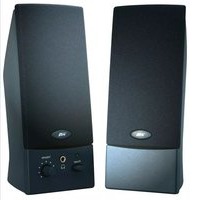
CA-2011WB - Loudspeaker Cyber Acoustics - Free user manual and instructions
Find the device manual for free CA-2011WB Cyber Acoustics in PDF.


| Product Type | 2.0 Stereo Speaker System |
| Brand | Cyber Acoustics |
| Model | CA-2011WB |
| Dimensions (each speaker) | Approx. 4.5 x 3.5 x 3.5 inches |
| Total Weight | Approx. 1.5 lbs (0.68 kg) |
| Power Source | USB powered (5V DC) or optional AC adapter |
| Audio Input | 3.5mm stereo aux cable |
| Controls | Volume knob, power LED |
| Additional Output | Headphone jack (3.5mm) |
| Frequency Response | 90Hz - 20kHz (typical) |
| Driver Size | 2 inch full-range drivers |
| Compatibility | PC, laptop, smartphone, tablet, MP3 player |
| Cable Length | Approx. 3 feet (USB and audio) |
| Material | Plastic enclosure |
| Color | White/Black (WB) |
| Cleaning | Wipe with a dry, soft cloth |
| Safety | Avoid liquids; unplug during cleaning |
| Spare Parts Availability | Contact Cyber Acoustics support |
| Warranty | 1 year limited warranty |
Frequently Asked Questions - CA-2011WB Cyber Acoustics
User questions about CA-2011WB Cyber Acoustics
0 question about this device. Answer the ones you know or ask your own.
Ask a new question about this device
Download the instructions for your Loudspeaker in PDF format for free! Find your manual CA-2011WB - Cyber Acoustics and take your electronic device back in hand. On this page are published all the documents necessary for the use of your device. CA-2011WB by Cyber Acoustics.
USER MANUAL CA-2011WB Cyber Acoustics
Amplified Computer Speaker System
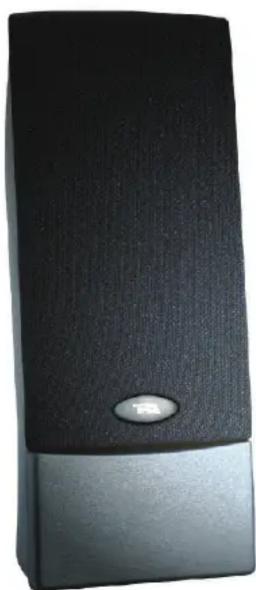

features:
• Built-in power supply
• Volume control
• Power on/off switch
• Headphone output jack
• LED power indicator
• Magnetically shielded
- Cloth grill
specifications:
• Power output - 1.2 watts total RMS .(6 watts x 2)
- Speakers - 1.5" x 3" high efficiency 4 ohm drivers
- Cables - 7' cord to source and satellites
- Complete cable assembly included for immediate set up
- Chrome 3.5mm plug
- Dimensions (H) 8.5" x (W) 3.25" x (D) 4.5"
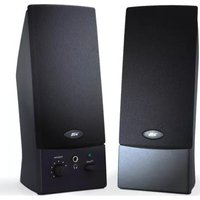
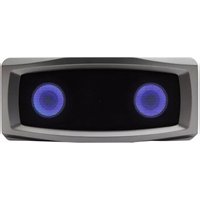
Brand : Cyber Acoustics
Model : CA-2011WB
Category : Loudspeaker