
B3 - Guitar effects pedalboard ZOOM - Free user manual and instructions
Find the device manual for free B3 ZOOM in PDF.


| Product type | Effects pedalboard for bass guitar |
| Dimensions | Approximately 400 x 200 x 60 mm |
| Weight | Approximately 2 kg |
| Power supply | ZOOM AD-16 AC adapter or 4 AA batteries (alkaline or Ni-MH) |
| Battery life | Varies depending on batteries, approximately 5 hours with alkaline |
| Power consumption | Via adapter or USB bus power (OFF mode) |
| Processor | ZFX-4 DSP |
| Effects | Over 100 types including compressors, distortions, modulations, delays, reverbs, synthesizers and amp/cabinet simulators |
| Patches | 100 patches in 10 banks (A-J) with auto-save |
| Displays | 3 LCD displays with adjustable backlight |
| Connectivity | 6.35 mm jack input, L/MONO and R jack outputs, expression pedal input, FS01 footswitch input, USB port |
| Main features | Looper (up to 40 sec), built-in rhythms, chromatic/bass tuner, USB audio interface (16-bit, 44.1 kHz) |
| Update | Firmware updated via USB |
| Software compatibility | ZOOM Edit & Share (patch editor/librarian) |
| Advanced settings | Patch level, balance, effect order, name, expression pedal, footswitch |
| Maintenance | Clean with a soft, dry cloth; do not use solvents |
| Safety | Use only AD-16 adapter; observe battery polarity; do not expose to water, excessive heat or shocks |
| Repairability | No spare parts specified; contact ZOOM customer service in case of malfunction |
| General information | Brand: ZOOM; Model: B3; Category: Effects pedalboard for bass guitar |
Frequently Asked Questions - B3 ZOOM
User questions about B3 ZOOM
0 question about this device. Answer the ones you know or ask your own.
Ask a new question about this device
Download the instructions for your Guitar effects pedalboard in PDF format for free! Find your manual B3 - ZOOM and take your electronic device back in hand. On this page are published all the documents necessary for the use of your device. B3 by ZOOM.
USER MANUAL B3 ZOOM
Bass Effects & Amp Simulator
B3
OPERATION MANUAL
Thank you very much for purchasing the ZOOM B3.
Please read this manual carefully to learn about all the functions of the B3 so that you will be able to use it fully for a long time.
Keep this manual in a convenient place for reference when necessary.
Contents
Usage and Safety Precautions. 2
Introduction 3
Terms Used in this Manual 3
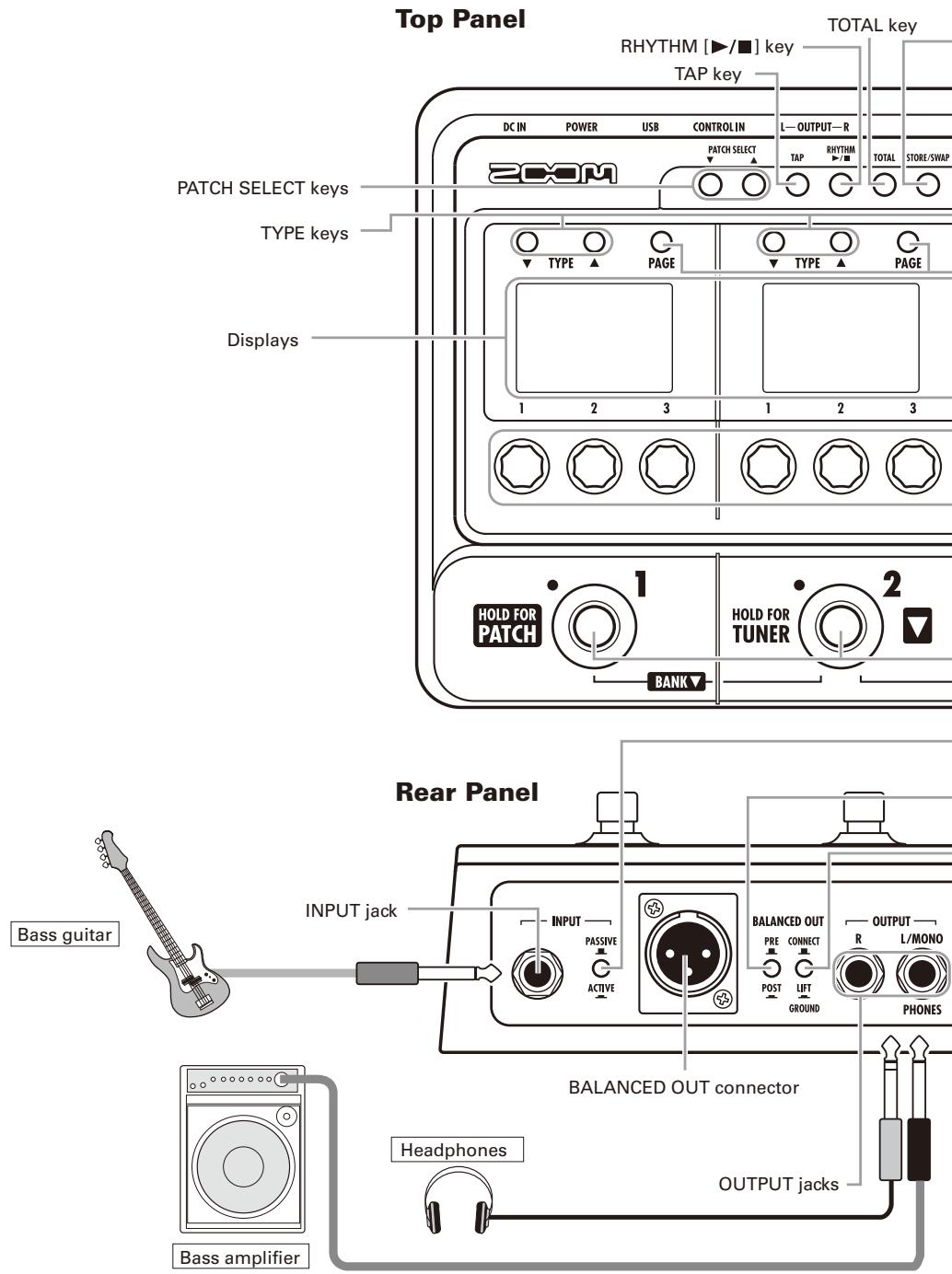
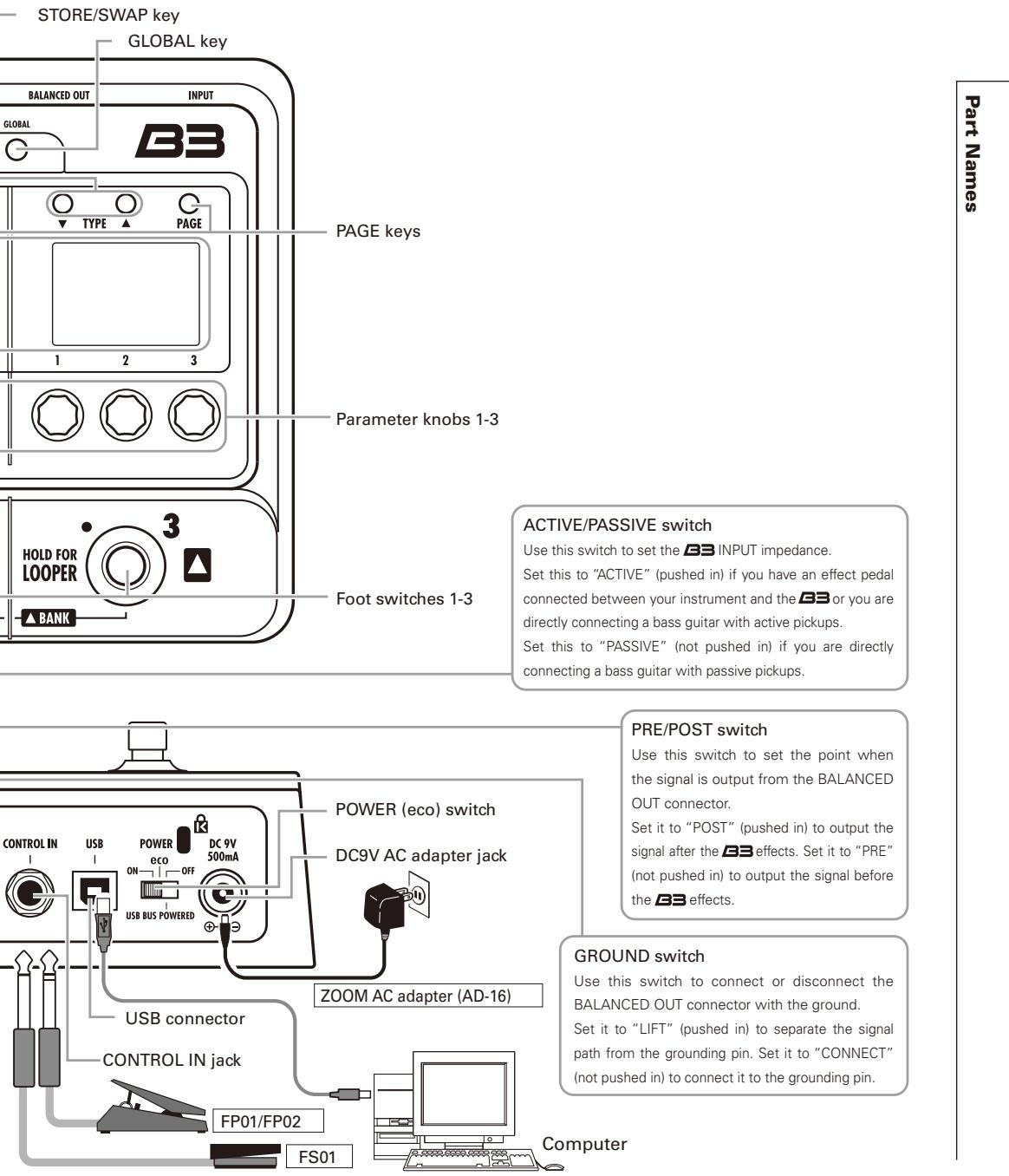
Part Names 4
Turn the Power on and Play 6
Adjusting Effects. 8
Selecting Patches 10
Storing Patches. 12
Setting Specific Patch Parameters. 14
Changing Various Settings 18
Using the Tuner 22
Using Rhythms 24
Using the Looper 26
Updating the Firmware 30
Restoring the B3 to its factory default settings. 31
Using Audio Interface Functions 32
Effect Types and Parameters 33
Troubleshooting 50
Rhythm List 50
Specifications 51
SAFETY PRECAUTIONS
In this manual, symbols are used to highlight warnings and cautions that you must read to prevent accidents. The meanings of these symbols are as follows:

Warning
Something that could cause serious injury or death.

Caution
Something that could cause injury or damage to the equipment.
Other symbols

Required (mandatory) actions

Prohibited actions

Warning
Operation using an AC adapter
Use only a ZOOM AD-16 AC adapter with this unit.
Do not use or do anything that could exceed the ratings of outlets and other electrical wiring equipment. Before using the equipment in a foreign country or other region where the electrical voltage differs from that indicated on the AC adapter, always consult with a shop that carries ZOOM products beforehand and use the appropriate AC adapter.
Operation using batteries
Use 4 conventional 1.5-volt AA batteries (alkaline or nickel-metal hydride).
Read battery warning labels carefully.
Always close the battery compartment cover when using the unit.
Alterations
Never open the case or attempt to modify the product.

Precautions
Product handling
1 Do not drop, bump or apply excessive force to the unit.
1 Be careful not to allow foreign objects or liquids to enter the unit.
Operating environment
Do not use in extremely high or low temperatures.
Do not use near heaters, stoves and other heat sources.
Do not use in very high humidity or near splashing water.
Do not use in places with excessive vibrations.
Do not use in places with excessive dust or sand.
AC adapter handling
When disconnecting the AC adapter from an outlet, always pull the body of the adapter itself.
During lightning storms or when not using the unit for a long time, disconnect the power plug from the AC outlet.
Battery handling
Install the batteries with the correct + / - orientation.
Use a specified battery type. Do not mix new and old batteries or different brands or types at the same time. When not using the unit for an extended period of time, remove the batteries from the unit.
If a battery leak should occur, wipe the battery compartment and the battery terminals carefully to remove all battery residue.
Connecting cables with input and output jacks
Always turn the power OFF for all equipment before connecting any cables.
Always disconnect all connection cables and the AC adapter before moving the unit.
Volume
Do not use the product at a loud volume for a long time.
Usage Precautions
Interference with other electrical equipment
In consideration of safety, the B3 has been designed to minimize the emission of electromagnetic radiation from the device and to minimize external electromagnetic interference. However, equipment that is very susceptible to interference or that emits powerful electromagnetic waves could result in interference if placed nearby. If this occurs, place the B3 and the other device farther apart. With any type of electronic device that uses digital control, including the B3, electromagnetic interference could cause malfunction, corrupt or destroy data and result in other unexpected trouble. Always use caution.
Cleaning
Use a soft cloth to clean the panels of the unit if they become dirty. If necessary, use a damp cloth that has been wrung out well. Never use abrasive cleansers, wax or solvents, including alcohol, benzene and paint thinner.
Malfunction
If the unit becomes broken or malfunctions, immediately disconnect the AC adapter, turn the power OFF and disconnect other cables. Contact the store where you bought the unit or ZOOM service with the following information: product model, serial number and specific symptoms of failure or malfunction, along with your name, address and telephone number.
Copyrights
- Windows® and Windows Vista® are trademarks or registered trademarks of Microsoft®.
- Macintosh® and Mac OS® are trademarks or registered trademarks of Apple Inc.
- All other trademarks, product names and company names mentioned in this documentation are the property of their respective owners.
Note: All trademarks and registered trademarks mentioned in this manual are for identification purposes only and are not intended to infringe on the copyrights of their respective owners.
Feels just like using effect pedals
The three effects each have their own displays, parameter knobs and footswitches, allowing you to control all of them intuitively.
Realistic amplifier modeling
With our new ZFX-4 DSP, we have magnificently recreated low-end thickness, pitch clarity and loudness, which are elements that contribute to a natural playing feel. Models range from famous historical amps to recent popular ones, covering a great variety of bass sounds.
Combine diverse effects as you like
You can freely combine the over 100 types of onboard effects, including preamps and stomp boxes tuned for bass guitars.
**Looper that can be synchronized with rhythms**
The looper can be synchronized with rhythms and record phrases of up to 40 seconds.
Automatic saving
The auto save function reliably stores the changes you make.
Works with ZOOM Edit & Share software
The B3 can be used with Edit & Share software, which is a patch editor and librarian, on a computer to back up patches and change the order of effects.
See the ZOOM website (http://wwwzoomo.co.jp/) for further information about Edit & Share.
Terms Used in this Manual
Patch
The ON/OFF status and the parameter settings of each effect are stored as "patches." Use patches to recall and save effects. The B = can store 100 patches.
Bank
A set of 10 patches is called a "bank." The B3 has 10 banks labeled A-J.
To turn the power on
Always lower the amplifier's volume all the way before turning the power on.
When using batteries
Insert batteries into the battery compartment and set the POWER switch to ON.
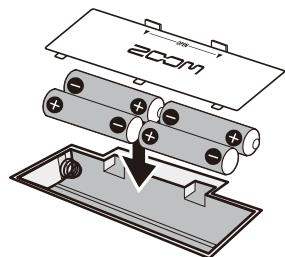
Bottom of the unit

When using an adapter
Connect the AC adapter and set the POWER switch to ON.
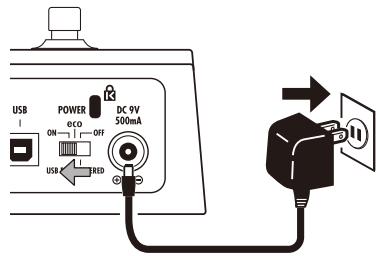
Turn the amplifier's power on and raise its volume.
HINT
- POWER switch options
eco: If the B3 is not used for about 25 minutes, it will be set to standby.
The B3 will not be set to standby as long as there is a signal input from a bass guitar.
OFF: When set to "OFF", the E3 can be powered from a USB bus by connecting it to a computer's USB port.
Display information
Home Screens show the current patch
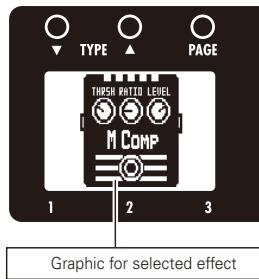
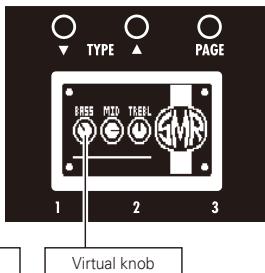
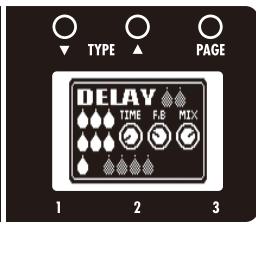
HINT
- The positions of the virtual knobs change with the parameter values.
■ Edit Screens show parameters being edited
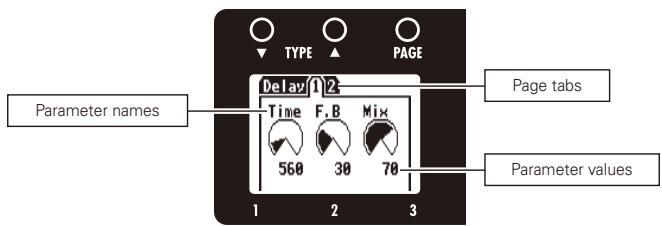
HINT
- If there are 4 or more parameters that can be adjusted, multiple page tabs will be shown.
Confirm that the Home screens are shown.
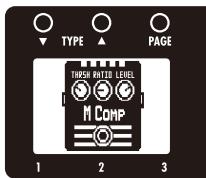
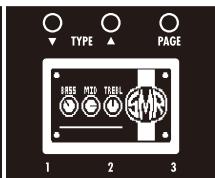
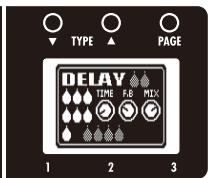
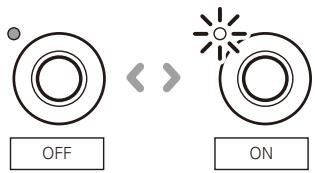
1 | To turn effects ON and OFF
Press 1, 2 and 3

Turns the effect ON/OFF.
NOTE
- An effect is ON when its footswitch LED is lit.
- An effect is OFF when its footswitch LED is not lit.
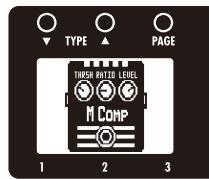
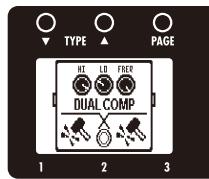
2 | To select an effect type
Press O TYPE ▲
- The effect type changes.
HINT
- See page 33 for information about effect types and parameters.
- Adjustments are automatically saved.
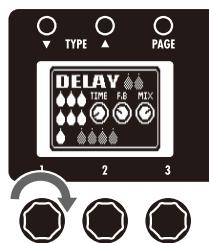
3 | To adjust parameters
- Turn


and

- The editing screen opens where you can adjust parameters.
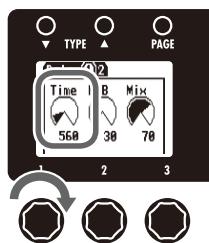
NOTE
- Time, rate and some other effect parameters can be set in note durations that are synchronized to the tempo.
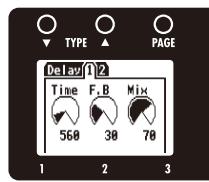
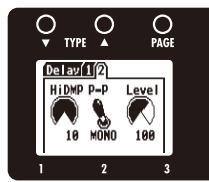
4 | To change the page
Press

PAGE

- The next page opens.
Effect processing capacity
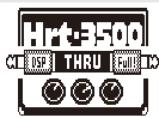
The B3 allows you to combine three effects as you like. However, if you combine effect types that require great amounts of processing power, it is possible to exceed the processing capacity of the B3 . If the processing required for the effect exceeds the capacity of the B3 , "THRU" is shown over the effect graphic and the effect is bypassed. This can be avoided by changing one or more of the effect types.
NOTE
- An effect requires the same amount of processing power whether it is on or off.
HINT
- Amp models require great amounts of processing.
Confirm that the Home display is shown.
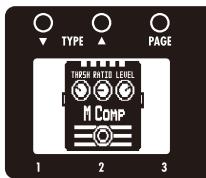
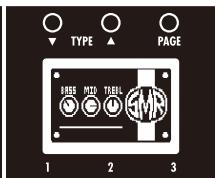
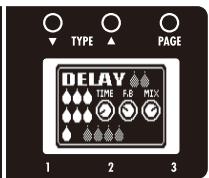
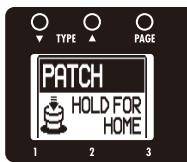
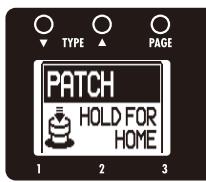
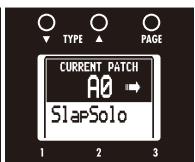
1 To activate patch selection

- Press and Hold HOLD FOR patch for 1 second to activate patch selection.
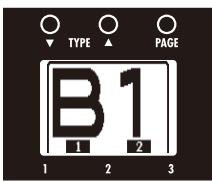
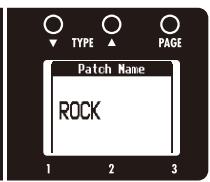
- The screens show the patch bank, number and name.
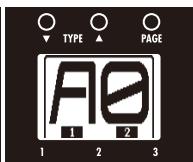
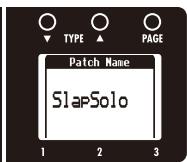
2 | To change the patch
- Press ^2 to select the next lower patch.
- Press to select the next higher patch.
- Turn 2 of the middle effect.

- The patch number and name changes.
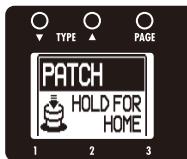
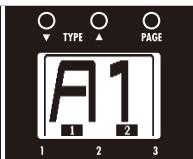

HINT
- You can also change patches using PATCH SELECT
3 To change the bank
- Press 1 and 2 at the same time to select the next lower bank.
- Press and at the same time to select the next higher bank.
-
Turn 1 of the middle effect.
-
The patch bank and name changes.
NOTE
- When pressing two footswitches at the same time, the sound could be affected by the footswitch that is pressed slightly earlier. To avoid this, do not make sound when switching banks.
4 | To return to the Home Screens
- Press and hold HOLD FOR PATCH for 1 second.

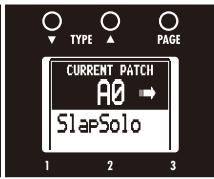
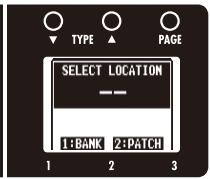
The B3 automatically saves settings when parameters are adjusted.
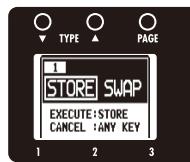
1 | To store a patch or swap with a different patch
STORE/SWAP
Press


STORE/SWAP
- O blinks and the screens appear as below.

2 | To select whether to store or swap the patch
- Turn of the left effect.

Store
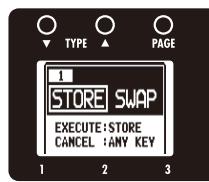
Swap
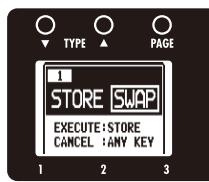
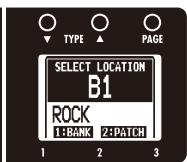
3 | To set where to store or swap the new patch
To change the patch number where stored/swapped
- Turn

of the right effect.
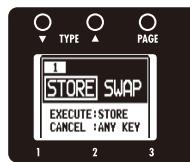
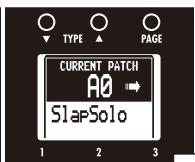
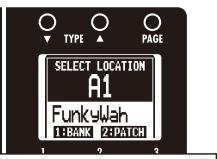
Change the patch number
To change the bank where stored/swapped
- Turn

of the right effect.

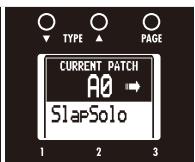
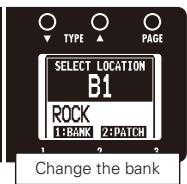
NOTE
- The currently active patch cannot be selected as the destination.
- The current setting values are automatically saved.
4 | To complete patch storing/swapping
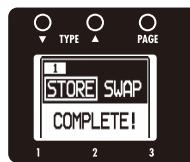
Press
STORE/SWAP


- After "COMPLETE!" appears on the display, the stored/swapped patch opens.
HINT
- To cancel this, press any key instead of STORE/SWAP
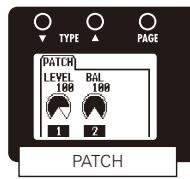
1 | To activate the TOTAL menu
Press

TOTAL
NOTE
- Settings made for total parameters are saved separately for each patch.
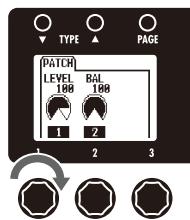
2 | To adjust the patch level
- Turn

of the left effect.
NOTE
The setting range is 0-120.
HINT
- To change the overall volume of all patches, adjust the master level (see page 18).
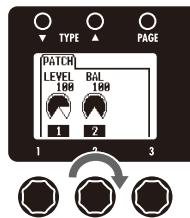
3 To adjust the balance between original and effected sounds
- Turn

of the left effect.
NOTE
- The setting range is 0-100. Set to 0 for only the original sound or 100 for only the effect sound.
4 | To change the order of the effects
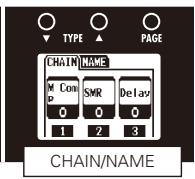
- Turn 1, 2 and 3 of the middle effect to exchange effect locations.
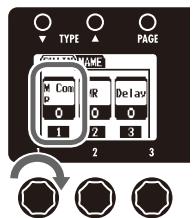
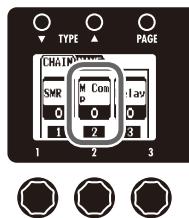
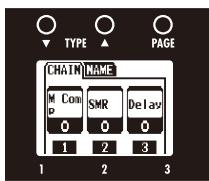
5 | To change the patch name
- Press of the middle effect.
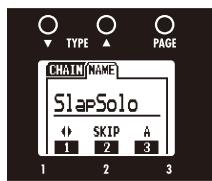
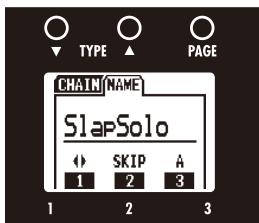
:Turn to move the cursor.
SKIP :Turn to change the type of character/ symbol.
A 3 to change the character.
NOTE
The following characters and symbols can be used. ! # $ % & '() +, -; = @ [] ^ _ {} ~A-z, a-z, 0-9, (space)
6 | To set an expression pedal function
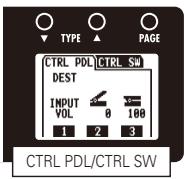
Set the control destination.
- Turn 1 of the right effect.
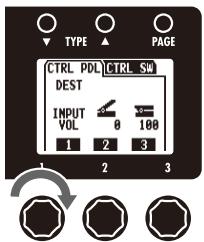
NOTE
- INPUT VOL: Use this to control the input level.
- OUTPUT VOL: Use this to control the output level.
NO ASSIGN: No function is assigned.
BAL: The balance between the original sound and the effect sound can be adjusted.
HINT
- Turn to show the different parameters that can be controlled by the expression pedal.
- See "Effect types and parameters" for details about the parameters that can be controlled for each effect.
- Rhythm and looper output levels are not affected when controlling the Output Volume with an expression pedal.
Set the adjustment range.
- Turn 2 of the right effect to set the minimum value.
- Turn 3 of the right effect to set the maximum value.
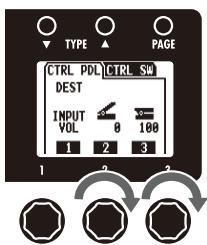
HINT
- The minimum value can be set higher than the maximum value. When set this way, pushing the pedal down decreases the effect, while letting it up increases the effect.
7 To set an optional footswitch function
- Press on the right effect.
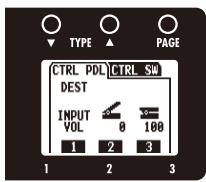
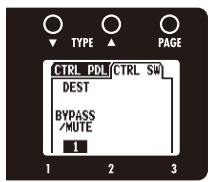
- Turn

of the right effect.
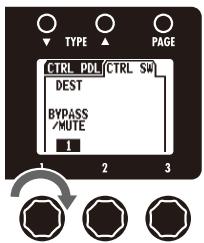
BYPASS/MUTE
Sets the effect to bypass or mute.
TAPTEMPO
Press the footswitch repeatedly at the desired tempo to set the tempo used for rhythms, the looper and effects.
NO ASSIGN
No function is assigned to the footswitch.
NOTE
- When more than one function can be assigned, use to select one.
HINT
- In order to use the function set, the corresponding effect must also be ON.
See "Effect types and parameters" for details about the parameters that can be assigned for each effect.
8 | To exit the TOTAL menu
Press
TOTAL

1 | To activate the GLOBAL menu
Press

GLOBAL

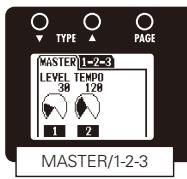
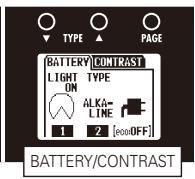
NOTE
- Global parameter settings affect all patches.
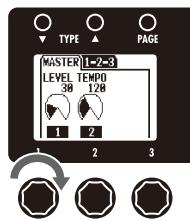
2 | To adjust the master level
- Turn

of the left effect.
NOTE
The setting range is 0-120.
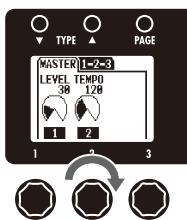
3 | To set the master tempo
- Turn

of the left effect.
TAP
HINT
- You can also set the tempo using
NOTE
The setting range is 40-250.
- This tempo setting is used by every effect, rhythms and the looper.
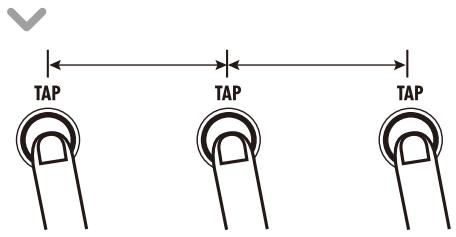
Setting the tempo by tapping
- Press TAP two or more times at the desired tempo.
HINT
- You can also set the tempo using an FS01 footswitch (sold separately). (See page 17)
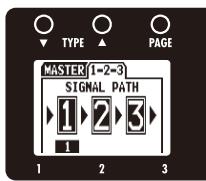
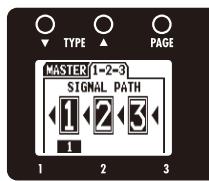
4 | To change the direction of the signal flow
- Press on the left effect.
- Turn to set the signal flow direction.
5 To set the amount of time until the backlight dims
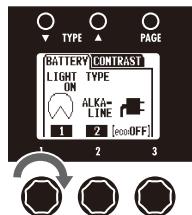
- Turn of the middle effect.
NOTE
- The setting options are ON and 1-30 seconds.
HINT
- The amount of power consumed can be reduced by dimming the backlight.
6 | To select the battery type
- Turn 2 of the middle effect to set the battery type to ALKALINE or Ni-MH (nickel-metal hydride).
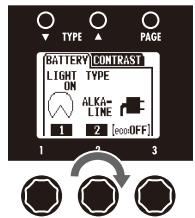
:Operating on batteries :Operating on adapter power :Operating on USB bus power
NOTE
- Set the battery type correctly in order to allow the remaining battery charge to be shown accurately.
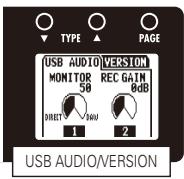
7 To adjust the USB audio monitoring balance
- Turn of the right effect.
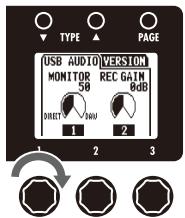
NOTE
- This adjusts the balance between the signals sent from a connected computer (DAW) and the signal input and processed through the unit (DIRECT).
The setting range is 0-100. - Set to 0 to monitor only the DIRECT signal or 100 to monitor only the DAW signal.
8 | To adjust the recording level
- Turn of the right effect.
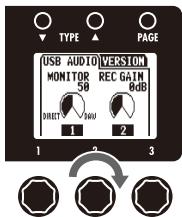
NOTE
This adjusts the level of the signal sent to the computer.
- The setting range is ± 6 dB.
9 | To view the firmware versions
- Press of the right effect.
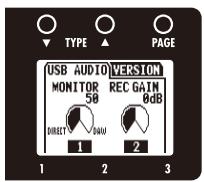
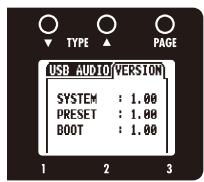
HINT
- Check the ZOOM website (http://wwwzoom.co.jp) for the latest firmware versions.
10 | To adjust the display contrast
- Press O of the middle effect.
- Turn 1, 2 and 3 of the middle effect.
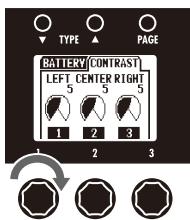
1 : Left display 2 : Center display 3 : Right display
11 | To exit the GLOBAL menu
- Press GLOBAL
1 | To activate the tuner
- Press ^2 for 1 second.
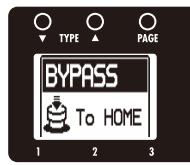
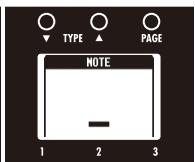
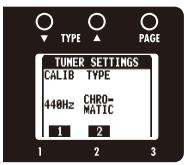
NOTE
- Pressing ^2 for 1 second will bypass the effects.
- Pressing ^2 for 2 seconds will mute the output.
2 | To change the tuner's standard pitch
- Turn of the right effect.
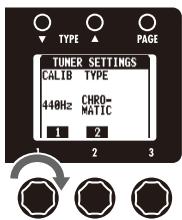
NOTE
The standard pitch for middle A can be adjusted to 435 - 445Hz
3 | To select the tuner type
- Turn of the right effect.
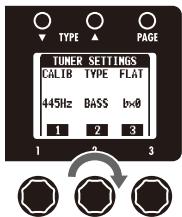
CHROMATIC
The chromatic tuner shows the nearest pitch name (semitone) and how far the input sound is from that pitch.
BASS
Depending on the selected type, the nearest string name and how far the sound input is from that pitch are shown.
4 | To use a drop tuning
- Turn

of the right effect.

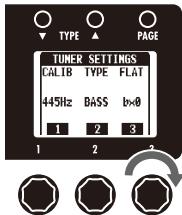
NOTE
- Drop tuning is not possible when the TYPE is set to CHROMATIC.
5 Tune the bass guitar
- Play the open string that you want to tune and tune it.
CHROMATICTUNER
The name of the nearest note and the pitch accuracy are shown.
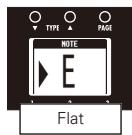
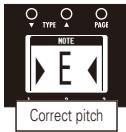
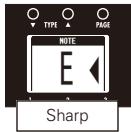
BASSTUNER
The number of the nearest string and the pitch accuracy are shown.
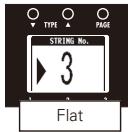
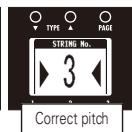
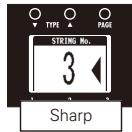
HINT
- The keys above the displays also light to show the pitch accuracy.
Pitch too low
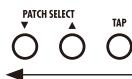
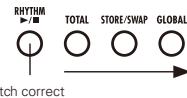
Pitch too high
6 | To end tuning
Press
1 | To activate a rhythm
Press

- The rhythm pattern starts to play automatically and the rhythm setting screens open.
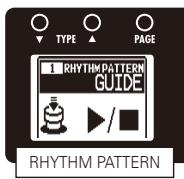
HINT
- You can use a rhythm pattern while using the looper.
2 To select the rhythm pattern
- Turn

of the left effect.

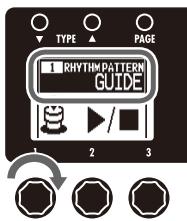
NOTE
See page 50 for types of patterns
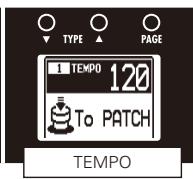
3 To adjust the tempo
- Turn

of the middle effect.

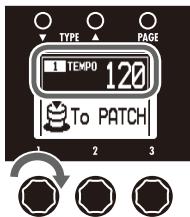
HINT
- You can also set the tempo using

NOTE
The setting range is 40-250.
- This tempo setting is used by every effect, rhythms and the looper.
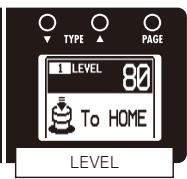
4 | To adjust the rhythm level
- Turn 1 of the right effect.
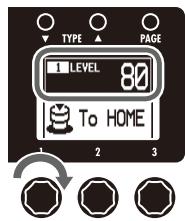
NOTE
The setting range is 0-100.
5 | To stop the rhythm
Press

HINT
Press again to restart playback of the rhythm.
6 | To complete setting the rhythm
The rhythm stops and the previous screen reappears
To select a patch (and keep the rhythm playing)
To return to the Home Screens (and keep the rhythm playing)
1 | To activate the Looper
- Press for 1 second.
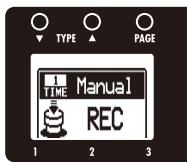
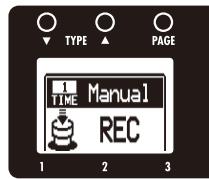
2 | To set the recording time
- Turn

on the left unit.
Manual
Use the footswitch to start and stop recording.
Note mark
Set the recording time by setting the tempo and the number of quarter notes.
NOTE
- The looper can record 1.5–40 seconds (20 seconds when UNDO is enabled).
- If the setting (number of quarter notes) would not fall in this range, it will automatically be adjusted.
- Changing the TIME setting will erase the currently recorded loop.
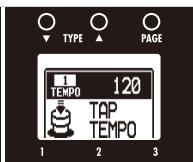
3 | To adjust the tempo
- Turn of the middle unit.
HINT
- You can also set the tempo using
- If no loop has been recorded yet, you can also set the tempo by tapping 2.
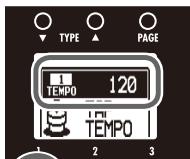
NOTE
The setting range is 40-250.
- Changing the tempo will erase the currently recorded loop.
- This tempo setting is used by every effect, rhythms and the looper.
4 | To record a phrase and play it back
Press

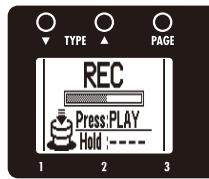
Recording
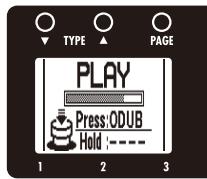
Playing
If set to "Manual"
- When () is pressed again or the maximum recording time (about 40 seconds) is reached, loop playback starts (and "PLAY" appears on the display).
If set to a note mark
- Recording continues for the set time and then loop playback starts (and "PLAY" appears on the display).
HINT
During recording, press to cancel recording.

NOTE
- When using a rhythm, recording will start after the precount.
- When using a rhythm, the loop timing will be quantized, so even if you stop the loop recording a little out of time, the loop end point will be adjusted to match the tempo correctly.
5 | To adjust the loop volume
- Turn

of the right unit.
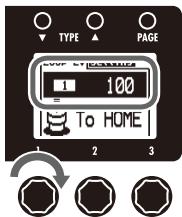
NOTE
The setting range is 0-100.
6 | To overdub a recorded loop
To start over dubbing
- During loop playback, press

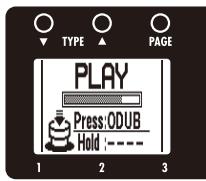
Playing

Over dubbing
To end overdubbing
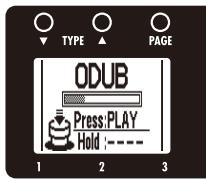
Over dubbing
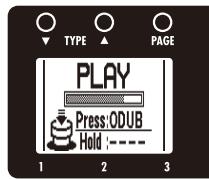
Playing
7 | To stop loop playback
Press

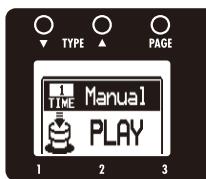
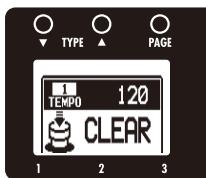
8 To erase the loop
- "CLEAR" appears on the display.
9 | To return to the Home Screens
Press

HINT
- You can return to the Home Screens while the loop is playing.
NOTE
- Returning to the Home Screens will not erase the loop.
- Turning the power OFF will erase the loop.
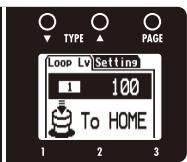
To change the Looper settings
Press of the right unit.
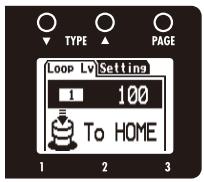
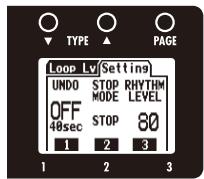
To activate the Undo function
Turn of the right unit.
NOTE
- When Undo is ON, the maximum loop recording time is limited to 20 seconds.
HINT
- When Undo is ON, you can cancel the last overdubbing by pressing () for 1 second. After undoing, you can also redo by pressing () for 1 second again, restoring the last overdubbing.
- To select the STOP MODE
Turn of the right unit.
| STOP MODE | How loop playback stops |
| STOP | Playback stops immediately |
| FINISH | Playback stops after the loop plays to its end |
| FADE OUT | Playback stops after fading out |
HINT
Even when set to "FINISH" or "FADE OUT", you can stop loop playback immediately by pressing and holding down 2.
To adjust the RHYTHM LEVEL
Turn 3 of the right unit.
To download the latest firmware version updater application:
- Visit the ZOOM Website (http://www.zoom.co.jp).
HINT
- Open the GLOBAL menu to check the current firmware versions. (See page 21.)
1 | To prepare to update the firmware version
-
Confirm that the POWER switch is set to OFF.
-
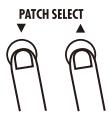
While pressing both USB cable.
PATCH SELECT , connect the unit to a computer using the
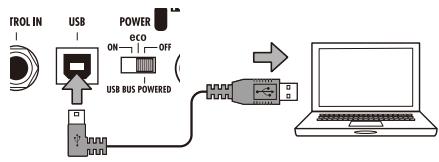
- The VERSION UPDATE screen appears.
VERSION UPDATE
Ready for version update!
2 | To update the firmware
- Launch the version update application on your computer, and execute the update.
NOTE
- Do not disconnect the USB cable while the firmware is being upgraded.
HINT
- See the ZOOM website for instructions about how to use the application.
3 | To complete updating
- When the B3 has finished updating, "COMPLETE!" appears on the display.

- Disconnect the USB cable.
HINT
- Updating the firmware version will not erase saved patches.
Restoring the B3 to its factory default settings.
1. To use the All Initialize function
- While pressing STORE/SWAP, set the POWER switch to ON.
STORE/SWAP
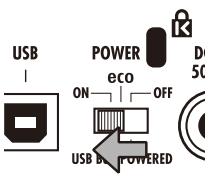
- The All Initialize screen appears.
All Initialize
Are You Sure?
YES:STORE
NO : ANY KEY
2. To execute the All Initialize function.
STORE/SWAP
Press
NOTE
- Press any key other than STROKE SWAR to cancel.
HINT
- Executing the All Initialize function will restore all the settings of the B3, including its patches, to factory defaults. Do not use this function unless you are certain that you want to do this.
This unit can be used with computers running the following operating systems
Compatible OS
Windows
Windows® XP SP3 (32bit) or newer
Windows Vista® SP1 (32bit, 64bit) or newer
Windows® 7 (32bit, 64bit)
32bit: Intel® Pentium® 4 1.8GHz or faster, 1GB RAM or more
64bit: Intel® Pentium® DualCore 2.7GHz or faster, 2GB RAM or more
Intel Mac
OSX 10.5.8/10.6.5 or later
Intel® CoreDuo 1.83GHz or faster
1GB RAM or more
Quantization (bit-rate)
16-bit
Sampling frequency
44.1kHz
For details about recording, playback and other functions, please see the included startup guide.
HINT
- You can adjust the balance between the signals from the B3 and the computer. (See page 20.)
- You can adjust the recording level. (See page 20.)
- When its POWER switch is set to OFF, the BE can be connected to a computer by USB and powered by its USB bus.
NOTE
- To monitor the signal of your connected bass guitar after it has passed through your DAW software, set the USB AUDIO MONITOR balance to 100. (See page 20.)
At other settings, the signals from the computer and the B3 will be mixed, causing the output signal to sound like a flanger effect is being used.
Effect Types and Parameters

Effect Types and Parameters
| 001 OptComp | This compressor is in the style of an APHEX Punch Factory. | |||||||||
| Page01 | Knob1 | Knob2 | Knob3 | |||||||
| Drive | 0-100 | P | Tone | 0-100 | Level | 0-150 | ||||
| Adjusts the depth of the compression. | Adjusts the tone. | Adjusts the output level. | ||||||||
| 002 D Comp | This compressor in the style of the MXR Dyna Comp. | |||||||||
| Page01 | Knob1 | Knob2 | Knob3 | |||||||
| Sense | 0-10 | Tone | 0-10 | Level | 0-150 | P | ||||
| Adjusts the compressor sensitivity. | Adjusts the tone. | Adjusts the output level. | ||||||||
| Page02 | ATTCK | Slow, Fast | ||||||||
| Sets compressor attack speed toFast or Slow. | ||||||||||
| 003 M Comp | This compressor provides a more natural sound. | |||||||||
| Page01 | Knob1 | Knob2 | Knob3 | |||||||
| THRSH | 0-50 | P | Ratio | 1-10 | Level | 0-150 | ||||
| Sets the level that activates the compressor. | Adjusts the compression ratio. | Adjusts the output level. | ||||||||
| Page02 | ATTCK | 1-10 | ||||||||
| Adjusts the compressor attack rate. | ||||||||||
| 004 DualComp | This is a compressor which allows separate settings for the low frequency and high frequency range. | |||||||||
| Page01 | Knob1 | Knob2 | Knob3 | |||||||
| Hi | 0-50 | Lo | 0-50 | Freq | 300Hz-1.5kHz | P | ||||
| Adjusts the compression depth inthe high frequency range. | Adjusts the compression depth inthe low frequency range. | Adjusts the crossover point between thehigh frequency and low frequency range. | ||||||||
| Page02 | Level | 0-150 | Tone | 0-10 | ||||||
| Adjusts the output level. | Adjusts the tonal quality of the sound. | |||||||||
| 005 160 Comp | This compressor is in the style of the dbx 160A. | |||||||||
| Page01 | Knob1 | Knob2 | Knob3 | |||||||
| THRSH | -60-0 | Ratio | 1.0-10.0 | Gain | 0-20 | |||||
| Adjusts the threshold that determineswhen the effect is activated. | Adjusts the compression ratio. | Adjusts the gain after compression. | ||||||||
| Page02 | Knee | Hard, Soft | Level | 0-150 | P | |||||
| Sets the type of knee. | Adjusts the output level. | |||||||||
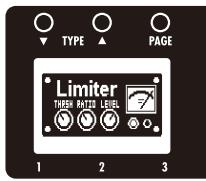
| 006 Limiter | This is a limiter that suppresses signal peaks above a certain reference level. | |||||||||
| Limiter THE NEW LEVEL | THRSH 0-50 | P | Ratio | 1-10 | Level | 0-150 | ||||
| Adjusts the reference signal level for the limiter action. | Adjusts the compression ratio of the limiter. | Adjusts the output level. | ||||||||
| REL 1-10 | ||||||||||
| Adjusts the delay between the point where the signal level falls below the threshold level and the limiter release. | ||||||||||
| 007 SlowATTCK | This effect slows the attack of each note, resulting in a violin-like performance. | |||||||||
| Slow ATTCK | Knob1 | Knob2 | Knob3 | |||||||
| Time 1-50 | P | Curve 0-10 | Level | 0-150 | ||||||
| Adjusts the attack time. | Set the curve of volume change during attack. | Adjusts the output level. | ||||||||
| 008 ZNR | ZOOM's unique noise reduction cuts noise during pauses in playing without affecting the tone. | |||||||||
| Slow ZNR | Knob1 | Knob2 | Knob3 | |||||||
| THRSH 1-25 | P | DETCT Gtrln, Efln | Level | 0-150 | ||||||
| Adjusts the effect sensitivity. | Sets control signal detected. | Adjusts the output level. | ||||||||
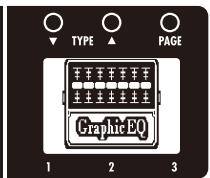
| 009 GraphicEQ | This unit has a seven band equalizer. | |||||||||
| Knob1 | Knob2 | Knob3 | ||||||||
| 50Hz -12-12 | 120Hz -12-12 | 400Hz -12-12 | ||||||||
| Adjusts the amount of boost/cut at 50 Hz. | Adjusts the amount of boost/cut at 120 Hz. | Adjusts the amount of boost/cut at 400 Hz. | ||||||||
| 500Hz -12-12 | 800Hz -12-12 | 4.5kHz -12-12 | ||||||||
| Adjusts the amount of boost/cut at 500 Hz. | Adjusts the amount of boost/cut at 800 Hz. | Adjusts the amount of boost/cut at 4.5 kHz | ||||||||
| 10kHz -12-12 | Level 0-150 | |||||||||
| Adjusts the amount of boost/cut at 10 kHz. | Adjusts the output level. | |||||||||
| 010 ParaEQ | This is a 2-band parametric equalizer. | |||||||||
| Knob1 | Knob2 | Knob3 | ||||||||
| Freq1 20Hz-20kHz | Q1 0.5, 1, 2, 4, 8, 16 | Gain1 -20-20 | ||||||||
| Adjusts center frequency of EQ1. | Adjusts EQ1 Q. | Adjusts EQ1 gain. | ||||||||
| Freq2 20Hz-20kHz | Q2 0.5, 1, 2, 4, 8, 16 | Gain2 -20-20 | ||||||||
| Adjusts center frequency of EQ2. | Adjusts EQ2 Q. | Adjusts EQ2 gain. | ||||||||
| Level 0-150 | ||||||||||
| Adjusts the output level. | ||||||||||
| 011 Splitter | This effect divides the signal into two bands (high/low) and lets you freely adjust the mix ratio of the two bands. | |||||||||
| Knob1 | Knob2 | Knob3 | ||||||||
| Hi 0-100 | Lo 0-100 | Freq 80Hz-2.5kHz | ||||||||
| Adjusts the mix ratio of the high frequency band. | Adjusts the mix ratio of the low frequency band. | Adjusts the crossover point between the high frequency and low frequency band. | ||||||||
| Level 0-150 | P | |||||||||
| Adjusts the output level. | ||||||||||
| 012 Bottom B | Emphasizes the low and high frequencies. | |||||||||
| Knob1 | Knob2 | Knob3 | ||||||||
| Bass 0-10 | P | Trebl 0-10 | Level 0-150 | |||||||
| Adjusts the amount of low-frequency boost. | Adjusts the amount of high-frequency boost. | Adjusts the output level. | ||||||||
| 013 Exciter | This exciter is in the style of the BBE Sonic Maximizer. | |||||||||
| Knob1 | Knob2 | Knob3 | ||||||||
| Bass 0-10 | P | Trebl 0-10 | Level 0-150 | |||||||
| Adjusts the amount of low-frequency phase correction. | Adjusts the amount of high-frequency phase correction. | Adjusts the output level. | ||||||||
| 014 CombFLTR | This effect uses the comb filter that results from fixing the modulation of the flanger like an equalizer. | ||||||||||||||
| Page01 | Knob1 | Knob2 | Knob3 | ||||||||||||
| Freq | 1-50 | P | Reso | -10-0-10 | Mix | 0-100 | |||||||||
| This sets the emphasized frequency. | Adjusts the intensity of the resonance sound of the effect. | Adjusts the amount of effected sound that is mixed with the original sound. | |||||||||||||
| Page02 | HiDMP | 0-10 | Level | 0-150 | |||||||||||
| Adjusts the treble attenuation of the effect sound. | Adjusts the output level. | ||||||||||||||
| 015 AutoWah | This effect varies wah in accordance with picking intensity. | ||||||||||||||
| Page01 | Knob1 | Knob2 | Knob3 | ||||||||||||
| Sense | -10-1, 1-10 | P | Reso | 0-10 | Dry | 0-100 | |||||||||
| Adjusts the sensitivity of the effect. | Adjusts the intensity of the resonance sound. | Adjusts level of original sound. | |||||||||||||
| Page02 | Level | 0-150 | |||||||||||||
| Adjusts the output level. | |||||||||||||||
| 016 ZTron | This is like a Q-Tron Envelope Filter in LP mode. | ||||||||||||||
| Page01 | Knob1 | Knob2 | Knob3 | ||||||||||||
| Sense | -10-1, 1-10 | P | Reso | 0-10 | Dry | 0-100 | |||||||||
| Adjusts the sensitivity of the effect. | Adjusts the intensity of the resonance sound. | Adjusts level of original sound. | |||||||||||||
| Page02 | Level | 0-150 | |||||||||||||
| Adjusts the output level. | |||||||||||||||
| 017 M-Filter | This envelope filter with MOOG MF-101 low pass filter favor can be set in a wide range. | ||||||||||||||
| Page01 | Knob1 | Knob2 | Knob3 | ||||||||||||
| Freq | 0-100 | P | Sense | 0-10 | Reso | 0-10 | |||||||||
| Sets minimum frequency of envelope filter. | Sets effect sensitivity. | Sets effect resonance. | |||||||||||||
| Page02 | Type | HPF, BPF, LPF | Chara | 2Pole, 4Pole | VLCTY | Fast, Slow | |||||||||
| Sets filter type. | Adjusts amount of filter applied. | Sets speed of filter action. | |||||||||||||
| Page03 | Bal | 0-100 | Level | 0-150 | |||||||||||
| Adjusts the balance between original and effect sounds. | Adjusts the output level. | ||||||||||||||
| 018 A-Filter | This is a resonance filter with a sharp envelope. | ||||||||||||||
| Page01 | Knob1 | Knob2 | Knob3 | ||||||||||||
| Sense | 1-10 | P | Peak | 0-10 | Mode | Up/Down | |||||||||
| Adjusts the effect sensitivity. | Adjusts the Q value of the filter. | Selects whether the direction of filter change is up or down. | |||||||||||||
| Page02 | Dry | 0-100 | Level | 0-150 | |||||||||||
| Adjusts level of original sound. | Adjusts the output level. | ||||||||||||||
| 019 Cry | This effect varies the sound like a talking modulator. | ||||||||||||||
| Page01 | Knob1 | Knob2 | Knob3 | ||||||||||||
| Range | 1-10 | Reso | 0-10 | Sense | -10-1, 1-10 | P | |||||||||
| Adjusts the frequency range processed by the effect. | Adjusts the intensity of the modulation resonance sound. | Adjusts the sensitivity of the effect. | |||||||||||||
| Page02 | Bal | 0-100 | Level | 0-150 | |||||||||||
| Adjusts the balance between original and effect sounds. | Adjusts the output level. | ||||||||||||||
| 020 Step | This special effect gives the sound a stepped quality. | ||||||||||||||
| Page01 | Knob1 | Knob2 | Knob3 | ||||||||||||
| Depth | 0-100 | Rate | 0-50 | P | Reso | 0-10 | |||||||||
| Sets the depth of the modulation. | Sets the speed of the modulation. | Adjusts the intensity of the modulation resonance sound. | |||||||||||||
| Page02 | Shape | 0-10 | Level | 0-150 | |||||||||||
| Adjusts the effect envelope. | Adjusts the output level. | ||||||||||||||
| 021 | SEQ FLTR | The sequence filter has the flavor of a Z.Vex Seek-Wah. | |||||||||||||
| Knob1 | Knob2 | Knob3 | |||||||||||||
| Page01 | Step | 2-8 | PTTRN | 1-8 | Speed | 1-50 | P | ||||||||
| Adjusts number of sequence steps. | Sets effect pattern. | Sets modulation speed. | |||||||||||||
| Page02 | Shape | 0-10 | Reso | 0-10 | Level | 0-150 | |||||||||
| Sets effect sound envelope. | Sets effect resonance. | Adjusts the output level. | |||||||||||||
| 022 | RNDM FLTR | This filter effect changes character randomly. | |||||||||||||
| Knob1 | Knob2 | Knob3 | |||||||||||||
| Page01 | Speed | 1-50 | P | Range | 0-100 | Reso | 0-10 | ||||||||
| Sets modulation speed. | Adjusts frequency range affected. | Sets effect resonance. | |||||||||||||
| Page02 | Type | HPF, BPF, LPF | Chara | 2Pole, 4Pole | Bal | 0-100 | |||||||||
| Sets filter type. | Adjusts amount of filter applied. | Adjusts the balance between original and effect sounds. | |||||||||||||
| Page03 | Level | 0-150 | |||||||||||||
| Adjusts the output level. | |||||||||||||||
| 023 | Booster | This is a simulation of the Xotic EP Booster, which is warm and firm. | |||||||||||||
| Knob1 | Knob2 | Knob3 | |||||||||||||
| Page01 | Gain | 0-100 | Bass | -10-10 | Trebl | -10-10 | |||||||||
| Adjusts the gain. | Adjusts the low frequency level. | Adjusts the high frequency level. | |||||||||||||
| Page02 | Level | 0-150 | |||||||||||||
| Adjusts the output level. | |||||||||||||||
| 024 | OverDrive | Simulates the ODB-3 overdrive bass machine from Boss. | |||||||||||||
| Knob1 | Knob2 | Knob3 | |||||||||||||
| Page01 | Gain | 0-100 | Tone | 0-100 | Level | 0-150 | |||||||||
| Adjusts the gain. | Adjusts the tone. | Adjusts the output level. | |||||||||||||
| Page02 | Bal | 0-100 | |||||||||||||
| Adjusts the balance between the original sound and the effected sound. | |||||||||||||||
| 025 | Bass Muff | This is a simulation of the Electro-Harmonix Bass Big Muff. | |||||||||||||
| Knob1 | Knob2 | Knob3 | |||||||||||||
| Page01 | Gain | 0-100 | Tone | 0-100 | Level | 0-150 | |||||||||
| Adjusts the gain. | Adjusts the tone. | Adjusts the output level. | |||||||||||||
| Page02 | Mode | NORM, BsBST | Bal | 0-100 | |||||||||||
| Selects the distortion mode. | Adjusts the balance between the original sound and the effected sound. | ||||||||||||||
| 026 | T Scream | Simulation of the Ibanez TS808, which is loved by many guitarists as a booster and has inspired numerous clones. | |||||||||||||
| Knob1 | Knob2 | Knob3 | |||||||||||||
| Page01 | Gain | 0-100 | Tone | 0-100 | Level | 0-150 | |||||||||
| Adjusts the gain. | Adjusts the tone. | Adjusts the output level. | |||||||||||||
| Page02 | Bal | 0-100 | |||||||||||||
| Adjusts the balance between the original sound and the effected sound. | |||||||||||||||
| 027 | Dist 1 | Simulation of the Boss DS-1 distortion pedal, which has been a long-seller. | |||||||||||||
| Knob1 | Knob2 | Knob3 | |||||||||||||
| Page01 | Gain | 0-100 | Tone | 0-100 | Level | 0-150 | |||||||||
| Adjusts the gain. | Adjusts the tone. | Adjusts the output level. | |||||||||||||
| Page02 | Bal | 0-100 | |||||||||||||
| Adjusts the balance between the original sound and the effected sound. | |||||||||||||||
| 028 | Squeak | Simulation of the popular Pro Co Rat famous for its edgy distortion sound. | |||||||||||||
| Knob1 | Knob2 | Knob3 | |||||||||||||
| Page01 | Gain | 0-100 | Tone | 0-100 | Level | 0-150 | |||||||||
| Adjusts the gain. | Adjusts the tone. | Adjusts the output level. | |||||||||||||
| Page02 | Bal | 0-100 | |||||||||||||
| Adjusts the balance between the original sound and the effected sound. | |||||||||||||||
| 029 FuzzSmile | Simulation of the Fuzz Face, which has made rock history with its humorous panel design and smashing sound. | ||||||||||||||
| Knob1 | Knob2 | Knob3 | |||||||||||||
| Page01 | Gain | 0-100 | P | Tone | 0-100 | Level | 0-150 | ||||||||
| Adjusts the gain. | Adjusts the tone. | Adjusts the output level. | |||||||||||||
| Page02 | Bal | 0-100 | |||||||||||||
| Adjusts the balance between the original sound and the effected sound. | |||||||||||||||
| 030 GreatMuff | Simulation of the Electro-Harmonix Big Muff, which is loved by famous artists around the world for its fat, sweet fuzz sound. | ||||||||||||||
| Knob1 | Knob2 | Knob3 | |||||||||||||
| Page01 | Gain | 0-100 | P | Tone | 0-100 | Level | 0-150 | ||||||||
| Adjusts the gain. | Adjusts the tone. | Adjusts the output level. | |||||||||||||
| Page02 | Bal | 0-100 | |||||||||||||
| Adjusts the balance between the original sound and the effected sound. | |||||||||||||||
| 031 MetalWRLD | Simulation of the Boss Metal Zone, which is characterized by long sustain and a powerful lower midrange. | ||||||||||||||
| Knob1 | Knob2 | Knob3 | |||||||||||||
| Page01 | Gain | 0-100 | P | Tone | 0-100 | Level | 0-150 | ||||||||
| Adjusts the gain. | Adjusts the tone. | Adjusts the output level. | |||||||||||||
| Page02 | Bal | 0-100 | |||||||||||||
| Adjusts the balance between the original sound and the effected sound. | |||||||||||||||
| 032 BassDrive | Simulation of the Sansamp Bass Driver DI, highly popular among bass players. | ||||||||||||||
| Knob1 | Knob2 | Knob3 | |||||||||||||
| Page01 | Bass | -10-10 | Trebl | -10-10 | Prese | -10-10 | |||||||||
| Adjusts the low frequency level. | Adjusts the high frequency level. | Adjusts the super-high frequency level. | |||||||||||||
| Page02 | Gain | 0-100 | P | Blend | 0-100 | Level | 0-150 | ||||||||
| Adjusts the gain. | Adjusts the balance between the original sound and the effected sound. | Adjusts the output level. | |||||||||||||
| Page03 | Mid | -10-10 | |||||||||||||
| Adjusts the middle frequency level. | |||||||||||||||
| 033 D.I Plus | This is a simulation of the MXR Bass D.I.+, which has both clean and distortion channels. | ||||||||||||||
| Knob1 | Knob2 | Knob3 | |||||||||||||
| Page01 | Bass | -10-10 | Trebl | -10-10 | Prese | -10-10 | |||||||||
| Adjusts the low frequency level. | Adjusts the middle frequency level. | Adjusts the high frequency level. | |||||||||||||
| Page02 | Gain | 0-100 | P | Blend | 0-100 | Level | 0-150 | ||||||||
| Adjusts the gain. | Adjusts the balance between the original sound and the effected sound. | Adjusts the output level. | |||||||||||||
| Page03 | Color | On/Off | CHAN | CLN / DIST | |||||||||||
| Turns preset EQ on or off. | Switches between clean and distortion channels. | ||||||||||||||
| 034 Bass BB | This is a simulation of the Xotic Bass BB Preamp, which has a tube-like, thick sound. | ||||||||||||||
| Knob1 | Knob2 | Knob3 | |||||||||||||
| Page01 | Gain | 0-100 | P | Bass | -10-10 | Trebl | -10-10 | ||||||||
| Adjusts the gain. | Adjusts the low frequency level. | Adjusts the high frequency level. | |||||||||||||
| Page02 | Dry | 0-100 | Level | 0-150 | |||||||||||
| Adjusts level of original sound. | Adjusts the output level. | ||||||||||||||
| 035 DI5 | This simulates the AVALON DESIGN U5 preamp. | ||||||||||||||
| Knob1 | Knob2 | Knob3 | |||||||||||||
| Page01 | Gain | 0-100 | Tone | Off, 1-6 | Level | 0-150 | P | ||||||||
| Adjusts the gain. | Adjusts the tone. | Adjusts the output level. | |||||||||||||
| Page02 | HiCut | On/Off | |||||||||||||
| Cuts high frequencies when ON. | |||||||||||||||
| 036 Bass Pre | This is a preamp model with a semi-parametric equalizer for the mid-range. | ||||||||||||||
| BassPre | Knob1 | Knob2 | Knob3 | ||||||||||||
| Page01 | Bass | 0-10 | Trebl | 0-10 | Level | 0-150 | P | ||||||||
| Adjusts the low frequency level. | Adjusts the high frequency level. | Adjusts the output level. | |||||||||||||
| Page02 | Mid | -10-10 | Freq | 100Hz-4.5kHz | |||||||||||
| Adjusts the middle frequency level. | Adjusts the center frequency of the mid-range. | ||||||||||||||
| 037 AC Bs Pre | This is a preamp model with a graphic equalizer. | ||||||||||||||
| AcBsPre | Knob1 | Knob2 | Knob3 | ||||||||||||
| Page01 | Gain | 0-100 | Depth | 0-10 | Level | 0-150 | P | ||||||||
| Adjusts the gain. | Adjusts the low frequency level. | Adjusts the output level. | |||||||||||||
| Page02 | Bass | -10-10 | L-Mid | -10-10 | LM_F | 32Hz-6.3kHz | |||||||||
| Adjusts the low frequency level. | Adjusts the low mid frequency level. | Adjusts the L-Mid center frequency. | |||||||||||||
| Page03 | Mid | -10-10 | H-Mid | -10-10 | Treib | -10-10 | |||||||||
| Adjusts the middle frequency level. | Adjusts the high mid frequency level. | Adjusts the high frequency level. | |||||||||||||
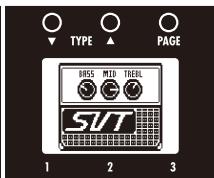
| 038 SVT | Simulation of the ultimate rock bass amp, the Ampeg SVT. | ||||||||||||||
| SVT | Knob1 | Knob2 | Knob3 | ||||||||||||
| Page01 | Bass | -10-10 | Mid | -10-10 | Trebl | -10-10 | |||||||||
| Adjusts the low frequency level. | Adjusts the middle frequency level. | Adjusts the high frequency level. | |||||||||||||
| Page02 | Mid_F | 32Hz-6.3kHz | Gain | 0-100 | P | 0-150 | |||||||||
| Adjusts the center frequency of the mid-range. | Adjusts the gain. | Adjusts the output level. | |||||||||||||
| Page03 | Ultra | Off, Low, Hi, Both, Cut | CAB | See Table 1 | Mix | 0-100 | |||||||||
| Emphasizes high and low frequencies. | Selects the cabinet. | Adjusts the mix balance of the signal after the pre-amp and the signal after the cabinet. | |||||||||||||
| 039 B-Man | Simulation of the Fender Bassman 100. | ||||||||||||||
| HRS MID TEL HRS MID TEL HRS MID TEL HRS MID TEL HRS MID TEL HRS MID TEL HRS MID TEL HRS MID TEL HRS MID TEL HRS MID TEL HRS MID TEL HRS MID TEL HRS MID TEL HRS MID TEL HRS MID TEL HRS MID TEL HRS MID TEL HRS MIDTEL HRS MID TEL HRS MID TEL HRS MID TEL HRS MID TEL HRS MID TEL HRS MID TEL HRS MID TEL HRS MID TEL HRS MID TEL HRS MID TEL HRS MID TEL HRS MID TEL HRS MID TEL HRS MID TEL HRS MID TEL HRS MID TEL Hrs MID TEL Hrs MID TEL Hrs MID TEL Hrs MID TEL Hrs MID TEL Hrs MID TEL Hrs MID TEL Hrs MID TEL Hrs MID TEL Hrs MID TEL Hrs MID TEL Hrs MID TEL Hrs MID TEL Hrs MID TEL Hrs MID TEL Hrs MID TEL Hrs MID TEL | Knob1 | Knob2 | Knob3 | ||||||||||||
| Page01 | Bass | -10-10 | Mid | -10-10 | Trebl | -10-10 | |||||||||
| Adjusts the low frequency level. | Adjusts the middle frequency level. | Adjusts the high frequency level. | |||||||||||||
| Page02 | MID_F | 32Hz-6.3kHz | Gain | 0-100 | P | 0-150 | |||||||||
| Adjusts the center frequency of the mid-range. | Adjusts the gain. | Adjusts the output level. | |||||||||||||
| Page03 | Deep | On/Off | CAB | See Table 1 | Mix | 0-100 | |||||||||
| Adjusts the low-frequency character. | Selects the cabinet. | Adjusts the mix balance of the signal after the pre-amp and the signal after the cabinet. | |||||||||||||
| 040 HRT3500 | Simulation of the Hartke HA3500 famous for its aluminum cone. | ||||||||||||||
| HRT3500 | Knob1 | Knob2 | Knob3 | ||||||||||||
| Page01 | Bass | -10-10 | Mid | -10-10 | Trebl | -10-10 | |||||||||
| Adjusts the low frequency level. | Adjusts the middle frequency level. | Adjusts the high frequency level. | |||||||||||||
| Page02 | MID_F | 32Hz-6.3kHz | TUBE | 0-100 | P | 0-150 | |||||||||
| Adjusts the center frequency of the mid-range. | Adjusts the mix of tube and transistor type sounds. | Adjusts the output level. | |||||||||||||
| Page03 | Comp | Off, 1-10 | CAB | See Table 1 | Mix | 0-100 | |||||||||
| Adjusts the amount of compression. | Selects the cabinet. | Adjusts the mix balance of the signal after the pre-amp and the signal after the cabinet. | |||||||||||||
| 041 SMR | Simulation of the SWR SM-900, famous for its hi-fi sound. | ||||||||||||||
| HRS MID TEL HRS MID TEL HRS MID TEL HRS MID TEL HRS MID TEL HRS MID TEL HRS MID TEL HRS MID TEL HRS MID TEL HRS MID TEL HRS MID TEL HRS MID TEL HRS MID TEL HRS MID TEL HRS PID TEL HRS PID TEL HRS PID TEL HRS PID TEL HRS PID TEL HRS PID TEL HRS PID TEL HRS PID TEL HRS PID TEL HRS PID TEL HRS PID TEL HRS PID TEL HRS PID TEL HRS PID TEL HRS PID TEL HRS PID TEL HRS PID TEL HCSE TEL HCSE TEL HCSE TEL HCSE TEL HCSE TEL HCSE TEL HCSE TEL HCSE TEL HCSE TEL HCSE TEL HCSE TEL HCSE TEL HCSE TEL HCSE TEL HCSE TEL HCSE TEL HCSE TEL HCSE TEL HCSE TEL HCSE TEL HCSP TEL HCSP TEL HCSP TEL HCSP TEL HCSP TEL HCSP TEL HCSP TEL HCSP TEL HCSP TEL HCSP TEL HCSP TEL HCSP TEL HCSP TEL HCSP TEL HCSP TEL HCSP TEL HCSP TEL HCSP TEL HCSP TEL HCSP TEL HCSE TEL HCSP TEL HCSP TEL HCSP TEL HCSP TEL HCSP TEL HCSP TEL HCSP TEL HCSP TEL HCSP TEL HCSP TEL HCSP TEL HCSP TEL HCSP TEL HCSP TEL HCSP TEL HCSP TEL HCSP TEL HCSP TEL HCSE TEL HCSE TEL HCSE TEL HCSE TEL HCSE TEL HCSE TEL HCSE TEL HCSE TEL HCSE TEL HCSE TEL HCSE TEL HCSE TEL HCSE TEL HCSE TEL HCSE TEL HCSE TEL HCSE TEL HCSE TEL HCSE TEL HCSC TEL HCSC TEL HCSC TEL HCSC TEL HCSC TEL HCSC TEL HCSC TEL HCSC TEL HCSC TEL HCSC TEL HCSC TEL HCSC TEL HCSC TEL HCSC TEL HCSC TEL HCSC TEL HCSC TEL HCSC TEL HCSC TEL HCSC TEL HCSE TEL HCSE TEL HCSE TEL HCSE TEL HCSE TEL HCSE TEL HCSE TEL HCSE TEL HCSE TEL HCSE TEL HCSE TEL HCSE TEL HCSE TEL HCSE TEL HCSE TEL HCSE TEL HCSE TEL HCSE TEL HCSE TEL HCSS TEL HCSS TEL HCSS TEL HCSS TEL HCSS TEL HCSS TEL HCSS TEL HCSS TEL HCSS TEL HCSS TEL HCSS TEL HCSS TEL HCSS TEL HCSS TEL HCSS TEL HCSS TEL HCSS TEL HCSS TEL HCSS TEL HCSS TEL HCSE TEL HCSE TEL HCSE TEL HCSE TEL HCSE TEL HCSE TEL HCSE TEL HCSE TEL HCSE TEL HCSE TEL HCSE TEL HCSE TEL HCSE TEL HCSE TEL HCSE TEL HCSE TEL HCSE TEL HCSE TEL HCSE TEL HCSD TEL HCSD TEL HCSD TEL HCSD TEL HCSD TEL HCSD TEL HCSD TEL HCSD TEL HCSD TEL HCSD TEL HCSD TEL HCSD TEL HCSD TEL HCSD TEL HCSD TEL HCSD TEL HCSD TEL HCSD TEL HCSD TEL HCSD TEL HCSE TEL HCSE TEL HCSE TEL HCSE TEL HCSE TEL HCSE TEL HCSE TEL HCSE TEL HCSE TEL HCSE TEL HCSE TEL HCSE TEL HCSE TEL HCSE TEL HCSE TEL HCSE TEL HCSE TEL HCSE TEL HCSE TEL HCISE TEL HCISE TEL HCISE TEL HCISE TEL HCISE TEL HCISE TEL HCISE TEL HCISE TEL HCISE TEL HCISE TEL HCISE TEL HCISE TEL HCISE TEL HCISE TEL HCISE TEL HCISE TEL HCISE TEL HCISE TEL HCISE TEL HCISE TEL HCSE TEL HCSE TEL HCSE TEL HCSE TEL HCSE TEL HCSE TEL HCSE TEL HCSE TEL HCSE TEL HCSE TEL HCSE TEL HCSE TEL HCSE TEL HCSE TEL HCSE TEL HCSE TEL HCSE TEL HCSE TEL HCSE TEL HCASE TEL HCSE TEL HCSE TEL HCSE TEL HCSE TEL HCSE TEL HCSE TEL HCSE TEL HCSE TEL HCSE TEL HCSE TEL HCSE TEL HCSE TEL HCSE TEL HCSE TEL HCSE TEL HCSE TEL HCSE TEL HCSE TEL HCSE TEL HCIS TEL HCIS TEL HCIS TEL HCIS TEL HCIS TEL HCIS TEL HCIS TEL HCIS TEL HCIS TEL HCIS TEL HCIS TEL HCIS TEL HCIS TEL HCIS TEL HCIS TEL HCIS TEL HCIS TEL HCIS TEL HCIS TEL HCIS TEL HCSE TEL HCSE TEL HCSE TEL HCSE TEL HCSE TEL HCSE TEL HCSE TEL HCSE TEL HCSE TEL HCSE TEL HCSE TEL HCSE TEL HCSE TEL HCSE TEL HCSE TEL HCSE TEL HCSE TEL HCSE TEL HCSE TEL HCIE TEL HCIE TEL HCIE TEL HCIE TEL HCIE TEL HCIE TEL HCIE TEL HCIE TEL HCIE TEL HCIE TEL HCIE TEL HCIE TEL HCIE TEL HCIE TEL HCIE TEL HCIE TEL HCIE TEL HCIE TEL HCIE TEL HCIE TEL HCISE TEL HCISE TEL HCISE TEL HCISE TEL HCISE TEL HCISE TEL HCISE TEL HCISE TEL HCISE TEL HCISE TEL HCISE TEL HCISE TEL HCISE TEL HCISE TEL HCISE TEL HCISE TEL HCISE TEL HCISE TEL HCISE TEL HCIS TEL HCIS TEL HCIS TEL HCIS TEL HCIS TEL HCIS TEL HCIS TEL HCIS TEL HCIS TEL HCIS TEL HCIS TEL HCIS TEL HCIS TEL HCIS TEL HCIS TEL HCIS TEL HCIS TEL HCIS TEL HCIS TEL HCISE TEL HCISE TEL HCISE TEL HCISE TEL HCISE TEL HCISE TEL HCISE TEL HCISE TEL HCISE TEL HCISE TEL HCISE TEL HCISE TEL HCISE TEL HCISE TEL HCISE TEL HCISE TEL HCISE TEL HCISE TEL HCISE TEL HCOSE TEL HCSE TEL HCSE TEL HCSE TEL HCSE TEL HCSE TEL HCSE TEL HCSE TEL HCSE TEL HCSE TEL HCSE TEL HCSE TEL HCSE TEL HCSE TEL HCSE TEL HCSE TEL HCSE TEL HCSE TEL HCSE TEL HCSE TEL HCOSE TEL HCSE TEL HCSE TEL HCSE TEL HCSE TEL HCSE TEL HCSE TEL HCSE TEL HCSE TEL HCSE TEL HCSE TEL HCSE TEL HCSE TEL HCSE TEL HCSE TEL HCSE TEL HCSE TEL HCSE TEL HCSE TEL HCISE TEL HCSE TEL HCSE TEL HCSE TEL HCSE TEL HCSE TEL HCSE TEL HCSE TEL HCSE TEL HCSE TEL HCSE TEL HCSE TEL HCSE TEL HCSE TEL HCSE TEL HCSE TEL HCSE TEL HCSE TEL HCSE TEL HCISE TEL HCIS TEL HCISE TEL HCISE TEL HCISE TEL HCISE TEL HCISE TEL HCISE TEL HCISE TEL HCISE TEL HCISE TEL HCISE TEL HCISE TEL HCISE TEL HCISE TEL HCISE TEL HCISE TEL HCISE TEL HCISE TEL HCISE TEL HCSE TEL HCISE TEL HCISE TEL HCISE TEL HCISE TEL HCISE TEL HCISE TEL HCISE TEL HCISE TEL HCISE TEL HCISE TEL HCISE TEL HCISE TEL HCISE TEL HCISE TEL HCISE TEL HCISE TEL HCISE TEL HCISE TEL HCSE TEL HCASE TEL HCSE TEL HCSE TEL HCSE TEL HCSE TEL HCSE TEL HCSE TEL HCSE TEL HCSE TEL HCSE TEL HCSE TEL HCSE TEL HCSE TEL HCSE TEL HCSE TEL HCSE TEL HCSE TEL HCSE TEL HCISE TEL HCISE TEL HCSE TEL HCSE TEL HCSE TEL HCSE TEL HCSE TEL HCSE TEL HCSE TEL HCSE TEL HCSE TEL HCSE TEL HCSE TEL HCSE TEL HCSE TEL HCSE TEL HCSE TEL HCSE TEL HCSE TEL HCISE TEL HCISE TEL HCASE TEL HCISE TEL HCISE TEL HCISE TEL HCISE TEL HCISE TEL HCISE TEL HCISE TEL HCISE TEL HCISE TEL HCISE TEL HCISE TEL HCISE TEL HCISE TEL HCISE TEL HCISE TEL HCISE TEL HCISE TEL HCISE TEL HCISE TEL HCASE TEL HCISE TEL HCISE TEL HCISE TEL HCISE TEL HCISE TEL HCISE TEL HCISE TEL HCISE TEL HCISE TEL HCISE TEL HCISE TEL HCISE TEL HCISE TEL HCISE TEL HCISE TEL HCISE TEL HCSE TEL HCISE TEL HCISE TEL HCSE TEL HCISE TEL HCISE TEL HCISE TEL HCISE TEL HCISE TEL HCISE TEL HCISE TEL HCISE TEL HCISE TEL HCISE TEL HCISE TEL HCISE TEL HCISE TEL HCISE TEL HCISE TEL HCISE TEL HCSE TEL HCISE TEL HCISE TEL HCASE TEL HCISE TEL HCISE TEL HCISE TEL HCISE TEL HCISE TEL HCISE TEL HCISE TEL HCISE TEL HCISE TEL HCISE TEL HCISE TEL HCISE TEL HCISE TEL HCISE TEL HCISE TEL HCSE TEL HCISE TEL HCISE TEL HCISE TEL HCSE TEL HCISE TEL HCISE TEL HCISE TEL HCISE TEL HCISE TEL HCISE TEL HCISE TEL HCISE TEL HCISE TEL HCISE TEL HCISE TEL HCISE TEL HCISE TEL HCISE TEL HCISE TEL HCSE TEL HCISE TEL HCISE TEL HCISE TEL HCASE TEL HCISE TEL HCISE TEL HCISE TEL HCISE TEL HCISE TEL HCISE TEL HCISE TEL HCISE TEL HCISE TEL HCISE TEL HCISE TEL HCISE TEL HCISE TEL HCISE TEL HCISE TEL HCSE TEL HCSE TEL HCISE TEL HCISE TEL HCISE TEL HCISE TEL HCISE TEL HCISE TEL HCISE TEL HCISE TEL HCISE TEL HCISE TEL HCISE TEL HCISE TEL HCISE TEL HCISE TEL HCISE TEL HCISE TEL HCISE TEL HCSE TEL HCISE TEL HCSE TEL HCISE TEL HCISE TEL HCISE TEL HCISE TEL HCISE TEL HCISE TEL HCISE TEL HCISE TEL HCISE TEL HCISE TEL HCISE TEL HCISE TEL HCISE TEL HCISE TEL HCISE TEL HCISE TEL HCISE TEL HCSE TEL HCSE TEL HCISE TEL HCISE TEL HCSE TEL HCISE TEL HCISE TEL HCISE TEL HCISE TEL HCISE TEL HCISE TEL HCISE TEL HCISE TEL HCISE TEL HCISE TEL HCISE TEL HCISE TEL HCISE TEL HCISE TEL HCISE TEL HCSE TEL HCSE TEL HCISE TEL HCISE TEL HCOSE TEL HCISE TEL HCISE TEL HCISE TEL HCISE TEL HCISE TEL HCISE TEL HCISE TEL HCISE TEL HCISE TEL HCISE TEL HCISE TEL HCISE TEL HCISE TEL HCISE TEL HCISE TEL HCISE TEL HCISE TEL HCISE TEL HCISE TEL HCise TEL HCISE TEL HCISE TEL HCISE TEL HCISE TEL HCISE TEL HCISE TEL HCISE TEL HCISE TEL HCISE TEL HCISE TEL HCISE TEL HCISE TEL HCISE TEL HCISE TEL HCISE TEL HCISE TEL HCISE TEL HCISE TEL HCISE TEL HCUSE TEL HCISE TEL HCISE TEL HCISE TEL HCISE TEL HCISE TEL HCISE TEL HCISE TEL HCISE TEL HCISE TEL HCISE TEL HCISE TEL HCISE TEL HCISE TEL HCISE TEL HCISE TEL HCISE TEL HCISE TEL HCISE TEL HCISE TEL HCISC TEL HCISE TEL HCISE TEL HCISE TEL HCISE TEL HCISE TEL HCISE TEL HCISE TEL HCISE TEL HCISE TEL HCISE TEL HCISE TEL HCISE TEL HCISE TEL HCISE TEL HCISE TEL HCISE TEL HCISE TEL HCISE TEL HCISE TEL HCILETLE HCILETLE HCILETLE HCILETLE HCILETLE HCILETLE HCILETLE HCILETLE HCILETLE HCILETLE HCILETLE HCILETLE HCILETLE HCILETLE HCILETLE HCILETLE HCILETLE HCILETLE HCILETLE HCILETLE HCILETRE HCISETRE HCISETRE HCISETRE HCISETRE HCISETRE HCISETRE HCISETRE HCISETRE HCISETRE HCISETRE HCISETRE HCISETRE HCISETRE HCISETRE HCISETRE HCISETRE HCISETRE HCISETRE HCISETRE HCISETRE HCSETRE HCSETRE HCSETRE HCSETRE HCSETRE HCSETRE HCSETRE HCSETRE HCSETRE HCSETRE HCSETRE HCSETRE HCSETRE HCSETRE HCSETRE HCSETRE HCSETRE HCSETRE HCSETRE HCSETRE HCISETRE HCISETRE HCISETRE HCISETRE HCISETRE HCISETRE HCISETRE HCISETRE HCISETRE HCISETRE HCISETRE HCISETRE HCISETRE HCISETRE HCISETRE HCISETRE HCISETRE HCISETRE HCISETRE HCOSE TEL HCISETRE HCISETRE HCISETRE HCISETRE HCISETRE HCISETRE HCISETRE HCISETRE HCISETRE HCISETRE HCISETRE HCISETRE HCISETRE HCISETRE HCISETRE HCISETRE HCISETRE HCISETRE HCISETRE HCISETDE HCISETRE HCISETRE HCISETRE HCISETRE HCISETRE HCISETRE HCISETRE HCISETRE HCISETRE HCISETRE HCISETRE HCISETRE HCISETRE HCISETRE HCISETRE HCISETRE HCISETRE HCISETRE HCISETRE HCISETIRE HCISETIRE HCISETIRE HCISETIRE HCISETIRE HCISETIRE HCISETIRE HCISETIRE HCISETIRE HCISETIRE HCISETIRE HCISETIRE HCISETIRE HCISETIRE HCISETIRE HCISETIRE HCISETIRE HCISETIRE HCISETIRE HCISETIRE HCISETRE HCISETRE HCISETRE HCISETRE HCISETRE HCISETRE HCISETRE HCISETRE HCISETRE HCISETRE HCISETRE HCISETRE HCISETRE HCISETRE HCISETRE HCISETRE HCISETRE HCISETRE HCISETRE HCISETRe HCISETRE HCISETRE HCISETRE HCISETRE HCISETRE HCISETRE HCISETRE HCISETRE HCISETRE HCISETRE HCISETRE HCISETRE HCISETRE HCISETRE HCISETRE HCISETRE HCISETRE HCISETRE HCISETRE HCISETRO HCISETRO HCISETRO HCISETRO HCISETRO HCISETRO HCISETRO HCISETRO HCISETRO HCISETRO HCISETRO HCISETRO HCISETRO HCISETRO HCISETRO HCISETRO HCISETRO HCISETRO HCISETRO HCISETRO HCISETRE HCISETRE HCISETRE HCISETRE HCISETRE HCISETRE HCISETRE HCISETRE HCISETRE HCISETRE HCISETRE HCISETRE HCISETRE HCISETRE HCISETRE HCISETRE HCISETRE HCISETRE HCISETRE HCISETTRG. HCISETRE HCISETRE HCISETRE HCISETRE HCISETRE HCISETRE HCISETRE HCISETRE HCISETRE HCISETRE HCISETRE HCISETRE HCISETRE HCISETRE HCISETRE HCISETRE HCISETRE HCISETRE HCISETRE HCISETRE | |||||||||||||||
| 042 Flip Top | Simulation of the Ampeg B-15 made famous by the Motown sound of the 1960s. | ||||||||||||||
| Knob1 | Knob2 | Knob3 | |||||||||||||
| Page01 | Bass | -10-10 | Mid | -10-10 | Treib | -10-10 | |||||||||
| Adjusts the low frequency level. | Adjusts the middle frequency level. | Adjusts the high frequency level. | |||||||||||||
| Page02 | Mid_F | 32Hz-6.3kHz | Gain | 0-100 | P | 0-150 | |||||||||
| Adjusts the center frequency of the mid-range. | Adjusts the gain. | Adjusts the output level. | |||||||||||||
| Page03 | Ultra | Off, Low, Hi, Both | CAB | See Table 1 | Mix | 0-100 | |||||||||
| Emphasizes high and low frequencies. | Selects the cabinet. | Adjusts the mix balance of the signal after the pre-amp and the signal after the cabinet. | |||||||||||||
| 043 Acoustic | Simulation of the Acoustic 360 well known for its gutsy midrange. | ||||||||||||||
| Knob1 | Knob2 | Knob3 | |||||||||||||
| Page01 | Bass | -10-10 | Mid | -10-10 | Treib | -10-10 | |||||||||
| Adjusts the low frequency level. | Adjusts the middle frequency level. | Adjusted the high frequency level. | |||||||||||||
| Page02 | Mid_F | 32Hz-6.3kHz | Gain | 0-100 | P | 0-150 | |||||||||
| Adjusts the center frequency of the mid-range. | Adjusts the gain. | Adjusts the output level. | |||||||||||||
| Page03 | Bright | On/Off | CAB | See Table 1 | Mix | 0-100 | |||||||||
| Emphasizes high frequencies when ON. | Selects the cabinet. | Adjusts the mix balance of the signal after the pre-amp and the signal after the cabinet. | |||||||||||||
| 044 Ag Amp | Simulation of the Aguilar DB750 famous for its powerful sound. | ||||||||||||||
| Knob1 | Knob2 | Knob3 | |||||||||||||
| Page01 | Bass | -10-10 | Mid | -10-10 | Treib | -10-10 | |||||||||
| Adjusts the low frequency level. | Adjusts the middle frequency level. | Adjuts the high frequency level. | |||||||||||||
| Page02 | Mid_F | 32Hz-6.3kHz | Gain | 0-100 | P | 0-150 | |||||||||
| Adjusts the center frequency of the mid-range. | Adjusts the gain. | Adjusts the output level. | |||||||||||||
| Page03 | Char | Off, Deep, Bright, Both | CAB | See Table 1 | Mix | 0-100 | |||||||||
| Selects one of 4 types of preset tones. | Selects the cabinet. | Adjusts the mix balance of the signal after the pre-amp and the signal after the cabinet. | |||||||||||||
| 045 Monotone | Simulation of the POLYTONE MINI-BRUTE III with its distinct midrange, often used by Jazz musicians. | ||||||||||||||
| Knob1 | Knob2 | Knob3 | |||||||||||||
| Page01 | Bass | -10-10 | Mid | -10-10 | Treib | -10-10 | |||||||||
| Adjusts the low frequency level. | Adjusts the middle frequency level. | Industries the high frequency level. | |||||||||||||
| Page02 | Mid_F | 32Hz-6.3kHz | Gain | 0-100 | P | 0-150 | |||||||||
| Adjusts the center frequency of the mid-range. | Adjusts the gain. | Adjusts the output level. | |||||||||||||
| Page03 | Char | Dark, Bright, Flat | CAB | See Table 1 | Mix | 0-100 | |||||||||
| Selects one of 3 types of preset tones. | Selects the cabinet. | Adjusts the mix balance of the signal after the pre-amp and the signal after the cabinet. | |||||||||||||
| 046 SuperB | Simulation of the Marshall Super Bass that made rock history. | ||||||||||||||
| Knob1 | Knob2 | Knob3 | |||||||||||||
| Page01 | Bass | -10-10 | Mid | -10-10 | Treib | -10-10 | |||||||||
| Adjusts the low frequency level. | Adjusts the middle frequency level. | Industrial systems the high frequency level. | |||||||||||||
| Page02 | Mid_F | 32Hz-6.3kHz | Gain | 0-100 | P | 0-150 | |||||||||
| Adjusts the center frequency of the mid-range. | Adjusts the gain. | Adjusts the output level. | |||||||||||||
| Page03 | Prese | 0-10 | CAB | See Table 1 | Mix | 0-100 | |||||||||
| Adjusts the super-high frequency level. | Selects the cabinet. | Adjusts the mix balance of the signal after the pre-amp and the signal after the cabinet. | |||||||||||||
| 047 G-Krueger | Simulation of the famous metal bass amp Gallien-Krueger 800RB from the eighties. | ||||||||||||||
| Knob1 | Knob2 | Knob3 | |||||||||||||
| Page01 | Bass | -10-10 | Mid | -10-10 | Treib | -10-10 | |||||||||
| Adjusts the low frequency level. | Adjusts the middle frequency level. | Adjusts the high frequency level. | |||||||||||||
| Page02 | Mid_F | 32Hz-6.3kHz | Gain | 0-100 | P | 0-150 | |||||||||
| Adjusts the center frequency of the mid-range. | Adjusts the gain. | Adjusts the output level. | |||||||||||||
| Page03 | Color | Off, Low, Mid, Hi | CAB | See Table 1 | Mix | 0-100 | |||||||||
| Adjusts the preset tone. | Selects the cabinet. | Adjusts the mix balance of the signal after the pre-amp and the signal after the cabinet. | |||||||||||||
| 048 Heaven | This simulation of the Eden WT-800 can be used with a wide variety of playing styles. | ||||||||||||||
| Knob1 | Knob2 | Knob3 | |||||||||||||
| Page01 | Bass | -10-10 | Mid | -10-10 | Treib | -10-10 | |||||||||
| Adjusts the low frequency level. | Adjusts the middle frequency level. | Adjusted the high frequency level. | |||||||||||||
| Page02 | Mid_F | 32Hz-6.3kHz | Gain | 0-100 | P | 0-150 | |||||||||
| Adjusts the center frequency of the mid-range. | Adjusts the gain. | Adjusts the output level. | |||||||||||||
| Page03 | ENHNC | 0-10 | CAB | See Table 1 | Mix | 0-100 | |||||||||
| This tone control changes the frequency and level according to the knob position. | Selects the cabinet. | Adjusts the mix balance of the signal after the pre-amp and the signal after the cabinet. | |||||||||||||
| 049 Mark B | This simulates the Italian Markbass Little Mark III. | ||||||||||||||
| Knob1 | Knob2 | Knob3 | |||||||||||||
| Page01 | Bass | -10-10 | Mid | -10-10 | Treib | -10-10 | |||||||||
| Adjusts the low frequency level. | Adjusts the middle frequency level. | Adjuts the high frequency level. | |||||||||||||
| Page02 | Mid_F | 32Hz-6.3kHz | Gain | 0-100 | P | 0-150 | |||||||||
| Adjusts the center frequency of the mid-range. | Adjusts the gain. | Adjusts the output level. | |||||||||||||
| Page03 | Color | 0-6 | CAB | See Table 1 | Mix | 0-100 | |||||||||
| Adjusts low and high frequencies. | Selects the cabinet. | Adjusts the mix balance of the signal after the pre-amp and the signal after the cabinet. | |||||||||||||
| 050 Tremolo | This effect varies the volume at a regular rate. | ||||||||||||||
| Knob1 | Knob2 | Knob3 | |||||||||||||
| Page01 | Depth | 0-100 | Rate | 0-50 | P | Level | 0-150 | ||||||||
| Adjust the depth of the modulation. | Adjusts the rate of the modulation. | Adjusts the output level. | |||||||||||||
| Page02 | Wave | UP 0-UP 9, DWN 0-DWN 9, TRI 0-TRI 9 | |||||||||||||
| Sets the modulation waveform. | |||||||||||||||
| 051 Slicer | This effect creates a rhythmical sound by continuously slicing the input. | ||||||||||||||
| Knob1 | Knob2 | Knob3 | |||||||||||||
| Page01 | PTTRN | 1-20 | Speed | 1-50 | P | Bal | 0-100 | P | |||||||
| Sets effect pattern. | Sets modulation speed. | Adjusts the balance between original and effect sounds. | |||||||||||||
| Page02 | THRSH | 0-50 | Level | 0-150 | |||||||||||
| Adjusts effect threshold. | Adjusts the output level. | ||||||||||||||
| 052 4-Phaser | This is a 4-stage phaser effect that produces a swooshing sound. | ||||||||||||||
| Knob1 | Knob2 | Knob3 | |||||||||||||
| Page01 | Rate | 0-50 | P | Reso | -10-10 | Level | 0-150 | ||||||||
| Adjusts the modulation rate. | Adjusts the intensity of the effect character. | Adjusts the output level. | |||||||||||||
| Page02 | LoCut | Off-800Hz | |||||||||||||
| Sets the cut frequency in the low range of the effect sound. | |||||||||||||||
| 053 8-Phaser | This is an 8-stage phaser effect that produces a swooshing sound. Compared to the 4-stage phaser, the effect sound is more detailed. | ||||||||||||||
| Page01 | Knob1 | Knob2 | Knob3 | ||||||||||||
| Rate | 0-50 | P | Reso | -10-10 | Level | 0-150 | |||||||||
| Adjusts the modulation rate. | Adjusts the intensity of the effect character. | Adjusts the output level. | |||||||||||||
| Page02 | LoCut | Off-800Hz | |||||||||||||
| Sets the cut frequency in the low range of the effect sound. | |||||||||||||||
| 054 The Vibe | This vibe sound features unique undulations. | ||||||||||||||
| Page01 | Knob1 | Knob2 | Knob3 | ||||||||||||
| Speed | 0-50 | Depth | 0-100 | Bias | 0-100 | ||||||||||
| Sets modulation speed. | Sets the depth of the modulation. | Adjusts bias of waveform modulation. | |||||||||||||
| Page02 | Wave | 0-100 | Mode | VIBRT, CHORS | Level | 0-150 | |||||||||
| Adjusts modulation waveform. | Sets effect to vibrato or chorus. | Adjusts the output level. | |||||||||||||
| 055 DuoPhase | This effect combines two phasers. | ||||||||||||||
| Page01 | Knob1 | Knob2 | Knob3 | ||||||||||||
| RateA | 1-50 | P | RateB | 1-50, SyncA, RvrsA | Level | 0-150 | |||||||||
| Adjusts speed of LFO A modulation. | Adjusts speed of LFO B modulation. | Adjusts the output level. | |||||||||||||
| Page02 | ResoA | 0-10 | ResoB | 0-10 | Link | Seri, Para, STR | |||||||||
| Adjusts resonance of LFO A modulation. | Adjusts resonance of LFO B modulation. | Sets how two phasers are connected. | |||||||||||||
| Page03 | DPT_A | 1-100 | DPT_B | 1-100 | |||||||||||
| Adjusts depth of LFO A modulation. | Adjusts depth of LFO B modulation. | ||||||||||||||
| 056 WarpPhase | This phaser has a one way effect. | ||||||||||||||
| Page01 | Knob1 | Knob2 | Knob3 | ||||||||||||
| Speed | 1-50 | P | Reso | 0-10 | Level | 0-150 | |||||||||
| Sets modulation speed. | Sets effect resonance. | Adjusts the output level. | |||||||||||||
| Page02 | DRCTN | Go, Back | |||||||||||||
| Sets direction of warping. | |||||||||||||||
| 057 Chorus | This effect mixes a shifted pitch with the original sound to add movement and thickness. | ||||||||||||||
| Page01 | Knob1 | Knob2 | Knob3 | ||||||||||||
| Depth | 0-100 | Rate | 1-50 | Mix | 0-100 | P | |||||||||
| Sets the depth of the modulation. | Sets the speed of the modulation. | Adjusts the amount of effected sound that is mixed with the original sound. | |||||||||||||
| Page02 | LoCut | Off-800Hz | Level | 0-150 | PreD | On/Off | |||||||||
| Specifies the low-range cutoff point for the effect sound. | Adjusts the output level. | Turns pre-delay on or off. | |||||||||||||
| 058 Detune | By mixing an effect sound that is slightly pitch-shifted with the original sound, this effect type has a chorus effect without much sense of modulation. | ||||||||||||||
| Page01 | Knob1 | Knob2 | Knob3 | ||||||||||||
| Cent | 50-50 | PreD | 0-50 | Mix | 0-100 | P | |||||||||
| Adjusts the detuning in cents, which are fine increments of 1/100-semitone. | Sets the pre-delay time of the effect sound. | Adjusts the amount of effected sound that is mixed with the original sound. | |||||||||||||
| Page02 | Tone | 0-10 | Level | 0-150 | LoCut | Off-800Hz | |||||||||
| Adjusts the tone. | Adjusts the output level. | Sets the cut frequency in the low range of the effect sound. | |||||||||||||
| 059 VintageCE | This is a simulation of the BOSS CE-1. | ||||||||||||||
| Page01 | Knob1 | Knob2 | Knob3 | ||||||||||||
| Comp | 0-9 | Rate | 1-50 | Mix | 0-100 | P | |||||||||
| Sets the sensitivity of the compressor. | Sets the speed of the modulation. | Adjusts the amount of effected sound that is mixed with the original sound. | |||||||||||||
| Page02 | Level | 0-150 | |||||||||||||
| Adjusts the output level. | |||||||||||||||
| 060 StereoCho | This is a stereo chorus with a clear tone. | |||||||||
| Page01 | Knob1 | Knob2 | Knob3 | |||||||
| Depth | 0-100 | Rate | 1-50 | Mix | 0-100 | P | ||||
| Sets the depth of the modulation. | Sets the speed of the modulation. | Adjusts the amount of effected sound that is mixed with the original sound. | ||||||||
| Page02 | LoCut | Off-800Hz | Level | 0-150 | ||||||
| Specifies the low-range cutoff point for the effect sound. | Adjusts the output level. | |||||||||
| 061 Ensemble | This is a chorus ensemble that features three-dimensional movement. | |||||||||
| Page01 | Knob1 | Knob2 | Knob3 | |||||||
| Depth | 0-100 | Rate | 1-50 | Mix | 0-100 | P | ||||
| Sets the depth of the modulation. | Sets the speed of the modulation. | Adjusts the amount of effected sound that are mixed with the original sound. | ||||||||
| Page02 | Tone | 0-10 | Level | 0-150 | ||||||
| Adjusts the tone. | Adjusts the output level. | |||||||||
| 062 VinFLNGR | This analog flanger sound is similar to an MXR M-117R. | |||||||||
| Page01 | Knob1 | Knob2 | Knob3 | |||||||
| Depth | 0-100 | Rate | 0-50 | P | Reso | -10-1, 0,1-10 | ||||
| Sets the depth of the modulation. | Sets the speed of the modulation. | Adjusts the intensity of the modulation resonance. | ||||||||
| Page02 | PreD | 0-50 | Mix | 0-100 | Level | 0-150 | ||||
| Sets pre-delay time of effect sound. | Adjusts the amount of effected sound that is mixed with the original sound. | Adjusts the output level. | ||||||||
| Page03 | LoCut | Off-800Hz | ||||||||
| Sets the cut-off frequency in the low range of the effect sound. | ||||||||||
| 063 Flanger | This is a jet sound like an ADA flanger. | |||||||||
| Page01 | Knob1 | Knob2 | Knob3 | |||||||
| Depth | 0-100 | Rate | 0-50 | P | Reso | -10-1, 0,1-10 | ||||
| Sets the depth of the modulation. | Sets the speed of the modulation. | |||||||||
| Page02 | PreD | 0-50 | Mix | 0-100 | Level | 0-150 | ||||
| Sets pre-delay time of effect sound. | Adjusts the amount of effected sound that is mixed with the original sound. | Adjusts the output level. | ||||||||
| Page03 | LoCut | Off-800Hz | Reso | |||||||
| Sets the cut-off frequency in the low range of the effect sound. | ||||||||||
| 064 DynaFLNGR | The volume of the effect sound changes according to the input signal level with this dynamic flanger. | |||||||||
| Page01 | Knob1 | Knob2 | Knob3 | |||||||
| Depth | 0-100 | Rate | 0-50 | P | Sense | -10-1, 1-10 | ||||
| Sets the depth of the modulation. | Sets the speed of the modulation. | Adjusts the sensitivity of the effect. | ||||||||
| Page02 | Reso | -10-1, 0, 1-10 | Level | 0-150 | ||||||
| Adjusts the intensity of the modulation resonance. | Adjusts the output level. | |||||||||
| 065 Vibrato | This effect automatically adds vibrato. | |||||||||
| Page01 | Knob1 | Knob2 | Knob3 | |||||||
| Depth | 0-100 | Rate | 0-50 | P | Bal | 0-100 | ||||
| Sets the depth of the modulation. | Sets the speed of the modulation. | Adjusts the balance between original and effect sounds. | ||||||||
| Page02 | Tone | 0-10 | Level | 0-150 | ||||||
| Adjusts the tone. | Adjusts the output level. | |||||||||
| 066 Octave | This effect adds sound one octave below the original sound. | |||||||||
| Page01 | Knob1 | Knob2 | Knob3 | |||||||
| Oct | 0-100 | Dry | 0-100 | Tone | 0-10 | |||||
| Adjusts the level of the one-octave lower sound component. | Adjusts the level of the original sound. | Adjusts the tonal quality of the one-octave lower sound component. | ||||||||
| Page02 | Low | 0-10 | Mid | 0-10 | Level | 0-150 | ||||
| Adjusts the low frequency level. | Adjusts the middle frequency level. | Adjusts the output level. | ||||||||
| 067 PitchSHFT | This effect shifts the pitch up or down. | ||||||||||
| PitchSHFT | Knob1 | Knob2 | Knob3 | ||||||||
| Page01 | Shift | -12-1, 0, 1-12, 24 | Tone | 0-10 | Bal | 0-100 | P | ||||
| Adjusts the pitch shift amount in semitones. Selecting "0" gives a detuning effect. | Adjusts the tone. | Adjusts the balance between original and effect sounds. | |||||||||
| Page02 | Fine | -25-1, 0, 1-25 | Level | 0-150 | |||||||
| Allows fine adjustment of pitch shift amount in cent (1/100 semitone) steps. | Adjusts the output level. | ||||||||||
| 068 MonoPitch | This is a pitch shifter with little sound variance for monophonic (single note) playing. | ||||||||||
| Page01 | Shift | -12-1, 0, 1-12, 24 | Tone | 0-10 | Bal | 0-100 | P | ||||
| Adjusts the pitch shift amount in semitones. Selecting "0" gives a detuning effect. | Adjusts the tone. | Adjusts the balance between original and effect sounds. | |||||||||
| Page02 | Fine | -25-1, 0, 1-25 | Level | 0-150 | |||||||
| Allows fine adjustment of pitch shift amount in cent (1/100 semitone) steps. | Adjusts the output level. | ||||||||||
| 069 H.P.S | This intelligent pitch shifter outputs the pitch-shifted sound according to scale and key settings. | ||||||||||
| Page01 | Knob1 | Knob2 | Knob3 | ||||||||
| Scale | -6, -5, -4, -3, -m, m, 3, 4, 5, 6 (See Table 2) | Key | C, C#, D, D#, E, F, F#, G, G#, A, A#, B | Mix | 0-100 | P | |||||
| Sets the pitch of the pitch-shifted sound added to the original sound. | Sets the tonic (root) of the scale used for pitch shifting. | Adjusts the amount of effected sound that is mixed with the original sound. | |||||||||
| Page02 | Tone | 0-10 | Level | 0-150 | |||||||
| Adjusts the tone. | Adjusts the output level. | ||||||||||
| 070 BendCho | This effect bends the pitch using the input signal as the trigger and processes each note separately. | ||||||||||
| Page01 | Knob1 | Knob2 | Knob3 | ||||||||
| Depth | 0-100 | Time | 0-50 | P | 0-100 | ||||||
| Adjusts the effect depth. | Sets time before effect starts. | Adjusts the balance between original and effect sounds. | |||||||||
| Page02 | Mode | Up, Down | Tone | 0-10 | Level | 0-150 | |||||
| Sets direction of pitch bend. | Adjusts the tone. | Adjusts the output level. | |||||||||
| 071 RingMod | This effect produces a metallic ringing sound. Adjusting the "Freq" parameter results in a drastic change of sound character. | ||||||||||
| Page01 | Knob1 | Knob2 | Knob3 | ||||||||
| Freq | 1-50 | Tone | 0-10 | Bal | 0-100 | ||||||
| Sets the frequency of the modulation. | Adjusts the tone. | Adjusts the balance between original and effect sounds. | |||||||||
| Page02 | Level | 0-150 | |||||||||
| Adjusts the output level. | |||||||||||
| 072 BitCrush | This effect creates a lo-fi sound. | ||||||||||
| Page01 | Knob1 | Knob2 | Knob3 | ||||||||
| Bit | 4-16 | SMPL | 0-50 | P | 0-100 | ||||||
| Sets bit depth. | Sets sampling rate. | Adjusts the balance between original and effect sounds. | |||||||||
| Page02 | Tone | 0-10 | Level | 0-150 | |||||||
| Adjusts the tone. | Adjusts the output level. | ||||||||||
| 073 Bomber | This effect produces an explosive sound when picking. | FS | Trigger | ||||||||
| Page01 | Knob1 | Knob2 | Knob3 | ||||||||
| PTTRN | HndGn, Arm, Bomb, Thndr | Decay | 1-100 | P | 0-100 | ||||||
| Sets type of effect sound. | Sets length of reverberations. | Adjusts the balance between original and effect sounds. | |||||||||
| Page02 | THRSH | 0-50 | Power | 0-30 | Tone | 0-10 | |||||
| Adjusts effect threshold. | Adjusts strength of explosive sound. | Adjusts the tone. | |||||||||
| Page03 | Level | 0-150 | |||||||||
| Adjusts the output level. | |||||||||||
| 074 MonoSyn | This effect produces the sound of a monophonic (single-note playing) bass synthesizer that detects the pitch of the input signal. | ||||||||||
| Knob1 | Knob2 | Knob3 | |||||||||
| Page01 | Decay | 0-100 | Wave | Saw, Pulse, PWM | Reso | 0-10 | |||||
| Adjusts the rate of sound change. | Sets the waveform type to "Saw" (sawtooth), "Pulse" (square wave), or PWM (pulse width modulation resulting in fatter sound). | Adjusts the intensity of the effect character. | |||||||||
| Page02 | Synth | 0-100 | Dry | 0-100 | P | 0-150 | |||||
| Adjusts level of synthesizer sound. | Adjusts level of original sound. | Adjusts the output level. | |||||||||
| 075 StdSyn | ZOOM original bass synthesizer sound. | ||||||||||
| Knob1 | Knob2 | Knob3 | |||||||||
| Page01 | Sense | 0-100 | Sound | 1-4 | Tone | 0-10 | |||||
| Adjusts the sensitivity for trigger detection. | Selects a synthesizer variation. | Adjusts the tonal quality of the sound. | |||||||||
| Page02 | Synth | 0-100 | Dry | 0-100 | P | 0-150 | |||||
| Adjusts level of synthesizer sound. | Adjusts level of original sound. | Adjusts the output level. | |||||||||
| 076 SynTik | This effect produces a synthesizer sound similar to a talking modulator producing vowels. | ||||||||||
| Knob1 | Knob2 | Knob3 | |||||||||
| Page01 | Decay | 0-100 | Type | iA, UE, UA, oA | Tone | 0-10 | |||||
| Adjusts the rate of sound change. | Selects a vowel variation. | Adjusts the tonal quality of the sound. | |||||||||
| Page02 | Synth | 0-100 | Dry | 0-100 | P | 0-150 | |||||
| Adjusts level of synthesizer sound. | Adjusts level of original sound. | Adjusts the output level. | |||||||||
| 077 V-Syn | This effect produces a vintage bass synthesizer sound. | ||||||||||
| Knob1 | Knob2 | Knob3 | |||||||||
| Page01 | Decay | 0-100 | Sense | 0-30 | Range | -10-10 | |||||
| Adjusts the rate of sound change. | Adjusts the sensitivity for trigger detection. | Adjusts the filter shift range. | |||||||||
| Page02 | Synth | 0-100 | Dry | 0-100 | P | 0-150 | |||||
| Adjusts level of synthesizer sound. | Adjusts level of original sound. | Adjusts the output level. | |||||||||
| 078 4VoiceSyn | This effect type adds synthesizer harmony components to single notes played on the bass. The harmony components are determined by the Mode and Scale parameters. | ||||||||||
| Knob1 | Knob2 | Knob3 | |||||||||
| Page01 | ATTCK | 0-10 | Mode | 1-9 | Scale | 1, 2 | |||||
| Adjusts the attack rate of the synthesizer sound. | Selects a harmony type from 1 - 9. (See Table 4) | Selects a harmony variation. Two variations are available for each of the 1-9 modes. (See Table 4) | |||||||||
| Page02 | Synth | 0-100 | Dry | 0-100 | P | 0-150 | |||||
| Adjusts level of synthesizer sound. | Adjusts level of original sound. | Adjusts the output level. | |||||||||
| 079 Z-Syn | This bass synthesizer sound adds analog synth fatness. | ||||||||||
| Knob1 | Knob2 | Knob3 | |||||||||
| Page01 | Wave | Saw, Sqr | Decay | 0-100 | P | 0-10 | |||||
| Selects the waveform. | Adjusts the speed of tone modulation. | Adjusts the tone. | |||||||||
| Page02 | Freq | 0-10 | Range | 0-20 | Reso | 0-20 | |||||
| Sets the cut-off frequency of the low-pass filter. | Adjusts the amount of cut-off frequency modulation. | Adjusts the intensity of the filter resonance. | |||||||||
| Page03 | Synth | 0-100 | Dry | 0-100 | Level | 0-150 | |||||
| Adjusts level of synthesizer sound. | Adjusts level of original sound. | Adjusts the output level. | |||||||||
| 080 Z-Organ | This effect simulates an organ sound. | ||||||||||
| Knob1 | Knob2 | Knob3 | |||||||||
| Page01 | Upper | 0-100 | Lower | 0-100 | Dry | 0-100 | |||||
| Adjusts volume of high frequencies. | Adjusts volume of low frequencies. | Adjusts level of original sound. | |||||||||
| Page02 | HPF | 0-10 | LPF | 0-10 | Level | 0-150 | |||||
| Adjusts high-pass filter cutoff frequency. | Adjusts low-pass filter cutoff frequency. | Adjusts the output level. | |||||||||
| 081 Defret | Turns the sound from any bass guitar into a fretless bass sound. | ||||||||||
| Knob1 | Knob2 | Knob3 | |||||||||
| Page01 | Sense | 0-30 | Color | 1-10 | Level | 0-150 | |||||
| Adjusts the effect sensitivity. | Adjusts the harmonics contents of the sound. Higher setting values result in stronger effect character. | Adjusts the output level. | |||||||||
| Page02 | Tone | 1-50 | P | ||||||||
| Adjusts the tonal quality of the sound. | |||||||||||
| 082 Delay | This long delay has a maximum length of 5000 mS. | FS | Hold, InputMute | ||||||||
| Knob1 | Knob2 | Knob3 | |||||||||
| Page01 | Time | 1-5000 | FB | 0-100 | Mix | 0-100 | P | ||||
| Sets the delay time. | Adjusts the feedback amount. | Adjusts the amount of effected sound that is mixed with the original sound. | |||||||||
| Page02 | HiDMP | 0-10 | P-P | MONO, P-P | Level | 0-150 | |||||
| Adjusts the treble attenuation of the delay sound. | Sets delay output to mono or ping-pong. | Adjusts the output level. | |||||||||
| 083 TapeEcho | This effect simulates a tape echo. Changing the "Time" parameter changes the pitch of the echoes. | FS | InputMute | ||||||||
| Knob1 | Knob2 | Knob3 | |||||||||
| Page01 | Time | 1-2000 | FB | 0-100 | Mix | 0-100 | |||||
| Sets the delay time. | Adjusts the feedback amount. | Adjusts the amount of effected sound that is mixed with the original sound. | |||||||||
| Page02 | HiDMP | 0-10 | Level | 0-150 | |||||||
| Adjusts the treble attenuation of the delay sound. | Adjusts the output level. | ||||||||||
| 084 ModDelay | This delay effect allows the use of modulation. | FS | InputMute | ||||||||
| Knob1 | Knob2 | Knob3 | |||||||||
| Page01 | Time | 1-2000 | FB | 0-100 | Mix | 0-100 | |||||
| Sets the delay time. | Adjusts the feedback amount. | Adjusts theamount of effected sound that is mixed with the original sound. | |||||||||
| Page02 | Rate | 1-50 | Level | 0-150 | Depth | 0-100 | |||||
| Sets the speed of the modulation. | Adjusts the output level. | Sets the depth of the modulation. | |||||||||
| 085 AnalogDly | This analog delay simulation has a long delay with a maximum length of 5000 mS. | FS | Hold, InputMute | ||||||||
| Knob1 | Knob2 | Knob3 | |||||||||
| Page01 | Time | 1-5000 | FB | 0-100 | Mix | 0-100 | P | ||||
| Sets the delay time. | Adjusts the feedback amount. | Adjusts the amount of effected sound that is mixed with the original sound. | |||||||||
| Page02 | HiDMP | 0-10 | P-P | MONO, P-P | Level | 0-150 | |||||
| Adjusts the treble attenuation of the delay sound. | Sets delay output to mono or ping-pong. | Adjusts the output level. | |||||||||
| 088 | DynaDelay | This dynamic delay adjusts the volume of the effect sound according to the input signal level. | FS | InputMute | |||||||
| Knob1 | Knob2 | Knob3 | |||||||||
| Page01 | Time | 1-2000 | Δ | Sense | -10-1, 1-10 | Mix | 0-100 | P | |||
| Sets the delay time. | Adjusts the effect sensitivity. | Adjusts the amount of effected sound that is mixed with the original sound. | |||||||||
| Page02 | FB | 0-100 | Level | 0-150 | |||||||
| Adjusts the feedback amount. | Adjusts the output level. | ||||||||||
| 089 | FilterDly | This effect filters a delayed sound. | FS | InputMute | |||||||
| Knob1 | Knob2 | Knob3 | |||||||||
| Page01 | Time | 1-2000 | Δ | FB | 0-100 | Mix | 0-100 | ||||
| Sets the delay time. | Adjusts the feedback amount. | Adjusts the amount of effected sound that is mixed with the original sound. | |||||||||
| Page02 | Rate | 1-50 | P | Depth | 0-100 | Reso | 0-10 | ||||
| Sets the speed of the modulation. | Sets the depth of the modulation. | Adjusts the intensity of the modulation resonance. | |||||||||
| Page03 | Level | 0-150 | |||||||||
| Adjusts the output level. | |||||||||||
| 090 | PitchDly | This effect applies pitch shift to a delayed sound. | FS | InputMute | |||||||
| Knob1 | Knob2 | Knob3 | |||||||||
| Page01 | Time | 1-2000 | Pitch | -12-12 | P | Mix | 0-100 | ||||
| Sets the delay time. | Sets volume of pitch shift applied to delayed sound. | Adjusts the amount of effected sound that is mixed with the original sound. | |||||||||
| Page02 | FB | 0-100 | Tone | 0-10 | Level | 0-150 | |||||
| Adjusts the feedback amount. | Adjusts the tone. | Adjusts the output level. | |||||||||
| 091 | StereoDly | This stereo delay allows the left and right delay times to be set separately. | FS | InputMute | |||||||
| Knob1 | Knob2 | Knob3 | |||||||||
| Page01 | TimeL | 1-2000 | Δ | TimeR | 1-2000 | Mix | 0-100 | P | |||
| Adjusts delay time of left channel delay. | Adjusts delay time of right channel delay. | Adjusts the amount of effected sound that is mixed with the original sound. | |||||||||
| Page02 | LchFB | 0-100 | RchFB | 0-100 | Level | 0-150 | |||||
| Adjusts delay feedback of left channel. | Adjusts delay feedback of right channel. | Adjusts the output level. | |||||||||
| Page03 | LchLv | 0-100 | RchLv | 0-100 | |||||||
| Adjusts delay output of left channel. | Adjusts delay output of right channel. | ||||||||||
| 092 | PhaseDly | This effect applies a phaser to a delayed sound. | FS | InputMute | |||||||
| Knob1 | Knob2 | Knob3 | |||||||||
| Page01 | Time | 1-2000 | Δ | FB | 0-100 | Mix | 0-100 | ||||
| Sets the delay time. | Adjusts the feedback amount. | Adjusted the amount of effected sound that is mixed with the original sound. | |||||||||
| Page02 | Rate | 1-50 | P | Color | 4 STG, 8 STG, inv 4, inv 8 | Level | 0-150 | ||||
| Sets the speed of the modulation. | Sets the tone of the effect type. | Adjusts the output level. | |||||||||
| 093 | TrgHldDly | This delay samples and holds using picking as the trigger. | FS | InputMute | |||||||
| Knob1 | Knob2 | Knob3 | |||||||||
| Page01 | Time | 10-1000 | Duty | 25-100 | Mix | 0-100 | P | ||||
| Sets the delay time. | Sets the time that the sample-and-hold sound is produced. | Adjusts the amount of effected sound that is mixed with the original sound. | |||||||||
| Page02 | THRSH | 0-30 | Level | 0-150 | |||||||
| Adjusts effect threshold. | Adjusts the output level. | ||||||||||
| 094 | HD Reverb | This is a high-definition reverb. | FS | InputMute | |||||||
| Knob1 | Knob2 | Knob3 | |||||||||
| Page01 | Decay | 0-100 | Tone | 0-10 | Mix | 0-100 | P | ||||
| Sets the duration of the reverberations. | Adjusts the tone. | Adjusts the amount of effected sound that is mixed with the original sound. | |||||||||
| Page02 | PreD | 1-200 | HPF | 0-10 | Level | 0-150 | |||||
| Adjusts the delay between input of the original sound and start of the reverb sound. | Adjusts high-pass filter cutoff frequency. | Adjusts the output level. | |||||||||
| 095 Hall | This reverb effect simulates the acoustics of a concert hall. | FS | InputMute | |||||||
| HALL NEW TONE MIX Early Reflection LIFE | Page01 | Knob1 | Knob2 | Knob3 | ||||||
| Decay | 1-30 | Tone | 0-10 | Mix | 0-100 | P | ||||
| Sets the duration of the reverberations. | Adjusts the tone. | Adjusts the amount of effected sound that is mixed with the original sound. | ||||||||
| Page02 | PreD | 1-100 | Level | 0-150 | ||||||
| Adjusts the delay between input of the original sound and start of the reverb sound. | Adjusts the output level. | |||||||||
| 096 Room | This reverb effect simulates the acoustics of a room. | FS | InputMute | |||||||
| ROOM BASIC BASIC | Page01 | Knob1 | Knob2 | Knob3 | ||||||
| Decay | 1-30 | Tone | 0-10 | Mix | 0-100 | P | ||||
| Sets the duration of the reverberations. | Adjusts the tone. | Adjusts the amount of effected sound that is mixed with the original sound. | ||||||||
| PreD | 1-100 | Level | 0-150 | |||||||
| Adjusts the delay between input of the original sound and start of the reverb sound. | Adjusts the output level. | |||||||||
| 097 TiledRoom | This reverb effect simulates the acoustics of a tiled room. | FS | InputMute | |||||||
| TiledRoom BASIC BASIC | Page01 | Knob1 | Knob2 | Knob3 | ||||||
| Decay | 1-30 | Tone | 0-10 | Mix | 0-100 | P | ||||
| Sets the duration of the reverberations. | Adjusts the tone. | Adjusts the amount of effected sound that is mixed with the original sound | ||||||||
| PreD | 1-100 | Level | 0-150 | |||||||
| Adjusts the delay between input of the original sound and start of the reverb sound. | Adjusts the output level. | |||||||||
| 098 Spring | This reverb effect simulates a spring reverb. | FS | InputMute | |||||||
| Spring NEW TONE MIX BASIC BASIC | Page01 | Knob1 | Knob2 | Knob3 | ||||||
| Decay | 1-30 | Tone | 0-10 | Mix | 0-100 | P | ||||
| Sets the duration of the reverberations. | Adjusts the tone. | Adjusts the amount of effected sound that is mixed with the original sound, | ||||||||
| PreD | 1-100 | Level | 0-150 | |||||||
| Adjusts the delay between input of the original sound and start of the reverb sound. | Adjusts the output level. | |||||||||
| 099 Arena | This reverb effect simulates the acoustics of a large enclosure such as a sports arena. | FS | InputMute | |||||||
| Arena Reverb NEW TONE MIX BASIC BASIC | Page01 | Knob1 | Knob2 | Knob3 | ||||||
| Decay | 1-30 | Tone | 0-10 | Mix | 0-100 | P | ||||
| Sets the duration of the reverberations. | Adjusts the tone. | Adjusts the amount of effected sound that is mix with the original sound. | ||||||||
| PreD | 1-100 | Level | 0-150 | |||||||
| Adjusts the delay between input of the original sound and start of the reverb sound. | Adjusts the output level. | |||||||||
| 100 EarlyRef | This effect reproduces only the early reflections of reverb. | |||||||||
| Early Ref NEW TONE MIX BASIC BASIC | Page01 | Knob1 | Knob2 | Knob3 | ||||||
| Decay | 1-30 | Shape | -10-10 | Mix | 0-100 | P | ||||
| Adjusts the duration of the reverb. | Adjusts the effect envelope. | Adjusts the amount of effected sound that is mixed with the original sound. | ||||||||
| Tone | 0-10 | Level | 0-150 | |||||||
| Adjusts the tone. | Adjusts the output level. | |||||||||
| 101 Air | This effect reproduces the ambience of a room to create spatial depth. | |||||||||
| AIR BASIC BASIC | Page01 | Knob1 | Knob2 | Knob3 | ||||||
| Size | 1-100 | Tone | 0-10 | Mix | 0-100 | P | ||||
| Sets the size of the space. | Adjusts the tone. | Adjusts the amount of effected sound that is mixed with the original sound. | ||||||||
| Ref | 0-10 | Level | 0-150 | |||||||
| Adjusts the amount of reflection from the wall. | Adjusts the output level. | |||||||||
| 102 Comp+Dist | This effect combines a compressor and distortion. | |||||||||
| THIRSDIATCOMPDIST | Knob1 | Knob2 | Knob3 | |||||||
| Page01 | THRSH | 0-50 | Gain | 0-100 | P | Level | 0-150 | |||
| Sets the level that activates the compressor. | Adjusts the gain. | Adjusts the output level. | ||||||||
| Page02 | Dry | 0-100 | Tone | 0-100 | Ratio | 1-10 | ||||
| Adjusts level of original sound. | Adjusts the tone. | Adjusts the compression ratio. | ||||||||
| Page03 | ATTCK | 1-10 | ||||||||
| Adjusts the compressor attack rate. | ||||||||||
| 103 Oct+Dist | This effect combines an octave and distortion. | |||||||||
| SETGAIN LELOctDist | Knob1 | Knob2 | Knob3 | |||||||
| Page01 | Oct | 0-100 | P | Gain | 0-100 | Level | 0-150 | |||
| Adjusts the volume of the effect sound one octave down. | Adjusts the gain. | Adjusts the output level. | ||||||||
| Page02 | Dry | 0-100 | Tone | 0-100 | Chain | Befr/Afr | ||||
| Adjusts level of original sound. | Adjusts the tone. | Sets the distortion insertion point. | ||||||||
| 104 Awah+Dist | This effect combines auto-wah with distortion. | |||||||||
| SERSGENLLEAWahDist | Knob1 | Knob2 | Knob3 | |||||||
| Page01 | Sense | -10-1, 1-10 | Gain | 0-100 | P | Level | 0-150 | |||
| Adjusts the sensitivity of the effect. | Adjusts the gain. | Adjusts the output level. | ||||||||
| Page02 | Dry | 0-100 | Tone | 0-100 | Reso | 0-10 | ||||
| Adjusts level of original sound. | Adjusts the tone. | Adjusts the intensity of the resonance sound. | ||||||||
| Page03 | Chain | Befr/Afr | ||||||||
| Sets the distortion insertion point. | ||||||||||
| 105 Comp+AWah | This effect combines compressor and auto-wah. | |||||||||
| THIRSDIATCompAWah | Knob1 | Knob2 | Knob3 | |||||||
| Page01 | THRSH | 0-50 | Sense | -10-1, 1-10 | P | Level | 0-150 | |||
| Sets the level that activates the compressor. | Adjusts the sensitivity of the effect. | Adjusts the output level. | ||||||||
| Page02 | Dry | 0-100 | Reso | 0-10 | Ratio | 1-10 | ||||
| Adjusts level of original sound. | Adjusts the intensity of the resonance sound. | Adjusts the compression ratio. | ||||||||
| Page03 | ATTCK | 1-10 | ||||||||
| Adjusts the compressor attack rate. | ||||||||||
| 106 PH+Dist | This effect combines a phaser and distortion in the style of the Roland JET PHASER. | |||||||||
| THIRSDIATCompVox | Knob1 | Knob2 | Knob3 | |||||||
| Page01 | Gain | 0-100 | Mode | 1-4 | Reso | 0-10 | ||||
| Adjusts the gain. | Selects the jet sound mode. | Adjusts the intensity of the effect character. | ||||||||
| Page02 | Rate | 0-50 | P | Tone | 0-10 | Level | 0-150 | |||
| Adjusts the modulation rate. | Adjusts the tone. | Adjusts the output level. | ||||||||
| 107 PedalVox | This simulates a vintage Vox wah pedal. | |||||||||
| THIRSDIATPedalVox | Knob1 | Knob2 | Knob3 | |||||||
| Page01 | Freq | 1-50 | P | DryMX | 0-100 | Level | 0-150 | |||
| Adjusts the emphasized frequency. | Adjusts the mix with the unaffected sound. | Adjusts the output level. | ||||||||
| 108 PedalWah | This is a pedal wah effect for bass guitar. | |||||||||
| THIRSDIATPedalWah | Knob1 | Knob2 | Knob3 | |||||||
| Page01 | Freq | 1-50 | P | DryMX | 0-100 | Level | 0-150 | |||
| Adjusts the frequency that is emphasized. | Adjusts the mix with the unaffected sound. | Adjusts the output level. | ||||||||
| 109 PDL Reso | Pedal wah with a strong character. | |||||||||
| THIRSDIATPedalReso | Knob1 | Knob2 | Knob3 | |||||||
| Page01 | Freq | 1-50 | P | Reso | 0-10 | Level | 0-150 | |||
| Adjusts the emphasized frequency. | Adjusts the intensity of the effect character. | Adjusts the output level. | ||||||||
| Page02 | DryMX | 0-100 | ||||||||
| Adjusts the amount of original sound in the mix. | ||||||||||
| 110 | PDL Pitch | Use an expression pedal to change the pitch in real time with this effect. | ||||||||||
| Knob1 | Knob2 | Knob3 | ||||||||||
| Page01 | Color | 1-9(See Table 3) | Tone | 0-10 | Bend | 0-100 | P | |||||
| Sets the type of pitch change control with the expression pedal. | Adjusts the tone. | Sets the amount of pitch shift. | ||||||||||
| Page02 | Mode | Up, Down | Level | 0-150 | ||||||||
| Sets the direction of the pitch change to Up or Down. | Adjusts the output level. | |||||||||||
| 111 | PDL MnPit | This is a pitch shifter specially for monophonic sound (single-note playing), which allows the pitch to be shifted in real time with the expression pedal. | ||||||||||
| Knob1 | Knob2 | Knob3 | ||||||||||
| Page01 | Color | 1-9(See Table 3) | P | Tone | 0-10 | Bend | 0-100 | P | ||||
| Sets the type of pitch change control with the expression pedal. | Adjusts the tone. | Sets the amount of pitch shift. | ||||||||||
| Page02 | Mode | Up, Down | Level | 0-150 | ||||||||
| Sets the direction of the pitch Change to Up or Down. | Adjusts the output level. | |||||||||||
Table 1
| Type | Modeled cabinet and speakers |
| ORGN | The recommended cabinet will be selected. |
| 8x10 AG | AMPEG 810E simulation |
| 4x12 SB | MARSHALL 1935A simulation |
| 4x12 BM | FENDER BASSMAN simulation |
| 4x10 HA | HARTKE 4.5XL simulation |
| 4x10 SWR | SWR GOLIATH simulation |
| 4X10 AL | AGUILAR GS410 simulation |
| 4x10 GK | GALLIEN KRUEGER 410RBH simulation |
| 4x10 E | EDEN D410XLT simulation |
| 1x18 AC | ACOUSTIC 301 simulation |
| 1x15 PT | POLYTONE MINI BRUTE III combo amp cabinet simulation |
| 1x15 AG | AMPEG B-15 combo amp cabinet simulation |
| 1x12 MB | Markbass 12-inch combo amp cabinet simulation |
Table 2
| Setting | Scale used | Interval |
| -6 | Major | 6th down |
| -5 | 5th down | |
| -4 | 4th down | |
| -3 | 3rd down | |
| -m | Minor | 3rd down |
| m | 3rd up | |
| 3 | Major | 3rd up |
| 4 | 4th up | |
| 5 | 5th up | |
| 6 | 6th up |
Table 3
Table 4
| Color | Pedal min | Pedal max |
| 1 | 0 cents | +1 octave |
| 2 | 0 cents | +2 octaves |
| 3 | 0 cents | -100 cents |
| 4 | 0 cents | -2 octaves |
| 5 | 0 cents | -∞ |
| 6 | -1 octave + original | +1 octave + original |
| 7 | -700 cents + original | +500 cents + original |
| 8 | Doubling | Detuned + original |
| 9 | -∞ (0 Hz) + original | +1 octave + original |
Note played on bass

(Example:C)
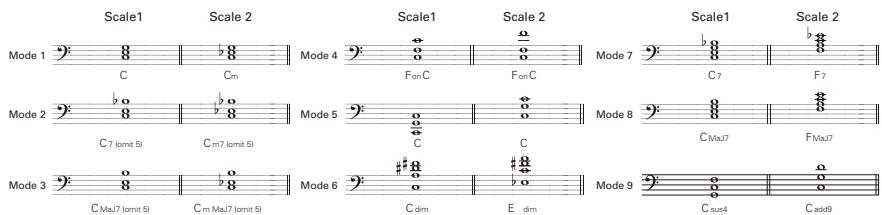
The unit will not turn ON
- Confirm that the POWER switch is set to "ON". When using bus power, confirm that the switch is "OFF" before connecting the USB cable.
- When using batteries, confirm that they are still charged.
No sound or very low volume
- Check the connections ( P4 - 6)
- Adjust the patch level ( P14)
- Adjust the master level ( P18)
- When adjusting the volume with an expression pedal, make sure that a suitable volume setting has been set with the pedal.
- Confirm that unit is not in mute mode ( P22)
- The unit might have switched to standby to save power ( P6) . In standby, audio input and output are disabled.
There is a lot of noise
- Check the shielded cables that you are using for defects.
- Use only a genuine ZOOM AC adapter.
Rhythm List
The sound distorts strangely/has an odd timbre
- Set the Active/Passive switch according to the type of bass guitar pickups or the device connected directly to the B3.
An effect is not working
If the effect processing capacity is exceeded, "THRU" appears on the effect graphic. In this case, the effect is bypassed.
The expression pedal is not working well
Check the expression pedal settings ( P16)
The recorded level in a DAW is low
Check the recording level setting ( P20)
Batteries lose their charge quickly
- Are you using manganese batteries? Alkaline batteries should provide 6 hours of operation.
- Check the battery setting ( P20) . Set the type of battery being used for a more accurate display of the remaining charge.
| # | Pattern Name | Tim Sig. |
| 1 | GUIDE | 4/4 |
| 2 | 8Beat1 | 4/4 |
| 3 | 8Beat2 | 4/4 |
| 4 | 8Beat3 | 4/4 |
| 5 | 8SHFFL | 4/4 |
| 6 | 16Beat1 | 4/4 |
| 7 | 16Beat2 | 4/4 |
| 8 | 16SHFFL | 4/4 |
| 9 | Rock | 4/4 |
| 10 | Hard | 4/4 |
| 11 | Metal1 | 4/4 |
| 12 | Metal2 | 4/4 |
| 13 | Thrush | 4/4 |
| 14 | Punk | 4/4 |
| # | Pattern Name | Tim Sig. |
| 15 | DnB | 4/4 |
| 16 | Funk1 | 4/4 |
| 17 | Funk2 | 4/4 |
| 18 | Hiphop | 4/4 |
| 19 | R'nR | 4/4 |
| 20 | Pop1 | 4/4 |
| 21 | Pop2 | 4/4 |
| 22 | Pop3 | 4/4 |
| 23 | Dance1 | 4/4 |
| 24 | Dance2 | 4/4 |
| 25 | Dance3 | 4/4 |
| 26 | Dance4 | 4/4 |
| 27 | 3Per4 | 3/4 |
| 28 | 6Per8 | 3/4 |
| # | Pattern Name | Tim Sig. |
| 29 | 5Per4_1 | 5/4 |
| 30 | 5Per4_2 | 5/4 |
| 31 | Latin | 4/4 |
| 32 | Ballad1 | 4/4 |
| 33 | Ballad2 | 3/4 |
| 34 | Blues1 | 4/4 |
| 35 | Blues2 | 3/4 |
| 36 | Jazz1 | 4/4 |
| 37 | Jazz2 | 3/4 |
| 38 | Metro3 | 3/4 |
| 39 | Metro4 | 4/4 |
| 40 | Metro5 | 5/4 |
| 41 | Metro |
| Effect types | 111 types | |
| Number of simultaneous effects | 3 | |
| Number of user banks/patches | 10 patches x 10 banks | |
| Sampling frequency | 44.1kHz | |
| A/D conversion | 24-bit with 128x oversampling | |
| D/A conversion | 24-bit with 128x oversampling | |
| Signal processing | 32-bit floating point & 32-bit fixed point | |
| Frequency characteristics | 20-20 kHz +1 dB, -3 dB (10 kΩ load) | |
| Display | LCD x 3 | |
| Input | Standard mono phone jackRated input level -20dBmInput impedance 1MΩACTIVE/PASSIVE (switch selectable) | |
| Output R | Standard mono phone jackMaximum output level:Line: +5 dBm (with output load impedance of 10 kΩ or more) | |
| L/Mono/Phone | Standard stereo phone jack (line/headphones)Maximum output level:Line: +5 dBm (with output load impedance of 10 kΩ or more)Headphones: 20 mW + 20 mW (into 32 Ω load) | |
| Balanced output | XLR connectorOutput impedance100 Ω (HOT-GND, COLD-GND), 200 Ω (HOT-COLD)PRE/POST (switch selectable)GND LIFT (switch selectable) | |
| Control input | For FP01/FP02/FS01 | |
| Noise floor (residual noise) | -100dBm | |
| Power | AC adapter DC9V (center minus plug), 500 mA (ZOOM AD-16) Batteries 6 hours of continuous operation using 4 AA alkaline batteriesUSB Bus power | |
| Dimensions | 170 (D) x 234 (W) x 54 (H) mm | |
| USB | USB Audio | |
| Weight | 1.2kg | |
| Options | FP01/FP02 expression pedal and FS01 foot switch | |
- 0dBm = 0.775Vrms
FCC regulation warning (for U.S.A.)
This equipment has been tested and found to comply with the limits for a Class B digital device, pursuant to Part 15 of the FCC Rules. These limits are designed to provide reasonable protection against harmful interference in a residential installation. This equipment generates, uses, and can radiate radio frequency energy and, if not installed and used in accordance with the instructions, may cause harmful interference to radio communications. However, there is no guarantee that interference will not occur in a particular installation. If this equipment does cause harmful interference to radio or television reception, which can be determined by turning the equipment off and on, the user is encouraged to try to correct the interference by one or more of the following measures:
- Reorient or relocate the receiving antenna.
- Increase the separation between the equipment and receiver.
- Connect the equipment to an outlet on a circuit different from that to which the receiver is connected.
- Consult the dealer or an experienced radio/TV technician for help.
For EU Countries

Declaration of Conformity:
This product complies with the requirements of EMC Directive 2004/108/EC,
Low Voltage Directive 2006/95/EC and
ErP Directive 2009/125/EC

Disposal of Old Electrical & Electronic Equipment
(Applicable in European countries with separate collection systems) This symbol on the product or on its packaging indicates that this product shall not be treated as household waste. Instead it shall be handed over to the applicable collection point for the recycling of electrical and electronic equipment. By ensuring this product is disposed of correctly, you will help prevent potential negative consequences for the environment and human health, which could otherwise be caused by inappropriate waste handling of this product. The recycling of materials will help to conserve natural resources. For more detailed information about recycling of this product, please contact your local city office, your household waste disposal service or the shop where you purchased the product.

ZOOM CORPORATION
4-4-3 Surugadai, Kanda, Chiyoda-ku, Tokyo 101-0062 Japan
http://wwwzoomo.co.jp
| Patch Name | Comment | ||
| DEMO | A | 0 MarkBoost | This uses modeling of the all-around Markbass sound. Switch the graphic EQ on for a tighter low end when using an amplifier. |
| 1 Polytone | This has the characteristic mid range of the Polytone MINI-BRUTE, which is popular among jazz players. Switch the EQ on for a tighter low end when using an amplifier. | ||
| 2 SLAP WAH | This patch with additional auto-wah is useful for slapping solos. | ||
| 3 bass tank | Less overdriven style into an SVT style amp modeler. | ||
| 4 Hartke | A Hartke HA3500 is combined with a 4.5XL cabinet with aluminum cone drivers. Switch the EQ on for tighter low end when using an amplifier. | ||
| 5 SansCmp | A basic combination of SansAmp and Punch Factory, which are two favorite effects among bass players. Add EQ to your taste. | ||
| 6 Jaco Jazz | Jaco Jazz Ah yes the famous Jaco and his sound this sound emulates a fretless bass very well. | ||
| 7 SVT | The all-tube Ampeg SVT is combined with an 810E cabinet. Switch the EQ on for a tighter low end when using an amplifier. | ||
| 8 tl octave | My basic beefed up octave sound, big lows and fat sine wave. | ||
| 9 RecUS | The AVALON U5 model contributes to this clear and crispy bass sound. | ||
| Victor Wooten | B | 0 W10 Big D | Very powerful Octave and Distortion sound. |
| 1 W10 Thumb1 | Moog filter sound for thumb play style. | ||
| 2 W10 Thumb2 | Q-Tron filter sound for thumb play style. | ||
| 3 W10 StepUp | Long time delay sound with Hall reverb. | ||
| 4 W10 Up Top | Pitch shifter with delay for bass guitar solo. | ||
| 5 W10 Bottom | Nice bottom sound with booster and Bottom B. | ||
| 6 W10LesFret | Fretless sound with Hall reverb. | ||
| 7 W10 DreamX | Dreamy sound using Reverse Delay. | ||
| 8 W10 DreamY | Dreamy sound using Pitch Delay. | ||
| 9 W10 BowTie | Slow attack sound with Hall reverb. | ||
| Frank Bello | C | 0 HinttoCliff | This patch is a tribute dedicated to my friend Cliff Burton. I think of him when I hear it. |
| 1 GalePlus | This patch is a kind of straight-ahead vibe plus a little more "stuff " I added to it... | ||
| 2 Smoothfun | This patch says to me that this bass sound is so smooth, I should have some fun with it. | ||
| 3 WahTalkin | With this patch, I have this picture in my head of having a conversation with a wah pedal. | ||
| 4 Horrorfuzz | This patch is my horror movie bass sound. To me it sounds like it's from a horror movie soundtrack. | ||
| 5 Tremozep | When I'm playing with this patch, it sounds like it has a Led Zeppelin vibe to it. Tremolo all the way! | ||
| 6 FollowMe | When I hear this patch, it makes me feel like there is a sound following me every note I play. | ||
| 7 LeStandard | With this patch, I just wanted to have a cool, straight ahead bass sound to jam to. | ||
| 8 Believe it | This patch has a journey-bass sound vibe to it. Big Chorus going on. | ||
| 9 Cureme | I think-This patch has a Cure-ish (the band) vibe to it. Fun with the Flanger! | ||
| David Ellefson | D | 0 Crunch Fuz | FuzzSmile gives hard edge fuzz. |
| 1 Amused | Synth & OptComp creates a modern alt metal talk box type sound. | ||
| 2 UR No Good | Derived from Van Halen II "You're No Good" bass intro. Classic Phaser and Compression. Great bass intro patch. | ||
| 3 Wid Sprd | D.I Plus with the Vibe gives useful effect for blues or rock songs. | ||
| 4 NatBg Wah | A natural bass wah created with Bottom B, Pedal Wah and Early Reflection. | ||
| 5 Big Room | Oct Stomp, Reverb and Flip Top create an ambient hall setting with a lower octave added. | ||
| 6 Space Driv | Exciter, Phaser, Fuzz. Good for solo bass and oddity pieces. | ||
| 7 Bass Synth | Mono Synth creates outstanding effect for solos and special effects. | ||
| 8 Lo Down | Octave creates lower octave while Random Filter adds mystic. | ||
| 9 Spc Fusion | Vibrato with 4 Voice Synth provides fusion jazz voicing. | ||
| Doug Wimsh | E | 0 cto Stomp | A combination of Bottom B and Flip Top rounded out through the 160 COMP delivers a FAT SOLID SOUND. |
| 1 Pump House | SVT Amp with a twist of Mono Pitch and 160 Comp creates controllable Sub Low with the expression pedal. PUMP IT! | ||
| 2 Propeller | A Bass Drive merged with Trigger Hold then the 160 Comp evens it out. Expression Pedal makes it pulse. | ||
| 3 Swirl | With the Vibrato, Arena Reverb and Exciter, you create a Whirling Leslie Vibe. | ||
| 4 Jaco Solo | Jaco Solo is a very dreamy sound thick with a nice reverb can be used for solo's or a main sound. | ||
| 5 Earth W&F | This is a cool synth patch emulating the famous tune "Let's Groove Tonight" by Earth Wind & Fire. | ||
| 6 Anthony J | This patch simulates Anthony Jackson's trademark sound with a flanger. The swelling effect of the flanger fits nicely with tight rhythmic figures played with a pick. | ||
| 7 Fat&Bright | Use this patch for a fat and bright slapping sound. Remember that funky guy who performed with Miles and the Stones? | ||
| 8 SipiSS Tny | This simulates the sound of that impressive intro played by that skinhead guy with a "disciplined" British prog group. Try slapping with this. | ||
| 9 Percy J | A set of the favorite effects used by the legendary freestler player of Brand X. | ||
| ARTIST F | 0 | JP&360Amp | This reproduces the sound of that legendary master of the fretless bass. Explore the world of “Word of Mouth” with chorus and distortion! |
| 1 | Larry | This reproduction of that Jet Phaser sound favored by Larry Graham is a great enhancement to wild bass solos! | |
| 2 | M Miller | This simulates the slapping sound of Marcus Miller using SWR amplifiers. | |
| 3 | STANLEY | This simulates the bass sound of Stanley Clarke on “School Days” and is optimized for chord stroking and slapping. | |
| 4 | Tim B | This reproduces the sounds of the wild guy of “Fudge” and “BBA.” Try to control the depth of distortion with your picking touch. | |
| 5 | pino | Octaver into a Flip Top B-15 simulator, emulates the classic d'angelo pino p sound. | |
| CLEAN G | 6 | BasicSet | This basic compressor, overdrive and preamp setup can be used like a chain of compact effect pedals. |
| 7 | RockSet | This “rock” setup of octave, booster and preamp effects can be used like a chain of compact pedals. | |
| 8 | POPSet | An all-round “pop” setup of compressor, booster and exciter effects that can be used like a chain of compact effect pedals. | |
| 9 | FusionSet | A setup of compressor, chorus and delay effects for fusion that can be used like a chain of compact effect pedals. | |
| 0 | JumpSet | This set is stuffed with three wild weapons. Use any of these when you need to be “in-your-face!” | |
| 1 | Z TRON | This auto-wah sound with a heavy bottom end is a combination of the Q-Tron-inspired Z Tron effect and a preamp. | |
| 2 | DbIComp | This patch gives a hard compression sound using two compressors in a row and is good for cool slapping solos. | |
| 3 | PHASER | This phaser sound is very effective in certain sections of songs. | |
| 4 | WahAttack | This adds an auto-wah sound to the natural dry sound of the bass. | |
| 5 | SLAP | This slapping sound cuts though with natural compression and low and high registers enhanced by an exciter. | |
| 6 | SLAP SOLO | This adds a short delay to a classic 80s slapping solo sound. | |
| 7 | TAPPING | This patch is optimized for tapping. The signal is compressed fairly heavily and enhanced with EQ for a broader sound. | |
| 8 | CHORD | This patch is optimized for chord work. Room and reverb effects add depth to the sound. | |
| 9 | PULL MELO | Use this patch for beautiful melodies played with a pull-off technique. | |
| 0 | HARMONICS | This patch is effective for harmonics. Chorus and reverb effects contribute to the floating sound. | |
| 1 | Bassman | This is a simulation of the Fender Bassman 100 amp once used by Paul McCartney. Switch the graphic EQ on for tighter low end when using an amplifier. | |
| 2 | Super Bass | This is a simulation of a Marshall 1992 Superbass with a 1935A cabinet. Switch the graphic EQ on for tighter low end when using an amplifier. | |
| 3 | Aguilar | This models the powerful and clean sound of an Aguilar amp. Switch the graphic EQ on for tighter low end when using an amplifier. | |
| 4 | G-Kruger | This is a simulation of a Gallien-Krueger 800RB with a 410RBH cabinet. Switch the graphic EQ on for tighter low end when using an amplifier. | |
| 5 | nice warm | Just a nice tube amp warm patch, good for any use. | |
| 6 | BritHardRk | This is just like the name suggests— a typical sound of British hard rock. Perfect with a pick. | |
| 7 | huge clean | Nice eq'd lo mid boosted sound sent into an SWR style amp. | |
| 8 | REC CLEAN | This clean sound is suitable for recording and has added fatness from Hartke HA3500 modeling. | |
| 9 | REC SLAP | This simulation of an amp sound with punchy lows and highs is suitable for recording slapped basses. | |
| DISTORTION J | 0 | 2COMP | This patch simulates settings for recording using both studio and pedal compressors. |
| 1 | ReggaeNo.1 | This popular reggae sound has a big bottom. Add the octave if you like a more aggressive sound. | |
| 2 | NORMAL DIS | This standard distortion sound blends well with the mix. This sound is good for everything but ballads! | |
| 3 | SOLO DIS | This distortion sound accompanied by a delay effect is suitable for soloing with fast passages. | |
| 4 | LudditeSyn | This synth bass is simulated only with analog-type effects. Of course, the whole thing is still digitally simulated! | |
| 5 | oct OD | Heavy fuzz and the bottom end give this patch a retro feel. | |
| 6 | Biglet | This jet sound has that characteristic wild swell. | |
| 7 | MuffCnp | This distortion sound uses the modeled Big Muff, which is a popular effect among many bass players. Switch on the exciter for a more contoured sound. | |
| 8 | meshugger | Distorted, sounds amazing with bass tuned to low c with roundwound strings. | |
| 9 | 70fuzzoct | Retro fuzz and octave through a resonance filter. | |
| 0 | REC DIST | This natural distortion sound is suitable for recording. | |
| 1 | BottomSyn | This fat bass synth sound with a pleasant attack is suitable for recording. | |
| 2 | Big Brass | This is another big brassy cool analogue sound very useful in synth sounds. | |
| 3 | Fast Pick | This is a sound emulating you playing very fast 1/8 notes very accurate. | |
| 4 | longambien | Reverse delay into a rich delay with mega feedback. Excellent ambience for looping. | |
| 5 | Big Moog | This is a very cool impression of the Mini Moog synth very analogue. | |
| 6 | Duck Wah B | No, this is not the sound of the Stax legend. This is a sonic imitation of a “real” duck! | |
| 7 | Retro Game | This is a simulation of the sound of those 8-bit game machines that took the world by storm in the 80s. | |
| 8 | fairwarnin | Sub bass analog synth sound, most effective tracked slowly with long sustains. | |
| 9 | DistSeq | This spacey sound combines Dist1, Seq Filter and Stereo Delay effects. |
This USB/Sequel LE Startup Guide explains how to install Sequel LE on a computer, make connections and settings for this unit, and perform recording.
Sequel LE installation
Connections and preparation
Use Sequel LE to record
Sequel LE installation
Connections and preparation
Use Sequel LE to record
Windows
To connect this unit to a computer running Windows 7 (or Windows Vista, XP) and to enable audio input/output, proceed as follows. The installation description uses Windows 7 as an example.
Download the latest ASIO driver from the web site of ZOOM Corporation (http://www.zoom.co.jp) and install the driver.
The ASIO driver software is required to enable use of Sequel LE for audio input and output with a computer. Refer to the read_me file included in the download package for instructions on how to install the driver correctly.
NOTE
If the system software is an older version, the product may not be recognized properly by the computer. It is therefore recommended to always keep the system software updated to the latest version. The system software can be downloaded from our web site.

Insert the supplied "Sequel LE" CD-ROM into the CD drive of the computer, and perform the installation steps.
Insert the CD-ROM. When the contents of the CD-ROM are shown, double-click "Sequel LE2 for Windows" and then select "Setup.exe". When the language selection screen appears, choose the language to use.
After making the selection, follow the instructions on the screen.

Setup.exe
HINT
If nothing happens when you insert the CD-ROM, open the Start menu and select "Computer" ("My Computer" in Windows XP). Then double-click the "Sequel LE 2 for windows" CD-ROM icon to display the contents of the CD-ROM, and double-click the executable file "Setup" ("Setup.exe").
NOTE
During the installation of Sequel LE, a screen asking about installation of activation (software license authentication) management software appears. Install this software, because it is required for registering Sequel LE.

Connect this unit to the computer using a USB cable.
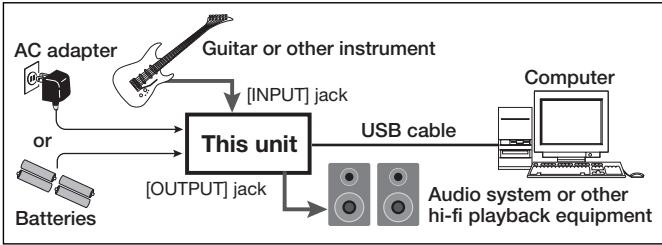
NOTE
- If you monitor the audio signal during recording via the audio output of the computer, there will be an audible delay. Be sure to use the [OUTPUT] jack of this unit to monitor the signal.
- When this unit is operated on USB bus power via the USB cable, insufficient power may result in unstable operation or error indications appearing on the computer screen or unit display. In such a case, power the device from an AC adapter.
- Use a high-quality USB cable and keep the connection as short as possible. If USB bus power is supplied to this unit via a USB cable that is more than 3 meters in length, the low voltage warning indication may appear.
HINT
- No special steps are necessary for canceling the USB connection. Simply disconnect the USB cable from the computer.
- When you connect this unit for the first time to a computer running Windows 7, a message saying "New Hardware Found" will appear. Before proceeding, wait a while until this message disappears.

Bring up the "Sound" window from the Control Panel and make the input device setting for the computer.
To bring up the "Sound" window, select "Control Panel" from the Start menu and click "Hardware and Sound", then click "Sound".
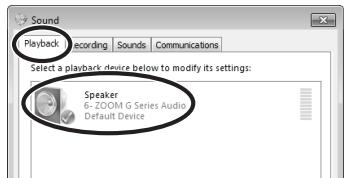
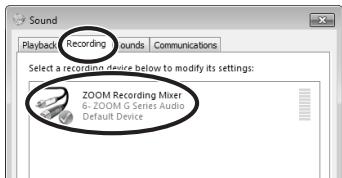
In the "Sound" window, verify that "ZOOM G Series Audio" is listed under the Play and Record devices and that the device is checked. (To switch between Play and Record, click the tabs at the top of the window.)
If the device is not checked, right-click on the icon for the device and click "Set as Default Device" so that a check mark appears.

Launch Sequel LE and select "ZOOM G Series ASIO" as the ASIO driver.
To start Sequel LE, double-click the Sequel LE shortcut icon that was created on the desktop.
After Sequel LE starts, click the button in the bottom left corner of the Multi Zone area of the Sequel window to open the settings page. Click the Audio Connection item and select "ZOOM G series ASIO" from the pop-up menu.
When you change the ASIO driver, a confirmation window will appear. Click the "Switch" button.
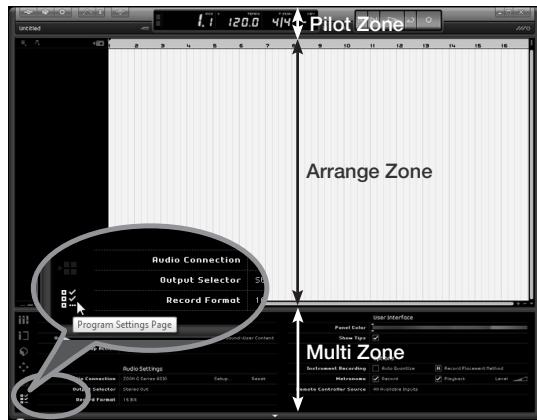
Next, click the "Setup..." button to open a window where you can set the latency of the ASIO driver. Set the latency as low as possible without causing the sound to drop out during recording and playback.
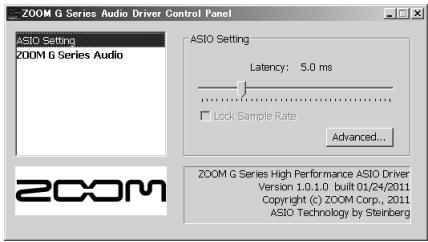

Continued overleaf
Sequel LE installation
Connections and preparation
Use Sequel LE to record
MacOS X
To connect this unit to a computer running MacOS X and enable audio input/output, proceed as follows. The installation description uses Mac OS X v10.6 as an example.

Insert the supplied "Sequel LE" CD-ROM into the CD drive of the Macintosh.
The contents of the CD-ROM appear automatically. If nothing happens when you insert the CD-ROM, double-click the "Sequel LE2 for Mac OS X" icon shown on the desktop.

Install Sequel LE on the Macintosh.
When the contents of the CD-ROM are shown, double-click "Sequel LE 2.mpkg" to install the software.

Sequel LE 2.mpkg
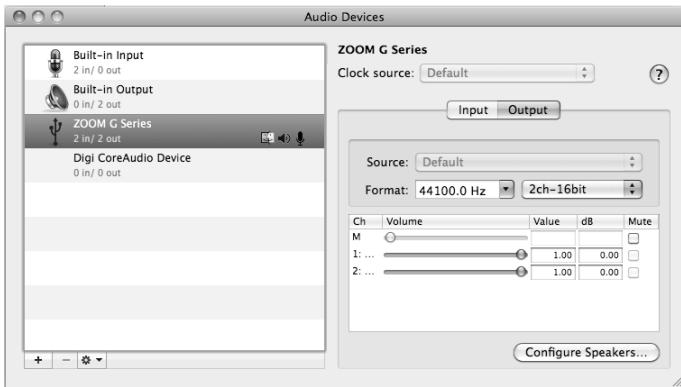
If another item is selected, select the "ZOOM G Series"
After confirming the setting, quit Audio MIDI Setup.

Connect this unit to the computer using a USB cable.
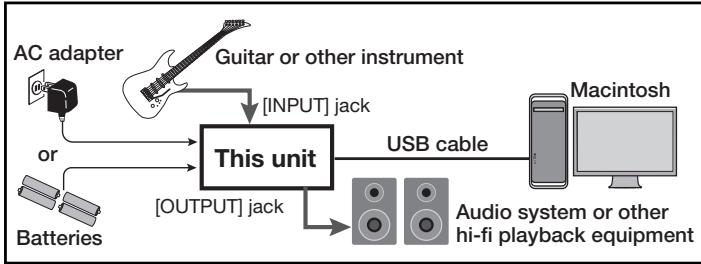
NOTE
- If you monitor the audio signal during recording via the audio output of the computer, there will be an audible delay. Be sure to use the [OUTPUT] jack of this unit to monitor the signal.
- When this unit is operated on USB bus power via the USB cable, insufficient power may result in unstable operation or error indications appearing on the computer screen or unit display. In such a case, power the device from an AC adapter.
- Use a high-quality USB cable and keep the connection as short as possible. If USB bus power is supplied to this unit via a USB cable that is more than 3 meters in length, the low voltage warning indication may appear.
HINT
No special steps are necessary for canceling the USB connection. Simply disconnect the USB cable from the computer.

Open the "Applications" folder and then the "Utilities" folder, and double-click "Audio MIDI Setup".
The Audio MIDI Setup screen appears. Click "Audio Devices" and check whether "USB Audio CODEC" is selected as default input/ default output.

Launch Sequel LE and set "ZOOM G Series" as the Audio Connection.
To launch Sequel LE, click Sequel LE icon in the Applications folder. After Sequel LE starts, click the button in the bottom left corner of the Multi Zone area of the Sequel window to open the settings page. Click the Audio Connection item and select "ZOOM G series" from the pop-up menu.
When you change the driver, a confirmation window will appear. Click the "Switch" button.
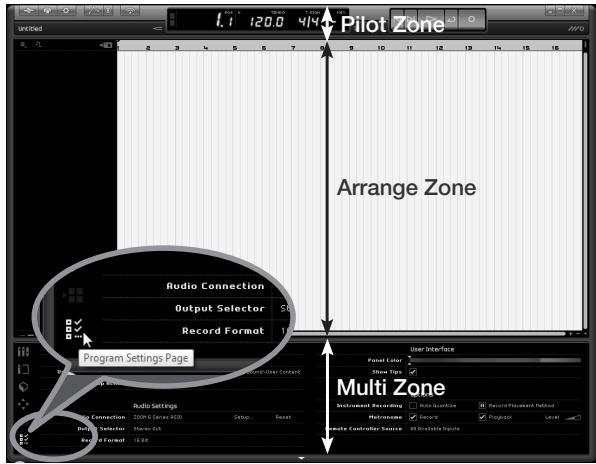
Next, click the "Setup..." button to open a window where you can set the latency (buffer size) of the driver. Set the latency as low as possible without causing the sound to drop out during recording and playback.
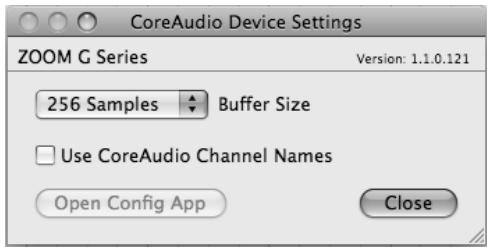

Continued overleaf
Select "New Project" from the "Project" menu.
This will close the currently open project and create a new empty project file. If the currently open file has been changed, a message appears asking if you want to save it or not.
In the Mac OS X version, the "File", "Project" and "Edit" menus appear at the upper left corner of the screen.

NOTE
After installing Sequel LE, the first time you launch it, a demo project is automatically opened. Even after creating a new project, you can open this demo project again any time by using "Open Project..." from the "Project" menu.
7 Add an audio track.
- Click the "Add New Track" button at the top of the track list.
- Click the "Audio" button at the top of the dialog shown.
- Select "empty" at the top of the Name list and click the "OK" button to add an audio track to the project.
- Double-click the track name if you want to edit it. Input "Guitar" here for this example.
Set the recording level.
Use the track "Volume" slider to adjust the input volume of the track so that distortion does not occur during recording.
Turn the "Record Ready" button on for the added track so that you can hear the sound of the instrument input on that track. The level meter to the right of the track setting area moves in response to the input.
HINT
In order to record with better sound quality, adjust the volume so that it is as loud as possible without the signal distorting.
NOTE
- While a track is record ready, the signal input to this audio interface is output directly and the same signal is also output after it passes through the computer once, resulting in a flanger-like sound. To avoid this, set the USB level of the interface all the way to DAW.
- The meter above shows the signal level after processing with Sequel LE. For this reason, after playing the guitar or other instrument, a slight delay might occur before the level meter moves.
Record to a track.
- At the right side of the Pilot Zone are several buttons used for recording, playback and other controls. Among these, the second one from the right is the "Cycle" button. Confirm that this button is OFF (same color as other buttons).
- Click the "Record" button to start recording. Recording will start after a two-bar pre-count
- After you are done performing, press the space key on the computer keyboard to stop recording.
Check the recording.
Start playback
You can start playback in Sequel using one of the following methods.
- Click the "Play" button.
- Press the space key on the computer keyboard. The space key can be used alternately to start and stop playback.
- Press the "Enter" key on the computer keyboard (numerical keypad).
- Double-click the bottom half of the ruler at the top of the Arrange Zone.
Stop playback
You can stop playback using one of the following methods.
- Click the "Play" button during playback.
- Press the space key on the computer keyboard.
- Press the "0" key on the computer keyboard (numerical keypad).
For optimum enjoyment
While using Sequel LE, other applications may slow down drastically or a message such as "Cannot synchronize with USB audio interface" may appear. If this happens frequently, consider taking the following steps to optimize the operation conditions for Sequel LE.
(1) Shut down other applications besides Sequel LE. In particular, check for resident software and other utilities
(2) Reduce plug-ins (effects, instruments) used by Sequel LE. When there is a high number of plug-ins, the computer's processing power may not be able to keep up. Reducing the number of tracks for simultaneous playback can also be helpful.
(3) Power the unit from an AC adapter. When a device designed to use USB power is powered via the USB port, the current supply may sometimes fluctuate, leading to problems. See if using an AC adapter improves operation.
If applications still run very slowly or the computer itself does not function properly, disconnect this unit from the computer and shut down Sequel LE. Then reconnect the USB cable and start Sequel LE again.
- Bass Effects & Amp Simulator
- B3
- OPERATION MANUAL
- Contents
- SAFETY PRECAUTIONS
- Warning
- Operation using an AC adapter
- Operation using batteries
- Alterations
- Precautions
- Product handling
- Operating environment
- AC adapter handling
- Battery handling
- Connecting cables with input and output jacks
- Volume
- Usage Precautions
- Interference with other electrical equipment
- Cleaning
- Malfunction
- Copyrights
- Feels just like using effect pedals
- Realistic amplifier modeling
- Combine diverse effects as you like
- **Looper that can be synchronized with rhythms**
- Automatic saving
- Works with ZOOM Edit & Share software
- Terms Used in this Manual
- Patch
- Bank
- To turn the power on
- When using batteries
- When using an adapter
- HINT
- Display information
- Home Screens show the current patch
- ■ Edit Screens show parameters being edited
- | To turn effects ON and OFF
- NOTE
- | To select an effect type
- | To adjust parameters
- | To change the page
- Effect processing capacity
- To activate patch selection
- | To change the patch
- To change the bank
- | To return to the Home Screens
- | To store a patch or swap with a different patch
- | To select whether to store or swap the patch
- | To set where to store or swap the new patch
- To change the patch number where stored/swapped
- To change the bank where stored/swapped
- | To complete patch storing/swapping
- | To activate the TOTAL menu
- | To adjust the patch level
- To adjust the balance between original and effected sounds
- | To change the order of the effects
- | To change the patch name
- | To set an expression pedal function
- To set an optional footswitch function
- BYPASS/MUTE
- TAPTEMPO
- NO ASSIGN
- | To exit the TOTAL menu
- | To activate the GLOBAL menu
- | To adjust the master level
- | To set the master tempo
- Setting the tempo by tapping
- | To change the direction of the signal flow
- To set the amount of time until the backlight dims
- | To select the battery type
- To adjust the USB audio monitoring balance
- | To adjust the recording level
- | To view the firmware versions
- | To adjust the display contrast
- | To exit the GLOBAL menu
- | To activate the tuner
- | To change the tuner's standard pitch
- | To select the tuner type
- CHROMATIC
- BASS
- | To use a drop tuning
- - Turn
- Tune the bass guitar
- CHROMATICTUNER
- BASSTUNER
- | To end tuning
- | To activate a rhythm
- To select the rhythm pattern
- To adjust the tempo
- | To adjust the rhythm level
- | To stop the rhythm
- | To complete setting the rhythm
- | To activate the Looper
- | To set the recording time
- Manual
- Note mark
- | To adjust the tempo
- | To record a phrase and play it back
- Press
- If set to "Manual"
- If set to a note mark
- | To adjust the loop volume
- | To overdub a recorded loop
- To start over dubbing
- To end overdubbing
- | To stop loop playback
- To erase the loop
- | To return to the Home Screens
- To change the Looper settings
- Press of the right unit.
- To activate the Undo function
- - To select the STOP MODE
- To adjust the RHYTHM LEVEL
- To download the latest firmware version updater application:
- | To prepare to update the firmware version
- VERSION UPDATE
- | To update the firmware
- | To complete updating
- Restoring the B3 to its factory default settings.
- To use the All Initialize function
- All Initialize
- To execute the All Initialize function.
- Compatible OS
- Windows
- Intel Mac
- Quantization (bit-rate)
- Sampling frequency
- Effect Types and Parameters
- The unit will not turn ON
- No sound or very low volume
- There is a lot of noise
- Rhythm List
- The sound distorts strangely/has an odd timbre
- An effect is not working
- The expression pedal is not working well
- The recorded level in a DAW is low
- Batteries lose their charge quickly
- FCC regulation warning (for U.S.A.)
- For EU Countries
- Disposal of Old Electrical & Electronic Equipment
- ZOOM CORPORATION
- Select "New Project" from the "Project" menu.
- Add an audio track.
- Set the recording level.
- Record to a track.
- Check the recording.
- Start playback
- Stop playback
- For optimum enjoyment
Brand : ZOOM
Model : B3
Category : Guitar effects pedalboard