 ManualGo.com
DS KIRBY SUPERSTAR ULTRA - Video game NINTENDO - Free user manual and instructions
Find the device manual for free DS KIRBY SUPERSTAR ULTRA NINTENDO in PDF.


Download the instructions for your Video game in PDF format for free! Find your manual DS KIRBY SUPERSTAR ULTRA - NINTENDO and take your electronic device back in hand. On this page are published all the documents necessary for the use of your device. DS KIRBY SUPERSTAR ULTRA by NINTENDO.
USER MANUAL DS KIRBY SUPERSTAR ULTRA NINTENDO
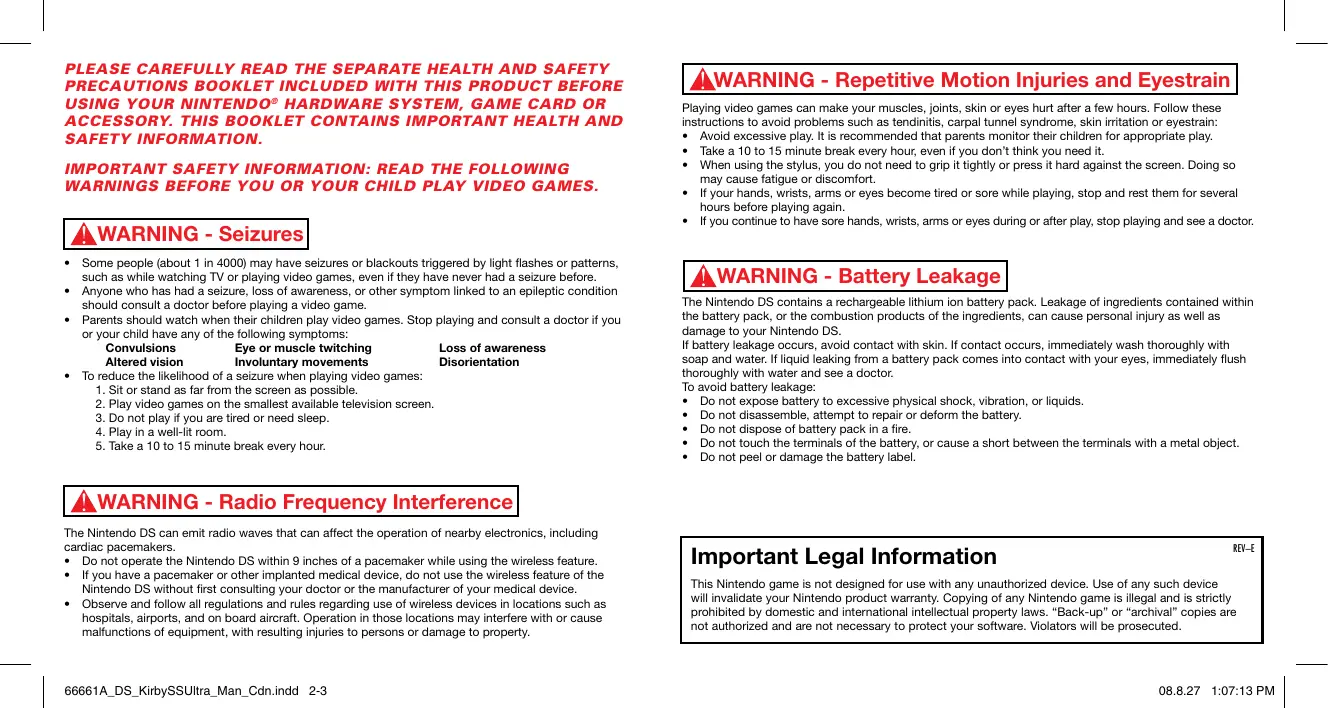
Some people (about 1 in 4000) may have seizures or blackouts triggered by light flashes or patterns, such as while watching TV or playing video games, even if they have never had a seizure before. Anyone who has had a seizure, loss of awareness, or other symptom linked to an epileptic condition should consult a doctor before playing a video game.
- Parents should watch when their children play video games. Stop playing and consult a doctor if you or your child have any of the following symptoms: Convulsions Eye or muscle twitching Loss of awareness Altered vision Involuntary movements Disorientation
- To reduce the likelihood of a seizure when playing video games:
1. Sit or stand as far from the screen as possible.
2. Play video games on the smallest available television screen.
3. Do not play if you are tired or need sleep.
4. Play in a well-lit room.
5. Take a 10 to 15 minute break every hour.
WARNING - Repetitive Motion Injuries and Eyestrain Playing video games can make your muscles, joints, skin or eyes hurt after a few hours. Follow these instructions to avoid problems such as tendinitis, carpal tunnel syndrome, skin irritation or eyestrain:
- Avoid excessive play. It is recommended that parents monitor their children for appropriate play.
- Take a 10 to 15 minute break every hour, even if you don’t think you need it.
- When using the stylus, you do not need to grip it tightly or press it hard against the screen. Doing so may cause fatigue or discomfort.
- If your hands, wrists, arms or eyes become tired or sore while playing, stop and rest them for several hours before playing again.
- If you continue to have sore hands, wrists, arms or eyes during or after play, stop playing and see a doctor. WARNING - Battery Leakage The Nintendo DS contains a rechargeable lithium ion battery pack. Leakage of ingredients contained within the battery pack, or the combustion products of the ingredients, can cause personal injury as well as damage to your Nintendo DS. If battery leakage occurs, avoid contact with skin. If contact occurs, immediately wash thoroughly with soap and water. If liquid leaking from a battery pack comes into contact with your eyes, immediately flush thoroughly with water and see a doctor. To avoid battery leakage:
- Do not expose battery to excessive physical shock, vibration, or liquids.
- Do not disassemble, attempt to repair or deform the battery.
- Do not dispose of battery pack in a fire.
- Do not touch the terminals of the battery, or cause a short between the terminals with a metal object.
- Do not peel or damage the battery label. WARNING - Radio Frequency Interference The Nintendo DS can emit radio waves that can affect the operation of nearby electronics, including cardiac pacemakers.
- Do not operate the Nintendo DS within 9 inches of a pacemaker while using the wireless feature.
- If you have a pacemaker or other implanted medical device, do not use the wireless feature of the Nintendo DS without first consulting your doctor or the manufacturer of your medical device.
- Observe and follow all regulations and rules regarding use of wireless devices in locations such as hospitals, airports, and on board aircraft. Operation in those locations may interfere with or cause malfunctions of equipment, with resulting injuries to persons or damage to property. 66661A_DS_KirbySSUltra_Man_Cdn.indd 2-3 Important Legal Information REV–E This Nintendo game is not designed for use with any unauthorized device. Use of any such device will invalidate your Nintendo product warranty. Copying of any Nintendo game is illegal and is strictly prohibited by domestic and international intellectual property laws. “Back-up” or “archival” copies are not authorized and are not necessary to protect your software. Violators will be prosecuted.
THIS GAME CARD WILL WORK
ONLY WITH THE NINTENDO DSTM
VIDEO GAME SYSTEM. Wireless DS Single-Card
- A SEPARATE GAME CARD. contents Starting the Game p. 6
- How to Play p. 10
- Using Copy Abilities p. 14
- Cooperating with Helpers p. 16
- Basic Rules p. 19
- Game Modes p. 22
- Sub-Games p. 27
- Group Sub-Games p. 28
- 2-Player Spring Breeze p. 29
- DS Wireless Connection p. 30
- NEED HELP PLAYING A GAME? Manuel en français Recorded tips for many titles are available on Nintendo’s Power Line at (425) 885-7529. This may be a long-distance call, so please ask permission from whoever pays the phone bill. If the information you need is not on the Power Line, you may want to try using your favourite Internet search engine to find tips for the game you are playing. Some helpful words to include in the search, along with the game’s title, are: “walk through,” “FAQ,” “codes,” and “tips.” KIRBY *In this manual, we will use red to indicate that a screenshot is of the top screen, and blue to indicate that a screenshot is of the bottom screen. ©1996–2008 HAL Laboratory, Inc./Nintendo. TM, ® and the Nintendo DS logo are trademarks of Nintendo. © 2008 Nintendo. All rights reserved. 66661A_DS_KirbySSUltra_Man_Cdn.indd 4-5 Our main character is a gourmet who uses his big mouth to inhale and swallow most anything. He goes on adventures far and wide to protect the peace of Pop Star. p. 36
Starting the Game Make sure that the power on your Nintendo DS is off, then insert the Kirby Super Star Ultra Game Card firmly into your DS.
1. When you turn your DS on, you should see the
screen on the right. Please read through the information and tap the bottom screen to continue.
2. When you tap the Kirby Super Star Ultra panel on
the DS Menu Screen, you will watch the opening of the game.
- If you have changed the settings on your Nintendo DS to start games automatically, you do not need to do this step. Please see your Nintendo DS Instruction Booklet for more information.
3. When the title screen appears, tap the bottom
. Then choose a file screen or press on the file-selection screen. From this screen, you can also choose the options of Group Sub-Games and 2-P Spring Breeze.
66661A_DS_KirbySSUltra_Man_Cdn.indd 6-7 Choose the number of players Once you’ve selected a file, select the number of players. In 2-P Adventure, P1 controls Kirby while P2 controls the Helper. p. 16 2-P Adventure When choosing 2-P Adventure, you will need to establish a wireless connection between P1 (parent) and P2 (child). P1 should choose Create Room and wait for P2. P2 must choose Enter Room and select a room to enter. Once P2 has entered . P1 must also choose a the room, P1 should choose game mode next. p. 30-31 carefully before initiating a Nintendo DS
- Please read wireless connection. Save Data When you clear a stage or a game mode, data will automatically be saved to your file. To continue a saved game, you must choose the Continue option within a to place the cursor over the Continue panel and select given game mode—use a stage to play. However, you can only save at a save point in The Great Cave Offensive. p. 24
The Corkboard Sub-Menus Once you’ve chosen the number of players, you will proceed to the corkboard. Please choose a game, sub-game, or sub-menu. When you highlight a game on the corkboard on the that will require you to tap the bottom screen during play, you will see a top screen. Tap the icons on the lower right of the corkboard to change settings, watch movies, or listen to sounds. You will be able to unlock the Sound Test room as you play through the game. Theatre Game Name When you’ve previously cleared a game, you will see a displayed here. You can view any of the movies you’ve previously seen in a game here—your list of movies will grow as you clear more games. Press any button during movie playback to skip to the end. Difficulty The more you see, the harder a game will be. Results You’ll see your high score and any treasures you’ve collected displayed here. Options You can use Sound Settings to change between surround, stereo, mono, and you can use the Beginner ’s Show to learn how to play each of the games. Use Erase File to delete old save data and start over. Game Mode Explanation *You can also erase all files by simultaneously holding down as the game starts up. and
*Erased files cannot be restored, so please be careful. Games p. 22-26 *At first, you’ll only be able to select Spring Breeze, but as you begin to progress through the game, you’ll unlock more games.
66661A_DS_KirbySSUltra_Man_Cdn.indd 8-9 Sub-Games Sub-Menus p. 27 Sound Test You can listen to music and sounds from the game here—your list of sounds will grow as you or use to select clear games. Tap songs and sounds. Tap the panel in the middle or to play. press
how to Play How You will use the touch (bottom) screen as well as the buttons when you play this game. Please see p. 11-13 for basic rules. Ground Actions Top Screen X Button
Tap twice quickly in the direction you want to go. Y Button Walk L Button Dash Guard
*You may be able to pass through some floors with a crouch jump. R Button Bottom Screen (Touch Screen) A Button Confirm :Control Pad Select an item *Tap the bottom screen to choose items from the menu. You can also to cancel and tap return to the previous screen.
Crouch Slide Door and Ladder Actions START Confirm p. 20 Pause SELECT B Button Cancel *When playing with a Nintendo DS, please refer to your DS Instruction Booklet. *Press
, and simultaneously to return to the title screen. *You can close your DS at any time to enter Sleep Mode and conserve battery power. Simply open the DS to resume your game. 66661A_DS_KirbySSUltra_Man_Cdn.indd 10-11 Enter a door. Use a ladder.
(Repeatedly) Spit Turn inhaled objects into stars and shoot them out. Hover Jump Jump into the air. Move through the air with multiple midair jumps. Shoot air Attack by exhaling air (Kirby will fall). Inhale Inhale foes and blocks. Swallow Swallow things you’ve inhaled. Copy Ability Actions Water Actions
Use a Copy Ability Swim Swim through the water. Press the A or Y Button to float upward.
66661A_DS_KirbySSUltra_Man_Cdn.indd 12-13 Shoot water Attack foes with water shot from your mouth. Swallow foes to copy them p. 14-15 . You can get rid of a Copy Ability by pressing
Create/Return a Helper When you create a Helper p. 16-17 , it will help you fight.
Using Copy Abilities Kirby’s special talent is copying the abilities of his enemies. Using copied enemy abilities will be very helpful as you fight foes and try to clear stages. Copying Kirby copies the abilities of enemies he has swallowed. Some of these copied abilities may change Kirby’s and various appearance. Use other controls to activate Kirby’s new abilities in each form. Go to the pause screen to learn more about your current Copy Ability. When Kirby swallows an p. 20 enemy he’s inhaled… Dropping a Copy Ability Mixing Copy Abilities When Kirby inhales more than one enemy at a time, he can take on a mix of Copy Abilities. Kirby’s appearance on the bottom screen will cycle through each ability. to stop the cycling and use the Copy Ability Kirby stops on. Press Introducing Copy Abilities There are many more Copy Abilities than we can introduce here. Among these are some you can only use a certain number of times, including one-use-only abilities. After using up these abilities, they will disappear automatically. He gets a new Copy Ability! Try using . Beam Learn all the shapes and uses of this powerful beam attack. Fighter Defeat your enemies with flurries of punches and kicks. Ice Expel icy breath to freeze your enemies. Cook (one-time use) Cook all of your enemies on screen into recovery items. When Kirby takes damage, or when you remove a Copy Ability by , the Copy Ability turns into a star and flies away. pressing You can inhale this star to take back the Copy Ability if you want. *The Copy Ability star will eventually disappear.
Cooperating With Helpers When he copies an ability, Kirby can also create a Helper. The Helper is a loyal ally who will fight by your side. About Helpers When Kirby copies an ability (other than a one-use ability), you can press the X Button to create a Helper— Kirby will lose the Copy Ability. During a single-player game, the Helper will be controlled by the computer, and when there is a second player, P2 will control the Helper. *The Helper will disappear when its health reaches 0. Kirby can then make a new one. Face-to-Face When Kirby or a Helper gets a food item or a Maxim Tomato p. 21 , they can restore each other’s health if they touch soon after grabbing the item by performing Face-to-Face. When P2 is controlling a Helper… When you press while you have a Copy Ability… You create a Helper with that same ability. When can P2 control a Helper?
- When Kirby creates a Helper.
- When Kirby has inhaled an enemy.
- When Kirby has a Copy Ability. Grab (Helper Transformation) When a Helper Touches a Copy Essence Deluxe or an Ability p. 21 , it can change into a different Helper with Item that ability. Also, when a Helper has low health and touches an enemy, it can change into a different Helper with that ability. When a Helper transforms, it recovers all health. When you’re playing a two-player game and Kirby does one of the things described below, P2 can to create a Helper they can press , , , or control. Controlling a Helper is slightly different from controlling Kirby in a few ways. Controlling the Helper Continuous Jump Ability Item Use an Ability Space Jump Hyper
66661A_DS_KirbySSUltra_Man_Cdn.indd 16-17 (repeatedly) Float through the air with many small jumps. Use your Helper ability. Turn into a star and warp to Kirby’s location. (repeatedly) Make the Helper disappear.
basic Rules Basic rules Normal Beam This section explains how to advance in the game, as well as how to view the game screen and other rules common to each game mode. For more information about p. 22-25 . rules specific to each game mode, please see When there is a Helper present and Kirby does not to use the have a copy ability, he can press Normal Beam. If this beam hits the Helper, it will turn into an Ability Item. If Kirby then swallows this Ability Item, he will regain that ability. How to Advance
- When Kirby already has a Copy Ability and there is a to turn his current Helper present, Kirby can press Copy Ability into an Ability Item. Introducing the Helpers There are many varieties of Helpers besides the ones shown here. Waddle Doo Rocky Game Over Blade Knight Bio-Spark
66661A_DS_KirbySSUltra_Man_Cdn.indd 18-19 Control Kirby as he advances through various stages, overcoming enemies and obstacles. Defeat the boss at the end of each stage to advance to the next. When you get hit by enemies or their attacks, you will lose health. If your health reaches 0 or if you fall into a pit, you will lose one life and you may need to start again from the beginning of a stage or your last checkpoint, so be careful. When Kirby’s health reaches 0 and he has no remaining lives, your game will end. You can choose to continue your game from a certain point by selecting the option “Continue,” or you can choose “Quit” to return to the corkboard.
The Game Screen Items and Objects You can see the stage on the upper screen, while the lower screen shows your health, score, and other information. Kirby’s Health Kirby’s Status Current Copy Abilities appear here. *This game screen is from Spring Breeze. The display may be differentdependingon the game. Helper’s Health Helper’s Ability Remaining Lives Current Stage There are various items on the stages that Kirby and his Helpers can grab for different effects. There are also some objects that require a special action to move or interact with. This page will introduce you to some of each. Items Food Items Recovers some health. Maxim Recovers all health. Tomato 1UP Score Increases Kirby’s remaining lives by one. Candy Makes Kirby invincible for a short time. Copy Gives Kirby a new Essence Copy Ability. Deluxe Ability Gives Kirby a new Copy Item Ability when swallowed. *There are various kinds of Food Items, Copy Essence Deluxes, and Ability Items. Objects Pause Screen Press START to display the pause screen. From the pause menu, you can choose to access a world map p. 23 or return to the title screen. You can also change screens by pressing right or left on confirm controls for Kirby and such.
66661A_DS_KirbySSUltra_Man_Cdn.indd 20-21 Attack or swallow these to StarBlock get them out of your way. Bomb Block These explode when hit, causing damage to everything around them. Stake You can use a certain ability to pound these down. Rope You can use a certain ability to cut these. Try lighting the fuse nearby Cannon and getting inside… Get on and press up or Elevator down on the :Control Pad to move. Touch or attack this switch Switch to activate it. Get on this star to ride it WarpStar to another location.
GAME Modes Game MODES This game is something of a “games omnibus,” where you choose the game you want to play from the corkboard. Here we will discuss some of the rules and features of the various games. About the Games Omnibus There are lots of games in Kirby Super Star Ultra, so you can enjoy lots of different stories and adventures. The goals and rules of each game vary slightly, so pay close attention to this section. Spring Breeze Adventure through four stages as you try to recover all of the food stolen by King Dedede. This is a basic game mode with simple rules for new gamers. This is the only game mode you can play at first. Dyna Blade Set out on an epic journey to stop the giant, monstrous bird Dyna Blade from destroying all of the crops. This game mode features a world map and the ability to select stages. World Map Move Kirby using and press to select a stage. Cleared stages will display a Enemy Stages As you move around on the world map, you will have to fight enemies if you touch them.
Extra Stage Fulfilling certain conditions opens this stage, where you can grab one of many Copy Abilities. Goal Game There is a goal game at the end of every stage in when the gauge Dyna Blade. Press , , , or is full to send Kirby shooting out of the cannon. You will receive a reward based on how far he flies.
The Great Cave Offensive Explore an ancient cave and recover the 60 treasures hidden there, then make it back to the surface safely. Think of the value of each treasure in gold as your score. p. 20 to display the treasures you’ve *Enter the pause screen found and tap each one to confirm their names and values. Kirby’s Current Position Treasures Collected Gourmet Race There are two ways to play this game. In Grand Prix, you will race against King Dedede. Run through the course and collect food as quickly as you can. Your score is determined by the amount of food you gather and how many more times you reach goal lines before your opponent. In Time Attack, you will choose a course and race through it alone to try and get the best time possible. Saving in The Great Cave Offensive You can only save this game at predetermined save points. You will be asked whether you want to save at each save point, so just choose “Yes” to save your game.
66661A_DS_KirbySSUltra_Man_Cdn.indd 24-25 # of Food Items Grabbed *In this game, P2 will play as a second, yellow Kirby. Racer’s Positions High Score About Treasure Chests Treasures come in chests like the one seen here. Stand near them and to open them. press up on Goal Lines Reached First Previous Wins and Losses Revenge of Meta Knight Infiltrate the flying battleship Halberd to foil the ambitions of the masked warrior Meta Knight. This mode has a time limit, and if the time runs out, you will lose a life. Time Remaining Kirby’s Current Position Halberd Endurance This will change over the course of your adventure.
sub-games Milky Way Wishes In order to stop the serious fighting between the sun and the moon, you will need to visit many planets and summon a comet. This game has slightly different rules concerning Copy Abilities, so pay close attention. World Map Youcanchooseseveralsub-gamesfromthecorkboard,eachonefeaturingsimple, fun rules that use the touch screen. How to Play Sub-Games Once you have chosen a sub-game to play from the corkboard, decide on a level (difficulty) to start playing. When the game ends, please choose Continue or Quit. Move Kirby with , and press when hovering over a planet to enter that stage. You can start on any stage in this game. About Copy Abilities In Milky Way Wishes, you generally can’t get abilities from enemies by swallowing them. In order to get a Copy Ability, you will have to find and touch a Copy Essence Deluxe. Once you have found a Copy Essence Deluxe, you can choose it at any time by tapping it on the lower screen. Copy Essence Deluxe *You can confirm your list of obtained Copy Essences Deluxe on the pause screen. p. 20
66661A_DS_KirbySSUltra_Man_Cdn.indd 26-27 Usable Copy Abilities Scroll through the Copy Abilitiesbytapping . Tap one of the icons in the center to choose a Copy Ability. Kirby Card Swipe Be the first to tap the card on the bottom screen that matches the card appearing on the top screen. The first to three wins. Kirby on the Draw Tap the targets to shoot them, (you lose points for shooting bombs). Tap the bar at the bottom of the screen to reload when you’re out of ammo. Snack Tracks Eat as much of the food coming down the conveyor belt as you can. Tap bombs, caterpillars, and rocks to get them out of the way.
group sub-games Group p. 27 via a wireless connection. Child Up to four people can play sub-games units can participate even if they do not have a Game Card. *Please read 2-P Spring Breeze 2-Player Spring Breeze uses DS wireless connections to allow another player (even without a Game Card) to play along in game of Spring Breeze. p. 22 p. 30-31 carefully before establishing a wireless connection. Starting a Group Sub-Game P1 (parent) Directions Choose Group Sub-Games from the file-selection screen, then choose Create Room and wait. When you select , download will begin. When the download ends, you can choose the type of sub-game and the level. P2 (child) Directions If you have a Game Card inserted, choose Enter Room and enter P1’s room. If you do not have a Game Card, you will need to download the game from the DS Menu Screen p. 31 . Then you just have to wait for P1 to start a game. Starting 2-P Spring Breeze P1 (parent) Directions Choose 2-P Spring Breeze from the file-selection screen, to begin create a room, and wait for P2. Select the download. P2 (child) Directions Begin the download from the DS Menu Screen, and wait for P1 to start a game. In 2-P Spring Breeze, the game screen will not appear on P2’s DS. P2 must look at P1’s DS to control the Helper. *You will lose progress in 2-P Spring Breeze when you turn off the power.
Establishing DS Wireless Link (DS Wireless Play) This section explains how to establish the link for local wireless play. What You Will Need Establishing DS Wireless Link (DS download Play) This section explains how to establish the link for DS Download Play. What You Will Need Nintendo DS Systems.............................. One for each player Nintendo DS Systems.............................. One for each player Kirby Super Star Ultra Game Cards......... One for each player Kirby Super Star Ultra Game Cards......... One Steps Steps for the Host
1. Make sure that all DS systems are turned off, then insert a Kirby Super Star Ultra
Game Card into each system.
1. Make sure all DS systems are turned off, then insert the
Kirby Super Star Ultra Game Card into the system.
2. Turn on the power of all the systems. The DS Menu Screen will appear.
2. Turn on the power of all game systems. The DS Menu
4. Now follow the instructions on
3. Tap the Kirby Super Star Ultra panel.
4. Follow the instructions on
p. 29 . Steps for the Guest Communication Error If the connection fails, follow the directions on screen to return to the title screen. If you do not have a Game Card inserted, you will have to shut off the power.
1. Turn on the power of all game systems. The DS Menu
2. Tap the DS Download Play panel. The game-selection
3. Tap the Kirby Super Star Ultra panel. The game-confirmation
4. When the correct software appears, select “Yes.” Player 1
will start the download process.
5. Follow the instructions on
REV–Q You may need only simple instructions to correct a problem with your product. Try our website at support.nintendo.com or call our Consumer Assistance Hotline at 1-800-255-3700, rather than going to your retailer. Hours of operation are 6 a.m. to 7 p.m., Pacific Time, Monday - Sunday (times subject to change). If the problem cannot be solved with the troubleshooting information available online or over the telephone, you will be offered express factory service through Nintendo. Please do not send any products to Nintendo without contacting us first. HARDWARE WARRANTY Nintendo of America Inc. (“Nintendo”) warrants to the original purchaser that the hardware product shall be free from defects in material and workmanship for twelve (12) months from the date of purchase. If a defect covered by this warranty occurs during this warranty period, Nintendo will repair or replace the defective hardware product or component, free of charge.* The original purchaser is entitled to this warranty only if the date of purchase is registered at point of sale or the consumer can demonstrate, to Nintendo’s satisfaction, that the product was purchased within the last 12 months.
GAME & ACCESSORY WARRANTY
Nintendo warrants to the original purchaser that the product (games and accessories) shall be free from defects in material and workmanship for a period of three (3) months from the date of purchase. If a defect covered by this warranty occurs during this three (3) month warranty period, Nintendo will repair or replace the defective product, free of charge.*
SERVICE AFTER EXPIRATION OF WARRANTY
Please try our website at support.nintendo.com or call the Consumer Assistance Hotline at 1-800-255-3700 for troubleshooting information and repair or replacement options and pricing.* *In some instances, it may be necessary for you to ship the complete product, FREIGHT PREPAID AND INSURED FOR LOSS OR DAMAGE, to Nintendo. Please do not send any products to Nintendo without contacting us first. WARRANTY LIMITATIONS THIS WARRANTY SHALL NOT APPLY IF THIS PRODUCT: (a) IS USED WITH PRODUCTS NOT SOLD OR LICENSED BY NINTENDO (INCLUDING, BUT NOT LIMITED TO, NON-LICENSED GAME ENHANCEMENT AND COPIER DEVICES, ADAPTERS, AND POWER SUPPLIES); (b) IS USED FOR COMMERCIAL PURPOSES (INCLUDING RENTAL); (c) IS MODIFIED OR TAMPERED WITH; (d) IS DAMAGED BY NEGLIGENCE, ACCIDENT, UNREASONABLE USE, OR BY OTHER CAUSES UNRELATED TO DEFECTIVE MATERIALS OR WORKMANSHIP; OR (e) HAS HAD THE SERIAL NUMBER ALTERED, DEFACED OR REMOVED. ANY APPLICABLE IMPLIED WARRANTIES, INCLUDING WARRANTIES OF MERCHANTABILITY AND FITNESS FOR A PARTICULAR PURPOSE, ARE HEREBY LIMITED IN DURATION TO THE WARRANTY PERIODS DESCRIBED ABOVE (12 MONTHS OR 3 MONTHS, AS APPLICABLE). IN NO EVENT SHALL NINTENDO BE LIABLE FOR CONSEQUENTIAL OR INCIDENTAL DAMAGES RESULTING FROM THE BREACH OF ANY IMPLIED OR EXPRESS WARRANTIES. SOME STATES DO NOT ALLOW LIMITATIONS ON HOW LONG AN IMPLIED WARRANTY LASTS OR EXCLUSION OF CONSEQUENTIAL OR INCIDENTAL DAMAGES, SO THE ABOVE LIMITATIONS MAY NOT APPLY TO YOU. This warranty gives you specific legal rights. You may also have other rights which vary from state to state or province to province. Nintendo’s address is: Nintendo of America Inc., P.O. Box 957, Redmond, WA 98073-0957 U.S.A. This warranty is only valid in the United States and Canada.