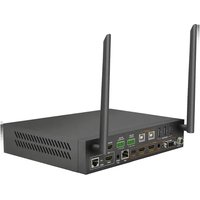
MXV-0808-H2L - Router WyreStorm - Free user manual and instructions
Find the device manual for free MXV-0808-H2L WyreStorm in PDF.


Pick your language and provide your email: we'll send you a specifically translated version.
| Product Type | HDMI Matrix Switch / Router |
| Model | MXV-0808-H2L |
| Brand | WyreStorm |
| Number of Inputs | 8 |
| Number of Outputs | 8 |
| Video Support | Up to 4K@60Hz 4:4:4, HDR10, Dolby Vision |
| HDMI Version | HDMI 2.0b, HDCP 2.2 |
| Audio Support | PCM, Dolby TrueHD, DTS-HD Master Audio |
| Control Methods | IR, RS-232, TCP/IP, Web GUI |
| Dimensions (W x D x H) | 440 x 260 x 44 mm (1U rackmount) |
| Weight | Approx. 3.5 kg |
| Power Supply | AC 100-240V, 50/60Hz; DC 12V 5A |
| Power Consumption | Max 60W |
| EDID Management | Built-in EDID emulation and learning |
| Maintenance | Keep vents clean; use soft dry cloth for cleaning |
| Safety | Do not expose to moisture; use in well-ventilated area |
| Spare Parts / Repairability | Contact WyreStorm support for authorized service |
| General Information | Supports seamless switching; includes rack ears and power adapter |
Frequently Asked Questions - MXV-0808-H2L WyreStorm
How do I connect the MXV-0808-H2L to my devices?
Connect up to 8 HDMI sources to the inputs and 8 displays to the outputs using high-speed HDMI cables. Ensure all devices are powered off during connection.
What video resolutions does this router support?
It supports resolutions up to 4K@60Hz 4:4:4 with HDR10 and Dolby Vision, as well as all standard 1080p and lower resolutions.
How can I control the matrix remotely?
You can control it via IR remote, RS-232 serial commands, TCP/IP over Ethernet, or the built-in web GUI for browser-based control.
What is EDID management and how do I use it?
EDID management allows the matrix to emulate or learn the display's capabilities. Use the web GUI or RS-232 to set EDID for each output individually.
Does this device support HDCP 2.2?
Yes, all inputs and outputs are HDCP 2.2 compliant, allowing protected content from Blu-ray players and streaming devices.
Can I cascade multiple units for more inputs/outputs?
Cascading is possible by connecting an output of one unit to an input of another, but total signal integrity may degrade. Contact WyreStorm for recommended configurations.
How do I perform a factory reset?
Press and hold the reset button on the rear panel for 10 seconds using a paperclip, or issue the factory reset command via RS-232 or web GUI.
What should I do if there is no video output?
Check HDMI cable connections and ensure the source is powered on. Verify the correct input is selected. Try a different output port or reset the unit.
Can I use audio return channel (ARC)?
No, the MXV-0808-H2L does not support ARC. It is a one-way HDMI matrix switch.
Is there a warranty for this product?
WyreStorm typically offers a 3-year limited warranty. Contact your dealer or WyreStorm support for details.
User questions about MXV-0808-H2L WyreStorm
0 question about this device. Answer the ones you know or ask your own.
Ask a new question about this device
No questions yet. Be the first to ask one.
Download the instructions for your Router in PDF format for free! Find your manual MXV-0808-H2L - WyreStorm and take your electronic device back in hand. On this page are published all the documents necessary for the use of your device. MXV-0808-H2L by WyreStorm.
USER MANUAL MXV-0808-H2L WyreStorm


Manual assistant
Powered by Anthropic
Waiting for your message
Product information
Brand : WyreStorm
Model : MXV-0808-H2L
Category : Router