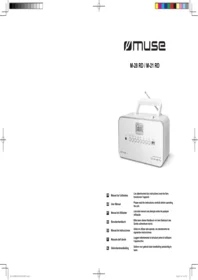
M 28 RD - Radio MUSE - Free user manual and instructions
Find the device manual for free M 28 RD MUSE in PDF.


| Brand | Muse |
| Model | M 28 RD 3353BB IB 001 |
| Product type | Portable radio |
| Dimensions (W x H x D) | 20 cm x 12 cm x 8 cm |
| Weight | 0.4 kg |
| Power supply | LR6/AA batteries or mains 230V via adapter (not included) |
| Output power | 2 W RMS |
| FM frequency range | 87.5 – 108 MHz |
| AM frequency range | 530 – 1600 kHz |
| Main functions | AM/FM radio, built-in speaker, 3.5 mm headphones jack, telescopic antenna |
| Headphones jack | 3.5 mm jack |
| Care and cleaning | Clean with a soft, dry cloth. Do not use harsh chemicals. |
| Safety | Do not expose to moisture. Remove batteries if not used for an extended period. |
| Spare parts and repairability | Spare parts available on request. Repairability index: 6.5/10. |
| General information | Indoor use. Operating temperature: 0°C to 40°C. |
Frequently Asked Questions - M 28 RD MUSE
User questions about M 28 RD MUSE
0 question about this device. Answer the ones you know or ask your own.
Ask a new question about this device
Download the instructions for your Radio in PDF format for free! Find your manual M 28 RD - MUSE and take your electronic device back in hand. On this page are published all the documents necessary for the use of your device. M 28 RD by MUSE.
USER MANUAL M 28 RD MUSE
Please read the instructions carefully before operating the unit.
PT Manual do Utilizador
This unit operates on AC (230V ∼ 50 Hz) or DC (9V ≡) 6 x 1.5V Type UM-2 /R 14 / "C" ( Batteries not included ).
AC OPERATION
Connect the AC power cord from the unit to the mains. Make sure that the voltage is compatible with your device before turning it on. Disconnect the AC power cord from the mains when not in use.
NOTE: In a concern of saving energy, when playback has reached to the end or listening volume is set at a very low level and no control is operated on the device for a period of 10 minutes, the unit will automatically switch to Standby mode.
BATTERY OPERATION
Open the battery compartment at the rear of the unit and insert 6 batteries, observing the polarity diagram indicated inside the compartment and close the compartment. To switch from AC power to battery power, disconnect the AC power cord.
BATTERY REPLACEMENT
Batteries should be replaced when the volume decreases or the sound distorts.
Notes on batteries
- Do not mix batteries of different types or new batteries with used batteries.
- Do not recharge, heat it and never remove the batteries.
- The batteries can not be exposed to excessive heat such as sunshine, fire or the like.
- Please respect the environment when disposing of used batteries.
NOTE
To prevent leakage, always remove the batteries from the device when it is not used for an extended period.
AUDIO CONTROLS
Press _SOURCE to turn the unit on. When the unit is on, press _SOURCE again to select your listening source: FM, AM (MW), CD, USB (M-28 RD only), AUX IN.
- Press Ⓤ source to select FM or AM (MW).
- Press repeatedly ◀◀ or ▶▶ I to find your station.
- Adjust the sound level with + or -
FOR OPTIMAL RADIO RECEPTION:
FM: Extend and position the telescopic antenna
AM (MW): Rotate the unit horizontally.
AUTOMATIC SEARCH
Press ⏻ source to select FM or AM (MW).
Press and Hold on I◀◀ or ▶▶I for about 2 seconds to start the search. The automatic search function locates stations whose signal is strong. Press again I◀◀ or ▶▶I to continue the search.
Note:
Stations with weak signals can be searched manually.
The sound is automatically muted during search.
RADIO PRESET STATIONS
- Select a station manually or automatically with |◀◀ or ▶▶|
- Press once ☐, "P01" blinks on the display for a few seconds.
- Press |◀◀ or ▶▶▶ to select a preset number.
- Press ☐ again to store the radio station on the selected memory number.
- Repeat steps 1-4 to store other stations.
Note:
When you store a station in a memory number already occupied, the existing station is automatically erased.
LISTENING TO PRESET STATIONS
Press Ⓗ+ ⬇ button to select a preset station.
LISTENING TO DISC
- Press ⏻ source to turn the unit on.
- Open the CD door.
- Insert the disc with the label facing up and then close the compartment.
- Press ⏻ to select the CD mode.
- After a few seconds, the total number of tracks and the CD icon will appear on the display.
To:
- Read your CD: Press once ▶II
- Pause Playback: Press again ▶II
- Resume playback: Press again ▶II
- Permanently stop playback: Press M
- Search forward or backward: Press and hold ◀◀ or ▶▶
- To skip to the next or previous track: press |◀◀ or ▶▶
DISK ERROR
Note: If the disc is dirty, damaged or unreadable or if it is placed upside down, "NO" is displayed. If this happens, clean the disc, insert the disc correctly or try another disc.
If you encounter CD playback problem, either of the following ways may help:
- Turn off the unit. Disconnect the AC power cord from AC outlet and reconnect it again.
- Clean your CD disc.
REPEAT PLAYBACK
Repeatedly press ⬆ to select one of the following playback modes. Track Repeat, Repeat All and Repeat Folder (M-28 RD only)
TO DISABLE THE REPEAT PLAYBACK
Press PCD repeatedly until the repeat mode indicator disappears from the display. The repeat function is automatically canceled at the opening of the door of the CD or the shutdown of the unit.
PROGRAM PLAYBACK
- Insert the disc with the label facing up, into the compartment and close the CD door.
- Press M
- Press P+
- Select the desired track with ◀◀ or ▶▶ then press ⏻+ → to save the program in memory.
-
Repeat step 4 until the end of your programming.
-
Press ▶II to start playback. This PROGRAM function is automatically canceled when opening the CD door or shutdown of the unit.
Note:
CD up to 20 programs, MP3 (M-28 RD only) up to 99 programs.
AUXILIARY INPUT ( AUX. IN)

- Connect one end of the cable (not supplied) to the auxiliary input connector of the device.
- Connect the other end of the cable to the headphones jack or the line out jack of your external audio appliance.
- Press SOURCE to select the auxiliary mode. « AUX » appears on the display. Normally use your external audio appliance; the sound automatically goes through the speakers of your device.
- Adjust the volume to the desired level.
- Disconnect the external appliance from the auxiliary input to stop playback.
LISTENING TO DEVICE USB (M-28 RD only)

- Press SOURCE to turn the unit on.
-
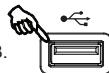
Connect a USB device containing MP3 files or MP3 player to the USB port.
-
Press SOURCE to select the USB mode. USB appears on the display.
-
After a few seconds, the total number of folders and tracks are displayed, and playback starts automatically.
NOTE:
- The total number of MP3 files on the disc should not exceed 999.
- The disc may not contain more than 99 directories.
- The charging time takes about 20 seconds or more depending on the amount of MP3 files and folders on the disc or USB device.
- The USB port is not designed for charging and files transfer with a computer.
- Manufacturer is not responsible for the playability of USB key or MP3 due to different recording condition, capacity and interface compatibility, etc...
- Press SOURCE to turn the unit on.
- Place the CD-MP3 disc with label side facing up inside the CD compartment and close the CD door, or, connect a USB key with MP3 audio files into the USB port.
- Press SOURCE to select CD or USB mode(CD or USB icon is displayed), After few seconds, the total number of folders and tracks appears on the display. The unit will start to play automatically.
- If there is more than one folder, press and hold + for 3 seconds, on the display "FXX" appears and "FOLDER" flashes.
- Press I◀◀ or ▶▶I to select the desired folder and release the button to enter this folder. the first track in the folder starts Playing automatically. Press successively ▶▶I to play a track of your choice.
MAINTENANCE
CLEANING
CAUTION: Disconnect this device from any power source before cleaning.
- Use a soft, clean, dry cloth. Dust regularly ventilation holes on the back or sides of the apparatus.
- The use of solvents or abrasive products or with a basis of alcohol can damage the unit.
- If an object or liquid enters the unit, unplug it immediately and have it checked by an authorized engineer.
Notes on discs
* Do not use irregularly shaped discs (example: heart-shaped, octagonal ones). The unit may malfunction.
* Do not place more than one disc in the compartment.
* Do not attempt to open the disc tray during playback.
* Do not touch the lens. You could cause a malfunction.
* If the disc is scratched, dirty or smudged with fingerprints, the device may not work. Before playing, wipe the disc with a cloth. Proceed from the center outwards. Do not store discs in places with high temperature or high humidity. They could bend. After reading, replace the disc in its case.
IMPORTANT NOTE
Remove the disc from its compartment if the device is to be transported.
SPECIFICATIONS
POWER SUPPLY:
AC:
230V ∼ 50Hz
DC:
9V = 6x 1,5V type UM-2/R14/ 'C'
POWER CONSUMPTION
14 W
OUTPUT POWER:
2 x 1 Watt RMS
RADIO
FREQUENCY RANGE
FM:
87.5 - 108 MHz
AM (MW):
522 - 1620 kHz
EN - 3
Hereby, NEW ONE S.A.S, declares that this MUSE M-28 RD / M-28 LG / M-21 RD is in compliance with the essential requirements and other relevant provisions of Directive 2014/53/EU. The declaration of conformity may be consulted at www.muse-europe.com
SAFETY
CAUTION
DO NOT OPEN
CAUTION: To reduce the risk of electric shock, do not disassemble this product. The unit contains no user serviceable parts inside. Refer all servicing to a qualified technician.

The lightning flash with arrowhead within a triangle alerts the user to the presence of “dangerous voltage” inside the product.

The exclamation point within a triangle to alert the user to the presence of important instructions in the literature accompanying the appliance.
WARNING: TO PREVENT FIRE OR SHOCK HAZARD, DO NOT EXPOSE THIS PRODUCT TO RAIN OR MOISTURE.
ATTENTION: Invisible when safety devices are open or defective laser radiation. Avoid exposure to beam.
Device class 1 laser.

CLASS 1 LASER PRODUCT APPAREIL À LASER DE CLASSE 1 PRODUCTO LASER DE CLASE 1 PRODUTO LASER CLASSE 1
ATTENTION!
- Ensure proper ventilation of the unit and do not cover the ventilation openings with items such as newspapers, tablecloths, curtains, etc...
- Do not put any heat sources, such as lighted candles, on or near the appliance.
- Use this unit in a temperate climate.
- Do not expose the unit to dripping or moisture.
- Ensure a minimum distance of 5 cm around the unit to allow adequate ventilation.
- Do not place objects filled with liquids, such as vases, on or near the appliance.
- The plate is located at the rear of this unit.
- The mains plug is used to disconnect the device and must be easily accessible. To completely remove power from the unit, unplug the AC power plug from the outlet completely. The AC power plug can not be constrained and must be easily accessible during use.
- As a result of electrostatic phenomena and / or electrical transients, the product may malfunction and reset may be necessary.
- Do not expose the batteries to excessive heat such as direct sunlight, fire or other sources of heat.
- Please respect the environment when disposing of used batteries.
- To prevent splashing, place objects filled with liquids, such as vases, near the product.
- The apparatus' maximum operating ambient temperature is 40^ C.
- Under the influence of fast transient and / or electrostatic electric phenomenon, the product may malfunction and the user must perform a power reset of the device
- The normal function of the product may be disturbed by strong Electro-Magnetic Interference. If so, simply reset the product to resume normal operation by following the instruction manual. In case the function could not resume, please use the product in other location.

If you want to dispose this product, remember to recycle in a landfill for household electric appliances. Learn to know your recycling center nearest you. Check with local authorities or your dealer for details. (Directive on Waste Electrical and Electronic Equipment)
NEW ONE S.A.S
10, Rue de la Mission, 25480 Ecole Valentin, France
contact@muse-europe.com

EN - 4
PT LEITOR DE CD RÁDIO PORTÁTIL
DC 9V = (UM-2 1.5V x 6)
CONSUMO:
14 W
POTÊNCIA DE SAÍDA:
2 x 1 WATTS RMS
RÁDIO
GAMA DE FREQUÊNCIAS:
FM: 87.5 - 108 MHz
AM (MW): 522 - 1620 kHz
DC 9V = (UM-2 1.5V x 6)
VERBRAUCH:
14 W
AUSGANGSLEISTUNG:
2 x 1 WATTS RMS
RADIO
FREQUENZBEREICH
FM: 87.5 - 108 MHz
AM (MW): 522 - 1620 kHz
(Option: USB operation only for M-28RD.)
DC 9V = (UM-2 1.5V x 6)
CONSUMO:
14 W
POTENCIA DE SALIDA:
2 x 1 WATTS RMS
DC 9V = (UM-2 1,5V x 6)
POTENZA IN USCITA:
14 W
2 x 1 WATT RMS
RADIO
GAMME DI FREQUENZA
FM: 87,5 - 108 MHz
AM (MW): 522 - 1620 kHz
DC 9V = (UM-2 1.5V x 6)
14 W
VERBRUIK
2 x 1 WATTS RMS
UITGANGSVERMOGEN:
RADIO
FREQUENTIEBEREIK:
FM: 87.5 - 108 MHz
AM (MW): 522 - 1620 kHz
NL - 3
- AC OPERATION
- BATTERY OPERATION
- BATTERY REPLACEMENT
- NOTE
- AUDIO CONTROLS
- FOR OPTIMAL RADIO RECEPTION:
- AUTOMATIC SEARCH
- RADIO PRESET STATIONS
- Note:
- LISTENING TO PRESET STATIONS
- LISTENING TO DISC
- DISK ERROR
- If you encounter CD playback problem, either of the following ways may help:
- REPEAT PLAYBACK
- TO DISABLE THE REPEAT PLAYBACK
- PROGRAM PLAYBACK
- AUXILIARY INPUT ( AUX. IN)
- LISTENING TO DEVICE USB (M-28 RD only)
- MAINTENANCE
- CLEANING
- Notes on discs
- IMPORTANT NOTE
- SPECIFICATIONS
- SAFETY
- CAUTION
- WARNING: TO PREVENT FIRE OR SHOCK HAZARD, DO NOT EXPOSE THIS PRODUCT TO RAIN OR MOISTURE.
- ATTENTION!
- PT LEITOR DE CD RÁDIO PORTÁTIL
- RADIO
- (Option: USB operation only for M-28RD.)
Brand : MUSE
Model : M 28 RD
Category : Radio