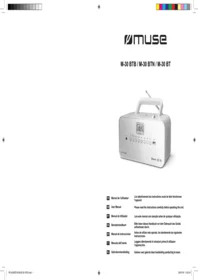
M 30 RD - Radio MUSE - Free user manual and instructions
Find the device manual for free M 30 RD MUSE in PDF.


Pick your language and provide your email: we'll send you a specifically translated version.
| Brand | Muse |
| Model | M 30 RD 3353BTB IB 001 |
| Product type | Portable radio |
| Dimensions (approx.) | 200 × 120 × 80 mm |
| Weight (approx.) | 500 g |
| Power supply | Batteries (3× LR6/AA) or mains adapter (not included) |
| Main functions | FM/AM radio, Bluetooth, built-in speaker, 3.5 mm headphone jack, telescopic antenna |
| Output power | 2 × 3 W RMS |
| Connectivity | Bluetooth 5.0 |
| Frequency ranges | FM: 87.5 – 108 MHz / AM: 522 – 1620 kHz |
| Memory | 20 radio presets |
| Display | Backlit LCD display |
| Care and cleaning | Wipe with a soft dry cloth. Do not use abrasive products. |
| Safety | Do not expose to moisture, rain or extreme temperatures. Keep out of reach of children. |
| Spare parts and repairability | Standard batteries available commercially. Compatible mains adapter (5 V, 1 A). For other parts, contact Muse after-sales service. |
Frequently Asked Questions - M 30 RD MUSE
How to turn the radio on and off?
Press the Power button located on the top of the device. To turn off, press and hold until it turns off.
How to tune in an FM station?
Press the MODE button until FM is selected. Use the + or - buttons to automatically search for stations. Press and hold a preset number to save.
How to use Bluetooth?
Press MODE to switch to Bluetooth mode. Turn on Bluetooth on your device and select 'MUSE M30' from the list. Pairing is automatic.
What to do if the sound is low or distorted?
Check the volume. If the sound remains distorted, try reducing the volume on the external source. Make sure the antenna is extended when in radio mode.
How to insert the batteries?
Open the battery compartment on the back of the device. Insert 3 LR6/AA batteries respecting the indicated polarities. Close the cover.
Can I plug in headphones?
Yes, plug your headphones into the 3.5 mm headphone jack located on the side. The speaker will then be disabled.
How to reset the device?
In case of malfunction, remove the batteries and disconnect the mains adapter for 30 seconds, then reconnect.
What is the battery life?
Average battery life is approximately 20 hours at moderate volume. It varies depending on volume and source used.
How to set the clock?
Press and hold the CLOCK/ALARM button. Use the +/- buttons to set the hour, then press CLOCK/ALARM again for the minutes.
The radio does not turn on, what to do?
Check that the batteries are properly inserted and not exhausted, or that the mains adapter is plugged in. If the problem persists, reset the device.
User questions about M 30 RD MUSE
0 question about this device. Answer the ones you know or ask your own.
Ask a new question about this device
No questions yet. Be the first to ask one.
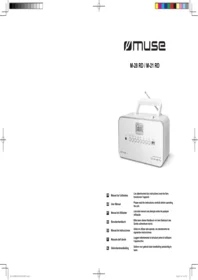
Download the instructions for your Radio in PDF format for free! Find your manual M 30 RD - MUSE and take your electronic device back in hand. On this page are published all the documents necessary for the use of your device. M 30 RD by MUSE.
USER MANUAL M 30 RD MUSE

Manual assistant
Powered by Anthropic
Waiting for your message
Product information
Brand : MUSE
Model : M 30 RD
Category : Radio