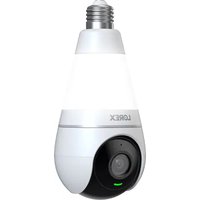
SL300 - Camera Lorex - Free user manual and instructions
Find the device manual for free SL300 Lorex in PDF.


Pick your language and provide your email: we'll send you a specifically translated version.
| Product Type | Security Camera |
| Brand | Lorex |
| Model | SL300 |
| Dimensions (H x W x D) | 4.5 x 3.2 x 2.8 inches |
| Weight | 0.5 lbs |
| Power Source | 12V DC adapter or 4x AA batteries |
| Power Consumption | 5W max |
| Resolution | 1080p Full HD |
| Night Vision | Up to 30 ft IR LEDs |
| Field of View | 110° diagonal |
| Motion Detection | PIR sensor, adjustable sensitivity |
| Weather Rating | IP66 (weatherproof) |
| Mounting Type | Wall mount or freestanding |
| Connectivity | Wired (BNC/RCA) or wireless (2.4 GHz) |
| Storage | MicroSD up to 32GB |
| Audio | Built-in microphone and speaker |
| Compatible Systems | Lorex DVR/NVR systems (optional) |
| Operating Temperature | -4°F to 122°F (-20°C to 50°C) |
| Maintenance | Clean lens with soft, dry cloth; avoid solvents |
| Safety | UL listed, low voltage |
| Included Accessories | Mounting bracket, screws, power adapter, manual |
Frequently Asked Questions - SL300 Lorex
How do I connect the SL300 camera to my Lorex recorder?
Use the included BNC cable to connect the camera's video output to the recorder's video input. Ensure power is supplied via the adapter. For wireless models, pair using the recorder's on-screen setup.
Can I view the camera feed on my smartphone?
Yes, if connected to a compatible Lorex recorder with network access. Download the Lorex Home app (available on iOS and Android) and follow the setup instructions.
What type of batteries does the SL300 use and how long do they last?
The camera accepts 4x AA batteries (alkaline or lithium). Battery life depends on usage: with moderate activity, expect 2-4 months on lithium batteries.
How to clean the camera lens?
Use a soft, lint-free microfiber cloth. Gently wipe the lens in a circular motion. Do not use water, alcohol, or harsh chemicals as they may damage the coating.
Is the SL300 suitable for outdoor use?
Yes, the camera has an IP66 weatherproof rating, meaning it is protected against dust and heavy rain. Ensure the mounting is secure and cables are sealed.
How do I adjust the motion detection sensitivity?
Access the camera settings via the Lorex recorder menu or the mobile app. Look for 'Motion Detection' and adjust the slider from low to high. Test by walking in front of the camera.
Why is the night vision not working?
Check that the IR LEDs are not blocked by dirt or obstructions. Ensure night mode is enabled in settings. If the issue persists, the IR LEDs may be faulty; contact Lorex support.
Can I use the SL300 without a DVR/NVR?
Yes, the camera supports standalone operation with a MicroSD card (up to 32GB) for local recording. You can also view live video by connecting to a monitor via the included AV cable (not provided).
What is the maximum cable length for the wired connection?
For BNC cables, the maximum recommended length is 100 feet (30 meters) to avoid signal degradation. For power, use the included adapter or a 12V DC cable up to 50 feet.
How to reset the camera to factory defaults?
Locate the reset button (small pinhole) near the power port. Use a paperclip to press and hold for 10 seconds until the camera reboots. Note that all settings will be erased.
User questions about SL300 Lorex
0 question about this device. Answer the ones you know or ask your own.
Ask a new question about this device
No questions yet. Be the first to ask one.
Download the instructions for your Camera in PDF format for free! Find your manual SL300 - Lorex and take your electronic device back in hand. On this page are published all the documents necessary for the use of your device. SL300 by Lorex.
USER MANUAL SL300 Lorex


Manual assistant
Powered by Anthropic
Waiting for your message
Product information
Brand : Lorex
Model : SL300
Category : Camera