DEX5750-S - Computing AOPEN - Free user manual and instructions
Find the device manual for free DEX5750-S AOPEN in PDF.


Pick your language and provide your email: we'll send you a specifically translated version.
| Product Type | Desktop Computer |
| Brand | AOpen |
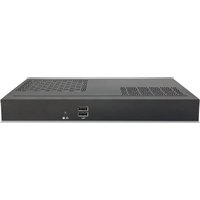
| Model | DEX5750-S |
| Processor | Intel Core i5 (11th Gen) |
| RAM | 8 GB DDR4 |
| Storage | 256 GB SSD |
| Dimensions (W x D x H) | 200 mm x 200 mm x 50 mm |
| Weight | 1.5 kg |
| Power Input | 100-240 V AC, 50/60 Hz |
| Power Consumption | 65 W max |
| Operating System | Windows 10 Pro (pre-installed) |
| Connectivity | Wi-Fi 6, Bluetooth 5.1, Ethernet Gigabit |
| Ports | USB 3.2 Gen2 (4x), HDMI 2.0 (2x), DisplayPort 1.4 (1x), Audio Jack |
| Main Functions | Office productivity, web browsing, multimedia playback, light gaming |
| Maintenance & Cleaning | Use a soft dry cloth to clean the exterior. Do not use liquid cleaners. |
| Safety | Keep away from water and heat sources. Do not disassemble without professional help. |
| Spare Parts & Repairability | Contact AOpen support for replaceable parts. RAM and SSD are user-upgradeable. |
| General Information | Includes power adapter and user manual. 1-year limited warranty. |
Frequently Asked Questions - DEX5750-S AOPEN
How do I set up the AOpen DEX5750-S for the first time?
Connect the power adapter, monitor, keyboard, and mouse. Press the power button to boot. Follow the on-screen instructions to complete the Windows setup, including language, network, and account creation.
Can I upgrade the RAM or storage on the DEX5750-S?
Yes, the DEX5750-S has user-accessible slots for DDR4 SO-DIMM RAM (up to 32 GB) and one M.2 NVMe SSD slot. For detailed steps, refer to the user manual.
How do I connect the computer to a wireless network?
Click the network icon in the system tray, select your Wi-Fi network, enter the password, and click Connect. Ensure Wi-Fi is enabled. The DEX5750-S supports Wi-Fi 6 for fast speeds.
What should I do if the computer does not turn on?
Check the power cable connection. Ensure the power outlet works. Press and hold the power button for 10 seconds to reset. If still off, try a different power adapter. If problem persists, contact AOpen support.
How can I clean the DEX5750-S safely?
Turn off and unplug the computer. Use a soft, dry microfibre cloth to wipe the exterior. Do not use water, alcohol, or abrasive cleaners. For vents, use compressed air gently.
Does the DEX5750-S support multiple monitors?
Yes, it has 2 HDMI 2.0 ports and 1 DisplayPort 1.4, supporting up to three independent displays. Check your monitor cables and adjust display settings in Windows.
What is the power consumption of the DEX5750-S?
The maximum power consumption is 65 watts. Under typical office use, it consumes around 30-40 watts. It comes with a 65W power adapter.
How do I perform a factory reset?
Go to Settings > Update & Security > Recovery. Under 'Reset this PC', click 'Get Started'. Choose 'Remove everything' for a full reset. Backup your data first.
Is the DEX5750-S suitable for gaming?
It is suitable for light gaming and older titles due to integrated Intel UHD Graphics. For demanding games, an external GPU enclosure (eGPU) via USB-C is not supported; consider a dedicated gaming PC.
How do I update drivers on the DEX5750-S?
Visit the AOpen support website, enter your model DEX5750-S, and download the latest drivers. Alternatively, use Windows Update to automatically install driver updates. Ensure Windows is up to date.
User questions about DEX5750-S AOPEN
0 question about this device. Answer the ones you know or ask your own.
Ask a new question about this device
No questions yet. Be the first to ask one.
Download the instructions for your Computing in PDF format for free! Find your manual DEX5750-S - AOPEN and take your electronic device back in hand. On this page are published all the documents necessary for the use of your device. DEX5750-S by AOPEN.
USER MANUAL DEX5750-S AOPEN

Manual assistant
Powered by Anthropic
Waiting for your message
Product information
Brand : AOPEN
Model : DEX5750-S
Category : Computing