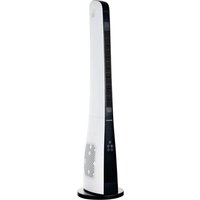
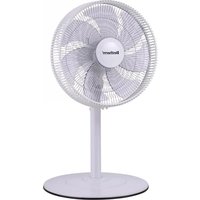
TF-1906Y - Fan BESTHERM - Free user manual and instructions
Find the device manual for free TF-1906Y BESTHERM in PDF.


| Product Type | Oscillating Tower Fan |
| Brand | Bestherm |
| Model | TF-1906Y |
| Dimensions (W x D x H) | 30 x 30 x 100 cm |
| Weight | 4 kg |
| Power Supply | 220-240 V ~ 50 Hz, 45 W |
| Number of Speeds | 3 speeds |
| Oscillation | Yes, automatic |
| Timer | Yes, up to 7 hours |
| Remote Control | Included |
| Material | ABS Plastic |
| Noise Level | Approximately 55 dB |
| Oscillation Angle | 80° |
| Maintenance and Cleaning | Unplug, clean the grille and blades with a soft damp cloth. Do not use harsh cleaners. |
| Safety | Do not immerse in water, unplug before cleaning, do not insert objects into the grille. |
| Spare Parts Available | Remote control, protective grille, base, fixing screws |
| Repairability | Repairability index 8/10 |
| Warranty | 2 years |
Frequently Asked Questions - TF-1906Y BESTHERM
User questions about TF-1906Y BESTHERM
0 question about this device. Answer the ones you know or ask your own.
Ask a new question about this device
Download the instructions for your Fan in PDF format for free! Find your manual TF-1906Y - BESTHERM and take your electronic device back in hand. On this page are published all the documents necessary for the use of your device. TF-1906Y by BESTHERM.
USER MANUAL TF-1906Y BESTHERM
MANUEL D'INSTRUCTIONS
VENTILATEUR TOUR TF-1906Y

STRUCTURE DU PRODUIT

ASSEMBLAGE DU PRODUIT

Original version
BEFORE OPERATING THIS PRODUCT, READ, UNDERSTAND, AND FOLLOW THESE INSTRUCTION
EN_V1_20221224
GENERAL SAFETY INSTRUCTIONS
It is important that you read these instructions before using your product and we strongly recommend that you keep them in a safe place for future reference.
CAUTION
- Use as per the rating voltage.
- Do not repair or remake the appliance by yourself, it should be repaired by the repairmen.
- Do not operate the appliance with wet hands, in order to avoid damage.
- If the supply cord is damaged, it must be replaced by the manufacturer, its service agent or similarly qualified persons in order to avoid a hazard.
- When the appliance is not in use, switch it off and unplug it.
- Do not insert things to air outlets and inlets, in order to avoid damage.
- Do not use the appliance near explosive and combustible gas.
- Use the appliance only on a flat surface.
- Do not use outdoors.
- Do no turnover the appliance. Unplug the power supply If it is toppled over and there have some water in the body. Dry the body before use.
- Clean the appearance with a lightly damp cloth. It can clean with neutral detergents. Do not rinse with water.
-
Do not make air outlets and inlets near the wall or curtain.
-
Do not knock or shake the body when use, otherwise it may cause stop.
- The appliance must not located immediately below a socket outlet. The rating current of socket should exceed 10A.
- Do not use the appliance in the immediate surrounding of a bath, a shower or a swimming pool.
- This appliance can be used by children aged from 8 years and above and persons with reduced physical, sensory or mental capabilities or lack of experience and knowledge if they have been given supervision or instruction concerning use of the appliance in a safe way and understand the hazards involved.
- Children shall not play with the appliance.
- Cleaning and user maintenance shall not be made by children without supervision.
- Warning ! Never use without the guards in place. After assembly, do not remove the guards during use or cleaning.
PRODUCT STRUCTURE
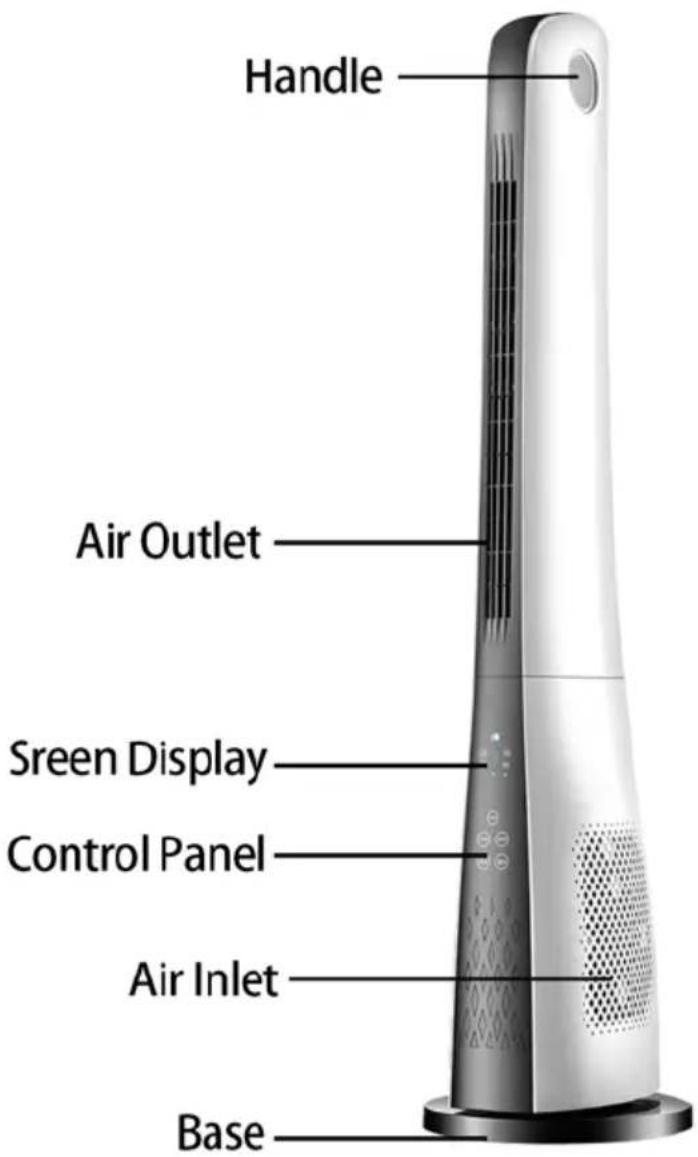
GETTING STARTED
Unpack the fan from the gift box.
Retain the carton and packing for future use. If you have to dispose of the carton and packing, please do so responsibly.
PRODUCT ASSEMBLY
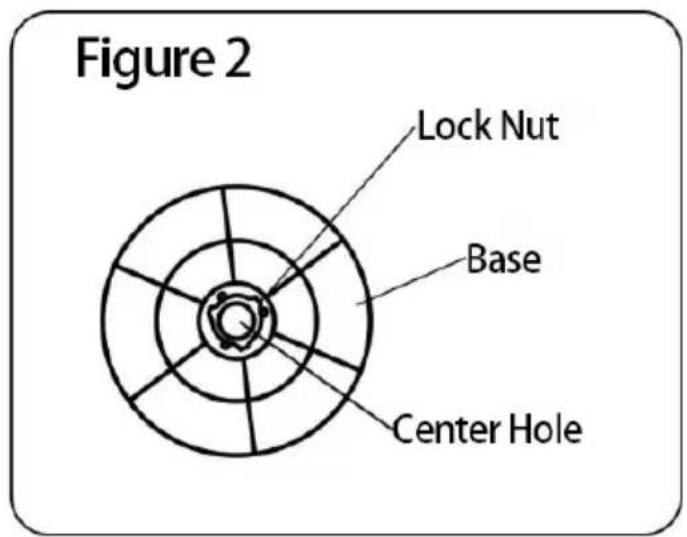
- Remove the chassis lock from the bottom of the fuselage. (Figure 1)
- Align the bottom of the machine with the center hole of the chassis, attach the chassis to the body, and finally lock the nut. (Figure 2)
Note: When installing the chassis, place the machine upside down on the packaging foam or other soft surface to avoid scratching.

Fitting/Replacing remote control batteries
The remote control use one button cells, model No. CR2025 (not included).
- To install a new battery, hold the remote control with the back facing up.
- Push and hold the locking clip towards the right (Fig. A), and slide out the battery compartment (Fig.B)
- Install the new battery 1XCR2025(not included) with the + side facing up (Fig. C)
- Firmly close the battery compartment.
Note: Please follow battery disposal instruction on battery packaging, or contact your local councils for safely disposal of batteries.

FUNCTIONS & OPERATION
Control Panel
![1H 4H 2H 8H 1 2 3 —— [Bar] [Clock] 4 5 —— [A] [C] 6](/content/2026/07/1448677/images/a40ed11135f5368a54b8b24f7e85523612cc197899d1c128d071af4d9e4b65c7.jpg)
Remote control

- Display screen
- On/Off button
- Speed button
- Timer button
- Mode button
-
Swing button
-
Off button
- On button
- Speed button
- Swing button
- Timer button
- Mode button
To operate the fan, use the remote control or the touch buttons on the control panel of the fan. The display screen(1) illuminated on the control panel will indicate the current fan settings.
Place the fan upright on a solid surface there is dry, level, and stable. Do not place the unit near a window where it can be exposed to rain or moisture.
Put the plug into the socket, The fan will enter standby
mode

Press the On/Off button (2) on control panel to start or stop the fan. You can also press the On button(8), Off button(7) on the remote control to start or stop the fan.
Press the Speed button(3,9) to select the desired fan speed Low-Middle-High.
Press the Mode button (5,12) repeatedly, and the wind will cycle in the order of "normal wind(no indicator) -
natural wind( ) - sleep wind( )"
Press the Swing button (6,10) to oscillate the fan and the
indicator will illuminate, press it again to stop the function.
Press the Timer button (4,11) to set the fan to automatically turn off when the timer ends. The timer can be set from 1 to 15 hours. Each press increases the timer by 1 hours.
After 60 seconds automatically turn off the screen with no operation.
TECHNICAL DATA
| Model No: | TF-1906Y |
| Voltage/Frequency: | 220-240V~, 50-60Hz |
| Rated power: | 50W |
 | Compliance with all requirements of applicable CE directives |
 | Electrical products should not be disposed of with household waste.Please recycle at collection points provided for this purpose.Contact local authorities or your dealer for recycling advice. |
 | Disposal of an exhausted batteries.To preserve natural resources, please recycle or dispose of the batteries properlyConsult your local waste authority for information regarding available recycling and/or disposal options. |
 | The Triman logo indicates that the product or packaging must not be disposed of with household waste but must be sorted or taken to a collection point (containers in shops, rubbish dumps, etc.) to be recycled.For more information:www.quefairedemesdechets.fr |
 | Keep out of reach of children |
 | Product contains a coin/button cell. |
| Information requirements for Fan | |||
| Description | Symbol | Value | Unit |
| Maximum fan flow rate | F | 2.4 | m3/min |
| Fan power input | P | 47.4 | W |
| Service Value | SV | 0.05 | (m3/min)/W |
| Standby power consumption | PSB | 0.3 | W |
| Seasonal electricity consumption | Q | 15.5 | kWh/a |
| Fan sound power level | LWA | 57.5 | dB(A) |
| Maximum air velocity | c | 0.64 | Meters/sec |
| Measurement standard for service value | EN IEC 60879:2019 | ||
| Contacts details for obtaining more information | HOM'Y SAS GREEN PARK - Bat A, 61 rue de la cimaise, 59650 Villeneuve d'Ascq, FRANCE | ||
CLEANING AND MAINTENANCE
- Caution! The device must be turned off and unplugged before every cleaning.
- Once the fan is assembled, it is forbidden to disassemble the grids (guard) when cleaning.
- Clean with neutral detergent and soft cloth.
- Newer immerse the appliance, power cord or plug in water or any liquid. Never rinse or spray the appliance with any liquid.



Imported by: HOM'Y SAS
Brand : BESTHERM
Model : TF-1906Y
Category : Fan