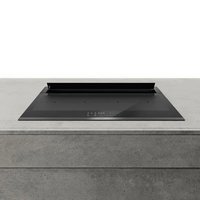
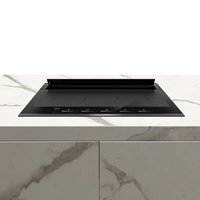
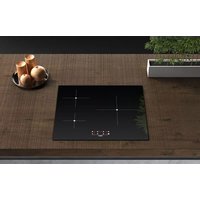
Innova Visio Pro - Cooker Airforce - Free user manual and instructions
Find the device manual for free Innova Visio Pro Airforce in PDF.


Pick your language and provide your email: we'll send you a specifically translated version.
| Product type | Cooker |
| Brand | Airforce |
| Model | Innova Visio Pro |
| Dimensions (W x D x H) | 50 cm x 60 cm x 85 cm |
| Weight | 45 kg |
| Power supply | 230 V / 50 Hz – 3.5 kW |
| Cooking type | Ceramic hob and electric oven |
| Number of burners | 4 |
| Oven capacity | 65 L |
| Main functions | Induction cooking, fan-assisted heat, catalytic cleaning |
| Maintenance and cleaning | Clean with a damp cloth and a product suitable for ceramic hobs |
| Safety | Child lock, automatic shut-off, residual heat indicator |
| Spare parts and repairability | Available on the official Airforce website |
| Energy class | A |
| Noise level | 50 dB |
Frequently Asked Questions - Innova Visio Pro Airforce
How to install my Innova Visio Pro cooker?
Make sure the appliance is placed on a flat and stable surface. Connect it to a 230 V/50 Hz socket with a proper earth. For full installation, refer to the supplied manual.
How to clean the ceramic hob?
Use a soft cloth and a specific product for ceramic hobs after complete cooling. Never use abrasive products.
What to do if the oven does not heat?
Check the power supply and fuse. If the problem persists, contact Airforce after-sales service.
How to activate child lock?
Hold down the 'Lock' button for 3 seconds until the lock icon appears on the screen.
What settings for optimal cooking?
Use the predefined programs or set the temperature manually. For pastries, preheat the oven 10 minutes in advance.
How to replace an oven bulb?
Unplug the appliance, remove the glass cover, unscrew the defective bulb and replace it with an identical bulb (25 W, 300 °C).
Why does the residual heat indicator stay on?
It is normal: it indicates that the hob is still hot. It will turn off automatically when the temperature drops below 60 °C.
How to obtain spare parts?
Visit the official Airforce.fr website and use the search function with the model Innova Visio Pro to order parts.
What to do in case of an error code?
Note the displayed code and consult the troubleshooting section of the manual. If the problem persists, contact customer service.
How to recycle the appliance at end of life?
In accordance with the WEEE directive, return the appliance to an approved collection point or contact your local council for more information.
User questions about Innova Visio Pro Airforce
0 question about this device. Answer the ones you know or ask your own.
Ask a new question about this device
No questions yet. Be the first to ask one.
Download the instructions for your Cooker in PDF format for free! Find your manual Innova Visio Pro - Airforce and take your electronic device back in hand. On this page are published all the documents necessary for the use of your device. Innova Visio Pro by Airforce.
USER MANUAL Innova Visio Pro Airforce

Manual assistant
Powered by Anthropic
Waiting for your message
Product information
Brand : Airforce
Model : Innova Visio Pro
Category : Cooker