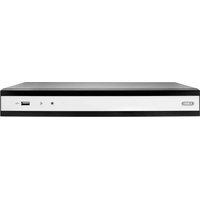
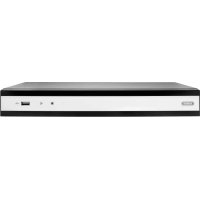
TVVR36701 - VCR ABUS - Free user manual and instructions
Find the device manual for free TVVR36701 ABUS in PDF.


Pick your language and provide your email: we'll send you a specifically translated version.
| Product Type | Video Cassette Recorder (VCR) |
| Playback Formats | VHS, S-VHS |
| Recording Formats | VHS (SP, LP, EP) |
| Video Head System | 4-head helical scan |
| Audio | Monaural (mono) linear track |
| Input Connectors | Composite video (RCA), RCA audio L/R, RF coaxial |
| Output Connectors | Composite video (RCA), RCA audio L/R, RF coaxial |
| Timer Recording | Programmable up to 8 events |
| Remote Control | Infrared remote included |
| Power Supply | 110-240 VAC, 50/60 Hz |
| Power Consumption | Approx. 25 W (play), 20 W (standby) |
| Dimensions (W x D x H) | 430 x 280 x 90 mm |
| Weight | Approx. 3.5 kg |
| Operating Temperature | 5°C to 40°C |
| Cleaning | Use a dry, soft cloth. Do not use liquid cleaners or aerosols. |
| Safety Features | Auto power off after 3 hours inactivity |
| Spare Parts Availability | Standard VHS replacement heads and belts available |
| Repairability | Modular design; service manual available separately |
Frequently Asked Questions - TVVR36701 ABUS
How do I connect the VCR to my TV?
Use the supplied RCA composite video and audio cables or a coaxial RF cable. Connect to corresponding inputs on your TV and select the appropriate input source.
Can I record one channel while watching another?
Yes, if your VCR has a built-in tuner and your TV is connected via the RF loop-through. Set the VCR to record the desired channel and use your TV's tuner to watch another.
How do I set the timer recording?
Press the 'Timer' button on the remote, use the arrow keys to set date, start/end time, and channel. Confirm with 'OK'. Ensure the VCR is in standby mode for the recording to start.
Why is the playback picture snowy or noisy?
Check the video head cleanliness. Use a VHS head cleaning cassette. Also verify the tape quality and connections. If problem persists, heads may need replacement.
The VCR does not eject the tape. What should I do?
First, ensure the unit is powered on. If still stuck, unplug for 30 seconds and try again. If not fixed, the loading mechanism may need servicing.
How do I clean the VCR?
Use a dry soft cloth for the exterior. For the video heads, use a wet or dry VHS head cleaning cassette as per the instructions. Do not open the unit.
Can I play NTSC tapes on this PAL VCR?
This VCR supports PAL format. NTSC tapes may play in black and white or not at all. Check if your model has multi-system capability.
What should I do if the tape gets stuck?
Do not force it. Turn off the VCR, unplug it, wait a few minutes, then gently try to eject. If still stuck, professional repair is recommended.
How do I reset the VCR to factory settings?
Press and hold the 'Stop' button on the front panel for 5 seconds while powering on. Alternatively, select 'Factory Reset' from the menu if available.
Where can I find replacement remote control or parts?
Contact Abus customer support or authorized dealers. Standard universal remotes may also be compatible with basic functions.
User questions about TVVR36701 ABUS
0 question about this device. Answer the ones you know or ask your own.
Ask a new question about this device
No questions yet. Be the first to ask one.
Download the instructions for your VCR in PDF format for free! Find your manual TVVR36701 - ABUS and take your electronic device back in hand. On this page are published all the documents necessary for the use of your device. TVVR36701 by ABUS.
USER MANUAL TVVR36701 ABUS
Manual assistant
Powered by Anthropic
Waiting for your message
Product information
Brand : ABUS
Model : TVVR36701
Category : VCR