RCD-630 - Cd player/recorder ROTEL - Free user manual and instructions
Find the device manual for free RCD-630 ROTEL in PDF.


Pick your language and provide your email: we'll send you a specifically translated version.
| Product Type | CD Player/Recorder |
| Brand | Rotel |
| Model | RCD-630 |
| Dimensions (W x H x D) | 430 x 90 x 330 mm |
| Weight | 7.5 kg |
| Power Supply | 120V/230V AC, 50/60 Hz |
| Power Consumption | 35 W |
| Playback Formats | CD, CD-R, CD-RW |
| Recording Media | CD-R, CD-RW |
| Audio Outputs | Analog RCA, Digital Optical, Coaxial |
| Audio Inputs | Analog RCA, Digital Optical, Coaxial |
| Frequency Response | 20 Hz - 20 kHz |
| Signal-to-Noise Ratio | 100 dB |
| Total Harmonic Distortion | 0.003% |
| Remote Control | Included (RR-945) |
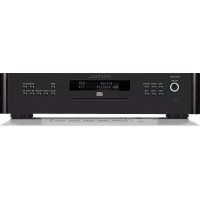
| Display | Fluorescent dot matrix |
| Chassis Material | Aluminum front panel, steel body |
| Maintenance | Clean lens with soft cloth; avoid liquids |
| Safety Features | Auto power off, child lock (via remote) |
| Spare Parts Availability | Laser pickup (Sony KHM-230), belts, switches |
| Repairability Index | 7.5 / 10 (modular design) |
| General Information | High-performance CD recorder with playback; supports CD Text, program playback, repeat, shuffle |
Frequently Asked Questions - RCD-630 ROTEL
How do I clean the CD laser lens?
Use a soft, dry cloth or a dedicated lens cleaning disc. Avoid liquids or compressed air.
Can I record from a smartphone?
Yes, connect your smartphone to the Analog RCA or Digital Optical input using an appropriate cable. Set the source to the corresponding input.
What types of CDs can I play?
The Rotel RCD-630 plays CD, CD-R, and CD-RW discs.
How do I finalize a recorded CD?
Press the FINALIZE button on the remote or front panel. Finalizing makes the disc playable on other players.
The CD tray does not open. What should I do?
Ensure the unit is powered on. Try pressing the EJECT button on the remote. If still stuck, manually open using the emergency eject hole with a paper clip.
Can I connect this to a home theater system?
Yes, use the Digital Optical or Coaxial output to connect to an AV receiver. Alternatively, use analog RCA for stereo.
How do I set the timer recording?
The RCD-630 does not have a built-in timer. Use an external timer connected to the AC power outlet.
Why is the recording quality poor?
Check the source quality. Ensure you are using high-quality CD-R discs. Also, avoid recording from low-bitrate sources.
How do I reset the unit?
Press and hold the POWER button for 5 seconds until the display turns off. Release and press again to power on.
Where can I find spare parts?
Contact Rotel authorized service centers or search online for Rotel RCD-630 parts. Common parts include laser pickup, belts, and fuses.
User questions about RCD-630 ROTEL
0 question about this device. Answer the ones you know or ask your own.
Ask a new question about this device
No questions yet. Be the first to ask one.
Download the instructions for your Cd player/recorder in PDF format for free! Find your manual RCD-630 - ROTEL and take your electronic device back in hand. On this page are published all the documents necessary for the use of your device. RCD-630 by ROTEL.
USER MANUAL RCD-630 ROTEL

Manual assistant
Powered by Anthropic
Waiting for your message
Product information
Brand : ROTEL
Model : RCD-630
Category : Cd player/recorder