IS115S - Subwoofer DB Technologies - Free user manual and instructions
Find the device manual for free IS115S DB Technologies in PDF.


Pick your language and provide your email: we'll send you a specifically translated version.
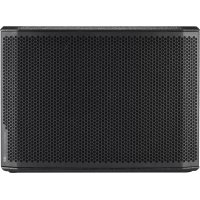
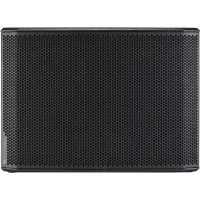
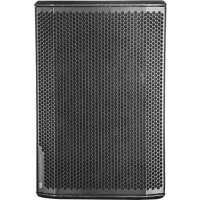
| Product Type | Active Subwoofer |
| Brand | DB Technologies |
| Model | IS115S |
| Speaker | 15 inches (38 cm) |
| Amplifier Power | 500 W RMS (1000 W peak) |
| Frequency Response | 40 Hz - 120 Hz |
| Maximum Sound Level | 128 dB SPL |
| Audio Inputs | XLR (balanced), 6.35 mm jack |
| Audio Outputs | XLR Link (balanced) |
| Low-Pass Filter | Adjustable from 80 Hz to 120 Hz |
| Phase | Phase Switch (0°/180°) |
| Power Supply | 230V / 50-60 Hz |
| Power Consumption | 600 W max |
| Dimensions (W x H x D) | 500 x 550 x 560 mm |
| Weight | 32 kg |
| Cabinet Material | Painted birch plywood |
| Protection | Steel grille |
| Protection Features | Limiter, thermal protection, anti-clipping |
| Maintenance and Cleaning | Dust with a soft dry cloth. Do not use abrasive products. |
| Safety | Do not expose to water, do not open the device. Disconnect before cleaning. |
| Spare Parts and Repairability | Contact an authorized DB Technologies center. |
| Included Accessories | Power cord, user manual |
Frequently Asked Questions - IS115S DB Technologies
How to connect the IS115S subwoofer to an audio system?
Use an XLR or 6.35 mm jack input. Connect the output of the mixer or satellite speaker to the subwoofer input. Use the Link output to connect another subwoofer.
How to adjust the cutoff frequency (low-pass filter)?
Turn the Low Pass knob on the rear panel. Adjust between 80 and 120 Hz according to the speakers used.
What is the phase inverter for?
It corrects phase cancellations between the subwoofer and speakers. Try the 0° and 180° positions for better sound.
What is the maximum power of the subwoofer?
The amplifier delivers 500 W RMS continuous and 1000 W peak. It is designed for professional use.
How to clean the subwoofer?
Dust with a soft dry cloth. Never use solvents, alcohol, or abrasive products. Do not spray liquid directly.
What to do if the subwoofer does not turn on?
Check the power cord and wall outlet. If the problem persists, contact an authorized DB Technologies service center.
Can the subwoofer be used outdoors?
Yes, but protect it from rain and humidity. Use a protective cover if necessary. Do not expose it to extreme temperatures.
How to avoid clipping?
Do not saturate the subwoofer input. Set the volume and low-pass filter correctly. The built-in limiter protects the speaker.
Which satellite speakers do you recommend with this subwoofer?
DB Technologies offers compatible speakers like the ES, DVX, or K-Array series. Use speakers with a crossover frequency around 100-120 Hz.
Where to find spare parts for the IS115S model?
Contact an authorized DB Technologies dealer or after-sales service. Do not attempt to replace parts yourself.
User questions about IS115S DB Technologies
0 question about this device. Answer the ones you know or ask your own.
Ask a new question about this device
No questions yet. Be the first to ask one.
Download the instructions for your Subwoofer in PDF format for free! Find your manual IS115S - DB Technologies and take your electronic device back in hand. On this page are published all the documents necessary for the use of your device. IS115S by DB Technologies.
USER MANUAL IS115S DB Technologies
Manual assistant
Powered by Anthropic
Waiting for your message
Product information
Brand : DB Technologies
Model : IS115S
Category : Subwoofer