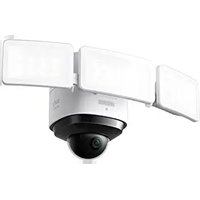
Indoor Cam S350 - Surveillance Camera eufy - Free user manual and instructions
Find the device manual for free Indoor Cam S350 eufy in PDF.


Pick your language and provide your email: we'll send you a specifically translated version.
| Product type | Indoor surveillance camera |
| Brand | Eufy |
| Model | Indoor Cam S350 |
| Resolution | 2K (2560 x 1440 pixels) |
| Field of view | 360° pan and 96° tilt |
| Night vision | Yes, up to 10 meters with infrared LED |
| Connectivity | Wi-Fi 2.4 GHz (IEEE 802.11 b/g/n) |
| Power supply | USB-C power adapter (5V/2A) |
| Local storage | microSD card slot (up to 128 GB, not included) |
| Cloud storage | Eufy Cloud (optional subscription) |
| Smart detection | AI: humans, pets, vehicles (with subscription) |
| Two-way audio | Yes, built-in microphone and speaker |
| Motion tracking | Automatic motion tracking |
| Dimensions (L x H x D) | 9.8 x 9.8 x 11.2 cm |
| Weight | 310 grams |
| Operating temperature | -10°C to 45°C |
| Compatibility | iOS, Android, Amazon Alexa, Google Assistant |
| Certifications | CE, FCC, RoHS |
| Warranty | 2 years |
| Box contents | Camera, power adapter, USB-C cable, mounting kit, quick start guide |
Frequently Asked Questions - Indoor Cam S350 eufy
How to connect the Eufy Indoor Cam S350 to my Wi-Fi network?
Download the Eufy Security app, create an account, then follow the instructions to add the device. Make sure your Wi-Fi is on the 2.4 GHz band.
Can I use the camera without a cloud subscription?
Yes, you can insert a microSD card (up to 128 GB) for local storage. Cloud subscription is optional.
How to reset the camera to factory settings?
Press and hold the reset button located under the camera for about 10 seconds until the LED flashes red.
Is the night vision in color?
No, night vision is in black and white with infrared LEDs. However, the camera can capture color images with sufficient lighting.
How to install the camera on the ceiling?
Use the included mounting bracket. Screw the base to the ceiling, then clip the camera onto it. Make sure the power cable is accessible.
What to do if the camera does not detect motion?
Check the detection settings in the app, increase sensitivity, and make sure the detection zone is correctly set.
Can I use the camera with Amazon Alexa or Google Assistant?
Yes, enable the Eufy Security skill in Alexa or Google Home and link your account to view the live feed on compatible screens.
How to protect my privacy with this camera?
Enable Privacy mode in the app to disable the camera and microphone. You can also set schedules.
Is the camera suitable for outdoor use?
No, the Indoor Cam S350 is designed for indoor use only. It is not weather-resistant.
What type of microSD card is recommended?
Use a Class 10 or higher microSD card, with capacity up to 128 GB. Format it in the app before use.
User questions about Indoor Cam S350 eufy
0 question about this device. Answer the ones you know or ask your own.
Ask a new question about this device
No questions yet. Be the first to ask one.
Download the instructions for your Surveillance Camera in PDF format for free! Find your manual Indoor Cam S350 - eufy and take your electronic device back in hand. On this page are published all the documents necessary for the use of your device. Indoor Cam S350 by eufy.
USER MANUAL Indoor Cam S350 eufy

Manual assistant
Powered by Anthropic
Waiting for your message
Product information
Brand : eufy
Model : Indoor Cam S350
Category : Surveillance Camera