Hecate G4 Pro - Earphones EDIFIER - Free user manual and instructions
Find the device manual for free Hecate G4 Pro EDIFIER in PDF.


| Product Type | Wireless Gaming Headset |
| Brand | Edifier |
| Model | Hecate G4 Pro |
| Dimensions (L x W x H) | 190 x 160 x 80 mm |
| Weight | 300 g |
| Power Source | Rechargeable lithium-ion battery |
| Battery Life | Up to 30 hours |
| Connectivity | 2.4 GHz wireless, 3.5mm jack |
| Compatibility | PC, PlayStation, Xbox, Nintendo Switch |
| Surround Sound | Virtual 7.1 |
| Microphone | Removable with noise reduction |
| Main Features | 7.1 surround sound, noise-canceling microphone, volume wheel, mic mute, RGB lighting |
| Care and Cleaning | Clean with a soft, dry cloth. Do not use chemicals. |
| Safety | Do not expose to water or moisture. Avoid excessive volume to protect your hearing. |
| Spare Parts and Repairability | Replaceable ear pads and USB cable. Contact customer service for repairs. |
| Warranty | 2 years |
| Included Accessories | USB adapter, charging cable, 3.5mm audio cable, removable microphone |
Frequently Asked Questions - Hecate G4 Pro EDIFIER
User questions about Hecate G4 Pro EDIFIER
0 question about this device. Answer the ones you know or ask your own.
Ask a new question about this device
Download the instructions for your Earphones in PDF format for free! Find your manual Hecate G4 Pro - EDIFIER and take your electronic device back in hand. On this page are published all the documents necessary for the use of your device. Hecate G4 Pro by EDIFIER.
USER MANUAL Hecate G4 Pro EDIFIER
7.1 Surround Sound USB Gaming Headset
www.edifier.com
EN · Product Description

■ Installation of the Sound Effect Adjustment Software
- Please log in EDIFIER website: www.edifier.com to download software of G4 PRO (version 2019), find the "setup.exe" file, and install the EDIFIER software (Windows 7, Windows 8, Windows 8.1 & Windows 10 systems supported).
- Please follow the instructions to complete the installation.
- After the software is installed, the user can control LED lights, sound effects and noise reduction.
Maintenance
During using, please read the following suggestions carefully.
- Keep the product away from humid places to avoid affecting internal circuit. Do not use the product during intense exercise or with much sweat to prevent sweat from dropping into the product to make damage.
- Do not put the product in places exposed to sun or with high temperature. High temperature will shorten service life of electronic components, damage battery and deform plastic components.
- Do not put the product in cold places to avoid damaging internal circuit board.
- Do not dismantle the product. Non-professional personnel may damage the product.
- Do not drop, strongly vibrate, strike the product with hard object to avoid damaging internal circuit.
- Do not use drastic chemicals or cleaner to clean the product.
- Do not use sharp objects to scratch product surface to avoid damaging shell and affecting looking.
If the product cannot operate properly, please send it to your qualified maintenance agency.
Edifier International Limited
P.O. Box 6264
General Post Office
Hong Kong
Designed by DONGGUAN EDIFIER ESPORTS TECHNOLOGY CO.,LTD.
www.edifier.com
© 2019 Edifier International Limited. All rights reserved.
Printed in China
NOTICE:
For the need of technical improvement and system upgrade, information contained herein may be subject to change from time to time without prior notice.
Products of EDIFIER will be customized for different applications.
Pictures and illustrations shown on this manual may be slightly different from actual product. Images are for illustrative purposes only and may differ from the actual product.
Designed by DONGGUAN EDIFIER ESPORTS TECHNOLOGY CO.,LTD.
www.edifier.com
Designed by DONGGUAN EDIFIER ESPORTS TECHNOLOGY CO.,LTD.
www.edifier.com
Designed by DONGGUAN EDIFIER ESPORTS TECHNOLOGY CO.,LTD.
www.edifier.com
Designed by DONGGUAN EDIFIER ESPORTS TECHNOLOGY CO.,LTD.
www.edifier.com
Designed by DONGGUAN EDIFIER ESPORTS TECHNOLOGY CO.,LTD.
www.edifier.com

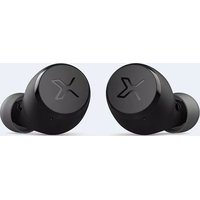


Brand : EDIFIER
Model : Hecate G4 Pro
Category : Earphones