
G4 - Headset EDIFIER - Free user manual and instructions
Find the device manual for free G4 EDIFIER in PDF.


| Product Type | Over-ear gaming headset |
| Model | G4 |
| Brand | Edifier |
| Dimensions (approx.) | 200 x 190 x 100 mm (7.9 x 7.5 x 3.9 in) |
| Weight (approx.) | 300 g (0.66 lb) |
| Driver Unit | 53 mm neodymium magnets |
| Frequency Response | 20 Hz – 20 kHz |
| Impedance | 32 Ω |
| Sound Pressure Level | 98 dB |
| Microphone | Retractable, unidirectional, noise-cancelling |
| Microphone Frequency Response | 100 Hz – 10 kHz |
| Audio Connection | USB and 3.5 mm combo jack |
| Power Supply | USB (5V/500mA) |
| Surround Sound | Virtual 7.1 channel (USB mode) |
| Lighting | RGB customizable (via software) |
| Controls | In-line remote: volume, mute, lighting |
| Cable Length | 1.8 m (5.9 ft) |
| Compatibility | PC, Mac, PS4, PS5, Xbox One, Xbox Series X|S, Nintendo Switch (USB or 3.5 mm) |
| Care Instructions | Clean with soft, dry cloth; avoid moisture and extreme temperatures |
| Safety Warnings | Do not use at high volumes for extended periods; keep away from liquids |
| Spare Parts Available | Replacement ear cushions, detachable cable (sold separately) |
Frequently Asked Questions - G4 EDIFIER
User questions about G4 EDIFIER
0 question about this device. Answer the ones you know or ask your own.
Ask a new question about this device
Download the instructions for your Headset in PDF format for free! Find your manual G4 - EDIFIER and take your electronic device back in hand. On this page are published all the documents necessary for the use of your device. G4 by EDIFIER.
USER MANUAL G4 EDIFIER
Tips: Before using the headphone, please carefully read this user manual and keep it for further reference.
Features
• Vibrating effects for complete immersion in the gaming world
• Built-in sound card and virtual 7.1 sound channels that allows for personalized sound mode
- Designed to connect directly to USB input on headphones for ease of use and mobility
- Woven metal mesh design and LED effects on headphones will inspire the best of gamers
- Ergonomic on-ear design with soft leather earmuffs offer complete comfort even in extended use
- Retractable microphone with flexible mic boom
- Robust PVC cable with wired controller for volume and switching between operating functions.
Specifications
Driver unit: 40mm
Type: moving coil
Frequency response: 20Hz-20KHz
Sound pressure level (SPL): 103dB
Impedance: 24ohm
Cable length: 2.5m
Box content
Headphone user manual
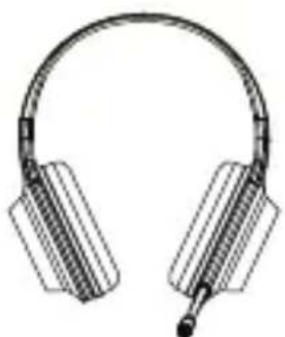

Usage
- Connect the USB cable to device;

- Adjust the headphone to a suitable position and wear on your head;

- Base on your head size, adjust the bracket length to keep comfortable;
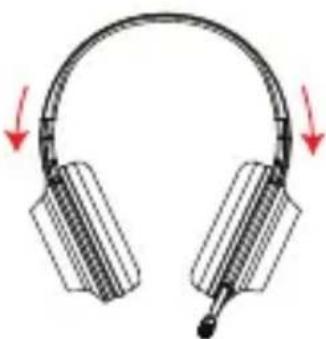
- Base on your requirement, follow the operations below to use the headphone.
■ Operational guide

The installation of sound effect adjustment software
- Please log in HECATE website: www.hecategaming.com to download software of G4, find the "setup.exe" file, and install the HECATE software (Windows 7, Windows 8, Windows 8.1 & Windows 10 systems supported).
- According to the guide to finish the software installation.

Tips: During installation, there may be an anti-virus program with false warning and stop the installation program, leading to installation failure. Therefore, please close the anti-virus software before installation to guarantee the installation be successful.

- After installation is finished, restart the computer to use.

- Start the gaming and finish setting based on your needs.
■ Main interface
1. Speaker function interface
7.1 channels, environment simulation sound effect, EQ adjustment and other strong functions.

2. Microphone function interface;
Multi-settings of microphone sound effect.

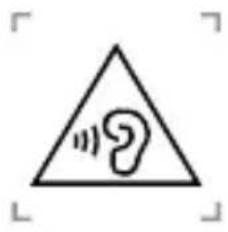
- "To prevent possible hearing damage, do not listen at high volume levels for long periods."
- "Fully understand user manual before use."
- "Ensure your player at low volume levels or power off before you leaving."
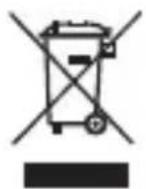
Correct Disposal of this product. This marking indicates that this product should not be disposed with other household disposal, recycle it responsibly to promote the sustainable reuse of material resources. To return your used device, please use the return and collection systems or contact the retailer where the product was purchased. They can take this product for environmental safe recycling.
EN · Warning!
- Please read the manual carefully. Keep it in safe place for future reference.
- Use the product properly by following the instructions in the manual.
• Using the product in a 0-35°C environment is recommended. - Supervise children under 14 when using the product, the product is not a toy.
- To reduce the risk of fire and electric shock, do not expose the product to rain or moisture.
- Do not use the product near any heat source (e.g. radiator, heater, stove, or other devices that generate heat).
- Consult local staff before using the product near medical or industrial equipment or on board an aircraft.
- Never use strong acid, alkali, gasoline, alcohol, or other chemical solvents to clean the product surface. Use only neutral solvent or clear water for cleaning.
- To prevent possible hearing damage, do not listen at high volume level for long periods. Therefore, always set the volume to an appropriate level.
- For traffic safety, do not use the product while driving, cycling or crossing a road.
CN·安全注意事項!
Achrei ل Connectivity Solutions Management. لا ت Connectivity Methods, Introduction, Introduction, Introduction, Introduction, Introduction, Introduction, Introduction, Introduction, Introduction, Introduction, Introduction, Introduction, Introduction, Introduction, Introduction, Introduction, Introduction, Introduction, Introduction, Introduction, Introduction, Introduction, Introduction, Introduction, Introduction, Introduction, Introduction, Introduction, Introduction, Introduction, Introduction, Introduction, Introduction, Introduction, Introduction, Introduction, Introduction, Introduction, Introduction, Introduction, Introduction, Introduction, Introduction, Introduction, Introduction, Introduction, Introduction, Introduction, Introduction, Introduction,
لتنظيف.
Designed by DONGGUAN EDIFIER ESPORTS TECHNOLOGY CO.,LTD.
www.edifier.com
© 2020 Edifier International Limited. All rights reserved.
Printed in China
NOTICE:
For the need of technical improvement and system upgrade, information contained herein may be subject to change from time to time without prior notice.
Products of EDIFIER will be customized for different applications.
Pictures and illustrations shown on this manual may be slightly different from actual product. If any difference is found, the actual product prevails.
V1.2 IB-200-G00040-02

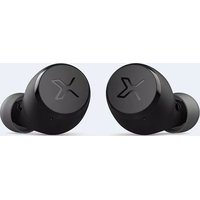


Brand : EDIFIER
Model : G4
Category : Headset