BT5 - Thermometer ALECTO - Free user manual and instructions
Find the device manual for free BT5 ALECTO in PDF.


Pick your language and provide your email: we'll send you a specifically translated version.
| Brand | Alecto |
| Model | BT5 |
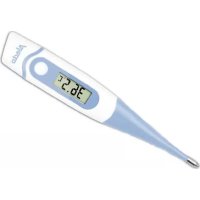
| Product type | Non-contact infrared thermometer |
| Usage | Body and ambient temperature measurement |
| Measurement range | 32.0 °C to 42.9 °C (body) / 0 °C to 100 °C (surface) |
| Accuracy | ±0.2 °C (body) / ±1.5 °C (surface) |
| Response time | 1 second |
| Display | Backlit LCD screen |
| Memory | Last 25 measurements |
| Main functions | Non-contact measurement, °C/°F selection, audible signal, auto-off |
| Power supply | 2 AAA (LR03) 1.5 V batteries |
| Battery life | Approximately 3000 measurements |
| Dimensions | 148 mm x 40 mm x 36 mm |
| Weight | 85 g (with batteries) |
| Maintenance and cleaning | Clean the lens with a soft, dry cloth. Do not immerse. |
| Safety | Do not expose to extreme temperatures. Keep out of reach of children. |
| Spare parts and repairability | Batteries not included. No spare parts available. |
| Warranty | 2 years |
| General information | Medical thermometer compliant with CE standards. For home use. |
Frequently Asked Questions - BT5 ALECTO
How to use the BT5 thermometer?
Turn on the device by pressing the power button. Point the sensor at the person's forehead from a distance of 2-5 cm. Press the measurement button. Read the result on the LCD screen.
Is the thermometer accurate?
Yes, the accuracy is ±0.2 °C for body temperature. Ensure the lens is clean and the person has not perspired or worn a forehead cover.
How to clean the thermometer?
Clean the lens with a soft, dry cloth. Avoid abrasive products or immersion in water.
When should the batteries be changed?
When the low battery icon appears on the screen. Use two new AAA alkaline batteries.
Can I measure the temperature of an object or liquid?
Yes, in surface mode, the measurement range is from 0 °C to 100 °C. Accuracy is lower (±1.5 °C).
Why does the screen display 'Err'?
This may indicate a measurement out of range, too large a distance, or a dirty lens. Check these points and try again.
How to switch between °C and °F?
Hold the power button for 3 seconds to change the unit. The screen displays the selected unit.
Does the thermometer have a silent mode?
Yes, briefly press the measurement button while holding the power button to toggle the sound on/off.
How many measurements are stored in memory?
The thermometer stores the last 25 measurements. Press the memory button to view them.
Where can I find the full manual?
You can download the free PDF manual from the website notice-facile.com by searching for 'Alecto BT5'.
User questions about BT5 ALECTO
0 question about this device. Answer the ones you know or ask your own.
Ask a new question about this device
No questions yet. Be the first to ask one.
Download the instructions for your Thermometer in PDF format for free! Find your manual BT5 - ALECTO and take your electronic device back in hand. On this page are published all the documents necessary for the use of your device. BT5 by ALECTO.
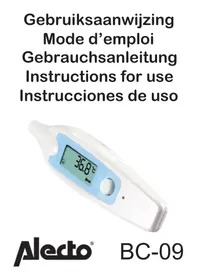
USER MANUAL BT5 ALECTO

Manual assistant
Powered by Anthropic
Waiting for your message
Product information
Brand : ALECTO
Model : BT5
Category : Thermometer