
MP C2530 - Multifunction Printer RICOH - Free user manual and instructions
Find the device manual for free MP C2530 RICOH in PDF.

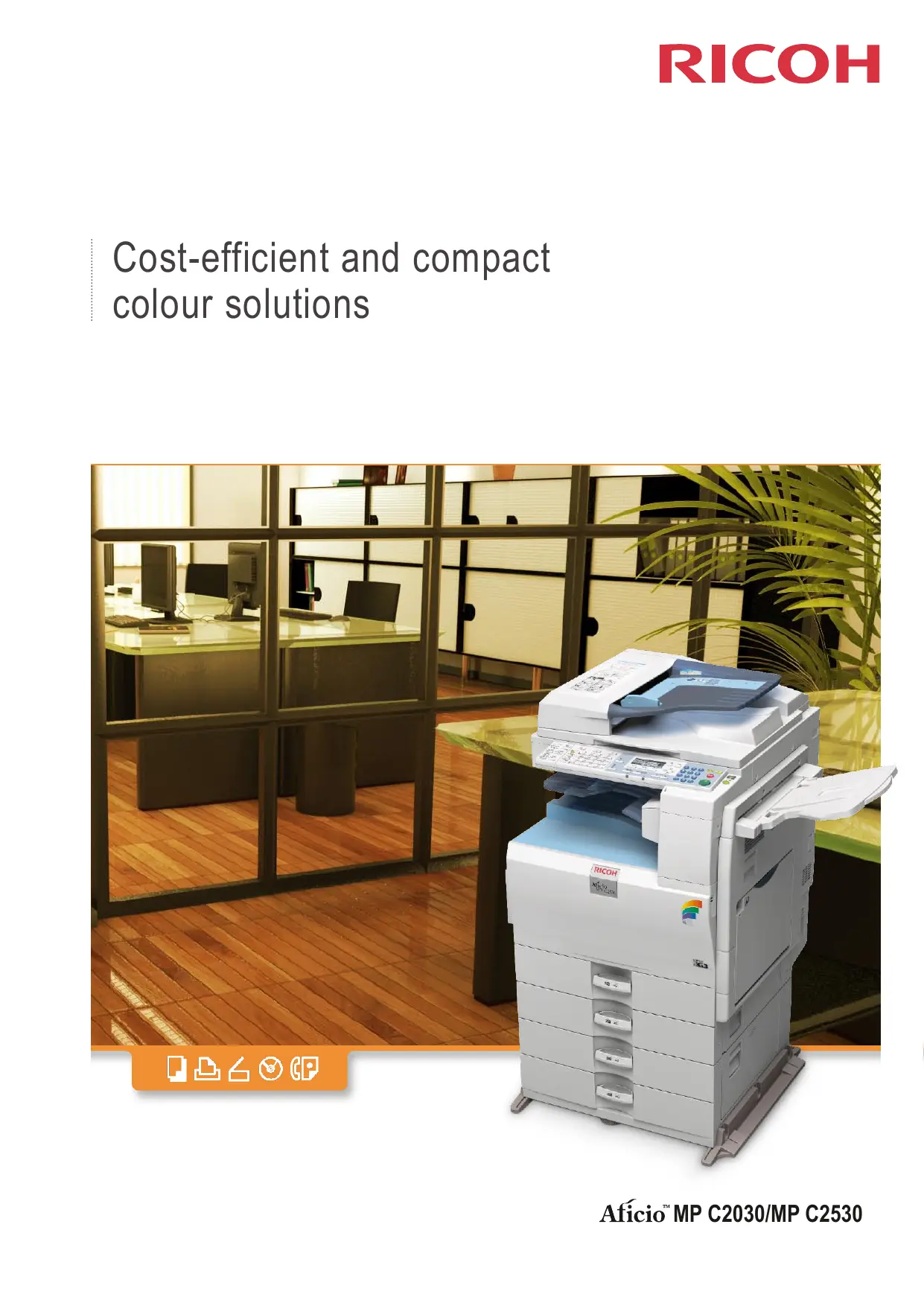

| Product type | Color multifunction printer |
| Brand | RICOH |
| Model | MP C2530 |
| Dimensions (W x D x H) | 587 x 655 x 845 mm (with automatic document feeder) |
| Weight | Less than 100 kg (with automatic document feeder) |
| Power supply | 220-240 V, 50/60 Hz |
| Power consumption (operating) | Maximum 1680 W |
| Print speed (B&W / color) | 25 ppm / 25 ppm |
| Print resolution | 600 dpi |
| Copy speed (B&W / color) | 25 cpm / 25 cpm |
| First copy time (B&W / color) | Less than 6.5 s / less than 9.5 s |
| Standard memory | 512 MB |
| Standard paper capacity | 2 x 250 sheets + 100 sheets (bypass) |
| Maximum paper capacity | 1 600 sheets |
| Supported paper sizes | A6 to A3 |
| Paper weight | 52 - 256 g/m² (bypass), 60 - 256 g/m² (trays) |
| Automatic duplex printing | Yes, standard |
| Functions | Copy, print, scan, fax (optional) |
| Interfaces | USB 2.0, Ethernet 10/100 Base-TX |
| Network protocols | TCP/IP (IPv4, IPv6), IPX/SPX |
| Included software | SmartDeviceMonitor, Web Image Monitor, DeskTopBinder |
| Available options | 500-sheet paper tray, fax unit, PCL unit, etc. |
Frequently Asked Questions - MP C2530 RICOH
User questions about MP C2530 RICOH
0 question about this device. Answer the ones you know or ask your own.
Ask a new question about this device
Download the instructions for your Multifunction Printer in PDF format for free! Find your manual MP C2530 - RICOH and take your electronic device back in hand. On this page are published all the documents necessary for the use of your device. MP C2530 by RICOH.
USER MANUAL MP C2530 RICOH
Cost-efficient and compact colour solutions
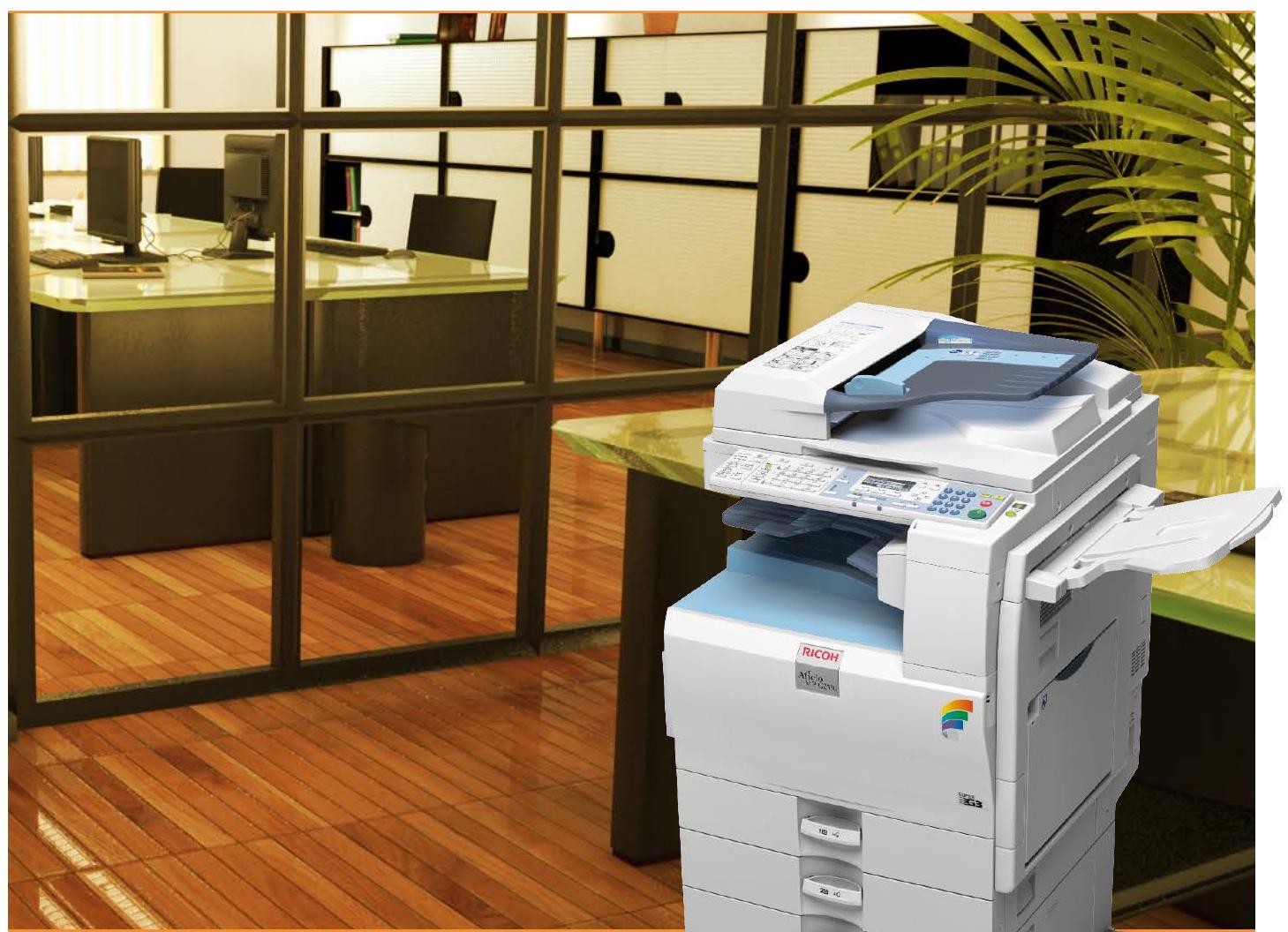

Colour flexibility for all office types
The demands on office document production rise ever higher. Colour use is increasingly becoming a standard, but document outsourcing eats away at your budget. Ricoh's Afitio™ MP C2030/MP C2530 constitute a welcome alternative. Productive, flexible and compact, these colour MFPs offer excellent value for your money. Discover how all the capabilities you require can fit inside a slim design.
Superb colours Your colour output will look crisp and accurate due to the MP C2030/MP C2530's PxP™ toner. Quality remains consistent even during longer runs. Print resolution is an excellent 600 dpi.
Excellent productivity Duplex printing at simplex speeds: not all machines can do it. The MP C2030/MP C2530 print and copy at 20/25 ppm in both monochrome and full colour. First copy speed is less than 6.5 seconds for B/W and less than 9.5 seconds for full colour.
- Sharp and high-quality colour output with new PxP^TM toner.
Excellent productivity at 20/25 ppm in both colour and B/W. -
Duplexing at simplex speed.
-
Exceptionally wide media handling.
- All-round functionality: copying, printing, scanning and faxing (optional).
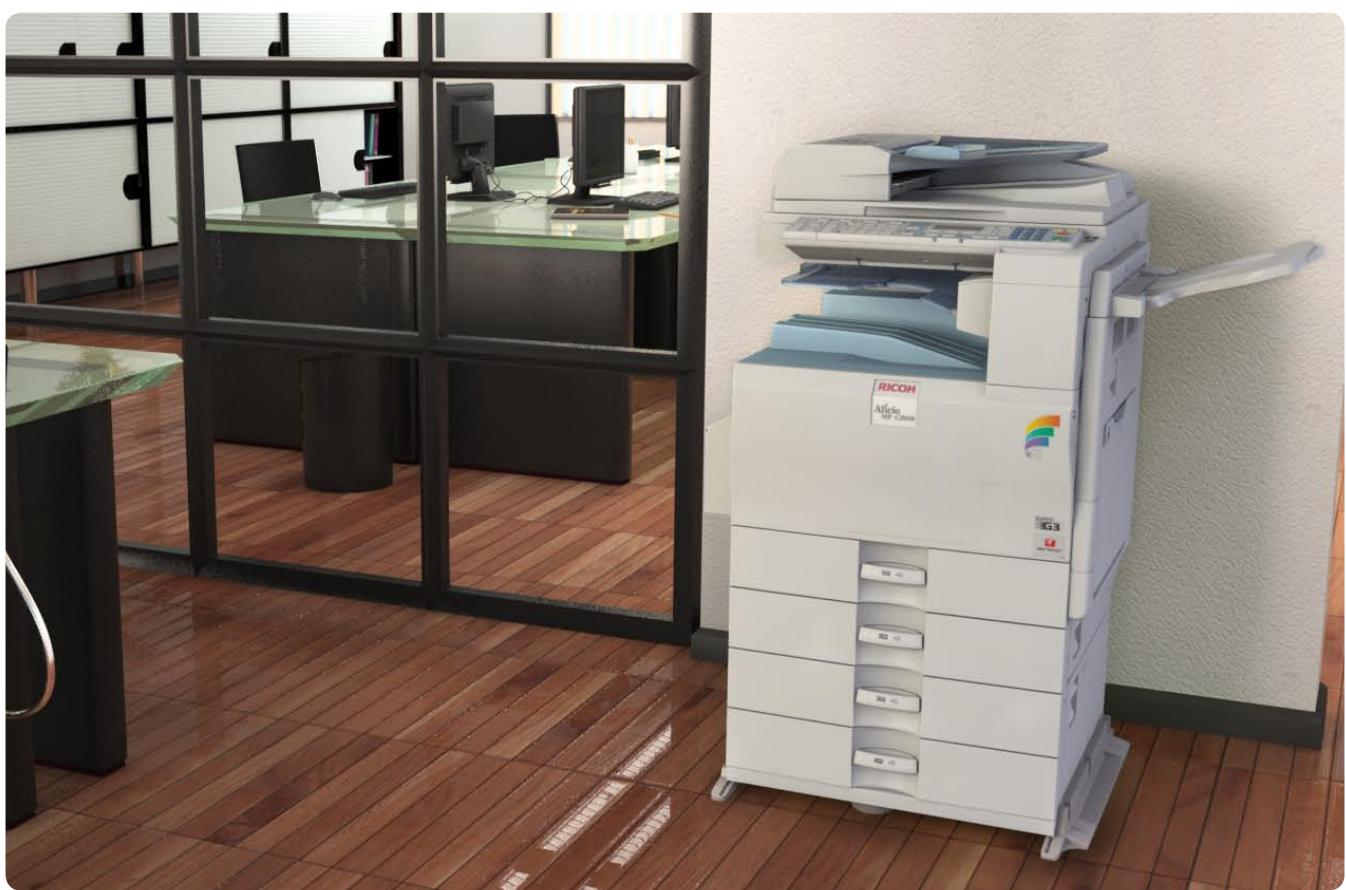
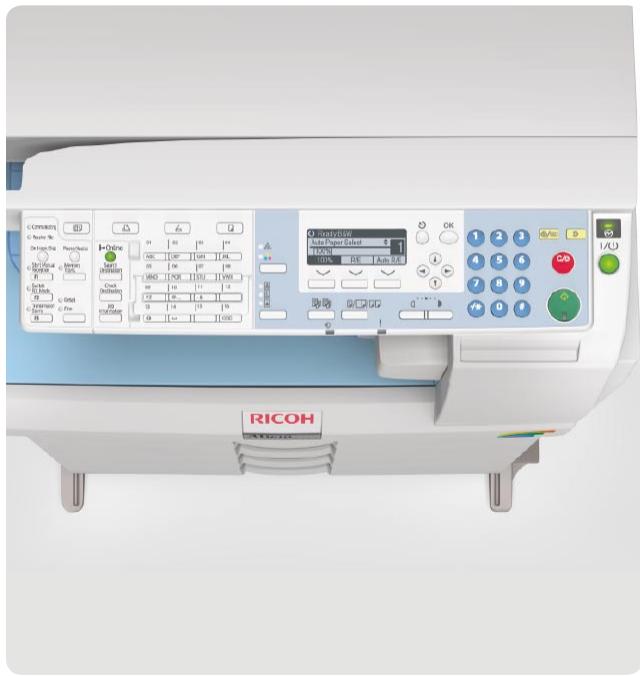
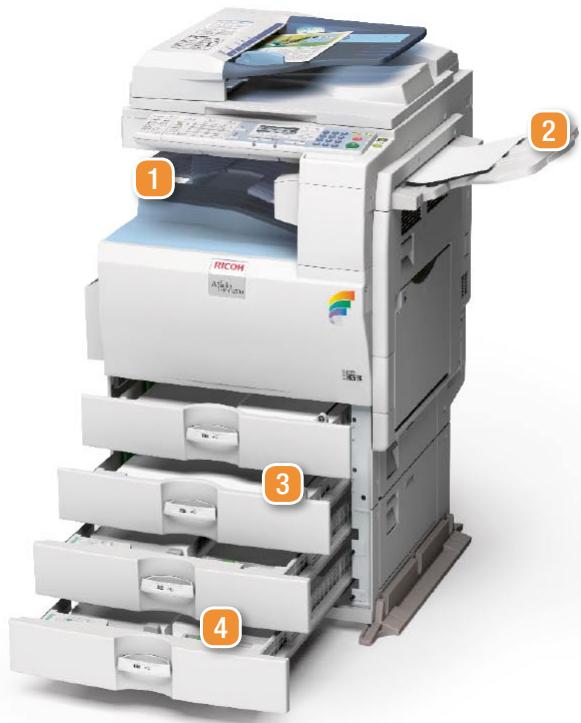
1 One bin tray 2 Side tray 3 Standard 2× 250 -sheet paper trays 4 Optional 2× 500 sheet paper trays
Wide media range Creating reports, handouts or flyers? The MP C2030/MP C2530 handle a truly wide variety of paper types. They accept sizes between A3 and A6, from light (52 g/m² via the bypass tray) to heavy (256 g/m² via standard and bypass trays). Glossy and coated papers or card stock are processed effortlessly. Even envelopes and transparencies can conveniently be fed via the standard bypass tray.
Standard printing capabilities The new MP C2030/MP C2530 have all basic printer features as standard. Enjoy their functionalities with the straightforward icon-based RPCS™ driver, or with the optional PCL driver. Your B/W copies can even be sorted electronically for extra convenience.
Reliable engines The MP C2030/MP C2530's engines are the fruit of years of Ricoh expertise. Their new tandem 4-drums design ensures reliable operation. A simplified paper path reduces the risk of jams, and your machine is continuously available. With a maximum paper capacity of 1,600 sheets, refills are kept to a minimum.
We think green, and you? 'Green' is not just a colour for Ricoh - it is an attitude. Our PxP^TM (polyester x polymerisation) toner is produced with significantly less carbon oxide emission than conventional toners. A more direct benefit for you is the MP C2030/MP C2530's standard duplex unit. Saving paper is kind to the environment as well as to the company budget.

COPIER
| Copying process: | Dry electrostatic transfer system |
| Copy speed: | MP C2030: B/W / full colour: 20 copies per minute MP C2530: B/W / full colour: 25 copies per minute |
| Resolution: | 600 dpi |
| Multiple copy: | Up to 999 |
| Warm-up time: | Less than 25 seconds1 |
| First output speed: | Black and white: Less than 6.5 seconds Full colour: Less than 9.5 seconds |
| Zoom: | 25 - 400% (in 1% steps) |
| Memory: | Standard: 512 MB |
| Paper input capacity: | Standard: 2 x 250-sheet paper trays, 1 x 100-sheet bypass tray Maximum: 1,600 sheets |
| Paper output capacity: | Maximum: 550 sheets |
| Paper size: | A6 - A3 |
| Paper weight: | Paper tray 1: 60 - 256 g/m2 Paper tray 2: 60 - 169 g/m2 Bypass tray: 52 - 256 g/m2 Duplex tray: 60 - 105 g/m2 |
| Dimensions (W x D x H): | 587 x 655 x 845 mm (with ARDF) |
| Weight: | Less than 100 kg (with ARDF) |
| Power source: | 220 - 240 V, 50/60 Hz |
| Power consumption: | Operation: Maximum 1,680 W1 |
PRINTER
| Print speed: | MP C2030: BW / full colour: 20 prints per minute MP C2530: BW / full colour: 25 prints per minute |
| Printer language: | Standard: RPCSTM Option: PCL5c, PCL6 |
| Resolution: | 600 dpi |
| Interface: | USB 2.0 Host USB 2.0 Device Ethernet 10 base-T/100 base-TX |
| Network protocol: | TCP/IP (IPv4, IPv6), IPX/SPX |
| Supported environments: | Windows 2000/XP/Vista/Server 2003/Server 2008 IBM iSeries AS/400® using OS/400 Host Print Transform |
SCANNER
| Scan speed: | B/W: 41 images per minute (LEF, A4) |
| Full colour: 26 images per minute | |
| Resolution: | Maximum 600 dpi |
| Original size: | A5 - A3 |
| Bundled drivers: | TWAIN Network |
| SOFTWARE | |
| SmartDeviceMonitorTM | |
| Web SmartDeviceMonitorTM | |
| Web Image Monitor | |
| DeskTopBinderTM Lite/Professional/v.5 | |
| FAX (option) | |
| Circuit: | PSTN, PBX |
| Compatibility: | ITU-T (CCITT) G3 |
| Modem speed: | Maximum 33.6 Kbps |
| Resolution: | 200 x 100/200 dpi |
| Compression method: | MH, MR, MMR, JBIG |
| Scanning speed: | 36 sheets per minute |
| Memory capacity: | Standard: 4 MB |
| Memory backup: | Yes |
OTHER OPTIONS
500-sheet paper tray, 2 x 500-sheet paper trays, Caster table, Cabinet, Inner one bin tray, Side tray, PCL module, Fax unit, Fax stamp ink, Copy Data Security Unit, PictBridge, Counter interface unit type A, Key counter bracket, Remote communication gate BN1
1 Warm-up time and power consumption may differ depending on the conditions and environment of the machine.
Ricoh has designed these products to meet EC ENERGY STAR guidelines for energy efficiency.
For availability of models, optional apparatus and software, please consult your local Ricoh supplier.
ISO9001 certified ISO14001 certified
All brand and/or product names are trademarks of their respective owners.
Specifications and external appearance are subject to change without notice. The colour of the actual product may vary from the colour shown in the brochure. The images in this brochure are not real photographs and slight differences in detail might appear.
Copyright © 2009 Ricoh Europe PLC.
All rights reserved. This brochure, its contents and/or layout may not be modified and/or adapted, copied in part or in whole and/or incorporated into other works without the prior written permission of Ricoh Europe PLC.
Brand : RICOH
Model : MP C2530
Category : Multifunction Printer