
PRO 906EX - Multifunction Printer RICOH - Free user manual and instructions
Find the device manual for free PRO 906EX RICOH in PDF.


User questions about PRO 906EX RICOH
0 question about this device. Answer the ones you know or ask your own.
Ask a new question about this device
Download the instructions for your Multifunction Printer in PDF format for free! Find your manual PRO 906EX - RICOH and take your electronic device back in hand. On this page are published all the documents necessary for the use of your device. PRO 906EX by RICOH.
USER MANUAL PRO 906EX RICOH
Pro906Ex/Pro1106Ex/Pro1356Ex
Pro 906Ex/Pro 1106Ex/Pro 1356Ex
Pro 906EX/Pro 1106EX/Pro 1356EX
Pro 906Ex/Pro 1106Ex/Pro 1356Ex
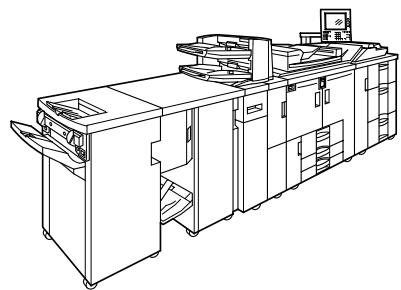
Operating Instructions
Copy/Document Server Reference
1 Placing Originals
2 Copying
3 Connect Copy
4 Document Server
5 Appendix
Introduction
This manual contains detailed instructions and notes on the operation and use of this machine. For your safety and benefit, read this manual carefully before using the machine. Keep this manual in a handy place for quick reference.
Important
Contents of this manual are subject to change without prior notice. In no event will the company be liable for direct, indirect, special, incidental, or consequential damages as a result of handling or operating the machine.
Notes:
Some illustrations in this manual might be slightly different from the machine.
Certain options might not be available in some countries. For details, please contact your local dealer.
Caution:
Use of controls or adjustments or performance of procedures other than those specified in this manual might result in hazardous radiation exposure.
Notes:
The model names of the machines do not appear in the following pages. Check the type of your machine before reading this manual. (For details, see "Machine Types", About This Machine.)
Type 1: Pro 906EX
Type 2: Pro 1106EX
Type 3: Pro 1356EX
Certain types might not be available in some countries. For details, please contact your local dealer.
Two kinds of size notation are employed in this manual. With this machine refer to the inch version.
For good copy quality, the supplier recommends that you use genuine toner from the supplier.
The supplier shall not be responsible for any damage or expense that might result from the use of parts other than genuine parts from the supplier with your office products.
Power Source
208-240V,50/60Hz,20A
Please be sure to connect the power cord to a power source as above. For details about power source, see "Power Connection", Troubleshooting.
Power Supply
The socket-outlet shall be installed near the product and shall be easily accessible.
Manuals for This Machine
Refer to the manuals that are relevant to what you want to do with the machine.
About This Machine
Be sure to read the Safety Information in this manual before using the machine. This manual provides an introduction to the functions of the machine. It also explains the control panel, preparation procedures for using the machine, how to enter text, and how to install the CD-ROMs provided.
General Settings Guide
Explains User Tools settings, and Address Book procedures such as registering, e-mail addresses, and user codes. Also refer to this manual for explanations on how to connect the machine.
Troubleshooting
Provides a guide to solving common problems, and explains how to replace paper, toner, staples, and other consumables.
Security Reference
This manual is for administrators of the machine. It explains security functions that the administrators can use to protect data from being tampered, or prevent the machine from unauthorized use. Also refer to this manual for the procedures for registering administrators, as well as setting user and administrator authentication.
Copy/ Document Server Reference
Explains Copier and Document Server functions and operations. Also refer to this manual for explanations on how to place originals.
Printer Reference
Explains Printer functions and operations.
Scanner Reference
Explains Scanner functions and operations.
Network Guide
Explains how to configure and operate the machine in a network environment, and use the software provided.
This manual covers all models, and includes descriptions of functions and settings that might not be available on this machine. Images, illustrations, and information about operating systems that are supported might also differ slightly from those of this machine.
Other manuals
PostScript3 Supplement
- UNIX Supplement
- Manuals for Desktop Binder Lite
- DeskTopBinder Lite Setup Guide
- DeskTopBinder Introduction Guide
- Auto Document Link Guide
Note
□ Manuals provided are specific to machine types.
Adobe Acrobat Reader/Adobe Reader must be installed in order to view the manuals as PDF files.
For "UNIX Supplement", please visit our Web site or consult an authorized dealer.
- "PostScript3 Supplement" and "UNIX Supplement" include descriptions of functions and settings that might not be available on this machine.
What You Can Do with This Machine
Functions differ depending on machine type and options.

Reference
p.3 "Functions Requiring Optional Configurations"
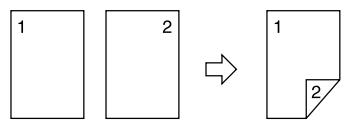
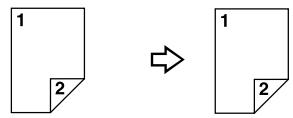
Types of Duplex Copies
1-sided 2 Pages 2-sided 1 Page
See p.76 "Duplex".
2-sided 1 Page 2-sided 1 Page
See p.76 "Duplex".
1-sided 4 Pages 2-sided 1 Page
See p.83 "Two-Sided Combine".
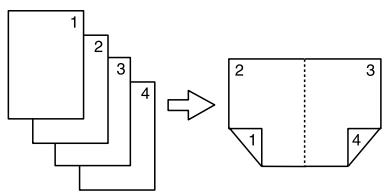
GCGBOOK0E
1-sided 8 Pages 2-sided 1 Page
See p.83 "Two-Sided Combine".

ANP020S
① Front
② Back
1-sided 16 Pages 2-sided 1 Page
See p.83 "Two-Sided Combine".
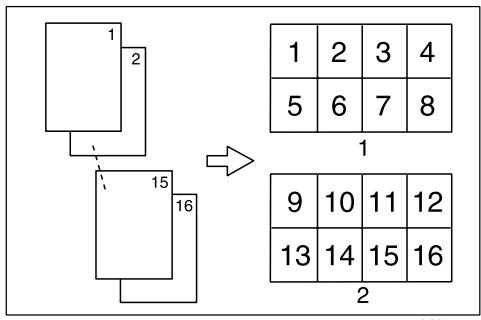
GCSHVY5E
① Front
② Back
2-sided 2 Pages 2-sided 1 Page
See p.83 "Two-Sided Combine".
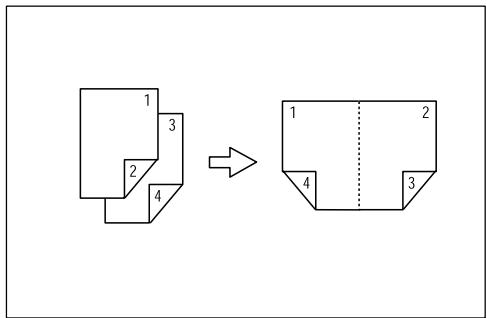
GCSHY1E
2-sided 4 Pages 2-sided 1 Page
See p.83 "Two-Sided Combine".
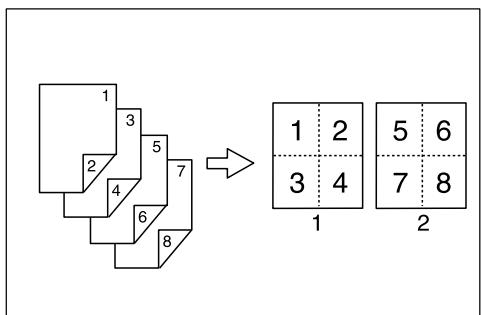
GCSHVY2E
① Front
② Back
2-sided 8 Pages 2-sided 1 Page
See p.83 "Two-Sided Combine".
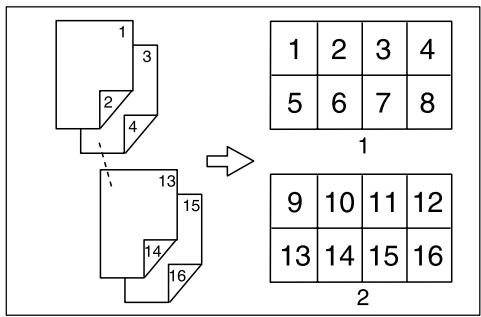
GCSHVY6E
① Front
② Back
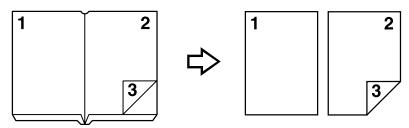
Bound Originals 2-sided Pages
See p.88 "Booklet/Magazine".
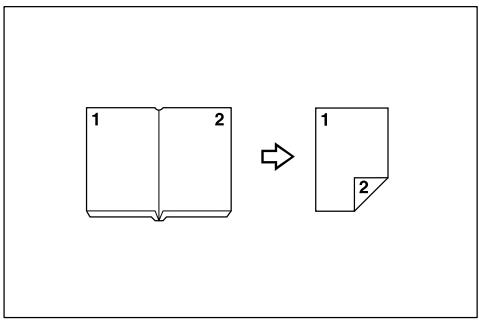
Front/Back Bound Originals 2-sided Pages See p.88 "Booklet/Magazine".
Mix 1 & 2 Sided
See p.94 "Mix 1 & 2 Sided".
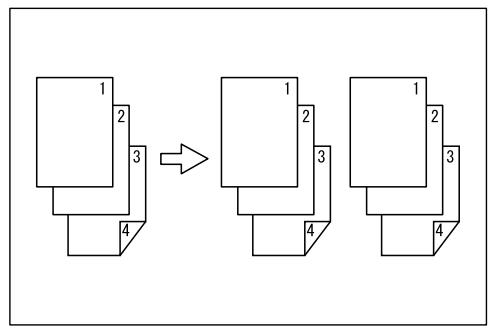
GCKONZ0J
Copying Book Originals
1-sided 4 Pages Booklet
See p.88 "Booklet/Magazine".
- Open to left
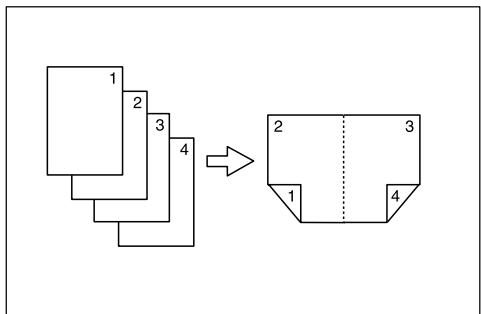
GCBOOK0E
- Open to right
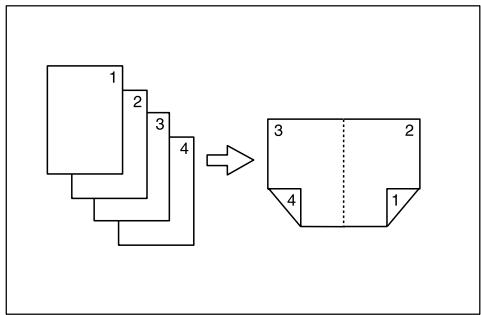
GCBOOK1E
2-sided 2 Pages Booklet
See p.88 "Booklet/Magazine".
- Open to left
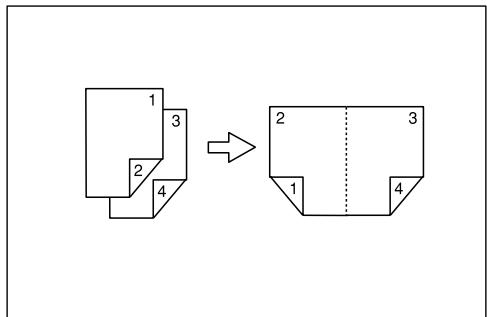
GCAH010E
- Open to right
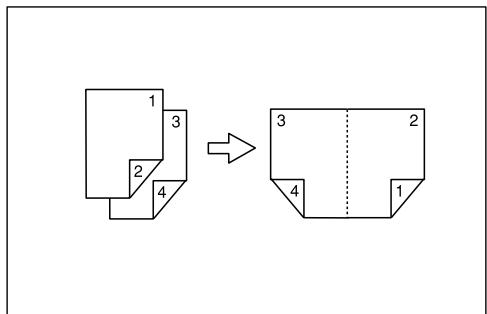
GCAH020E
1-sided Magazine
See p.88 "Booklet/Magazine".
- Open to left
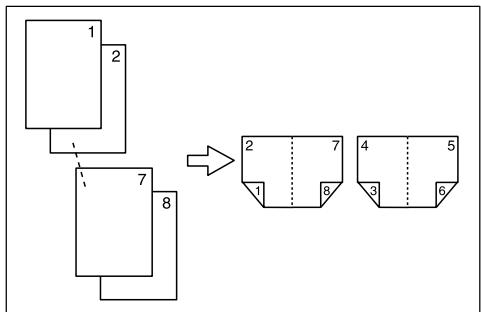
GCBOOK3E
- Open to right
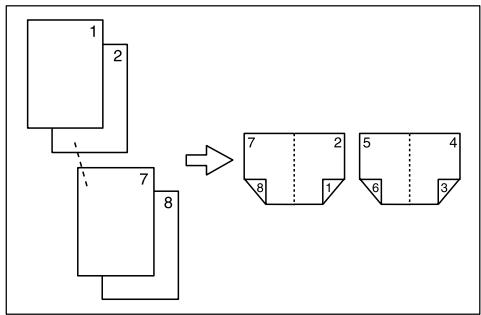
GCBOOK4E
2-sided Magazine
See p.88 "Booklet/Magazine".
- Open to left
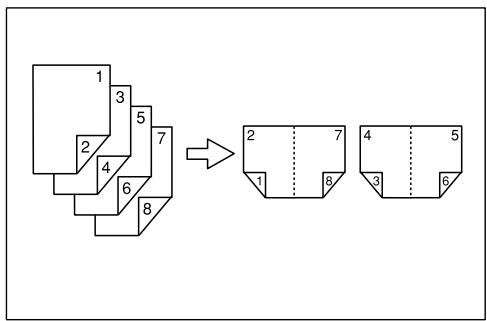
GCAH030E
- Open to right
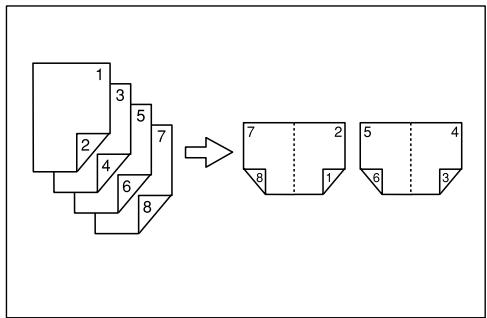
GCAH040E
Combining Multiple Pages onto a Single Page
See p.80 "One-Sided Combine".
1-sided 2 Pages 1-sided 1 Page
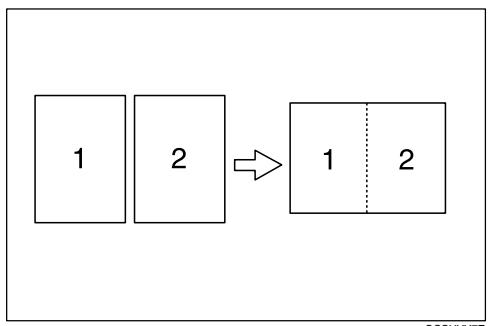
GCSHVY7E
1-sided 4 Pages 1-sided 1 Page
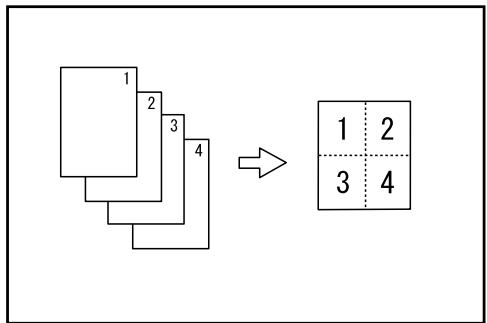
GCSHY8J
1-sided 8 Pages 1-sided 1 Page
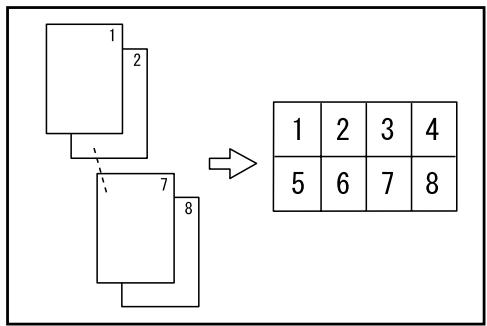
GCSHVY3J
2-sided 1 Page 1-sided 1 Page
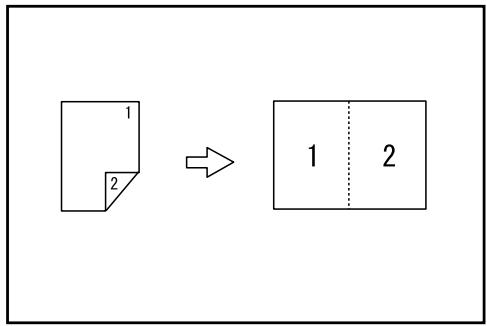
GCSHVYOJ
2-sided 2 Pages 1-sided 1 Page
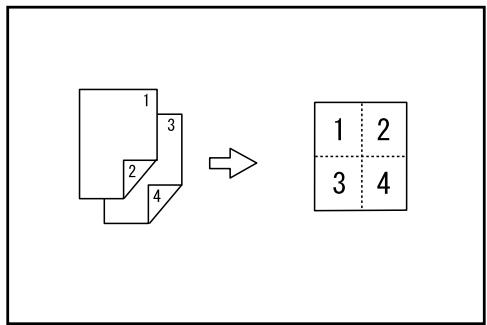
GCSHVYBJ
2-sided 4 Pages 1-sided 1 Page
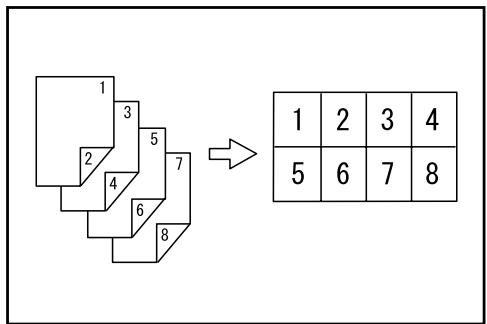
GCSHVY4J
Bound Originals 1-sided Pages See p.86 "Series Copies".
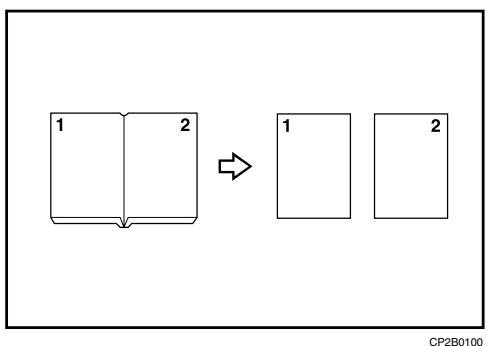
Bound Originals 2-sided Pages See p.88 "Booklet/Magazine".
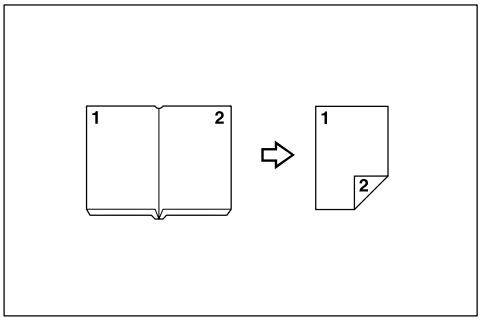
Front/Back Bound Originals 2-sided Pages See p.88 "Booklet/Magazine".
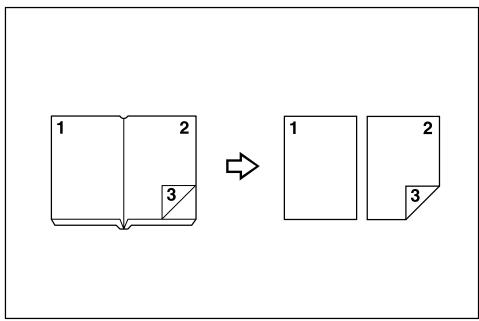
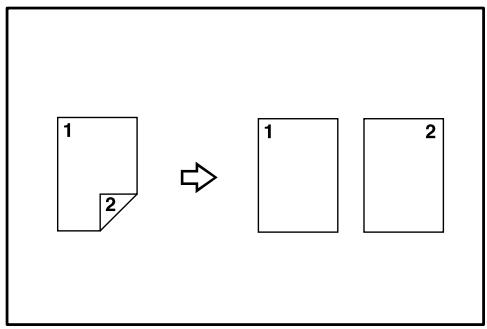
Copying 2-Sided Pages onto 1-Sided Pages
See p.86 "Series Copies".
2-sided 1 Page 1-sided 2 Pages
CP2B0200
TABLE OF CONTENTS
Manuals for This Machine
What You Can Do with This Machine. 3
Types of Duplex Copies 3
Copying Book Originals. vi
Combining Multiple Pages onto a Single Page ix
Copying Originals Such as Books xi
Copying 2-Sided Pages onto 1-Sided Pages xii
Notice 1
How to Read This Manual 2
Symbols 2
Functions Requiring Optional Configurations 3
Display Panel 4
Simplified Display 5
User Tools Menu (Copier / Document Server Features) 6
1. Placing Originals
Originals 11
Sizes and Weights of Recommended Originals 11
Originals not recommended for the Auto Document Feeder (ADF) 12
Sizes Detectable by the Auto Paper Select 13
Sizes difficult to detect 14
Missing Image Area 15
Placing Originals 16
Original Orientation 16
Reverse Orientation 18
Placing Originals on the Exposure Glass 19
Placing Originals in the Auto Document Feeder 20
Batch mode 21
SADF mode 22
Mixed size mode 23
Thin Mode 24
Original size 25
Regular sizes 25
Custom sizes 26
2. Copying
Basic Procedure 29
Interrupt Copy 30
Left Original Beeper 31
Copying onto Tab Stock 31
Surplus tab stock auto eject 33
When copying onto OHP Transparencies 34
Auto Start 34
Job Preset 35
Job Preset display 35
To check job contents 36
To change job contents after checking 36
To delete a job after checking its contents 37
Deleting a job 37
Job List 38
Job List screen 38
Checking jobs in the print queue 39
Changing the order of jobs 40
Holding print jobs 41
Deleting jobs 41
Checking Job History 42
Copying from the Multi Bypass Tray 43
Setting the tab stock in the multi bypass tray (Tray 7) 45
When copying onto Regular Size Paper 46
When copying onto Custom Size Paper 47
When copying onto Special Paper 48
Copier Functions 49
Adjusting Copy Image Density 49
Auto image density 49
Manual image density 50
Combined auto and manual image density 50
Selecting the Original Type Setting 51
Selecting Copy Paper 52
Auto Paper Select. 53
Manual Paper Select 53
Preset Reduce/Enlarge 54
Create Margin function 56
Zoom 56
To select the ratio with [一] and [十]. 57
To enter the ratio with the number keys 57
Auto Reduce/Enlarge 58
Size Magnification 59
Directional Magnification (%) 60
To enter the ratio with the number keys 61
To specify a ratio with [一] and [十] 61
Directional Size Magnification (inch) 62
Sort 64
Sample copy 65
Changing the Number of Sets 66
When memory is full 66
Shift tray off in sort/stack 67
Separation 67
Stack 68
Staple 69
Punch 72
3 Edges Full Bleed 74
Z-fold 75
Using the Z-fold Support Tray 75
Z-fold positions and Z-folding Copies 76
Duplex 76
Originals and copy orientation 79
One-Sided Combine 80
Two-Sided Combine 83
Series Copies 86
Booklet/Magazine 88
Creep Adjustment 93
Mix 1 & 2 Sided 94
Scanning Position 95
Margin Adjustment 97
Erase 98
Border Erase (same width) 100
Border Erase (different width) 101
Center/Border Erase (same width) 102
Center/Border Erase (different width) 103
Inside Erase 104
Outside Erase 105
Background Numbering 106
Preset Stamp 107
Changing the stamp position, size and density 109
User Stamp 110
Changing the user stamp position 112
To program the user stamp 113
To delete the user stamp 115
Date Stamp 116
To change the format of date 118
To change the date stamp position 119
Page Numbering 119
Changing the stamp position 122
Specifying the first printing page and start number ("P1,P2...","-1,-,2-...","P.1,P.2...","1,2..." 122
Specifying the first printing page and start number ("1/5,2/5..." 123
Specifying the first printing page and start number ("1-1,1-2..." 124
Stamp Text 125
Changing the stamp position 126
Image Repeat 127
Double Copies 128
Centering 130
Positive/Negative 131
Covers 132
Designate 134
Chapters 135
Designation Sheet Copy 136
Blank Slip Sheets 138
Slip Sheets 139
Copy Face Up 141
Storing Originals in the Document Server 142
Programs 144
Storing a Program 144
Changing a Stored Program 145
Deleting a Program 146
Recalling a Program 146
Programming Defaults in Initial Display 147
3. Connect Copy
What is Connect Copy? 149
How It Works 150
Machine Types and Options 150
Interrupt Copy 150
Before You Start 151
Connect Copy Display Panel 152
Display panel of the sub-machine 154
Using Connect Copy 155
Order of Copy Output 158
Auto Reset when using Connect Copy 159
Auto Off 159
Exiting Connect Copy 159
Copying Stored Documents Using Connect Print 160
Using Job Preset in Connect Copy 162
Connect Copy Job Flow 164
When One of the Two Machines is Idle 164
Using the idle machine as the main machine (Connect Copy) 165
Using the machine currently copying as the main machine (Connect Copy: Job Preset).... 166
When Both Machines are in Use 166
When both machines are copying the same number of originals
Connect Copy: Job Preset) 167
When one machines is copying a larger number of originals (Connect Copy: Job Preset) ... 168
4. Document Server
Relationship between Document Server and Other Functions 169
Document Server Display 170
Simplified Display 171
Preview Display 172
Using the Document Server 174
Storing Data 174
To register or change a user name (When using a user name registered to the Address Book) 176
To register or change a user name (When using a user name not registered to the Address Book) 177
To register or change a user name (When no name is registered to the Address Book) 178
To change a file name 178
To set or change a Password. 179
Changing User Name, File Name or Password of a Stored Document 180
Checking the Details of a Stored Document 181
Searching for a Stored Document 182
To search by file name 182
To search by user name 183
Printing a Stored Document 184
When Interrupting Printing 185
Changing Number of Print Copies while Printing is in Progress 186
Sample Print 186
Printing the First Page 187
Printing a Specified Page 188
Printing a Specified Range 188
Edit File 189
Combining Files 189
Inserting Documents. 190
Deleting Pages 190
Copying Documents 191
Print Backup 192
Deleting a Document. 192
Displaying a Document in Document Server with Web Image Monitor 193
Downloading Stored Documents 194
5. Appendix
Function Compatibility 195
Supplementary Information 197
INDEX 208
Notice
Do not copy or print any item for which reproduction is prohibited by law.
Copying or printing the following items is generally prohibited by local law:
bank notes, revenue stamps, bonds, stock certificates, bank drafts, checks, passports, driver's licenses.
The preceding list is meant as a guide only and is not inclusive. We assume no responsibility for its completeness or accuracy. If you have any questions concerning the legality of copying or printing certain items, consult with your legal advisor.
Some illustrations in this manual might be slightly different from the machine.
How to Read This Manual

Note
For proper use of this product, be sure to read About This Machine first.
Supplementary information about the copier mode is described in "Supplementary Information".

Reference
p.197 "Supplementary Information"
Symbols
This manual uses the following symbols:

WARNING:
Indicates important safety notes.
Ignoring these notes could result in serious injury or death. Be sure to read these notes. They can be found in the "Safety Information" section of About This Machine.

CAUTION:
Indicates important safety notes.
Ignoring these notes could result in moderate or minor injury, or damage to the machine or to property. Be sure to read these notes. They can be found in the "Safety Information" section of About This Machine.

Important
Indicates points to pay attention to when using the machine, and explanations of likely causes of paper misfeeds, damage to originals, or loss of data. Be sure to read these explanations.

Note
Indicates supplementary explanations of the machine's functions, and instructions on resolving user errors.

Reference
This symbol is located at the end of sections. It indicates where you can find further relevant information.
[]
Indicates the names of keys that appear on the machine's display panel.
【】
Indicates the names of keys on the machine's control panel.
Functions Requiring Optional Configurations
Certain functions require special machine configuration and extra options as follows.
Shift Sort: Finisher SR5000 and Booklet Finisher BK5000
Stack: Finisher SR5000 and Booklet Finisher BK5000
Staple: Finisher SR5000 and Booklet Finisher BK5000
Staple (Center): Finisher SR5000 and Booklet Finisher BK5000
Punch: Finisher SR5000 with punch unit
Z-fold: Finisher SR5000 and Z-folding Unit
Connect Copy: Copy Connector
Multi bypass tray: Multi bypass tray (Tray 7)

Note
The punch function is not available for Type 3.
Display Panel
The function items displayed serve as selector keys. You can select or specify an item by lightly pressing them.
When you select or specify an item on the display panel, it is highlighted like Auto Density. Keys appearing as Backspace cannot be used.
Initial copy display
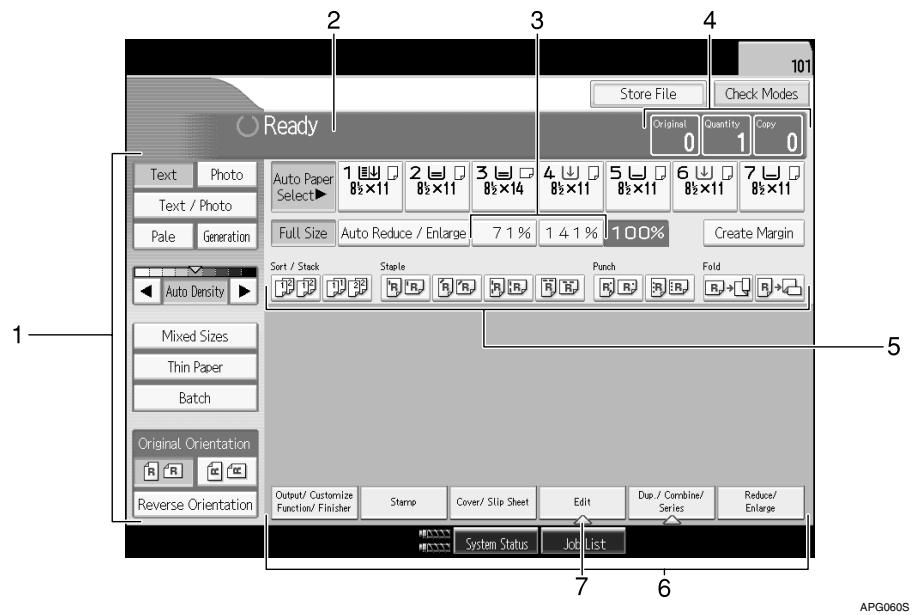
- Original function, Image Density and Special Original function.
- Operational status and messages.
- You can register up to two frequently used reduce/enlarge ratios other than the fixed reduce/enlarge ratios. See "Reproduction Ratio", General Settings Guide.
-
Numbers of originals scanned into memory, copies set, and copies made.
-
Sort, Stack, Staple functions.
- Displays available functions. Press a function name to display its menu. For example, press [Reduce/Enlarge] to switch the Reduce/Enlarge menu.
- A clip mark indicates the currently selected function.
Simplified Display
This section explains how to switch to the simplified display.
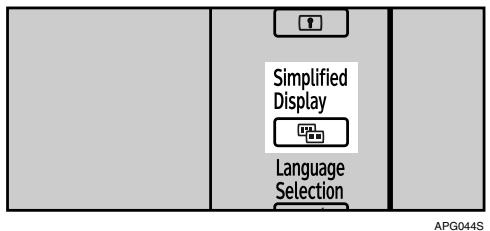
When you press the [Simplified Display] key, the screen changes from the initial display to the simplified display.
Letters and keys are displayed at a larger size, making operations easier.
Example of a simplified display
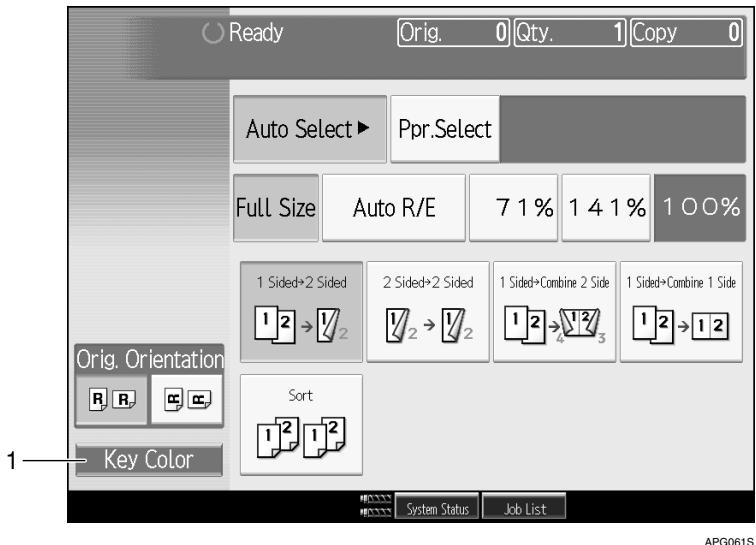
1. [Key Color]
Press to change the key color and increase the brightness of the display panel.
![RICOH PRO 906EX - [Key Color] - 1](/content/2025/01/136509/images/af17ac14906fe885b9a3232143a3e21c9f8fb135a5103235604b2dcfb9f0345f.jpg)
Note
To return to the initial display, press the 【Simplified Display】key again.
Certain keys do not appear on the simplified display.
User Tools Menu (Copier / Document Server Features)
This section describes items that can be specified on the copier initial screen. Copier initial screen can be displayed by pressing the [User Tools] key. For more information about how to set up these items, see General Settings Guide.
General Features
| Item | Description |
| Auto Image Density Prior-ity | You can set whether Auto Image Density is “On” or “Off” when the machine is turned on, reset, or modes are cleared. |
| Original Orientation in Duplex Mode | You can set the original orientation when making two-sided copies. |
| Copy Orientation in Du-plex Mode | You can set the copy orientation when making two-sided copies. |
| Reserve Job Mode | You can set whether to reset the mode to the initial state or return to the mode in use before the reserved operation was started when you return to the initial screen after reserved copying finishes. |
| Reservation Screen Auto-off Timer | You can set the time required until the display is switched to the reserved first job display after reservation is set. If you select “Switch”, use the numbers key to enter the time (10-99 seconds). The default setting is 15 seconds. |
| Max. Copy Quantity | The maximum copy quantity can be set between 1 and 9999. The default setting is 9999 sheets. |
| Manual Original Counter Reset | You can set whether to enable the document counter reset key. |
| Auto Tray Switching | When the paper runs out during copying, it can be automatically fed from a substitute paper feed tray, irrespective of the orientation of paper in that tray – provided it is the same size as that set in the other paper feed tray during automatic paper selection. This function is called “Auto Tray Switching”. You can set whether to perform the Auto Tray Switching. |
| Text | You can adjust the edge level of the finished image. The outline of a character becomes soft when you select “Soft”. The outline of a character can be sharply copied when you select “Sharp”. |
| Text / Photo | You can select which has priority, photographs or characters, when an original contains both. If you select “Normal”, character and photo quality is balanced in the copy. |
| Photo | You can adjust the quality of finished images according to the type of photo original. “Printed photo” is set for magazine and catalog photo originals. You can smooth photos by selecting “Printed photo”. “Glossy Photo” is set for the silver-salt photos printed from photo film. If you select “Normal”, you can finish characters that exist together in a photo block. |
| Pale | You can adjust the image quality of a pale original so the copy is at normal density. |
| Generation Copy | You can adjust the image quality to prevent characters in the copy becoming too thick. |
| Dark Background | You can set whether “Deep document” can be selected as an original type. |
| Panel Features Default | You can set which items will appear as the function buttons on the basic display. |
| Image Adjustment Priority | You can set the items, to be preferentially displayed, to the function buttons on the basic display. |
| Paper Display | You can choose to have the available paper trays and sizes shown on the initial display. |
| Original Type Display | You can have the original types shown on the initial display. |
| Special Original Display | You can set whether to show the original types on the initial display. |
| Special Original Display Defaults | You can set up to three items for displaying on the initial display from five items. |
| Tone: Original Remains | You can set whether to use a buzzer to alert you when you forget to remove an original. |
| Job End Call | You can set whether to generate a buzzer sound (“pi”) when a copy is completed. If “Panel key sound” when performing system settings is set to “On”, the buzzer sounds four times if copying is interrupted because the paper has run out or become jammed. This notifies you that the copy job could not be completed. |
| Connect Copy Key Display | You can set whether to display [Connect Copy]. If you select “Off”, the key does not appear and a master unit cannot be obtained. |
| Switch Original Counter Display | You can set whether to count the two-sided documents by number of sheets or pages. |
| Customize Function: Copier | A maximum of four often-used functions can be registered to the function keys. |
| Customize Function: Document Server Storage | A maximum of four often-used functions can be registered to the function keys. Registered functions can also be changed. |
Reproduction Ratio
| Item | Description |
| Shortcut R / E | You can register up to two frequently used Reduce/Enlarge ratios other than the fixed Reduce/Enlarge ratio and have them shown on the initial display. You can also change registered Reduce/En-large ratios. |
| R / E Ratio | You can specify the enlargement and reduction ratios that appear if [Reduce/Enlarge] is pressed on the copier screen. |
| R / E Ratio Priority | You can set the ratio with priority when [Reduce/Enlarge] is pressed. |
| Ratio for Create Margin | You can set a Reduce/Enlarge ratio when registering Create Margin in a shortcut key. Enter a ratio using number keys (in the range of 90 to 99%). The ratio is set to 93% by default. |
| Front Margin: Left / Right | You can specify left and right margins on the front side of copies in Margin Adjustment mode. |
| Back Margin: Left / Right | You can specify left and right margins on the back side of copies in Margin Adjustment mode. |
| Front Margin: Top / Bottom | You can specify top and bottom margins on the front side of copies in Margin Adjustment mode. |
| Back Margin: Top / Bottom | You can specify top and bottom margins on the back side of copies in Margin Adjustment mode. |
| 1 Sided→2 Sided Auto Margin: TtoT | In 1 sided to 2 sided Duplex mode, you can specify the margins on the back side. The margin is set to the same value of “Back Margin: Left / Right”. |
| 1 Sided→2 Sided Auto Margin: TtoB | In 1 sided to 2 sided Duplex mode, you can specify the margins on the back side. The value set for “Back Margin: Top / Bottom” is used. |
| Creep Setting for Magazine | You can specify the creep binding margin width. |
| Erase Border Width | You can specify the width for erasing border in the range of “2 to 99 mm” (in units of 1 mm). |
| Erase Original Shadow in Combine | In Combine mode, you can specify whether to erase a 3 mm, 0.1” boundary margin around all four edges of each original. |
| Erase Center Width | You can specify the width of the erased center margins with this function. |
| Front Cover Copy in Com-bine | You can make a combined copy on the front cover sheet when you select Front Cover mode. |
| Copy Order in Combine | You can set the copy order in Combine mode. |
| Orientation: Booklet, Mag-azine | You can select the orientation of copies to open when using Book-let or Magazine mode. |
| Copy on Designating Page in Combine | You can specify whether to make a combined copy on the inserted slip sheets in Desig./Chapter mode. |
| Image Repeat Separation Line | You can select a separation line from: None, Solid, Broken A, Broken B, or Crop Marks. |
| Double Copies Separation Line | You can select a separation line using the Double Copies function from: None, Solid, Broken A, Broken B, or Crop Marks. |
| Separation Line in Com-bine | You can select a separation line using the Combine function from: None, Solid, Broken A, Broken B, or Crop Marks. |
| Copy Back Cover | When copying the back cover, you can specify whether to have the back cover outside (outside page) or inside (inside page). |
| Double Copies Position | You can select the copy position of bottom or left page according to top or right page as the original image position. |
| Background Numbering | |
| Size | You can set the size of the numbers. |
| Density | You can set the density of the numbers. |
| Preset Stamp | |
| Stamp Language | You can select the language of the message printed in Stamp mode. |
| Stamp Priority | You can select the stamp type given priority when [Preset Stamp] is pressed. |
| Stamp Format | You can specify how each of stamp is printed. |
| User Stamp | |
| Program / Delete Stamp | You can register, change, or delete these designs as user stamps. You can register up to five custom stamps with your favorite designs. |
| Stamp Format: 1-5 | You can specify how each of registered User Stamps 1 to 5 is printed. |
| Date Stamp | |
| Format | You can select the date format for Date Stamp mode. |
| Font | You can select the Date Stamp font. |
| Size | You can set the Date Stamp size. |
| Superimpose | You can have the Date Stamp printed in white when it overlaps black parts of the image. |
| Stamp Setting | You can specify how Date Stamp is printed. |
| Page Numbering | |
| Stamp Format | You can select the page number format given priority when [Page Numbering] is pressed. |
| Font | You can select the font in Page Numbering mode. |
| Size | You can set the size of the stamp printed in Page Numbering mode. |
| Duplex Back Page Stamping Position | You can set the position of the duplex back page number printed in Duplex mode. |
| Page Numbering in Combine | You can set page numbering when using the Combine function and the Page Numbering function together. |
| Stamp Position on Designating Page | You can select to print the page number onto slip sheets when using the Designate function set to [Copy] and the Page Numbering function together. |
| Stamp Position | You can specify how each of stamp is printed. |
| Superimpose | You can have page numbers printed in white when they overlap black parts of the image. |
| Page Numbering Initial Letter | Switch the page print language. |
| Stamp Text | |
| Font | You can select the font in Stamp Text mode. |
| Size | You can set the size of the stamp printed in Stamp Text mode. |
| Superimpose | You can have the Stamp Text printed in white when it overlaps black parts of the image. |
| Stamp Setting | You can specify how Stamp Text is printed. |
Input/Output
| Item | Description |
| SADF Auto Reset | In SADF mode, an original must be set within a specified time after the previous original has been fed. You can adjust this time from 3 to 99 seconds in increments of 1 second. The timing is set to “5 second(s)” by default. |
| Copy Eject Face Method in Glass Mode | You can specify the way in which copies are delivered when copying an original placed on the exposure glass. |
| Memory Full Auto Scan Restart | When memory becomes full while scanning originals, the machine can make copies of scanned originals first, and then automatically proceed scanning remaining originals. |
| Sort / Stack Shift Tray Setting | You can specify whether to shift the Shift Tray in sort mode or stack mode. |
| Insert Separation Sheet | You can specify the number of copy pages for inserting the Separation Sheet from 1 to 999 pages in increments of 1 page. |
| Staple Position | Specify which Top 2 staples or Bottom shown on the initial display with priority. The optional Finisher SR5000 is required to use this function. |
| Punch Type | Specify which punch type (2 holes or 3 holes) has priority to be shown on the initial display. The optional Finisher SR5000 and Multi-hole Punch Unit are required to use this function. |
| Finisher: Staple Position | Specify the stapling position. The optional Finisher SR5000 is required to use this function. |
| Finisher: Punch Type | Specify the punch type. The optional Finisher SR5000 and Multi-hole Punch Unit are required to use this function. |
| Simplified Screen: Finishing Types | You can select which key is displayed with higher priority for “Finishing Types” on the Simplified Screen. |
Administrator Tools
| Item | Description |
| Menu Protect | Using Menu Protect, you can limit the settings available to users other than the administrator. |
1. Placing Originals
This chapter describes the types of originals you can set and how to place originals.
Originals
This section describes the types of originals that can be placed, paper sizes that are automatically detected, and missing image area.
Sizes and Weights of Recommended Originals
The following describes recommended paper sizes and non-recommended originals for the ADF.
Metric version
| Original location | Original size | Original weight |
| Exposure glass | Up to A3 | - |
| ADF | One-sided originals:A3☐ - A5☐ | 52-128 g/m2(45-110 kg) |
| Two-sided originals:A3☐-A5☐ | 52-105 g/m2(45-90 kg) | |
| Thin Paper mode:A3☐-A5☐ | 40-128 g/m2(35-110 kg) |
Inch version
| Original location | Original size | Original weight |
| Exposure glass | Up to 11" × 17" | - |
| ADF | One-sided originals: 11" × 17"-51/2" × 81/2" | 14-34 lb. |
| Two-sided originals: 11" × 17"-51/2" × 81/2" | 14-28 lb. | |
| Thin Paper mode: 11" × 17"-51/2" × 81/2" | 11-34 lb. |
Note
The maximum number of originals that can be placed in the ADF is about 100 (paper weight is 80g / m^2 , 20 lb.).
The weight range for originals when using Mixed Size mode is 52 - 81g / m^2 (13.8-21.5 lb.).
Originals not recommended for the Auto Document Feeder (ADF)
Placing the following types of originals in the ADF can cause paper misfeeds or light & black lines or result in damage to the originals. Place these originals on the exposure glass instead.
- Originals other than those specified on "Sizes and Weights of Recommended Originals".
- Stapled or clipped originals
- Perforated or torn originals
- Curled, folded, or creased originals
- Pasted originals
- Originals with any kind of coating, such as thermal fax paper, art paper, aluminum foil, carbon paper, or conductive paper
- Originals with perforated lines
- Originals with indexes, tags, or other projecting parts
- Sticky originals such as translucent paper
- Thin, highly flexible originals
- Thick originals such as postcards
- Bound originals such as books
- Transparent originals such as OHP transparencies or translucent paper
- Originals that are still wet with ink or white-out.

Note
The original might become dirty if it is written with a pencil or a similar tool.
Sizes Detectable by the Auto Paper Select
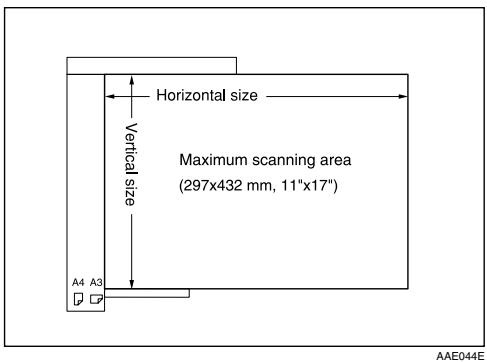
Sizes detectable by the exposure glass and ADF are:
Metric version
| Size | A3 | A4 | 11" × 17" | 81/2" × 14" | 81/2" × 11" | 51/2" × 81/2" | 51/2" × 81/2" | 81/2" × 13" | 11" × 15" | 10" × 14" | 8" × 10" | 8" × 13" | 81/4" × 13" |
| Original location | |||||||||||||
| Exposure glass | × | × | ○ | ○ | ○ | ○ | × | × | × | × | × | × | × |
| ADF | × | ○ | ○ | ○ | ○ | ○ | ○ | ○ | ○ | ○ | ○ | × | × |
*1 You can select from 8^1/2" × 13" , 8^1/4" × 13" , and 8" × 13" with the User Tools (System Settings). See "System Settings", General Settings Guide.
Exposure glass
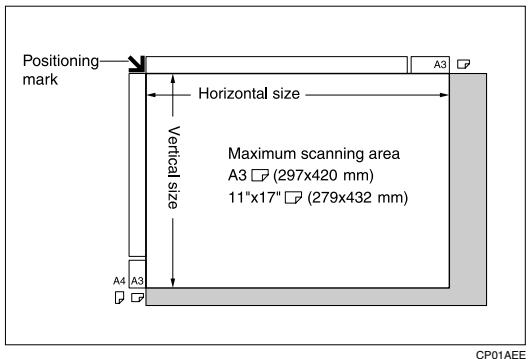
ADF
Note
If you want to use the ADF to copy custom size originals that are between 432mm and 1260mm in length, contact your service representative.
- When you copy custom size originals, make sure you specify the size of the originals. If not, the image may not be copied properly.
Reference
p.26 "Custom sizes"
"System Settings", General Settings Guide
Sizes difficult to detect
It is difficult for the machine to automatically detect the sizes of the following types of originals, so select the paper size manually.
- Originals with indexes, tags, or other projecting parts
- Transparent originals such as OHP transparencies or translucent paper
- Dark originals with a lot of text and drawings
- Originals which partially contain a solid image
- Originals which have solid images at their edges
Missing Image Area
Even if you place originals in the ADF or on the exposure glass correctly, 3mm (0.1") margins on all four sides might not be copied.
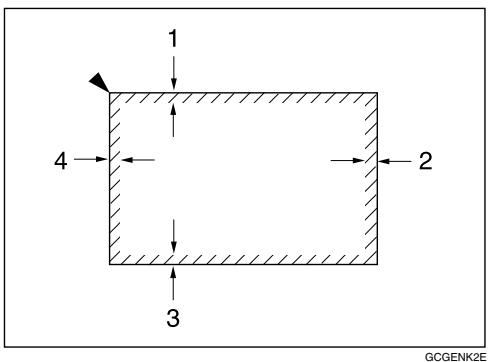
2 ± 1.5mm, 0.08'' ± 0.06''
2 + 2mm / 2 - 1.7mm,0.08^ + 0.08^ / 0.08^ - 0.07^
2 ± 1.5 ~mm, 0.08'' ± 0.06''
(4) 4 ± 2 ~mm, 0.16'' ± 0.08''
Placing Originals
This section describes the procedure for placing originals on the exposure glass and in the ADF.
Take care to place originals after any correction fluid and ink has completely dried. Not taking this precaution could cause marks on the exposure glass that will be copied onto paper.

Note
For original sizes you can set, see "Originals".

Reference
p.11 "Originals"
Original Orientation
When using the ADF, place the original face up.
When using the exposure glass, place the original face down.
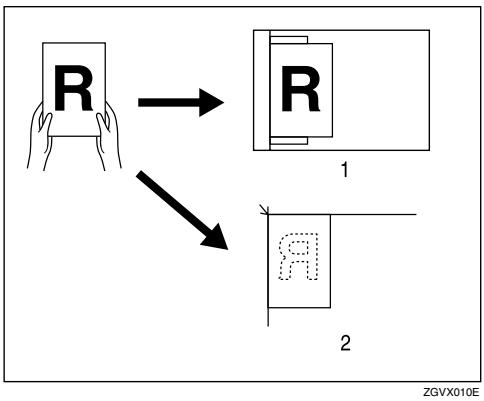
① ADF
② Exposure glass
When copying A3 , 11'' × 17'' , or B4 JIS size originals, select _原 as the Original Orientation. The machine then rotates copy image by 90^ . This is useful for copying large originals using the Staple, Duplex, Combine, or Stamp functions. For example, to copy A3 or 11'' × 17'' originals with the Staple function selected:
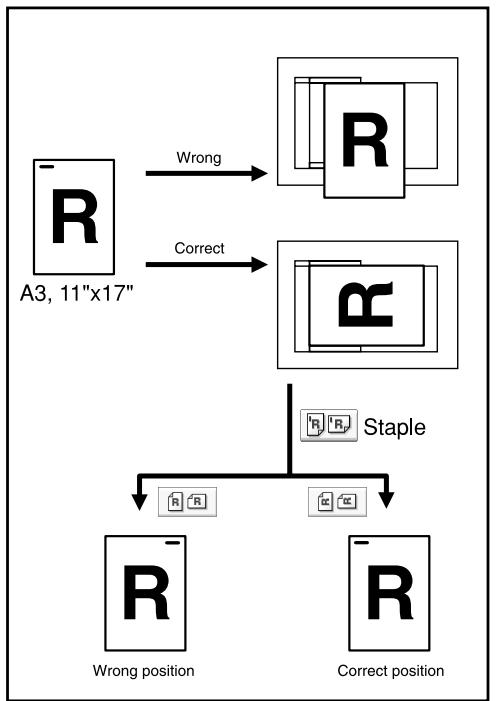
AMG017S
1 Select the original orientation ([n] or [e]).
Note
It is recommended that you use the Original Orientation function with the Auto Paper Select or Auto Reduce / Enlarge function.
Reverse Orientation
This function rotates the copy image by 180^ (or).
This is useful for copying torn originals. For example, if the left side of the original is damaged and is difficult to set, position it as shown below.
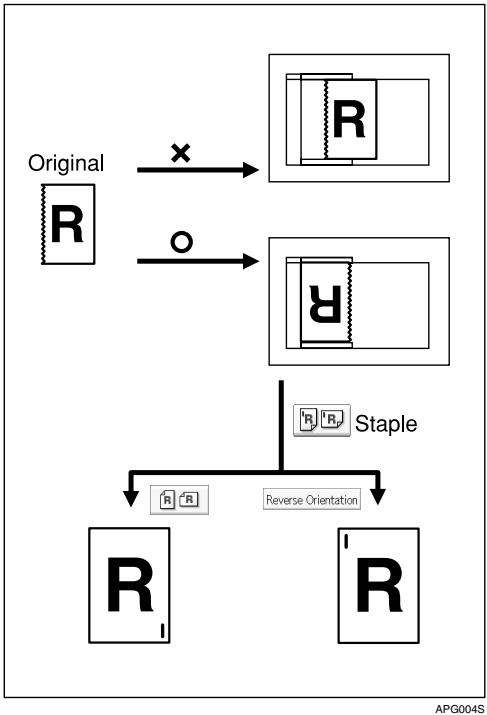
Press [Reverse Orientation].
Note
□ It is recommended you use this function together with the Auto Paper Select or Auto Reduce/Enlarge function.
- Copy results may differ depending on the combination of selected functions.
Placing Originals on the Exposure Glass
Place originals on the exposure glass.
Important
- Do not lift the ADF forcefully. Otherwise, the cover of the ADF might open or be damaged.
1 Lift the ADF.
Be sure to lift the ADF by more than 30 degrees. Otherwise, the size of the original might not be detected correctly.
Place the original face down on the exposure glass. The original should be aligned to the rear left corner.
Start with the first page to be copied.
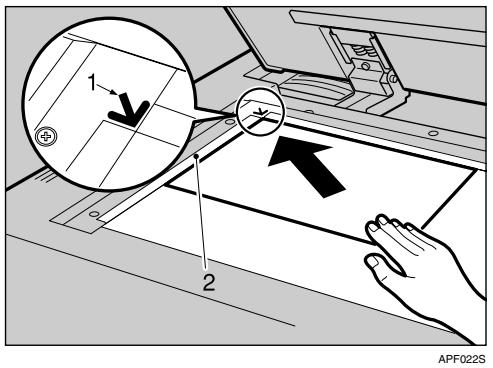
① Positioning mark
② Left scale
3 Lower the ADF.
Note
- When you place originals on the exposure glass, you can specify the way copies are delivered.
Reference
"Input/Output", General Settings Guide.
Placing Originals in the Auto Document Feeder
Place originals in ADF.
There are four types of special originals. Setting should be made in the following situations:
When placing originals consisting of more than 100 pages:
See "Batch mode".
When placing originals one by one:
See "SADF mode".
When placing originals of various sizes:
See "Mixed size mode".
When placing custom size originals:
See "Custom sizes".
When copying originals onto thin paper:
See "Thin mode".
Adjust the guide to the original size.
2 Set the aligned originals face up into the ADF.
Do not stack originals beyond the limit mark.
The last page should be on the bottom.
Be sure not to block the sensor or load the original untidily. Doing so may cause the machine to detect the size of the scanned image incorrectly or display a paper misfeed message. Also, be sure not to place originals or other objects on the top cover. Doing so may cause a malfunction.
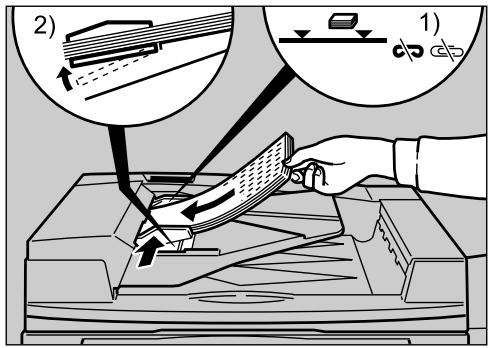
APF023S
(1) Limit mark
② Document guide
Note
Straighten curls in the originals before placing them on the ADF.
To prevent multiple sheets from being fed at once, fan the original before placing it on the ADF.
Set the original squarely.
Reference
p.21 "Batch mode"
p.22 "SADF mode"
p.23 "Mixed size mode"
p.24 "Thin Mode"
p.26 "Custom sizes"
Batch mode
In Batch mode, the machine copies an original of more than 100 pages as one document, even if it is placed on the ADF in parts.
Important
Place special originals, such as translucent paper, one by one.
Press [Batch].
![RICOH PRO 906EX - Press [Batch]. - 1](/content/2025/01/136509/images/c02bced1c88cc61f667538a54cf901db576f1bd05a27396ada7e60029f86bbbb.jpg)
2 Place the first part of the original, and then press the [Start] key.
After the first part of the original has been fed, place the next part, then press the [Start] key.
Note
□ If [Batch] is not displayed on the screen, set [Batch] with [Special Original Display Defaults]. See "Copier/Document Server Features", General Settings Guide.
□ When [SADF] is displayed in step ①, set [SADF] with [Special Original Display Defaults]. See "Copier/Document Server Features", General Settings Guide.
To copy subsequent originals in this mode, repeat step 3.
□ When the Sort, Combine or 1 Sided 2 Sided mode has been set, press the [#] key after all originals have been scanned.
Reference
"Copier/Document Server Features", General Settings Guide
SADF mode
In SADF mode, even when an original is placed page by page in the ADF, each page is automatically fed when placed.
Important
□ You should make a setting so that [SADF] is displayed. See "Copier/Document Server Features", General Settings Guide.
Press [SADF].
![RICOH PRO 906EX - Press [SADF]. - 1](/content/2025/01/136509/images/3b3ba747c0d2ca46afc7e111328c97413d070f8867f0867f63922a8053baf8f9.jpg)
Place one page of an original, and then press the [Start] key.
3 When the machine instructs you to place another original, place the next page. The second and subsequent pages will be fed automatically without pressing the 【Start】key.
![RICOH PRO 906EX - Press [SADF]. - 2](/content/2025/01/136509/images/b6b620e96e755ff77d2c5ac96c17ccb71727121993c938cae9bc47766573e35e.jpg)
Note
□ If [SADF] is not displayed on the screen, set [SADF] with [Special Original Display Defaults]. See "Copier/Document Server Features", General Settings Guide.
When the Sort, Combine or 1 Sided 2 Sided mode has been set, press the [#] key after all originals have been scanned.
Reference
"Copier/Document Server Features", General Settings Guide "Input/Output", General Settings Guide
Mixed size mode
In Mixed size mode, you can place originals of various sizes in the ADF at the same time if their widths are the same.
Important
- When placing originals of different sizes in the ADF and making copies without using the Mixed size mode, paper might become jammed or parts of the original image might not be copied.
□ You can place originals that weigh 52 - 81g / m^2 (45-70 kg).
The sizes of the originals that can be placed in this mode are follows:
Metric version
A3□ and A4 □, B4 JIS □ and B5 JIS □, A4□ and A5 □
- Inch version
11^ × 17^ and 8^1 / 2^ × 11^ ,8^1 / 2^ × 11^ and 5^1 / 2^ × 8^1 / 2^
□ You can place two different sizes of originals in the ADF at the same time.
Press [Mixed Sizes].
![RICOH PRO 906EX - Press [Mixed Sizes]. - 1](/content/2025/01/136509/images/e9cf9f20a83b1e60a8f16990b9aa7c5346de2a1812ef07ed696f68402526654a.jpg)
Align the rear and left edges of the originals as shown in the illustration.
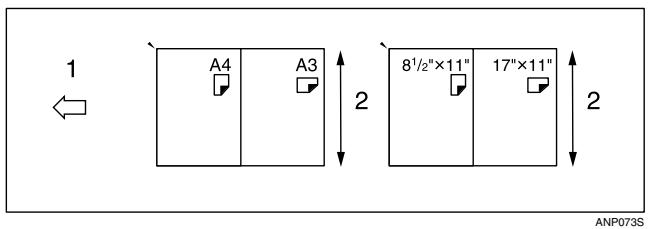
① Place the originals into the ADF
② Vertical size
3 Adjust the guide to the original size.
Place the originals in ADF.
Press the [Start] key.

Note
If [Mixed Sizes] is not displayed on the screen, set [Mixed Sizes] with [Special Original Display Defaults]. See "Copier/Document Server Features", General Settings Guide.

Reference
"Copier/Document Server Features", General Settings Guide
Thin Mode

Press [Thin Paper].
![RICOH PRO 906EX - Press [Thin Paper]. - 1](/content/2025/01/136509/images/c8842735d3659d103905acfcb59e0002372d4d68e774f88a7c8004341bb75c66.jpg)
![RICOH PRO 906EX - Press [Thin Paper]. - 2](/content/2025/01/136509/images/be4e245e7df5a0121e0e255ae2dda9b7c76d2323082b2e8b40e549797f846a71.jpg)
Place the original, and then press the [Start] key.
![RICOH PRO 906EX - Press [Thin Paper]. - 3](/content/2025/01/136509/images/925189ff0cefcd5610dca8b53e345583bb56df1ce23d32c2e5ae5f37a9f97ae2.jpg)
Note
□ If [Thin Paper] is not displayed on the screen, set [Thin Paper] with [Special Original Display Defaults]. See "Copier/Document Server Features", General Settings Guide.

Reference
"Copier/Document Server Features", General Settings Guide
Original size
Specify the size of the originals.
Regular sizes
Select the size of the originals from the regular sizes.
Press [Original Size].
![RICOH PRO 906EX - Press [Original Size]. - 1](/content/2025/01/136509/images/71c3b67b9e2221f44c6e0382322efd5e1434e52640052872034ee819bfaff327.jpg)
Press [Regular Size].
![RICOH PRO 906EX - Press [Regular Size]. - 1](/content/2025/01/136509/images/c5fa0fcdee3abfba84a5837149e2a19dc72ccaf283f9572735c1a68ede459df0.jpg)
3 Select the size of original, and then press [OK].
Place the original, and then press the [Start] key.
Custom sizes
When placing custom size originals in the ADF, specify the size of the originals.
Important
- Paper that has a vertical length of 128 - 297mm (5.1"-11.6") and a horizontal length of 128 - 432mm (5.1"-17") can be placed with this function.
Press [Original Size].
![RICOH PRO 906EX - Press [Original Size]. - 1](/content/2025/01/136509/images/1686bdfe2cbe57315cb85d884d6642b4286a47bf1623105ee5ee61857968b0f1.jpg)
Press [Custom Size].
3 Enter the horizontal size of the original with the number keys, and then press the [#] key.
![RICOH PRO 906EX - Press [Custom Size]. - 1](/content/2025/01/136509/images/cc34d4dcf1a80c4fdd281489fc81364316fb0911da9164031eddf8cdabbc6c75.jpg)
4 Enter the vertical size of the original with the number keys, and then press the [#] key.
Press [OK].
6 Place the originals, and then press the [Start] key.
Note
If [Original Size] is not displayed on the screen, set [Original Size] with [Special Original Display Defaults]. See "Copier/Document Server Features", General Settings Guide.
□ If you make a mistake in step 3 or 4, press [Clear] or the [Clear] key, and then enter the value again.
To register the custom size you have entered, press [Program]. A confirmation message appears. Press [Yes]. Press [Recall] to specify a registered custom size.
Reference
"Copier/Document Server Features", General Settings Guide
1
This chapter describes the procedure for making copies in various modes.
Basic Procedure
This section describes the basic procedure for making copies.
Important
□ When User Code Authentication is set, enter your user code (up to eight digits) with the number keys so that the machine accepts copy jobs. See "Administrator Tools", General Settings Guide.
- When Basic Authentication, Windows Authentication, LDAP Authentication, or Integration Server Authentication is set, enter your login user name and user password so that the machine accepts copy jobs. Ask the user administrator for the login user name and login password. For details, see "When the Authentication Screen is Displayed", About This Machine.
Make sure "Ready" appears on the screen.
If any other function is displayed, press the [Copy] key on the left side of the control panel.
- Initial copy screen
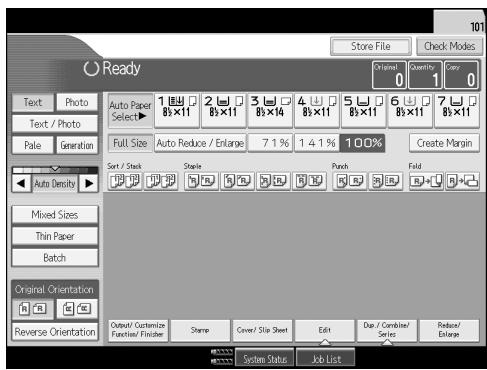
2 Make sure no previous settings remain.
When there are previous settings remaining, press the [Clear Modes] key and enter the setting again.
Place your originals.
Make desired settings.
Enter the number of copies using the number keys.
The maximum copy quantity that can be set is 9999.
6 Press the [Start] key.
The machine starts copying.
When placing originals on the exposure glass, press the [#] key after all originals are scanned.
Copies are delivered face down.
Note
- Always log off when you have finished using the machine to prevent unauthorized users from using the machine.
□ You can specify whether copies are output face up or face down.
To stop the machine during a multi-copy run, press the [Stop] key.
To cancel all copy jobs and return the machine to the default condition, press the [Clear Modes] key.
To clear entered values, press the [Clear] key or [Cancel] on the screen.
To confirm settings, press [Check Modes].
Reference
"When the Authentication Screen is Displayed", About This Machine "Administrator Tools", General Settings Guide "Input/Output", General Settings Guide
Interrupt Copy
Use this function to interrupt a long copy job to make urgently needed copies.
Press the [Interrupt] key.
![RICOH PRO 906EX - Press the [Interrupt] key. - 1](/content/2025/01/136509/images/15dd00e678389c5905bb81b6b70a00f438adb3433fca724a4f7470e12c3f615c.jpg)
The machine stops scanning. Remove the originals that were being copied.
Place the originals you want to copy.
Press the [Start] key.
The machine starts making copies.
5 When copying is complete, remove the originals and copies.
6 Press the [Interrupt] key again.
The interrupt key indicator goes off.
7 Replace the originals that you were copying, and then press the [Start] key.
Following message "Reset x original(s).", replace the originals that you were copying.
Note
The previous copy job settings are restored. Simply press the [Start] key to continue copying from where it left off.
Left Original Beeper
The beeper sounds and an error message is displayed when you leave your originals on the exposure glass after copying.
Note
For details, see "Copier/Document Server Features", General Settings Guide.
Reference
"Copier/Document Server Features", General Settings Guide
Copying onto Tab Stock
You can copy onto tab stock.
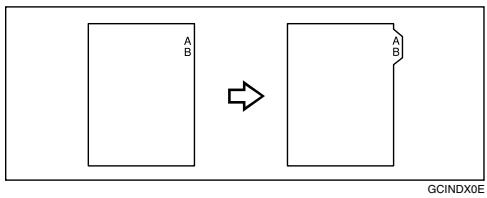
Important
Before using this function, set the tray for tab stock and set the position of the index tab. See "Items of Tray Paper Settings", General Settings Guide.
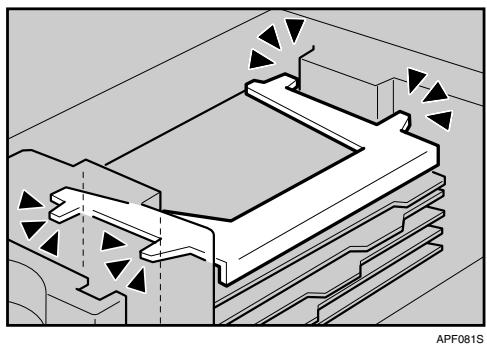
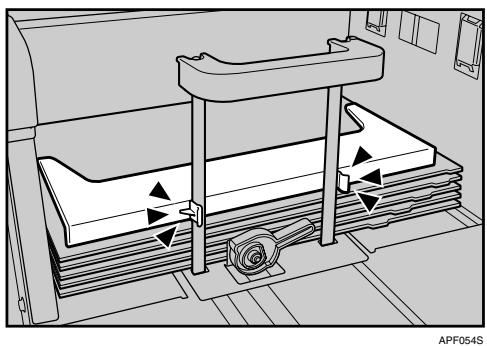
- You can set the tab stock in the Large Capacity Tray (trays 4-5), Wide Large Capacity Tray (trays 4-6) and multi bypass tray (tray 7).
Set the tab stock in the tray placing the tab side outwards.
□ When setting tab stock, always use the tab sheet fence.
Large Capacity Tray (LCT)
- Wide Large Capacity Tray (Wide LCT)
1 Select the paper tray where the tab stock is set.
Place the originals, and then press the [Start] key.

Note
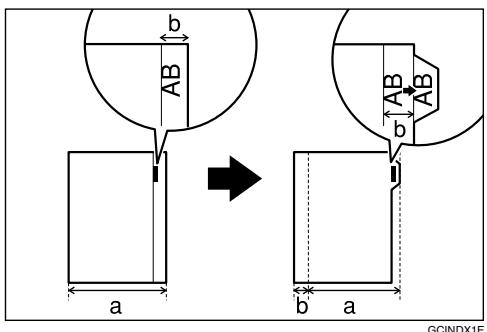
Check the position of the index tab to avoid cropping the image.
Set the tab stock with the side to be copied facing down.
- Tab stock is always fed starting from the top tab.
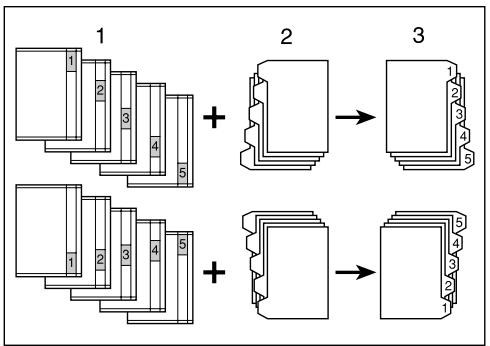
GCINDX2E
① Originals
② Tab stock
③ Copies
□ When a paper jam has occurred, check the order of originals and tab stock, and then restart copying.

Reference
"Items of Tray Paper Settings", General Settings Guide
Surplus tab stock auto eject
When copying onto tab stock but not using all the tab stock for each copy, remaining sheets of tab stock are automatically ejected.
Before using this function, specify the number of sheets of tab stock (Number of Tabs) in one set. For details, see "Items of Tray Paper Settings", General Settings Guide.
For example, if you use three of five tabs that form a set in a tray and insert slip sheets using the Designate function, the unused 4th and 5th tab sheets are automatically ejected when the first copy is completed.
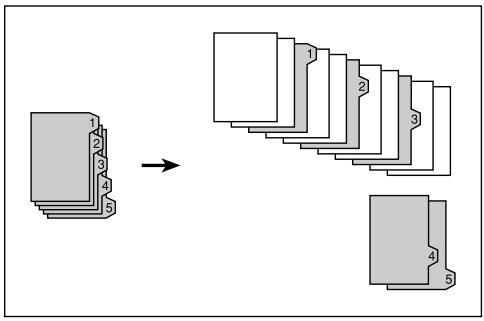
APG048S

Note
□ If you set [Number of Tabs] to [Off], surplus tab stock sheets for each copy are not ejected.

Reference
"Items of Tray Paper Settings", General Settings Guide
When copying onto OHP Transparency
When copying onto OHP transparencies, select the type and size of paper.

Important
We recommend that you use specified OHP transparencies.
- OHP transparencies must be loaded face up in the tray with the notched corner of the sheet in the appropriate corner of the tray.
To prevent multiple sheets from being fed at once, fan paper before placing it on the tray.
- When copying onto OHP transparencies, remove copied sheets one by one.
1 Select the paper tray where OHP transparencies are set.
Place the originals, and then press the [Start] key.
3 When the copy job is finished, press the [Clear Modes] key to clear the settings.
Auto Start
Copying starts immediately when the machine is ready.
1 Make your settings while "Select copy mode, then press the Start key." and "Scanning originals can be started." are displayed alternately.
2 Place the originals.
Press the [Start] key.
The machine scans the original.
Copying starts automatically once the machine is ready.
Job Preset
You can set up the next copy job in the document server while the current one is processing.
When the current copy job is finished, the next copy job will start automatically.
Press [New Job] when "copying..." appears.
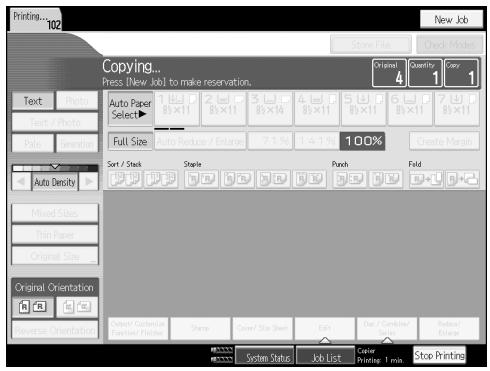
2 Be sure message "Ready" appears, and then set up the next copy job.
Place the originals, and then press the [Start] key.
All originals are scanned.
After the current copy job, the next copy job starts automatically.
Job Preset display
The preset jobs appear as shown below.
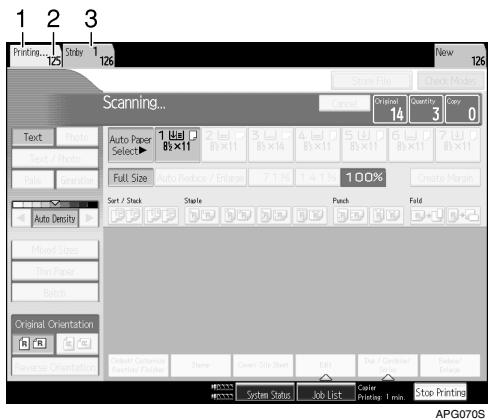
-
Job being printed
-
Waiting Job
-
Job number

Note
- When more than ten jobs are set up including jobs for other functions, scroll keys appear.
To check job contents
You can check and change the contents of preset jobs. You also can delete preset jobs.
1 Select the job number you want to check.
Press [Change Job].
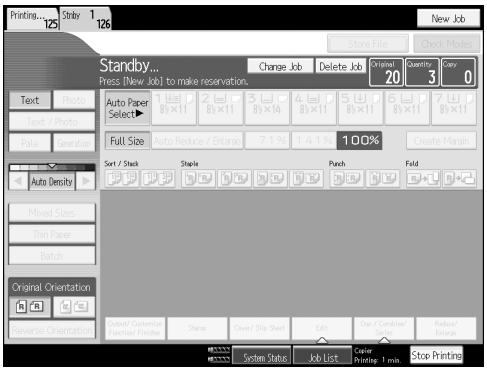
3 Check contents.
Press [OK].
To change job contents after checking
You can change the contents of preset jobs.
1 Select the job number you want to change.
Press [Change Job].
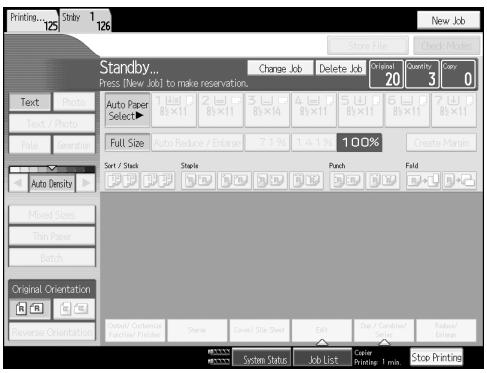
3 Check job contents.
4 Change contents, and then press [OK].
Press [Change] in the confirmation dialog box.
To delete a job after checking its contents
You can delete the contents of preset jobs.
0 Select the job number you want to change.
Press [Change Job].
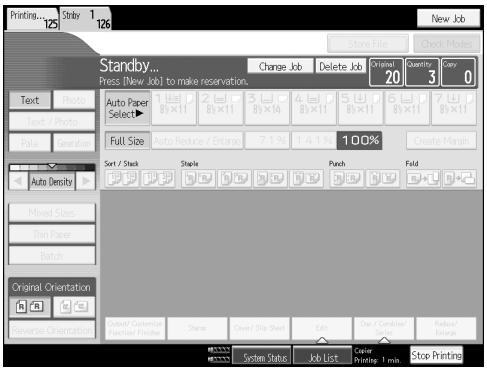
Check job contents.
Press [Delete Job].
A confirmation message appears.
Press [Yes].
Deleting a job
1 Select the job number you want to delete.
To interrupt copying, press [Stop Printing] at the right bottom of the display, and then proceed to step 3.
Press [Delete Job].
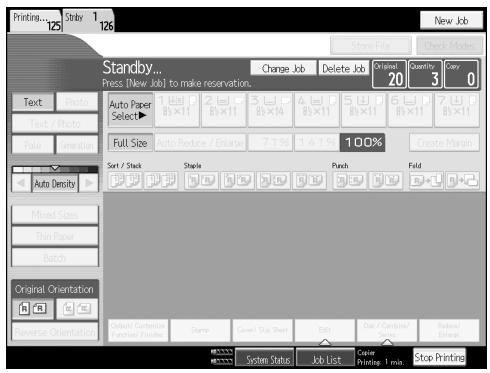
Press [Delete] in the confirmation dialog box.
Job List
Jobs printed using Copy, Document Server, or Printer mode are temporarily stored in the machine, and then executed in order. The Job List function allows you to manage these jobs. For example, you can cancel incorrect job settings or print an urgent document.

Note
□ You cannot use the Job List function when Interrupt Copy is active.
Job List screen
This section explains displays and icons that appear in the Job List screen.
The Job List screen varies depending on whether [Job Order] is selected with Print Priority for the System Settings. For details about the setting procedure, see "System Settings", General Settings Guide.
When [Job Order] is not selected:
The job list is displayed for each of the functions.
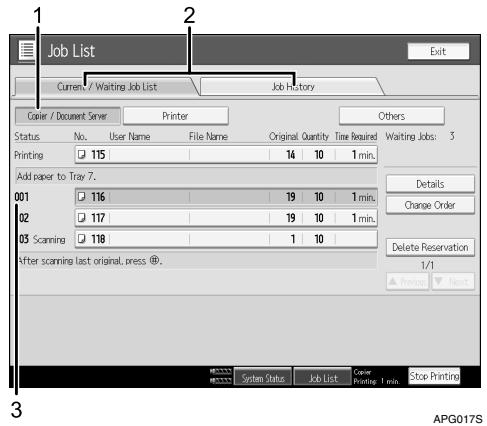
When [Job Order] is selected:
The job list is displayed for all functions in the order of print jobs.
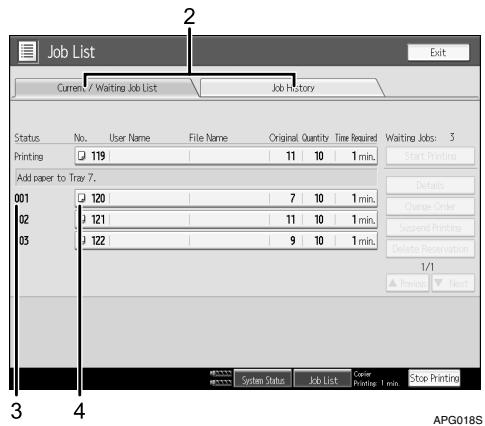
① Switches between job lists for each function.
② Switches between [Current / Waiting Job List] and [Job History].
③ Displays reserved job numbers.
④ Displays the function used to print jobs.
: Job printed using copy function.
: Job printed using printer function.
: Job printed using Document Server function.
: Job printed using DesktopBinder.
: Job printed using Web Image Monitor.

Reference
"System Settings", General Settings Guide
Checking jobs in the print queue
You can check the contents of jobs in the print queue.
Press [Job List].
2 Select the job you want to check.
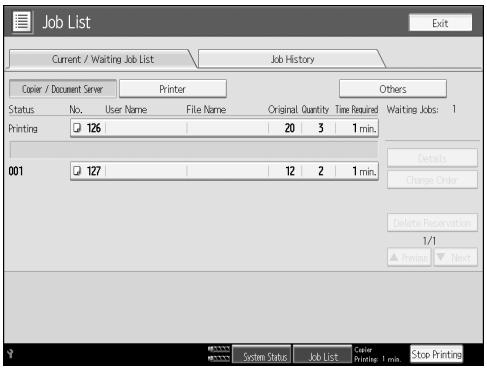
Press [Details], and then check the contents.
4 Press [Exit].
Changing the order of jobs
You can change the order in which print jobs in the job list are served:
Press [Job List].
2 Select the job whose order you want to change.
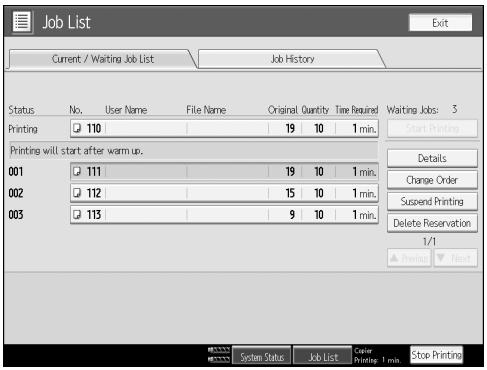
Press [Change Order].
4 Change the order using [Top], [Previous], or [Next].
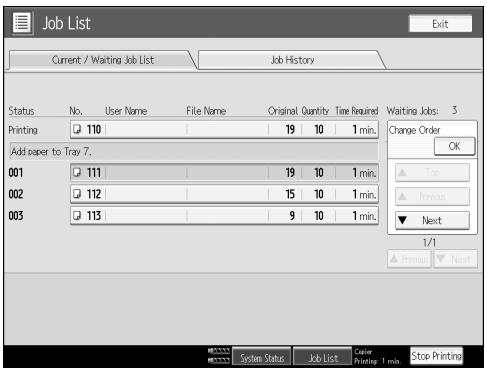
Press [OK].
Holding print jobs
The machine holds jobs that are queued and currently printing.
Press [Job List].
2 Select the job(s) to hold.
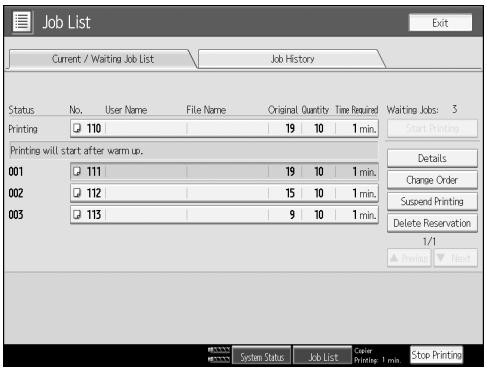
Press [Suspend Printing].
Deleting jobs
You can delete job that is queued or currently printing.
Press [Job List].
2 Select the job you want to delete.
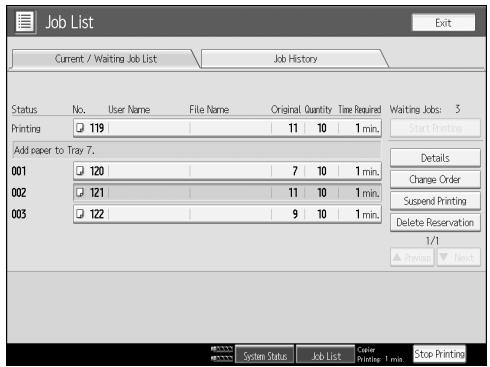
Press [Delete Reservation].
4 Press [OK].
Note
To delete multiple print jobs, select them in step 2.
Checking Job History
You can view the history contents of printed jobs.
Press [Job List].
Press [Job History].
A list of completed print jobs appears.
Press [Details] to check the contents of the displayed jobs.
4 Press [Exit].
Copying from the Multi Bypass Tray
The multi bypass tray allows you to copy non-standard paper.
Important
Following paper sizes can be copied from the multi bypass tray:
- When using the Large Capacity Tray (LCT)
Vertical: 100-305.0 mm (3.9"-12"), Horizontal: 140-458 mm (5.5"-18")
- When using the Wide Large Capacity Tray (Wide LCT)
Vertical: 100-330.2 mm (3.9"-13"), Horizontal: 140-458 mm (5.5"-18")
The machine can detect the following sizes as regular size copy paper:
A3□, B4 JIS□, A4 □, B5 JIS □, A5□, A6□, 11"× 17"□, 81/2"× 11"□
8'' × 13'' , 5^1 / 2'' × 8^1 / 2'' , 12'' × 18'' . If you want to use the size of paper
other than the above, be sure to specify the size.
The maximum number of sheets you can load into the multi bypass tray de
pends on paper type. The number should not exceed the upper limit.
1 Set the side fences to the paper size.
Place paper in the multi bypass tray (Tray 7).
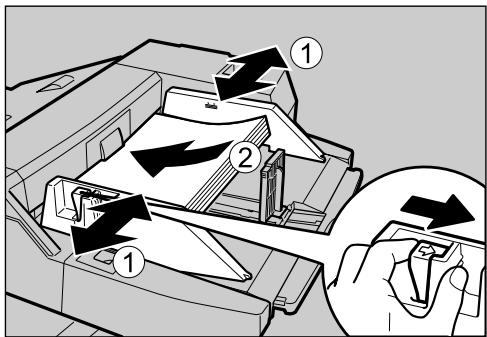
APF028S
Adjust the side fences again to ensure they properly fit the paper size.
4 Set the end fence.
To remove the end fence, slide it to the right by pressing the stopper down.
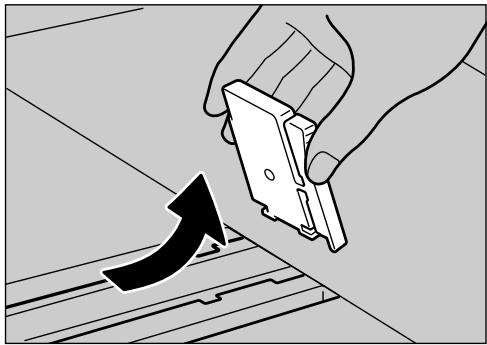
APF029S
Press the elevator switch on the multi bypass tray (Tray 7).
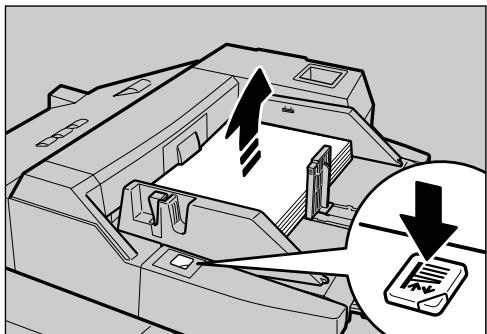
APF030S
The green lamp of the elevator switch is blinking while the original table is going up and down, and keeps lit when it stops.
Press the elevator switch to move down the original table if you want to either add paper or remove jammed ones.
6 Select the multi bypass tray (Tray 7) on the control panel.
Press the [#] key.
Select paper size and type.
Press [OK].
Place originals, and then press the [Start] key.
When the copy job is finished, press the [Clear Modes] key to clear the settings.
Note
□ When the Sort function is selected, press the [#] key after all originals have been scanned.
Reference
"Copy Paper", About This Machine
Setting the tab stock in the multi bypass tray (Tray 7)
1 Set the tab stock in the multi bypass tray (Tray 7), and fit the side fences to the tab stock.

APF031S
2 Attach the back fence to the end fence, and then set the end fence.
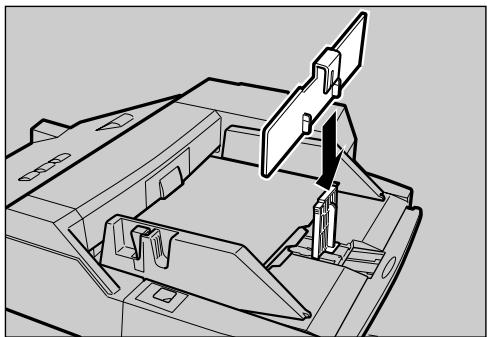
APF032S
3 Select [Tab Stock] in special paper settings.
Reference
p.31 "Copying onto Tab Stock"
When copying onto Regular Size Paper
Makes copies onto regular size paper from the multi bypass tray.
Fit the side fence to the paper size, and then place paper in the multi bypass tray (Tray 7).
Fit the end fence to the paper, and then press the elevator switch on the multi bypass tray (Tray 7).
3 Select the multi bypass tray (Tray 7) on the control panel.
Press the [#] key.
Press [Select Regular Size].
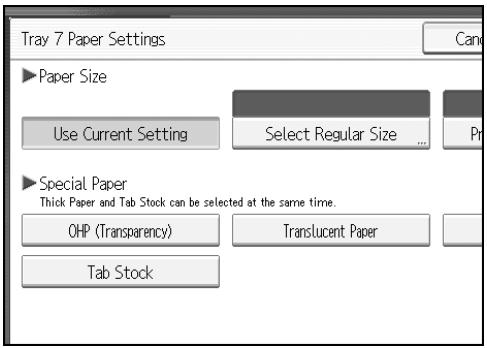
6 Select the paper size.
Press [OK] twice.
When copying onto Custom Size Paper
Makes copies onto custom size paper from the multi bypass tray.
Fit the side fence to the paper size, and then place paper in the multi bypass tray (Tray 7).
Fit the end fence to the paper, and then press the elevator switch on the multi bypass tray (Tray 7).
3 Select the multi bypass tray (Tray 7) on the control panel.
Press the [#] key.
Press [Program Custom Size].
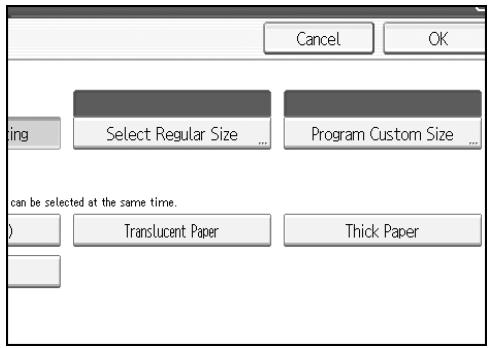
6 Enter the horizontal size of the original with the number keys, and then press [#].
7 Enter the vertical size of the original with the number keys, and then press [#].

Press [OK] twice.
Note
□ If you make a mistake in step 6 or 7, press [Clear] or the [Clear] key, and then enter the value again.
To register the custom size entered in 7 , press [Program] and then press [Exit] in the confirmation screen.
When copying onto Special Paper
To copy onto OHP transparencies, tracing paper, thick paper, or tab stock, you must first specify their type and size.
To prevent paper jams when placing multiple sheets at once, fan the sheets before placing them on the tray.
Fit the side fence to the paper size, and then place paper in the multi bypass tray (Tray 7).
Fit the end fence to the paper, and then press the elevator switch on the multi bypass tray (Tray 7).
3 Select the multi bypass tray (Tray 7) on the control panel.
Press the [#] key.
Select the paper type: [OHP (Transparency)], [Translucent Paper], [Thick Paper], or [Tab Stock].
If you select [Tab Stock], specify the shift value using [] or [] . If you select [On], use the number keys to specify the tab stock value, and then press the [#] key.
6 Select the paper size.
Press [OK] twice.
8 Place the original, and then press the [Start] key.
9 When the copy job is finished, press the [Clear Modes] key to clear the settings.
Note
□ If you have selected thick paper in "Special Paper", you cannot have copies delivered face down.
Copier Functions
This section describes the copy functions.
Adjusting Copy Image Density
There are three types of adjustment available.
Auto Image Density
The machine automatically adjusts the image density by scanning the densities of originals. Dark texture originals (such as newspaper or recycled paper) will be copied so that background will not be reproduced.
Manual image density
You can adjust the general density of the original in nine increments.
Combined auto and manual image density
Adjusts the density of an image only for dark texture originals.
Auto image density
The machine automatically adjusts the image density by scanning the densities of originals. Dark texture originals (such as newspaper or recycled paper) will be copied so that background will not be reproduced.
Make sure that [Auto Density] is selected.
![RICOH PRO 906EX - Make sure that [Auto Density] is selected. - 1](/content/2025/01/136509/images/4991706a43e0ef8de6687211f42608c324a4183e3c946d8d34bf5a9c76a74490.jpg)
Manual image density
You can adjust the general density of the original in nine increments.
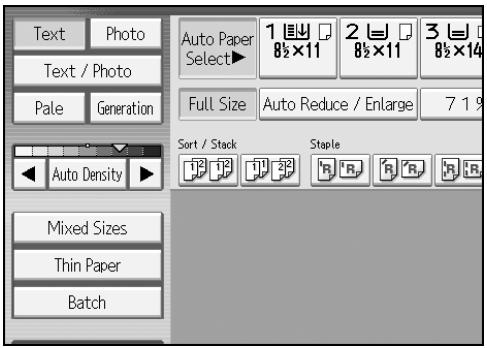
[Auto Density] is selected, press [Auto Density] to cancel it.
Press [<] or [▶] to adjust the image density. The density indicator "∇" moves.
Combined auto and manual image density
Adjusts the density of an image only for dark texture originals.
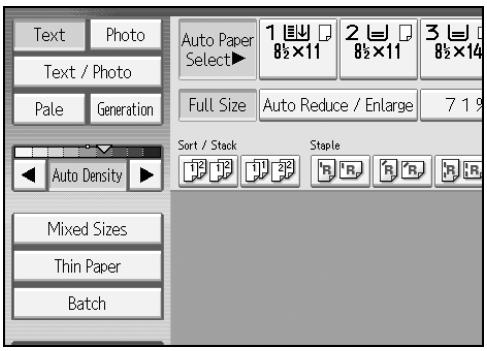
Make sure [Auto Density] is selected.
Press [<] or [▶] to adjust the image density. The density indicator "∇" moves.
Selecting the Original Type Setting
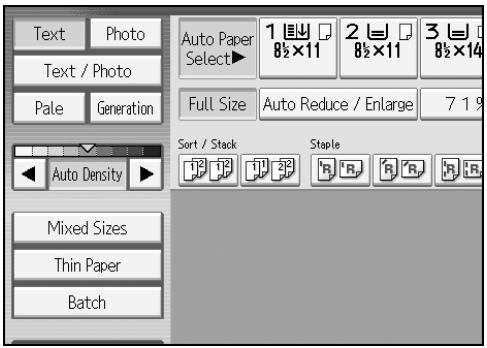
Select one of the following 6 types to match your originals:

Text
When originals contain only text (no pictures).

Text/Photo
When originals contain photographs or pictures alongside the text.
Photo
When you want to reproduce the delicate tones of photographs and pictures.
- When copying developed photographs:
- When copying photographs or pictures that are printed on paper (e.g. magazines):
- When copying copies or originals generated by printers:
Pale
When you want to reproduce originals that have lighter lines in pencil, or faintly copied slips. Faint lines are copied with greater clarity.
Generation Copy
When originals are copies (generation copies), the copy image can be reproduced sharply and clearly.
Dark Background
When you copy originals with dark background such as color tab stock (orange, green, or blue), you can remove the background color in three levels.

Select the original type, and then press [OK].

Note
To select the original type when [Original Type Display] is set to [Display] under Copier and Document Server Features, press [Original Type].
To display [Dark Background], you must set [Dark Background] to [On] and [Original Type Display] to [Hide] under Copier/Document Server Features, and then press [Original Type].
If you select [Dark Background], the auto image density function is disabled, but the manual image density function is enabled.
Selecting Copy Paper
There are two ways to select copy paper:
Auto Paper Select
The machine selects a suitable size of copy paper automatically based on the original size and the reproduction ratio.
Manual Paper Select
Choose the tray containing the paper you wish to copy onto: a paper tray, multi bypass tray, Large Capacity Tray (LCT) or Wide Large Capacity Tray (Wide LCT).
The following table shows copy paper sizes and directions that can be used with Auto Paper Select (when copying at a ratio of 100% ).
Metric version
| Original location | Paper size and orientation |
| Exposure glass | A3☐, A4☐☐, A5☐, 8" × 13" |
| ADF | A3☐, B4 JIS☐, A4☐☐, B5 JIS☐, A5☐☐, B6 JIS☐, 11" × 17"☐, 81/2" × 11"☐, 8" × 13"☐, 8K☐, 16K☐ |
Inch version
| Original location | Paper size and orientation |
| Exposure glass | 11" × 17", 8" × 13" |
| ADF | A3, A4, 11" × 17", 8/2" × 11", A5, 8" × 13" |
Note
- Only the paper trays set to [Do not Display] or [Recycled Paper] for Paper Type and also set to [Yes] for Apply Auto Paper Select in Tray Paper Settings can be selected in Auto Paper Select mode.
Reference
p.12 "Originals not recommended for the Auto Document Feeder (ADF)"
"Items of Tray Paper Settings", General Settings Guide
Auto Paper Select
The machine selects a suitable size of copy paper automatically based on the original size and the reproduction ratio.
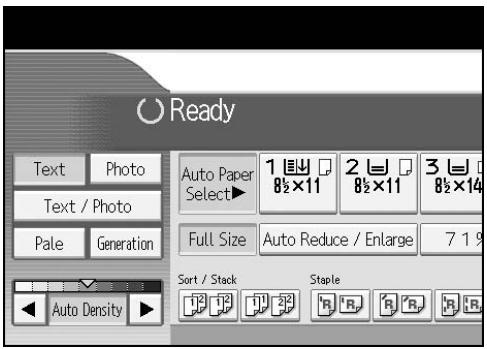
Make sure that Auto Paper Select is selected.
Trays with a key mark (ü) will not be automatically selected. See "Items of Tray Paper Settings", General Settings Guide.
Reference
"Items of Tray Paper Settings", General Settings Guide
Manual Paper Select
Choose the tray containing the paper you wish to copy onto: a paper tray, multi bypass tray (Tray 7), Large Capacity Tray (LCT) or Wide Large Capacity Tray (Wide LCT).
1 Select the tray containing the paper you wish to copy onto: a paper tray, multi bypass tray (Tray 7), Large Capacity Tray (LCT) or Wide Large Capacity Tray (Wide LCT).
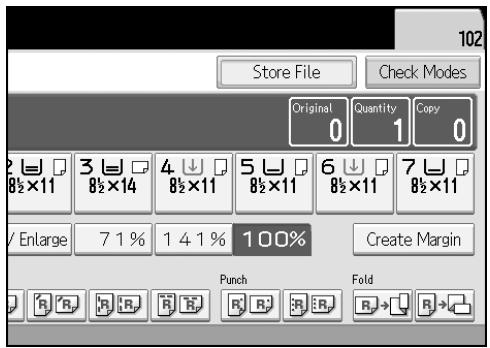
The indicator corresponding to the selected paper tray is highlighted. See "Copying from the Multi Bypass Tray".

Note
□ If the direction in which your original is placed (or) is different from that of the paper you are copying onto, this function rotates the original image by 90^ and fits it on the copy paper (rotated copy).
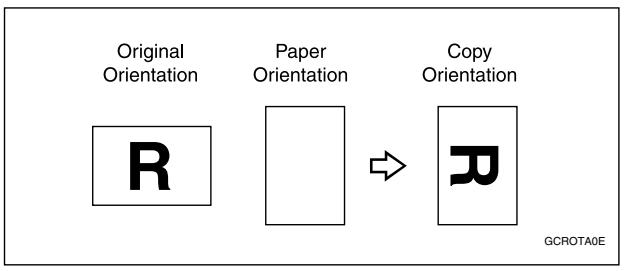
The rotated copy function works when [Auto Paper Select] or [Auto Reduce / Enlarge] is selected. See "Auto Paper Select" and "Auto Reduce/Enlarge".
The default setting for Auto Tray Switching is [With Image Rotation]. You cannot use the Rotated Copy function if this setting is changed to [Without Image Rotation] or [Off]. See "Auto Tray Switching", General Settings Guide.
□ When using Finisher SR5000, you cannot use the Rotated Copy function if Slant, Top 2, Left 2 or Center for stapling, Punch, or Z-fold is selected.

Reference
p.43 "Copying from the Multi Bypass Tray"
p.58 "Auto Reduce/Enlarge"
p.69 "Staple"
p.72 "Punch"
"Copier/Document Server Features", General Settings Guide
Preset Reduce/Enlarge
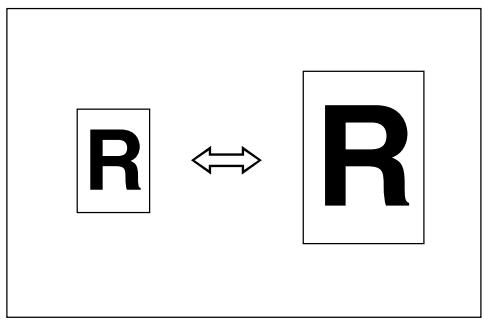
Reduces or enlarges images. You can select a preset ratio for copying.
Base Point
The base point of Reduce/Enlarge differs depending on how the original is scanned. When the original is set on the exposure glass, the upper left corner will be the base point. When it is set to ADF, the bottom left corner of the original will be the base point.
Shown below are the resulting copy images that differ depending on how the original is scanned.
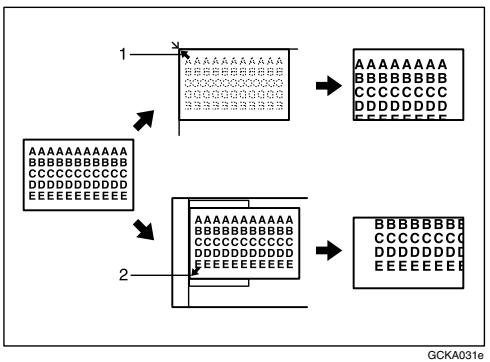
① Base point when placed on the exposure glass.
② Base point when placed in the ADF.
Press [Reduce/ Enlarge].
![RICOH PRO 906EX - Press [Reduce/ Enlarge]. - 1](/content/2025/01/136509/images/06ed9c8c766e105264165e848977e0949c92e43462de73785708945cfcd54b2a.jpg)
2 Select a ratio, and then press [OK].
Place the originals, and then press the [Start] key.
Note
To select a preset ratio on the initial display in step 1, press the shortcut reduce/enlarge key and go to step 3.
Reference
"Reproduction Ratio", General Settings Guide
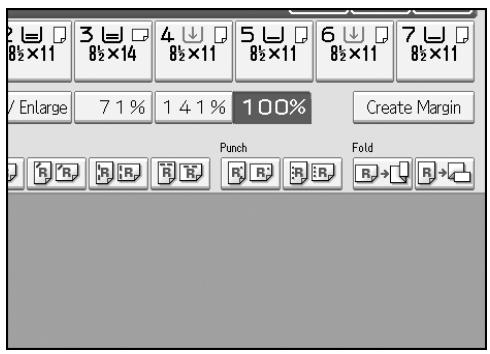
Create Margin function
Use Create Margin to reduce the image to 93% of original size using the center as reference. By combining it with the Reduce/Enlarge function, you can also provide the Reduce/Enlarge copy with a margin.
Press [Create Margin] displayed on the initial display.
If you do not wish to combine it with the Reduce/Enlarge function, place your originals, and then press the [Start] key.
Reference
"Copier/Document Server Features", General Settings Guide
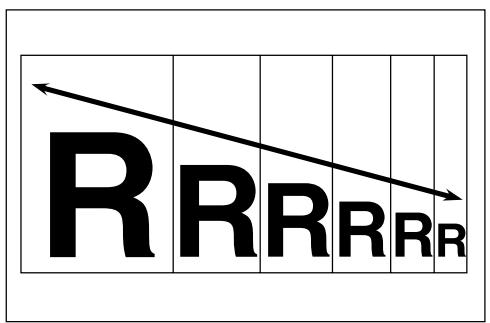
Zoom
You can change the reproduction ratio in increments of 1% .
To select the ratio with [一] and [十]
Select a ratio using [一] or [十].
Press [Reduce/Enlarge].
![RICOH PRO 906EX - To select the ratio with [一] and [十] - 1](/content/2025/01/136509/images/2cdac03d6e028df41bdb30af8e201b16872127cbb1b679fd0df53f8b30d60f22.jpg)
2 Select a preset ratio which is close to the desired ratio.
3 Specify the ratio using [-] or [+] .
Pressing [-] or [+] changes the ratio in increments of 10% . Pressing and holding down the relevant key changes the ratio in increments of 10% .
Press [OK].
Place the originals, and then press the [Start] key.
Note
□ If you have incorrectly entered the ratio in 3, readjust it with ([-]) or ([+]
To enter the ratio with the number keys
Select a ratio using the number keys.
Press [Reduce/Enlarge].
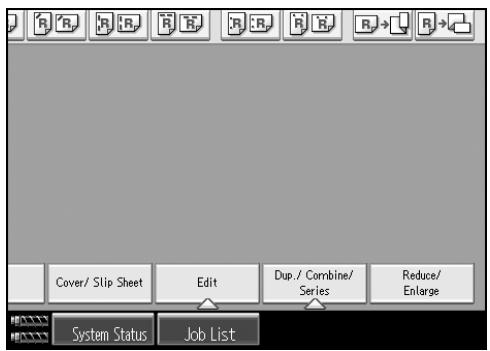
Press [Number keys].
Enter the desired ratio with the number keys, and then press the [#] key.
Press [OK] twice.
Place the originals, and then press the [Start] key.
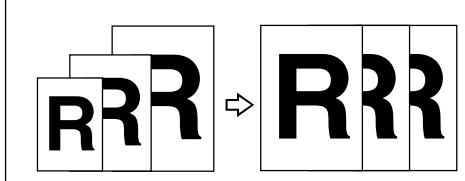
Auto Reduce/Enlarge
The machine automatically chooses an appropriate reproduction ratio based on the paper and original sizes you select.
Important
□ You cannot use the multi bypass tray with this function.
- When using Auto Reduce/Enlarge, see the following table for original sizes and orientations you can use:
Metric version
| Original location | Original size and orientation |
| Exposure glass | A3□, B4 JIS□, A4□□, B5 JIS□□, A5□ |
| ADF | A3□, B4 JIS□, A4□□, B5 JIS□□, A5□□, 11×17□, 81/2"×11"□□ |
Inch version
| Original location | Paper size and orientation |
| Exposure glass | 11" × 17"□, 81/2" × 14"□, 81/2" × 11"□ |
| ADF | A3□, A4□, 11" × 17"□, 81/2" × 14"□, 81/2" × 11"□, 51/2" × 81/2"□, 10" × 14"□, 71/4" × 101/2" |
Press [Auto Reduce / Enlarge].
![RICOH PRO 906EX - Press [Auto Reduce / Enlarge]. - 1](/content/2025/01/136509/images/20e4c32aef400436deca5d23027009bbb957c0fe9b48f4b9879952d876ebb271.jpg)
2 Select the paper type.
3 Place the originals, and then press the [Start] key.
Reference
p.12 "Originals not recommended for the Auto Document Feeder (ADF)"
Size Magnification
You can calculate an enlargement or reduction ratio based on the lengths of the original and copy.
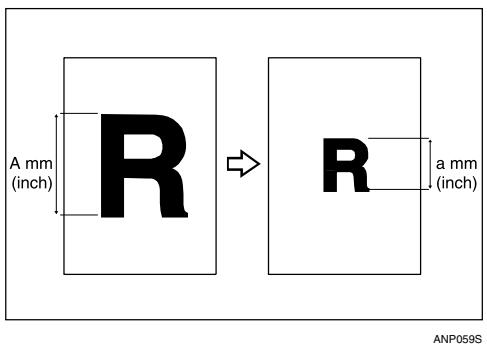
Measure and specify the lengths of the original and copy by comparing "A" with "a".
Press [Reduce/Enlarge].
![RICOH PRO 906EX - Press [Reduce/Enlarge]. - 1](/content/2025/01/136509/images/bd489adc7707854064b6599ff8658fa72cb0925bac30c8973255a6b413957cae.jpg)
Press [Size Magnification].
3 Enter the length of the original with the number keys, and then press the [#] key. You can enter sizes within the following ranges:
Metric version: 1 - 999 mm (increments of 1mm )
- Inch version: 0.1" - 99.9" (increments of 0.1")
Enter the length of the copy with the number keys, and then press the [#] key.
Press [OK] twice.
6 Place the originals, and then press the [Start] key.
Note
To change the length after pressing the [#] key in Q , select [Original] or [Copy], and then enter the desired length.
Directional Magnification (%)
Specify the horizontal and vertical lengths of the original and copy image at different reproduction ratio. Copies can be reduced or enlarged at different reproduction ratios horizontally and vertically.
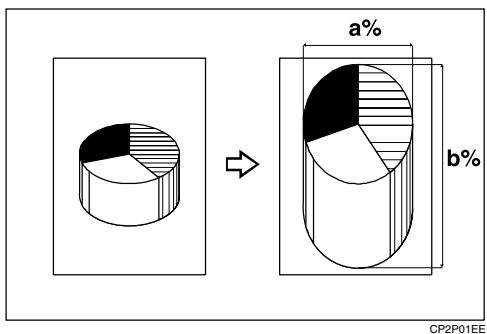
a: Horizontal ratio
b: Vertical ratio
To enter the ratio with the number keys
Select a ratio using the number keys.
Press [Reduce/ Enlarge].
Press [Direct. Mag. %].
Press [Horizontal].
4 Enter the desired ratio with the number keys, and then press the [#] key.
Press [Vertical].
6 Enter the desired ratio with the number keys, and then press the [#] key.
Press [OK] twice.
Place the originals, and then press the [Start] key.
To specify a ratio with [一] and [十]
Select a ratio using [一] or [十].
Press [Reduce/ Enlarge].
![RICOH PRO 906EX - To specify a ratio with [一] and [十] - 1](/content/2025/01/136509/images/b144d1fded240e8fec9968f1aa0ff1ff903f56ef366ea0ecf02e0eafd9944d7c.jpg)
Press [Direct. Mag. %].
Press [[十][一] keys].
Press [Horizontal].
5 Specify the desired ratio using [+ ] or [-] .
Pressing ([+] or ([-]) changes the ratio in increments of (1\%). Pressing and holding down the relevant key changes the ratio in increments of (10\%).
6 Press [Vertical].
7 Specify the desired ratio using [+ or [-] .
Press [OK] twice.
9 Place the originals, and then press the [Start] key.
Note
□ If you have incorrectly entered the ratio in steps ⑤ or ⑦, readjust it with [+] or [—].
Directional Size Magnification (inch)
A suitable reproduction ratio is automatically selected when you enter the horizontal and vertical lengths of the original and copy image you require.
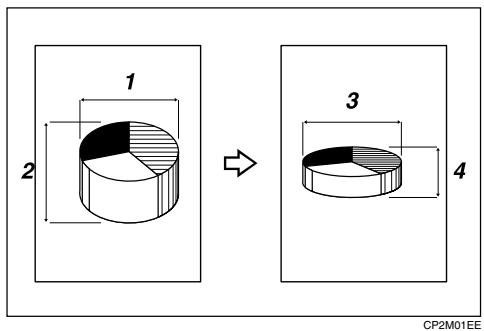
① Horizontal original size: A mm (inch)
② Vertical original size: B mm (inch)
③ Horizontal copy size: a mm (inch)
④ Verticalcopysize:bmm(inch)
Measure and specify the lengths of the original and copy by comparing "A" with "a" and "B" with "b".
Press [Reduce/Enlarge].
![RICOH PRO 906EX - Press [Reduce/Enlarge]. - 1](/content/2025/01/136509/images/79535b548573373538d8e8289de08e24a17c28688a8fdf01f94ed4542b36d269.jpg)
Press [Dir. Size Mag. Inch].
3 Enter the horizontal size of the original with the number keys, and then press the [#] key.
You can enter sizes between 1 to 999mm (0.1" to 99.9") in 1 mm (0.1") steps.
4 Enter the horizontal size of the copy with the number keys, and then press the [#] key.
5 Enter the vertical size of the original with the number keys, and then press the [#] key.
You can enter sizes between 1 to 999mm (0.1" to 99.9") in 1 mm (0.1") steps.
6 Enter the vertical size of the copy with the number keys, and then press the [#] key.
Press [OK] twice.
8 Place the originals, and then press the [Start] key.
Note
To change a length in steps 3 to 6, press the key you wish to change and enter the new value.
Sort
The machine assembles copies as sets in sequential order.

Sort
Copies are assembled as sets in sequential order.
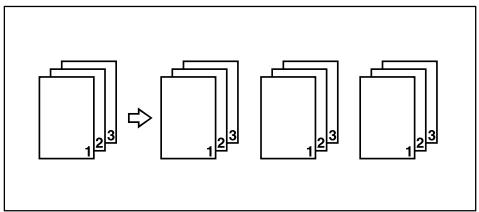

Select [Sort / Stack].
![RICOH PRO 906EX - Select [Sort / Stack]. - 1](/content/2025/01/136509/images/3e30bada75bfcc23cf7aec467b01a1f29ab66bde0ee897ef89e3a4e95553b1d8.jpg)
2 Enter the number of copy sets using the number keys.
3 Set the originals.
When placing an original on the exposure glass, start with the first page to be copied. When placing an original in the ADF, set so that the last page is on the bottom.
When placing an original on the exposure glass or in the ADF using Batch, press the [# ] key after all the originals have been scanned.
![RICOH PRO 906EX - Select [Sort / Stack]. - 2](/content/2025/01/136509/images/b79d442c0d75bb116971e98681cdd499a21e8898c96e6386fd8f9f1188263a85.jpg)
Press the [Start] key.
![RICOH PRO 906EX - Press the [Start] key. - 1](/content/2025/01/136509/images/0c5dc9bda0c6f275bc20ea439b6d3f84df193e9d9653241f80be5d4905eb67ae.jpg)
Note
□ You can select whether to shift or not. See "Input/Output", General Settings Guide.
To confirm the type of finishing, press the [Sample Copy] key in step 3.

Reference
"Input/Output", "Copier/Document Server Features", General Settings Guide
Sample copy
You can use this function to check the copy settings before making a long copy run.
Important
This function can be used only when the Sort function is turned on.
1 Select Sort and any other necessary functions, and the place the originals.
Press the [Sample Copy] key.
One copy set is delivered as a sample.
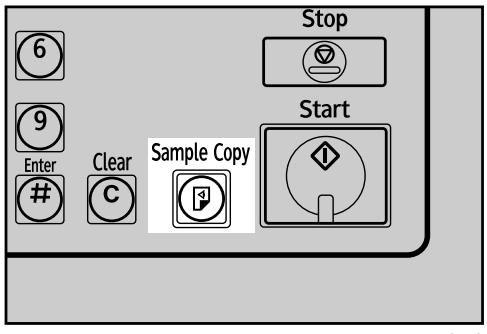
APG052S
3 If the sample is acceptable, press [Continue].
The number of copies made is the number specified, minus one for the proof copy.
Note
□ If you press [Suspend] after checking the results, you can return to step 1. You can change the settings for Staple, Punch, Duplex (1 Sided 1 Sided, 1 Sided 2 Sided), Orientation, Margin Adjust., Cover Sheet, and Designate. However, depending on the combination of functions, you may not be able to change some settings.
Changing the Number of Sets
You can change the number of copy sets during copying.
Important
This function can be used only when the Sort function is turned on.
While "copying..." is displayed, press the [Stop] key.
Press [Change Quantity].
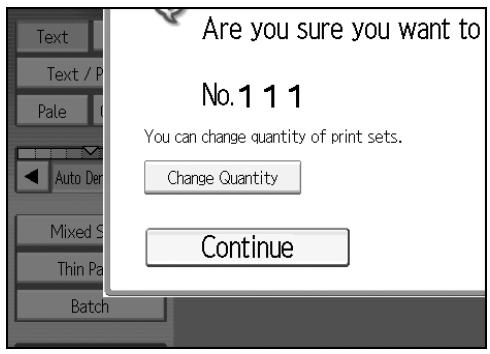
3 Enter the number of copy sets with the number keys, and then press the [#] key.
Press [Continue].
Copying starts again.
Note
The range of print copies enterable in step ③ depends on when the [Stop] key is pressed.
When memory is full
If the amount of data of the scanned originals exceeds the capacity of memory, scanning is interrupted.
Press the [Start] key.
All scanned pages are copied, and data stored in memory are cleared.
2 Remove the copies, and then continue copying following the instructions on the display.
Note
The number of pages that can be stored in memory is about 2000 pages of A4 size originals. It depends on the type of originals or memory settings.
In Sort mode, you can complete scanning and copying by copying the scanned pages stored in memory until it becomes full, and then scanning and copying the remained originals.

Reference
"Input/Output", General Settings Guide
Shift tray off in sort/stack
Press [Output/ Customize Function/ Finisher].
2 Make sure [Output/ Cstmz.] is selected, and then press [Sort/ Stack Shift Tray Off].
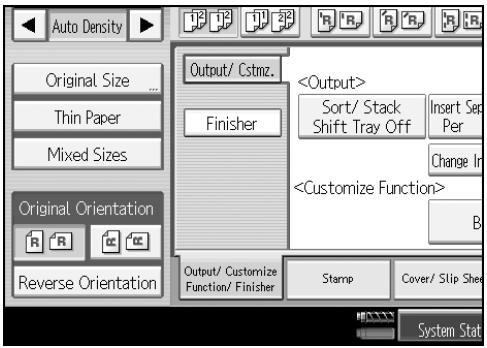
Place originals, and then press the [Start] key.

Reference
"Input/Output", General Settings Guide
Separation
Use this function to have separation sheets inserted between sets.
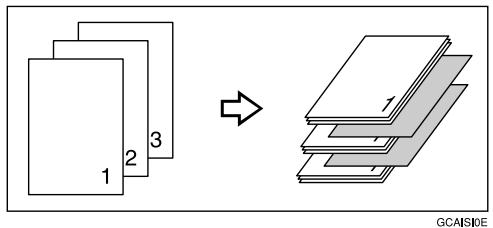
Important
Before selecting this function, set the tray for separation sheets. See "Tray Paper Settings", General Settings Guide.
Press [Output/ Customize Function/ Finisher].
Press [Output/Cstmz.].
Press [Insert Separation Sheet Per 1 set(s)] or [Insert Separation Sheet Per Job].
Place originals, and then press the [Start] key.

Note
□ You can select to have separation sheets inserted between every set, or every so many sets.

Reference
"Tray Paper Settings", General Settings Guide
Stack
This function groups together copies of each page in a multi-page original.

If a finisher is installed, each time the copies of one page are delivered, the next copy is shifted when delivered so you can separate each job by page.

Press [Sort / Stack].
![RICOH PRO 906EX - Press [Sort / Stack]. - 1](/content/2025/01/136509/images/583c511b0b43bc060b35670fb8c161c19988f804b69e6661e4c8b8bf3f969f32.jpg)
![RICOH PRO 906EX - Press [Sort / Stack]. - 2](/content/2025/01/136509/images/64da388c5f7cdcef5be1cf3861f7f134f9d157dfec88a647c3125dccb76d031d.jpg)
Enter the number of copies with the number keys.
![RICOH PRO 906EX - Press [Sort / Stack]. - 3](/content/2025/01/136509/images/0075544f13b854c4e3c9324fad8930d4b73cc5d435b6d77829622bfff38e0e66.jpg)
Place the originals, and then press the [Start] key.
![RICOH PRO 906EX - Press [Sort / Stack]. - 4](/content/2025/01/136509/images/df44b39b4238456c8171472b2492615ee3f007ba133ceedc5e402e4593afa78e.jpg)
Note
- When placing an original on the exposure glass, start with the first page to be copied. When placing an original in the ADF, set so that the last page is on the bottom.
□ When placing originals on the exposure glass or in the ADF using batch mode, press the [#] key after all have been scanned.
□ You can disable the Shift Tray setting.

Reference
p.67 "Shift tray off in sort/stack"
Staple
Individual copy sets can be stapled.
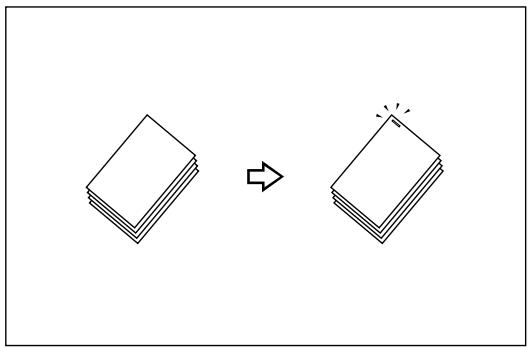
Important
If you try to select [Staple: Center] when there is no Booklet processor or stapler cartridge installed in Booklet Finisher BK5000, a message telling you there are no staples or a staple jam has occurred appears.
□ You cannot use the multi bypass tray with this function.
Original orientation and stapling position
Place originals in the ADF in the orientation in which they can be read normally. When placing the original on the exposure glass, keep the same orientation, but set the original facing downwards.
When there is copy paper that is identical in size and orientation to your original, the original orientations and staple positions are as follows.
Finisher SR5000
| Original location | Stapling position | |||
| Exposure glass | Document Feeder | |||
| Top 1 | R | R | R | |
| R | R | R | ||
| Slant | R | R | R | |
| R | R | R | ||
| Bottom 1 | R | R | R | |
| R | R | R | ||
| Left 2 | R | R | R | |
| R | R | R | ||
| Top 2 | R | R | R | |
| R | R | R | ||
APG059S
Booklet Finisher BK5000
| Original location | Stapling position | |||
| Exposure glass | Document Feeder | |||
| Center | ||||
APG064S
This table shows the stapling positions, not the orientation of delivery.
Not available for vertical Left 2 and horizontal Top 2 for A3, 11'' × 17'' , B4 JIS, or 8^1/2'' × 14'' size paper.
1 Select one of the stapling positions.
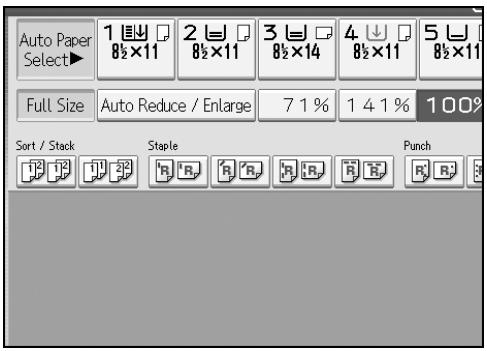
When you select a stapling position, Sort mode is automatically selected.
2 Enter the number of copy sets using the number keys.
3 Place the originals, and then press the [Start] key.
Note
- When placing an original on the exposure glass, start with the first page to be copied. When placing an original in the ADF, set so that the last page is on the bottom.
- When placing an original on the exposure glass or in the ADF using Batch, press the [#] key after all the originals have been scanned.
Reference
"Input/Output", General Settings Guide
Punch
You can make punch holes in copies.
2 holes
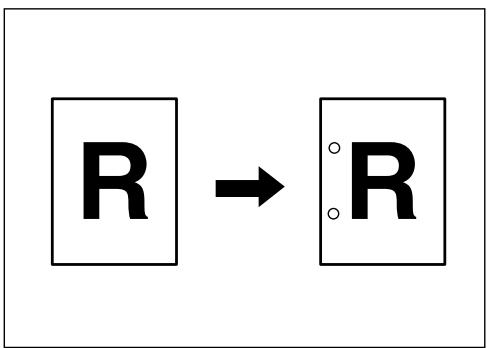
GCPNCH1E
3 holes
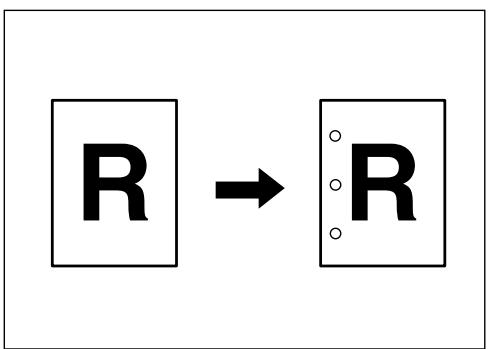
GCPNCH3E
Important
□ You cannot use the multi bypass tray with this function.
Original orientation and punch hole positions
The relationship between the orientation in which you place the original and the punch hole positions is as follows:
| Orientation in which original is set | Punch hole positions | ||||
| Exposure glass | ADF | ||||
| Standard | 2 holes | ∅ | ∅ | ∅ | ∅ |
| ∅ | ∅ | ∅ | ∅ | ||
| ∅ | ∅ | ∅ | ∅ | ||
| ∅ | ∅ | ∅ | ∅ | ||
| 3 holes | ∅ | ∅ | ∅ | ∅ | |
| ∅ | ∅ | ∅ | ∅ | ||
| ∅ | ∅ | ∅ | ∅ | ||
| ∅ | ∅ | ∅ | ∅ | ||
| 90°Turn | 2 holes | ∅ | ∅ | ∅ | ∅ |
| ∅ | ∅ | ∅ | ∅ | ||
| ∅ | ∅ | ∅ | ∅ | ||
| ∅ | ∅ | ∅ | ∅ | ||
| 3 holes | ∅ | ∅ | ∅ | ∅ | |
| ∅ | ∅ | ∅ | ∅ | ||
| ∅ | ∅ | ∅ | ∅ | ||
| ∅ | ∅ | ∅ | ∅ | ||
This table shows the punch hole positions, not the orientation of delivery.
Not available for vertical 2 hole left and horizontal 2 hole top for A3, 11'' × 17'' , or B4 JIS size paper.
1 Select one of the punch hole positions.
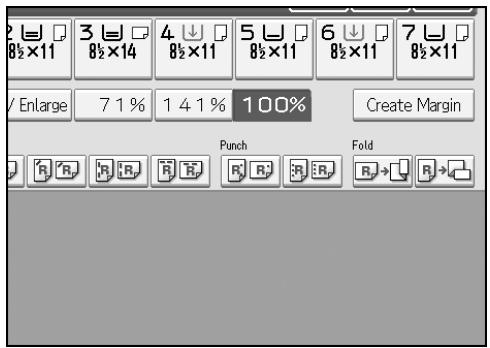
2 Place the originals, and then press the [Start] key.
Note
The punch function is not available for Type 3.
3 Edges Full Bleed
You can make full image copy by cutting down the margin of top, bottom, and right sides. This function is useful for originals full of image.
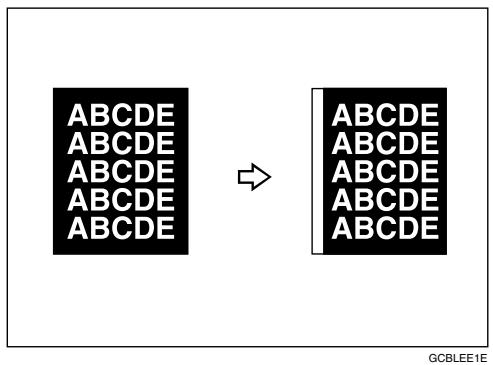
Press [Edit].
Press [Edit Image].
Press [3 Edges Full Bleed].
Place the originals, and then press the [Start] key.
Z-fold
Makes two parallel folds, one of which faces in and the other facing out.
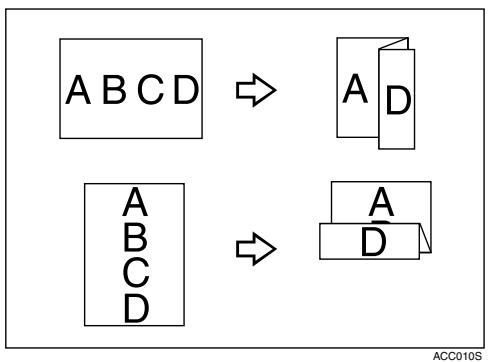
Note
□ You cannot use the multi bypass tray with this function.
Reference
"System Settings", General Settings Guide.
Using the Z-fold Support Tray
When using the Z-fold function together with the Staple function, attach the Z-fold support tray to the upper tray or the shift tray of Finisher SR5000.
Note
- Remove the Z-fold support tray when outputting prints to the finisher's shift tray without using the Z-fold function. If you leave the Z-fold support tray in place, prints are not stacked properly.
Reference
"Removing Jammed Paper", Troubleshooting
Z-fold positions and Z-folding Copies
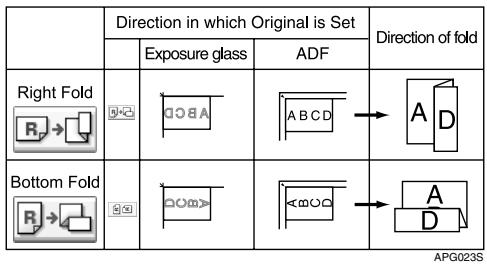
The above table shows Z-folding positions. The orientation of the paper does not indicate direction of delivery.
1 Select the folding direction.
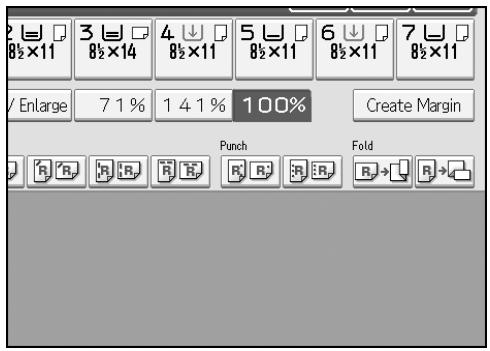
2 Place the originals, and then press the [Start] key.
Duplex
There are two types of duplex copies:
1 Sided 2 Sides
Copies 2 one-sided pages onto 1 two-sided page.
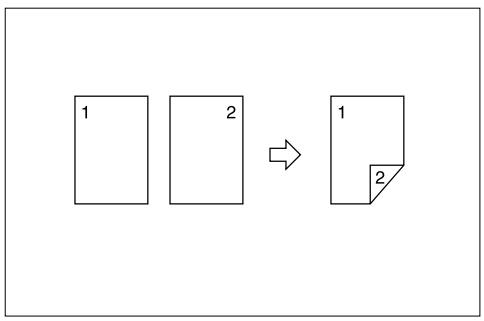
2 Sided 2 Sided
Copies 1 two-sided page onto 1 two sided page.
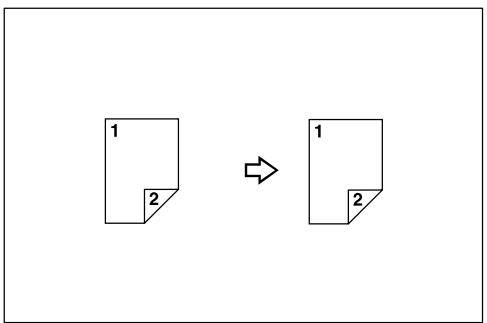
Original orientation and completed copies
Copy images differ according to the orientation in which you place the originals (□ or □).
The table shows the orientation of images on the front and back of copies, not the orientation of delivery.
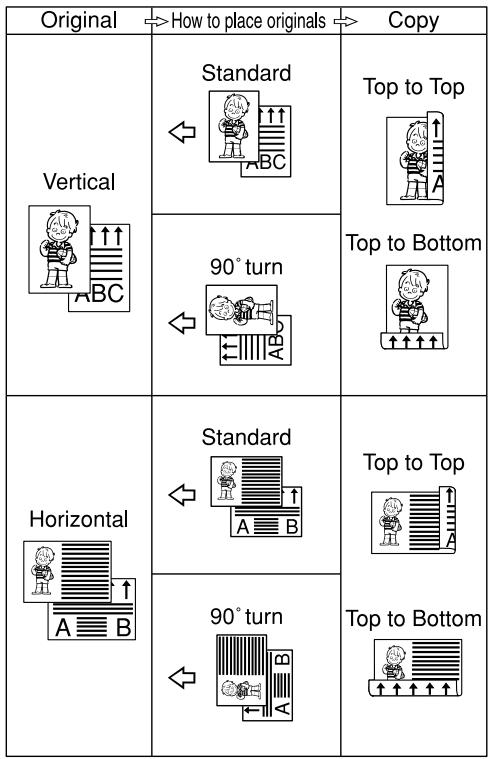
APG049S
Press [Dup./ Combine/ Series].
![RICOH PRO 906EX - Press [Dup./ Combine/ Series]. - 1](/content/2025/01/136509/images/1cd1a64d20bc6889bab74006ff92c6f172be576bf3d459c465ae8bd7dd2b7688.jpg)
2 Select [1 Sided 2 Sided] or [2 Sided 2 Sided].
![RICOH PRO 906EX - Select [1 Sided 2 Sided] or [2 Sided 2 Sided]. - 1](/content/2025/01/136509/images/5bba4d13998978c0969a0e722ecf37cd69ef078fd501d711d1dd15626eb4a00b.jpg)
Press [OK].
Place the originals, and then press the [Start] key.
Note
□ You cannot use the multi bypass tray with this function.
The maximum paper weight that can be used with duplex copying is 52- 216g / m^2 (14-57.4 lb.).
- When placing an original on the exposure glass, start with the first page to be copied. When placing an original in the ADF, set so that the last page is on the bottom.
To change originals and copy orientation in step 2, press [Orientation].
- When placing an original on the exposure glass or in the ADF using Batch, press the [#] key after all the originals have been scanned.
Reference
p.97 "Margin Adjustment" "Edit", General Settings Guide.
Originals and copy orientation
The orientation can be selected when copying Duplex job.
Top to Top
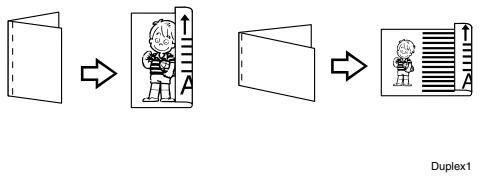
- Top to Bottom
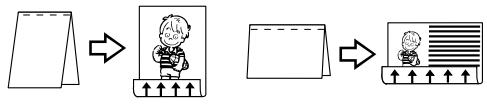
Duplex2
Press [Orientation].
2 Select orientation [Top to Top] or [Top to Bottom], and then press [OK].
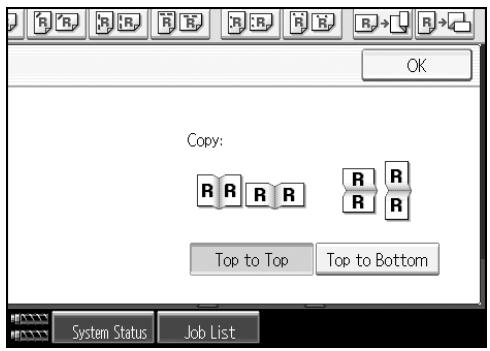
Note
- The default setting is [Top to Top]. You can change the default orientation with Copier/Document Server Features.
Reference
"Copier/Document Server Features", General Settings Guide
One-Sided Combine
Combine several pages onto one side of a sheet.
There are six types of One-Sided Combine.
1 Sided 2 Pages Combine 1 Side
Copies 2 one-sided originals to one side of a sheet.
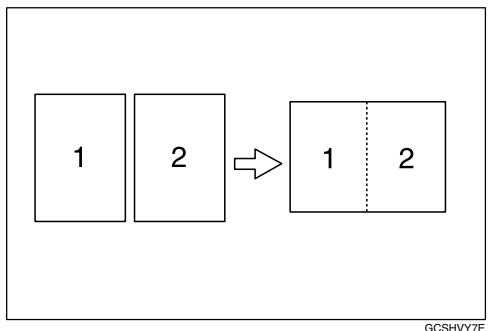
1 Sided 4 Pages Combine 1 Side
Copies 4 one-sided originals to one side of a sheet.
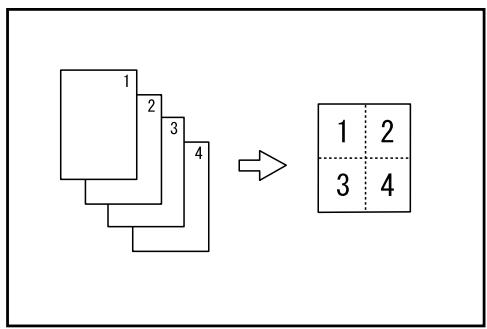
GCSHVY8J
1 Sided 8 Pages Combine 1 Side
Copies 8 one-sided originals to one side of a sheet.
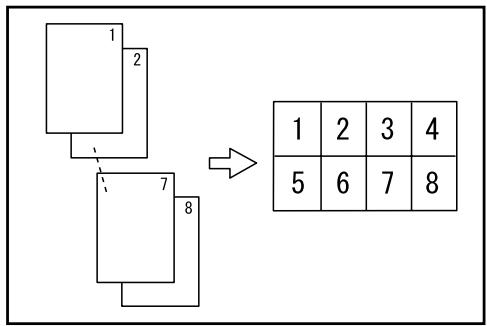
GCSHVY3J
2 Sided 1 Page Combine 1 Side
Copies 1 two-sided original to one side of a sheet.
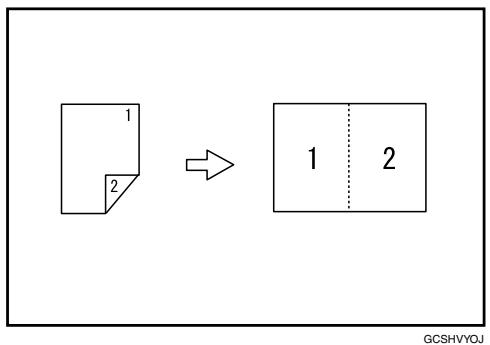
2 Sided 2 Page Combine 1 Side
Copies 2 two-sided originals to one side of a sheet.
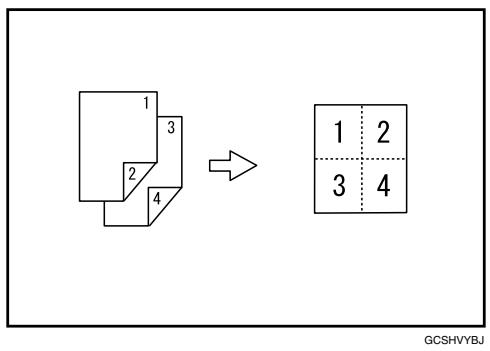
2 Sided 4 Page Combine 1 Side
Copies 4 two-sided originals to one side of a sheet.
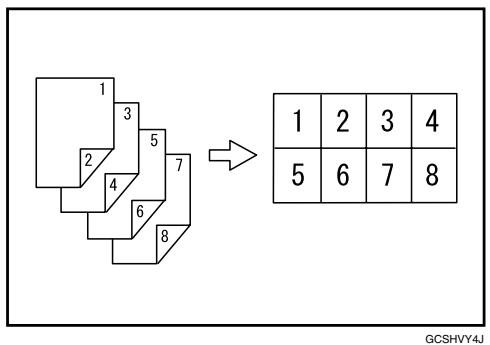
Orientation of the original and combine image position
Open to left (D) originals
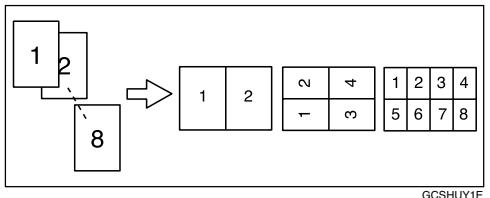
Open to top () originals
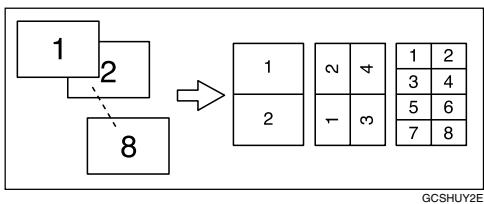
Placing originals and copying
- Originals read from left to right
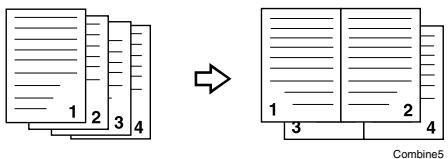
- Originals read from top to bottom
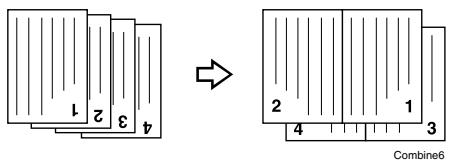
Press [Dup./Combine/ Series].
![RICOH PRO 906EX - Press [Dup./Combine/ Series]. - 1](/content/2025/01/136509/images/0eaf8d186cd09ed09faa061ba22c7e3fe10b9dbaeb13e4dcb49edb978d8fddbc.jpg)
Press [Combine].
3 Select [1 Sided] or [2 Sided] for original, and then press [Combine 1 Side] for Copy.
![RICOH PRO 906EX - Select [1 Sided] or [2 Sided] for original, and then press [Combine 1 Side] for Copy. - 1](/content/2025/01/136509/images/4c08c8b3ec39b6f7e5c7f34e106ffb53876736c7de4b64d77a23b83bc8afcb01.jpg)
4 Select the number of originals to combine.
5 Select the paper.
6 Press [OK].
7 Place the originals, and then press the [Start] key.
Note
- You can erase a 3mm (0.1 inch) boundary magazine around all four edges of originals in Combine mode.
□ You can set the copy order in Combine mode.
Reference
p.79 "Originals and copy orientation"
"Edit", General Settings Guide
Two-Sided Combine
Combine various pages of originals into one sheet with two sides.
There are six types of Two-Sided Combine.
1 Sided 4 Pages Combine 2 Sides
Copies 4 one-sided originals to one sheet with two pages per side.
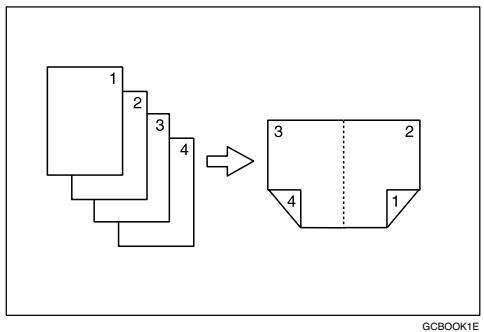
1 Sided 8 Pages Combine 2 Sides
Copies 8 one-sided originals to one sheet with four pages per side.
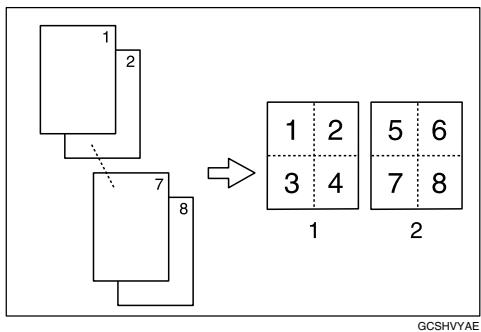
① Front
② Back
1 Sided 16 Pages Combine 2 Sides
Copies 16 one-sided originals to one sheet with eight pages per side.
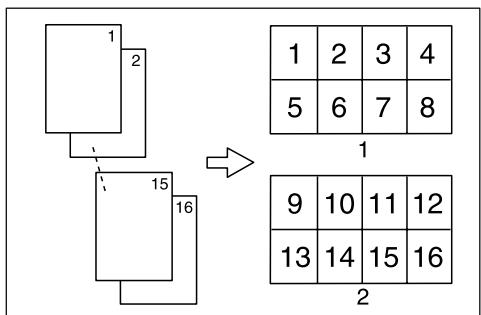
GCSHVY5E
① Front
② Back
2 Sided 4 Pages Combine 2 Sides
Copies 2 two-sided originals to one sheet with two pages per side.
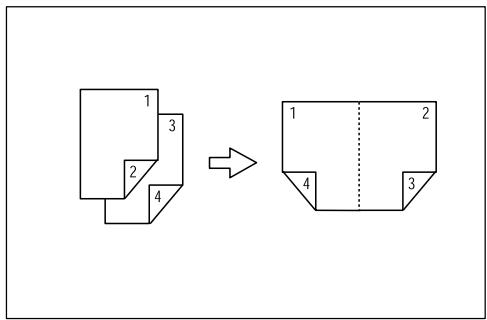
GCSHVY1E
2 Sided 8 Pages Combine 2 Sides
Copies 4 two-sided originals to one sheet with four pages per side.
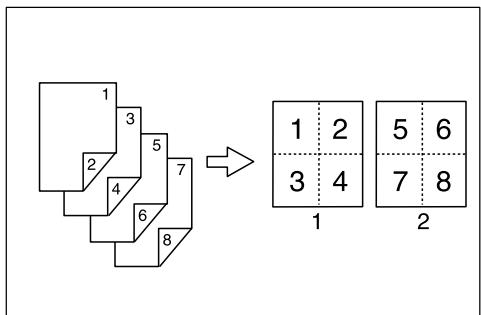
GCSHVY2E
① Front
② Back
2 Sided 16 Pages Combine 2 Sides
Copies 8 two-sided originals to one sheet with eight pages per side.
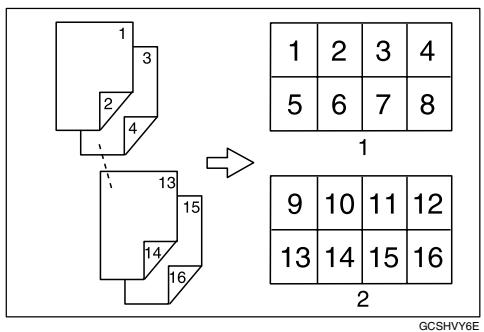
① Front
② Back
Press [Dup./ Combine/ Series].
![RICOH PRO 906EX - Press [Dup./ Combine/ Series]. - 1](/content/2025/01/136509/images/e5d415b29350bdbaa496ec5c67359e5131d4458276cdc40c26becae7836f75c0.jpg)
Press [Combine].
3 Select [1 Sided] or [2 Sided] for Original, and then press [Combine 2 Sides] for Copy.
![RICOH PRO 906EX - Select [1 Sided] or [2 Sided] for Original, and then press [Combine 2 Sides] for Copy. - 1](/content/2025/01/136509/images/d39a96645bfbebdc1968576ee5d9e3ea30a8aae5c68815f3d45ace8fcf2f8fc0.jpg)
4 Select the number of originals to combine.
Press [OK].
6 Place the originals, and then press the [Start] key.
![RICOH PRO 906EX - Place the originals, and then press the [Start] key. - 1](/content/2025/01/136509/images/b83c34231d0be3c148ae52c8c27ad370508a5449e8c7d9b7d5cf73a0dc0dac08.jpg)
Note
- You can erase a 3mm (0.1 inch) boundary magazine around all four edges of originals in Combine mode.
□ You can set the copy order in Combine mode.

Reference
p.79 "Originals and copy orientation" "Edit", General Settings Guide
Series Copies
This function copies the front and back of a two-sided original separately, or the two facing pages of a bound original onto two sheets.
There are two types of Series Copies.

Important
□ You cannot use the Series Copies function with the ADF.
The following table shows the paper sizes of two facing pages of a bound original (book) and one-sided copy (when copying at a ratio of 100% ).

Metric version
| Original | Paper for 1-sided copy |
| A3☐ | A4☐×2 sheets |
| B4 JIS☐ | B5 JIS☐×2 sheets |
| A4☐ | A5☐×2 sheets |
AMA020S

Inch version
| Original | Paper for 1-sided copy |
| 11" × 17" | 81/2 × 11" × 2 sheets |
| 81/2 × 11" | 51/2 × 81/2 × 2 sheets |
AMA027S
Book 1 Sided
You can make one-sided copies from two facing pages of a bound original (book).
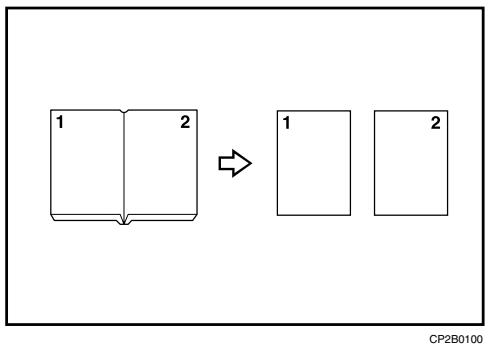
2 Sided 1 Sided
You can make one-sided copies from two-sided originals.
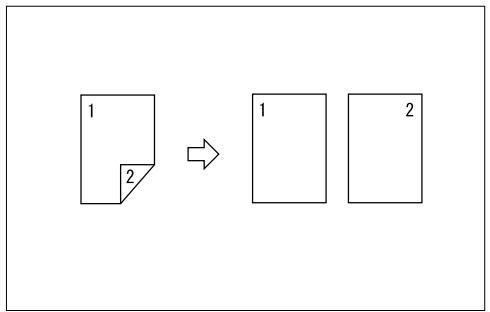
Press [Dup./ Combine/ Series].
![RICOH PRO 906EX - Press [Dup./ Combine/ Series]. - 1](/content/2025/01/136509/images/e706ec25250423fc63ba5f8d200a08ab0ff39c208d679236caf6ad3d11438daa.jpg)
Press [Series].
3 Select [2 Sided 1 Sided] or [Book 1 Sided], and then press [OK]. If you selected [2 Sided 1 Sided], you can change the orientation
4 Press [OK].
Place the original on the exposure glass, and then press the [Start] key.
Note
□ If you selected [Book→1 Sided], press the [#] key after all originals have been scanned.
Booklet/Magazine
Copies two or more originals in page order.
There are six types of Booklet/Magazine.
The following table shows the paper sizes of two-sided original and two-sided copy (when copying at a ratio of 100% ).
Metric version
| Original | Copy paper |
| A3 | A4 (2-sided) |
| B4 JIS | B5 JIS (2-sided) |
| A4 | A5 (2-sided) |
APG046S
Inch version
| Original | Copy paper |
| 11" × 17" | 81/2" × 11" (2-sided) |
| 81/2 × 11" | 51/2" × 81/2" (2-sided) |
APG047S
1 Sided Booklet
Make copies in page order for a folded booklet as shown.
- Open to left
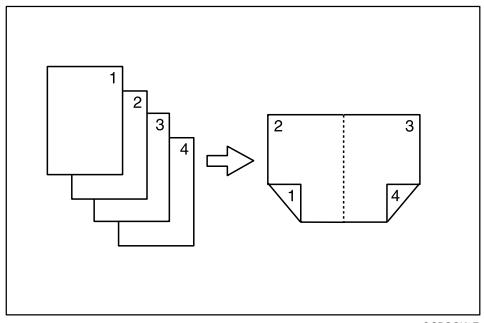
GCBOOK0E
- Open to right
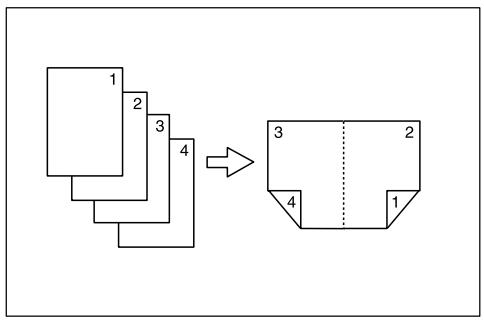
GCBOOK1E
2 Sided Booklet
Make two-sided originals to copies in page order for a folded booklet as shown.
- Open to left
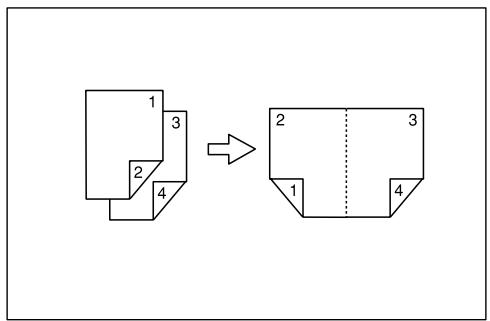
GCAH010E
- Open to right
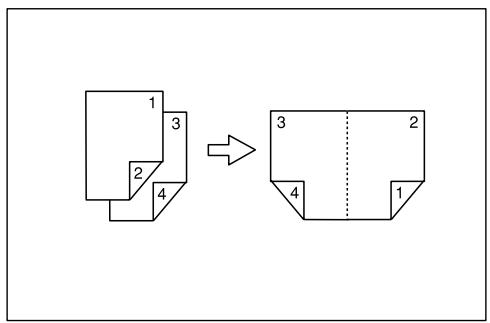
GCAH020E
1 Sided Magazine
Copies two or more originals to make copies in page order when they are folded and stacked.
- Open to left
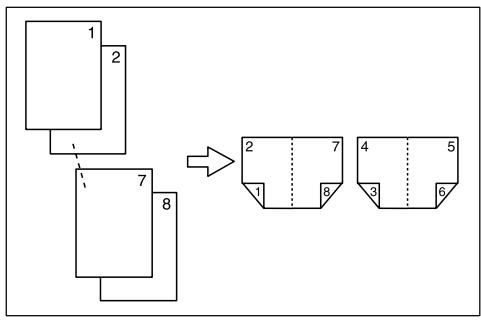
GCBOOK3E
- Open to right
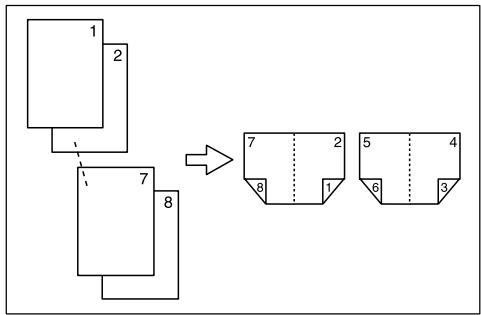
GCBOOK4E
2 Sided Magazine
Copies two or more originals of two-sided to make copies in page order when they are folded and stacked.
- Open to left
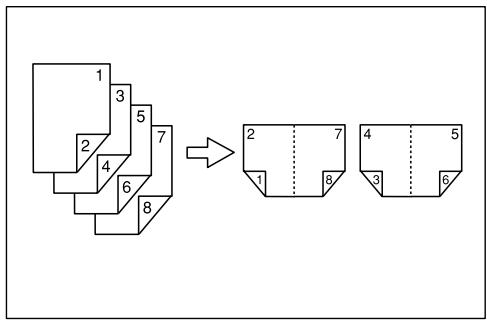
GCAH030E
- Open to right
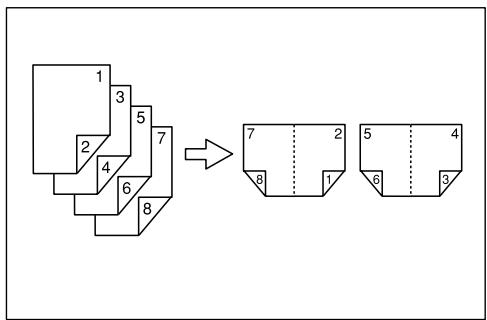
GCAH040E
Book 2 Sided
Copies a two-page spread original onto one sheet with one page per side.
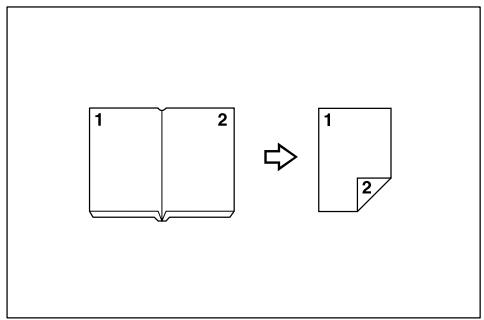
You cannot use the multi bypass tray with "Book→2 Sided" or "Front&Back→2 Sided".
Front & Back 2 Sided
Copies each two-page spread original as it is onto both sides of a sheet.
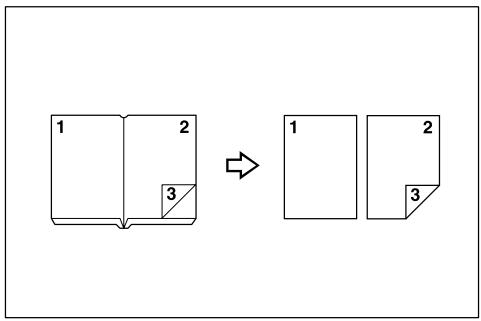
How to fold and unfold copies to make a booklet
As shown below, fold a copy along the centerline, and open.
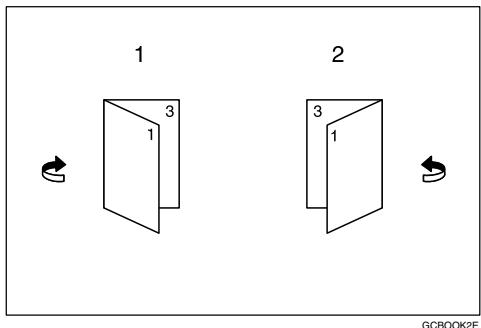
① Open to left
(2) Open to right
How to fold and unfold copies to make a magazine
As shown below, fold and stack copies to make a magazine, and open.
- Open to left
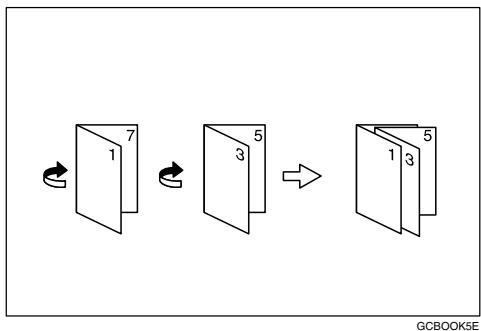
- Open to right
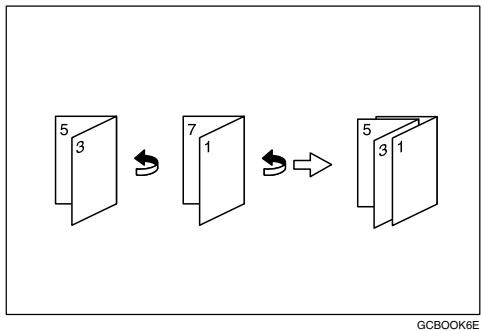
Important
- Select [Open to Left] or [Open to Right] with [Orientation: Booklet, Magazine] in advance. See "Edit", General Settings Guide.
Press [Dup./ Combine/ Series].
Press [Book].
3 Select a book type separately for the original ([1 Sided] or [2 Sided]) and copy ([Booklet] or [Magazine]), or select a book type from [Book→2 Sided] and [Front&Back→2 Sided].
Press [OK].
Place the originals, and then press the [Start] key.

Note
- When placing an original on the exposure glass or in the ADF using Batch, press the [#] key after all the originals have been scanned.
The machine automatically selects the reproduction ratio automatically to the paper size.

Reference
"Edit", General Settings Guide
Creep Adjustment
To adjust the creep between the center and the edge of the page, select [Magazine] for copying.
Press [Dup./ Combine/ Series].
Press [Book].
3 Select [1 Sided] or [2 Sided] for the original.
Press [Magazine].
Press [Creep Adjust.].
6 Specify the creep value using [-] or [+] .
Press [OK] twice.
8 Place the originals, and then press the [Start] key.
Note
- You can adjust the creep value between 0 to 99 ~mm ( 0'' to 3.9'' ) in 1 ~mm ( 0.1'' ) steps.
If you select [Staple: Center] for a magazine, set the creep value between the center and the edge of page. For example, specify 2 mm for 15 sheets.
□ If you make a mistake in step 6, press [一] or [十] to set a new value.
Mix 1 & 2 Sided
You can copy two types of original, one-sided and two-sided, onto one or both sides of a sheet.
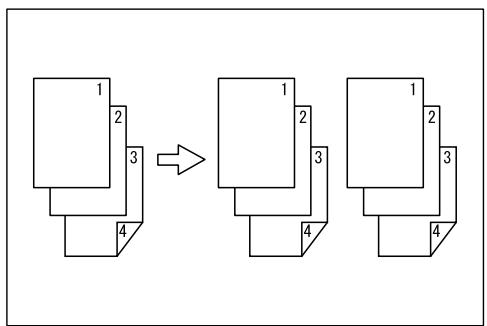
GCKONZ0J
Press [Dup./Combine/ Series].
Press [Mix 1&2 Sid].
3 Select [1 Sided] or [2 Sided] for the original.
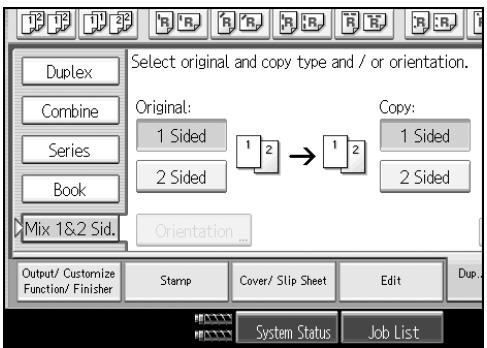
If you select [2 Sided], you can select the orientation.
4 Select [1 Sided] or [2 Sided] for the copy.
Place the originals, and then press the [Start] key.
If you have selected [1 Sided] for the original and [2 Sided] for the copy, press [Change Setting] to you specify an odd number of originals or if you want to change the copy page manually.
Place the next originals, and then repeat steps 3 to 5.
Note
□ When placing an original on the exposure glass or in the ADF using Batch, press the [#] key after all the originals have been scanned.
Scanning Position
You can move the scanning position of originals.
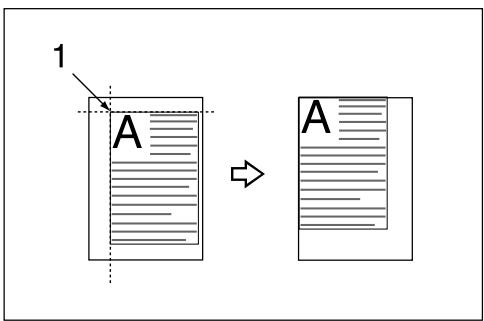
① Point from which the machine begins scanning
Note
□ You can move the scanning position upward, downward, to left and to right up to 30mm (1.2") in 1mm (0.1") steps.
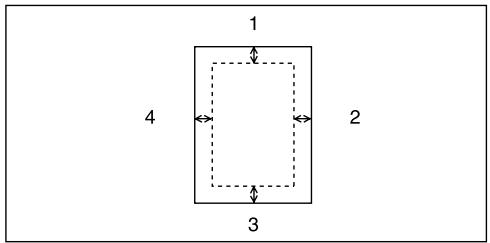
① Top: 0 - 30 ~mm, 0'' - 1.2''
(2) Right: 0 - 30 ~mm, 0^ - 1.2^
(3) Bottom: 0 - 30 ~mm, 0^ - 1.2^
(4) Left: 0 - 30 ~mm, 0'' - 1.2''
Press [Edit].
Press [Scan Position].
3 Set the scanning position for the front of the original. Press [ ] or [ ] to set the top or bottom position. Press [ ] or [ ] to set the left or right position.
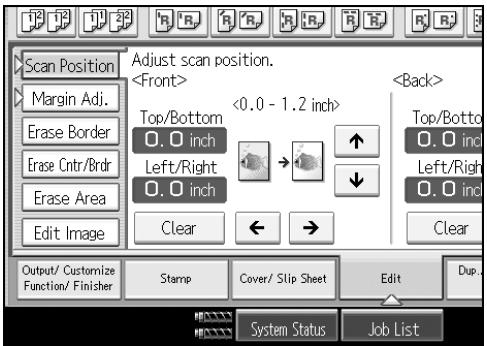
4 Set the scanning position for the back of the original. Press [ ] or [ ] to set the top or bottom position. Press [ ] or [ ] to set the left or right position. Then press [OK].
Place the originals, and then press the [Start] key.
Note
□ If you have incorrectly set the position, readjust with [ ],[ ],[ ] or [ ]
□ If you don't need to set the scanned position of the back of the original in step 4, press [OK] and go to step 5.
The scanning position for the back is valid only when you are copying 2-sided originals.
Margin Adjustment
You can make a binding margin.
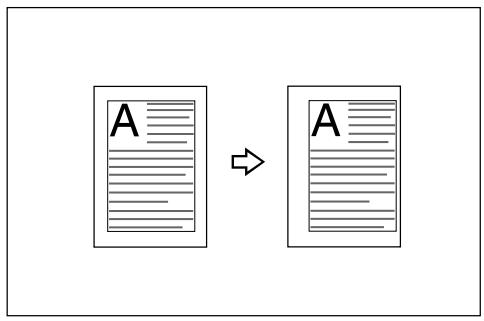
Press [Edit].
![RICOH PRO 906EX - Press [Edit]. - 1](/content/2025/01/136509/images/d2ab9243b0b4c4f9c79c88513e8d8d8e51fbc4972a55d6f1dd93a9e031de205f.jpg)
Press [Margin Adj.].
3 Set a binding margin for a front page. Press [] and [] when setting the left and right margins, and [] and [] when setting the top and bottom margins.
4 Set a binding margin for the back side pages. Press [] and [] when setting the left and right margins, and [] and [] when setting the top and bottom margins, and then press [OK].
Margin on the back side of the page is valid when [1 Sided 2 Sided] or [Combine 2 Sides] is selected.
Place the originals, and then press the [Start] key.
Note
□ You can set the binding margin up to 30mm (1.2") in 1 mm (0.1") steps.
□ If you make a mistake, press [], [→], [], [] , or press [Clear] to set a new value.
□ If you do not need to specify the margins for the back side pages in step 4, press [OK] and proceed to step 5.
Reference
"Edit", General Settings Guide
Erase
You can erase the center and/or all four sides of the original image.
This function comes in the following modes:
Border
Erases the original's edge margin from the copy.
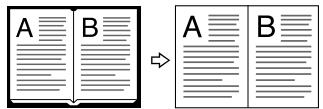
Center
Erases the original's center margin from the copy.
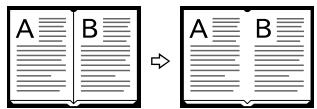
Center/Border
Erases both the original's center and edge margins from the copy.
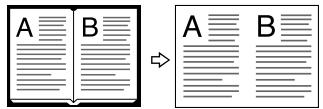
Inside
Erases a designated area of the copy image.
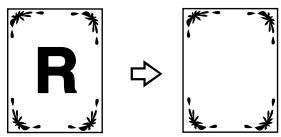
Outside
Erases all areas of the copy image other than the area you have selected.
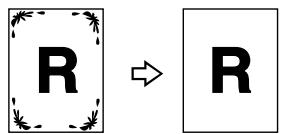

Note
The relationship between the original orientation and the erased part is as follows:
| □ original | □ original |
| 1 | 2 1 |
① Erased part
② 2-99 mm (0.1"-3.9")
The erase width is set to 10mm (0.4 inch) as a default. You can change this setting using the Edit menu in Copier/Document Server Features.

Reference
"Edit", General Settings Guide
Border Erase (same width)
This mode erases the edge margin of the original image.
Press [Edit].
![RICOH PRO 906EX - Press [Edit]. - 1](/content/2025/01/136509/images/d199d83935b7bd000d2206a7ef6b50ee9c66a3dfe51ad60a16ed61b03bfdc5fc.jpg)
Press [Erase Border].
Press [Same Width].
4 Set an erase border width with [+ or [-] .
Pressing ([+] or ([-]) changes the width in increments of (1\mathrm{mm}) (0.1 inch). Pressing and holding down the relevant key changes the width in increments of (10\mathrm{mm}) (0.4 inch).
If you select to erase the image on the back of the original, press [2 Sided Setting] and [Back].
Erasing the image on the back is valid when you copy 2-Sided originals.
![RICOH PRO 906EX - Set an erase border width with [+ or [-] . - 1](/content/2025/01/136509/images/a2ddcd3b520fbdb46924eac16d4214495c31f46065baf88d95be2dbf6ed5677c.jpg)
Press [OK].
Place the originals, and then press the [Start] key.
Note
To change the value entered in step 4, press [+ ] and [-] to set a new value.
Border Erase (different width)
This mode erases the edge margin of the original image.
Press [Edit].
![RICOH PRO 906EX - Press [Edit]. - 1](/content/2025/01/136509/images/3f0b56b3529456c32690aa7a6f5b8e698c98304c507f849ad3f41a88a60ef447.jpg)
Press [Erase Border].
Press [Different Width].
Press the key for the border you want to change and set an erase width with [+ ] and [-] .
Pressing [+ ] or [-] changes the width in increments of 1mm (0.1 inch). Pressing and holding down the relevant key changes the width in increments of 10mm (0.4 inch).
If you select to erase the image on the back of the original, press [2 Sided Setting] and [Back].
Erasing the image on the back is valid when you copy 2-Sided originals.
![RICOH PRO 906EX - Press the key for the border you want to change and set an erase width with [+ ] and [-] . - 1](/content/2025/01/136509/images/ccc7c6024d2b69646922a80c47d28988c43768bee3b5856256a0348aed9bcceb.jpg)
Press [OK].
6 Place the originals, and then press the [Start] key.
Center/Border Erase (same width)
This mode erases both the center and edge margins of the original image.
Press [Edit].
![RICOH PRO 906EX - Press [Edit]. - 1](/content/2025/01/136509/images/82d1a6c4040c06586f70fcdf563bf21a2820efd5ea0df9e44bce06aaca90a539.jpg)
Press [Erase Cntr/Brdr].
Press [Same Width].
Press [Center], and then set the erase center width with [+ ] and [-] .
Pressing [+ ] or [-] changes the width in increments of 1mm (0.1 inch). Pressing and holding down the relevant key changes the width in increments of 10mm (0.4 inch).
If you select to erase the image on the back of the original, press [2 Sided Setting] and [Back].
Erasing the image on the back is valid when you copy 2-Sided originals.
![RICOH PRO 906EX - Press [Center], and then set the erase center width with [+ ] and [-] . - 1](/content/2025/01/136509/images/564ea6ac26cfc4fce1734ee7bb4ffb9d2244f601a1249ca54e029c860549b32c.jpg)
Press [Border], and then set the erase border width with [+ ] and [-] .
Pressing [+ ] or [-] changes the width in increments of 1mm (0.1 inch). Pressing and holding down the relevant key changes the width in increments of 10mm (0.4 inch).
6 Press [OK].
Place the originals, and then press the [Start] key.
Center/Border Erase (different width)
This mode erases both the center and edge margins of the original image.
Press [Edit].
![RICOH PRO 906EX - Press [Edit]. - 1](/content/2025/01/136509/images/e1d68785c9312bacf9de3e96518a85b67ba867bc19e4c0f93b3edcf4ca7fe4ff.jpg)
Press [Erase Cntr/Brdr].
Press [Different Width].
Press the key for the order you want to change and set an erase width with [+ ] and [-] .
Pressing [+ ] or [-] changes the width in increments of 1mm (0.1 inch). Pressing and holding down the relevant key changes the width in increments of 10mm (0.4 inch).
If you select to erase the image on the back of the original, press [2 Sided Setting] and [Back].
Erasing the image on the back is valid when you copy 2-Sided originals.
![RICOH PRO 906EX - Press [Edit]. - 2](/content/2025/01/136509/images/74f828a4b0f5480d37ac1d5692b1e1755d83c84b92c831e01e7aa7feaedb3d9c.jpg)
Press [OK].
6 Place the originals, and then press the [Start] key.
Inside Erase
- Specify the point where the machine starts scanning (X1, Y1) and where it stops scanning (X2, Y2).
You can input lengths of 0 - 432mm 0 - 17''
Press [Edit].
Press [Erase Area].
Press [Erase Inside 1] - [Erase Inside 5].
5 Enter the value of [X1] with the number keys, and then press [#].
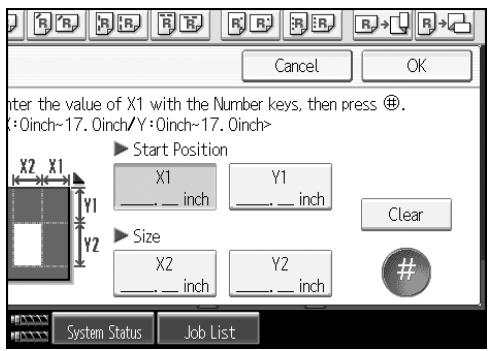
6 Enter the value of [Y1] with the number keys, and then press [#].
7 Enter the value of [X2] with the number keys, and then press [#].
8 Enter the value of [Y2] with the number keys, and then press [#].
If you select to erase the image on the back of the original, press [2 Sided Setting] and [Back].
Erasing the image on the back is valid when you copy 2-Sided originals.
Press [OK].
If you want to go on to erase another area, repeat from steps 4 to 9.
Press [OK].
Place the originals, and then press the [Start] key.
Outside Erase
- Specify the point where the machine starts scanning (X1, Y1) and where it stops scanning (X2, Y2).
You can input lengths of 0 - 432 mm , 0 - 17'' .
Press [Edit].
Press [Erase Area].
Press [Erase Outside].
5 Enter the value of [X1] with the number keys, and then press [#].
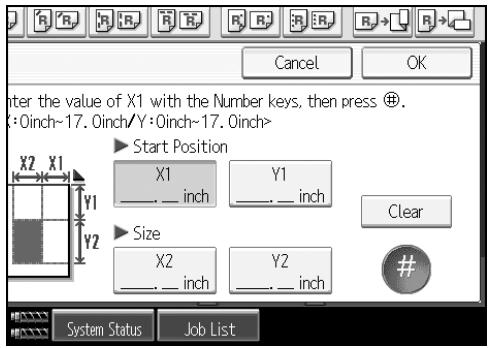
6 Enter the value of [Y1] with the number keys, and then press [#].
Enter the value of [X2] with the number keys, and then press [#].
3 Enter the value of [Y2] with the number keys, and then press [#]. If you select to erase the image on the back of the original, press [2 Sided Setting] and [Back].
Erasing the image on the back is valid when you copy 2-Sided originals.
Press [OK] twice.
Place the originals, and then press the [Start] key.
Background Numbering
Use this function to have numbers printed on the background of copies. If this function is used in conjunction with Sort, same numbers are printed on a department basis, helping you to keep track of confidential documents.
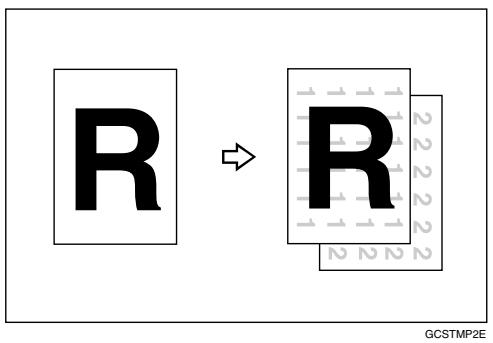
Press [Stamp].
![RICOH PRO 906EX - Press [Stamp]. - 1](/content/2025/01/136509/images/c514f967425c38af2374b452580c372d75ec0f49f9eda545c499365ec5f77455.jpg)
Press [Backgrnd No.].
Enter the number to start counting from with the number keys, and then press the [#] key.
Place the originals, and then press the [Start] key.
Note
To change the value entered in step 3, press the [Clear] or the [Clear] key to set a new value.
Reference
"Stamp", General Settings Guide
Preset Stamp
Frequently used massages can be stored in memory and stamped on copies.
Important
□ You cannot use the multi bypass tray with this function.
Only one message can be stamped at a time.
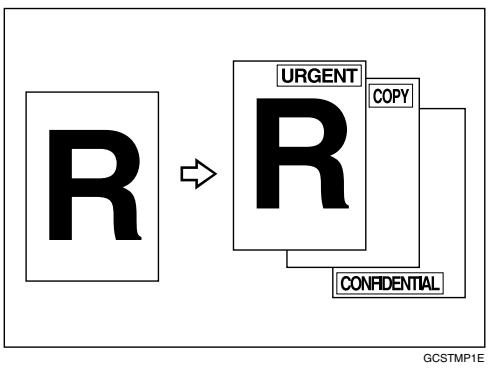
- The following eight messages are available for stamping. "COPY", "URGENT", "PRIORITY", "For Your Info.", "PRELIMINARY", "For Internal Use Only", "CONFIDENTIAL", "DRAFT"
Stamp position and original orientation
The stamp positions differ according to the orientation in which you place your originals.
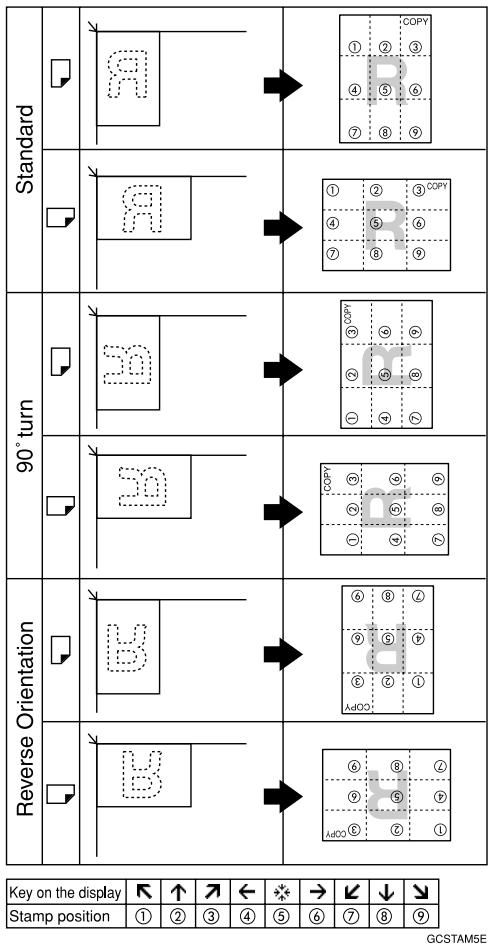
Press [Stamp].
![RICOH PRO 906EX - Press [Stamp]. - 1](/content/2025/01/136509/images/5328a850111205e53fe3131868f58ec57d36b3640a6138aee0e8fa132e4bf6c1.jpg)
Press [Preset Stamp].
3 Select the desired message.
You can change the position, size, and density of the stamp.
Press [All Pages] or [1st Page Only] to select the print page.
![RICOH PRO 906EX - Press [All Pages] or [1st Page Only] to select the print page. - 1](/content/2025/01/136509/images/f6e886b8145bb189ef4ff6fc1a980c81605b80f53e33f73bca6b97bded95bbf3.jpg)
After you specify all desired settings, press [OK].
6 Place the originals, and then press the [Start] key.
Reference
"Stamp", General Settings Guide
Changing the stamp position, size and density
Changes the stamp position, size and density.
Press [Change] under Position/Size/Density.
2 Select the position for print, size, and density, and then press [OK].
![RICOH PRO 906EX - Select the position for print, size, and density, and then press [OK]. - 1](/content/2025/01/136509/images/e8caa003dbf6732205c995a9fc8c2b5a97c0dd48b3368d7c490f0d3c04670d74.jpg)
User Stamp
Prints a registered stamp onto copies. Letters or images you use frequently can be registered.
Important
□ You have to program a user stamp before using this function.
Only one message can be stamped at a time.
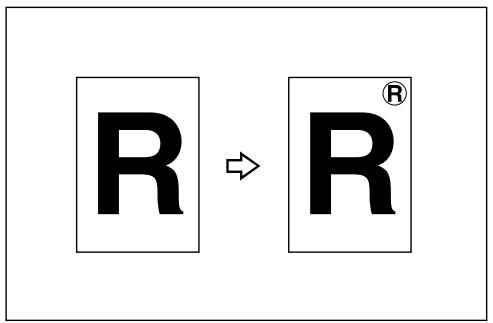
GCSTMP0E
Stamp position and original orientation
The user stamp positions differ according to the orientation in which you place your originals.
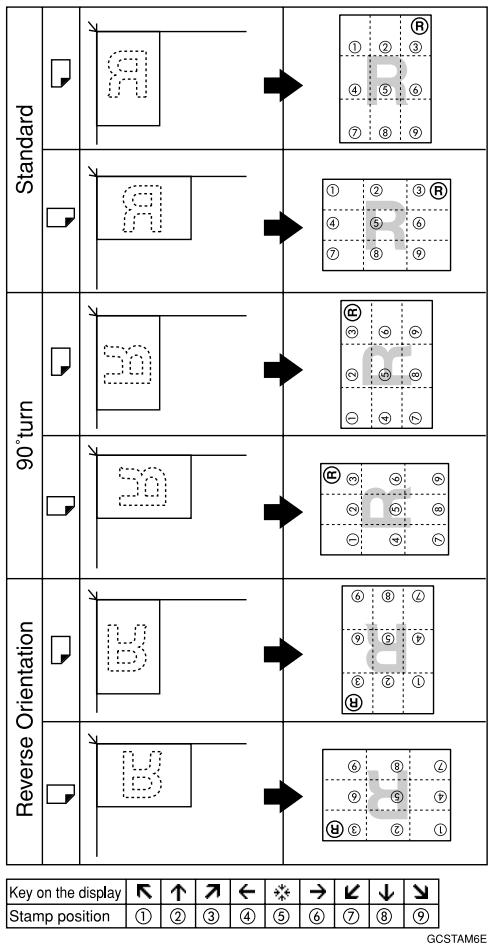
Press [Stamp].
![RICOH PRO 906EX - Press [Stamp]. - 1](/content/2025/01/136509/images/496ff6b11bf65683efe006bc84ad41672d489153ab0cd03c1e403e9e8907e082.jpg)
Press [User Stamp].
3 Select the desired stamp type.
You can change the stamp position.
Press [All Pages] or [1st Page Only] to select the print page.
![RICOH PRO 906EX - Press [All Pages] or [1st Page Only] to select the print page. - 1](/content/2025/01/136509/images/57f6c657e4bd798ead2bbc756592153a9a4ee85cf7de551bc241074aaf508885.jpg)
After you specify all desired settings, press [OK].
6 Place the originals, and then press the [Start] key.
Reference
"Stamp", General Settings Guide
Changing the user stamp position
Changes the stamp position.
Press [Change] under Stamp Position.
2 Select the desired position, and then press [OK].
![RICOH PRO 906EX - Select the desired position, and then press [OK]. - 1](/content/2025/01/136509/images/6a7e997f9bf14b660d55dd50b99dfecbe634d842ec6a11ec9e1edc734cdda31c.jpg)
To program the user stamp
This function scans an image that is used as a user stamp.
The range of stamp images for readability is 10-297 mm (0.4"-11.7") high and 10-432 mm (0.4"-17.0") wide. However, if the value exceeds the maximum value of the area (5,000 mm², 7.75 inch²), it is corrected within the range of the area automatically.
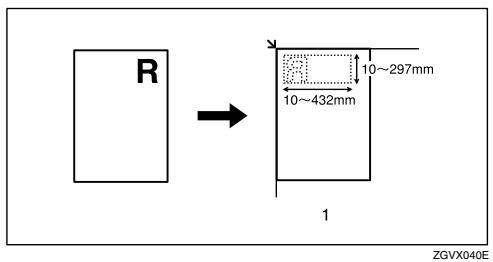
Important
Up to four frequently used images can be stored in memory.
Make sure that the machine is in copier mode.
Press the [User Tools] key.
Press [Copier / Document Server Features].
Press [Stamp].
Press [User Stamp].
Press [Program / Delete Stamp].
Press [Program], and then press the stamp number you want to program.
3 Enter the user stamp name (up to ten characters) with the letter keys, and then press [OK].
9 Enter the horizontal size of the stamp with the number keys, and then press the [#] key.
Enter the vertical size of the stamp with the number keys, and then press the [#] key.
Place the original for user stamp on the exposure glass, and then press [Start Scanning].
The original will be scanned, and the stamp will be registered.
Press [Exit].
Press [Exit].
The display returns to the User Tools menu screen.
Press [Exit].
Exits settings and gets ready to copy.
Note
- Stamp numbers with already have settings in them. Stamp numbers that are not registered yet are marked with "Not Programmed".
□ If the user stamp number is already being used, the machine will ask you if you want to overwrite it. To overwrite it, press [Yes]; otherwise, press [Stop]. - Originals cannot be scanned from the ADF when programming the user stamp.
To delete the user stamp
Deletes an image registered as a user stamp.
You cannot restore a deleted stamp.
Make sure that the machine is in Copy mode.
Press the [User Tools] key.
APG053S
Press [Copier / Document Server Features].
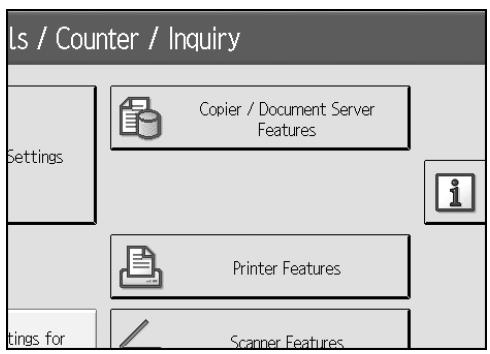
Press [Stamp].
Press [User Stamp].
Press [Program / Delete Stamp].
Press [Delete], and then press the stamp number you want to delete.
8 Select [Yes], and then press [Exit].
Press [Exit].
The display returns to the User Tools menu screen.
Press [Exit].
Exits settings and gets ready to copy.
Date Stamp
You can use this function to print dates onto copies.
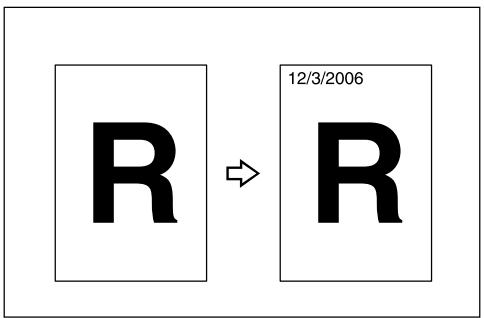
ANP055S
The following five date print styles are available.
- MM/DD/YYYY
- MM.DD.YYYY
- DD/MM/YYYY
- DD.MM.YYYY
- YYYYY.MM.DD
Stamp position and original orientation
The date stamp positions differ according to the orientation in which you place your originals.
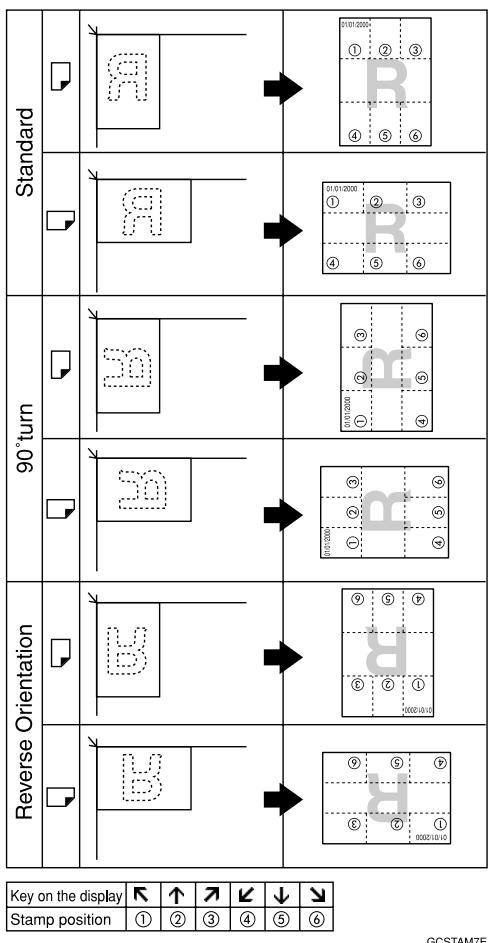
Important
□ You cannot use the multi bypass tray with this function.
Press [Stamp].
![RICOH PRO 906EX - Press [Stamp]. - 1](/content/2025/01/136509/images/4e9a197be2d70b9b3c412bd64c14f0836706c4c44bee5afe1f43d947b0f4d843.jpg)
Press [Date Stamp].
3 Select the stamp format.
You can change the Stamp, style and position of the date to be stamped.
Press [All Pages] or [1st Page Only] to select the print page.
![RICOH PRO 906EX - Press [All Pages] or [1st Page Only] to select the print page. - 1](/content/2025/01/136509/images/52ecdfa4f4c28688207f552976455a71afdc480ff3553702c0cb18591bced2c0.jpg)
After you specify all desired settings, press [OK].
6 Place the originals, and then press the [Start] key.
Reference
"Stamp", General Settings Guide
To change the format of date
Changes the style of date to be stamped.
Press [Change Format] under Current Date.
![RICOH PRO 906EX - Press [Change Format] under Current Date. - 1](/content/2025/01/136509/images/b2e34f8687a6a6d694554f95c7578a60a985b6bc23dec7abba3b6796c4fd0560.jpg)
2 Select the date format, and then press [OK].
To change the date stamp position
Changes the stamp position.
Press [Change] under Stamp Position.
![RICOH PRO 906EX - Press [Change] under Stamp Position. - 1](/content/2025/01/136509/images/e4395b71f983da883f9daa6d4deadd4bf9172945fc98b6ed05a5debe6011c7cd.jpg)
2 Select the desired position, and then press [OK].
![RICOH PRO 906EX - Select the desired position, and then press [OK]. - 1](/content/2025/01/136509/images/9faf0d2afb680979d40fd12f758dfda1d77804d6133175aa9d7d1701edc1b2e6.jpg)
Page Numbering
You can use this function to print page numbers onto copies.
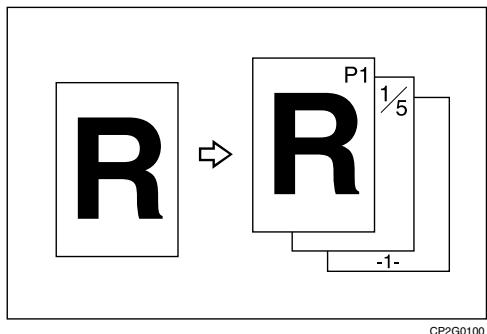
There are six types of page numbering.
P1,P2,...
1/5,2/5,...
-1-, -2-, ...
P.1,P.2,...
1,2,...
1-1,1-2,...
Original orientation and stamp position
The page stamp positions differ according to the orientation in which you place your originals.
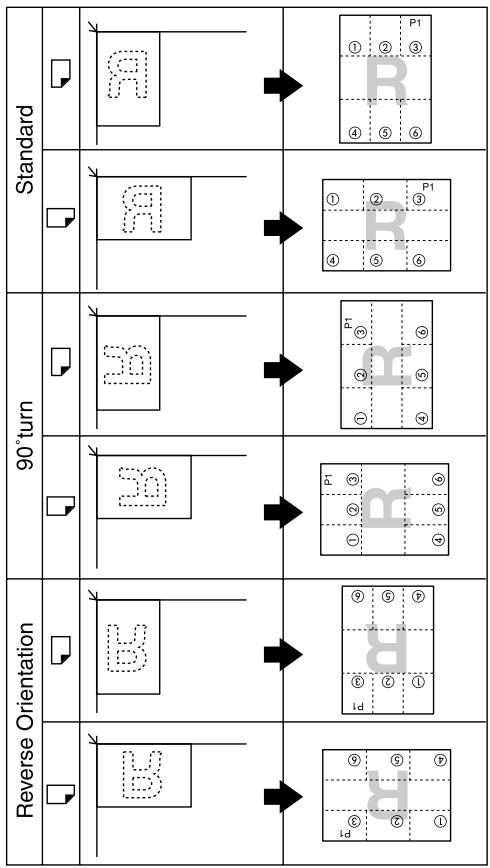
| Key on the display | ▲ | ↑ | ▼ | ← | ↓ | |
| Stamp position | ① | ② | ③ | ④ | ⑤ | ⑥ |
GCSTAM8E
Important
□ You cannot use the multi bypass tray with this function.
Press [Stamp].
![RICOH PRO 906EX - Press [Stamp]. - 1](/content/2025/01/136509/images/8e96bd5a194de5c2eb52ccfb82c6e6f610bdab4a3cfd47d801ce4fd34fda8b49.jpg)
Press [Page Nmbr.].
3 Select the format.
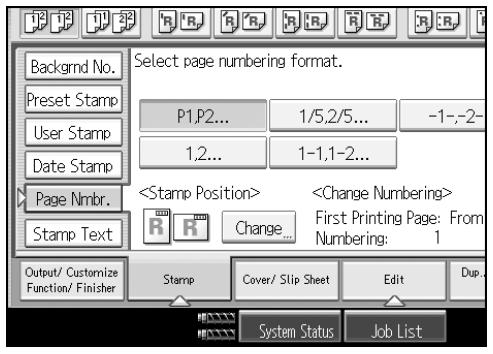
You can specify the stamp, position, pages to be stamped, and numbering.
4 After you specify all desired settings, press [OK].
Place the originals, and then press the [Start] key.
Reference
"Stamp", General Settings Guide
Changing the stamp position
Changes the stamp position.
Press [Change] under Stamp Position.
2 Select the desired position, and then press [OK].
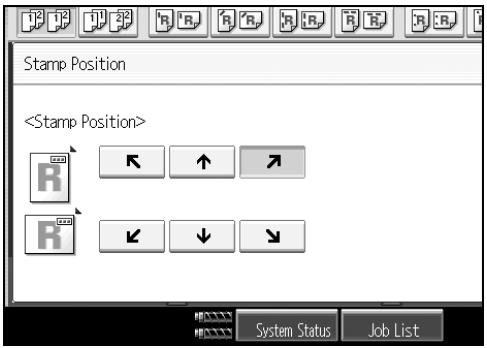
Specifying the first printing page and start number (‘P1,P2...”, “-1-, -2-”, “P.1,P.2...”, “1,2...”)
Below explains the example when "P1,P2..." is selected. The steps are the same for other cases.
Press [Change] under Change Numbering.
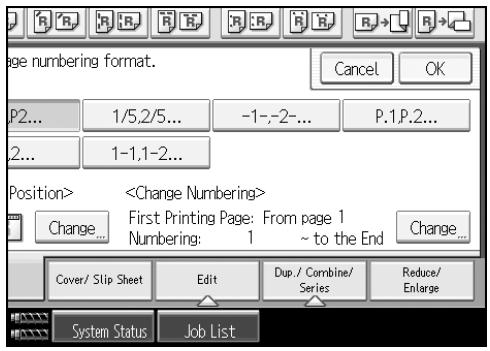
Press [First Printing Page], enter the original sheet number from which to start printing from, and then press the # key.
Press [First Printing Number], enter the number of page from which to start numbering from with the number keys, and then press the [#] key.
The example below shows when the first printing page is "2" and the start number is "3".
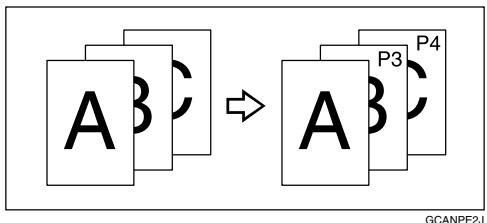
Press [Last Number], enter the number of the page at which to stop numbering with the number keys, and then press the [#] key.
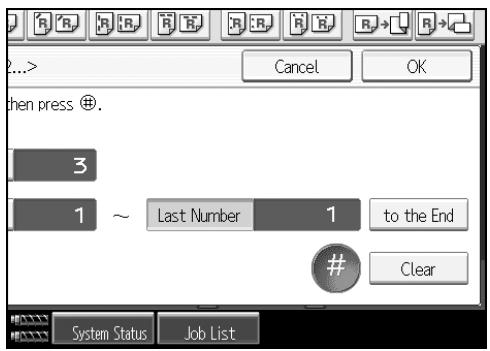
If you want to number all pages to the end, press [to the End].
5 When page designation is complete, press [OK].
Specifying the first printing page and start number ("1/5,2/5...")
Press [Change] under Change Numbering.
Press [First Printing Page]. Enter the original sheet number from which to start printing, and then press the # key.
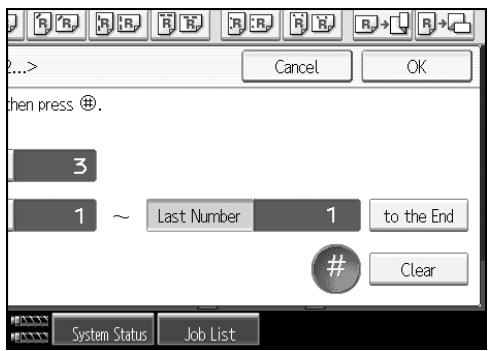
You can enter between 1 and 9999 for the original sheet number from which to start printing.
Press [First Printing Number], enter the number of page from which to start numbering from with the number keys, and then press the [#] key.
To change the number to end numbering, press [Last Number], enter that number with the number keys, and then press the [#] key.
Proceed to step 3 when not changing.
If you want to number all pages to the end, press [to the End].
The last number is the last page number to print. For example, if Total Pages is ten, if you want to print up to seven pages and do not want to print from page 8 on, enter "7" for Last Number. Normally, you do not need to enter the number.
Press [Total Pages], enter the total number of original pages with the number keys, and then press the [#] key.
6 When page designation is complete, press [OK].
Note
To change the number entered in step 2, press the [Clear] or the [Clear] key, and then enter a new number.
To change the settings (the first printing page, the number of pages from which to start numbering, or total number of pages) after pressing [OK] in step 3, press [Change] and then enter the numbers again.
To change a page number, press [StartPage], and then enter the number with number keys.
Specifying the first printing page and start number ("1-1,1-2..."
Press [Change] under Change Numbering.
Press [First Printing Page], enter the original sheet number from which to start printing, and then press the # key.
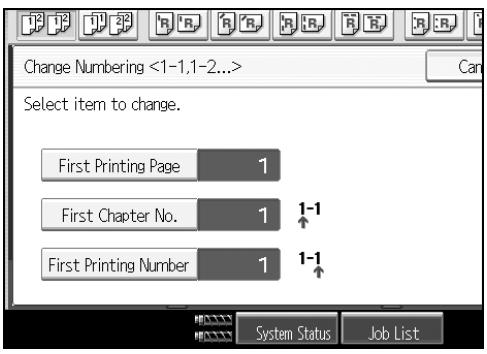
Press [First Chapter No.], enter the chapter number from which to start numbering with the number keys, and then press the [#] key.
You can enter between 1 and 9999 for the chapter number from which to start numbering.
Press [First Printing Number], enter the page number from which to start printing with the number keys, and then press the [#] key.
5 When page designation is complete, press [OK].
Note
To change the number entered in step ②, press [Clear] or the [Clear] key, and then enter a new number.
To change the settings (the first printing page, the chapter from which to start numbering, or the page from which to start numbering) after pressing [OK] in step 5, press [Change] and then enter the numbers again.
Stamp Text
You can stamp important text on copies up to 64 letters.
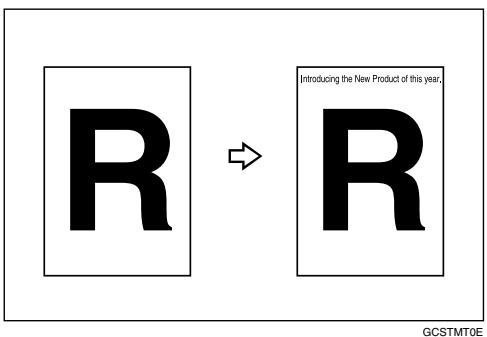
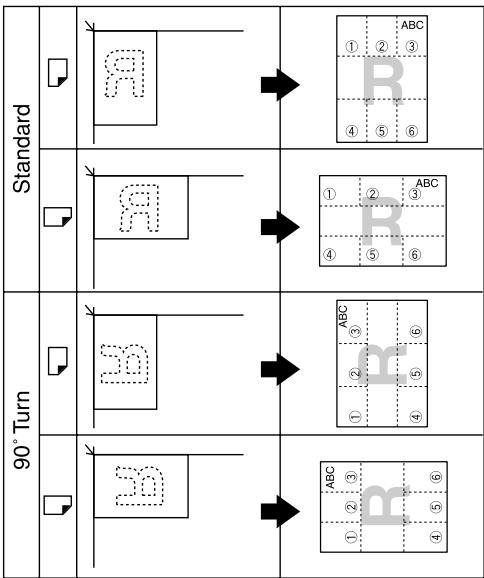
| Key on the display | ▲ | ↑ | ▼ | ← | ↓ | |
| Stamp position | ① | ② | ③ | ④ | ⑤ | ⑥ |
AFU109S
Press [Stamp].
![RICOH PRO 906EX - Press [Stamp]. - 1](/content/2025/01/136509/images/8bab658bcf1863f2d16861ebb3f10f40badb1e487a52621f2407728b073934da.jpg)
Press [Stamp Text].
Press [Change Text].
Enter stamp text, and then press [OK].
Press [All Pages] or [1st Page Only] to select the print page.
Place originals, and then press the [Start] key.
Note
□ If the Main Power is turned off, the text is cleared. To save the typed text, you can program them.
Reference
"Stamp", General Settings Guide
Changing the stamp position
Press [Change] under Stamp Position.
2 Select the desired position, and then press [OK].
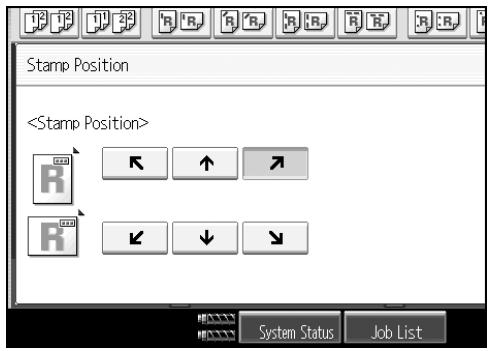
Image Repeat
The original image is copied repeatedly.
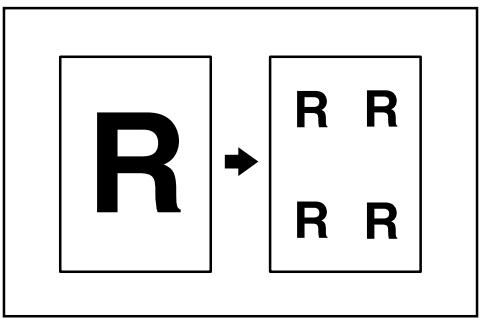
The number of repeated images depends on the original size, copy paper size, and reproduction ratio. For example, see the following table.
Original: 5^1 / 2'' × 8^1 / 2'' or Original: 8^1 / 2'' × 11'' or Original: 5^1 / 2'' × 8^1 / 2'' or Copy paper 8^1 / 2'' × 11''
| 4 repeats (65%) | 16 repeats (32%) |
| Repeat1 | Repeat2 |
Original: 5^1 / 2'' × 8^1 / 2'' or Original: 8^1 / 2'' × 11'' or Original: 5^1 / 2'' × 8^1 / 2'' or Copy paper 8^1 / 2'' × 11''
| 2 repeats (100%) | 8 repeats (50%) | 32 repeats (25%) |
| Repeat3 | Repeat4 | Repeat5 |
0 Select the size of copy paper and the reproduction ratio.
Press [Edit].
Press [Edit Image].
Press [Image Repeat].
Press [OK].
6 Place the originals, and then press the [Start] key.
Reference
"Edit", General Settings Guide
Double Copies
One original image is copied twice onto one sheet, as shown.
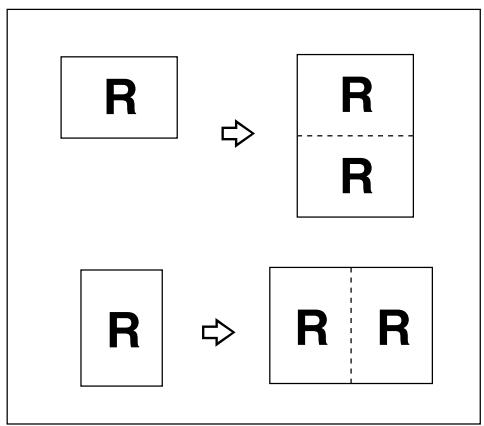
Important
Originals with a size of A5□, B6 JIS□, 5^1/2" × 8^1/2" cannot be detected properly on the exposure glass. Be sure to select the copy paper manually or place the originals in the ADF.
The following table shows original and copy paper sizes (when copying at a ratio of 100% ).
Metric version
AMG015S
| Original size and Orientation | Copy paper size and Orientation |
| A5 | A4 |
| A4 | A3 |
| A5 | A4 |
| B5 JIS | B4 JIS |
Inch version
AMG016S
| Original size and Orientation | Copy paper size and Orientation |
| 51/2" × 81/2" | 81/2" × 11" |
| 51/2" × 81/2" | 81/2" × 11" |
| 81/2" × 11" | 11" × 17" |
Press [Edit].
![RICOH PRO 906EX - Press [Edit]. - 1](/content/2025/01/136509/images/cb1a3a0748bb4ba8b9d184ae99a1b0c3a08f97ef38b5dcf9c1daac4deaabba56.jpg)
Press [Edit Image].
Press [Double Copies].
4 Press [OK].
5 Select the paper.
6 Place the originals, and then press the [Start] key.
Reference
"Edit", General Settings Guide.
Centering
You can make copies with the image moved to the center of the copy paper.
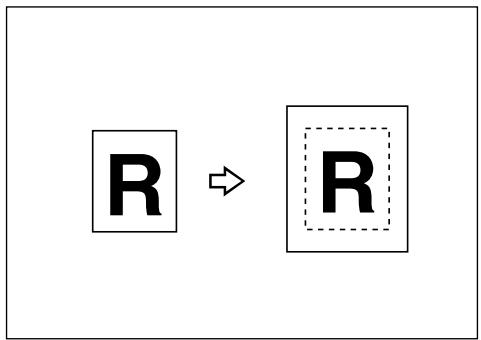
GCCNTR0E
Important
□ You cannot use the multi bypass tray with this function.
The paper sizes and directions for centering are listed below.
Metric version
| Original location | Paper size and orientation |
| Exposure glass | A3☐, B4 JIS☐, A4 ☐☐, B5 JIS ☐☐, 8" × 13"☐ |
| ADF | A3☐, B4 JIS☐, A4 ☐☐, B5 JIS ☐☐, A5 ☐☐, 11" × 17"☐, 81/2" × 11" ☐☐, 8" × 13"☐, 8K☐, 16K ☐ |
Inch version
| Original location | Paper size and orientation |
| Exposure glass | 11" × 17"□, 81/2" × 14"□, 81/2" × 11"□ |
| ADF | A3□, A4□, 11" × 17"□, 81/2" × 14"□, 81/2" × 11"□, 51/2" × 81/2"□, 10" × 14"□, 71/4" × 101/2" |
1 Select the paper.
Press [Edit].
Press [Edit Image].
4 Press [Centering].
Press [OK].
Place the originals, and then press the [Start] key.
Positive/Negative
If your original is black and white, copy images are inverted.
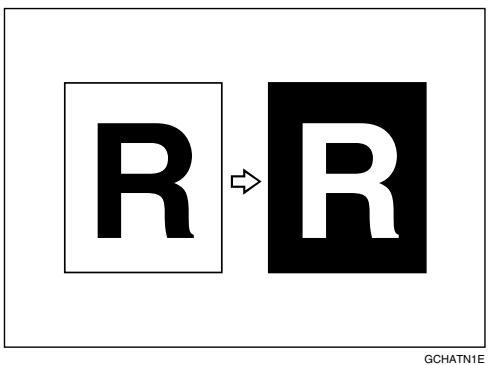
Press [Edit].
Press [Edit Image].
Press [Positive / Negative].
4 Press [OK].
Select the paper.
6 Place the originals, and then press the [Start] key.
Covers
You can use this function to create cover sheets by adding additional pages of different paper, or copying existing pages onto different paper.

Important
□ You cannot select the interposer as the copy paper.
Covers function includes Front Cover and Front/Back Covers.
Front cover
The first page of your originals is copied on specific paper sheet for covers, or a cover sheet is inserted before the first copy.
- Copy
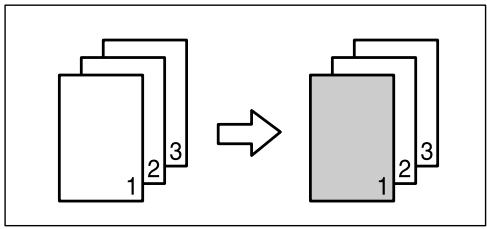
- Blank
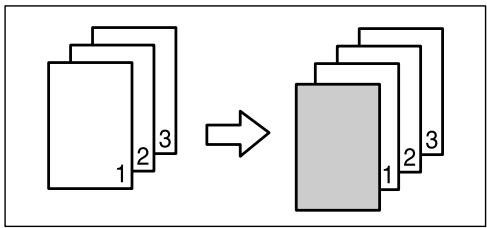
Back Cover
The last page of originals is copied onto a specified cover sheet paper, or a cover sheet is inserted after the last page.
- Copy
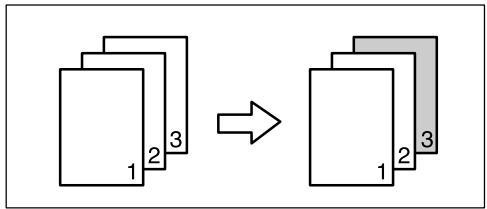
ADB001S
- Blank
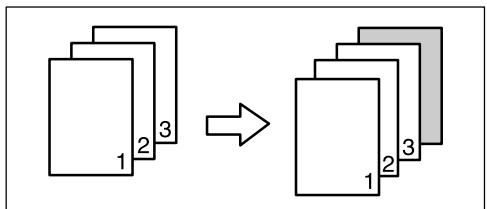
ADB002S
Front/Back Covers
The first and last pages of your original are copied on separate paper for use as covers, or a cover sheet is inserted before the first copy and after the last copy.
- Copy
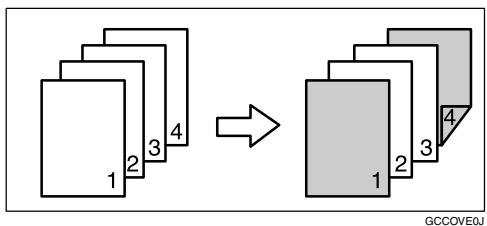
- Blank
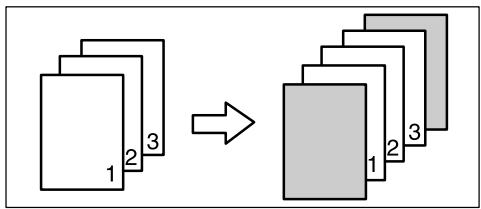
1 Set the tray for the front cover or back cover sheet.
You can select the tray for the front or back cover sheet using the Tray Paper Settings.
The cover sheet should be the same size and direction as the copy paper.
Press [Cover/ Slip Sheet].
![RICOH PRO 906EX - Press [Cover/ Slip Sheet]. - 1](/content/2025/01/136509/images/401f942d529e819291c755bad07148b27ec80f2f4520dfb9d9378048726b4044.jpg)
3 Select [Copy] or [Blank] for the front or back cover sheet, and then press [OK].
4 Select the paper tray that contains the sheet paper to copy the originals.
Place the originals, and then press the [Start] key.
Reference
"Tray Paper Settings", General Settings Guide
Designate
Use this function to have certain pages of your original copied onto slip sheets or to insert a slip sheet for each page specified.
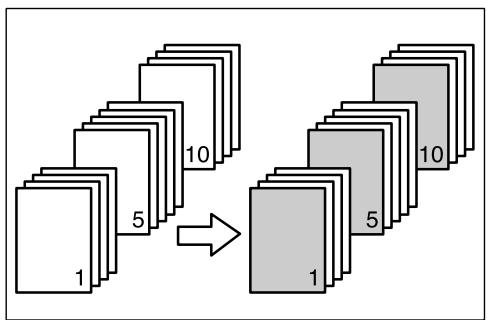
Important
□ You can select any tray for slip sheets, except the copy paper trays.
□ You cannot select the interposer as the copy paper.
1 Set the tray you want to use for slip sheets.
The paper for slip sheets should be of the same size as the copy paper and also be set in the same direction.
Press [Cover/ Slip Sheet].
Press [Designate / Chapter].
4 Select [Designate: Copy] or [Designate: Blank].
Press the key to select the chapter number.
To select pages 21 to 40 (chapter), press [21-40].
6 Enter the page number of the original's location you want to copy onto a slip sheet with the number keys, and then press the [#] key.
To specify another page location, repeat steps to 6.
Up to 100 pages can be specified.
8 Select the paper tray that contains the sheet paper to copy the originals.
9 When you finish specifying pages, press [OK] twice.
10 Place the originals, and then press the [Start] key.
Reference
"Tray Paper Settings", General Settings Guide
Chapters
The pages you specify with this function will appear on the front of copy sheets.
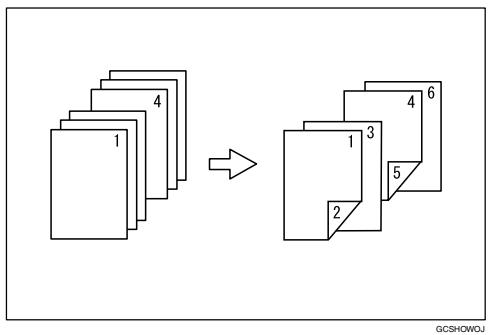
Important
Before selecting this function, press [Dup./Combine/Series] and select "1 Sided→2 Sided" or "Combine".
This function can be used only when you use the Duplex (1 Sided 2 Sided) or Combine function.
Press [Cover/ Slip Sheet].
![RICOH PRO 906EX - Press [Cover/ Slip Sheet]. - 1](/content/2025/01/136509/images/eb9dfab2a814a6119bb9de1a8dc4494daa0c41493896e10673456717eb90cece.jpg)
Press [Designate / Chapter].
Press [Chapter].
Press the key to select the chapter number.
To select pages 21 to 40 (chapter), press [21-40].
5 Enter the page location of the first page of the first chapter with the number keys, and then press the [#] key.
Up to 100 chapter locations can be specified.
6 To specify another page location, repeat steps 4 to 5.
Select the paper tray that contains the sheet paper to copy the originals.
8 When you finish specifying page location, press [OK] twice.
9 Place the originals, and then press the [Start] key.
Designation Sheet Copy
You can copy designated pages onto slip sheets.
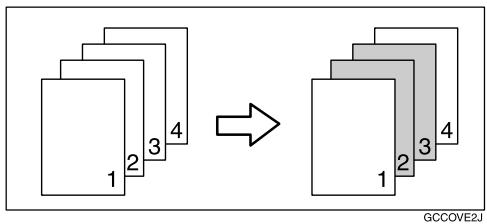
1 Set the tray for the slip sheets.
The paper for slip sheets should be of the same size as the copy paper and also be set in the same direction.
Press [Cover/ Slip Sheet].
Press [Designate / Chapter].

Press [Designation Sheet Copy].
![RICOH PRO 906EX - Press [Designation Sheet Copy]. - 1](/content/2025/01/136509/images/4b3709c370995776bb94fd537da5fec3caf540a7a33cc45e55c7b048dd4260e7.jpg)
5 Enter the sheet number of the first original using the number keys, and then press the [#] key.
6 Press [Page to Page].
7 Enter the sheet number of the last original using the number keys.
8 Select the tray for designate sheet are set, and then press the [#] key.
To specify another page location, repeat step 5 to 8.
10 Select the tray for main sheets.
After all settings, press [OK] twice.
Place originals, and then press the [Start] key.
Note
□ When this function is combined with the 2 Sided function, the first page of the designated pages is copied on the front side of a slip sheet.
□ You can specify up to 100 locations.
Reference
"Tray Paper Settings", General Settings Guide
Blank Slip Sheets
You can insert a blank slip sheet before or after a specified page.
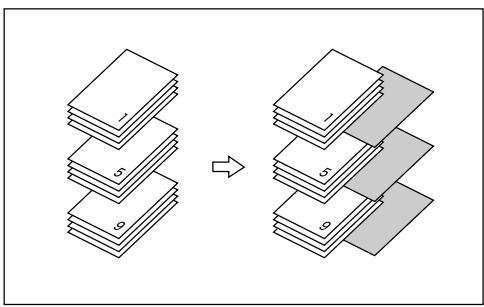
1 Set the tray for the blank slip sheet.
The paper for slip sheets should be of the same size as the copy paper and also be set in the same direction.
Press [Cover/ Slip Sheet].
![RICOH PRO 906EX - Press [Cover/ Slip Sheet]. - 1](/content/2025/01/136509/images/b9005da1902b775ef5231f81218b225a8adf20e04a9134391a8664f912158c80.jpg)
Press [Designate / Chapter].
Press [Insert Sheet].
Press the key to select the chapter number.
6 Select the paper tray for slip sheets.
7 Select [Before] to insert slip sheets before the desired page. Select [After] to insert slip sheets after the desired page. Enter the page number with the number keys.
Press [Number of Sheets], and use the number keys to enter the number of sheets you wish to insert.
To specify another location where to insert sheets, repeat steps 3 to 8.
Select the paper tray containing the paper to copy the originals onto.
When you have finished specifying all settings, press [OK] twice.
Place originals, and then press the [Start] key.
![RICOH PRO 906EX - Place originals, and then press the [Start] key. - 1](/content/2025/01/136509/images/57efb3f0193f48b30e9e8520fccecadc443754577c9a9c7706bd21ef937121d0.jpg)
Reference
"Tray Paper Settings", General Settings Guide.
Slip Sheets
Every time an original page changes, a slip sheet is inserted. This function can be used to automatically insert a slip sheet between OHP transparencies, or as a stacking function.
You can also copy onto slip sheets.
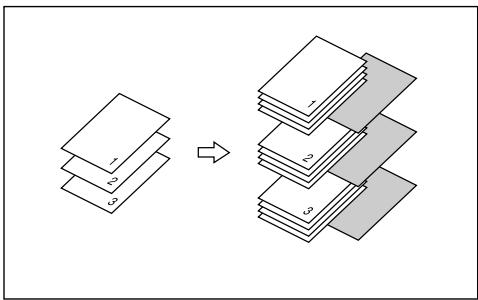

Important
□ If [1 Sided 2 Sided] is set, change it to [1 Sided 1 Sided].
When placing OHP transparencies in the multi bypass tray
- Copy

- Blank
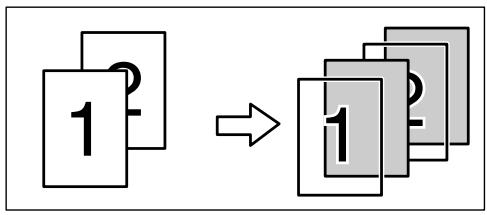
1 Set the tray for the slip sheet.
The paper for slip sheets should be of the same size as the copy paper and also be set in the same direction.
Press [Cover/ Slip Sheet].
![RICOH PRO 906EX - Press [Cover/ Slip Sheet]. - 1](/content/2025/01/136509/images/ff8688e9421c35750ed991d5855b11e009a1942d51e8320645b85b816743d3b7.jpg)
3 Select [Copy] or [Blank], and then press [OK].
4 Select the paper tray that contains the sheet paper to copy the originals. When using OHP transparencies, open the multi bypass tray.
Place the originals, and then press the [Start] key.
Note
- When loading OHP transparencies, press the [#] key and then select [OHP (Transparency)] in the special paper settings.
Reference
p.34 "When copying onto OHP Transparency" "Tray Paper Settings", General Settings Guide
Copy Face Up
When using this function, copies are delivered in the reverse order from the originals.
- 1 Sided 1 Sided
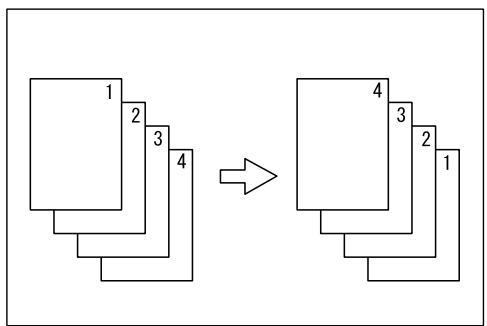
ANO060S
- 2 Sided 2 Sided
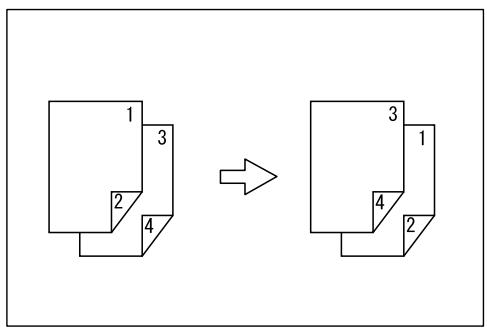
ANO061S
Press [Output/ Customize Function/ Finisher].
Press [Output/Cstmz.].
Press [Reverse Ejection].
Place originals, and then press the [Start] key.
Storing Originals in the Document Server
Using the Document Server enables you to store documents being read with the copy feature on the hard disk of this machine. Thus you can print them later applying necessary conditions.
Important
Machine failure can result in data loss. Important data stored on the hard disk should be backed up. The manufacturer shall not be responsible for any damage that might result from loss of data.
Press [Store File].
![RICOH PRO 906EX - Press [Store File]. - 1](/content/2025/01/136509/images/013f12fe905c63edde2a5e304d08258a9ec11927f0304262b42d8b0b09433962.jpg)
2 Enter a user name, file name, or password if necessary.
Press [OK].
Place your originals.
Make scanning settings for the original.
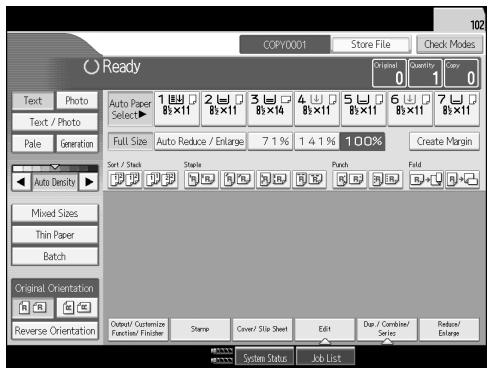
6 Press the [Start] key.
Copies are delivered and scanned data is stored in the hard disk.
Note
- When interrupting the scan, press the [Stop] key. Pressing [Continue] from the confirmation screen resumes the scan. Pressing [Stop] deletes the scanned images and the original on the automatic document feeder (ADF) will be ejected.
□ When placing originals on the exposure glass, press the [#] key after all originals are scanned.
□ According to the factory default, the documents stored on the Document Server are deleted three days (72 hours) after the storing date. You can cancel the automatic document deletion or select other period than three days for the automatic deletion. For more information about changing settings, see "Administrator Tools", General Settings Guide.
To check if a document has been stored, press the [Document Server] key to display the document selection screen.
If you want to store another document, do so after copying is complete.
For further information about the Document Server, see "Document Server".
For details about printing stored documents, see "Printing a Stored Document".
For details about setting user name, file name, and password, see "Storing Data".
Depending on the security settings, [Access Privileges] is displayed instead of [UserName].
For details about procedure for setting [Access Privileges], ask the administrator.
Reference
p.174 "Using the Document Server"
p.184 "Printing a Stored Document"
p.174 "Storing Data"
"Administrator Tools", General Settings Guide.
Programs
You can store the frequently used copy job settings in the machine memory and recall them for future use.
You can store up to 25 programs.
Note
- Paper settings are stored based on paper size. So if you place more than one paper tray of the same size, the paper tray prioritized with the Copier/Document Server Features will be selected first. See "System Settings", General Settings Guide.
□ Programs are not cleared by turning the power off or by pressing the [Clear Modes] key.
Reference
p.147 "Programming Defaults in Initial Display"
"System Settings", General Settings Guide.
Storing a Program
Stores a program.
Edit the copy settings.
Press the [Program] key.
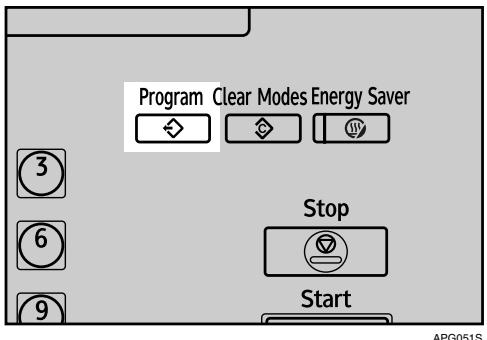
Press [Program].
![RICOH PRO 906EX - Press [Program]. - 1](/content/2025/01/136509/images/929f435baf6cfc9f6d9c3218c90800c0947bd7add101a206f92f1e5a61c1c8de.jpg)
Press the program number you want to store.
5 Enter the program name.
You can enter up to 40 characters.
![RICOH PRO 906EX - Press [Program]. - 2](/content/2025/01/136509/images/ac8b86f361bd759e97cb3d4506c27ff00737d08c7c5e49acdcbfb576b28e0809.jpg)
6 Press [OK].
The screen returns to the program screen, showing the program number followed by the program name. The screen returns to the initial copy display after a short time.
Note
□ Program numbers with against them already have settings made for them.
Changing a Stored Program
Changes program settings.
Check the program settings.
2 Set the contents of a program.
Press the【Program】key.
Press [Program].
Press the program number you want to store.
6 Press [Yes].
7 Enter the program name.
You can enter up to 40 characters.
Press [OK].
The screen returns to the program screen, showing the program number followed by the program name. The screen returns to the initial copy display after a short time.
Note
□ When you want to check the contents of a program, recall the program.
□ When it is overwritten, the previous program is deleted.
Deleting a Program
Erases the contents of program.
Press the【Program】key.
Press [Delete].
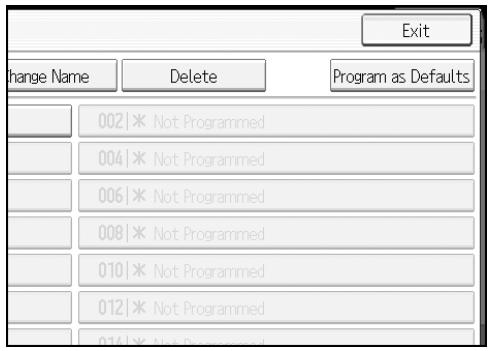
Press the program number you want to delete.
Press [Yes].
The program is deleted, and the screen returns to the copy screen.
Recalling a Program
Recalls a stored program and copies its contents.
Press the [Program] key.
Press [Recall].
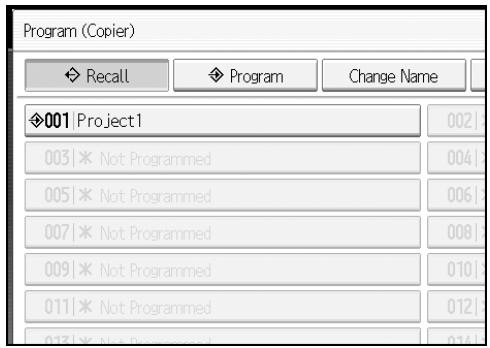
Press the program number you want to recall.
The stored settings are displayed.
4 Place the originals, and then press the [Start] key.
Note
□ Only programs with against them contain a program in step 3.
Programming Defaults in Initial Display
This section describes how to program defaults for the initial display when modes are cleared or reset, or immediately after the operation switch is turned.
The default settings you can program are Paper Tray, Original Type, Density, Special Original, Original Orientation, Cover/Slip Sheet, Dup./Combine/Series, Reduce / Enlarge, Finishing.
1 Specify scan settings and any other settings you require in the initial display.
Press the [Program] key.
Press [Program as Defaults].
Press [Program].
Press [Yes].
The current settings are programmed as defaults. The screen returns to the initial display.
Note
To restore the factory default settings on the initial display, press [Restore Factory Defaults].
- The default settings can be programmed separately for the normal screen and simplified screens.
2
3. Connect Copy
This section explains how to make copies using two machines connected via the Copy Connector (optional).
What is Connect Copy?
Connect Copy allows you to connect two machines together via a cable. When you set up a copy job on one machine (the main machine), data is transferred to the other (the sub-machine) so copies can be made on both simultaneously.
High-speed copying for greater productivity
Large volume copy runs can be completed in shorter time. For instance, when two 135 copies/minute machines are connected together, a speed of 270 copies/minute can be achieved (paper size of A4 , 8^1/2'' × 11'' ).
Reducing time loss
Even if one machine stops due to a paper jam, or runs out of toner or paper, the other machine can automatically take over and finish the job.
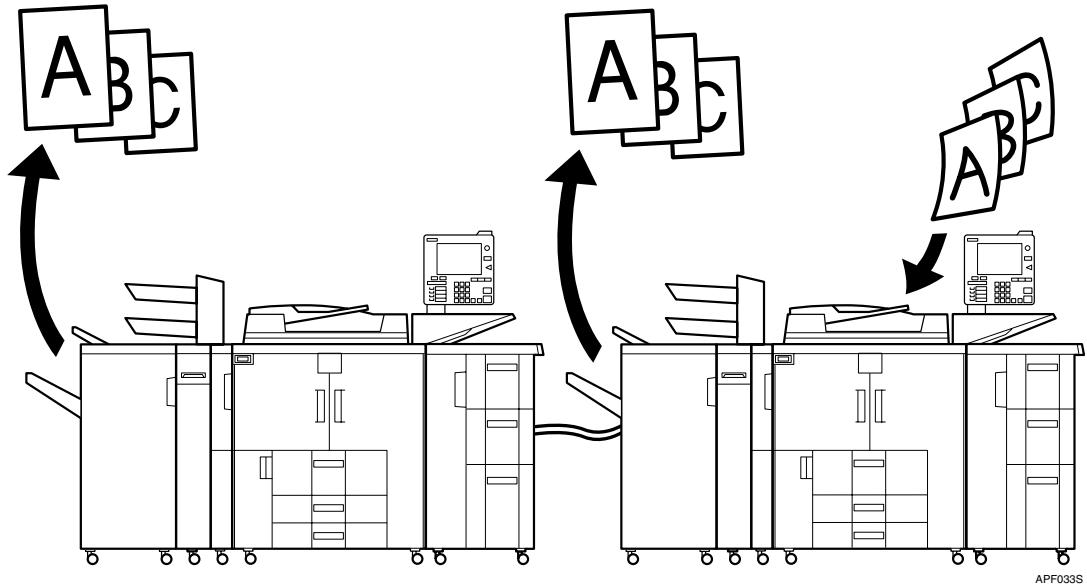
How It Works
After the original is scanned, the data is stored on the hard disk of the main machine. As soon as the main machine starts copying, the data is transferred to the hard disk of the sub-machine, and the sub-machine then starts copying.
In this manual, the two machines connected are referred to as main machine and sub-machine.
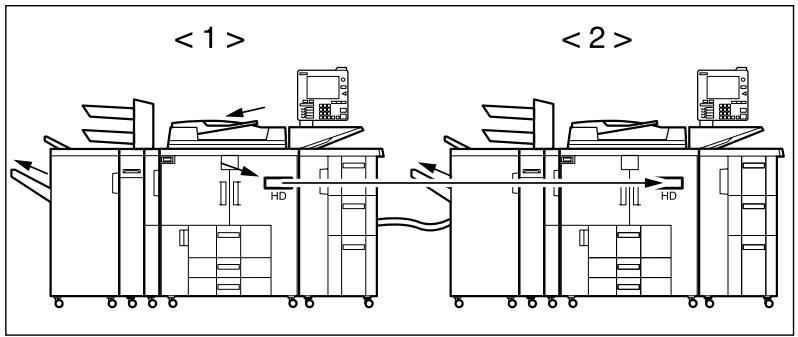
APG024S
① Main machine
② Sub-machine
The main machine is the one on which you press [Connect Copy] to make Connect Copy settings. The other machine becomes the sub-machine.
Machine Types and Options
- Both machines need not be of the same type.
- You can still use Connect Copy without an optional finisher or Large Capacity Tray (LCT). However, to use the Staple and Punch functions, the optional Finisher SR5000 and punch unit must be installed on both machines. To select [Staple: Center], the optional Booklet Finisher BK5000 must be installed on both machines. To use the Z-fold function, the optional Z-folding unit and Booklet Finisher BK5000 must be installed on both machines.
Interrupt Copy
- You can use the Interrupt function on the sub-machine, but not on the main machine.
- You cannot use Connect Copy when a job has been paused using the Interrupt function.
Before You Start
Both machines must have paper trays loaded with paper of the same size, type and orientation.
To ensure the same copy results from both machines,
- Copy Quality settings in the User Tools should be the same on each machine.
- Both main and sub machines should be installed with the same type of finisher.

Reference
"Copier/Document Server Features", General Settings Guide
Connect Copy Display Panel
The display panel shows machine status, error messages and function menus.
Initial copy display
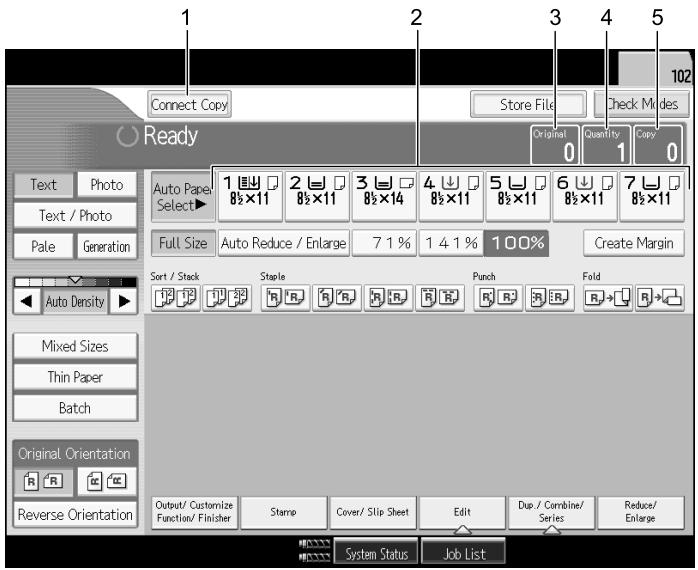
APG065S
1. [Connect Copy]
Press to switch from the initial copy display to the Connect Copy display.
2. Paper Select
Displays the size, type and orientation of the paper set on both machines.
3. Numbers of originals
Displays the number of originals scanned into memory of the main machine.
4. Number of sets
Displays the number of sets of copies.
5. Number of copies
Display the number of copies for the main machine.
Press this part of the display to display the total number of copies for two machines.

Note
The connect copy function is not available from the simplified display.
Display during Connect Copy
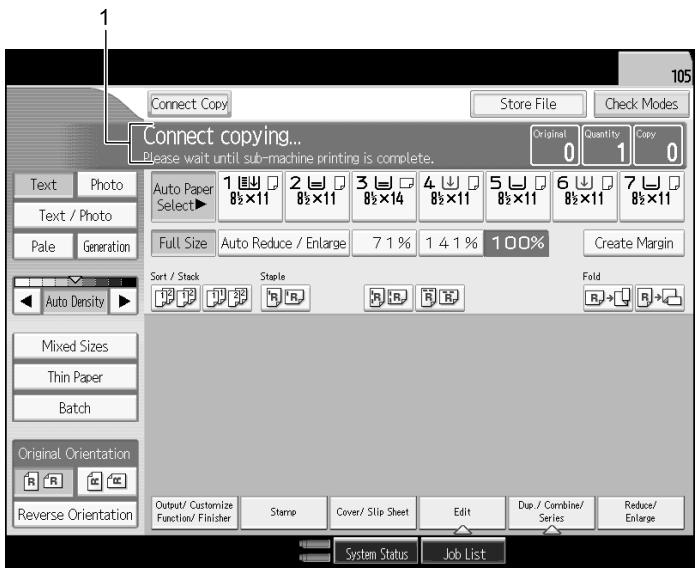
APG066S
- Sub-machine status appears on the second line of main machine's display.
Display panel of the sub-machine
Even if Connect Copy has been selected on the main machine, the sub-machine will still continue to show the initial copy display. To switch to the Connect Copy initial display, follow the procedure below.
Press the [Other Function] key.
![RICOH PRO 906EX - Press the [Other Function] key. - 1](/content/2025/01/136509/images/19e4277a95d5a55b02bea97c1cb2937cb6c3f4d61d8e517115b7a7dcda12b89f.jpg)
The Connect Copy initial display is shown on the sub-machine.
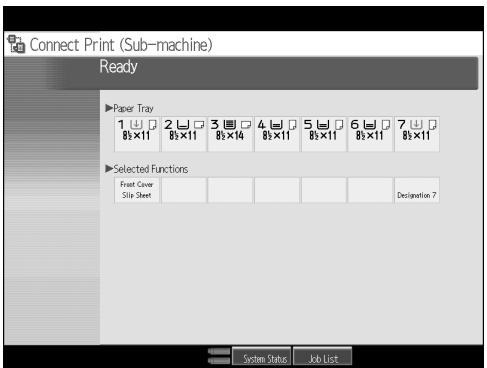
Using Connect Copy
You can select Connect Copy from either machine by pressing [Connect Copy]. The machine on which you pressed [Connect Copy] and made Connect Copy settings becomes the main machine, and the other the sub-machine.
Important
□ When user authentication is set, use the number keys to enter a user code (up to 8 digits) that is registered on the main machine, and then press the [#] key. For details, see "Administrator Tools", General Settings Guide.
- When Basic Authentication, Windows Authentication, LDAP Authentication, or Integration Server Authentication is set, enter a login user name and the login password. For the login user name and the login password, contact your Administrator. For details, see "When the Authentication Screen is Displayed", About this Machine.
In Connect Copy mode, use the main machine to perform this function. See "Copier/Document Server Features", General Settings Guide.
Make sure [Connect Copy] is shown on the display.
![RICOH PRO 906EX - Make sure [Connect Copy] is shown on the display. - 1](/content/2025/01/136509/images/968e6cb9bdba20d49b1315bb88881c6823e1b926442a4ef030a25601c995e670.jpg)
Press [Connect Copy] on the machine that you want to use as the main. [Connect Copy] becomes highlighted, and the two machines are connected.
- Main machine
![RICOH PRO 906EX - Make sure [Connect Copy] is shown on the display. - 2](/content/2025/01/136509/images/823a2177c8cc81e2e20e61a788c82836dbb3460b19bcb3d7e275b5437e7a889f.jpg)
- Sub-machine
![RICOH PRO 906EX - Make sure [Connect Copy] is shown on the display. - 3](/content/2025/01/136509/images/ade46ea9cb04339832e564ef0c2f74f373df46400eac19725eaacee8d3fea536.jpg)
3 Set the originals on the main machine.
Make the necessary settings using the main machine.
If you have made any copy settings before using Connect Copy, the settings remain effective. However, if optional finishers are not installed on both main and sub machines, the Stack, Staple, Punch and Z-fold functions are automatically disabled.
5 Enter the required number of copies using the number keys.
The maximum copy quantity that can be set is 9999.
When the number of originals or copies is small, copying will be done on only the main machine.
6 Press the [Start] key on the main machine.
When placing originals page by page on the exposure glass, press the [#] key after you have finished scanning all the originals.
When placing multiple originals in the ADF, wait till an original has been fed before placing the next.
Copying starts if the main machine is not in use. The sub-machine starts copying after data transfer from the main machine is completed.
7 Collect your copies from both the main and sub machines.
Note
If you cancel Connect Copy mode, press [Connect Copy], which is highlighted on the main machine.
The number of copies might differ on the main and sub machines.
Both machines may not finish copying at the same time.
- When using the Sort/Staple function, copying is divided between the two machines by the number of sets. If a paper misfeed occurs when processing a set of copes, it is not possible for the other machine to take over the remainder of that particular set.
To interrupt ADF scanning, press the [Stop] key on the main machine, and then select [Stop] in response to the message that appears.
To stop copying, press the [Stop] key on the main machine, and then select [Stop] in response to the message that appears.
If the memory required to store originals exceeds the memory limit, an error message appears. For details, see "When You Cannot Make Copies As Wanted", Troubleshooting.
Reference
p.21 "Batch mode"
"When the Authentication Screen is Displayed", About this Machine "Administrator Tools", General Settings Guide "When You Cannot Make Copies As Wanted", Troubleshooting
Order of Copy Output
When copying with the Sort/Staple function
(Example) Copying 6 sets of a three-page original
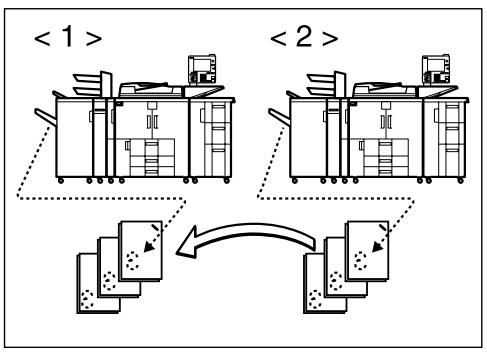
APG028S
① Main machine
② Sub-machine
Copies are delivered face-down on both the main and sub machines.
When using the Sort/Staple function, the processing of one copy set cannot be divided between the two machines.
When copying with the Stack function
(Example) Making 2 copies of each page of a six-page original
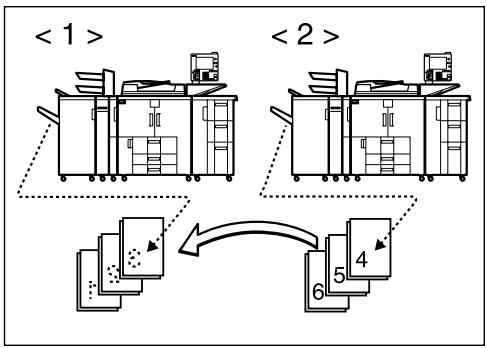
APG029S
(1) Main machine
② Sub-machine
Copies are delivered face-down on both the main and sub machines.
Copies are delivered as shown in the above illustration.
Auto Reset when using Connect Copy
The machine exits Connect Copy mode automatically and returns to the initial condition after a certain period of time has lapsed after job completion. This is called "Auto Reset".

Note
- When the Auto Reset time of the sub-machine lapses when it is processing an Interrupt Copy job, the sub-machine will return to its original position and the Interrupt Copy job will be cancelled.

Reference
"Timer Settings", General Settings Guide
Auto Off
The machine automatically turns itself after a certain period of time has lapsed after job completion. This is called "Auto Off". In Connect Copy mode, the submachine will not turn off automatically.

Reference
"Timer Settings", General Settings Guide
Exiting Connect Copy
This section explains how to cancel Connect Copy mode and return to standard copying mode.

Press [Connect Copy] on the main machine.
The machine returns to standard copying mode.
![RICOH PRO 906EX - Press [Connect Copy] on the main machine. - 1](/content/2025/01/136509/images/f4ec5515802cd6fcf68a75213e8fbd3516c25075a3a9f427d9b51b06e5ffe6a2.jpg)
![RICOH PRO 906EX - Press [Connect Copy] on the main machine. - 2](/content/2025/01/136509/images/b2460584b78f41957b248fc1d8ace94c7b67f4bda832f0a5938c8039f5b319ed.jpg)
Note
□ Settings made on the main machine during Connect Copy mode remain effective.
If you press the [Clear Modes] key on the main machine, Connect Copy mode is cancelled and the main machine returns to its initial condition.
Copying Stored Documents Using Connect Print
You can print a document stored in the Document Server using the Connect Print function.

Note
The main machine is the one on which the document is stored.

Press the [Document Server] key.

Select the document to be printed.
The selected document is highlighted.
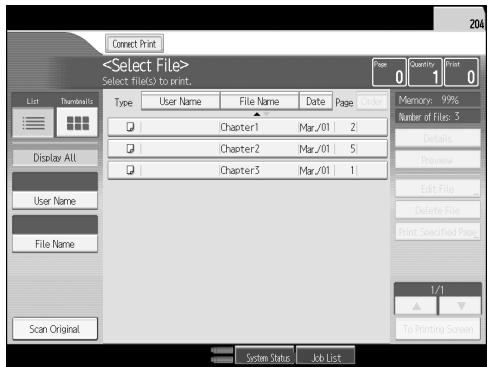

Repeat step if you want to select more documents.
The documents will be printed in the order that they have been selected.

If you need to change the print settings, press [To Printing Screen].
If you do not need to change any settings, proceed to step 5.
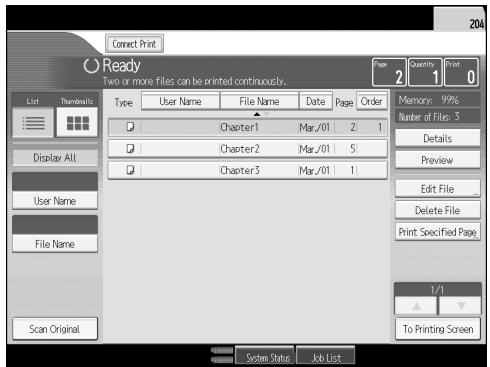

Press [Connect Print].
The key is highlighted and the two machines are connected.

Enter the required number of copies using the number keys.
The maximum copy quantity that can be set is 9999.

Press the【Start】key.
Note
Some documents may not be displayed, depending on the security function settings.
To change the printing order, press the highlighted documents to cancel your selection. Select again in the desired order.
□ You can also cancel all your selections by pressing the【Clear Modes】key.
To register new print conditions or numbers of copies in step 4, press [Save Print Settings].
If you are selecting multiple files, you can check the file names and printing order by pressing [▼] and [▲] to scroll through the list.
Press [Select File] to return to the Select Files to Print display.
□ If you have entered a wrong value, press the [Stop] key and enter again.
□ When using the Sort function, you can check the print results by making a sample copy on the main machine. See "Sample copy".
Sample copies can be made on the main machine only.
The main machine begins printing from the document stored in the Document Server. Printing on the sub-machine starts when the document is transferred from the main machine.
To stop the printing, press the [Stop] key on the main machine, and then follow the instructions on the display.
The number of copies might differ on the main and sub machines.
Both machines may not finish printing at the same time.
Reference
p.65 "Sample copy"
Using Job Preset in Connect Copy
You can make settings for the next Connect Copy job when the current job is still in progress on the main machine. When the current job finishes, the next job begins automatically.
On the main machine, confirm that "Press [New Job] to make reservation." is displayed, and then press [New Job].
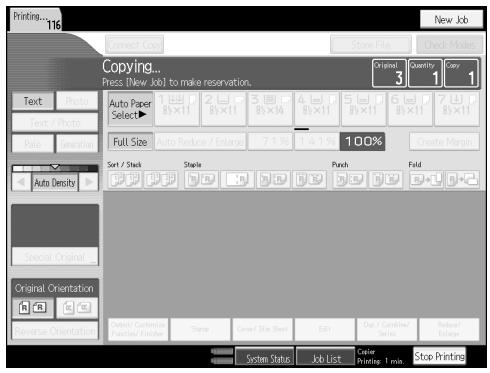
2 Confirm that "Ready" is displayed, and then press [Connect Copy].
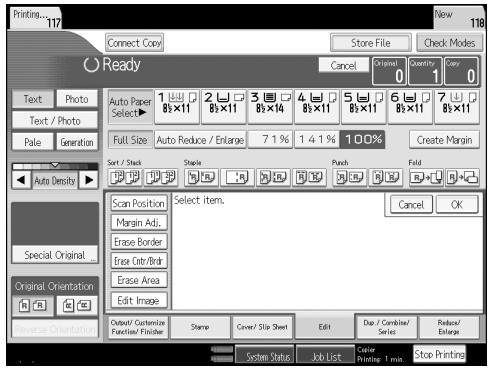
Place the originals in the main machine.
4 Confirm that "Ready" is displayed, and then make settings for the job.
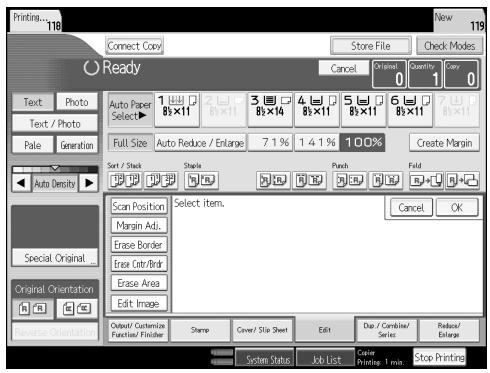
Press the [Start] key on the main machine.
Press the [#] key when you have finished scanning all the originals.
When placing multiple originals in the ADF, wait till the first original has been fed before placing the next.
Scanning begins. As soon as the current job is finished, the next job starts automatically.
Note
□ You can preset a maximum of 10 jobs.
- Preset jobs in Connect Copy mode can only be changed when the main machine has finished scanning the originals.
- Preset jobs in Connect Copy mode can only be changed when copying has yet to begin on either machine.
Reference
p.35 "Job Preset"
Connect Copy Job Flow
The job flow depends on the status of the two machines.
When One of the Two Machines is Idle
One of the machines is copying Original A.
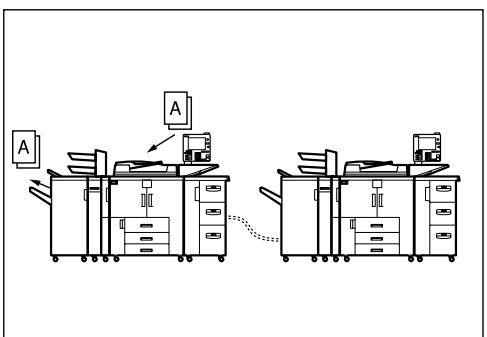
APF037S
Using the idle machine as the main machine (Connect Copy)
Make Connect Copy settings for Original B on machine < 2> (the idle machine).
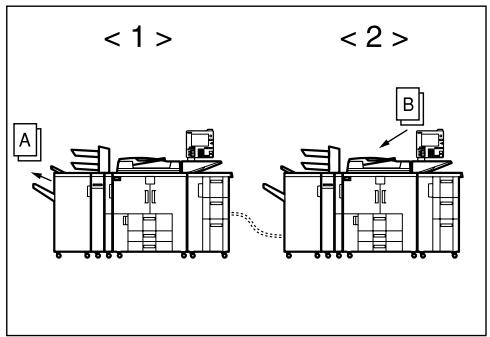
APG030S
2 Machine < 2> begins copying Original B. Machine < 1> also starts copying Original B when it has finished with Original A.
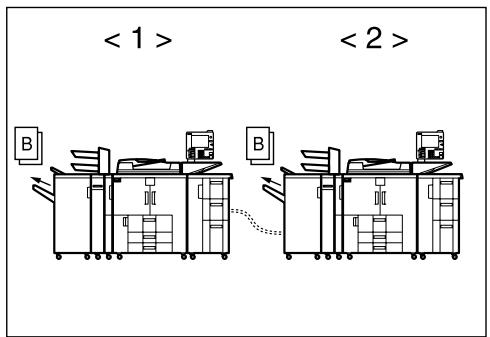
APG031S
① Sub-machine
(2) Main machine
Using the machine currently copying as the main machine (Connect Copy: Job Preset)
Make Connect Copy settings for Original B on machine < 1> (the machine currently in use).
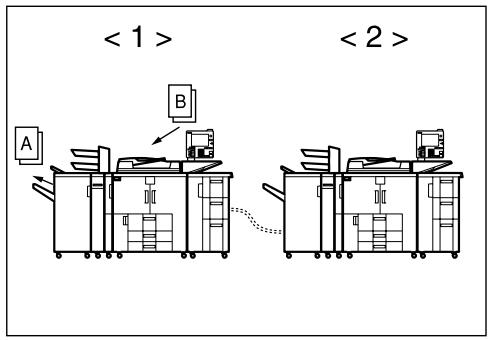
APG032S
2 When machine < 1> has finished with Original A, Connect Copy is activated and both machines begin copying Original B.
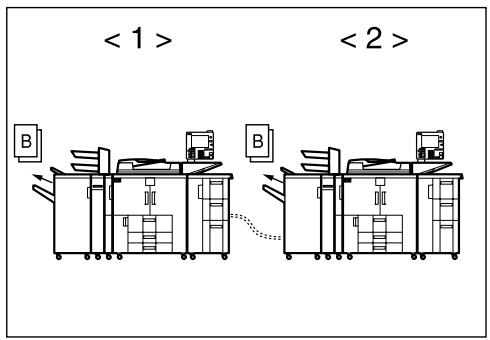
APG033S
① Sub-machine
② Main machine
When Both Machines are in Use
One machine is copying Original A and the other Original B.
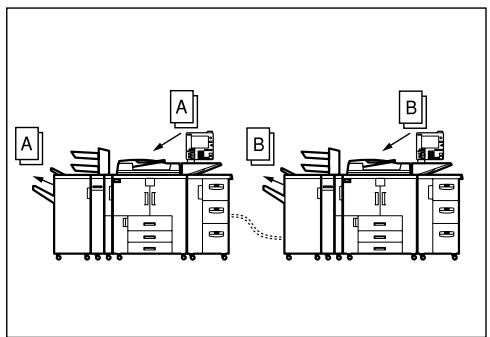
APF042S
When both machines are copying the same number of originals (Connect Copy: Job Preset)
Make Connect Copy settings for Original C on machine < 1> .
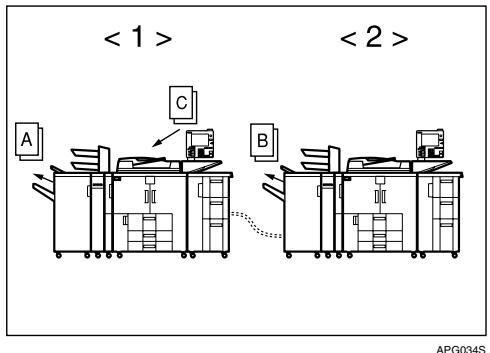
2 When machine < 1> has finished with Original A, it begins copying Original C.
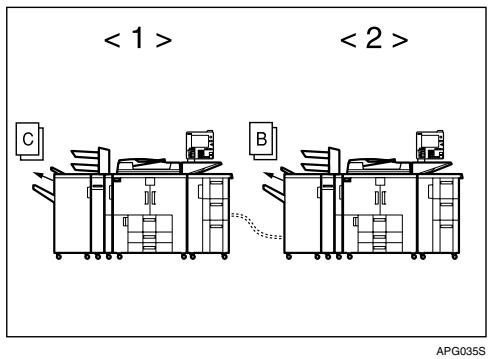
3 When machine < 2> has finished with Original B, it also begins copying Original C.
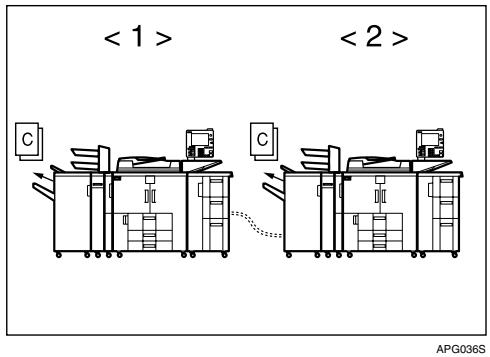
① Sub-machine
② Main machine
When one machines is copying a larger number of originals (Connect Copy: Job Preset)
Make Connect Copy settings for Original C on machine < 1> .
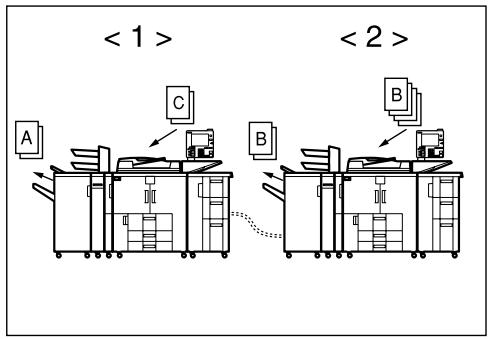
APG037S
2 When machine < 1> has finished with Original A, it begins copying Original C. If machine < 1> finishes copying it allotment of Original C before machine < 2> finishes with Original B, machine < 1> will take over to copy the remainder of Original C.
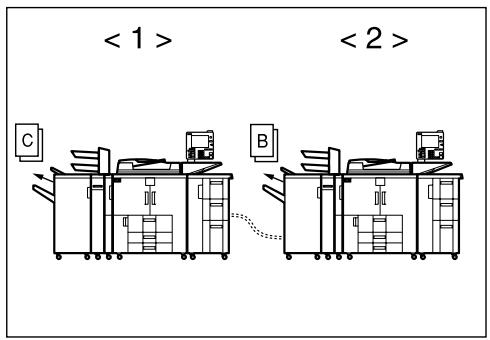
APG038S
① Sub-machine
(2) Main machine
4. Document Server
Using the Document Server enables you to store documents being read with the copy feature on the hard disk of this machine. Thus you can print them later applying necessary conditions.
Relationship between Document Server and Other Functions
State of the Document Server varies depending on the function used.
Copier Functions
- Storing method: Copy/Document Server
- List display: Available
- Printing: Available
Transmission: Unavailable
Printer Functions
- Storing method: Personal computer
- List display: Available
- Printing: Available
Transmission: Unavailable
Scanner Functions
- Storing method: Scanner
- List display: Unavailable
When documents are stored with the scanner feature, you can confirm them from the scanner feature screen. See "Displaying the List of Stored Files", Scanner Reference.
- Printing: Unavailable
Transmission: Available
Transmission is done by use of the stored document transmission of the scanner feature. See "Sending Stored Files", Scanner Reference.
Reference
"Displaying the List of Stored Files", "Sending Stored Files", Scanner Reference
Document Server Display
Following explains the screens and icons displayed in the Document Server function.
Document Server initial display
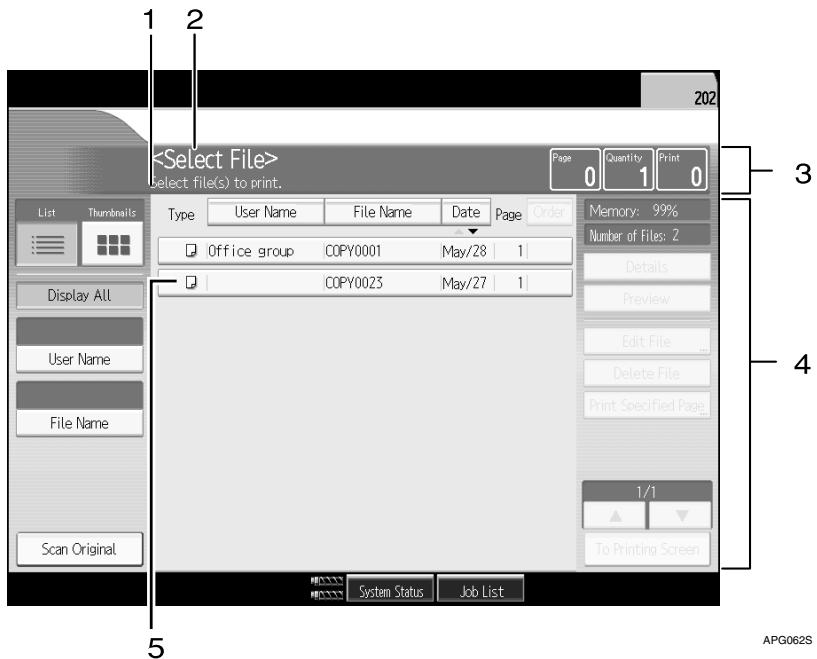
- The operational status or message is displayed.
- The currently selected screen's title is displayed.
-
The number of the originals being read with the memory as well as the number of paper set and copied are displayed.
-
Keys for the operation are displayed.
- An icon that corresponds to a stored function is displayed.
The list display of the Document Server shows the following icons depending on the stored function selected.
| Function | Copying | Printer |
| Icons |

Note
- All the stored documents may not be displayed depending on the security function specified.
Simplified Display
This section explains how to switch to the simplified display.
When you press the [Simplified Display] key, the screen changes from the initial display to the simplified display.
Letters and keys are displayed at a larger size, making operations easier.
Example of a simplified display
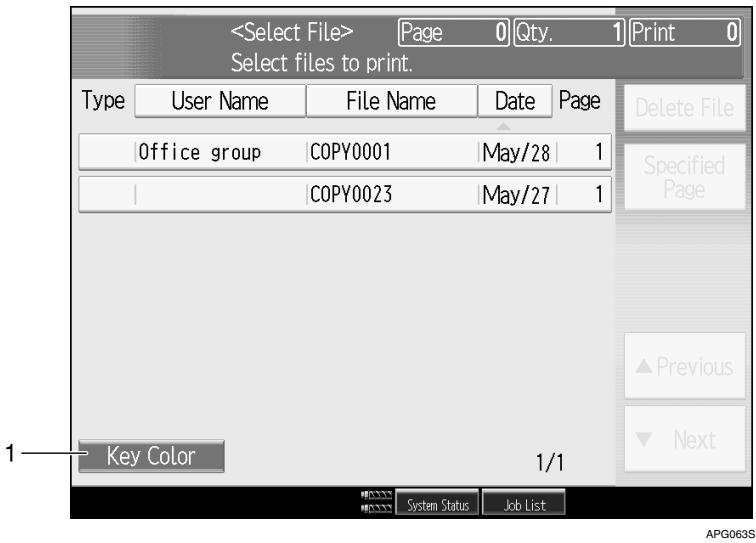
1. [Key Color]
Press to change the key color and increase the brightness of the display panel.
![RICOH PRO 906EX - [Key Color] - 1](/content/2025/01/136509/images/48feba63a759f1165109116c9fc277de45fdd916567fc0ce9788506d87e534a6.jpg)
Note
To return to the initial display, press the【Simplified Display】key again.
Certain keys do not appear on the simplified display.
Preview Display
Following explains the preview display displaying procedure and the items displayed on this screen.
The Preview Display appears after scanning completes. You can also display stored documents on the preview display. For details, see "Displaying the List of Stored Files", Scanner Reference.
The preview display denotes the screen that allows confirming contents of the scanned documents.
Preview Display
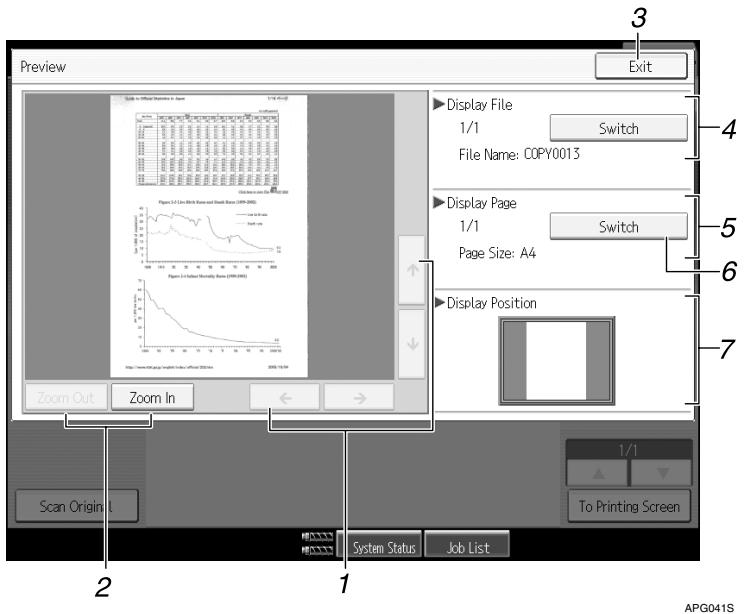
- [ ][ ][ ][ ]
Used to move the portion to be displayed.
- [Zoom Out], [Zoom In]
Used to scale up or down the document to be displayed.
- [Exit]
Used to exit the preview display.
- Display File
Used to display the document name.
[Switch] is displayed on the preview screen for the stored documents. It is used to switch the document to be displayed in the preview.
- Display Page
Used to display the currently opened page number, total number of pages, and page size.
- [Switch]
Used to turn the page of the selected document.
- Display Position
When the image is enlarged, the position on the document is displayed.

Note
- When the preview is already selected from another function, the preview screen function may become unusable.
The preview display is also not available when the paper size is larger than A3.
If the image file is corrupt, store it again.

Reference
"Displaying the List of Stored Files", Scanner Reference
Using the Document Server
Following describes how to use the Document Server.
Storing Data
Following describes the procedure for storing documents on the Document Server.
Important
File Name
- Data stored in the machine might be lost if some kind of failure occurs. The manufacturer shall not be responsible for any damage resulting from loss of data.
- Be careful not to let anyone know your password, especially when entering a password or recording it. Keep any record of your password in a secure place.
- Avoid using a single number or consecutive numbers for a password such as "0000" or "1234", since the numbers like this are easy to guess, so using them will not provide a worthwhile level of security.
A document accessed with a correct password remains selected even after operations are complete, and it can be accessed by other users. To stop this, be sure to press the [Clear Modes] key to cancel the document selection.
The user name used when adding a document to the Document Server is to identify the document creator and type. It is not to protect confidential documents from others.
Stored documents are automatically named "COPY0001", "COPY0002". You can change assigned file names.
User Name
You can register a user name to identify the user or user group that stored the documents. To assign it, you can register the user name using the name assigned to the user code, or by entering the name directly.
Password
To prevent unauthorized printing, you can set a password for any stored file. A protected file can only be accessed if its password is entered. When a password is set for the documents, the lock icon appears next to the documents.
Press the [Document Server] key.
![RICOH PRO 906EX - Press the [Document Server] key. - 1](/content/2025/01/136509/images/588eca55caa5ea95547912d6c276a2e4916f06f0fcbdac09181cbefdd5521555.jpg)
Press [Scan Original].
![RICOH PRO 906EX - Press [Scan Original]. - 1](/content/2025/01/136509/images/b088f6870fcdf8c0e2a6d787946a9548b30fb1b8d4678daa1cc55e5db5759d45.jpg)
3 Above operation sets up the user name, document name and password. When not changing a document name, the name will be automatically set.
4 Set the original.
5 Specify the original scanning conditions.
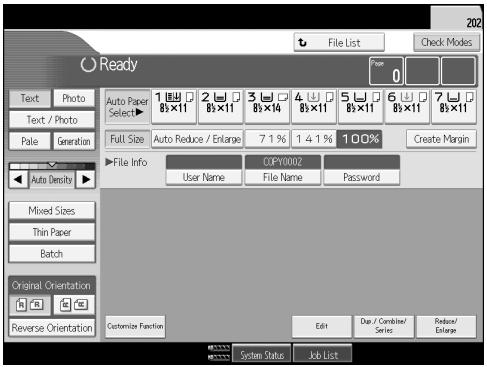
Press the [Start] key.
The original is scanned. The document is saved in the Document Server.
![RICOH PRO 906EX - Press the [Start] key. - 1](/content/2025/01/136509/images/d9d0e52aae54eae5ad84358da70500483bd53a2e18d848eb1e88b74c4b6e0ee3.jpg)
Note
Enter a four- to eight-digit password.
□ By default, data stored in the Document Server is deleted after three days (72 hours). You can specify the time taken for the stored data to be deleted automatically. See "Administrator Tools", General Settings Guide.
If you do not want stored data to be automatically deleted, select [Off] in Auto Delete File before storing a document. If you select [On] later, data stored after will be automatically deleted.
- When the machine is printing a document stored using the copier function, wait until printing has finished before you store a document in the Document Server.
To stop scanning, press the [Clear/Stop] key. To restart a paused scanning job, press [Continue] in the confirmation display. To delete saved images and cancel the job, press [Stop].
- When a password is set, the lock icon appears on the left side of the file name.
□ After scanning, stored documents appear on the Select Files to Print display. If this display does not appear, press [Scanning Complete].
□ When placing an original on the exposure glass, press [Scanning Complete] after all the originals have been scanned.

Reference
"Administrator Tools", General Settings Guide
To register or change a user name (When using a user name registered to the Address Book)
Following describes the procedure for registering or changing a user name to be attached to a stored document.
Display the original scan screen.
Press [UserID].
The user name input screen will appear
3 Select the user name and then press [OK].
To register or change a user name (When using a user name not registered to the Address Book)
Following describes the procedure for registering or changing a user name to be attached to a stored document.
Display the original scan screen.
Press [UserID].
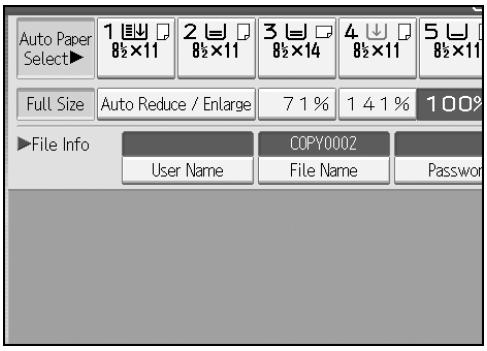
3 Select the user name and then press [Manual Entry].
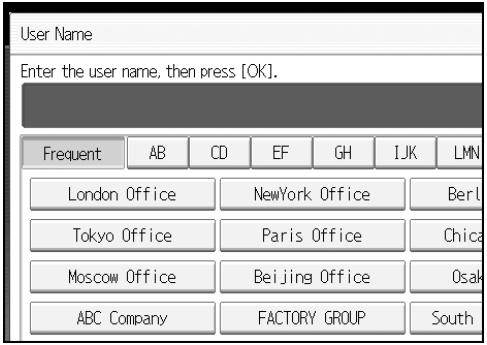
The user name change screen will appear.
Enter the user name and then press [OK].
To register or change a user name (When no name is registered to the Address Book)
Following describes the procedure for registering or changing a user name to be attached to a stored document.
Display the original scan screen.
Press [UserID].
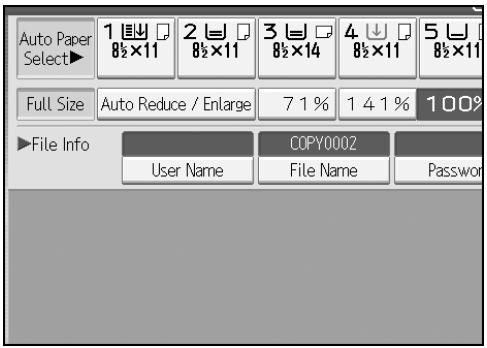
The user name input screen will appear.
3 Enter the user name and then press [OK].
To change a file name
Following describes the procedure for changing a name to be attached to a stored document.
Display the original scan screen.
Press [File Name].
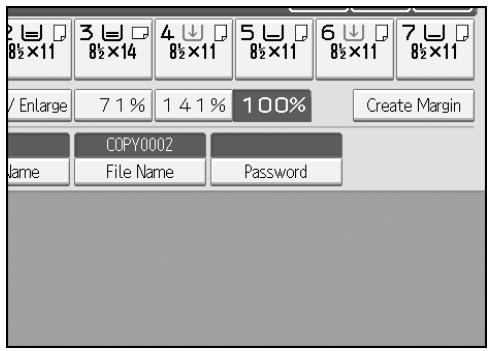
The document name change screen will appear.
Press [Delete All] to delete the document name to be automatically set.
4 Enter the document name and then press [OK].

Note
In step 3, pressing [Backspace] allows you to delete up to any desired location.
- You can enter up to 20 characters for a document name. In the list, however, up to 16 characters are displayed as the document name. If above limits are exceeded, the list will display up to 15 characters for the document name.
To set or change a Password
Following describes the procedure for setting or changing a password to be attached to a stored document.
Display the original scan screen.
Press [Password].
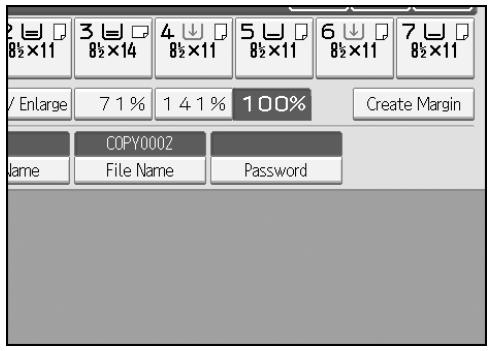
3 Enter the password from the number keys and then press [OK]. You can use four to eight digits for specifying the password.
4 For double-check, enter the password again and then press [OK].
Changing User Name, File Name or Password of a Stored Document
Following describes the procedure for changing a user name, document name or password.
Press the [Document Server] key.
2 Select the document whose user name, document name or password is to be changed.
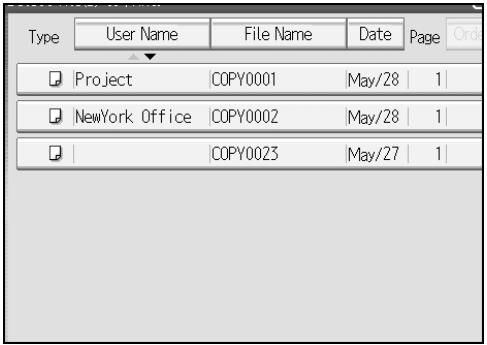
When a password is set, enter it and then press [OK].
Press [Edit File].
Press [ChangeUserName], [Change File Name] or [Change Password].
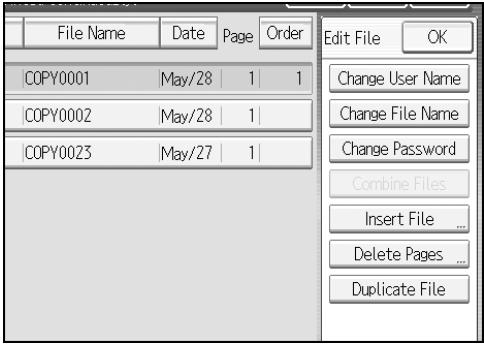
From the respective change screens, enter the new user name, document name or password and then press [OK].
6 Press [OK].
Note
Depending on the security settings, [Change Access Priv.] is displayed instead of [ChangeUserName].
For details about procedure for setting [Change Access Priv.], ask the administrator.
Checking the Details of a Stored Document
Following describes the procedure for displaying details of a stored document.
Press the [Document Server] key.
2 Select the document whose details are to be displayed.
When a password is set, enter it and then press [OK].
Press [Details].
Details of the document will be displayed.
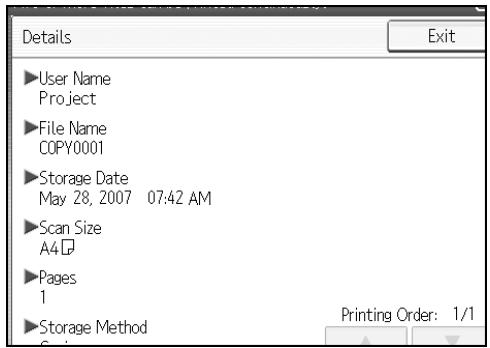
Note
□ When you have selected two or more documents, you can view the information of the documents in the order of [][] .
□ Pressing [Exit] restores the document selection screen.
Searching for a Stored Document
Following describes the procedure for searching a stored document from user name or document name.
You can rearrange the currently chronologically ordered documents in any desired order.
To search by file name
Following describes the procedure for searching a stored document from the document name.
To search by user name
Following describes the procedure for searching a stored document from the user name.
Note
- Installing Ridoc Desk Navigator enables search and reordering of stored documents from PC.
For more information about Ridoc Desk Navigator, see Instruction Manual and Help of Ridoc Desk Navigator.
To search by file name
Following describes the procedure for searching a stored document from the document name.
Press the [Document Server] key.
Press [File Name].
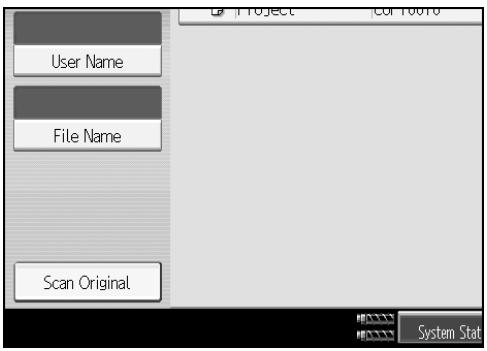
3 Enter the document name to be searched and then press [OK].
A document name that matches completely from the starting character will be searched and displayed on the document selection screen.
Note
□ Pressing [Display All] displays ever stored document.
To search by user name
Following describes the procedure for searching a stored document from the user name.
Press the [Document Server] key.
Press [UserID].
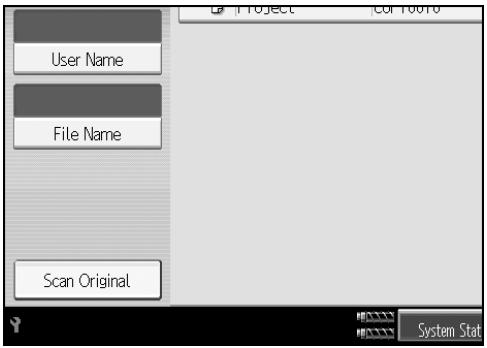
3 When specifying a registered user name, select the user name and then press [OK].
When using a not-registered user name, proceed to the next step.
When the user name is not registered, press [Manual Entry] and then enter the user name to be displayed from the input screen. Then press [OK].
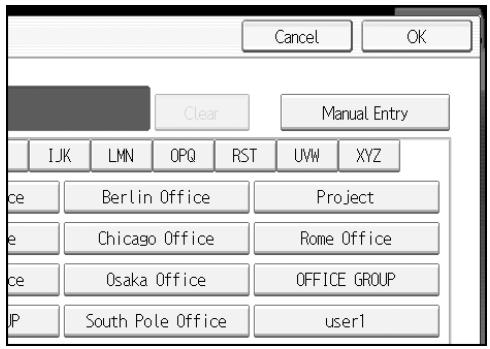
Press [OK].
A document name that matches completely from the starting character will be searched and displayed on the document selection screen.
Note
□ Pressing [Display All] displays ever stored document.
Printing a Stored Document
Following describes the procedure for printing a stored document.
Using Web Image Monitor allows you to print a document stored in the Document Server from your PC.
Press the [Document Server] key.
2 Select the document to be printed.
When a password is set, enter it and then press [OK].
3 When printing two or more documents at a time, repeat the operation in 2.
Up to 30 documents can be printed.
When specifying printing conditions, press [To Printing Screen].
The printing condition screen will appear. User name of the document, document name and the order of printing of this document will be displayed.
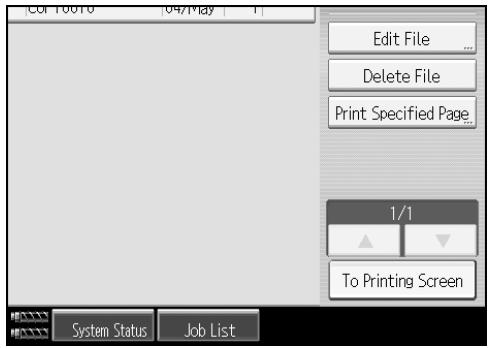
5 Enter the number of print copies from the number keys.
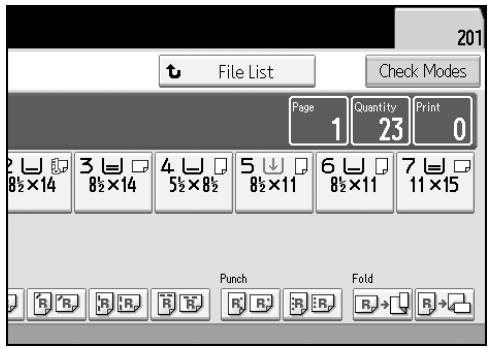
Up to 9999 copies are specifiable.
6 Press the [Start] key.
Printing will be started.

Note
□ You can search the target document using, in step 2, [UserID] or [FileName] situated in the left side of the screen.
Some of the selected document may not be printed due to the difference in the size or resolution.
- When changing the printing order, cancel the highlight and then specify the order correctly.
□ Pressing [Order] displays the selected documents in the printing order.
The copy and printer features hold the specified printing conditions after the operation is over and applies them at the next printing.
- When two or more documents are specified, the printing conditions are stored on the first document but not on the succeeding documents.
Following settings are available for the printing conditions. For respective printing results, see "Copier Functions".
- Book binding style (2 Sided Top to Top, 2 Sided Top to Bottom, Magazine, Booklet)
- Treatment of front cover (Cover/Slip Sheet, Edit / Stamp)
-
Finish (Sort, Rotate Sort, Stack, Staple, Punch)
-
When printing two or more copies while selecting the sort function, you can confirm the finish by printing only one copy.
□ When printing two or more documents at a time, you can print them as a single continuous document by specifying the order of their printing. - When printing two or more documents at a time, the printing conditions set for the first document are applied to all the remaining documents.
- When two or more documents are selected, pressing [][] allows you to confirm the user name, document name and printing order of the document selected in step 2.
□ Pressing [File List] restores the document selection screen.

Reference
p.49 "Copier Functions"
When Interrupting Printing
Following describes the procedure for interrupting printing work.
Press the [Stop] key
Press [Suspend].
Changing Number of Print Copies while Printing is in Progress
Following describes the procedure for changing the number of print copies after printing is stared.
Important
This feature is enabled when the sort function is selected in the printing conditions.
Press the [Stop] key.
Press [Change Quantity].
3 Enter the number of print copies anew from the number keys.
Press the [#] key.
Press [Continue].
Printing will be resumed.
Note
The range of print copies enterable in step 3 depends on the timing of your pressing the [Stop] key.
Sample Print
When print copies are massive, you can print a single copy in advance to check appropriateness of the printing order of the selected documents and the printing conditions.
Important
This feature is enabled when the sort function is selected in the printing conditions.
1 Select the document to be printed.
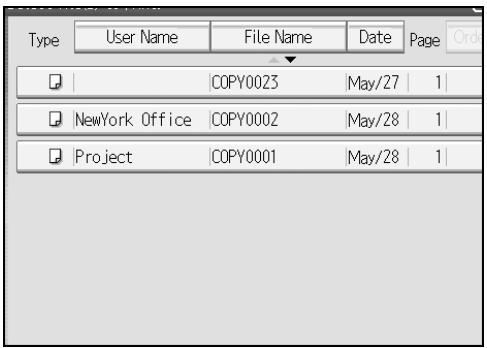
When a password is set, enter it and then press [OK].
Press [To Printing Screen].
Press the [Sample Copy] key.
Only one copy will be printed.
Press [Continue].
Printing will be resumed.
Note
- You can search the target document using, in step 1, [UserID] or [FileName] situated in the left side of the screen.
In the display order field of step 0, you can sort the documents by [Name], [File Name], [Date]. Press the item to be used for the sorting.
To cancel the selection in step 0, press the highlighted document again.
To cancel the printing, press [Suspend]. The print screen will appear, enabling to set another item.
Printing the First Page
In order to confirm the print results, you can print the first page alone of the document selected from the document selection screen.
When two or more documents are selected, the first page of the respective documents is printed.
0 Select the document to be printed (confirmed).
When a password is set, enter it and then press [OK].
Press [Print Specified Page].
Press [1st Page].
![RICOH PRO 906EX - Press [1st Page]. - 1](/content/2025/01/136509/images/368890a48639055a280b9f3055be65e34bf5ad0d730a5c6b8153061d906f59d7.jpg)
Press the [Start] key.
Note
- You can search the target document using, in step 1, [UserID] or [FileName] situated in the upper left side of the screen.
In the display order field of step 0, you can sort the documents by [Name], [File Name], [Date]. Press the item to be used for the sorting.
To cancel the selection in step 0, press the highlighted document again.
Printing a Specified Page
You can print the specified page alone of the document selected from the document selection screen.
When two or more documents are selected, the specified page of the respective documents is printed.
0 Select the document to be printed.
When a password is set, enter it and then press [OK].
Press [Print Specified Page].
Press [Specified Page].
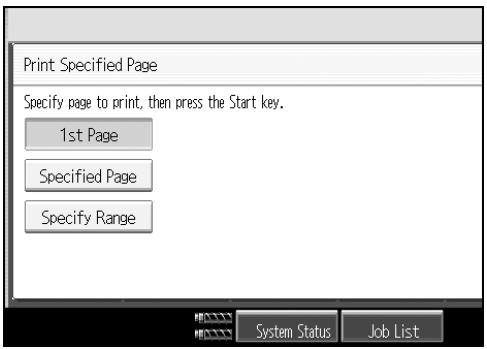
4 Specify the page to be printed from the number keys and then press the [#] key.
Press the [Start] key.
Note
□ You can search the target document using, in step 1, [User Name] or [File Name] situated in the left side of the screen.
In the display order field of step 0, you can sort the documents by [UserID], [File Name], [Date]. Press the item to be used for the sorting.
To cancel the selection in step 0, press the highlighted document again.
Printing a Specified Range
You can print the pages in the specified range alone of the document selected from the document selection screen.
When two or more documents are selected, pages in the specified range of the respective documents is printed.
0 Select the document to be printed.
When a password is set, enter it and then press [OK].
Press [Print Specified Page].
Press [Specify Range].
![RICOH PRO 906EX - Press [Specify Range]. - 1](/content/2025/01/136509/images/f6d4b2cf1fc4290a59c68ba9a89dd4d0d3efe074e19d8c7dcc1244f9d334e918.jpg)
4 Specify the printing start page from the number keys and then press the [#] key.
5 Specify the printing end page from the number keys and then press the [#] key.
6 Press the [Start] key.
Note
- You can search the target document using, in step 1, [User Name] or [File Name] situated in the upper left side of the screen.
In the display order field of step 1, you can sort the documents by [Name], [File Name], [Date]. Press the item to be used for the sorting.
To cancel the selection in step 0, press the highlighted document again.
Edit File
You can edit documents stored in the Document Server.
Combining Files
You can combine two or more files stored in the Document Server.
Important
□ You cannot recover the original files from the new file.
□ You cannot combine files if they are currently being used by another function.
Press the [Document Server] key.
2 Select documents you want to combine.
If a password has been set for the document, enter it, and then press [OK]. The files are combined in the order of being selected.
Press [Edit File].
Press [Combine Files].
Enter the new file name.
6 Press [OK].
Note
□ You can combine up to 30 files.
The print settings for the file selected first are stored.
□ If you do not set the file name in step 3, the name of the file selected first will be the name of the combined file.
Inserting Documents
You can insert a file into files already stored in the Document Server.
Important
□ You cannot recover the original file from the new file.
□ You cannot insert files into a file that is currently being used by another function.
Press the [Document Server] key.
2 Select the document to be inserted in.
If a password has been set for the document, enter it, and then press [OK].
Press [Edit File].
4 Press [Insert File].
Select the document you want to insert into.
6 Enter the page number to insert the file using the number keys.
Press [Before Specify Page] or [After Specify Page].
Press [OK].
Deleting Pages
Follow the procedure below to delete pages from a file stored in the Document Server.
Important
To check the page numbers, print the file.
Press the【Document Server】key.
2 Select the document containing the pages you want to delete. If a password has been set for the document, enter it, and then press [OK].
Press [Edit File].
Press [Delete Pages].
5 Enter the number of the page you want to delete using the number keys.
If you want to delete a series of pages, press [Page to Page], and then enter the number of the last page you want to delete.
Press [OK].
Press [Yes] in the confirmation dialog box.
Note
□ If you want to delete only one page in step 6, proceed to step 7.
□ If you enter every page in step 6, the whole file is deleted.
Copying Documents
You can copy documents that are stored in the Document Server.
Important
- You cannot copy a selected document that is currently being used by another function.
Press the [Document Server] key.
2 Select the document you want to copy.
If a password has been set for the document, enter it, and then press [OK].
Press [Edit File].
Press [Duplicate File].
Press [Yes] in the confirmation dialog box.
Note
□ If you select [No] in step 3, the selected document is not copied.
If you press [Stop Duplicating] while copying, the selected document is not copied. However, if you select multiple documents, some of them might be copied.
The "~" mark is added to the beginning of the copied document's name.
Print Backup
You can store registered documents to an external device.
Important
□ You must prepare the extended data conversion board.
□ You cannot copy a selected document that is currently being used by another function.
Press the [Document Server] key.
2 Select the document you want to copy.
If a password has been set for the document, enter it, and then press [OK].
Press [Edit File].
Press [Print Backup].
Press [Yes].
You can select the file format, resolution, and the recipient's name.
6 Press [OK].
Note
- You can specify the default setting under [Print Backup: Default User Name], [Print Backup: Default Format], and [Print Backup: Default Resolution] using Administrator Tools for System Settings.
If you select [PDF (Single Page)] or [PDF (Multi-page)], you can make encoding and privilege settings under [Security Settings]. - You can specify the recipient's name under [Print Backup: Default User Name] using Administrator Tools for the System Settings.
Deleting a Document
Following describes the procedure for deleting a stored document.
Important
The Document Server can store up to 3000 documents. As the number of stored documents reaches 3000, storing of a new document becomes unavailable. Thus, you should delete unnecessary documents as much as practicable.
Press the [Document Server] key.
2 Select the document to be deleted.
When a password is set, enter it and then press [OK].
Press [Delete File].
![RICOH PRO 906EX - Press [Delete File]. - 1](/content/2025/01/136509/images/8cf2f3656016cc3e4cd9006ed0a9cee5d554d7784fcb9aecf092cc33af8c3a24.jpg)
Press [Yes].
Note
□ You can delete the stored documents at a time. See "Administrator Tools", General Settings Guide.
- Using Web Image Monitor allows you to delete a document stored in the Document Server from your PC.
It is also possible to select two or more documents and delete them.
- You can search the target document using [File Name] or [UserID] situated in the left side of the screen.
In the display order field, you can sort the documents by [UserID], [FileName], [Date]. Press the item to be used for the sorting.
- When you could not identify the target document from the document name, print the first page alone of the document in order to confirm the print results.
To cancel your selection, press the highlighted document again.
For the Web Image Monitor starting procedure, see "Displaying a Document in Document Server with Web Image Monitor".
Reference
p.193 "Displaying a Document in Document Server with Web Image Monitor"
"Administrator Tools", General Settings Guide
Displaying a Document in Document Server with Web Image Monitor
Following describes the procedure for confirming contents of a stored document on the PC screen by use of Web Image Monitor.
0 Start Web browser.
Enter "http:// (IPv4 address of this machine) /" to the address.
Top page of Web Image Monitor will be displayed.
3 Click [Document Server].
The list of documents in the Document Server will be displayed.
Click of the document you want to confirm.
Information of the document will be displayed.
5 Confirm contents of the document.
Note
□ You can change the document list display format in step 8. Click (Thumbsnails), (Icons), or (Details) for the display format.
□ When you want to enlarge the preview display in step 3, click [Enlarge Image].
Downloading Stored Documents
Following describes the procedure for downloading a stored document to the PC by use of Web Image Monitor.
Important
- When downloading a document stored with the copy feature, you must prepare the extended data conversion board.
0 Start Web browser.
Enter "http://(IPv4 address of this machine)/" to the address.
Top page of Web Image Monitor will be displayed.
3 Click [Document Server].
List of the documents will be displayed.
4 Click of the document you want to download.
Select [PDF], [JPEG], or [Multi-page TIFF] for the file format.
Click [OK].
7 Click [OK] in the confirmation window.
Note
□ You can change the document list display format in step 4. Click (Thumbsnails), (Icons), or (Details) for the display format.
In step 3, you cannot select [JPEG] for a document being stored with the scanner.
In step 3, you cannot select [Multi-page TIFF] for a document being stored with the copy or printer.
- When downloading a document with [Multi-page TIFF] in step 3, you must prepare a Printer/Scanner Unit and File Format Converter.
Following describes the copy machine's specifications and the function compatibility.
Function Compatibility
A given combination of the copy features may or may not be available depending on the order of its setup.
Blank space: Combination available
× : Combination unavailable (Precedence is given to the function selected earlier)
-: Combination unavailable (Precedence is given to the function selected later)
Following lists the combinations of functions.
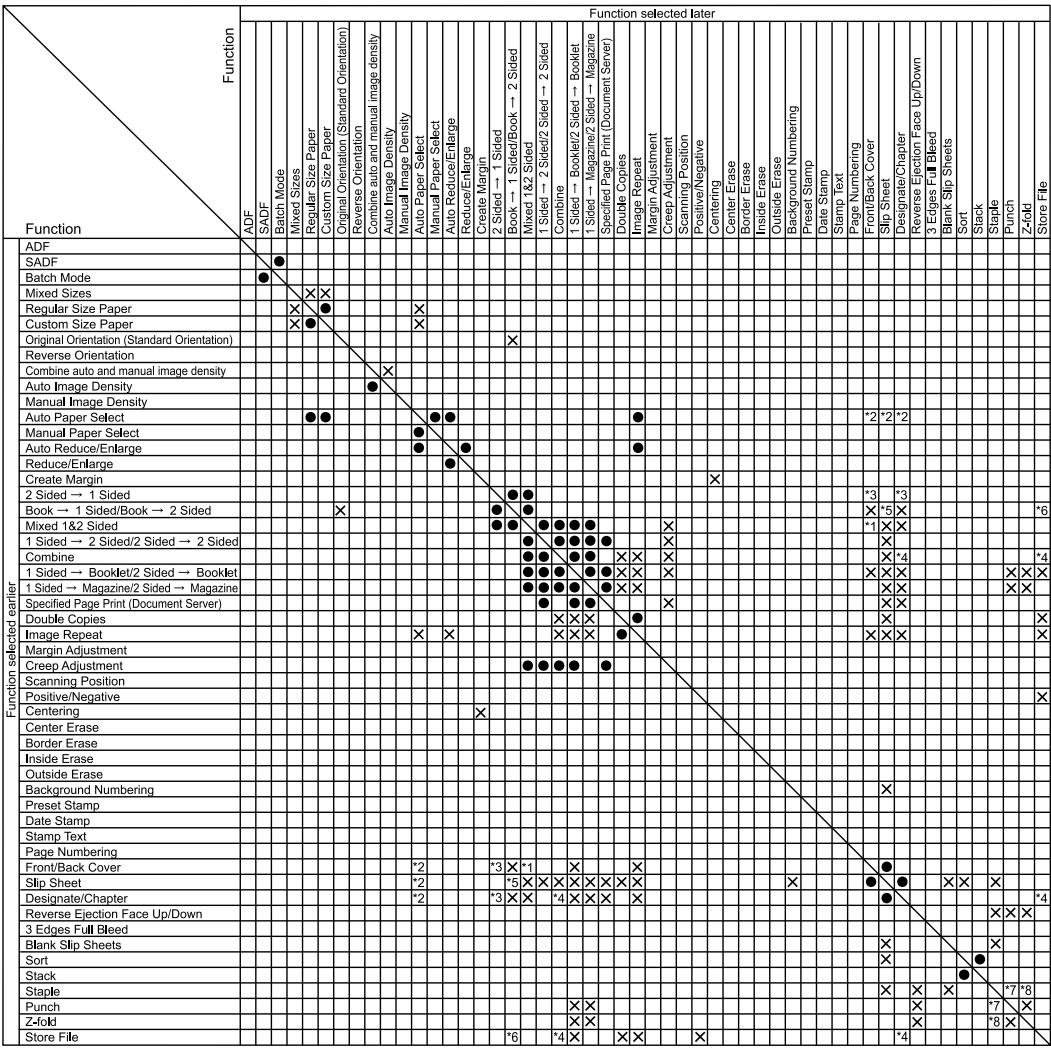
APG069S
The following combinations are not possible:
1 Front/Back Cover with 2 Sided 1 Sided
2 Back Cover with Auto Paper Select, except in the printing condition screen in Document Server.
3 Designate/Chapter with 2 Sided 1 Sided
4 Combine with Designate/Chapter with Document Server
5 Slip Sheets with Book 2 Sided
6 Document Server with Front&Back → 2 Sided
7 Left of Punch with Right/Top/Center of Staple Top of Punch with Bottom/Slant/Center/Top 2/ Left 2 of Staple Right of Punch with Left/Top/Center of Staple
8 Right Z-fold with Right/Top/Center of Staple Bottom Z-fold with Bottom/Left 2/Top 2/Center/Slant of Staple
Supplementary Information
Following describes the detailed specifications of the respective functions.
Mixed Size Mode
- Since small originals may not be correctly aligned with the original guide, the copy image may be slanted.
- You can place originals of two different sizes at a time.
- Copying speed and scanning speed will be reduced.
Multi Bypass Tray Copy
Following paper sizes can be selected as the standard sizes: A3□, A4□, A5□, A6□, B4 JIS□, B5 JIS□, B6 JIS□, 12" × 18" □, 11" × 17" □, 8¹/₂" × 14" □, 8¹/₄" × 14" □, 8¹/₂" × 11" □, 5¹/₂" × 8¹/₂" □, 7¹/₄" × 10¹/₂" □, 8" × 13" □, 8¹/₂" × 13" □, 8¹/₄" × 13" □, 11" × 15" □, 10" × 14" □, 8" × 10" □
Preset Enlarge/Reduce
- You can select one of 12 preset ratios (5 enlargement ratios, 7 reduction ratios).
- Following shows the relation between the original's size and copied-to paper size at respective scaling factors.
Metric version
400% (Area ratio 16 times):-
200% (Area ratio 4 times): A5 A3, A6 A4, B6 JIS B4 JIS
141% (Area ratio 2 times): A4 A3, A5 A4, A6 A5, B5 JIS B4 JIS,
B6 JIS B5 JIS
122%: F A3, A4 B4 JIS
115%: B4 JIS A3
93%:-
82%: F A4, B4 JIS A4
75%: B4 JIS F4, B4 JIS F
71% (Area ratio ^1 / _2 times): A3 A4, A4 A5
65%: A3 F
50% (Area ratio ^1 / _4 times): A3 A5, F A5
25%:-
- Inch version 400% (Area ratio 16 times): - 200% (Area ratio 4 times): 5^1 / 2'' × 8^1 / 2'' 11'' × 17'' 155% (Area ratio 2 times): 5^1 / 2'' × 8^1 / 2'' 8^1 / 2'' × 14'' 129%: 8^1 / 2'' × 11'' 11'' × 17'' 121%: 8^1 / 2'' × 14'' 11'' × 17'' 93%: - 85%: F 8^1 / 2'' × 11'' 78%: 8^1 / 2'' × 14'' 8^1 / 2'' × 11'' 73%: 11'' × 15'' 8^1 / 2'' × 11'' 65%: 11'' × 17'' 8^1 / 2'' × 11'' 50% (Area ratio ^14 times): 11'' × 17'' 5^1 / 2'' × 8^1 / 2'' 25%: -
Zoom
- The reproduction ratios you can specify are 25 - 400% .
- You can select a ratio regardless of the size of an original or copy paper. With some ratios, parts of the image might not be copied or margins will appear on copies.
Auto Reduce/Enlarge
- The reproduction ratios you can specify are 25 - 400% .
Size Magnification
- The reproduction ratios you can specify are 25 - 400% .
Directional Size Magnification
- The reproduction ratios you can specify are 25 - 400%.
- When entering a percentage ratio, you can specify any value in the permitted range, regardless of original or copy paper size. However, depending on settings and other conditions, part of the image may not be copied, or margins will appear on copies.
- When entering a size in mm, if the calculated ratio is over maximum or under minimum ratio, it is automatically adjusted to within available range. However, with some ratios, parts of the image might not be copied or margins will appear on copies.
Sort,Stack
Following shows the stackable paper sizes and the orientation. Finisher SR5000: A3□, B4 JIS□, A4□□, B5 JIS□□, 11"×17"□, 8¹/²"×14"□, 8¹/²"×11"□□, 5¹/²"×8¹/²"□□, 12"×18", 13"×19"
- Paper sizes and orientations that can be used in the Rotate Sort function are A4 , B5 JIS and 8^1 / 2" × 11" .
- Following numbers of copied paper are stackable on the output tray. If the number of copied paper exceeded the limits listed in the following table, be sure to remove the copied paper once.

Sort
The following table shows you the numbers of copies that the tray can hold. Remove copies from the tray when the maximum is exceeded.
- Finisher SR5000 (upper tray)
| Paper size | Number of copies |
| A4, 81/2" × 11" or smaller | 500 sheets |
| B4, 81/2" × 14" or larger | 250 sheets |
- Finisher SR5000 (shift tray)
| Paper size and orientation | Number of copies |
| A4□, B5 JIS□, 81/2" × 11"□ | 3000 sheets |
| A3□, B4 JIS□, A4□, B5 JIS□, 11" × 17"□, 81/2" × 14"□, 81/2" × 11"□ | 1500 sheets |
| 12" × 18", 13" × 19" | 1000 sheets |
| A5□, 51/2" × 81/2"□ | 500 sheets |
| A5□, 51/2" × 81/2"□ | 100 sheets |
- Paper weight is 80g / m^2 (20 lb.).
- When using the Rotate Sort or Staple functions, the capacity may be reduced.
Staple
- The following types of paper cannot be stapled:
Postcard
- Translucent paper
- OHP transparencies
Label paper (adhesive labels)
- Curled paper
- Paper of low stiffness
- Paper of mixed sizes
-
In the following cases, copies will be delivered to the shift tray without stapling:
-
When the number of sheets for one set is over stapler capacity.
-
When memory reaches 0% during copying.
-
When using Double Copies, or [1 Sided→1 Sided], [1 Sided→2 Sided], [2 Sided→1 Sided] or [2 Sided→2 Sided] in Combine mode, select original for and original for copy.
-
When using the Staple function [Staple: Left 2] or [Staple: Top 2] with the Combine function [1 Sided 1 Sided], [1 Sided 2 Sided], [2 Sided 1 Sided], [2 Sided 2 Sided], or [Double Copies], select paper for original and paper for original.
-
If you use the Auto Paper Select function in Mixed Size mode, the machine selects the proper size of paper and staples it even if you place different sizes of originals. Set the size of paper you want to use in the paper tray beforehand. The sizes of the paper you can staple in Mixed Size mode are as follows:
A3 and A4
B4JISand B5JIS
A4 and A5
11" × 17^ and 8^1 / _2^ × 11^
8^1 / 2^ × 11^ and 5^1 / 2^ × 8^1 / 2^ 7
- Paper sizes and orientations that can be used in the Staple function and the stapler capacity are as follows: Finisher SR5000
| Paper sizes and orientation | Stapler capacity (sheets) |
| A3☐, B4 JIS☐, 11" × 17"☐, 81/2" × 14"☐ | 50 sheets |
| A4☐, B5 JIS☐, 81/2" × 11"☐ | 100 sheets |
Booklet Finisher BK5000
| Paper sizes and orientation | Stapler capacity (sheets) |
| A3□, B4 JIS□, A4□, B5 JIS□, 12" × 18", 11" × 17", 81/2" × 14", 81/2" × 11" | 15 sheets |
- When stapling B4 JIS , A3 , Legal 8^1/2" × 14" , 11" × 17" , be sure to extend the paper support plate of the finisher tray.
- When the number of copies exceeds tray capacity, copying stops. If this happens, remove copies from the tray, and then resume copying. The tray capacity for the stapled sheets is as follows (paper weight: 80g / m2 , 20 lb.): Finisher shift tray without Z-folding
| Paper sizes and orientation | Number of sheets |
| A3☐, B4 JIS☐, 11" × 17"☐, 81/2" × 14"☐ | 2- to 9-leaf binding: 150 10- to 50-leaf binding: 150 to 30 |
| A4☐, B5 JIS☐, 81/2" × 11"☐ | 2- to 9-leaf binding: 150 10- to 100-leaf binding: 200 to 30 |
- You cannot change stapling positions during copying.
- When the original image is rotated, the staple orientation changes by 90^ .
- When using [Staple: Slant], [Staple: Left 2], [Staple: Top 2] with Combine, Double copies or Auto Reduce / Enlarge function, the message "Blank part will appear. Check orientation." may appear depending on the orientation of originals and paper you placed. In this case, change the paper orientation.
-
With certain stapling settings, you cannot use the Rotate function.
-
When [Staple: Center] is selected, copies are stapled using the saddle stitch stapler, folded in half and then delivered.
- When [Staple: Center] is selected with the Booklet or Magazine function, copies are stapled using the saddle stitch stapler, folded like a magazine and then delivered.
Punch
- With certain Punch function settings, the Rotate function cannot be used.
- Since punch holes are made in each copy, positions vary slightly.
- Punchable paper sizes are as follows:
| Punch unit type | Direction | Paper size |
| 2 holes type | □ | A3-A6, 11" × 17"-51/2" × 81/2" |
| □ | A4-A5, 81/2" × 11", 51/2" × 81/2" | |
| 3 holes type | □ | A3, B4 JIS, 11" × 17" |
| □ | A4, B5 JIS, 81/2" × 11" |
Z-fold
- You cannot use the following copy paper with this function:
Special paper
- Translucent paper
Letterhead
Thick paper
- Tab stock
- OHP transparencies
Label paper (adhesive labels)
Postcards
-
Paper sizes that can be Z-folded are as follows:
-
Finisher upper tray/ shift tray A3□, B4 JIS□, A4□, 11" × 17"□, 8¹/²" × 14"□, 8¹/²" × 11"□
-
The number of Z-folded copies that can be stacked on the finisher trays are as follows. When the number of copies exceeds capacity, remove them from the trays.
- Finisher upper tray/Finisher shift tray: 30 sheets
-
The paper sizes that can be stapled after being Z-folded are A3, B4 JIS and 11^ × 17^ .
-
Even if you place different size originals in the ADF, appropriate size of copy paper can be automatically selected and stapled using the Mixed Size mode and Auto Paper Select function. Load the paper you want to use in the paper trays beforehand. Paper sizes that can be stapled when using the Mixed Size mode are as follows:
A3 and A4
B4JISand B5JIS
11" × 17'' and 8^1 / _2''× 11''
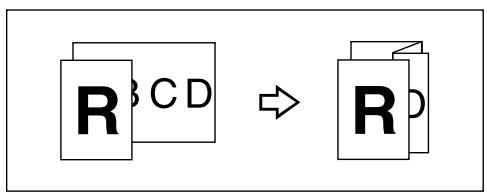
ACC013S
- Depending on the Z-fold settings, you may not be able to use Rotate Sort.
- Even if you have selected [Face Up] for Eject Copy Face up/Down in Glass Mode, the copies will be delivered face down.
Duplex
- Following types of paper sizes and directions allow the double-side copy. A3□, B4 JIS□, A4□□, B5 JIS□□, A5□, 11" × 17"□, 8¹/²" × 14"□, 8¹/²" × 11"□
-
You cannot use the following copy paper with this function:
-
Paper of a size smaller than A5, 5^1 / 2^ × 8^1 / 2^
- Translucent paper
Label paper (adhesive labels) - OHP transparencies
- Paper thicker than 105g / m^2 , 28 lb.
- Paper thinner than 64g / m^2 17 lb.
Postcards -
Tab stock
-
When an odd number of originals is placed in the ADF, the back of the last page of copied paper is blank.
- During copying, the image is shifted to allow for the binding margin.
- Front and back image quality of copies may differ.
Combine
- In this mode, the machine selects the reproduction ratio automatically. This reproduction ratio depends on copy paper sizes and the number of originals.
- The reproduction ratios you can specify are 25 - 400%.
- If the calculated ratio is under the minimum ratio, it is automatically adjusted to within available range. However, with some ratios, parts of the image might not be copied.
- You cannot use custom size paper.
- If the orientation of originals is different from that of the copy paper, the machine will automatically rotate the image by 90^ to make copies properly.
- If the number of originals placed is less than the number specified for combining, the last page segment is left blank as shown.
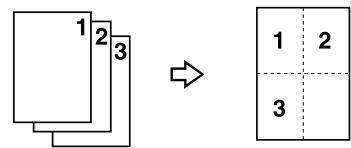
Booklet/Magazine
- The machine sets the reproduction ratio automatically to meet the paper size and copies the originals together onto the paper.
- The reproduction ratios you can specify are 25 - 400%.
- If the calculated ratio is under the minimum ratio, it is automatically adjusted to within available range. However, with some ratios, parts of the image might not be copied.
- If the orientation of originals is different from that of the copy paper, the machine will automatically rotate the image by 90^ to make copies properly.
- You cannot copy with originals different in size and orientation.
- If the number of originals scanned is less than a multiple of 4, the last page is copied blank.
- In Magazine mode, the copying may take some time after scanning originals.
- When the optional booklet finisher is installed, if you select [Staple: Center] in Magazine mode, the machine staples and folds the paper in the center, then delivers the paper folded.
Image Repeat
- Depending on the paper size, ratio, and orientation, parts of repeated images may not be copied.
Centering
- Though the original is set to a different orientation from the paper loaded, the machine will not rotate the image by 90^ (Rotate copy).
Erase
- The width of the erased margin varies depending on the reproduction ratio.
-
If the size of the original is different from sizes listed in the following chart, the erased margin might be shifted:
-
Metric version
- Exposure glass: A3□, B4 JIS□, A4□□, B5 JIS□□, A5□□
- ADF: A3□, B4 JIS□, A4□□, B5 JIS□□, A5□□, A5□□
-
Inch version Exposure glass: 11'' × 17'', 8^1/2'' × 14'', 8^1/2'' × 11'' ADF: 11'' × 17'', 8^1/2'' × 14'', 8^1/2'' × 11'', 5^1/2'' × 8^1/2''
-
By combining "Erase Inside 1" - "Erase Inside 5", you can erase up to 5 areas at the same time.
Background Numbering
- The numbers appear to overlap the copied image in some cases.
Margin Adjustment
- If you set a binding margin that is too wide, part of the image may not be copied.
- When making copies in the Combine mode, the binding margin is added to the copies after the combination is finished.
Preset Stamp
- You can change the size and density of the stamp with User Tools. Depending on the setting, density may change.
- Depending on paper size, if you change the stamp size, parts of the stamp might not be printed.
- When you use this function with the Magazine or Booklet function, you can print the stamp only on the first page.
Date Stamp
-
When using Combine mode, the date stamp is printed as follows:
-
With the Combine function
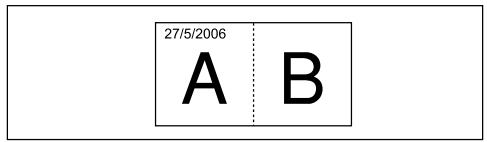
AMG026S
- With the Magazine or Booklet function
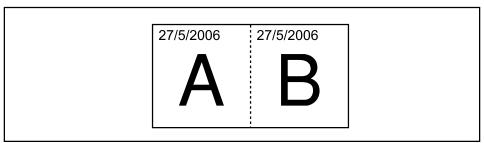
AMG027S
Page Numbering
- When page numbering is used with Combine mode, page numbers are printed as follows:
Page Numbering per original: With 1 Sided/2 Sided using the Combine function
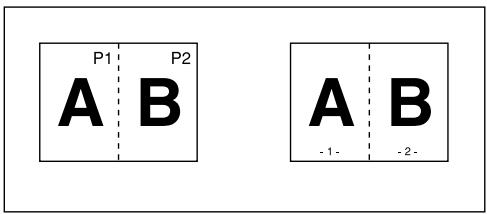
GCANPE0E
With the Magazine or Booklet function
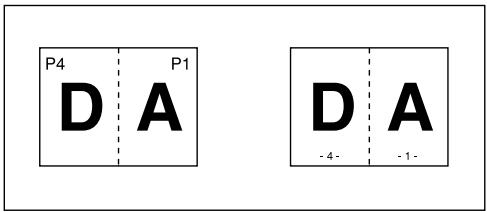
GCANPE1E
Page Numbering per copy: With 1 Sided/2 Sided using the Combine function
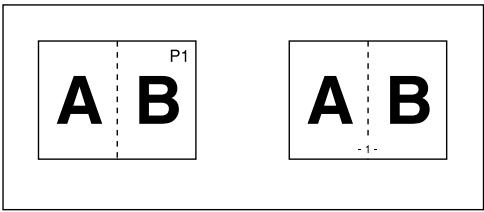
GCANPE2E
- If you combine this function with the Duplex (Top to Top) function and select [P1,P2...] or [1/5,2/5...], page numbers on the back are printed as follows:
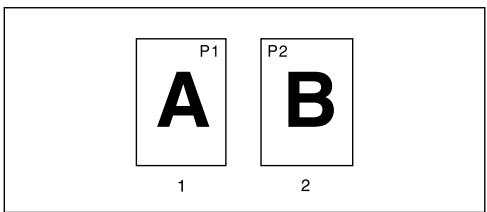
GCSTMPBE
① Front
② Back
Stamp Text
Certain stamp positions can cause text to disappear.
Front Cover, Front/Back Cover
- If Blank mode is selected, the cover is not be counted as a copy.
-
Front and back covers are two-sided copied depending on the settings made in Display Time in Cover Sheet Tray of User Tools (System Settings).
-
At Mode Selected... Depends on the setting done from Cover Sheet Tray.
- Full Time... Depends on the setting done from Paper Type. See "Tray Paper Settings", General Settings Guide.
Designate
- When [Combine (1 Sided 2 Sided)] has been selected, specified pages will always be copied on the front of copies, as in Chapters mode.
- In "Tray Paper Settings", if you selected [At Mode Selected] for [Display Time], the machine refers to the settings in "Tray Paper Settings" to ascertain whether the front and back covers are copied one-sided or two-sided. If you selected [Full Time] for [Display Time], the machine refers to the settings in "Paper Type" to ascertain whether the front and back covers are copied one-sided or two-sided. See "Tray Paper Settings", General Settings Guide.
- If Blank mode is selected, the designate sheet is not counted as a copy.
Slip sheet
- Tab stock are possible to use as slip sheets.
- If you do not copy onto slip sheets, they are excluded from the number of copies counted.
Connect Copy
Important
Do not use the connecting cable with other equipment.
- Always turn off the main power of the main and sub-machines when before disconnecting the cable. Otherwise it might lead to malfunctioning of the two machines.
- You can store on a program whether or not to use Connect Copy.
- Select the copy paper using the main machine.
- When [Connect Copy] is pressed, only the paper trays common to both machines will be displayed. The other paper trays appear faded out and cannot be selected.
-
When two or more trays hold the desired paper size, the paper tray will be selected according to the Paper Tray Priority settings made on the respective machine. See "Tray Paper Settings", General Settings Guide.
-
If the [Clear Modes] key is pressed on the main machine while you are making settings, Connect Copy will be cancelled.
- Even if the sub-machine is in Energy Saver mode, the main machine can still connect to make copies.
- When an Interrupt job on the sub-machine has finished, press the [Interrupt] key.
- Connect Copy jobs are displayed on the Job List of the sub-machine. However, they cannot be deleted from the sub-machine.
-
In Connect Copy, both machines follow the user authentication settings of the main machine.
-
You cannot manage the number of copies according to machine. The number of copies is shown as a total of the two machines, and is monitored on the main machine
- Even if user codes are set and you enter a user code before using the sub-machine, you cannot manage the number of copies made on the sub-machine.
- If user codes are set on only the sub-machine, you need not enter a user code in order to use the sub-machine for Connect Copy. In this case, you cannot manage the number of copies according to user.
1 Sided 16 Pages Combine 2 Side, 83
1 Sided 2 Pages Combine 1 Side, 80
1 Sided 4 Pages Combine 1 Side, 80
1 Sided 4 Pages Combine 2 Side, 83
1 Sided 8 Pages Combine 1 Side, 80
1 Sided 8 Pages Combine 2 Side, 83
1 Sided 2 Sides, 76
1 Sided Booklet, 88
1 Sided Magazine, 88
2 Sided 16 Pages Combine 2 Side, 83
2 Sided 1 Page Combine 1 Side, 80
2 Sided 2 Page Combine 1 Side, 80
2 Sided 4 Page Combine 1 Side, 80
2 Sided 4 Pages Combine 2 Side, 83
2 Sided 8 Pages Combine 2 Side, 83
2 Sided 1 Sided, 86
2 Sided 2 Sided, 76
2 Sided Booklet, 88
3 Edges Full Bleed, 74
A
Adjusting Copy Image Density, 49
Administrator Tools, 6
Auto Document Feeder, 12
Auto image density, 49
AutoOff,159
Auto Paper Select, 52, 53
Auto Reduce/Enlarge, 58, 197
Auto Reset when using Connect Copy, 159
Auto Start, 34
B
Background Numbering, 106, 197
Basic Procedure, 29
Batch mode, 21
Before You Start, 151
Binding margin, 97
Blank Slip Sheets, 138
Book 1 Sided,86
Book 2 Sided, 88
Booklet, 88
Booklet/Magazine, vi, xi, 88, 197
BorderErase,98,100,101,102,103
C
Center, 102, 103, 130
Center/BorderErase,98,102,103
CenterErase,98
Centering, 130, 197
Changing a Stored Program, 145
Changing Number of Print Copies while Printing is in Progress, 186
Changing the Number of Sets, 66
Changing the order of jobs, 40
Changing the stamp position, 126
Changing User Name, File Name or Password of a Stored Document, 180
Chapters, 135
Checking Job History, 42
Checking jobs in the print queue, 39
Checking the Details of a Stored Document, 181
Check the copy, 65
Combine, 197
Combined auto and manual image density, 49, 50
Combining Files, 189
Connect Copy, 149, 150, 154, 158, 164, 165, 166, 197
Connect Copy: Job Preset, 166, 167, 168
Connect Copy Display Panel, 152
Connect Copy Job Flow, 164
Copier Functions, 49, 169
CopyFaceUp,141
Copying, 29
Copying 2-Sided Pages, xii
Copying from the multi bypass tray, 43
Copying onto OHP Transparency, 34
Copying onto Special Paper, 48
Copying onto Tab Stock, 31
Copying onto Thin Paper, 34
Copying Originals Such as Books, xi
Copying Stored Documents Using Connect Copy, 160
Covers, 132
Create Margin function, 56
Creep Adjustment, 93
Custom size, 47
Custom sizes, 26
D
Date, 118, 119
Date Stamp, 116, 197
Default, 147
Deleting a Document, 192
Deleting a job, 37
Deleting a Program, 146
Deleting jobs, 41
Deleting Pages, 190
Density, 109
Designate, 134, 197
Designation Sheet Copy, 136
Detect, 14
Different sizes, 23
Directional Magnification, 60, 61
Directional Size Magnification (mm), 62
Display, 4
Displaying a Document in Document
Server with Web Image Monitor, 193
Display panel of the sub-machine, 154
Document Server, 169
Document Server Display, 170
DoubleCopies,128
Downloading Stored Documents, 194
Duplex, iii, 76, 197
E
Edit, 6
Edit File, 189
Erase, 98, 197
Exiting Connect Copy, 159
F
First printing number, 122, 123, 124
First printing page, 122, 123, 124
Format of date, 118
Front&Back 2 Sided,88
Front/Back Covers, 132
Front cover, 132
Front Cover, Front/Back Cover, 197
Function Compatibility, 195
G
General Features, 6
Generation Copy, 51
H
Holding print jobs, 41
How to fold, 88
How to fold and unfold copies to make a booklet, 88
How to fold and unfold copies to make a magazine, 88
How to Read This Manual, 2
How to unfold, 88
1
Image density, 49
Image Repeat, 127, 197
Initial Display, 147
Input/Output,6
Inserting Documents, 190
InsideErase,104
Interrupt Copy, 30, 150
Interrupting Printing, 185
Invert, 131
J
JobList,38
JobListscreen,38
Job Preset, 35
Job Preset display, 35
K
Key Color, 5
L
Last Number, 122, 123
Left Original Beeper, 31
M
Machine Types and Options, 150
Magazine, 88
Manual image density, 50
Manual Paper Select, 53
Manuals for This Machine, i
Map, 51
Margin Adjustment, 97, 197
Missing image area, 15
Mix 1 & 2 Sided, 94
Mixed size mode, 23, 197
Multi bypass tray, 46, 47
Multi Bypass Tray Copy, 197
N
Notice, 1
Number keys, 57, 61
0
One-Sided Combine, ix, 80
onto 1-Sided Pages, xii
Option, 3
Order of Copy Output, 158
Orientation, 110
Original, 11
Original Orientation, 16
Original orientation, 69, 107, 110, 116, 119
Original orientation and completed copies, 76
Original orientation position, 73
Originals, 11, 15
Originals and copy orientation, 79
Original size, 25
OutsideErase,105
P
Page Numbering, 119, 122, 123, 124, 197
Pale, 51
Photo, 51
Placing, 11
Placing Originals, 16
Placing Originals in the
Auto Document Feeder, 20
Placing Originals on the Exposure Glass, 19
Position, 69, 110
Positive/Negative, 131
Preset Enlarge/Reduce, 197
Preset Reduce/Enlarge, 54
Preset Stamp, 107, 109, 197
Preview Display, 172
Printer Functions, 169
Printing a Specified Page, 188
Printing a Specified Range, 188
Printing a Stored Document, 184
Printing the First Page, 187
Program, 113, 147
Programs, 144
Punch, 72
Punch holes, 72
R
Ratio, 57
Recalling a Program, 146
Regular sizes, 25
Repeat, 127
Reproduction Ratio, 6
Revers, 131
Reverse orientation, 18
Rotate Sort, 64
s
SADF, 22
SADF mode, 22
Samplecopy,65
Sample Print, 186
Scanner Functions, 169
Scanning Position, 95
Searching for a Stored Document, 182
Selecting Copy Paper, 52
Separation, 67
Series Copies, 86
Setting the tab stock in the multi bypass tray, 45
Shift tray off in sort/stack, 67
Simplified Display, 171
Simplified display, 5
Simplified Display key, 5
Size, 109
Size Magnification, 59, 197
Sizes, 14
Sizes and Weights of
Recommended Originals, 11
Sizes Detectable, 13
SlipSheet,197
Slip Sheets, 139
Sort, 64, 197
Specified Area Repeat, 127
Stack, 68, 197
Stamp, 6
Stamp position, 107, 109, 110, 112, 116, 119, 122
Stamp Text, 125, 197
Staple, 69, 197
Stapler, 69
Storing a Program, 144
Storing Data, 174
Storing Originals in the Document Server, 142
Symbols, 2
T
Tab stock, 31
Text, 51
Text/Photo, 51
Thinmode,24
Thin Paper, 24
To change a file name, 178
To change job contents after checking, 36
To check job contents, 36
To delete a job after checking its contents, 37
To delete the user stamp, 115
To register or change a user name, 176, 177, 178
To search by file name, 182
To search by user name, 183
To set or change a Password, 179
Two-Sided Combine, 83
U
User Stamp, 110, 112, 113, 115
Using Connect Copy, 155
Using Job Preset in Connect Copy, 162
Using the Document Server, 174
Using the idle machine as the main machine, 165
Using the machine currently copying as the main machine, 166
Using the Z-fold Support Tray, 75
V
Various sizes, 23
W
What You Can Do with This Machine, iii
When both machines are copying the same number of originals, 167
When Both Machines are in Use, 166
When copying onto Regular Size Paper, 46
When memory is full, 66
When no name is registered to the Address Book, 178
When one machines is copying a larger number of originals, 168
When One of the Two Machines is Idle, 164
When using a user name not registered to the Address Book, 177
When using a user name registered to the Address Book, 176
Whole Area Repeat, 127
Z
Z-fold, 75, 197
Z-folding Copies, 76
Z-fold positions, 76
Zoom, 56, 197
In accordance with IEC 60417, this machine uses the following symbols for the main power switch:
I means POWER ON.
means POWER OFF.
means STAND BY.
Trademarks
PostScript®, Acrobat® are registered trademark of Adobe Systems Incorporated.
Other product names used herein are for identification purposes only and might be trademarks of their respective companies. We disclaim any and all rights to those marks.

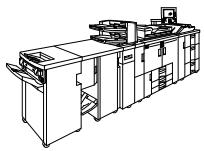
Type for Pro 906EX
Type for Pro 1106EX
Type for Pro 1356EX
- Operating Instructions
- Copy/Document Server Reference
- Introduction
- Important
- Notes:
- Caution:
- Power Source
- Power Supply
- Manuals for This Machine
- About This Machine
- General Settings Guide
- Troubleshooting
- Security Reference
- Copy/ Document Server Reference
- Printer Reference
- Scanner Reference
- Network Guide
- Other manuals
- Note
- What You Can Do with This Machine
- Reference
- Types of Duplex Copies
- Copying Book Originals
- 2-sided 2 Pages → Booklet
- 1-sided → Magazine
- 2-sided → Magazine
- Combining Multiple Pages onto a Single Page
- Copying 2-Sided Pages onto 1-Sided Pages
- TABLE OF CONTENTS
- What You Can Do with This Machine. 3
- Notice 1
- How to Read This Manual 2
- Functions Requiring Optional Configurations 3
- Display Panel 4
- User Tools Menu (Copier / Document Server Features) 6
- Placing Originals
- Originals 11
- Placing Originals 16
- Copying
- Basic Procedure 29
- Job List 38
- Copying from the Multi Bypass Tray 43
- Copier Functions 49
- Connect Copy
- What is Connect Copy? 149
- Connect Copy Display Panel 152
- Using Connect Copy 155
- Using Job Preset in Connect Copy 162
- Connect Copy Job Flow 164
- Document Server
- Relationship between Document Server and Other Functions 169
- Using the Document Server 174
- Appendix
- Notice
- How to Read This Manual
- Symbols
- WARNING:
- Functions Requiring Optional Configurations
- Display Panel
- Initial copy display
- Simplified Display
- Example of a simplified display
- [Key Color]
- User Tools Menu (Copier / Document Server Features)
- General Features
- Reproduction Ratio
- Input/Output
- Administrator Tools
- Originals
- Sizes and Weights of Recommended Originals
- Metric version
- Inch version
- Originals not recommended for the Auto Document Feeder (ADF)
- Sizes Detectable by the Auto Paper Select
- Exposure glass
- ADF
- Sizes difficult to detect
- Missing Image Area
- Placing Originals
- Original Orientation
- Select the original orientation ([n] or [e]).
- Reverse Orientation
- Press [Reverse Orientation].
- Placing Originals on the Exposure Glass
- Lift the ADF.
- Lower the ADF.
- P Reference
- Placing Originals in the Auto Document Feeder
- Reference
- Batch mode
- Press [Batch].
- SADF mode
- Press [SADF].
- Mixed size mode
- Press [Mixed Sizes].
- Align the rear and left edges of the originals as shown in the illustration.
- Thin Mode
- Press [Thin Paper].
- Original size
- Regular sizes
- Press [Original Size].
- Press [Regular Size].
- Custom sizes
- Press [Custom Size].
- Basic Procedure
- Make sure "Ready" appears on the screen.
- Make sure no previous settings remain.
- Place your originals.
- Make desired settings.
- Enter the number of copies using the number keys.
- Press the [Start] key.
- Interrupt Copy
- Press the [Interrupt] key.
- Press the [Interrupt] key again.
- Replace the originals that you were copying, and then press the [Start] key.
- Left Original Beeper
- Copying onto Tab Stock
- Surplus tab stock auto eject
- When copying onto OHP Transparency
- Auto Start
- Job Preset
- Job Preset display
- To check job contents
- To change job contents after checking
- To delete a job after checking its contents
- Deleting a job
- Job List
- Job List screen
- Checking jobs in the print queue
- Changing the order of jobs
- Holding print jobs
- Deleting jobs
- Checking Job History
- Copying from the Multi Bypass Tray
- Press the elevator switch on the multi bypass tray (Tray 7).
- Setting the tab stock in the multi bypass tray (Tray 7)
- When copying onto Regular Size Paper
- When copying onto Custom Size Paper
- When copying onto Special Paper
- Copier Functions
- Adjusting Copy Image Density
- Auto Image Density
- Manual image density
- Combined auto and manual image density
- Auto image density
- Make sure that [Auto Density] is selected.
- Selecting the Original Type Setting
- Text
- Text/Photo
- Photo
- Pale
- Generation Copy
- Dark Background
- Selecting Copy Paper
- Auto Paper Select
- Manual Paper Select
- Make sure that Auto Paper Select is selected.
- Preset Reduce/Enlarge
- Base Point
- Press [Reduce/ Enlarge].
- Select a ratio, and then press [OK].
- Place the originals, and then press the [Start] key.
- Create Margin function
- Zoom
- To select the ratio with [一] and [十]
- To enter the ratio with the number keys
- Auto Reduce/Enlarge
- Press [Auto Reduce / Enlarge].
- Select the paper type.
- Place the originals, and then press the [Start] key.
- Size Magnification
- Press [Reduce/Enlarge].
- Press [Size Magnification].
- Enter the length of the original with the number keys, and then press the [#] key. You can enter sizes within the following ranges:
- Enter the length of the copy with the number keys, and then press the [#] key.
- Press [OK] twice.
- Place the originals, and then press the [Start] key.
- Directional Magnification (%)
- To specify a ratio with [一] and [十]
- Directional Size Magnification (inch)
- Press [Dir. Size Mag. Inch].
- Sort
- Select [Sort / Stack].
- Press the [Start] key.
- Sample copy
- Changing the Number of Sets
- When memory is full
- Shift tray off in sort/stack
- Separation
- Stack
- Press [Sort / Stack].
- Staple
- Original orientation and stapling position
- Finisher SR5000
- Booklet Finisher BK5000
- Select one of the stapling positions.
- Enter the number of copy sets using the number keys.
- Punch
- holes
- holes
- Original orientation and punch hole positions
- Edges Full Bleed
- Z-fold
- Using the Z-fold Support Tray
- Z-fold positions and Z-folding Copies
- Select the folding direction.
- Place the originals, and then press the [Start] key.
- Duplex
- Sided → 2 Sides
- Sided → 2 Sided
- Original orientation and completed copies
- Press [Dup./ Combine/ Series].
- Select [1 Sided → 2 Sided] or [2 Sided → 2 Sided].
- Press [OK].
- Originals and copy orientation
- One-Sided Combine
- Sided 2 Pages → Combine 1 Side
- Sided 4 Pages → Combine 1 Side
- Sided 8 Pages → Combine 1 Side
- Sided 1 Page → Combine 1 Side
- Sided 2 Page → Combine 1 Side
- Sided 4 Page → Combine 1 Side
- Orientation of the original and combine image position
- Open to top () originals
- Placing originals and copying
- Press [Dup./Combine/ Series].
- Press [Combine].
- Select [1 Sided] or [2 Sided] for original, and then press [Combine 1 Side] for Copy.
- Select the number of originals to combine.
- Two-Sided Combine
- Sided 16 Pages → Combine 2 Sides
- Sided 4 Pages → Combine 2 Sides
- Sided 8 Pages → Combine 2 Sides
- Sided 16 Pages → Combine 2 Sides
- Select [1 Sided] or [2 Sided] for Original, and then press [Combine 2 Sides] for Copy.
- Series Copies
- Book → 1 Sided
- Sided → 1 Sided
- Press [Series].
- Booklet/Magazine
- Sided → Booklet
- Sided → Booklet
- Sided → Magazine
- Sided → Magazine
- Book → 2 Sided
- Front & Back → 2 Sided
- How to fold and unfold copies to make a booklet
- How to fold and unfold copies to make a magazine
- Creep Adjustment
- Mix 1 & 2 Sided
- Scanning Position
- Margin Adjustment
- Press [Edit].
- Press [Margin Adj.].
- Erase
- Border
- Center
- Center/Border
- Inside
- Outside
- Border Erase (same width)
- Press [Erase Border].
- Press [Same Width].
- Set an erase border width with [+ or [-] .
- Border Erase (different width)
- Press [Different Width].
- Press the key for the border you want to change and set an erase width with [+ ] and [-] .
- Center/Border Erase (same width)
- Press [Erase Cntr/Brdr].
- Press [Center], and then set the erase center width with [+ ] and [-] .
- Press [Border], and then set the erase border width with [+ ] and [-] .
- Press [OK].
- Center/Border Erase (different width)
- Inside Erase
- Outside Erase
- Background Numbering
- Press [Stamp].
- Press [Backgrnd No.].
- Enter the number to start counting from with the number keys, and then press the [#] key.
- Preset Stamp
- Stamp position and original orientation
- Press [Preset Stamp].
- Select the desired message.
- Press [All Pages] or [1st Page Only] to select the print page.
- After you specify all desired settings, press [OK].
- Changing the stamp position, size and density
- Press [Change] under Position/Size/Density.
- Select the position for print, size, and density, and then press [OK].
- User Stamp
- Press [User Stamp].
- Select the desired stamp type.
- Changing the user stamp position
- Press [Change] under Stamp Position.
- Select the desired position, and then press [OK].
- To program the user stamp
- To delete the user stamp
- Date Stamp
- To change the format of date
- Press [Change Format] under Current Date.
- Select the date format, and then press [OK].
- To change the date stamp position
- Page Numbering
- Original orientation and stamp position
- Press [Page Nmbr.].
- Select the format.
- After you specify all desired settings, press [OK].
- Changing the stamp position
- Specifying the first printing page and start number ("1-1,1-2..."
- Stamp Text
- Image Repeat
- Double Copies
- Centering
- Positive/Negative
- Covers
- Front cover
- Back Cover
- Front/Back Covers
- Set the tray for the front cover or back cover sheet.
- Press [Cover/ Slip Sheet].
- Select [Copy] or [Blank] for the front or back cover sheet, and then press [OK].
- Designate
- Chapters
- Press [Designate / Chapter].
- Designation Sheet Copy
- Press [Designation Sheet Copy].
- Blank Slip Sheets
- Set the tray for the blank slip sheet.
- Press [Insert Sheet].
- Press the key to select the chapter number.
- Select the paper tray for slip sheets.
- Select [Before] to insert slip sheets before the desired page. Select [After] to insert slip sheets after the desired page. Enter the page number with the number keys.
- Press [Number of Sheets], and use the number keys to enter the number of sheets you wish to insert.
- To specify another location where to insert sheets, repeat steps 3 to 8.
- Select the paper tray containing the paper to copy the originals onto.
- When you have finished specifying all settings, press [OK] twice.
- Place originals, and then press the [Start] key.
- Slip Sheets
- Set the tray for the slip sheet.
- Select [Copy] or [Blank], and then press [OK].
- Select the paper tray that contains the sheet paper to copy the originals. When using OHP transparencies, open the multi bypass tray.
- Copy Face Up
- Storing Originals in the Document Server
- Press [Store File].
- Enter a user name, file name, or password if necessary.
- Make scanning settings for the original.
- Programs
- Storing a Program
- Press [Program].
- Changing a Stored Program
- Deleting a Program
- Recalling a Program
- Programming Defaults in Initial Display
- What is Connect Copy?
- High-speed copying for greater productivity
- Reducing time loss
- How It Works
- Machine Types and Options
- Before You Start
- Connect Copy Display Panel
- [Connect Copy]
- Paper Select
- Numbers of originals
- Number of sets
- Number of copies
- Display during Connect Copy
- Display panel of the sub-machine
- Press the [Other Function] key.
- The Connect Copy initial display is shown on the sub-machine.
- Using Connect Copy
- Make sure [Connect Copy] is shown on the display.
- Collect your copies from both the main and sub machines.
- Order of Copy Output
- When copying with the Sort/Staple function
- When copying with the Stack function
- Auto Reset when using Connect Copy
- Auto Off
- Exiting Connect Copy
- Press [Connect Copy] on the main machine.
- Copying Stored Documents Using Connect Print
- Using Job Preset in Connect Copy
- Press the [Start] key on the main machine.
- Connect Copy Job Flow
- When One of the Two Machines is Idle
- Using the idle machine as the main machine (Connect Copy)
- Make Connect Copy settings for Original B on machine < 2> (the idle machine).
- Machine < 2> begins copying Original B. Machine < 1> also starts copying Original B when it has finished with Original A.
- When Both Machines are in Use
- Relationship between Document Server and Other Functions
- Printer Functions
- Scanner Functions
- Document Server Display
- Document Server initial display
- Preview Display
- Using the Document Server
- Storing Data
- File Name
- User Name
- Password
- Press the [Document Server] key.
- Press [Scan Original].
- Above operation sets up the user name, document name and password. When not changing a document name, the name will be automatically set.
- Set the original.
- Specify the original scanning conditions.
- To register or change a user name (When using a user name registered to the Address Book)
- To register or change a user name (When using a user name not registered to the Address Book)
- To register or change a user name (When no name is registered to the Address Book)
- To change a file name
- To set or change a Password
- Changing User Name, File Name or Password of a Stored Document
- Checking the Details of a Stored Document
- Searching for a Stored Document
- To search by file name
- To search by user name
- Printing a Stored Document
- When Interrupting Printing
- Changing Number of Print Copies while Printing is in Progress
- Sample Print
- Select the document to be printed.
- Press [Continue].
- Printing the First Page
- Select the document to be printed (confirmed).
- Press [Print Specified Page].
- Press [1st Page].
- Printing a Specified Page
- Printing a Specified Range
- Press [Specify Range].
- Edit File
- Combining Files
- Select documents you want to combine.
- Inserting Documents
- Deleting Pages
- Copying Documents
- Print Backup
- Deleting a Document
- Press [Delete File].
- Press [Yes].
- Displaying a Document in Document Server with Web Image Monitor
- Downloading Stored Documents
- Function Compatibility
- Supplementary Information
- Multi Bypass Tray Copy
- Preset Enlarge/Reduce
- Directional Size Magnification
- Sort,Stack
- Combine
- Preset Stamp
- Front Cover, Front/Back Cover
- Slip sheet
- Connect Copy
- A
- B
- C
- D
- E
- F
- G
- H
- 1
- J
- K
- L
- M
- N
- 0
- P
- R
- s
- T
- U
- V
- W
- Z
- Trademarks
Brand : RICOH
Model : PRO 906EX
Category : Multifunction Printer