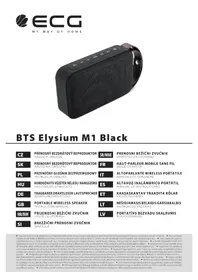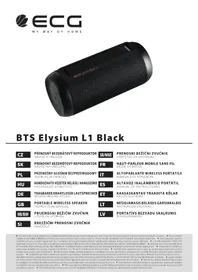
BTS S1 - Speaker ECG - Free user manual and instructions
Find the device manual for free BTS S1 ECG in PDF.


Pick your language and provide your email: we'll send you a specifically translated version.
| Brand | ECG |
| Model | BTS S1 |
| Product type | Portable speaker |
| Wireless connection | Bluetooth 5.0 |
| Output power | 10 W RMS |
| Frequency response | 20 Hz - 20 kHz |
| Built-in battery | Li-Ion 2000 mAh |
| Battery life | Up to 12 hours |
| Charging time | 2.5 hours |
| Power supply | USB-C (5V/1A) |
| Dimensions (W x H x D) | 18 x 7 x 7 cm |
| Weight | 450 g |
| Main functions | Bluetooth playback, USB, microSD card, FM radio, hands-free kit |
| Care and cleaning | Wipe with a soft dry cloth. Do not use aggressive chemicals. |
| Safety | Do not expose to water or excessive heat. Unplug if unused for long periods. |
| Spare parts and repairability | Battery replaceable by a professional. USB cable included. |
| Box contents | Speaker, USB-C cable, user manual, aux audio cable (optional) |
| Warranty | 2 years (according to local legislation) |
Frequently Asked Questions - BTS S1 ECG
How to connect the speaker via Bluetooth?
Turn on the speaker, enable Bluetooth on your device, search for "BTS S1" and pair.
Can the speaker be used while charging?
Yes, it can be used while charging via the USB-C input.
How to switch to FM radio mode?
Press the mode button until FM is selected. Connect the USB cable as an antenna if necessary.
What to do if the sound is low or distorted?
Check the volume on the speaker and the source device, as well as the Bluetooth connection. Reset if necessary.
How to recharge the battery?
Use the supplied USB-C cable and a 5V/1A power adapter (not included). The red light indicates charging.
Is the actual battery life 12 hours?
At moderate volume, yes. At high volume, battery life may drop to 8 hours.
Is the speaker waterproof?
No, it is not waterproof. Avoid any contact with water.
Can audio files be played from an SD card?
Yes, insert a microSD card (up to 32 GB) and select card mode.
How to reset the speaker?
Press and hold the power button for 10 seconds until you hear a beep.
Where to download the full manual?
The manual is available for download on notice-facile.com in PDF format.
User questions about BTS S1 ECG
0 question about this device. Answer the ones you know or ask your own.
Ask a new question about this device
No questions yet. Be the first to ask one.
Download the instructions for your Speaker in PDF format for free! Find your manual BTS S1 - ECG and take your electronic device back in hand. On this page are published all the documents necessary for the use of your device. BTS S1 by ECG.