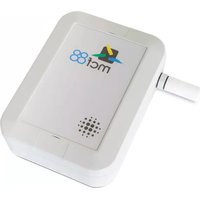
MCF-LW12TERWP - Smart Home MCF88 - Free user manual and instructions
Find the device manual for free MCF-LW12TERWP MCF88 in PDF.


| Product Type | Smart Plug with Energy Monitoring |
| Model | MCF-LW12TERWP |
| Brand | MCF88 |
| Dimensions (H x W x D) | 5.5 x 5.5 x 5.5 cm |
| Weight | 52 g |
| Power Supply | AC 110-240V, 50/60Hz |
| Max Load | 16A (3600W at 230V) |
| Wireless Connectivity | Wi-Fi 2.4 GHz b/g/n |
| App Control | MCF88 Smart Home App (iOS/Android) |
| Voice Control | Amazon Alexa, Google Assistant |
| Energy Monitoring | Real-time power consumption and history |
| Timer and Schedules | Countdown timer and weekly schedules |
| Away Mode | Random on/off simulation |
| Overload Protection | Automatic shutdown at overload |
| Fire Resistant Material | PC V0 flame retardant |
| Operating Temperature | 0°C to 40°C |
| Certifications | CE, RoHS |
| Maintenance | Wipe with dry cloth, keep away from moisture |
| Spare Parts & Reparability | Device is not user-serviceable; contact support |
| Warranty | 2 years limited warranty |
Frequently Asked Questions - MCF-LW12TERWP MCF88
User questions about MCF-LW12TERWP MCF88
0 question about this device. Answer the ones you know or ask your own.
Ask a new question about this device
Download the instructions for your Smart Home in PDF format for free! Find your manual MCF-LW12TERWP - MCF88 and take your electronic device back in hand. On this page are published all the documents necessary for the use of your device. MCF-LW12TERWP by MCF88.
USER MANUAL MCF-LW12TERWP MCF88
The MCF-LW12TERWP is a IP67 battery powered sensor that reads temperature, humidity and pressure and sends collected data over the LoRaWAN™ network. Ideally suited for a wide range of applications such as weather stations, urban monitoring, air quality, industrial, environmental or farming projects.

2. INSTALLATION
To ensure correct operation and reliable and consistent measurements, install the MCF-LW12TERWP sensor away from direct sunlight and rain. The device must be placed where the LoRaWAN signal coverage is good (SF = 7 optimal, SF = 12 weak). The sensor can be installed on the wall or pole using the included accessories.
3. WALL MOUNT
For mounting onto the wall open the blind lids:

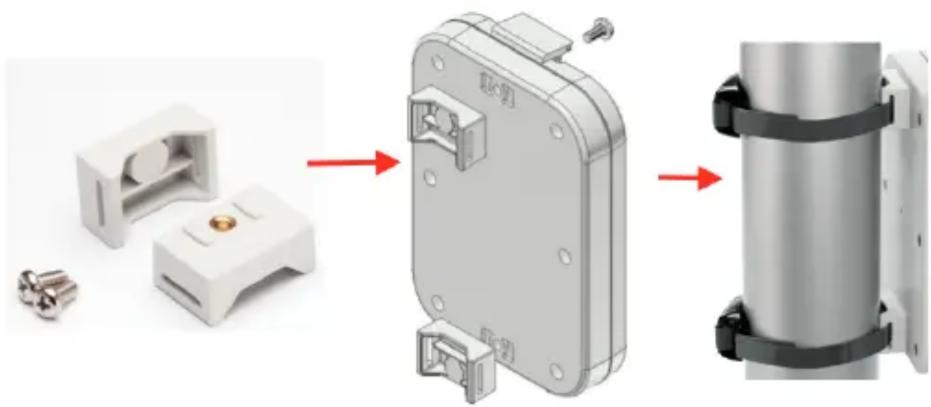
4. POLE MOUNT
For installation on poles, pillars or posts use the included bracket and fasteners:
5. FIRST POWER-ON OF THE SENSOR
The sensor is shipped completely off to prevent battery consumption during storage. It is therefore necessary to carry out a first power-on prior to commissioning.
Move the NFC antenna of the telephone (the exact position varies depending on the model of the smartphone) to the sensor antenna, in the area shown in the figure.

In case of long period inactivity, if necessary, is possible to shut-off again the sensor to prevent battery consumption, using the mcf88 APP.
6. LORAWAN ACTIVATION
The device supports the following activations on a LORAWAN network:
- NONE: sensor not activated
- OTAA: the appkey and AppEUI must be written to the device.
- OTAA MCF88: Over the air activation according to mcf88 specifications
- ABP: requires writing to the device of NwkSkey, AppSkey, DevAddr
The device exits factory activated with NONE mode.
The devEUI of the device is shown on the product label.
![Temp[INT] Network key* App key* Dev Address App EUI XXXXXXXXX DevEUI XXXXXXXXX None MCF88 OTAA ABP IMPOSTA](/content/2026/06/1340680/images/e5a61cc316b9e7abd0ce728d8d560f92262d3c7270cb2337f1c1a9e2ac5d2669.jpg)
The application allows, in addition to parameters configuration, the firmware update.
Further features are:
lorawan class => class "A"
measuring interval => 10 min
transmission interval => every 3 measures

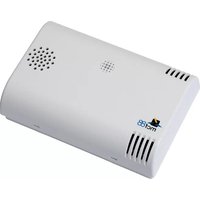

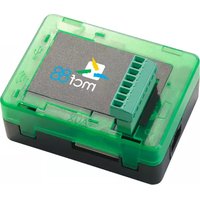
Brand : MCF88
Model : MCF-LW12TERWP
Category : Smart Home