
FR-3XB WH - Digital Accordion ROLAND - Free user manual and instructions
Find the device manual for free FR-3XB WH ROLAND in PDF.


| Product Type | Digital Accordion |
| Brand | Roland |
| Model | FR-3XB WH |
| Color | White |
| Number of Treble Keys | 37 (3 octaves) |
| Number of Bass Buttons | 120 |
| Internal Sounds | 54 accordion types |
| Polyphony | 128 voices |
| Speakers | 2 x 12 cm speakers |
| Connectivity | Headphone jack, audio output, USB MIDI, Bluetooth MIDI |
| Power Supply | DC 9V power adapter (included) |
| Dimensions | 500 x 430 x 230 mm |
| Weight | 12 kg |
| Included Accessories | Power adapter, USB cable, protective cover |
| Care and Cleaning | Clean with a soft, dry cloth. Do not use solvents. |
| Safety | Do not expose to moisture or extreme temperatures. Use only the provided adapter. |
| Spare Parts and Repairability | Contact Roland after-sales service for spare parts and repairs. |
| General Information | Compliant with European EMC Directive 2004/108/EC. Class B digital device. |
Frequently Asked Questions - FR-3XB WH ROLAND
User questions about FR-3XB WH ROLAND
0 question about this device. Answer the ones you know or ask your own.
Ask a new question about this device
Download the instructions for your Digital Accordion in PDF format for free! Find your manual FR-3XB WH - ROLAND and take your electronic device back in hand. On this page are published all the documents necessary for the use of your device. FR-3XB WH by ROLAND.
USER MANUAL FR-3XB WH ROLAND
This product complies with the requirements of European Directive EMC 2004/108/EC.
This equipment has been tested and found to comply with the limits for a Class B digital device, pursuant to Part 15 of the FCC Rules. These limits are designed to provide reasonable protection against harmful interference in a residential installation. This equipment generates, uses, and can radiate radio frequency energy and, if not installed and used in accordance with the instructions, may cause harmful interference to radio communications. However, there is no guarantee that interference will not occur in a particular installation. If this equipment does cause harmful interference to radio or television reception, which can be determined by turning the equipment off and on, the user is encouraged to try to correct the interference by one or more of the following measures:
Reorient or relocate the receiving antenna.
Increase the separation between the equipment and receiver.
Connect the equipment into an outlet on a circuit different from that to which the receiver is connected.
- Consult the dealer or an experienced radio/TV technician for help.
This device complies with Part 15 of the FCC Rules. Operation is subject to the following two conditions:
(1) This device may not cause harmful interference, and
(2) This device must accept any interference received, including interference that may cause undesired operation.
Unauthorized changes or modification to this system can void the users authority to operate this equipment.
This equipment requires shielded interface cables in order to meet FCC class B Limit.
For Canada
NOTICE
This Class B digital apparatus meets all requirements of the Canadian Interference-Caising Equipment Regulations.
AVIS
IMPORTANT: THE WIRES IN THIS MAINS LEAD ARE COLOURED IN ACCORDANCE WITH THE FOLLOWING CODE.
BLUE: NEUTRAL
BROWN: LIVE
As the colours of the wires in the mains lead of this apparatus may not correspond with the coloured markings identifying the terminals in your plug, proceed as follows:
The wire which is coloured BLUE must be connected to the terminal which is marked with the letter N or coloured BLACK.
The wire which is coloured BROWN must be connected to the terminal which is marked with the letter L or coloured RED.
Under no circumstances must either of the above wires be connected to the earth terminal of a three pin plug.
Roland
FR-3X

Owner's Manual
Introduction
Thank you and congratulations on your choice of the Roland FR-3x V-Accordion.
To ensure that you obtain the maximum enjoyment and take full advantage of the FR-3x's functionality, please read this owner's manual carefully.
About this manual
You should first read the chapter "Before you start playing" (p. 15) of the owner's manual. It explains how to connect the AC adaptor or install batteries and turn on the power. This Owner's Manual explains everything, from the FR-3x's basic operations to more advanced functions.
Conventions in this manual
In order to explain the operations as clearly as possible, this manual uses the following conventions:
- Text enclosed in square brackets [ ] indicates the name of a button or knob. Example: the [USER PROGRAM] button.
- Lines that begin with "NOTE" are cautionary statements that you must read.
- The numbers of pages that you can turn to for additional, related information are given like this: (p. **).
The explanations in this manual include illustrations that depict what should typically be shown by the display. Note, however, that your unit may incorporate a newer, enhanced version of the system (e.g., includes newer sounds), so what you actually see in the display may not always match what appears in the manual.
Before using this instrument, carefully read "Using the unit safely" (p. 7) and "Important notes" (p. 9). Those sections provide information concerning the proper operation of the FR-3x. Additionally, in order to feel assured that you have gained a good grasp of every feature provided by your new unit, the manual should be read in its entirety. The manual should be saved and kept on hand as a convenient reference.
Contents
- Features 6
- Important notes. 9
- A first look at your FR-3x. 11
The sections of your FR-3x 11
Bellows resistance regulator 11
- Panel descriptions 12
Treble control panel 12
Bass control panel. 13
Battery compartment and USB port 14
Connection panel 14
5.Before you start playing. 15
Getting ready to play 15
Installing and removing batteries 16
Connecting the FR-3x to an amplifier, mixer, etc. 17
Attaching the straps. 18
Securing the adapter and/or MIDI cable. 20
Switching the power on and off 21
Using headphones. 21
Adjusting the volume and balance 22
Adjusting the chorus and reverb effects. 22
How to read the display. 23
- Listening to the demo songs 24
- Using Sets. 25
Selecting Sets 25
- Selecting and playing sounds. 26
Treble section 26
Playing the bass part with your right hand (Bass-to-Treble) 29
Bass and chord section 30
Playingdrum/percussion sounds 31
Playing only bass notes with your left hand (Free Bass mode) 32
- Using the FR-3x's audio player 34
Copying audio files to a USB memory 34
Connecting an optional USB memory 34
Playing back audio files 35
Selecting audio files 35
Adjusting the playback level 36
- Highlighting some practical functions 37
Using the metronome 37
Changing the key of the keyboard (transpose) 37
Musette Detune 37
Switching off the internal speakers (Speaker Mode) 37
- Saving your settings (User Program). 38
Saving the current settings. 38
Recalling a User Program 39
Editing a User Program 39
12.Data management via the FR-3x's USB port 40
Saving User Program memories to USB memory (optional) 40
Loading User Program memories from USB memory (optional). 40
Loading User Set memories from USB memory (optional) 41
Loading new sounds from a USB memory (optional) 41
Importing the settings of a previous FR-3 model 42
- Other settings 43
Important remark about saving your settings 44
Selecting the desired parameter 44
PARAM LIST parameters. 45
- Connecting to MIDI devices 56
Connecting an external MIDI device to the FR-3x 56
MIDI parameter list. 57
Selecting the desired MIDI LIST parameter. 58
MIDI LIST parameters 58
Sending program change messages to external devices 62
- Restoring the factory defaults. 64
16.Troubleshooting 65 - Error messages 66
- Specifications 67
- Appendix 69
Factory Sets 69
Demo Songs 69
Ways in which the FR-3x displays alphabetic characters of file names 70
MIDI implementation 71
MIDI Implementation Chart 73
20.Information 74
21. Index. 75
1. Features
Stand-alone electronic instrument
Though the FR- 3x is a fully electronic instrument, you do not need to connect it to an amplifier in order to produce sounds. Its onboard amplification system is powerful enough for small venues, restaurants, etc.
The FR-3x can also be powered using 10 commercially available rechargeable Ni-MH batteries, so that you don't need to connect it to a wall outlet.
PBM (Physical Behavior Modeling)
The FR-3x V-Accordion is based on Roland's sound generation technology called "PBM" (Physical Behavior
Modeling) whose sonic result is very close to the sound of traditional accordions.
Super realistic accordion simulations
All sounds the FR-3x produces were obtained by sampling popular traditional acoustic accordions.
This V-Accordion allows you to switch from an Italian jazz accordion to German folk, French musette or a historic bandoneon sound – without changing your technique.
Different tuning systems are also available.
Orchestral sounds
10 orchestral sounds can be used in combination with traditional accordion sounds - complete with full bellows articulation, and unique keyboard modes (Solo, Dual, High and Low).
Tonewheel organ sounds
The FR-3x allows you to play amazing organ sounds in almost the same way as an organ player using the treble section. You can add a rotary effect (slow/fast).
Drum sounds
You can also use the FR-3x to play simple drum parts with your left hand (bass and chord sections).
Sound expansion
The FR-3x provides two internal memories that allow you to add new sounds.
Sophisticated bellows response
Faster response and higher sensitivity and precision plus detection of bellows opening/closing with new bellows pressure sensing circuitry.
A bellows resistance regulator knob allows you to adjust the bellows' inertia to your preference.
USB-based audio player
The FR-3x contains an audio player function that allows you to play back mp3 and WAV files directly from a connected USB memory.
Save your settings to a USB memory
You can save your settings by connecting an optional USB memory to the FR-3x's USB port.
The digital advantage
The V-Accordion includes all functions and sounds of a traditional accordion, thus conveying a truly natural feel and sound. Yet it also provides the advantages only an electronic musical instrument can give you:
- reduced overall weight;
- possibility to choose among a wide variety of sounds;
- various selectable Free Bass modes (Minor 3rd, Bayan, North Europe, Finnish);
- tuning stability over time and wear resistance of all mechanical parts;
- you can sound in a different key than the one you are playing in (transpose function);
- you can play with headphones, i.e. without disturbing your neighbors or family.
Superb performance flexibility
The FR-3x allows you to control external MIDI-compatible instruments. The Treble keyboard and chord/bass buttons are velocity-sensitive, while the bellows controller provides more articulation possibilities than any other MIDI keyboard, MIDI wind instrument, etc., you may know.
USING THE UNIT SAFELY
INSTRUCTIONS FOR THE PREVENTION OF FIRE, ELECTRIC SHOCK, OR INJURY TO PERSONS
About WARNING and CAUTION Notices
| ▲WARNING | Used for instructions intended to alert the user to the risk of death or severe injury should the unit be used improperly. |
| ▲CAUTION | Used for instructions intended to alert the user to the risk of injury or material damage should the unit be used improperly. * Material damage refers to damage or other adverse effects caused with respect to the home and all its furnishings, as well to domestic animals or pets. |
About the Symbols
| ▲ | The △ symbol alerts the user to important instructions or warnings. The specific meaning of the symbol is determined by the design contained within the triangle. In the case of the symbol at left, it is used for general cautions, warnings, or alerts to danger. |
| ◎ | The ⊙ symbol alerts the user to items that must never be carried out (are forbidden). The specific thing that must not be done is indicated by the design contained within the circle. In the case of the symbol at left, it means that the unit must never be disassembled. |
| ◎ | The ● symbol alerts the user to things that must be carried out. The specific thing that must be done is indicated by the design contained within the circle. In the case of the symbol at left, it means that the power-cord plug must be unplugged from the outlet. |
ALWAYS OBSERVE THE FOLLOWING
WARNING
- Do not open (or modify in any way) the unit or its AC adaptor.

- Do not attempt to repair the unit, or replace parts within it (except when this manual provides specific instructions directing you to do so). Refer all servicing to your retailer, the nearest Roland Service Center, or an authorized Roland distributor, as listed on the "Information" page.

-
Never install the unit in any of the following locations.
-
Subject to temperature extremes (e.g., direct sunlight in an enclosed vehicle, near a heating duct, on top of heat-generating equipment); or are
- Damp (e.g., baths, washrooms, on wet floors); or are
- Exposed to steam or smoke; or are
- Subject to salt exposure; or are
- Humid; or are
- Exposed to rain; or are
- Dusty or sandy; or are
- Subject to high levels of vibration and shakiness.

- Make sure you always have the FR-3x placed so it is level and sure to remain stable. Never place it on stands that could wobble, or on inclined surfaces.

- Be sure to use only the AC adaptor supplied with the unit. Also, make sure the line voltage at the installation matches the input voltage specified on the AC adaptor's body. Other AC adaptors may use a different polarity, or be designed for a different voltage, so their use could result in damage, malfunction, or electric shock.

- Use only the supplied power-supply cord. Also, the supplied power cord must not be used with any other device.

- Do not excessively twist or bend the power cord, or place heavy objects on it. Doing so can damage the cord, producing severed elements and short circuits. Damaged cords are fire and shock hazards!

WARNING
-
The FR-3x, either alone or in combination with an amplifier and headphones or speakers, may be capable of producing sound levels that could cause permanent hearing loss. Do not operate for a long period of time at a high volume level, or at a level that is uncomfortable. If you experience any hearing loss or ringing in the ears, you should immediately stop using the unit, and consult an audiologist.
-
Do not allow any objects (e.g., flammable material, coins, pins); or liquids of any kind (water, soft drinks, etc.) to penetrate the FR-3x.


-
Immediately turn the power off, remove the AC adaptor from the outlet, and request servicing by your retailer, the nearest Roland Service Center, or an authorized Roland distributor, as listed on the "Information" page when:
-
The AC adaptor, the power-supply cord, or the plug has been damaged; or
- If smoke or unusual odor occurs
- Objects have fallen into, or liquid has been spilled onto the unit; or
- The unit has been exposed to rain (or otherwise has become wet); or
-
The unit does not appear to operate normally or exhibits a marked change in performance.
-
In households with small children, an adult should provide supervision until the child is capable of following all the rules essential for the safe operation of the FR-3x.

- Protect the FR-3x from strong impact. (Do not drop it!)

WARNING
- Do not force the FR-3x's power-supply cord to share an outlet with an unreasonable number of other devices. Be especially careful when using extension cords—the total power used by all devices you have connected to the exte cord's outlet must never exceed the power rating (watts/ for the extension cord. Excessive loads can cause the insul the cord to heat up and eventually melt through.

- Before using the FR-3x in a foreign country, consult with your retailer, the nearest Roland Service Center, or an authorized Roland distributor, as listed on the "Information" page.

- Batteries must never be recharged, heated, taken apart, or thrown into fire or water.
- Never expose batteries to excessive heat such as sunshine, fire or the like.

CAUTION
- The unit and the AC adaptor should be located so its location or position does not interfere with their proper ventilation.

- Always grasp only the plug on the AC adaptor cord when plugging into, or unplugging from, an outlet or this unit.

- At regular intervals, you should unplug the AC adaptor and clean it by using a dry cloth to wipe all dust and other accumulations away from its prongs. Also, disconnect the power plug from the power outlet whenever the unit is to remain unused for an extended period of time. Any accumulation of dust between the power plug and the power outlet can result in poor insulation and lead to fire.

- Try to prevent cords and cables from becoming entangled. Also, all cords and cables should be placed so they are out of the reach of children.

- Never climb on top of, or place heavy objects on the unit.

- Never handle the AC adaptor or its plugs with wet hands when plugging into, or unplugging from, an outlet or this unit.

- Before moving the unit, disconnect the AC adaptor and all cords coming from external devices.

- Before cleaning the unit, turn off the power and unplug the AC adaptor from the outlet (see p. 15).

- Whenever you suspect the possibility of lightning in your area, disconnect the AC adaptor from the outlet.

CAUTION
- If used improperly, batteries may explode or leak and cause damage or injury. In the interest of safety, please read and observe the following precautions.
- Carefully follow the installation instructions for batteries, and make sure you observe the correct polarity.
- Avoid using new batteries together with used ones. In addition, avoid mixing different types of batteries.
- Remove the batteries whenever the unit is to remain unused for an extended period of time.
- If a battery has leaked, use a soft piece of cloth or paper towel to wipe all remnants of the discharge from the battery compartment. Then install new batteries. To avoid inflammation of the skin, make sure that none of the battery discharge gets onto your hands or skin. Exercise the utmost caution so that none of the discharge gets near your eyes. Immediately rinse the affected area with running water if any of the discharge has entered the eyes.
-
Never keep batteries together with metallic objects such as ballpoint pens, necklaces, hairpins, etc.
-
Used batteries must be disposed of in compliance with whatever regulations for their safe disposal that may be observed in the region in which you live.


- Keep the included button caps in a safe place out of children's reach, so there is no chance of them being swallowed accidentally.
2. Important notes
In addition to the items listed under "Using the unit safely" on p. 7, please read and observe the following:
Power supply
- Do not connect this unit to same electrical outlet that is being used by an electrical appliance that is controlled by an inverter (such as a refrigerator, washing machine, microwave oven, or air conditioner), or that contains a motor. Depending on the way in which the electrical appliance is used, power supply noise may cause this unit to malfunction or may produce audible noise. If it is not practical to use a separate electrical outlet, connect a power supply noise filter between this unit and the electrical outlet.
- The AC adaptor will begin to generate heat after long hours of consecutive use. This is normal, and is not a cause for concern.
- The use of the supplied AC adaptor is recommended as the unit's power consumption is relatively high. Should you prefer to use batteries, please use the rechargeable Ni-MH type.
- When installing or replacing batteries, always turn off the power on this unit and disconnect any other devices you may have connected. This way, you can prevent malfunction and/or damage to speakers or other devices.
- Before connecting this unit to other devices, turn off the power to all units. This will help prevent malfunctions and/or damage to speakers or other devices.
Placement
- Using the unit near power amplifiers (or other equipment containing large power transformers) may induce hum. To alleviate the problem, change the orientation of this unit; or move it farther away from the source of interference.
- This device may interfere with radio and television reception. Do not use this device in the vicinity of such receivers.
- Noise may be produced if wireless communications devices, such as cell phones, are operated in the vicinity of this unit. Such noise could occur when receiving or initiating a call, or while conversing. Should you experience such problems, you should relocate such wireless devices so they are at a greater distance from this unit, or switch them off.
- Do not expose the unit to direct sunlight, place it near devices that radiate heat, leave it inside an enclosed vehicle, or otherwise subject it to temperature extremes. Excessive heat can deform or discolor the unit.
- When moved from one location to another where the temperature and/or humidity is very different, water droplets (condensation) may form inside the unit. Damage or malfunction may result if you attempt to use the unit in this condition. Therefore, before using the unit, you must allow it to stand for several hours, until the condensation has completely evaporated.
- Do not allow objects to remain on top of the keyboard. This can be the cause of malfunction, such as keys ceasing to produce sound.
- Depending on the material and temperature of the surface on which you place the unit, its rubber feet may discolor or mar the surface.
You can place a piece of felt or cloth under the rubber feet to prevent this from happening. If you do so, please make sure that the unit will not slip or move accidentally.
Maintenance
- For everyday cleaning wipe the FR-3x with a soft, dry cloth or one that has been slightly dampened with water. To remove stubborn dirt, use a mild, non-abrasive detergent. Afterwards, be sure to wipe the instrument thoroughly with a soft, dry cloth.
- Never use benzine, thinner, alcohol or solvents of any kind, to avoid the possibility of discoloration and/or deformation.
Repairs and data
- Please be aware that all data contained in the unit's memory may be lost when the unit is sent for repairs. Important data should always be backed up on a USB memory or written down on paper (when possible). During repairs, due care is taken to avoid the loss of data. However, in certain cases (such as when circuitry related to memory itself is out of order), we regret that it may not be possible to restore the data, and Roland Europe S.p.a. assumes no liability concerning such loss of data.
Precautions for batteries (not supplied)
- The temperature range for use of the batteries depends on the battery type being used. Please see the documentation that came with the batteries.
- Do not use or store batteries at high temperature, such as in strong direct sunlight, in cars during hot weather or directly in front of heaters. This may cause battery fluid leakage, impaired performance and shorten the batteries' service life.
- Do not splash fresh or saltwater on a battery or allow the terminals to become damp. This may cause heat generation and formation of rust on the battery and its terminals.
- If newly purchased batteries exhibit rust, generate heat or seem abnormal in any other way, do not use them. Take them back to your dealer.
- Keep the batteries out of reach of babies or small children.
- Be sure to carefully instruct any person on the proper way of handling a battery.
- Never dispose of the battery in a fire. Never heat it. Doing so may melt the insulation, damage the gas release vents or protective devices, cause combustion through chemical reaction with generated hydrogen, ejection of battery fluid, bursting or fire.
- Do not use batteries with the positive (+) and negative (-) terminals reversed, as this may drain the batteries or cause abnormal chemical reactions.
- Do no strike or drop the batteries. Strong impact can cause leakage of battery fluid, heat generation, bursting or fire.
- Never try to connect several batteries in parallel as this may cause leakage of battery fluid, heat generation, bursting or fire.
- Do not alter or remove protective mechanisms or other parts. Never disassemble the batteries.
- If any fluid from a battery comes in contact with the eyes, flush the eyes immediately, washing them thoroughly with clean water from a tap or other source and consult a doctor. Strong alkaline fluid can damage the eyes and lead to permanent loss of eyesight.
- If skin or clothing comes in contact with any fluid from the battery, wash the area immediately with clean water from a tap. Battery fluid can cause skin damage.
- When a battery is no longer usable, dispose of it in accordance with all applicable local laws and regulations.
- If a battery leaks fluid, changes color or shape or changes in any other way, do not use it, otherwise it may cause heat generation, bursting or fire.
Additional precautions
- Please be aware that the contents of memory can be irretrievably lost as a result of a malfunction, or the improper operation of the unit. To protect yourself against the risk of loosing important data, we recommend that you periodically save a backup copy of important data you have stored in the unit's memory to a USB memory.
-
Unfortunately, it may be impossible to restore the contents of data that was stored on a USB memory once it has been lost. Roland Europe S.p.a. assumes no liability concerning such loss of data.
-
Use a reasonable amount of care when using the unit's buttons, sliders, or other controls; and when using its jacks and connectors. Rough handling can lead to malfunctions.
- When connecting / disconnecting all cables, grasp the connector itself—never pull on the cable. This way you will avoid causing shorts, or damage to the cable's internal elements.
- To avoid disturbing your neighbors, try to keep the unit's volume at reasonable levels. You may prefer to use headphones, so you do not need to be concerned about those around you (especially when it is late at night).
- When you need to transport the unit, package it in the box (including padding) that it came in, if possible. Otherwise, you will need to use equivalent packaging materials.
- Some connection cables contain resistors. Do not use cables that incorporate resistors for connecting to this unit. The use of such cables can cause the sound level to be extremely low, or impossible to hear. For information on cable specifications, contact the manufacturer of the cable.
Battery handling
- Incorrect handling of batteries, rechargeable batteries, or a battery charger can cause leakage, overheating, fire, or explosion. Before use, you must read and strictly observe all of the precautions that accompany the batteries, rechargeable batteries, or battery charger. When using rechargeable batteries and a charger, use only the combination of rechargeable batteries and charger specified by the battery manufacturer.
Storage devices that can be connected to the FR-3x's USB port
- The FR-3x allows you to connect commercially available USB memories. You can purchase such devices at a computer store, a digital camera dealer, etc.
- Use USB memory sold by Roland. We cannot guarantee operation if any other USB memory is used.
Before using external USB memories
- When connecting a USB memory, firmly insert it all the way into the FR-3x's USB port.
- Do not touch the pins of the FR-3x's USB port or allow them to become dirty.
-
While using an external storage device, please observe the following points when handling it:
-
To prevent damage from static electrical charges, discharge any static electricity that might be present in your body before handling a USB memory.
- Do not touch the terminals with your fingers or any metal object.
- Do not bend or drop a USB memory, or subject it to strong impact.
-
Do not leave a USB memory in direct sunlight or in locations such as a closed-up automobile.
-
Do not allow a USB memory to become wet.
- Do not disassemble or modify your external USB memory.
- When connecting a USB memory, position it horizontally with the FR-3x's USB port and insert it without using excessive force. The USB port may be damaged if you use excessive force when inserting a USB memory.
- Do not insert anything other than a USB memory (e.g., wire, coins, other types of device) into the USB port. Doing so will damage the FR-3x's USB port.
- Do not apply excessive force to the connected USB memory or the FR-3x's USB port.
- Never connect your USB memory to the FR-3x via a USB hub.
Liability and copyright
- The FR-3x's audio player is designed to allow you to reproduce material to which you have copyright, or material which the copyright owner has granted you permission. Accordingly, the reproduction of music or other copyrighted material without permission of the copyright owner avoiding technical prohibiting features of second-generation and later copying, like SCMS or other solutions, constitutes copyright infringement and may incur penalties even in case such reproduction is for your own personal use and enjoyment (private use).
Consult a copyright specialist or specialized publications for more detailed information on obtaining such permission from the copyright holders.
- Do not use the FR-3x for purposes that could infringe on a copyright held by a third party. Roland assumes no responsibility whatsoever with regard to any infringements of third-party copyrights arising through your use of this unit.
About audio files
- Audio files in the following formats can be played back:
WAV format
16-bit linear
- Sampling frequency: 44.1kHz
- Stereo/mono
- mp3 files:
MPEG-1 Audio Layer 3
- Sampling frequency: 44.1kHz
- Bit rate: 32/40/48/56/64/80/96/112/128/160/192/224/256/320kbps, VBR (variable bit rate)
Notice
- MPEG Layer-3 audio compression technology is licensed from Fraunhofer IIS Corporation and THOMSON Multimedia Corporation.
- Roland and V-Accordion are either registered trademarks or trademarks of Roland Corporation in the United States and/or other countries.
- MMP (Moore Microprocessor Portfolio) refers to a patent portfolio concerned with microprocessor architecture, which was developed by Technology Properties Limited (TPL). Roland has licensed this technology from the TPL Group.
- All product names mentioned in this document are trademarks or registered trademarks of their respective owners.
3. A first look at your FR-3x
Let us first take a look at how the FR-3x is organized and how it is operated.
The sections of your FR-3x
Let's briefly look at the various "sections" of your instrument, as that will help you understand how your V-Accordion works.
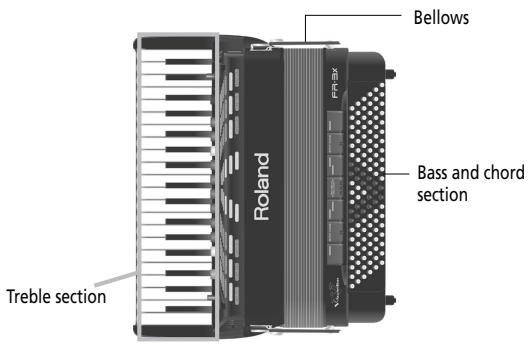
Treblesection(right-handmanual)
This section is normally used for playing the melody.
The FR-3x's treble section is velocity sensitive.
Bass and chord section
This section is normally used to play the accompani-. ment. There are two general categories: one is called "Stradella", and the other "Free Bass". The FR-3x allows you to use either type.
The "Stradella" system, also called the "standard bass system" uses the first 2 (or 3) button rows to play bass notes. The remaining button rows are used to play chords.
If you select the "Free Bass" system, all buttons are used to play single bass notes.
The FR-3x's bass and chord section is velocity sensitive.
Bellows
The bellows is an important part of the accordion.
The movement of the bellows indeed lends expression and dynamics to the sound. Several techniques are available, one of which is called "bellows shake" (rapid opening and closing movements).
The bellows' inertia can be set with the resistance regulator and air button.
Bellows resistance regulator
Your FR-3x is equipped with a bellows resistance regulator and air button that allows you to specify the bellows' inertia (the force needed to push and pull it).
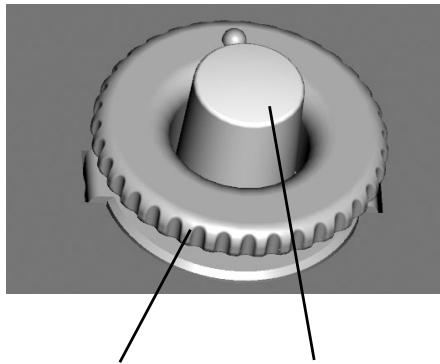
Bellows resistance regulator. Press and turn to select the bellows' resistance.
Air button. Press to purge remaining air after playing.
Located next to one of the bellows clips and mounted onto the air button (which allows you to release remaining air from the bellows without producing sound).
- Press the wheel and rotate it clockwise to select a stronger inertia.
- Press the wheel and rotate it counterclockwise to select a lighter inertia.
- Press the air button to purge the remaining air from the bellows after closing it.
4. Panel descriptions
Treble control panel
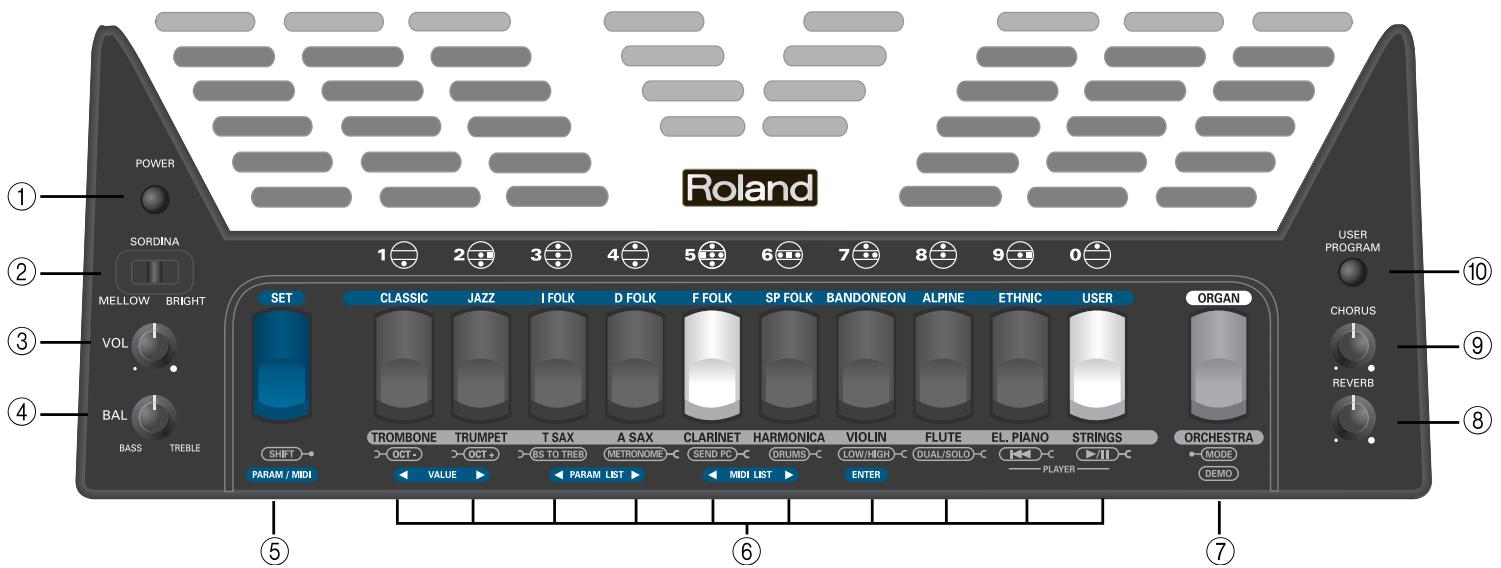
① POWER button
Press this button to switch the V-Accordion on (the button lights) and off (button dark).
NOTE
If you need to turn off the power completely (when using the supplied AC adaptor), first turn off the [POWER] switch, then disconnect the AC adaptor's plug from the wall outlet.
(2) SORDINA switch
This MELLOW/BRIGHT switch allows you to switch the simulation of the wooden resonance chamber on ("BRIGHT") and off ("MELLOW").
③ VOL knob
This knob allows you to set the V-Accordion's overall volume.
④ BAL knob
This knob allows you to set the balance between the Bass/Chord and the Treble sections.
⑤ SETregister
This register is used to recall one of 25 Sets from one of the 10 Set families: press the [SET] register and one of the 10 treble registers.
The [SET] register has three additional functions:
- To edit function and MIDI parameters: press and hold [SET].
- To change octaves: press and hold [SET] and press [1/OCT-] or [2/OCT+] .
- To activate Bass-to-Treble mode: press and hold [SET] and press [3] BS TO TREB.
⑥ Treble registers
The Treble section contains 10 registers that allow you to select accordion, orchestral and organ sounds, Sets and User Programs.
NOTE
By pressing and holding any register, you can switch off the treble or Treble Orchestra and Organ section. Press another register to switch it back on.
⑦ ORGAN/ORCHESTRA register
Pressing [ORGAN/ORCHESTRA] followed by one of the treble registers recalls an orchestral or organ sound.
This register has two additional functions:
- To activate the demo song function: press and hold [ORGAN/ORCHESTRA].
- To select other functions: press and hold [ORGAN/ ORCHESTRA] and press one of the treble registers [4]~[0].
⑧ REVERB knob
Use this knob to set the level of the reverb effect (see p. 22).
⑨ CHORUS knob
Use this knob to set the level of the chorus effect (see p. 22).
⑩ USER PROGRAM button
This button is used to recall one of 10 User Programs: first press [USER PROGRAM] and then one of the treble registers.
Bass control panel
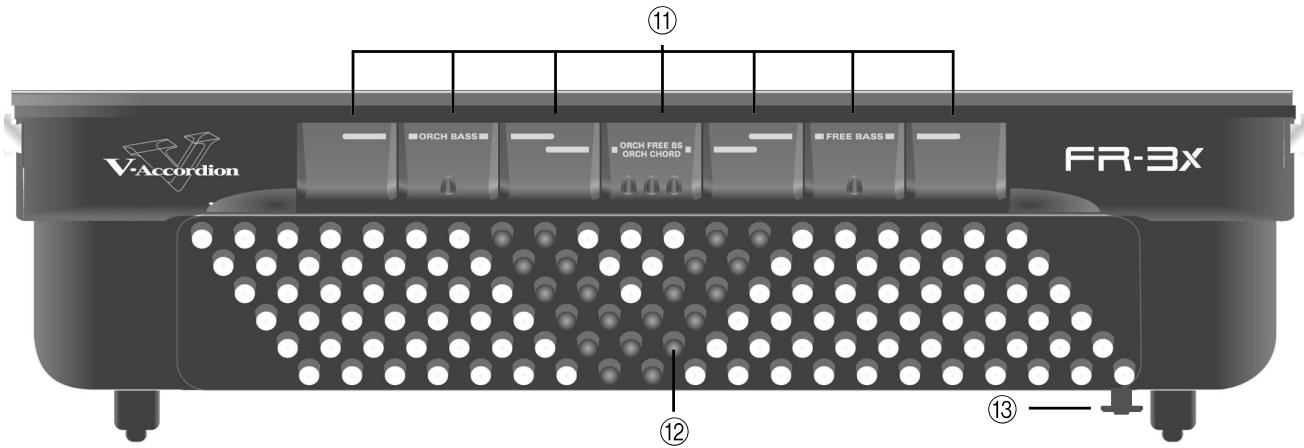
① Bass registers
These switches allow you to select the desired bass sound.
NOTE
By pressing and holding any register, you can switch off the Bass (or Free Bass) section. Press another register to switch it back on.
② Bass and chord buttons
These 120 buttons are used to play bass notes and chords (they are velocity-sensitive). They also allow you to play drum sounds.
③ Bellows resistance and air button
This wheel allows you to specify the bellows' inertia (the force needed to push and pull it). See page 11. By pressing it you can purge the air that still remains in the bellows after playing.
⑭ Display
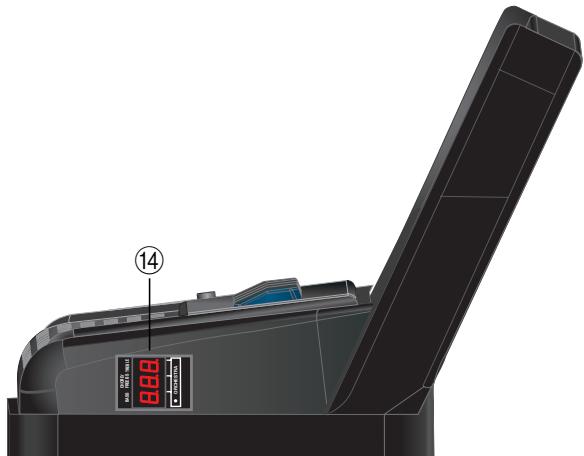
The display keeps you informed about the FR-3x's status and helps you locate the functions you may wish to set.
Battery compartment and USB port
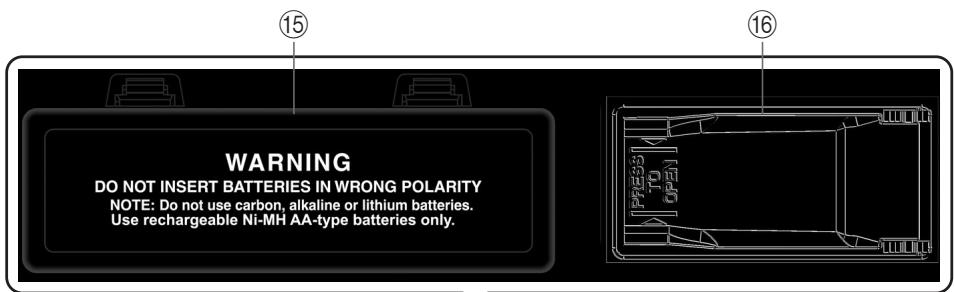
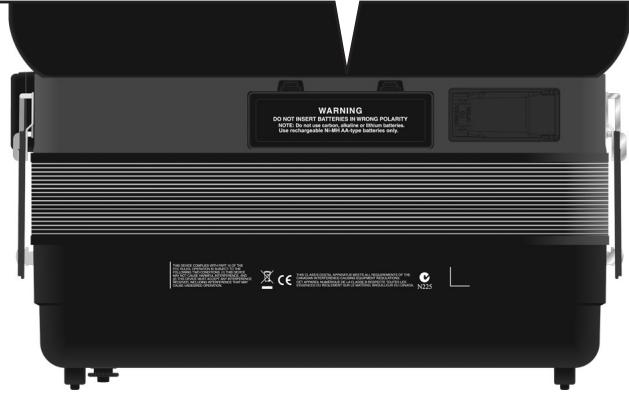
⑤ Battery compartment
This is where you install 10 commercially available rechargeable AA-type Ni-MH batteries (see p. 16).
USB port
The FR-3x's USB port allows you to connect a USB memory. It can be used to play back audio files (mp3 and WAV) and to save and load settings.
NOTE
Use a USB memory sold by Roland. We cannot guarantee operation if any other USB memory is used.
Connection panel
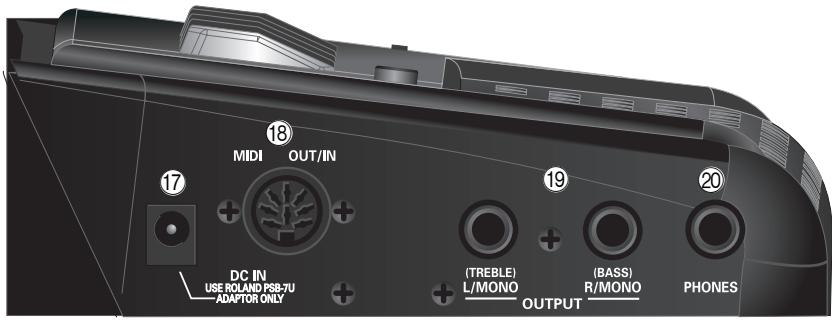
⑰ DC IN socket
This is where you need to connect the supplied power adapter (PSB-7U). Note that you can also purchase 10 rechargeable AA-type Ni-MH batteries and use the FR-3x without the adapter.
⑱ MIDI OUT/IN socket
This socket can be used to receive or transmit MIDl data.
⑲ OUTPUT L/MONO (TREBLE) & R/MONO (BASS) sockets
These sockets can be connected to an amplifier, a mixing console or a wireless system. If you use both connectors, the FR-3x's output is stereo. In that case the signals of the Treble section is transmitted to the L/MONO socket, while the R/MONO socket transmits the bass (and chord) signal. If you only use one jack (connected to the "L" or "R" socket), the FR-3x's output is mono.
NOTE
On the FR-3x, connecting jacks to these sockets does not mute the internal speakers.
NOTE
Using these sockets and switching off the FR-3x's speakers (see "Speaker Mode" on p. 55) allows you to save battery power.
20 PHONES socket
This is where you can connect stereo headphones (Roland RH-25, RH-50, RH-200 or RH-300).
NOTE
Connecting a pair of headphones mutes the internal speakers.
5. Before you start playing
Getting ready to play
The FR-3x is an electronic instrument that requires some form of electrical power. This chapter explains how to power your FR-3x using the supplied adaptor or 10 commercially available rechargeable batteries (AA-type Ni-MH). In addition, you will learn how to connect your FR-3x to an external amplification system.
Connecting the AC adaptor
NOTE
To prevent malfunction and/or damage to speakers or other devices, always turn down the volume, and turn off the power on all devices before making any connections.
1. Turn the [VOL] knob all the way towards the small dot to minimize the volume.
![ROLAND FR-3XB WH - Turn the [VOL] knob all the way towards the small dot to minimize the volume. - 1](/content/2025/01/131051/images/a1787a5b8893d8acf0397c9a54c9a030aa2823146f2bfe59d100c0552711d363.jpg)
2. Connect the included power cord to the AC adapter.
The indicator will light once you plug the AC adapter into a wall outlet.
To the FR-3x's DC IN connector
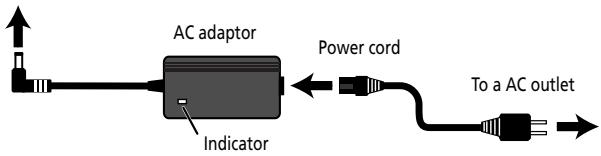
Place the AC adaptor so the side with the indicator (see illustration) faces upwards and the side with textual information faces downwards.
NOTE
Depending on your region, the included power cord may differ from the one shown above.
NOTE
We recommend that you keep batteries installed in the unit even if you'll be powering it with the AC adaptor. That way, you'll be able to continue a performance even if the cord of the AC adaptor gets accidentally disconnected from the unit.
NOTE
Be sure to use only the AC adaptor supplied with the unit (PSB-7U). Also, make sure the line voltage at the installation matches the input voltage specified on the AC adaptor's body. Other AC adaptors may use a different polarity, or be designed for a different voltage, so their use could result in damage, malfunction, or electric shock.
3. Connect the AC adaptor to the FR-3x's DC IN jack.
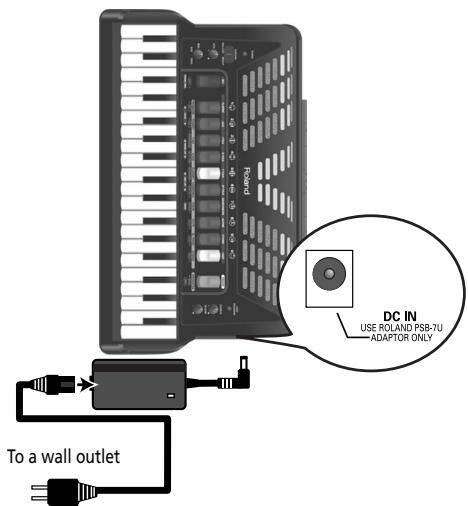
4. Plug the power cord into a power outlet.
Now that the FR-3x is connected to a wall outlet, you can continue with the section "Switching the power on and off" on p. 21. To use the FR-3x with batteries, see "Installing and removing batteries" on p. 16.
NOTE
If the FR-3x is to remain unused for an extended period of time, unplug the adaptor.
NOTE
To prevent the inadvertent disruption of power to your unit (should the plug be pulled out accidentally), and to avoid applying undue stress to the AC adaptor jack, anchor the power cord. See "Securing the adapter and/or MIDI cable" on p. 20.
Installing and removing batteries
Your FR-3x has a compartment that contains a special holder unit into which you can install 10 rechargeable AA-type Ni-MH batteries (not supplied). You can therefore play your instrument without connecting the supplied adapter.
- Switch off the FR-3x.
- Remove the cushion located between the treble keyboard and the bellows.
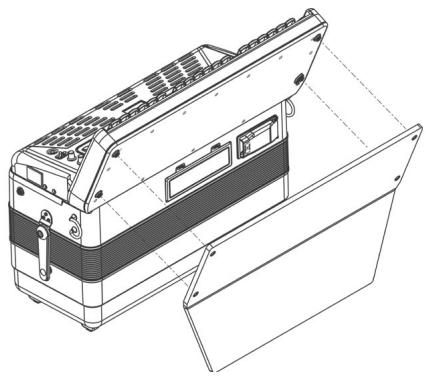
- Remove the cover from the FR-3x's battery compartment by pressing the two tabs and lifting the cover.
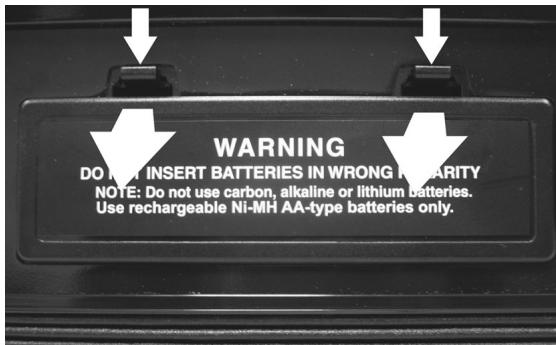
You should now see a tab that allows you to remove the battery case:
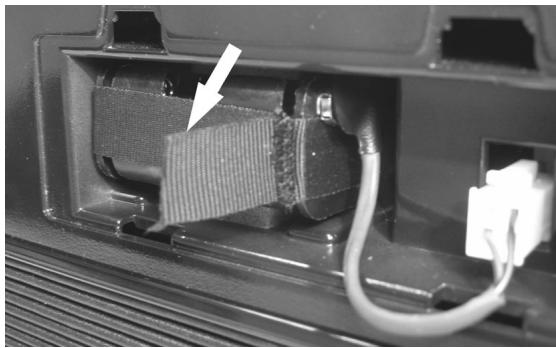
- Use the tab to pull the battery case out of the compartment and turn the case around.
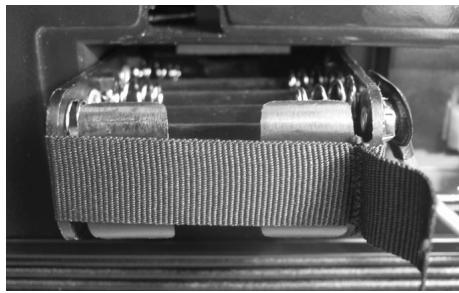
The battery case is connected to the FR-3x by means of a cable with a padded connector strip. You can disconnect the cable from the battery case by pulling off the padded connector strip.
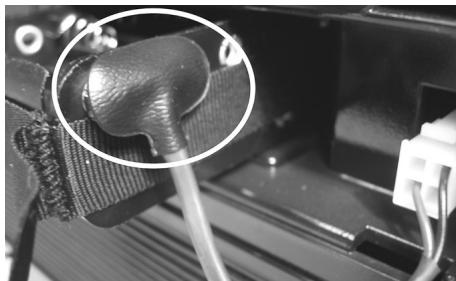
This is unnecessary if you manage to install (or remove) the batteries without disconnecting the connector strip.
- Insert 10 rechargeable AA-type Ni-MH batteries into the compartment (5 on either side), taking care to orient them in accordance with the "+" and "-" indications.
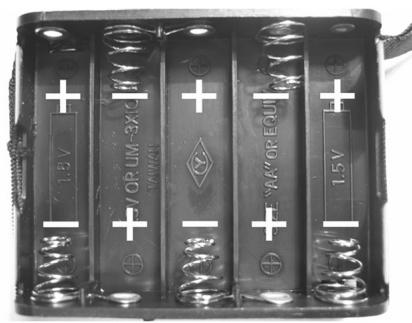
- Insert the battery case with the 10(5 + 5) batteries into the compartment.
- Close the FR-3x's battery compartment and re-install the cushion.
NOTE
Though it is perfectly possible to use rechargeable batteries, be aware that they cannot be recharged simply by leaving them in the FR-3x's compartment and connecting the adapter. You will need an external charging unit.
NOTE
We recommend using rechargeable AA-type Ni-MH batteries.
NOTE
When replacing batteries, be sure to insert them correctly (ensure correct polarity).
NOTE
Remove the batteries whenever the FR-3x is to remain unused for an extended period of time.
Battery charge indication
If, while using batteries, the "bAt" message appears in the display, the remaining battery power is low. Replace the batteries at your earliest convenience. A flashing "bAt" message means that you need to replace the batteries right away (or use the supplied adaptor).
NOTE
The battery charge indication is only an approximation.
Battery duration
New or fully charged batteries should last about 9 hours (for 2000mAh Ni-MH batteries) during continuous operation while the internal speakers are off (see "Speaker Mode" on p. 55), or 5 hours while the speakers are on.
NOTE
Actual battery life varies according to usage conditions, the quality of the batteries and the number of charging cycles.
Energy saving function
The FR-3x contains an energy saving function that switches the instrument off when it is left unattended for more than 10 minutes. You may therefore have to switch it on again from time to time. You can specify how long the FR-3x should wait before powering off automatically. See "Auto Power Off" on p. 55.
Connecting the FR-3x to an amplifier, mixer, etc.
The FR-3x is equipped with an internal speaker system and thus does not need to be connected to an amplifier at all. There may be times, however when using an external amplification system is more convenient.
NOTE
If you are using optional batteries and need to connect the FR-3x to a PA system or mixer, we recommend using a commercially available wireless system to avoid having to use excessively long signal cables.
NOTE
To prevent malfunction and/or damage to speakers or other devices, always turn down the volume, and turn off the power on all devices before making any connections.
- Turn the [VOL] knob all the way towards the small dot to minimize the volume.
- Switch off all devices.
- Connect the FR-3x's OUTPUT jacks to the inputs of your external device.
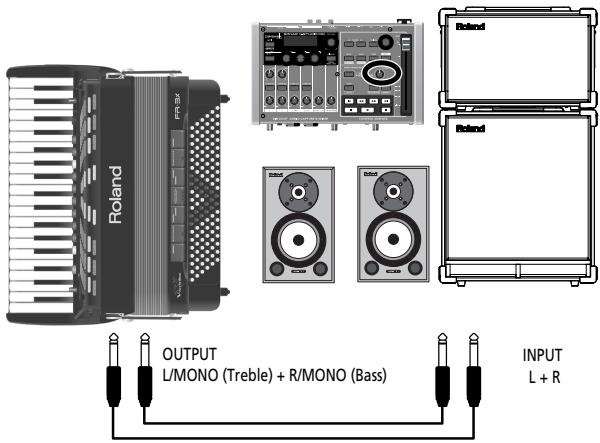
Use either a long signal cable (10m or more) or an optional wireless system (recommended).
Please choose unbalanced (mono) cables with 1 / 4" jacks at one end (for the FR-3x). The connectors at the other end need to match the input sockets of the device to which you are connecting the FR-3x.
NOTE
If you use a commercially available wireless transmitter, the FR-3x's output signals may distort. In that case, change the FR-3x's output level (see "Output Level Attenuation" on p. 55).
NOTE
If your amplifier is monaural, you only need to connect the L/MONO socket.
NOTE
You can also use a pair of headphones (Roland RH-25, RH-50, RH-200 or RH-300).
Important remark
After connecting any cable to the FR-3x, be sure to never place it on the side when not using it.
- Always stand the V-Accordion on its rubber feet (and in the corresponding direction) to avoid damaging the plugs.
- Always handle and move the FR-3x with care and pay special attention to the cable slack to avoid damaging or bending the cables.
- If you place the FR-3x on your lap, ensure that the audio and adapter cables run between your legs (not sideways) to avoid damaging or bending the cables.
Attaching the straps
Proceed as follows to attach the straps to your FR-3x:
1. Unpack the straps.
The FR-3x comes with two straps, each with two ends: the upper end is fitted with a velcro strip and the clip, the lower end is not. See the illustration below:
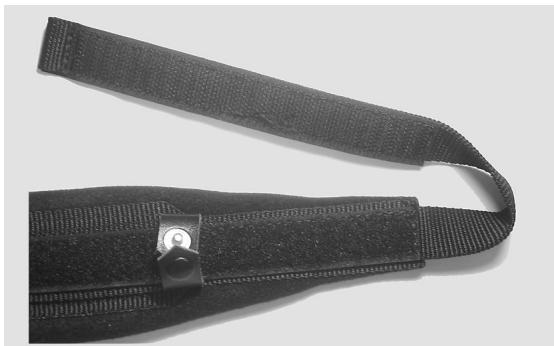
- Put the FR-3x on a stable surface as shown in the illustration below.
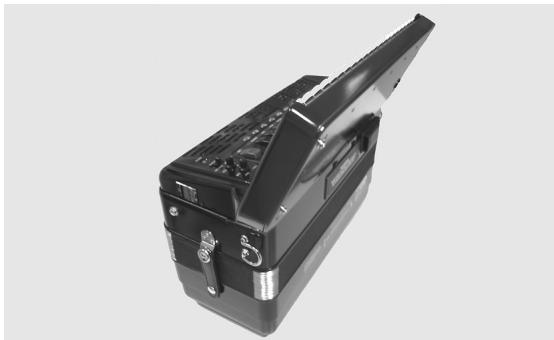
- Slide the upper end (with the velcro strip) of one strap through the left holder ring (see the illustration).
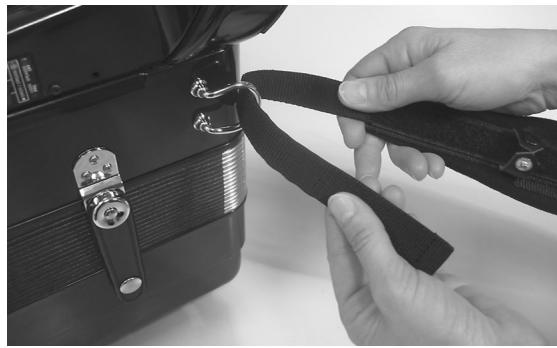
-
Attach the strap's upper part to the velcro layer below it.
-
Close the security clip to ensure that the strap cannot come loose.
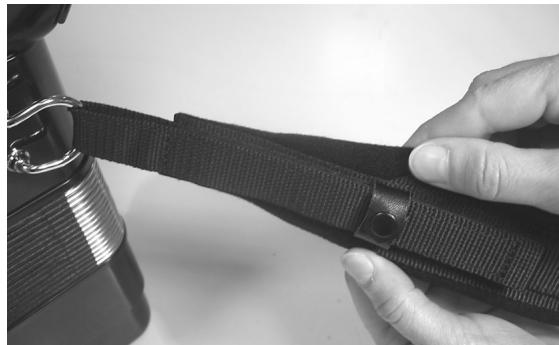
- Repeat steps 3 5 for the other strap.
The upper strap ends should look as follows:
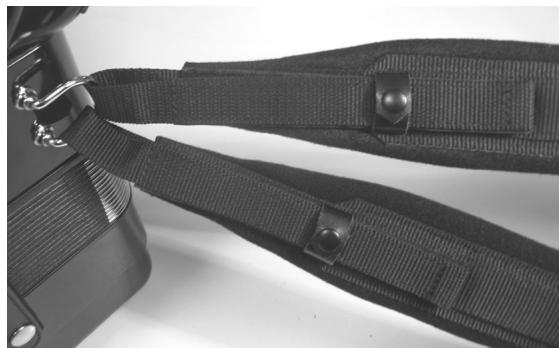
- Slide the lower end of one strap through the right holder ring as shown.
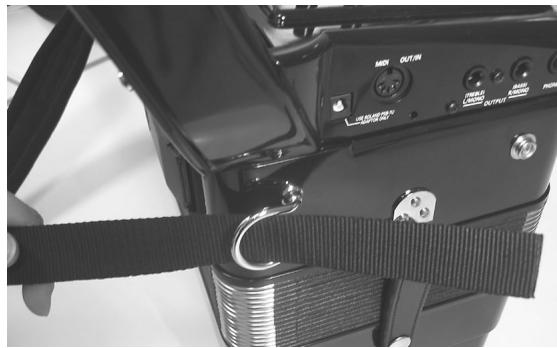
- Slide the strap end through the upper eyelet of its plastic buckle (see the illustration).
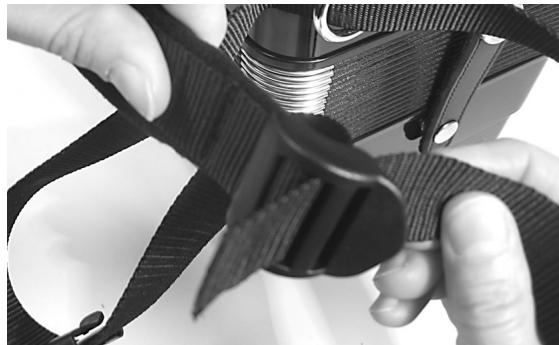
- Turn the strap end around and insert it into the lower eyelet, then pull it tight.
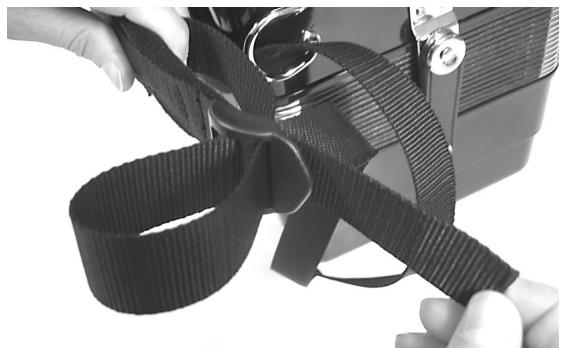
NOTE
You may want to adjust the length first to suit your preference.
- Slide the plastic clip over the loose and long lower strap ends to secure the strap.
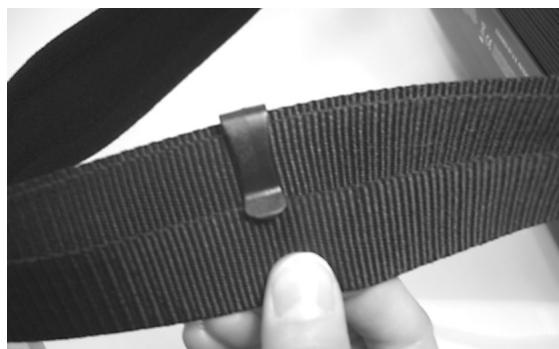
- Repeat steps 7~9 for the other lower strap end.
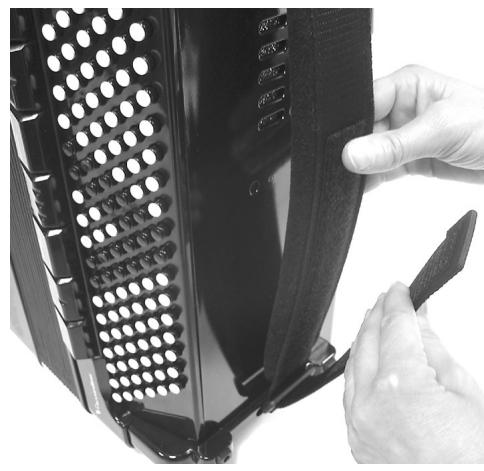
Bass strap
The FR- 3x's bass strap (used to move the bellows in and out) is made of fabric and fitted with a velcro strip that allows you to adjust its slack.
Securing the adapter and/or MIDI cable
Proceed as follows to ensure that the adapter cable -or a MIDI cable- doesn't come loose while you are playing.
1. Unclip the indicated part of the cushion at the back of the FR-3x.
The cushion is attached with several clips. You only need to unclip the part shown in the illustration below.
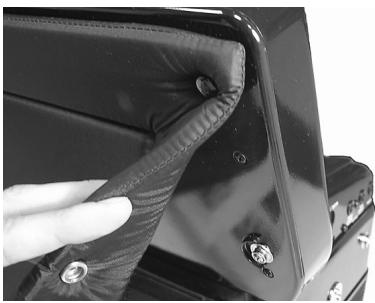
Note the guide next to the right clip closest to the connection panel.
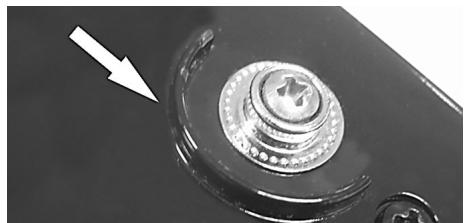
2. Connect the small plug of the AC adaptor cable to the FR-3x's DC IN socket and wind the cable around the guide:
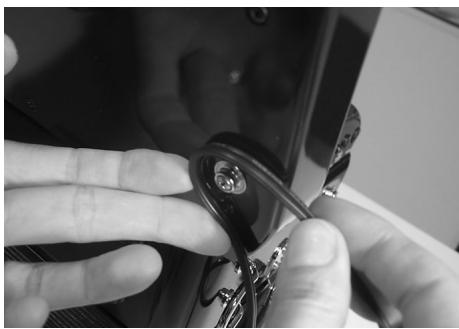
You can also connect the MIDI cable to the MIDI OUT/IN socket and wind it around the guide like the adapter cable.
3. Reinstall the cushion, taking care to secure the adapter cable and/or MIDI cable you have just installed.
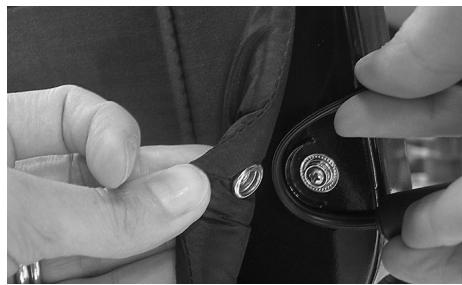
When finished, the FR-3x should look as follows:
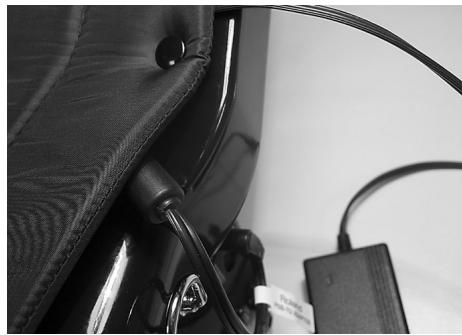
4. Reverse these steps to remove and disconnect the adapter when you want to stop playing.
Switching the power on and off
NOTE
Once the connections have been completed, turn on power to your various devices in the order specified. By turning on devices in the wrong order, you risk causing malfunction and/ or damage to speakers and other devices.
Turning on the power
- Turn the [VOL] knob all the way towards the small dot to minimize the volume.
See "Adjusting the volume and balance" on p. 22. If you connected the FR-3x to an amplifier, etc., set its volume to the minimum value as well.
- To switch the FR-3x on, press and hold down its [POWER] button until the display shows "Fr3".
The [POWER] button lights.
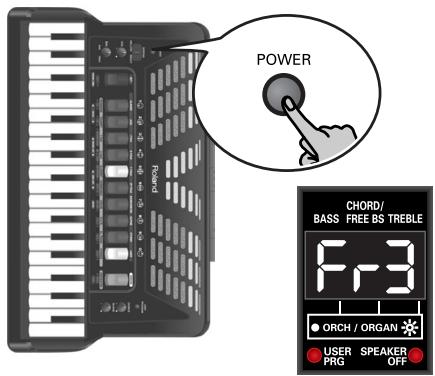
NOTE
This unit is equipped with a protection circuit. A brief interval (a few seconds) after power up is required before the unit will operate normally.
- Turn the [VOL] knob clockwise to set the volume to an appropriate level.
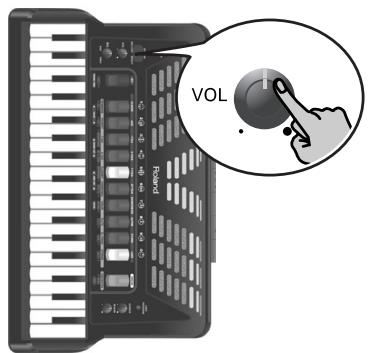
- Adjust the volume of the receiving audio device (if connected).
Turning off the power
- Turn the [VOL] knob all the way towards the small dot to minimize the volume.
If you connected the FR-3x to an amplifier, etc., set its volume to the minimum value as well.
- Press the FR-3x's [POWER] button (its indicator goes dark).
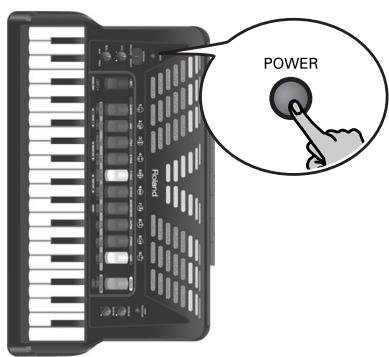
Using headphones
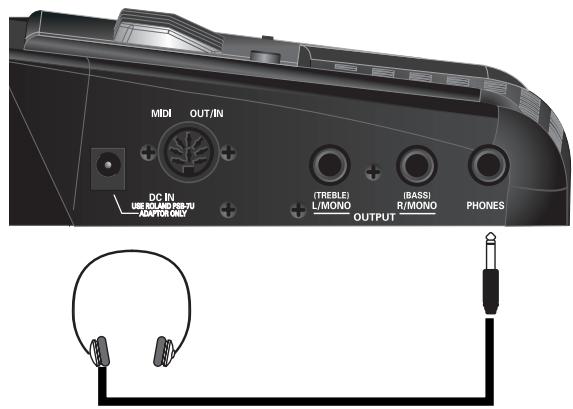
The FR-3x has one jack for plugging in headphones. This allows you to play without having to worry about bothering others around you, even at night.
- Plug the headphones into the [PHONES] jack located on the FR-3x's connection panel.
NOTE
Use stereo headphones. Please use only Roland headphones. Headphones from other manufacturers may be unable to provide sufficient volume.
NOTE
The FR-3x's speakers are switched off when you connect headphones.
- Use the FR-3x's [VOL] knob to adjust the headphone volume.
Cautions when using headphones
-
To prevent damage to the cord's internal conductors, avoid rough handling. When using headphones, mainly try to handle either the plug or the headset.
-
Your headphones may be damaged if the volume of a device is already turned up when you plug them in. Minimize the volume before you plug in the headphones.
- Excessive input will not only damage your hearing, but may also strain the headphones. Please enjoy music at an appropriate volume.
Adjusting the volume and balance
Here is how to adjust the volume on your FR-3x.
NOTE
If headphones are connected, the [VOL] knob controls the listening level.
- Use the [VOL] knob to set the desired volume.
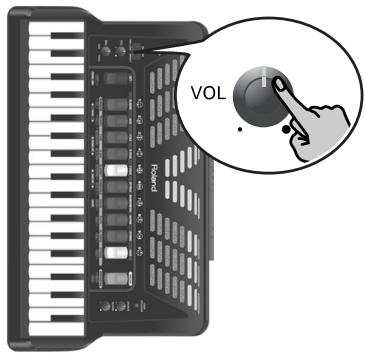
Adjust the volume while you play the FR-3x and move the bellows to produce sound.
Turning the [VOL] knob clockwise increases the volume, turning it counterclockwise decreases it.
- Use the [BAL] knob to adjust the volume balance between the bass/chord and treble sections.
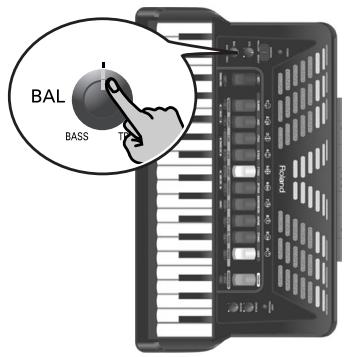
Turning it towards "BASS" decreases the treble section's volume. Turning it towards "TREBLE" decreases the bass/chord section's volume.
The selected balance setting ("t1"~"t63", "0", "b1"~"b63") is briefly shown in the display.
Adjusting the chorus and reverb effects
The FR-3x contains two digital effects: Chorus and Reverb. The chorus effect gives the impression that several instruments of the same type are playing at the same time (it is similar to detuning several reeds of a register). The reverb effect gives the impression that you are playing in a concert hall, a church or a room. It adds "depth" to the sound.
- Rotate the [CHORUS] knob to adjust the level of the chorus effect.
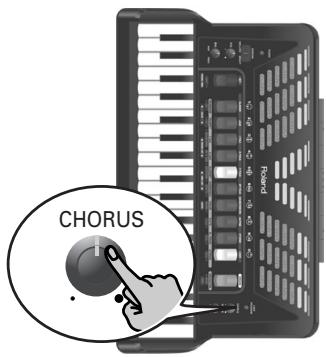
Adjust this setting while playing the FR- 3 × and moving the bellows to produce sound. The chorus level you select (0~127) is briefly shown in the display.
- Rotate the [REVERB] knob to adjust the level of the reverb effect.
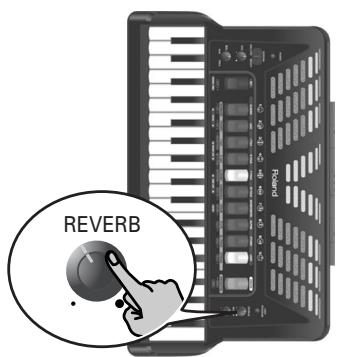
Adjust this setting while playing the FR-3x and moving the bellows to produce sound. The reverb level you select (0~127) is briefly shown in the display.
- Turn the [CHORUS] or [REVERB] knob all the way towards the small dot if you don't need the effect in question.
NOTE
See p. 47 for how to select a different chorus or reverb type.
How to read the display
The FR-3x's display keeps you informed about the
FR-3x's status and helps you locate functions you may wish to set. The display can show up to three alphanumeric characters, either with or without a dot.
The main page contains the following information:
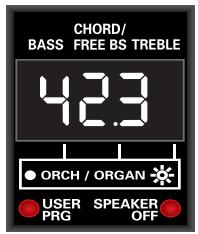
| Digit | Explanation |
| First | Refers to the bass register you are currently using. |
| Second | The digit in the middle refers to the Chord/Free Bass register you are currently using. |
| Third | Refers to the treble register you are currently using. |
A dot to the right of a digit has the following meaning:
| Status | Explanation |
| Dark | You are using an accordion sound. |
| Lit | You are using an orchestral sound. |
| Flashes | You are using an organ sound. |
In addition to the above, the display also shows information that refers to the selected function. Messages (information) are displayed only temporarily.
6. Listening to the demo songs
The FR-3x contains several demo songs. Here is how to play back those demo songs and fully appreciate the sounds contained in the FR-3x.
- Switch on the FR-3x.
See "Switching the power on and off" on p. 21.
- Press and hold the [ORGAN/ORCHESTRA] register until the display looks as follows:
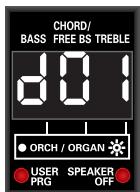
Playback starts automatically with the first demo song (there are 33 demo songs in all). At the end of the first song, the FR-3x starts playing songs "2", "3" etc.
You can also directly jump to the song you're interested in:
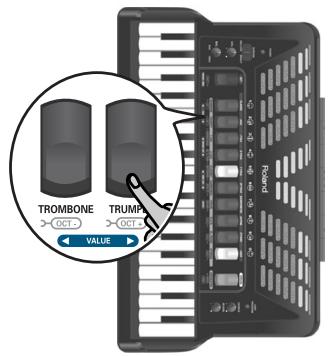
- Use treble registers [1] and [2] (VALUE ) to select the demo song you want to listen to.
(4) Use the [VOL] knob to change the volume if it is too loud or too soft.

All demo songs are copyright ©2010 by Roland Europe S.p.a. Public performance or recording of these songs is prohibited.
- Press [ORGAN/ORCHESTRA] again to leave demo song mode.
7. Using Sets
The FR-3x is a "virtual" accordion. It recreates the sounds of various accordion instruments and can even generate orchestral sounds (like trumpet, flute, etc.), organ and drum sounds.
Recalling a Set is similar to switching to a different accordion.
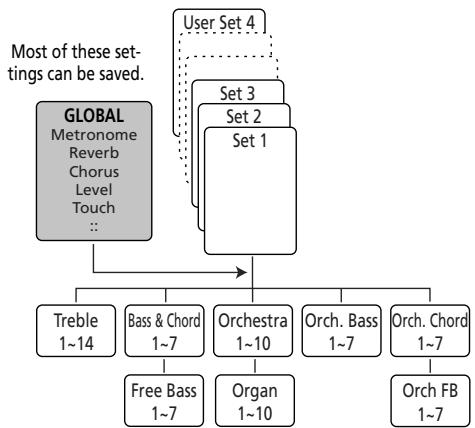
The FR-3x contains 25 Sets divided over 10 families. 9 Set families have been programmed at the factory ("CLASSIC"~"ETHNIC", see the legends above the treble registers), while one family ("USER") can be used to load User Sets from an optional USB memory.
Each Set family may comprise several Sets (see "Factory Sets" on p. 69). Recalling a Set immediately changes the settings of the sections presented on p. 26 and configures the treble and bass registers.
Selecting Sets
To select the desired Set, proceed as follows:
1. Press the [SET] register.
![ROLAND FR-3XB WH - Press the [SET] register. - 1](/content/2025/01/131051/images/245de3095dccb873b30f615be26f359e6d65d13365ba89ededfa6f2d9a4d5f5d.jpg)
The number of the selected Set flashes in the display. The first digit from the left refers to the Set family, the second to the Set memory within that family. If, after pressing [SET] once, you do not press a treble register, the display returns to the main page after a while.
In that case, press [SET] again and proceed with step 2.
NOTE
If you hold down [SET] for more than 2 seconds without pressing another register, the FR-3x switches to PARAMETER mode. In that case, press [SET] again to leave that mode, then repeat step 1.
2. Press one of the treble registers [1]~[0] to select the Set family.
![ROLAND FR-3XB WH - Press one of the treble registers [1]~[0] to select the Set family. - 1](/content/2025/01/131051/images/532bb32128feee2778d513e5f5ff2a766e845da00766e06418f08c0a8bc7cefb.jpg)
Set selection is handled in the following way:
- If the Set family you select is the same as the one you have been using so far, the FR-3x selects the next Set within that family.
Example: Pressing [1] CLASSIC while the display shows "11" selects Set memory "12" (still within the "CLASSIC" family).
To go from Set "11" to Set "14", you therefore need to press register [1] three times after pressing [SET].
- If you select a different Set family, the FR-3x switches to the newly selected Set family and recalls the last memory you selected within that family.
NOTE
For the User Set memories, the display shows a "U" and the number of the selected User Set (1~4). There are four User Sets.
NOTE
See the table on page 69 for the factory-programmed Sets.
NOTE
While the USER PRG indicator below the display lights, it is impossible to select Sets.
8. Selecting and playing sounds
Treble section
The Treble section can be played using the 37-key "piano" keyboard or the 92 treble buttons.
The sound it produces is determined by the register [1]~[0] you pressed last. This section can be used to play accordion, orchestral and organ sounds.
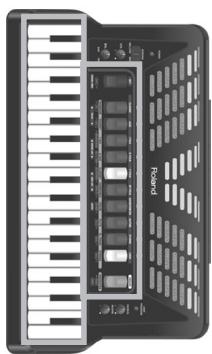
Selecting sounds for the right hand
This section explains how to select accordion, orchestral and organ sounds for the treble section (right hand). On p. 27, you will learn how to combine accordion notes with an orchestral or organ sound.
Sounds are selected using treble registers [1]~[0]. To select an orchestral or organ sound, you first need to press [ORGAN/ORCHESTRA], and then a treble register.
1. Switch on the FR-3x.
See "Switching the power on and off" on p. 21.
2. If you wish to select a treble accordion register, skip to step 5.
NOTE
After switching on the FR-3x, the treble registers select accordion sounds.
3. Press the [ORGAN/ORCHESTRA] register once if you wish to select an orchestral sound, or twice to select an organ sound.
(If you press [ORGAN/ORCHESTRA] a third time, the treble registers once again allow you to select accordion sounds.)
The number of the last sound you selected for that group (orchestra or organ) is indicated by the right-most digit in the display.
![ROLAND FR-3XB WH - Press the [ORGAN/ORCHESTRA] register once if you wish to select an orchestral sound, or twice to select an organ sound. - 1](/content/2025/01/131051/images/57ec46b1da9eb0918a05aabc85af78e65355a75a63aef44cdc8ce8ae66f62a3b.jpg)
In some cases, the display shows a dot to the right of the treble register number. Here is what that means:
| Dot status | Explanation |
| Dark | You are using an accordion sound. |
| Lit | You are using an orchestral sound. |
| Flashes | You are using an organ sound. |
4. Play a few notes to check whether you have selected the correct sound family (accordion, orchestral or organ).
Do not forget to move the bellows in order to hear the notes you are playing.
If you did not select the correct sound family, return to step 3.
5. Press one of the 10 treble registers ([1]~[0]) to select the desired sound.
The rightmost digit in the display changes and indicates the number of the sound you have just selected.
NOTE
See "Adjusting the volume and balance" on p. 22 if you need to change the volume or balance setting, and "Adjusting the chorus and reverb effects" on p. 22 for the effects settings.
Additional information about the accordion section
The FR-3x allows you to select among 14 accordion sounds (even though there are only 10 treble registers). Four treble registers are assigned to two different sounds. These are shown in black in the illustration below. The little square in the reed configuration also alerts you to the fact that the registers in question (2, 5, 6 and 9) allow you to select two sounds:


Registers [2], [5], [6] and [9] allow you to select two different accordion sounds.
Pressing register [2], [5], [6] or [9] once selects the "A" sound. Pressing it again selects the "b" sound. For these registers, the display briefly shows both the register number and an "A" or a "b".
The following accordion sounds are available:
| Treble registers | |||
| 1 | Bassoon | 6a | Tremolo |
| 2a | Bandon | 6b | Musette |
| 2b | Cello | 7 | Violin |
| 3 | Harmon | 8 | Oboe |
| 4 | Organ | 9a | Clarinet |
| 5a | Accord | 9b | Celeste |
| 5b | Master | 0 | Piccolo |
Additional information about the orchestral section
The [ORGAN/ORCHESTRA] register allows you to use treble registers [1]~[0] to select from among 10 different orchestral sounds:
| ORCHESTRA sounds | |||
| 1 | Trombone | 6 | Harmonica |
| 2 | Trumpet | 7 | Violin |
| 3 | T Sax | 8 | Flute |
| 4 | A Sax | 9 | El. Piano |
| 5 | Clarinet | 0 | Strings |
Additional information about the organ sounds and the Rotary effect (organ section)
The FR-3x allows you to recall 10 organ sounds with treble registers [1]~[0].
Pressing the register of the selected organ sound again allows you to switch between the fast and slow speeds of the Rotary effect.
The FR-3x contains the following organ sounds:
| Organ sounds | |||
| 1 | Perc Jazz | 6 | Popular Organ |
| 2 | Jazz Ballad | 7 | Light Jazz |
| 3 | Distort Organ | 8 | Bossa |
| 4 | Full Organ | 9 | Latin |
| 5 | Overdr Organ | 0 | Light Latin |
Switching off the treble section
- To switch off the treble section, press and hold any single register ([1]~[0]) for a while. The section in question must be assigned to the registers. See above for how to decide which section can be muted.
- To switch the treble section back on, briefly press any of its registers.
NOTE
This only switches off the section that is currently selected. Remember that the treble section can control both an accordion and an orchestral or organ sound. While in Orchestra mode, you thus only switch off (or activate) the orchestral/organ section. And while in accordion mode, you only switch off the treble accordion section.
NOTE
Even if you switch off the treble section, it still transmits MIDI messages.
Using the Sordina
The [SORDINA] switch allows you to attenuate the sound (make it softer) by selecting "MELLOW".
On an acoustic accordion, this closes the wooden resonance chamber inside the instrument.
The FR-3x simulates this effect electronically.
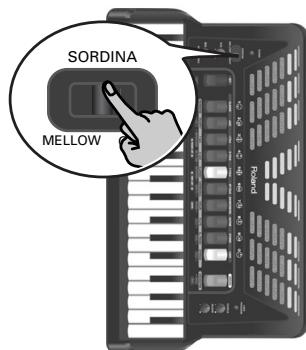
NOTE
The Sordina only applies to the treble section.
Selecting the ORGAN/ORCHESTRA mode
The orchestral or organ sound assigned to the treble section can be played in isolation or together with the treble accordion sound. There are several combinations: SOLO, DUAL, HIGH and LOW.
- Select an orchestral or organ sound.
See "Selecting sounds for the right hand" on p. 26. - Hold down the [ORGAN/ORCHESTRA] registrar and press treble register [7] to select "LOW/HIGH" or register [8] for "DUAL/ SOLO".
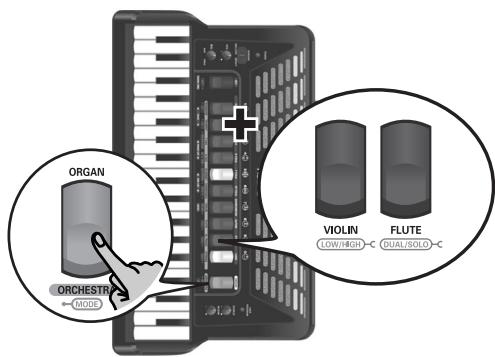
NOTE
If you hold down [ORGAN/ORCHESTRA] for more than 2 seconds without pressing another register, the FR-3x switches to demo song mode. In that case, press [ORGAN/ ORCHESTRA] again to leave demo song mode, then repeat step 2.
■ DUAL/SOLO mode (register [8])
Pressing register [8] while holding down [ORGAN/ ORCHESTRA] allows you to alternate between DUAL and SOLO modes. (After switching on the FR-3x, pressing this register once selects SOLO mode.)
![ROLAND FR-3XB WH - ■ DUAL/SOLO mode (register [8]) - 1](/content/2025/01/131051/images/9740621e97bff4ca51f236e511d3d01d325e7c73239f656990a2a6d29795f535.jpg)
SOLO mode
![ROLAND FR-3XB WH - ■ DUAL/SOLO mode (register [8]) - 2](/content/2025/01/131051/images/c4341f74291716ef35c860a554692316f27558e13242419d6f0e859f7aee0fd9.jpg)
DUAL mode
In SOLO mode, the treble keyboard only plays the selected accordion, orchestral or organ sound. DUAL mode means that the orchestral or organ sound is added to the treble accordion sound.
LOW/HIGH mode (register [7])
Pressing register [7] while holding down [ORGAN/ ORCHESTRA] alternates between HIGH and LOW modes.
![ROLAND FR-3XB WH - LOW/HIGH mode (register [7]) - 1](/content/2025/01/131051/images/26fef05c055a494dcf5cd7cc34765e2ae2bcc07eaadd3127e571351dbaec0ff1.jpg)
HIGH mode
![ROLAND FR-3XB WH - LOW/HIGH mode (register [7]) - 2](/content/2025/01/131051/images/23bb6da9bd514b97505be439facded0d6c520c80ba1af0af64e95ec95c1ac1ea.jpg)
LOW mode
If you select HIGH mode and play just one note, you hear the orchestral or organ sound. If you keep holding that key while pressing another (lower) key to its left, the lower notes are played by the treble accordion sound. This is perfect for situations where you need to play chords and a solo line using different sounds. Something like this:
![ROLAND FR-3XB WH - LOW/HIGH mode (register [7]) - 3](/content/2025/01/131051/images/dab429e28ef5054ca1ddaeda7e1767aa3cafcb2022d732dc8ac1c4052ccd2ac7.jpg)
Played by the orchestral/organ sound
Played by the accordion
![ROLAND FR-3XB WH - LOW/HIGH mode (register [7]) - 4](/content/2025/01/131051/images/261324d69c583847f8cfcf268945735f824fc74c05f69ff2cd04402f41a571aa.jpg)
LOW mode is the opposite of HIGH: notes above the one whose key you are holding down are sounded by the accordion register. This can be used in situations where the melody (or counter-melody) lies above the notes you wish to hold.
![ROLAND FR-3XB WH - LOW/HIGH mode (register [7]) - 5](/content/2025/01/131051/images/32ebebf711260c738f8f5a6ae0568ff986be2e75490b674500e37e0ba0940e4e.jpg)
Played by the accordion
Played by the orchestral/organ sound
![ROLAND FR-3XB WH - LOW/HIGH mode (register [7]) - 6](/content/2025/01/131051/images/3615eecdb5821f4c712839189fc2e721cf2ad4344cae9d30e12c4d64bf3e9131.jpg)
NOTE
You can change the volume level of the orchestral or organ sound to create the desired mix between the treble accordion and the organ or orchestral sound. See "Orchestra Level" on p. 46 or "Organ Level" on p. 46.
Transposing the treble section in octave steps
The FR-3x's treble keyboard has a maximum range of 3 octaves. There may be times, however, when you need to play higher or lower notes than the piano or button keyboard allows. Unlike an acoustic accordion, the FR-3x allows you to transpose the piano or button keyboard one octave up or down.
An additional advantage of this functionality is that you can play the selected orchestral or organ sound in a different octave in DUAL mode (see "Selecting the ORGAN/ORCHESTRA mode" on p. 27).
1. To transpose one octave down, hold down the [SET] register and press treble register [1] (OCT-).
NOTE
If you hold down [SET] for more than 2 seconds without pressing another register, the FR-3x switches to PARAMETER mode. In that case, press [SET] again to leave that mode, then repeat step 1.
2. To transpose one octave up, hold down the [SET] register and press treble register [2] (OCT+).
The display briefly confirms your setting:
![ROLAND FR-3XB WH - To transpose one octave up, hold down the [SET] register and press treble register [2] (OCT+). - 1](/content/2025/01/131051/images/9f53d70a69159e1d14ff674e8b5e3c7ba52fada4e1f0c6300a46e99da2c1c6fc.jpg)
One octave up
![ROLAND FR-3XB WH - To transpose one octave up, hold down the [SET] register and press treble register [2] (OCT+). - 2](/content/2025/01/131051/images/bd532ab26c329578b4d5a237c78f7de91f812d67740dce79f8179cb525d5f375.jpg)
One octave down
![ROLAND FR-3XB WH - To transpose one octave up, hold down the [SET] register and press treble register [2] (OCT+). - 3](/content/2025/01/131051/images/5c8d347b8a99416a81fda9d295f808206e24b4d3c0b8d333c0a329f15d4f356b.jpg)
No octave transposition
NOTE
The transposition function does not apply to Bass-to-Treble mode (see below).
Playing the bass part with your right hand (Bass-to-Treble)
The FR-3x provides a mode in which it can be used like a bassoon accordion. In this mode, the bass part is played with the right hand. The bass and chord buttons are inactive (a real bassoon accordion doesn't have bass/chord buttons and can only be played with one hand).
- Press and hold the [SET] register and press treble register [3] ("BS TO TREB").
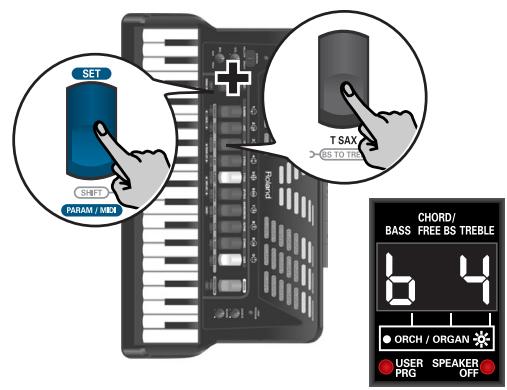
NOTE
If you hold down [SET] for more than 2 seconds without pressing another register, the FR-3x switches to PARAME-TER mode. In that case, press [SET] again to leave that mode, then repeat step 1.
- Use the treble registers [1]~[0] to select the desired bass-to-treble sound.
There are seven accordion sounds that can be selected using treble registers [1]~[5] (press register [1] or [2] a second time for sounds 6 and 7). The numbers in the table below refer to the treble registers you need to press.
| Bass-to-Treble accordion sounds | |
| Treble register | Accordion sound |
| Press [1] once | Low |
| Press [2] once | High |
| Press [3] | Low+High |
| Press [4] | Low+HighLow |
| Press [5] | LowLow+High |
| Press [1] again | HighLow+High |
| Press [2] again | Low High |
In addition, there are seven orchestral sounds that can be selected using treble registers [6]~[0] (press register [6] or [7] a second time for orchestral sounds 6 and 7):
| Bass-to-Treble orchestral sounds | |
| Treble register | Orchestral sound |
| Press [6] once | Acoustic |
| Press [7] once | Bowed |
| Press [8] | Fingered |
| Press [9] | Fretless |
| Press [0] | Picked |
| Press [6] again | Tuba |
| Press [7] again | Tuba Mix |
- Start playing the bass part with your right hand.
Bass and chord section
The Bass section can be played via the "Stradella" buttons.
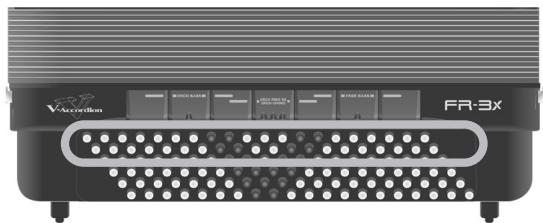
The buttons in this section allow you to play both bass notes and chords. The "real" bass notes are assigned to the two highlighted rows. The remaining buttons are used to play chords.
The FR-3x is supplied with several reference caps (concave and with lines) to help you locate the bass and chord buttons without looking at them. At the factory, three caps are installed on the black buttons in the following illustration. Feel free to remove them and to slide them over other buttons if that feels more comfortable.
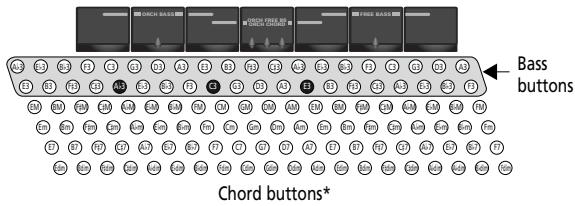
(*) This can be changed to 3 bass and 3 chord rows. See "Bass & Chord Mode" on p. 53.
Here is what the caps look like:
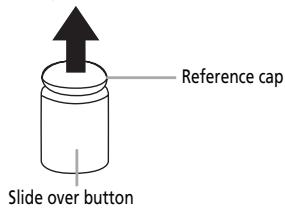
Slide up to remove
The overall sound the bass and chord section produces is determined by the register you pressed last. The bass and chord section can be used to play accordion or orchestral sounds.
Selecting accordion sounds for the left hand
Here is how to select an accordion sound for the bass and chord section (left hand). Accordion sounds for the left hand can be selected using the 7 registers shown below.

NOTE
The numbers shown in the illustrations above and below do not appear on the registers themselves. They have been added for your reference.
1. Switch on the FR-3x.
See "Switching the power on and off" on p. 21.

After switching on the FR-3x, the bass registers select accordion sounds.
2. Press one of the 7 bass registers (1~7) to select the desired sound.
The display shows the number of the selected sound in the "BASS" and "CHORD/FREE BS" columns.
This choice always applies to both the bass and the chord rows. The following accordion sounds can be selected for the bass and chord buttons:
| Accordion sounds for the bass and chord buttons | ||
| 1 | 2' | 5 8'/4'/2' |
| 2 | 4' | 6 16'/8'/8-4' |
| 3 | 8-4' | 7 16'/2' |
4 16'/8'/8-4'/4'/2'
Selecting orchestral sounds for the left hand
Here is how to select an orchestral sound for the left hand. While the bass and chord accordion sections always use the same accordion sound, orchestral sounds can be assigned to only the bass buttons, only the chord buttons, or both (in which case you can select different orchestral sounds for the bass and chord rows).
1. Switch on the FR-3x.
See "Switching the power on and off" on p. 21.
2. Do one of the following:
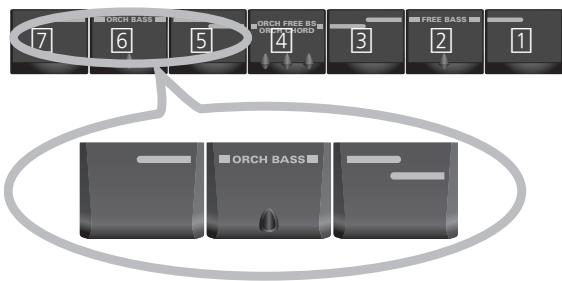
- To select an orchestral sound for the bass rows, simultaneously press the three bass registers labeled "ORCH BASS".
NOTE
If you prefer to assign an accordion sound to the bass rows (bass section) at this stage, again simultaneously press the three bass registers labeled "ORCH BASS".
- To select an orchestral sound for the chord rows, simultaneously press the three bass registers labeled "ORCH CHORD".
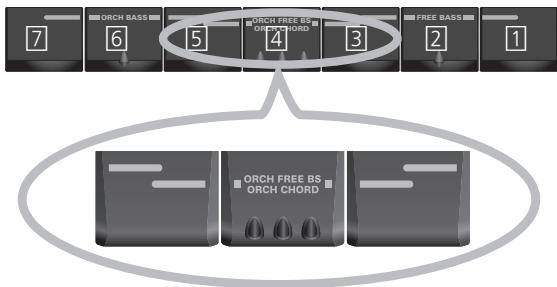
The last sound you selected for the section in question is recalled and its number is displayed in the "BASS" (left) or "CHORD/FREE BS" (middle) column of the display.
If you select an orchestral sound, the digit in question is displayed with a dot to its right:
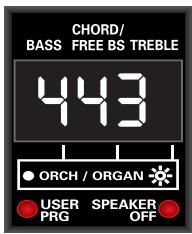
The bass and chord buttons use an accordion sound (no dots).
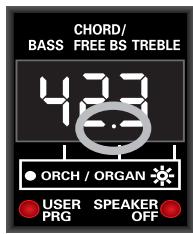
The bass buttons use an accordion sound (no dot). The chord buttons use an orchestral sound (dot).
NOTE
If you prefer to assign an accordion sound to the chord rows (chord section) at this stage, again simultaneously press the three bass registers labeled "ORCH CHORD".
3. Press one of the 7 bass registers (1~7) to select the desired sound.
The display shows the number of the selected orchestral sound in the "BASS" or "CHORD/FREE BS" column (see the examples above).
The following sounds can be selected for the bass or chord buttons:
| ORCH BASS sounds | |||
| 1 | Acoustic | 5 | Picked |
| 2* | Bowed | 6* | Tuba |
| 3 | Fingered | 7 | Tuba Mix |
| 4 | Fretless | ||
| ORCH CHORD sounds | |||
| 1* | Trombone | 5* | Jazz Doos |
| 2* | Alto Sax | 6 | Ac. Guitar |
| 3* | Clarinet | 7 | Ac. Piano |
| 4* | Jazz Organ | ||
NOTE
The dynamics of sounds marked with an asterisk (*) can only be controlled by bellows movements. Those sounds are not velocity sensitive. For the other sounds, see also "Orchestra Bass/Chord Touch" on p. 48.
NOTE
You can change the volume level of the orchestral bass or chord sound if it is too loud or too soft with respect to the other available sections. See "Orchestra Bass Level, Orchestra Chord Level, Orchestra Free Bass Level" on p. 46.
Switching off the Bass and/or Chord section
1. To switch off a left-hand section you do not want to hear, press and hold any of the seven bass registers for a while.
The section in question must be assigned to the associated registers. See the previous pages for how to decide which section can be muted.
NOTE
Even if you switch off the Bass or Chord section, it still transmits MIDI messages.
2. To switch a muted section back on, briefly press any of the associated registers.
Playing drum/percussion sounds
The FR-3x allows you to play drum and percussion sounds with bass and chord buttons and to trigger the bass and chord sections simultaneously.
NOTE
This function is not available in Free Bass or Orchestra Free Bass mode.
1. To add drum/percussion sounds to the bass and chord section (or to remove them again), hold down the [ORGAN/ORCHESTRA] register and press treble register [6] (DRUMS).
![ROLAND FR-3XB WH - To add drum/percussion sounds to the bass and chord section (or to remove them again), hold down the [ORGAN/ORCHESTRA] register and press treble register [6] (DRUMS). - 1](/content/2025/01/131051/images/e9c8aa6362bda81674492fe71c4949ef2051e3cb2456701599b97f47f37aab55.jpg)
The display shows the number of the last Drum Set you selected ("d-x", where "x" represents a number) or "doF" if you switched off the drum/percussion function.
![ROLAND FR-3XB WH - To add drum/percussion sounds to the bass and chord section (or to remove them again), hold down the [ORGAN/ORCHESTRA] register and press treble register [6] (DRUMS). - 2](/content/2025/01/131051/images/efc848281945689bb1b32e3609eb4eee12ae895b25164b09e41506f5334b3369.jpg)
NOTE
If you hold down [ORGAN/ORCHESTRA] for more than 2 seconds without pressing another register, the FR-3x switches to demo song mode. In that case, press [ORGAN/ORCHESTRA] again to leave demo song mode, then continue with step 1.
2. Start playing in the left-hand section to hear the drum and percussion sounds.
Those sounds are added to the accordion or orchestral notes you play.
NOTE
See page 45 for how to select another Drum Set.
NOTE
The drum/percussion sounds also remain active while an orchestral sound is selected in Bass-to-Treble mode.
Playing only bass notes with your left hand (Free Bass mode)
In Free Bass mode, all buttons of the left-hand keyboard—including the chord buttons—play bass notes.
- To select (or leave) Free Bass mode, simultaneously press the three bass registers labeled "FREE BASS".
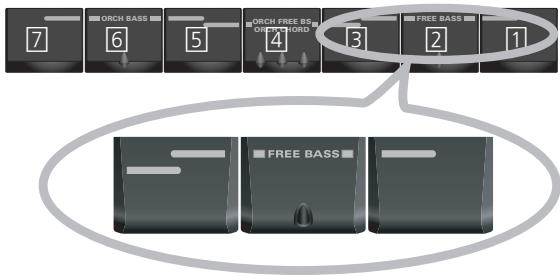
NOTE
The numbers shown in the illustration above do not appear on the registers themselves. They have been added for your reference.
The digit in the middle starts flashing to indicate that Free Bass mode has been activated:
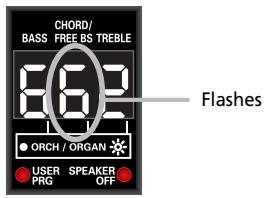
If it does not flash, you are not/no longer in Free Bass mode.
NOTE
See page 52 for the assignment of the bass buttons to the available Free Bass notes.
- Use the Bass registers to select another registration (if necessary).
| Free Bass registers | |||
| 1 | Low | 5 | Low Low + High |
| 2 | High | 6 | High Low + High |
| 3 | Low + High | 7 | Low High |
| 4 | Low + High Low | ||
- Press the three "FREE BASS" registers again to return to normal Bass mode.
Selecting orchestral sounds in Free Bass mode
- To select Free Bass mode, simultaneously press the three bass registers labeled "FREE BASS".
- Simultaneously press the three registers labeled "ORCH FREE BS".
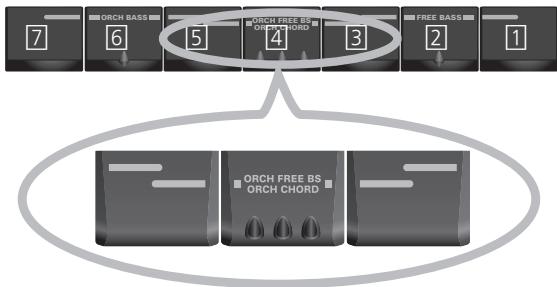
The flashing digit in the middle now shows the number of the last orchestral Free Bass sound you selected, along with a dot.
The dot means that you are in Orchestral Free Bass mode. The number itself flashes to signal that the Free Bass section is active.
- Press one of the seven bass registers to select the desired sound.
In this mode, the following sounds are available:
| ORCH FREE BS sounds | |||
| 1* | Trombone | 5* | Perc Organ |
| 2* | Clarinet | 6 | Ac Guitar |
| 3* | Oboe | 7 | Ac Piano |
| 4* | Flute* | ||
The chord rows of the bass & chord buttons now play the selected orchestral sound. (The bass buttons, however, still play the selected accordion sound.)
NOTE
The dynamics of sounds marked with an asterisk (*) can only be controlled by bellows movements. Those sounds are not velocity sensitive. For the other sounds, see also "Orchestra Bass/Chord Touch" on p. 48.
- To leave this mode, simultaneously press the three "FREE BASS" registers.
NOTE
You can change the volume level of the orchestral Free Bass sound if it is too loud or too soft with respect to the other available sections. See "Orchestra Bass Level, Orchestra Chord Level, Orchestra Free Bass Level" on p. 46.
9. Using the FR-3x's audio player
The FR-3x can play back audio files in the mp3 and WAV formats directly from a USB memory you connect to its USB port. See "About audio files" on p. 10 for a description of the supported file types.
Copying audio files to a USB memory
Before being able to play back audio (mp3 or WAV) on the FR-3x, you must first copy them from your computer's hard disk to a USB memory that can be connected to the FR-3x.
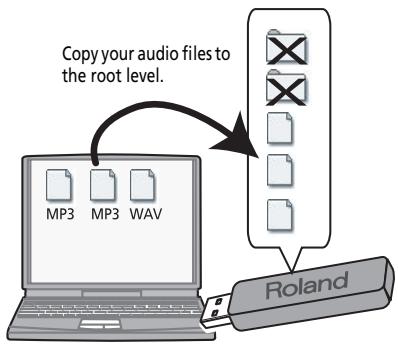
Be aware that the FR-3x can only play back files located in the USB memory's root directory (i.e. on the same level as any folders the USB memory may contain). Never copy audio files to a folder if you wish to be able to play them back on the FR-3x.
Tip for naming audio files
The FR-3x only displays the first three characters of the audio file names. If the USB memory contains several files whose first three characters are the same, we recommend renaming those files on your computer by adding a number to their names.
Here is an example: if the USB memory contains a file named "Amazing Grace.wav" and another one called "Amazing.mp3", consider renaming them as follows to be able to distinguish between them:
1Amazing Grace.wav
2Amazing.mp3
Connecting an optional USB memory
- Put the FR-3x down and turn it around.
- Unclip the cushion located between the treble keyboard and the bellows to see the FR-3x's USB port.
The FR-3x's USB port is located next to the battery compartment.
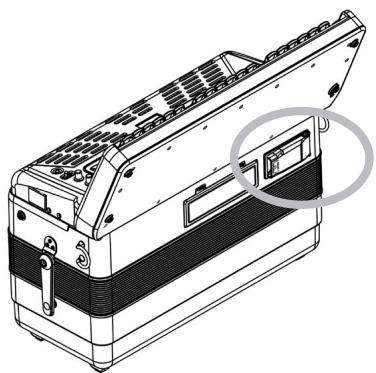
- Press the two sides of the USB compartment cover (where it says "PRESS TO OPEN") and pull the cover open.
The compartment opens, revealing the location where the USB memory needs to be inserted.
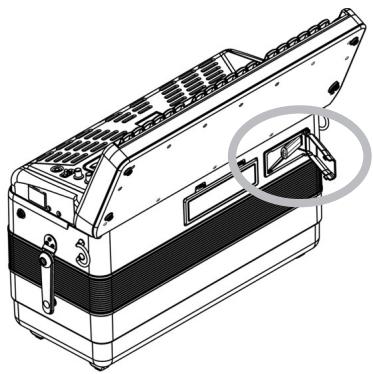
- Insert an optional USB memory into the port.
The USB memory can only be connected in one direction. Insert the USB memory without applying excessive force.
NOTE
Use a USB memory sold by Roland. We cannot guarantee operation if any other USB memory is used.
- Close the USB compartment cover.
Playing back audio files
- Insert an optional USB memory into the FR-3x's USB port (see left).
The FR-3x automatically loads the first audio file in alphabetical order that it detects in the USB memory's root folder.
- Hold down the [ORGAN/ORCHESTRA] registrar and press register [0] to start playback.
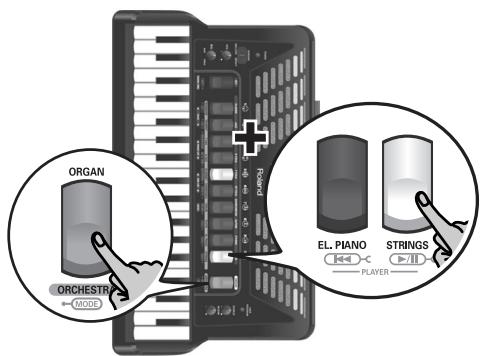
Playback of the selected audio file starts and the display shows the first three characters of the audio file's name as well as three dots that flash from left to right:
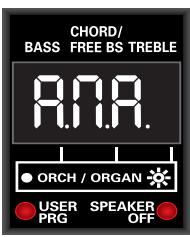
The "scrolling" dots (alternate flashing from left to right) mean that playback is running.
(In the example above, the display shows the first three characters of a file called "Amazing Grace.wav".)
The FR-3x only displays the first three characters of the audio file names. See "Tip for naming audio files" on p. 34 for how to ensure that you can tell the files apart.
See page 70 for how the FR-3x displays the characters of the selected file name.
NOTE
If you hold down [ORGAN/ORCHESTRA] for more than 2 seconds without pressing another register, the FR-3x switches to demo song mode. In that case, press [ORGAN/ ORCHESTRA] again to leave demo song mode, then repeat step 2.
- If you are using the audio file as your accompaniment, start playing on the FR-3x as you normally would.
- To pause playback of the audio file, hold down the [ORGAN/ORCHESTRA] register and press register [0].
Playback of the selected audio file stops and the three dots flash simultaneously:
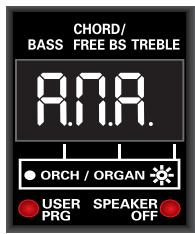
If playback is stopped, the three dots flash simultaneously.
- To return to the beginning of the current song, hold down the [ORGAN/ORCHESTRA] register and press register [9].
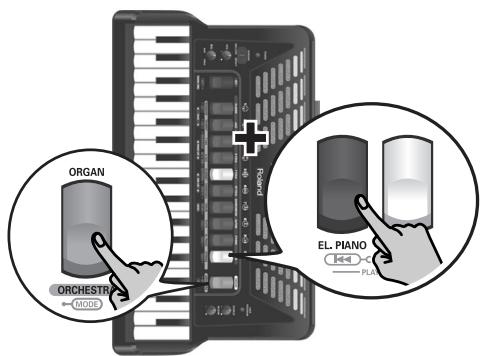
NOTE
Press registers [9] (][) and [0] ([]) simultaneously to view the name of the currently selected audio file.
Selecting audio files
As stated above, the FR-3x automatically selects the first audio file it detects on the USB memory you insert. To select a different file, proceed as follows:
- Press and hold the [SET] register to enter PARAMETER mode.
The display shows the name of the last parameter you selected.
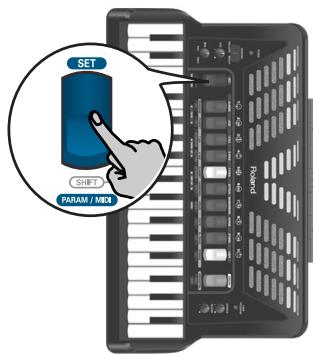
- If necessary, use treble register [3] or [4] (PARAM LIST) to select the following parameter:
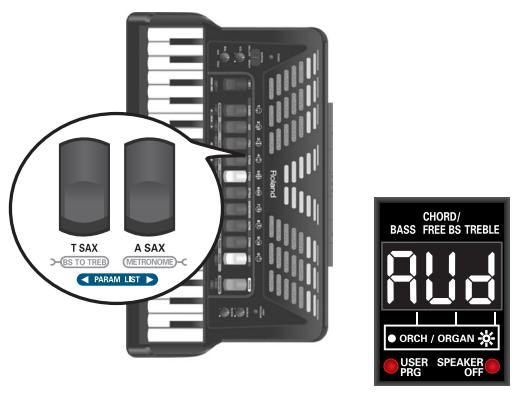
NOTE
Pressing registers [3] and [4] (PARAM LIST) simultaneously will select the first parameter, "AUd".
- Use register [1] (VALUE) or [2] (VALUE ) to select the desired audio file.
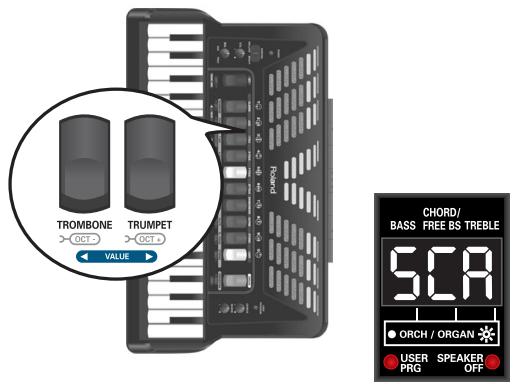
(In the example above, the display shows the first three characters of a file called "Scarborough.mp3".) The display shows the first three characters of the file name you selected. If you select another audio file while playback of the previously selected file is still running, the audio player stops. See page 70 for how the FR-3x displays the characters of the selected file name.
To check whether you have selected the correct audio file, start playback ([ORGAN/ORCHESTRA] + [0]).
NOTE
The audio files are displayed based on the following sorting order: numbers, capital letters, small letters.
NOTE
You can only select audio files in the USB memory's root directory. Audio files inside folders are not detected.
- Press the [SET] register to leave the FR-3x's PARAMETER mode.
Adjusting the playback level
- Press and hold the [SET] register to enter PARAMETER mode.
The display shows the name of the last parameter you selected.
- Use treble register [3] or [4] (PARAM LIST) to select the following parameter:
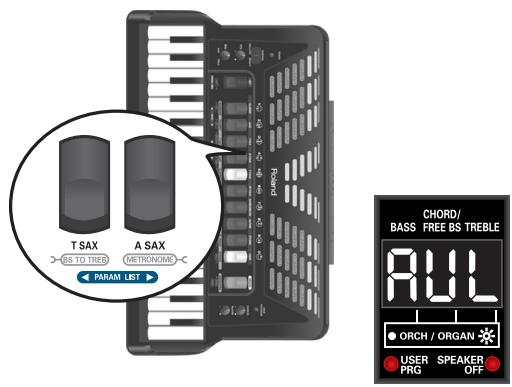
NOTE
Pressing registers [3] and [4] (PARAM LIST) simultaneously will select the first parameter, "AUD".
- Use register [1] (VALUE) or [2] (VALUE ) to set the playback level.
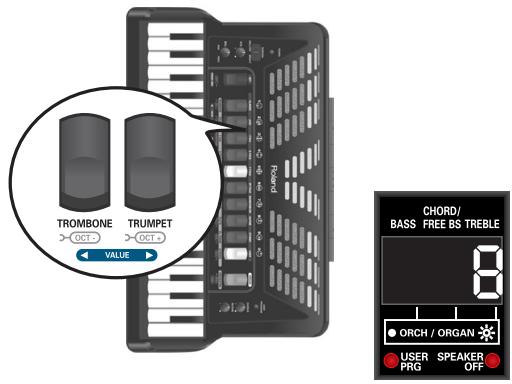
The setting range is: OFF, 1 10 . If you select "OFF", the audio file will be inaudible.
- Press the [SET] register to leave the FR-3x's PARAMETER mode.
10. Highlighting some practical functions
This chapter discusses functions like the metronome, the transposition function, and Musette detuning.
Using the metronome
Your FR-3x contains a metronome that may come in handy when you are practising new pieces, or during your accordion classes.
1. To start or stop the metronome, hold down the [ORGAN/ORCHESTRA] register and press register [4] (METRONOME).
The display now briefly shows "Str" (start) or "StP" (stop) to indicate the status of the metronome.
![ROLAND FR-3XB WH - To start or stop the metronome, hold down the [ORGAN/ORCHESTRA] register and press register [4] (METRONOME). - 1](/content/2025/01/131051/images/9ae88e2311a60dbb6d71281351d9b98d133cb15e59562ed4855c9365b5f2b7fb.jpg)
NOTE
See "Metronome Time Sign" on p. 47 and "Metronome Tempo" on p. 46 as well as "Metronome Level" on p. 47 for how to set the metronome's time signature, tempo and level.
NOTE
If you hold down [ORGAN/ORCHESTRA] for more than 2 seconds without pressing another register, the FR-3x switches to demo song mode. In that case, press [ORGAN/ORCHESTRA] again to leave demo song mode, then continue with step 1.
NOTE
If the metronome does not start counting, check the "Metronome Function" setting on p. 53. It must be set to "1".
Changing the key of the keyboard (transpose)
The Transpose function lets you play a song in a different key. If you're accompanying a singer, you can use the Transpose function to shift the pitch to a key that's comfortable for the singer while you continue playing in the same familiar key (fingering).
The transposition interval can be set in semitones. See "Transpose" on p. 45 for how to set the transposition interval.
Musette Detune
An accordion's 8' treble register may consist of 2 or even 3 reeds that are usually tuned apart to provide a richer sound (accordionists call it the "musette effect"). One reed is tuned slightly above, the other slightly below the correct pitch (and the third, if available, is tuned "properly").
The FR-3x allows you to choose from among 15 different detune settings. These are called "1" (Dry),
"2" (Classic), "3" (F-Folk), "4" (American L),
"5" (American_H), "6" (North_Eur), "7" (German_L),
"8" (D-Folk L), "9" (Italian L), "10" (German H),
"11" (Alpine), "12" (Italian H), "13" (D-Folk H),
"14" (French), "15" (Scottish).
See "Musette Detune" on p. 45 for how to select the desired Musette detuning.
NOTE
"Musette Detune" only affects registers that use the 8' reed.
Switching off the internal speakers (Speaker Mode)
When the FR-3x is connected to an external amplification system, it may be convenient to switch off its internal speakers. Doing so has the additional benefit that your batteries will last longer.
See "Speaker Mode" on p. 55 for how to switch off the speakers.
The SPEAKER OFF indicator below the display lights when the speakers are off.
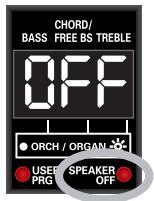
11. Saving your settings (User Program)
Your FR-3x contains 10 User Program memories where you can store the settings listed below. Working with those memories has the advantage that you can recall frequently used settings at the press of a button. The User Program settings also include the "address" of the last Set you selected.
The following settings are saved to the User Programs:
| Set | Number of the current Set |
| Treble section | Register |
| Octave setting | |
| Bass-to-Treble mode | |
| Orchestra | Register |
| Octave setting | |
| Level | |
| Organ | Register |
| Octave setting | |
| Level | |
| Bass & Chord section | Register |
| Orchestral Bass | On/Off |
| Register | |
| Level | |
| Orchestral Chord | On/Off |
| Register | |
| Level | |
| Orchestral Free Bass | On/Off |
| Register | |
| Level | |
| Drum mode | On/Off |
| Drum Set number | |
| Level | |
| Free Bass | On/Off |
| Register |
Saving the current settings
Here is how to save the current settings.
- Press and hold the [USER PROGRAM] button to select write mode.
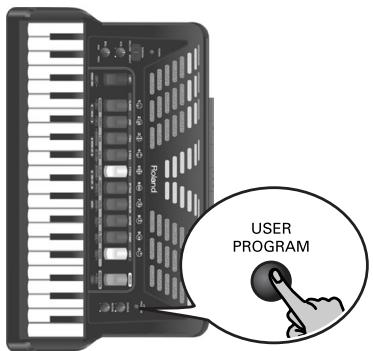
The display now shows a flashing "UP-" message.
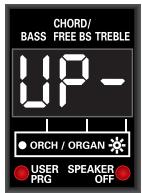
The USER PRG indicator below the display lights to indicate that the FR-3x is now in User Program mode.
NOTE
If you made a mistake and do not want to save your settings, press the [USER PROGRAM] button to leave this function.
- Press the treble register ([1]~[0]) that is assigned to the User Program memory where you want to save your settings.
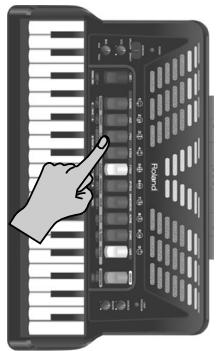
The "-" to the right of "UP" changes to the number of the selected User Program. This means that the FR-3x is now using the settings you have just saved. The display indication stops flashing.
- Press the [USER PROGRAM] button again to leave this mode.
The USER PRG indicator below the display goes dark to indicate that the FR-3x is no longer in User Program mode. At this point, the FR-3x returns to the settings you were using before selecting User Program mode, and the display once again shows the main page.
Recalling a User Program
Proceed as follows to recall a User Program you saved earlier:
1. Press the [USER PROGRAM] button.
![ROLAND FR-3XB WH - Press the [USER PROGRAM] button. - 1](/content/2025/01/131051/images/58a7f8bcddda3bf75ecaa3ecd519f4b9a5fb213635e29e8fe6e826867f6f1eec.jpg)
The display now shows a "UP-" message.
![ROLAND FR-3XB WH - Press the [USER PROGRAM] button. - 2](/content/2025/01/131051/images/28a48c51dd26fb984630a4bb66687844616f448c8c56e54d5a7843305efef018.jpg)
The USER PRG indicator below the display lights to indicate that the FR-3x is now in User Program mode.
2. Press the treble register ([1]~[0]) that is assigned to the User Program whose settings you want to use.
![ROLAND FR-3XB WH - Press the treble register ([1]~[0]) that is assigned to the User Program whose settings you want to use. - 1](/content/2025/01/131051/images/db9f02ea6aa3d4782e8d756542df433dc1446fbde0294dbe6ae8806b7fe507e8.jpg)
The "-" to the right of "UP" changes to the number of the selected User Program.
3. Start playing with the new settings.
If necessary, you can select a different User Program (see step 2 above).
4. Press the [USER PROGRAM] button again to leave this mode.
The USER PRG indicator below the display goes dark to indicate that the FR-3x is no longer in User Program mode. At this point, the FR-3x returns to the settings you were using before selecting User Program mode, and the display once again shows the main page.
NOTE
While the USER PROGRAM indicator below the display lights, it is impossible to select Sets.
Editing a User Program
You can also edit existing User Programs.
- Recall the User Program you want to edit. See "Recalling a User Program".
- Press and hold the [USER PROGRAM] button to select User Program Edit mode.
The USER PRG indicator flashes. The display shows the main page where the numbers of the selected registers are displayed.
- Change the settings you want to correct.
4. Press and hold the [USER PROGRAM] button to enter write mode.
The display now shows a flashing "UPx" message (the "x" refers to the User Program you have been editing thus far).
![ROLAND FR-3XB WH - Press and hold the [USER PROGRAM] button to enter write mode. - 1](/content/2025/01/131051/images/fe8e5db893438547e73db593b73395f9e06288e688a4c7001773034bd81a2d87.jpg)
5. Do one of the following:
- To replace (overwrite) the settings of the User Program you have been editing, press the treble register corresponding to its number.
- To save the new version to a different User Program memory, press the assigned treble register instead.
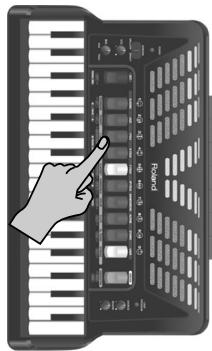
Your settings are saved to the selected User Program memory.
6. Press the [USER PROGRAM] button again to leave this mode.
The USER PRG indicator below the display goes dark to indicate that the FR-3x is no longer in User Program mode. At this point, the FR-3x returns to the settings you were using before selecting User Program mode, and the display once again shows the main page.
NOTE
While the USER PRG indicator below the display flashes, you can select another Set.
12. Data management via the FR-3x's USB port
The FR-3x allows you to save and import User Program settings to/from an optional USB memory connected to its USB port. You can also import Sets and new sounds copied to your USB memory using your PC. The Sets and sounds are stored internally.
Saving User Program memories to USB memory (optional)
Here is how to archive the contents of the FR-3x's 10 internal User Program memories (file extension ".UP3") to an optional USB memory.
NOTE
Be sure to connect your USB memory before proceeding.
- Connect an optional USB memory to the FR-3x.
See page 34.
- Press and hold down the [SET] register.
The display shows the name of the last parameter you selected.
- Use treble register [3] or [4] (PARAM LIST) to select "SAU" (Save).
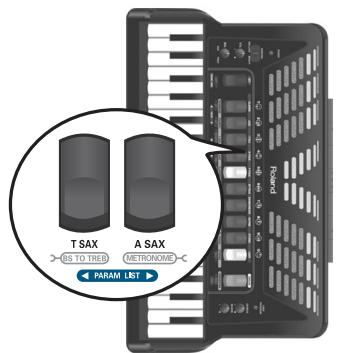
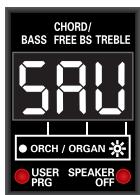
- Use treble register [1] or [2] (VALUE) to see the number of the file where the data will be saved.
The display shows the name of the first empty file on the USB memory.
NOTE
The FR-3x uses numbers as file names to save your User Programs to USB memory. It cannot display the file numbers that already are in the USB memory.
- Press treble register [7] (ENTER).
The display shows "Urt" (Write), then "don" (Done), after which the FR-3x returns to the main page.
Loading User Program memories from USB memory (optional)
The function discussed here allows you to load the settings of 10 User Programs from a USB memory to the FR-3x's internal memory.
NOTE
Be sure to connect your USB memory before proceeding.
- Connect an optional USB memory to the FR-3x.
See page 34.
- Press and hold down the [SET] register.
The display shows the name of the last parameter you selected.
- Use treble register [3] or [4] (PARAM LIST) to select "UPG" (User Program).
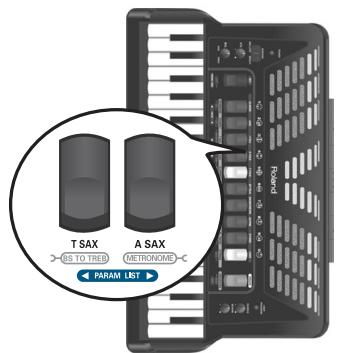
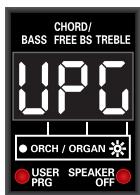
- Use treble registers [1] and [2] (VALUE) to select the file number of the User Programs you want to load.
The display shows "---" instead of a number.
- Press treble register [7] (ENTER) to load the selected User Programs.
The display shows "iod" (Load), then "don" (Done), after which the FR-3x returns to the main page.
Loading User Set memories from USB memory (optional)
The FR-3x allows you to copy individual Sets from a USB memory to the four internal "USER" Set locations. The Set files (with the extension ".ST3") must first be copied to a USB memory's root directory before loading them into the FR-3x's "USER" area.
NOTE
Be sure to connect your USB memory before proceeding. See "Connecting an optional USB memory" on p. 34.
- Press and hold down the [SET] register.
The display shows the name of the last parameter you selected.
- Use treble register [3] or [4] (PARAM LIST) to select "USt" (User Set).
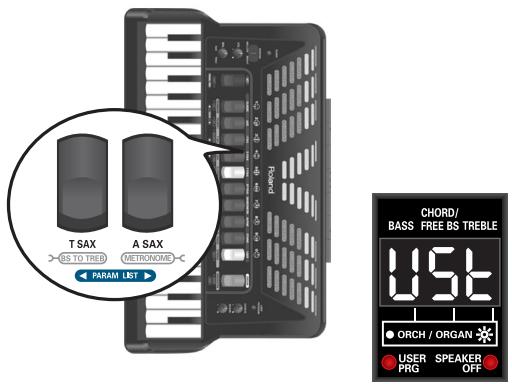
- Use treble registers [1] and [2] (VALUE) to select the file number of the Set you want to load.
If the USB memory doesn't contain any Set files, the display will show "---" instead of a number.
- Press treble register [7] (ENTER) to confirm your selection.
The FR-3x suggests "USER" memory "1" as target for the Set file.
-
Use treble registers [1] and [2] (VALUE) to select the desired target memory (1 4) .
-
Press treble register [7] (ENTER) to load the selected Set.
The display shows "iod" (Load), then "don" (Done) to indicate that the file was loaded successfully. Next, the FR-3x returns to the main page.
NOTE
See "Selecting Sets" on p. 25 for how to recall the settings of the desired User Set.
Loading new sounds from a USB memory (optional)
The FR-3x allows you to add new sounds to the internal sounds. The new sounds (files with the ".Bl3" extension) must be copied to a USB memory's root directory, after which you can load them with the FR-3x. "Loading" means that they will be copied to a permanent internal memory area. There are two such memory areas ("1" and "2").
NOTE
Be sure to connect your USB memory before proceeding. See "Connecting an optional USB memory" on p. 34.
- Press and hold down the [SET] register.
The display shows the name of the last parameter you selected.
- Use treble register [3] or [4] (PARAM LIST) to select "Snd" (Sound).
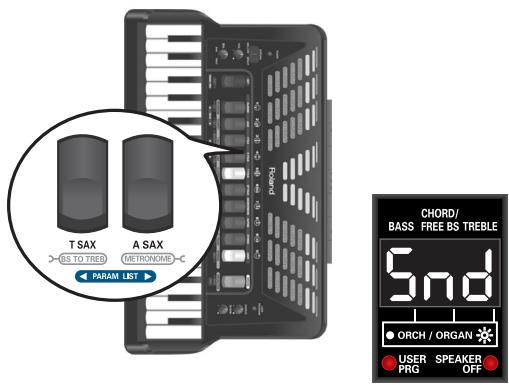
- Use treble registers [1] and [2] (VALUE) to select the number of the sound file you want to load from the connected USB memory.
If the USB memory doesn't contain any sound files, the display will show "---" instead of a number. - Press treble register [7] (ENTER) to confirm your selection.
The FR-3x suggests memory area "1" as target for the selected file. - Use treble registers [1] and [2] (VALUE) to select the desired target memory area (1 or 2).
- Press treble register [7] (ENTER) to load the selected sound set.
The display shows "iod" (Load) to indicate that the data are being loaded (this may take 1.5 minutes). Next, the "don" (Done) message appears to signal that the file was loaded successfully.
NOTE
The new sounds can only be used if you also load the associated User Sets and select one of those.
Importing the settings of a previous FR-3 model
This function allows you to load MIDI bulk data of an older FR-3 or FR-3b V-Accordion model from a USB memory's root directory.
CAREFUL! The settings loaded with the "OLd" function will overwrite all of the FR-3x's internal settings.
Preparing the file
Here is what you need to do with the FR-3:
NOTE
If you already have a backup file of the FR-3's settings you are interested in, you only need to make sure that the file with those settings was saved as a Standard MIDI File and that its name and extension conform to the requirements (three digits + ".mid" extension).
- Connect the legacy FR-3 to your computer or your computer's MIDI interface.
- Use a sequencer program and the FR-3's Bulk Dump function ("dMP") to transmit its settings to the computer.
See the FR-3's owners manual and the documentation of your sequencer program for details.
- Save the resulting sequence as a Standard MIDI File (with the ".mid" extension).
NOTE
The file's name may only consist of three digits and the extension ("001.mid", for example).
- Remove the USB memory from your computer and connect it to the FR-3x (see "Connecting an optional USB memory" on p. 34).
Loading your archived settings into the FR-3x
1. Press and hold down the [SET] register.
The display shows the name of the last parameter you selected.
2. Use treble register [3] or [4] (PARAM LIST) to select "OLd" (Old Data Load).
![ROLAND FR-3XB WH - Use treble register [3] or [4] (PARAM LIST) to select "OLd" (Old Data Load). - 1](/content/2025/01/131051/images/6800da89c3533828a98af86809149ba0bd3fe4b9211c7318b46c1c7498405d84.jpg)
![ROLAND FR-3XB WH - Use treble register [3] or [4] (PARAM LIST) to select "OLd" (Old Data Load). - 2](/content/2025/01/131051/images/27974ee0425bfc62799304b098b19010c14639100fa112caad101079446d3e81.jpg)
3. Use treble registers [1] and [2] (VALUE) to select the number of the file you want to load from the connected USB memory.
If the USB memory doesn't contain any archive files, the display will show "---" instead of a number.
4. Press treble register [7] (ENTER) to load the selected archive file.
The display shows "iod" (Load), then "don" (Done) to indicate that the file was loaded successfully. Next, the FR-3x returns to the main page.
13. Other settings
The FR-3x has a mode that allows you to make various settings and perform certain operations. Below please find a list of the parameters you can set in this mode.
| Display indication | Full name | Setting range | Default | See page |
| AUD | Audio file name | (file name, 3 characters) | - | p. 35 *3 |
| AUL | Audio Level | OFF, 1~10 | 8 | p. 36 |
| dEt | Musette Detune | OFF, 0~15 | (variable) | p. 45 |
| EUn | Master Tune | 15.7~40.0~64.3 | 40.0 | p. 45 *1 |
| ErP | Transpose | -6~0~5 | 0 | p. 45 *1 |
| drS | Drum Set | 1~8 | 1 | p. 45 |
| drL | Drum Level | Low, Med, Hi, -40~Std~+40 | Std | p. 45 |
| DL | Orchestra Level | -40~Std~+40 | Std | p. 46 |
| BGL | Organ Level | -40~Std~+40 | Std | p. 46 |
| BbL | Orchestra Bass Level | -40~Std~+40 | Std | p. 46 |
| OCL | Orchestra Chord Level | -40~Std~+40 | Std | p. 46 |
| OFL | Orchestra Free Bass Level | -40~Std~+40 | Std | p. 46 |
| brn | Treble Valve Noise | Off, -40~Std~+40 | Std | p. 46 |
| bbn | Bass Button Noise | Off, -40~Std~+40 | Std | p. 46 |
| brG | Bass Reed Growl | Off, -40~Std~+40 | Std | p. 46 |
| Fbn | Free Bass Button Noise | Off, -40~Std~+40 | Std | p. 46 |
| FrG | Free Bass Reed Growl | Off, -40~Std~+40 | Std | p. 46 |
| AeP | Metronome Tempo | 20~250 | 120 | p. 46 |
| AES | Metronome Time Sign | 1~8 | 1 | p. 47 |
| AL | Metronome Level | OFF, 1~127 | 80 | p. 47 |
| rEU | Reverb Type | 1~8 | 6 | p. 47 |
| CHR | Chorus Type | 1~8 | 7 | p. 47 |
| BL | Orchestra Touch | 1~10 | 6 | p. 47 |
| ObE | Orchestra Bass/Chord Touch | 1~10 | 8 | p. 48 |
| bLC | Bellows Curve | 1~8 | 6 | p. 48 |
| sE | Stereo Width | -63~--1, nAt, FUL | -15 | p. 48 |
| tA | Treble Mode | 1~6 | 1 | p. 48 *2 |
| FbA | Free Bass Mode | 1~5 | 1 | p. 51 |
| bCA | Bass & Chord Mode | 1~6 | 1 | p. 53 |
| aFn | Metronome Function | 1, 2 | 1 | p. 53 |
| FnS | Function Switch | Off, On | Off | p. 53 |
| APO | Auto Power Off | Off, 1~3 | 1 | p. 55 |
| SP | Speaker Mode | Off, On | On | p. 55 *1 |
| BLR | Output Level Attenuation | -12, -6, Off | Off | p. 55 |
| USE | User Set load | 000~999 | - | p. 41 *3 |
| UPG | User Program load | 000~999 | - | p. 40 *3 |
| Snd | Sound Set load | 000~999 | - | p. 41 *3 |
| QLd | FR-3 compatibility | 000~999 | - | p. 42 *3 |
| SAU | User Program save | 000~999 | - | p. 41 *3 |
The "Erl", "Fbn" and "BCn" parameters are not reset when you load the factory defaults.
1 Reset when you switch off the FR-3x
2 Only on the FR-3x button type
*3 These are functions.
Important remark about saving your settings
The FR-3x's internal memory remembers your settings while the FR-3x is switched on. While editing, there is no absolute need to save your settings.
Be aware, however, that all changes are lost when the FR-3x is switched off. This includes situations where the FR-3x is switched off by the "Auto Power Off" function.
Remember to save all settings as soon as you are sure that you want to keep them.
Selecting the desired parameter
1. Press and hold the [SET] register to enter PARAMETER mode.
The display shows the name of the last parameter you selected.
![ROLAND FR-3XB WH - Press and hold the [SET] register to enter PARAMETER mode. - 1](/content/2025/01/131051/images/695000b0e574fb3088fdb396c7f90599f71317583889557ec0f1ca3a6747b59a.jpg)
![ROLAND FR-3XB WH - Press and hold the [SET] register to enter PARAMETER mode. - 2](/content/2025/01/131051/images/de9551bf9e4fe23b10d3d16a5fbb6b8beb577d3c66e06d8194f5e8f0abede5e6.jpg)
2. Use treble register [3] or [4] (PARAM LIST) to select the desired parameter.
![ROLAND FR-3XB WH - Use treble register [3] or [4] (PARAM LIST) to select the desired parameter. - 1](/content/2025/01/131051/images/b2a01536920f48853d6a514654da253b7f64f292f4d9161f991e3e70678b91f8.jpg)
![ROLAND FR-3XB WH - Use treble register [3] or [4] (PARAM LIST) to select the desired parameter. - 2](/content/2025/01/131051/images/ce59bf1698aad73371fbaf64fc6b9a90d22708b4153ca4b8f38b8c43c3780c1a.jpg)
(Here, we selected the "Orchestra Chord Level" parameter.)
NOTE
Pressing registers [3] and [4] (PARAM LIST) simultaneously will select the first parameter, "AUd".
3. Use register [1] (value) or [2] (value) to set the desired value.
![ROLAND FR-3XB WH - Use register [1] (value) or [2] (value) to set the desired value. - 1](/content/2025/01/131051/images/54947eee6c34eefb69d6ce896576b4e9dab719863f528f2be9bbb7c4db586660.jpg)
![ROLAND FR-3XB WH - Use register [1] (value) or [2] (value) to set the desired value. - 2](/content/2025/01/131051/images/0b3c1d220d8a7ff9ee6d758dde6b8be3c9959df8c10089a6c73a296f91f5b738.jpg)
To return to the last setting you saved for this parameter, press registers [1] and [2] simultaneously.
4. If you want to use this change only temporarily, press the [SET] register to leave this mode.
Otherwise, proceed to save your changes:
Saving your changes
1. Press and hold the [SET] register until the display looks as follows:
![ROLAND FR-3XB WH - Press and hold the [SET] register until the display looks as follows: - 1](/content/2025/01/131051/images/6100c8bf5d6521c6077f6e091d761be1627947c8c4b178f7c7fc2a24332b56bb.jpg)
2. Press register [2] (VALUE ) to save your settings.
The display now looks as follows:
![ROLAND FR-3XB WH - Press register [2] (VALUE ) to save your settings. - 1](/content/2025/01/131051/images/433ef2f1ae11c0d78ae8369fa80bce5889a7ef1df8ab1d4565b33728d18e9de6.jpg)
If you don't want to save your changes, press [1] (▲ VALUE). The display briefly shows the "no" message.
3. Press register [7] (ENTER) to confirm your intention.
The settings are stored internally and the display briefly shows the "y.E.S." message (the three dots flash), then "don" when the settings are stored.
Next, the display returns to the master page.
PARAM LIST parameters
Audio file name
This parameter allows you to select the audio file you want to play back. See "Selecting audio files" on p. 35.
| Value | (file name, 3 characters) |
| Default setting: - |
NOTE
You can only select audio files in the USB memory's root directory. Audio files inside folders are not detected.
Audio Level
This parameter allows you to set the volume level of the selected audio file. See "Adjusting the playback level" on p. 36.
| Value | OFF, 1~10 |
| Default setting: 8 |
Musette Detune
This parameter allows you to choose the detuning preset. See "Musette Detune" on p. 37 for details. You can select one of the following detuning presets:
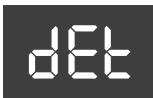
| Value | Setting | Value | Setting |
| 0 | No detune | 8 | D-Folk L |
| 1 | Dry | 9 | Italian L |
| 2 | Classic | 10 | German H |
| 3 | F-Folk | 11 | Alpine |
| 4 | American L | 12 | Italian H |
| 5 | American_H | 13 | D-Folk H |
| 6 | North Eur | 14 | French |
| 7 | German L | 15 | Scottish |
If the "OFF" message is displayed, the selected register cannot be detuned.
NOTE
Musette Detune only affects registers that use more than one 8' reed.
Master Tune
This parameter allows you to change the FR-3x's overall tuning, which may be necessary when you play with acoustic instruments that cannot be tuned easily. default is 440.0Hz. The FR-3x's tuning can in steps of ± 50 cents.
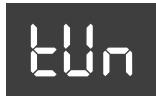
| Value | 15.7~64.3 (415.7~464.3Hz) |
| Default setting: 40.0 (440.0Hz) |
NOTE
The display only shows the last three digits. The setting "464.3" is therefore displayed as "64.3".
Transpose
This parameter allows you to transpose all sections of the FR-3x. See "Changing the key of the keyboard (transpose)" on p. 37.
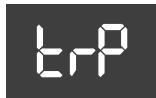
| Value | -6~0~+5 |
| Default setting: 0 |
Drum Set
This parameter allows you to select the type of drum/percussion instruments you wish to play simultaneously with
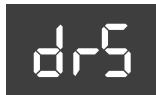
the bass and chord section. See also "Playing drum/percussion sounds" on p. 31.
| Value | 1~8 |
| Default setting: 1 |
| Set | Type | Set | Type |
| 1 | Folk | 5 | Pop |
| 2 | Jazz | 6 | Orchestra |
| 3 | Tarantel | 7 | TR-909 |
| 4 | Latin | 8 | Ethnic |
Drum Level
This parameter allows you to set the audio level of the drum sounds.
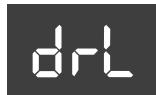
| Value | Low, Med, Hi, -40~Std~+40 |
| Default setting: Std |
Select "Low" (low), "Med" (medium) or "Hi" (high) to use a preset level value. If you select a value, it is added to, or subtracted from, the standard value ("Std").
Orchestra Level
This parameter allows you to set the level of the orchestral sounds. It can be useful to create the desired "mix" (volume balance) with the treble accordion
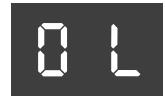
| Value | -40~Std~+40 |
| Default setting: Std |
This is a relative parameter, which means that its value is added to, or subtracted from, the standard value ("Std").
Organ Level
This parameter allows you to set the level of the organ sounds. It can be useful to create the desired "mix" (volume balance) with the treble accordion sound
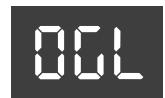
| Value | -40~Std~+40 |
| Default setting: Std |
This is a relative parameter, which means that its value is added to, or subtracted from, the standard value ("Std").
Orchestra Bass Level, Orchestra Chord Level, Orchestra Free Bass Level
These parameters allow you to set the audio level of the Orchestra Bass, Orchestra Chord and Orchestra Free Bass sections.
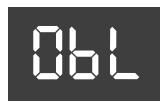
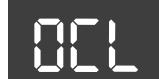
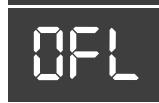
| Value | -40~Std~+40 |
| Default setting: Std |
Treble Valve Noise
You will probably agree that electronic sounds must not only reproduce the basic timbre of an existing sound, but
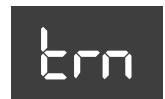
also the original instrument's behavior and typical "noises" in order to be perceived as authentic. In the case of a guitar that would be the sliding noise of the fingers. An accordion, on the other hand, produces mechanical valve noises that cannot be suppressed on an acoustic instrument.
Use this parameter to specify how prominent the noise produced by the simulated Treble valves should be.
| Value | Off, -40~Std~+40 |
| Default setting: Std |
Bass Button Noise
The bass section of almost all accordion instruments can be played via buttons. Such buttons produce a typical noise when pressed.
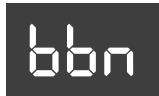
Use this parameter to specify how prominent that button noise should be.
| Value | Off, -40~Std~+40 |
| Default setting: Std |
Bass Reed Growl
This parameter allows you to simulate the typical noise a bass reed makes just before it stops vibrating altogether (a
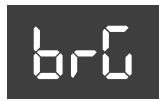
kind of "musical flatulence" if you will). Each instru-. ment of the accordion family produces its own typical growl.
Use this parameter to specify how prominent that growl should be.
| Value | Off, -40~Std~+40 |
| Default setting: Std |
Free Bass Button Noise
The bass section of almost all accordion instruments can be played via buttons. Such buttons produce a typical noise when pressed.
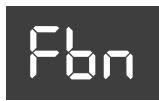
Use this parameter to specify how prominent that button noise should be in Free Bass mode.
| Value | Off, -40~Std~+40 |
| Default setting: Std |
Free Bass Reed Growl
This parameter allows you to simulate the typical noise a bass reed makes just before it stops vibrating altogether (a
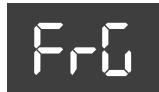
kind of "musical flatulence" if you will). Each instrument of the accordion family produces its own typical growl.
Use this parameter to specify how prominent that growl should be in Free Bass mode.
| Value | Off, -40~Std~+40 |
| Default setting: Std |
Metronome Tempo
This parameter allows you to set the metronome tempo. See page 37 for how to activate the metronome.
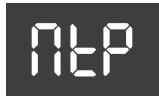
| Value | 20~250 |
| Default setting: 120 |
Metronome Time Sign
This parameter allows you to set the metronome's time signature. See page 37 for how to activate the metronome.
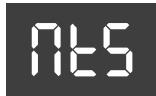
| Value | 1~8 |
| Default setting: 1 |
Here is what the displayed values correspond to:
| Value | Time signature | Value | Time signature |
| 1 | 1/4 | 5 | 5/4 |
| 2 | 2/4 | 6 | 6/4 |
| 3 | 3/4 | 7 | 6/8 |
| 4 | 4/4 | 8 | 9/8 |
Metronome Level
This parameter allows you to change the metronome's level when it is too loud or too soft. See page 37 for how to activate the metronome.
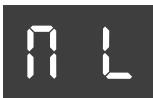
| Value | Off, 1~127 |
| Default setting: 80 |
Reverb Type
This effect creates the impression that you are playing in a concert hall, a church or a room. It adds "depth" to the sound. This is where you can specify what kind of effect the Reverb processor should generate.
| Value | 1~8 |
| Default setting: 6 |
This parameter is a "Macro" function that recalls suitable preset values for all reverb parameters (which have been preset at the factory). The available options are:
| Value | Type | Meaning |
| 1 | Room1 | These reverbs simulate the rever-beration of a room. They provide a well-defined spacious reverbera-tion. |
| 2 | Room2 | |
| 3 | Room3 | |
| 4 | Hall1 | These reverbs simulate the rever-beration of a concert hall with a deeper reverberation than the Room Reverbs. |
| 5 | Hall2 | |
| 6 | Plate | This effect type simulates a plate reverb (a studio device using a metal plate to simulate natural Reverb). |
| 7 | Delay | This is a conventional delay that produces echo effects. |
| Value | Type | Meaning |
| 8 | PanningDly | This is a special delay in which the delayed sounds move left and right. It is effective when you are listening in stereo. |
The overall reverb level can be set with the [REVERB] knob on the front panel.
Chorus Type
Chorus broadens the spatial image of the sound, adding richness. You can choose from 8 types of chorus.
This parameter is a "Macro" function that recalls suitable preset values for all Chorus parameters (which have been preset at the factory).
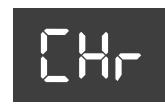
| Value | 1~8 |
| Default setting: 7 |
The available options are:
| Value | Type | Meaning |
| 1 | Chorus 1 | These are conventional Chorus effects that add spaciousness and depth to the sound. |
| 2 | Chorus 2 | |
| 3 | Chorus 3 | |
| 4 | Chorus 4 | |
| 5 | FBack Chr | This is a Chorus with a Flanger-like effect and a soft sound. |
| 6 | Flanger | This is an effect that sounds some-what like a jet airplane taking off or landing. |
| 7 | Short Delay | This is a delay with a short Delay time. |
| 8 | ShortDly FB | This is a short delay with many repeats. |
The overall chorus level can be set with the [CHORUS] knob on the front panel.
Orchestra Touch
This parameter allows you to specify the velocity sensitivity of the treble keys/ buttons when they are used to play orchestral percussive sounds.
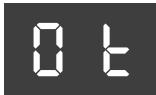
| Value | 1~10 |
| Default setting: 6 |
The available options are:
| Value | Setting | Value | Setting |
| 1 | Fixed Low | 5 | High |
| 2 | Fixed Medium | 6 | Fixed L + Bellows |
| 3 | Fixed High | 7 | Fixed M + Bellows |
| 4 | Low | 8 | Fixed H + Bellows |
| 5 | Medium | 10 | Bellows |
Fixed Low, Fixed Medium, Fixed High
These three fixed curves use the same velocity value, no matter how hard or lightly you press the keys. "Low" means that a low value is used, "Med" represents a medium value and "High" a high value.
Low, Medium, High
The "Low" curve means that even relatively light presses already allow you to play loud notes. The "High" curve represents the most responsive velocity curve. It requires a considerable amount of strength for fortissimo notes, but it also provides more expressive options. The "Med" curve is in the middle.
Fixed L+Bellows, Fixed M+Bellows
Fixed H+Bellows
These curves mean that the orchestral sound uses fixed velocity values but can also be controlled by bellows movements.
Bellows
"Bellows" means that the Orchestra section's expression is controlled by the bellows movements – not the velocity values generated by the keys.
NOTE
The "Orchestra Touch" parameter is not used when the "Bellows Curve" parameter is set to "Fixed Low", "Medium" or "High".
Orchestra Bass/Chord Touch
This parameter allows you to specify the velocity sensitivity (curve) of the bass and chord buttons, which are used to play orchestral percussive sounds.
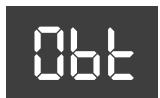
| Value | 1~10 |
| Default setting: 8 |
The available options are: Fixed Low, Fixed Medium, Fixed High, Low, Medium, High, Fixed L + Bellows, Fixed M + Bellows, Fixed H+ Bellows, Bellows. See "Orchestra Touch" on p. 47 for details about these settings.
NOTE
The "Orchestra Bass/Chord Touch" parameter is not used when the "Bellows Curve" parameter is set to "Fixed Low", "Medium" or "High".
Bellows Curve
This parameter allows you to specify how the FR-3x should respond to the bellows' movements. Use it to adapt the
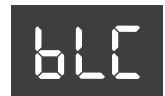
FR-3x's expressive potential to your playing style.
| Value | 1~8 |
| Default setting: 6 |
The available options are:
| Value | Setting | Value | Setting |
| 1 | Fixed Low | 5 | Light |
| 2 | Fixed Medium | 6 | Standard |
| 3 | Fixed High | 7 | Heavy |
| 4 | X Light | 8 | X Heavy |
Fixed Low, Fixed Medium, Fixed High
These three fixed curves always use the same expression value, no matter how hard or lightly you push/ pull the bellows (no dynamic control). "Low" means that a low value is used, "Med" represents a medium value and "High" a high value.
X Light, Light
"Light" means that you do not need to push/pull hard to achieve a meaningful effect. The "X-Light" requires even less strength (the "X" stands for "extra").
Standard
The "Standard" curve refers to a normal response.
Heavy and X Heavy
"Heavy" provides a greater variety of nuances.
"X-Heavy" is even more detailed.
Stereo Width
Much care has been taken to provide a natural stereo image for the accordion sounds. If you think the stereo image is
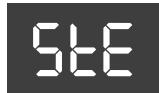
too wide for comfort (or if you prefer to set the Pan controls on your mixing console differently), you can use this parameter to reduce the stereo image.
| Value | -63~−1, nAt, Ful |
| Default setting: −15 |
"Ful" (full) represents the widest stereo image.
"nAt" (natural) means that the original stereo image is used.
"-" corresponds to an extremely narrow stereo image.
All other values represent slight (or increasingly drastic) reductions of the stereo width.
Treble Mode (only on the button type)
Like for the accordion instrument itself, there are different varieties of chromatic instruments, with different treble button layouts.
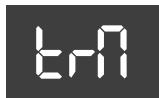
| Value | 1~6 |
| Default setting: 1 |
The available options are:
| Value | Setting | Value | Setting |
| 1 | C-Griff Europe | 4 | B-Griff Fin |
| 2 | C-Griff 2 | 5 | D-Griff 1 |
| 3 | B-Griff Bajan | 6 | D-Griff 2 |
Since your FR-3x is an electronic musical instrument, changing the note assignments to the buttons is a matter of selecting the preset that best suits your playing style. You'll probably only change this setting once. But it's nice to know that it exists in case you let a fellow accordion player from another country play your FR-3x. Please look at the illustrations on pages 50 and 51 to identify the setting you need. Pay attention to the note names (all Cs appear on a grey background) and look at how they are arranged, then make your selection. The numbers next to the letters refer to the octave. The numbers below the note names represent the corresponding MIDI note numbers.
You may have noticed that the treble buttons are colored white (for notes without alteration) and black (notes with alteration, i.e. # / b ). This coloring doesn't change when you select another system.
The FR-3x is supplied with additional white and black buttons. You can use these additional buttons to adapt the black and white treble buttons to reflect the selected treble mode.
To do this, first remove the button you wish to replace by turning it counterclockwise, then install the new button and screw it clockwise.
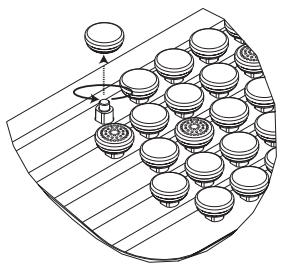
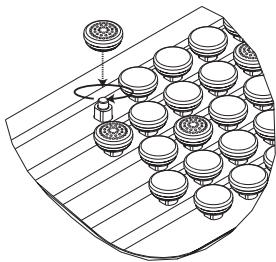
NOTE
This parameter is not reset when you load the factory defaults (page 64).
Treble Mode (1/2)
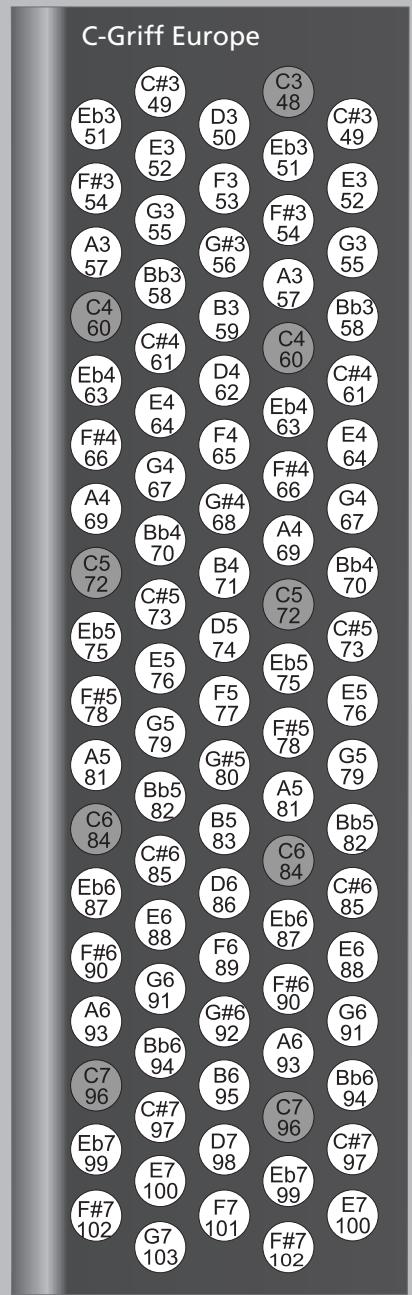
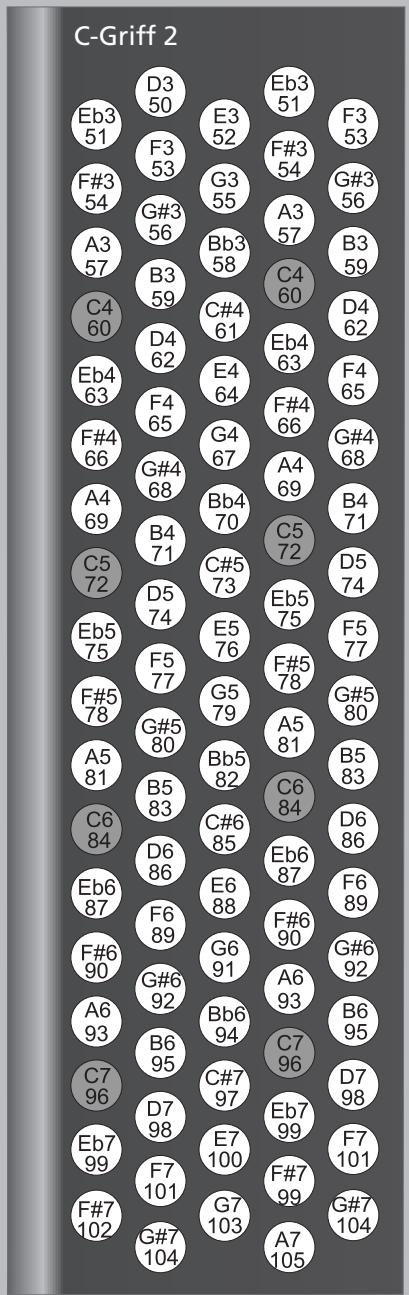
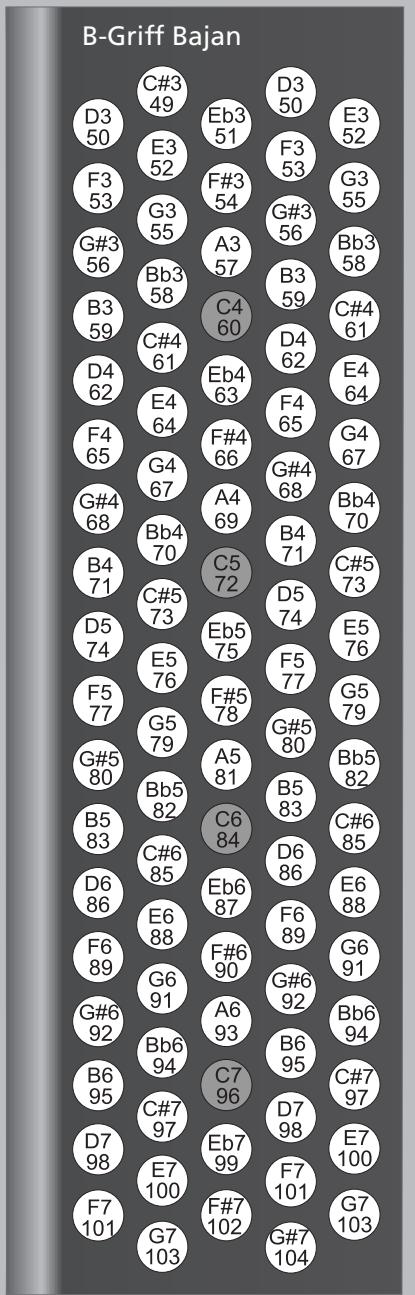
Treble Mode (2/2)
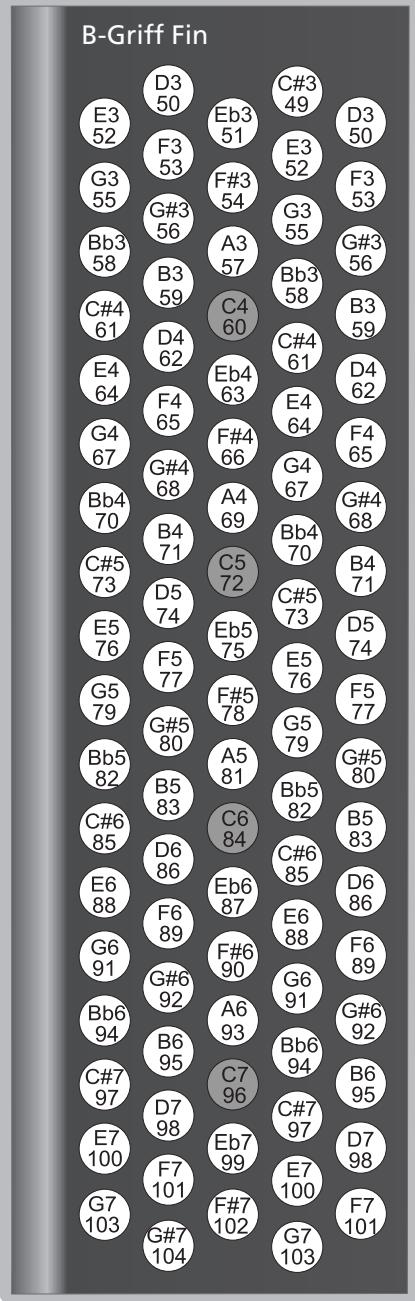
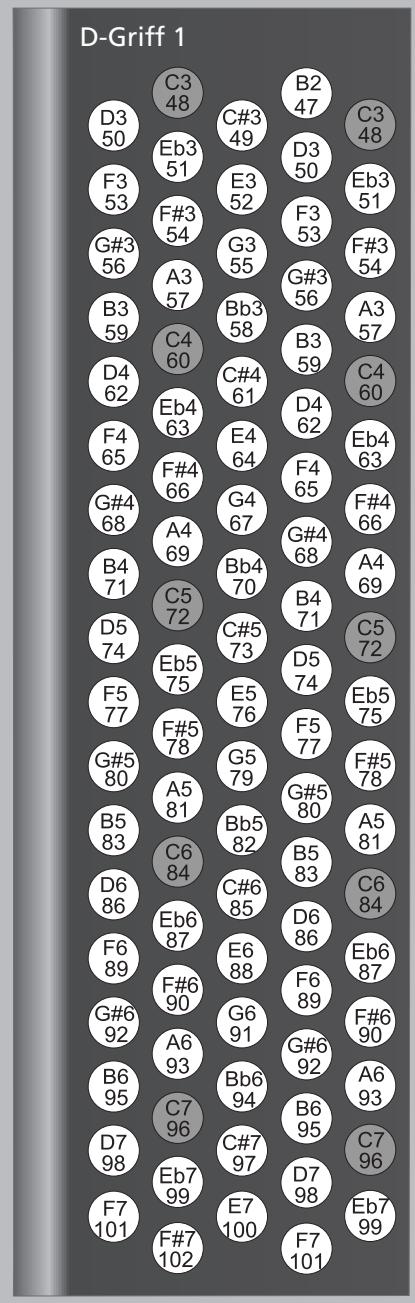
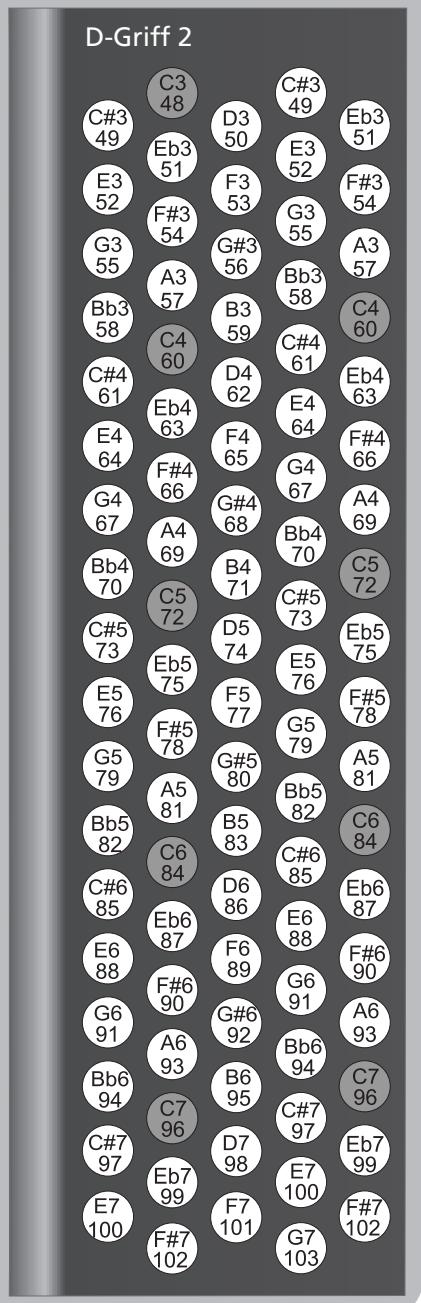
Free Bass Mode
This parameter allows you to choose the note system used in Free Bass mode. We already mentioned that there are a vast number of accordion varieties. The same Bass systems.
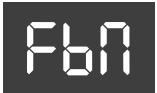
| Value | 1~5 |
| Default setting: 1 |
The available options are:
| Value | Setting | Value | Setting |
| 1 | Minor 3rd | 4 | N. Europe |
| 2 | Bajan | 5 | Finnish |
| 3 | Fifth |
Your FR-3x contains the 5 most popular modes (see the illustration on page 52). Be aware that the system you select here is only used when you activate the FR-3x's Free Bass mode. It is of no consequence for "regular" Bass mode.
NOTE
The FR-3x is supplied with several reference caps designed to help you locate the bass buttons without looking at them. See also page 30.
NOTE
This parameter is not reset when you load the factory defaults (page 64).
Free Bass Mode
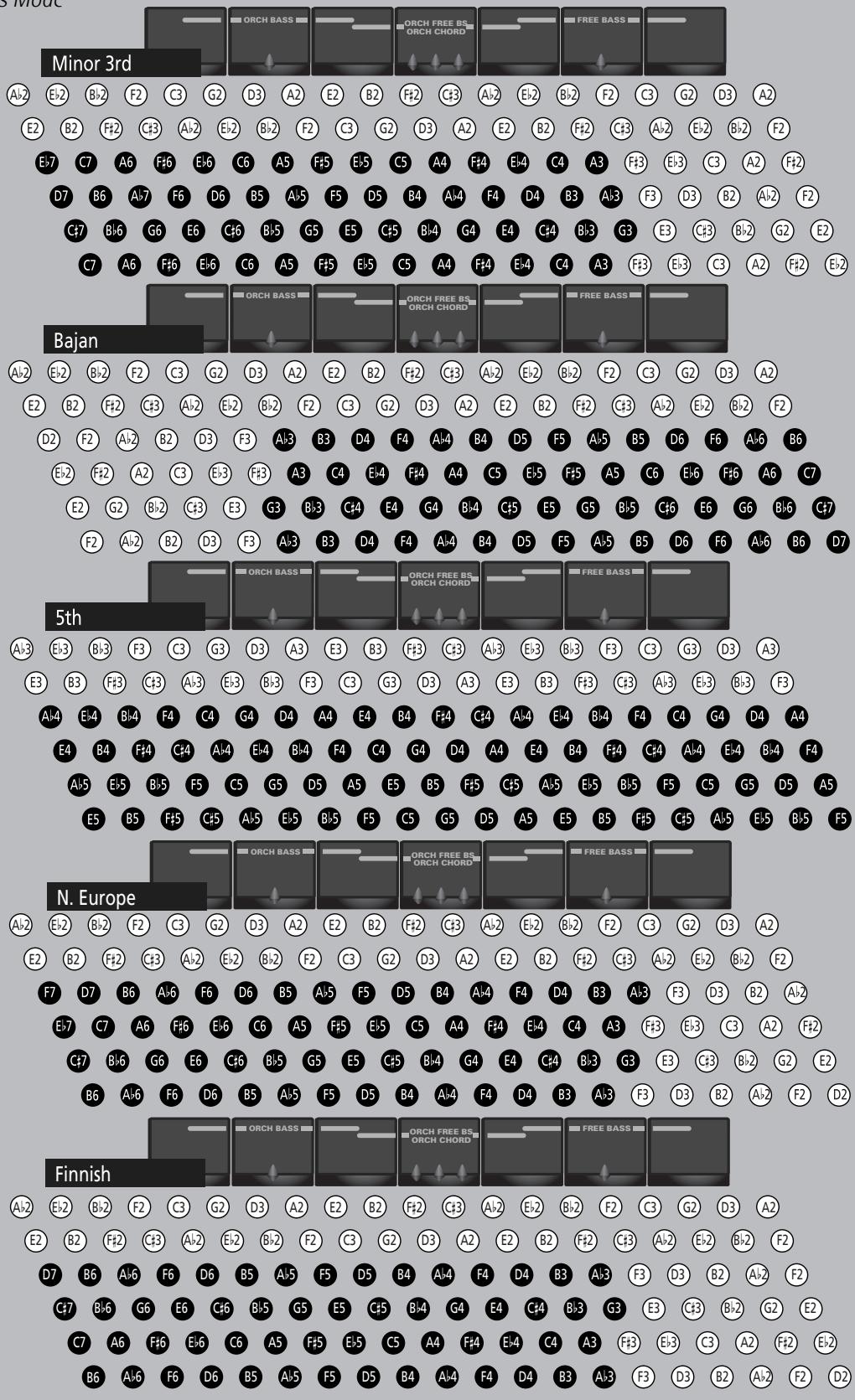
(C3= note number 48)
NOTE
The note names on the bass buttons correspond to the MIDI note numbers. The note range of the Bass part is 1 octave.
NOTE
The actual sound range depends on the type of reed and footage.
Bass & Chord Mode
This parameter allows you to specify the number of button rows available for playing bass notes. The default is 2 bass rows and 4 chord rows.
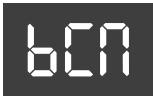
| Value | 1~6 |
| Default setting: 1 |
The available options are:
| Value | Setting | Value | Setting |
| 1 | 2 Bass Rows | 4 | 3 Bass Rows B-7th |
| 2 | 3 Bass Row A-7th | 5 | 3 Bass Rows B-5dim |
| 3 | 3 Bass Rows A-5dim | 6 | 3 Bass Rows Bx-7th |
2 Bass Rows
Using this selection, you have 2 bass rows and 4 chord rows available (default).
3 Bass Rows A-7th, 3 Bass Rows A-5dim 3 Bass Rows B-7th, 3 Bass Rows B-5dim
With this selection you gain 20 bass buttons (an entire row), but you lose the dim chords.
The "A-7th" and "B-7th" options mean that the 6th chord row plays seventh chords ("7") that don't contain the fifth.
In the case of a C7 chord, you therefore hear C-E-Bb (but not the G). "A-7th" and "B-7th" differ in the arrangement of the bass notes (see the illustration on page 54).
The "A-5dim" and "B-5dim" options mean that seventh chords don't contain the root note. A C7 chord is therefore sounded with the notes E-G-B (but not the C). "A-5dim" and "B-5dim" differ in the arrangement of the bass notes (see the illustration on page 54).
3 Bass Rows Bx-7th
This option reverses the "B-7th" settings (from right to left), so that the C3 note shifts from 9th to 12th position.
NOTE
The FR-3x is supplied with several reference caps designed to help you locate the bass and chord buttons without looking at them. See also page 30.
NOTE
This parameter is not reset when you load the factory defaults (page 64).
Metronome Function
This parameter allows you to choose the function to combine when you hold down the [ORGAN/ORCHESTRA] register
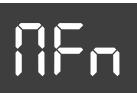
and press treble register [4] (METRONOME). See "Using the metronome" on p. 37.
| Value | 1, 2 |
| Default setting: 1 |
The available options are:
| Value | Setting |
| 1 | Metronome |
| 2 | MIDI Start/Stop |
Metronome
Select this setting to take advantage of the internal metronome.
■ MIDI Start/Stop
This option means that the register combination acts as a MIDI remote control that starts and stops playback of an external sequencer or arranger module.
Function Switch
This parameter allows you to use the bass buttons closest to the FR- 3x logo to select or control the desired functions.
When this parameter is set to "On", the buttons in question can no longer be used to play notes or chords.
| Value | OFF, On |
| Default setting: OFF |
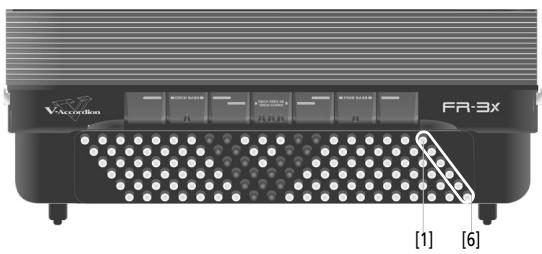
The buttons have the following factory default settings.
| Bass button | Function | Bass button | Function |
| 1 | Pitch Down | 4 | Brake Off |
| 2 | Pitch Up | 5 | Brake On |
| 3 | Modulation | 6 | Rotary Slow/ Fast |
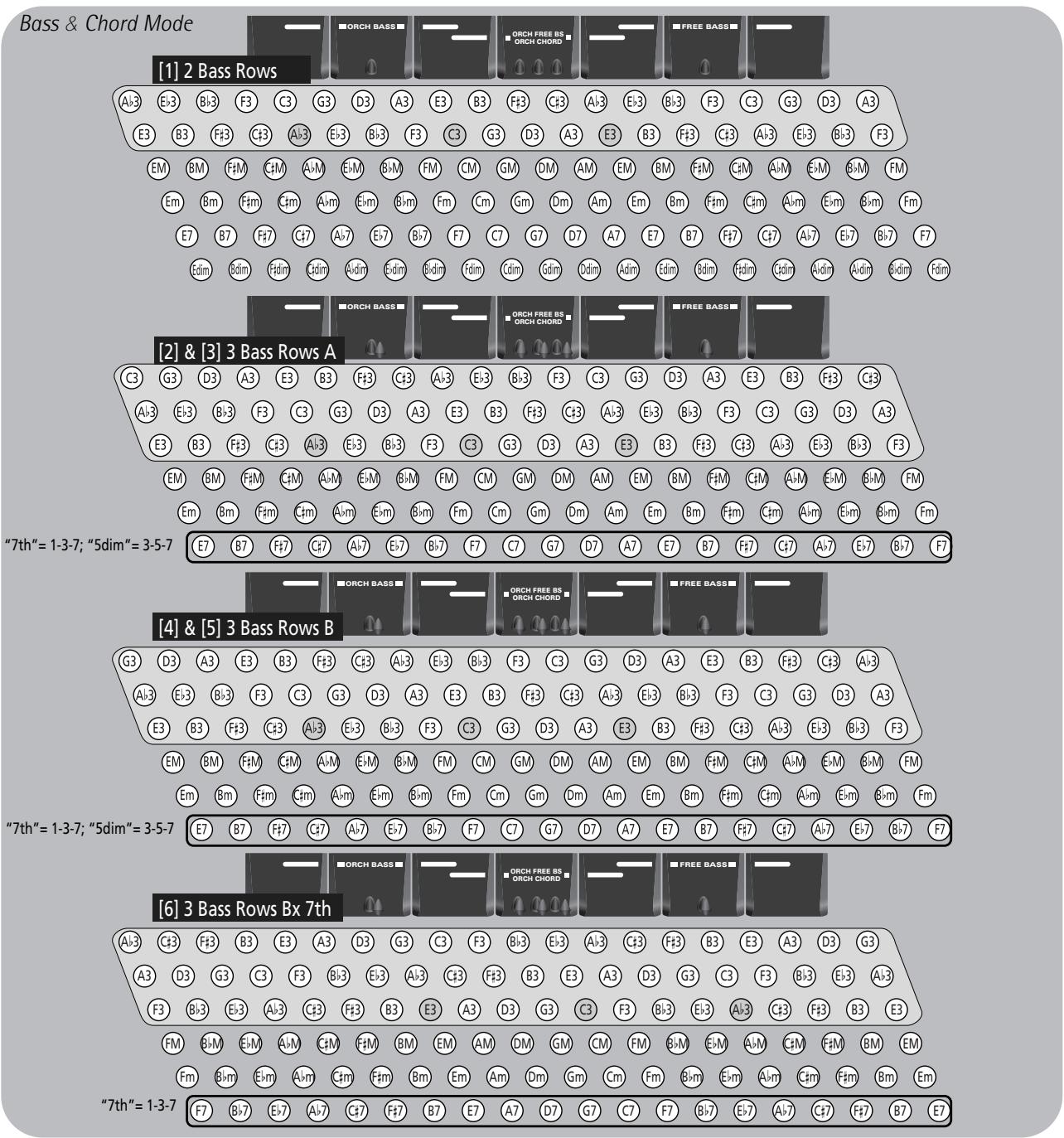
Auto Power Off
This parameter allows you to specify how long the FR-3x should wait before switching itself off while you are not using it.
| Value | OFF, 1~3 |
| Default setting: 1 |
The available options are:
| Setting | Meaning | Setting | Meaning |
| OFF | Disabled | 2 | 15 minutes |
| 1 | 10 minutes | 3 | 20 minutes |
WARNING: Be aware that any unsaved changes are lost when the FR-3x is switched off by this function. Be sure to save all important settings as soon as you can (page 44).
Speaker Mode
When you use the FR-3x for live performances and therefore connect it to an external amplification system, it may be

convenient to switch off the FR-3x's internal speakers, because doing so preserves battery power. See also "Switching off the internal speakers (Speaker Mode)" on p. 37.
| Value | OFF, On |
| Default setting: On |
The "OFF" setting means that the internal speakers are off. The "On" setting means that the internal speakers are active.
Output Level Attenuation
The FR- 3x has a level attenuation function that allows you to adapt its output level to the audio device you wish to connect it to. The attenuation value is ex
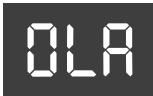
| Value | -12, -6, OFF |
| Default setting: OFF |
NOTE
This parameter has no effect on the FR-3x's internal speakers.
Other functions
The following functions are covered in the chapter "Data management via the FR-3x's USB port" on p. 40.
User Set load
This function allows you to load Sets from a USB memory to one of the four internal User memories. See "Loading User Set memories from US (optional)" on p. 41.
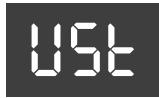
■ User Program load
This function allows you load 10 User Program settings from a USB memory (provided you have already saved User Programs to that USB memory). See al User Program memories from USB me (optional)" on p. 40.
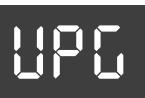
Sound Set load
This function allows you to add new sounds to the FR-3x original sounds. See "Loading new sounds from a USB memory (optional)" on p. 41 for details.
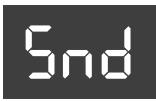
FR-3 compatibility
This function allows you to import the settings of a legacy FR- 3 V-Accordion. See "Importing the settings of a previous FR- 3 model" on p. 42 for deta
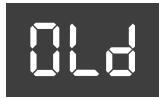
■ User Program save
This function allows you to save the contents of the User Program memories to a USB memory (optional) connected to the USB port. See "Saving U memories to USB memory (optional)"
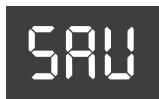
14. Connecting to MIDI devices
By connecting an external MIDI device and exchanging performance data, you can control one device from another. For instance, you can output sound from other instruments, switch sounds or receive MIDI data from an external sequencer that cause your FR-3x to play.
What's MIDI?
MIDI, short for "Musical Instrument Digital Interface", was developed as a universal standard for exchange of performance data with external devices. This connector can be used to connect the FR-3x to an external device for even greater versatility.
Connecting an external MIDI device to the FR-3x
The FR-3x has one MIDI socket that can be used to either transmit (OUT) or receive (IN) MIDI data.
- Turn the volume all the way down on the FR-3x and the MIDI device you are about to connect.
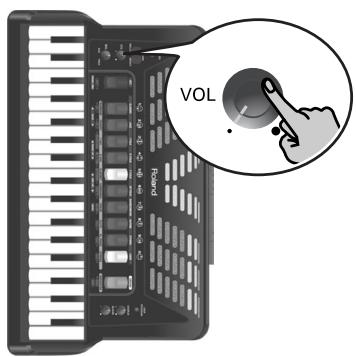
- Use a MIDI cable (sold separately) to connect the MIDI sockets to each other.
Connection to transmit MIDI data to an external device:
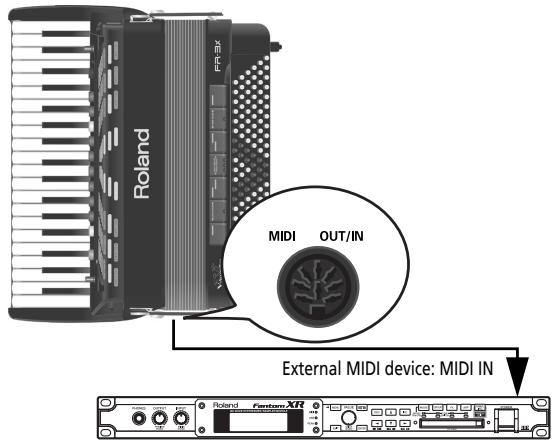
Connection to receive MIDI data from an external device:
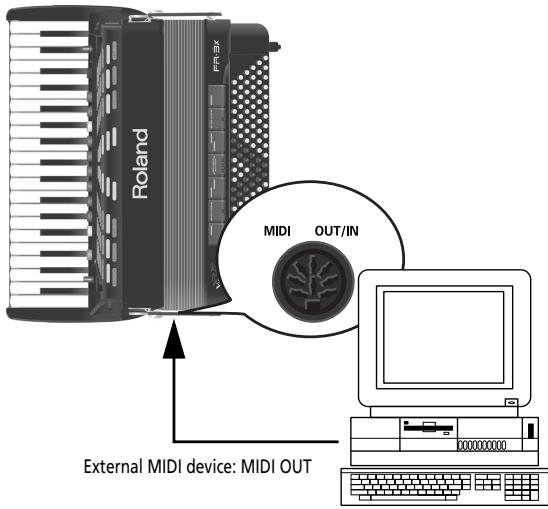
- Adjust the volume level on the FR-3x and the connected device.
- Set the "Mld" parameter.
See "MIDI Out/In" on p. 58. Select "OUT" to transmit MIDI data to an external device. (This is the default setting.)
Set it to "IN" to receive MIDI data from an external device.
- Set the MIDI channel on the FR-3x and the external device as needed.
The FR-3x's sections transmit on the following MIDI channels (default):
| Part | TX Channel |
| Treble | 1 |
| Bass/Free Bass | 2 |
| Chord | 3 |
| Orchestra/Organ (Treble) | 4 |
| Orchestra Bass | 5 |
| Orchestra Chord | 6 |
| Orchestra Free Bass | 7 |
| Basic channel (for selecting Sets) | 13 |
| Control channel (for the "SPC" function) | 13 |
MIDI parameter list
| Display indication | Full name | Setting range | Default | See page |
| fId | MIDI Out/In | Out, In | Out | p. 58* |
| brb | Treble TX/RX channel | 1~16, OFF | 1 | p. 59* |
| br0 | Treble Octave Tx | -3~0~3 | 0 | p. 59 |
| bFr | Bass/Free Bass TX/RX Channel | 1~16, OFF | 2 | p. 59 |
| bFO | Bass/Free Bass Octave TX | -3~0~3 | 0 | p. 59 |
| CHd | Chord TX/RX Channel | 1~16, OFF | 3 | p. 59 |
| CHO | Chord Octave TX | -3~0~3 | 0 | p. 59 |
| ORC | Orchestra/Organ TX/RX Channel | 1~16, OFF | 4 | p. 59 |
| OR0 | Orchestra/Organ Octave TX | -3~0~3 | 0 | p. 60 |
| OB5 | Orchestra Bass TX/RX Channel | 1~16, OFF | 5 | p. 60 |
| OB0 | Orchestra Bass Octave TX | -3~0~3 | 0 | p. 60 |
| OCH | Orchestra Chord TX/RX Channel | 1~16, OFF | 6 | p. 60 |
| OCO | Orchestra Chord Octave TX | -3~0~3 | 0 | p. 60 |
| OFb | Orchestra Free Bass TX/RX Channel | 1~16, OFF | 7 | p. 60 |
| OF0 | Orchestra Free Bass Octave TX | -3~0~3 | 0 | p. 60 |
| bCH | Basic Channel TX/RX | 1~16, OFF | 13 | p. 60 |
| cCH | Control Channel TX | 1~16, OFF | 13 | p. 60 |
| PCH | Program Change TX | Off, On | On | p. 61 |
| BER | Bellows Expression TX ALL | Off, On | Off | p. 61 |
| BE1 | Bellows Expression TX TREBLE | Off, On | Off | p. 61 |
| BE2 | Bellows Expression TX BASS/CHORD/ FREE BASS | Off, On | Off | p. 61 |
| BE3 | Bellows Expression TX ORCHESTRA/ORGAN | Off, On | Off | p. 61 |
| BE4 | Bellows Expression TX ORCHESTRA BASS | Off, On | Off | p. 61 |
| BE5 | Bellows Expression TX ORCHESTRA CHORD | Off, On | Off | p. 61 |
| BE6 | Bellows Expression TX ORCHESTRA FREE BASS | Off, On | Off | p. 61 |
| UEL | Velocity TX | On, 1~127 | On | p. 61 |
| brE | Bellows TX Resolution | 1~4 | 2 | p. 62 |
| bPC | Send Bank PC TX | 1~4 | 1 | p. 62 |
| CO0 | Edit CC00 | 0~127 | 0 | p. 62 |
| C32 | Edit CC32 | 0~127 | 0 | p. 62 |
*: Reset when you switch off the FR-3x.
Selecting the desired MIDI LIST parameter
- Press and hold the [SET] register to enter MIDI LIST mode.
The display shows the name of the last parameter you selected.
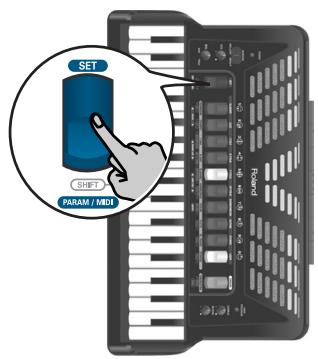
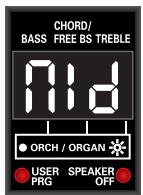
- Use treble register [5] or [6] (MIDI LIST) to select the desired parameter.
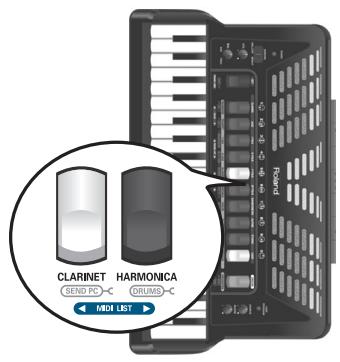
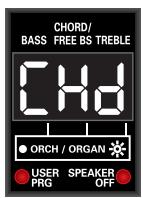
(Here, we selected the "Chord TX/RX Channel" parameter.)
NOTE
Pressing registers [5] and [6] (MIDI LIST) simultaneously will select the first parameter, "Mld".
- Use register [1] (VALUE) or [2] (VALUE ) to set the desired MIDI channel.
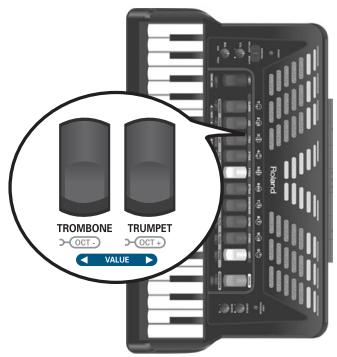
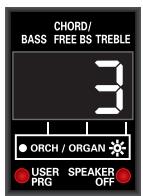
To return to the last setting you saved for this parameter, press registers [1] and [2] simultaneously.
- If you need to change another MIDI LIST parameter, repeat steps 2 and 3.
- If you want to use this change only temporarily, press the [SET] register to leave this mode.
Otherwise, proceed to save your changes:
Saving your changes
- Press and hold the [SET] register until the display looks as follows:
- Press register [2] (VALUE ) to save your settings.
The display now looks as follows:
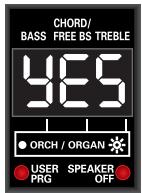
If you don't want to save your changes, press [1] (VALUE). The display briefly shows the "no" message.
- Press register [7] (ENTER) to confirm your intention.
The settings are stored internally and the display briefly shows the "y.E.S." message (the three dots flash), then "don" when the settings are stored. Next, the display returns to the master page.
MIDI LIST parameters
MIDI Out/In
This parameter allows you to define the function of the FR-3x's MIDI OUT/IN socket.
| Value | Out, In |
| Default setting: Out |
Out
Select this setting if you want to play on the FR-3x's keyboards and transmit the MIDI data generated by your playing to an external device.
In
Select this setting if you want to receive MIDI data generated by an external device.
If you select "In" here, the FR-3x's sound source can no longer be played via its keyboards. The display therefore shows "----" instead of a set number or register numbers.
NOTE
See "Connecting an external MIDI device to the FR-3x" on p. 56 for the required connection.
Treble TX/RX channel
This parameter allows you to define the MIDI channel for the Treble (accordion) section. The assignment set here applies
both to the transmission ("TX") and reception ("RX") of MIDI data.
| Value | 1~16, OFF |
| Default setting: 1 |
MIDI data are only transmitted when "Mld" (see above) is set to "Out", while the "RX" part is only used when "Mld" is set to "In".
1~16
Specifies the treble accordion's MIDI channel.
OFF
Select "OFF" if the treble section should neither receive nor transmit MIDI data.
NOTE
Though it is perfectly possible to assign the same MIDI channel to several sections, the result is usually disappointing and may lead to a lot of confusion.
Treble Octave Tx
This parameter allows you to transpose the Note-on messages transmitted by the treble section up to three octaves up or down.
| Value | -3~0~3 |
| Default setting: 0 |
This can be used for songs where an accordion register of the Treble section (for example) should be doubled by a piccolo flute played by an external module whose notes would be far too low if they were used as is. As stated above, each MIDI note has a unique number. This parameter allows you to add (or subtract) 12 ("1" octave), 24 ("2" octaves) or 36 ("3" octaves) to (from) the note numbers generated by your playing.
Bass/Free Bass TX/RX Channel
This parameter allows you to define the MIDI channel for the bass buttons or Free Bass (accordion) part, depending on which mode is currently active.
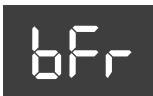
| Value | 1~16, OFF |
| Default setting: 2 |
The assignment set here applies both to the transmission ("TX") and reception ("RX") of MIDI data.
1\~16
Specifies the bass or Free Bass accordion's MIDI channel.
OFF
Select this setting if the bass or Free Bass section should neither receive nor transmit MIDI data.
Bass/Free Bass Octave TX
This parameter allows you to transpose the Note-on messages transmitted by the bass buttons or Free Bass section up to three octaves up or down.
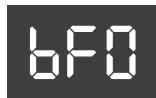
| Value | -3~0~3 |
| Default setting: 0 |
Chord TX/RX Channel
This parameter allows you to define the MIDI channel for the chord buttons when they are used to play the selected accordion register.
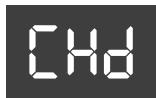
| Value | 1~16, OFF |
| Default setting: 3 |
1~16
Specifies the chord part's MIDI channel.
OFF
Select this setting if the chord part should neither receive nor transmit MIDI data.
Chord Octave TX
This parameter allows you to transpose the Note-on messages transmitted by the chord buttons up to three octaves up or down.
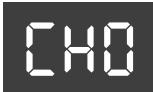
| Value | -3~0~3 |
| Default setting: 0 |
Orchestra/Organ TX/RX Channel
This parameter allows you to set the MIDI channel for the orchestral/organ part.
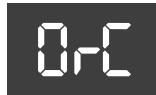
| Value | 1~16, OFF |
| Default setting: 4 |
1~16
Specifies the orchestral/organ part's MIDI channel.
OFF
Select this setting if the treble orchestral/organ part should neither receive nor transmit MIDI data.
Orchestra/Organ Octave TX
This parameter allows you to transpose the Note-on messages transmitted by the Orchestra section.
0-0
| Value | -3~0~3 |
| Default setting: 0 |
Orchestra Bass TX/RX Channel
This parameter allows you to define the MIDI channel for the ORCH BASS part.
065
| Value | 1~16, OFF |
| Default setting: 5 |
1~16
Specifies the orchestral bass part's MIDI channel.
OFF
Select this setting if the orchestral bass part should neither receive nor transmit MIDI data.
Orchestra Bass Octave TX
This parameter allows you to transpose the Note-on messages transmitted by the orchestral bass part.
060
| Value | -3~0~3 |
| Default setting: 0 |
Orchestra Chord TX/RX Channel
This parameter allows you to define the MIDI channel for the orchestral chord part.
0EH
| Value | 1~16, OFF |
| Default setting: 6 |
1~16
Specifies the orchestral chord part's MIDI channel.
OFF
Select this setting if the orchestral chord part should neither receive nor transmit MIDI data.
Orchestra Chord Octave TX
This parameter allows you to transpose the Note-on messages transmitted by the orchestral chord part.
000
| Value | -3~0~3 |
| Default setting: 0 |
Orchestra Free Bass TX/RX Channel
This parameter allows you to define the MIDI channel for the orchestral Free Bass part.
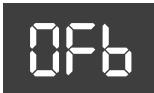
| Value | 1~16, OFF |
| Default setting: 7 |
1~16
Specifies the orchestral Free Bass part's MIDI channel.
OFF
Select this setting if the orchestral Free Bass part should neither receive nor transmit MIDI data.
Orchestra Free Bass Octave TX
This parameter allows you to transpose the Note-on messages transmitted by the orchestral Free Bass part.
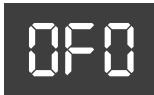
| Value | -3~0~3 |
| Default setting: 0 |
Basic Channel TX/RX
This parameter allows you to set the basic MIDI channel.
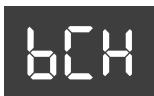
The "Basic Channel" can be used for selecting Sets from an external MIDI device (using program change numbers). Please see "MIDI implementation" on p. 71 for the program change numbers of the Sets.
| Value | 1~16, OFF |
| Default setting: 13 |
The assignment set here applies both to the transmission ("TX") and reception ("RX") of MIDI data.
1~16
Specifies the Basic Channel number.
OFF
Select this setting if no MIDI data should be transmitted/received on the Basic Channel.
Control Channel TX
The "Control Channel" is used for sending program change messages (see p. 62). This parameter allows you to set the control MIDI channel number.
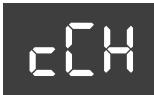
| Value | 1~16, OFF |
| Default setting: 13 |
The assignment set here applies both to the transmission ("TX") and reception ("RX") of MIDI data.
1~16
Specifies the Control Channel number.
OFF
Select this setting if no MIDI data should be transmitted/received on the Control Channel.
Program Change TX
The FR-3x transmits program changes when you select Sets (on the Basic Channel) and registers (on the MIDI
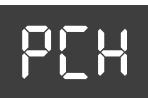
channel assigned to the section for which you are selecting a different register).
This is the first of a series of MIDI filters, i.e. parameters that allow you to specify whether or not the given MIDI type should be transmitted.
| Value | OFF, On |
| Default setting: On |
OFF
Select this setting if you don't want the FR-3x to transmit program change messages.
On
Select this setting if the FR-3x should transmit program change messages.
NOTE
This filter has no effect on the "Send PC" function (see p. 62).
Bellows Expression TX Filters
You probably noticed that the strength/speed with which the bellows is pressed or pulled influences the sound – which corresponds to an acoustic accordion's response. This effect can be translated into a MIDI message most external instruments understand.
The MIDI standard provides a message ("control change") for remotely controlling the volume of an external instrument: CC11. It is chiefly used for expression purposes (similar to the way in which a guitarist or organ player uses a volume pedal).
The FR-3x can filter expression messages for the following sections:
Bellows Expression TX ALL
Filters (suppresses) expression messages for all channels.
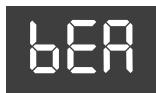
Bellows Expression TX TREBLE
Filters (suppresses) expression messages for the treble accordion channel.
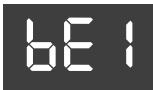
Bellows Expression TX BASS/ CHORD/FREE BASS
Filters (suppresses) expression messages for the bass/chord/Free Bass accordion channel.
Bellows Expression TX ORCHESTRA/ORGAN
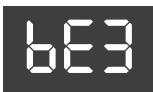
Filters (suppresses) expression messages for the treble orchestra/organ channel.
Bellows Expression TX ORCHESTRA BASS
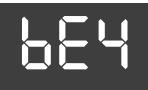
Filters (suppresses) expression messages for the orchestral bass channel.
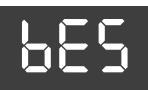
Bellows Expression TX ORCHESTRA CHORD
Filters (suppresses) expression messages for the orchestral chord channel.
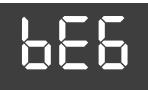
Bellows Expression TX ORCHESTRA FREE BASS
Filters (suppresses) expression messages for the orchestral Free Bass channel.
| Value | OFF, On |
| Default setting: OFF |
OFF
Select this setting if you don't want the selected section to transmit expression messages.
■ On
Select this setting if the selected section should transmit expression messages.
Velocity TX
Your FR-3x is velocity sensitive. That is a very learned term for the fact that the volume and brightness of the notes you
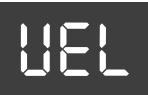
play on the treble or bass keyboard depend on how hard (or fast) you press the buttons. Velocity information is transmitted via MIDI.
This parameter allows you to specify whether you want to transmit fixed or dynamic velocity values (i.e. the values translating how hard/fast you press a key or button).
| Value | On, 1~127 |
| Default setting: On |
■ On
Select this setting if you want to transmit MIDI velocity values proportional to the key pressure.
1~127
Specifies the fixed velocity value to be transmitted for all notes.
NOTE
Fixed velocity values can be useful for playing organ sounds on an external module.
Bellows TX Resolution
This parameter allows you to specify how many data the FR-3x's bellows may transmit for expression purposes.
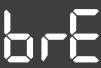
| Value | 1~4 |
| Default setting: 2 |
1: Represents the lowest (coarsest) bellows resolution.
2: Represents the normal bellows resolution.
3: Represents a high bellows resolution.
4: Represents the highest bellows resolution (double-byte resolution).
NOTE
If the external sequencer you work with displays a "MIDI buffer overflow" message, select a lower resolution. If your sequencer accepts the complete data amount, use the "4" setting, because it will lead to even more nuances being captured.
Sending program change messages to external devices
Though each register or Set can transmit a program change/bank select cluster when pressed, you can also transmit sound select messages on the fly - without changing registers on the FR-3x. These are MIDI messages that cause an external instrument or device to select a different memory (i.e. another sound or effect). This functionality is mainly intended for selecting setting groups of various sounds on external instruments. Such setting groups may be called "Performances" or "Multis", which you may want to select while playing, because using those multitimbral memories has the advantage that all sound addresses and MIDI channels are configured "automatically" simply by sending the correct "PC" address from the FR-3x.
The "sound select" messages mentioned above are:
■ Program Change messages (PC)
Program change messages allow you to select up to 128 memories on a remote MIDI device.
Bank Select messages (CC00 and CC32)
Bank select messages are used to select sound banks (if the receiving instrument contains several banks).
The FR-3x allows you to specify up to four bank select message pairs (CC00 and CC32) that can be transmitted by entering just one number.
The "bPc", "C00" and "C32" parameters are used to prepare 4 memory banks (i.e. CC00 and CC32 pairs).
| Memory | bPC | C00/C32 |
| Memory 1 | 1 | Value 0~127 for CC00 |
| Value 0~127 for CC32 |
| Memory | bPC | C00/C32 |
| Memory 2 | 2 | Value 0~127 for CC00 |
| Value 0~127 for CC32 | ||
| Memory 3 | 3 | Value 0~127 for CC00 |
| Value 0~127 for CC32 | ||
| Memory 3 | 4 | Value 0~127 for CC00 |
| Value 0~127 for CC32 |
Parameters to set before transmitting a program change message to an external device Memory bank selection
As stated above, this parameter allows you to specify which memory (1~4) you wish to edit.
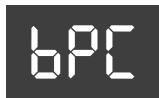
| Value | 1~4 |
| Default setting: 1 |
Edit CC00
This parameter allows you to specify the LSB bank address for the selected memory (bPC).
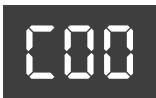
| Value | 0~127 |
| Default setting: 0 |
NOTE
Be sure to choose the desired "bPC" memory (1~4) before editing this parameter.
Edit CC32
This parameter allows you to specify the MSB bank address for the selected memory (bPC).
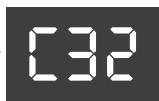
| Value | 0~127 |
| Default setting: 0 |
NOTE
Be sure to choose the desired "bPC" memory (1~4) before editing this parameter.
Transmitting a program change message to an external device
To transmit a program change message to an external MIDI device, proceed as follows:
-
Connect the FR-3x's MIDI socket to the MIDI IN port of the module, synthesizer, etc., you wish to control.
-
Set the "Mld" parameter (page 58) to "Out".

"Out" is the default setting for "Mld".
- Set the MIDI receive channel on the external device to "13".
See its manual for details. If you are unable to change the receiver's MIDI channel, set the FR-3x's control channel to match the external instrument's "RX" channel. See "Control Channel TX" on p. 60.
- Press and hold the [ORGAN/ORCHESTRA] register and press register [5] (SEND PC).
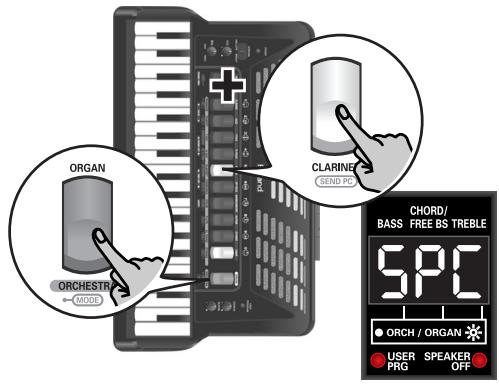
Note: The FR-3x uses a smart entry system: after entering "52" (or "53", "54", "55",... "59"), you can't add a third figure, because the highest number supported by the SEND PC function is "512".
-
Press the [ORGAN/ORCHESTRA] register to transmit the CC00, CC32 and PC messages.
-
Use treble registers [1]~[0] to enter the "SPC" number.
You may have to look in the owner's manual of the module or synthesizer you are controlling to find out which number you need to transmit for the sound (or memory) you want to select. You can enter any number from "1" to "512".
See the following table for how to enter numbers.
| SPC number | CC00/CC32 values to transmit | Transmitted PC numbers |
| 1~128 | Memory 1 | 1~128 |
| 129~256 | Memory 2 | 1~128 |
| 257~384 | Memory 3 | 1~128 |
| 385~512 | Memory 4 | 1~128 |
If you enter a number between "129" and "256", the FR-3x transmits the CC00 and CC32 value programmed for memory 2. The program changes number, on the other hand will always be a number between "1" and "128".
Example: if you enter "130" for the "SPC" parameter, the FR-3x enters program change number "2" (see the table above).
NOTE
The [0] register acts as "0" here. To enter "502", for example, press registers [5], [0], and [2].
- If necessary, press the [SET] register to erase the last entry you made.
If you entered "55", for example, while the second figure should have been a "2", press [SET] once (so that the display indicates "--5" again), then press register [2] ("-52").
15. Restoring the factory defaults
You can reset the FR-3x to its factory settings, which means that your own Global settings are replaced by the settings the FR-3x contained when you first got it. You may wish to archive your settings before initializing the FR-3x (see "Saving User Program memories to USB memory (optional)" on p. 40).
1. Switch on the FR-3x while holding down the treble registers [5] and [0].
![ROLAND FR-3XB WH - Switch on the FR-3x while holding down the treble registers [5] and [0]. - 1](/content/2025/01/131051/images/b3db5b26fc07f2bc3fc9f193caa579acd198d29940e5e5698080f26b5b5c56ae.jpg)
The display changes to:
![ROLAND FR-3XB WH - Switch on the FR-3x while holding down the treble registers [5] and [0]. - 2](/content/2025/01/131051/images/95c94dba3d8fb4273b286ec83b89fe5b1024b90da4080aa6f0b190254044a1c7.jpg)
When all settings have been initialized, the display briefly shows the following message:
![ROLAND FR-3XB WH - Switch on the FR-3x while holding down the treble registers [5] and [0]. - 3](/content/2025/01/131051/images/c6eafe728e3c0c6a72579eed2a1bd4dd446da7efd5fa6c501e1f5f703f9b0f51.jpg)
2. Switch off the FR-3x, then switch it back on again.
The FR-3x now again sounds and behaves like when you first bought it.
16. Troubleshooting
This section provides an overview of points to check and actions to take when the FR-3x does not function as you expect.
Feel free to contact your Roland dealer if your issue remains unsolved after reading through this section.
No sound
■ Did you turn the [VOL] knob all the way to the small dot?
Set it to a higher value.
Did you turn the [BAL] knob all the way to one side?
Change its setting and try again.
Are you moving the bellows while triggering accordion sounds?
The Treble and Bass/Free Bass sections only produce sound if you move the bellows while playing notes (like on an acoustic accordion).
No sound is heard when an external amplifier is connected
■ Did you switch on the connected amplifier?
Please check this.
Did you connect the audio cables to the correct sockets?
If so, check the cables for possible damage.
No sound when you play on the treble keyboard
You may have muted the Treble section. See "Switching off the treble section" on p. 27 for how to activate it again.
No sound when you play on the bass keyboard
You may have muted the Bass/Chord section. See "Switching off the Bass and/or Chord section" on p. 31 for how to activate it again.
No sound and the display shows ---
■ Did you set the "Mld" parameter to "In"?
In that case, the FR-3x only responds to MIDI messages. Set the parameter to "Out" (page 58).
No power
■ Did you disconnect the adapter?
Connect the supplied adapter, or install optional batteries.
■ Did the FR-3x go off after several seconds?
The "Auto Power Off" function may be active. Set it to "Off" (page 55).
The FR-3x does not respond to your playing
■ Did you set the "Mld" parameter to "In"?
In that case, the FR-3x only responds to MIDI messages. Set the parameter to "Out" (page 58).
Are you moving the bellows while triggering accordion sounds?
The Treble and Bass/Free Bass sections only produce sound if you move the bellows while playing notes (like on an acoustic accordion).
Issues related to the bass buttons
Why do the bass buttons only provide three chord rows?
Because you set the "Bass & Chord Mode" parameter to "2", "3", "4" or "5" (page 53). Set it to "1".
Why can't I play diminished chords using the bass buttons?
Because you set the "Bass & Chord Mode" parameter to "2", "3", "4" or "5" (page 53). Set it to "1".
In Free Bass mode, the bass buttons play the wrong notes.
You my have changed the "Free Bass Mode" setting. Be sure to select the system that best suits your playing style (page 51).
MIDI-related issues
■ What MIDI channels does the FR-3x use by default?
See the table on page 56.
The FR-3x does not change sounds when my sequencer transmits program change numbers.
The program change number probably outside the range of the FR-3x's registers (see "Program change messages" on p. 71). Such "excess" program numbers are ignored by the FR-3x.
The FR-3x does not receive the MIDI messages I recorded for it.
That's because the "Mld" parameter is currently set to "Out". Set it to "In" (page 58).
The external sequencer keeps displaying a "MIDI Buffer Overflow" message
The bellows sends too many data at once (its data are transmitted on five channels simultaneously). Select a different setting ("2" or "1"). This leads to a coarser resolution, and maybe to audible steps, but at least, your sequencer will be able to record the data. See "Bellows TX Resolution" on p. 62.
Other issues
■Can't read the/write to USB memory
Are you using a USB memory made by another manufacturer than Roland?
17. Error messages
The FR-3x may display one of the following messages to signal that it has detected an error. In that case, please read the following and take the appropriate action.
| Message | Meaning | Action |
| E01 | The FR-3x already contains these sounds | The sound set you wanted to load already resides in the FR-3x's internal memory. See "Loading new sounds from a USB memory (optional)" on p. 41. |
| E02 | Missing sound | The User Set (1~4) you recalled requires a sound that the FR-3x no longer contains. |
| E03 | File format error | The file you want to load appears to be corrupt. |
| E04 | USB read/write error | 1) You removed the USB memory while the FR-3x was accessing it. Connect it to the FR-3x's USB port. 2) The USB memory you connected is not properly formatted or not compatible. 3) The data could not be written to the USB memory or the file you selected cannot be read. |
| E05 | Write protected | The USB memory you connected is write protected. See the manual hat came with the storage device for how to disable its protection. |
| E06 | Invalid mp3 or WAV file | The FR-3x doesn't recognize the selected audio file. See "About audio files" on p. 10 for the supported file types. |
| E07 | Internal error | The last operation failed. Please perform it again. If the error persists, please contact your Roland dealer or Roland distrib-utor (see "Information" on page 74). |
18. Specifications
Keyboards
| Piano-type | Right hand: 37 keys, velocity sensitive Left hand: 120 velocity-sensitive bass buttons Modes: Standard, Free Bass, Orch.Bass, Orch.Chord, Orch. Free Bass |
| Button-type | Right hand: 92 buttons, velocity sensitive Treble modes: C Griff Europe, C Griff 2, B Griff Bajan, B Griff Fin, D Griff 1, D Griff 2 Left hand: 120 velocity-sensitive bass buttons Modes: Standard, Free Bass, Orch.Bass, Orch.Chord, Orch. Free Bass |
Bellows
New sensor for the detection of bellows pressure (high-resolution pressure sensor)
Bellows resistance regulator: wheel with fine adjustment
Sound source
Max polyphony: 128 voices
Wave ROM: 64MB of waveforms (8+8MB expansion sounds)
Tones: 21 accordion Sets + 4 User Sets, each including:
14 treble registers, 7 bass registers, 7 free bass registers, 7 Orchestra Bass registers, 7 Orchestra Chord registers, 7
Orchestra Free Bass registers, 10 orchestral sounds, 10 organ sounds
Treble reed footages: 4
Bass reed footages: 5
Chord reed footages: 3
Free Bass footages: 2
PBM (Physical Behavior Modeling)
Noises: stopping-reed growl, closing valve noise, left button noise
Individual reed simulation.
Reed sound wave switching: by bellows acceleration, by note repetition speed
■ Musette tuning
Micro tuning presets: 16 (Off, Dry, Classic, F-Folk, American L/H, North Europe, German L/H, D-Folk L/H, Alpine, Italian L/H, French, Scottish)
Effects
Reverb: 8 types, Chorus: 8 types,
Rotary (Slow/Fast) for organ sounds,
Sordina Mellow/Bright
Panel controls
Knobs: VOL, Treble/Bass BAL, Reverb, Chorus
Panel Switches: 10 Treble registers + ORGAN/ORCHESTRA
register, SET register, 7 bass registers, USER PROGRAM button, SORDINA switch, POWER switch
Audio player
Plays back mp3 and WAV files on a USB memory
| WAV files | 16-bit linear Sampling frequency: 44.1kHz Stereo/mono |
| mp3 files | MPEG-1 Audio Layer 3 Sampling frequency: 44.1kHz Bit rate: 32/40/48/56/64/80/96/112/128/160/192/224/256/320kbps, VBR (variable bit rate) |
Operation modes
ORCHESTRA/ORGAN modes: Solo, Dual, High, Low
Bass & Chord modes: 2 Bass Rows, 3 Bass Rows A-7th,
3 Bass Rows A-5dim, 3 Bass Rows B-7th, 3 Bass Rows B-5dim, 3 Bass Rows Bx-7th
Free Bass modes: Minor 3rd, Bajan, Fifth, N. Europe, Finnish
Bass-to-Treble mode: On/off
Bass & Chord with drum/percussion sounds: On/off
Octave: Down, 0, Up (for Treble and Organ/Orchestra)
10 User Program memories
Display
LED, 3 x 7 segments
Rated power output
2×11W RMS
■ Speakers
2 × 10cm speakers (neodymium transducer magnets)
Power supply
AC adaptor (PSB-7U)
Batteries (AA-type rechargeable Ni-MH x 10)
Current draw
3000mA
Expected battery life under continuous use (using Ni-MH 2000mAh batteries):
Speakers on
5* hours
Speakers off
9* hours
- Actual battery life varies according to usage conditions, the quality of the batteries and the number of charging cycles.
Be sure to only rechargeable Ni-MH batteries.
Connectors
OUTPUT sockets (L/Mono, R/Mono), PHONES socket
USB memory port
MIDI OUT/IN socket (function adjustable via MIDI parameter)
DC IN socket: for supplied Roland PSB-7U AC adaptor
Dimensions
FR-3x piano type: 430 (H) x 481 (W) x 270 (D) mm
16-15/16 (H) x 18-15/16 (W) x 10-11/16 (D) inches
FR-3x button type: 390 (H) x 470 (W) x 240 (D) mm
15-3/8 (H) x 18-9/16 (W) x 9-1/2 (D) inches
Weight
FR-3x piano type: 8.3kg, 18 lbs 5 oz
FR-3x button type: 8.0kg, 17 lbs 11 oz
Supplied accessories
PSB-7U AC adaptor
Owner's Manual
Reference caps for the bass buttons
Reference caps for the treble buttons (only for FR-3x
button type)
Accordion cloth
Straps
Battery holder (pre-installed in compartment)
■ Options
Accordion soft bag
NOTE
In the interest of product improvement, the specifications and/or appearance of this unit are subject to change without prior notice.
19. Appendix
Factory Sets
| Treble register | ||||
| 1 | 2 | 3 | 4 | 5 |
| CLASSIC | JAZZ | I FOLK | D FOLK | F FOLK |
| 11 Concerto | 21 Jazz | 31 I Folk | 41 D Folk | 51 F Folk |
| 12 Classic | 22 Folk Jazz | 32 Ciao Roma | 52 Old Paris | |
| 13 Studio | 33 Ballroom | |||
| 14 Classic 3 | ||||
| Treble register | ||||
| 6 | 7 | 8 | 9 | 0 |
| SP FOLK | BANDONEON | ALPINE | ETHNIC | USER |
| 61 SP Folk | 71 Bandoneon | 81 Alpine | 91 Diatonic Folk | U1 User 1 |
| 92 Scottish | U2 User 2 | |||
| 93 Irish | U3 User 3 | |||
| 94 Celtic | U4 User 4 | |||
| 95 Cajun | ||||
| 96 Tex Mex | ||||
Demo Songs
| # | SONG TITLE* | PERFORMED BY |
| 1 | By The Roundabout by L. Beier | Ludovic Beier |
| 2 | Walking In Old Paris by S. Scappini | Sergio Scappini |
| 3 | Carnival in Venice - Traditional | Sergio Scappini |
| 4 | Passionate Red Rose by S. Scappini | Sergio Scappini |
| 5 | Starry Night by L. Beier | Ludovic Beier |
| 6 | Funky Night by L. Beier | Ludovic Beier |
| 7 | Mad Mouse by L. Beier | Ludovic Beier |
| 8 | Bezaubernder Sinaklia by S. Scappini | Sergio Scappini |
| 9 | O Sole Mio - Traditional | Sergio Scappini |
| 10 | Sonata in C Maj by D. Scarlatti | Sergio Scappini |
| 11 | Edelweiss by S. Scappini | Sergio Scappini |
| 12 | Mexican Hat Dance - Traditional | Luigi Bruti |
| 13 | Smells from Toccata by J. S. Bach | Sergio Scappini |
| 14 | Capriccio 13 by N. Paganini | Sergio Scappini |
| 15 | Salvador by L. Bruti | Luigi Bruti |
| 16 | Scattered Jazz by S. Scappini | Sergio Scappini |
| 17 | Figaro by G. Rossini | Sergio Scappini |
| 18 | RÈve d'amour by L. Bruti | Luigi Bruti |
| 19 | Sugar cane by L. Bruti | Luigi Bruti |
| 20 | To my beloved teacher by S. Scappini | Sergio Scappini |
| 21 | Dancing in the courtyard by L. Beier | Ludovic Beier |
| 22 | Sotto I ponti della Senna | Ludovic Beier |
| 23 | Sunny Grasslands by L. Beier | Ludovic Beier |
| 24 | Swing Hanging Around by L. Beier | Ludovic Beier |
| 25 | Lights And Shadows Of The Moon by L. Beier | Ludovic Beier |
| 26 | Acrobat by L. Beier | Ludovic Beier |
| 27 | Islands by L. Beier | Ludovic Beier |
| 28 | Fence Jumper by L. Beier | Ludovic Beier |
| 29 | Passion In The Atmosphere by L. Beier | Ludovic Beier |
| 30 | 9th Bossa by Y. Sato | Yoshiaki Sato |
| 31 | Song From Far East by Y. Sato | Yoshiaki Sato |
| 32 | Zak-Zak by Y. Sato | Yoshiaki Sato |
| 33 | O&B 4-Beat by Y. Sato | Yoshiaki Sato |
[*] Copyright ©2010 Roland Europe Spa. All rights reserved.
Unauthorized use of the demo songs for purposes other than private enjoyment is a violation of applicable laws.
Note: The performance data of the demo songs are not transmitted to the MIDI socket.
Ways in which the FR-3x displays alphabetic characters of file names
| Character | A | B | C | D | E | F | G | H | I | J | K | L | M |
| Display | R | b | c | d | E | F | G | h | , | J | E | L | n |
| Character | N | O | P | Q | R | S | T | U | V | W | X | Y | Z |
| Display | n | o | P | q | r | s | t | u | u | 8 | H | y | 2 |
MIDI implementation
1. Received data
■ Channel Voice Messages
Note off
Status 2nd byte
8nH
3rd byte
wH
n = MIDI channel number:
0H~FH (Ch.1~16)
kk = note number:
00H~7FH (0~127)
n = MIDI channel number:
0H~FH (Ch.1~16)
kk = note number:
00H~7FH (0~127)
vv = note on velocity:
01H~7FH (1~127)
Control Change
- The value specified by a Control Change message is not reset by a Program Change, etc.
Bank Select (Controller number 0,32)
Status 2nd byte
3rd byte
BnH
mmH
BnH
IH
n = MIDI channel number:
OH\~FH (Ch.1\~16)
mm = Bank number MSB:
00H~7FH
= Bank number LSB:
00H~7FH
- Only for Free Bass.
Expression (Controller number 11)
Status
2nd byte
3rd byte
BnH
wH
n = MIDl channel number:
0H~FH (Ch.1~16)
vv = Expression:
00H~7FH (0~127)
- This adjusts the volume of a Part. It can be used independently from Volume (CC07) messages. Expression messages are used for musical expression within a performance, e.g., expression pedal movements, crescendo and decrescendo.
Program Change
Status
2nd byte
CnH
n = MIDI channel number:
0H~FH (Ch.1~16)
pp = Program number:
See "3. Program change messages".
For the Sets, see "SET RX" on p. 72
System Realtime Messages
Active Sensing
Status
FEH
- When Active Sensing is received, the FR-3x starts monitoring the intervals of all further messages. While monitoring, if the interval between messages exceeds 420 ms, the same processing will be carried out as when All Sounds Off, All Notes Off and Reset All Controllers are received, and message interval monitoring will be halted.
2. Transmitted data
Channel Voice Messages
Note off
Status
2nd byte
3rd byte
8nH
wH
n = MIDL channel number:
0H~FH (Ch.1~16)
kk = note number
00H~7FH (0~127)
w = note off velocity:
00H~7FH (0~127)
Note on
Status
2nd byte
3rd byte
9nH
wH
n = MIDL channel number:
0H~FH (Ch.1~16)
kk = note number
00H~7FH (0~127)
w = note on velocity:
01H~7FH (1~127)
Conti
Bank Select (Controller number 0, 32)
Status
2nd byte
3rd byte
BnH
mmH
BnH
IHH
n = MIDL channel number:
0H~FH (Ch.1~16)
mm = Bank number MSB:
00H~7FH
II = Bank number LSB:
00H~7FH
Mdulation number (Controller number 01)
Status
2nd byte
3rd byte
BnH
01H
wH
n = MIDI channel number:
0H~FH (Ch.1~16)
vv = Modulation depth:
00H~7FH (0~127)
Expression (Controller number 11)
Status
2nd byte
3rd byte
BnH
OBH
wH
n = MIDl channel number:
0H~FH (Ch.1~16)
vv = Expression:
00H~7FH (0~127)
- This adjusts the volume of a Part. Expression messages are used for musical expression within a performance, e.g., expression pedal movements, crescendo and decrescendo.
Program Change
Status
2nd byte
CnH
ppH
n = MIDI channel number:
OH~FH (Ch.1~16)
pp = Program number:
00H~7FH: program no. 1~128
Pitch Bend Change
Status
2nd byte
3rd byte
EnH
H
mmH
n = MIDI channel number:
0H~FH (Ch.1~16)
mm, II= Pitch Bend value
00 00H~40 00H~7F 7FH (-8192 0 +8191)
System Realtime Messages
Active Sensing
Status
out every 250ms.
Start
Status
It transmitted when the [METRONOME] switch is assigning the "2" option to the "MFN" parameter.
Stop
Status
This message is transmitted when the METRONOME switch is pressed after assigning the "2" option to the "MFn" parameter.
3. Program change messages
| CC00 | CC32 | Program Change | Register | Name |
| TREBLE REGISTER TX/RX | ||||
| 0 | 0 | 1 | 1 | Bassoon |
| 0 | 0 | 2 | 2a | Bandon |
| 0 | 0 | 3 | 2b | Cello |
| 0 | 0 | 4 | 3 | Harmon |
| 0 | 0 | 5 | 4 | Organ |
| 0 | 0 | 6 | 5a | Accord |
| 0 | 0 | 8 | 5b | Master |
| 0 | 0 | 11 | 6a | Tremolo |
| 0 | 0 | 9 | 6b | Musette |
| 0 | 0 | 7 | 7 | Violin |
| 0 | 0 | 13 | 8 | Oboe |
| 0 | 0 | 12 | 9a | Clarinet |
| 0 | 0 | 10 | 9b | Celeste |
| 0 | 0 | 14 | 0 | Piccolo |
| ORCHESTRA (Treble) TX/RX | ||||
| 0 | 0 | 1 | 1 | Trombone |
| 0 | 0 | 2 | 2 | Trumpet |
| 0 | 0 | 3 | 3 | T Sax |
| 0 | 0 | 4 | 4 | A Sax |
| 0 | 0 | 5 | 5 | Clarinet |
| 0 | 0 | 7 | 6 | Harmonica |
| 0 | 0 | 9 | 7 | Violin |
| 0 | 0 | 11 | 8 | Flute |
| 0 | 0 | 26 | 9 | El. Piano |
| 0 | 0 | 20 | 0 | Strings |
| ORGAN (Treble) TX/RX (without rotary effect) | ||||
| 0 | 0 | 27 | 1 | Perc Jazz |
| 0 | 0 | 28 | 2 | Jazz Ballad |
| 0 | 0 | 29 | 3 | Distort Organ |
| 0 | 0 | 30 | 4 | Full Organ |
| 0 | 0 | 31 | 5 | Overdr Organ |
| 0 | 0 | 32 | 6 | Popular Organ |
| 0 | 0 | 33 | 7 | Ligh Jazz |
| 0 | 0 | 34 | 8 | Bossa |
| 0 | 0 | 35 | 9 | Latin |
| 0 | 0 | 36 | 0 | Light Latin |
| ORGAN (Treble) TX/RX (with rotary effect) | ||||
| 0 | 0 | 37 | 1 | Perc Jazz |
| 0 | 0 | 38 | 2 | Jazz Ballad |
| 0 | 0 | 39 | 3 | Distort Organ |
| 0 | 0 | 40 | 4 | Full Organ |
| 0 | 0 | 41 | 5 | Overdr Organ |
| 0 | 0 | 42 | 6 | Popular Organ |
| 0 | 0 | 43 | 7 | Light Jazz |
| 0 | 0 | 44 | 8 | Bossa |
| 0 | 0 | 45 | 9 | Latin |
| 0 | 0 | 46 | 0 | Light Latin |
| BASS REGISTER TX/RX | ||||
| 0 | 0 | 1 | 1 | 2' |
| 0 | 0 | 2 | 2 | 4' |
| 0 | 0 | 3 | 3 | 8-4' |
| 0 | 0 | 4 | 4 | 16'/8'/8-4'/4'/2' |
| 0 | 0 | 5 | 5 | 8'/4'/2' |
| 0 | 0 | 6 | 6 | 16'/8'/8-4' |
| 0 | 0 | 7 | 7 | 16'/2' |
| FREE BASS REGISTER TX/RX | ||||
| 0 | 1 | 1 | 1 | Low |
| 0 | 1 | 2 | 2 | High |
| 0 | 1 | 3 | 3 | Low + High |
| 0 | 1 | 4 | 4 | Low +High Low |
| 0 | 1 | 5 | 5 | Low Low + High |
| 0 | 1 | 6 | 6 | High Low + High |
| 0 | 1 | 7 | 7 | Low High |
| ORCHESTRA BASS TX/RX | ||||
| 0 | 0 | 1 | 1 | Acoustic |
| 0 | 0 | 2 | 2 | Bowed |
| 0 | 0 | 3 | 3 | Fingered |
| 0 | 0 | 4 | 4 | Fretless |
| 0 | 0 | 5 | 5 | Picked |
| 0 | 0 | 6 | 6 | Tuba |
| 0 | 0 | 7 | 7 | Tuba Mix |
| ORCHESTRA CHORD TX/RX | ||||
| 0 | 0 | 1 | 1 | Trombone |
| 0 | 0 | 2 | 2 | Alto Sax |
| 0 | 0 | 3 | 3 | Clarinet |
| 0 | 0 | 4 | 4 | Jazz Organ |
| 0 | 0 | 5 | 5 | Jazz Doos |
| 0 | 0 | 6 | 6 | Ac. Guitar |
| 0 | 0 | 7 | 7 | Ac. Piano |
| SET RX | ||||
| 1 CLASSIC | ||||
| 0 | 0 | 1 | Concerto | |
| 0 | 0 | 2 | Classic | |
| 0 | 0 | 16 | Studio | |
| 0 | 0 | 34 | Classic 3 | |
| 2 JAZZ | ||||
| 0 | 0 | 3 | Jazz | |
| 0 | 0 | 33 | Folk Jazz | |
| 3 I FOLK | ||||
| 0 | 0 | 4 | "I" Folk | |
| 0 | 0 | 14 | Ciao Roma | |
| 0 | 0 | 8 | Ballroom | |
| 4 D FOLK | ||||
| 0 | 0 | 5 | "D" Folk | |
| 5 F FOLK | ||||
| 0 | 0 | 6 | "F" Folk | |
| 0 | 0 | 13 | Old Paris | |
| 6 SP FOLK | ||||
| 0 | 0 | 7 | "SP" Folk | |
| 7 BANDONEON | ||||
| 0 | 0 | 9 | Bandoneon | |
| 8 ALPINE | ||||
| 0 | 0 | 10 | Alpine | |
| 9 ETHNIC | |||
| 0 | 0 | 15 | Diatonic Folk |
| 0 | 0 | 21 | Scottish |
| 0 | 0 | 22 | Irish |
| 0 | 0 | 23 | Celtic |
| 0 | 0 | 11 | Cajun |
| 0 | 0 | 12 | Tex Mex |
| 0 USER | |||
| 0 | 0 | 77 | User 1 |
| 0 | 0 | 78 | User 2 |
| 0 | 0 | 79 | User 3 |
| 0 | 0 | 80 | User 4 |
MIDI Implementation Chart
[V-Accordion]
Model: FR-3x
Date: January 2010
Version: 1.00
| Function... | Transmitted | Recognized | Remarks | |
| Basic Channel | Default Changed | 1~16 1~16, Off | 1~16 1~16, Off | 7 Parts: 1=Treble, 2=Bass/Free Bass, 3=Chord, 4=Orchestra, 5=Orchestra Bass, 6=Orchestra Chord, 7=Orchestra Free Bass, 2 Logical parts: 13=Basic MIDI Channel for SET change, 13=Control MIDI Channel only TX |
| Mode | Default Message Altered | Mode 3 **** **** | Mode 3 **** | |
| Note Number | True Voice | 0~127 *1 **** | 0~127 0~127 | |
| Velocity | Note ON Note OFF | O *1 O | O O | |
| After Touch | Key's Ch's | X X | X X | |
| Pitch Bend | O | X | ||
| Control Change | 0,32 1 7 10 11 64 91 93 | O *1 O X X X X X X | O X X X X X X X X X X X X X X X X X X X X X X X X X X X X X X X X X X X X X X X X X X X X X X X X X X X X X X X X X X X X X X X X X X X X X X X X X X X X X X X X X X X X X X X X X X X X X X X X X X X X Y Y Y Y Y Y Y Y Y Y Y Y Y Y Y Y Y Y Y Y Y Y Y Y Y Y Y Y Y Y Y Y Y Y Y Y Y Y Y Y Y Y Y Y Y Y Y Y Y Y Y Y Y Y Y Y Y Y Y Y Y Y Y Y Y Y Y Y Y Y Y Y Y Y Y Y Y Y Y Y Y Y Y Y Y Y Y Y Y Y Y Y Y Y Y Y Y Y Y YY Y Y Y Y Y Y Y Y Y Y Y Y Y Y Y Y Y Y Y Y Y Y Y Y Y Y Y Y Y Y Y Y Y Y Y Y Y Y Y Y Y Y Y Y Y Y Y Y Y Y Y Y Y Y Y Y Y Y Y Y Y Y Y Y Y Y Y Y Y Y Y Y Y Y Y Y Y Y Y Y Y Y Y Y Y Y Y Y Y Y Y Y Y Y Y Y Y Y Y.Y Y Y Y Y Y Y Y Y Y Y Y Y Y Y Y Y Y Y Y Y Y Y Y Y Y Y Y Y Y Y Y Y Y Y Y Y Y Y Y Y Y Y Y Y Y Y Y Y Y Y Y Y Y Y Y Y Y Y Y Y Y Y Y Y Y Y Y Y Y Y Y Y Y Y Y Y Y Y Y Y Y Y Y Y Y Y Y Y Y Y Y Y Y Y Y Y Y Y Y YYYYYYYYYYYYYYYYYYYYYYYYYYYYYYYYYYYYYYYYYYYYYYYYYYYYYYYYYYYYYYYYYYYYYYYYYYYYYYYYYYYYYYYYYYYYYYYYYYYYYYYYYYYYYYYYYYYYYYYYYYYYYYYYYYYYYYYYYYYYYYYYYYYYYYYYYYYYYYYYYYYYYYYYYYYYYYYYYYYYYYYYYYYYYYYYYYYYYYYYYYYYY YYYYYYYYYYYYYYYYYYYYYYYYYYYYYYYYYYYYYYYYYYYYYYYYYYYYYYYYYYYYYYYYYYYYYYYYYYYYYYYYYYYYYYYYYYYYYYYYYYYYYYYYYYYYYYYYYYYYYYYYYYYYYYYYYYYYYYYYYYYYYYYYYYYYYYYYYYYYYYYYYYYYYYYYYYYYYYYYYYYYYYYYYYYYYYYYYYYYYYYYyyYYYYYYYYYYYYYYYYYYYYYYYYYYYYYYYYYYYYYYYYYYYYYYYYYYYYYYYYYYYYYYYYYYYYYYYYYYYYYYYYYYYYYYYYYYYYYYYYYYYYYYYYYYYYYYYYYYYYYYYYYYYYYYYYYYYYYYYYYYYYYYYYYYYYYYYYYYYYYYYYYYYYYYYYYYYYYYYYYYYYYYYYYYYYYYYYYYYYYYZZZZZZZZZZZZZZZZZZZZZZZZZZZZZZZZZZZZZZZZZZZZZZZZZZZZZZZZZZZZZZZZZZZZZZZZZZZZZZZZZZZZZZZZZZZZZZZZZZZZZZZZZZZZZZZZZZZZZZZZZZZZZZZZZZZZZZZZZZZZZZZZZZZZZZZZZZZZZZZZZZZZZZZZZZZZZZZZZZZZZZZZZZZZZZZZZZZZZZZZZZZzzzzzzzzzzzzzzzzzzzzzzzzzzzzzzzzzzzzzzzzzzzzzzzzzzzzzzzzzzzzzzzzzzzzzzzzzzzzzzzzzzzzzzzzzzzzzzzzzzzzzzzzzzzzzzzzzzzzzzzzzzzzzzzzzzzzzzzzzzzzzzzzzzzzzzzzzzzzzzzzzzzzzzzzzzzzzzzzzzzzzzzzzzzzzzzzzzzzzzzzZZzzzzzzzzzzzzzzzzzzzzzzzzzzzzzzzzzzzzzzzzzzzzzzzzzzzzzzzzzzzzzzzzzzzzzzzzzzzzzzzzzzzzzzzzzzzzzzzzzzzzzzzzzzzzzzzzzzzzzzzzzzzzzzzzzzzzzzzzzzzzzzzzzzzzzzzzzzzzzzzzzzzzzzzzzzzzzzzzzzzzzzzzzzzzzzzzzzzzZZZZZZZZZZZZZZZZZZZZZZZZZZZZZZZZZZZZZZZZZZZZZZZZZZZZZZZZZZZZZZZZZZZZZZZZZZZZZZZZZZZZZZZZZZZZZZZZZZZZZZZZZZZZZZZZZZZZZZZZZZZZZZZZZZZZZZZZZZZZZZZZZZZZZZZZZZZZZZZZZZZZZZZZZZZZZZZZZZZZZZZZZZZZZZZZZZZZZZ ZZZZZZZZZZZZZZZZZZZZZZZZZZZZZZZZZZZZZZZZZZZZZZZZZZZZZZZZZZZZZZZZZZZZZZZZZZZZZZZZZZZZZZZZZZZZZZZZZZZZZZZZZZZZZZZZZZZZZZZZZZZZZZZZZZZZZZZZZZZZZZZZZZZZZZZZZZZZZZZZZZZZZZZZZZZZZZZZZZZZZZZZZZZZZZZZZZZZZZZZZZZZZZZZZZZZZZZZZZZZZZZZZZZZZZZZZZZZZZZZZZZZZZZZZZZZZZZZZZZZZZZZZZZZZZZZZZZZZZZZZZZZZZZZZZZZZZZZZZZZZZZZZZZZZZZZZZZZZZZZZZZZZZZZZZZZZZZZZZZZZZZZZZZZZZZZZZZZZZZZZZZZZZZZZZZZZZZZZZZZZZZZZZZZZZZZZZZzzzzZZzzzzzzzzzzzzzzzzzzzzzzzzzzzzzzzzzzzzzzzzzzzzzzzzzzzzzzzzzzzzzzzzzzzzzzzzzzzzzzzzzzzzzzzzzzzzzzzzzzzzzzzzzzzzzzzzzzzzzzzzzzzzzzzzzzzzzzzzzzzzzzzzzzzzzzzzzzzzzzzzzzzzzzzzzzzzzzzzzzzzzzzzzzzzzzzz. Y Y Y Y Y Y Y Y Y Y Y Y Y Y Y Y Y Y Y Y Y Y Y Y Y Y Y Y Y Y Y Y Y Y Y Y Y Y Y Y Y Y Y Y Y Y Y Y Y Y Y Y Y Y Y Y Y Y Y Y Y Y Y Y Y Y Y Y Y Y Y Y Y Y Y Y Y Y Y Y Y Y Y Y Y Y Y Y Y Y Y Y Y Y Y Y Y Y Y y Y y y y y y y y y y y y y y y y y y y y y y y y y y y y y y y y y y y y y y y y y y y y y y y y y y y y y y y y y y y y y y y y y y y y y y y y y y y y y y y y y y y y y y y y y y y y y y y y y y y y y yy yy yy yy yy yy yy yy yy yy yy yy yy yy yy yy yy yy yy yy yy yy yy yy yy yy yy yy yy yy yy yy yy yy yy yy yy yy yy yy yy yy yy yy yy yy yy yy yy yy yy yy yy yy yy yy yy yy yy yy yy yy yy yy yy yy yy yy yy yy yy yy yy yy yy yy yy yy yy yy yy yy yy yy yy yy yy yy yy yy yy yy yy yy yy yy yy yy yy yy YY YY YY YY YY YY YY YY YY YY YY YY YY YY YY YY YY YY YY YY YY YY YY YY YY YY YY YY YY YY YY YY YY YY YY YY YY YY YY YY YY YY YY YY YY YY YY YY YY YY YY YY YY YY YY YY YY YY YY YY YY YY YY YY YY YY YY YY YY YY YY YY YY YY YY YY YY YY YY YY YY YY YY YY YY YY YY YY YY YY YY YY YY YY YY YY YY YY YY YY BB BB BB BB BB BB BB BB BB BB BB BB BB BB BB BB BB BB BB BB BB BB BB BB BB BB BB BB BB BB BB BB BB BB BB BB BB BB BB BB BB BB BB BB BB BB BB BB BB BB BB BB BB BB BB BB BB BB BB BB BB BB BB BB BB BB BB BB BB BB BB BB BB BB BB BB BB BB BB BB BB BB BB BB BB BB BB BB BB BB BB BB BB BB BB BB BB BB BB BBBB BB BB BB BB BB BB BB BB BB BB BB BB BB BB BB BB BB BB BB BB BB BB BB BB BB BB BB BB BB BB BB BB BB BB BB BB BB BB BB BB BB BB BB BB BB BB BB BB BB BB BB BB BB BB BB BB BB BB BB BB BB BB BB BB BB BB BB BB BB BB BB BB BB BB BB BB BB BB BB BB BB BB BB BB BB BB BB BB BB BB BB BB BB BB BB BB BB BB BB bb BB BB BB BB BB BB BB BB BB BB BB BB BB BB BB BB BB BB BB BB BB BB BB BB BB BB BB BB BB BB BB BB BB BB BB BB BB BB BB BB BB BB BB BB BB BB BB BB BB BB BB BB BB BB BB BB BB BB BB BB BB BB BB BB BB BB BB BB BB BB BB BB BB BB BB BB BB BB BB BB BB BB BB BB BB BB BB BB BB BB BB BB BB BB BB BB BB BB BBbb BB BB BB BB BB BB BB BB BB BB BB BB BB BB BB BB BB BB BB BB BB BB BB BB BB BB BB BB BB BB BB BB BB BB BB BB BB BB BB BB BB BB BB BB BB BB BB BB BB BB BB BB BB BB BB BB BB BB BB BB BB BB BB BB BB BB BB BB BB BB BB BB BB BB BB BB BB BB BB BB BB BB BB BB BB BB BB BB BB BB BB BB BB BB BB BB BB BB BB BA BA BA BA BA BA BA BA BA BA BA BA BA BA BA BA BA BA BA BA BA BA BA BA BA BA BA BA BA BA BA BA BA BA BA BA BA BA BA BA BA BA BA BA BA BA BA BA BA BA BA BA BA BA BA BA BA BA BA BA BA BA BA BA BA BA BA BA BA BA BA BA BA BA BA BA BA BA BA BA BA BA BA BA BA BA BA BA BA BA BA BA BA BA BA BA BA BA BA BABA BA BA BA BA BA BA BA BA BA BA BA BA BA BA BA BA BA BA BA BA BA BA BA BA BA BA BA BA BA BA BA BA BA BA BA BA BA BA BA BA BA BA BA BA BA BA BA BA BA BA BA BA BA BA BA BA BA BA BA BA BA BA BA BA BA BA BA BA BA BA BA BA BA BA BA BA BA BA BA BA BA BA BA BA BA BA BA BA BA BA BA BA BA BA BA BA BA BA BA NA NA NA NA NA NA NA NA NA NA NA NA NA NA NA NA NA NA NA NA NA NA NA NA NA NA NA NA NA NA NA NA NA NA NA NA NA NA NA NA NA NA NA NA NA NA NA NA NA NA NA NA NA NA NA NA NA NA NA NA NA NA NA NA NA NA NA NA NA NA NA NA NA NA NA NA NA NA NA NA NA NA NA NA NA NA NA NA NA NA NA NA NA NA NA NA NA NA NA NANA NA NA NA NA NA NA NA NA NA NA NA NA NA NA NA NA NA NA NA NA NA NA NA NA NA NA NA NA NA NA NA NA NA NA NA NA NA NA NA NA NA NA NA NA NA NA NA NA NA NA NA NA NA NA NA NA NA NA NA NA NA NA NA NA NA NA NA NA NA NA NA NA NA NA NA NA NA NA NA NA NA NA NA NA NA NA NA NA NA NA NA NA NA NA NA NA NA NA NA Na NA NA NA NA NA NA NA NA NA NA NA NA NA NA NA NA NA NA NA NA NA NA NA NA NA NA NA NA NA NA NA NA NA NA NA NA NA NA NA NA NA NA NA NA NA NA NA NA NA NA NA NA NA NA NA NA NA NA NA NA NA NA NA NA NA NA NA NA NA NA NA NA NA NA NA NA NA NA NA NA NA NA NA NA NA NA NA NA NA NA NA NA NA NA NA NA NA NA NA NNA NA NA NA NA NA NA NA NA NA NA NA NA NA NA NA NA NA NA NA NA NA NA NA NA NA NA NA NA NA NA NA NA NA NA NA NA NA NA NA NA NA NA NA NA NA NA NA NA NA NA NA NA NA NA NA NA NA NA NA NA NA NA NA NA NA NA NA NA NA NA NA NA NA NA NA NA NA NA NA NA NA NA NA NA NA NA NA NA NA NA NA NA NA NA NA NA NA NANANANANANANANANANANANANANANANANANANANANANANANANANANANANANANANANANANANANANANANANANANANANANANANANANANANANANANANANANANANANANANANANANANANANANANANANANANANANANANANANANANANANANANANANANANANANANANANANANANANANANAANANANANANANANANANANANANANANANANANANANANANANANANANANANANANANANANANANANANANANANANANANANANANANANANANANANANANANANANANANANANANANANANANANANANANANANANANANANANANANANANANANANANANANANANANANANANANANANANANANANAHAHAHAHAHAHAHAHAHAHAHAHAHAHAHAHAHAHAHAHAHAHAHAHAHAHAHAHAHAHAHAHAHAHAHAHAHAHAHAHAHAHAHAHAHAHAHAHAHAHAHAHAHAHAHAHAHAHAHAHAHAHAHAHAHAHAHAHAHAHAHAHAHAHAHAHAHAHAHAHAHAHAHAHAHAHAHAHAHAHAHAHAHAHAHAHAHAHAHAHAhahahahahahahahahahahahahahahahahahahahahahahahahahahahahahahahahahahahahahahahahahahahahahahahahahahahahahahahahahahahahahahahahahahahahahahahahahahahahahahahahahahahahahahahahahahahahahahahahahahahaHAHAHAHAHAHAHAHAHAHAHAHAHAHAHAHAHAHAHAHAHAHAHAHAHAHAHAHAHAHAHAHAHAHAHAHAHAHAHAHAHAHAHAHAHAHAHAHAHAHAHAHAHAHAHAHAHAHAHAHAHAHAHAHAHAHAHAHAHAHAHAHAHAHAHAHAHAHAHAHAHAHAHAHAHAHAHAHAHAHAHAHAHAHAHAHAHAHAHAHaHAHAHAHAHAHAHAHAHAHAHAHAHAHAHAHAHAHAHAHAHAHAHAHAHAHAHAHAHAHAHAHAHAHAHAHAHAHAHAHAHAHAHAHAHAHAHAHAHAHAHAHAHAHAHAHAHAHAHAHAHAHAHAHAHAHAHAHAHAHAHAHAHAHAHAHAHAHAHAHAHAHAHAHAHAHAHAHAHAHAHAHAHAHAHAHAHAHAHA HAHAHAHAHAHAHAHAHAHAHAHAHAHAHAHAHAHAHAHAHAHAHAHAHAHAHAHAHAHAHAHAHAHAHAHAHAHAHAHAHAHAHAHAHAHAHAHAHAHAHAHAHAHAHAHAHAHAHAHAHAHAHAHAHAHAHAHAHAHAHAHAHAHAHAHAHAHAHAHAHAHAHAHAHAHAHAHAHAHAHAHAHAHAHAHAHAHAHAHA | 0~127 *** *1 O O O O O O O O O O O O O O O O O O O O O O O O O O O O O O O O O O O O O O O O O O O O O O O O O O O O O O O O O O O O O O O O O O O O O O O O O O O O O O O O O O O O O O O O O O O O O O O O O O O O D A D A D A D A D A D A D A D A D A D A D A D A D A D A D A D A D A D A D A D A D A D A D A D A D A D A D A D A D A D A D A D A D A D A D A D A D A D A D A D A D A D A D A D A D A D A D A D A D A D A D.A B B B B B B B B B B B B B B B B B B B B B B B B B B B B B B B B B B B B B B B B B B B B B B B B B B B B B B B B B B B B B B B B B B B B B B B B B B B B B B B B B B B B B B B B B B B B B B B B B B B B C B C B C B C B C B C B C B C B C B C B C B C B C B C B C B C B C B C B C B C B C B C B C B C B C B C B C B C B C B C B C B C B C B C B C B C B C B C B C B C B C B C B C B C B C B C B C B C B C B C B B B B B B B B B B B B B B B B B B B B B B B B B B B B B B B B B B B B B B B B B B B B B B B B B B B B B B B B B B B B B B B B B B B B B B B B B B B B B B B B B B B B B B B B B B B B B B B B B B B BB BB BB BB BB BB BB BB BB BB BB BB BB BB BB BB BB BB BB BB BB BB BB BB BB BB BB BB BB BB BB BB BB BB BB BB BB BB BB BB BB BB BB BB BB BB BB BB BB BB BB BB BB BB BB BB BB BB BB BB BB BB BB BB BB BB BB BB BB BB BB BB BB BB BB BB BB BB BB BB BB BB BB BB BB BB BB BB BB BB BB BB BB BB BB BB BB BB BB B BB BB BB BB BB BB BB BB BB BB BB BB BB BB BB BB BB BB BB BB BB BB BB BB BB BB BB BB BB BB BB BB BB BB BB BB BB BB BB BB BB BB BB BB BB BB BB BB BB BB BB BB BB BB BB BB BB BB BB BB BB BB BB BB BB BB BB BB BB BB BB BB BB BB BB BB BB BB BB BB BB BB BB BB BB BB BB BB BB BB BB BB BB BB BB BB BB BBBBBBBBBBBBBBBBBBBBBBBBBBBBBBBBBBBBBBBBBBBBBBBBBBBBBBBBBBBBBBBBBBBBBBBBBBBBBBBBBBBBBBBBBBBBBBBBBBBBBBBBBBBBBBBBBBBBBBBBBBBBBBBBBBBBBBBBBBBBBBBBBBBBBBBBBBBBBBBBBBBBBBBBBBBBBBBBBBBBBBBBBBBBBBBBBBBBBBBBBBBBBBBBBBBBBBBBBBBBBBBBBBBBBBBBBBBBBBBBBBBBBBBBBBBBBBBBBBBBBBBBBBBBBBBBBBBBBBBBBBBBBBBBBBBBBBBBBBBBBBBBBBBBBBBBBBBBBBBBBBBBBBBBBBBBBBBBBBBBBBBBBBBBBBBBBBBBBBBBBBBBBBBBBBBBBBBBBBBBBBBBBBBBBBBBBBBBBBBBB BB BB BB BB BB BB BB BB BB BB BB BB BB BB BB BB BB BB BB BB BB BB BB BB BB BB BB BB BB BB BB BB BB BB BB BB BB BB BB BB BB BB BB BB BB BB BB BB BB BB BB BB BB BB BB BB BB BB BB BB BB BB BB BB BB BB BB BB BB BB BB BB BB BB BB BB BB BB BB BB BB BB BB BB BB BB BB BB BB BB BB BB BB BB BB BB BB BBBBB BB BB BB BB BB BB BB BB BB BB BB BB BB BB BB BB BB BB BB BB BB BB BB BB BB BB BB BB BB BB BB BB BB BB BB BB BB BB BB BB BB BB BB BB BB BB BB BB BB BB BB BB BB BB BB BB BB BB BB BB BB BB BB BB BB BB BB BB BB BB BB BB BB BB BB BB BB BB BB BB BB BB BB BB BB BB BB BB BB BB BB BB BB BB BB BB BB BB BB BT BT BT BT BT BT BT BT BT BT BT BT BT BT BT BT BT BT BT BT BT BT BT BT BT BT BT BT BT BT BT BT BT BT BT BT BT BT BT BT BT BT BT BT BT BT BT BT BT BT BT BT BT BT BT BT BT BT BT BT BT BT BT BT BT BT BT BT BT BT BT BT BT BT BT BT BT BT BT BT BT BT BT BT BT BT BT BT BT BT BT BT BT BT BT BT BT BT BT BTBTBTBTBTBTBTBTBTBTBTBTBTBTBTBTBTBTBTBTBTBTBTBTBTBTBTBTBTBTBTBTBTBTBTBTBTBTBTBTBTBTBTBTBTBTBTBTBTBTBTBTBTBTBTBTBTBTBTBTBTBTBTBTBTBTBTBTBTBTBTBTBTBTBTBTBTBTBTBTBTBTBTBTBTBTBTBTBTBTBTBTBTBTBTBTBTBTBTBTBT BTBTBTBTBTBTBTBTBTBTBTBTBTBTBTBTBTBTBTBTBTBTBTBTBTBTBTBTBTBTBTBTBTBTBTBTBTBTBTBTBTBTBTBTBTBTBTBTBTBTBTBTBTBTBTBTBTBTBTBTBTBTBTBTBTBTBTBTBTBTBTBTBTBTBTBTBTBTBTBTBTBTBTBTBTBTBTBTBTBTBTBTBTBTBTBTBTBTBTFTBTBTBTBTBTBTBTBTBTBTBTBTBTBTBTBTBTBTBTBTBTBTBTBTBTBTBTBTBTBTBTBTBTBTBTBTBTBTBTBTBTBTBTBTBTBTBTBTBTBTBTBTBTBTBTBTBTBTBTBTBTBTBTBTBTBTBTBTBTBTBTBTBTBTBTBTBTBTBTBTBTBTBTBTBTBTBTBTBTBTBTBTBTBTBTBTBTBTBTBE TTTTTTTTTTTTTTTTTTTTTTTTTTTTTTTTTTTTTTTTTTTTTTTTTTTTTTTTTTTTTTTTTTTTTTTTTTTTTTTTTTTTTTTTTTTTTTTTTTTTTTTTTTTTTTTTTTTTTTTTTTTTTTTTTTTTTTTTTTTTTTTTTTTTTTTTTTTTTTTTTTTTTTTTTTTTTTTTTTTTTTTTTTTTTTTTTTTTTTTTTT |
Mode 1: OMNI ON, POLY
Mode 3: OMNI OFF, POLY
Mode 2: OMNI ON, MONO
Mode 4: OMNI OFF, MONO
O:Yes
X: No
20.
Information
When you need repair service, call your nearest Roland Service Center or authorized
Roland distributor in your country as shown below.
AFRICA
EGYPT
AI Fanny Trading Office
9, EBN Hagar Al Askalany Street
ARD E1 Golf, Heliopolis,
Cairo 11341,EGYPT
TEL: (022)-417-1828
REUNION
MARCEL FO-YAM Sarl
Royal Cape Park, Unit 24
Londonderry Road, Ottery 7800
Cape Town, SOUTH AFRICA
TEL: (021) 7994900
PHILIPPINES
G.A. Yupangco & Co. Inc.
339 Gil J. Puyat Avenue
Makati, Metro Manila 1200,
PHILIPPINES
TEL: (02) 899 9801
MALAYSIA/
SINGAPORE
Roland Asia Pacific Sdn. Bhd.
45-1, Block C2, Jalan PJU 1/39
Dataran Prima, 47301 Petaling
Java.Selangor.MALAYSIA
TEL: (03) 7805-3263
TAIWAN
ROLAND TAIWAN ENTERPRISE
CO.,LTD.
9F-5, No. 112 Chung Shan
North Road Sec. 2 Taipei 104
TAIWAN R.O.C.
TEL: (02) 2561 3339
THAILAND
Theera Music Co., Ltd.
100-108 Soi Verng Nakornkasem,
New Road,Sumpantawong,
Bangkok 10100, THAILAND
TEL: (02) 224-8821
OCEANIA
AUSTRALIA
NEW ZEALAND
Roland Corporation
Australia Pty., Ltd.
38 Campbell Avenue
Dee Why West. NSW 2099
AUSTRALIA
For Australia
TEL: (02) 9982 8266
For New Zealand
TEL: (09) 3098 715
CENTRAL/LATIN
AMERICA
ARGENTINA
Instrumentos Musicales S.A.
Av.Santa Fe 2055
(1123) Buenos Aires, ARGENTINA
TEL: (011) 4508-2700
BARBADOS
A&B Music Supplies LTD
12 Webster Industrial Park
Widley, St.Michael, BARBADOS TEL: (246) 430-1110
BRAZIL
Roland Brasil Ltda.
Randa San Jose, 211
Parque Industrial San Jose
Cotia-Sao Paulo-SP,BRAZIL
TEL: (011) 4615 5666
CHILE
Comercial Fancy II S.A.
Rut.: 96.919.420-
Nataniel Cox #739, 4th Floor
Santiago - Centro
TEL: (02) 688-9540
COLOMBIA
Centro Musical Ltda.
Cra 43 B No 25 A 41 Bododega 9
Medellin, COLOMBIA
TEL: (574) 3812529
COSTA RICA
JUAN Bansbach Instrumentos
Musicales
Poland Foot Europe Ltd.
Roland East Europe Ltd. 2015 Torokhalint, ESD Park
2043 10kbalnt, Pd Park building 3. HUNGARY
TEL:(23)5101
IRELAND
Roland Ireland
G2 Calmount Park, Calmount
Avenue, Dublin 12,
Republic of IRELAND
TEL: (01) 4294444
ITALY
Roland Italy S. p. A.
Viale delle Industrie 8,
20020 Arese, Milano, ITALY
TEL: (02) 937-78300
NORWAY
MOCO INC.
No.41 Nike St., Dr.Shariyati Ave.,
Roberoye Cerahe Mirdamac
Tehran, IRAN
TEL: (021)-2285-4169
ISRAEL
Halilit P. Greenspoon & Sons
Ltd.
8 Retzif Ha'alia Hashnia St.
Tel-Aviv-Yafo ISRAEL
TEL: (03) 6823666
U.S.A.
Roland Corporation U.S.
5100 S. Eastern Avenue
Los Angeles, CA 90040-2938
U.S.A.
TEL: (323) 890 3700
CANADA
TEL: (905) 362.9701
21. Index
A
Adapter 20
Alpine. 37
American. 37
RPO 55
Rud 45
Audio files. 34, 45
RUL 45
Auto Power Off 55
B
BGriff. 48
BAL. 22
Balance 22
Basic Channel. 60
Bass
&Chord Mode. 53
Button Noise. 46
Panel functions. 13
Reed Growl 46
To Treble. 29
Touch 48
Using 30
Bassoon. 29
Batteries 9
Install 16
bbn 46
bCH 60
bcn 53
Bellows
Curve. 48
Expression TX. 61
Resistance regulator 11
TX Resolution 62
bEs 61
bFO 59
bFr. 59
bLC 48
bPC 62
brE 62
brG 46
brG 46
BS TO TREB 29
bL 25
Button layout. 48
Button Noise 46
C
CGriff. 48
cH 60
[HD 59
CHO 59
Chord. 30, 56
TX/RX Channel. 59
Chorus. 22, 47
[Mr. 47
Classic 37
Connections 17
Control Channel. 60
Curve 48
D
DGriff. 48
DC IN 14
Delay 47
Demo songs 24
dEt 45
Detune. 37, 45
D-Folk 37
Display. 23
dIP 42
dn 28
daF 31
drL 45
dr5. 45
Drum Level 45
Drum Set. 45
Dry 37
Dynamics. 47
E
Editing. 43
Effect 22,47
F
Factory Setup 64
Fbn 51
Fbn 46
F-Folk. 37
Fin. 48
Flanger. 47
Flash memory. 34
Fn5 53
FR-3. 42
Free Bass 32
Button Noise 46
Mode. 51
Panel functions. 13
Reed Growl 46
French 37
FrG 46
Fy 64
Functon Switch 53
G
German 37
Growl. 46
H
Hall. 47
Headphones 14, 17, 21
HI 28
1
Import 42
Initialize. 64
Italian. 37
1
L0 28
M
MasterTune 45
Memories. 38
Memorize 38
Metronome. 46
Function 53
Fn 53
Hd 58
MIDI
Channels. 56, 59
Filters. 61
Implementation. 71
List. 58
Out/In 58
Socket function. 58
Mode 53
mp3 34
NP 46
n5 47
NE5 47
Multi. 62
Musette Detune 37,45
N
North Eur. 37
0
0 47
ObL 46
0b0 60
0b5 60
Obt 48
DCH 60
0c0 60
Octave
Bass/Free Bass 59
Chord 59
Orchestra 60
Orchestra Bass. 60
Orchestra Chord 60
Orchestra Free Bass 60
Treble. 59
DFb 60
0F0 60
OCL 46
DLA 55
Old 42
OrC 59
Orchestra
Bass TX/RX Channel 60
Chord TX/RX Channel. 60
Free Bass TX/RX Channel 60
Touch 47
TX/RX Channel 59
Velocity. 48
Volume 46
Organ Level. 46
G. 60
Output Level Attenuation. 55
P
Pan. 48
Delay. 47
Panel functions .12
PCH .61
Percussion. 45
Performance. .62
PHONES. 14, 21
Plate. 47
Playback, Accompaniment. .34
Program Change TX .61
R
Reed Growl. 46
Register
Bass. 13
Treble .12
Resetting. .64
rEu .47
Reverb .22,47
Room .47
S
SRU 40
Save .38
Scottish .37
Set .25
Program change .60
Sordina .27
SP .55
Speaker Mode .55
Specifications. .67
SEE .48
Stereo
Width .48
Straps. .18
Switching on/off .21
T
Time Signature 47
Touch. 47,48
Transpose .45
trb. .59
Treble.12
Mode.48
Panel functions.12
Playing bass parts.29
Using.26
Valve Noise.46
tn.48
tn.46
t0.59
tP.45
Un.45
Tuning.45
U
UP 28
UPG .40
Urt .44
USB .34,40
User Prg. 38
USE .41
V
Valve 46
UEL 61
Velocity 47,48
TX. 61
VOL. 22
Volume 22
Headphones. 21
Orchestra . 46
W
WAV. 34
Write . 38
BrT. 44
MEMO
MEMO
For EU countries

∴ m = 3/11

This symbol indicates that in EU countries, this product must be collected separately from household waste, as defined in each region. Products bearing this symbol must not be discarded together with household waste.

This product contains chemicals known to cause cancer, birth defects and other reproductive harm, including lead.


- NOTICE
- AVIS
- ROLAND
- FR-3X
- INTRODUCTION
- ABOUT THIS MANUAL
- CONVENTIONS IN THIS MANUAL
- CONTENTS
- FEATURES
- STAND-ALONE ELECTRONIC INSTRUMENT
- PBM (PHYSICAL BEHAVIOR MODELING)
- SUPER REALISTIC ACCORDION SIMULATIONS
- ORCHESTRAL SOUNDS
- TONEWHEEL ORGAN SOUNDS
- DRUM SOUNDS
- SOUND EXPANSION
- SOPHISTICATED BELLOWS RESPONSE
- USB-BASED AUDIO PLAYER
- SAVE YOUR SETTINGS TO A USB MEMORY
- THE DIGITAL ADVANTAGE
- SUPERB PERFORMANCE FLEXIBILITY
- USING THE UNIT SAFELY
- ALWAYS OBSERVE THE FOLLOWING
- WARNING
- CAUTION
- IMPORTANT NOTES
- POWER SUPPLY
- PLACEMENT
- MAINTENANCE
- REPAIRS AND DATA
- PRECAUTIONS FOR BATTERIES (NOT SUPPLIED)
- ADDITIONAL PRECAUTIONS
- BATTERY HANDLING
- STORAGE DEVICES THAT CAN BE CONNECTED TO THE FR-3X'S USB PORT
- BEFORE USING EXTERNAL USB MEMORIES
- LIABILITY AND COPYRIGHT
- ABOUT AUDIO FILES
- A FIRST LOOK AT YOUR FR-3X
- THE SECTIONS OF YOUR FR-3X
- TREBLESECTION(RIGHT-HANDMANUAL)
- BASS AND CHORD SECTION
- BELLOWS
- BELLOWS RESISTANCE REGULATOR
- PANEL DESCRIPTIONS
- TREBLE CONTROL PANEL
- ① POWER BUTTON
- NOTE
- SORDINA SWITCH
- ③ VOL KNOB
- ④ BAL KNOB
- ⑤ SETREGISTER
- ⑥ TREBLE REGISTERS
- ⑦ ORGAN/ORCHESTRA REGISTER
- ⑧ REVERB KNOB
- ⑨ CHORUS KNOB
- ⑩ USER PROGRAM BUTTON
- BASS CONTROL PANEL
- ① BASS REGISTERS
- ② BASS AND CHORD BUTTONS
- ③ BELLOWS RESISTANCE AND AIR BUTTON
- ⑭ DISPLAY
- BATTERY COMPARTMENT AND USB PORT
- ⑤ BATTERY COMPARTMENT
- USB PORT
- CONNECTION PANEL
- ⑰ DC IN SOCKET
- ⑱ MIDI OUT/IN SOCKET
- ⑲ OUTPUT L/MONO (TREBLE) & R/MONO (BASS) SOCKETS
- 20 PHONES SOCKET
- BEFORE YOU START PLAYING
- GETTING READY TO PLAY
- CONNECTING THE AC ADAPTOR
- TURN THE [VOL] KNOB ALL THE WAY TOWARDS THE SMALL DOT TO MINIMIZE THE VOLUME
- CONNECT THE INCLUDED POWER CORD TO THE AC ADAPTER
- CONNECT THE AC ADAPTOR TO THE FR-3X'S DC IN JACK
- PLUG THE POWER CORD INTO A POWER OUTLET
- INSTALLING AND REMOVING BATTERIES
- BATTERY CHARGE INDICATION
- BATTERY DURATION
- ENERGY SAVING FUNCTION
- CONNECTING THE FR-3X TO AN AMPLIFIER, MIXER, ETC
- IMPORTANT REMARK
- ATTACHING THE STRAPS
- UNPACK THE STRAPS
- BASS STRAP
- SECURING THE ADAPTER AND/OR MIDI CABLE
- UNCLIP THE INDICATED PART OF THE CUSHION AT THE BACK OF THE FR-3X
- CONNECT THE SMALL PLUG OF THE AC ADAPTOR CABLE TO THE FR-3X'S DC IN SOCKET AND WIND THE CABLE AROUND THE GUIDE
- REINSTALL THE CUSHION, TAKING CARE TO SECURE THE ADAPTER CABLE AND/OR MIDI CABLE YOU HAVE JUST INSTALLED
- REVERSE THESE STEPS TO REMOVE AND DISCONNECT THE ADAPTER WHEN YOU WANT TO STOP PLAYING
- SWITCHING THE POWER ON AND OFF
- TURNING ON THE POWER
- TURNING OFF THE POWER
- USING HEADPHONES
- ADJUSTING THE VOLUME AND BALANCE
- ADJUSTING THE CHORUS AND REVERB EFFECTS
- HOW TO READ THE DISPLAY
- LISTENING TO THE DEMO SONGS
- USING SETS
- SELECTING SETS
- PRESS THE [SET] REGISTER
- PRESS ONE OF THE TREBLE REGISTERS [1]~[0] TO SELECT THE SET FAMILY
- SELECTING AND PLAYING SOUNDS
- TREBLE SECTION
- SELECTING SOUNDS FOR THE RIGHT HAND
- SWITCH ON THE FR-3X
- IF YOU WISH TO SELECT A TREBLE ACCORDION REGISTER, SKIP TO STEP 5
- PRESS THE [ORGAN/ORCHESTRA] REGISTER ONCE IF YOU WISH TO SELECT AN ORCHESTRAL SOUND, OR TWICE TO SELECT AN ORGAN SOUND
- PLAY A FEW NOTES TO CHECK WHETHER YOU HAVE SELECTED THE CORRECT SOUND FAMILY (ACCORDION, ORCHESTRAL OR ORGAN)
- PRESS ONE OF THE 10 TREBLE REGISTERS ([1]~[0]) TO SELECT THE DESIRED SOUND
- ADDITIONAL INFORMATION ABOUT THE ACCORDION SECTION
- ADDITIONAL INFORMATION ABOUT THE ORCHESTRAL SECTION
- ADDITIONAL INFORMATION ABOUT THE ORGAN SOUNDS AND THE ROTARY EFFECT (ORGAN SECTION)
- SWITCHING OFF THE TREBLE SECTION
- USING THE SORDINA
- SELECTING THE ORGAN/ORCHESTRA MODE
- DUAL/SOLO MODE (REGISTER [8])
- LOW/HIGH MODE (REGISTER [7])
- TRANSPOSING THE TREBLE SECTION IN OCTAVE STEPS
- TO TRANSPOSE ONE OCTAVE DOWN, HOLD DOWN THE [SET] REGISTER AND PRESS TREBLE REGISTER [1] (OCT-)
- TO TRANSPOSE ONE OCTAVE UP, HOLD DOWN THE [SET] REGISTER AND PRESS TREBLE REGISTER [2] (OCT+)
- PLAYING THE BASS PART WITH YOUR RIGHT HAND (BASS-TO-TREBLE)
- SELECTING ACCORDION SOUNDS FOR THE LEFT HAND
- PRESS ONE OF THE 7 BASS REGISTERS (1~7) TO SELECT THE DESIRED SOUND
- SELECTING ORCHESTRAL SOUNDS FOR THE LEFT HAND
- DO ONE OF THE FOLLOWING
- SWITCHING OFF THE BASS AND/OR CHORD SECTION
- TO SWITCH OFF A LEFT-HAND SECTION YOU DO NOT WANT TO HEAR, PRESS AND HOLD ANY OF THE SEVEN BASS REGISTERS FOR A WHILE
- TO SWITCH A MUTED SECTION BACK ON, BRIEFLY PRESS ANY OF THE ASSOCIATED REGISTERS
- PLAYING DRUM/PERCUSSION SOUNDS
- TO ADD DRUM/PERCUSSION SOUNDS TO THE BASS AND CHORD SECTION (OR TO REMOVE THEM AGAIN), HOLD DOWN THE [ORGAN/ORCHESTRA] REGISTER AND PRESS TREBLE REGISTER [6] (DRUMS)
- START PLAYING IN THE LEFT-HAND SECTION TO HEAR THE DRUM AND PERCUSSION SOUNDS
- PLAYING ONLY BASS NOTES WITH YOUR LEFT HAND (FREE BASS MODE)
- USING THE FR-3X'S AUDIO PLAYER
- COPYING AUDIO FILES TO A USB MEMORY
- TIP FOR NAMING AUDIO FILES
- CONNECTING AN OPTIONAL USB MEMORY
- PLAYING BACK AUDIO FILES
- SELECTING AUDIO FILES
- ADJUSTING THE PLAYBACK LEVEL
- HIGHLIGHTING SOME PRACTICAL FUNCTIONS
- USING THE METRONOME
- TO START OR STOP THE METRONOME, HOLD DOWN THE [ORGAN/ORCHESTRA] REGISTER AND PRESS REGISTER [4] (METRONOME)
- CHANGING THE KEY OF THE KEYBOARD (TRANSPOSE)
- MUSETTE DETUNE
- SWITCHING OFF THE INTERNAL SPEAKERS (SPEAKER MODE)
- SAVING YOUR SETTINGS (USER PROGRAM)
- SAVING THE CURRENT SETTINGS
- RECALLING A USER PROGRAM
- PRESS THE [USER PROGRAM] BUTTON
- PRESS THE TREBLE REGISTER ([1]~[0]) THAT IS ASSIGNED TO THE USER PROGRAM WHOSE SETTINGS YOU WANT TO USE
- START PLAYING WITH THE NEW SETTINGS
- PRESS THE [USER PROGRAM] BUTTON AGAIN TO LEAVE THIS MODE
- EDITING A USER PROGRAM
- PRESS AND HOLD THE [USER PROGRAM] BUTTON TO ENTER WRITE MODE
- DATA MANAGEMENT VIA THE FR-3X'S USB PORT
- SAVING USER PROGRAM MEMORIES TO USB MEMORY (OPTIONAL)
- LOADING USER PROGRAM MEMORIES FROM USB MEMORY (OPTIONAL)
- LOADING USER SET MEMORIES FROM USB MEMORY (OPTIONAL)
- LOADING NEW SOUNDS FROM A USB MEMORY (OPTIONAL)
- IMPORTING THE SETTINGS OF A PREVIOUS FR-3 MODEL
- PREPARING THE FILE
- LOADING YOUR ARCHIVED SETTINGS INTO THE FR-3X
- PRESS AND HOLD DOWN THE [SET] REGISTER
- USE TREBLE REGISTER [3] OR [4] (PARAM LIST) TO SELECT "OLD" (OLD DATA LOAD)
- USE TREBLE REGISTERS [1] AND [2] (VALUE) TO SELECT THE NUMBER OF THE FILE YOU WANT TO LOAD FROM THE CONNECTED USB MEMORY
- PRESS TREBLE REGISTER [7] (ENTER) TO LOAD THE SELECTED ARCHIVE FILE
- OTHER SETTINGS
- IMPORTANT REMARK ABOUT SAVING YOUR SETTINGS
- SELECTING THE DESIRED PARAMETER
- PRESS AND HOLD THE [SET] REGISTER TO ENTER PARAMETER MODE
- USE TREBLE REGISTER [3] OR [4] (PARAM LIST) TO SELECT THE DESIRED PARAMETER
- USE REGISTER [1] (VALUE) OR [2] (VALUE) TO SET THE DESIRED VALUE
- IF YOU WANT TO USE THIS CHANGE ONLY TEMPORARILY, PRESS THE [SET] REGISTER TO LEAVE THIS MODE
- SAVING YOUR CHANGES
- PRESS AND HOLD THE [SET] REGISTER UNTIL THE DISPLAY LOOKS AS FOLLOWS
- PRESS REGISTER [2] (VALUE ) TO SAVE YOUR SETTINGS
- PRESS REGISTER [7] (ENTER) TO CONFIRM YOUR INTENTION
- PARAM LIST PARAMETERS
- AUDIO FILE NAME
- AUDIO LEVEL
- MASTER TUNE
- TRANSPOSE
- DRUM SET
- DRUM LEVEL
- ORCHESTRA LEVEL
- ORGAN LEVEL
- ORCHESTRA BASS LEVEL, ORCHESTRA CHORD LEVEL, ORCHESTRA FREE BASS LEVEL
- TREBLE VALVE NOISE
- BASS BUTTON NOISE
- BASS REED GROWL
- FREE BASS BUTTON NOISE
- FREE BASS REED GROWL
- METRONOME TEMPO
- METRONOME TIME SIGN
- METRONOME LEVEL
- REVERB TYPE
- CHORUS TYPE
- ORCHESTRA TOUCH
- FIXED LOW, FIXED MEDIUM, FIXED HIGH
- LOW, MEDIUM, HIGH
- FIXED L+BELLOWS, FIXED M+BELLOWS
- FIXED H+BELLOWS
- ORCHESTRA BASS/CHORD TOUCH
- BELLOWS CURVE
- X LIGHT, LIGHT
- STANDARD
- HEAVY AND X HEAVY
- STEREO WIDTH
- TREBLE MODE (ONLY ON THE BUTTON TYPE)
- TREBLE MODE (2/2)
- FREE BASS MODE
- BASS & CHORD MODE
- 2 BASS ROWS
- 3 BASS ROWS A-7TH, 3 BASS ROWS A-5DIM 3 BASS ROWS B-7TH, 3 BASS ROWS B-5DIM
- 3 BASS ROWS BX-7TH
- METRONOME FUNCTION
- METRONOME
- MIDI START/STOP
- FUNCTION SWITCH
- AUTO POWER OFF
- SPEAKER MODE
- OUTPUT LEVEL ATTENUATION
- OTHER FUNCTIONS
- USER SET LOAD
- USER PROGRAM LOAD
- SOUND SET LOAD
- FR-3 COMPATIBILITY
- USER PROGRAM SAVE
- CONNECTING TO MIDI DEVICES
- WHAT'S MIDI
- CONNECTING AN EXTERNAL MIDI DEVICE TO THE FR-3X
- SELECTING THE DESIRED MIDI LIST PARAMETER
- MIDI LIST PARAMETERS
- MIDI OUT/IN
- OUT
- IN
- TREBLE TX/RX CHANNEL
- 1~16
- OFF
- TREBLE OCTAVE TX
- BASS/FREE BASS TX/RX CHANNEL
- 1\~16
- BASS/FREE BASS OCTAVE TX
- CHORD TX/RX CHANNEL
- CHORD OCTAVE TX
- ORCHESTRA/ORGAN TX/RX CHANNEL
- ORCHESTRA/ORGAN OCTAVE TX
- ORCHESTRA BASS TX/RX CHANNEL
- ORCHESTRA BASS OCTAVE TX
- ORCHESTRA CHORD TX/RX CHANNEL
- ORCHESTRA CHORD OCTAVE TX
- ORCHESTRA FREE BASS TX/RX CHANNEL
- ORCHESTRA FREE BASS OCTAVE TX
- BASIC CHANNEL TX/RX
- CONTROL CHANNEL TX
- PROGRAM CHANGE TX
- ON
- BELLOWS EXPRESSION TX FILTERS
- BELLOWS EXPRESSION TX ALL
- BELLOWS EXPRESSION TX TREBLE
- BELLOWS EXPRESSION TX BASS/ CHORD/FREE BASS
- BELLOWS EXPRESSION TX ORCHESTRA/ORGAN
- BELLOWS EXPRESSION TX ORCHESTRA BASS
- BELLOWS EXPRESSION TX ORCHESTRA CHORD
- BELLOWS EXPRESSION TX ORCHESTRA FREE BASS
- VELOCITY TX
- 1~127
- BELLOWS TX RESOLUTION
- SENDING PROGRAM CHANGE MESSAGES TO EXTERNAL DEVICES
- PROGRAM CHANGE MESSAGES (PC)
- BANK SELECT MESSAGES (CC00 AND CC32)
- PARAMETERS TO SET BEFORE TRANSMITTING A PROGRAM CHANGE MESSAGE TO AN EXTERNAL DEVICE MEMORY BANK SELECTION
- EDIT CC00
- EDIT CC32
- TRANSMITTING A PROGRAM CHANGE MESSAGE TO AN EXTERNAL DEVICE
- RESTORING THE FACTORY DEFAULTS
- SWITCH ON THE FR-3X WHILE HOLDING DOWN THE TREBLE REGISTERS [5] AND [0]
- SWITCH OFF THE FR-3X, THEN SWITCH IT BACK ON AGAIN
- TROUBLESHOOTING
- NO SOUND
- NO POWER
- OTHER ISSUES
- ERROR MESSAGES
- SPECIFICATIONS
- SOUND SOURCE
- MUSETTE TUNING
- EFFECTS
- PANEL CONTROLS
- AUDIO PLAYER
- OPERATION MODES
- DISPLAY
- SPEAKERS
- CURRENT DRAW
- CONNECTORS
- DIMENSIONS
- WEIGHT
- SUPPLIED ACCESSORIES
- OPTIONS
- APPENDIX
- MIDI IMPLEMENTATION
- RECEIVED DATA
- CHANNEL VOICE MESSAGES
- NOTE OFF
- CONTROL CHANGE
- BANK SELECT (CONTROLLER NUMBER 0,32)
- EXPRESSION (CONTROLLER NUMBER 11)
- PROGRAM CHANGE
- SYSTEM REALTIME MESSAGES
- ACTIVE SENSING
- TRANSMITTED DATA
- NOTE ON
- CONTI
- BANK SELECT (CONTROLLER NUMBER 0, 32)
- MDULATION NUMBER (CONTROLLER NUMBER 01)
- PITCH BEND CHANGE
- START
- STOP
- PROGRAM CHANGE MESSAGES
- MIDI IMPLEMENTATION CHART
- 20
- INFORMATION
- AFRICA
- EGYPT
- REUNION
- PHILIPPINES
- MALAYSIA
- SINGAPORE
- TAIWAN
- THAILAND
- OCEANIA
- AUSTRALIA
- NEW ZEALAND
- CENTRAL/LATIN
- AMERICA
- ARGENTINA
- BARBADOS
- BRAZIL
- CHILE
- COLOMBIA
- COSTA RICA
- IRELAND
- ITALY
- NORWAY
- ISRAEL
- U.S.A
- INDEX
- A
- B
- BASS
- C
- D
- E
- F
- G
- H
- 1
- M
- MIDI
- N
- 0
- OCTAVE
- ORCHESTRA
- FOR EU COUNTRIES
Brand : ROLAND
Model : FR-3XB WH
Category : Digital Accordion