
Digiscope Adapter DSA2 - Photo Accessories CamLink - Free user manual and instructions
Find the device manual for free Digiscope Adapter DSA2 CamLink in PDF.


| Type of Product | Smartphone Digiscope Adapter |
| Brand | CamLink |
| Model | Digiscope Adapter DSA2 |
| Compatibility | Smartphones with width up to 85 mm; spotting scopes with eyepiece diameter 30-55 mm |
| Attachment Mechanism | Spring-loaded clamp for phone; adjustable grip for eyepiece |
| Material | Plastic with rubberized padding |
| Dimensions | Approx. 8 x 5 x 4 cm (folded) |
| Weight | Approx. 50 g |
| Power Source | None (passive) |
| Installation | Slide onto eyepiece, secure with screw; clamp phone onto adapter |
| Alignment | Adjustable phone position to center camera over eyepiece |
| Main Features | Quick attachment, secure hold, compatible with most smartphone sizes and scope eyepieces |
| Cleaning | Wipe with soft dry cloth; avoid solvents |
| Storage | Keep in dry place, avoid extreme temperatures |
| Safety | Ensure phone and scope are secure before use; do not overtighten |
| Spare Parts | Replacement rubber pads available |
| Repairability | Design allows replacement of rubber grips; no electronic components |
| Warranty | 1 year limited warranty |
Frequently Asked Questions - Digiscope Adapter DSA2 CamLink
User questions about Digiscope Adapter DSA2 CamLink
0 question about this device. Answer the ones you know or ask your own.
Ask a new question about this device
Download the instructions for your Photo Accessories in PDF format for free! Find your manual Digiscope Adapter DSA2 - CamLink and take your electronic device back in hand. On this page are published all the documents necessary for the use of your device. Digiscope Adapter DSA2 by CamLink.
USER MANUAL Digiscope Adapter DSA2 CamLink
natural_image
Two black mechanical clamps with adjustable arms and a vertical rod inserted into the holder (no text or symbols visible)Type: CL-DSA2 Document version: 1

natural_image
Panoramic black-and-white landscape photo of snow-capped mountains under a cloudy sky, with no visible text or symbols.| • GB | - | 28 – 60 mm Digiscope Adapter | - | User manual | 3 |
| • DE | - | 28-60mm Digiskopie-Adapter | - | Bedienungsanleitung | 5 |
| • FR | - | Adaptateur Lunette numérique de 28-60mm | - | Manuel de l’utilisateur | 7 |
| • NL | - | 28 – 60 mm Digiscope Adapter | - | Gebruikershandleiding | 9 |
| • ES | - | Adaptador 28-60mm para Telescopio digital | - | Manual de Usuario | 11 |
| • IT | - | Adattatore Digiscope 28-60mm | - | Manuale Utente | 14 |
| • FI | - | 28-60mm Digiputken sovitin | - | Käyttöopas | 16 |
| • SE | - | 28-60mm Digiscope adapter | - | Bruksanvisning | 18 |
| • NO | - | 28-60mm Digiscope Adapter | - | Brukermanual | 20 |
| • DK | - | 28-60 mm Digiscope adapter | - | Brugervejledning | 22 |
| • CZ | - | 28 - 60 mm digiscope adaptér | - | Návod k použití | 24 |
| • HU | - | 28-60 mm-es Digiscope adapter | - | Használati útmutató | 26 |
| • GR | - | Проσαρμογέας ψηφιακού τηλεφακού 28-60mm | - | Εγχειρίδιο Χρήστη | 28 |
| • RO | - | Adaptor de 28-60 mm pentru aparate de fotografiat digitale | - | Manual de instructiuni | 30 |
| • RU | - | 28-60mm адаптер для фотокамеры | - | Руководство пользователя | 33 |
CAMLINK
Nedis B.V., part of the Nedis Group
De Tweeling 28
5215 MC 's-Hertogenbosch
The Netherlands
Tel: +31 73 599 1055
Fax: +31 73 599 9699
Web: www.nedis.com or www.nedis.nl
© Any unauthorised use of the information in this manual is prohibited. No part of this manual may be reproduced, stored in a database or retrieval system, or published, in any form or in any way, electronically or mechanically, by print, photocopy, microfilm or by any other means without the express written permission of NEDIS.
CAMLINK
GB – English
Introduction
This camera adapter is designed for lightweight, compact cameras only. Heavier cameras (SLR cameras, etc.) cannot be adequately supported and the camera adapter may fail. This may cause damage to the camera, eyepiece, and/or spotting scope. The combination of a spotting scope and a compact digital camera will never give the same results as a quality digital SLR camera and telephoto lens. Taking acceptable images with a digiscope adapter will take time and practice. Results may vary.
Package contents:
• 1x Digiscope adapter
- Manual
Technical specifications
Eyepiece size: 28 – 60 mm Platform load: max. 2 kg (4.5lbs)
User instructions
- Carefully mount your spotting scope to a sturdy tripod and place it on a flat surface. When using the digiscope, rigid mounting is strongly recommended to eliminate vibrations or movement in order to achieve optimal results. We DO NOT recommend using an undersized or flimsy tripod.
- Insert an eyepiece into your spotting scope and tighten the eyepiece locking collar on your scope. Fully extend the eyecup on the eyepiece and focus the scope on your desired subject.
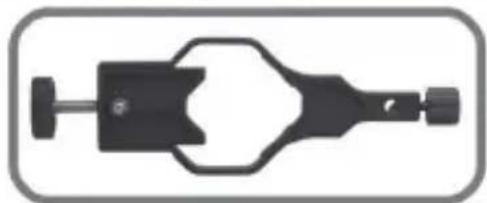
- Make sure the camera adapter clamp fits the eyepiece locking collar on your spotting scope. (Camera adapter clamp assembly removed from the extension rail for demonstration purposes only.)
natural_image
Mechanical clamp or connector component (no visible text or symbols)For smaller diameter eyepiece locking collars - clamp insert is NOT REMOVED.

natural_image
Pure mechanical component diagram without any text, numbers, or symbolsFor larger diameter eyepiece locking collars - clamp insert is removed. Remove the clamp insert by sliding the insert out of its channel.
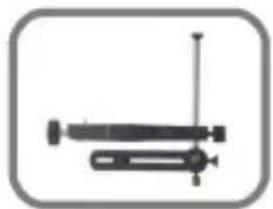
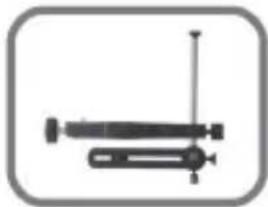
- Loosen the lock knob on the extension end of the camera adapter clamp and slide the extension rail of the camera adapter to its fullest extension.

natural_image
Simple line drawing of two mechanical components with no text or symbolsFully extended Fully compressed

natural_image
Mechanical device with lever and spring (no text or symbols visible)CAMLINK
-
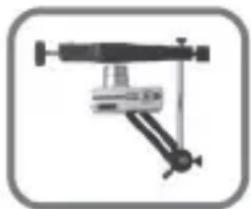
Attach your camera to the camera mounting bracket. NOTE: Camera is switched on here (lens extended) and in the following photos for demonstration purposes only.
-
Before attaching the camera adapter to your scope, make sure it is aligned as follows.
natural_image
Mechanical clamp device with lever and base mount (no visible text or symbols)
natural_image
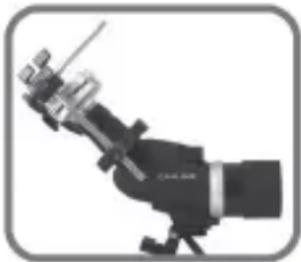
Close-up of a mechanical device with no visible text or symbols- Carefully slide the camera adapter clamp onto the eyepiece locking collar of your scope (see image).
natural_image
Close-up of a mechanical optical instrument with no visible text or symbolsMake sure to first align the camera mounting bracket and camera adapter clamp in the desired position before securely locking it squarely in place. Do not over-tighten the camera adapter clamp as damage to the scope's eyepiece locking collar may occur.
Left image shows a correctly mounted camera and spotting scope.
DO NOT ATTACH THE CAMERA ADAPTER CLAMP TO THE EYEPIECE.
-
Switch on your camera to allow the lens to fully extend. (NOTE: cameras with internal zoom lenses do not extend beyond the camera body.)
-
Adjust your camera on the mounting bracket (side to side) and pivot rail (up or down) to align the camera lens squarely in line with the eyepiece. (You may also adjust the pivot point of the camera mounting bracket to accommodate different camera model lengths or lens configuration.)
IMPORTANT:
Both the camera lens and eyepiece must be on the same optical axis for optimal results. Any misalignment may result in inferior image quality. This may require several adjustments and some practice in order to fine-tune your results, which may vary.
- Carefully move the extension rail of the camera adapter forward towards the scope and align the camera lens with the eyepiece. DO NOT allow the camera lens to come into direct contact with the lens of the eyepiece. Once aligned in the desired position, lock the extension rail.
- Look at your camera's display monitor. You may see a partially illuminated or circular field. If so, zoom your camera lens just until the entire display shows a full image.
- Re-focus your spotting scope until the image is acceptably sharp on the camera's display monitor.
- Use the camera's self-timer mode or infrared remote controller (for applicable models) to release the shutter. This helps to reduce or eliminate camera/scope movement.
- The spotting scope adapter is designed to rotate away from the eyepiece for normal viewing.
Warranty
No guarantee or liability can be accepted for any changes and modifications of the product or damage caused due to incorrect use of this product.
Disclaimer
Designs and specifications are subject to change without notice.
All logos brands and product names are trademarks or registered trademarks of their respective holders and are hereby recognised as such. Keep this manual and packaging for future reference.
DE-Deutsch
Einleitung
natural_image
Mechanical clamp or bracket component (no text or symbols visible)natural_image
Pure mechanical component diagram without any text, numbers, or symbolsnatural_image
Simple line drawing of two mechanical components with no text or symbolsnatural_image
Mechanical device with lever and shaft assembly (no visible text or symbols)CAMLINK
natural_image
Mechanical clamp device with articulated arm and base mount (no visible text or symbols)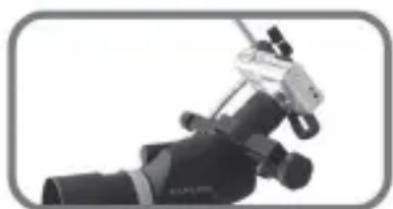
natural_image
Close-up of a mechanical optical device with no visible text or symbolsnatural_image
Illustration of a mechanical instrument with a pointer and lever (no text or symbols visible)natural_image
Mechanical clamp device with no visible text or symbolsnatural_image
Pure mechanical component diagram without any text, numbers, or symbolsnatural_image
Simple line drawing of two mechanical components with no text or symbolsnatural_image
Simple line drawing of a mechanical device with no text or symbolsnatural_image
Mechanical clamp device with lever and base mount (no text or symbols visible)
natural_image
Close-up of a mechanical device with articulated arms and a metallic clip (no visible text or symbols)natural_image
Illustration of a telescope with optical components (no text or symbols)Belasting platform: max. 2 kg (4,5 lbs)
Gebruiksinstructies
natural_image
Mechanical component diagram showing a clamping tool with no visible text or symbolsnatural_image
Pure mechanical component diagram without any text, numbers, or symbolsnatural_image
Simple line drawing of two mechanical components with no text or symbols
natural_image
Simple line drawing of a mechanical device with no text or symbolsnatural_image
Mechanical clamp device with articulated arm and base mount (no visible text or symbols)natural_image
Close-up of a mechanical device with articulated arms and a handle (no visible text or symbols)natural_image
Illustration of a mechanical instrument with no visible text or symbolsnatural_image
Mechanical component diagram showing a clamping tool with no visible text or symbolsnatural_image
Pure mechanical component diagram without any text, numbers, or symbolsnatural_image
Simple line drawing of two mechanical components with no text or symbols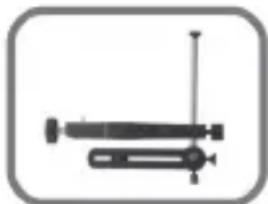
natural_image
Simple line drawing of a mechanical device with no text or symbolsCompletamente extendido Completamente recogido
natural_image
Mechanical clamp device with lever and base mount (no visible text or symbols)natural_image
Close-up of a precision optical instrument with mechanical components (no visible text or symbols)natural_image
Illustration of a mechanical device with a lever and base mount (no text or symbols)natural_image
Mechanical component diagram showing a handle and shaft assembly (no text or symbols)natural_image
Pure mechanical component diagram without any text, numbers, or symbolsnatural_image
Simple line drawing of two mechanical components with no text or symbolsnatural_image
Simple mechanical device with a lever and shaft, no visible text or symbolsCAMLINK
natural_image
Mechanical clamp device with adjustable arms and a central lever (no visible text or symbols)
natural_image
Close-up of a precision optical instrument with lever and probe (no visible text or symbols)natural_image
Illustration of a telescope with mounted optical components (no text or symbols visible)natural_image
Mechanical component diagram showing a clamping tool with no visible text or symbolsnatural_image
Pure mechanical component diagram without any text, numbers, or symbolsnatural_image
Simple line drawing of two mechanical components with no text or symbolsnatural_image
Simple line drawing of a syringe and two laboratory test tubes (no text or labels)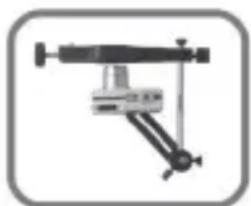
natural_image
Mechanical device with articulated arms and a central support (no visible text or symbols)natural_image
Close-up of a precision optical instrument with mechanical components (no visible text or symbols)natural_image
Illustration of a telescope with optical components (no text or symbols visible)natural_image
Mechanical component diagram showing a clamping tool with no visible text or symbolsnatural_image
Pure mechanical component diagram without any text, numbers, or symbolsnatural_image
Simple line drawing of two mechanical components with no text or symbols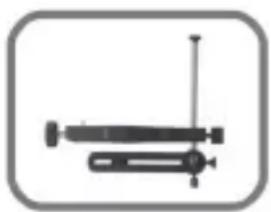
natural_image
Simple line drawing of a syringe and two laboratory test tubes (no text or labels)natural_image
Mechanical device with articulated arms and a central support (no visible text or symbols)natural_image
Close-up of a precision optical instrument with mechanical components (no visible text or symbols)natural_image
Illustration of a telescope with a mounted optical instrument (no text or symbols visible)natural_image
Mechanical clamp device with no visible text or symbolsnatural_image
Pure mechanical component diagram without any text, numbers, or symbolsnatural_image
Simple line drawing of two mechanical components with no text or symbolsHelt ute Helt inne
natural_image
Simple line drawing of a syringe with a vertical rod and two upright arms (no text or symbols)natural_image
Mechanical device with articulated arms and a central mounted component (no visible text or symbols)natural_image
Close-up of a mechanical device with no visible text or symbolsnatural_image
Close-up of a mechanical instrument with no visible text or symbolsnatural_image
Mechanical clamp device with no visible text or symbolsFor okular låseringe med mindre diameter – FJERNES klemmeindsatsen IKKE.

natural_image
Pure mechanical component diagram without any text, numbers, or symbolsFor okular låsering med større diameter – aftag klemmeindsatsen. For at aftage – skubbes indsatsen ud af sin kanal.
natural_image
Two mechanical components with no visible text or symbols
natural_image
Simple line drawing of a mechanical device with no text or symbolsnatural_image
Mechanical device with articulated arms and a central support (no visible text or symbols)natural_image
Close-up of a mechanical device with articulated arms and a central hub (no visible text or symbols)natural_image
Close-up of a precision optical instrument with visible lens and screen (no text or symbols)natural_image
Mechanical component diagram showing a pin and housing (no text or symbols)natural_image
Pure mechanical component diagram without any text, numbers, or symbolsnatural_image
Simple line drawing of two mechanical components with no text or symbolsPlně rozvinutá

natural_image
Simple line drawing of a syringe and two tubes inside a rounded square frame (no text or symbols)Plně stažená
natural_image
Mechanical clamp device with lever and base mount (no visible text or symbols)natural_image
Close-up of a mechanical device with a black lever and metallic handle (no visible text or symbols)natural_image
Close-up of a precision optical instrument with metallic components and a pointer (no visible text or symbols)natural_image
Mechanical component diagram showing a clamping tool with no visible text or symbolsnatural_image
Pure mechanical component diagram without any text, numbers, or symbolsnatural_image
Simple line drawing of two mechanical components with no text or symbols
natural_image
Simple line drawing of a mechanical device with no text or symbolsnatural_image
Mechanical clamp device with adjustable arms and central lever (no visible text or symbols)natural_image
Close-up of a mechanical device with articulated arms and a metallic clip (no visible text or symbols)natural_image
Close-up of a mechanical optical instrument with no visible text or symbolsnatural_image
Mechanical component diagram showing a clamping tool with no visible text or symbolsnatural_image
Pure mechanical component diagram without any text, numbers, or symbolsnatural_image
Two mechanical components with no visible text or symbolsΠλήρης επέκταση

natural_image
Simple mechanical device with a lever and shaft, no visible text or symbolsΠλήρης σύμπτυξη
natural_image
Mechanical device with articulated arms and a central mounted component (no visible text or symbols)natural_image
Close-up of a mechanical device with a metallic clamp and cylindrical head (no visible text or symbols)natural_image
Close-up of a telescope with visible optical components and a pointer (no text or symbols)natural_image
Mechanical component diagram showing a clamping tool with no visible text or symbolsnatural_image
Pure mechanical component diagram without any text, numbers, or symbolsnatural_image
Two mechanical components with no visible text or symbolsExtins complet Compresat complet
natural_image
Mechanical device with lever and spring (no visible text or symbols)natural_image
Mechanical clamp device with adjustable arm and base (no visible text or symbols)natural_image
Close-up of a precision optical instrument with mechanical components (no visible text or symbols)natural_image
Illustration of a mechanical device with a pointer and lever (no text or symbols)natural_image
Mechanical clamp device with no visible text or symbolsnatural_image
Pure mechanical component diagram without any text, numbers, or symbolsnatural_image
Simple line drawing of two mechanical components with no text or symbolsnatural_image
Simple line drawing of a syringe with a handle and pointer (no text or symbols)natural_image
Mechanical device with articulated arms and a central support (no visible text or symbols)
natural_image
Close-up of a mechanical device with articulated arms and a clip (no visible text or symbols)natural_image
Close-up of a mechanical optical instrument with metallic components and a pointer (no visible text or symbols)


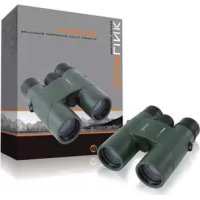
Brand : CamLink
Model : Digiscope Adapter DSA2
Category : Photo Accessories