
Digiscope Adapter DSA1 - Photo Accessories CamLink - Free user manual and instructions
Find the device manual for free Digiscope Adapter DSA1 CamLink in PDF.


| Product Type | Digiscope Adapter |
| Brand | CamLink |
| Model | Digiscope Adapter DSA1 |
| Compatible Devices | Spotting scopes and telescopes with 1.25" eyepiece |
| Camera Attachment | Standard tripod thread (1/4"-20) and camera collar |
| Material | Aluminum alloy, plastic eyepiece adapter |
| Dimensions (approx.) | 120 x 80 x 60 mm |
| Weight (approx.) | 150 g |
| Mounting Type | Clamp-on with thumbscrew |
| Adjustment Features | Vertical and horizontal fine adjustment |
| Quick Release | Yes, for easy camera detachment |
| Lens Compatibility | Works with compact cameras and smartphones with adapter |
| Recommended Use | Nature photography, birdwatching, moon shots |
| Maintenance | Keep clean, avoid dust; use soft cloth |
| Cleaning | Gently wipe with microfiber cloth |
| Safety Warnings | Avoid high impact; keep away from water |
| Spare Parts Availability | Replacement thumbscrews and collar available |
| Repairability | Modular design; screws accessible |
| Package Contents | Adapter body, eyepiece ring, camera mount, instructions |
| Warranty | 1 year limited warranty |
Frequently Asked Questions - Digiscope Adapter DSA1 CamLink
User questions about Digiscope Adapter DSA1 CamLink
0 question about this device. Answer the ones you know or ask your own.
Ask a new question about this device
Download the instructions for your Photo Accessories in PDF format for free! Find your manual Digiscope Adapter DSA1 - CamLink and take your electronic device back in hand. On this page are published all the documents necessary for the use of your device. Digiscope Adapter DSA1 by CamLink.
USER MANUAL Digiscope Adapter DSA1 CamLink
natural_image
Black mechanical clamp device with adjustable handle and base mount (no visible text or symbols)Type: CL-DSA1 Document version: 1

natural_image
Panoramic black-and-white landscape photo of snow-capped mountains and rolling hills under overcast skies (no text or symbols)| • GB | - | 28-42mm digiscope adapter | - | User manual | 3 |
| • DE | - | 28-42mm Digiscope-Adapter | - | Bedienungsanleitung | 4 |
| • FR | - | Adaptateur Lunette numérique de 28-42mm | - | Manuel de l'utilisateur | 6 |
| • NL | - | 28 – 42 mm Digiscope Adapter | - | Gebruikershandleiding | 8 |
| • ES | - | Adaptador 28-42mm para Telescopio digital | - | Manual de Usuario | 9 |
| • IT | - | Adattatore Digiscope 28-42mm | - | Manuale Utente | 11 |
| • FI | - | 28-42mm Digiputken sovitin | - | Käyttöopas | 13 |
| • SE | - | 28-42mm Digiscope adapter | - | Bruksanvisning | 14 |
| • NO | - | 28-42mm Digiscope Adapter | - | Brukermanual | 16 |
| • DK | - | 28-42 mm Digiscope adapter | - | Brugervejledning | 17 |
| • CZ | - | 28 - 42 mm adaptér pro digitální dalekohled | - | Návod k použití | 19 |
| • HU | - | 28-42 mm-es Digiscope adapter | - | Használati útmutató | 20 |
| • GR | - | Προσαρμογέας ψηφιακού τηλεφακού 28-42 mm | - | Εγχειρίδιο Χρήστη | 22 |
| • RO | - | Adaptor de 28-42 mm pentru aparate de fotografiat digitale | - | Manual de instructiuni | 23 |
| • RU | - | 28-42mm адаптер для фотокамеры | - | Руководство пользователя | 25 |
CAMLINK
Nedis B.V., part of the Nedis Group
De Tweeling 28
5215 MC 's-Hertogenbosch
The Netherlands
Tel: +31 73 599 1055
Fax: +31 73 599 9699
Web: www.nedis.com or www.nedis.nl
© Any unauthorised use of the information in this manual is prohibited. No part of this manual may be reproduced, stored in a database or retrieval system, or published, in any form or in any way, electronically or mechanically, by print, photocopy, microfilm or by any other means without the express written permission of NEDIS.
CAMLINK
GB – English
Introduction
Important note:
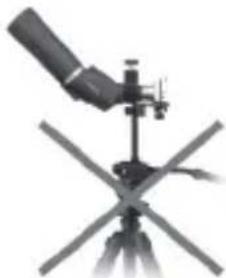
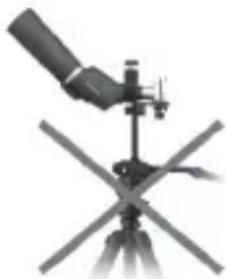
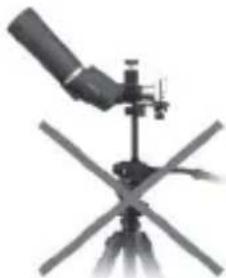
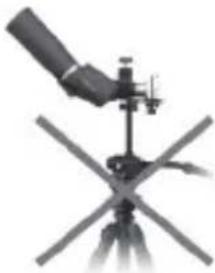
- Before attaching the digiscope adapter and camera to the eyepiece of the scope, please ensure that the eyepiece and scope are securely fastened and capable of holding such weight.
- When you attach the camera to the adapter, ensure that there is sufficient space for the zoom lens of the camera to extend without causing any damage to the eyepiece.

natural_image
Close-up of a telescope on a tripod, showing its optical components and screen (no text or symbols visible)Recommended

natural_image
Illustration of a telescope mounted on a tripod with an X-shaped support (no text or symbols)Not
recommended
Package contents:
- 1x Digiscope adapter
- Manual
Technical specifications
Eyepiece size: 28 - 42 mm (1-1.65")
Platform load: max. 2 kg (4.5 lbs)
User instructions

natural_image
Cross-sectional diagram of a mechanical device with labeled parts (A–G), no readable text or symbols beyond labelsA. Clamp adjustment knob
B. Adjustable eyepiece clamp
C. Camera platform
D. Camera adjustment grooves
E. Camera mount screw
F. Platform horizontal adjustment
G. Platform vertical adjustment
CAMLINK
- Attach the scope to the tripod.
- Turn the clamp adjustment knob (A) on the adapter counter clockwise and make sure there is sufficient space for the adjustable eyepiece clamp (B) of the eyepiece on the scope.
- Insert the eyepiece into the eyepiece clamp (B) and turn the clamp adjusting knob clockwise until it is secured.
- Focus the scope on the subject before attaching the camera to the camera platform (C).
- Loosen the camera mount screw (E) and move it as far as possible from the scope.
- Turn on your camera and allow the zoom to fully extend before attaching it to the camera platform (C) by using the camera mount screw (E).
- Use the camera mount screw (E) and the platform height adjustment screw (D) to align the lens on the camera with the eyepiece of the scope. The camera's lens has to be as close as possible to the scope's eyepiece, and the image must be visible on the camera's LCD screen or through the camera's view finder. The additional height adjustment (G) may be used if required. It may be necessary to refocus your camera (see your camera's instruction manual) to ensure that the AF system is locked onto the subject through the scope. Readjusting the position of the camera or the focus point of the scope may be required.
- Some vignetting might occur. This can be reduced by zooming in on the subject via the camera. Ensure there is sufficient tolerance between the camera's lens and the eyepiece of the scope. Refocusing of the scope may be required.
Warranty
No guarantee or liability can be accepted for any changes and modifications of the product or damage caused due to incorrect use of this product.
Disclaimer
Designs and specifications are subject to change without notice.
All logos brands and product names are trademarks or registered trademarks of their respective holders and are hereby recognised as such. Keep this manual and packaging for future reference.
DE-Deutsch
Einleitung
Wichtiger Hinweis:
natural_image
Close-up of a telescope on a tripod (no visible text or symbols)Empfohlen

natural_image
Illustration of a telescope mounted on a tripod stand (no text or symbols visible)Nicht
empfohlen
CAMLINK
Packungsinhalt:
natural_image
Black telescope on tripod with mounted scope (no visible text or symbols)Recommandé

natural_image
Illustration of a telescope mounted on a tripod with an X-shaped cross below (no text or symbols)Déconseillé
natural_image
Mechanical device with labeled components (A–F) showing internal structure and mounting base (no text or symbols beyond labels)©2012 NEDIS BV. Camlink is a registered trademark of NEDIS BV. Although every effort has been made to ensure the accuracy of the information contained in this manual specifications are subject to change and therefore NEDIS BV cannot guarantee its correctness and completeness at all times.
CAMLINK
NL - Nederlands
Introductie
natural_image
Illustration of a telescope mounted on a tripod (no text or symbols visible)Aanbevolen
natural_image
Illustration of a telescope mounted on a tripod stand (no text or symbols visible)Afgeraden
Belasting platform: max. 2 kg (4,5 lbs)
Gebruiksinstructies

A. Verstelknopklem
B. Verstelbare oculairklem
C. Cameraplatform
D. Cameraverstelgleuven
E. Cameraschroef
F. Horizontale platformafstelling
G. Verticale platformafstelling
CAMLINK
natural_image
Close-up of a telescope on a tripod (no visible text or symbols)Recomendado

natural_image
Illustration of a telescope mounted on a tripod with no visible text or symbolsNo recomendado
CAMLINK
natural_image
Illustration of a telescope mounted on a tripod (no text or symbols visible)Raccomandato
natural_image
Illustration of a telescope mounted on a tripod with intersecting beams (no text or symbols)Non
raccomandato
natural_image
Mechanical device with labeled components (A–F) and internal structure, no readable text or symbols beyond labelsnatural_image
Close-up of a telescope on a tripod (no visible text or symbols)Suositellaan

natural_image
Illustration of a telescope mounted on a tripod stand with intersecting blades (no text or symbols)Ei
suositella
Paketin sisältö:
natural_image
Close-up of a telescope mounted on a tripod, showing its optical components and screen (no text or symbols visible)Rekommenderat

natural_image
Diagram of a telescope mounted on a tripod stand with cross-shaped base (no text or symbols)Inte
rekommenderat
A. Klämmas justeringsknopp
B. Okularets justerbara klämma
C. Kamerans plattform
D. Kamerans justeringsräfflor
E. Kamerafästets skruv
F. Plattformens horisontella justering
G. Plattformens höjdjustering
natural_image
Close-up of a telescope mounted on a tripod (no visible text or symbols)Anbefales
natural_image
Illustration of a telescope mounted on a tripod with intersecting blades (no text or symbols)Anbefales
ikke
Pakkens innhold:
- Digiskopadapter
- Instruksjonshefte
natural_image
Mechanical clamp device with labeled parts (A–G), no visible text or symbols beyond labelsnatural_image
Black-and-white photo of a telescope on a tripod (no visible text or symbols)Anbefalet

natural_image
Illustration of a telescope mounted on a tripod stand (no text or symbols visible)Ikke
anbefalet
Pakkens indhold:
- Digiscope adapter
- Vejledning
CAMLINK
Tekniske specifikationer
A. Justeringsklemme
B. Justeringsklemme til okular
C. Kamera platform
D. Kamera justeringsriller
E. Kamera monteringsskrue
F. Platform vandret justering
G. Platform højdejustering
natural_image
Close-up of a telescope on a tripod (no visible text or symbols)Doporučeno
natural_image
Close-up of a telescope mounted on a tripod stand with a cross-shaped base (no visible text or symbols)Nedoporučeno
Obsah balení:
natural_image
Black-and-white illustration of a telescope mounted on a tripod (no text or symbols visible)Ajánlott

natural_image
Diagram of a telescope mounted on a tripod stand with X-shaped cross structure (no text or symbols)Nem
ajánlott
A csomag tartalma:
natural_image
Close-up of a telescope mounted on a tripod (no visible text or symbols)Συνιστάται

natural_image
Illustration of a telescope mounted on a tripod with no visible text or symbolsΔεν συνιστάται
natural_image
Close-up of a telescope on a tripod, showing its optical components and screen (no text or symbols visible)
natural_image
Illustration of a telescope mounted on a tripod stand with no visible text or symbolsRecomandat Nu este recomandat
Pachetul contine:
natural_image
Illustration of a telescope mounted on a tripod (no text or symbols visible)Рекомендуется

natural_image
Diagram of a telescope mounted on a tripod, showing optical path and cross-section (no text or labels)Не рекомендуется
natural_image
Mechanical device with labeled components (A–G) and no visible text or symbols on the body itself.


- CAMLINK
- GB – English
- Introduction
- Important note:
- Package contents:
- Technical specifications
- User instructions
- Warranty
- Disclaimer
- DE-Deutsch
- Einleitung
- Wichtiger Hinweis:
- Packungsinhalt:
- NL - Nederlands
- Introductie
- Gebruiksinstructies
- Pakkens innhold:
- Pakkens indhold:
- Tekniske specifikationer
- Obsah balení:
- A csomag tartalma:
- Pachetul contine:
Brand : CamLink
Model : Digiscope Adapter DSA1
Category : Photo Accessories