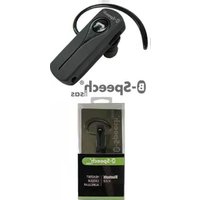
Isas - Earphones B-SPEECH - Free user manual and instructions
Find the device manual for free Isas B-SPEECH in PDF.


| Product Type | Wireless earbuds |
| Brand | B-Speech |
| Model | Isas |
| Dimensions (per earbud) | 2,5 x 1,8 x 1,2 cm |
| Weight (per earbud) | 4 g |
| Power | Rechargeable lithium-ion battery, 40 mAh |
| Battery life | Up to 4 h of listening, 12 h with the case |
| Connectivity | Bluetooth 5.0 |
| Range | 10 m |
| Main features | Hands-free calling, touch controls, passive noise reduction |
| Compatibility | iOS and Android |
| Protection rating | IPX4 (splash resistant) |
| Maintenance and cleaning | Clean with a dry, soft cloth. Avoid any liquid. |
| Safety | Do not expose to extreme temperatures (below 0°C or above 45°C). Do not disassemble. |
| Spare parts | Earbuds, charging case, USB cable (included) |
| Repairability | Not user repairable. Contact after-sales service. |
| General information | Daily use for listening to music and making calls. |
Frequently Asked Questions - Isas B-SPEECH
User questions about Isas B-SPEECH
0 question about this device. Answer the ones you know or ask your own.
Ask a new question about this device
Download the instructions for your Earphones in PDF format for free! Find your manual Isas - B-SPEECH and take your electronic device back in hand. On this page are published all the documents necessary for the use of your device. Isas by B-SPEECH.
USER MANUAL Isas B-SPEECH
B-Speech ^® isas
natural_image
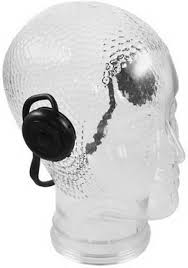
Black D-Speech mobile phone with earbuds and antenna (no visible text or symbols on device body)Federal Communications Commission (FCC) Statement
15.21 You are cautioned that changes or modifications not expressly approved by the part responsible for compliance could void the user's authority to operate the equipment.
15.105(b) This equipment has been tested and found to comply with the limits for a Class B digital device, pursuant to part 15 of the FCC rules. These limits are designed to provide reasonable protection against harmful interference in a residential installation. This equipment generates, uses and can radiate radio frequency energy and, if not installed and used in accordance with the instructions, may cause harmful interference to radio communications. However, there is no guarantee that interference will not occur in a particular installation. If this equipment does cause harmful interference to radio or television reception, which can be determined by turning the equipment off and on, the user is encouraged to try to correct the interference by one or more of the following measures:
- Reorient or relocate the receiving antenna.
- Increase the separation between the equipment and receiver.
- Connect the equipment into an outlet on a circuit different from that to which the receiver is connected.
- Consult the dealer or an experienced radio/TV technician for help.
Operation is subject to the following two conditions:
1) this device may not cause interference and
2) this device must accept any interference, including interference that may cause undesired operation of the device.
FCC RF Radiation Exposure Statement:
This equipment complies with FCC radiation exposure limits set forth for an uncontrolled environment. End users must follow the specific operating instructions for satisfying RF exposure compliance. This transmitter must not be co-located or operating in conjunction with any other antenna or transmitter.
FCC Wireless Compliance
The antenna used with this transmitter must not be colocated or operated in conjunction with any other antenna or transmitter subject to the conditions of the FCC Grant.
Europe–EU Declaration of Conformity
This device complies with the specifications EN 300 328, EN 301-489 and EN 60950-1 following the provisions of the R&TTE Directive.
Congratulations
Congratulations on your purchase of the B-Speech® ISAS headset. This headset allows you to communicate wirelessly through your mobile phone and includes a built in microphone and earphone. It uses Bluetooth® 2.0 technology, but is also compatible with mobile phones using Bluetooth® version 1.2 and 1.1 technology. Your B-Speech® ISAS headset uses a built in rechargeable Lithium Polymer battery, with long life.
Package Contents
- Headset B-Speech® ISAS
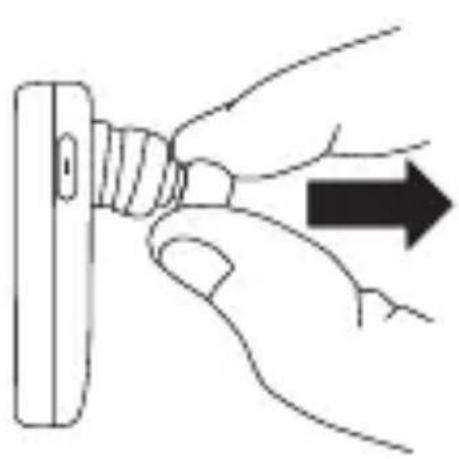
- Ear hook
- 3 Changeable caps
• USB Charger Cable or Optional AC adaptor
• This user Guide
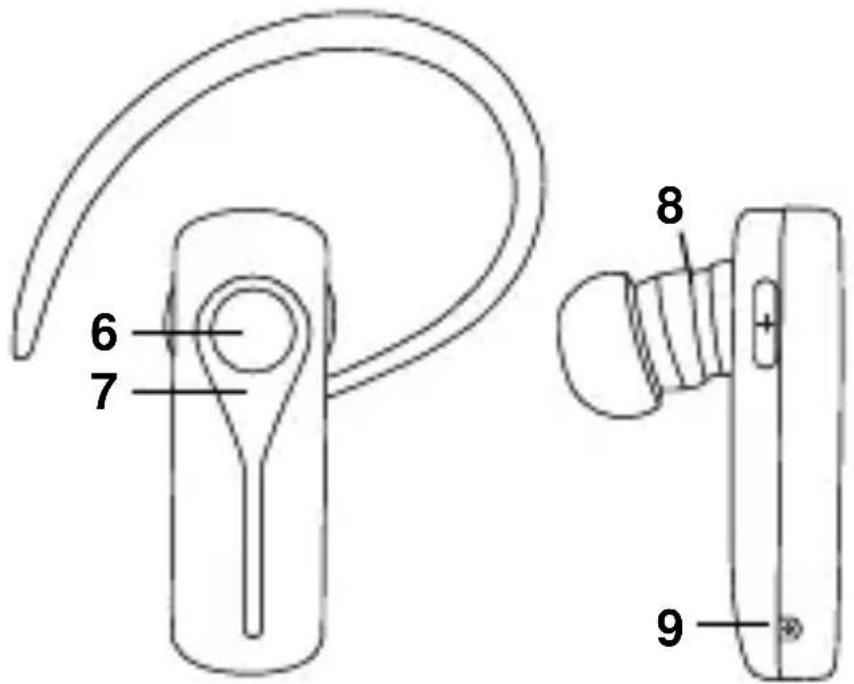
Headset overview
- Earhook
- Volume -
- Volume +
- Earphone
- Microphone

- Multifunction key
- Status LED
- Earhook hinge
- Charging port
natural_image
Hand inserting a USB into a connector (no text or symbols visible)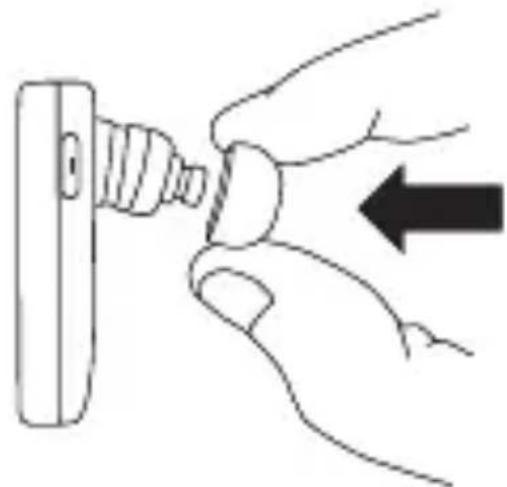
natural_image
Hand inserting a screw into a terminal block, with an arrow indicating the process (no text or symbols present)The headset can be worn on either ear. Just clip the ear hook onto the preferred side.

natural_image
Simple line drawing of two identical electronic devices with curved leads (no text or symbols)Charging the internal battery
Before using your headset, please charge the internal battery. To charge the battery:
- Connect the USB Charger to a USB port or connect the AC adaptor to an electrical outlet.
- Plug the adaptor's connector into the charging port of B-Speech® ISAS
- While charging, the red LED light will stay on and turn off when charging is complete. Then you can unplug the adaptor's connector from the headset and disconnect the adaptor from the electrical outlet.
- During normal use you see the red LED blinking, please charge the Headset
- Charging time is about 3 hours
Switching the headset on or off
To switch on:
Press and hold the Multifunction key for 5 seconds until the blue LED turns on.
To switch off:
Press and hold the Multifunction key for 5 seconds until the red LED flashes.
Pairing Procedure
Your B-Speech® ISAS needs to be paired to your Bluetooth® mobile phone before it can be used. This is a two part process; one part is carried out on the headset and the other is carried out on the mobile phone.
Note: Different mobile phones use a different method to go through the pairing process.
To pair your B-Speech ISAS:
- With your headset turned off, press and hold the Multifunction key 7 sec. The LED will alternate rapidly between blue and red, which indicates that the headset is in pairingmode.
- Use your phone's menu to search for Bluetooth® audio devices. The phone should indicate it has found the B-Speech® ISAS headset. Confirm that you want to pair your mobile phone and headset together. If you are unsure how to go through the pairing process on your mobile phone, please consult its user manual.
- When asked for a pin key, enter: "0000". Your phone will confirm that pairing has been successful.
Note: There is usually a time limit to pair devices,
Phone call use
Making a call from the mobile phone
While your mobile phone is paired with your headset, you can use the mobile phone to make phone calls in the same way as normal. The only difference will be that the earphone and microphone functions of the headset will be used instead of the phone's.
Answering a call
To answer a call after a ring tone will appear in your headset, simply press the Multifunction key.
Note: You can set your mobile phone to automatically answer calls, meaning that you do not even need to press the Multifunction key. Please refer to your mobile phone's user guide for more information about this setting.
Ending a call
During a call, press the Multifunction key to hang up. If the other person hangs up first, the call will end automatically.
Voice dialling
Press Multifunction key shortly, You will hear a short tone. Say the voice tag immediately. Your phone will make the call.
Note: To use voice dialling, the corresponding voice profiles must be stored in your Phone. Your Mobile must also support this function.
Last number redial
When the headset is in standby mode (not in conversation), press the volume + key 2 second, (a tone appear) and your phone will redial the last number you called.
Note: This function only works on Bluetooth® phones that support the Handsfree profile.
Transferring a single call
When activating a call, you can press the Multifunction key for 2 seconds (a tone appear) to switch the conversation between the headset and mobile phone. Press the Multifunction key shortly again to return to Headset.
Rejecting Calls
Press the Multifunction key for 3 seconds during an incoming phone call to reject the call.
Microphone Mute
While talking by using the headset press and hold the "Volume -" for 3 seconds to mute the microphone. Press shortly the "Volume -" to activate the Headset Microphone.
Adjusting the volume
- To increase the volume, press shortly the increase volume key.
- To decrease the volume, press shortly the decrease volume key.
Bluetooth® headset specification
Compatible with Bluetooth® Ver.2.0 or 1.2 devices HFP/HSP
Maximum distance 30 Feet (10 meters)
Weight of headset Approximately 7,5 grams
Typical standby time up to 100 hours
Typical talk time up to 4 hours
Typical re-charge time 3 hours - 5 VDC/180 mA
Battery type: Rechargeable Lithium Polymer
Note on environmental protection:

natural_image
Simple line drawing of a trash bin with crossed lines indicating no waste or plastic (no text or symbols)After the implementation of the European Directive 2002/96/EU in the national legal system, the following applies: Electrical and electronic devices may not be disposed of with domestic waste.
Consumers are obliged by law to return electrical and electronic devices at the end of their service
lives to the public collecting points set up for this purpose or point of sale. Details to this are defined by the national law of the respective country.
This symbol on the product, the instruction manual or the package indicates that a product is subject to these regulations. By recycling, reusing the materials or other forms of utilising old devices, you are making an important contribution to protecting our environment.
B-Speech® declares herewith that this device carries the CE mark in accordance with the regulations and standards of the guideline R&TTE (1999/5/EG). It conforms with the fundamental requirements, the appropriate regulations and rules of the guideline 1999/5/EG. You can find the complete declaration of conformity under www.b-speech.de.
natural_image
Hand inserting a plug into a battery, with an arrow indicating direction (no text or symbols)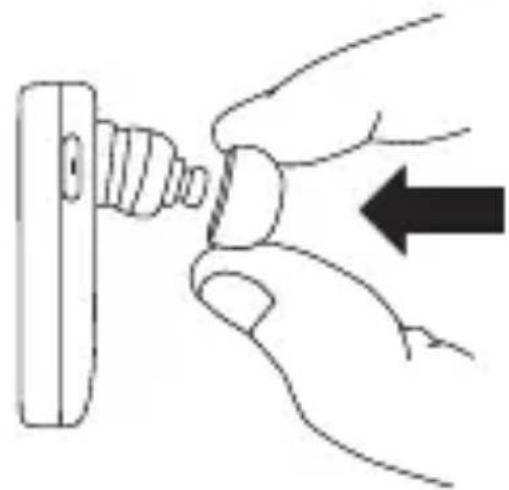
natural_image
Illustration of hands fastening a screw into a mechanical component (no text or symbols)natural_image
Simple line drawing of two identical earbuds with curved leads, no text or symbols present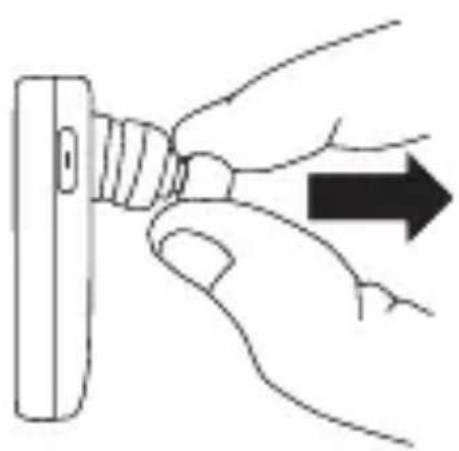
natural_image
Hand inserting a plug into a wall socket, with an arrow indicating direction (no text or symbols)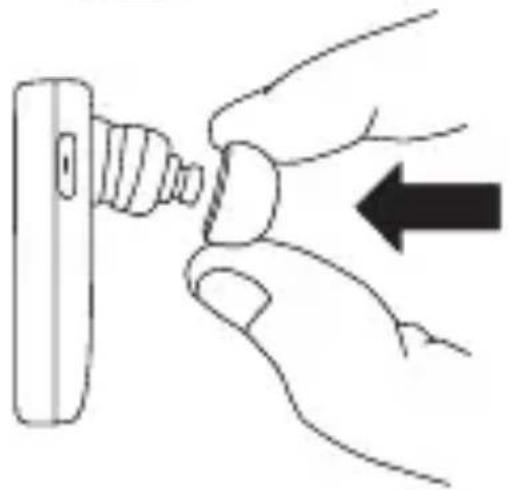
natural_image
Hand inserting a plug into a socket, with an arrow indicating the insertion direction (no text or symbols present)natural_image
Line drawing of two identical earbuds with curved leads, no text or symbols presentnatural_image
Symbol of a trash bin crossed with two crossed lines, no text or numbers presentnatural_image
Hand inserting a plug into a socket, with an arrow indicating direction (no text or symbols)
natural_image
Illustration of a hand inserting a screw into a mechanical component with an arrow indicating direction (no text or symbols)natural_image
Line drawing of two identical earbuds with curved leads, no text or symbols presentnatural_image
Symbol of a trash bin crossed with a diagonal line, no text or numbers presentnatural_image
Simple line drawing of a trash bin with crossed diagonals and a horizontal bar below (no text or symbols)NL
natural_image
Symbol of a trash bin crossed with two crossed lines, no text or labels presentnatural_image
Symbol of a trash bin with crossed lines indicating no waste or discharge (no text or labels)natural_image
Simple line drawing of a trash bin with crossed lines indicating no waste or discharge (no text or symbols)FIN
natural_image
Symbol of a trash bin with crossed x and y lines, no text or numbers presentN
natural_image
Symbol of a trash bin crossed with a diagonal line, no text or numbers presentnatural_image
Symbol of a trash bin crossed with a diagonal line, no text or numbers presentnatural_image
Simple line drawing of a trash bin with crossed lines indicating no waste or plastic (no text or symbols)natural_image
Simple line drawing of a trash bin with crossed lines indicating no waste or plastic (no text or symbols)natural_image
Blank gray image with no visible content, text, or symbols
- B-Speech ® isas
- Federal Communications Commission (FCC) Statement
- Operation is subject to the following two conditions:
- FCC RF Radiation Exposure Statement:
- FCC Wireless Compliance
- Europe–EU Declaration of Conformity
- Congratulations
- Package Contents
- Headset overview
- Charging the internal battery
- Switching the headset on or off
- To switch on:
- To switch off:
- Pairing Procedure
- To pair your B-Speech ISAS:
- Phone call use
- Making a call from the mobile phone
- Answering a call
- Ending a call
- Voice dialling
- Last number redial
- Transferring a single call
- Rejecting Calls
- Microphone Mute
- Adjusting the volume
- Bluetooth® headset specification
- Note on environmental protection:
- NL
- FIN
- N
Brand : B-SPEECH
Model : Isas
Category : Earphones