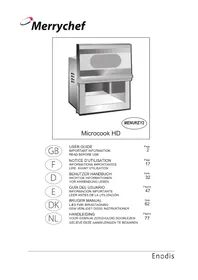
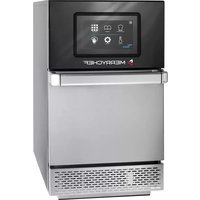
MD1800 microcook - Microwave Oven Merrychef - Free user manual and instructions
Find the device manual for free MD1800 microcook Merrychef in PDF.


User questions about MD1800 microcook Merrychef
0 question about this device. Answer the ones you know or ask your own.
Ask a new question about this device
Download the instructions for your Microwave Oven in PDF format for free! Find your manual MD1800 microcook - Merrychef and take your electronic device back in hand. On this page are published all the documents necessary for the use of your device. MD1800 microcook by Merrychef.
USER MANUAL MD1800 microcook Merrychef
natural_image
Illustration of a microwave oven with control panel and door (no text or symbols)Microcook MD
ENGLISH

FRANÇAIS

DEUTSCH

ESPAÑOL

IMPORTANT INFORMATION READ BEFORE USE
PLEASE SAVE THESE INSTRUCTIONS
INFORMATIONS IMPORTANTES LIRE AVANT UTILISATION
INSTRUCTIONS À CONSERVER
Safety instructions .... 3
Electrical supply ....3
Precautions ....4
Installation instructions .... 5
Suitable cooking utensils 6
Introduction 7
Main features 8
Control panel 9
Operating instructions:
Manual mode....10
Programming number pads ....12
Running a Program ....13
Daily cleaning 14
Problem solving 15
Technical specification.... 15
Service Contact Details 16
PLEASE READ THE FOLLOWING SAFETY INSTRUCTIONS CAREFULLY
IMPORTANT SAFETY INSTRUCTIONS
- DO NOT operate oven empty, without food or liquid inside the oven, as this will result in overheating and may cause damage.
- NEVER remove the outer casework of the oven.
- NEVER remove any fixed internal parts of the oven.
- NEVER tamper with the control panel, door, seals, or any other part oven.
- DO NOT obstruct air vents/filters or steam outlet.
- NEVER hang tea towels or cloths on any part of the oven.
- If the door seals are damaged, the oven must be repaired by an approved Engineer.
- All service and repair work must be carried out by an approved Engineer.
- If the power cable is damaged in any way it MUST be replaced by an approved Engineer.
- When handling hot liquids, foods, and containers, care should be taken to avoid scalds and burns.
- When heating liquids the contents should be stirred prior to heating to avoid eruptive boiling.
- Feeding bottles and baby food jars should be opened when heating, the contents stirred or shaken and the temperature checked prior to consumption to avoid burns.
- Never use the oven to heat alcohol, e.g. brandy, rum etc. Also, food containing alcohol, such as Christmas pudding, can more easily catch fire if overheated.
- Never attempt to deep fry in the oven.
ELECTRICAL SUPPLY
WARNING
This appliance must be earthed. Failure to do so may result in electric shock and death.
The oven must be installed by a qualified and approved electrician.
In order to enable isolation of this appliance, the mains plug must be positioned where it is easily accessible
The installation wiring (hard wired or socket fitting) must be in accordance with current IEE regulations and safety standards. The electrical supply lead is located at the rear of the oven.
If you are in any doubt about your electrical supply, seek the advice of a qualified and approved electrician.
All UK models are supplied with a fitted and approved 13Amp moulded plug. We strongly recommend that this plug is never removed. However, certain establishments may require a different plug to be fitted. In this case, the following wiring instructions should be observed.

text_image
GREEN & YELLOW E N L BLUE (NEUTRAL) BROWN (LIVE)It is essential that the mains supply is properly installed and earthed. It should be fed from a circuit which is suitable for very high power electrical appliances and it is important that this circuit is not overloaded.
Establishments with standard (Type 'B') circuit breakers are sensitive to 'surges' which occur on switching on freezers, refrigerators and other catering equipment, including microwave ovens. Because of this, we strongly recommend that a separate Type 'C' circuit breaker (designed specifically for this type of equipment) is fitted to each oven installation.
SAVE THESE INSTRUCTIONS
PRECAUTIONS TO BE OBSERVED
- Read this manual before using your oven.
- As with all electrical appliances, it wise to have the electrical connections inspected periodically.
- The oven interior, door seals should be cleaned frequently, following the instructions described in the CLEANING section.
- There is no need to switch off your oven after each function but remember to switch off at the end of the day or period of operation.
- Microwave energy should not be used to dry linen or warm plates.
- As with any cooking appliance, care should be taken to avoid combustion of the items within the oven.
If smoke is observed:
- Switch off
●Isolate from the electrical supply -
Keep door the closed to stifle any flames
-
Ensure food is placed centrally in cavity for best results.
- Cover the food to prevent splashing the walls of the cavity.
- Eggs and whole hard-boiled eggs should not be heated in a oven microwave as they may explode.
- Food with a skin, e.g. potatoes, apples, sausages etc. should be pierced before heating.
- Food should not be heated in a completely sealed container as the build-up of steam may cause it to explode.
- In the event of glass breaking or shattering within the oven, ensure that food is totally free of glass particles. If in doubt, dispose of any food that was in the oven at the time of the breakage.
- DO NOT attempt to operate this oven with: object caught in door, door that does not close properly or damaged door, hinge, latch, sealing surface or without food in the oven.
INSTALLATION
Remove packing material and protective film from the oven.
Check for obvious signs of transit damage. If necessary, inform the supplier IMMEDIATELY.
LOCATION AND POSITIONING
Choose a site away from major heat sources.
DO NOT position so that hot air is drawn in from fryers, grills, griddles, etc.
A heat barrier to the height of the oven must be installed if sited next to a hob, stove or range.

Place the oven on a flat surface that is LEVEL, STRONG and STABLE.
Allow a minimum clearance of 50mm to the rear, top and each side to allow air to circulate freely for each oven (see diagram).
The air intake is located at the base of the oven, even with the clearance specified above it is important that airflow is as cool as possible and not pre heated by other appliances such as fryers, grills or griddles.
Allow a minimum of 50mm clearance above the oven for hot air to escape.
Allow sufficient clearance, 400mm in front of the oven for the door to open fully
Do not affix labels/stickers to oven other than those applied by the manufacturer
Note:
The air intake is located at the base of the oven, even with the clearance specified below it is important that airflow is as cool as possible and not pre-heated by other appliances such as fryers, grills and griddles as this will deteriorate the life and performance of the oven.

natural_image
Technical line drawing of a mechanical assembly with two stacked blocks and a central clamping element (no text or symbols)Always ensure that ovens are fixed together as shown using the fixing plate provided.
THIS OVEN MUST NOT BE STACKED MORE THAN THREE HIGH.

text_image
100mmNote:100mm clearance is required between two ovens side by side
WARNING:
Check that the
AIR FILTER is in place prior to operation
(see Main Features)
SUITABLE COOKING UTENSILS
Manufacturer's instructions should be checked to determine the suitability of individual containers or utensils using each of the cooking functions.
The following chart provides general guidelines:
| microwave only | ||
| Heat resistant containersToughened glassVitreous ceramicsEarthenware(porcelain, crockery, china etc.) | √√√ | Do not use items with metallic decoration. |
| Metallic Trays | × | Do not use metal items. |
| Plastic containersRigid, boilable, plastic containers | √ | Dual-ovenable plastic containers (up to certain temperatures) are now available.Check manufacturer's instructions before use |
| DisposablesCombustibles (paper, card, etc)Microwave-suitable cling film | √√ | Cling film should not come into contact with food. |
| Other utensilsTie tagsCutleryTemperature probes | ××× | No kitchen utensil should be left in food while it is cooking |
Merrychef Microwave ovens use microwave energy to cook or heat food in a fraction of the time of conventional ovens.
The microwaves are confined within the sealed metal cavity of the oven and cannot pass through the reinforced glass window of the door. The door is electrically sealed with three interlocking safety switches which ensures that the energy stops automatically as soon as the door moves.
It is important to understand the amount of energy produced inside your oven, known as the power output (see TECHNICAL SPECIFICATIONS section), because this determines the amount of time required to heat an item. Also, with a given amount of energy inside the cavity, two items will take longer than one.
Just like any other heating method, if food is left cooking in a microwave oven for too long it will burn and eventually catch fire. If you are unsure about the required heating time it is safest to underestimate and monitor the items closely but always check that the minimum core temperature has been achieved.
Once established, precise cooking instructions for selected items may be programmed into the oven's memory so that they can be repeated easily and accurately.
Multi-stage Programming
The Microcook MD Series offers even greater flexibility by allowing multi-stage programming. This enables the exact conditions required for quality results to be set according to the food type. Programs can have one, two or three stages.
A typical 3-Stage program is shown below. In stage 1 the item is defrosted for 9 minutes 59 seconds (by applying a gentle microwave power- ^* ). In stage 2 the microwave power increases to 50% for 5 minutes and for the final 5 minutes-Stage 3-power is increased to 100%.
This is only one example of a multi-staged program that can be stored.

bar
| Stage | Time | Microwave Level % | | :--- | :--- | :--- | | 1 | 9:59 | 100 | | 2 | 5:00 | 75 | | 3 | 5:00 | 50 | | Program begins | 1 | * | | Program ends | 19:59 Minutes | |The instructions outlined in this guide are intended to ensure the safety and long life of your microwave oven.
It is important that all staff are fully trained before using the oven.
MAIN FEATURES

text_image
Labeled diagram of a microwave oven with numbered parts for identification1 AIR OUTLETS
These vents on the side and rear panels enable air which has been used to cool internal components to escape. It will not allow microwave energy to escape into the environment. They must be kept free from obstruction.
2 OVEN CAVITY
This has a sealed, easy clean floor and stainless steel floor. It must be kept clean (see CLEANING).
3 AIR FILTER
The air filter is a wire mesh. This is part of the ventilation system and must be kept free of obstruction, cleaned and refitted on a daily basis.
4 DOOR HANDLE
This is situated at the right hand edge of the door.
5 CONTROL PANEL
See page 9.
6 LIGHT BULB HOUSING
This panel allows access to the interior light bulb for replacement purposes
7 RATING PLATE
Found on the rear panel, this states the serial number, model type, electrical specifications and Merrychef address and telephone number.
8 DOOR
This is a precision-made energy barrier with three microwave safety interlocks. It must be kept clean (see CLEANING section).
9 DOOR CHOKE SECTION
These ensure a tight seal around the door. It should be kept clean and checked regularly for signs of damage. At the first sign of wear they should be replaced by an approved Service engineer.
CONTROL PANEL

text_image
PROGRAM PAD P C CANCEL PAD TIME/PROGRAM SELECT PADS 1 2 3 4 5 6 7 8 9 0 POWER PADS 100% 75% 50% * DEFROST PAD MULTI-STAGE INDICATOR COLON 1 ▶ ● P 0.00 2 ▶ ● P 0.00 3 ▶ ● TIME/PROGRAM DISPLAYPOWER PADS
There are 4 Microwave Power Pads to select from: DEFROST, 50%, 75%, and 100%. A light will indicate the one in use.
TIME/PROGRAM SELECT PADS
These pads are used for setting the cooking time in 1 second steps to a maximum of 30 minutes. They are also used for programmes from 01-10.
TIME AND PROGRAM DISPLAY
Shows the time set in minutes and seconds and counts down in 1 second steps during a cooking cycle.
The program display indicates the program number selected. 'P' indicates programming.
Also displays ERROR messages. ( See PROBLEM SOLVING page 15)
CANCEL/ CALLBACK 'C' PAD
Cancels all timed cooking cycles, pre-programmed operations and stop the microwave energy. It does not alter the oven temperature. This pad will also cancel any incorrect operations. It will not erase programs. It can also be used to view the details of stored programs.
(see CALL BACK page 12)
PROGRAM 'P' PAD
Activate or set program
MULTI-STAGE INDICATOR
Indicates stage in multi-stage cooking
COLON
When programming the colon will flash to indicate the time may now be entered.
OPERATING INSTRUCTIONS: MANUAL MODE
The oven can be operated in manual or programmed mode. It is important to understand manual mode prior to attempting program operation.
1 Place the food in the oven and close the door.
2 Set required cooking time by pressing the numeric TIME SELECT PADS.
Example: 2 Minutes 35 seconds
Only valid times of Minutes and Seconds will be accepted.
e.g. 1 minute 1 second not 61 secs
WARNING:
DO NOT APPLY MICROWAVE ENERGY WHEN OVEN IS EMPTY
DO NOT USE THE OVEN WITHOUT A
CLEAN AIR FILTER IN POSITION
To familiarise yourself with the controls place a bowl containing approximately 1.5 litres of water in the oven prior to operation.

MAXIMUM TIME
The time set cannot exceed 9 minutes 59 seconds Total cooking for multiple items cannot exceed 30 minutes. ( If 30 minutes is exceeded error code E:3 will be displayed)
3 To cook the food press one of the POWER PADS either 100%, 75%, 50% or Defrost. The LED within the selected pad will light.
4 The timer will now count down. When the remaining time reaches zero an audible signal will be given. Remove the food from the cavity.
5 To ensure the required core temperature has been reached, test the food with a temperature probe before serving. Taking normal precautions to avoid burning yourself, open the door and remove the food.

pie
| Category | Value (%) | |---|---| | Slice 1 | 100 | | Slice 2 | 75 | | Slice 3 | 50 | | Slice 4 | (value not labeled) |

TO STOP THE COOK CYCLE
The cycle may be stopped and cancelled at any time by pressing the CANCEL PAD

PAUSE
The cycle may interrupted by opening the oven door.
On opening the door the timer will be held at this point and the light on the relevant POWER PAD (microwave or convection) will flash to indicate an interrupted cycle.
TO CONTINUE the cycle close the door, an audible warning sounds as a reminder to press any power pad to restart the timer.
'STAND BY' FACILITY
To conserve energy and extend the life of components, the oven will go into 'standby status if not in use for approximately 5 minutes. The interior light will go out, the fans will stop and the displays will dim. Simply touch any pad to restart the oven
AUDIBLE WARNING
At the end of every timed cycle an audible warning will sound.

The audible warning stops when the door is opened.
On closing the door after interrupting the cycle the audible warning sounds as a reminder to start the timer (see PAUSE FACILITY).
The audible warning can be stopped by touching the cancel pad.

PAUSE FACILITY
A cooking cycle may be interrupted by opening the door. This facility is useful when stirring, repositioning or if temperature readings are required during a heating cycle
On opening the door the timer will be held at this point and the light on the relevant power pad will illuminate to indicate an interrupted cycle.

TO CONTINUE
To continue the cycle or program close the door an audible warning sounds as a reminder to press any POWER PAD to restart the timer.


pie
| Category | Value (%) | |---|---| | Slice 1 | 100 | | Slice 2 | 75 | | Slice 3 | 50 | | Asterisk | 1 |MULTIPLE ITEM COOKING (PROGRAM MODE)
Two and three food items take longer to cook than a single item. The required cooking time, however, is not simply two or three-fold. A multiplication factor is used which takes into account the number of items to be cooked and the level of microwave energy to be applied.
Once the program has been saved for a single item of food, the MULTIPLE ITEM COOKING facility enables this program to be used for two and three items of the same food. The items are simply placed in the oven. The number of items is entered (i.e. 2 or 3) the program pad is touched and the program entered. the length of time required for cooking is calculated automatically and the cooking cycle begins.
This facility is intended as a guide to multiple item cooking. Always check that the required core temperature has been reached. If necessary, return food and cook for a little longer.
PROGRAMMING NUMBER PADS (0-9)
Pre-programming allows repetitive cooking procedures to be stored for ease of use.
Each program can comprise up to three stages, allowing at each independent control of Stage time and Microwave power level. However, programs must be used with caution since if the food to cook varies in weight or density then good results and more importantly adequately cooked food may not be achieved. Therefore, it is vital that all food prepared for service should be checked to ensure that core temperatures have been achieved.
An amount of experimentation will be required to determine the correct program for a particular product.
1 Press and hold PROGRAM PAD until a flashing 'P' appears in the PROGRAM DISPLAY
2 Enter required cooking time by pressing the TIME SET PADS (The display colons flash to indicate a time is required).
Only valid times of Minutes and Seconds will be accepted. e.g. 1 minute 1 second not 61 secs


text_image
2 0.09 3 0.95 5 3.593 Select the required microwave power level POWER PADS 100%, 75%, 50% or Defrost. The LED within the selected pad will light.

pie
| Category | Value (%) | |---|---| | Top Label | 100 | | Bottom Label | 50 | | Middle Label | 75 | | Asterisk | 25 |To save as a single stage program
Having entered steps 1-3 press the required number pad to save the program.
example: stage 1 saved as Program 8


The program details are displayed momentarily as the program is saved.
To save a multi-stage program
Follow steps 1–3 for each stage of cooking and on completing press the PROGRAM PAD to enter a second and third stage of cooking to the program. Press the required number pad to save the program.
example: stage 1, stage 2, stage 3 saved as Program 8

text_image
1▶ P 9:59 2▶ 3▶ 1▶ P 5:00 2▶ 3▶ 1▶ P 5:00 2▶ 3▶ P P 8The program details are displayed momentarily as the program is saved
CALL BACK
To review program details use CALLBACK.
Press and hold CANCEL until a flashing 'C' appears in the program display

Press the number pad for the program you wish to check and the details will be displayed.
We recommend you keep a note of program instructions for future reference
RUNNING A PROGRAM
Using number pad keys to run a programme
Programs 0 to 9 can be recalled using the number pad keys.
The following procedure should be used to activate these programs.
1 Place the food in the oven and close the door
2 Press the PROGRAM PAD the 'P' will appear in the PROGRAM DISPLAY.


3 Press the number pad key you wish to activate (0-9)
The program number and total cooking time appear on the display and the first stage indicator will light.
example: Program 8


The program will now operate with the total remaining time counting down on the display.
When the time reaches "0:00" an audible signal will be given.


4 Taking normal precautions to avoid burning yourself, open the door and remove the food.
To ensure the required core temperature has been reached, test the food with a temperature probe before serving. If necessary, replace the food in the oven and cook for a little longer to achieve the required core temperature.
MULTIPLE ITEM COOKING
This facility automatically calculates the cooking time required for two or three food items when using a programmed cook cycle.
1 Enter the number of items to be cooked, i.e. 2 or 3.
2 Touch the program pad, a 'P' will appear in the program display


3 Press the desired program selection pad. The required cooking time is calculated and the cycle begins.
4 When the cooking cycle has finished, test the food with a temperature probe before serving. If necessary, replace the food in the oven and cook for a little longer to achieve the required core temperature.
TO STOP THE COOK CYCLE
The cycle may be stopped and cancelled at any time by pressing the CANCEL PAD.

PAUSE
The cycle may interrupted by opening the oven door.
On opening the door the timer will be held at this point and the light on the relevant POWER PAD (microwave or convection) will flash to indicate an interrupted cycle.
TO CONTINUE the cycle close the door, an audible warning sounds as a reminder to press any power pad to restart the timer.
To review a program use CALLBACK
CLEANING
For the oven to operate at peak efficiency, the cavity, door and the air filter must be kept clean.
A daily cleaning routine will ensure that you comply with the required hygiene standards and will help to maintain and prolong the efficiency of your oven.
Follow the SAFETY INSTRUCTIONS at the beginning of this manual.
• ALWAYS switch off at the electrical supply.
• As required, wipe out spillages with disposable paper wipes
- NEVER use steel wool, knives or harsh abrasives on any part of the oven
As with all electrical appliances, it is wise to have the electrical connections inspected periodically.
Cleaning the Air filter
1 Remove the air filter from along the lower edge of the oven.
2 Wash in clean, warm soapy water, rinse and pat dry. Put back into position.
Cleaning the oven cavity and door
1 Wipe down the sides and floor of the cavity with a damp cloth.
2 Gently wipe the ceiling. Take care not to press upwards as this could damage the stirrer cover.
Cleaning the control panel and exterior surfaces
Wipe down regularly with a damp cloth.
Hints and Tips for stubborn stains in the oven cavity
1 Place a container of water (1.5 litres) into the centre of the oven cavity.
2 Set timer to 9 minutes.
3 Set microwave power to 100%.
4 At end of steam cycle wipe out cavity with a clean cloth.
Faults arising from neglect or misuse including use without clean filters in place are not covered by the guarantee. Service visits as a result of such faults will be chargeable.

natural_image
Illustration of a microwave oven with control panel and side grater (no text or symbols)DO NOT USE THE OVEN
WITHOUT A CLEAN AIR FILTER
IN POSITION

natural_image
Illustration of a microwave oven with open door and side panel (no text or symbols)Replacing the Light bulb
WARNING:
Disconnect the oven from the electrical supply before removing the light bulb cover
1 Undo screw on panel on side of the oven and remove panel
2 Replace light bulb Part No. 33M0038 and replace panel and tighten screw.
NOTE: Light bulbs are not covered by the warranty and can be purchased by contacting Merrychef Service Department

natural_image
Illustration of a computer monitor with an upward arrow pointing to its screen (no text or symbols present)PROBLEM SOLVING
Error code display
The Microcook MD will identify some of the most common problems by flashing an error message code in the time display window.
| Error code display | Fault Recommended action | |
| Door not fully shut.Possible electrical fault | Close door fully.Call Merrychef Service Dept. | |
| No time has been set.Invalid time has been set. e.g. 61secsThe required cooking time for multiple items exceeds 30minutes | Set a timeSet time in correct format 1:01 | |
| Display shows 0:00 but the cavity light and cooling fans do not operate | Oven has gone into ‘stand-by’ mode normal operation of oven | |
| Control panel lights do not operate with oven connected to mains supply. | Check oven is connected to electrical supplyCheck plug fuse is correct value and in good order.Oven has overheated. Allow to cool and check filters are cleanCall Merrychef Service Dept. | |
Please remember - No servicing or repairs should be carried out other than by an approved Service Engineer
| Technical Specifications | |||||
| Height(mm) | Width(mm) | Depth(mm) | Wt.(kgs) Microwave Power output(watts) | ||
| MD 1000 | 510335 390 | 20 1000 | |||
| MD 1400 | 30 1400 | ||||
| MD 1800 | 30 1800 | ||||
| Manufacturers recommended clearances | 50*50 50 each side | * For 2 ovens side by side clearance is 100mm | |||
Power Supply: See rating plate at rear of oven
This equipment complies with the following EEC directives:
EMC 89/336 EEC
LVD 73/23 EEC

Merrychef reserves the right to alter specifications without prior notice.
MERRYCHEF SERVICE DEPARTMENT
To register for service visits, please complete and return the SERVICE REGISTRATION CARD enclosed with this guide. Unless this card is received, the terms of the guarantee will commence from the date of despatch from the manufacturer and NOT from the date of purchase.
If, after referring to the PROBLEM SOLVING section, you need a service engineer, telephone the Merrychef Service Control Centre.
MERRYCHEF SERVICE DEPARTMENT
Tel. +44(0)1252 378007 Monday-Friday 8.45am-5.00pm
(24hr Answerphone)
Fax +44(0)1252 371007
Please make a note of the following before you call and for future reference:
Model number
Serial number
Proof of purchase
Oven address
Post code
Telephone number:
Name to contact:
Hours of access:
Your nearest Merrychef approved engineer will be notified immediately and will endeavor to respond within 24 hours. However, there are certain circumstances when such rapid service may not be possible, e.g. public holidays, weekends, remote areas etc.
Each engineer is able to carry out repairs and replacements ‘on site’. The oven need not be removed to a workshop unless access is limited to the engineer, e.g. offshore establishments. On such occasions it is the customer’s responsibility to return the oven to an authorised service centre for repair.
During the Guarantee period, service calls are chargeable when:
The oven has been incorrectly installed.
The oven has been damaged, whether by accident, neglect, abuse etc.
Incorrect cooking techniques have been used.
A leakage check is requested outside normal service routine.
The light bulb fails.
SERVICE CONTRACTS
Service contracts may be extended at the time of purchase. Contact the Merrychef Service Department for more details.
SOMMAIRE
natural_image
3D diagram of two stacked rectangular blocks with internal cutouts and a central slot, no text or symbols presenttext_image
Labeled diagram of a microwave oven with numbered parts for identification1 LES SORTIES D'AIR
pie
| Category | Percentage (%) | |---|---| | Segment 1 | 100 | | Segment 2 | 75 | | Segment 3 | 50 | | Segment 4 | (value not labeled) |CUISSON EN MODE MULTI-PORTIONS
natural_image
Illustration of a microwave oven with control panel and ruler, no text or symbols presentNE PAS UTILISER LE FOUR SANS FILTRE À AIR PROPRE
natural_image
Illustration of a microwave oven with open door and side panel (no text or symbols)natural_image
Illustration of a computer monitor with an upward arrow pointing to its screen (no text or symbols present)RÉSOLUTION DES PROBLÈMES
natural_image
3D diagram of two stacked rectangular blocks with internal cutouts and a central slot, showing no text or symbols.text_image
Labeled diagram of a microwave oven with numbered parts for identification1 LUFTABZÜGE
text_image
Image showing a speaker icon emitting sound waves next to a digital display showing 0:00 and 2:00.MAXIMALZEIT
pie
| Category | Percentage (%) | |---|---| | Segment 1 | 100 | | Segment 2 | 75 | | Segment 3 | 50 | | Segment 4 | (value not labeled) |KOCHEN MEHRERER LEBENSMITTEL (PROGRAMMMODUS)
natural_image
Illustration of a microwave oven with control panel and side panel (no text or symbols)natural_image
Illustration of a microwave oven with open door and side panel (no text or symbols)natural_image
Illustration of a computer monitor with an upward arrow pointing to its screen (no text or symbols present)PROBLEMBEHANDLUNG
Fehlercodeanzeige
natural_image
3D diagram of two stacked rectangular blocks with internal cutouts and a central slot, showing no text or symbols.text_image
Labeled diagram of a microwave oven with numbered parts for identification1 SALIDAS DE AIRE
pie
| Category | Value (%) | |---|---| | Top Label | 100 | | Bottom Label | 50 | | Middle Label | 75 | | Asterisk | * |
text_image
Image showing a speaker icon and a digital display showing 0.00TIEMPO MÁXIMO
pie
| Category | Value (%) | |---|---| | Top Label | 100 | | Bottom Label | 50 | | Middle Label | 75 | | Asterisk Symbol | * |natural_image
Illustration of a microwave oven with control panel and ruler (no text or symbols)NO UTILICE EL HORNO SIN LOS FILTROS DE AIRE LIMPIOS EN SU SITIO