
PW 4923 - Scale AEG - Free user manual and instructions
Find the device manual for free PW 4923 AEG in PDF.


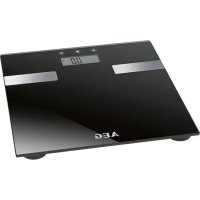
| Product Type | Impedance scale |
| Brand | AEG |
| Model | PW 4923 |
| Maximum capacity | 150 kg (330.7 lb) |
| Minimum capacity | 2.5 kg (5.5 lb) |
| Weight display division | 100 g |
| Units of measurement | kg / lb (selectable) |
| Body fat measurement range | 5.0% - 50.0% |
| Body water mass measurement range | 35.0% - 85.0% |
| Muscle mass measurement range | 10.0% - 50.0% |
| Number of user memories | 10 |
| User height range | 100 - 220 cm (3'03\" - 7'03\") |
| Age range | 10 - 80 years |
| Power supply | CR2032 3V battery |
| Display | Digital |
| Net weight | 1.8 kg |
| Functions | Weighing, bioelectrical impedance analysis (body fat, body water, muscle mass, bone mass) |
| Safety | Not suitable for people with pacemakers, pregnant women, children under 10 years, etc. |
| Cleaning | Damp cloth, do not immerse |
| Automatic shut-off | 10 seconds after use |
Frequently Asked Questions - PW 4923 AEG
User questions about PW 4923 AEG
0 question about this device. Answer the ones you know or ask your own.
Ask a new question about this device
Download the instructions for your Scale in PDF format for free! Find your manual PW 4923 - AEG and take your electronic device back in hand. On this page are published all the documents necessary for the use of your device. PW 4923 by AEG.
USER MANUAL PW 4923 AEG
Contents
GERMAN
Contents
Location of Controls ...... page 3
User manual......page 35
Technical Specifications......page 38
POLISH
Table of Contents
Location of Controls
General Safety Instructions
Read the operating instructions carefully before putting the appliance into operation and keep the instructions including the warranty, the receipt and, if possible, the box with the internal packing. If you give this device to other people, please also pass on the operating instructions.
- The appliance is designed exclusively for private use and for the envisaged purpose. This appliance is not fit for commercial use. Do not use it outdoors. Keep it away from sources of heat, direct sunlight, humidity (never dip it into any liquid) and sharp edges.
- Do not try to repair the appliance on your own. Always contact an authorized technician.
- Pay careful attention to the following "Special Safety Instructions".
Children
- In order to ensure your children's safety, please keep all packaging (plastic bags, boxes, polystyrene etc.) out of their reach.

Warning!
Caution! Do not allow small children to play with the foil as there is a danger of suffocation!
• Children should be supervised at all times in order to ensure that they do not play with the device.
Symbols in these Instructions for Use
Important information for your safety is specially marked. It is essential to comply with these instructions in order to avoid accidents and prevent damage to the machine:

Warning:
This warns you of dangers to your health and indicates possible injury risks.

Caution:
This refers to possible hazards to the machine or other objects.

Note:
This highlights tips and information.
Special Safety Instructions for this Machine

Warning:
If the glass surface is moist or covered with water droplets, please wipe the surface dry as there is a danger of slipping.

Caution:
▶ Handle the balance with care, as it is a precise measuring instrument. Do not drop it or jump on it. ▶ Do not load the appliance with more than 150 kg (330.7 lb) to avoid damaging the device.
- If the scales are carried or not going to be used, please store them only in a horizontal position.
- The body fat analysis scale is not suitable for the following persons:
- Children under 10 years and adults over 80 years
- Persons with symptoms of fever, oedema, or osteoporosis
- Persons undergoing treatment for dialysis
- Persons who use a pacemaker
- Persons who take cardiovascular medication
- Pregnant women
- Athletes who engage in more than 5 hours of intensive athletic exercise
- Persons with a heartbeat lower than 60 beats/minute
Location of Controls
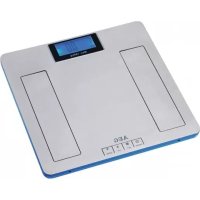
1 Display 2 Power button ON 3 SET-button 4 UP-button 5 DOWN-button 6 Contact Surfaces
| Display Symbol | Meaning |
| kg (lb) Body weight | |
| USER User memory space | |
| Male | |
| Female | |
| Age Age | |
| cm (Ft:in) Body height | |
| Body fat display | |
| Body water display | |
| Muscle mass display | |
| Bone weight display | |
| % | Percentage – body fat / body water / muscle mass / bone weight |
Information on Body Fat measurement

Caution:
Persons using a pacemaker or other medical implant with electronic parts are not advised to use this scale. The power output of the implant can be jeopardized, resulting in its impairment.

Note:
The device can only function correctly if you stand on the contact surfaces with bare, dry feet!
The main principle of this device is based on the measurement of the electric impedance within the human body. In order to determine the actual body data, the device leads a weak, unnoticeable electric signal through your body.
The signal is generally safe! However, please read our special safety instructions!
The method of measurement is referred to as “bioelectric impedance analysis” (BIA), a factor which is based on the relationship between body weight and associated body water percentages as well as on other biological data (age, gender, body weight).
There are heavy persons with a well-balanced percentage between fat and muscle mass, and there are seemingly slim persons with significantly high body fat values. Fat is a factor that puts serious strain on the body, in particular the cardiovascular system. Therefore, controlling both values (fat and weight) is a prerequisite for health and fitness.
Body Fat
Body fat is an important component of the body. From protecting the joints as a vitamin repository to regulating the body temperature, fat plays a vital role in the body. Thus the goal is not to radically reduce the proportion of body fat, but rather to achieve and maintain a healthy balance between muscle and fat.
The Importance of Water for our Health
Approximately fifty-five to sixty percent of the human body consist of water, depending on age and gender in varying amounts.
Water has to fulfill several tasks within the body:
- It is the building block of our cells. That means that all the cells in our body, whether skin cells, gland cells, muscle cells, brain cells or others, are functional only if they contain enough water.
- It is a solvent for important substances in our body.
- It is a means of conveyance for nutrients, the body's own substances and metabolic products.
Reference values for your fitness profile can be seen in the benchmark table. It shows the dependency of body fat data on age and gender. Always pay attention to your body's water balance, which, as well as the fat level, undergoes strong fluctuations throughout the day. Therefore, to obtain consistent data, always measure at the same time of day.
The calculated results of the body fat and water level should only be considered as reference values. They are not recommended to be used for medical purposes. Please always consult a doctor if you have questions about a medical treatment or a diet in order to achieve a normal body weight.
Technical Features
Memory capacity: 10
Mass alignment: from 100 to 220 cm (3'03" - 7'03" Ft:in)
Age: from 10 to 80 years
Minimum weight: from 2.5 kg (5.5 lb)
Maximum weight: 150 kg (330.7 lb)
Weight measurement unit: 100 g increments
Body fat measurement unit: 0.1%
Body fat measuring range: 5.0% - 50.0%
Body water measuring range: 35.0% - 85.0%
Muscle mass measuring range: 10.0% - 50.0%
Guideline for Body Fat Amount in Percentage (approximate values)
| AGE (years) | Women Men | |||||||
| UNDER FAT | HEALTHY | OVER FAT | OBESE | UNDER FAT | HEALTHY | OVER FAT | OBESE | |
| 10-11 | 11-13% | 14-23% | 24-27% | >27% | 9-11% | 11-20% | 21-24% | >24% |
| 12-15 | 12-15% | 16-24% | 24-29% | >29% | 7-9% | 10-19% | 20-23% | >23% |
| 16-39 | 17-20% | 21-28% | 29-33% | >33% | 10-12% | 13-20% | 21-25% | >25% |
| 40-60 | 20-23% | 23-32% | 33-37% | >37% | 13-15% | 16-23% | 24-29% | >29% |
| 61-80 | 21-24% | 25-35% | 36-40% | >40% | 15-17% | 18-26% | 27-31% | >31% |

Note:
Due to the significant fluctuation of body fat, it is difficult to attain a standard value. On average the optimal testing time is between 6 p.m. and 8 p.m., since the body fat remains very consistent during this period of time.
First Use of the Machine
Battery Compartment (on the back of the scales)

Note:
The battery in the battery compartment has been secured for transport with a foil. This prolongs the life of the battery.
Please remove this foil to prepare the scales for initial use.
Use
Weighing Function
- Place the scale on a hard, flat surface (avoid carpets). An uneven floor contributes to inaccurate measurements.
- On the back side of the scale beside the battery compartment a switch can be found. Choose between the measuring units "kg" and "lb" (pound).
- Turn on the scale by pressing the ON button.
- The scale and the display conduct a self-test (8888). Shortly afterward the digits "0.0" (kg) (0.0 lb) will appear.
- Stand with both feet on the contact surfaces (6) of the device. Distribute your weight equally and wait for the scale to determine your weight.
- The digits on the display will flash before your exact weight will be shown.
- In order to extend the battery life, the device will automatically turn off 10 seconds after you have stepped off the scale.
Programming Your Personal Data

Note:
The scale has default values that you can change, as described below. ▶ You should perform the following steps in order and within a few seconds; otherwise the device aborts the programming mode automatically!
- Turn the scale on by pressing the ON button. • Always wait until the display shows the digits 0.0 kg (0.0 lb).
- Press the button SET. The memory space will flash on the display. Confirm the setting by pressing SET or select another memory space by pressing the UP / DOWN button. Then press SET to go to the next setting.
- The symbol for "male" or "female" will flash. Confirm the setting by pressing SET or use the DOWN button to choose
the symbol for your gender. Then press SET to go to the next setting.
- The setting AGE will flash. Select your age by pressing UP or DOWN button. Holding down one of the buttons will accelerate the process. Confirm your entry by pressing SET.
- The height setting will flash. Select your height by pressing UP or DOWN button. Holding down one of the buttons will accelerate the process. Confirm your entry by pressing SET.
As a confirmation you will once again see all the entered settings in the memory space.
When the digits 0.0 kg (0.0 lb) appears on the display, you can:
- Press the SET button to see the selected settings again.
- Allocate further memory spaces. There are 10 spaces available in total. Press SET and change the space by pressing the UP or DOWN button. Proceed further as described above.
- Make changes by selecting the particular memory space by pressing SET (the display will flash). Proceed further as described above.
- You can immediately start measuring.
Determining Weight, Body Fat and Body Water Percentage
Record your personal data in the memory.

Note:
The device can only function correctly if you stand on the device with bare, dry feet! ▶ If necessary wipe the contact surfaces to improve results.
- Turn on the scale by pressing the ON button. • Always wait until the digits 0.0 kg (0.0 lb) appears on the display.
- Press the button SET. The memory space will flash on the display. Select the memory space where your data has been saved by pressing the UP / DOWN button. Wait until the memory space stops flashing. It will display the saved values one after another.
- If the display stops at 0.0 kg (0.0 lb), stand with both feet on the contact surfaces (6) of the scale.
- First your weight will appear on the display. Afterwards the analysis will begin. Remain standing on the scale during this process. • After a few seconds you will see the following information on the display
- Your body fat percentage (Symbol)
- Your body water percentage (Symbol)
- Your muscle mass percentage (Symbol)
- Your bone weight percentage (Symbol)
- Whilst the percentage of body fat will be displayed, an estimated value appears on the display below. This informs you in a glance of which range/division you are in.


- UNDERFAT
- HEALTHY
- OVERFAT
- OBESE
- Afterwards the determined data will be shown repeatedly. Then the scale will automatically turn off.
Usage Tips
- Weigh yourself without clothes or shoes before a meal and always at the same time of day.
- If you weigh yourself twice and receive two different results, your weight lies between the two values.
Display Error Messages

Note:
If an error message appears on the display, wait until the device is turned off. Turn it on again to restart the operation. If the error display has not disappeared, take the batteries out of the battery compartment for 10 seconds.
| Display Symbol | Meaning |
| 8888 | Self control (with power switch) for the proper function of the digital display. |
| 0000 The measurement is being analyzed. | |
| ---- | - The scale is positioned poorly.- You are not standing barefoot on the scale. |
| LO Battery shortage | |
| ErrH | The calculated body fat percentage exceeds the maximum limit of the measuring range. |
| Errl | The calculated body fat percentage exceeds the minimum limit of the measuring range. |
| EEEE The weight exceeds the allowable maximum. | |
Battery change
The battery is a long-life lithium cell. If the letters "LO" appear on the display this means that the batteries need replacing as follows:
- Open the battery compartment on the back of the scales.
- Replace the battery with a cell of the same type "CR 2032". Please ensure the correct polarity (You will find notes about this on the battery compartment).
- Close the lid of the battery compartment.
- Remove the batteries if the scale is not going to be used for a prolonged period.

Caution:
Batteries are not to be disposed of together with domestic wastes. Dispose of the used batteries at the relevant collection bin or at your dealer's.

Warning:
- Do not expose the batteries to high temperatures or direct sunlight. Never throw batteries into the fire. There is a danger of explosion!
- Keep batteries away from children. They are not a toy.
- Do not open the batteries by force.
- Avoid contact with metallic objects. (Rings, nails, screws, etc.) There is a danger of short-circuiting!
- As a result of a short-circuit, batteries may heat up considerably or even catch fire. This may result in burns.
- For your own safety, the battery poles should be covered with adhesive strips during transport.
- If a battery leaks, do not rub the liquid into your eyes or mucous membranes. If hands come into contact with the liquid, they should be washed thoroughly and eyes rinsed out with clear water; if symptoms persist, please consult a doctor.
Cleaning

Caution:
▶ Do not immerse the balance in water: the electronic components can be damaged. ▶ Do not use a wire brush or any abrasive items. ▶ Do not use any acidic or abrasive detergents.
- Clean the device with a slightly moist cloth. Make sure that no humidity or water seeps into the device!
- Use a commercially sold detergent or soap for cleaning.
- Dry the device well after cleaning with a dry and soft cloth.
Technical Specifications
Model: PW 4923
Power supply: 3V CR 2032
Min. / max. weight load: 2.5 kg (5.5 lb) /
150 kg (330.7 lb)
Net weight: 1.8 kg
Subject to technical changes without prior notice!
This device has been tested according to all relevant current CE guidelines, such as electromagnetic compatibility and low voltage directives, and has been constructed in accordance with the latest safety regulations.

Meaning of the "Dustbin" Symbol
Protect our environment: do not dispose of electrical equipment in the domestic waste.
Please return any electrical equipment that you will no longer use to the collection points provided for their disposal.
This helps avoid the potential effects of incorrect disposal on the environment and human health.
This will contribute to the recycling and other forms of reutilisation of electrical and electronic equipment.
Information concerning where the equipment can be disposed of can be obtained from your local authority.

- CONTENTS
- GERMAN
- POLISH
- TABLE OF CONTENTS
- GENERAL SAFETY INSTRUCTIONS
- CHILDREN
- WARNING
- SYMBOLS IN THESE INSTRUCTIONS FOR USE
- CAUTION
- NOTE
- SPECIAL SAFETY INSTRUCTIONS FOR THIS MACHINE
- LOCATION OF CONTROLS
- INFORMATION ON BODY FAT MEASUREMENT
- BODY FAT
- THE IMPORTANCE OF WATER FOR OUR HEALTH
- TECHNICAL FEATURES
- FIRST USE OF THE MACHINE
- USE
- WEIGHING FUNCTION
- PROGRAMMING YOUR PERSONAL DATA
- DETERMINING WEIGHT, BODY FAT AND BODY WATER PERCENTAGE
- USAGE TIPS
- DISPLAY ERROR MESSAGES
- BATTERY CHANGE
- CLEANING
- TECHNICAL SPECIFICATIONS
- MEANING OF THE "DUSTBIN" SYMBOL
Brand : AEG
Model : PW 4923
Category : Scale