
RR700 - Juke box Ricatech - Free user manual and instructions
Find the device manual for free RR700 Ricatech in PDF.


| Product Type | Jukebox |
| Brand | Ricatech |
| Model | RR700 |
| Power Supply | Mains 220-240 V, 50 Hz |
| Power Consumption | 15 W (estimated) |
| Dimensions (L x W x H) | 28 x 22 x 25 cm (approx.) |
| Weight | 2.5 kg (approx.) |
| Main Functions | CD player, FM/AM radio, LED lights, auxiliary input, track programming, repeat playback |
| Safety | Compliant with safety standards, overload protection, grounding |
| Maintenance | Clean with a damp cloth, do not use liquid or aerosol cleaners |
| Spare parts and repairability | Contact a qualified technician, use parts specified by the manufacturer |
| General Information | User manual available in multiple languages, customer service by email and phone |
Frequently Asked Questions - RR700 Ricatech
User questions about RR700 Ricatech
0 question about this device. Answer the ones you know or ask your own.
Ask a new question about this device
Download the instructions for your Juke box in PDF format for free! Find your manual RR700 - Ricatech and take your electronic device back in hand. On this page are published all the documents necessary for the use of your device. RR700 by Ricatech.
USER MANUAL RR700 Ricatech
RICATECH RR700
Jukebox
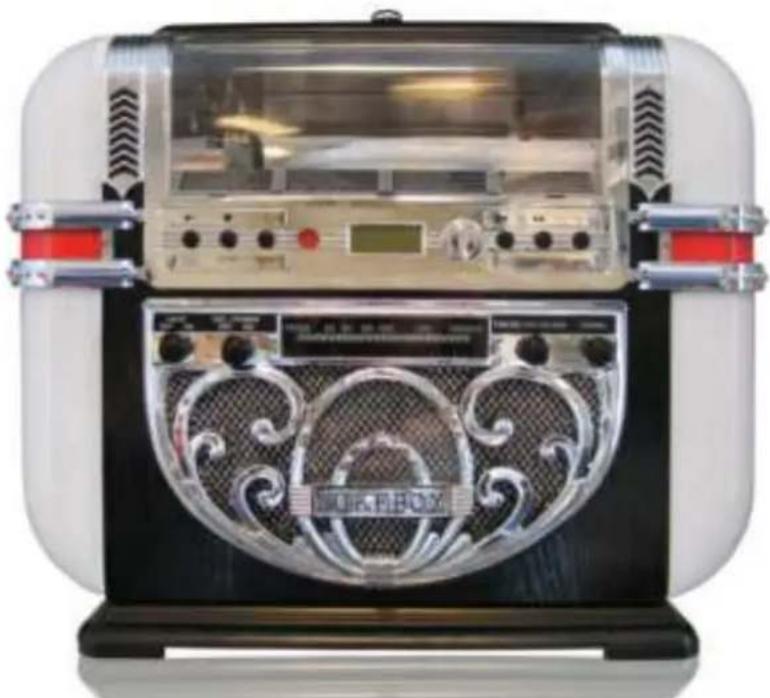
USER MANUAL
GEBRUIKERSHANDLEIDING
MODE D'EMPLOI
BEDIENUNGSANLEITUNG
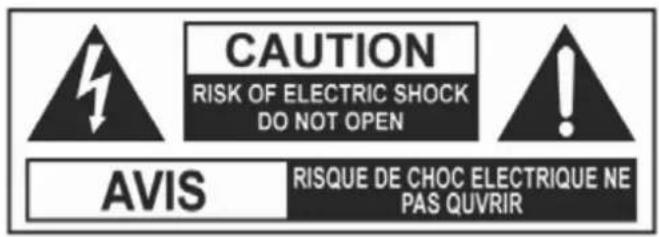
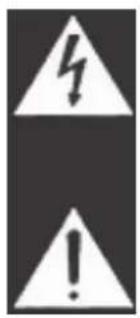
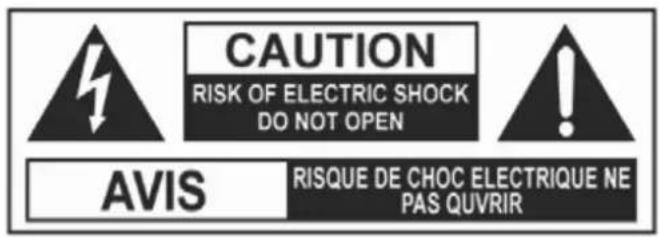
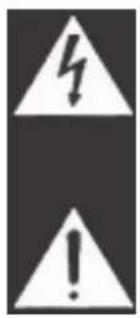
The Lighting flash with an arrowhead symbol, within the equilateral triangle, is intended to alert the user to the presence of uninsulated "dangerous voltage" within the product's enclosure that may be of sufficient magnitude to cause an electric shock.
The exclamation point within the equilateral triangle is intended to alert the user to the presence of important operating and maintenance (servicing) instructions in this owner manual.
WARNING: TO REDUCE THE RISK OF ELECTRIC SHOCK, DO NOT REMOVE COVER (OR BACK). NO USER-SERVICEABLE PARTS INSIDE. REFER SERVICING TO QUALIFIED SERVICE PERSONNEL.
WARNING: TO PREVENT FIRE OR SHOCK HAZARD, DO NOT EXPOSE THIS APPLIANCE TO RAIN OR MOISTURE.
CAUTION: TO PREVENT ELECTRIC SHOCK, MATCH WIDE BLADE OF PLUG TO WIDE SLOT, FULLY INSERT. (USA AND CANADA ONLY)
On Placement
• Do not use the unit in places which are extremely hot, cold, dusty, or humid.
- Place the unit on a flat and even surface.
• Do not restrict the airflow of the unit by placing it in a place with poor airflow, by covering it with a cloth.
FCC Information
This device complies with Part 15 of FCC Rules. (USA VERSION ONLY)
Operation is subject to the following two conditions:
(1) This device may not cause harmful interference, and
(2) This device must accept any interference received, including interference that may cause undesirable operation.
On Safety
- When connecting or disconnecting the AC cord, grip the plug and not the cord itself. Pulling the cord may damage it and create a hazard.
- When you are not going to use the unit for a long period of time, disconnect the AC power cord.
On Condensation
- When left in a heated room where it is warm and damp, water droplets or condensation may form inside the unit. When there is condensation inside the unit, the unit may not function normally. Let the unit stand for 1 to 2 hours before turning the power on, or gradually heat the room up and dry the unit before use.
WARNING:
Should any trouble occur, disconnect the AC power cord and refer servicing to a qualified
- technician.
• Do not place anything directly on the top of the unit. Damage to the unit can result.
LASER SAFETY
THIS UNIT EMPLOYS A LASER.
ONLY QUALIFIED SERVICE PERSONNEL SHOULD OPEN THE COVER IN ATTEMPT TO SERVICE THIS DEVICE DUE TO POSSIBLE EYE INJURY.
CAUTION: USE OF ANY CONTROLS, ADJUSTMENTS, OR
PROCEDURES OTHER THAN THOSE SPECIFIED HEREIN
MAY RESULT IN HAZARDOUS RADIATION EXPOSURE.
IMPORTANT SAFETY INSTRUCTIONS
-
Read Instructions – All the safety and operating instructions should be read before the product is operated.
-
Retain Instructions – The safety and operating instructions should be retained for future reference.
-
Heed Warnings – All warnings on the product and in the operating instructions should be adhered to.
-
Follow Instructions – All operating and user instructions should be followed.
-
Cleaning – Unplug the product from the wall outlet before cleaning. Do not use liquid cleaners or aerosol cleaners. Use a damp cloth for cleaning.
-
Attachments – Do not use attachments not recommended by the product manufacturer as they may cause hazards.
-
Water and Moisture – Do not use the product near water – for example, near a bath tub, wash bowl, kitchen sink, or laundry tub; in wet basement; or near a swimming pool; and the like.
-
Accessories – Do not place this product on an unstable cart, stand, tripod, bracket or table. The product may fall, causing serious injury to a child or adult and serious damage to the product. Use only with a cart, stand, tripod, bracket or table recommended by the manufacturer or sold with the product. Any mounting of the product should follow the manufacturer's instructions, and should use a mounting accessory recommended by the manufacturer.
-
A product and cart combination should be moved with care; quick stops, excessive force and uneven surface may cause the product and cart combination to overturn.
-
Ventilation – Slots and openings in the cabinet are provided for ventilation and to ensure reliable operation of the product and to protect it from overheating. These openings must not be blocked or covered. The openings should never be blocked by placing the product on a bed, sofa, rug, or other similar surface. This product should not be placed in a built-in installation such as a bookcase or rack unless proper ventilation is provided or the manufacturer's
instructions have been adhered to.
-
Power Sources – This product should be operated only from the type of power source indicated on the marking label. If you are not sure of the type of power supply to your home, consult your product dealer or local power company. For products intended to operate from battery power, or other sources, refer to the operating instructions.
-
Grounding or Polarization – This product may be equipped with a polarized alternating-current line plug (a plug having one blade wider than the other). This plug will fit into the power outlet only one way. This is a safety feature; if you are unable to insert the plug fully into the outlet, try reversing the plug. If the plug should still fail to fit, contact your electrician to replace your obsolete outlet. Do not defeat the safety purpose of the polarized plug. (FOR USA OR CANADA ONLY)
-
Power-Cord Protection – Power-supply cord should be routed so that they are not likely to be walked on or pinched by items placed upon or against them, paying particular attention to cord at plugs, convenience receptacles and the point where they exit from the product.
-
Protective Attachment Plug – The product is equipped with an attachment plug having overload protection. This is a safety feature. See Instruction Manual for replacement or resetting or protective device. If replacement of the plug is required, be sure the service technician has used a replacement plug specified by the manufacturer that has the same overload protection as the original plug.
-
Outdoor Antenna Grounding – If an outside antenna or cable system is connected to the product, be sure the antenna or cable system is grounded so as to provide some protection against voltage surges and built-up static charges. Article S10 of National Electrical Code, ANSI/NFPA 70, provides information with regard to proper grounding of the mast and supporting structure, grounding of the lead-in wire to an antenna discharge unit, size of grounding conductors, location of antenna-discharge unit, connection to grounding electrodes and requirements for the grounding electrode. See Figure 131.1.
-
Lightning – For added protection for this product during a lightning storm or when it is left unattended and unused for a long period of time, unplug it from the wall outlet and disconnect the antenna or cable system. This will prevent damage to the product due to lightning and power-line surges.
-
Power Lines – An outside antenna system should not be located in the vicinity of overhead power lines or other electric light or power circuits, or where it can fall into such power lines or circuits. When installing an outside antenna system, extreme care should be taken to keep from touching such power lines or circuits, as contact with them might be fatal.
-
Overloading – Do not overload wall outlets, extension cords, or integral convenience receptacles as this can result in a risk of fire or electric shock.
-
Object and liquid Entry – Never push objects of any kind into this product through openings as they may touch dangerous voltage points or short-out parts that could result in a fire or electric shock. Never spill liquid of any kind on the product.
-
Servicing – Do not attempt to service this product yourself as opening or removing covers may expose you to dangerous voltage or other hazards. Refer all servicing to qualified service personnel.
-
Damage Requiring Service – Unplug this product from the wall outlet and refer servicing to qualified service personnel under the following conditions:
a) When the power-supply cord or plug is damaged.
b) If liquid has been spilled or objects have fallen into the product,
c) If the product has been exposed to rain or water,
d) If the product does not operate normally by following the operating instructions, adjust only those controls that are covered by the operating instructions as an improper adjustment of other controls may result in damage and will often require extensive work by a qualified technician to restore the product to its normal operation.
e) If the product has been dropped or damaged in any way, and
f) When the product exhibits a distinct change in performance – this indicates a need for service.
-
Replacement Parts' – When replacement parts are required, be sure the service technician has used replacement parts specified by the manufacturer or have the same characteristics as the original part. Unauthorized substitutions may result in fire, electric shock, or other hazards.
-
Safety Check – Upon completion of any service or repairs to this product, ask the service technician to perform safety checks to determine that the product is in proper operating condition.
-
Wall or Ceiling Mounting – The product should be mounted to a wall or ceiling only as recommended by the manufacturer.
-
Heat – The product should be situated away from heat sources such as radiators, heat registers, stoves, or other products (including amplifiers) that produce heat.
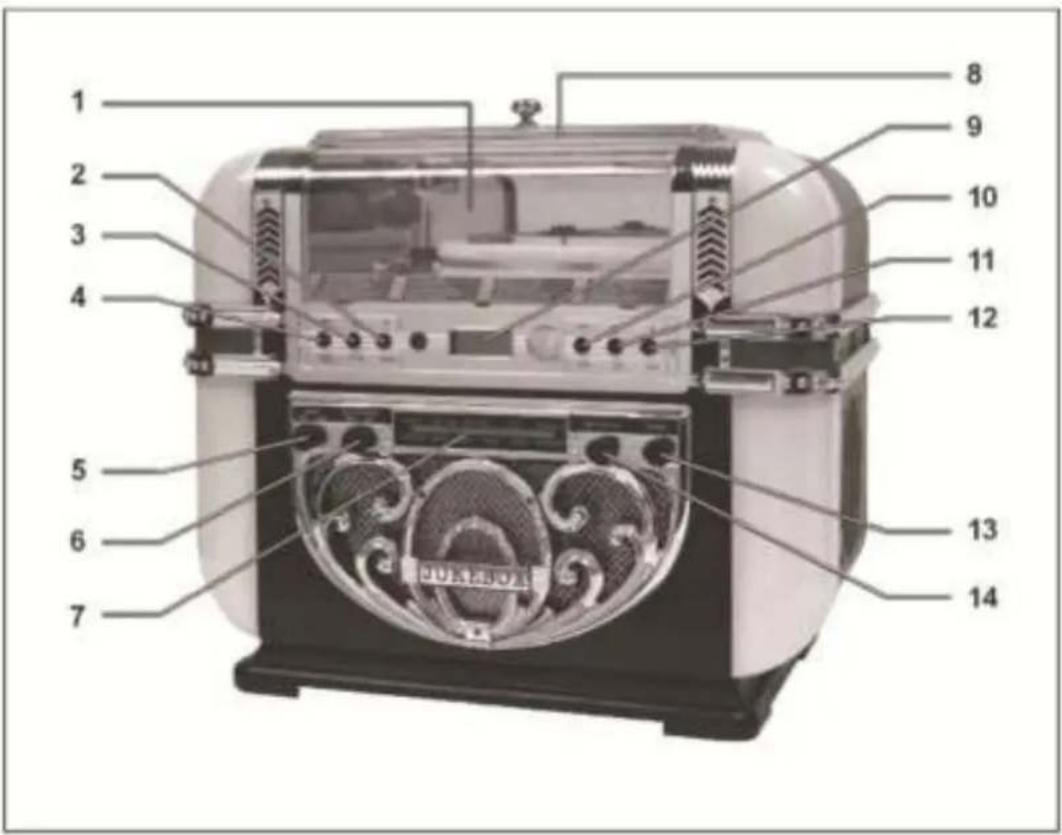
1
- Program
-
Stop button
4.Play button
5.Light Switch Knob
6.Volume / Power knob
7.Tuning Dial -
Display
10.(S.B.) Skip Backward button
11.(S.F.) Skip Forward button
12.REPEAT
13.TUNING knob - Mode Selector
BASIC OPERATIONS
- Turn the VOLUME/POWER switch knob clockwise to turn the power on.
- Open the CD DOOR on the top of unit to insert a disc onto the DISC TRAY then close the CD DOOR. *(Make sure the CD DOOR is closed properly.)
- Rotate the mode selector to CD.
- Adjust listening level with volume knob.
- Press S.F. (SKIP FORWARD) to skip ahead to next track.
- Press S.B. (SKIP BACKWARD) to skip back to previous track.
- Press PLAY/PAUSE button to play disc, press twice to temporarily stop disc play at the current play position, Press the button again to resume disc play from the pause mode.
- Press STOP button to stop playing disc.
NOTES
• If the disc is seriously scratched, too dirty, disc play may not start.
- If an improperly centered disc is played, noise can be heard in the mechanism. The use of such discs should be avoided.
- Do not tilt the unit with discs loaded. Doing so may cause malfunctions.
REPEAT DISC PLAY
- Press REP button once to repeat disc play of one track.
- Press REP button twice to repeat disc play all the tracks.
- Pressing once more turns off repeat mode.
PROGRAMMED DISC PLAY
- Press the STOP button.
- Press the PGM button.
- Select a track number then press PGM button again.
- Repeat step 3 until all the desired tracks are programmed.
- Press PLAY/PAUSE button to play disc.
TO LISTEN TO THE RADIO
- Set the MODE selector to FM or AM
- Adjust the sound with the VOLUME/POWER knob.
- Tune to the desired radio station by using the TUNING knob.
- To turn off the radio, rotate the VOLUME/POWER switch knob counter-clockwise until you hear a click sound.
LIGHT OPERATION
- Rotate the LIGHT knob clockwise to switch on all lights.
- To switch off lights, rotate the LIGHT knob counter-clockwise.
LIGHT MODE - LOCATED AT THE BACK COVER (IF EQUIPPED)
The colors of the lights change over time on both side of light pillar, switch to HOLD position to remain static to your favorite color. Switch to PLAY position to resume
NOTE: The changing color sequences of lights are controlled by IC. It is normal that the lights may turn off when the light mode is in HOLD position.
AUXILIARY JACK CONNECTION "AUX IN" (IF EQUIPPED)
- Connect your own device (i.e. MP3 player or IPOD) to the "AUX IN" socket (located at the back of unit) with stereo plug and detachable rack (packed separately).
- Adjust the ON / OFF switch next to the jack to the 'ON' position.
- Rotate the mode selector to "CD-AUX".
- Adjust the sound with the VOLUME knob or the volume control of the device.
- When changed to another mode, the device will continue to play with no sound until the ON / OFF switch is adjusted to the 'OFF' position and the device is switched off.
IMPORTANT NOTE:
- When not using the auxiliary jack, adjust the ON / OFF switch to the 'OFF' position. The CD function will resume to normal only after the ON / OFF switch is adjusted to 'OFF' position.
TROUBLESHOOTING GUIDE
The following checks will assist in the correction of most problems that you may encounter with your set. Before going through the checklist below, first check the following points.
**The power cord must be connected firmly.
Should any problem persist after you have made these checks consult your nearest friendly dealer.
| Symptom | Possible Causes (and Remedies) |
| Radio Reception | |
| No radio | The function switch is not in the correct position. Adjust the VOLUME knob. Rotate the TUNING knob to find a radio station. |
| CD Player Operation | |
| Disc play does not start. | Reload the disc with the label side up. Clean the disc. |
| Sound skips | Change the installation location. |
| Programmed disc play will not function | Press the STOP button, and then program the tracks |
| Light Operation | |
| No light | Check the light ON/OFF knob Check the light mode switch (at back cover) |
| General | |
| Unit not working | The AC power cord is not connected to an outlet. Check that the power cord is firmly connected. Turn the power button from the “OFF” position to |
| No sound output | Turn VOLUME clockwise. |
| Severe hum or noise | The TV or VTR is too close to the stereo system. Separate from the TV or VTR. |
***THIS OPERATING INSTRUCTION REFLECTS THE CURRENT TECHNICAL SPECIFICATIONS AT TIME OF PRINT. WE RESERVE THE RIGHT TO CHANGE THE SPECIFICATION FOR TECHNICAL REASON WITHOUT NOTICE.
***PLEASE REFER TO THE RATING LABEL OF THE BACK COVER FOR PRODUCT SPECIFICATION.
CUSTOMER SUPPORT
You can contact the Ricatech customer service when you have a question or a problem with your Ricatech product. You can contact us by telephone and email.
For customer support by email, please sent a email to support@ricatech.com Please make sure that you mention the model number and serial number of the product, mention your name & address and describe your question or problem clearly.
Telephone
For customer support by telephone, please dial +32 3 3265694. One of our service staff will be ready to serve you.
For full procedure please visit the website of Ricatech at: www.ricatech.com
EXTRA STEKKERAANSLUITING "AUX IN" (INDIEN AANWEZIG)
GIDS VOOR PROBLEEMOPLOSSING
BED
1.
2.
3.



- RICATECH RR700
- JUKEBOX
- ON PLACEMENT
- FCC INFORMATION
- ON SAFETY
- ON CONDENSATION
- WARNING
- LASER SAFETY
- IMPORTANT SAFETY INSTRUCTIONS
- BASIC OPERATIONS
- NOTES
- REPEAT DISC PLAY
- PROGRAMMED DISC PLAY
- TO LISTEN TO THE RADIO
- LIGHT OPERATION
- LIGHT MODE - LOCATED AT THE BACK COVER (IF EQUIPPED)
- AUXILIARY JACK CONNECTION "AUX IN" (IF EQUIPPED)
- IMPORTANT NOTE
- TROUBLESHOOTING GUIDE
- CUSTOMER SUPPORT
- TELEPHONE
- EXTRA STEKKERAANSLUITING "AUX IN" (INDIEN AANWEZIG)
- GIDS VOOR PROBLEEMOPLOSSING
- BED
Brand : Ricatech
Model : RR700
Category : Juke box