
RR300 - Juke box Ricatech - Free user manual and instructions
Find the device manual for free RR300 Ricatech in PDF.


| Product Type | Jukebox |
| Brand | Ricatech |
| Model | RR300 |
| Power Supply | Mains (AC cord) |
| Main Functions | AM/FM radio, auxiliary input (AUX IN), decorative lighting |
| Radio Bands | AM and FM |
| AM Antenna | Integrated directional |
| FM Antenna | Rear flexible wire |
| Auxiliary Input | AUX IN jack (3.5mm) with ON/OFF switch |
| Dimensions (approx.) | 30 x 20 x 25 cm |
| Weight (approx.) | 2 kg |
| Maintenance and Cleaning | Unplug before cleaning; use a dry cloth |
| Safety | Do not expose to rain or humidity; do not open the housing |
| Repairability | Entrust to a qualified technician |
| Spare Parts | Not specified; contact consumer service |
| Consumer Service | Email: support@ricatech.com; Tel: +32 3 3265694 |
| Website | www.ricatech.com |
Frequently Asked Questions - RR300 Ricatech
User questions about RR300 Ricatech
0 question about this device. Answer the ones you know or ask your own.
Ask a new question about this device
Download the instructions for your Juke box in PDF format for free! Find your manual RR300 - Ricatech and take your electronic device back in hand. On this page are published all the documents necessary for the use of your device. RR300 by Ricatech.
USER MANUAL RR300 Ricatech
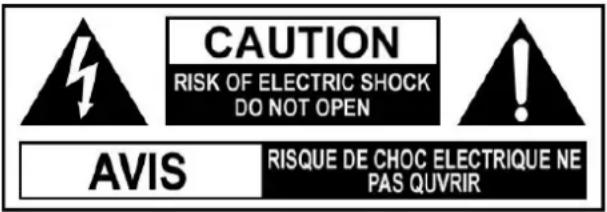
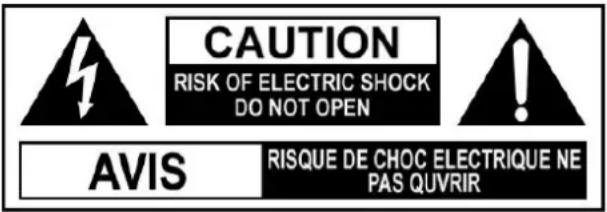
The Lighting flash with and arrowhead symbol, within the equilateral triangle, is intended to alert the user to the presence of uninsulated "dangerous voltage" within the product's enclosure that may be of sucient magnitude to cause an electric shock.

The exclamation point within the equilateral triangle is intended to alert the user to the presence of important operating and maintenance (servicing) instructions in this owner manual.
WARNING: TO REDUCE THE RISK OF ELECTRIC SHOCK, DO NOT REMOVE COVER (OR BACK PLATING). NO USER SERVICEABLE PARTS INSIDE. REFER SERVICING TO QUALIFIED SERVICE PERSONNEL.
WARNING: TO PREVENT FIRE OR SHOCK HAZARD, DO NOT EXPOSE THIS APPLIANCE TO RAIN OR MOISTURE.
On Placement
- Do not use the unit in places which are extremely hot, cold, dusty, or humid.
- Place the unit on a flat and even surface.
- Do not restrict the air flow of the unit by placing it in a place with poor air flow or by covering it with a cloth.
On Safety
- When connecting or disconnecting the AC cord, grip the plug and not the cord itself. Pulling the cord may damage the cable and create a hazard.
- When you are not going to use the unit for a long period of time, disconnect the AC power cord.
On Condensation
- When left in a heated room where it is warm and damp, water droplets or condensation may form inside the unit. When there is condensation inside the unit, the unit may not function normally. Let the unit stand for 1 to 2 hours before turning the power on, or gradually heat the room up and dry the unit before use.
WARNING :
- Should any trouble occur, disconnect the AC power cord and refer servicing to a qualified technician.
-
Do not place anything directly on the top of the unit.
-
No direct fire sources, such as lighted candles, should be placed on the device.
- No objects filled with liquids, such as vases, should be placed on the device.
- The mains plug of the device should be disconnected from the mains outlet before servicing or not in use.
The mains outlet shall be readily accessible.
- The meaning of the crossed-out wheeled-bin symbol; e.g.
- This symbol indicating separate collection for electrical and electronic equipment.
- This product may not perform normally under a strong electrostatic environment

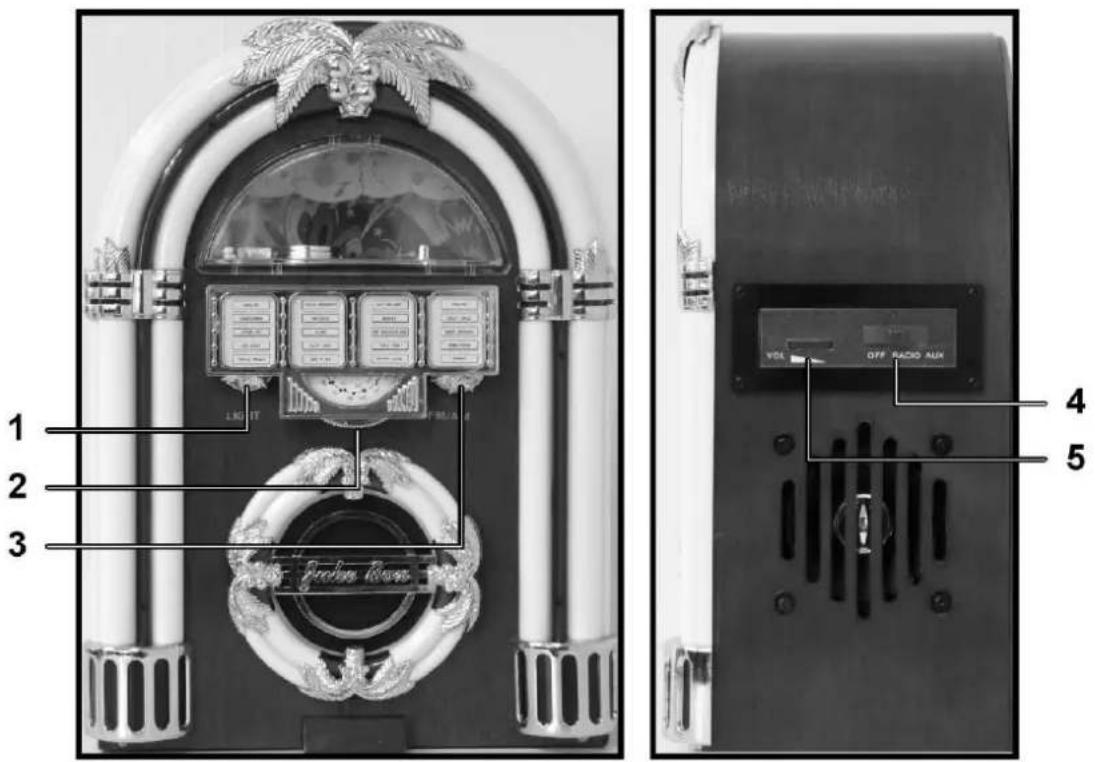
LOCATION OF CONTROL - MAIN UNIT
- LIGHT KNOB
- TUNING KNOB
- AM/FM KNOB
- MODE SELECTOR
- VOLUME KNOB
RADIO OPERATION
- Slide the function selector to RADIO to turn the power on
- Turn AM/FM knob to your designed band
- Rotate the TUNING knob to find the radio station of your choice.
- Adjust listening level with VOLUME knob.
- To turn off the unit, slide the function selector to OFF
NOTE
• THE BUILT-IN AM ANTENNA IS DIRECTIONAL. TURN RADIO SLIGHTLY FOR BEST RECEPTION.
- THE SMALL FLEXIBLE WIRE ON THE BACK COVER IS THE FM ANTENNA, FOR BEST RECEPTION EXTEND THIS WIRE TO ITS FULL LENGTH.
LIGHT OPERATION
- Turn the LIGHT knob clockwise until to hear click sound to turn on the light.
- To turn off the light, turn the LIGHT knob counter-clockwise to turn off the light.
AUXILIARY CONNECTION "AUX IN"
- Slide the function selector to AUX to turn the power on
- Connect your own device (i.e. MP3 player or IPOD) to the "AUX IN connection" (located at the back of cabinet) with stereo plug and detachable rack (packed separately).
- Adjust the ON / OFF switch next to the jack to the 'ON' position.
- Adjust the listening level with the VOLUME knob or the volume control of the device.
- When change to another mode, the device will continue to play with no sound until the ON / OFF switch is adjusted to 'OFF' position and switch off the device.
- To turn off the unit, slide the function selector to OFF
NOTE: ADJUST THE ON / OFF SWITCH TO THE 'OFF' POSITION WHEN NOT IN USE.
TROUBLESHOOTING GUIDE
| Symptom | Possible Causes (and Remedies) |
| Radio Reception | |
| No radio | The function switch is not in the correct position. Adjust the VOLUME knob. Rotate the TUNING knob to find a radio station. Slide the AUX IN jack to “OFF” |
| No Aux In | The function switch is not in the correct position. Adjust the VOLUME knob of the Jukebox and your own device (MP3 player / ipod) Slide the AUX IN jack to “ON” |
| General | |
| Unit not working | The AC power cord is not connected to an outlet. Check that the power cord is connecting firmly. Slide the function selector from the “OFF” position to RADIO or AUX to turn on the power |
| No sound output | Turn VOLUME clockwise. |
| Severe hum or noise | The TV or VTR is too close to the stereo system. Separate from the TV or VTR. |
*THIS OPERATING INSTRUCTION REFLECTS THE CURRENT TECHNICAL SPECIFICATIONS AT TIME OF PRINT. WE RESERVE THE RIGHT TO CHANGE THE SPECIFICATION FOR TECHNICAL REASON WITHOUT NOTICE.
CUSTOMER SUPPORT
You can contact the Ricatech customer service when you have a question or a problem with your Ricatech product. You can contact us by telephone and email.
For customer support by email, please sent a email to support@ricatech.com Please make sure that you mention the model number and serial number of the product, mention your name & address and describe your question or problem clearly.
Telephone
For customer support by telephone, please dial +32 3 3265694. One of our service staff will be ready to serve you.
For full procedure please visit the website of Ricatech at: www.ricatech.com
Hereby, Ricatech B.V. declares that this Android Tablet PC is in compliance with the essential requirements and other relevant provisions of Directive 1999/5/EC.
Ricatech B.V.
Cornusbaan 1
2908 KB Capelle a/d IJssel
The Netherlands

TROUBLESHOOTING GUIDE
Hereby, Ricatech B.V. declares that this turntable is in compliance with the essential requirements and other relevant provisions of Directive 1999/5/EC.
Ricatech B.V.
Cornusbaan 1
2908 KB Capelle a/d IJssel
The Netherlands


Hereby, Ricatech B.V. declares that this turntable is in compliance with the essential requirements and other relevant provisions of Directive 1999/5/EC.
Ricatech B.V.
Cornusbaan 1
2908 KB Capelle a/d IJssel
The Netherlands

Hereby, Ricatech B.V. declares that this turntable is in compliance with the essential requirements and other relevant provisions of Directive 1999/5/EC.
Ricatech B.V.
Cornusbaan 1
2908 KB Capelle a/d IJssel
The Netherlands


Hereby, Ricatech B.V. declares that this turntable is in compliance with the essential requirements and other relevant provisions of Directive 1999/5/EC.
Ricatech B.V.
Cornusbaan 1
2908 KB Capelle a/d IJssel
The Netherlands



Brand : Ricatech
Model : RR300
Category : Juke box