
ZX600 - Earphones GIGASET - Free user manual and instructions
Find the device manual for free ZX600 GIGASET in PDF.


| Product Type | Bluetooth Headset |
| Brand | Gigaset |
| Model | ZX600 |
| Dimensions | 55.6 x 21.5 x 14 mm |
| Weight | 15 g |
| Battery | Li-Polymer 100 mAh, charges in 2 hours |
| Talk Time | Up to 7 hours |
| Standby Time | Up to 170 hours |
| Bluetooth Version | 2.0, headset and handsfree profiles |
| LED Indicator | Red, blue, purple according to status (on, pairing, ringing, charging) |
| Main Functions | Pairing (up to 8 devices), answer/reject call, volume, voice dial, redial, call transfer |
| Safety | High sound level can damage hearing, adjust volume to minimum before use, turn off in sensitive areas (airplane, hospital) |
| Maintenance and Cleaning | Slightly damp cloth or antistatic cloth, no solvents or dry cloth |
| Spare Parts and Repairability | Removable battery for recycling, opening damages the device, 24-month warranty (6 months for wear parts) |
| General Information | Operating temperature 0-50°C, CE certification, recycling according to WEEE directive |
Frequently Asked Questions - ZX600 GIGASET
User questions about ZX600 GIGASET
0 question about this device. Answer the ones you know or ask your own.
Ask a new question about this device
Download the instructions for your Earphones in PDF format for free! Find your manual ZX600 - GIGASET and take your electronic device back in hand. On this page are published all the documents necessary for the use of your device. ZX600 by GIGASET.
USER MANUAL ZX600 GIGASET
natural_image
Line drawing of a wireless ear with a clapperboard (no text or symbols)Gigaset ZX600 Bluetooth Headset

Bluetooth™
User Manual in English
1. Safety information
Attention: Be sure to read this user guide and the safety precautions before using your telephone.
Electronic Devices
To avoid electromagnetic interference, please turn off the headset in any place where posted notices instruct you to do so.
Note: Most modern electronic devices are susceptible to electromagnetic interference (EMI) if inadequately shielded, designed, or otherwise configured for electromagnetic compatibility.
Aircraft
Turn off the headset when on board an aircraft. The use of this headset might interfere with the electrical system of an aircraft.
Medical Instruments
Using your headset may affect nearby medical equipment. Be aware of the technical conditions in your particular environment e.g., doctor's surgery.
Power Adapter
Only use the supplied power adapter with the headset.
Placement
You are advised to put the headset in a safe place where it will not be bent or crushed otherwise it may harm the users.
Repair or Service
Any attempt to modify or remove any part of the headset will void the warranty.
Additional Safety Information
Headsets can emit high-volume and high-frequency tones. Subjecting your ears to these tones may lead to permanent loss of hearing. The volume required depends on the conditions under which you use the device. Please read and understand the safety precautions below before using the headset.
Before using this product, complete the following steps:
◆Set the volume to the minimum setting before putting on the headset.
◆Put on the headset and adjust the volume to a comfortable level.
While using this product:
Always keep the volume as low as possible and avoid using the headset in a noisy environment where you may have a tendency to increase the volume.
2. General Descriptions
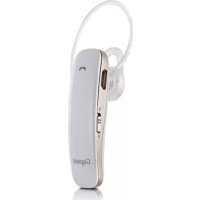
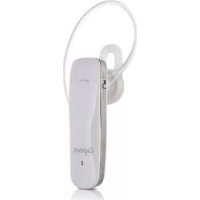
Gigaset ZX600 is a Bluetooth-enabled, wireless hands-free headset designed to work with Gigaset, mobile phones and other portable devices as long as they adhere to the Bluetooth specifications and support either the headset or handsfree Bluetooth profile.
3. Getting started
3.1 Identifying parts
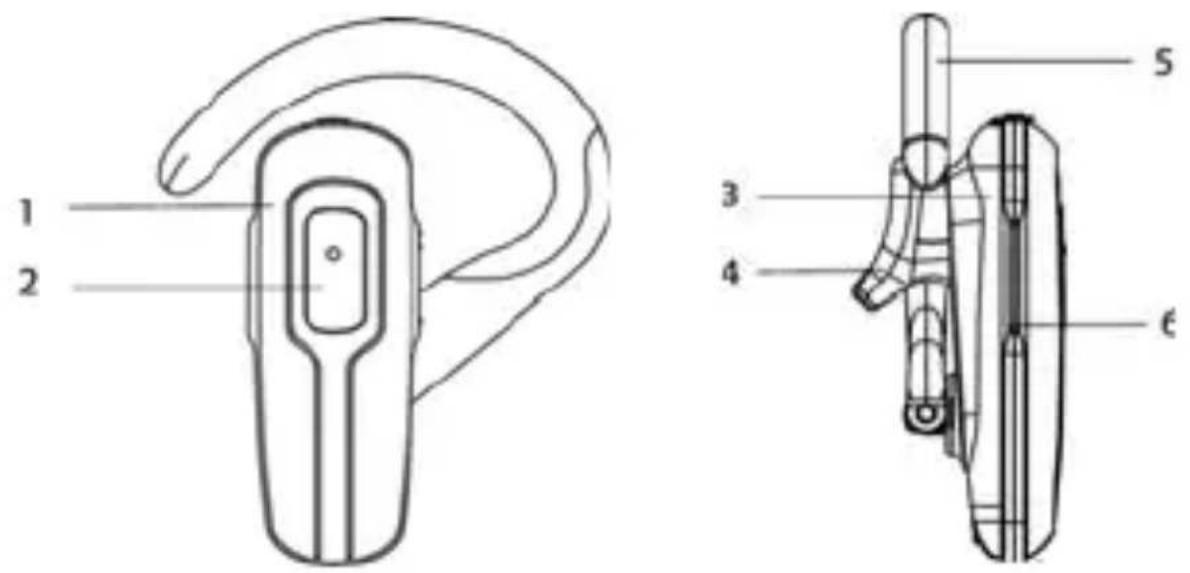
| 1 Front of headset 4 Earbuds | holster | |
| 2 Multifunction button 5 Earloop | ||
| 3 Earphone cover 6 Volume | key |
3.2 Adjusting the headset
The lightweight Gigaset ZX600 can be worn comfortably on either ear. Adjust the headset according to the following figures.
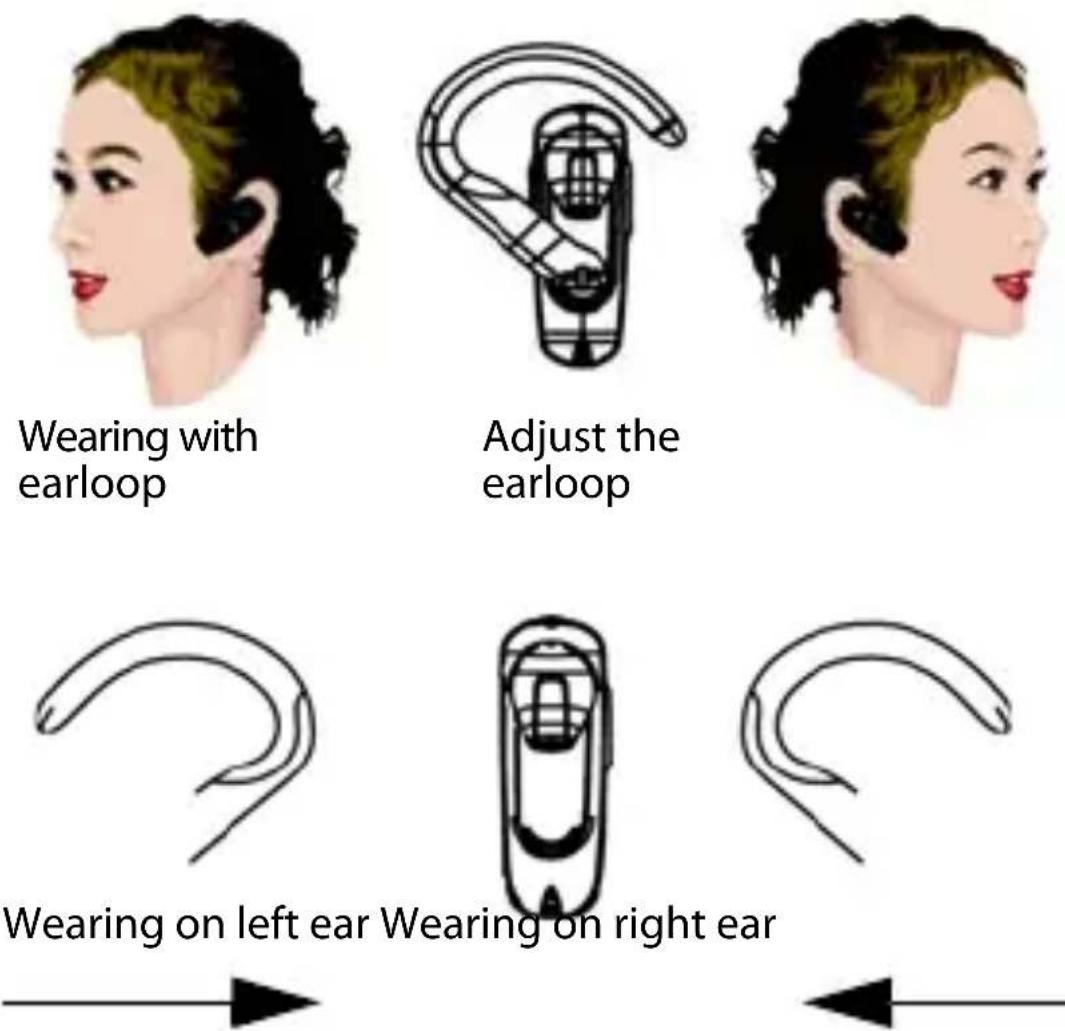
Note: You can adjust the earloop angle for comfort, but please be careful not to break the clip.
3.3 Status LED
| Headset state LED colour Status | |
| Power off Red Steady for 1 sec. | |
| Power on Blue Steady for 1 sec. | |
| Pairing Mode Red and blue Flash alternately | |
| Pair Success Blue Steady for 5 sec. | |
| Standby Mode Blue and red Flash once every 5 sec. | |
| Ringing Violet Flash once every 1 sec. | |
| Ongoing Call Blue Flash once every ca. 10 sec. | |
| Charging Mode Red Always on | |
| Charging Complete | Red and blue Always off |
3.4 Charging the built-in battery
Gigaset ZX600 has a built-in battery, which must be charged fully before using the headset. Charging takes about 2 hours. You can charge the headset through the AC adapter or USB connector on the computer.

Using USB charging adapter
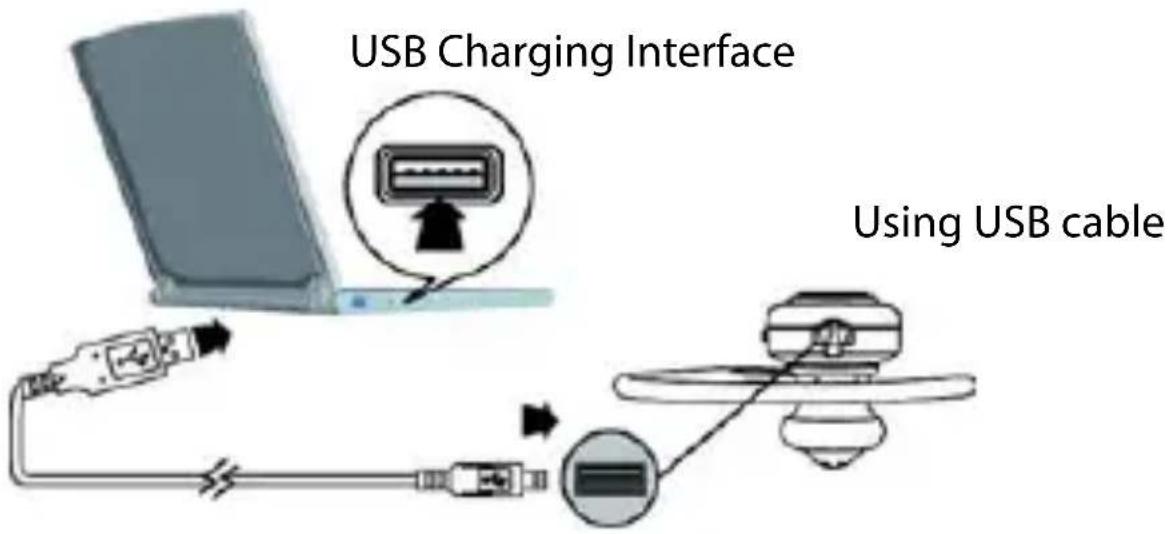
Note:
1 Be sure the USB connector is aligned correctly and do not force the connection. Use the USB icon on the connector and in the illustrations below as a guide.
2 The headset is disabled when charging.
4. The functions at a glance
| Time period/function | |
| Short press Press less than | 1 second |
| Long press Press more than | 3 seconds |
| Press and hold Press more than | 5 seconds |
| MFB button Multi-function | button |
| Button .. (Vol+) Volume up | button |
| Button . (Vol-) Volume down | button |
Phone operation: Pairing the headset with a phone
Before you can use the headset to make calls, you must pair the headset with your phone. Pairing creates a secure link between your phone and the unique ID of the headset. You only have to pair devices once.
1 To put the headset in pairing mode, press and hold (longer than 5 seconds) the multi-function button until the LED flashes red/blue.
2 Scroll to the Bluetooth menu in your Gigaset phone and search for active devices. Refer to your phone's user manual for details.
3 When the search is completed, a list of found devices is displayed.


4 Select ZX600 and, when prompted, input the default passkey (0000). When successfully paired, the red/blue LED on the headset changes to flashing blue.
Note: You can pair the headset with up to eight Bluetooth devices. When you pair the device with a ninth device, the oldest paired device is deleted.
Phone functions at glance
| Headset Function | Headset Status | Button |
| Power on Power off | Long press | multi-function button |
| Power off Power on | Very long press | press multi-function button |
| Pairing Power off | Very long press | multi-function button |
| Answer incoming call | Incoming call | Short press multi-function button |
| Reject incoming call | Incoming call | Long press multi-function button |
| End a call Ongoing | call | Short press multi-function button |
| Volume+ Power on | Short press | button .. (Vol+) |
| Volume- Power on | Short press | button . (Vol-) |
| Voice divert betw. headset and phone | Ongoing call | Long press multi-function button |
| Voice dialling (if supported by Bluetooth device) | Connected | long press multi-function button |
| Redial Connected D | Double short press | press multi-function button |
5. Specifications
| Battery capacity 100 mAh Li-Polymer |
| Talk time up to 7 hours |
| Standby time up to 170 hours |
| Weight 15 g |
| Size 55.6 x 21,5 x 14 mm |
| Bluetooth Bluetooth 2.0 headset, handsfree profile |
| Environmental conditions in operation |
6. Removing the battery

natural_image
Close-up of a black plastic electronic device with exposed internal components and a green battery pack (no visible text or symbols)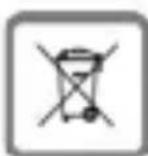
Note: Your device uses a battery that is subject to EU Directive 2006/66/EC and national legal regulations based thereon. The device and the battery contained therein may not be disposed of in unsorted household waste; they must be disposed of at a facility for separate collection of waste. As shown in the illustration, the battery can be removed easily. The best approach is to have it removed and correctly disposed of by a professional at an official collection point. Caution: Opening the device will result in its being damaged or destroyed.
7. Appendix
7.1 Customer Service & Assistance
Do you have any questions? As a Gigaset customer, you can find help quickly in this User Manual and in the service section of our Gigaset online portal www.gigaset.com/service. Our representatives are also available on the telephone hotlines for consultation.
Australia.... 1300 780 878
Austria 0043 1 311 3046
Belgium....0 78 15 66 79
Bosnia Herzegovina....033 276 649
Bulgaria....+359 2 9710666
Norway.... 22 70 84 00
Switzerland....0848 212 000
Turkey 0216 459 98 59
Ukraine......+380-44-451-71-72
United Arab Emirates...... +97144458255 / +97144458254
Please have your record of purchase ready when calling.
Replacement or repair services are not offered in countries where our product is not sold by authorised dealers.
7.2 Protecting our environment
Our environmental mission statement
We, Gigaset Communications GmbH, bear social responsibility and are actively committed to a better world. Our ideas, technologies and actions serve people, society and the environment.
The aim of our global activity is to secure sustainable life resources for humanity. We are committed to a responsibility for our products that comprises their entire life cycle. The environmental impact of products, including their manufacture, procurement, distribution, use, service and disposal, are already evaluated during product and process design.
Further information on environmentally friendly products and processes is available on the Internet at www.gigaset.com.
Environmental management system

Gigaset Communications GmbH is certified pursuant to the international standards EN 14001 and ISO 9001. ISO 14001 (Environment): certified since September 2007 by TüV SÜD Management Service GmbH. ISO 9001 (Quality): certified since 17/02/1994 by TüV Süd Management Service GmbH.
Disposal

Batteries should not be disposed of in general household waste. Observe the local waste disposal regulations, details of which can be obtained from your local authority. All electrical and electronic products should be disposed of separately from the municipal waste stream via designated collection facilities appointed by the government or the local authorities. This crossed-out wheeled bin symbol on the product means the product is covered by the European Directive 2002/96/EC. The correct disposal and separate collection of your old appliance will help prevent potential negative consequences for the environment and human health. It is a precondition for reuse and recycling of used electrical and electronic equipment. For more detailed information about disposal of your old appliance, please contact your local council refuse centre or the original supplier of the product.
7.3 Authorisation
This device is intended for use within the European Economic Area and Switzerland. If used in other countries, it must first be approved nationally in the country in question. Country-specific requirements have been taken into consideration. We, Gigaset Communications GmbH, declare that this device meets the essential requirements and other relevant regulations laid down in Directive 1999/5/EC.
A copy of the 1999/5/EC Declaration of Conformity is available at this Internet address: www.gigaset.com/docs
CE 0682
7.4 Caring for your telephone
Wipe the unit with a damp cloth or an antistatic cloth. Do not use solvents or microfibre cloths. Never use a dry cloth. This can cause static.
natural_image
Illustration of a woman's profile with dark hair and red lipstick (no text or symbols)Tragen mit Ohrbügel

natural_image
Line drawing of a hand-wear device with a curved handle and internal components (no text or symbols)natural_image
Illustration of a woman's face with dark hair and red lips (no text or symbols)
natural_image
Simple curved line drawing with no text or symbolsnatural_image
Simple line drawing of a car viewed from the side (no text or symbols)
natural_image
Simple curved line drawing with no text or symbolsnatural_image
Diagram showing a cable being inserted into a socket connected to a power outlet (no text or symbols present)


natural_image
Close-up of a black plastic electronic device with exposed internal components and a green circuit board (no visible text or symbols)


natural_image
Close-up of a black plastic electronic device with exposed internal components and a green circuit board (no visible text or symbols)
7.1 Assistance Service Clients
natural_image
Close-up of a damaged black plastic device with exposed wiring and a green circuit board, partially enclosed by a curved black strap (no visible text or symbols)

natural_image
Close-up of a black plastic electronic device with exposed internal components and a curved black strap (no visible text or symbols)
© Gigaset Communications GmbH 2011
All rights reserved. Subject to availability.
Rights of modification reserved.
A31008-N1151-R101-6-X119
- Gigaset ZX600 Bluetooth Headset
- Bluetooth™
- User Manual in English
- Safety information
- Electronic Devices
- Aircraft
- Medical Instruments
- Power Adapter
- Placement
- Repair or Service
- Additional Safety Information
- Before using this product, complete the following steps:
- While using this product:
- General Descriptions
- Getting started
- Identifying parts
- Adjusting the headset
- Status LED
- Charging the built-in battery
- Note:
- The functions at a glance
- Phone operation: Pairing the headset with a phone
- Specifications
- Removing the battery
- Appendix
- Customer Service & Assistance
- Protecting our environment
- Our environmental mission statement
- Environmental management system
- Disposal
- Authorisation
- CE 0682
- Caring for your telephone
- Assistance Service Clients
Brand : GIGASET
Model : ZX600
Category : Earphones