
HR-S9850MS - VCR JVC - Free user manual and instructions
Find the device manual for free HR-S9850MS JVC in PDF.


Pick your language and provide your email: we'll send you a specifically translated version.
| Product Type | S-VHS/VHS VCR |
| Dimensions (W x H x D) | 435 x 105 x 343 mm |
| Weight | 4.7 kg |
| Power Supply | AC 220-240 V, 50/60 Hz, 25 W (operating), 4.8 W (standby) |
| Supported Formats | S-VHS, VHS, PAL, SECAM |
| Recording Speeds | VN (23.39 mm/s), LD (11.70 mm/s), EP (7.80 mm/s) |
| Max Recording Time (E-240 cassette) | VN: 240 min, LD: 480 min, EP: 720 min |
| Horizontal Resolution (S-VHS VN/LD) | 400 lines |
| Horizontal Resolution (VHS VN/LD) | 250 lines |
| Hi-Fi Audio | Stereo, 20 Hz - 20,000 Hz |
| Scart Connectors | AV1 (input/output), AV2 (input/decoder) |
| S-Video Connectors | 1 input, 1 output |
| RCA Connectors | Video input, audio input (L/R), audio output (L/R) |
| Antenna | IEC input and output |
| Tuner | 99 positions, VHF/UHF/Hyper, PAL B/G, SECAM L |
| Special Features | SHOWVIEW, T-V Link, Video Navigation, B.E.S.T., S-VHS ET, Digital TBC/NR, synchronized editing |
| Remote Control | Infrared, with LCD display, TV and satellite control |
| Included Accessories | RF cable, S-Video cable, satellite controller, remote control, batteries (R6 x2) |
| Operating Temperature | 5°C to 40°C |
| Head Maintenance | Use a dry cleaning cassette JVC TCL-2UX |
Frequently Asked Questions - HR-S9850MS JVC
What is the difference between the AV1 and AV2 connectors on the VCR?
The AV1 (L-1) connector is a full input/output (video, audio, S-Video) and supports the T-V Link function. The AV2 (L-2) connector is an input/decoder dedicated to connecting a satellite receiver or a Canal+ decoder.
How to set the clock on the JVC HR-S9850MS VCR?
Access the main menu, select 'INITIAL SETTINGS' then 'CLOCK SET'. Use the △▽ buttons to set the date and time. Enable the Juste à l'heure function for automatic adjustment via the PDC signal.
What to do if the playback image is blurry or jerky?
The video heads may be dirty. Use a dry cleaning cassette JVC TCL-2UX. Also check that the tracking mode is correct (try manual tracking with the PR buttons).
How to record a program using the SHOWVIEW system?
Press PROG or LCD PROG, enter the SHOWVIEW number using the numeric buttons, then confirm. The VCR automatically sets the channel, date, and time. Make sure the clock is set correctly.
Can I use standard VHS tapes for S-VHS quality recording?
Yes, enable the S-VHS ET function before recording (S-VHS ET button). This allows recording on VHS tapes with near S-VHS quality, but playback requires an S-VHS ET compatible VCR.
How to clean the video heads?
Use a dry cleaning cassette JVC TCL-2UX (commercially available). Insert it like a normal cassette and start playback for about 30 seconds. Never use liquid cleaners.
What does the 'BEST' indicator on the front panel mean?
The B.E.S.T. (Biconditional Equalised Signal Tracking) system analyzes tape quality and optimizes the image during playback and recording. 'BEST' flashes during automatic tracking at the start of playback.
How to perform synchronized editing with a camcorder?
Connect the camcorder to the SYNCHRO EDIT jack on the VCR. Ensure the camcorder has a LANC connection. Press the SYNCHRO button on the VCR to start synchronized editing.
The timer recording does not start, what should I check?
Check that: 1) the clock is set correctly, 2) a cassette with intact safety tab is inserted, 3) the timer mode is activated (indicator '⊕' lit). Refer to the 'Timer Recording' section of the manual.
How to set the satellite controller for automatic recording?
Access the 'SAT CONTROLLER SETTING' menu from the main menu. Enter the brand code of your satellite receiver (list on page 21) and the test channel. Use the supplied satellite controller to automatically switch channels.
User questions about HR-S9850MS JVC
0 question about this device. Answer the ones you know or ask your own.
Ask a new question about this device
No questions yet. Be the first to ask one.
Download the instructions for your VCR in PDF format for free! Find your manual HR-S9850MS - JVC and take your electronic device back in hand. On this page are published all the documents necessary for the use of your device. HR-S9850MS by JVC.
USER MANUAL HR-S9850MS JVC
3 Start playback.
1 Start playback.
Press ▷.
4 Start the camcorder.
3 Load the source cassette.
: Helical scanning DA4 (Double Azimuth)
21-pin SCART TV cable,
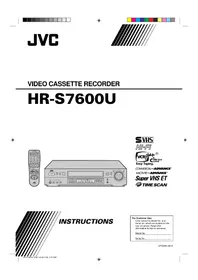
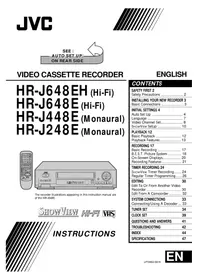
Table of contents
Click a title to access it
Manual assistant
Powered by Anthropic
Waiting for your message
Product information
Brand : JVC
Model : HR-S9850MS
Category : VCR