
HR-S7611EU - Video recorder JVC - Free user manual and instructions
Find the device manual for free HR-S7611EU JVC in PDF.


Pick your language and provide your email: we'll send you a specifically translated version.
| Product type | S-VHS VCR |
| Brand | JVC |
| Model | HR-S7611EU |
| Recording format | S-VHS and VHS |
| Number of video heads | 4 heads |
| Main functions | Recording, playback, still image, fast forward/reverse, daily/weekly programming |
| Connections | 1 SCART, audio/video input/output (RCA), UHF/VHF antenna socket |
| Power supply | 220-240 V, 50 Hz |
| Power consumption | 20 W |
| Dimensions (W x H x D) | 430 x 95 x 280 mm |
| Weight | 4 kg |
| Included accessories | Remote control, audio/video cables, battery |
| Maintenance and cleaning | Clean heads with a cleaning cassette; dust the device |
| Safety | Do not expose to moisture; unplug before cleaning |
| Operating temperature | 5 °C to 40 °C |
| Spare parts and repairability | Available at authorized dealers; do not open yourself |
Frequently Asked Questions - HR-S7611EU JVC
How to connect the VCR to the TV?
Use the SCART cable to connect the TV output of the VCR to the TV. You can also use RCA connectors (yellow, white, red) if your TV does not have a SCART socket.
How to record a program with timer?
Press PROG on the remote, set the date, start and end time, channel number, then activate the timer recording. Make sure to insert a cassette with the protection tab intact.
Why is the image snowy or unstable?
Check the antenna connection and the condition of the cassette. A dirty head can also cause this problem: use a video head cleaning cassette. If the problem persists, consult a technician.
Can I record copy-protected content?
No, signals protected by Macrovision cannot be recorded properly. The image will be distorted or recording will be impossible.
How to set the clock automatically?
The VCR can use the PDC (Programme Delivery Control) or VPS (Video Program System) signal to synchronize the clock. Make sure the option is enabled in the menu and that the signal is available from your antenna.
What to do if the cassette does not insert or is stuck?
Check that the cassette is not damaged and that it is inserted the right way. If the mechanism is blocked, unplug the device for a few minutes, then plug it back in. If the problem persists, contact a repair service.
Can I use standard VHS tapes in this VCR?
Yes, the HR-S7611EU plays and records both VHS and S-VHS. S-VHS tapes offer better image quality.
How to clean the video heads?
Buy a video head cleaning cassette (dry or wet type). Insert it and let it run for 10 to 15 seconds. Do not exceed this time to avoid damaging the heads.
The remote control does not work, what to do?
Check the batteries, the distance (max 7 meters) and the angle. If the remote is defective, use the buttons on the VCR. You can also buy a universal remote compatible with JVC.
How to restore factory settings?
Press the MENU button, navigate to the 'Factory settings' or 'Reset' option and confirm. Alternatively, unplug the device for 30 minutes.
User questions about HR-S7611EU JVC
0 question about this device. Answer the ones you know or ask your own.
Ask a new question about this device
No questions yet. Be the first to ask one.
Download the instructions for your Video recorder in PDF format for free! Find your manual HR-S7611EU - JVC and take your electronic device back in hand. On this page are published all the documents necessary for the use of your device. HR-S7611EU by JVC.
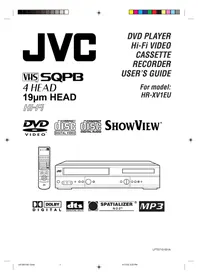
USER MANUAL HR-S7611EU JVC


Manual assistant
Powered by Anthropic
Waiting for your message
Product information
Brand : JVC
Model : HR-S7611EU
Category : Video recorder