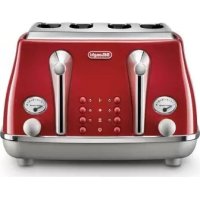
CKT 2203 - Toaster DELONGHI - Free user manual and instructions
Find the device manual for free CKT 2203 DELONGHI in PDF.


| Brand | De'Longhi |
| Model | CKT 2203 |
| Product type | Toaster |
| Supply voltage | 220-240 V ~ 50/60 Hz |
| Recommended fuse | 13 A |
| Number of slots | 2 |
| Capacity | 2 slices of bread |
| Browning control | Adjustable knob |
| Defrost function | Yes, with indicator light |
| Reheat function | Yes, with indicator light |
| Stop button | Yes, stop/cancel |
| Adjustable racks | Yes, for different thicknesses |
| Crumb tray | Removable, empty regularly |
| Cleaning | Exterior with damp cloth, do not immerse |
| Safety | Do not insert metal objects, do not touch hot slots |
| Earthing | Mandatory (UK model) |
| EMC compliance | Directive 89/336/EEC |
| Food contact | Compliant with directive 89/109/EEC |
| After-sales service | De'Longhi approved center |
Frequently Asked Questions - CKT 2203 DELONGHI
User questions about CKT 2203 DELONGHI
0 question about this device. Answer the ones you know or ask your own.
Ask a new question about this device
Download the instructions for your Toaster in PDF format for free! Find your manual CKT 2203 - DELONGHI and take your electronic device back in hand. On this page are published all the documents necessary for the use of your device. CKT 2203 by DELONGHI.
USER MANUAL CKT 2203 DELONGHI
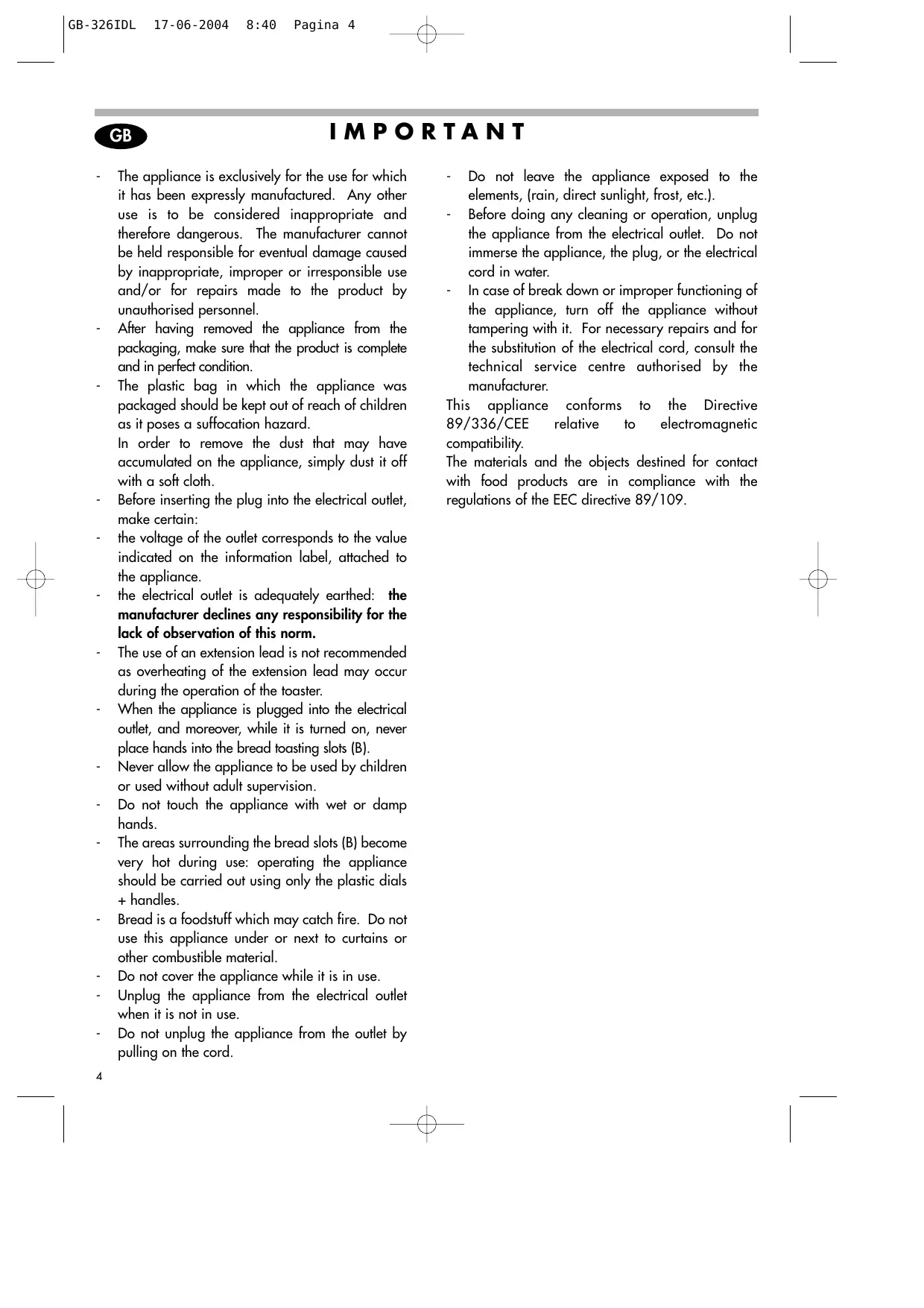
- The appliance is exclusively for the use for which it has been expressly manufactured. Any other use is to be considered inappropriate and therefore dangerous. The manufacturer cannot be held responsible for eventual damage caused by inappropriate, improper or irresponsible use and/or for repairs made to the product by unauthorised personnel.
- After having removed the appliance from the packaging, make sure that the product is complete and in perfect condition.
- The plastic bag in which the appliance was packaged should be kept out of reach of children as it poses a suffocation hazard.
In order to remove the dust that may have accumulated on the appliance, simply dust it off with a soft cloth.
Before inserting the plug into the electrical outlet, make certain:
- the voltage of the outlet corresponds to the value indicated on the information label, attached to the appliance.
- the electrical outlet is adequately earthed: the manufacturer declines any responsibility for the lack of observation of this norm.
- The use of an extension lead is not recommended as overheating of the extension lead may occur during the operation of the toaster.
- When the appliance is plugged into the electrical outlet, and moreover, while it is turned on, never place hands into the bread toasting slots (B).
- Never allow the appliance to be used by children or used without adult supervision.
- Do not touch the appliance with wet or damp hands.
- The areas surrounding the bread slots (B) become very hot during use: operating the appliance should be carried out using only the plastic dials + handles.
- Bread is a foodstuff which may catch fire. Do not use this appliance under or next to curtains or other combustible material.
- Do not cover the appliance while it is in use.
- Unplug the appliance from the electrical outlet when it is not in use.
- Do not unplug the appliance from the outlet by pulling on the cord.
4
- Do not leave the appliance exposed to the elements, (rain, direct sunlight, frost, etc.).
- Before doing any cleaning or operation, unplug the appliance from the electrical outlet. Do not immerse the appliance, the plug, or the electrical cord in water.
In case of break down or improper functioning of the appliance, turn off the appliance without tampering with it. For necessary repairs and for the substitution of the electrical cord, consult the technical service centre authorised by the manufacturer.
This appliance conforms to the Directive 89/336/CEE relative to electromagnetic compatibility.
The materials and the objects destined for contact with food products are in compliance with the regulations of the EEC directive 89/109.
ELECTRICAL REQUIREMENTS (UK ONLY)
Before using this appliance ensure that the voltage indicated on the product corresponds with the main voltage in your home, if you are in any doubt about your supply contact your local electricity company.
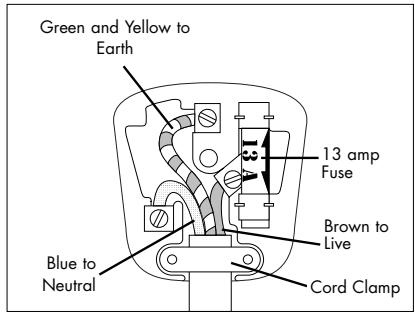
The flexible mains lead is supplied connected to a B.S. 1363 fused plug having a fuse of 13 amp capacity. Should this plug not fit the socket outlets in your home, it should be cut off and replaced with a suitable plug, following the procedure outlined below. Note: Such a plug cannot be used for any other appliance and should therefore be properly disposed of, (having removed the fuse) and not left where children might find it and plug it into a supply socket with the obvious consequent danger.
N.B. We recommend the use of good quality plugs and wall sockets that can be switched off when the machine is not in use.
IMPORTANT: the wires in the mains lead fitted to this appliance are coloured in accordance with the following code:
GREEN AND YELLOW BLUE BROWN
EARTH NEUTRAL LIVE
As the colours of the wires in the mains lead of this appliance may not correspond with the coloured markings identifying the terminals in your plug, proceed as follows:
The wire which is coloured green and yellow must be connected to the terminal in the plug which is marked with the letter E or by the earth symbol or coloured green or green and yellow.
The wire which is coloured blue must be connected to the terminal which is marked with the letter N or coloured black.
The wire which is coloured brown must be connected to the terminal which is marked with the letter L or coloured red.
When wiring the plug, ensure that all strands of wire are securely retained in each terminal. Do not forget to tighten the mains lead clamp on the plug. If your electricity supply point has only two pin socket outlets, or if you are in doubt, consult a qualified electrician.
Should the mains lead ever require replacement, it is essential that this operation be carried out by a qualified electrician and should only be replaced with a flexible cord of the same size.
If the plug is a moulded-on type the fuse cover must be refitted. If the fuse cover is lost, the plug must not be used until a replacement cover is obtained. The colour of the correct replacement fuse cover is that of the coloured insert in the base of the fuse recess or elsewhere on the plug. Always state this colour when ordering a replacement fuse cover.
Only 13amp replacement fuses which are ASTA approved to B.S. 1362 should be fitted.
This appliance conforms to the Norms EN 55014 regarding the suppression of radio interference.
WARNING - THIS APPLIANCE MUST BE EARTHED
INSTRUCTIONS FOR USE
- Place the slices of bread or sandwich in the racks (A), making sure they touch the bottom of the rack.
- Plug into a suitable mains supply socket.
- Place the racks in the appliance.
- Turn the browning control dial (D) to required setting.
- Press down control lever (C) until it locks.
- If the toast is not brown enough, increase the toasting time. If, on the other hand, it is too dark, decrease the time.
- The toasting may be stopped at any time by pressing the Stop/cancel button (G). In order to eliminate the "new" smell at the first use, operate the appliance without any food inside for at least 5 minutes. Aerate the room during this operation.
Note: If the appliance is not connected to the electrical outlet, the lever will not go all the way down.
Using the Defrost button
- Place the slices of bread or sandwich in the racks (A), making sure they touch the bottom of the rack.
- Turn the browning control dial (D) to required setting.
- Press down control lever (C) until it locks
- Press the "Defrost Button" (F). The "Defrost Light" (F) will remain on while the defrost function is in use, andasting time will be automatically extended
Using the Stop/Cancel Button
Should you want to interrupt the toasting process, simply press the stop/cancel button (G) at any time. Warning: Do not force control lever (C); always use the stop/cancel button (G).
Using the Reheat Button:
Press down control lever (C) and press the reheat button (E). The reheat light (E) will remain on whilst the reheat function is in use. Please note that this is a fixed reheat time which cannot be adjusted by the browning control.
Crumb tray
The crumb tray (H) should be emptied regularly as a build-up of crumbs could be a potential fire hazard. After toasting, allow the toaster to cool down thoroughly, then slide out the crumb tray (H) and empty.
Note:
The racks (A) allow you to use a variety of different bread widths. However, you should not force items into the slots which are clearly too large. If an item does become jammed, switch toaster off at the mains immediately. Once cooled, turn toaster upside down and gently shake to remove the lodged item. Do not insert sharp objects such as knives, as this may damage the heating element.
Hints and Tips for better toasting result:
- The first time you use the toaster, you should do so without bread. This will pre-heat the new element and burn off any dust collected during the storage process
- If your toaster is not plugged in and switched on, the control lever (C) will not lock in the down position.
- For best results use bread slices of even thickness, size and freshness
- Select a lower setting if:
- using stale bread (toasts more quickly than fresh bread)
- using thin bread (toasts more quickly than thick bread)
To achieve even browning, we suggest a minimum of 30 seconds between each toasting to allow the control to automatically reset.
Care and Cleaning
- Before cleaning: remove plug, switch off at the mains and allow to cool.
- To clean the inside, turn toaster upside down over the sink and gently shake.
- Empty crumb tray regularly - see "Crumb tray" section.
- Use a soft dampened cloth to wipe the outside of the toaster and dry with a soft, dry cloth.
DO NOT use metal polish or harsh scouring agents.
DO NOT immerse your toaster in any form of liquid.
DO NOT use any sharp or pointed articles for cleaning the inside as this will damage the heating element
- NEVER put metal objects or your fingers into the toasting slots.
- NEVER TOUCH ANY PART OF THE TOASTER WITH SHARP UTENSILS, ESPECIALLY INSIDE THE BREAD TOASTING SLOTS.