DELV-SDI-10-VM - Surveillance Delvcam - Free user manual and instructions
Find the device manual for free DELV-SDI-10-VM Delvcam in PDF.


User questions about DELV-SDI-10-VM Delvcam
0 question about this device. Answer the ones you know or ask your own.
Ask a new question about this device
Download the instructions for your Surveillance in PDF format for free! Find your manual DELV-SDI-10-VM - Delvcam and take your electronic device back in hand. On this page are published all the documents necessary for the use of your device. DELV-SDI-10-VM by Delvcam.
USER MANUAL DELV-SDI-10-VM Delvcam
natural_image
Black open-screen monitor displaying a colorful abstract image of a banana being splattered in water, with control knobs and buttons visible (no readable text or symbols on the device itself)IMPORTANT SAFETY INSTRUCTIONS:
- Please read manual before using this product.
- Please keep manual for future reference.
- Please read the cautions to prevent possible danger and loss of property
- Please enjoy the benefits of convenience, safety, and space-saving from this TFT LCD monitor in different ways.
FEATURES:
This product employs integrate circuits, lower power consumption, and lower radiation emission. It has fashion designed appearance and good portability;
➢ LED backlight display makes the device much thinner, more power saving;
➢ Video (or SDI)、YPbPr、Dual audio and HDMI inputs, to connect with HD camera;
➢ High brightness & contrast with flexible folding sun shade cover, makes picture detail much clearer, more vivid outline, stronger sense of hierarchy;
➢ 178^/178^(H/V) wide viewing angles, to provide better viewing effect;
➢ 1024×768 high resolution
▶ DC 7-24V wide range voltage.
CAUTIONS:
- Please do not place the display screen toward the ground.
- Please avoid heavy impact or drop onto the ground.
- The LCD screen is very easy to shave a wound, avoid crashing please. Be sure not to use other sharp article to bump against touch screen.
- Please do not block any vent hole.
- Please follow the instructions and trouble-shootings to adjust the product. Other improper adjustment may result in damage. Any further adjustment must be performed or conducted by a qualified technician.
- Please unplug the power or remove the battery if long-term no-use, or thunder weather.
Contents
- PRODUCT DESCRIPTION .... 2
- INSTALLATION OF SUNSHADE COVER......4
- DV BATTERY MOUNT PLATE....5
- SETTING MENU....7
- ACCESSORIES:....9
- PARAMETERS....10
- TROUBLE SHOOTING....10
1. PRODUCT DESCRIPTION

text_image
1 BATT OFF 12V 2 3 4 5 6 7 8 9 10 11 12 13 VIDEO VTPY HAN HAN P1 P2 P3 P4 P5 SMRANG SMTG TBT CONTPART-
TALLY (indicator light);
-
Battery power on/off switch: “ || ” is battery power; “O” is power off; “|” is DC power;
-
Earphone jack;
-
Power indicator light;
-
VIDEO: Indicator lights up when signal switch to video state; (No use under the SDI mode);
-
YPbPr: Indicator lights up when signal switch to YPbPr state;
-
HDMI1: Indicator lights up when signal switch to HDMI 1 state;
-
HDMI2: Indicator lights up when signal switch to HDMI 2 state; (Signal switch to SDI state under the SDI mode);
-
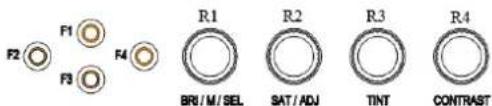
F1-F4:4 user-definable buttons:
Default functions: F1: Peaking
F2: False Color
F3: Exposure
F4: Histogram
-
Knob BRI/M/SEL: Press the knob to access the menu function, pressing the knob in the menu to return to the previous page or exit the menu. Rotate knob to select an option; Default as Brightness function.
-
Knob SAT/ADJ: Press the knob to select main MENU options; rotate knob to confirm the selection and adjust parameter values; Default as Saturation function.
-
Knob TINT: Default as Tint function;
-
Knob CONTRAST: Default as Contrast function.

text_image
R1 VEND OUT 14 R2 OUT 15 R3 OUT 16 R4 OUT 17 L AUDIO R 18 22 23 24 25 DCI BLOOD OUT 26 DCM 27 19 20 21 HOLD※ Optional: Without BNC interfaces
natural_image
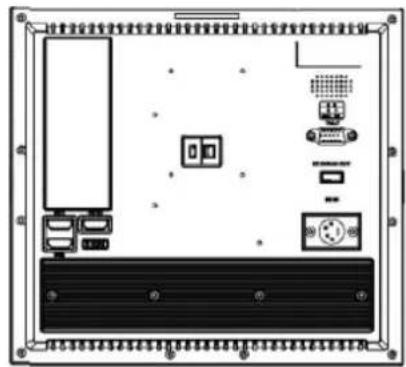
Diagram of an electronic device rear panel with ports, connectors, and a central display (no text or labels)- Video signal output / input (Optional: SDI signal input/ output);
- Y signal input / output;
- Pb signal input / output;
- Pr signal input / output;
- Audio (L/R) input;
- HDMI 1 signal input;
- HDMI 2 signal input (no use under SDI mode);
- HDMI signal loop output (optional);
- Mini USB input (Only for program upgrades, do NOT use if non-professionals)
- Power cable interface (connecting to the battery plate);
- Speaker;
- TALLY signal input;
- USB output port (DC 5V/0.5A)
- 4-pin XLR DC power input.
| Pin number | Signal | |
| 1 | GND | |
| 23 | ...... | |
| 4 | +12V |
Ps: Unavailable under SDI mode 26 (USB 5V/0.5A output power).
2. INSTALLATION OF SUNSHADE
COVER
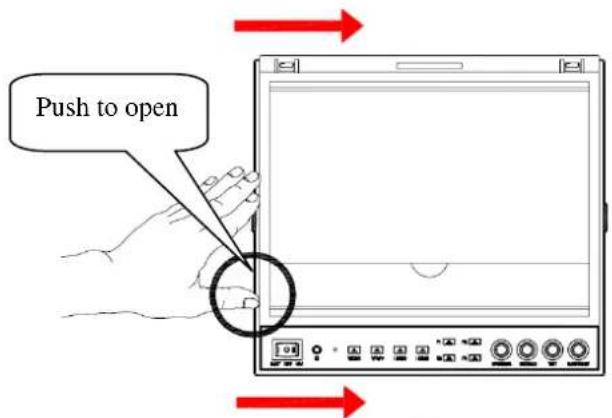
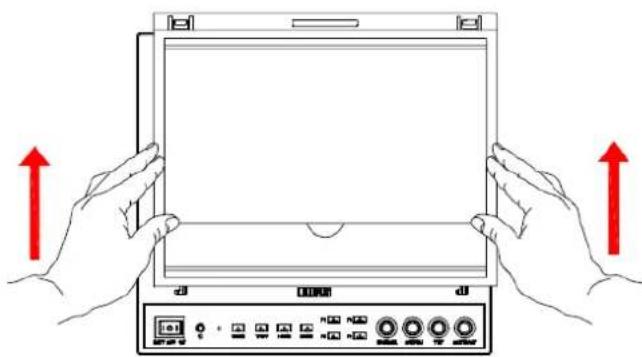
Pushing to close / open sunshade from assigned round area when assembly / disassembly. (i.e. assembly instruction ② / disassembly instruction ①); otherwise assembly / disassembly failed, and even damaged.
Assembly instructions

Disassembly instructions
text_image
Push to open①
natural_image
Illustration of two hands holding a tablet device with red arrows indicating upward motion (no text or symbols)②
3. DV BATTERY MOUNT PLATE
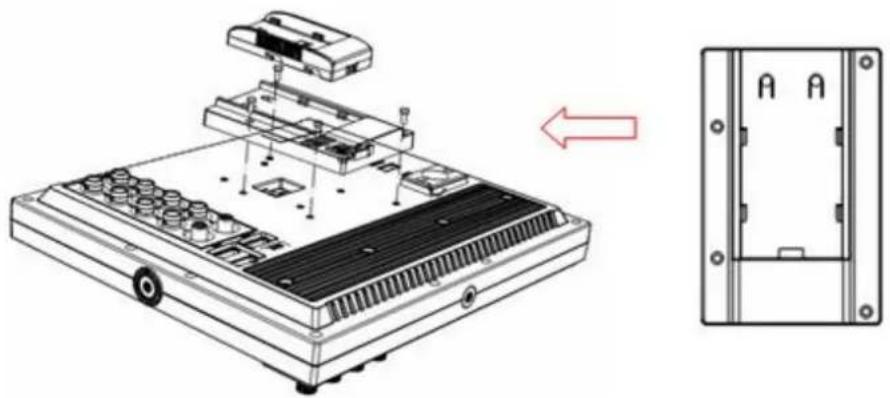
Standard mounts process
natural_image
Technical illustration of a device chassis with internal components and a close-up view of the internal panel (no text or symbols)Following three types of battery plates are suitable for this device, model F970, QM91D, DU21 & LP-E6 (choose 2 out of 4).

natural_image
Simple line drawing of a rectangular device with mounting holes and a central label (no text or symbols)MODEL: F-970

natural_image
Simple line drawing of a rectangular object with internal features and a central slot, no text or symbols present.MODEL: QM91D
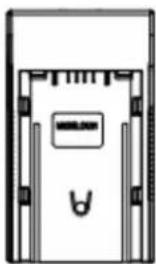
natural_image
Pure technical diagram of a mechanical component without any text, numbers, or symbolsMODEL: DU21
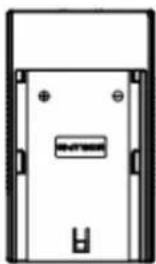
natural_image
Simple line drawing of a rectangular enclosure or door with mounting holes and a central label (no text or symbols)MODEL: LP-E6
DV Battery Mount Plate:
DV Battery Mount Plate Specification:
Model DU21 for battery of Panasonic DV:
NV-GS/PV-GS/DZ-MV/GS/H28/H258/H288GK series, comply with
Panasonic battery DU06/VBD140/SANYO DZhs301sw/Hitachi
DZ-HS303SW/BZ-BP14S/DZ3200/BP07W.
Model QM91D for battery of SONY DV:
DSCR1/F/S/MVCCD/E/HC15E/HC1E/AE1u/DCRTRV828/E/CCD-TRV11
6/DCR-DVD/PS105K/300K/10P/1E series.
Model F970 for battery of SONY DV:
DCR-TRV series, DCR-TRV E series, VX2100E PD P series, GV-A700,
GV-D800 FD/CCD-SC/TR3/FX1E/HVR-AIC, HDR-FX1000E,
HVR-Z1C, HVR-V1C, FX7E F330.
Model LP-E6 for battery of Canon DSLR:
5D Mark II/EOS7D/EOS60D;
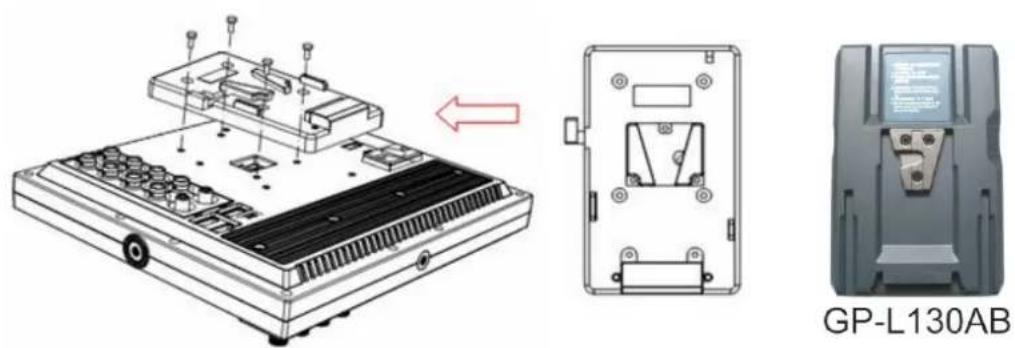
V-mount battery plate (optional): Please refer to GP-L130AB type battery specifications.
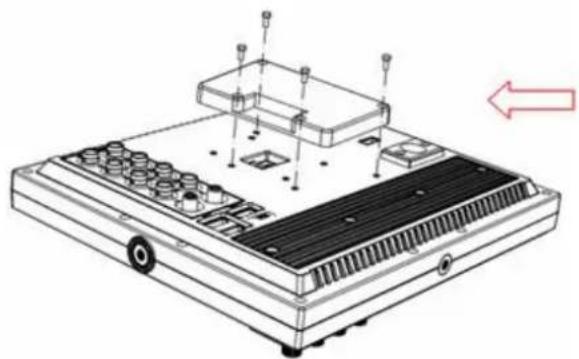
Anton Bauer mount battery plate (optional): Please refer to GP-L130B type battery specifications.
natural_image
Technical line drawing of a mechanical device with labeled components and an arrow indicating direction (no text or symbols present)
natural_image
Pure electrical circuit lines without any symbols
text_image
Close-up of a black electronic device with a blue label containing Chinese text and a small rectangular component on the right side.GP-L130B
4. SETTING MENU
Before setting the functions, please make sure the device is connected correctly.
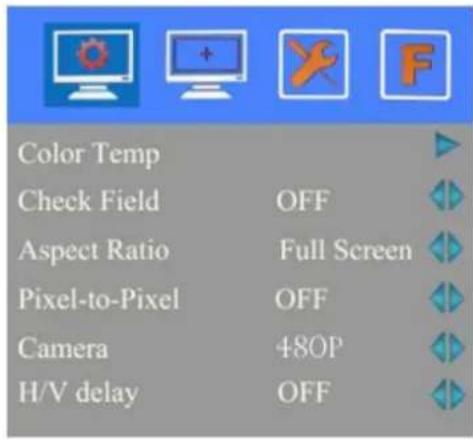
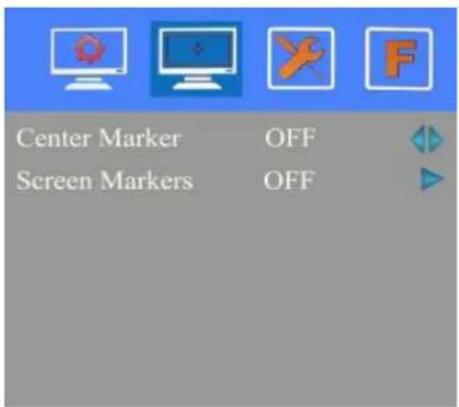
When power on, press BRI/M/SEL knob on the device, function menus will pop-up on the screen. After confirm the option value, then press BRI/M/SEL knob to return to the previous, and press the BRI/M/SEL knob again to exit the menu settings.
BRI / M / SEL knob to select an option.
SAT / ADJ knob to select the main menu, adjusting option values and confirm the selection.
text_image
Color Temp Check Field OFF Aspect Ratio Full Screen Pixel-to-Pixel OFF Camera 480P H/V delay OFF| ITEMS | OPTIONS | |
| Color Temp | 6500° K/7300° K/9300° K/User | |
| Red | Note: Only available under “User” mode to meet the color value you need. | |
| Green | ||
| Blue | ||
| Check Field | OFF, MONO, Red, Green and Blue | |
| Aspect Ratio | Full Screen and 16:9 | |
| Pixel-to-Pixel | ON/OFF | |
| Camera | 480P (5DII Mode) / 1080I (5DIII Mode) | |
| H/V delay | OFF,H&V Delay, V Delay and H Delay | |
| Underscan | ON/OFF | |
text_image
Center Marker OFF Screen Markers OFF| ITEMS | OPTIONS |
| Center Marker | ON/OFF |
| Screen Markers | OFF,95%,93%,90%,88%,85% and80% |
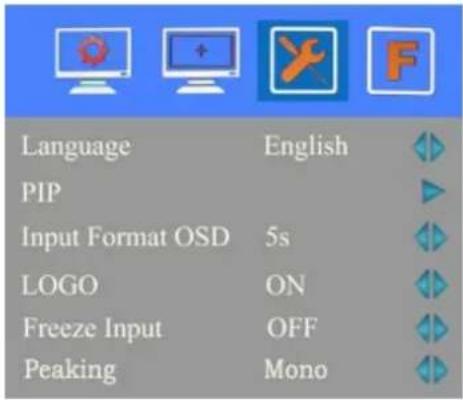 |
| ITEMS | OPTIONS |
| Language | English /Chinese |
| PIP | Small, Medium, Large, PBP, POPIn small, medium and large interface can adjust the source, position, and swap;In PBP and POP interface can adjust the source and swap. |
| Input Format OSD | 5s、10s、15s |
| LOGO | ON/ OFF |
| Freeze Input | ON/ OFF |
| Peaking | Mono/ Color |
| Assistant Func. | Manual/ Auto |
| Manufacturer Default | OK/Cancel(Reverse the SAT / A DJ knob to select "OK") |
| ISP | For program upgrades (Please reboot your computer if press accidentally!) |
Function of buttons and knobs can be customized by users' needs.
text_image
F2 F1 F4 R1 R2 R3 R4 BRI/M/SEL SAT/ADJ TINT CONTRAST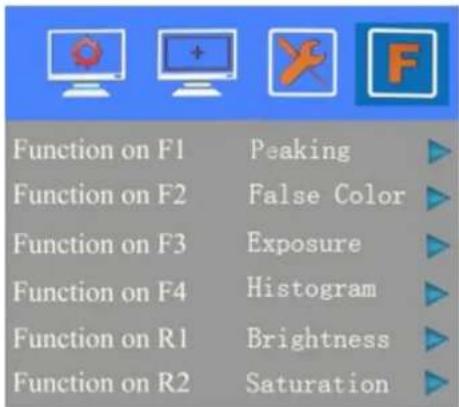
text_image
Function on F1 Peaking Function on F2 False Color Function on F3 Exposure Function on F4 Histogram Function on R1 Brightness Function on R2 SaturationFunctions of F1-F4 buttons can also be customized:
- Aspect Ratio -Check Field -Freeze Input -Center Marker
- Underscan • H/V delay • Color Bar • Screen Marker
- Zoom
- Camera
- Pixel-to-Pixel
- PIP
- Peaking
- False Color
- Exposure
- Histogram.
Functions of R1-R4 buttons can also be customized:
- Contrast
- Brightness
- Saturation
- Tint
- Volume
- Sharpness
5. ACCESSORIES:
Standard accessories:
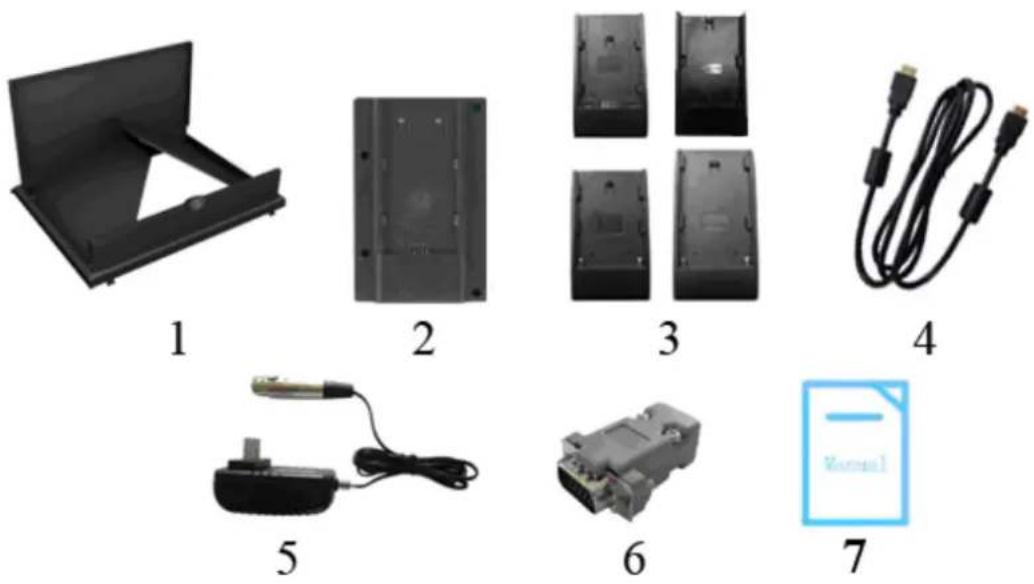
- Flexible folding sun shade cover
- Battery plate bracket
- Battery plate (F-970/QM91D/DU21/LP-E6)
- HDMI type A-A
- DC 12V power adapter (XLR connector)
- TALLY connector
- Manual
1 piece
1 piece
2 pieces (choose 2 out of 4)
1 piece
1 piece
1 piece
1 copy
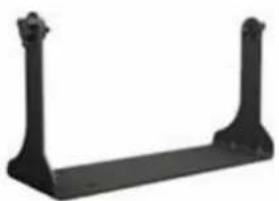
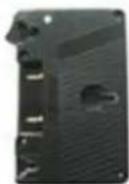
Optional accessories:
natural_image
Black metal support bracket with two vertical posts (no text or symbols)1
2
3
4
- Gimbals bracket
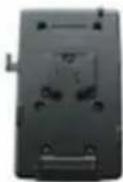
1 piece - Anton Bauer mount battery plate
1 piece - V-mount battery plate
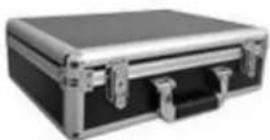
1 piece - Suitcase
1 piece
6. PARAMETERS
| Panel | 9.7” |
| Physical Resolution | 1024×768 |
| Brightness | 400cd/m2 |
| Contrast | 600:1 |
| Viewing Angle | 178°/ 178°(H/V) |
| Input Voltage | DC 12V (XLR Connector) |
| Power Consumption | ≤18W |
| Operating Temperature | -20°C~60°C |
| Storage Temperature | -30°C~70°C |
| Dimension(LWD) | 246×224×31mm / 167.5mm (with cover open) |
| Weight | 1068g / 1388g (with cover) |
7. TROUBLE SHOOTING
1. Only black-and-white display:
- Check whether the color saturation is properly setup.
2. Power on but no pictures:
- Check whether the cables of Video (or SDI), HDMI and YPbPr are correctly connected or not. Please use the standard power adapter coming with the product package. Improper power input may cause damage.
3. Wrong or abnormal colors:
- Check whether the cables are correctly and properly connected. Broken or loose pins of the cables may cause a bad connection.
- Adjust the color temperature or saturation values to make it displayed as normal proportion.
4. When on the picture shows size error:
- press “MENU→ → Underscan” to zoom in/out pictures automatically when receiving HDMI (High-Definition Multimedia Interface) signals.
- Set shortcut key to zoom function, and then adjust it.
- Check whether the aspect ratio switch into 16:9 or not.
5. Other problems:
- Please press “MENU” button and choose “ → Manufacturer Default → OK”
6. According to the ISP, the machine can not function properly:
- ISP for program upgrades, non-professionals do not use. If accidentally press this key, restart the system.
* It is normal to see some bright lines appear on the screen when turn off the device.
Note: due to constant effort to improve products and product features, specifications may change without notice.