AIMB-229 - Motherboard Advantech - Free user manual and instructions
Find the device manual for free AIMB-229 Advantech in PDF.


User questions about AIMB-229 Advantech
0 question about this device. Answer the ones you know or ask your own.
Ask a new question about this device
Download the instructions for your Motherboard in PDF format for free! Find your manual AIMB-229 - Advantech and take your electronic device back in hand. On this page are published all the documents necessary for the use of your device. AIMB-229 by Advantech.
USER MANUAL AIMB-229 Advantech
natural_image
Illustration of four electronic circuit boards with white outlines on a purple background, no text or symbols present.AIMB-229
AMD V2000-series Quad Core Mini-ITX with 2 x HDMI, 2 x DP (Type-C), 8 x USB, 6 x COM, and 12V DC-in
Copyright
The documentation and the software included with this product are copyrighted 2022 by Advantech Co., Ltd. All rights are reserved. Advantech Co., Ltd. reserves the right to make improvements in the products described in this manual at any time without notice. No part of this manual may be reproduced, copied, translated, or transmitted in any form or by any means without the prior written permission of Advantech Co., Ltd. The information provided in this manual is intended to be accurate and reliable. However, Advantech Co., Ltd. assumes no responsibility for its use, nor for any infringements of the rights of third parties that may result from its use.
Acknowledgments
AMI is a trademark of American Megatrends Inc.
IBM and PC are trademarks of International Business Machines Corporation.
AMD V-series is trademark of AMD Corporation.
Nuvoton is a trademark of Nuvoton Technology.
All other product names or trademarks are properties of their respective owners.
Product Warranty (2 years)
Advantech warrants the original purchaser that each of its products will be free from defects in materials and workmanship for two years from the date of purchase.
This warranty does not apply to any products that have been repaired or altered by persons other than repair personnel authorized by Advantech, or products that have been subject to misuse, abuse, accident, or improper installation. Advantech assumes no liability under the terms of this warranty as a consequence of such events.
Because of Advantech's high quality-control standards and rigorous testing, most customers never need to use our repair service. If an Advantech product is defective, it will be repaired or replaced free of charge during the warranty period. For out-of-warranty repairs, customers will be billed according to the cost of replacement materials, service time, and freight. Please consult your dealer for more details.
If you believe your product to be defective, follow the steps outlined below.
-
Collect all the information about the problem encountered. (For example, CPU speed, Advantech products used, other hardware and software used, etc.) Note anything abnormal and list any onscreen messages displayed when the problem occurs.
-
Call your dealer and describe the problem. Please have your manual, product, and any helpful information readily available.
-
If your product is diagnosed as defective, obtain a return merchandise authorization (RMA) number from your dealer. This allows us to process your return more quickly.
-
Carefully pack the defective product, a completed Repair and Replacement Order Card, and a proof of purchase date (such as a photocopy of your sales receipt) into a shippable container. Products returned without a proof of purchase date are not eligible for warranty service.
-
Write the RMA number clearly on the outside of the package and ship the package prepaid to your dealer.
Part No. 2006022900 Edition 1
Printed in China July 2022
A Message to the Customer
Advantech Customer Services
Every Advantech product is built to the most exacting specifications to ensure reliable performance in the harsh and demanding conditions typical of industrial environments. Whether your new Advantech equipment is destined for the laboratory or factory floor, you can be assured that your product will provide the reliability and ease of operation for which the name Advantech has come to be known. Your satisfaction is our primary concern. Here is a guide to Advantech's customer services. To ensure you get the full benefit of our services, please follow the instructions carefully.
Technical Support
We want you to get the maximum performance from your products. So should you run into technical difficulties, we are here to help. For the most frequently asked questions, you can find answers in your product documentation. These answers are normally a lot more detailed than the ones we can provide over the phone. Therefore, please consult this manual first. If you still cannot find the answer, gather all the information or questions that apply to your problem, and with the product close at hand, call your dealer. Our dealers are well trained and ready to give the support you need to get the most from your Advantech products. In fact, most problems reported are minor and can be easily solved over the phone.
In addition, free technical support is available from Advantech engineers every business day. We are always ready to give advice regarding application requirements or specific information regarding the installation and operation of any of our products.
Declaration of Conformity
FCC Class B
This equipment has been tested and found to comply with the limits for a Class B digital device, pursuant to part 15 of the FCC Rules. These limits are designed to provide reasonable protection against harmful interference in a residential installation. This equipment generates, uses, and can radiate radio frequency energy and, if not installed and used in accordance with the instruction manual, may cause harmful interference to radio communications. However, there is no guarantee that interference will not occur in a particular installation. If this equipment does cause harmful interference to radio or television reception, which can be determined by turning the equipment off and on, the user is encouraged to try to correct the interference by one or more of the following measures:
■ Reorient or relocate the receiving antenna.
■ Increase the separation between the equipment and receiver.
■ Connect the equipment into an outlet on a circuit different from that to which the receiver is connected.
- Consult the dealer or an experienced radio/TV technician for assistance.
Caution!

New batteries are at risk of exploding if incorrectly installed. Do not attempt to recharge, force open, or heat the battery. Replace the battery only with the same or equivalent type as recommended by the manufacturer. Discard used batteries according to the manufacturer's instructions.
Memory Compatibility
Normal RAM Test Data
| Category Speed | Capacity | Vendor | ADVANTECH | P/N ECC | |
| DDR4 2666 | 4GB | Advantech | SQR- | SD4N4G2K6SNEFB N | |
| DDR4 2400 | 4GB | Advantech | SQR- | SD4N4G2K4SNEFB N | |
| DDR4 2666 | 8GB | Advantech | SQR- | SD4N8G2K6SNBCB N | |
| DDR4 2133 | 8GB | Advantech | AQD- | SD4U8GN21-SG N | |
| DDR4 3200 | 8GB | Advantech | AQD- | SD4U8GN32-SE N | |
| DDR4 3200 | 16GB | Advantech | SQR- | SD4N16G3K2SNCB N | |
| DDR4 2666 | 16GB | Advantech | AQD- | SD4U16N26-SE N | |
| DDR4 3200 | 32GB | Advantech | AQD- | SD4U32GN32-SB N | |
| DDR4 2666 | 32GB | Advantech | SQR- | SD4N32G2K6SNME N |
ECC RAM Test Data
| Category | Speed | Capacity | Chip Vendor | ADVANTECH P/N | ECC |
| DDR4 | 2133 | 16GB | Advantech | AQD-SD4U16E21-SE | ECC |
| DDR4 | 3200 | 8GB | Advantech | SQR-SD4N8G3K2SEBCB | ECC |
| DDR4 | 3200 | 32GB | Advantech | AQD-SD4U32GE32-SB | ECC |
| DDR4 | 2400 | 8GB | Advantech | AQD-SD4U8GE24-HE | ECC |
| DDR4 | 2666 | 4GB | Advantech | SQR-SD4N4G2K6SEEFB | ECC |
| DDR4 | 2666 | 32GB | Advantech | SQR-SD4N32G2K6SEME | ECC |
Ordering Information
| P/N | Chipset | HDMI | eDP | DP 1.2 | GbE LAN | COM | SATAIII | USB3.2 Gen2 | USB3.2 Gen1 | USB2.0 | M.2 | PCIex8 | TPM | AMP |
| AIMB-229VGG2-00A1E | V2748 | 2 x (HDMI 2.0) | (1) | 2 | 2 | 6 | 2 | 4 | 2 | 2 | 2 | 1 | 1 | 1 |
| AIMB-229VGG2-00A2 | V2718 | 2 x (HDMI 1.4) | (1) | 2 | 2 | 6 | 2 | 4 | 2 | 2 | 2 | 1 | 1 | (1) |
| AIMB-229VGG2-00A3 | V2516 | 2 x (HDMI 1.4) | (1) | (2) | 2 | 6 | 2 | 2 | 2 | 2 | 2 | 1 | 1 | (1) |
Initial Inspection
Before installing the motherboard, ensure that the following items are included with the product:
■ 1 x AIMB-229 AMD V2000-series Quad Core Mini-ITX motherboard
1 x SATA HDD cable
■ 1 x SATA power cable
■ 1 x Serial port cable (1-to-1)
■ 1 x Serial port cable (1-to-2)
1 x M.2 POST
2 x M.2 Screws
■ 1 x I/O port bracket
■ 1 x AIMB-229 startup manual
1 x Warranty card
If any of the above items are missing or damaged, contact your distributor or sales representative immediately. We have carefully inspected the AIMB-229 mechanically and electrically before shipment. The product should be free of marks and scratches and in perfect working order upon receipt. While unpacking AIMB-229, check the product for signs of shipping damage (for example, damaged box, scratches, or dents). If there is damage or the product fails to meet the specifications, notify our service department or your local sales representative immediately. Additionally, please notify the carrier. Retain the shipping carton and packing material for inspection by the carrier. After inspection, we will make arrangements to repair or replace the unit.
Contents
Chapter 1 General Information ....1
1.1 Introduction ...... 2
1.2 Features 2
1.3 Specifications 2
1.3.1 Processor.... 2
1.3.2 Expansion 2
1.3.3 Memory 2
1.3.4 Graphics Interface.... 2
1.3.5 Ethernet Interface 2
1.3.6 SATA Interface.... 3
1.3.7 Rear I/O 3
1.3.8 Internal Connector 3
1.3.9 Watchdog Timer.... 3
1.3.10 Power Requirement 3
1.3.11 Environment.... 3
1.3.12 Physical Characteristics.... 3
1.4 Jumpers and Connectors 4
Table 1.1: Connector/Header List.... 4
Table 1.2: Jumper Setting List.... 5
1.4.1 Voltage Selection for LVDS1/EDP1 Connector (JEDP1)...... 6
1.4.2 CMOS Clear (JCMOS1)....6
1.4.3 PWRBTN#/ RESET#/HDD LED/Serial Bus from HW Monitor IC/ Internal Buzzer/External Speaker Header (JFP1)....6
1.4.4 Watchdog Timer Output and OBS Beep (JWDT1+ JOBS1)...... 7
1.4.5 AT/ATX Mode Selection (PSON1) 7
1.4.6 Case Open Selection Pin Header (JCASEOP_SW1) 7
1.4.7 COM1_RI# Pin RI#/5V/12V Selection (JSETCOM1_V1)...... 8
1.4.8 COM4_RI# Pin RI#/5V/12V Selection (JSETCOM4_V1)...... 8
1.4.9 CCTalk Power Voltage 5V/12V Select (JCCT_VCON1)....9
1.5 Jumper and Connector Locations 9
Figure 1.1 Jumper and Connector Locations (Top Side)....9
Figure 1.2 Jumper and Connector Locations (Bottom Side)..... 10
Table 1.3: Connector/Header List.... 10
1.6 Board Diagram 12
Figure 1.3 AIMB-229 Board Diagram 12
1.7 Safety Precautions 12
1.8 Jumper Settings 13
1.8.1 How to Set Jumpers.... 13
1.8.2 CMOS Clear (JCMOS1).... 13
1.8.3 AT/ATX Mode Selection (PSON1) 13
1.9 System Memory 14
1.10 Memory Installation 14
Chapter 2 Connecting Peripherals ....15
2.1 Introduction ...... 16
2.2 USB Ports 16
2.3 DisplayPort1/2/3/4.... 17
2.4 Serial Ports (COM1 \~ COM6) 18
2.5 CPU Fan Connector (CPU_FAN1).... 19
2.6 System Fan Connector (SYSFAN1/2).... 19
2.7 Power Switch/HDD LED/SMBUS/Speaker Pin Header (JFP1), Power LED, and Keyboard Lock Pin Header (JFP2) 20
2.7.1 ATX Soft Power Switch (JFP1/PWR_SW) 20
2.7.2 Reset (JFP1/RESET).... 20
2.7.3 HDD LED (JFP1/HDDLED) 20
2.7.4 External Speaker (JFP1/SPEAKER) 20
2.8 DC Input Jack and 4-Pin ATX Connector (DCIN1) 21
2.9 SATA Signal and Power Connector (SATA1\~SATA2/SATA_PWR1\~2). 21
2.10 HD Analog Audio Interface (AUDIO1, AUDIO2, FPAUD1) 22
2.11 PCI-E x8 Slot (PCIEX8_1) 23
2.12 Low-Voltage Differential Signaling Interface (EDP1) 23
2.13 LVDS Backlight Inverter Power Connector (INV1).... 24
2.14 NGFF M.2 B-Key and E-Key Connector (M2B1 & M2E1) 24
2.15 Audio Amplifier Output Connector (AMP1), BOM Optional.... 25
2.16 General Purpose I/O Pin Header (GPIO1).... 25
2.17 General Purpose I/O Pin Header (BIOS1) 26
2.18 SPI Programming Pin Header (BIOS1_CN1) 26
2.19 Low-Pin-Count Header (LPC1) 27
2.20 Case-Open Detect Connector (JCASE2).... 27
2.21 CMOS Battery Connector (BAT1).... 28
2.22 DDR4 SODIMM Socket (DIMMA1, DIMMB1) 28
Chapter 3 BIOS Operation ...... 29
3.1 Introduction ...... 30
3.2 BIOS Setup 30
3.2.1 Main Menu 31
3.2.2 Advanced BIOS Features 32
3.3 Chipset Configuration Settings 53
3.3.1 South Bridge Configuration.... 54
3.3.2 GFX Configuration 56
3.3.3 North Bridge Configuration 57
3.3.4 Platform Misc Configuration.... 57
3.4 Security Settings 58
3.5 Boot Setting 59
3.6 Save & Exit Configuration 60
Chapter 4 Software and Services....63
4.1 Introduction 64
4.2 Value-Added Software Services 64
4.2.1 Software API....64
4.2.2 Software Utility.... 66
Chapter 5 Chipset Software Installation Utility 67
5.1 Before Beginning 68
5.2 Introduction 68
5.3 Windows 10 Driver Setup 68
Chapter 6 LAN Configuration ...... 69
6.1 Introduction 70
6.2 Features....70
6.3 Installation....70
6.4 Windows 10 Driver Setup 70
Appendix A I/O Pin Assignments 71
A.1 DC-IN Adaptor Connector (DCIN1)....72
A.2 HDMI Port Connector (HDMI12) 72
A.3 USB31X2_DP2 73
A.4 USB31X2 DP3 74
A.5 USB34....75
A.6 AT/ATX Mode Selection (PSON1) 75
A.7 RJ45(LAN1+LAN2) Connector (LAN12) 76
A.8 HD Analog Audio Interface Line-Out (AUDIO1) 76
A.9 HD Analog Audio Interface MIC-In (AUDIO2) 77
A.10 Audio Amplifier Output Pin Header (AMP1) 77
A.11 Front Panel Audio Header (FPAUD1) 78
A.12 CMOS Battery Wafer Box (BAT1)....78
A.13 Serial ATA Interface Connector #2 (SATA2).... 78
A.14 HD Audio Interface (SPDIF1)....79
A.15 M.2 -Key (NGFF_M1).... 79
A.16 EDP Differential Signaling (EDP1) 80
A.17 PCI Express x8 Slot (PCIEX8_1) 81
A.18 USB 2.0 Front-Panel Header (USB56) 83
A.19 CPU Fan #1 Connector (CPUFAN1).... 83
A.20 M.2 E-Key Connector (M2E1) 84
A.21 COM2 Box Header (COM2) 85
A.22 COM1 RI# Selection Pin Header (JSETCOM1_V1) 85
A.23 Inverter Power Connector (INV1).... 86
A.24 16-bit General Purpose I/O Pin Header (GPIO1)....86
A.25 COM4 RI Selection Pin Header (JSETCOM4_V1) 87
A.30 Low-Pin-Count Interface Connector (LPC1) 89
A.31 Serial ATA Power Connector #1 (SATA_PWR1) 90
A.32 Serial ATA Power Connector #2 (SATA_PWR2) 90
A.33 DDR4 SODIMM Socket CH-A (DIMMA1) 90
A.34 DDR4 SODIMM Socket CH-B (DIMMB1) 90
A.35 Power LED & Keyboard Lock Pin Header (JFP2).... 91
A.36 Watchdog Timer Output and OBS Beep (JWDT1+JOBS1) 91
A.37 Case Open Connector (JCASE2) 91
A.38 PWRBTN#/RESET#/HDD LED/Serial Bus From HW Monitor IC/Internal Buzzer/External Speaker Header (JFP1)....92
A.39 System Fan #2 Connector (SYSFAN2).... 92
A.40 System Fan #1 Connector (SYSFAN1).... 92
A.41 SPI Pin Header (BIOS1_CN1) 93
A.42 SPI BIOS Flash Socket (BIOS1) 93
A.43 VDD Select for LVDS1 Panel (JEDP1) 93
A.44 COMS Mode Selection (JCMOS1).... 94
A.45 VDD Select for LVDS1 Panel (JEDP1) 94
A.46 CMOS Clear (JCMOS1)....95
A.47 COM1_RI# Pin Selection (JSETCOM1_V1) 95
A.48 COM4_RI# Pin Selection (JSETCOM4_V1) 96
A.50 AT/ATX Mode Selection (PSON1) 97
A.51 PWRBTN#/RESET#/HDD LED/Serial Bus/Internal Buzzer/External Speaker Header (JFP1) 97
A.52 Watchdog Timer Output and OBS Beep (JWDT1+JOBS1) 97
Chapter 1
General Information
1.1 Introduction
AIMB-229 is a mini-ITX motherboard based on the AMD Ryzen™ embedded V2000 series processor. Designed with diverse I/O and 4 x display outputs, AIMB-229 is ideal for multi-display applications in digital surveillance, digital signage, electronic gaming machines, and thin client operations. Advantech's WISE-PaaS/DeviceOn supports remote management software and enhances management efficiency.
1.2 Features
■ Comprehensive I/O: 2 x Display ports, 2 x HDMI, 6 x serial ports, 2 x USB 2.0, 6 x USB 3.2, 2 x SATA III, 2 x GbE LAN, and 16-bit GPIO
■ Form Factor: Mini-ITX motherboard
■ Diverse Storage Devices: SATA HDD, M.2 (2242/2280) SSD
Optimized Integrated Graphics: AMD Radeon Graphics, up to 7 x cores, up to 1.6GHz, 4K60 8/10b HVEC/VP9, & 8b H.264 Decode
1.3 Specifications
1.3.1 Processor
■ CPU: AMD V series, supports 8-core/6-core CPUs
Max. Speed:
- 8-core 4.15 GHz (V2748/2718)
- 4-core 3.95 GHz (V2516)
L2 Cache: Max. 4 MB
BIOS: AMI 128 Mbit SPI
1.3.2 Expansion
■ M.2 M Key: 1 x (2242/2280)
■ M.2 E Key: 1 x (2230)
■ PCIe x8: 1 x (PCIe Gen3 x8 signal)
1.3.3 Memory
■ Technology: Dual-channel DDR4 3200 MHz
Max. Capacity: 64 GB (32GB per SODIMM)
- Socket: 2 x 260-pin SODIMM
1.3.4 Graphics Interface
■ Controller: AMD Radeon Graphics
■ eDP: 1 x (optional), supports dual-channel 48-bit, up to 1920 x colay DP 1.2 port (optional)
■ DP 1.2: 2 x, supports DP++, up to 4096 x 2160 @ 60Hzresolution
■ Multiple Display: 4 x independent displays via DP/HDMI
1.3.5 Ethernet Interface
■ Interface: 10/100/1000 Mbps
■ Controller: GbE: Realtek RTL8111H
Connector: 2 x RJ-45
1.3.6 SATA Interface
Max. Data Transfer Rate: 600 MB/s
Channel: 2 x
1.3.7 Rear I/O
DP: 2 x
Ethernet: 2 x
USB: 4 x (2 x USB 2.0, 6 x USB 3.2)
■ Audio: 2 x (1 x Line-Out, 1 x Mic-In)
DC Jack: 1 x
1.3.8 Internal Connector
■ LVDS & Inverter: 1 x (optional)
USB: 2 x (USB 2.0)
Serial: 6 x (5 x RS232,1 x RS232/422/485; COM 2 supports RS232/422/485 auto-flow control; COM 4 supports 5v/12V via jumper selection; 1 x COM supports CCtalk; 1 x COM supports TTL)
SATA: 2 x
■ SATA Power Connector: 2 x
GPIO: 16 bit
■ M.2: 2 x (1 x M-key 2280/2242, 1 x E-key 2230)
1.3.9 Watchdog Timer
■ Output: System reset
■ Interval: Programmable 1 \~ 255 sec/min
1.3.10 Power Requirement
Typical:
– AT/ATX supported by jumper
- Max. power consumption: 58.4 W (16 GB DDR4 RAM)
- Wide voltage range: 12 24 ~V_DC input via 1 × 2.5 connector or 1 × internal 2 × 2 -pin power (12 V only)
1.3.11 Environment
Temperature:
- 0 \~ 60 °C (32 \~ 140 °F), operating
- -40 \~ 85 °C (-40 \~ 185 °F), non-operating
1.3.12 Physical Characteristics
■ Dimensions: 170 x 170 mm (6.69 x 6.69 in)
1.4 Jumpers and Connectors
The AIMB-229 motherboard features a number of jumpers and connectors that enable the integration of external devices, such as hard disk drives and a keyboard, and configuration according to specific applications.
The function of each board jumper and connector is listed in the tables below. Later sections in this chapter provide instructions for setting jumpers. Chapter 2 provides instructions for connecting external devices to the motherboard.
| Table 1.1: Connector/Header List | ||
| Description Part Reference | ||
| 1 DC-IN adapter | connector DCIN1 | |
| 2 HDIM Port | connector HDMI12 | |
| 3 | USB 3.0 Type A and Type C USB31X2_DP2+USB1 | |
| 4 USB 3.0 Type | A and Type C USB31X2_DP3+USB2 | |
| 5 USB 3.1 Type | A USB34 | |
| 6 AT/ATX Mode | selection PSON1 | |
| 7 RJ45(LAN1+ | LAN2) connector LAN12 | |
| 8 HD Analog | Audio Interface AUDIO1 | |
| 9 HD Analog | Audio Interface AUDIO2 | |
| 10 | Audio amplifier output pin header | AMP1 |
| 11 | Front panel audio pin header | FPAUD1 |
| 12 | SPDIF interface pin header | SPDIF_OUT1 |
| 13 | Serial ATA interface connector | SATA2 |
| 14 | AMD Hardware Debug Tool | HDT1 |
| 15 | SATADOM power pin header | JSATAPWR1 |
| 16 | M.2 M Key connector | NGFF_M1 |
| 17 | PCI-Express x8 slot | PCIEX8_1 |
| 18 | M.2 E Key connector | M2E1 |
| 19 | COM1 RI# selection pin header | JSETCOM1_V1 |
| 20 | LPC bus interface header | LPC1 |
| 21 | COM1 box header | COM1 |
| 22 | EDP Backlight inverter power connector | INV1 |
| 23 | System fan connector | SYSFAN1 |
| 24 | 16-bits General Purpose I/O pin header | GPIO1 |
| 25 | Case open selection pin header | JCASEOP_SW1 |
| 26 | Case open pin header | JCASE2 |
| 27 | BIOS code debug port | LED_PORT80 |
| 28 | COM4 RI# selection pin header | JSETCOM4_V1 |
| 29 | CCTalk power voltage select | JCCT_VCON1 |
| 30 | COM56 box header | COM56 |
| 31 | COM34 box header | COM34 |
| 32 | Power LED | JFP2 |
| 33 | Power switch/HDD LED/SMBus/Speaker | JFP1 |
| 34 | System fan connector | SYSFAN2 |
| 35 | CPU fan connector | CPUFAN1 |
| 36 | SATA power connector | SATA_PWR1 |
| 37 | Watchdog timer output and OBS beep | JWDT1+JOBS1 |
| 38 SATA power | connector SATA_PWR2 | |
| 39 ATX Power | supply(5VSB) connector ATX_5VSB1 | |
| 40 DDR3L SO | DIMM socket DIMMA1/DIMMB1 | |
| 41 BIOS flash | pin header BIOS1_CN1 | |
| 42 COM2 box | header COM2 | |
| 43 SPI BIOS | socket BIOS1 | |
| 44 Dual port USB | 2.0 pin header USB56 | |
| 45 Serial ATA | interface connector SATA1 | |
| 46 eDP panel voltage selection | JEDP1 | |
| 47 eDP panel connector | EDP1 | |
| 48 | RTC reset pin header | JCMOS1 |
| 49 CMOS battery wafer box | BAT1 | |
| 50 | ATX 12V power supply connector | ATX12V1/ATX12V2 |
| Description | Part Reference | |
| 1 | Voltage selection for LVDS1/EDP1 connector | JEDP1 |
| 2 | RTC/CMOS clear | JCMOS1 |
| 3 | PWRBTN#/RESET#/HDD LED/serial bus from HW monitor IC/internal buzzer/external speaker header | JFP1 |
| 4 | Watchdog timer output and OBS beep | JWDT1+JOBS1 |
| 5 | AT/ATX mode selection | PSON1 |
| 6 | Case open selection pin header | JCASEOP_SW1 |
| 7 | COM1_RI# pin selection pin header | JSETCOM1_V1 |
| 8 | COM4_RI# pin selection pin header | JSETCOM4_V1 |
| 9 | CCTalk powervoltage select | JCCT_VCON1 |
1.4.1 Voltage Selection for LVDS1/EDP1 Connector (JEDP1)
| Function Jumper Setting | |
| Jumper position for +3.3V (default) | 2 4 6 1 3 5 1 3 5 |
| Jumper position for +5V | 2 4 6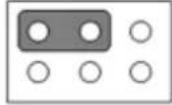 1 3 5 1 3 5 |
| Jumper position for +12V | 2 4 6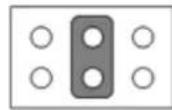 1 3 5 1 3 5 |
1.4.2 CMOS Clear (JCMOS1)
| Function Jumper Setting | |
| Keep CMOS data (default) | 1 2 3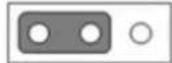 |
| Clear CMOS data | 1 2 3 |
1.4.3 PWRBTN#/ RESET#/HDD LED/Serial Bus from HW Monitor IC/Internal Buzzer/External Speaker Header (JFP1)
| Function Jumper Setting | |
| Internal buzzer (default) | 3 12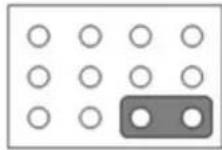 1 7 10 1 7 10 |
1.4.4 Watchdog Timer Output and OBS Beep (JWDT1+ JOBS1)
| Function Jumper Setting | |
| Watchdog timer output (2-3) (default)OBS BEEP(4-5) (default) | 1 2 3 4 5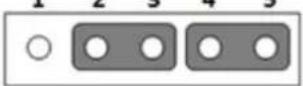 |
1.4.5 AT/ATX Mode Selection (PSON1)
| Function Jumper Setting | |
| ATX mode (default) | 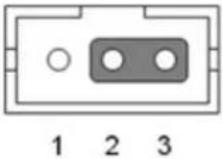 |
| AT mode |  |
1.4.6 Case Open Selection Pin Header (JCASEOP\_SW1)
| Function Jumper Setting | |
| Normal close | 1 2 3 |
| Normal open (default) | 1 2 3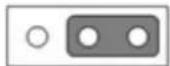 |
1.4.7 COM1\_RI# Pin RI#/5V/12V Selection (JSETCOM1\_V1)
| Function Jumper Setting | |
| Jumper position for RI# (default) | 2 4 6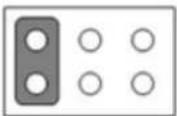 1 3 5 1 3 5 |
| Jumper position for +5V | 2 4 6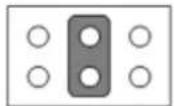 1 3 5 1 3 5 |
| Jumper position for +12V | 2 4 6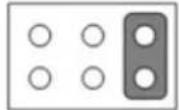 1 3 5 1 3 5 |
1.4.8 COM4\_RI# Pin RI#/5V/12V Selection (JSETCOM4\_V1)
| Function Jumper Setting | |
| Jumper position for RI# (default) | 2 4 6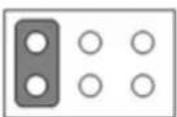 1 3 5 1 3 5 |
| Jumper position for +5V | 2 4 6 1 3 5 1 3 5 |
| Jumper position for +12V | 2 4 6 1 3 5 1 3 5 |
1.5 Jumper and Connector Locations
Top Layer Overview

text_image
9 8 7 6 5 4 3 2 1 10 1 12 13 14 15 16 17 18 19 20 21 22 23 24 25 26 27 28 29 30 AIMB-220 Rev.A1 19A6022902-01 MADE IN ADIANTECH CE 50 49 48 47 46 45 44 43 42 41 40 39 38 37 36 35 34 33 32 31Figure 1.1 Jumper and Connector Locations (Top Side)
Bottom Layer Overview
natural_image
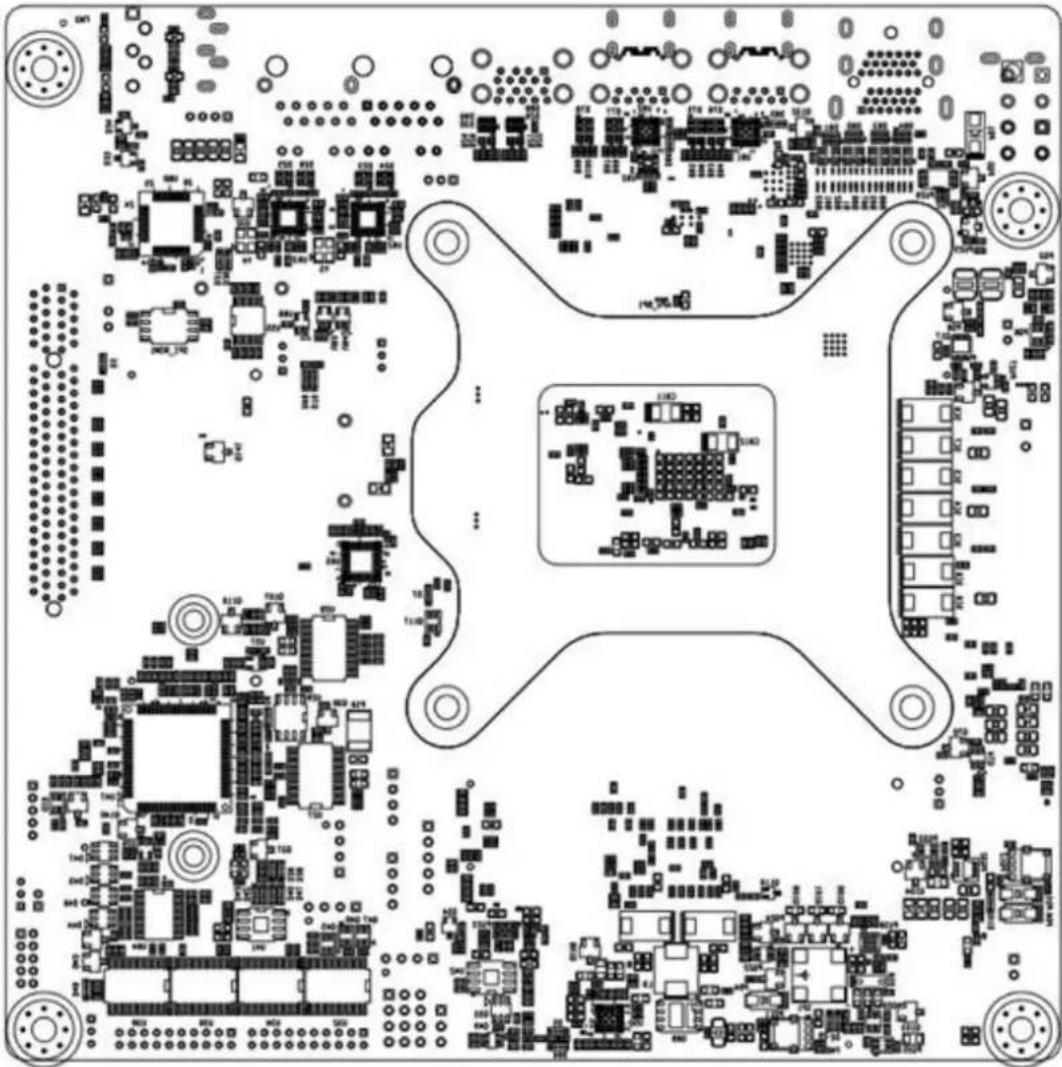
Top-down schematic of a printed circuit board layout with various components and traces (no text or labels visible)Figure 1.2 Jumper and Connector Locations (Bottom Side)
| Table 1.3: Connector/Header List | ||
| 1 Description Part Reference | ||
| 1 DC-IN adaptor connector DCIN1 | ||
| 2 HDIM Port connector HDMI12 | ||
| 3 USB 3.0 Type A and Type C USB31X2_DP2+USB1 | ||
| 4 USB 3.0 Type A and Type C USB31X2_DP3+USB2 | ||
| 5 USB 3.1 Type A USB34 | ||
| 6 AT/ATX Mode selection PSON1 | ||
| 7 RJ45(LAN1+LAN2) connector LAN12 | ||
| 8 HD Analog Audio Interface AUDIO1 | ||
| 9 HD Analog Audio Interface AUDIO2 | ||
| 10 Audio amplifier output pin header AMP1 | ||
| 11 Front panel audio pin header | FPAUD1 | |
| 12 SPDIF interface pin header | SPDIF_OUT1 | |
| 13 Serial ATA interface connector | SATA2 | |
| 14 AMD Hardware Debug Tool | HDT1 | |
| 15 SATADOM power pin header | JSATAPWR1 | |
Table 1.3: Connector/Header List
| 16 M.2 M Key connector NGFF_M1 | |
| 17 PCI-Express x8 slot PCIEX8_1 | |
| 18 M.2 E Key connector M2E1 | |
| 19 COM1 RI# selection pin header JSETCOM1_V1 | |
| 20 LPC bus interface header LPC1 | |
| 21 COM1 box header COM1 | |
| 22 EDP Backlight inverter power connector INV1 | |
| 23 System fan connector SYSFAN1 | |
| 24 16-bits General Purpose I/O pin header GPIO1 | |
| 25 Case open selection pin header JCASEOP_SW1 | |
| 26 Case open pin header JCASE2 | |
| 27 BIOS code debug port LED_PORT80 | |
| 28 COM4 RI# selection pin header JSETCOM4_V1 | |
| 29 CCTalk power voltage select JCCT_VCON1 | |
| 30 COM56 box header COM56 | |
| 31 COM34 box header COM34 | |
| 32 Power LED JFP2 | |
| 33 Power switch/HDD LED/SMBus/Speaker JFP1 | |
| 34 System fan connector SYSFAN2 | |
| 35 CPU fan connector CPUFAN1 | |
| 36 SATA power connector SATA_PWR1 | |
| 37 Watchdog timer output and OBS beep JWDT1+JOBS1 | |
| 38 SATA power connector SATA_PWR2 | |
| 39 ATX Power supply(5VSB) connector | ATX_5VSB1 |
| 40 DDR3L SO-DIMM socket DIMMA1, DIMMB1 | |
| 41 BIOS flash pin header BIOS1_CN1 | |
| 42 COM2 box header COM2 | |
| 43 SPI BIOS socket BIOS1 | |
| 44 Dual port USB2.0 pin header USB56 | |
| 45 Serial ATA interface connector SATA1 | |
| 46 eDP panel voltage selection JEDP1 | |
| 47 eDP panel connector EDP1 | |
| 48 RTC reset pin header JCMOS1 | |
| 49 CMOS battery wafer box BAT1 | |
| 50 ATX 12V power supply connector | ATX12V1/ATX12V2 |
1.6 Board Diagram

flowchart
graph TD
    A["eDP Conn"] -->|optional| B["AMDV2000"]
    C["HDMI"] <-->|DP| B
    D["HDMI"] <-->|DP| B
    E["DP++ (TypeC)"] <-->|DP/USB| B
    F["DP++ (TypeC)"] <-->|DP/USB| B
    G["2x USB 3.1 Gen2"] <-->|USB| B
    H["2x USB 3.1 Gen1"] <-->|USB/2.0/2.0| I["PCIe to USB"]
    J["2x USB 2.0"] <-->|USB/2.0| I
    K["SATA III (port 1) (SATA DOM)"] <-->|SATA| I
    L["SATA III (port 2)"] <-->|SATA| I
    M["Line out/Mic in"] <--> I
    N["AMP Conn."] <-->|optional| O["AMP"]
    P["COM xs/WDT/PWM"] <--> Q["eSPI"]
    R["DDR4 SODIMM, ECC Channel A"] <--> S["DDR4 max 3200MHz"]
    T["DDR4 SODIMM, ECC Channel B"] <--> U["PCIe Gen3 x8"]
    V["PCIe x8 Slot"] <--> W["1 Gbe (LAN1)"]
    X["PCIe"] --> Y["8111H"]
    Z["PCIe"] --> AA["8111H"]
    AB["PCIe"] --> AC["M.L.2 (M-key) 2280/2242"]
    AD["M.L.2 (E-key) 2230"] --> AE["16 Bits GPIO"]
    AF["BIOS"] --> AG["TPM 2.0"]
    AH["PI"] --> AI["8111H"]
    AJ["PI"] --> AK["8111H"]
    AL["PI"] --> AM["DATA"]
    AN["DATA"] --> AO["SATA"]
    AP["SATA"] --> AQ["SATA"]
    AR["SATA"] --> AS["SATA"]
    AT["AMP"] --> AU["ALC888S"]
    AV["AMP"] --> AW["AMP"]
Figure 1.3 AIMB-229 Board Diagram
1.7 Safety Precautions
Warning! Always completely disconnect the power cord from the chassis before manual handling this device. Do not make connections while the power is on. Sensitive electronic components can be damaged by sudden power surges. Only experienced electronics personnel should open the PC chassis.
Caution! Always ground yourself to remove any static charge before touching the motherboard. Modern electronic devices are very sensitive to electrostatic discharges. As a safety precaution, use a grounding wrist strap at all times. Place all electronic components on a static-dissipative surface or in a static-shielded bag when not in the chassis.
Caution! The computer is provided with a battery-powered real-time clock circuit. There is a danger of explosion if the battery is incorrectly replaced. Replace only with the same or equivalent type as recommended by the manufacturer. Discard used batteries according to the manufacturer's instructions.
Caution! There is a danger of a new battery exploding if incorrectly installed. Do not attempt to recharge, force open, or heat the battery. Replace the battery only with the same or equivalent type recommended by the manufacturer. Discard used batteries according to the manufacturer's instructions.
1.8 Jumper Settings
This section provides instructions on how to configure the motherboard by setting jumpers. The information also includes the motherboards' default settings and the options for each jumper.
1.8.1 How to Set Jumpers
Users can configure the motherboard according to the specific application requirements by setting the jumpers. A jumper is a metal bridge that closes an electrical circuit. It consists of two metal pins and a small metal clip (often protected by a plastic cover) that slides over the pins to connect them. To "close" (or turn on) a jumper, connect the pins with the clip. To "open" (or turn off) a jumper, remove the clip. Sometimes a jumper consists of a set of three pins, labeled 1, 2, and 3. In this case, connect either pins 1 and 2, or 2 and 3. A pair of needle-nose pliers may be useful when setting jumpers.
1.8.2 CMOS Clear (JCMOS1)
| Function Jumper Setting | |
| Normal (default) | 1 2 3 |
| Clear CMOS data | 1 2 3 |
1.8.3 AT/ATX Mode Selection (PSON1)
| Function Jumper Setting | |
| ATX mode (default) | 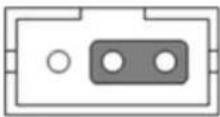 1 2 3 1 2 3 |
| AT mode | 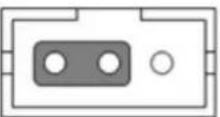 1 2 3 1 2 3 |
1.9 System Memory
AIMB-229 is equipped with two sockets for 260-pin SODIMM. These sockets are compatible with 1.2V unbuffered double-data-rate synchronous, low-voltage DRAM (DDR4 SDRAM). DRAM is available in 4, 8, 16, and 32 GB capacities. The socket supports any combination of DIMMs of any size, for a total memory size of 4 to 32 GB. AIMB-229 supports ECC (error checking and correction) memory.
1.10 Memory Installation
To install SODIMMs, first ensure that the handles of the SODIMM socket are in the "open" position (i.e., the handles lean outward). Slowly slide the SODIMM module along the plastic guides on both ends of the socket. Then gently press the SODIMM module into the socket until there is an audible click indicating that the two handles have locked the memory module into place. To remove the memory module, push both handles outward, and the memory module will be ejected.
Chapter 2
Connecting Peripherals
2.1 Introduction
Most of the connectors can be accessed from the top of the board during installation. If a number of cards are installed or the chassis is packed, the board may need to be partially removed in order to make all the connections.
2.2 USB Ports
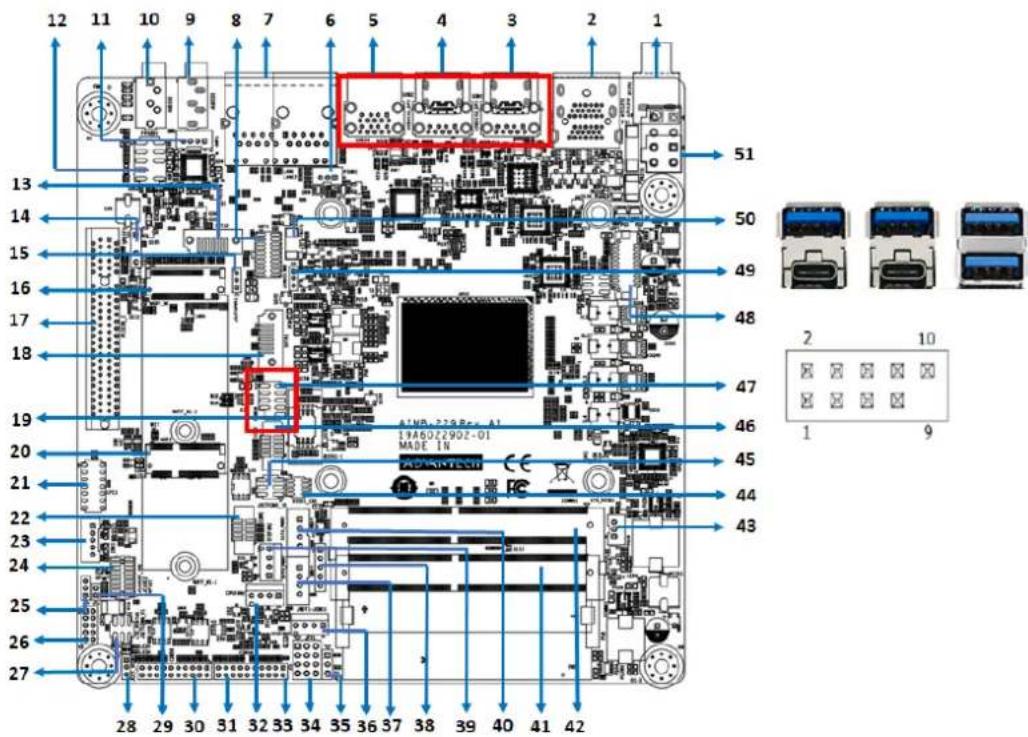
(USB31X2_DP2+USB1/USB31X2_DP3+USB2/USB34/USB56)
AIMB-229 provides up to 8 x USB ports (6 x USB 3.1 and 6 x USB 2.0 on the rear side and 2 x USB 2.0 via the board pin header). The USB interface complies with USB Rev. 3.1 specifications and supports transmission rates of up to 10 Gbps. The USB interfaces can be disabled in the BIOS.
text_image
12 11 10 9 8 7 6 5 4 3 2 1 13 14 15 16 17 18 19 20 21 22 23 24 25 26 27 28 29 30 31 32 33 34 35 36 37 38 39 40 41 42 51 50 49 48 47 46 45 44 43 LMR-229 Reo-A1 19A60Z290Z-01 MADE IN 2 10 1 92.3 DisplayPort1/2/3/4
(HDMI12/USB31X2_DP2+USB1/USB31X2_DP3+USB2)
AIMB-229 features 4 x DP connectors.

text_image
12 11 10 9 8 7 6 5 4 3 2 1 13 14 15 16 17 18 19 20 21 22 23 24 25 26 27 28 29 30 31 32 33 34 35 36 37 38 39 40 41 42 51 50 49 48 47 46 45 44 43 ADAMATEC 19A022902-01 MADE IN2.4 Serial Ports (COM1 \~ COM6)
text_image
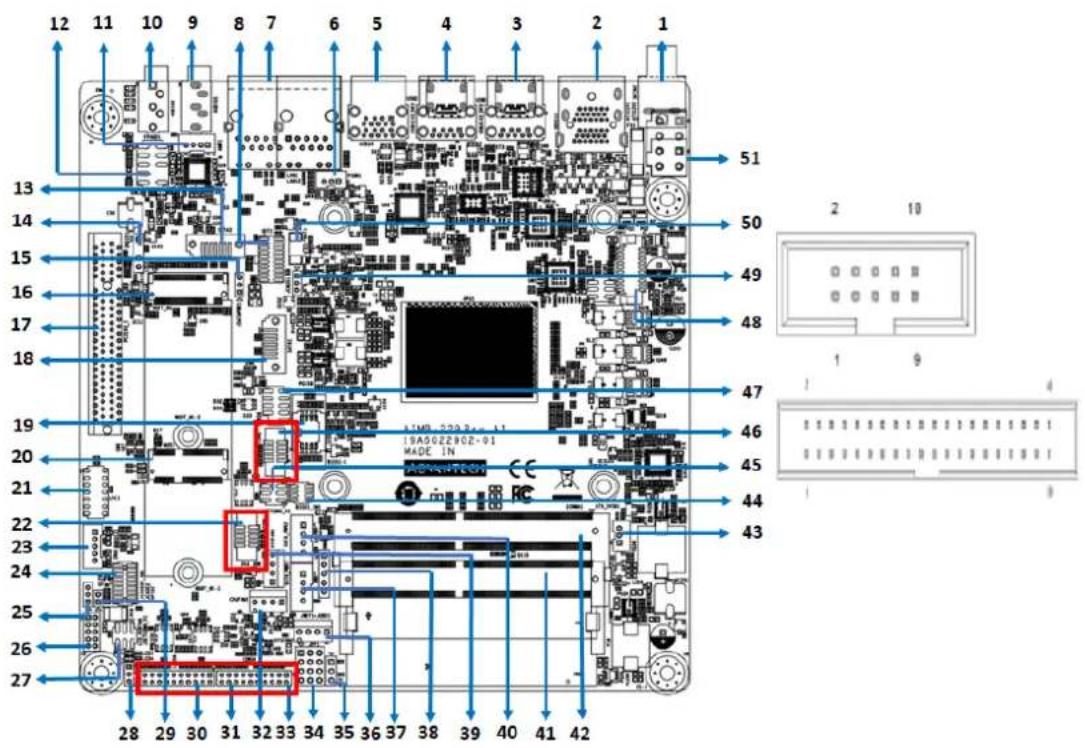
12 11 10 9 8 7 6 5 4 3 2 1 13 14 15 16 17 18 19 20 21 22 23 24 25 26 27 28 29 30 31 32 33 34 35 36 37 38 39 40 41 42 51 50 49 48 47 46 45 44 43 19A50Z290Z-91 MADE INAIMB-229 supports six serial ports (COM1 and COM6 support RS-232 function, COM2 and COM5 support RS-232/422/485 function via jumper setting, COM3 colay CCTalk, and COM4 colay TTL).
These ports can be connected to serial devices, such as a mouse or printer, or a communications network. The IRQ and address ranges for both ports are fixed. However, users can disable the port or change the parameters via the BIOS. Different devices implement the RS-232 standards in different ways. If you have problems with a serial device, check the pin assignments of the connector.
2.5 CPU Fan Connector (CPU\_FAN1)
This connector supports cooling fans of 500 mA (6 W) or less.

text_image
12 11 10 9 8 7 6 5 4 3 2 1 13 14 15 16 17 18 19 20 21 22 23 24 25 26 27 28 29 30 31 32 33 34 35 36 37 38 39 40 41 42 51 50 49 48 47 46 45 44 43 ATM-22984-1 19A6022902-01 MADC IN 4 12.6 System Fan Connector (SYSFAN1/2)
This connector supports cooling fans of 500 mA (6 W) or less.

text_image
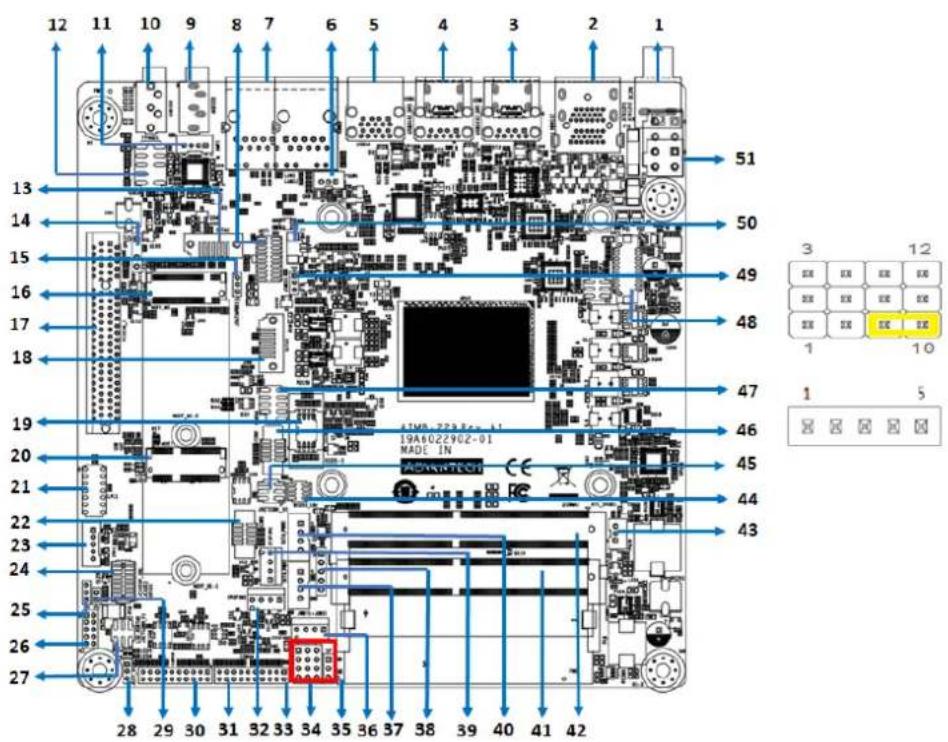
12 11 10 9 8 7 6 5 4 3 2 1 13 14 15 16 17 18 19 20 21 22 23 24 25 26 27 28 29 30 31 32 33 34 35 36 37 38 39 40 41 42 51 50 49 48 47 46 45 44 43 LTM: 229.8+ A1 10A6022H02-01 MADE IN 4 12.7 Power Switch/HDD LED/SMBUS/Speaker Pin Header (JFP1), Power LED, and Keyboard Lock Pin Header (JFP2)
There are several headers for monitoring and controlling the AIMB-229.
text_image
12 11 10 9 8 7 6 5 4 3 2 1 13 14 15 16 17 18 19 20 21 22 23 24 25 26 27 28 29 30 31 32 33 34 35 36 37 38 39 40 41 42 51 50 49 48 47 46 45 44 43 3 12 E## E## E## E## E## E## E## E## 1 10 1 52.7.1 ATX Soft Power Switch (JFP1/PWR\_SW)
If your computer case is equipped with an ATX power supply, connect the power on/off button on the computer case to JFP1/ PWR_SW for convenient operation.
2.7.2 Reset (JFP1/RESET)
Many computer cases offer the convenience of a reset button. Connect the wire for the reset button.
2.7.3 HDD LED (JFP1/HDDLED)
Connect an LED to JFP1/HDDLED to provide an indicator of when the HDD is active.
2.7.4 External Speaker (JFP1/SPEAKER)
JFP1/SPEAKER is a 4-pin connector for an external speaker. If there is no external speaker, AIMB-275 provides an onboard buzzer as an alternative. To enable the buzzer, set pins 7 and 10 as closed.
2.8 DC Input Jack and 4-Pin ATX Connector (DCIN1)

text_image
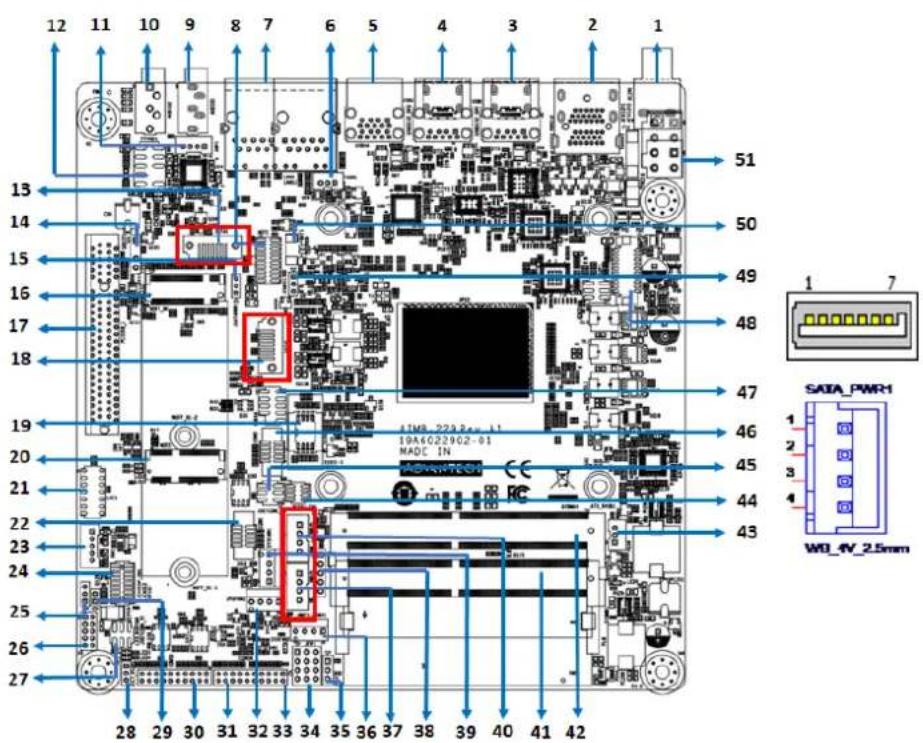
12 11 10 9 8 7 6 5 4 3 2 1 13 14 15 16 17 18 19 20 21 22 23 24 25 26 27 28 29 30 31 32 33 34 35 36 37 38 39 40 41 42 51 50 49 48 47 46 45 44 43 ISA502290Z-01 MADE "N2.9 SATA Signal and Power Connector (SATA1\~SATA2/SATA\_PWR1\~2)
text_image
12 11 10 9 8 7 6 5 4 3 2 1 13 14 15 16 17 18 19 20 21 22 23 24 25 26 27 28 29 30 31 32 33 34 35 36 37 38 39 40 41 42 51 50 49 48 47 46 45 44 43 DATA_PWR1 W0_IV_2.5mmAIMB-229 features a high-performance serial ATA III interface (up to 600 MB/s) that supports thin space-saving cables to streamline hard drive cabling.
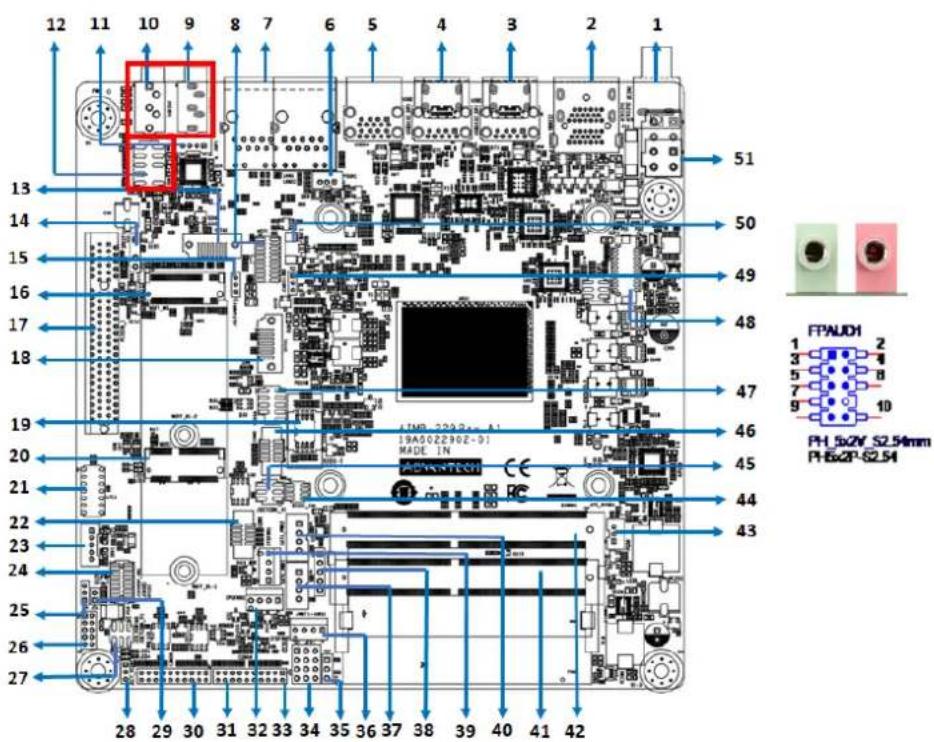
2.10 HD Analog Audio Interface (AUDIO1, AUDIO2, FPAUD1)
The FPAUD1 connector is for a chassis-mounted front-panel audio I/O module that supports either HD Audio or legacy AC'97 (optional) standard.
Connect this connector with the front-panel audio I/O module cable.
text_image
12 11 10 9 8 7 6 5 4 3 2 1 13 14 15 16 17 18 19 20 21 22 23 24 25 26 27 28 29 30 31 32 33 34 35 36 37 38 39 40 41 42 51 50 49 48 47 46 45 44 43 FPAUD1 1 2 3 4 5 6 7 8 9 10 PH-5x2V_S2.54mm PH-5x2P-S2.54Note! For motherboards with the optional HD Audio feature, we recommend connecting a high-definition front-panel audio module to this connector to take advantage of the motherboard's high-definition audio capability.
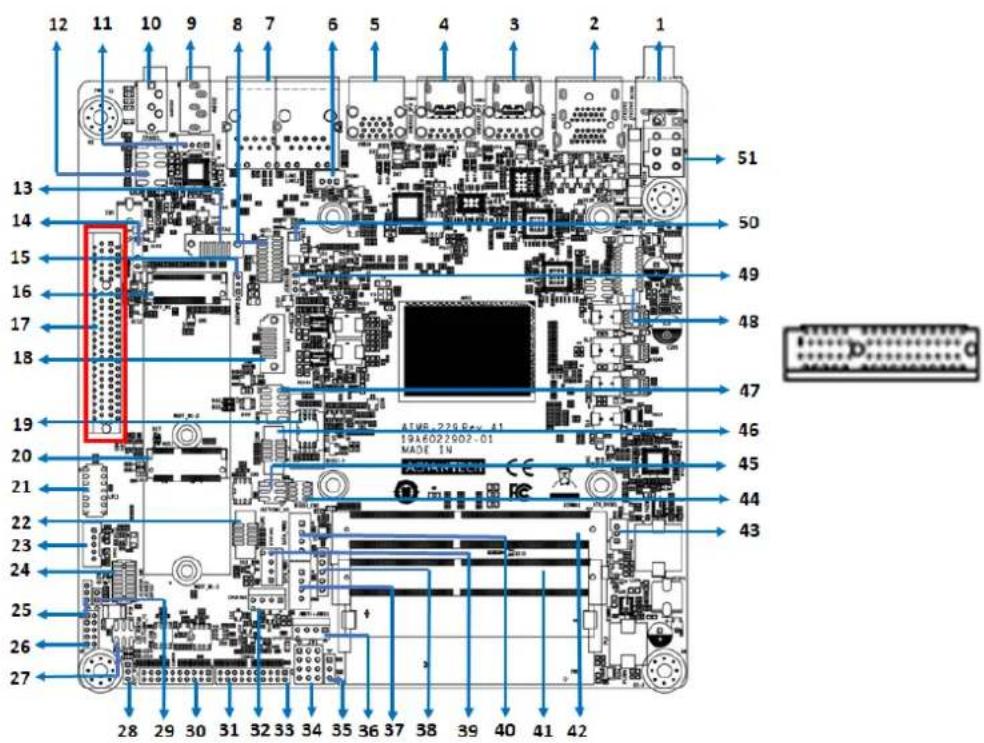
2.11 PCI-E x8 Slot (PCIEX8\_1)
AIMB-229 provides 1 x PCI express x8 slot.
text_image
12 11 10 9 8 7 6 5 4 3 2 1 13 14 15 16 17 18 19 20 21 22 23 24 25 26 27 28 29 30 31 32 33 34 35 36 37 38 39 40 41 42 51 50 49 48 47 46 45 44 43 AIWB-229 Rev. A1 19A6022S02-01 MADE IN2.12 Low-Voltage Differential Signaling Interface (EDP1)
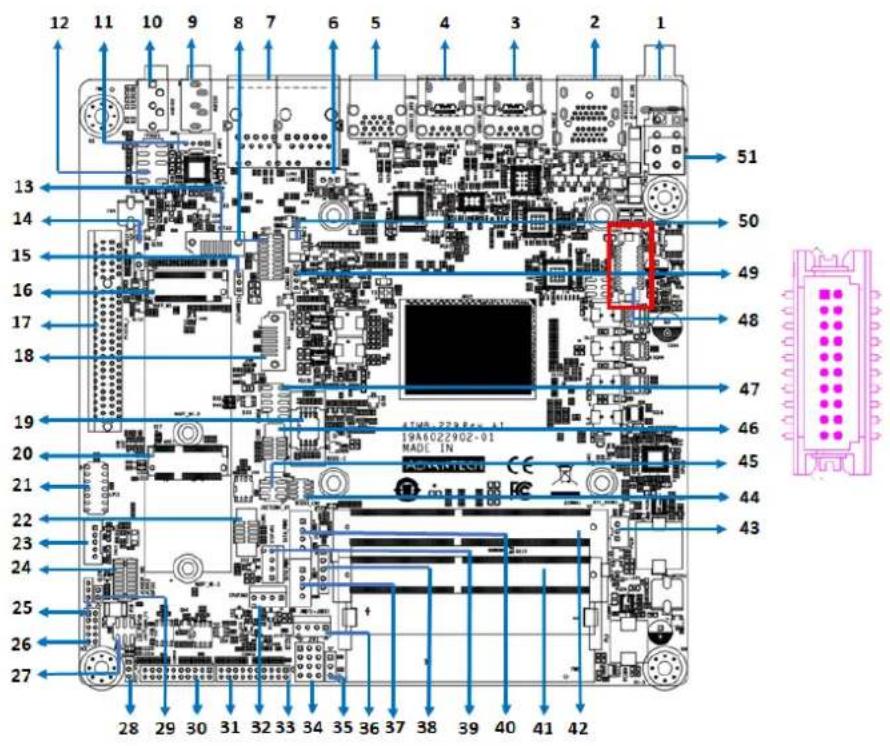
text_image
12 11 10 9 8 7 6 5 4 3 2 1 13 14 15 16 17 18 19 20 21 22 23 24 25 26 27 28 29 30 31 32 33 34 35 36 37 38 39 40 41 42 51 50 49 48 47 46 45 44 43 TMR 229E-11 19A022902-01 MADL IN ASKMTEC2.13 LVDS Backlight Inverter Power Connector (INV1)

text_image
12 11 10 9 8 7 6 5 4 3 2 1 13 14 15 16 17 18 19 20 21 22 23 24 25 26 27 51 50 49 48 47 46 45 44 43 INM 229Rex A1 [HA502290Z-D] MADE IN W3 5V 2.0mm WESP-2.0D2.14 NGFF M.2 B-Key and E-Key Connector (M2B1 & M2E1)
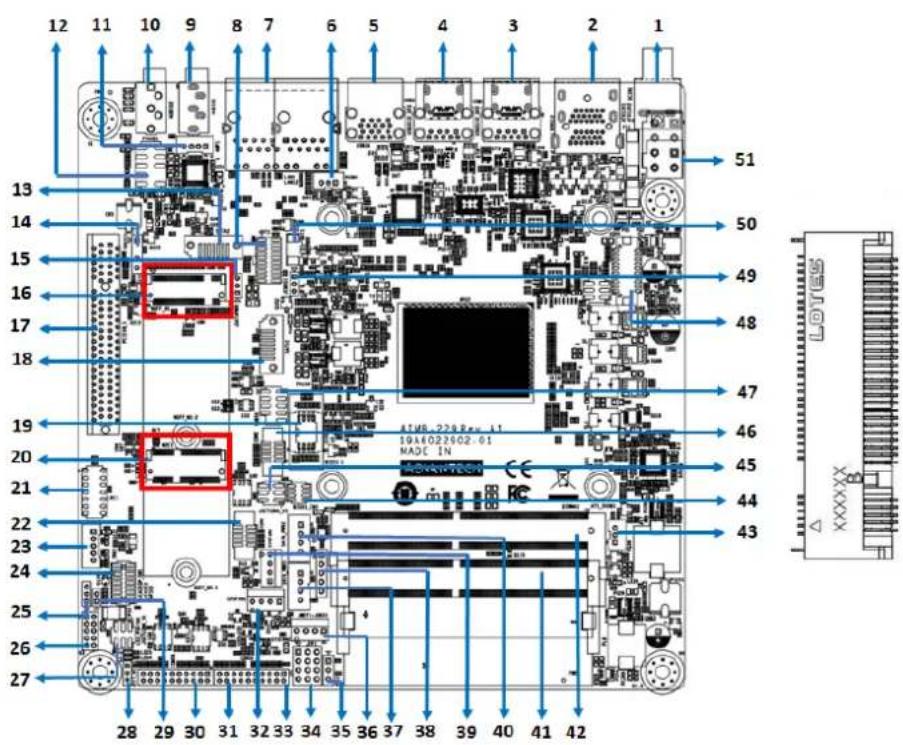
text_image
12 11 10 9 8 7 6 5 4 3 2 1 13 14 15 16 17 18 19 20 21 22 23 24 25 26 27 28 29 30 31 32 33 34 35 36 37 38 39 40 41 42 51 50 49 48 47 46 45 44 43 ATM8.228 Res. L1 19A6022602.61 MADE IN2.15 Audio Amplifier Output Connector (AMP1), BOM Optional
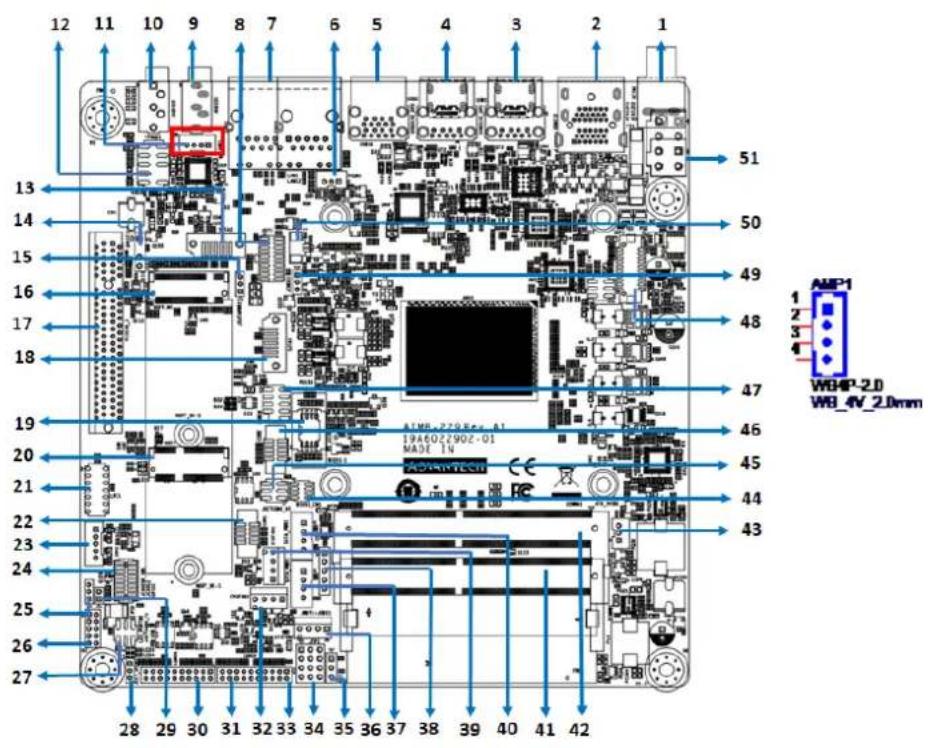
text_image
12 11 10 9 8 7 6 5 4 3 2 1 13 14 15 16 17 18 19 20 21 22 23 24 25 26 27 28 29 30 31 32 33 34 35 36 37 38 39 40 41 42 51 50 49 48 47 46 45 44 43 AMP1 WB_4V_2.0mm2.16 General Purpose I/O Pin Header (GPIO1)

text_image
12 11 10 9 8 7 6 5 4 3 2 1 13 14 15 16 17 18 19 20 21 22 23 24 25 26 27 28 29 30 31 32 33 34 35 36 37 38 39 40 41 42 51 50 49 48 47 46 45 44 43 19A6022902-01 MADE IN LINO-T28 H6-C A12.17 General Purpose I/O Pin Header (BIOS1)
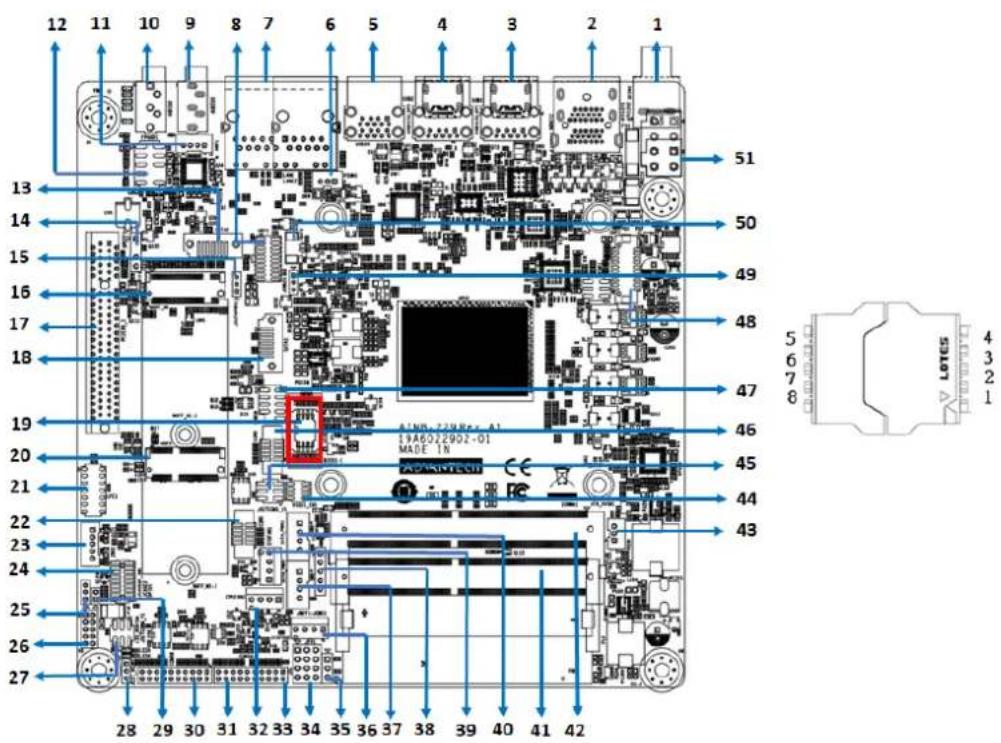
text_image
12 11 10 9 8 7 6 5 4 3 2 1 13 14 15 16 17 18 19 20 21 22 23 24 25 26 27 28 29 30 31 32 33 34 35 36 37 38 39 40 41 42 51 50 49 48 47 46 45 44 43 A1NR-72RRe-A1 19A6022902-01 MADE IN LOTES 4 3 2 12.18 SPI Programming Pin Header (BIOS1_CN1)
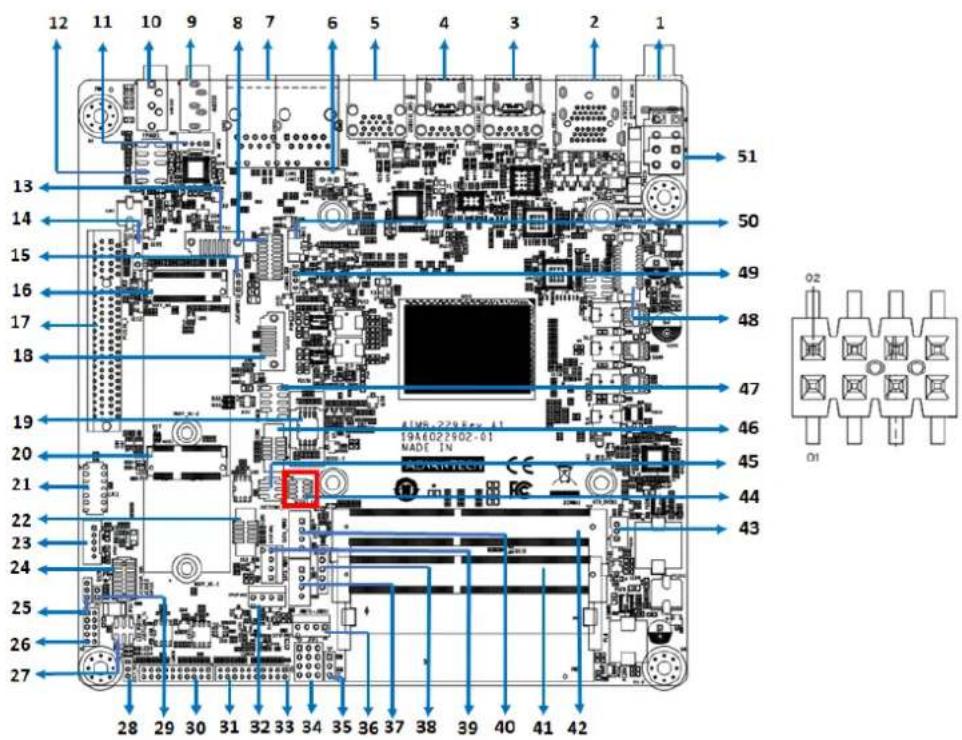
text_image
12 11 10 9 8 7 6 5 4 3 2 1 13 14 15 16 17 18 19 20 21 22 23 24 25 26 27 28 29 30 31 32 33 34 35 36 37 38 39 40 41 42 51 50 49 48 47 46 45 44 43 19A6022902-01 MADE IN O2 O12.19 Low-Pin-Count Header (LPC1)
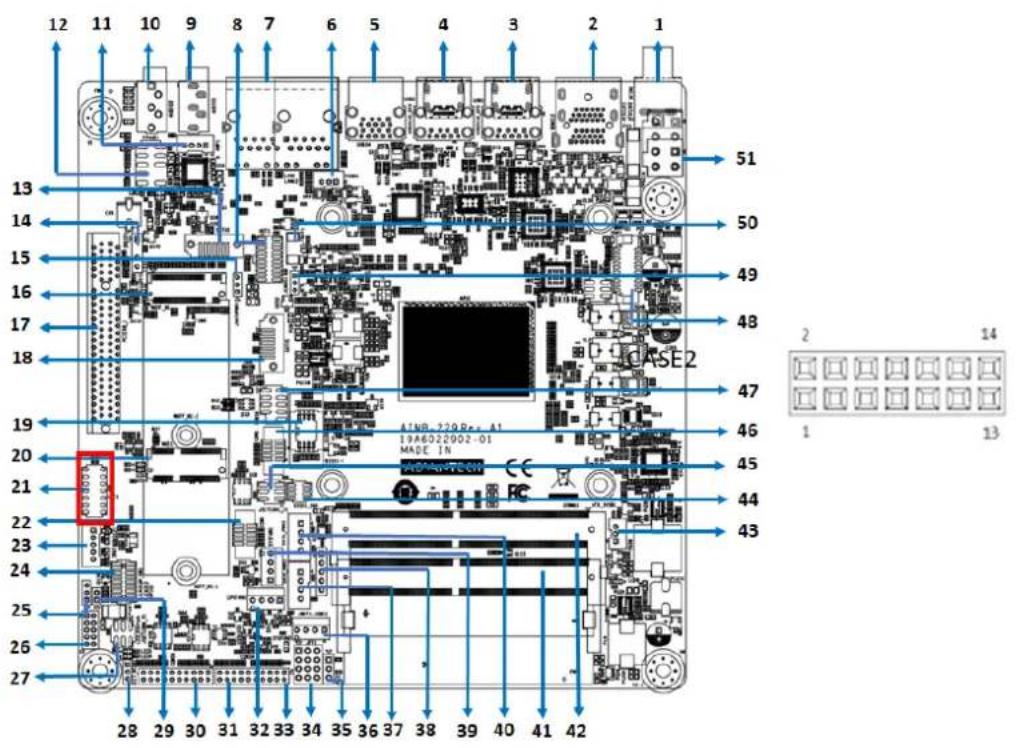
text_image
12 11 10 9 8 7 6 5 4 3 2 1 13 14 15 16 17 18 19 20 21 22 23 24 25 26 27 28 29 30 31 32 33 34 35 36 37 38 39 40 41 42 51 50 49 48 47 46 45 44 43 ATNB-220Rc-A1 19A6022002-01 MADE IN CASE2 2 14 1 132.20 Case-Open Detect Connector (JCASE2)

text_image
12 11 10 9 8 7 6 5 4 3 2 1 13 14 15 16 17 18 19 20 21 22 23 24 25 26 27 51 50 49 48 47 46 45 44 43 28 29 30 31 32 33 34 35 36 37 38 39 40 41 42 CASE2 1 22.21 CMOS Battery Connector (BAT1)
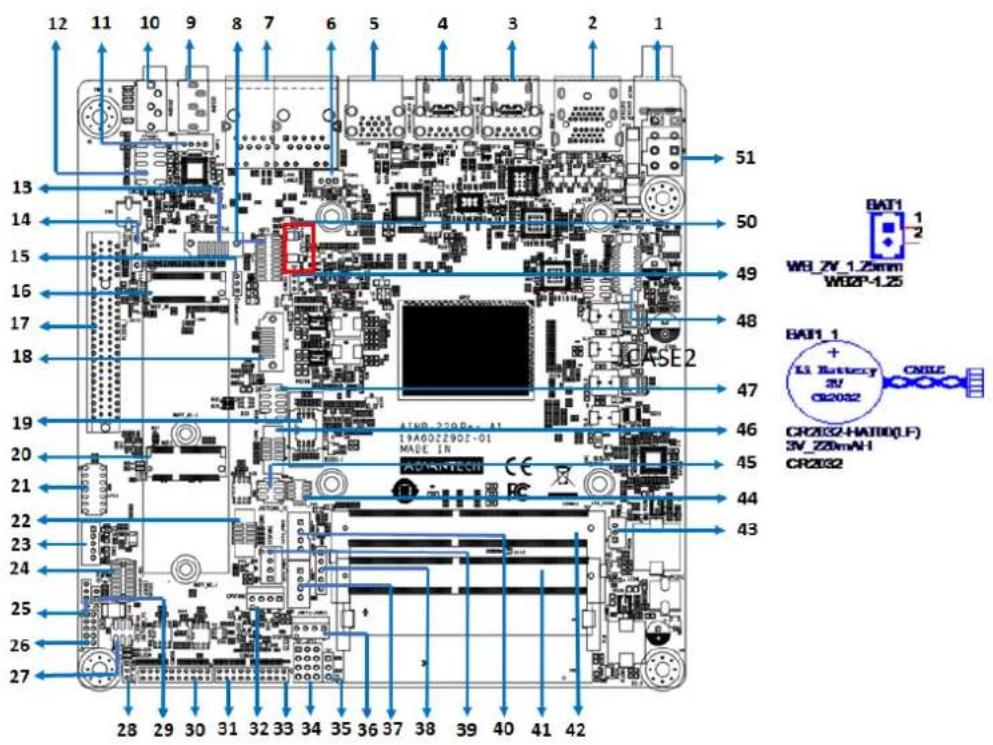
text_image
12 11 10 9 8 7 6 5 4 3 2 1 13 14 15 16 17 18 CASE2 51 50 49 48 47 46 45 44 43 BAT1 1 WHLZV_1.25mm WDBP-1.25 BAT1_1 + Li_Battery 3V CR2032 CNILE CR2032-HAT00(F) SV_Z20mN-I CR2032 19A022902-01 MADE IN 28 29 30 31 32 33 34 35 36 37 38 39 40 41 422.22 DDR4 SODIMM Socket (DIMMA1, DIMMB1)
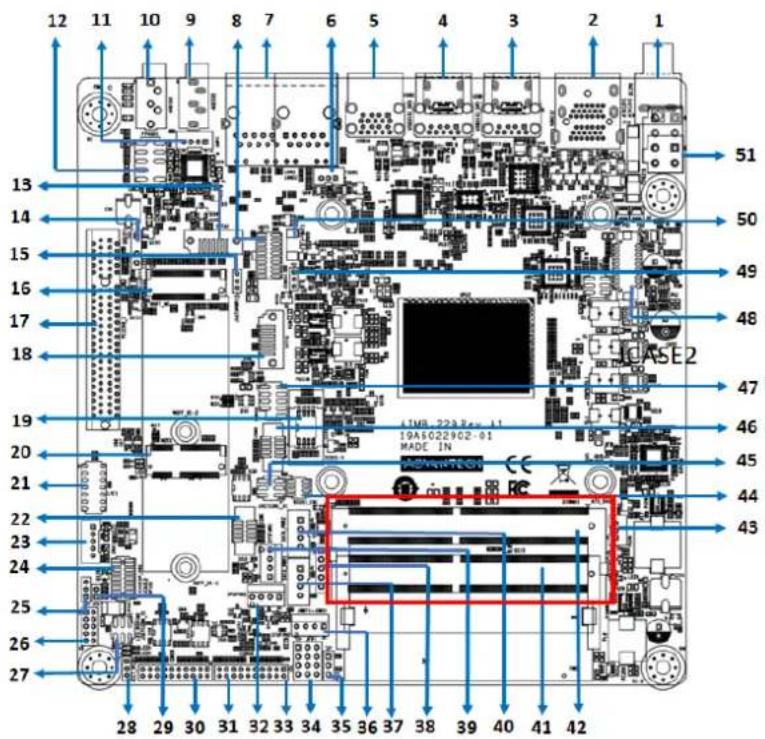
text_image
12 11 10 9 8 7 6 5 4 3 2 1 13 14 15 16 17 18 CASE2 51 50 49 48 47 46 45 44 43 19A 223E-11 19A5022902-01 MADE IN CE 28 29 30 31 32 33 34 35 36 37 38 39 40 41 42Chapter 3
BIOS Operation
3.1 Introduction
With the AMI BIOS Setup program, users can modify the BIOS settings and control the device configuration. The Setup program features a number of menus for making changes and turning special features on or off. This chapter describes the basic navigation of the AIMB-229 BIOS menus.
3.2 BIOS Setup
The AIMB-229 system has AMI BIOS built in and features a CMOS SETUP utility that allows users to configure required settings or activate certain features. The CMOS SETUP saves the configuration in the CMOS RAM of the motherboard. When the power is turned off, the battery on the board supplies the necessary power to preserve the CMOS RAM.
When the power is turned on, press the button during the BIOS POST (power-on self test) to access the CMOS SETUP screen.
Control Keys
| < | ↑ | > | < | ↓ | > | < | ← | > | < | → | > | Move to select item |
| <Enter> Select Item |
| <Esc> Exit |
| Page Up/+> Increase the numeric value or make changes |
| Page Down/-> Decrease the numeric value or make changes |
| <F1> General help, for Setup sub menu |
| <F2> Previous values |
| <F3> Optimized Defaults |
| <F4> Save & Exit |
3.2.1 Main Menu
Press to enter the AMI BIOS CMOS Setup Utility. The Main menu will appear onscreen. Use the arrow keys to select an item and press

text_image
Aptio Setup - American Megatrends International, LLC. Main Advanced Chipset Security Boot Save & Exit BIOS Information BIOS Vendor American Megatrends Core Version 5.0.1.6 0.07 x64 Compliancy UEFI 2.7; PI 1.6 Project Version A2290000F60X030 Build Date and Time 01/17/2022 11:27:40 Access Level AChministrator Project Board Version AIMB-229 Power Type ATX Memory Information Total Memory 8192 MB (DDR4) Memory Frequency 2400 MTs System Date [Mon 02/07/2022] System Time [14:47:21] Set the Date. Use Tab to switch between Date elements. Default Ranges: Year: 1998-9999 Months: 1-12 Days: Dependent on month Range of Years may vary. ++: Select Screen 11: Select Item Enter: Select +/-: Change Opt. F1: General Help F2: Previous Values F3: Optimized Defaults F4: Save & Exit ESC: Exit Ver. 2.21.1277 Copyright (C) 2022 American Megatrends International, LLC.The Main BIOS setup screen has two main frames. The left frame displays all the options that can be configured. Grayed-out options cannot be configured, whereas options in blue can be configured. The right frame displays the key legend.
Above the key legend is an area reserved for a text message. When an option is selected in the left frame, it is highlighted in white. Often a text message will accompany it.
■ System Time/System Date
Use this option to change the system time and date. Highlight System Time or System Date using the
3.2.2 Advanced BIOS Features
Select the Advanced tab from the BIOS setup menu to enter the Advanced BIOS setup screen. Users can select any of the items in the left frame of the screen, such as CPU Configuration, to access the sub-menu for that item. Display an Advanced BIOS setup option by highlighting it using the
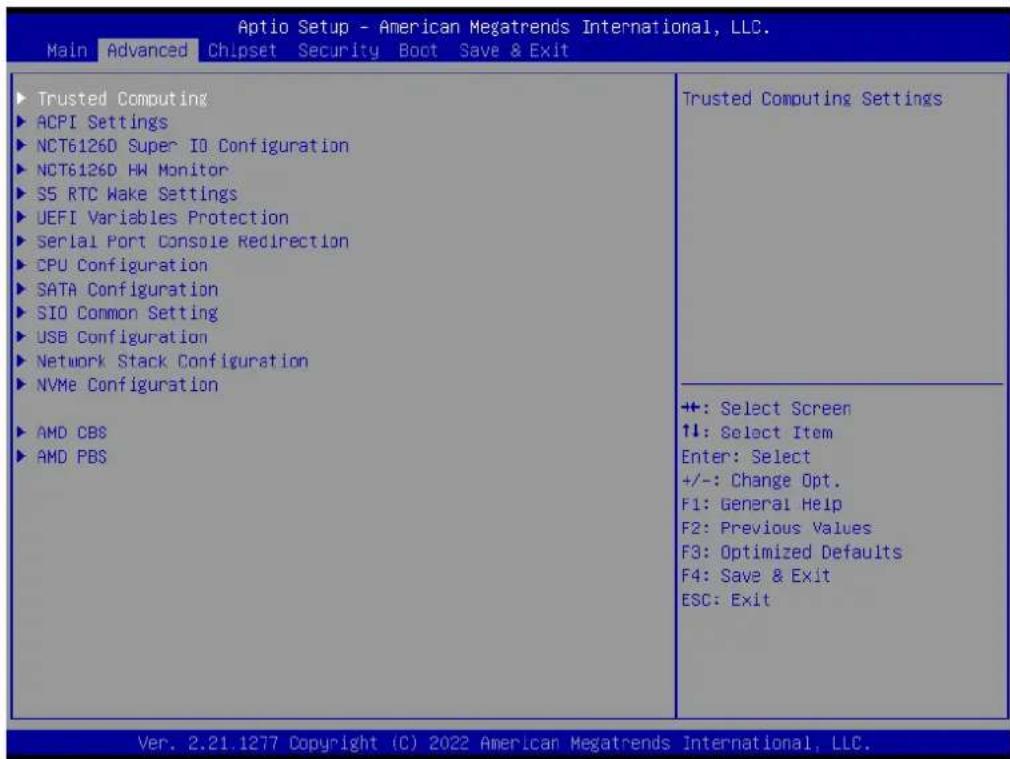
text_image
Aptio Setup - American Megatrends International, LLC. Main Advanced Chipset Security Boot Save & Exit Trusted Computing ACPI Settings NCT6126D Super IO Configuration NCT6126D HW Monitor S5 RTC Wake Settings UEFI Variables Protection Serial Port Console Redirection CPU Configuration SATA Configuration SIO Common Setting USB Configuration Network Stack Configuration NVMe Configuration AMD CBS AMD PBS Trusted Computing Settings +: Select Screen ↑↓: Select Item Enter: Select +/-: Change Opt. F1: General Help F2: Previous Values F3: Optimized Defaults F4: Save & Exit ESC: Exit Ver. 2.21.1277 Copyright (C) 2022 American Megatrends International, LLC.| TPM 2.0 Device Found Firmware Version: 7.2 Vendor: NTC Security Device Support [Enable] Active PCR banks SHA-1,SHA256 Available PCR banks SHA-1,SHA256,SHA384 SHA-1 PCR Bank [Enabled] SHA256 PCR Bank [Enabled] SHA384 PCR Bank [Disabled] | Enables or Disables BIOS support for security device. O.S. will not show Security Device. TCG EFI protocol and INTIA interface will not be available. | |
| Pending operation [None] Platform Hierarchy [Enabled] Storage Hierarchy [Enabled] Endorsement Hierarchy [Enabled] TPM 2.0 UEFI Spec Version [TCG_2] Physical Presence Spec Version [1.3] TPM 2.0 InterfaceType [TIS] Device Select [Auto] | +: Select Screen ↑↓: Select Item Enter: Select +/-: Change Opt. F1: General Help F2: Previous Values F3: Optimized Defaults F4: Save & Exit ESC: Exit | |
3.2.2.1 Trusted Computing
This item allows users to enable/disable the TPM (TPM 2.0). The TPM (Trusted Platform Module) is a secure key generator and key cache management component that enables protected storage of encryption keys and authentication credentials for enhanced security.
■ Security Device Support [Disable]
Note! The TCG EFI protocol and INT1A interface will not be available.

3.2.2.2 ACPI Settings

text_image
Aptio Setup - American Megatrends International, LLC. Main Advanced Chipset Security Boot Save & Exit Trusted Computing ACPI Settings NCT6126D Super IO Configuration NCT6126D HW Monitor S5 RTC Wake Settings UEFI Variables Protection Serial Port Console Redirection CPU Configuration SATA Configuration SIO Common Setting USB Configuration Network Stack Configuration NVMe Configuration AMD CBS AMD PBS System ACPI Parameters. ++: Select Screen 11: Select Item Enter: Select +/-: Change Opt. F1: General Help F2: Previous Values F3: Optimized Defaults F4: Save & Exit ESC: Exit Ver. 2.21.1277 Copyright (C) 2022 American Megatrends International, LLC.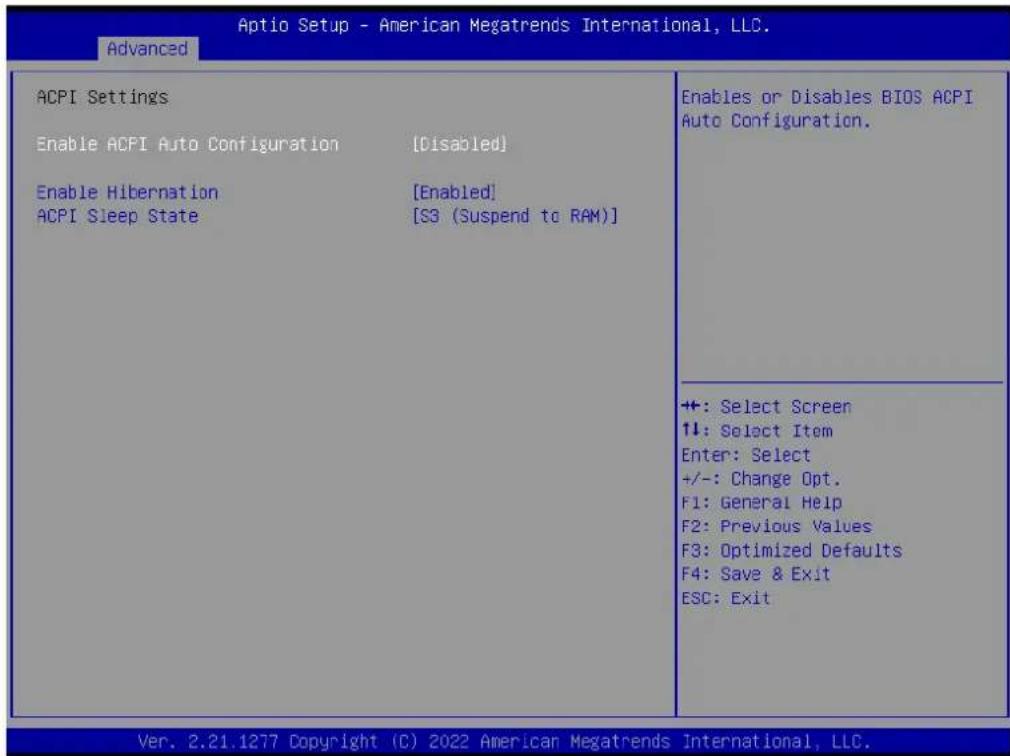
text_image
Advanced ACPI Settings Enable ACPI Auto Configuration [Disabled] Enable Hibernation [Enabled] ACPI Sleep State [S3 (Suspend to RAM)] Enables or Disables BIOS ACPI Auto Configuration. +: Select Screen ↑↓: Select Item Enter: Select +/-: Change Opt. F1: General Help F2: Previous Values F3: Optimized Defaults F4: Save & Exit ESC: Exit Ver. 2.21.1277 Copyright (C) 2022 American Megatrends International, LLC.■ Enable ACPI Auto Configuration [Disabled]
This item allows users to enable/disable BIOS ACPI auto configuration.
■ Enable Hibernation [Enabled]
This item allows users to enable/disable the Hibernate (OS/S4 sleep state) function. This option may not be available with certain operating systems.
■ ACPI Sleep State [Auto]
This item allows users to select the ACPI sleep state the system will enter when the SUSPEND button is pressed.
3.2.2.3 NCT6126D Super IO Configuration
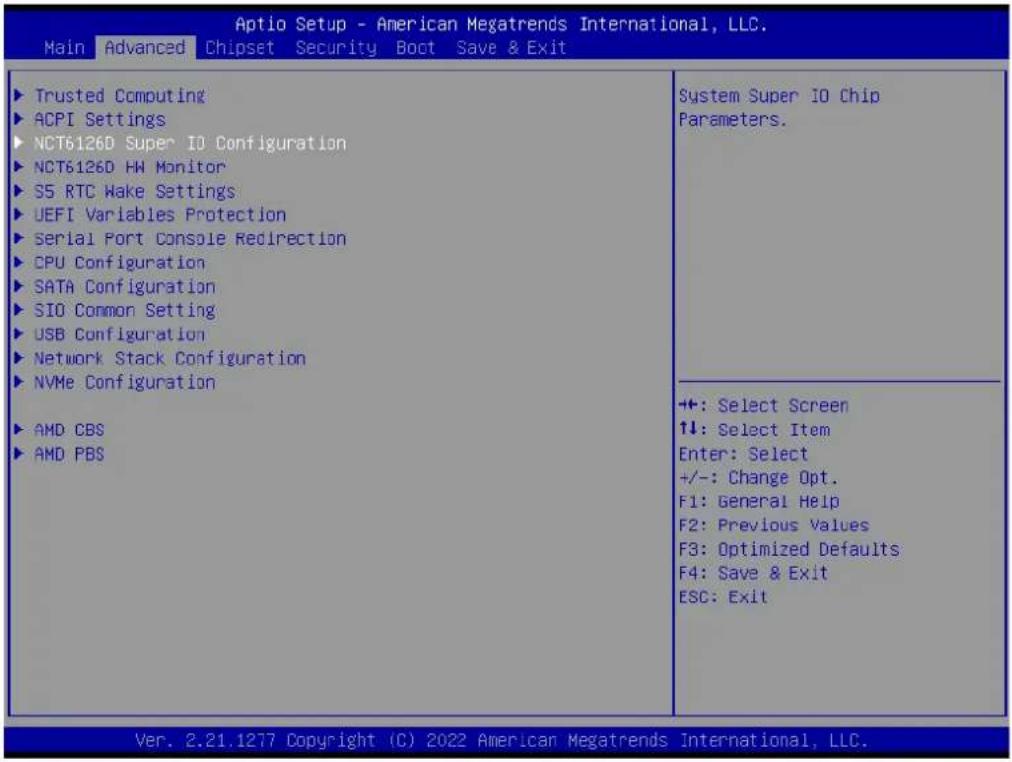
text_image
Aptio Setup - American Megatrends International, LLC. Main Advanced Chipset Security Boot Save & Exit Trusted Computing ACPI Settings NCT6126D Super IO Configuration NCT6126D HM Monitor S5 RTC Wake Settings UEFI Variables Protection Serial Port Console Redirection CPU Configuration SATA Configuration SIO Common Setting USB Configuration Network Stack Configuration NVMe Configuration AMD CBS AMD PBS System Super IO Chip Parameters. +: Select Screen 1: Select Item Enter: Select +/-: Change Opt. F1: General Help F2: Previous Values F3: Optimized Defaults F4: Save & Exit ESC: Exit Ver. 2.21.1277 Copyright (C) 2022 American Megatrends International, LLC.3.2.2.4 Super IO Chip [NCT6126D]
Serial Port 1 Configuration
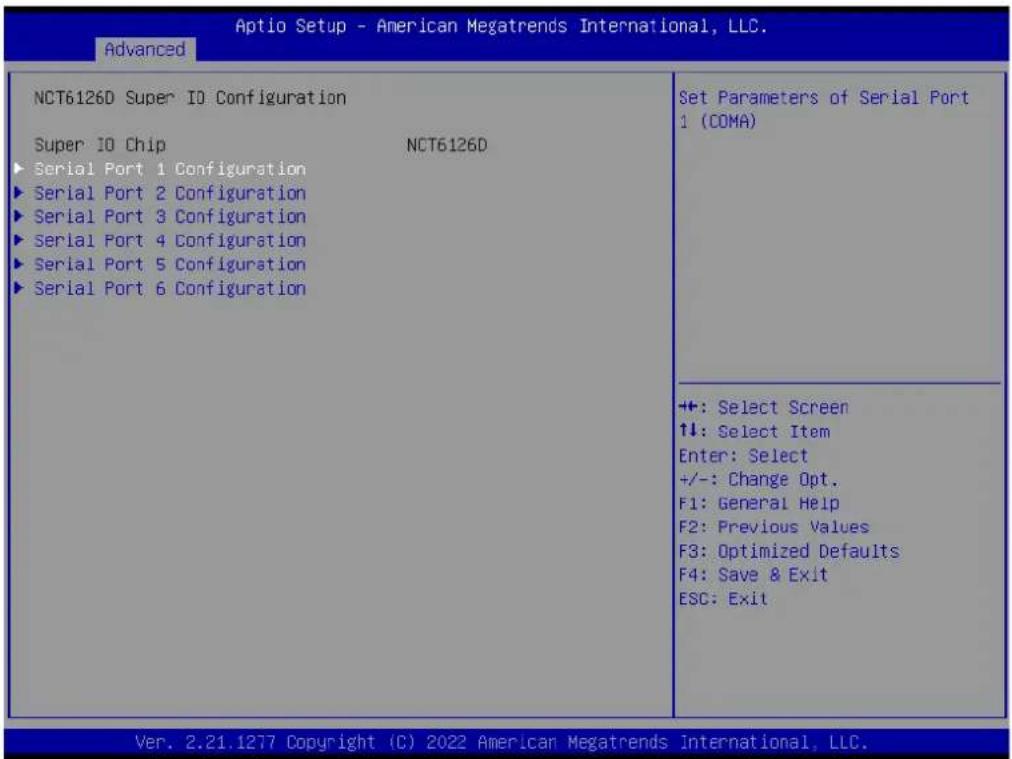
text_image
Aptio Setup - American Megatrends International, LLC. Advanced NCT6126D Super IO Configuration Super IO Chip NCT6126D ► Serial Port 1 Configuration ► Serial Port 2 Configuration ► Serial Port 3 Configuration ► Serial Port 4 Configuration ► Serial Port 5 Configuration ► Serial Port 6 Configuration Set Parameters of Serial Port 1 (COMA) ++ +: Select Screen ↑↓: Select Item Enter: Select +/-: Change Opt. F1: General Help F2: Previous Values F3: Optimized Defaults F4: Save & Exit ESC: Exit Ver. 2.21.1277 Copyright (C) 2022 American Megatrends International, LLC.Serial Port [Enabled]
- Device Settings: IO = 3F8h; IRQ = 4
- Change Settings [Auto]
This item allows users to select the optimal settings for serial port 1.
![Advantech AIMB-229 - Serial Port [Enabled] - 1](/content/2026/06/1228733/images/3981c7c5afc8a65a509a67b5b8fc034b641dccf40088e5dceea19506dc83d386.jpg)
text_image
Optio Setup - American Megatrends International, LLC. Advanced Serial Port 1 Configuration Serial Port [Enabled] Device Settings IC=3F9h; IRQ=4; Change Settings [Auto] Enable or Disable Serial Port (COM) +: Select Screen ↑↓: Select Item Enter: Select +/-: Change Opt. F1: General Help F2: Previous Values F3: Optimized Defaults F4: Save & Exit ESC: Exit Ver. 2.21.1277 Copyright (C) 2022 American Megatrends International, LLC.Serial Port 2 Configuration

text_image
Aptio Setup - American Megatrends International, LLC. Advanced NCT6126D Super IO Configuration Super IO Chip NCT6126D ► Serial Port 1 Configuration ► Serial Port 2 Configuration ► Serial Port 3 Configuration ► Serial Port 4 Configuration ► Serial Port 5 Configuration ► Serial Port 6 Configuration Set Parameters of Serial Port 2 (COMB) +: Select Screen ↑↓: Select Item Enter: Select +/-: Change Opt. F1: General Help F2: Previous Values F3: Optimized Defaults F4: Save & Exit ESC: Exit Ver. 2.21.1277 Copyright (C) 2022 American Megatrends International, LLC.Serial Port [Enabled]
- Device Settings: IO = 2F8h; IRQ = 3
- Change Setting [Auto]
This item allows users to select the optimal settings for serial port 2.
![Advantech AIMB-229 - Serial Port [Enabled] - 1](/content/2026/06/1228733/images/e31535e0a6f4df75f4aee01b6818d1b1b1083a944a281c6932f00040da43a5b0.jpg)
text_image
Aptio Setup - American Megatrends International, LLC. Advanced Serial Port 2 Configuration Serial Port [Enabled] Device Settings IC=2F3h; IRQ=3; Change Settings [Auto] Device Mode [RS232] Enable or Disable Serial Port (COM) +: Select Screen ↑↓: Select Item Enter: Select +/-: Change Opt. F1: General Help F2: Previous Values F3: Optimized Defaults F4: Save & Exit ESC: Exit Ver. 2.21.1277 Copyright (C) 2022 American Megatrends International, LLC.Serial Port 3 Configuration

text_image
Aptio Setup - American Megatrends International, LLC. Advanced NCT6126D Super IO Configuration Super IO Chip NCT6126D ► Serial Port 1 Configuration ► Serial Port 2 Configuration ► Serial Port 3 Configuration ► Serial Port 4 Configuration ► Serial Port 5 Configuration ► Serial Port 6 Configuration Set Parameters of Serial Port 3 (COMC) +: Select Screen ↑↓: Select Item Enter: Select +/-: Change Opt. F1: General Help F2: Previous Values F3: Optimized Defaults F4: Save & Exit ESC: Exit Ver. 2.21.1277 Copyright (C) 2022 American Megatrends International, LLC.Serial Port [Enabled]
- Device Settings: IO = 3E8h; IRQ = 5
- Change Setting [Auto]
This item allows users to select the optimal settings for serial port 3.
![Advantech AIMB-229 - Serial Port [Enabled] - 1](/content/2026/06/1228733/images/a7e25f527fa220a8d1c7e5d8756c1c021b01a0309c36e0b97ba90bf41082ed04.jpg)
text_image
Optio Setup - American Megatrends International, LLC. Advanced Serial Port 3 Configuration Serial Port [Enabled] Device Settings IC=3E8h; IRQ=5; Change Settings [Auto] Enable or Disable Serial Port (COM) +: Select Screen ↑↓: Select Item Enter: Select +/-: Change Opt. F1: General Help F2: Previous Values F3: Optimized Defaults F4: Save & Exit ESC: Exit Ver. 2.21.1277 Copyright (C) 2022 American Megatrends International, LLC.Serial Port 4 Configuration
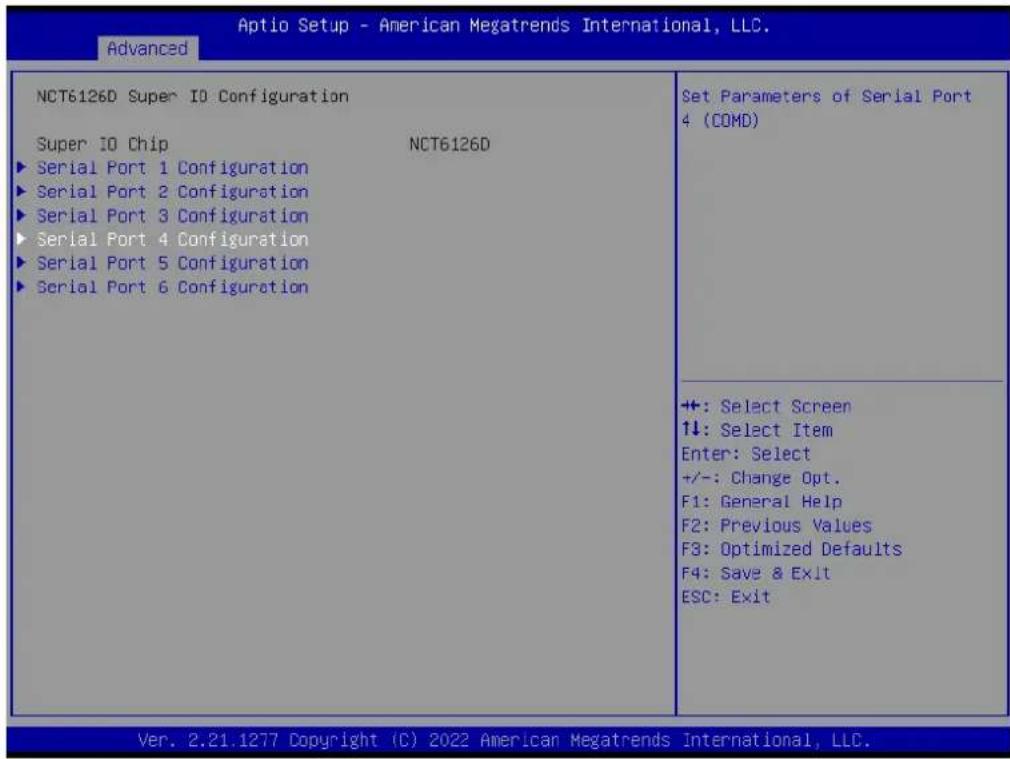
text_image
Aptio Setup - American Megatrends International, LLC. Advanced NCT6126D Super IO Configuration Super IO Chip NCT6126D ► Serial Port 1 Configuration ► Serial Port 2 Configuration ► Serial Port 3 Configuration ► Serial Port 4 Configuration ► Serial Port 5 Configuration ► Serial Port 6 Configuration Set Parameters of Serial Port 4 (COMD) +: Select Screen ↑↓: Select Item Enter: Select +/-: Change Opt. F1: General Help F2: Previous Values F3: Optimized Defaults F4: Save & Exit ESC: Exit Ver. 2.21.1277 Copyright (C) 2022 American Megatrends International, LLC.Serial Port [Enabled]
- Device Settings: IO = 2E8h; IRQ = 5
- Change Setting [Auto]
This item allows users to select the optimal settings for serial port 4.
![Advantech AIMB-229 - Serial Port [Enabled] - 1](/content/2026/06/1228733/images/4131625fda048c774a48a48c5858fc215f9970a0ba206c4de15f1631709b5e54.jpg)
text_image
Optio Setup - American Megatrends International, LLC. Advanced Serial Port 4 Configuration Serial Port [Enabled] Device Settings IC=2E3h; IRQ=5; Change Settings [Auto] Enable or Disable Serial Port (COM) +: Select Screen ↑↓: Select Item Enter: Select +/-: Change Opt. F1: General Help F2: Previous Values F3: Optimized Defaults F4: Save & Exit ESC: Exit Ver. 2.21.1277 Copyright (C) 2022 American Megatrends International, LLC.Serial Port 5 Configuration
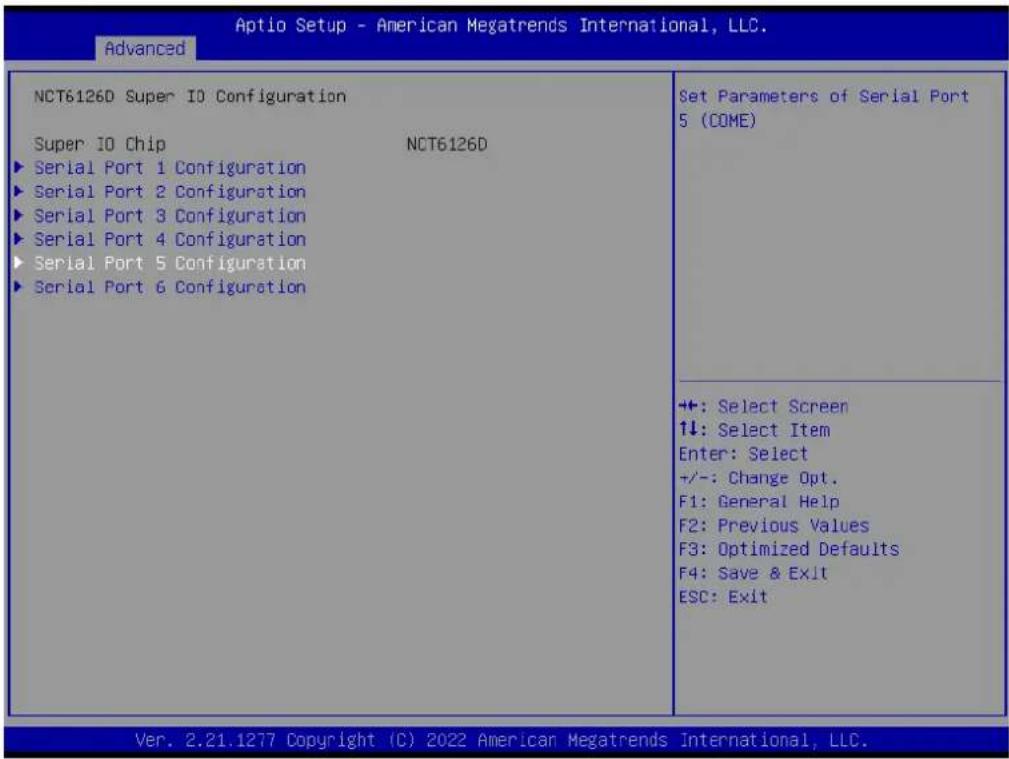
text_image
Aptio Setup - American Megatrends International, LLC. Advanced NCT6126D Super IO Configuration Super IO Chip NCT6126D ► Serial Port 1 Configuration ► Serial Port 2 Configuration ► Serial Port 3 Configuration ► Serial Port 4 Configuration ► Serial Port 5 Configuration ► Serial Port 6 Configuration Set Parameters of Serial Port 5 (COME) +: Select Screen 1↓: Select Item Enter: Select +/-: Change Opt. F1: General Help F2: Previous Values F3: Optimized Defaults F4: Save & Exit ESC: Exit Ver. 2.21.1277 Copyright (C) 2022 American Megatrends International, LLC.Serial Port [Enabled]
- Device Settings: IO = 220h; IRQ = 11
- Change Setting [Auto]
This item allows users to select the optimal settings for serial port 5.
![Advantech AIMB-229 - Serial Port [Enabled] - 1](/content/2026/06/1228733/images/a05da4f1ec8af5923c726c3709676242ec875c4939fa1fee1243ae2c54fa3985.jpg)
text_image
Optio Setup - American Megatrends International, LLC. Advanced Serial Port 5 Configuration Serial Port [Enabled] Device Settings IC=220h; IRQ=11; Change Settings [Auto] Device Mode [RS232] Enable or Disable Serial Port (COM) +: Select Screen ↑↓: Select Item Enter: Select +/-: Change Opt. F1: General Help F2: Previous Values F3: Optimized Defaults F4: Save & Exit ESC: Exit Ver. 2.21.1277 Copyright (C) 2022 American Megatrends International, LLC.Serial Port 6 Configuration
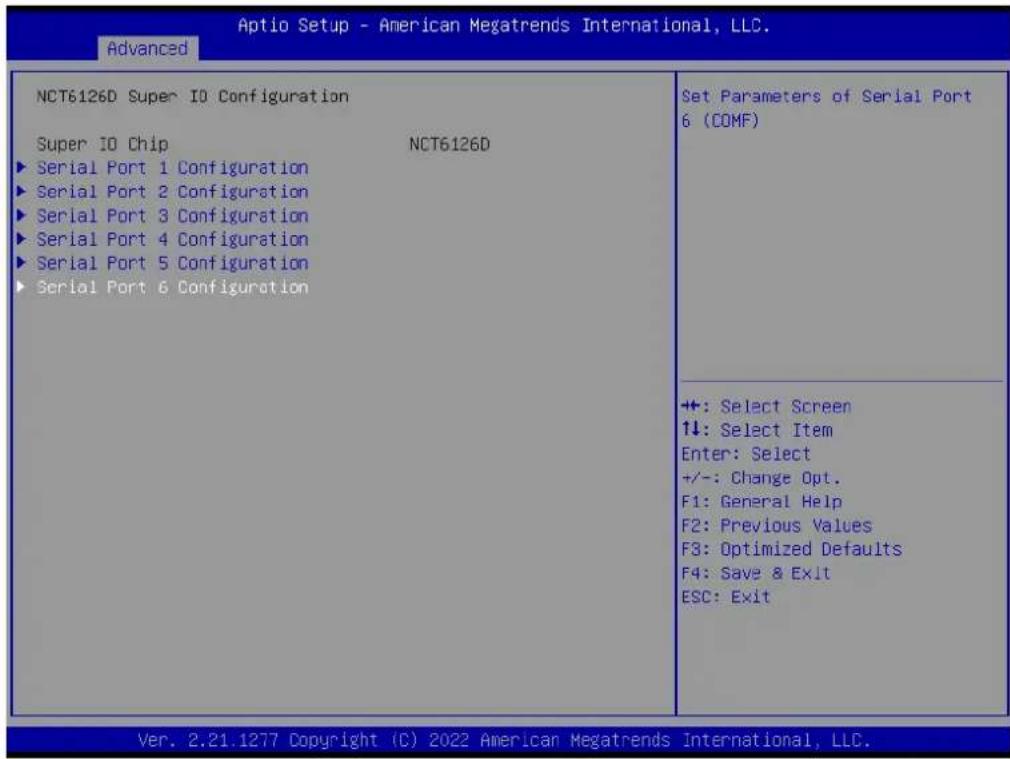
text_image
Aptio Setup - American Megatrends International, LLC. Advanced NCT6126D Super IO Configuration Super IO Chip NCT6126D ► Serial Port 1 Configuration ► Serial Port 2 Configuration ► Serial Port 3 Configuration ► Serial Port 4 Configuration ► Serial Port 5 Configuration ► Serial Port 6 Configuration Set Parameters of Serial Port 6 (COMF) +: Select Screen ↑↓: Select Item Enter: Select +/-: Change Opt. F1: General Help F2: Previous Values F3: Optimized Defaults F4: Save & Exit ESC: Exit Ver. 2.21.1277 Copyright (C) 2022 American Megatrends International, LLC.Serial Port [Enabled]
- Device Settings: IO = 228h; IRQ = 11
- Change Setting [Auto]
This item allows users to select the optimal settings for serial port 3.
![Advantech AIMB-229 - Serial Port [Enabled] - 1](/content/2026/06/1228733/images/ae10e0d51cf2e6aacf7599722c237d196a0d157ea719080e1c9a0b34ad6f7221.jpg)
text_image
Aptio Setup - American Megatrends International, LLC. Advanced Serial Port 6 Configuration Serial Port [Enabled] Device Settings IC=223h; IRQ=11; Change Settings [Auto] Enable or Disable Serial Port (COM) +: Select Screen ↑↓: Select Item Enter: Select +/-: Change Opt. F1: General Help F2: Previous Values F3: Optimized Defaults F4: Save & Exit ESC: Exit Ver. 2.21.1277 Copyright (C) 2022 American Megatrends International, LLC.3.2.2.5 NCT6126D HW Monitor

text_image
Aptio Setup - American Megatrends International, LLC. Main Advanced Chipset Security Boot Save & Exit Trusted Computing ACPI Settings NCT6126D Super IO Configuration NCT6126D HW Monitor S5 RTC Wake Settings UEFI Variables Protection Serial Port Console Redirection CPU Configuration SATA Configuration SIO Common Setting USB Configuration Network Stack Configuration NVMe Configuration AMD CBS AMD PBS Monitor hardware status +: Select Screen ↑↓: Select Item Enter: Select +/-: Change Opt. F1: General Help F2: Previous Values F3: Optimized Defaults F4: Save & Exit ESC: Exit Ver. 2.21.1277 Copyright (C) 2022 American Megatrends International, LLC.Smart Fan Function

text_image
Aptio Setup - American Megatrends International, LLC. Advanced PC Health Status System temperature : +26 °C CPU temperature : +27 °C CPU FAN1 Speed : N/A SYS FAN1 Speed : 1683 RPM SYS FAN2 Speed : N/A VCORE : +1.280 V +5VSB : +5.120 V +5V : +5.017 V +12V : +11.520 V AVCC : +3.344 V 3VSB : +3.328 V 3VVCC : +3.344 V VBAT : +3.168 V Smart Fan Function [Enabled] ►Smart Fan Function ►Digital I/O Configuration CPU Warning Temperature [Disabled] ACPI Shutdown Temperature [Disabled] Case Open Warning [Disabled] Wake On Ring [Disabled] Watch Dog Timer [Disabled] Enable or Disable Smart Fan +: Select Screen ↑↓: Select Item Enter: Select +/-: Change Opt. F1: General Help F2: Previous Values F3: Optimized Defaults F4: Save & Exit ESC: Exit Ver. 2.21.1277 Copyright (C) 2022 American Megatrends International, LLC.■ CPU Fan1 Mode [SMART FAN IV Mode]
This item allows users to view the CPU temperature and fan speed (PWM) information.
![Advantech AIMB-229 - ■ CPU Fan1 Mode [SMART FAN IV Mode] - 1](/content/2026/06/1228733/images/7a9da51a508a1a0afe03efe2cf8163d5dd82ad9a87dfea08daa74e7a1b4bc32d.jpg)
text_image
Aptio Setup - American Megatrends International, LLC. Advanced Smart Fan Mode Configuration CPU Fan1 Mode [SMART FAN IV Mode] CPUFAN1 Temperature 1 40 CPUFAN1 DC/PWM 1 127 CPUFAN1 Temperature 2 57 CPUFAN1 DC/PWM 2 170 CPUFAN1 Temperature 3 74 CPUFAN1 DC/PWM 3 214 CPUFAN1 Temperature 4 90 CPUFAN1 DC/PWM 4 255 CPUFAN1 Critical Temperature 90 CPUFAN1 Critical Temp Tolerance 1 System Fan1 Mode [SMART FAN IV Mode] SYSFAN1 Temperature 1 30 SYSFAN1 DC/PWM 1 0 SYSFAN1 Temperature 2 40 SYSFAN1 DC/PWM 2 84 SYSFAN1 Temperature 3 50 SYSFAN1 DC/PWM 3 168 SYSFAN1 Temperature 4 60 SYSFAN1 DC/PWM 4 255 SYSFAN1 Critical Temperature 90 SYSFAN1 Critical Temp Tolerance 1 CPU Fan1 Mode Select +: Select Screen ↑↓: Select Item Enter: Select +/-: Change Opt. F1: General Help F2: Previous Values F3: Optimized Defaults F4: Save & Exit ESC: Exit Ver. 2.21.1277 Copyright (C) 2022 American Megatrends International, LLC.■ CPU Fan2 Mode [SMART FAN IV Mode]
This item allows users to view the CPU temperature and fan speed (PWM) information.
![Advantech AIMB-229 - ■ CPU Fan2 Mode [SMART FAN IV Mode] - 1](/content/2026/06/1228733/images/3db3397b2fa7ddb7179fbb9fed22355e4b3064bc689d65c4b3b25715d7f8926c.jpg)
text_image
Aptio Setup - American Megatrends International, LLC. Advanced CPUFAN1 Critical Temp Tolerance 1 System Fan1 Mode [SMART FAN IV Mode] SYSFAN1 Temperature 1 30 SYSFAN1 DC/PWM 1 0 SYSFAN1 Temperature 2 40 SYSFAN1 DC/PWM 2 84 SYSFAN1 Temperature 3 50 SYSFAN1 DC/PWM 3 168 SYSFAN1 Temperature 4 60 SYSFAN1 DC/PWM 4 255 SYSFAN1 Critical Temperature 90 SYSFAN1 Critical Temp Tolerance 1 System Fan2 Mode [SMART FAN IV Mode] SYSFAN2 Temperature 1 30 SYSFAN2 DC/PWM 1 0 SYSFAN2 Temperature 2 40 SYSFAN2 DC/PWM 2 84 SYSFAN2 Temperature 3 50 SYSFAN2 DC/PWM 3 168 SYSFAN2 Temperature 4 60 SYSFAN2 DC/PWM 4 255 SYSFAN2 Critical Temperature 90 SYSFAN2 Critical Temp Tolerance 1 System Fan2 Mode Select ++: Select Screen ↓: Select Item Enter: Select +/-: Change Opt. F1: General Help F2: Previous Values F3: Optimized Defaults F4: Save & Exit ESC: Exit Ver. 2.21.1277 Copyright (C) 2022 American Megatrends International, LLC.Digital I/O Configuration
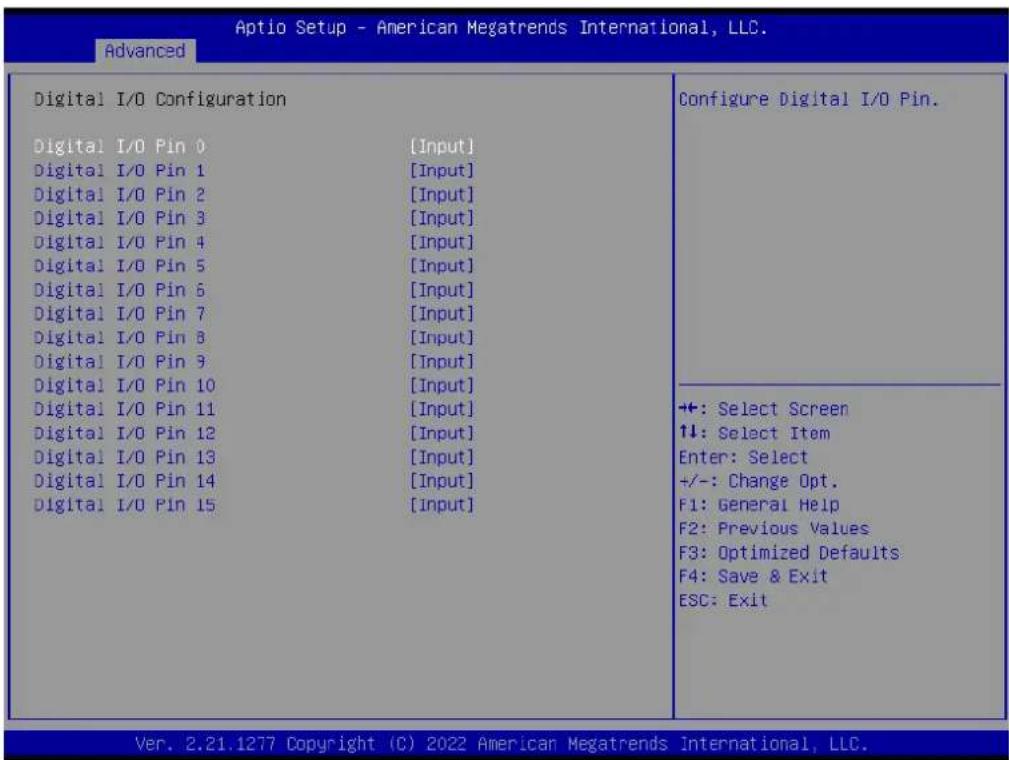
text_image
Optio Setup - American Megatrends International, LLC. Advanced Digital I/O Configuration Configure Digital I/O Pin. Digital I/O Pin 0 [Input] Digital I/O Pin 1 [Input] Digital I/O Pin 2 [Input] Digital I/O Pin 3 [Input] Digital I/O Pin 4 [Input] Digital I/O Pin 5 [Input] Digital I/O Pin 6 [Input] Digital I/O Pin 7 [Input] Digital I/O Pin 8 [Input] Digital I/O Pin 9 [Input] Digital I/O Pin 10 [Input] Digital I/O Pin 11 [Input] Digital I/O Pin 12 [Input] Digital I/O Pin 13 [Input] Digital I/O Pin 14 [Input] Digital I/O Pin 15 [Input] +: Select Screen ↑↓: Select Item Enter: Select +/-: Change Opt. F1: General Help F2: Previous Values F3: Optimized Defaults F4: Save & Exit ESC: Exit Ver. 2.21.1277 Copyright (C) 2022 American Megatrends International, LLC.
text_image
Aptio Setup - American Megatrends International, LLC. Main Advanced Chipset Security Boot Save & Exit Trusted Computing ACPI Settings NCT6126D Super IO Configuration NCT6126D HW Monitor S5 RTC Wake Settings UEFI Variables Protection Serial Port Console Redirection CPU Configuration SATA Configuration SIO Common Setting USB Configuration Network Stack Configuration NVMe Configuration AMD CBS AMD PBS Monitor hardware status +: Select Screen ↑↓: Select Item Enter: Select +/-: Change Opt. F1: General Help F2: Previous Values F3: Optimized Defaults F4: Save & Exit ESC: Exit Ver. 2.21.1277 Copyright (C) 2022 American Megatrends International, LLC.■ CPU Warning Temperature [Disabled]
This item allows users to enable/disable the CPU warning temperature function and set the threshold value. When the system reaches the warning temperature, the system will emit an alarm.
■ ACPI Shutdown Temperature [Disabled]
This item allows users to enable/disable the ACPI shutdown temperature function and set the threshold value. When the system reaches the shutdown temperature, it will automatically shut down to protect the system from over-heating damage.
3.2.2.6 S5 RTC Wake Settings
This item allows users to enable/disable the system-wake-on-alarm function.

text_image
Aptio Setup - American Megatrends International, LLC. Main Advanced Chipset Security Boot Save & Exit Trusted Computing ACPI Settings NCT6126D Super IO Configuration NCT6126D HW Monitor S5 RTC Wake Settings UEFI Variables Protection Serial Port Console Redirection CPU Configuration SATA Configuration SIO Common Setting USB Configuration Network Stack Configuration NVMe Configuration AMD CBS AMD PBS Enable system to wake from S5 using RTC alarm +: Select Screen ↑↓: Select Item Enter: Select +/-: Change Opt. F1: General Help F2: Previous Values F3: Optimized Defaults F4: Save & Exit ESC: Exit Ver. 2.21.1277 Copyright (C) 2022 American Megatrends International, LLC.■ Wake System with Fixed Time [Disabled]
![Advantech AIMB-229 - ■ Wake System with Fixed Time [Disabled] - 1](/content/2026/06/1228733/images/f4ed72fd2bf5a93bf1b707599d10796deadb49dc0b42abdde701e15f4a211b15.jpg)
text_image
Aptio Setup - American Megatrends International, LLC. Advanced Wake system from S5 [Disabled] Enable or disable System wake on alarm event. Select FixedTime, system will wake on the hr::min::sec specified. Select DynamicTime , System will wake on the current time + Increase minute(s) +: Select Screen 11: Select Item Enter: Select +/-: Change Opt. F1: General Help F2: Previous Values F3: Optimized Defaults F4: Save & Exit ESC: Exit Ver. 2.21.1277 Copyright (C) 2022 American Megatrends International, LLC.Note! When enabled, the system will wake at the specified time.
![Advantech AIMB-229 - ■ Wake System with Fixed Time [Disabled] - 2](/content/2026/06/1228733/images/fa7ed680712091a858b732bece52f2720f575df9988ae8c88e0ba4896d237756.jpg)
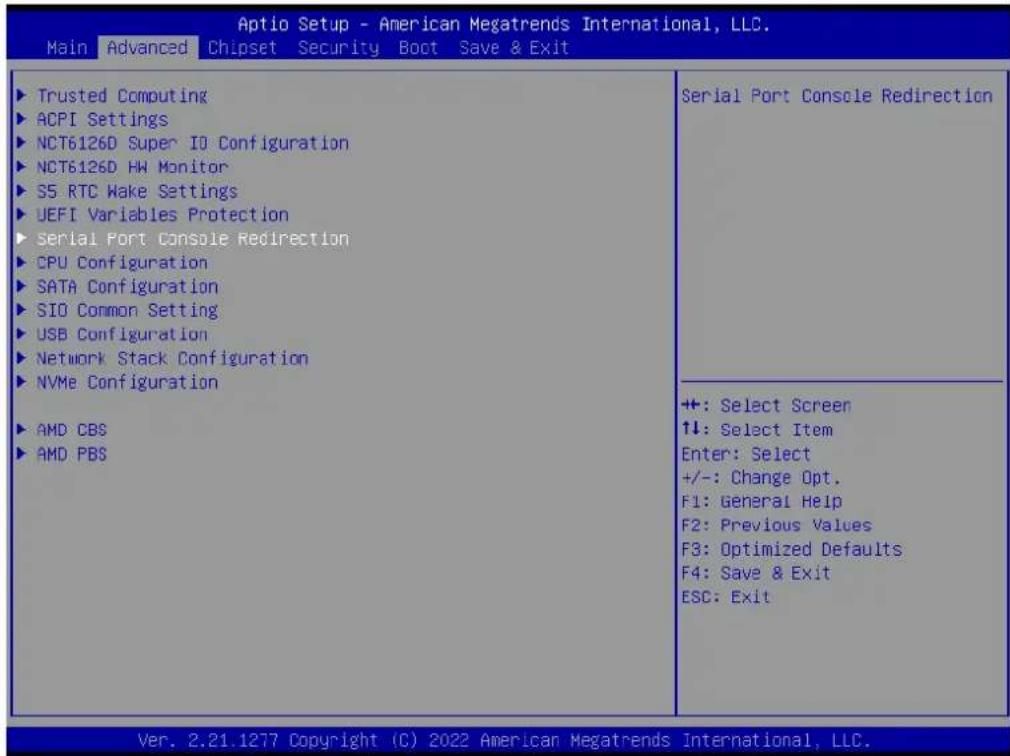
3.2.2.7 Serial Port Console Redirection
text_image
Aptio Setup - American Megatrends International, LLC. Main Advanced Chipset Security Boot Save & Exit Trusted Computing ACPI Settings NCT6126D Super IO Configuration NCT6126D HW Monitor S5 RTC Wake Settings UEFI Variables Protection Serial Port Console Redirection CPU Configuration SATA Configuration SIO Common Setting USB Configuration Network Stack Configuration NVMe Configuration AMD CBS AMD PBS Serial Port Console Redirection +: Select Screen ↑↓: Select Item Enter: Select +/-: Change Opt. F1: General Help F2: Previous Values F3: Optimized Defaults F4: Save & Exit ESC: Exit Ver. 2.21.1277 Copyright (C) 2022 American Megatrends International, LLC.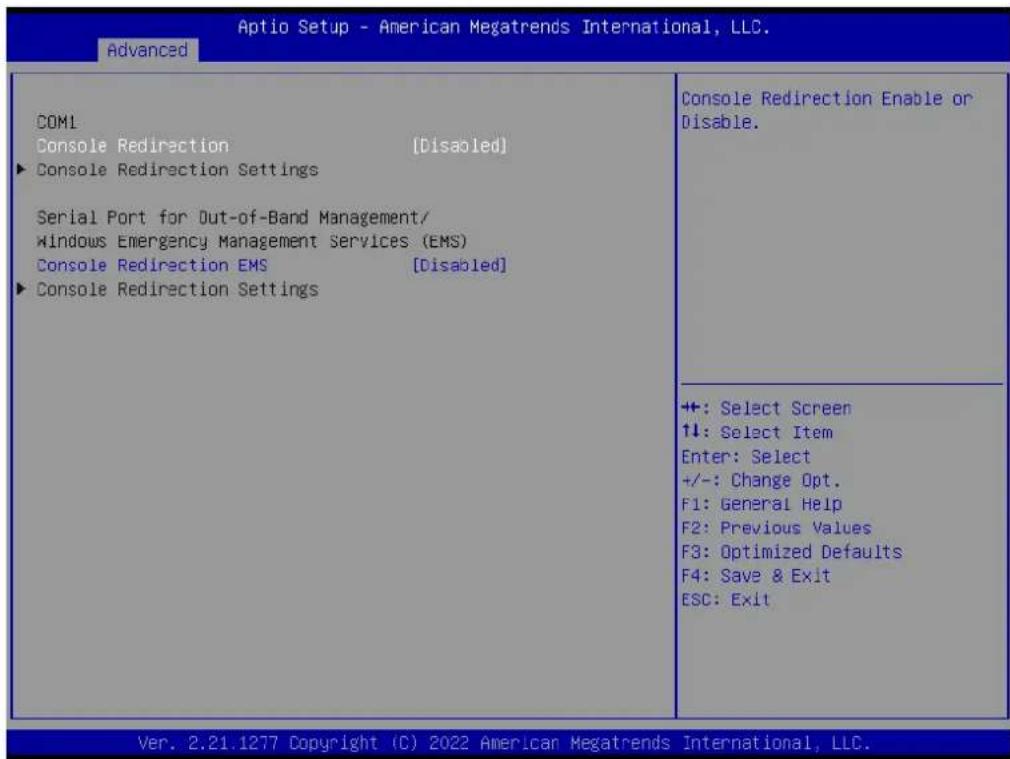
text_image
Aptio Setup - American Megatrends International, LLC. Advanced COM1 Console Redirection [Disabled] ► Console Redirection Settings Serial Port for Out-of-Band Management/ Windows Emergency Management Services (EMS) Console Redirection EMS [Disabled] ► Console Redirection Settings Console Redirection Enable or Disable. +: Select Screen ↑↓: Select Item Enter: Select +/-: Change Opt. F1: General Help F2: Previous Values F3: Optimized Defaults F4: Save & Exit ESC: Exit Ver. 2.21.1277 Copyright (C) 2022 American Megatrends International, LLC.■ Console Redirection [Disabled]
This item allows users to enable/disable the console redirect function.
3.2.2.8 Network Stack Configuration [Disabled]
![Advantech AIMB-229 - Network Stack Configuration [Disabled] - 1](/content/2026/06/1228733/images/a2b17ed57b1878bbc24840168ced30ba4a2bd49859057748d97bf94265ee895c.jpg)
text_image
Aptio Setup - American Megatrends International, LLC. Main Advanced Chipset Security Boot Save & Exit Trusted Computing ACPI Settings NCT6126D Super IO Configuration NCT6126D HW Monitor S5 RTC Wake Settings UEFI Variables Protection Serial Port Console Redirection CPU Configuration SATA Configuration SIO Common Setting USB Configuration Network Stack Configuration NVMe Configuration AMD CBS AMD PBS Network Stack Settings +: Select Screen 1↓: Select Item Enter: Select +/-: Change Opt. F1: General Help F2: Previous Values F3: Optimized Defaults F4: Save & Exit ESC: Exit Ver. 2.21.1277 Copyright (C) 2022 American Megatrends International, LLC.![Advantech AIMB-229 - Network Stack Configuration [Disabled] - 2](/content/2026/06/1228733/images/600bdcf1cebcdfed8c1c629c2e447c234dbe75b920fd8b3b6b1eb6e51d388d8a.jpg)
text_image
Aptio Setup - American Megatrends International, LLC. Advanced Network Stack [Disabled] Enable/Disable UEFI Network Stack +: Select Screen ↓: Select Item Enter: Select +/-: Change Opt. F1: General Help F2: Previous Values F3: Optimized Defaults F4: Save & Exit ESC: Exit Ver. 2.21.1277 Copyright (C) 2022 American Megatrends International, LLC.■ Network Stack [Disabled]
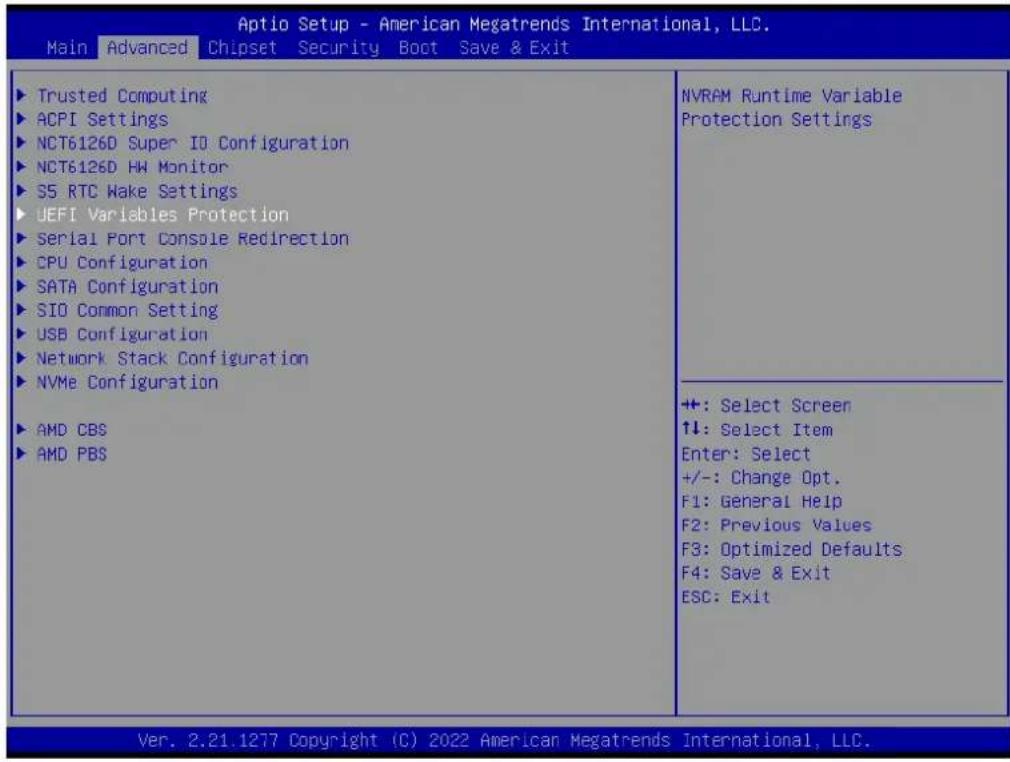
3.2.2.9 UEFI Variables Protection
text_image
Aptio Setup - American Megatrends International, LLC. Main Advanced Chipset Security Boot Save & Exit Trusted Computing ACPI Settings NCT6126D Super IO Configuration NCT6126D HW Monitor S5 RTC Wake Settings UEFI Variables Protection Serial Port Console Redirection CPU Configuration SATA Configuration SIO Common Setting USB Configuration Network Stack Configuration NVMe Configuration AMD CBS AMD PBS NVRAM Runtime Variable Protection Settings +: Select Screen ↑↓: Select Item Enter: Select +/-: Change Opt. F1: General Help F2: Previous Values F3: Optimized Defaults F4: Save & Exit ESC: Exit Ver. 2.21.1277 Copyright (C) 2022 American Megatrends International, LLC.■ Password protection of Runtime [Disabled]
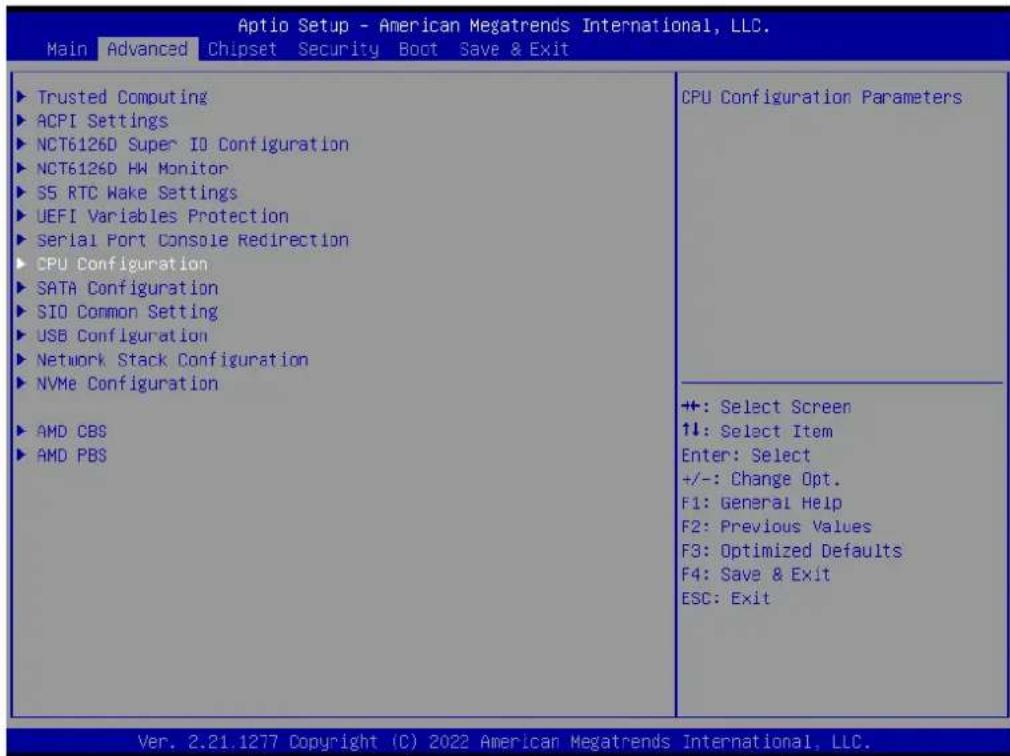
3.2.2.10 CPU Configuration
text_image
Aptio Setup - American Megatrends International, LLC. Main Advanced Chipset Security Boot Save & Exit Trusted Computing ACPI Settings NCT6126D Super IO Configuration NCT6126D HW Monitor S5 RTC Wake Settings UEFI Variables Protection Serial Port Console Redirection CPU Configuration SATA Configuration SIO Common Setting USB Configuration Network Stack Configuration NVMe Configuration AMD CBS AMD PBS CPU Configuration Parameters +: Select Screen ↑↓: Select Item Enter: Select +/-: Change Opt. F1: General Help F2: Previous Values F3: Optimized Defaults F4: Save & Exit ESC: Exit Ver. 2.21.1277 Copyright (C) 2022 American Megatrends International, LLC.
text_image
Aptio Setup - American Megatrends International, LLC. Advanced CPU Configuration Module Version: RenoirCpu 08 AGESA Version : Embedded-FP6 PI 1006 PSS Support [Enabled] PPC Adjustment [FState 0] NX Mode [Enabled] SVM Mode [Enabled] Node 0 Information View Memory Information related to Node 0 +: Select Screen ↑↓: Select Item Enter: Select +/-: Change Opt. F1: General Help F2: Previous Values F3: Optimized Defaults F4: Save & Exit ESC: Exit Ver. 2.21.1277 Copyright (C) 2022 American Megatrends International, LLC.
text_image
Aptio Setup - American Megatrends International, LLC. Advanced Socket0: AMD Ryzen Embedded V2748 with Radeon Graphics B Core(s) Running @ 2934 MHz 1218 mV Processor Family: 17h Processor Model: 60h-6Fh CPUID: 00860F01 Current Speed:2900 MHZ Min Speed:1400 MHZ Microcode Patch Level: 8600105 ----- Cache per core ---- L1 Instruction Cache: 32 KB/8-way L1 Data Cache: 32 KB/8-way L2 Cache: 512 KB/8-way Total L3 Cache per Socket: 8 MB/16-way ++: Select Screen ↑↓: Select Item Enter: Select +/-: Change Opt. F1: General Help F2: Previous Values F3: Optimized Defaults F4: Save & Exit ESC: Exit Ver. 2.21.1277 Copyright (C) 2022 American Megatrends International, LLC.3.2.2.11 SIO Common Setting
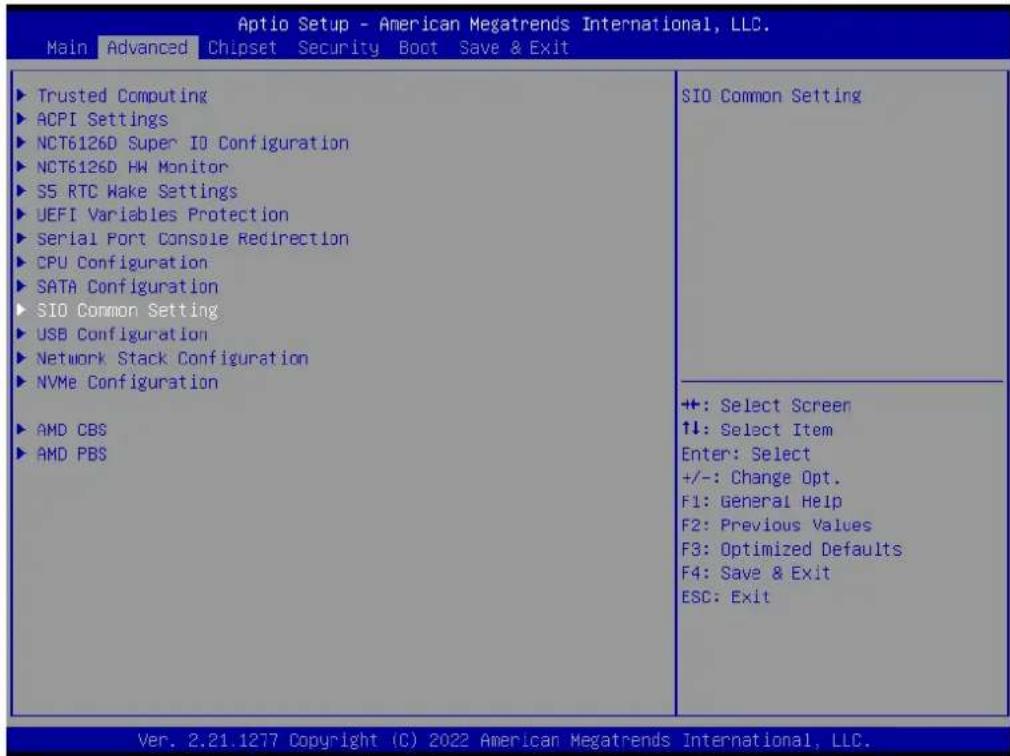
text_image
Aptio Setup - American Megatrends International, LLC. Main Advanced Chipset Security Boot Save & Exit Trusted Computing ACPI Settings NCT6126D Super IO Configuration NCT6126D HW Monitor S5 RTC Wake Settings UEFI Variables Protection Serial Port Console Redirection CPU Configuration SATA Configuration SIO Common Setting USB Configuration Network Stack Configuration NVMe Configuration AMD CBS AMD PBS SIO Common Setting +: Select Screen ↑↓: Select Item Enter: Select +/-: Change Opt. F1: General Help F2: Previous Values F3: Optimized Defaults F4: Save & Exit ESC: Exit Ver. 2.21.1277 Copyright (C) 2022 American Megatrends International, LLC.
text_image
Optio Setup - American Megatrends International, LLC. Advanced SID Common Setting Lock Legacy Resources [Disabled] Enables or Disables Lock of Legacy Resources +: Select Screen ↑↓: Select Item Enter: Select +/-: Change Opt. F1: General Help F2: Previous Values F3: Optimized Defaults F4: Save & Exit ESC: Exit Ver. 2.21.1277 Copyright (C) 2022 American Megatrends International, LLC.■ Lock Legacy Resources [Disabled]
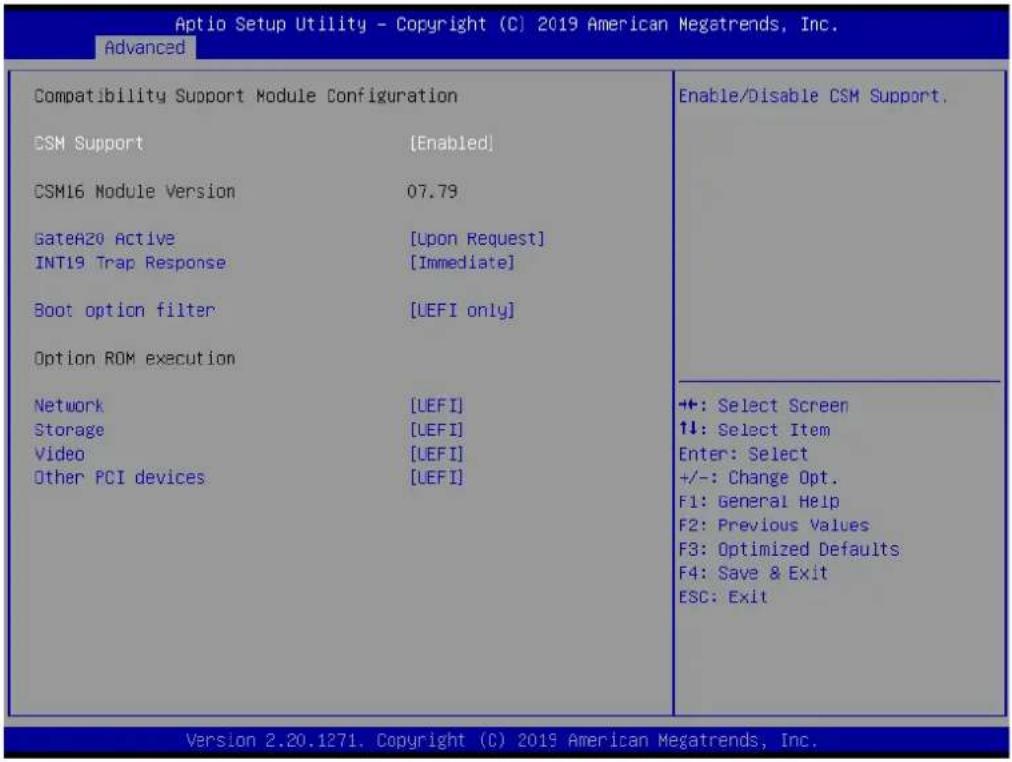
3.2.2.12 CSM Configuration
text_image
Aptio Setup Utility - Copyright (C) 2019 American Megatrends, Inc. Advanced Compatibility Support Module Configuration CSM Support [Enabled] CSM16 Module Version 07.79 GateA20 Active [Upon Request] INT19 Trap Response [Immediate] Boot option filter [UEFI only] Option ROM execution Network [UEFI] Storage [UEFI] Video [UEFI] Other PCI devices [UEFI] Enable/Disable CSM Support. +: Select Screen 1: Select Item Enter: Select +/-: Change Opt. F1: General Help F2: Previous Values F3: Optimized Defaults F4: Save & Exit ESC: Exit Version 2.20.1271. Copyright (C) 2019 American Megatrends, Inc.■ Boot Option Filter [UEFI only]
Network [UEFI]
Storage [UEFI]
Video [UEFI]
■ Other PCI Device [UEFI]
Note! If your HDD or other boot device is installed in Legacy mode, it may cause blue screen situation. There are 2 ways to solve this.

- Re-install the OS in UEFI mode.
- Change all of the above settings to Legacy mode.
- Boot option filter -> Legacy only.
- Network -> Legacy.
- Storage -> Legacy.
- Video -> Legacy.
- Other PCI devices -> Legacy.
| Trusted ComputingACPI SettingsNCT6126D Super IO ConfigurationNCT6126D HW MonitorS5 RTC Wake SettingsUEFI Variables ProtectionSerial Port Console RedirectionCPU ConfigurationSATA ConfigurationSIO Common SettingUSB ConfigurationNetwork Stack ConfigurationNVMe ConfigurationAMD CBSAMD PBS | USB Configuration Parameters |
| +: Select Screen↑↓: Select ItemEnter: Select+/-: Change Opt.F1: General HelpF2: Previous ValuesF3: Optimized DefaultsF4: Save & ExitESC: Exit |
| Advanced | |
| USB ConfigurationUSB Module Version 26USB Controllers:3 XHCISUSB Devices:1 Drive, 2 Keyboards, 1 MouseLegacy USB Support [Enabled]XHCI Hand-off [Enabled]USB Mass Storage Driver Support [Enabled]USB hardware delays and time-outs:USB transfer time-out [20 sec]Device reset time-out [20 sec]Device power-up delay [Auto]Mass Storage Devices:USB3.0 FLASH DRIVE PMAF [Auto]USB PWR OFF Configuration 1 [Disabled]USB PWR OFF Configuration 2 [Disabled]USB PWR OFF Configuration 3 [Disabled] | Enables Legacy USB support.AUTO option disables legacysupport if no USB devices areconnected.DISABLE option willkeep USB devices availableonly for EFI applications.+: Select Screen↑↓: Select ItemEnter: Select+/-: Change Opt.F1: General HelpF2: Previous ValuesF3: Optimized DefaultsF4: Save & ExitESC: Exit |
■ Legacy USB Support [Enabled]
This item allows users to enable/disable support for legacy USB. The "Auto" option disables legacy support if no USB devices are connected.
XHCI Hand-Off [Enabled]
USB Mass Storage Driver Support [Enabled]
USB Hardware Delays and Timeouts
This item allows users to configure the USB device transfer and reset timeout and delay settings.
■ Mass Storage Devices [Auto]
This item allows users to view USB mass storage device information.
3.3 Chipset Configuration Settings
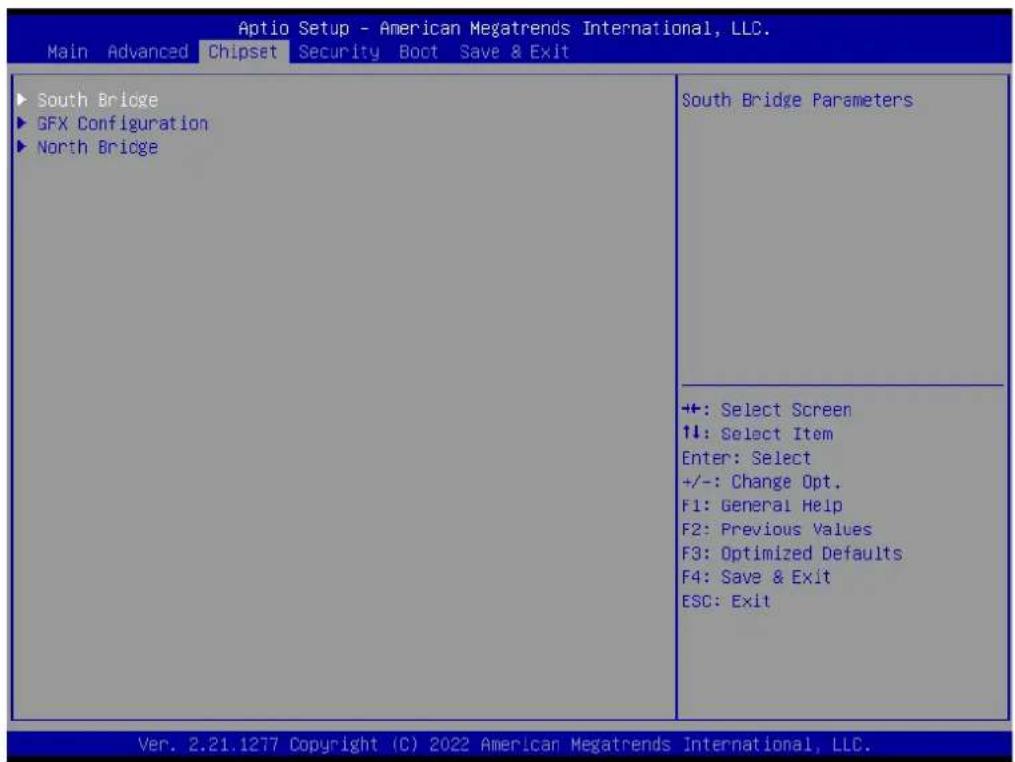
Select the Chipset tab from the BIOS setup menu to enter the Chipset Setup screen. Users can select any item in the left frame of the screen to access the sub-menu for that item. Users can display a Chipset setup option by highlighting it using the
text_image
Aptio Setup - American Megatrends International, LLC. Main Advanced Chipset Security Boot Save & Exit ► South Bridge ► GFX Configuration ► North Bridge South Bridge Parameters ++: Select Screen ↑↓: Select Item Enter: Select +/-: Change Opt. F1: General Help F2: Previous Values F3: Optimized Defaults F4: Save & Exit ESC: Exit Ver. 2.21.1277 Copyright (C) 2022 American Megatrends International, LLC.■ South Bridge Configuration
This item allows users to configure the south bridge settings.
■ GFX Configuration
This item allows users to view details of the display items.
North Bridge Configuration
This item allows users to configure the north bridge settings.
Platform Misc Configuration
This item allows users to view the platform configuration information.
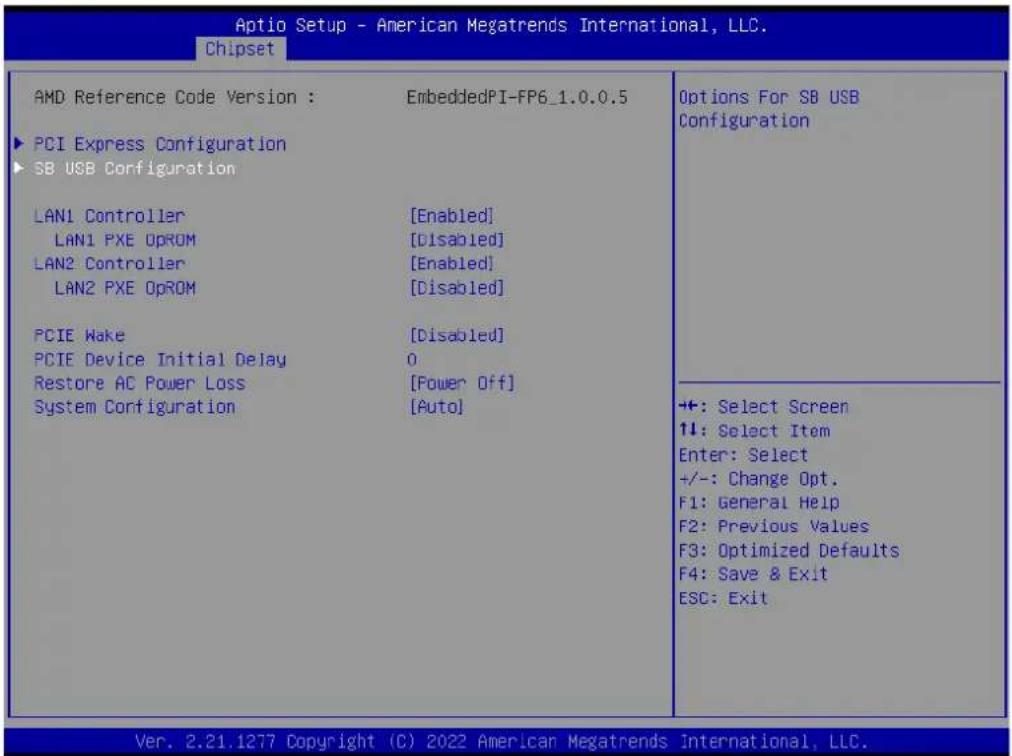
3.3.1 South Bridge Configuration

text_image
Aptio Setup - American Megatrends International, LLC. Chipset AMD Reference Code Version : EmbeddedPI-FP6_1.0.0.5 PCI Express Configuration SB USB Configuration LAN1 Controller [Enabled] LAN1 PXE OpROM [Disabled] LAN2 Controller [Enabled] LAN2 PXE OpROM [Disabled] PCIE Make [Disabled] PCIE Device Initial Delay 0 Restore AC Power Loss [Power Off] System Configuration [Auto] PCI Express Configuration Parameters +: Select Screen ↑↓: Select Item Enter: Select +/-: Change Opt. F1: General Help F2: Previous Values F3: Optimized Defaults F4: Save & Exit ESC: Exit Ver. 2.21.1277 Copyright (C) 2022 American Megatrends International, LLC.| PCI Express Configuration PCIe x8 Slot [Auto] ASPM Mode Control [Disabled] M.2 E-key Slot [Enabled] ASPM Mode Control [Disabled] LAN1 Controller [Enabled] ASPM Mode Control [Disabled] LAN2 Controller [Enabled] ASPM Mode Control [Disabled] M.2 M-key Slot [Enabled] ASPM Mode Control [Disabled] | Enable/Disable PCIe x8 Slot device. |
| +: Select Screen ↑↓: Select Item Enter: Select +/-: Change Opt. F1: General Help F2: Previous Values F3: Optimized Defaults F4: Save & Exit ESC: Exit |
text_image
Aptio Setup - American Megatrends International, LLC. Chipset AMD Reference Code Version : EmbeddedPI-FP6_1.0.0.5 ► PCI Express Configuration ► SB USB Configuration LAN1 Controller [Enabled] LAN1 PXE OpROM [Disabled] LAN2 Controller [Enabled] LAN2 PXE OpROM [Disabled] PCIE Make [Disabled] PCIE Device Initial Delay 0 Restore AC Power Loss [Power Off] System Configuration [Auto] Options For SB USB Configuration ++: Select Screen ↑↓: Select Item Enter: Select +/-: Change Opt. F1: General Help F2: Previous Values F3: Optimized Defaults F4: Save & Exit ESC: Exit Ver. 2.21.1277 Copyright (C) 2022 American Megatrends International, LLC.SB USB Configuration
This item allows users to configure the USB settings.
SB SATA Configuration
This item allows users to configure the SATA settings.
SB MSIC Configuration
This item allows users to configure miscellaneous settings.
3.3.2 GFX Configuration

text_image
Aptio Setup - American Megatrends International, LLC. Main Advanced Chipset Security Boot Save & Exit ► South Bridge ► GFX Configuration ► North Bridge GFX Configuration +: Select Screen ↑↓: Select Item Enter: Select +/-: Change Opt. F1: General Help F2: Previous Values F3: Optimized Defaults F4: Save & Exit ESC: Exit Ver. 2.21.1277 Copyright (C) 2022 American Megatrends International, LLC.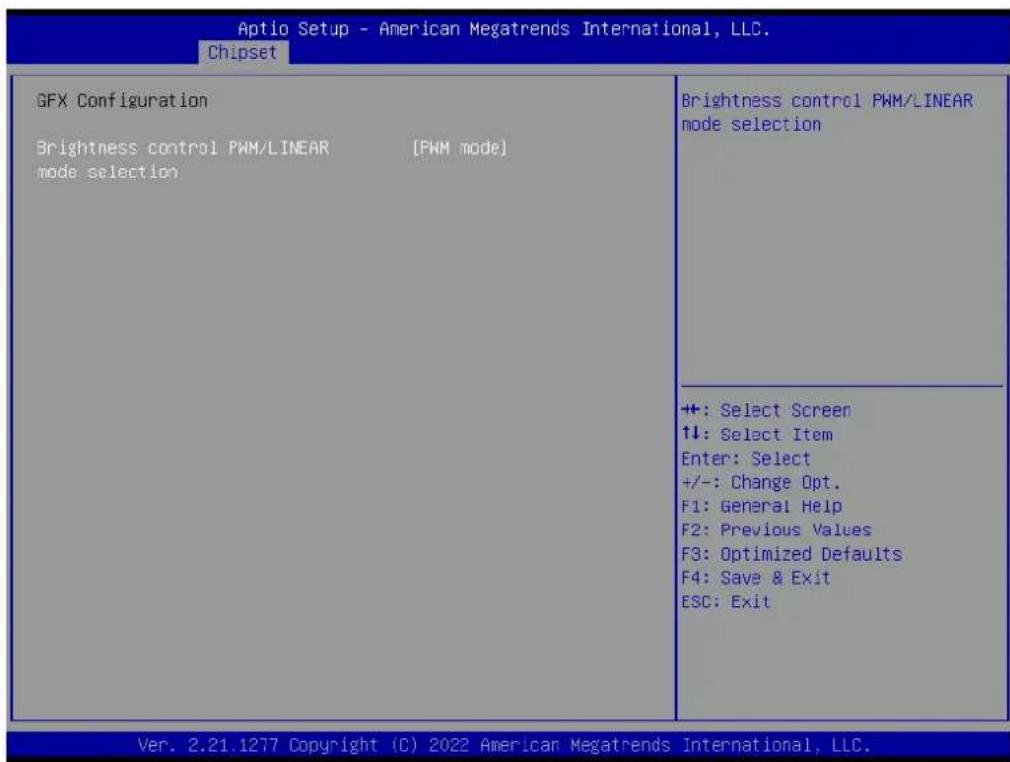
text_image
Aptio Setup - American Megatrends International, LLC. Chipset GFX Configuration Brightness control PWM/LINEAR [PWM mode] mode selection Brightness control PWM/LINEAR mode selection +: Select Screen ↑↓: Select Item Enter: Select +/-: Change Opt. F1: General Help F2: Previous Values F3: Optimized Defaults F4: Save & Exit ESC: Exit Ver. 2.21.1277 Copyright (C) 2022 American Megatrends International, LLC.■ Brightness control: PWM mode}
3.3.3 North Bridge Configuration

text_image
Aptio Setup - American Megatrends International, LLC. Chipset North Bridge Configuration Memory Information Total Memory: 8192 MB (DDR4) Socket 0 Information View Information related to Socket 0 +: Select Screen 11: Select Item Enter: Select +/-: Change Opt. F1: General Help F2: Previous Values F3: Optimized Defaults F4: Save & Exit ESC: Exit Ver. 2.21.1277 Copyright (C) 2022 American Megatrends International, LLC.3.3.4 Platform Misc Configuration
text_image
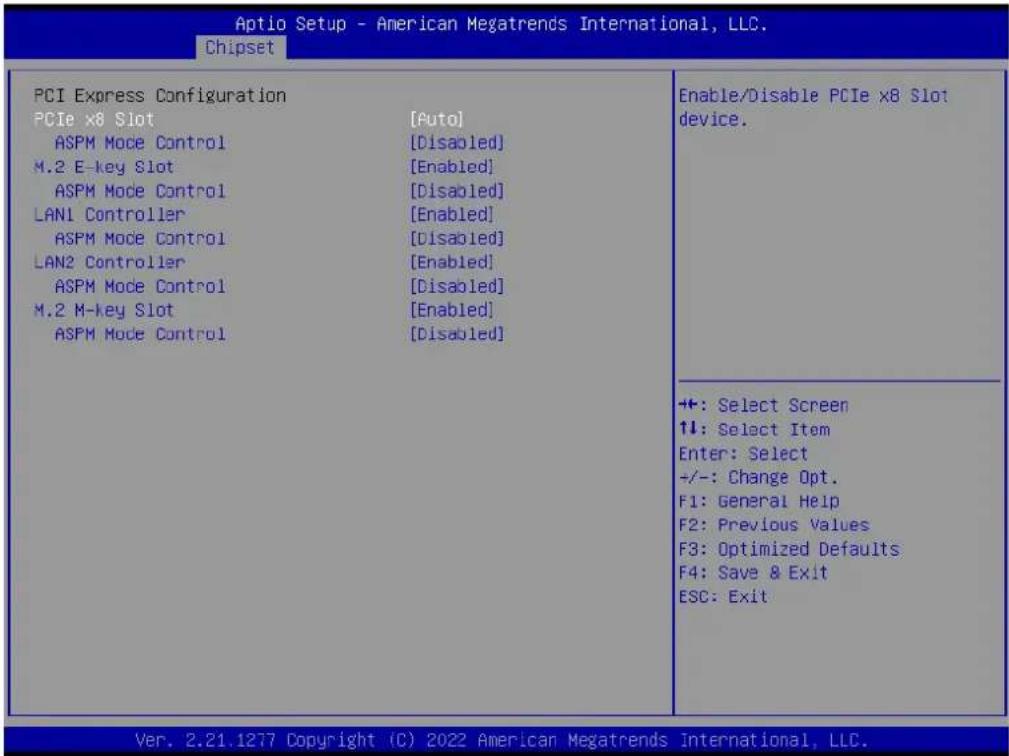
Aptio Setup - American Megatrends International, LLC. Chipset PCI Express Configuration PCIe x8 Slot [Auto] ASPM Mode Control [Disabled] M.2 E-key Slot [Enabled] ASPM Mode Control [Disabled] LAN1 Controller [Enabled] ASPM Mode Control [Disabled] LAN2 Controller [Enabled] ASPM Mode Control [Disabled] M.2 M-key Slot [Enabled] ASPM Mode Control [Disabled] Enable/Disable PCIe x8 Slot device. ++: Select Screen ↑↓: Select Item Enter: Select +/-: Change Opt. F1: General Help F2: Previous Values F3: Optimized Defaults F4: Save & Exit ESC: Exit Ver. 2.21.1277 Copyright (C) 2022 American Megatrends International, LLC.■ PCIE x8 Slot [Auto]
■ LAN1 Controller [Enabled]
■ LAN2 Controller [Enabled]
M.2 M-Key Slot [Enabled]
3.4 Security Settings
text_image
Aptio Setup - American Megatrends International, LLC. Main Advanced Chipset Security Boot Save & Exit Password Description If ONLY the Administrator's password is set, then this only limits access to Setup and is only asked for when entering Setup. If ONLY the User's password is set, then this is a power on password and must be entered to boot or enter Setup. In Setup the User will have Administrator rights. The password length must be in the following range: Minimum length 3 Maximum length 20 Administrator Password User Password Secure Boot Secure Boot configuration +: Select Screen ↑↓: Select Item Enter: Select +/-: Change Opt. F1: General Help F2: Previous Values F3: Optimized Defaults F4: Save & Exit ESC: Exit Ver. 2.21.1277 Copyright (C) 2022 American Megatrends International, LLC.Administrator Password
This item allows users to set the administrator password. Select this option and press
User Password
This item allows users to set the user password. Select this option and press
-
3.5 Boot Setting
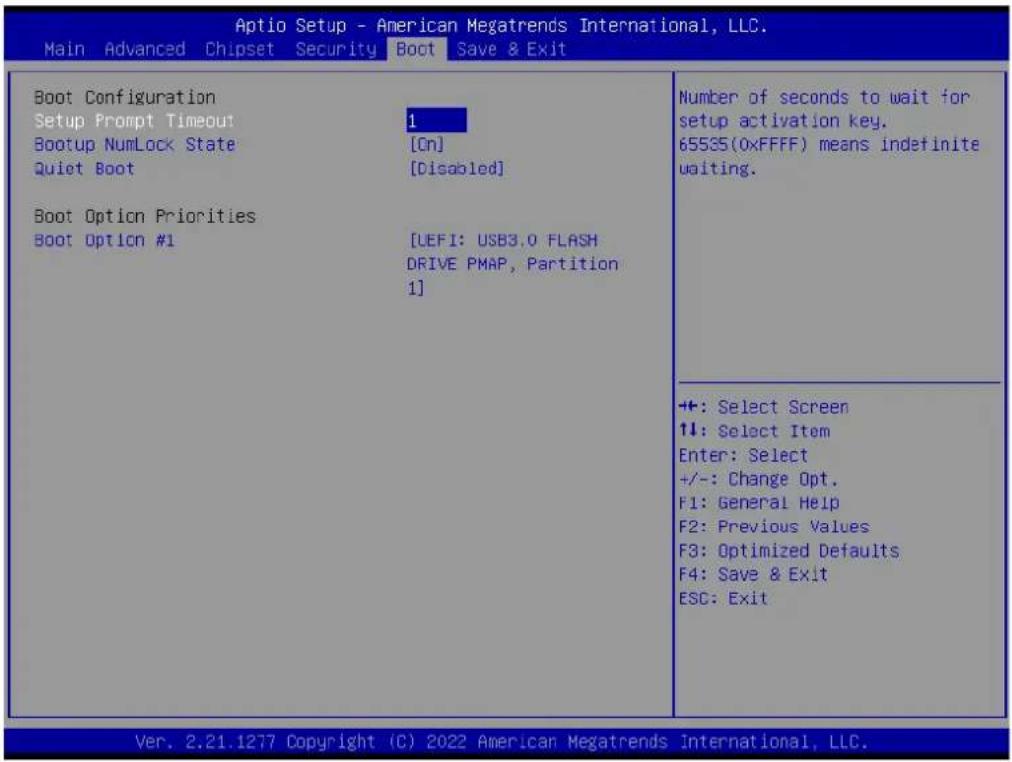
text_image
Aptio Setup - American Megatrends International, LLC. Main Advanced Chipset Security Boot Save & Exit Boot Configuration Setup Prompt Timeout Bootup NumLock State Quiet Boot 1 [On] [Disabled] Boot Option Priorities Boot Option #1 [LEFI: USB3.0 FLASH DRIVE PMAP, Partition 1] Number of seconds to wait for setup activation key. 65535(0xFFFF) means indefinite waiting. ++: Select Screen ↑↓: Select Item Enter: Select +/-: Change Opt. F1: General Help F2: Previous Values F3: Optimized Defaults F4: Save & Exit ESC: Exit Ver. 2.21.1277 Copyright (C) 2022 American Megatrends International, LLC.Setup Prompt Timeout
This item allows users to set the setup prompt timeout value. Use the <+> and <-> keys to adjust the number of seconds to wait for setup activation key.
■ Bootup NumLock State [On]
This item allows users to enable/disable the NumLock state on bootup.
■ Quiet Boot [Disabled]
This item allows users to enable/disable quiet bootup. If this option is disabled, the BIOS will display normal POST messages. If enabled, an OEM logo is displayed instead of POST messages.
■ Boot Option #1
This item allows users to set the device bootup priority.
3.6 Save & Exit Configuration

text_image
Aptio Setup - American Megatrends International, LLC. Main Advanced Chipset Security Boot Save & Exit Save Options Save Changes and Exit Discard Changes and Exit Save Changes and Reset Discard Changes and Reset Save Changes Discard Changes Default Options Restore Defaults Save as User Defaults Restore User Defaults Boot Override UEFI: USB3.0 FLASH DRIVE PMAP, Partition 1 Exit system setup after saving the changes. +: Select Screen ↑↓: Select Item Enter: Select +/-: Change Opt. F1: General Help F2: Previous Values F3: Optimized Defaults F4: Save & Exit ESC: Exit Ver. 2.21.1277 Copyright (C) 2022 American Megatrends International, LLC.■ Save Changes and Exit
This item allows users to save changes and exit the BIOS. After completing the system configuration, select this option to save changes and exit the BIOS setup menu.
- Select Exit Save Changes from the Exit menu and press
. The following message will appear: Save configuration changes and exit now? [Ok] [Cancel] - Select ok or cancel.
■ Discard Changes and Exit
This item allows users to exit the BIOS without making changes to the system configuration.
- Select Exit Discard Changes from the Exit menu and press
. The following message will appear: Discard changes and exit setup now? [Ok] [Cancel] - Select ok or cancel.
■ Save Changes and Reset
This item allows users to save changes and reset the system. After completing the system configuration, select this option to save changes, exit the BIOS setup menu, and reboot the computer for all system configuration settings to take effect.
- Select Exit Save Changes from the Exit menu and press
. The following message appears: Save configuration changes and exit now? [Ok] [Cancel] - Select ok or cancel.
■ Discard Changes and Reset
This item allows users to discard changes and reset the system. Select this option to quit the BIOS without making changes to the system configuration.
1. Select Reset Discard Changes from the Exit menu and press
Restore Default
This item allows users to restore the system configuration to the default settings. Select Restore Defaults from the Exit menu and press
■ Save as User Default
This item allows users to save all current settings as the user default.
Software and Services
4.1 Introduction
The mission of Advantech Embedded Software Services is to “enhance the user experience with Advantech platforms and Microsoft ^® Windows ^® embedded technology”. Windows ^® embedded software products are enabled on Advantech platforms to support the embedded computing community. This frees customers from the hassle of dealing with multiple vendors (hardware suppliers, system integrators, embedded OS distributors).
4.2 Value-Added Software Services
AIMB-229 is equipped with software APIs that define the ways by which application programs may request services from libraries and/or operating systems. Advantech provides the required drivers as well as a comprehensive set of user-friendly, intelligent, and integrated interfaces, which speed development, enhance security, and offer add-on value for Advantech platforms. These software APIs make Advantech embedded platforms easier and simpler to adopt and deploy for diverse applications.
4.2.1 Software API
4.2.1.1 Control
GPIO

natural_image
Blue square icon with a white abstract line and checkmark symbol (no text or numbers)General Purpose Input/Output is a flexible parallel interface that allows a variety of custom connections. Allows users to monitor the level of signal input or set the output status to switch on/off the device.
Advantech's API also offers programmable GPIO, which allows developers to dynamically set the GPIO input or output status.
SMBus

natural_image
Blue square icon with white line and gear symbol (no text or numbers)SMBus is the System Management Bus defined by Intel® Corporation in 1995. It is used in personal computers and servers for low-speed system management communications. The SMBus API allows developers to interface an embedded system environment and transfer serial messages using SMBus protocols, enabling simultaneous control of multiple devices.
4.2.1.2 Display
Brightness Control

natural_image
Blue square icon with a white sunburst symbol (no text or numbers)The Brightness Control API allows developers to access embedded devices and easily control brightness.
Backlight

natural_image
Blue square icon with white symbols for power and current (no text or numbers)The Backlight API allows developers to control the screen backlight (on/off) in embedded devices.
4.2.1.3 Monitor
Watchdog

natural_image
White dog head silhouette on blue background (no text or symbols)A watchdog timer (WDT) is a device that performs a specific operation after a certain period of time if something goes wrong and the system does not recover on its own. A WDT can be programmed to perform a warm boot (system restart) after a certain number of seconds.
Hardware Monitor

natural_image
Blue square icon with white thermometer and propeller symbol (no text)The Hardware Monitor (HWM) API is a system health supervision API that monitors certain condition indexes, such as fan speed, temperature, and voltage.
4.2.1.4 Power Saving
CPU Speed

text_image
0 100Uses Intel ^® SpeedStep technology to reduce power consumption. The system will automatically adjust the CPU speed according to the system load.
Hardware Monitor

natural_image
Blue square icon depicting fluid flow with arrows indicating direction (no text or symbols)Refers to a series of methods for reducing power consumption by lowering the clock frequency. This API allows the user to adjust the clock from 87.5% to 12.5%.
4.2.2 Software Utility
BIOS Flash
natural_image
Blue square icon with a white integrated circuit chip outline (no text or symbols)The BIOS Flash utility allows customers to update the flash ROM BIOS version, or back up the current BIOS set- tings by copying the data from the flash chip to a file. The BIOS flash utility also provides a command line and API for rapid implementation in customized applications.
Embedded Security ID

natural_image
Blue square icon with a white key symbol (no text or numbers)Embedded applications contain valuable intellectual property, design knowledge, and innovation. But this information can be easily copied. The Embedded Security ID utility provides reliable security functions for securing application data within the embedded BIOS.
Monitoring

natural_image
Blue square icon with a white eye symbol inside, no text or symbols present.The Monitoring utility allows customers to monitor the system status and parameters, such as voltage, CPU temperature, and fan speed. If the critical errors occur and are not resolved quickly, permanent damage may result.
Flash Lock

natural_image
Blue square icon with a white padlock symbol (no text or numbers)Flash Lock is a mechanism to bind the board and CF card (SQFlash) together. User can lock/unlock the SQFlash card via the Flash Lock function in the BIOS setup menu after bootup. A locked SQFlash cannot be read by any card reader or boot from other platforms without a BIOS with the "Unlock Flash" option.
eSOS

natural_image
Blue square icon with a white cross symbol in the center (no text or numbers)The eSOS is a small OS stored in the BIOS ROM. In the event of a main OS crash, the eSOS will boot up. It will diagnose the hardware and send an e-mail to the designated administrator. The eSOS also supports remote connectivity via a Telnet or FTP server. However, this function must be configured in the BIOS.
Chapter 5
Chipset Software Installation Utility
5.1 Before Beginning
To ensure problem-free installation of the enhanced display drivers and utility software, read the instructions in this chapter carefully. The drivers for AIMB-229 can be downloaded from the Advantech website. Updates are provided via Microsoft service packs.
5.2 Introduction
The AMD Chipset Software Installation (CSI) utility installs the Windows INF files that outline to the operating system how the chipset components will be configured. This is needed for the proper functioning of the following features:
■ Serial ATA interface support
USB 2.0/3.1 support
■ Identification of AMD chipset components in the Device Manager
Note! This utility supports the following versions of Windows, and must be installed before installing all other drivers:

Windows 10
5.3 Windows 10 Driver Setup
Visit the Advantech website and search AIMB-229. The Chipset driver is provided for download.
Win10 driver for AIMB-229
2022-02-21 Driver Document No.1-4784114751
Related Product:
AIMB-229
Solution:
Win10 (64bit) driver for AIMB-229
Win10 (64bit) driver for AIMB-229
AIMB-229_chipset_Win10(64bit)
2022-02-21
AIMB229_Graphic_Win10(64bit)
2022-02-21
AIMB-229_LAN_Win10(64bit)
2022-02-21
AIMB-229_Audio_Win10(64bit)
Download
Download
Download
Chapter 6
LAN Configuration
6.1 Introduction
AIMB-229 features dual Gigabit Ethernet LANs via dedicated PCI Express x1 lanes (Realtek RTL8111H for LAN1&2) that offer bandwidth of up to 500 MB/sec, eliminating network bottlenecks and incorporating Gigabit Ethernet at 1000 Mbps.
6.2 Features
■ Integrated 10/100/1000 Mbps transceiver
■ 10/100/1000 Mbps triple-speed MAC
■ On-chip voltage regulation
■ XTAL-Less Wake-on-LAN (WOL) support
■ PCIExpress x8 host interface
6.3 Installation
The AIMB-229's Realtek RTL8111H (LAN1&LAN2) Gigabit integrated controllers support all major network operating systems. However, the installation procedure varies from system to system. Please follow the instructions for the appropriate operating system.
6.4 Windows 10 Driver Setup
Visit the Advantech website to obtain the required drivers. Select the LAN folder then navigate to the directory for your OS.
Win10 driver for AIMB-229
2022-02-21 Driver Document No.1-4784114751
Related Product:
AIMB-229
Solution:
Win10 (64bit) driver for AIMB-229
Win10 (64bit) driver for AIMB-229
AIMB-229_chipset_Win10(64bit)
2022-02-21
AIMB229_Graphic_Win10(64bit)
2022-02-21
AIMB-229_LAN_Win10(64bit)
2022-02-21
AIMB-229_Audio_Win10(64bit)
Download
Download
Download
Appendix A
I/O Pin Assignments
A.1 DC-IN Adaptor Connector (DCIN1)
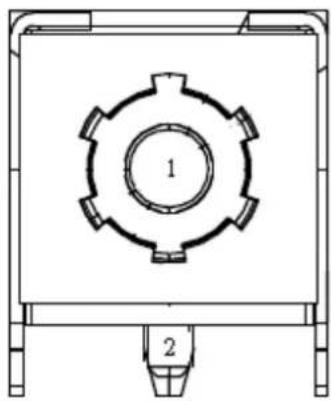
natural_image
Technical line drawing of a mechanical component with two numbered parts (1 and 2), no text or symbols present.Pin Signal Pin Signal
1 VCC 2 VCC
A.2 HDMI Port Connector (HDMI12)

text_image
Port A upper A19 A1 A18 A2 ield Port B lower B19 B1 B18 B2 HDMI A TYPEPin Signal Pin Signal
| A1 Port A_TMDS Data2+ A2 Port A_TMDS Data2 Shield | |||
| A3 Port A_TMDS Data2- A4 Port A_TMDS Data1+ | |||
| A5 Port A_TMDS Data1 Shield A6 Port A_TMDS Data1- | |||
| A7 Port A_TMDS Data0+ A8 Port A_TMDS Data0 Shield | |||
| A9 Port A_TMDS Data0- A10 | Port A_TMDS Clock+ | ||
| A11 | Port A_TMDS TMDS Clock Shield | A12 | Port A_TMDS Clock- |
| A13 | Port A_CEC | A14 | Port A_Reserved |
| A15 | Port A_SCL | A16 | Port A_SDA |
| A17 | Port A_DDC/CEC Ground | A18 | Port A_+5V Power |
| A19 | Port A_Hot Plug Detect | ||
| B1 Port B_TMDS Data2+ | B2 Port B_TMDS Data2 Shield | ||
| B3 Port B_TMDS Data2- | B4 Port B_TMDS Data1+ | ||
| B5 Port B_TMDS Data1 Shield | B6 Port B_TMDS Data1- | ||
| B7 Port B_TMDS Data0+ | B8 Port B_TMDS Data0 Shield | ||
| B9 Port B_TMDS Data0- B10 Port B_TMDS Clock+ |
| B11 Port B_TMDS TMDS Clock Shield B12 Port B_TMDS Clock- |
| B13 Port B_CEC B14 Port B_Reserved |
| B15 Port B_SCL B16 Port B_SDA |
| B17 Port B_DDC/CEC Ground B18 Port B_+5V Power |
| B19 Port B_Hot Plug Detect |
A.3 USB31X2\_DP2

text_image
12.58 3.40| Pin Signal Pin | Signal | ||
| A1 GND | B1 | GND | |
| A2 SSTXP1_1 | B2 | SSTXP2_2 | |
| A3 SSTXN1_1 | B3 | SSTXN2_2 | |
| A4 VBUS | B4 | VBUS | |
| A5 CC1 | B5 | CC2 | |
| A6 DP1 | B6 | DP2 | |
| A7 DN1 | B7 | DN2 | |
| A8 SBU1 | B8 | SBU2 | |
| A9 VBUS | B9 | VBUS | |
| A10 SSRXN2_1 | B10 SSRXN1_2 | ||
| A11 SSRXP2_1 | B11 SSRXP1_2 | ||
| A12 GND | B12 GND | ||
USB2
| Pin | Signal Pin | Signal | ||
| 1 | VBUS | 5 | StdA_SSRX- | |
| 2 | D- | 6 | StdA_SSRX+ | |
| 3 | D+ | 7 | GND_DRAIN | |
| 4 | GND | 8 | StdA_SSTX- | |
| 9 | StdA_SSTX+ |
A.4 USB31X2\_DP3

text_image
12,58 3,40| Pin Signal Pin Signal | |||
| A1 GND B1 GND | |||
| A2 SSTXP1_1 B2 SSTXP2_2 | |||
| A3 SSTXN1_1 B3 SSTXN2_2 | |||
| A4 VBUS B4 VBUS | |||
| A5 CC1 B5 CC2 | |||
| A6 DP1 B6 DP2 | |||
| A7 DN1 B7 DN2 | |||
| A8 SBU1 B8 SBU2 | |||
| A9 VBUS B9 VBUS | |||
| A10 SSRXN2_1 B10 | SSRXN1_2 | ||
| A11 | SSRXP2_1 | B11 | SSRXP1_2 |
| A12 GND B12 | GND | ||
USB2
| Pin | Signal Pin | Signal | ||
| 1 | VBUS 5 | StdA_SSRX- | ||
| 2 | D- | 6 | StdA_SSRX+ | |
| 3 | D+ | 7 | GND_DRAIN | |
| 4 | GND 8 | StdA_SSTX- | ||
| 9 | StdA_SSTX+ |
A.5 USB34
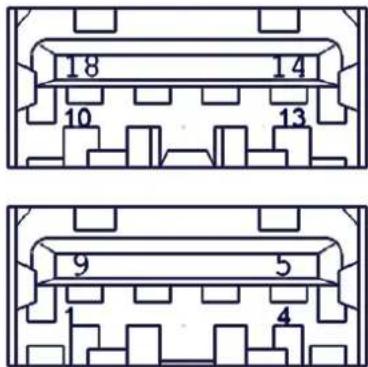
text_image
18 14 10 13 9 5 1 4Pin Signal Pin Signal
| 1 VBUS_1 5 StdA_SSRX-_1 |
| 2 D-_1 6 StdA_SSRX+_1 |
| 3 D+_1 7 GND_DRAIN_1 |
| 4 GND_1 8 StdA_SSTX-_1 |
| 9 StdA_SSTX+_1 |
Pin Signal Pin Signal
| 1 VBUS_2 5 StdA_SSRX-_2 |
| 2 D-_2 6 StdA_SSRX+_2 |
| 3 D+_2 7 GND_DRAIN_2 |
| 4 GND_2 8 StdA_SSTX-_2 |
| 9 StdA_SSTX+_2 |
A.6 AT/ATX Mode Selection (PSON1)
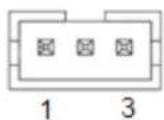
Pin Signal
| 1 VCCAT |
| 2 +3.3V |
| 3 VCCATX |
A.7 RJ45(LAN1+LAN2) Connector (LAN12)
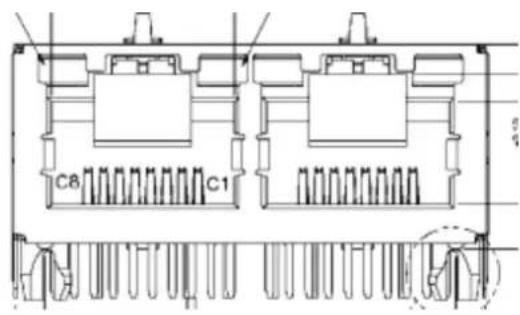
text_image
C8 C1Pin Signal Pin Definition Pin Signal Pin Definition
| AR1 LAN1_MDI0+ BR1 LAN2_MDI0+ | |||
| AR2 LAN1_MDI0- BR2 LAN2_MDI0- | |||
| AR3 LAN1_MDI1+ BR3 LAN2_MDI1+ | |||
| AR4 LAN1_MDI1- BR4 LAN2_MDI1- | |||
| AR5 LAN1_CONN BR5 LAN2_CONN | |||
| AR6 LAN1_CT BR6 LAN2_CT | |||
| AR7 LAN1_MDI2+ BR7 LAN2_MDI2+ | |||
| AR8 LAN1_MDI2- BR8 LAN2_MDI2- | |||
| AR9 LAN1_MDI3+ BR9 LAN2_MDI3+ | |||
| AR10 LAN1_MDI3- BR10 LAN2_MDI3- | |||
| AL1 | LAN1_LED1_ACT#_R | BL1 | LAN2_LED0_ACT#_R |
| AL2 | +V3.3_DUAL | BL2 | +V3.3_DUAL |
| AL3 | LAN1_LED2_1G#_R | BL3 | LAN2_LED2_1G#_R |
| AL4 | LAN1_LED0_100M#_R | AL4 | LAN2_LED0_100M#_R |
A.8 HD Analog Audio Interface Line-Out (AUDIO1)
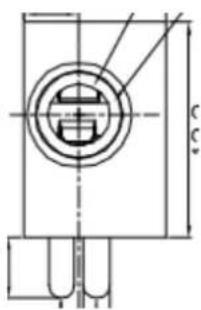
text_image
Technical drawing of a mechanical component with dimension annotations| Pin | Signal |
| 1 | GND |
| 2 | LINE OUT-L |
| 3 | LINE OUT-L |
| 4 | FRONT-JD |
| 5 | GND |
A.9 HD Analog Audio Interface MIC-In (AUDIO2)
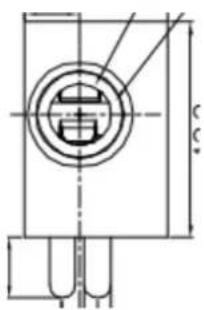
text_image
Technical drawing of a mechanical component with dimension annotationsPin Signal
| 1 GND |
| 2 MIC-L |
| 3 MIC-L |
| 4 MIC-JD |
| 5 GND |
A.10 Audio Amplifier Output Pin Header (AMP1)
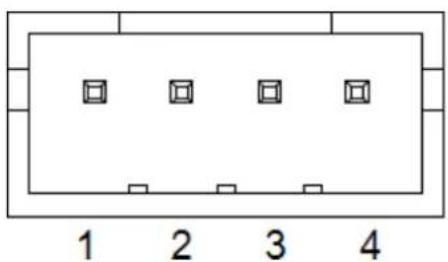
text_image
1 2 3 4Pin Signal
| 1 AMP OUT - R+ |
| 2 AMP OUT - R- |
| 3 AMP OUT - L- |
| 4 AMP OUT - L+ |
A.11 Front Panel Audio Header (FPAUD1)
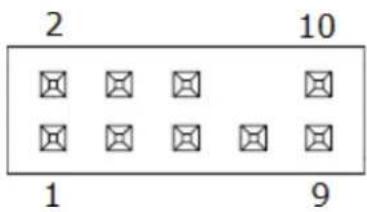
text_image
2 10 1 9| Pin Signal Pin Signal | ||
| 1 MIC IN - L 2 GND | ||
| 3 MIC IN - R 4 FPAUD_DETECT# | ||
| 5 LINE OUT - R | 6 SENSE R1 | |
| 7 SENSE | 8 KEY | |
| 9 LINE OUT - L | 10 | SENSE R2 |
A.12 CMOS Battery Wafer Box (BAT1)

| Pin | Signal |
| 1 | VCC |
| 2 | GND |
A.13 Serial ATA Interface Connector #2 (SATA2)

| Pin | Signal |
| 1 | GND |
| 2 | TX+ |
| 3 | TX- |
| 4 | GND |
| 5 | RX- |
| 6 | RX+ |
| 7 | GND |
A.14 HD Audio Interface (SPDIF1)

Pin Signal
| 1 +5V |
| 2 KEY |
| 3 SPDIF OUT |
| 4 GND |
A.15 M.2 -Key (NGFF\_M1)
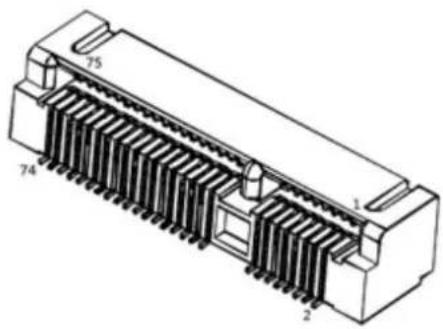
natural_image
Technical line drawing of an electronic component with labeled pins (1, 2, 74, 75), no readable text or symbols beyond labelsPin Signal Pin Signal
| 1 GND_1 2 3p3V_1 | ||
| 3 GND_2 4 3p3V_2 | ||
| 5 PERN3 6 NC_1 | ||
| 7 PERP3 8 NC_2 | ||
| 9 GND_3 10 DAS/D\S\S-I/O/L\E\D\1-I-0/3p3V | ||
| 11 PETN3 12 3p3V_3 | ||
| 13 | PETP3 | 14 3p3V_4 |
| 15 | GND_4 16 3p3V_5 | |
| 17 | PERN2 18 3p3V_6 | |
| 19 | PERP2 20 NC_3 | |
| 21 | GND_5 22 NC_4 | |
| 23 | PETN2 24 NC_5 | |
| 25 | PETP2 | 26 NC_6 |
| 27 | GND_6 28 NC_7 | |
| 29 | PERN1 30 NC_8 | |
| 31 | PERP1 32 NC_9 | |
| 33 | GND_7 34 NC_10 | |
| 35 | PETN1 36 NC_11 | |
| 37 | PETP1 | 38 DEVSLP-O |
| 39 | GND_8 40 NC_12 | |
| 41 PERN0/SATA-B+ 42 NC_13 |
| 43 PERP0/SATA-B- 44 NC_14 |
| 45 GND_9 46 NC_15 |
| 47 PETN0/SATA-A- 48 NC_16 |
| 49 PETP0/SATA-A+ 50 P\E\R\S |
| 51 GND_10 52 C\L\K\R\E\Q-I/C |
| 53 REFCLKN 54 P\E\W\A\K\E-I |
| 55 REFCLKP 56 NC_17 |
| 57 GND_11 58 NC_18 |
| 67 NC_19 68 SUSCLK-32KHZ-C |
| 69 PEDET-NC-PCIE/GND-SATA |
| 71 GND_12 72 3p3V_8 |
| 73 GND_13 74 3p3V_9 |
| 75 GND_14 |
A.16 EDP Differential Signaling (EDP1)
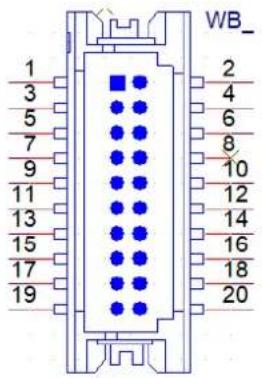
text_image
WB_ 1 2 3 4 5 6 7 8 9 10 11 12 13 14 15 16 17 18 19 20| Pin | Signal | Pin | Signal |
| 1 | GND | 2 | GND |
| 3 | ED0- | 4 | ED3- |
| 5 | ED0+ | 6 | ED3+ |
| 7 | GND | 8 | NC |
| 9 | ED1- | 10 GND | |
| 11 | ED1+ | 12 AUX- | |
| 13 GND | 14 AUX+ | ||
| 15 ED2- | 16 GND | ||
| 17 ED2+ | 18 HPD | ||
| 19 LVDS VCON | 20 LVDS VCON | ||
A.17 PCI Express x8 Slot (PCIEX8\_1)

text_image
PC1EX8_1 B1 B2 12V_1 PRSNT1# B3 12V_2 12V_3 A3 B4 RSVD_1 12V_4 A4 B5 GND_1 GND_20 A5 B6 SMCLK JTAG2_TCK A6 B7 SMDAT JTAG3_TDI A7 B8 GND_2 JTAG4_TDO A8 B9 3.3V_1 JTAG5_TMS A9 B10 JTAG1_TRST# 3.3V_2 A10 B11 3.3VAUX 3.3V_3 A11 WAKE* KEY PWRGD B12 RSVD_2 GND_21 A12 B13 GND_3 REFCLK+ B14 HSOP0 REFCLK- B15 HSON0 GND_22 A15 B16 GND_4 HSIP0 A16 B17 PRSNT2#_1 HSINO A17 B18 GND_5 GND_23 A18 B19 HSOP1 RSVD_5 A19 B20 HSON1 GND_24 A20 B21 GND_6 HSIP1 A21 B22 GND_7 HSIN1 A22 B23 HSOP2 GND_25 A23 B24 HSON2 GND_26 A24 B25 GND_8 HSIP2 A25 B26 GND_9 HSIN2 A26 B27 HSOP3 GND_27 A27 B28 HSON3 GND_28 A28 B29 GND_10 HSIP3 A29 B30 RSVD_3 HSIN3 A30 B31 PRSNT2#_2 GND_29 A31 B32 GND_11 RSVD_6 A32 B33 HSOP4 RSVD_7 A33 B34 HSON4 GND_30 A34 B35 GND_12 HSIP4 A35 B36 GND_13 HSIN4 A36 B37 HSOP5 GND_31 A37 B38 HSON5 GND_32 A38 B39 GND_14 HSIP5 A39 B40 GND_15 HSIN5 A40 B41 HSOP6 GND_33 A41 B42 HSON6 GND_34 A42 B43 GND_16 HSIP6 A43 B44 GND_17 HSIN6 A44 B45 HSOP7 GND_35 A45 B46 HSON7 GND_36 A46 B47 GND_18 HSIP7 A47 B48 PRSNT2#_3 HSINTAHSIN7 A48 B49 GND_19 GND_37 A49 PCIEXPRESS 98V NPTH 1 NPTH 2| Pin Signal Pin Signal | ||||
| A1 PRSNT1# B1 12V_1 | ||||
| A2 12V_3 B2 12V_2 | ||||
| A3 12V_4 B3 RSVD_1 | ||||
| A4 GND_20 B4 GND_1 | ||||
| A5 JTAG2_TCK B5 SMCLK | ||||
| A6 JTAG3_TDI B6 SMDAT | ||||
| A7 JTAG4_TDO B7 GND_2 | ||||
| A8 JTAG5_TMS B8 3.3V_1 | ||||
| A9 3.3V_2 B9 JTAG1_TRST# | ||||
| A10 | 3.3V_3 B10 | 3.3VAUX | ||
| A11 | PWRGD | B11 | WAKE* | |
| A12 | GND_21 B12 | RSVD_2 | ||
| A13 | REFCLK+ | B13 | GND_3 | |
| A14 REFCLK- B14 HSOP0 |
| A15 GND_22 B15 HSON0 |
| A16 HSIP0 B16 GND_4 |
| A17 HSIN0 B17 PRSNT2#_1 |
| A18 GND_23 B18 GND_5 |
| A19 RSVD_5 B19 HSOP1 |
| A20 GND_24 B20 HSON1 |
| A21 HSIP1 B21 GND_6 |
| A22 HSIN1 B22 GND_7 |
| A23 GND_25 B23 HSOP2 |
| A24 GND_26 B24 HSON2 |
| A25 HSIP2 B25 GND_8 |
| A26 HSIN2 B26 GND_9 |
| A27 GND_27 B27 HSOP3 |
| A28 GND_28 B28 HSON3 |
| A29 HSIP3 B29 GND_10 |
| A30 HSIN3 B30 RSVD_3 |
| A31 GND_29 B31 PRSNT2#_2 |
| A32 RSVD_6 B32 GND_11 |
| A33 RSVD_7 B33 HSOP4 |
| A34 GND_30 B34 HSON4 |
| A35 HSIP4 B35 GND_12 |
| A36 HSIN4 B36 GND_13 |
| A37 GND_31 B37 HSOP5 |
| A38 GND_32 B38 HSON5 |
| A39 HSIP5 B39 GND_14 |
| A40 HSIN5 B40 GND_15 |
| A41 GND_33 B41 HSOP6 |
| A42 GND_34 B42 HSON6 |
| A43 HSIP6 B43 GND_16 |
| A44 HSIN6 B44 GND_17 |
| A45 GND_35 B45 HSOP7 |
| A46 GND_36 B46 HSON7 |
| A47 HSIP7 B47 GND_18 |
| A48 HSIN7 B48 PRSNT2#_3 |
| A49 GND_37 B49 GND_19 |
A.18 USB 2.0 Front-Panel Header (USB56)
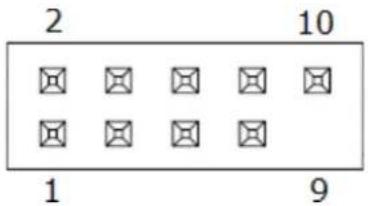
text_image
2 10 1 9Pin Signal Pin Signal
| 1 VBUS 2 VBUS |
| 3 D- 4 D- |
| 5 D+ 6 D+ |
| 7 GND 8 GND |
| 10 NC |
A.19 CPU Fan #1 Connector (CPUFAN1)

text_image
4 1Pin Signal
natural_image
Technical line drawing of an electronic component with labeled pins (1, 2, 74, 75), no readable text or symbols beyond labelsPin Signal Pin Signal
| 1 GND 2 +3.3V AUX | |
| 3 USB_D+ 4 +3.3V AUX | |
| 5 USB_D- 6 Wi-Fi_LED# | |
| 7 GND 8 I2S SCK | |
| 9 NC 10 I2S WS | |
| 11 NC 12 I2S SD_IN | |
| 13 NC 14 I2S SD_OUT | |
| 15 NC 16 BT_LED# | |
| 17 NC 18 GND | |
| 19 NC 20 UART WAKE# | |
| 21 NC 22 UART RXD | |
| 23 NC 24 KEY | |
| 25 KEY | 26 KEY |
| 27 KEY | 28 KEY |
| 29 KEY | 30 KEY |
| 31 KEY | 32 UART TXD |
| 33 GND 34 UART CTS | |
| 35 PETp0 36 UART RTS | |
| 37 PETn0 38 NC | |
| 39 GND 40 NC | |
| 41 PERp0 | 42 NC |
| 43 PERn0 | 44 NC |
| 45 GND 46 NC | |
| 47 REFCLKp0 | 48 NC |
| 49 REFCLKn0 | 50 SUSCLK |
| 51 GND 52 PERST0# | |
| 53 CLKREQ0# | 54 W_DISABLE2# |
| 55 PEWAKE0# | 56 W_DISABLE1# |
| 57 GND 58 NC | |
| 59 NC 60 NC | |
| 61 NC 62 NC | |
| 63 GND 64 NC | |
| 65 NC 66 NC | |
| 67 NC 68 NC | |
| 69 GND 70 NC |
| 71 NC 72 +3.3V AUX |
| 73 NC 74 +3.3V AUX |
| 75 GND |
A.21 COM2 Box Header (COM2)

text_image
2 10 1 9| Pin Signal Pin Signal | |
| 1 DCD# [2] 2 DSR# [2] | |
| 3 RXD [2] 4 RST# [2] | |
| 5 TXD [2] 6 CTS# [2] | |
| 7 DTR# [2] | 8 RI# [2] |
| 9 GND | |
A.22 COM1 RI# Selection Pin Header (JSETCOM1\_V1)

text_image
2 6 1 5| Pin Signal Pin Signal | |
| 1 RI# [6] | 2 Advantech defined |
| 3 Advantech defined | 4 +5V |
| 5 +12V | 6 Advantech defined |
A.23 Inverter Power Connector (INV1)

Pin Signal
A.24 16-bit General Purpose I/O Pin Header (GPIO1)
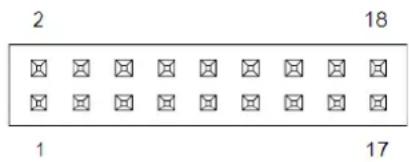
text_image
2 18 1 17Pin Signal Pin Signal
| 1 GPIO0 2 GPIO8 |
| 3 GPIO1 4 GPIO9 |
| 5 GPIO2 6 GPIO10 |
| 7 GPIO3 8 GPIO11 |
| 9 GPIO4 10 GPIO12 |
| 11 GPIO5 12 GPIO13 |
| 13 GPIO6 14 GPIO14 |
| 15 GPIO7 16 GPIO15 |
| 17 +5V AUX 18 GND |
A.25 COM4 RI Selection Pin Header (JSETCOM4\_V1)
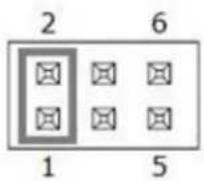
Pin Signal Pin Signal
| 1 RI# [6] 2 Advantech defined |
| 3 Advantech defined 4 +5V |
| 5 +12V 6 Advantech defined |
Pin Signal Pin Signal
| 1 DCD# [3] 2 DSR# [3] |
| 3 RXD [3] 4 RST# [3] |
| 5 TXD [3] 6 CTS# [3] |
| 7 DTR# [3] 8 RI# [3] |
| 9 GND 10 GND |
| 11 DCD# [4] 12 DSR# [4] |
| 13 RXD [4] 14 RST# [4] |
| 15 TXD [4] 16 CTS# [4] |
| 17 DTR# [4] 18 RI# [4] |
| 19 GND 20 GND |
A.28 COM5 \~ COM6 Box Header (COM56)
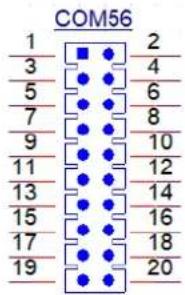
text_image
COM56 1 2 3 4 5 6 7 8 9 10 11 12 13 14 15 16 17 18 19 20Pin Signal Pin Signal
| 1 DCD# [3] 2 DSR# [3] |
| 3 RXD [3] 4 RST# [3] |
| 5 TXD [3] 6 CTS# [3] |
| 7 DTR# [3] 8 RI# [3] |
| 9 GND 10 GND |
| 11 DCD# [4] 12 DSR# [4] |
| 13 RXD [4] 14 RST# [4] |
| 15 TXD [4] 16 CTS# [4] |
| 17 DTR# [4] 18 RI# [4] |
| 19 GND 20 GND |
A.29 COM1 Box Header (COM1)

text_image
2 10 1 9Pin Signal Pin Signal
| 1 DCD# [1] 2 DSR# [1] |
| 3 RXD [1] 4 RST# [1] |
| 5 TXD [1] 6 CTS# [1] |
| 7 DTR# [1] 8 RI# [1] |
| 9 GND |
A.30 Low-Pin-Count Interface Connector (LPC1)
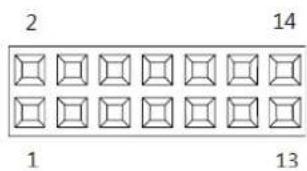
text_image
2 14 1 13Pin Signal Pin Signal
| 1 LPC CLK 2 LPC AD1 | |||
| 3 LPC RESET# 4 LPC AD0 | |||
| 5 LPC FRAME# | 6 +3.3V | ||
| 7 LPC AD3 8 GND | |||
| 9 LPC AD2 10 SMB_CLK | |||
| 11 | LPC SERIRQ | 12 | SMB_DATA |
| 13 | +5V AUX | 14 | +5V |
A.31 Serial ATA Power Connector #1 (SATA\_PWR1)
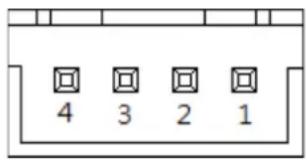
text_image
4 3 2 1Pin Signal
| 1 +5V |
| 2 GND |
| 3 GND |
| 4 +12V |
A.32 Serial ATA Power Connector #2 (SATA\_PWR2)
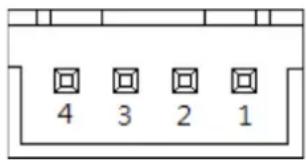
text_image
4 3 2 1Pin Signal
| 1 +5V |
| 2 GND |
| 3 GND |
| 4 +12V |
A.33 DDR4 SODIMM Socket CH-A (DIMMA1)
Please see JEDEC STANDARD.
A.34 DDR4 SODIMM Socket CH-B (DIMMB1)
Please see JEDEC STANDARD.
A.35 Power LED & Keyboard Lock Pin Header (JFP2)

Pin Signal
| 1 Power LED | |
| 2 | NC |
| 3 Power LED | |
A.36 Watchdog Timer Output and OBS Beep (JWDT1+JOBS1)

text_image
1 5Pin Signal
| 1 | NC |
| 2 WDT | |
| 3 RESET# | |
| 4 SIO BEEP | |
| 5 | FRP BEEP |
A.37 Case Open Connector (JCASE2)
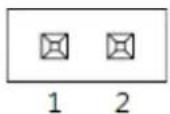
Pin Signal
| 1 Case Open |
| 2 GND |
A.38 PWRBTN#/RESET#/HDD LED/Serial Bus From HW Monitor IC/Internal Buzzer/External Speaker Header (JFP1)
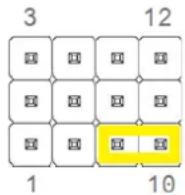
| Pin Signal Pin Signal | |||
| 1 +5V 2 HDD LED+ | |||
| 3 PWRBTN+ 4 SPK_P2 | |||
| 5 HDD LED- 6 PWRBTN- | |||
| 7 SPK_P3 8 SMB_DATA | |||
| 9 RESET+ 10 | SPK_P4 | ||
| 11 | SMB_CLK | 12 | RESET- |
A.39 System Fan #2 Connector (SYSFAN2)
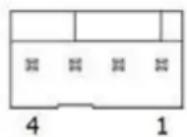
| Pin | Signal |
| 1 | GND |
| 2 | SYSTEM FAN VCC |
| 3 | SYSTEM FAN SPEED |
| 4 | SYSTEM FAN PWM |
A.40 System Fan #1 Connector (SYSFAN1)
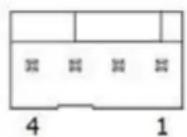
| Pin | Signal |
| 1 | GND |
| 2 | SYSTEM FAN VCC |
| 3 | SYSTEM FAN SPEED |
| 4 | SYSTEM FAN PWM |
A.41 SPI Pin Header (BIOS1\_CN1)

| Pin Signal Pin Signal |
| 1 CS# 2 +1.8V |
| 3 MISO 4 NC |
| 5 NC 6 SCLK |
| 7 GND 8 MOSI |
A.42 SPI BIOS Flash Socket (BIOS1)

text_image
5 6 7 8 LDOT 4 3 2 1| Pin Signal Pin Signal | |
| 1 CS# 5 MOSI | |
| 2 MISO 6 SCLK | |
| 3 WP# | 7 HOLD# |
| 4 GND 8 +3.3V | |
A.43 VDD Select for LVDS1 Panel (JEDP1)

| Pin Signal Pin Signal | |
| 1 NC 2 +5V | |
| 3 +12V | 4 VDD |
| 5 NC 6 +3.3V | |
A.44 COMS Mode Selection (JCMOS1)

Pin Signal
| 1 VBAT |
| 2 RTC |
| 3 GND |
Jumper Setting List
| Description Part Reference | |
| 1 VDD select for LVDS1 panel JLVDS1 | |
| 2 CMOS clear JCOMS1 | |
| 3 COM1_RI# pin selection JSETCOM1_V1 | |
| 4 COM4_RI# pin selection JSETCOM4_V1 | |
| 5 CCTALK selection pin header JCCT_VCON1 | |
| 6 AT/ATX mode selection PSON1 | |
| 7 | PWRBTN#/RESET#/HDD LED/serial bus/internal buzzer/JFP1 external speaker JFP1header |
| 8 Watchdog timer output and OBS beep JWDT1+JOBS1 | |
A.45 VDD Select for LVDS1 Panel (JEDP1)
| Function | Jumper Setting |
| Jumper position for +3.3V (default) | 2 4 6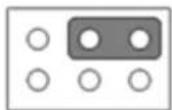 1 3 5 1 3 5 |
| Jumper position for +5V | 2 4 6 1 3 5 1 3 5 |
| Jumper position for +12V | 2 4 6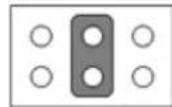 1 3 5 1 3 5 |
A.46 CMOS Clear (JCMOS1)
| Function Jumper Setting | |
| Normal (default) | 1 2 3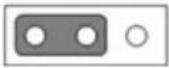 |
| Clear CMOS data | 1 2 3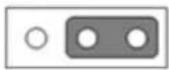 |
A.47 COM1\_RI# Pin Selection (JSETCOM1\_V1)
| Function Jumper Setting | |
| Jumper position for RI# (default) | 2 4 6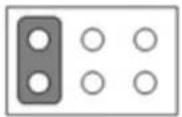 1 3 5 1 3 5 |
| Jumper position for +5V | 2 4 6 1 3 5 1 3 5 |
| Jumper position for +12V | 2 4 6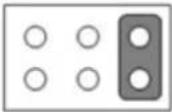 1 3 5 1 3 5 |
A.48 COM4\_RI# Pin Selection (JSETCOM4\_V1)
| Function Jumper Setting | |
| Jumper position for RI# (default) | 2 4 6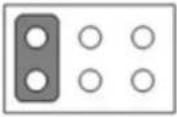 1 3 5 1 3 5 |
| Jumper position for +5V | 2 4 6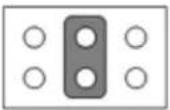 1 3 5 1 3 5 |
| Jumper position for +12V | 2 4 6 1 3 5 1 3 5 |
A.50 AT/ATX Mode Selection (PSON1)
| Function Jumper Setting | |
| ATX mode (default) | 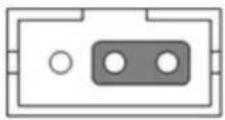 1 2 3 1 2 3 |
| AT mode |  1 2 3 1 2 3 |
A.51 PWRBTN#/RESET#/HDD LED/Serial Bus/Internal Buzzer/External Speaker Header (JFP1)
| Function Jumper Setting | |
| Internal buzzer (default) | 3 12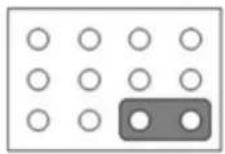 1 7 10 1 7 10 |
A.52 Watchdog Timer Output and OBS Beep (JWDT1+JOBS1)
| Function Jumper Setting | |
| Watchdog timer output (2-3) (default)OBS BEEP(4-5) (default) | 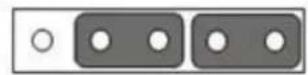 1 2 3 4 5 1 2 3 4 5 |
| Watchdog timer disable (1-2) OBSbeep (4-5) (default) | 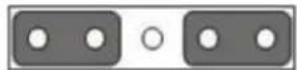 1 2 3 4 5 1 2 3 4 5 |
www.advantech.com
Please verify specifications before quoting. This guide is intended for reference purposes only.
All product specifications are subject to change without notice.
No part of this publication may be reproduced in any form or by any means, such as electronically, by photocopying, recording, or otherwise, without prior written permission from the publisher.
All brand and product names are trademarks or registered trademarks of their respective companies.
© Advantech Co., Ltd. 2022