
KH 2022 - Radio SILVERCREST - Free user manual and instructions
Find the device manual for free KH 2022 SILVERCREST in PDF.



| Product Type | Multiband radio (FM/AM/SW) |
| Brand | Silvercrest |
| Model | KH 2022 |
| Dimensions | 118 × 34 × 75 mm |
| Weight (radio only) | 150 g |
| Weight (storage bag) | 20 g |
| Power supply | 2 AA 1.5 V batteries or DC 3.6 V / 200 mA mains adapter (not included) |
| Reception bands | FM: 87.5-108 MHz; AM: 520-1620 kHz; SW: 5.95-15.6 MHz (7 bands) |
| FM sensitivity | Switchable LOCAL/DX (2 levels) |
| Display | Digital with backlight (LIGHT button) |
| Clock and alarm functions | Programmable radio alarm, auto shut-off |
| Headphone jack | 3.5 mm stereo jack (earphones included) |
| Antenna | Telescopic |
| Key lock | HOLD function (switch) |
| Stand | Tilting (foldable) |
| Included accessories | Storage bag, earphones, 2 AA batteries |
| Cleaning | Dry or slightly damp cloth |
| Maintenance | No user maintenance required; do not open |
| Safety | Protect from water and extreme temperatures (-5 to +40 °C) |
| Warranty | 3 years |
| Customer service | Contact details by country (UK, IE, CZ, SK) in the manual |
| Disposal | Do not dispose of with household waste; follow local regulations |
Frequently Asked Questions - KH 2022 SILVERCREST
User questions about KH 2022 SILVERCREST
0 question about this device. Answer the ones you know or ask your own.
Ask a new question about this device
Download the instructions for your Radio in PDF format for free! Find your manual KH 2022 - SILVERCREST and take your electronic device back in hand. On this page are published all the documents necessary for the use of your device. KH 2022 by SILVERCREST.
USER MANUAL KH 2022 SILVERCREST
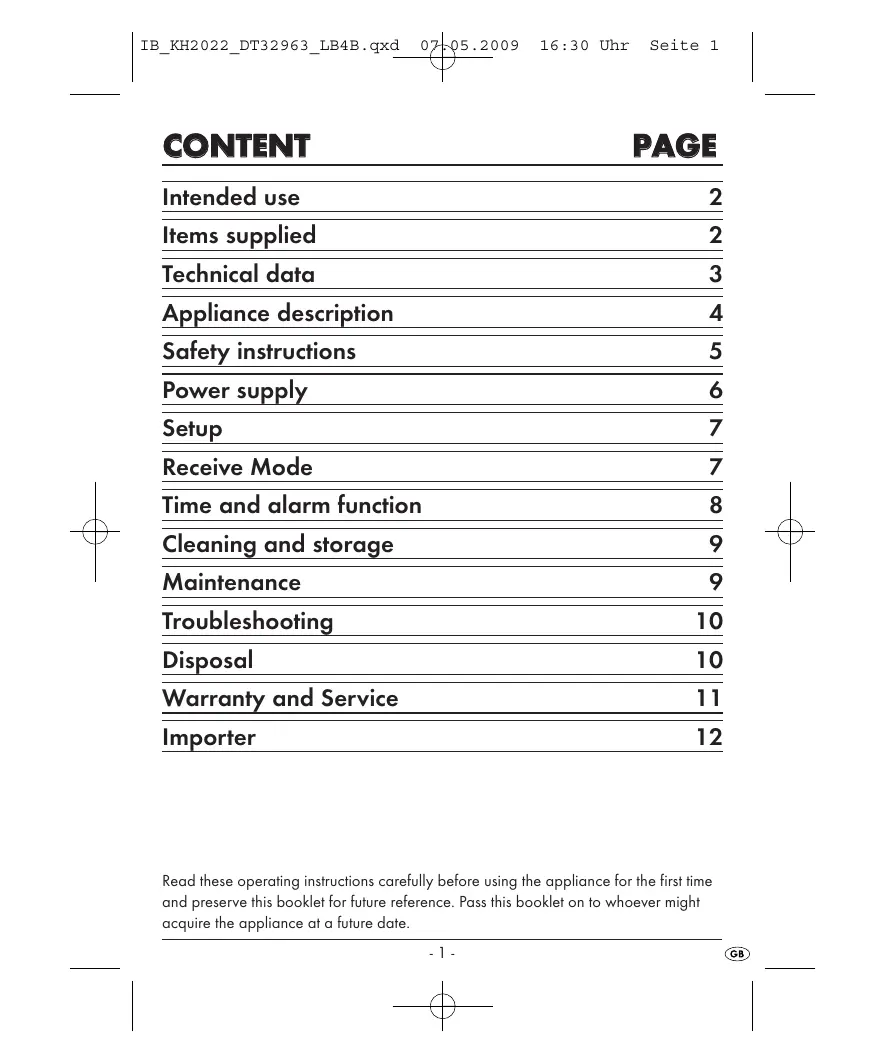
Intended use 2
Items supplied 2
Technical data 3
Appliance description 4
Safety instructions 5
Power supply 6
Setup 7
Receive Mode 7
Time and alarm function 8
Cleaning and storage 9
Maintenance 9
Troubleshooting 10
Disposal 10
Warranty and Service 11
Importer 12
Read these operating instructions carefully before using the appliance for the first time and preserve this booklet for future reference. Pass this booklet on to whoever might acquire the appliance at a future date.
Intended use
This device is intended for receiving generally approved radio transmissions in all countries (world receiver) and only for household use.
This appliance is NOT intended for use as a component in a safety-radio facility e.g. on board sporting boats or for applications in commercial or industrial areas. It is also not intended for climate zones outside of the ranges specified under Technical Data.
Items supplied
1 x Shortwave radio
1 x Storage bag
1×Earphones
2 x Batteries, Mignon 1.5V Type AA
1 x Operating instruction
- Check to ensure that the appliance is undamaged, all component parts are present and that all packaging remnants are removed from it.
Note: An adaptor for mains operation is not supplied, but can be obtained from a specialist shop. Take note of the details listed for the mains power adaptor in the section "Technical data".
a) Reception ranges:
FM: 87.5 - 108 MHz
AM: 520 - 1620 kHz
SW (1-7): 5.95 - 15,6 MHz
Sensitivity: FM switchable to 2 levels
b) Restrictions for climatic zones:
Temperatures: -5 - +40 °C
Relative humidity : 20 - 80% RMH
c) Miscellaneous:
3,5 mm Stereo jackplug socket
Max. output level f.
earphone socket: 200 mV
Batteries: 2 × 1.5 ~V Type "AA" Mignon
Mains adaptor: optional, DC 3.6 V / 200 mA
Connection for mains
adaptor: Barrel plug 3.5 / 1.3mm plus innen
Dimensions: 118 × 34 × 75 ~mm
Weight: 150 g (Radio, without batteries), 20 g Storage bag
d) Earphone
Wideband characteristic
voltage (WBCV): 201 mV
Type: KH 2022E
Impedance: 32Ω
CE-Conformity
This device has been tested and approved in accordance with the basic requirements and other relevant regulations of the EMV directive 2004/108/EC.
Appliance description
Fig. A:
Telescopic aerial
Operation button "FM ON": Switch on and select FM
Operation button "AM ON": Switch on and select AM
4 Waveband selector:Select the AM reception range (MW, SW 1-7)
5 Display
6 LED "POWER" glows when the appliance is switched on
7 Button "POWER OFF": To switch the appliance off
3 Button "AL. ON/OFF": To switch the alarm function on or off
9 Button "AL. SET": Setting the alarm time
10 Button "TIME SET": Setting the time
1 Button "MIN": Adjustment of minutes
12 Button "HOUR": Adjustment of hours
18 Button "LIGHT": For switching the display illumination on
Fig. B:
14 Volume regulator "VOL"
15 Earphone connection socket
16 Power supply socket for mains adaptor (optional)
Fig. C:
Tuning regulator "TUNING"
18 Slider switch "LOCAL / DX": Sensitivity with FM reception
19 Slider switch"HOLD":Button-lock on/off switch
Fig. D:
Support: To slant the appliance
Battery compartment
Safety instructions
- Take note that in some countries, different national regulations may apply with regard to the radio frequency ranges that may be freely received. Please note that information received from outside of the assigned radio frequency ranges may not be exploited, passed on to third parties or otherwise misused.
- Transportable world receivers are used in a wide range of climate zones. Pay heed, especially when used outdoors, that the climatic restrictions (see Technical data) are not exceeded. Electronic devices can be damaged by moisture. Extremely dry air can initiate static charges that could lead to faulty functions. Very high temperatures (e.g. direct sunlight) or very low temperatures (e.g. outdoors in winter) can permanently darken the liquid crystal display.
- Transportable appliances are particularly at risk from accidental damage. Protect the appliance against heavy stresses, such as impacts and falls. Select a location in your travel luggage where it cannot be damaged, or switched on, by other hard objects.
- Protect the appliance against drip and spray water. Do not place water-filled receptacles, such as flower vases, on or next to the appliance.
- Never submerge the appliance in water or other liquids. This could damage it irreparably!
- Batteries may not be thrown into a fire, taken to pieces or short circuited. Additionally, do not attempt to recharge batteries. There is a chance that they could explode.
-
Always store batteries at a location that in inaccessible for small children and infants. Should a battery be swallowed, seek medical attention IMMEDIATELY.
-
Check to ensure that the appliance is in a serviceable condition before taking it into use. Should there be visible damage to the appliance, do not take it into use. Arrange for it to be checked for safety by Customer Services.

Attention!
Listening to music with earphones for long periods and at high volume levels can lead to hearing damage!
- Use only the supplied headphones of Type KH2022E. When using headphones, the built-in loudspeakers are switched off.
Power supply
a) Inserting the batteries:
- Open the battery compartment ① on the rear of the appliance and insert two batteries as shown on the markings next to the battery compartment. Close the battery compartment. The appliance is now ready for use.
- When a battery symbol appears in the display ⑤, always replace both batteries with the types detailed under Technical Data. In this regard, also take note of the notices contained in the sections "Maintenance" and "Disposal".
b) Connecting the mains adaptor:
A mains adaptor is not supplied. If you have one available that conforms with the specifications given under Technical Data:
-
Connect the mains adaptor to the power supply socket 16. The installed batteries are thereby isolated.
-
Unfold the telescopic aerial ① and draw it out to its full length.
- Push out the support 20 if you wish to position the appliance at an angle. Then turn the telescopic aerial 1 to a slanted upward angle.
Receive Mode
a) Switching the appliance on/off, button lock
-
To switch the appliance on, press on the ...
-
button "FM ON" ②, if you wish to receive VHF transmissions.
-
button "AM ON" ③, if you wish to receive MW or SW 1-7 transmissions.
-
The green LED "POWER" ⑥ glows for as long as the appliance is switched on.
- To switch the appliance off, press the button "POWER OFF" 7.
- With the sliding switch "HOLD" 19 you can block all buttons against adjustment (ON), or have them free for adjustment (OFF).
b) Adjusting the reception
- If you have switched the appliance on using the receiving mode button "AM ON" 3, first of all select either the reception range MW (Medium Wave) or SW 1-7 (Short Wave). For this, push the waveband selector 4 into the relevant position.
- Then search for the desired radio station by slowly turning the tuning regulator "TUNING" until you have clear reception. In the display the frequency just received is shown digitally, together with the unit "MHz" (Megahertz) or "kHz" (Kilohertz).
c) Adjusting volume and sensitivity
- Set the desired volume level using the volume regulator "VOL" 14.
- With FM reception you can make adjustments to the reception sensitivity. Slide the switch "LOCAL/DX" ⑧ to the position "LOCAL" if you only want to receive powerful local transmissions. In the position "DX" the receiver is adjusted for worldwide reception.
d) Switching the display illumination on
- Hold the button "LIGHT" ⑧ pressed down to switch on the display illumination.
Time and alarm function
The appliance can switch itself on under timed control, e.g. as an alarm function. The requirements are that the clock is correctly adjusted, an alarm time is programmed in and the alarm function is switched on. Additionally, a radio station should be selected and a sufficiently loud volume level be set.
Notice: To adjust the time and alarm settings the appliance must be switched off.
a) Setting the clock
- To set the hour indicator, press and hold the button "TIME SET" ⑩ and, at the same time, press the button "HOUR" ⑫.
- To set the minute indicator, press and hold the button "TIME SET" ⑩ and, at the same time, press the button "MIN" ①.
b) Programming the alarm time
- To set the hour indicator, press and hold the button "AL. SET" ⑨ and, at the same time, press the button "HOUR" ⑫.
- To set the minute indicator, press and hold the button "AL. SET" ⑨ and, at the same time, press the button "MIN" ⑩.
c) To switch the alarm function on or off
- Press the button "AL.ON/OFF" 8 to switch the alarm function on. In the display 5 a clock symbol appears to serve as a check.
- Press again on the button "AL. ON/OFF" ⑧ to switch the alarm function off. The clock symbol disappears from the display ⑤.
When all steps have been completed as described, the appliance automatically issues the alarm call at the programmed time, until it switched back off. For as long as the alarm function remains activated, the appliance will repeat the switch on function every day. Keep this in mind if the appliance is to be left without supervision for an extended period – if you do not, the appliance will continue to run until your return, or until the batteries are exhausted.
Cleaning and storage
- Clean the appliance with a dry or lightly moistened cloth only. To avoid potential damage to the upper surfaces, do not use any detergents or abrasive cleaning agents.
- To protect the appliance against scratches and soiling, store it in the supplied storage bag. If you do not intend to use the appliance for longer than a year, remove the batteries. Store the appliance in a dry location.
Maintenance
- Apart from the battery compartment, NEVER open any of the covers on the device. Arrange for the appliance to be repaired by specialists only.
- The appliance is maintenance-free. No form of maintenance, either on or in the appliance, is intended for execution by the user. In the event of malfunction or apparent damage, make contact with Customer Services.
Interaction with batteries
Leaking batteries can cause damage to the appliance:
If you do not intend to use the appliance for an extended period, remove the batteries.
- Exchange all of the batteries at the same time. For replacements, always use batteries of the same type.
- In the event of leaking batteries: Wear protective gloves and clean the battery compartment with a dry cloth.
Troubleshooting
Should the appliance not function as expected, replace the batteries.
If the malfunction is not eliminated with this measure, please make contact with Customer Services (see "Warranty and Service).
Disposal
Disposing of the appliance

Do not dispose of the appliance in your normal domestic waste.
Dispose of the appliance through an approved disposal centre or at your community waste facility. This appliance is subject to the provisions of European Directive 2002/96/EC. Observe the currently applicable regulations. In case of doubt, please contact your waste disposal centre.
Disposal of batteries/accumulators
Used batteries/accumulators may not be disposed of in household waste. Every consumer is legally obliged to dispose of batteries at a collection site of his community/city district or at a retail store. The purpose of this obligation is to ensure that batteries are disposed of in a non-polluting manner. Only dispose of batteries when they are fully discharged.
Disposal of packaging

Dispose of all packaging materials in an environmentally friendly manner.
Warranty and Service
You receive a 3-year warranty on this device from the date of purchase.
If, in spite of our high quality standards, you have reason to complain about this device, please contact our service hotline.
If it is not possible to deal with your complaint by phone, they will provide
- a processing number (RMA number) and
- an address where you can send your product for repairs under the warranty.
If you send the device please enclose a copy of the proof of purchase (till receipt). The device must be packaged securely for transport and the RMA number must be directly visible. Shipments without an RMA number can not be processed.
Note:
The warranty applies to material or manufacturing faults.
The warranty does not apply to
- parts subject to wear and tear
- damage to breakable parts such as switches and rechargeable batteries.
The product is only designed for private and not commercial use. Improper handling and usage not in accordance with the intended purpose, use of force and any interventions that are not carried out by our authorised service centre will render the warranty null and void.
This warranty does not affect your legal rights.
GB DES Ltd
Tel.: 0870/787-6177
Fax: 0870/787-6168
e-mail: support.uk@kompernoss.com
IE Irish Connection
Tel: 00353 (0) 87 99 62 077
Fax: 00353 18398056
e-mail: support.ie@kompernass.com
www.mysilvercrest.de
Importer
KOMPERNASS GMBH
BURGSTRASSE 21
D-44867 BOCHUM
www.kompernass.com
OBSAH
STRANA


- Intended use
- Items supplied
- a) Reception ranges:
- b) Restrictions for climatic zones:
- c) Miscellaneous:
- d) Earphone
- CE-Conformity
- Appliance description
- Fig. A:
- Fig. B:
- Fig. C:
- Fig. D:
- Safety instructions
- Attention!
- Power supply
- a) Inserting the batteries:
- b) Connecting the mains adaptor:
- Receive Mode
- a) Switching the appliance on/off, button lock
- b) Adjusting the reception
- c) Adjusting volume and sensitivity
- d) Switching the display illumination on
- Time and alarm function
- a) Setting the clock
- b) Programming the alarm time
- c) To switch the alarm function on or off
- Cleaning and storage
- Maintenance
- Interaction with batteries
- Troubleshooting
- Disposal
- Disposing of the appliance
- Disposal of batteries/accumulators
- Disposal of packaging
- Warranty and Service
- Note:
- OBSAH
- STRANA
Brand : SILVERCREST
Model : KH 2022
Category : Radio