WFAV66 - TV Stand SANUS - Free user manual and instructions
Find the device manual for free WFAV66 SANUS in PDF.


User questions about WFAV66 SANUS
0 question about this device. Answer the ones you know or ask your own.
Ask a new question about this device
Download the instructions for your TV Stand in PDF format for free! Find your manual WFAV66 - SANUS and take your electronic device back in hand. On this page are published all the documents necessary for the use of your device. WFAV66 by SANUS.
USER MANUAL WFAV66 SANUS
Assembly Instructions for Model: WFAV66
Thank you for choosing Sanus Systems Woodbrook Furniture. The Woodbrook Furniture is constructed of real hardwood and resonance dampening MDF.
Safety Warning: If you do not understand these directions, or have any doubts about the safety of the installation, please call a qualified contractor or contact Sanus at 800.359.5520 or www.sanus.com. Check carefully to make sure that there are no missing or defective parts. Our customer service representatives can quickly assist you with installation questions and missing or damaged parts. Replacement parts for products purchased through authorized dealers will be shipped directly to you. Never use defective parts. Improper installation may cause damage or serious injury. Do not use this product for any purpose that is not explicitly specified by Sanus Systems. Sanus Systems can not be liable for damage or injury caused by incorrect assembly, or incorrect use. Please call Sanus Systems before returning products to the point of purchase.
Required Tools: Phillips screw driver
natural_image
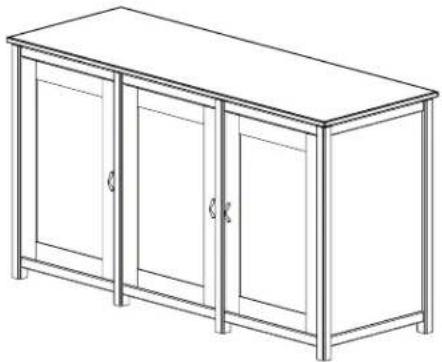
Line drawing of a three-door cabinet with two doors and a front panel (no text or symbols)Supplied Parts and Hardware: Some parts may be pre-assembled together*
Hardware: Shown as actual size
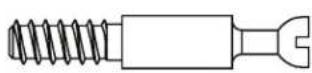
(24) Cam Pin - a
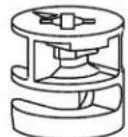
(24) Cam - b

(8) Dowel Pin - c

(24) Dowel - d
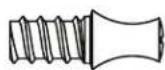
(48) Shelf Pin - e

(12) Wood Screw - f
(8) Spacer - g
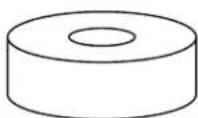
(6) Phillips Bolt - h
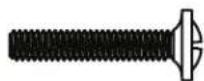
(3) Door Handle - i*


(12) Hinge Screw - j
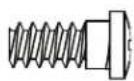
(12) Hinge Plate Screw - k

natural_image
Technical line drawing of a mechanical clamp or bracket assembly (no text or symbols)(6) Hinge - 1*
(6) Hinge Plate - m*
Parts: Not Shown as actual size
text_image
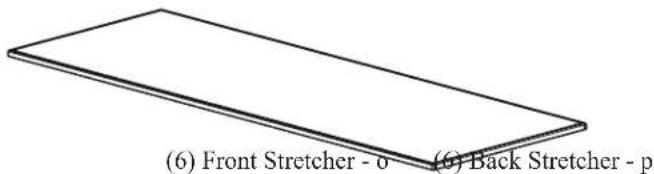
(6) Front Stretcher - 0 (6) Back Stretcher - p(1) Top - n
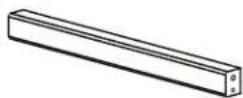
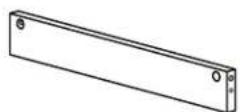
Parts List (Cont)


(3) Bottom Shelf - q
natural_image
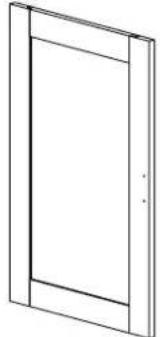
Simple line drawing of a door frame with no text or symbols(9) Mid Shelf - r

natural_image
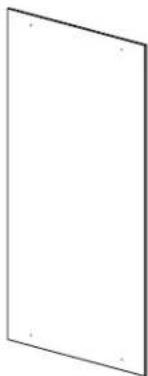
Blank white rectangular panel with no text, numbers, or symbols(3) Door - s
(2) Wood Panel Insert - t
natural_image
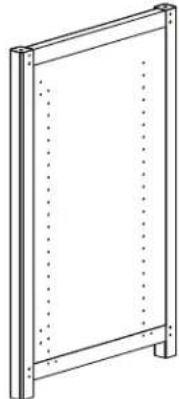
Simple line drawing of a rectangular frame with vertical supports and dotted lines indicating hidden edges (no text or symbols)(3) Back Panel - u

natural_image
Simple line drawing of a rectangular frame with vertical supports and dotted lines indicating hidden edges (no text or symbols)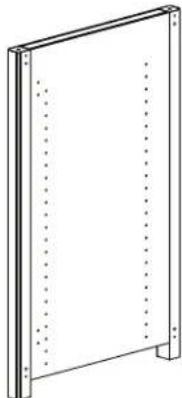
natural_image
Simple line drawing of a rectangular frame with vertical supports and dotted lines indicating hidden edges (no text or symbols)(1) Left Side Panel - v
(1) Right Side Panel - w
(2) Center Panel - x
Step 1: Prepare the Side Panels
Thread a Cam Pin (a) into each of the smaller holes in each Side Panel (v,w). Tighten each Cam Pin with a Phillips screw driver. Insert a Dowel (d) into the larger adjacent hole in the Panels. See Diagram 1 for assistance.

Step 2: Prepare Center Panels
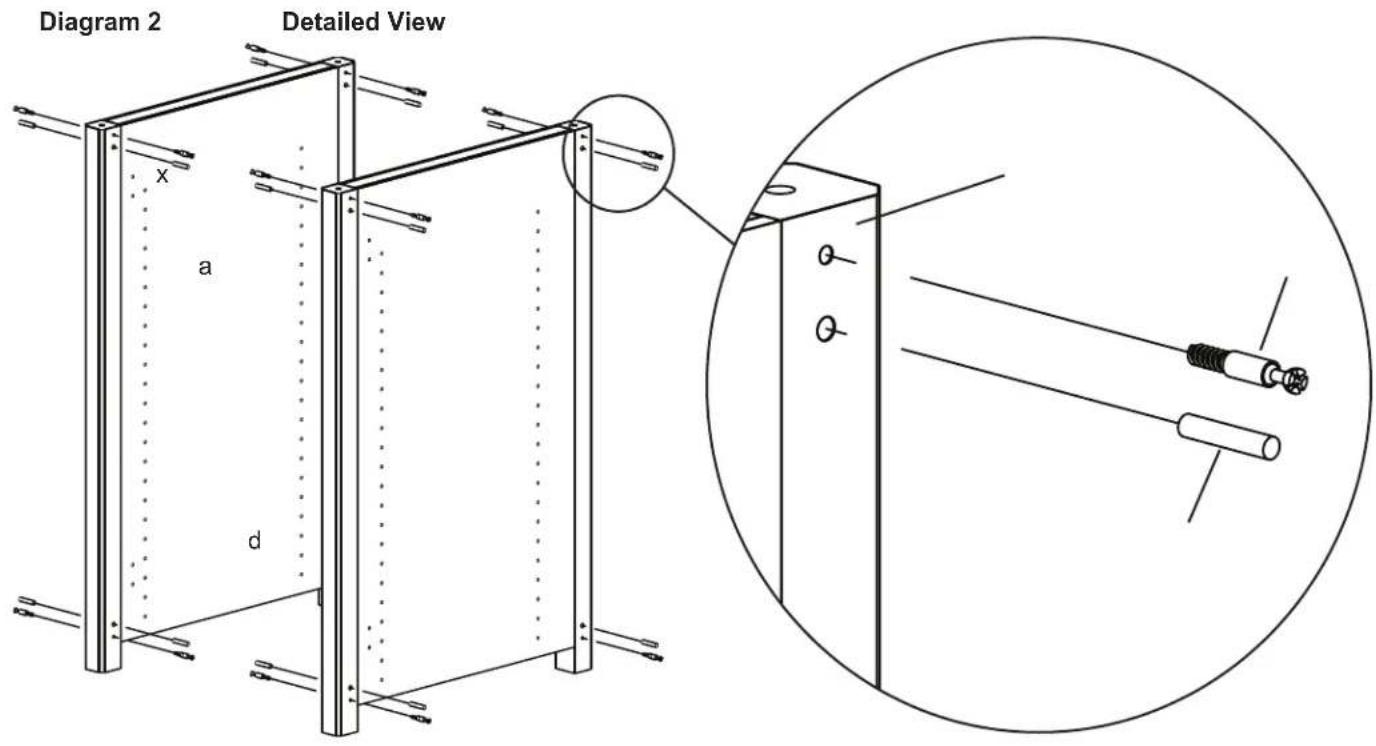
Thread a Cam Pin (a) into each of the smaller holes in each Center Panel (x). Tighten each Cam Pin with a Phillips screw driver. Insert a Dowel (d) into the larger adjacent hole in the Panels. See Diagram 2 for assistance.
text_image
Diagram 2 Detailed View a x dStep 3: Prepare Stretchers
Add a Cam (b) to each Front Stretcher (o) and Back Stretcher (p). Make sure the arrow in each Cam faces the hole on the side of the Stretchers. See Diagram 3 for assistance.
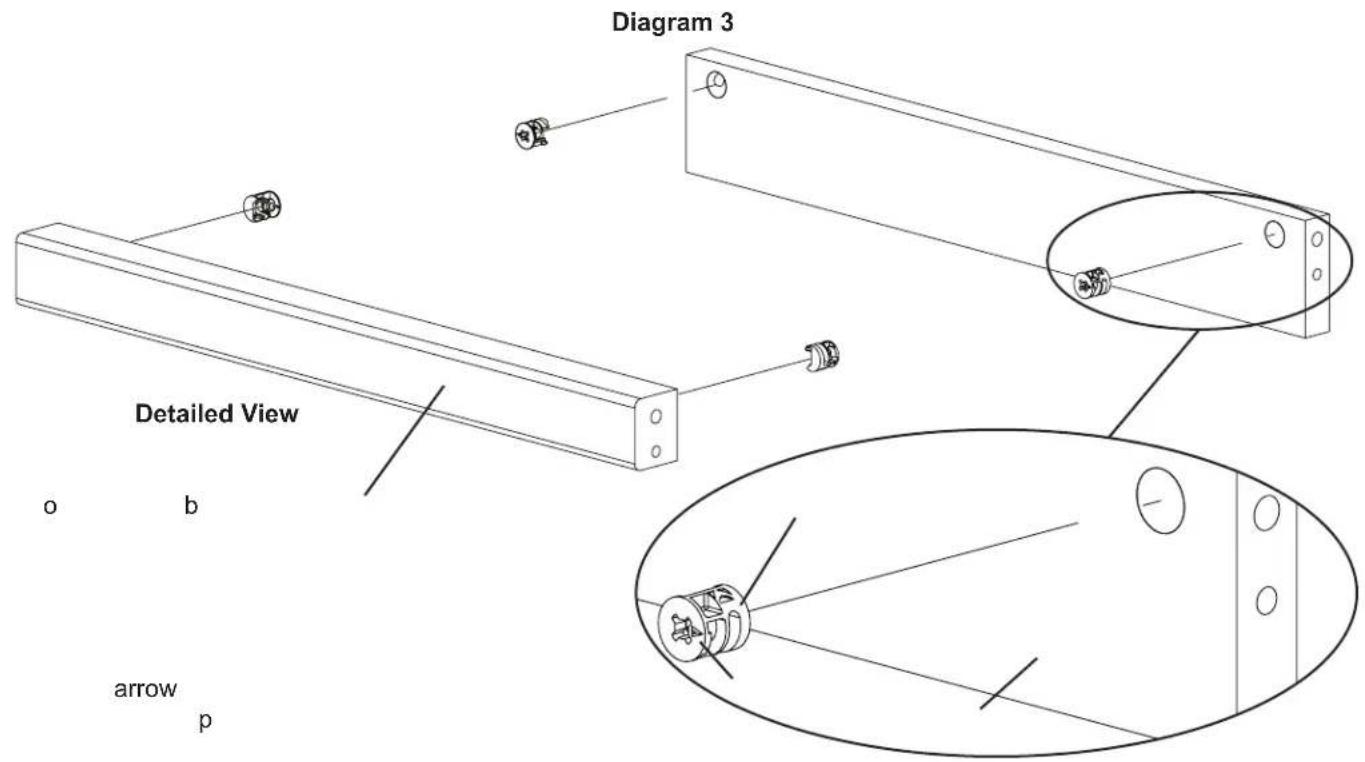
text_image
Diagram 3 Detailed View o b arrow pStep 4: Add Stretchers
Add the Front and Back Stretchers (o,p) to the Side Panel (v), by aligning the Cam Pin (a) with the hole which the Cams (b) point to and the Dowel (d) goes into the adjacent hole. Make sure the stretchers are oriented so the Cams face inward. Tighten each Cam closest to the Side Panel in a clockwise motion until the stretchers are secured. See Diagram 4 for assistance. Note: Front stretchers attach to the same side as the hinge holes are on.
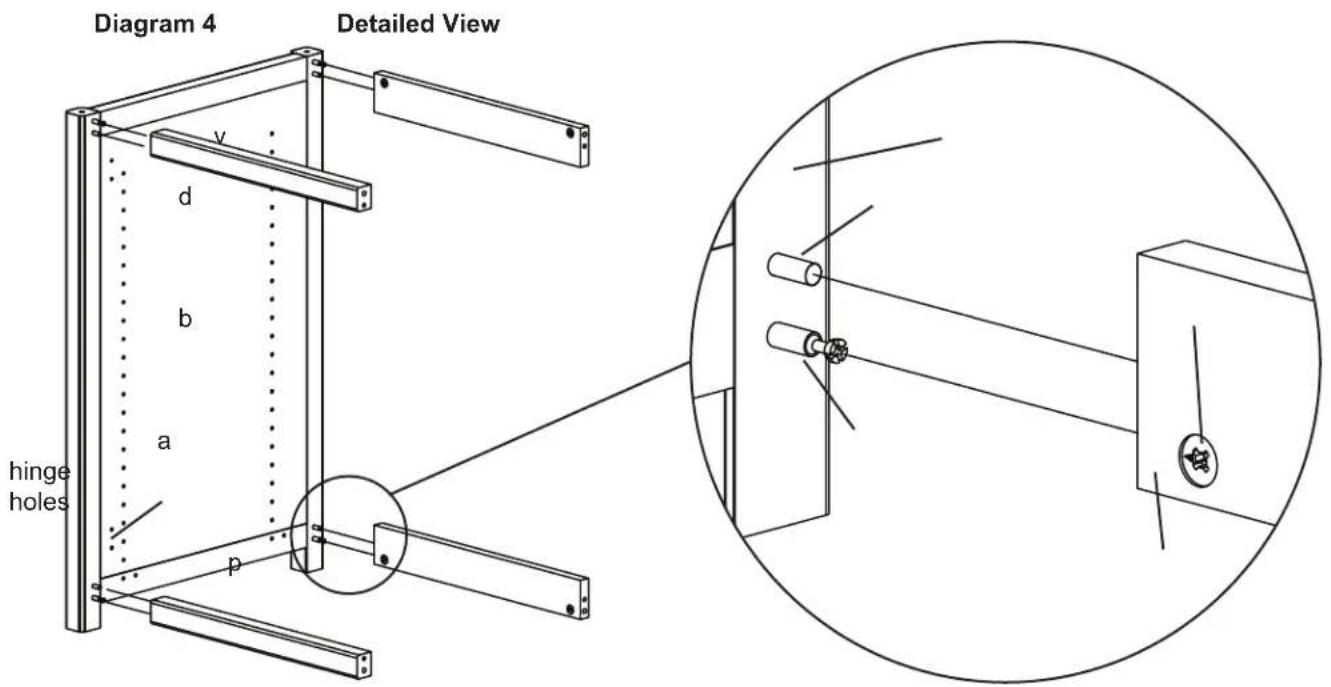
text_image
Diagram 4 Detailed View v d b a hinge holes pStep 5: Add First Center Panel
Press fit the Center Panel (x) against the Stretchers (o,p) so the Cam Pin (a) goes into the hole which the Cams (b) point to. The Dowel (d) fits into the adjacent hole. Tighten each Cam in a clockwise motion until the Stretchers are secured to the Center Panel. See Diagram 5 for assistance. Note: Make sure the hinge holes on the Center Panel are on the same side as the Front Stretchers.
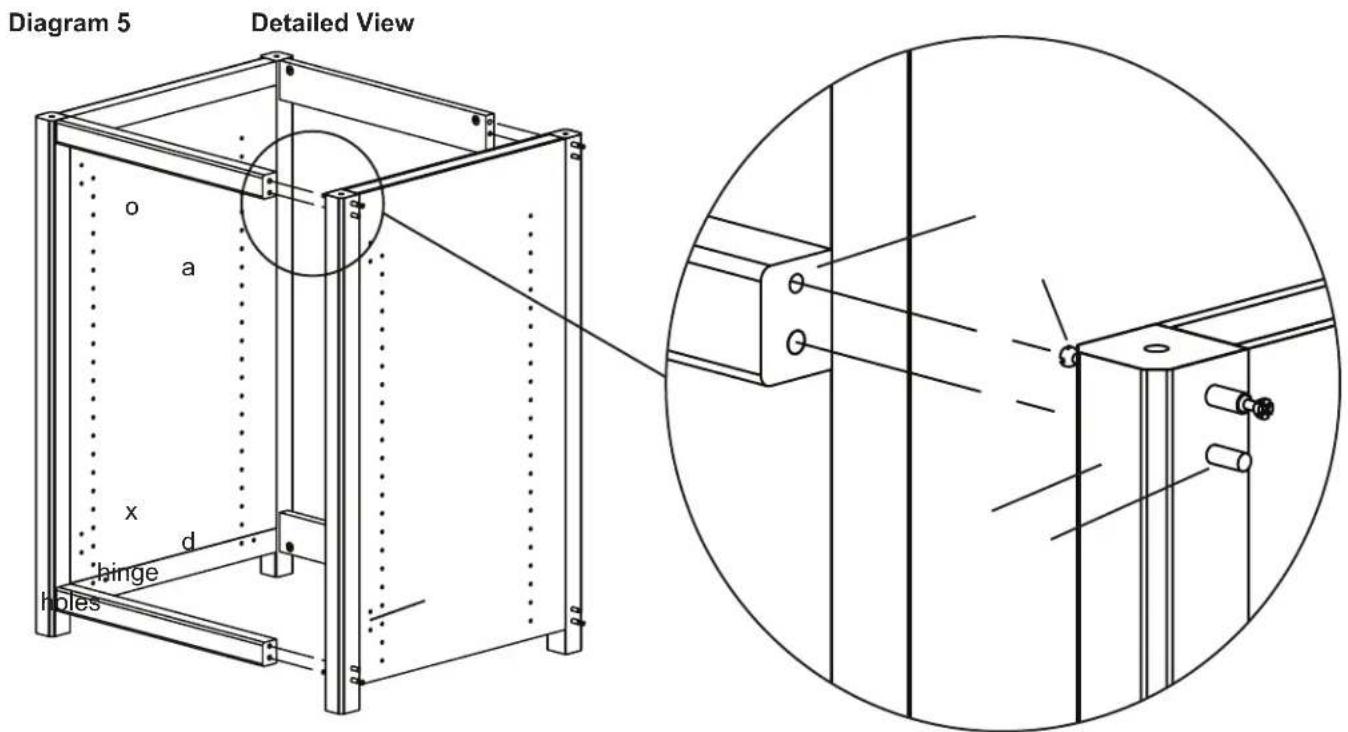
text_image
Diagram 5 Detailed View o a x d hinge holesStep 6: Add Stretchers
Add the Front and Back Stretchers (o,p) to the Center Panel (x), by aligning the Cam Pin (a) with the hole which the Cams (b) point to. The Dowel (d) goes into the adjacent hole. Make sure the stretchers are oriented so the Cams face inward. Tighten each Cam closest to the Center Panel in a clockwise motion until the stretchers are secured. See Diagram 6 for assistance. Note: Front stretchers attach to the same side as the hinge holes are on.
Diagram 6
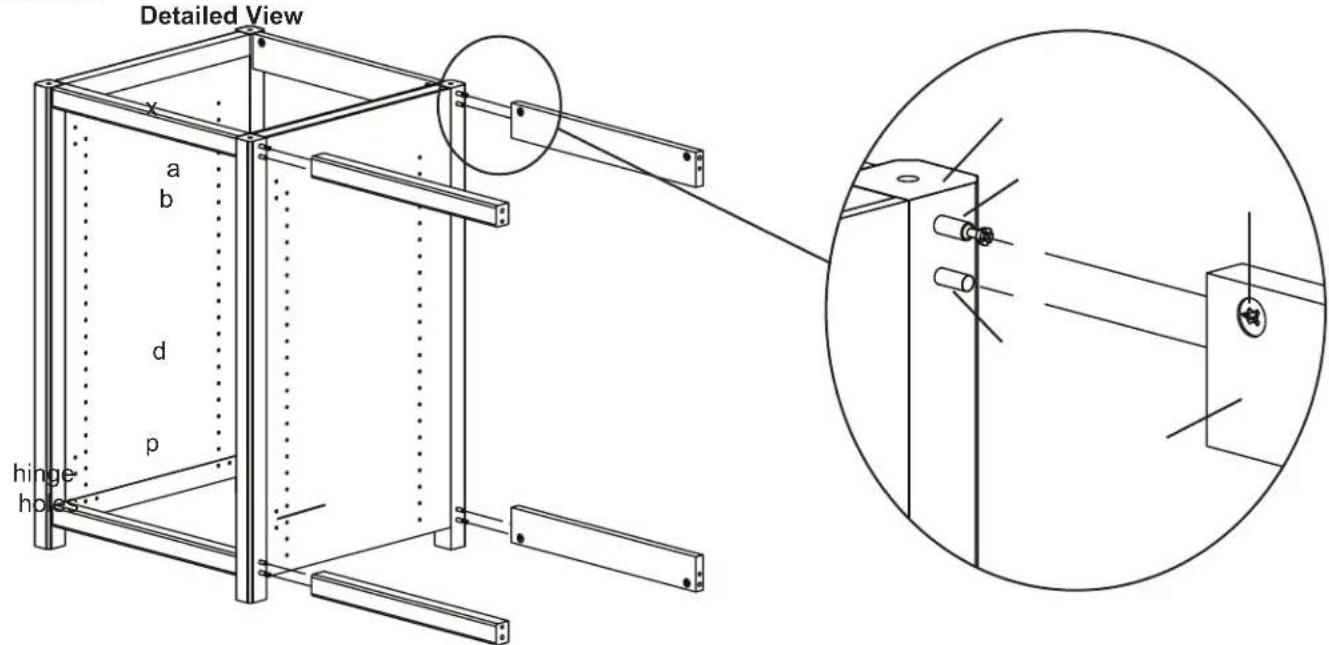
text_image
Detailed View a b d p hinge holesStep 7: Add Second Center Panel
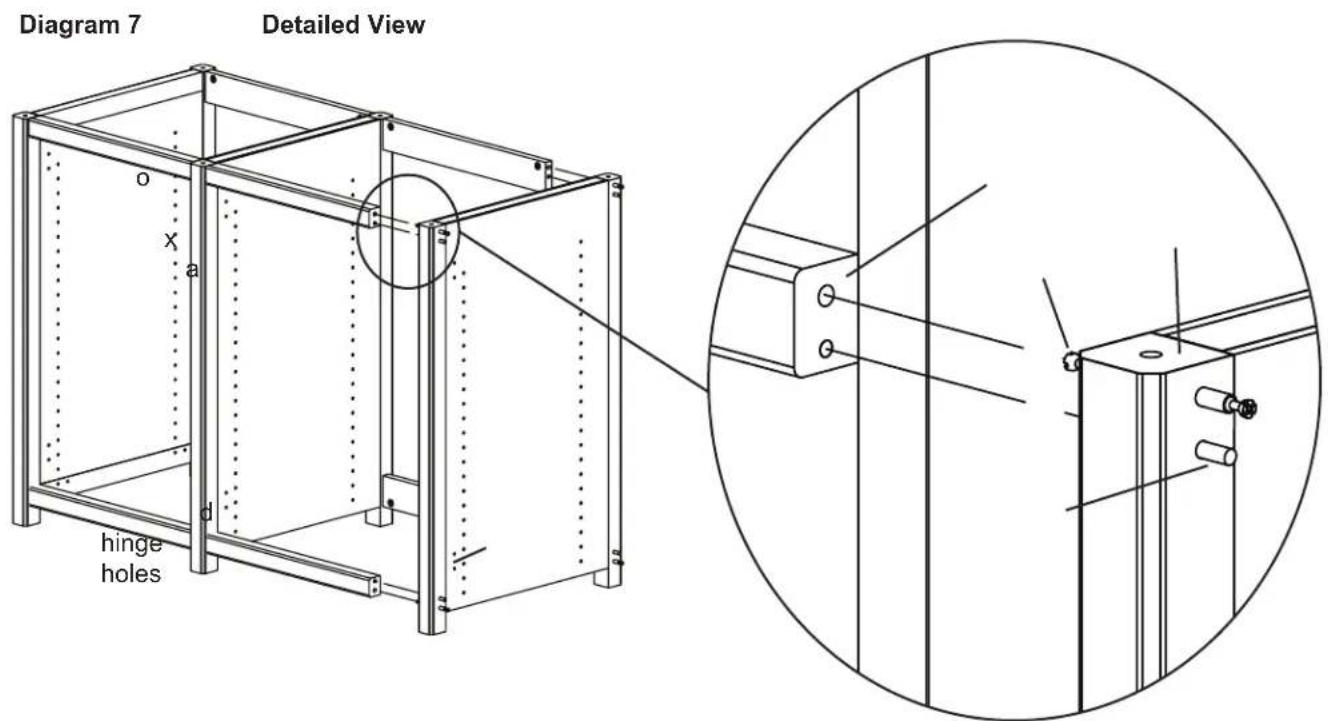
Press fit the Center Panel (x) against the Stretchers (o,p) so the Cam Pin (a) goes into the hole which the Cams (b) point to. The Dowel (d) fits into the adjacent hole. Tighten each Cam in a clockwise motion until the Stretchers are secured to the Center Panel. See Diagram 7 for assistance. Note: Make sure the hinge holes on the Center Panel are on the same side as the Front Stretchers.
text_image
Diagram 7 Detailed View o x a d hinge holesStep 8: Add Stretchers
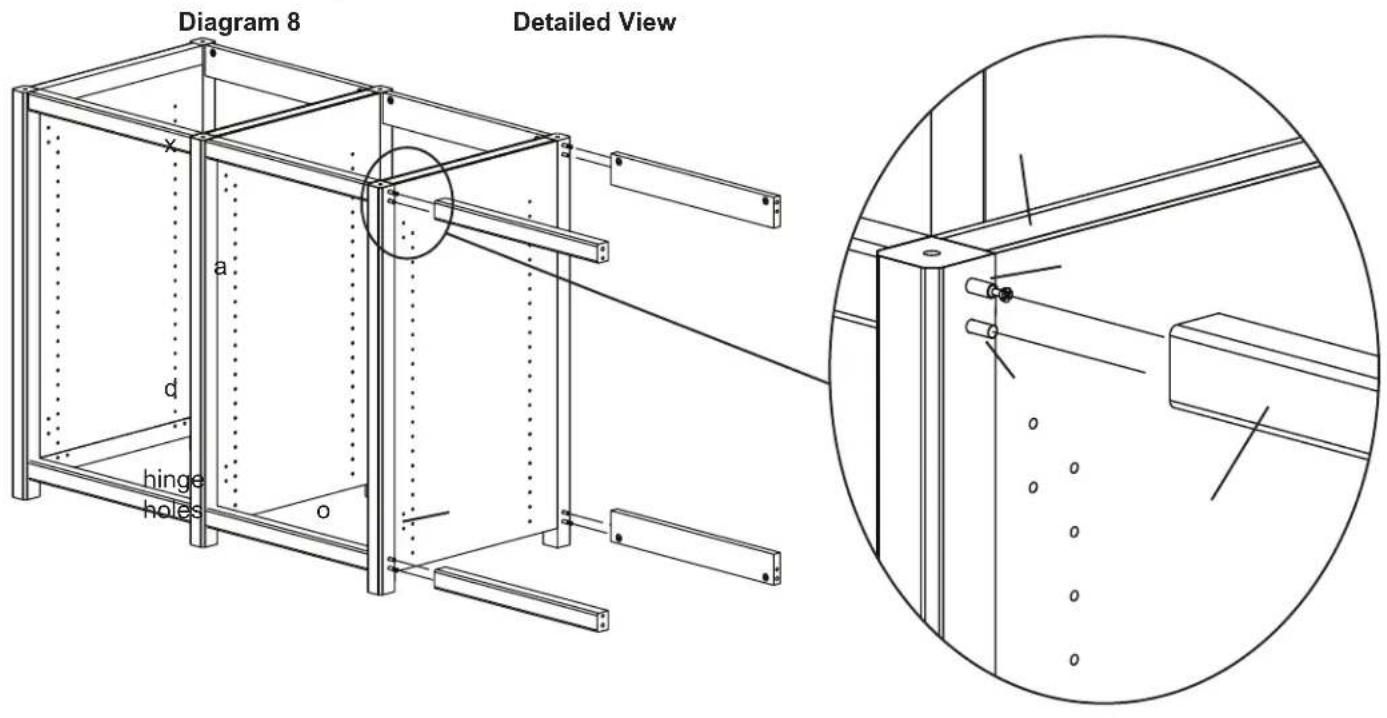
Add the Front and Back Stretchers (o,p) to the Center Panel (x), by aligning the Cam Pin (a) with the hole which the Cams (b) point to. The Dowel (d) fits into the adjacent hole. Make sure the stretchers are oriented so the Cams face inward. Tighten each Cam closest to the Side Panel in a clockwise motion until the stretchers are secured. See Diagram 8 for assistance. Note: Front stretchers attach to the same side as the hinge holes are on.
text_image
Diagram 8 Detailed View x a d hinge holes oStep 9: Add Side Panel
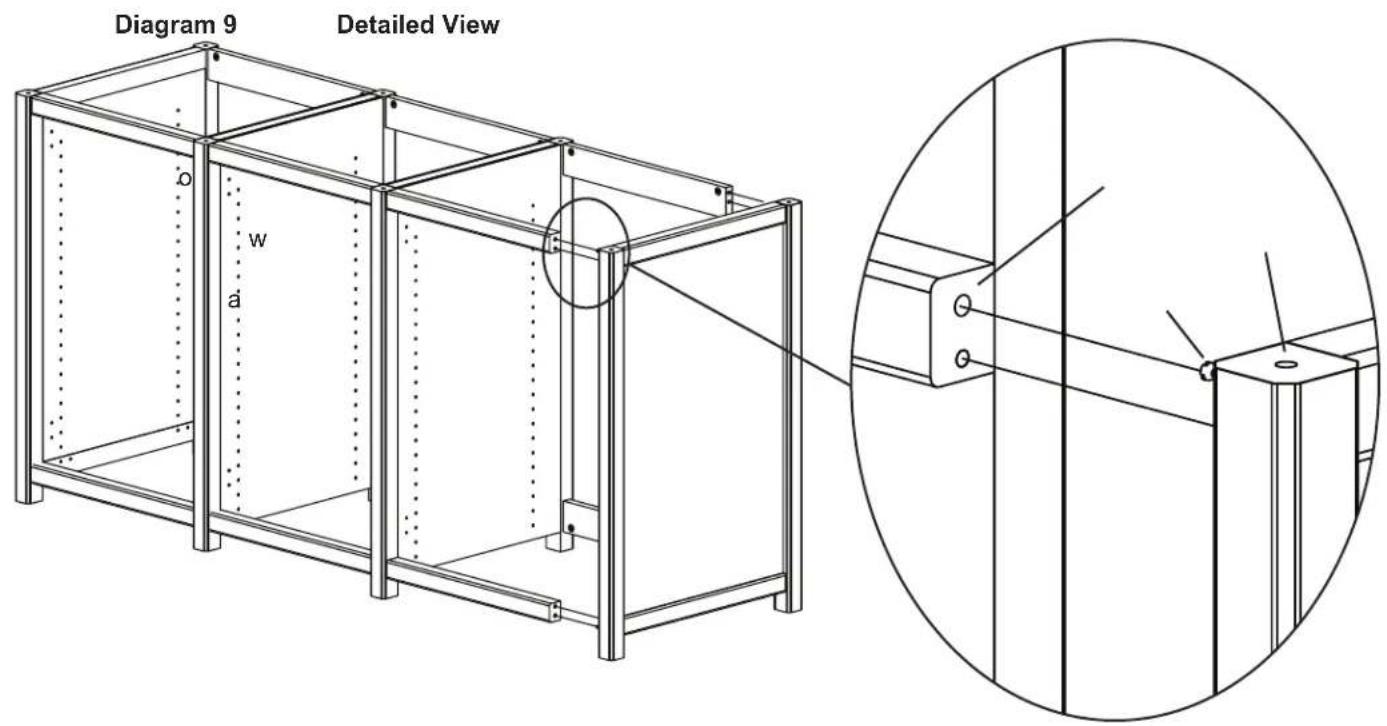
Press fit the Side Panel (w) against the Stretchers (o,p) so the Cam Pin (a) goes into the hole which the Cams (b) point to. The Dowel (d) fits into the adjacent hole. Tighten each Cam in a clockwise motion until the Stretchers are secured to the Side Panel. See Diagram 9 for assistance. Note: Make sure the hinge holes on the Side Panel are on the same side as the Front Stretchers.
text_image
Diagram 9 Detailed View o w aStep 10: Add Shelf Pins and Bottom Shelf
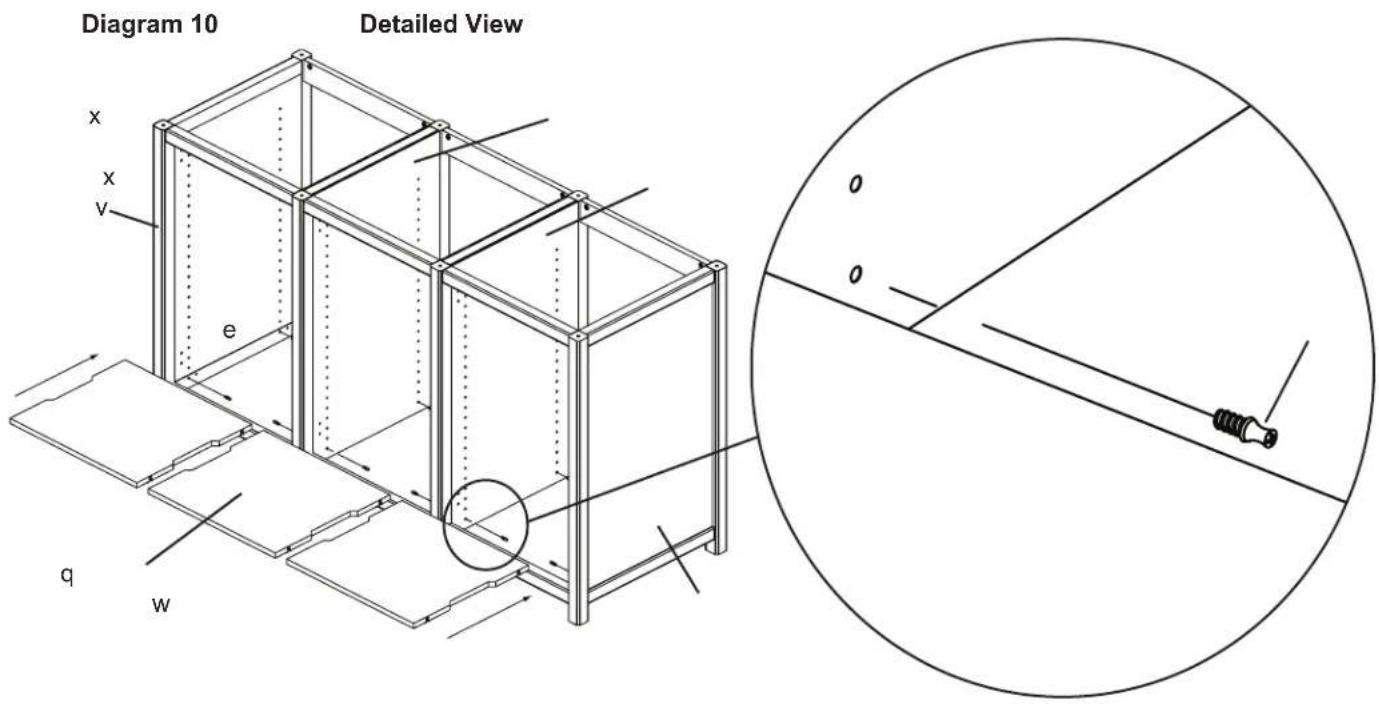
Thread the Shelf Pins (e) into the bottom hole in the line of holes in each Panel (v,w,x). Tighten Shelf Pins with a Phillips screw driver. Add the Bottom Shelf (q) by inserting it into the assembly and press fit it onto the Shelf Pins. Make sure the Bottom Shelf is flush against the Front Stretcher (o). If there is a gap on the front side the shelf may be installed backward. See Diagram 10 for assistance.
text_image
Diagram 10 Detailed View x x v e q w o oStep 11: Add Top
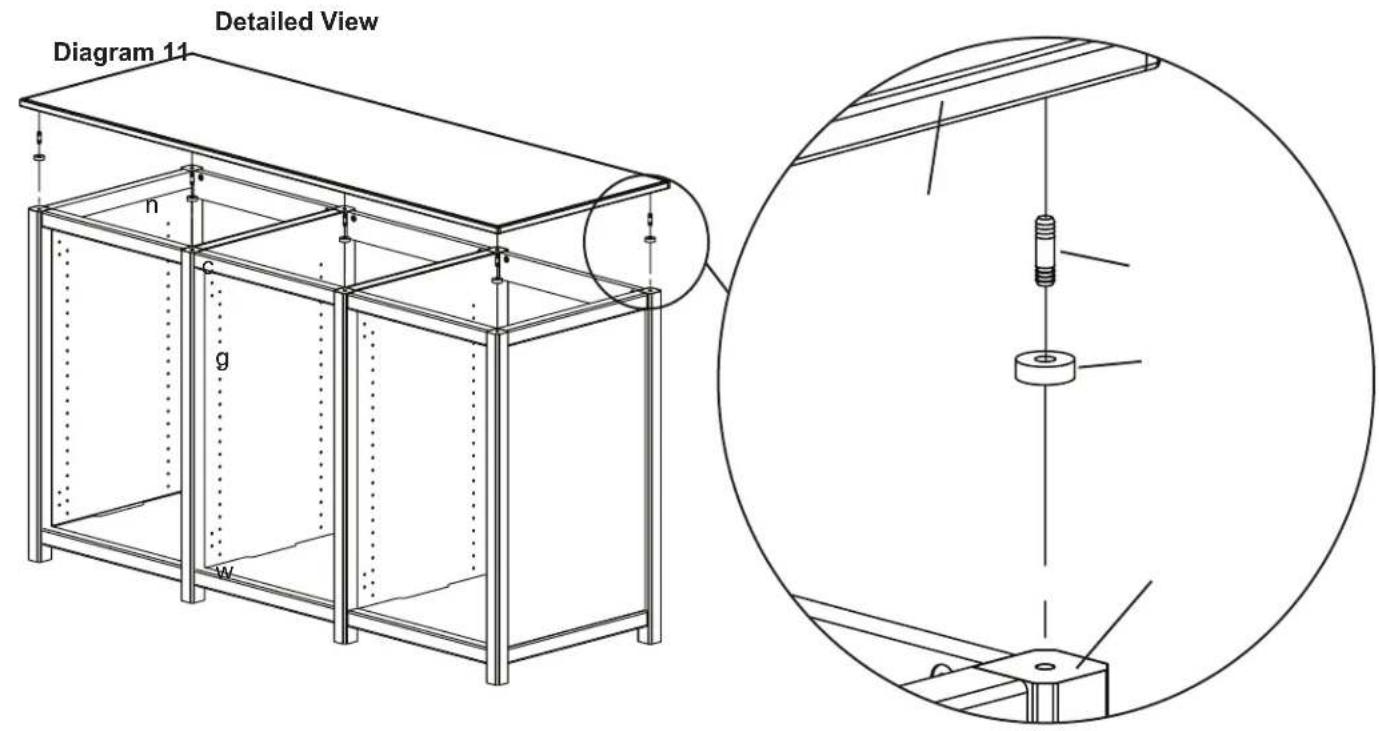
Gently tap a Dowel Pin (c) into the holes on the top of each Panel (v,w,x). Slide a Spacer (g) over each Dowel Pin. Press fit the Top (n) so it fits onto the Dowel Pins. See Diagram 11 for assistance.
text_image
Detailed View Diagram 11 n c g wStep 12: Prepare Doors
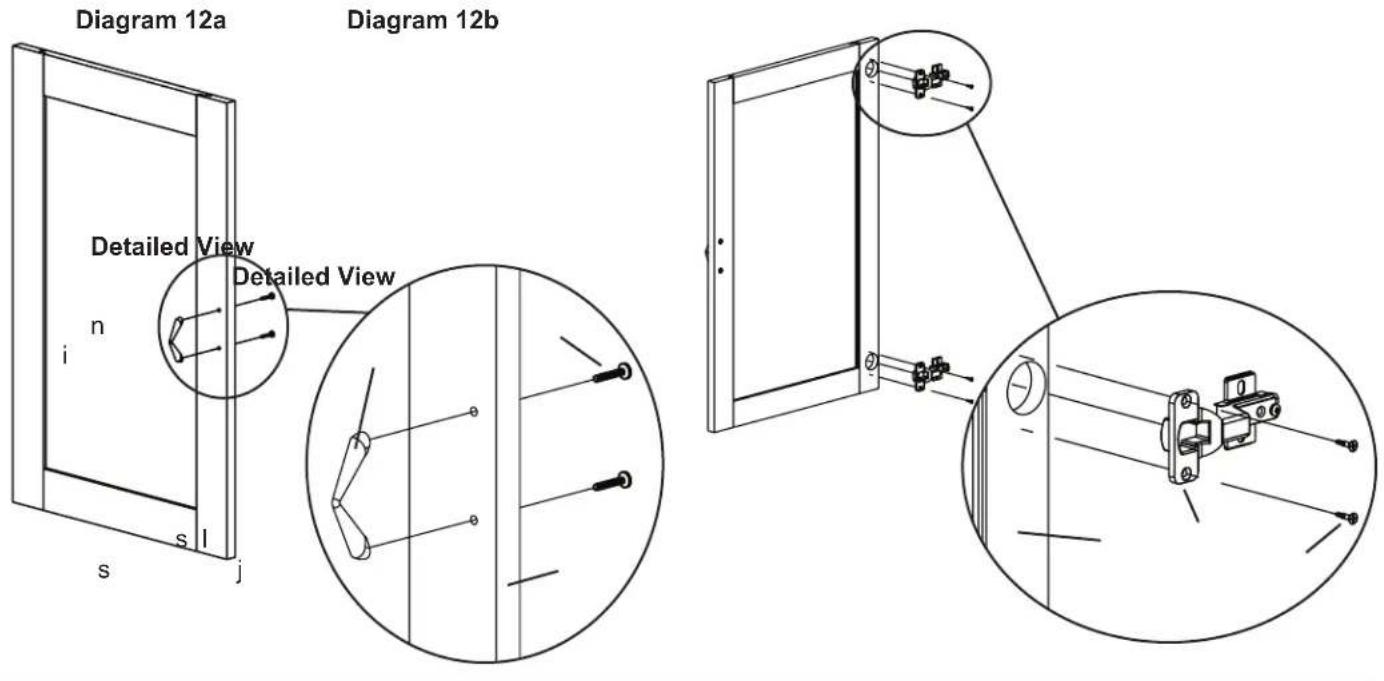
Insert each Phillips Bolt (h) through the Door (s) and into the Door Handle (i). Tighten with a Phillips screw driver. See Diagram 12a for assistance. The Door Panels can be interchanged by removing and re-installing the plastic border from the perimeter of the Door's back side.
Insert a Hinge Screw (j) through the Hinge (l) and thread it into the Door (s). Tighten each with a Phillips screw driver. Repeat process until each Hinge Assembly is secure. See Diagram 12b for assistance.
text_image
Diagram 12a n i s l j Detailed View Detailed View Diagram 12b -Step 13: Door Install
Position the Door (s) so the holes in the Hinge Plate (m) line up with the front pair of hinge holes in the Panel (v,w,x). Insert a Hinge Plate Screw (k) through the Hinge Plate and thread it into each hole in the Panel. Tighten with a Phillips screw driver. Repeat process so each Hinge Assembly is secured. See Diagram 13 for assistance.

text_image
Detailed View s v m k Diagram 13Step 14: Add Mid Shelves
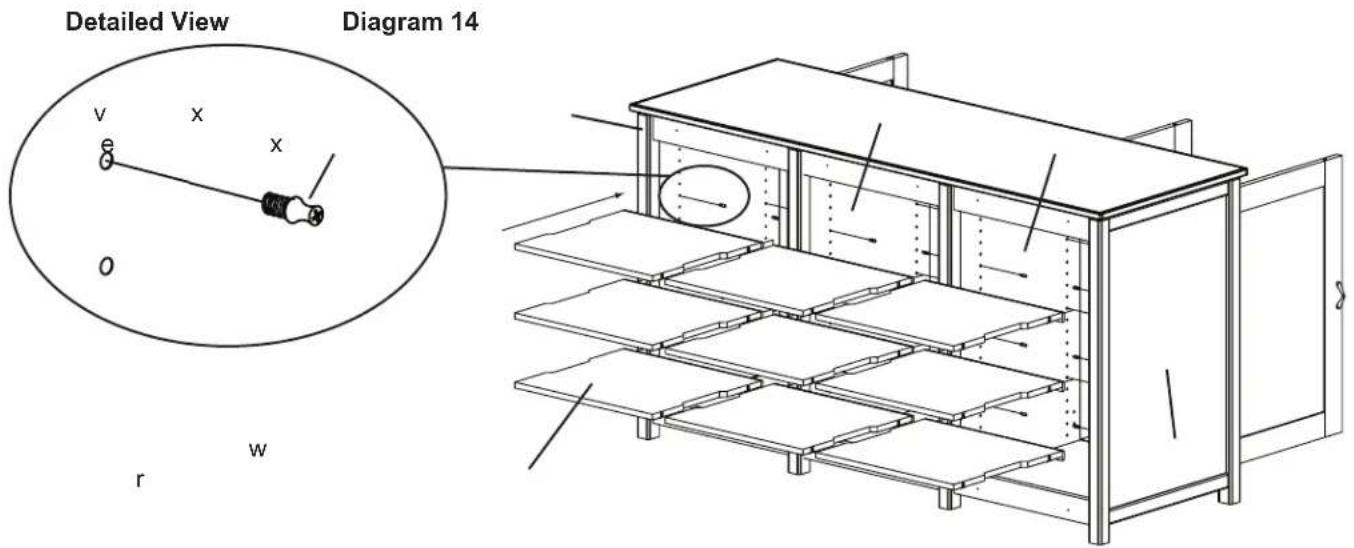
Thread a Shelf Pin (e) into the desired location in the Panels (v,w,x). For each shelf, four Shelf Pins will be required. Insert each Mid Shelf (r) into the assembly and press fit onto the Shelf Pins. Make sure the wood strip on each shelf is facing toward the front. See Diagram 14 for assistance. Note: Diagram 14 is a Back View.
text_image
Detailed View Diagram 14 v x x O r wStep 15: Add Back Panel
Position each Back Panel (u) up against the assembly and thread a Wood Screw (f) through it and into the Back Stretcher (p). Repeat process until each Back Panel is secured with four Wood Screws. Tighten each with a Phillips screw driver. See Diagram 15 for assistance.

text_image
Detailed View Diagram 15 f p uStep 16: Hinge Adjustment for Woodbrook Door
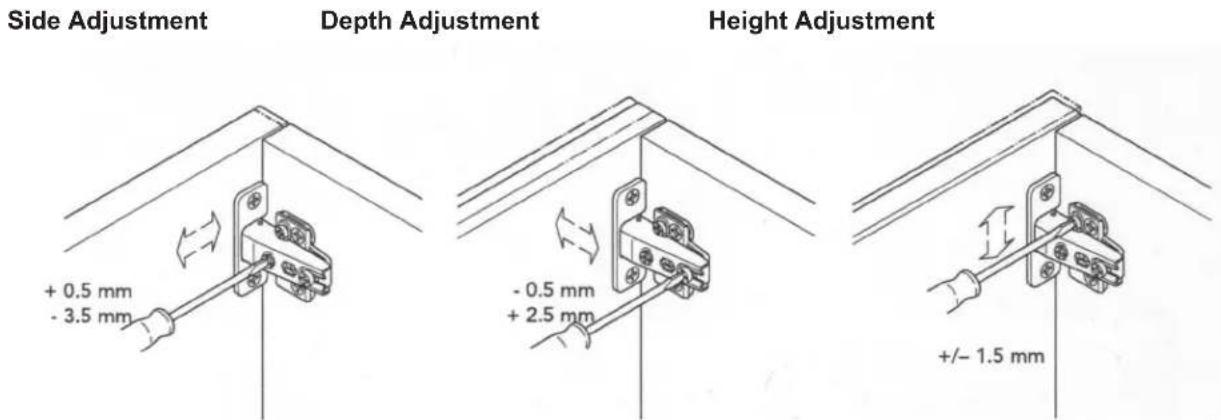
Each hinge Assembly is adjustable in multiple directions. See Diagram 16 for assistance.
Diagram 16