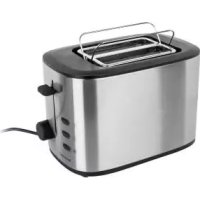
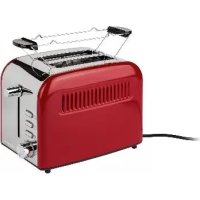
USER MANUAL KH 1209 SILVERCREST
Intended use 2
Items supplied 2
Technical Data 2
Important safety instructions 2
Tips on usage 2
Operating Elements 3
Placement 3
Before taking into use 3
Adjusting the browning level 3
Toasting 3
Interrupting the toasting process 4
Warming function 4
Thaw function 4
Crum tray 4
Bread roll holder 4
Cleaning and Care 5
Storage 5
Disposal 5
Warranty and Service 5
Importer 6
Read these operating instructions carefully before using the appliance for the first time and preserve this maulal for later reference. Pass this manual on to whoever might acquire the appliance at a future date.
Intended use
This appliance is intended for the toasting of slices of bread, rolls and waffles in domestic environments. It is not intended for use with other foodstuffs, other materials or for use in commercial or industrial environments. Any other use, and modification of the appliance, is regarded as contrary to the intended use and could increase the risk of accidents.
Items supplied
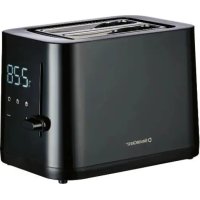
Toaster KH1209
Operating Instructions
Technical Data
Rated voltage: 220 - 240V ~ 50 Hz
Power consumption: 900 W
Important safety instructions
To avoid potentially fatal risks through electric shock:
- NEVER insert cutlery or other metallic objects into the toaster slots.
- Ensure that the appliance never comes into contact with water when the power plug is inserted into a wall socket, especially if it is being used in a kitchen and close to the sink.
-
Ensure that the power cable never becomes wet or moist when the appliance is in use. Lay the cable such that it does not get clamped or otherwise damaged.
-
Arrange for defective power plugs and/or cables to be replaced immediately by qualified technicians or by our Customer Service Department.
After use, always remove the power plug from the wall socket, this prevents the unintentional switching on of the appliance.
To avoid the risks of fire or injury:
- The appliance can become hot when it is in use. Therefore, only touch the operating elements.
- Bakery products can burn! You should therefore NEVER locate the appliance close to or underneath inflammable objects, especially not under curtains or suspended cupboards.
- The appliance may not be used in close vicinity to flammable material.
- NEVER cover the toaster when it is in use.
- This appliance is not intended for use by individuals (including children) with restricted physical, physiological or intellectual abilities or deficiencies in experience and/or knowledge unless they are supervised by a person responsible for their safety or receive from this person instruction in how the appliance is to be used.
- Children should be supervised in order to make sure that they do not play with the device.
- Operate the appliance only on a stable, non-slippery and level surface.
- Do not use an external timing switch or a separate remote control system to operate the appliance.
- Unwind the power cable completely from the cable winder before using the appliance.
Tips on usage
- Toast mixed-flour breads at higher browning levels than white bread. Matured, dry bread browns faster than fresh bread.
- Avoid using slices that are too big or too thick, as these can easily become jammed in the appliance.

Attention:
In the event of a malfunction and when cleaning the appliance, remove the power plug from the wall socket. Risk of electrical shock!
- Loosen jammed slices of bread with a blunt wooden object (e.g. a wooden spatula or spoon). Do NOT touch the heater elements.
- Differences in bread sorts, moisture and the thickness of individual slices influence the browning of the toast. Therefore the bread for toasting should be kept in sealed packaging until required.
Operating Elements
1 Bread roll holder
Toaster slots
3 Operating button
4 Button for the warm-up function
3 Button for the defrost function
Stop button for interrupting the toasting process
Browning regulator (for stepless regulation of the toasting time electronics)
3 Crumb tray
9 Bread-roll attachment button
Placement
- Unwrap the power cable from the cable winder on the underside of the appliance.
- Lay the cable to the rear, through the recess on the base of the appliance. This prevents it becoming trapped whilst in use.
- Place the toaster on a dry and level surface.
Before taking into use
Heat the appliance up at least five times, at the maximum setting, without insertion of bread slices. For details on cleaning the appliance read the section "Cleaning and Care".
Please take note:
The operating button 3 only engages when the power cable is connected to a power socket. With the first usage a slight smell may occur (minimal smoke development is also possible). This is normal and dissipates after a short time. Please provide for adequate ventilation.
Adjusting the browning level
The desired level of browning, from "light" (1) to "dark" (7) can be adjusted infinitely with the browning regulator ⑦ of the toasting time electronics.
Take note that, subject to the demand made on the toaster, the level of browning can vary somewhat with an unvarying adjustment of the browning regulator !The less the number of slices inserted, the higher is the browning level. Thus, if you are not intending to toast many slices, always adjust the browning regulator a little lower.
Toasting
Attention:
NEVER cover the toaster slots ② when operating the toaster! There is a risk of fire! The appliance could become damaged!
After setting the desired browning level, insert the bread into the toaster slots 2.
- Press the operating button ③ downwards. The control lamp integrated into the stop button ⑥ glows.
- The automatic bread centering device centres the inserted bread in the toaster slots ②.
- When the desired level of browning has been reached the toaster switches itself off automatically and the slices are ejected to the top.
- This appliance has a lifting function, which makes it easier and safer for you to take the hot slices of toast from the toaster slots ②. For this, slide the operator button ③ upwards.
Interrupting the toasting process

If you wish to interrupt the toasting process, press the STOP button 6. The toaster switches itself off.
Warming function
The warming function ±b makes it possible for you to warm bread without browning it. For example, for toast that has gone cold. The bread is only briefly warmed.
- Insert the bread and press the operator button ③ down.
- Activate the button for the warming function ④. The control lamp integrated into the button for the warming function ④ glows.
- The toaster switches itself off automatically, the control lamp extinguishes and the bread slices are ejected.
Thaw function

Through activation of the thaw function ⑤ frozen bread can also be thawed. Thereby, the toaster slowly warms the bread.
Dependent on the setting of the browning level, the bread is either thawed or browned.
Crumb tray
When toasting, crumbs that fall from the bread are collected in the crumb tray 8. To empty it, simply pull the crumb tray 3 out to the side.
Bread roll holder
- NEVER lay bread rolls directly onto the toaster, ALWAYS use the bread roll holder ①
- Press the bread-roll attachment button ⑨ down. The bread-roll attachment ① folds itself out.
- Place the bread rolls on it and start the toasting process. Set the browning regulator ① to between levels 3 and 4
i Place the rolls onto the bread roll holder 1 so that they cannot fall through the holder. After toasting, the rolls will be very hot.
- As soon as the toaster switches itself off, check the level of browning. Should the bread roll have the desired level of browning, turn it over to brown the other side.
- Switch the toaster back on.
- When you no longer require the bread-roll attachment ①, pull the bread-roll attachment button ⑨ upward. The bread-roll attachment ① folds itself away.
Danger!
Before cleaning, remove the power plug from the wall socket and allow the toaster to cool down. Risk of injury!

NEVER submerse the appliance in water or other liquids. The appliance could be irreparably damaged!

Warning about damage to the appliance!
Do not use aggressive or abrasive cleaning agents. These can damage the upper surfaces of the appliance.
- Clean the appliance housing only with a dry or lightly moistened cloth.
If necessary, use a stainless steel cleaner.
- To avoid the risk of fire, empty the crumb tray 8 at regular intervals.
Storage
- Store the toaster at a cool and dry location.
- Clean the appliance as described in the chapter "Cleaning and Care".
- Wrap the power cable around the cable retainer on the underside of the toaster.
Disposal

Under no circumstances may the appliance be disposed of with normal household waste. This appliance is subject to the provisions of European Guidelines 2002/96/EC.
Dispose of the appliance through an approved disposal centre or at your community waste facility. Observe the currently applicable regulations. In case of doubt, please contact your local waste disposal centre.

Dispose of packaging materials in an environmentally responsible manner.
Warranty and Service
The warranty for this appliance is for 3 years from the date of purchase. The appliance has been manufactured with care and meticulously examined before delivery. Please retain your receipt as proof of purchase. In the case of a warranty claim, please make contact by telephone with our service department. Only in this way can a post-free despatch for your goods be assured.
The warranty covers only claims for material and manufacturing defects, not for wearing parts or for damage to fragile components, e.g. buttons or batteries. The appliance is intended for domestic use only, NOT for commercial purposes.
If this product has been subjected to improper or inappropriate handling, abuse, or modifications not carried out by one of our authorised sales and service outlets, the warranty will be considered void. Your statutory rights are not restricted in any way by this warranty.
GB DES Ltd
Units 14-15
Bilston Industrial Estate
Oxford Street
Bilston
WV147EG
Tel.: 0870/787-6177
Fax: 0870/787-6168
e-mail: support.uk@kompernass.com
IE Kompernass Service Ireland
Tel: 1850 930 412 (0,082 EUR/Min.)
Standard call rates apply. Mobile operators may vary.
e-mail: support.ie@kompernass.com
Importer
KOMPERNASS GMBH
BURGSTRASSE 21
44867 BOCHUM, GERMANY
www.kompernass.com