MX-3111U - Printer SHARP - Free user manual and instructions
Find the device manual for free MX-3111U SHARP in PDF.


User questions about MX-3111U SHARP
0 question about this device. Answer the ones you know or ask your own.
Ask a new question about this device
Download the instructions for your Printer in PDF format for free! Find your manual MX-3111U - SHARP and take your electronic device back in hand. On this page are published all the documents necessary for the use of your device. MX-3111U by SHARP.
USER MANUAL MX-3111U SHARP
DIGITAL FULL COLOR MULTIFUNCTIONAL SYSTEM
MX-2310U/MX-3111U
STARTGUIDE
Each instruction also covers the optional units used with these products.
Caution!
For complete electrical disconnection, pull out the main plug.
The socket-outlet shall be installed near the equipment and shall be easily accessible.
FAX interface cable and Line cable
These special accessories must be used with the device.
To reduce the risk of fire, use only UL-Listed No.26 AWG or larger telecommunication line cord.
FOR YOUR RECORDS …
To protect against loss or theft, record and retain for reference the machine's serial number located at the lower left corner of the left side of the machine.
Model Number
Serial Number
Date of Purchase
Place of Purchase
Authorized Sharp Printer
Service Department Number
Notice for Users in U.S.A.
EMC (this machine and peripheral devices)
WARNING:
FCC Regulations state that any unauthorized changes or modifications to this equipment not expressly approved by the manufacturer could void the user's authority to operate this equipment.
Shielded interface cables must be used with this equipment to maintain compliance with EMC regulations.

This equipment has been tested and found to comply with the limits for a Class A digital device, pursuant to Part 15 of the FCC Rules.
These limits are designed to provide reasonable protection against harmful interference when the equipment is operated in a commercial environment. This equipment generates, uses, and can radiate radio frequency energy and, if not installed and used in accordance with the instruction manual, may cause harmful interference to radio communications. Operation of this equipment in a residential area is likely to cause harmful interference in which case the user will be required to correct the interference at his own expense.
This machine contains the software having modules developed by Independent JPEG Group.
This product includes Adobe® Flash® technology of Adobe Systems Incorporated.
Copyright© 1995-2007 Adobe Macromedia Software LLC. All rights reserved.
SOFTWARE LICENSE
The SOFTWARE LICENSE will appear when you install the software from the CD-ROM. By using all or any portion of the software on the CD-ROM or in the machine, you are agreeing to be bound by the terms of the SOFTWARE LICENSE.
The explanations in this manual are based on American English and the North American version of the software.
Software for other countries and regions may vary slightly from the North American version.

- The explanations in this manual assume that you have a working knowledge of your Windows or Macintosh computer.
- For information on your operating system, please refer to your operating system manual or the online Help function.
The explanations of screens and procedures in this manual are primarily for Windows Vista® in Windows® environments. The screens may vary depending on the version of the operating system. - Considerable care has been taken in preparing this manual. If you have any comments or concerns about the manual, please contact your dealer or nearest SHARP Service Department.
This product has undergone strict quality control and inspection procedures. In the unlikely event that a defect or other problem is discovered, please contact your dealer or nearest SHARP Service Department. - Aside from instances provided for by law, SHARP is not responsible for failures occurring during the use of the product or its options, or failures due to incorrect operation of the product and its options, or other failures, or for any damage that occurs due to use of the product.

Products that have earned the ENERGY STAR® are designed to protect the environment through superior energy efficiency.
The products that meet the ENERGY STAR® guidelines carry the logo shown above. The products without the logo may not meet the ENERGY STAR® guidelines.
Warranty
While every effort has been made to make this document as accurate and helpful as possible, SHARP Corporation makes no warranty of any kind with regard to its content. All information included herein is subject to change without notice. SHARP is not responsible for any loss or damages, direct or indirect, arising from or related to the use of this operation manual.
Copyright SHARP Corporation 2011. All rights reserved. Reproduction, adaptation or translation without prior written permission is prohibited, except as allowed under copyright laws.
Contents
CAUTIONS 5
Symbols in this manual 5
Power notes 5
Installation notes 6
About consumables 7
Handling precautions 7
SUPPLIES 9
Emission of noise and chemicals 10
Part Names 11
TURING THE POWER ON AND OFF 12
OPERATION MANUALS AND HOW TO USE THEM 13
How to read the Operation Guide 14
SPECIFICATIONS 15
Basic Specifications / Copier specifications 15
Automatic document feeder (Standard equipment) 16
Tray 16
Finisher 16
Punch module 17
Fax Specifications 17
Network Printer Specifications 18
Network Scanner Specifications 18
TO THE ADMINISTRATOR OF THE MACHINE 20
System settings password 20
Forwarding all transmitted and received data to the administrator
(document administration function) 20
For the users of the fax function 21
Trademark acknowledgments 23
Symbols in this manual
To ensure safe use of the machine, this manual uses various safety symbols. The safety symbols are classified as explained below. Be sure you understand the meaning of the symbols when reading the manual.
Meaning of the symbols

CAUTION!
HOT

PINCH POINT
KEEP CLEAR

PROHIBITED
ACTIONS

WARNING
Indicates a risk of death or serious injury.

CAUTION
Indicates a risk of human injury or property damage.
Power notes

WARNING

Be sure to connect the power cord only to a power outlet that meets the specified voltage and current requirements. Also make certain the outlet is properly grounded. Do not use an extension cord or adapter to connect other devices to the power outlet used by the machine. Using an improper power supply may cause fire or electrical shock.
- For the power supply requirements, see the name plate in the lower left corner of the left side of the machine.

Do not damage or modify the power cord.
Placing heavy objects on the power cord, pulling it, or forcibly bending it will damage the cord, resulting in fire or electrical shock.

Do not insert or remove the power plug with wet hands.
This may cause electrical shock.

CAUTION

When removing the power plug from the outlet, do not pull on the cord.
Pulling on the cord may cause damage such as wire exposure and breakage, and may result in fire or electrical shock.

If you will not use the machine for a long time, be sure to remove the power plug from the outlet for safety.

When moving the machine, switch off the main power and remove the power plug from the outlet before moving.
The cord may be damaged, creating a risk of fire or electrical shock.

CAUTION

Do not install the machine on an unstable or slanted surface. Install the machine on a surface that can withstand the weight of the machine.
Risk of injury due to the machine falling or toppling.
If peripheral devices are to be installed, do not install on an uneven floor, slanted surface, or otherwise unstable surface. Danger of slippage, falling, and toppling. Install the product on a flat, stable surface that can withstand the weight of the product.

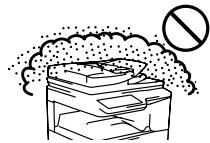
Do not install in a location with moisture or dust.
Risk of fire and electrical shock.
If dust enters the machine, dirty output and machine failure may result.

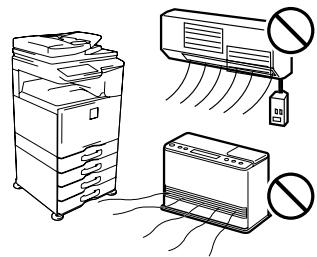
Locations that are excessively hot, cold, humid, or dry (near heaters, humidifiers, air conditioners, etc.)
The paper will become damp and condensation may form inside the machine, causing misfeeds and dirty output.
SPECIFICATIONS (page 15)
If the location has an ultrasonic humidifier, use pure water for humidifiers in the humidifier. If tap water is used, minerals and other impurities will be emitted, causing impurities to collect on the inside of the machine and create dirty output.

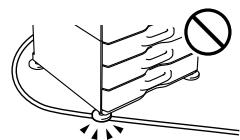
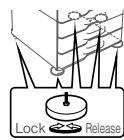
When the machine is installed, the adjusters (5) must be lowered to the floor to secure the machine (prevent it from moving).
Rotate the adjusters in the locking direction until they are in firm contact with the floor.
If you find it necessary to reposition the machine due to rearrangement of your office layout or other reason, retract the adjusters from the floor, turn off the power, and then move the machine.
(After moving the machine, lower the adjusters again to secure the machine.)

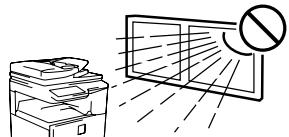
Locations exposed to direct sunlight
Plastic parts may become deformed and dirty output may result.

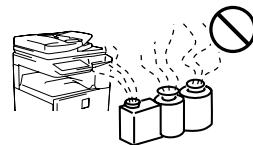
Locations with ammonia gas
Installing the machine next to a diazo copy machine may cause dirty output.

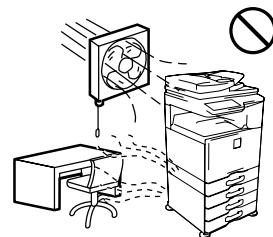
Do not install the machine in a location with poor air circulation.
A small amount of ozone is created inside the machine during printing. The amount of ozone created is not sufficient to be harmful; however, an unpleasant odor may be noticed during large copy runs, and thus the machine should be installed in a room with a ventilation fan or windows that provide sufficient air circulation. (The odor may occasionally cause headaches.)
- Install the machine so that people are not directly exposed to exhaust from the machine. If installed near a window, ensure that the machine is not exposed to direct sunlight.

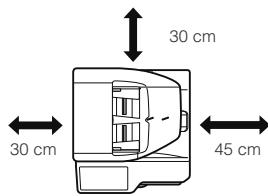
Near a wall
Be sure to allow the required space around the machine for servicing and proper ventilation. (The machine should be no closer than the distances indicated below from walls. The indicated distances are for the case when a saddle finisher and large capacity paper tray are not installed.)

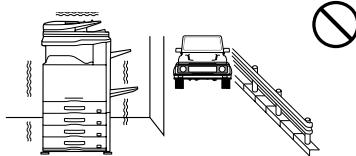
Locations subject to vibration.
Vibration may cause failure.

CAUTION
The machine includes a built-in hard drive. Do not subject the machine to shock or vibration. In particular, never move the machine while the power is on.
- The machine should be installed near an accessible power outlet for easy connection.
- Connect the machine to a power outlet which is not used for other electric appliances. If a lighting fixture is connected to the same outlet, the light may flicker.
About consumables

CAUTION

Do not throw a toner cartridge into a fire.
Toner may fly and cause burns.

Store a toner cartridge out of the reach of children.
Handling precautions

WARNING

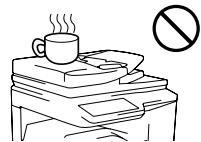
Do not place a container of water or other liquid, or a metal object that might fall inside, on the machine.
If the liquid spills or the object falls into the machine, fire or electrical shock may result.

Do not remove the machine casing.
High-voltage parts inside the machine may cause electrical shock.

Do not make any modifications to this machine.
Doing so may result in personal injury or damage to the machine.

Do not use a flammable spray to clean the machine.
If gas from the spray comes in contact with hot electrical components or the fusing unit inside the machine, fire or electrical shock may result.

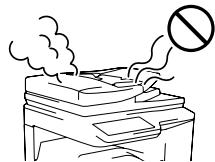
If you notice smoke, a strange odor, or other abnormality, do not use the machine.
If used in this condition, fire or electrical shock may result.
Immediately switch off the main power and remove the power plug from the power outlet.
Contact your dealer or nearest SHARP Service Department.

If a thunder storm begins, switch off the main power and remove the power plug from the outlet to prevent electrical shock and fire due to lightning.

If a piece of metal or water enters the machine, switch off the main power and remove the power plug from the power outlet.
Contact your dealer or nearest SHARP Service Department. Using the machine in this condition may result in electrical shock or fire.

CAUTION

Do not look directly at the light source.
Doing so may damage your eyes.
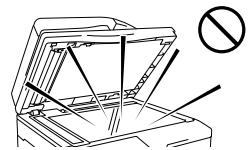

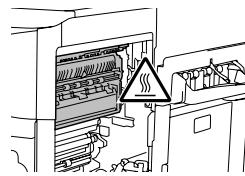
The fusing unit and paper exit area are hot. When removing a misfeed, do not touch the fusing unit and paper exit area. Take care not to burn yourself.

Do not block the ventilation ports on the machine. Do not install the machine in a location that will block the ventilation ports.
Blocking the ventilation ports will cause heat to build up in the machine, creating a risk of fire.

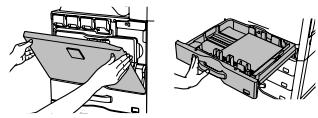
When loading paper, removing a misfeed, performing maintenance, closing the front and side covers, and inserting and removing trays, take care that your fingers are not pinched.
The machine includes the document filing function, which stores document image data on the machine's hard drive. Stored documents can be called up and printed or transmitted as needed. If a hard drive failure occurs, it will no longer be possible to call up the stored document data. To prevent the loss of important documents in the unlikely event of a hard drive failure, keep the originals of important documents or store the original data elsewhere. With the exception of instances provided for by law, Sharp Corporation bears no responsibility for any damages or loss due to the loss of stored document data.
Laser information
| Wave length | 790 nm ± 10 nm |
| Pulse times | Normal paper mode (P/S = 104 mm/s) = (5.15 μs ± 0.03 ns) / 7 mm Heavy paper mode (P/S = 70 mm/s) = (3.83 μs ± 0.03 ns) / 7 mm |
| Output power | Max 0.405 mW |
Caution
Use of controls or adjustments or performance of procedures other than those specified herein may result in hazardous radiation exposure.
This Digital Equipment is CLASS 1 LASER PRODUCT (IEC 60825-1 Edition 2-2007)
SAFETY PRECAUTIONS
This Digital Equipment is rated Class 1 and complies with 21 CFR 1040.10 and 1040.11 of the CDRH standards. This means that the equipment does not produce hazardous laser radiation. For your safety, observe the precautions below.
- Do not remove the cabinet, operation panel or any other covers.
- The equipment's exterior covers contain several safety interlock switches. Do
not bypass any safety interlock by inserting wedges or other items into switch slots.
SUPPLIES
Standard supplies for this product that can replaced by the user include paper, toner cartridges, and staple cartridges for the finisher.
Be sure to use only SHARP-specified products for the toner cartridges, finisher staple cartridge, and transparency film.

SHARP
GENUINE SUPPLIES
For best copying results, be sure to use only Sharp Genuine Supplies which are designed, engineered, and tested to maximize the life and performance of Sharp products. Look for the Genuine Supplies label on the toner package.
Storage of supplies
Proper storage
- Store the supplies in a location that is:
clean and dry,
- at a stable temperature,
not exposed to direct sunlight.
- Store paper in the wrapper and lying flat.
- Paper stored in packages standing up or out of the wrapper may curl or become damp, resulting in paper misfeeds.
Storing toner cartridges
Store a new toner cartridge box horizontally with the top side up. Do not store a toner cartridge standing on end. If stored standing on end, the toner may not distribute well even after shaking the cartridge vigorously, and will remain inside the cartridge without flowing out.
Staple cartridge
The finisher require the following staple cartridge:
MX-SCX1 (for finisher)
Approx. 5000 per cartridge x 3 cartridges
Supply of spare parts and consumables
The supply of spare parts for repair of the machine is guaranteed for at least 7 years following the termination of production. Spare parts are those parts of the machine which may break down within the scope of the ordinary use of the product, whereas those parts which normally exceed the life of the product are not to be considered as spare parts. Consumables too, are available for 7 years following the termination of production.
Emission of noise and chemicals
Noise emission values
Noise emission values as measured according to ISO7779 are listed to the right.
Sound power level Lwad
| Printing mode (continuous printing) | MX-2310U | MX-3111U |
| 7.5 B | 7.4 B | |
| Standby mode (Low power level mode) | MX-2310U | MX-3111U |
| - | - |
Sound pressure level LpAm (actual measurement)
| Printing mode (continuous printing) | Bystander positions | MX-2310U 58 dB | MX-3111U 57 dB |
| Standby mode | Bystander positions | MX-2310U - | MX-3111U - |
(-:less than Background noise)
Emission density (measured according to RAL-UZ122: Edition Jun.2006)
| Measured chemicals | Condition of copier | Color mode | Diffusion speed |
| Ozone | When copier is in operation | Color | 3.0 mg/h or less |
| Black and white | 1.5 mg/h or less | ||
| Dust | Color | 4.0 mg/h or less | |
| Black and white | |||
| Styrene | Color | - | |
| Black and white | |||
| Benzene | Color | ||
| Black and white | |||
| TVOC | Color | 18 mg/h or less | |
| Black and white | 10 mg/h or less | ||
| When on standby | - | 2.0 mg/h or less |
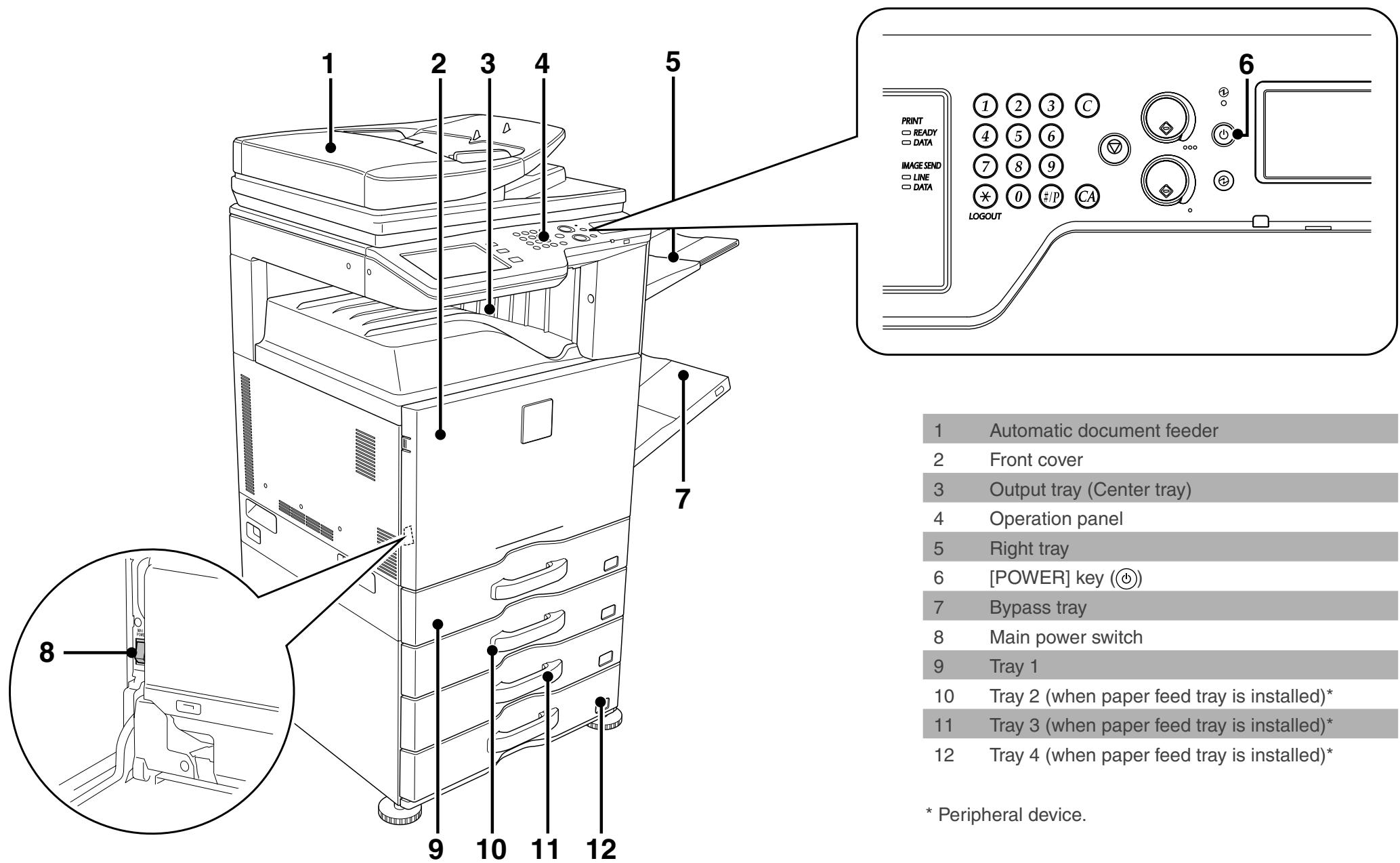
This machine has two power switches. The main power switch is at the bottom left after the front cover is opened. The other power switch is the [POWER] key (6) on the operation panel.
Turning on the power
(1) Switch the main power switch to the “ | ” position.
(2) Press the [POWER] key (⑥) to turn on the power.
Turning off the power
(1) Press the [POWER] key (⑥) to turn off the power.
(2) Switch the main power switch to the "b" position.

- When turning off the power, make sure that the indicator lights on the operation panel turn off as well.
- In the event of a power failure or other reason that causes the machine to suddenly turn off, turn back on the power of the machine and then proceed to turn off the machine following the correct procedures.
Switching off the main power switch or removing the power cord from the outlet while any of the indicators are lit or blinking may damage the hard drive and cause data to be lost.
- Switch off both the [POWER] key (⑥) and the main power switch and unplug the power cord if you suspect a machine failure, if there is a bad thunderstorm nearby, or when you are moving the machine.

When using the fax or Internet fax function, always keep the main power switch in the "on" position.
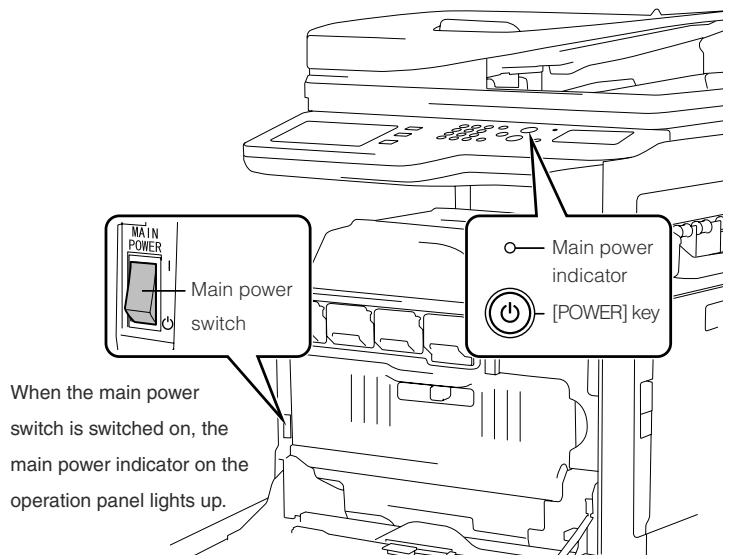
- Restarting the machine
In order for some settings to take effect, the machine must be restarted.
If a message in the touch panel prompts you to restart the machine, press the [POWER] key (⑥) to turn off the power and then press the key again to turn the power back on.

In some states of the machine, pressing the [POWER] key (⑥) to restart will not make the settings take effect. In this case, use the main power switch to switch the power off and then on.
The instructions for this manual are separated in the following three sections.
Before using the machine
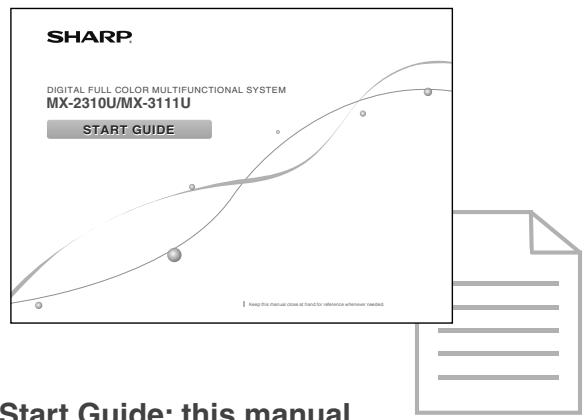
Start Guide: this manual
This section explains precautions to ensure safe usage, part names and how to switch on/off the power. This section also includes important information for persons that are responsible for the maintenance of this machine.
Read this section before using the machine for the first time.
Printing and faxing from a computer
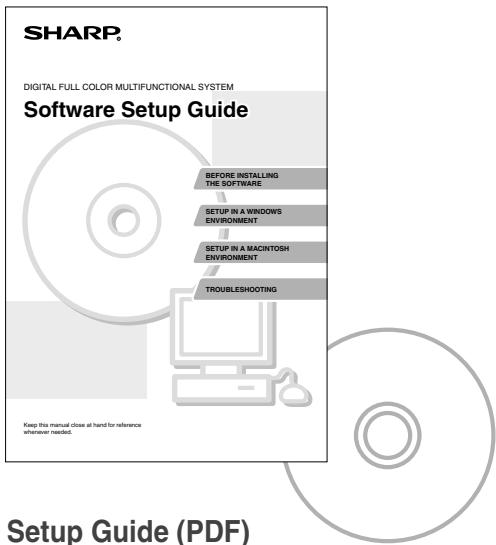
Software Setup Guide (PDF)
This section explains how to install the various drivers needed when using this machine as a printer, network scanner, or fax machine.
Read this section when using this machine from a computer. The Software Setup Guide is on the "Software CD-ROM".
Directions for use
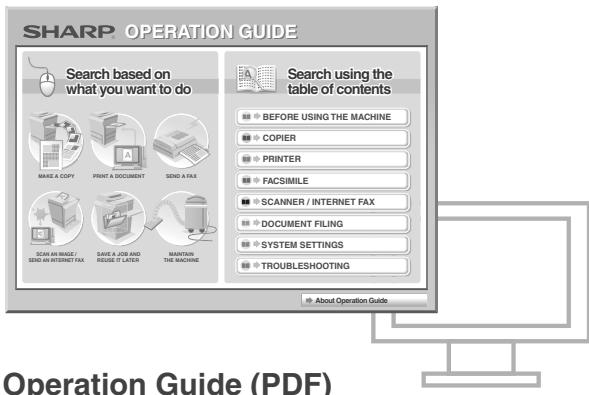
Information on the copier, fax, and other various functions that this machine provides have been compiled into a PDF file called [Operation Guide]. Read the Operation Guide to learn how to use this machine, when you want to know more about its functions, or when you have trouble operating it. The [Operation Guide] is downloaded from this machine itself.
How to read the Operation Guide
The [Operation Guide] can be downloaded from the machine and viewed on a computer. You can download the [Operation Guide] following the procedures below while the machine is connected to the network.
1 Confirm the machine's IP address
First, press the [SYSTEM SETTINGS] key on the operation panel and then touch [List Print (User)] when it appears on the touch panel.
Next, select [NIC Page] from [Printer Test Page] and then touch the [Print] button. Confirm the machine's IP address from the printed list.
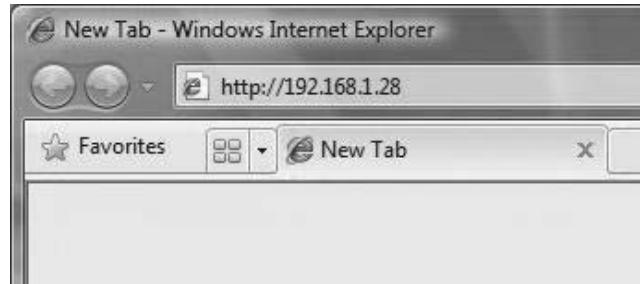
2 Insert the machine's IP address into the address bar of your web browser to access the machine.
http://machine's IP address/
User verification may be required depending on the machine's settings.
Please check with the machine's administrator to obtain the account information necessary for verification.
3 Download the [Operation Guide]
Click [Operation Manual Download] from the page displayed. Next, select a language to download the file in from the [Language] list and then click on the [Download] button.
4 Double-click on the downloaded file to display the Operation Guide.
Basic Specifications / Copier specifications
| Name | MX-2310U/MX-3111U | ||
| Type | Desktop | ||
| Color | Full color | ||
| Copier system | Laser electrostatic copier | ||
| Scanning resolution | Scan (B/W): 600 × 600 dpi, 600 × 400 dpi, 600 × 300 dpi Scan (full color): 600 × 600 dpi Print: 600 × 600 dpi, equivalent to 9,600 dpi × 600 dpi | ||
| Gradation | Scan: equivalent to 256 levels / Print: equivalent to 256 levels | ||
| Original paper sizes | Max. 11" × 17" (A3) / sheets, bound documents | ||
| Copy sizes | 12" × 18" (A3 wide) to 5-1/2" × 8-1/2" R, A5R, Transparency film, Heavy paper, Envelopes Tray 1-4: 11" × 17", 8-1/2" × 14", 8-1/2" × 13-1/2", 8-1/2" × 13-2/5", 8-1/2" × 13", 8-1/2" × 11", 8-1/2" × 11" R, 7-1/4 × 10-1/2" R, 5-1/2" × 8-1/2" R A3, B4, A4, A4R, B5, B5R, A5R Multi-bypass tray: 12" × 18" (A3 wide) to 5-1/2" × 8-1/2" R, A5R, Transparency film, Heavy paper, Envelopes Lost margin (leading edge): 11/64" (4 mm) ± 3/64" (± 1 mm) Lost margin: (trailing edge): 6/64" (2 mm) - 13/64" (- 5 mm) Leading edge / trailing edge: total 21/64" (8 mm) or lessNear edge / far edge: total 11/64" (4 mm) ± 6/64" (± 2 mm) or less | ||
| Warm-up time | MX-2310U | MX-3111U | |
| 20 seconds | 20 seconds | ||
| ● This may vary depending on the ambient conditions. | |||
| First-copy time | MX-2310U | MX-3111U | |
| Full color: 10.0 seconds | 7.9 seconds | ||
| B/W: 7.4 seconds | 5.8 seconds | ||
| ● This may vary depending on the state of the machine. | |||
| Continuous copying speeds* (when shifter is not in operation) | MX-2310U 8-1/2" × 11", A4 8-1/2" × 11"R, A4R 7-1/4" × 10-1/2" R, B5R 8-1/2" × 14", B4 11" × 17", A3 | 23 copies/min. 15 copies/min. 13 copies/min. 11 copies/min. | MX-3111U 31 copies/min 20 copies/min 17 copies/min 15 copies/min * Continuous speed for same original source. Output may be temporarily interrupted to stabilize image quality. |
| Copy rations | Same size: 1:1 ± 0.8 % Enlarge: 121 %, 129 %, 200 %, 400 % Reduce: 25 %, 50 %, 64 %, 77 % Zoom range: 25 to 400 % (25 - 200 % using RSPF) in 1 % increments, total 376 increments. |
| Paper feed / capacity | 500 sheets in one tray plus 100-sheet multi-bypass tray • Using 21 lbs. (80 g/m²) weight paper |
| Max. paper feed / max. capacity | 2,100 sheets in 4 trays (500 × 4) plus 100-sheet multi-bypass tray • Using 21 lbs. (80 g/m²) weight paper |
| Continuous copy | Max. 999 copies |
| Storage | Standard: 1 GB HDD: 160 GB • 1 GB = One billion bytes when referring to hard drive capacity. Actual format capacity is less. |
| Ambient environment | 54 °F (10 °C) to 91 °F (35 °C) (20 % to 60 % RH) 54 °F (10 °C) to 86 °F (30 °C) (85 % RH) |
| Required power supply | AC 120V ±10% 60Hz Power consumption Max. 1.44 kW (including options such as the desk) |
| Dimensions | 22-61/64" (W) × 24-34/64" (D) × 32-53/64" (H) (583 mm (W) × 623 mm (D) × 834 mm (H)) |
| Weight | Approx. 159 lbs. (72 kg) |
| Overall dimensions | 33-32/64" (W) × 24-34/64" (D) (851 mm (W) × 623 mm (D)) (With multi-bypass tray extended) 37-61/64" (W) × 24-34/64" (D) (964 mm (W) × 623 mm (D)) (With right side exit tray extended) |
Automatic document feeder (Standard equipment)
Name
Document feeder types
Original paper sizes
Original paper types
Reversing Single Pass Feeder (RSPF)
Reversing Single Pass Feeder (RSPF)
11^ × 17^ (A3) to 5 - 1 / 2^ × 8 - 1 / 2^ (A5)
Paper weight Thin paper 9 lbs. (35g / m^2) to 13 lbs. (49g / m^2)
Plain paper 13 lbs. (50g / m^2) to 32 lbs. (128g / m^2)
Two-sided
13 lbs. (50g / m^2) to 28 lbs. (105g / m^2)
Paper storage capacity
Scan speed (copy)
100 sheets (21 lbs. (80g / m^2)
(or maximum stack height of 33 / 64^* (13 mm))
B/W: 50 one-sided sheets/minute (8-1/2" × 11" (A4) horizontal)
(600× 400dpi)
Color: 36 one-sided sheets/minute (8-1/2" × 11" (A4) horizontal)
(600× 600dpi)
Drawer
Name
Paper sizes
Useable paper
Paper capacity
(MX-DE12)
(MX-DE13)
(MX-DE14)
11^ × 17^ A3to 5 - 1 / 2^n× 8 - 1 / 2^nR A5R
16 lbs. (60g / m^2) to 56 lbs. (209g / m^2)
500 sheets
1,000 (500× 2)
1,500 (500× 3)
Dimensions
Weight
22-61/64" (W) × 22-46/64" (D) × 15-1/64" (H)
(583 mm (W) × 577 mm (D) × 382 mm (H))
MX-DE12: Approx. 46 lbs. (21 kg)
MX-DE13: Approx. 51 lbs. (23 kg)
MX-DE14: Approx. 61 lbs. (28 kg)
Finisher
Name
Paper sizes
Useable paper
No. of trays
Tray capacity (21 lbs. (80g / m^2)
Finisher (MX-FN17)
Paper sizes
Depends on feeder specifications
Paper weight
15 lbs. (55g / m^2) to 68 lbs. (256g / m^2)
Tray 1
Non-stapled
12^ × 18^ (A3 wide) / 11^ × 17^ (A3) /
8 - 1 / 2^ × 14^ (B4): 250 sheets
8-1/2" × 11" (A4) / 8-1/2" × 11"R (A4R) /
7-1/4" × 10-1/2" R (B5R) / 5-1/2" × 8-1/2" R (A5R) /
B5:500 sheets
Staple function
11^ × 17^ (A3) / 8-1/2" x14'' B4):30 units or 250
sheets
8-1/2" × 11" (A4) / 8-1/2" × 11"R (A4R) /
7-1/4" × 10-1/2"R / B5: 30 units or 500 sheets
Max. no. of stapled sheets
(24lbs. (90g/m²))
Staple position
Required power supply
Weight
Dimensions
Max. no. of 50 sheets (8-1/2" × 11" (A4), 8-1/2" × 11"R (A4R), B5)
Max. no. of 30 sheets (11^ × 17^ A3),8-1/2" x14'' B4
3 locations (front, rear or both)
Supplied from this machine
Approx. 26 lbs. (12 kg)
When output paper tray is stored
16-55/64" (W) × 23-22/64" (D) × 7-51/64" (H)
(428 mm (W) × 593 mm (D) × 198mm (H))
When output paper tray is extended
24-6/64" (W) × 23-22/64" (D) × 7-51/64" (H)
| Name | Punch module (MX-PN11B) for finisher |
| Paper size for punch module | 11" × 17" (A3) to 7-1/4" × 10-1/2"R (A4) ● Cannot punch special types of paper such as OHP. |
| Holes | 3 holes |
| Required power supply | Supplied from finisher |
| Weight | Approx. 7 lbs. (3 kg) |
| Dimensions | 3-55/64" (W) × 18-50/64" (D) × 5-26/64" (H) (98 mm (W) × 477 mm (D) × 137 mm (H)) |
Fax Specifications
| Name | Facsimile expansion kit (MX-FX11) |
| Useable lines | General phone lines (PSTN), automated branch exchange (PBX) |
| Scanning line density | Normal characters: 8 dot/mm × 3.85 chars/mm Small characters: 8 dot/mm × 7.7 line/mm Fine characters: 8 dot/mm × 15.4 line/mm High-definition: 16 dot/mm × 15.4 line/mm |
| Connection speed | Super G3: 33.6 kbps, G3: 14.4 kbps |
| Coding method | MH, MR, MMR, JBIG |
| Connection mode | Super G3 / G3 |
| Original paper sizes for transmission | 11" × 17" (A3) to 5-1/2" × 8-1/2" (A5) (Paper with a max. length of 1,000 mm* can be transmitted (one-sided and B/W only).) * Internet fax (optional) is up to 800 mm (at 600 x 600 dpi). |
| Registered paper size | 11" × 17" (A3) to 5-1/2" × 8-1/2" (A5) | |
| Transmission time | Approx. 2 seconds *1 (8-1/2" × 11" (A4) Sharp standard paper, normal characters, Super G3 (JBIG)) | |
| Memory | 1GB | |
| Notes | Touch dial memory | Max. of 1,000 entries (Including group dialing for fax, scanner, and Internet fax) |
| Group dial | Max. of 500 entries | |
| Mass transmissions | Max. of 500 recipients | |
*1 Complies with the 33.6 kbps transmission method for Super G3 facsimiles standardized by the International Telecommunications Union (ITU-T). This is the speed for when sending an 8-1/2^ × 11^ (A4) size piece of paper of around 700 characters at standard image quality ( 8 × 3.85 chars/mm) in Hi-speed mode (33.6 kbps). This is the transmission speed for image information only and does not include time for transmission control. The actual time needed for a transmission depends on the content of the text, type of receiving fax machine, and telephone line conditions.
Network Printer Specifications
| Type | Built-in type | |
| Continuous print speed | Same as continuous copy speed | |
| Resolution | Data processing: 600 × 600 dpi, Print 600 × 600 dpi, equivalent to 9600 × 600 dpi | |
| Page description language | Standard | SAPL-c *1 |
| Options | PCL6 emulation *3 | |
| PS3 emulation *2 *3 | ||
| Compatible protocols | TCP/IP, IPv4/IPv6, IPX/SPX, NetBEUI, IPP, EtherTalk *2 | |
| Compatible OS | Windows 2000, Windows XP, Windows 2000 Server, Windows Server 2003, Windows Vista, Windows Server 2008, Windows 7 Macintosh (Mac OS 9.0 ~ 9.2.2, OS X 10.2.8, 10.3.9, 10.4 ~ 10.4.11, 10.5 ~ 10.5.8, 10.6 ~ 10.6.5)*2 | |
| Internal fonts (options) | 80 fonts for PCL, 136 fonts for PS3 emulation |
| Memory | Machine system memory and hard disk. |
| Interface | 10BASE-T/100BASE-TX/1000BASE-T, USB 2.0 (high speed mode) |
1: SAPL is the abbreviation for Sharp Advanced Printing Language.
2: When equipped with a PS extension kit (MX-PK11).
*3: When equipped with a Printer expansion kit (MX-PB14).
Network Scanner Specifications
| Type | Color scanner | |
| Scan resolution (main × vertical) | 100 × 100 dpi, 200 × 200 dpi, 300 × 300 dpi, 400 × 400 dpi | |
| 600 × 600 dpi (push scan) | ||
| 50 to 9,600 dpi *1 (pull scan) | ||
| Scan speed (8-1/2" × 11" (A4) horizontal) | B/W | 50 sheets/minute (one-sided) |
| Color | 50 sheets/minute (one-sided) | |
| ● When in standard mode using Sharp standard paper (8-1/2" × 11" (A4) size with 6% coverage) and the auto color detector is turned off. The speed varies depending on the data volume of the original. | ||
| Interface | 10BASE-T/100BASE-TX/1000BASE-T, USB 2.0 (during USB memory scanning) | |
| Compatible protocols | TCP/IP (IPv4) | |
| Compatible OS *2 | Pull scan (TWAIN) | Windows 2000, Windows XP, Windows 2000 Server, Windows Server 2003, Windows Vista, Windows Server 2008, Windows 7 |
| Output format | (B/W) |
| TIFF, PDF, encrypted PDF, XPS *3 | |
| Compression method: decompression, G3 (MH), G4 (MMR) | |
| (Gray scale/color) | |
| TIFF, JPEG, PDF, encrypted PDF, XPS *3 | |
| Compression method: JPEG (high, mid, and low compression) | |
| Driver | TWAIN compliant |
1: You must decrease the scan size when increasing the resolution.
2: There are cases when a connection cannot be established. Please contact your local dealer for more information.
*3: XPS (XML Paper Specification)
Information that the administrator of the machine requires is printed on the back of this page. (Separate this page from the manual and keep it in a safe place. In addition, fill in the name of the administrator and the administrator's contact information in the left hand margin.)
System settings password
A password is necessary to change the machine's system settings using administrator authority. System settings can be changed from either the operation panel or using a computer web browser. After setting up the machine, refer to [SYSTEM SETTINGS] in the Operation Guide to set a new password.
Password for logging in from this machine
The factory default password for the machine is "admin".
Password for logging in from a computer
There are two accounts that can log in from a web browser: "Administrator" and "User". The factory default passwords for each account are shown on the right side. Signing in as an "Administrator" will allow you to manage all the settings available via web browser.

The administrator password is interfaced between the operation panel and the website, so passwords changed on the operation panel will be effective when logging in on the website.
| Account | Password | |
| User | users | users |
| Administrator | admin | admin |

Please take care not to forget newly set administrator passwords.
Forwarding all transmitted and received data to the administrator (document administration function)
This function is used to forward all data transmitted and received by the machine to a specified destination (Scan to E-mail address, Scan to FTP destination, Scan to Network Folder destination, or Scan to Desktop destination).
This function can be used by the administrator of the machine to archive all transmitted and received data.
To configure the document administration settings, click [Application Settings] and then [Document Administration Function] in the Web page menu. (Administrator rights are required.)

- The format, exposure, and resolution settings of transmitted and received data remain in effect when the data is forwarded.
When forwarding is enabled for data sent in fax mode, - The [Direct TX] key does not appear in the touch panel.
- Quick online transmission and dialing using the speaker cannot be used.
For the users of the fax function
ABOUT THE TELEPHONE CONSUMER PROTECTION ACT OF 1991
The Telephone Consumer Protection Act of 1991 makes it unlawful for any person to use a computer or other electronic device, including FAX machines, to send any message unless such message clearly contains in a margin at the top or bottom of each transmitted page or on the first page of the transmission, the date and time it is sent and an identification of the business or other entity, or other individual sending the message and the telephone number of the sending machine or such business, other entity, or individual.
(The telephone number provided may not be a 900 number or any other number for which charges exceed local or long-distance transmission charges.)
In order to program this information into your FAX machine, you should complete the following steps:
See "Own Name and Destination Set" of Operation Guide.
Important safety instructions
- If any of your telephone equipment is not operating properly, you should immediately remove it from your telephone line, as it may cause harm to the telephone network.
- Never install telephone wiring during a lightning storm.
- Never install telephone jacks in wet locations unless the jack is specifically designed for wet locations.
- Never touch uninsulated telephone wires or terminals unless the telephone line has been disconnected at the network interface.
FCC Notice to users:
This equipment complies with Part 68 of the FCC rules and the requirements adopted by the ACTA.
On this equipment is a label that contains, among other information, a product identifier in the format US:AAAEQ##TXXXX.
If requested, this number must be provided to the telephone company.
The REN is used to determine the number of devices that may be connected to a telephone line.
Excessive RENs on a telephone line may result in the devices not ringing in response to an incoming call.
In most but not all areas, the sum of RENs should not exceed five (5.0).
To be certain of the number of devices that may be connected to a line, as determined by the total RENs, contact the local telephone company.
For products approved after July 23, 2001, the REN for this product is part of the product identifier that has the format US:AAAEQ##TXXXX.
The digits represented by ## are the REN without a decimal point (e.g., 03 is a REN of 0.3).
For earlier products, the REN is separately shown on the label.
If this equipment causes harm to the telephone network, your telephone company may disconnect your service temporarily. If possible, They will notify you in advance. If advance notice is not practical, you will be notified as soon as possible. You will also be advised of your right to file a compliant with the FCC.
- Use caution when installing or modifying telephone lines.
- Avoid using a telephone (other than a cordless type) during an electrical storm. There may be a remote risk of electric shock from lightning.
- Do not use a telephone to report a gas leak in the vicinity of the leak.
- Do not install or use the machine near water, or when you are wet. Take care not to spill any liquids on the machine.
- Save these instructions.
Your telephone company may make changes in its facilities, equipment, operations, or procedures that could affect the operation of your equipment. If this happens, the telephone company will provide advance notice in order for you to make necessary modifications to maintain uninterrupted service. If the equipment is causing harm to the telephone network, your telephone company may ask you to disconnect the equipment until the problem is resolved.
If you have any questions or problems which cannot be solved by reading this manual, please contact.
Sharp Electronics Corporation
1 Sharp Plaza,
Mahwah, NJ 07495
Telephone: 1-800-BE-SHARP
A plug and jack used to connect this equipment to the premises wiring and telephone network must comply with the applicable FCC Part 68 rules and requirements adopted by the ACTA.
A compliant telephone cord and modular plug is provided with this product.
It is designed to be connected to a compatible modular jack that is also compliant. See installation instructions for details.
This equipment connects to the telephone network through a standard USOC RJ-11C network interface jack.
If your home has specially wired alarm equipment connected to the telephone line, ensure the installation of this equipment does not disable your alarm equipment. If you have questions about what will disable alarm equipment, consult your telephone company or a qualified installer.
NOTICE for users in the USA
BE SURE TO ASK YOUR AUTHORIZED SHARP DEALER ABOUT THE WARRANTY THAT YOUR SELLING DEALER EXTENDS TO YOU. In order to assure you, the end-user, of warranty protection, Sharp extends a limited warranty to each of its authorized dealers and, in turn, requires each of its authorized dealers to extend its own warranty to you on terms that are no less favorable than those given to the dealer by Sharp. You should be aware, however, that Sharp does not itself extend any warranties, either express or implied, directly to you, the end-user, and no one is authorized to make any representations or warranties on behalf of Sharp. Specifically, SHARP DOES NOT EXTEND TO YOU, THE END-USER, ANY EXPRESS WARRANTY OR ANY IMPLIED WARRANTY OF MERCHANTABILITY, FITNESS FOR USE OR FITNESS FOR ANY PARTICULAR PURPOSE IN CONNECTION WITH THE HARDWARE, SOFTWARE OR FIRMWARE EMBodied IN, OR USED IN CONJUNCTION WITH THIS PRODUCT. Sharp
NOTICE FOR USERS IN CANADA
"NOTICE : This product meets the applicable Industry Canada technical specifications."
"NOTICE: The Ringer Equivalence Number is an indication of the maximum number of devices allowed to be connected to a telephone interface. The termination on an interface may consist of any combination of devices subject only to the requirement that the sum of the RENs of all the devices does not exceed five."
The REN of this equipment is indicated on the facsimile expansion kit.
This equipment may not be used on coin service provided by the telephone company. Connection to party lines service is subject to state tariffs.
Contact your state's public utility commission, public service commission or corporation commission for more information.
is not responsible for any damages or loss, either direct, incidental or consequential, which you, the end-user, may experience as a result of your purchase or use of the hardware, software or firmware embodied in or used in conjunction with this Product. Your sole remedy, in the event that you encounter any difficulties with this Product, is against the authorized dealer from which you purchased the Product.
MX-2310U and MX-3111U Digital Full color Multifunctional System
In the event that this authorized dealer does not honor its warranty commitments, please contact the General Manager, Business Products Group, Sharp Electronics Corporation, 1 Sharp Plaza, Mahwah, NJ 07495- 1163, so that Sharp can try to help assure complete satisfaction of all the warranty rights to which you are entitled from the authorized dealer.
AVIS POUR NOS UTILISATEURS AU CANADA
Sharp Electronics of Canada Ltd.
335 Britannia Road East,
Mississauga, Ontario, L4Z 1W9
Canada
Trademark acknowledgments
The following trademarks and registered trademarks are used in conjunction with the machine and its peripheral devices and accessories.
- Microsoft®, Windows®, Windows® 2000, Windows® XP, Windows Server® 2003, Windows Vista®, Windows Server® 2008, Windows® 7 and Internet Explorer® are registered trademarks or trademarks of Microsoft Corporation in the U.S.A. and other countries.
PostScript is a registered trademark of Adobe Systems Incorporated. - Adobe and Flash are registered trademarks or trademarks of Adobe Systems Incorporated in the United States and other countries.
- Adobe, the Adobe logo, Acrobat, the Adobe PDF logo, and Reader are registered trademarks or trademarks of Adobe Systems Incorporated in the United States and other countries.
- Macintosh, Mac OS, AppleTalk, EtherTalk and LaserWriter are trademarks of Apple Inc., registered in the U.S. and other countries.
- Netscape Navigator is a trademark of Netscape Communications Corporation.
- Mozilla® and Firefox® are registered trademarks or trademarks of the Mozilla Foundation in the U.S.A. and other countries.
- PCL is a registered trademark of the Hewlett-Packard Company.
- IBM, PC/AT, and PowerPC are trademarks of International Business Machines Corporation.
- Sharpdesk is a trademark of Sharp Corporation.
- Sharp OSA is a trademark of Sharp Corporation.
RealVNC is a trademark of RealVNC Limited. - All other trademarks and copyrights are the property of their respective owners.
Candid and Taffy are trademarks of Monotype Imaging, Inc. registered in the United States Patent and Trademark Office and may be registered in certain jurisdictions. CG Omega, CG Times, Garamond Antiqua, Garamond Halbfett, Garamond Kursiv, Garamond and Halbfett Kursiv are trademarks of Monotype Imaging, Inc. and may be registered in certain jurisdictions. Albertus, Arial, Coronet, Gill Sans, Joanna and Times New Roman are trademarks of The Monotype Corporation registered in the United States Patent and Trademark Office and may be registered in certain jurisdictions. Avant Garde, ITC Bookman, Lubalin Graph, Mona Lisa, Zapf Chancery and Zapf Dingbats are trademarks of International Typeface Corporation registered in the United States Patent and Trademark Office and may be registered in certain jurisdictions. Clarendon, Eurostile, Helvetica, Optima, Palatino, Stempel Garamond, Times and Univers are trademarks of Heidelberger Druckmaschinen AG, which may be registered in certain jurisdictions, exclusively licensed through Linotype Library GmbH, a wholly owned subsidiary of Heidelberger Druckmaschinen AG. Apple
Chancery, Chicago, Geneva, Monaco and New York are trademarks of Apple Inc. and may be registered in certain jurisdictions. HGGothicB, HGMinchoL, HGPGothicB and HGPMinchoL are trademarks of Ricoh Company, Ltd. and may be registered in some jurisdictions. Wingdings is a registered trademark of Microsoft Corporation in the United States and other countries. Marigold and Oxford are trademarks of Arthur Baker and may be registered in some jurisdictions. Antique Olive is a trademark of Marcel Olive and may be registered in certain jurisdictions. Hoefler Text is a trademark of Johnathan Hoefler and may be registered in some jurisdictions. ITC is a trademark of International Typeface Corporation registered in the United States Patent and Trademark Office and may be registered in certain jurisdictions. Agfa is a trademark of the Agfa-Gevaert Group and may be registered in certain jurisdictions. Intellifont, MicroType and UFST are trademarks of Monotype Imaging, Inc. registered in the United States Patent and Trademark Office and may be registered in certain jurisdictions. Macintosh and TrueType are trademarks of Apple Inc. registered in the United States Patent and Trademark Office and other countries. PostScript is a trademark of Adobe Systems Incorporated and may be registered in some jurisdictions. HP, PCL, FontSmart and LaserJet are trademarks of Hewlett-Packard Company and may be registered in some jurisdictions. The Type 1 processor resident in Monotype Imaging's UFST product is under license from Electronics For Imaging, Inc. All other trademarks are the property of their respective owners.
SHARP®
SHARP ELECTRONICS CORPORATION
1 Sharp Plaza, Mahwah, New Jersey 07495-1163.
www.sharpusa.com
SHARP ELECTRONICS OF CANADA LTD.
335 Britannia Road East, Mississauga, Ontario, L4Z 1W9
SHARP CORPORATION