Scrub 'n Play Smart Sink - Toy Leap Frog - Free user manual and instructions
Find the device manual for free Scrub 'n Play Smart Sink Leap Frog in PDF.


User questions about Scrub 'n Play Smart Sink Leap Frog
0 question about this device. Answer the ones you know or ask your own.
Ask a new question about this device
Download the instructions for your Toy in PDF format for free! Find your manual Scrub 'n Play Smart Sink - Leap Frog and take your electronic device back in hand. On this page are published all the documents necessary for the use of your device. Scrub 'n Play Smart Sink by Leap Frog.
USER MANUAL Scrub 'n Play Smart Sink Leap Frog
text_image
Leap Frog®Scrub 'Scruby Study Smart Sink Sink
natural_image
Product photo of a baby care kit with open storage, kitchen sink, and various household items including a cup, mug, and shower (no visible text or symbols)Parent's Guide
This guide contains important information. Please keep it for future reference.
INTRODUCTION
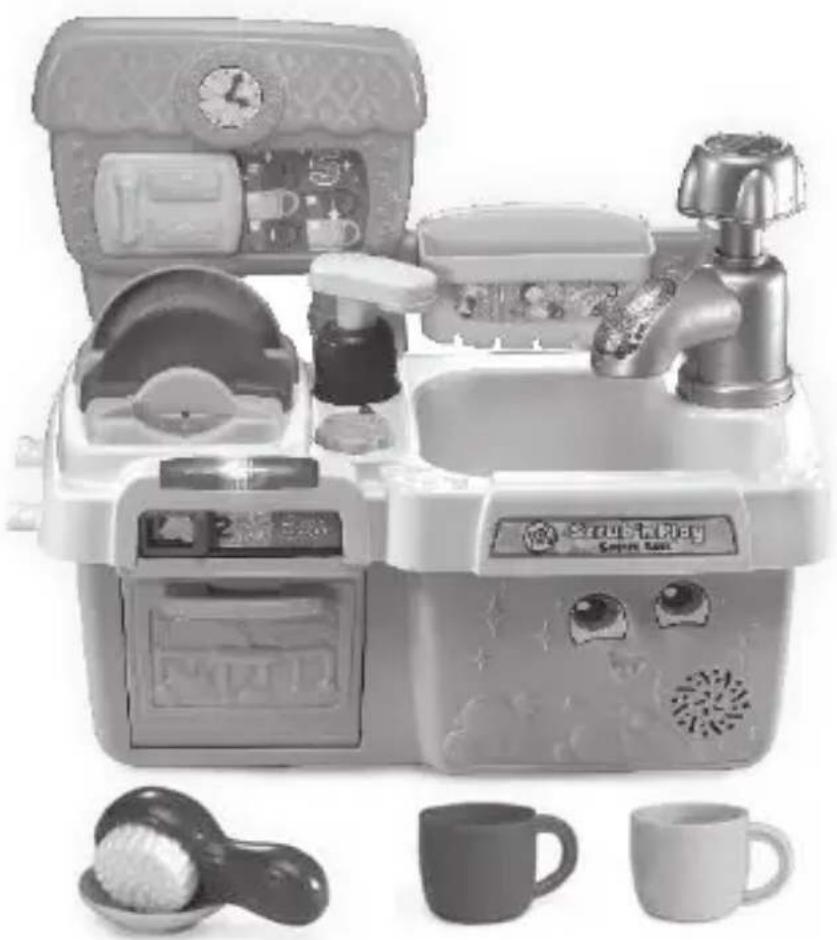
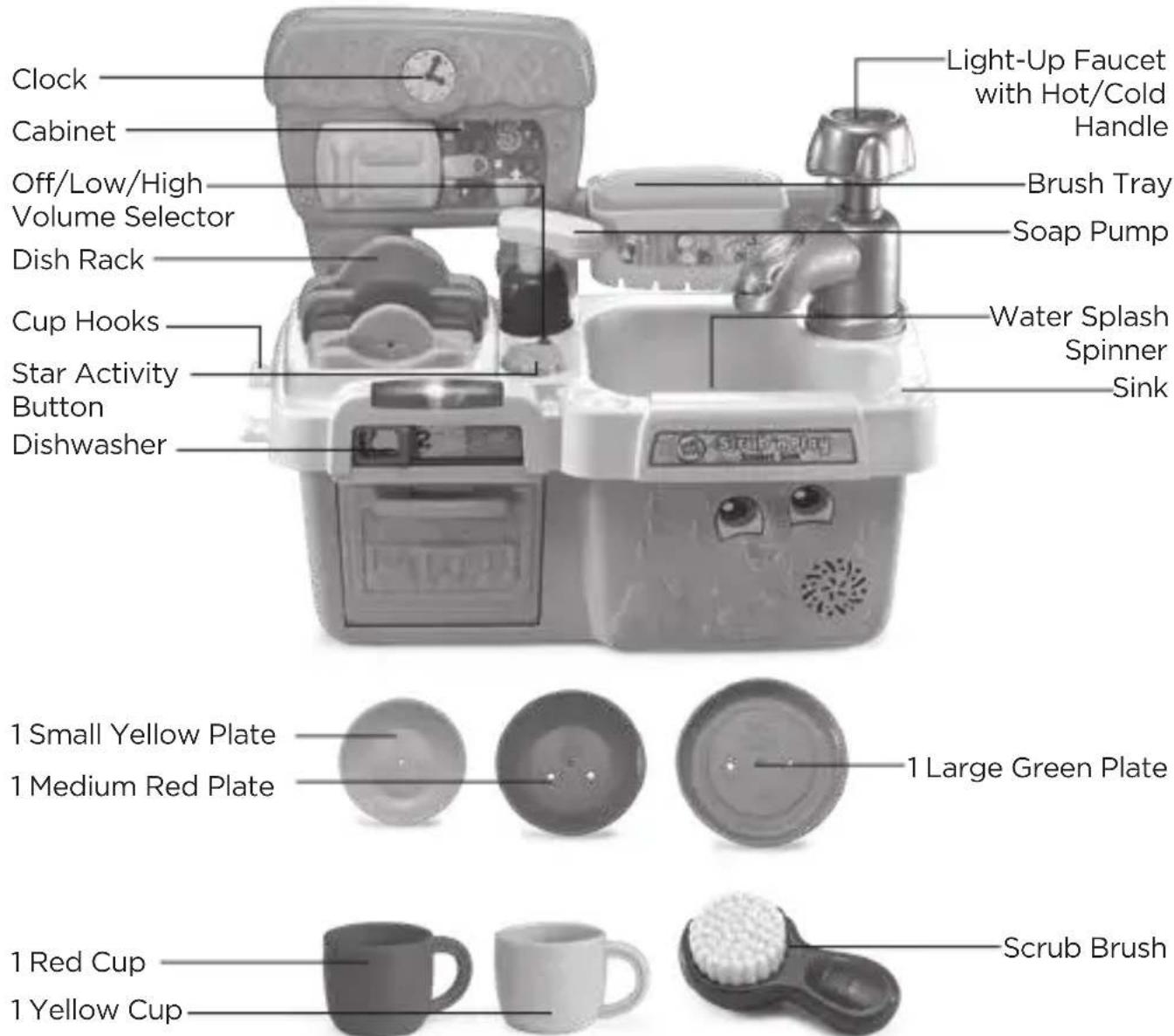
Thank you for purchasing the Scrub ’n Play Smart Sink™. Play pretend dishwashing with three plates, two cups and a scrub brush. Press the star activity button for listening comprehension activities and follow along with the washing instructions. Turn the play faucet to hot or cold, count along while pressing the soap pump, then press the faucet to see the play water spin. Load the colorful dishes into the matching slots in the drying rack. Open and close the dishwasher door to hear the fun sounds. This unit should never be used with real water.
text_image
Clock Cabinet Off/Low/High Volume Selector Dish Rack Cup Hooks Star Activity Button Dishwasher Light-Up Faucet with Hot/Cold Handle Brush Tray Soap Pump Water Splash Spinner Sink 1 Small Yellow Plate 1 Medium Red Plate 1 Large Green Plate 1 Red Cup 1 Yellow Cup Scrub BrushINCLUDED IN THIS PACKAGE
• One Scrub 'n Play Smart Sink
• One large green plate
• One medium red plate
• One small yellow plate
- One red cup
- One yellow cup
- One scrub brush
• One parent's guide
WARNING:
All packing materials, such as tape, plastic sheets, packaging locks, removable tags, cable ties and packaging screws are not part of this toy, and should be discarded for your child's safety.
NOTE:
Please keep this parent's guide as it contains important information.
ATTENTION :
This is not a water toy. Water will damage the toy.
ATTENTION :
natural_image
Close-up of scissors cutting a piece of paper into a bowl (no text or symbols visible)Note :
Please cut and discard the cords before playing with the unit. The cords are not part of the product and should be discarded for your child's safety.
Unlock the packaging locks:
① Rotate the packaging locks 90 degrees counterclockwise.
② Pull out the packaging locks and discard.

text_image
Diagram of a mechanical component with numbered arrows indicating motion or sequence, labeled ① and ②.GETTING STARTED
BATTERY INSTALLATION
- Make sure the unit is turned OFF.
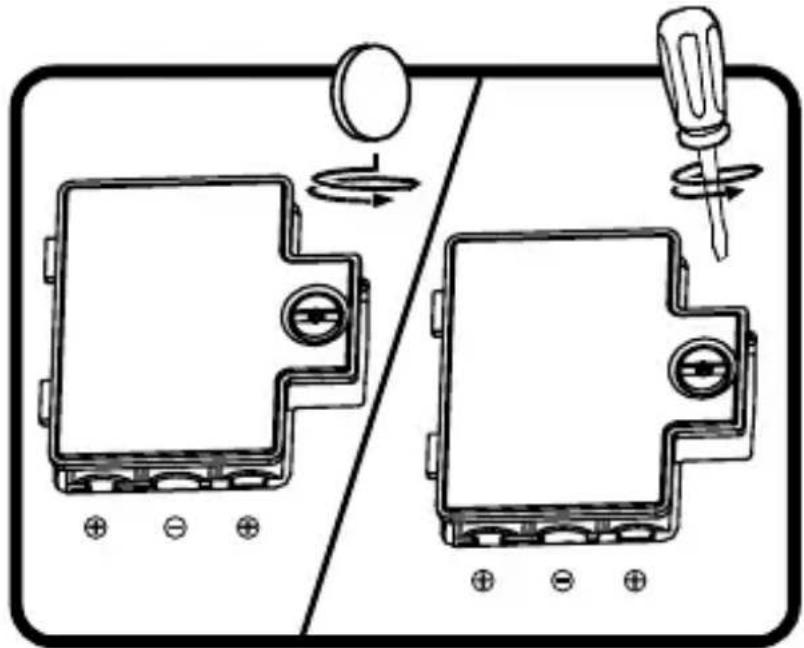
- Locate the battery cover on the back of the unit.
- Use a screwdriver or coin to loosen the screw and open the battery cover.
- Install 3 new AAA (AM-4/LR03) batteries into the battery compartment as illustrated. (The use of new alkaline batteries is recommended for maximum performance.)
- Replace the battery cover and tighten the screw to secure.
natural_image
Diagram showing two identical electrical components with a screwdriver and a circular component, connected by a switch (no text or symbols present)BATTERY NOTICE
- Use new alkaline batteries for maximum performance.
- Use only batteries of the same or equivalent type as recommended.
- Do not mix different types of batteries: alkaline, standard (carbon-zinc) or rechargeable, or new and used batteries.
- Do not use damaged batteries.
- Insert batteries with the correct polarity.
- Do not short-circuit the battery terminals.
- Remove exhausted batteries from the toy.
- Remove batteries during long periods of non-use.
- Do not dispose of batteries in fire.
- Do not charge non-rechargeable batteries.
- Remove rechargeable batteries from the toy before charging (if removable).
- Rechargeable batteries are only to be charged under adult supervision.
MISE EN GARDE
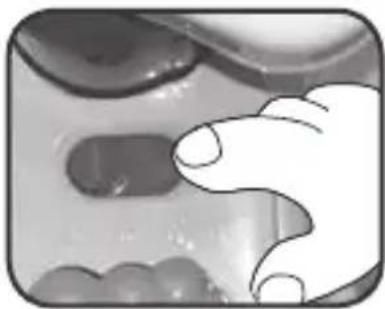
1. Off/Low/High Volume Selector
To turn the unit On, slide the Off/Low/High volume selector to the Low or High position. To turn the unit Off, slide the Off/Low/High volume selector to the Off position.
natural_image
Close-up of a hand reaching toward a textured surface with abstract shapes (no text or symbols visible)2. Dish Rack and Plates
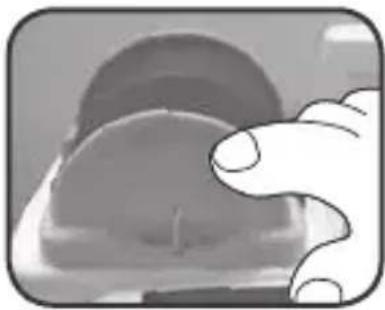
Match the Plate by color, size or number to the correct slot in the Dish Rack to hear its size or color. Remove the Plate to hear fun phrases, counting or a song about sizes and colors.
natural_image
Close-up of a hand holding a circular object, possibly a mechanical part or device (no visible text or symbols)3. Light-Up Faucet, Hot/Cold Handle & Water Splash Spinner
Turn the Hot/Cold Handle to select the temperature, hear a song about washing dishes and light up the Faucet. Press the Hot/Cold Handle down to hear water sounds and watch the Water Splash Spinner at the bottom of the sink spin like draining water.

natural_image
Close-up of a metallic faucet with a coiled cable (no text or symbols visible)4. Three-Cycle Dishwasher
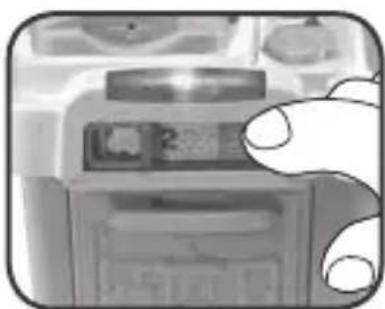
Open the Dishwasher door to put dishes inside and close the door. Next, slide the selector to choose between three cycles: Wash, Rinse or Dry. Hear fun sounds or a counting song from 1 to 10.
natural_image
Close-up of a hand holding a printer with a close-up of its cover (no visible text or symbols)5. Star Activity Button
Press the Star Activity button to hear suggested activities for pretend play using other features of the toy.
natural_image
Close-up of a finger pressing down on a mechanical component (no visible text or symbols)6. Soap Pump
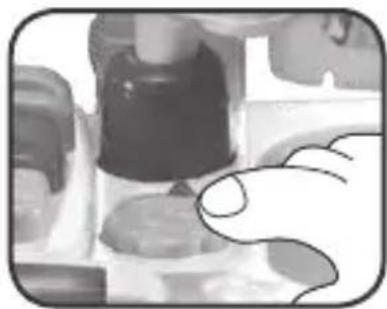
Press the Soap Pump to count along from 1 to 10.
natural_image
Close-up of a hand pressing a button on a surface, with no visible text or symbols7. Scrub Brush and Two Cups
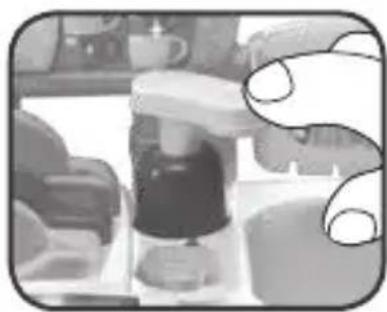
Pretend to clean by using the Scrub Brush with its turning bristle head to scrub the two Cups.

natural_image
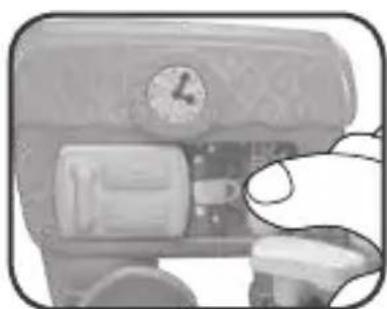
Three product items: a mug, a cup, and a brush with a white brush (no text or symbols visible)8. Sliding Cabinet With Clock
Slide the Cabinet door from side to side to reveal numbers and change the time on the rotating Clock.
natural_image
Close-up of a hand pressing a button on a device (no visible text or symbols)ACTIVITIES
1. Hand Wash Dishes
Pretend to hand wash dishes in the sink by using the Plates and Cups with the Soap Pump, Scrub Brush and Light-Up Faucet. Follow the three steps shown on the Brush Tray: Soap, Scrub and Rinse. Afterwards, put the dishes away into their matching places in the Dish Rack.
2. Dishwasher Play
Put Plates or Cups inside the Dishwasher and close the dishwasher door. Next, slide to choose the dishwasher cycle to pretend to go through all three cycles: Wash, Rinse and Dry.
CARE & MAINTENANCE
- Keep the unit clean by wiping it with a slightly damp cloth.
- Keep the unit out of direct sunlight and away from direct heat sources.
- Remove the batteries when the unit will not be in use for an extended period of time.
- Do not drop the unit on a hard surface and do not expose the unit to excess moisture.
TROUBLESHOOTING
If for some reason the unit stops working or can't be turned on again, please follow these steps:
- Turn the unit OFF.
- Interrupt the power supply by removing the batteries.
- Let the unit stand for a few minutes, then replace the batteries.
- Turn the unit ON. The unit should now be ready to play again.
- If the unit does not work, replace with an entire new set of batteries.
IMPORTANT NOTE:
If the problem persists, please call our Consumer Services Department at 1-800-701-5327 in the U.S. or email support@leapfrog.com. Creating and developing LeapFrog® products is accompanied by a responsibility that we take very seriously. We make every effort to ensure the accuracy of the information, which forms the value of our products. However, errors sometimes can occur. It is important for you to know that we stand behind our products and encourage you to contact us with any problems and/or suggestions you might have. A service representative will be happy to help you.
Environmental Phenomena
The unit may malfunction if subjected to radio-frequency interference. It should revert to normal operation when the interference stops. If not, it may become necessary to turn the power OFF and back ON, or remove and reinstall the batteries. In the unlikely event of an electrostatic discharge, the unit may malfunction and lose memory, requiring the user to reset the device by removing and reinstalling the batteries.
This equipment has been tested and found to comply with the limits for a Class B digital device, pursuant to Part 15 of the FCC Rules. These limits are designed to provide reasonable protection against harmful interference in a residential installation. This equipment generates, uses and can radiate radio frequency energy and, if not installed and used in accordance with the instructions, may cause harmful interference to radio communications. However, there is no guarantee that interference will not occur in a particular installation. If this equipment does cause harmful interference to radio or television reception, which can be determined by turning the equipment off and on, the user is encouraged to try to correct the interference by one or more of the following measures:
- Reorient or relocate the receiving antenna.
- Increase the separation between the equipment and receiver.
- Connect the equipment into an outlet on a circuit different from that to which the receiver is connected.
- Consult the dealer or an experienced radio/TV technician for help.
Caution: Changes or modifications not expressly approved by the party responsible for compliance could void the user's authority to operate the equipment.
Supplier's Declaration of Conformity
Trade Name: LeapFrog
®
Model: 6081
Product name: Scrub 'n Play Smart Sink
TM
Responsible Party: LeapFrog Enterprises, Inc.
Address: 6401 Hollis Street, Suite 100,
Emeryville, CA 94608
Website: leapfrog.com
THIS DEVICE COMPLIES WITH PART 15 OF THE FCC RULES. OPERATION IS SUBJECT TO THE FOLLOWING TWO CONDITIONS:
(1) THIS DEVICE MAY NOT CAUSE HARMFUL INTERFERENCE, AND (2) THIS DEVICE MUST ACCEPT ANY INTERFERENCE RECEIVED, INCLUDING INTERFERENCE THAT MAY CAUSE UNDESIRED OPERATION.
CAN ICES-3 (B)/NMB-3(B)
text_image
CLASS 1 LED PRODUCT
text_image
Leap Frog®Visit our website for more information about our products, downloads, resources and more.
leapfrog.com
Read our complete warranty policy online at leapfrog.com/warranty.