
Smart Sizzlin’ BBQ Grill - Toy Leap Frog - Free user manual and instructions
Find the device manual for free Smart Sizzlin’ BBQ Grill Leap Frog in PDF.


| Product Type | Interactive toy grill |
| Brand | LeapFrog |
| Model | Smart Sizzlin’ BBQ Grill (6079) |
| Recommended Age | 2–5 years (estimate) |
| Battery Type | 2 AA (AM-3/LR6) alkaline batteries |
| Power Switch | Off/Low/High Volume slide switch |
| Modes | Learn, Play, Music |
| Play Pieces | 16 pieces: hot dog, fish, shrimp, steak, eggplant, peppers, mushrooms, corn, bun, sauce bottle, tongs, spatula, 2 plates, 2 forks, and a skewer |
| Interactive Features | Light-Up Grill button, Star Activity button, 1-10 Temperature Dial, Clicking Dial, Lid, Skewer |
| Learning Content | Food names, colors, numbers 1-10, counting, fine motor skills |
| Sound Effects | Flame sounds, sizzling sounds, greetings, songs, rhymes, tunes |
| Light Effects | Grill lighting up in response to dial and buttons |
| Assembly Required | Yes – adult assembly required (lid, handle, storage area, door, wheels) |
| Care Instructions | Wipe with slightly damp cloth; avoid direct sunlight and heat; remove batteries during long non-use |
| Safety Warnings | Contains small parts; adult assembly required; battery safety instructions; complies with FCC Part 15 |
| Warranty | Full warranty policy online at leapfrog.com/warranty |
| Country of Origin | China (typical for LeapFrog) |
| Weight | Approximately 1.5 lbs (0.68 kg) – estimate |
| Dimensions | Approximately 12 x 10 x 8 inches (30 x 25 x 20 cm) – estimate |
| Consumer Support | 1-800-701-5327 (US); support@leapfrog.com |
Frequently Asked Questions - Smart Sizzlin’ BBQ Grill Leap Frog
User questions about Smart Sizzlin’ BBQ Grill Leap Frog
0 question about this device. Answer the ones you know or ask your own.
Ask a new question about this device
Download the instructions for your Toy in PDF format for free! Find your manual Smart Sizzlin’ BBQ Grill - Leap Frog and take your electronic device back in hand. On this page are published all the documents necessary for the use of your device. Smart Sizzlin’ BBQ Grill by Leap Frog.
USER MANUAL Smart Sizzlin’ BBQ Grill Leap Frog
Smart Sizzlin' BBQ Grill™

Parent's Guide
This guide contains important information. Please keep it for future reference.
91-003711-009
INTRODUCTION
Thank you for purchasing the Smart Sizzlin' BBQ Grill™! This friendly grill features pretend temperature controls, a skewer and 16 play pieces, including play food, sauce, utensils and dishes. Attach the food pieces to the skewer, and the grill will recognize each piece while introducing food and colors. Turn the skewer to count along from 1-10. Turn the temperature dial to hear fun sounds and see the grill lighting effects. Press the Star button to hear what food the BBQ wants to cook. Ready, set, grill!
INCLUDED IN THIS PACKAGE
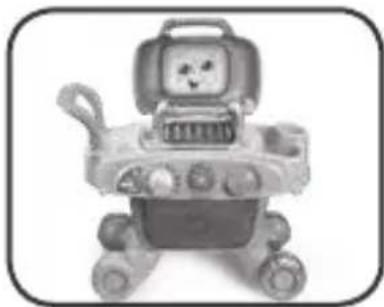
One Smart Sizzlin' BBQ Grill™

One red hot dog
One blue fish

One set of four orange shrimp

One brown steak

One purple eggplant

One pair of green peppers

One set of three white mushrooms
One yellow corn

One bun

One sauce bottle

One pair of tongs
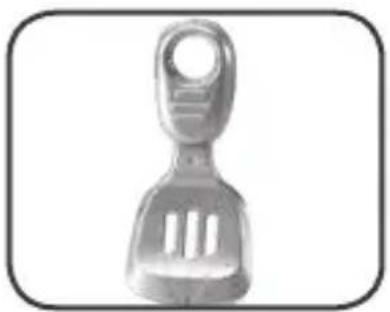
One spatula

Two plates
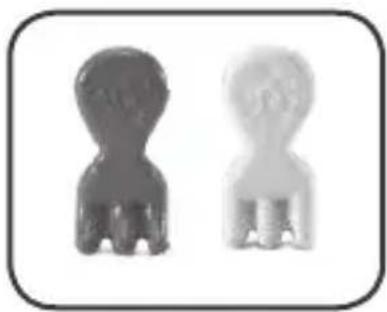
Two forks
• One parent's guide
WARNING:
All packing materials such as tape, plastic sheets, packaging locks, removable tags, cable ties and packaging screws are not part of this toy, and should be discarded for your child's safety.
NOTE:
Please keep this parent's guide as it contains important information.
ATTENTION :
- Make sure the unit is turned OFF.
- Locate the battery cover on the bottom of the unit.
-
Use a screwdriver to loosen the screw and open the battery cover.
-
Install 2 new AA (AM-3/LR6) batteries into the battery box as illustrated. (The use of new alkaline batteries is recommended for maximum performance.)
-
Replace the battery cover and tighten the screw to secure.

BATTERY NOTICE
- Use new alkaline batteries for maximum performance.
- Use only batteries of the same or equivalent type as recommended.
- Do not mix different types of batteries: alkaline, standard (carbon-zinc) or rechargeable, or new and used batteries.
- Do not use damaged batteries.
- Insert batteries with the correct polarity.
- Do not short-circuit the battery terminals.
- Remove exhausted batteries from the toy.
- Remove batteries during long periods of non-use.
- Do not dispose of batteries in fire.
- Do not charge non-rechargeable batteries.
- Remove rechargeable batteries from the toy before charging (if removable).
- Rechargeable batteries are only to be charged under adult supervision.
MISE EN GARDE
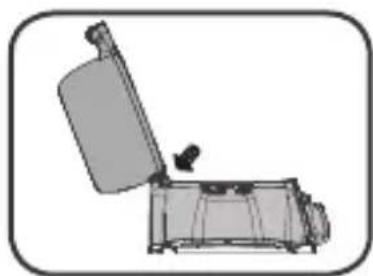
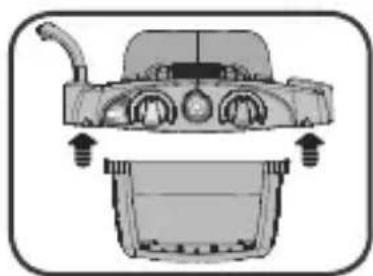
Safety comes first with the Smart Sizzlin' BBQ Grill™. To ensure your child's safety, adult assembly is required. After assembling the BBQ Grill, most of the unit cannot be disassembled. (As indicated below in steps 1 and 4, the lid and storage area can be removed and re-attached. All other steps will be permanent after assembled.)
-
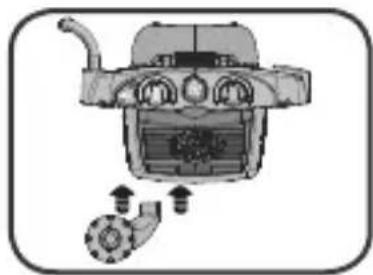
Insert the Lid into the top of the BBQ Grill. (Note: If the lid is removed, follow this step to re-install.)
-
Insert the Handle next to the Lid.
-
Insert the storage area onto the bottom of the BBQ Grill.
-
Insert the storage door onto the storage area. (Note: If the door is removed, follow this step to re-install.)


-
Attach the left wheels onto the bottom of the storage area.
-
Attach the right Rolling Wheels onto the bottom of the storage area.

PRODUCT FEATURES
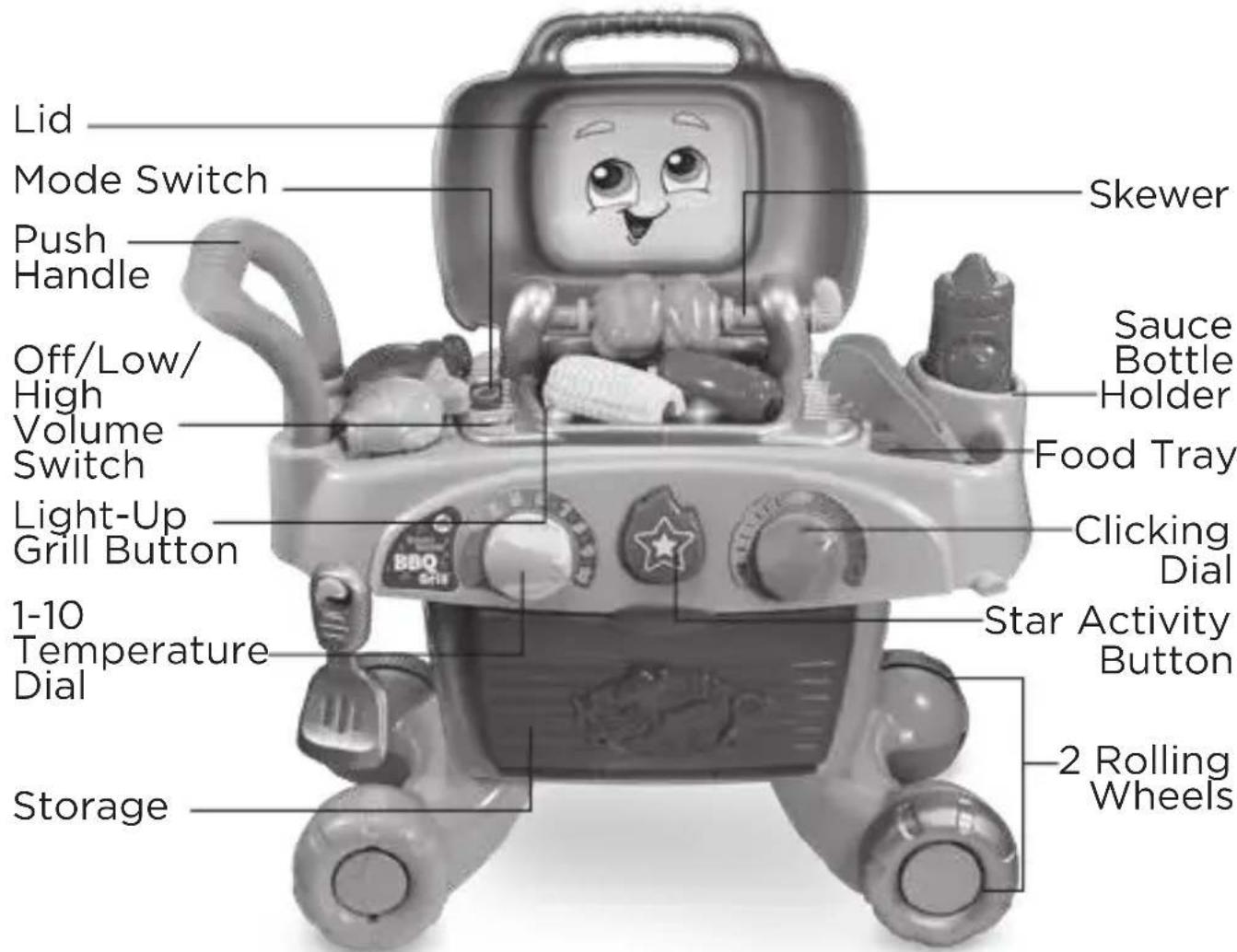
1. Off/Low/High Volume Switch
To turn the unit On, slide the Off/Low/High Volume switch to the Low Volume or the High Volume position. To turn the unit Off, slide the Off/Low/High Volume switch to the Off position.

2. Mode Switch
Move the Mode switch to any position to play one of three modes: Learn mode, Play mode and Music mode.

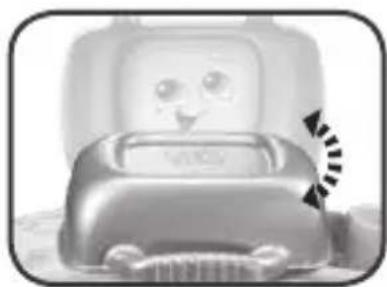
3. Lid
Open and close the Lid to hear greetings or sing along to a song.
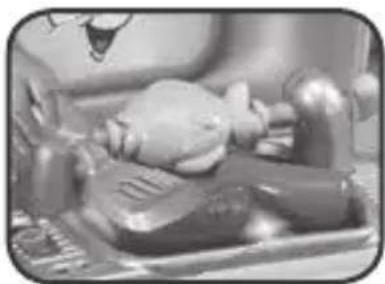
4. Skewer
Put a food play piece on the Skewer to learn its color and name or turn the Skewer to count along and pretend to cook the food.
Note: the skewer will not rotate 360 degrees. Forcing a full rotation will damage the skewer and may result in being unable to recognize the food pieces or to count along.

5. Light-Up Grill Button
Press the Light-Up Grill button to hear fun flame and sizzling sounds as the grill lights up.
6. 1-10 Temperature Dial
Turn the 1-10 Temperature Dial to set the temperature on the grill, learn numbers 1-10 and watch how the grill lights up. In Music mode, each dial position plays a different tune.

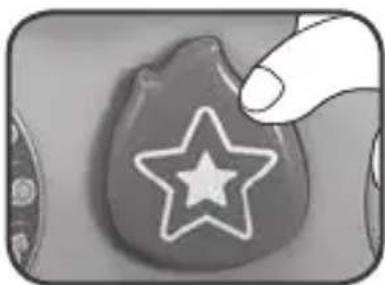
7. Star Activity Button
In Learn mode, press the Star Activity Button to hear what the BBQ wants to cook next and follow along. In Play mode, press the Star Activity Button to hear fun phrases and sounds, sing-along songs, and a rhyme about the food on the Skewer.
8. Clicking Dial
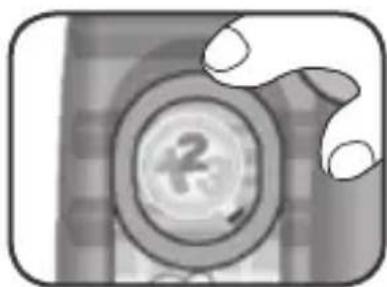
Turn the Clicking Dial to practice fine motor skills and hear a clicking sound.

ACTIVITIES
1. Learn Mode
Move the Mode switch to Learn mode and learn food names, colors and numbers while pretending to grill foods or practice listening comprehension.
2. Play Mode
Move the Mode switch to Play mode to hear fun rhymes and pretend to grill foods with suggested ways to play.

3. Music Mode
Move the Mode switch to Music mode, and turn the 1-10 Temperature Dial to choose a tune to play. Press any of the buttons or put a food on the Skewer to jam along to the tune.

CARE & MAINTENANCE
- Keep the unit clean by wiping it with a slightly damp cloth.
- Keep the unit out of direct sunlight and away from any direct heat sources.
- Remove the batteries when the unit is not in use for an extended period of time.
- Do not drop the unit on a hard surface and do not expose the unit to excess moisture.
TROUBLESHOOTING
If for some reason the program or activity stops working, please follow these steps:
- Turn the unit OFF.
- Interrupt the power supply by removing the batteries.
- Let the unit stand for a few minutes, then replace the batteries.
- Turn the unit back ON. The unit will now be ready to play again.
- If the unit still does not work, replace with an entire set of new batteries.
Environmental Phenomena
The unit may malfunction if subjected to radio-frequency interference. It should revert to normal operation when the interference stops. If not, it may become necessary to turn the power OFF and back ON, or remove and reinstall the batteries. In the unlikely event of an electrostatic discharge, the unit may malfunction and lose memory, requiring the user to reset the device by removing and reinstalling the batteries.
Supplier's Declaration of Conformity
Trade Name: LeapFrog
®
Model:
6079
Product Name: Smart Sizzlin' BBQ Grill™
Responsible Party: LeapFrog Enterprises, Inc.
Address: 6401 Hollis Street, Suite 100,
Emeryville, CA 94608
Website: leapfrog.com
THIS DEVICE COMPLIES WITH PART 15 OF THE FCC RULES. OPERATION IS SUBJECT TO THE FOLLOWING TWO CONDITIONS: (1) THIS DEVICE MAY NOT CAUSE HARMFUL INTERFERENCE, AND (2) THIS DEVICE MUST ACCEPT ANY INTERFERENCE RECEIVED, INCLUDING INTERFERENCE THAT MAY CAUSE UNDESIRED OPERATION.
CAN ICES-3 (B)/NMB-3(B)
IMPORTANT NOTE:
If the problem persists, please call our Consumer Services Department at 1-800-701-5327 in the U.S. or email support@leapfrog.com. Creating and developing LeapFrog® products is accompanied by a responsibility that we take very seriously. We make every effort to ensure the accuracy of the information, which forms the value of our products. However, errors sometimes can occur. It is important for you to know that we stand behind our products and encourage you to contact us with any problems and/or suggestions you might have. A service representative will be happy to help you.
NOTE:
This equipment has been tested and found to comply with the limits for a Class B digital device, pursuant to Part 15 of the FCC Rules. These limits are designed to provide reasonable protection against harmful interference in a residential installation. This equipment generates, uses and can radiate radio frequency energy and, if not installed and used in accordance with the instructions, may cause harmful interference to radio communications. However, there is no guarantee that interference will not occur in a particular installation. If this equipment does cause harmful interference to radio or television reception, which can be determined by turning the equipment off and on, the user is encouraged to try to correct the interference by one or more of the following measures:
- Reorient or relocate the receiving antenna.
- Increase the separation between the equipment and receiver.
- Connect the equipment into an outlet on a circuit different from that to which the receiver is connected.
- Consult the dealer or an experienced radio/TV technician for help.
Caution: Changes or modifications not expressly approved by the party responsible for compliance could void the user's authority to operate the equipment.
CLASS 1 LED PRODUCT
Read our complete warranty policy online at leapfrog.com/warranty
LeapFrog Enterprises, Inc., A subsidiary of VTech Holdings Limited. TM & © 2019 LeapFrog Enterprises, Inc. All rights reserved.

Visit our website for more information about our products, downloads, resources and more.
leapfrog.com
- SMART SIZZLIN' BBQ GRILL™
- PARENT'S GUIDE
- INTRODUCTION
- INCLUDED IN THIS PACKAGE
- WARNING
- NOTE
- ATTENTION
- BATTERY NOTICE
- MISE EN GARDE
- PRODUCT FEATURES
- OFF/LOW/HIGH VOLUME SWITCH
- MODE SWITCH
- LID
- SKEWER
- LIGHT-UP GRILL BUTTON
- TEMPERATURE DIAL
- STAR ACTIVITY BUTTON
- CLICKING DIAL
- ACTIVITIES
- LEARN MODE
- PLAY MODE
- MUSIC MODE
- CARE & MAINTENANCE
- TROUBLESHOOTING
- ENVIRONMENTAL PHENOMENA
- SUPPLIER'S DECLARATION OF CONFORMITY
- IMPORTANT NOTE
- CLASS 1 LED PRODUCT
- READ OUR COMPLETE WARRANTY POLICY ONLINE AT LEAPFROG.COM/WARRANTY
Brand : Leap Frog
Model : Smart Sizzlin’ BBQ Grill
Category : Toy