
RAS-16SAVP-E - Air-conditioner TOSHIBA - Free user manual and instructions
Find the device manual for free RAS-16SAVP-E TOSHIBA in PDF.


| Brand | TOSHIBA |
| Model | RAS-16SAVP-E (outdoor unit) RAS-B16SKVP-E (indoor unit) |
| Product type | Split system air conditioner |
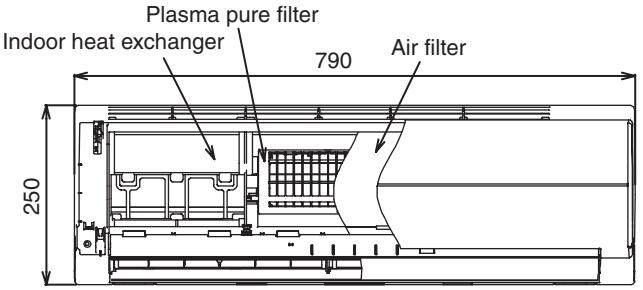
| Dimensions (indoor unit) | H 250 mm x W 790 mm x D 208 mm |
| Dimensions (outdoor unit) | H 550 mm x W 780 mm x D 290 mm |
| Weight (indoor unit) | 9 kg |
| Weight (outdoor unit) | 38 kg |
| Power supply | 1 Ph / 50 Hz / 220–240 V, 1 Ph / 60 Hz / 220 V |
| Cooling capacity | 4.5 kW (range 0.8–5.0 kW) |
| Heating capacity | 5.5 kW (range 0.8–8.0 kW) |
| Refrigerant | R410A (1.05 kg) |
| Sound level (indoor / outdoor) | Indoor: 45 dB(A) (max), Outdoor: 49/50 dB(A) (cooling/heating) |
| Airflow (indoor) | 630 m³/h (cooling), 670 m³/h (heating) |
| Compressor | Twin rotary type with DC inverter speed controller, 750 W |
| COP (cooling / heating) | 3.33 / 3.69 |
| Operating modes | Auto, Cool, Dry, Heat, Fan, Hi POWER, 8°C Heat (depending on model), Sleep |
| Filter | Plasma purifier filter |
| Maximum pipe length | 25 m |
| Operating temperature range (indoor) | Cooling: 21–32 °C, Heating: 0–28 °C |
| Operating temperature range (outdoor) | Cooling: 5–46 °C, Heating: –15–24 °C |
| Supplied accessories | Wireless remote control, batteries, installation plate, Plasma filter, manuals |
| Maintenance and cleaning | Filter cleaning recommended every 1000 hours (FILTER indicator). Integrated Clean Operation function to dry interior after cooling. |
| Safety | Automatic shutdown in case of overheating, overcurrent protection, safety stop in case of serious fault |
| Repairability | Spare parts available: electronic boards, motors, sensors, compressor, etc. (see service manual) |
Frequently Asked Questions - RAS-16SAVP-E TOSHIBA
User questions about RAS-16SAVP-E TOSHIBA
0 question about this device. Answer the ones you know or ask your own.
Ask a new question about this device
Download the instructions for your Air-conditioner in PDF format for free! Find your manual RAS-16SAVP-E - TOSHIBA and take your electronic device back in hand. On this page are published all the documents necessary for the use of your device. RAS-16SAVP-E by TOSHIBA.
USER MANUAL RAS-16SAVP-E TOSHIBA
For general public use
Power supply cord of outdoor unit shall be 1.5mm^2 (H07RN-F or 60245IEC66) polychloroprene sheathed flexible cord.
- Read this "SAFETY PRECAUTIONS" carefully before servicing.
- The precautions described below include the important items regarding safety. Observe them without fail.
- After the servicing work, perform a trial operation to check for any problem.
- Turn off the main power supply switch (or breaker) before the unit maintenance.
CAUTION
New Refrigerant Air Conditioner Installation
- THIS AIR CONDITIONER ADOPTS THE NEW HFC REFRIGERANT (R410A) WHICH DOES NOT DESTROY OZONE LAYER.
R410A refrigerant is apt to be affected by impurities such as water, oxidizing membrane, and oils because the working pressure of R410A refrigerant is approx. 1.6 times of refrigerant R22. Accompanied with the adoption of the new refrigerant, the refrigeration machine oil has also been changed. Therefore, during installation work, be sure that water, dust, former refrigerant, or refrigeration machine oil does not enter into the new type refrigerant R410A air conditioner circuit.
To prevent mixing of refrigerant or refrigerating machine oil, the sizes of connecting sections of charging port on main unit and installation tools are different from those used for the conventional refrigerant units. Accordingly, special tools are required for the new refrigerant (R410A) units. For connecting pipes, use new and clean piping materials with high pressure fittings made for R410A only, so that water and/or dust does not enter. Moreover, do not use the existing piping because there are some problems with pressure fittings and possible impurities in existing piping.
CAUTION
TO DISCONNECT THE APPLIANCE FROM THE MAIN POWER SUPPLY
A switch or circuit breaker that can disconnect all poles must be included in the fixed wiring. Be sure to use an approved circuit breaker or switch.
DANGER
- ASK AN AUTHORIZATION DEALER OR QUALIFIED INSTALLATION PROFESSIONAL TO INSTALL/ MAINTAIN THE AIR CONDITIONER.
INAPPROPRIATE SERVICING MAY RESULT IN WATER LEAKAGE, ELECTRIC SHOCK OR FIRE.
- TURNOFF MAIN POWER SUPPLY BEFORE ATTEMPTING ANY ELECTRICAL WORK. MAKE SURE ALL POWER SWITCHES ARE OFF. FAILURE TO DO SO MAY CAUSE ELECTRIC SHOCK.

The high voltage circuit is incorporated.
Be careful to do the check service, as the electric shock may be caused in case of touching parts on the P.C. board by hand.
- CORRECTLY CONNECT THE CONNECTING CABLE. IF THE CONNECTING CABLE IS INCORRECTLY CONNECTED, ELECTRIC PARTS MAY BE DAMAGED.
-
CHECK THAT THE EARTH WIRE IS NOT BROKEN OR DISCONNECTED BEFORE SERVICE AND INSTALLATION. FAILURE TO DO SO MAY CAUSE ELECTRIC SHOCK.
-
DO NOT INSTALL NEAR CONCENTRATIONS OF COMBUSTIBLE GAS OR GAS VAPORS. FAILURE TO FOLLOW THIS INSTRUCTION CAN RESULT IN FIRE OR EXPLOSION.
- TO PREVENT THE INDOOR UNIT FROM OVERHEATING AND CAUSING A FIRE HAZARD, PLACE THE UNIT WELL AWAY (MORE THAN 2 M) FROM HEAT SOURCES SUCH AS RADIATORS, HEAT REGISTORS, FURNACE, STOVES, ETC.
- WHEN MOVING THE AIR-CONDITIONER FOR INSTALLATION IN ANOTHER PLACE, BE VERY CAREFUL NOT TO ALLOW THE SPECIFIED REFRIGERANT (R410A) TO BECOME MIXED WITH ANY OTHER GASEOUS BODY INTO THE REFRIGERATION CIRCUIT. IF AIR OR ANY OTHER GAS IS MIXED IN THE REFRIGERANT, THE GAS PRESSURE IN THE REFRIGERATION CIRCUIT WILL BECOME ABNORMALLY HIGH AND IT MAY RESULT IN THE PIPE BURSTING AND POSSIBLE PERSONNEL INJURIES.
- IN THE EVENT THAT THE REFRIGERANT GAS LEAKS OUT OF THE PIPE DURING THE SERVICE WORK AND THE INSTALLATION WORK, IMMEDIATELY LET FRESH AIR INTO THE ROOM. IF THE REFRIGERANT GAS IS HEATED, SUCH AS BY FIRE, GENERATION OF POISONOUS GAS MAY RESULT.
WARNING
- Never modify this unit by removing any of the safety guards or bypass any of the safety interlock switches.
- Do not install in a place which cannot bear the weight of the unit. Personal injury and property damage can result if the unit falls.
- After the installation work, confirm that refrigerant gas does not leak.
If refrigerant gas leaks into the room and flows near a fire source, such as a cooking range, noxious gas may generate.
- The electrical work must be performed by a qualified electrician in accordance with the Installation Manual. Make sure the air conditioner uses an exclusive circuit.
An insufficient circuit capacity or inappropriate installation may cause fire.
- When wiring, use the specified cables and connect the terminals securely to prevent external forces applied to the cable from affecting the terminals.
- Be sure to provide grounding.
Do not connect ground wires to gas pipes, water pipes, lightning rods or ground wires for telephone cables.
- Conform to the regulations of the local electric company when wiring the power supply.
Inappropriate grounding may cause electric shock.
CAUTION
- Exposure of unit to water or other moisture before installation may result in an electrical short. Do not store in a wet basement or expose to rain or water.
- Do not install in a place that can increase the vibration of the unit. Do not install in a place that can amplify the noise level of the unit or where noise or discharged air might disturb neighbors.
- To avoid personal injury, be careful when handling parts with sharp edges.
- Perform the specified installation work to guard against an earthquake.
If the air conditioner is not installed appropriately, accidents may occur due to the falling unit.
For Reference:
If a heating operation would be continuously performed for a long time under the condition that the outdoor temperature is 0^ or lower, drainage of defrosted water may be difficult due to freezing of the bottom plate, resulting in a trouble of the cabinet or fan.
It is recommended to procure an antifreeze heater locally for a safe installation of the air conditioner.
For details, contact the dealer.
2. SPECIFICATIONS
2-1. Specifications
RAS-B10SKVP-E/RAS-B13SKVP-E/RAS-B16SKVP-E, RAS-10SAVP-E/RAS-13SAVP-E/RAS-16SAVP-E
| Unit model | Indoor | RAS-B10SKVP-E | RAS-B13SKVP-E | RAS-B16SKVP-E | ||||||
| Outdoor | RAS-10SAVP-E | RAS-13SAVP-E | RAS-16SAVP-E | |||||||
| Cooling capacity (kW) | 2.5 | 3.5 | 4.5 | |||||||
| Cooling capacity range (kW) | 0.5–3.5 | 0.6–4.5 | 0.8–5.0 | |||||||
| Heating capacity (kW) | 3.2 | 4.2 | 5.5 | |||||||
| Heating capacity range (kW) | 0.6–6.1 | 0.6–6.9 | 0.8–8.0 | |||||||
| Power supply | 1 Ph/50Hz/220–240 V, 1 Ph/60Hz/220 V | |||||||||
| Electric characteristics | Indoor | Operation mode | Cooling | Heating | Cooling | Heating | Cooling | Heating | ||
| Running current (A) | 0.15 | 0.15 | 0.15 | 0.15 | 0.15 | 0.15 | ||||
| Power consumption (W) | 30 | 30 | 30 | 30 | 30 | 30 | ||||
| Power factor (%) | 87 | 87 | 87 | 87 | 87 | 87 | ||||
| Outdoor | Operation mode | Cooling | Heating | Cooling | Heating | Cooling | Heating | |||
| Running current (A) | 2.57/2.45/2.34 | 3.15/3.00/2.87 | 4.00/3.82/3.66 | 4.40/4.20/4.02 | 6.18/5.90/5.65 | 6.83/6.43/6.25 | ||||
| Power consumption (W) | 460 | 600 | 820 | 920 | 1320 | 1460 | ||||
| Power factor (%) | 82 | 87 | 93 | 95 | 97 | 97 | ||||
| Starting current (A) | 3.30/3.15/3.02 | 4.55/4.35/4.17 | 6.98/6.68/6.40 | |||||||
| COP (Cooling/Heating) | 5.10/5.08 | 4.12/4.42 | 3.33/3.69 | |||||||
| Operating noise | Indoor | High (Cooling/Heating) (dB·A) | 42/43 | 43/44 | 45/45 | |||||
| Medium (Cooling/Heating) (dB·A) | 33/36 | 34/37 | 36/39 | |||||||
| Low (Cooling/Heating) (dB·A) | 27/27 | 27/27 | 29/29 | |||||||
| Outdoor (Cooling/Heating) (dB·A) | 46/47 | 48/50 | 49/50 | |||||||
| Indoor unit | Unit model | RAS-B10SKVP-E | RAS-B13SKVP-E | RAS-B16SKVP-E | ||||||
| Dimension | Height (mm) | 250 | 250 | 250 | ||||||
| Width (mm) | 790 | 790 | 790 | |||||||
| Depth (mm) | 208 | 208 | 208 | |||||||
| Net weight (kg) | 9 | 9 | 9 | |||||||
| Fan motor output (W) | 30 | 30 | 30 | |||||||
| Air flow rate (Cooling/Heating) (m³/h) | 550/620 | 570/640 | 630/670 | |||||||
| Unit model | RAS-10SAVP-E | RAS-13SAVP-E | RAS-16SAVP-E | |||||||
| Dimension | Height (mm) | 550 | 550 | 550 | ||||||
| Width (mm) | 780 | 780 | 780 | |||||||
| Depth (mm) | 290 | 290 | 290 | |||||||
| Net weight (kg) | 38 | 38 | 38 | |||||||
| Compressor | Motor output (W) | 750 | 750 | 750 | ||||||
| Type | Twin rotary type with DC-inverter variable speed control | |||||||||
| Model | DA111A1F-24F | DA111A1F-24F | DA111A1F-24F | |||||||
| Fan motor output (W) | 43 | 43 | 43 | |||||||
| Air flow rate (Cooling/Heating) (m³/h) | 1740/1620 | 1950/1620 | 2160/1740 | |||||||
| Type | Flare connection | Flare connection | Flare connection | |||||||
| Indoor unit | Liquid side | Ø6.35 | Ø6.35 | Ø6.35 | ||||||
| Gas side | Ø9.52 | Ø9.52 | Ø12.7 | |||||||
| Outdoor unit | Liquid side | Ø6.35 | Ø6.35 | Ø6.35 | ||||||
| Gas side | Ø9.52 | Ø9.52 | Ø12.7 | |||||||
| Maximum length (m) | 25 | 25 | 25 | |||||||
| Maximum chargeless length (m) | 15 | 15 | 15 | |||||||
| Maximum height difference (m) | 10 | 10 | 10 | |||||||
| Refrigerant | Name of refrigerant | R410A | R410A | R410A | ||||||
| Weight (kg) | 1.05 | 1.05 | 1.05 | |||||||
| Wiring connection | Power supply | 3 Wires : includes earth (Outdoor) | ||||||||
| Interconnection | 4 Wires : includes earth | |||||||||
| Usable temperature range | Indoor (Cooling/Heating) (°C) | 21–32/0–28 | 21–32/0–28 | 21–32/0–28 | ||||||
| Outdoor (Cooling/Heating) (°C) | 5–46/-15–24 | 5–46/-15–24 | 5–46/-15–24 | |||||||
| Accessory | Indoor unit | Installation plate | 1 | 1 | 1 | |||||
| Wireless remote controller | 1 | 1 | 1 | |||||||
| Batteries | 2 | 2 | 2 | |||||||
| Remote controller holder | 1 | 1 | 1 | |||||||
| Mounting screw | 6 (Ø4 × 25L) | 6 (Ø4 × 25L) | 6 (Ø4 × 25L) | |||||||
| Remote controller holder mounting screw | 2 (Ø3.1 × 16L) | 2 (Ø3.1 × 16L) | 2 (Ø3.1 × 16L) | |||||||
| Plasma pure filter | 1 | 1 | 1 | |||||||
| Installation manual | 1 | 1 | 1 | |||||||
| Owner's manual | 1 | 1 | 1 | |||||||
| Outdoor unit | Drain nipple | 1 | 1 | 1 | ||||||
| Water-proof rubber cap | 2 | 2 | 2 | |||||||
- The specifications may be subject to change without notice for purpose of improvement.
RAS-10SKVP-ND, RAS-13SKVP-ND, RAS-16SKVP-ND/RAS-10SAVP-ND, RAS-13SAVP-ND, RAS-16SAVP-ND
| Unit model | Indoor | RAS-10SKVP-ND | RAS-13SKVP-ND | RAS-16SKVP-ND | ||||||
| Outdoor | RAS-10SAVP-ND | RAS-13SAVP-ND | RAS-16SAVP-ND | |||||||
| Cooling capacity (kW) | 2.5 | 3.5 | 4.5 | |||||||
| Cooling capacity range (kW) | 0.5–3.5 | 0.6–4.5 | 0.8–5.0 | |||||||
| Heating capacity (kW) | 3.2 | 4.2 | 5.5 | |||||||
| Heating capacity range (kW) | 0.6–6.1 | 0.6–6.9 | 0.8–8.0 | |||||||
| Power supply | 1 Ph/50Hz/220–240 V | |||||||||
| Electric characteristics | Indoor | Operation mode | Cooling | Heating | Cooling | Heating | Cooling | Heating | ||
| Running current (A) | 0.15 | 0.15 | 0.15 | 0.15 | 0.15 | 0.15 | ||||
| Power consumption (W) | 30 | 30 | 30 | 30 | 30 | 30 | ||||
| Power factor (%) | 87 | 87 | 87 | 87 | 87 | 87 | ||||
| Outdoor | Operation mode | Cooling | Heating | Cooling | Heating | Cooling | Heating | |||
| Running current (A) | 2.57/2.45/2.34 | 3.15/3.00/2.87 | 4.00/3.82/3.66 | 4.40/4.20/4.02 | 6.18/5.90/5.65 | 6.83/6.43/6.25 | ||||
| Power consumption (W) | 460 | 600 | 820 | 920 | 1320 | 1460 | ||||
| Power factor (%) | 82 | 87 | 93 | 95 | 97 | 97 | ||||
| Starting current (A) | 3.30/3.15/3.02 | 4.55/4.35/4.17 | 6.98/6.68/6.40 | |||||||
| COP (Cooling/Heating) | 5.10/5.08 | 4.12/4.42 | 3.33/3.69 | |||||||
| Operating noise | Indoor | High (Cooling/Heating) (dB·A) | 42/43 | 43/44 | 45/45 | |||||
| Medium (Cooling/Heating) (dB·A) | 33/36 | 34/37 | 36/39 | |||||||
| Low (Cooling/Heating) (dB·A) | 27/27 | 27/27 | 29/29 | |||||||
| Outdoor (Cooling/Heating) (dB·A) | 46/47 | 48/50 | 49/50 | |||||||
| Indoor unit | Unit model | RAS-10SKVP-ND | RAS-13SKVP-ND | RAS-16SKVP-ND | ||||||
| Dimension | Height (mm) | 250 | 250 | 250 | ||||||
| Width (mm) | 790 | 790 | 790 | |||||||
| Depth (mm) | 208 | 208 | 208 | |||||||
| Net weight (kg) | 9 | 9 | 9 | |||||||
| Fan motor output (W) | 30 | 30 | 30 | |||||||
| Air flow rate (Cooling/Heating) (m³/h) | 550/620 | 570/640 | 630/670 | |||||||
| Outdoor unit | Unit model | RAS-10SAVP-ND | RAS-13SAVP-ND | RAS-16SAVP-ND | ||||||
| Dimension | Height (mm) | 550 | 550 | 550 | ||||||
| Width (mm) | 780 | 780 | 780 | |||||||
| Depth (mm) | 290 | 290 | 290 | |||||||
| Net weight (kg) | 38 | 38 | 38 | |||||||
| Compressor | Motor output (W) | 750 | 750 | 750 | ||||||
| Type | Twin rotary type with DC-inverter variable speed control | |||||||||
| Model | DA111A1F-24F | DA111A1F-24F | DA111A1F-24F | |||||||
| Fan motor output (W) | 43 | 43 | 43 | |||||||
| Air flow rate (Cooling/Heating) (m³/h) | 1740/1620 | 1950/1620 | 2160/1740 | |||||||
| Piping connection | Type | Flare connection | Flare connection | Flare connection | ||||||
| Indoor unit | Liquid side | Ø6.35 | Ø6.35 | Ø6.35 | ||||||
| Gas side | Ø9.52 | Ø9.52 | Ø12.7 | |||||||
| Outdoor unit | Liquid side | Ø6.35 | Ø6.35 | Ø6.35 | ||||||
| Gas side | Ø9.52 | Ø9.52 | Ø12.7 | |||||||
| Maximum length (m) | 25 | 25 | 25 | |||||||
| Maximum chargeless length (m) | 15 | 15 | 15 | |||||||
| Maximum height difference (m) | 10 | 10 | 10 | |||||||
| Refrigerant | Name of refrigerant | R410A | R410A | R410A | ||||||
| Weight (kg) | 1.05 | 1.05 | 1.05 | |||||||
| Wiring connection | Power supply | 3 Wires : includes earth (Outdoor) | ||||||||
| Interconnection | 4 Wires : includes earth | |||||||||
| Usable temperature range | Indoor (Cooling/Heating) (°C) | 21–32/0–28 | 21–32/0–28 | 21–32/0–28 | ||||||
| Outdoor (Cooling/Heating) (°C) | 5–46/-15–24 | 5–46/-15–24 | 5–46/-15–24 | |||||||
| Accessory | Indoor unit | Installation plate | 1 | 1 | 1 | |||||
| Wireless remote controller | 1 | 1 | 1 | |||||||
| Batteries | 2 | 2 | 2 | |||||||
| Remote controller holder | 1 | 1 | 1 | |||||||
| Mounting screw | 6 (Ø4 × 25L) | 6 (Ø4 × 25L) | 6 (Ø4 × 25L) | |||||||
| Remote controller holder mounting screw | 2 (Ø3.1 × 16L) | 2 (Ø3.1 × 16L) | 2 (Ø3.1 × 16L) | |||||||
| Plasma pure filter | 1 | 1 | 1 | |||||||
| Installation manual | 1 | 1 | 1 | |||||||
| Owner's manual | 1 | 1 | 1 | |||||||
| Outdoor unit | Drain nipple | 1 | 1 | 1 | ||||||
| Water-proof rubber cap | 2 | 2 | 2 | |||||||
- The specifications may be subject to change without notice for purpose of improvement.
2-2. Operation Characteristic Curve
RAS-B10SKVP-E, RAS-B13SKVP-E, RAS-B16SKVP-E
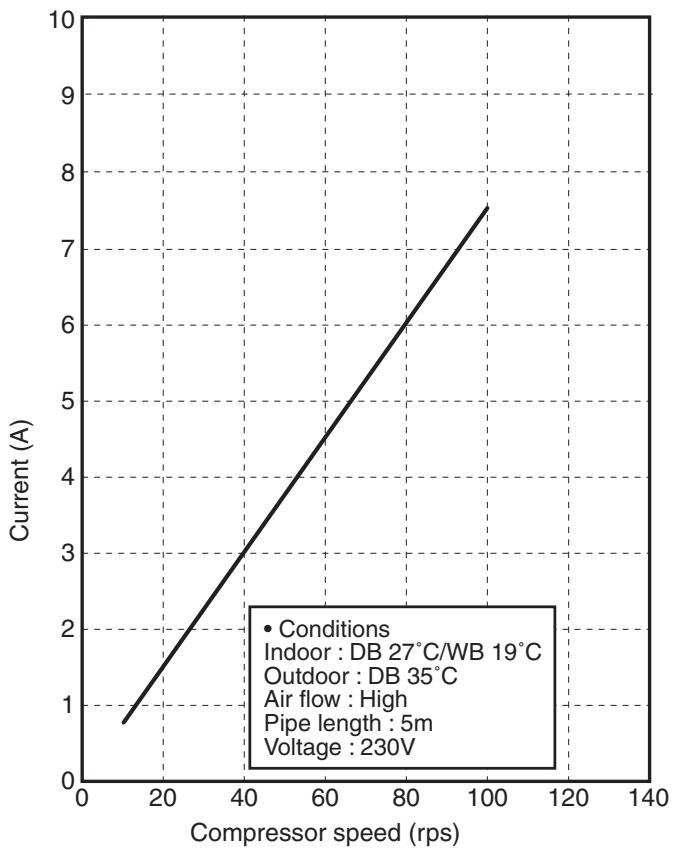
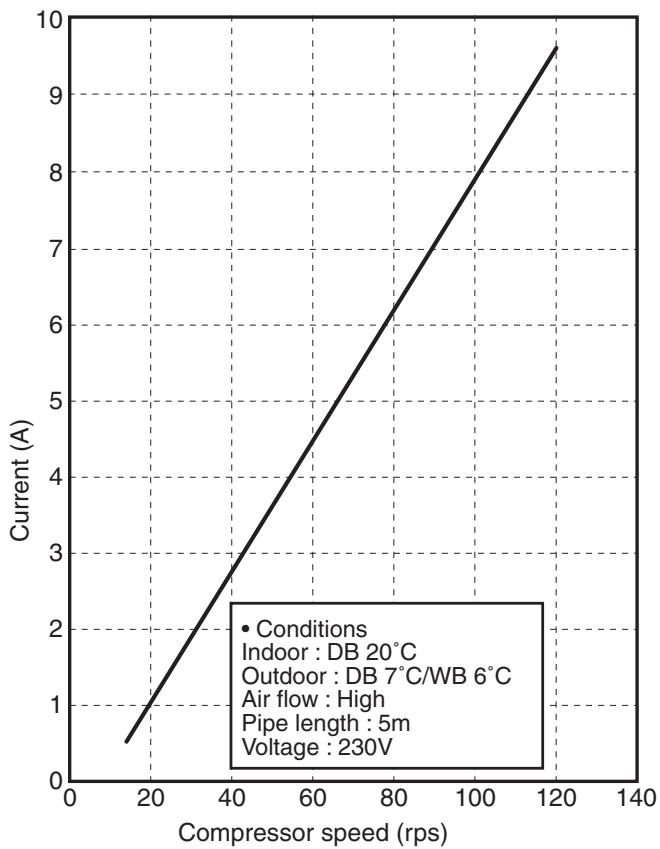
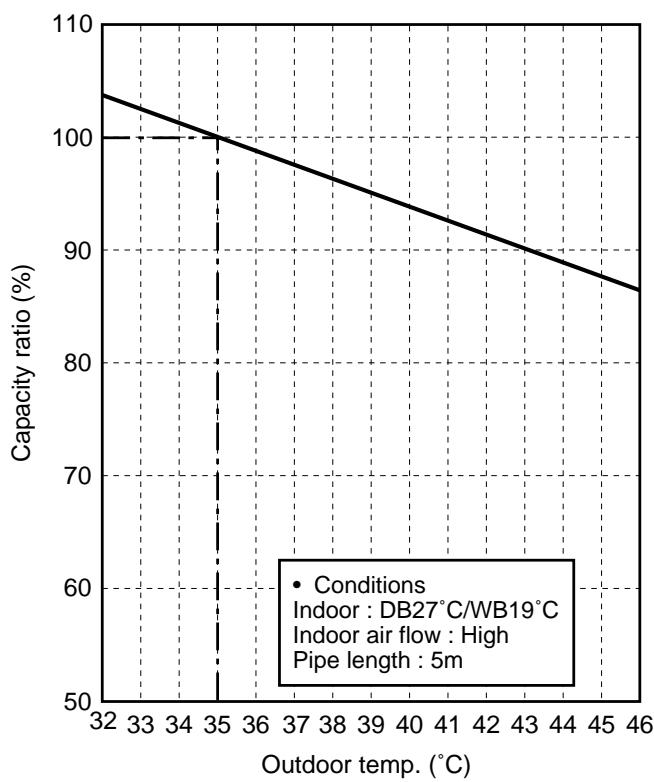
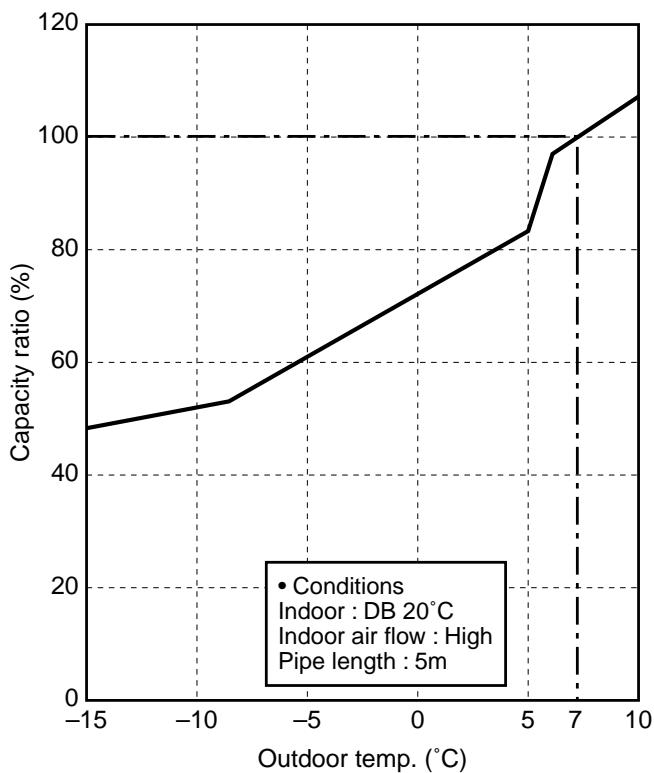
RAS-10SKVP-ND, RAS-13SKVP-ND, RAS-16SKVP-ND
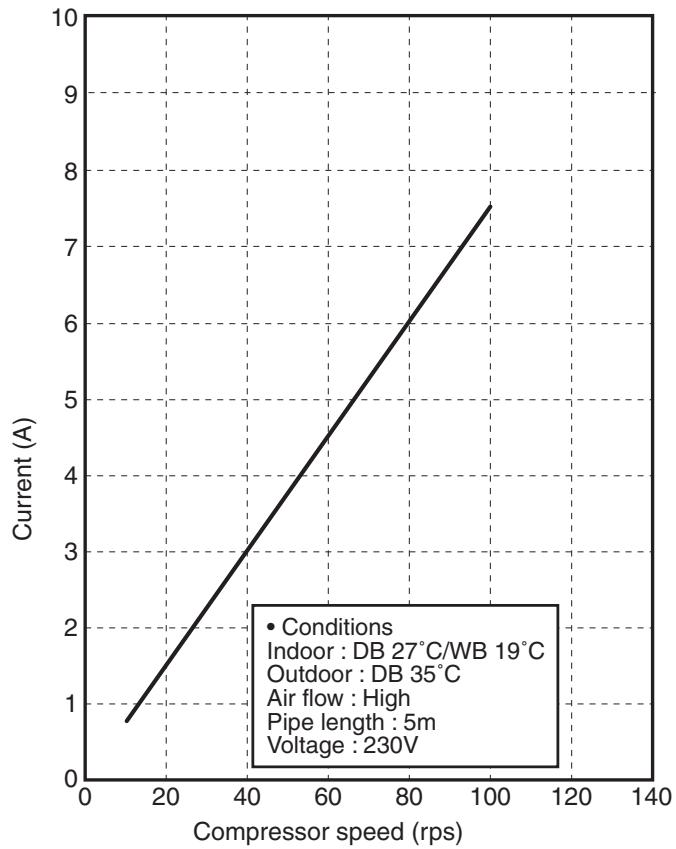
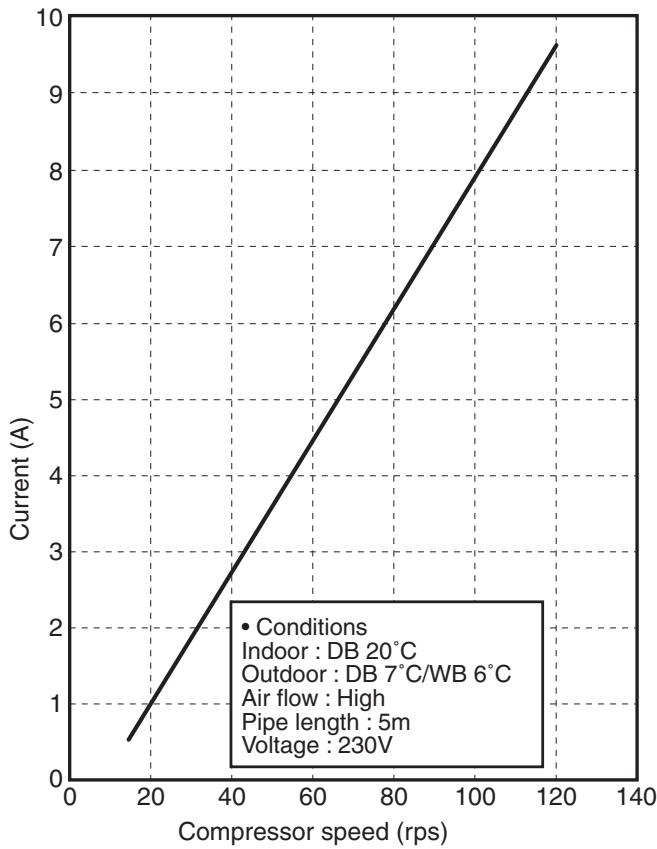
2-3. Capacity Variation Ratio According to Temperature RAS-B10SKVP-E, RAS-B13SKVP-E, RAS-B16SKVP-E
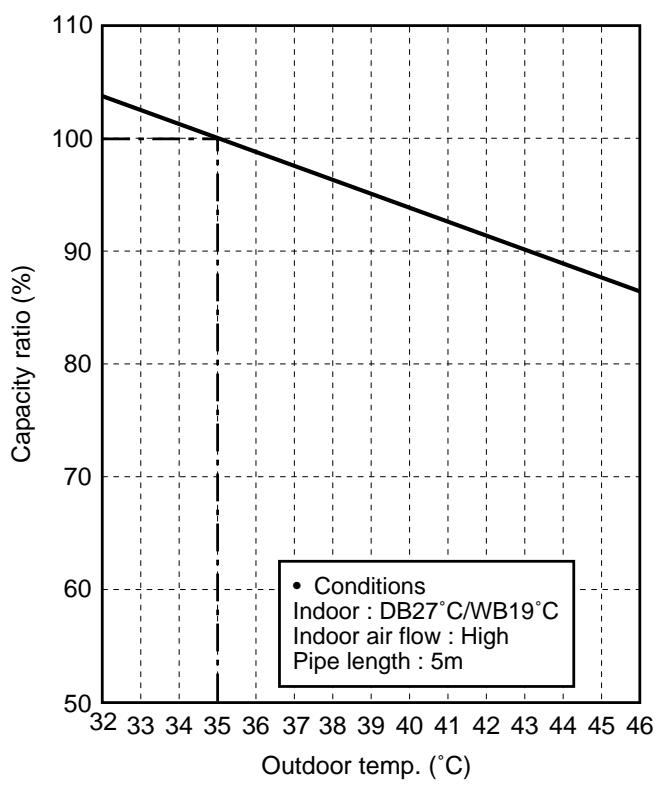
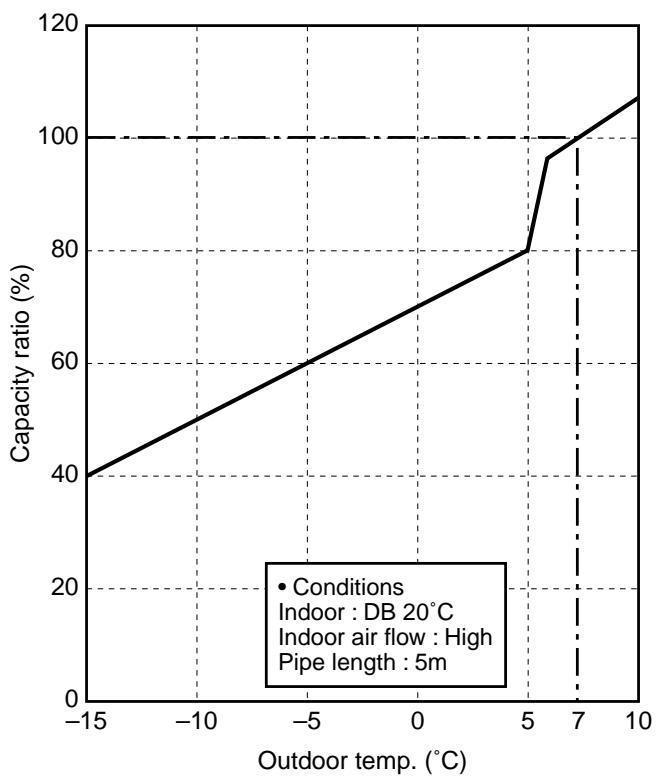
RAS-10SKVP-ND, RAS-13SKVP-ND, RAS-16SKVP-ND
3. REFRIGERANT R410A
This air conditioner adopts the new refrigerant HFC (R410A) which does not damage the ozone layer.
The working pressure of the new refrigerant R410A is 1.6 times higher than conventional refrigerant (R22). The refrigerating oil is also changed in accordance with change of refrigerant, so be careful that water, dust, and existing refrigerant or refrigerating oil are not entered in the refrigerant cycle of the air conditioner using the new refrigerant during installation work or servicing time.
The next section describes the precautions for air conditioner using the new refrigerant. Conforming to contents of the next section together with the general cautions included in this manual, perform the correct and safe work.
3-1. Safety During Installation/Servicing
As R410A's pressure is about 1.6 times higher than that of R22, improper installation/servicing may cause a serious trouble. By using tools and materials exclusive for R410A, it is necessary to carry out installation/servicing safely while taking the following precautions into consideration.
- Never use refrigerant other than R410A in an air conditioner which is designed to operate with R410A.
If other refrigerant than R410A is mixed, pressure in the refrigeration cycle becomes abnormally high, and it may cause personal injury, etc. by a rupture.
- Confirm the used refrigerant name, and use tools and materials exclusive for the refrigerant R410A.
The refrigerant name R410A is indicated on the visible place of the outdoor unit of the air conditioner using R410A as refrigerant. To prevent mischarging, the diameter of the service port differs from that of R22.
-
If a refrigeration gas leakage occurs during installation/servicing, be sure to ventilate fully. If the refrigerant gas comes into contact with fire, a poisonous gas may occur.
-
When installing or removing an air conditioner, do not allow air or moisture to remain in the refrigeration cycle. Otherwise, pressure in the refrigeration cycle may become abnormally high so that a rupture or personal injury may be caused.
-
After completion of installation work, check to make sure that there is no refrigeration gas leakage.
If the refrigerant gas leaks into the room, coming into contact with fire in the fan-driven heater, space heater, etc., a poisonous gas may occur.
- When an air conditioning system charged with a large volume of refrigerant is installed in a small room, it is necessary to exercise care so that, even when refrigerant leaks, its concentration does not exceed the marginal level.
If the refrigerant gas leakage occurs and its concentration exceeds the marginal level, an oxygen starvation accident may result.
- Be sure to carry out installation or removal according to the installation manual.
Improper installation may cause refrigeration trouble, water leakage, electric shock, fire, etc.
- Unauthorized modifications to the air conditioner may be dangerous. If a breakdown occurs please call a qualified air conditioner technician or electrician.
Improper repair's may result in water leakage, electric shock and fire, etc.
3-2. Refrigerant Piping Installation
3-2-1. Piping Materials and Joints Used
For the refrigerant piping installation, copper pipes and joints are mainly used.
Copper pipes and joints suitable for the refrigerant must be chosen and installed.
Furthermore, it is necessary to use clean copper pipes and joints whose interior surfaces are less affected by contaminants.
1. Copper Pipes
It is necessary to use seamless copper pipes which are made of either copper or copper alloy and it is desirable that the amount of residual oil is less than 40mg / 10m
Do not use copper pipes having a collapsed, deformed or discolored portion (especially on the interior surface).
Otherwise, the expansion valve or capillary tube may become blocked with contaminants.
As an air conditioner using R410A incurs pressure higher than when using R22, it is necessary to choose adequate materials.
Thickities of copper pipes used with R410A are as shown in Table 3-2-1. Never use copper pipes thinner than 0.8mm even when it is available on the market.
Table 3-2-1 Thicknesses of annealed copper pipes
| Thickness (mm) | |||
| Nominal diameter | Outer diameter (mm) | R410A | R22 |
| 1/4 | 6.35 | 0.80 | 0.80 |
| 3/8 | 9.52 | 0.80 | 0.80 |
| 1/2 | 12.70 | 0.80 | 0.80 |
| 5/8 | 15.88 | 1.00 | 1.00 |
2. Joints
For copper pipes, flare joints or socket joints are used. Prior to use, be sure to remove all contaminants.
a) Flare Joints
Flare joints used to connect the copper pipes cannot be used for pipings whose outer diameter exceeds 20mm . In such a case, socket joints can be used.
Sizes of flare pipe ends, flare joint ends and flare nuts are as shown in Tables 3-2-3 to 3-2-6 below.
b) Socket Joints
Socket joints are such that they are brazed for connections, and used mainly for thick pipings whose diameter is larger than 20~mm .
Thickities of socket joints are as shown in Table 3-2-2.
Table 3-2-2 Minimum thicknesses of socket joints
| Nominal diameter | Reference outer diameter of copper pipe jointed (mm) | Minimum joint thickness (mm) |
| 1/4 | 6.35 | 0.50 |
| 3/8 | 9.52 | 0.60 |
| 1/2 | 12.70 | 0.70 |
| 5/8 | 15.88 | 0.80 |
3-2-2. Processing of Piping Materials
When performing the refrigerant piping installation, care should be taken to ensure that water or dust does not enter the pipe interior, that no other oil than lubricating oils used in the installed air-water heat pump is used, and that refrigerant does not leak.
When using lubricating oils in the piping processing, use such lubricating oils whose water content has been removed. When stored, be sure to seal the container with an airtight cap or any other cover.
1. Flare processing procedures and precautions
a) Cutting the Pipe
By means of a pipe cutter, slowly cut the pipe so that it is not deformed.
b) Removing Burrs and Chips
If the flared section has chips or burrs, refrigerant leakage may occur.
Carefully remove all burrs and clean the cut surface before installation.
c) Insertion of Flare Nut
d) Flare Processing
Make certain that a clamp bar and copper pipe have been cleaned.
By means of the clamp bar, perform the flare processing correctly.
Use either a flare tool for R410A or conventional flare tool.
Flare processing dimensions differ according to the type of flare tool. When using a conventional flare tool, be sure to secure "dimension A" by using a gauge for size adjustment.
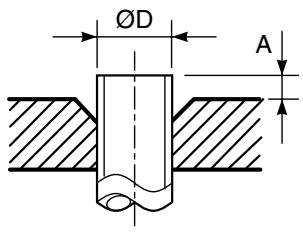
Fig. 3-2-1 Flare processing dimensions
Table 3-2-3 Dimensions related to flare processing for R410A
| Nominal diameter | Outer diameter (mm) | Thickness (mm) | A (mm) | ||
| Flare tool for R410A clutch type | Conventional flare tool | ||||
| Clutch type | Wing nut type | ||||
| 1/4 | 6.35 | 0.8 | 0 to 0.5 | 1.0 to 1.5 | 1.5 to 2.0 |
| 3/8 | 9.52 | 0.8 | 0 to 0.5 | 1.0 to 1.5 | 1.5 to 2.0 |
| 1/2 | 12.70 | 0.8 | 0 to 0.5 | 1.0 to 1.5 | 2.0 to 2.5 |
| 5/8 | 15.88 | 1.0 | 0 to 0.5 | 1.0 to 1.5 | 2.0 to 2.5 |
Table 3-2-4 Dimensions related to flare processing for R22
| Nominal diameter | Outer diameter (mm) | Thickness (mm) | A (mm) | ||
| Flare tool for R22 clutch type | Conventional flare tool | ||||
| Clutch type | Wing nut type | ||||
| 1/4 | 6.35 | 0.8 | 0 to 0.5 | 0.5 to 1.0 | 1.0 to 1.5 |
| 3/8 | 9.52 | 0.8 | 0 to 0.5 | 0.5 to 1.0 | 1.0 to 1.5 |
| 1/2 | 12.70 | 0.8 | 0 to 0.5 | 0.5 to 1.0 | 1.5 to 2.0 |
| 5/8 | 15.88 | 1.0 | 0 to 0.5 | 0.5 to 1.0 | 1.5 to 2.0 |
Table 3-2-5 Flare and flare nut dimensions for R410A
| Nominal diameter | Outer diameter (mm) | Thickness (mm) | Dimension (mm) | Flare nut width (mm) | |||
| A | B | C | D | ||||
| 1/4 | 6.35 | 0.8 | 9.1 | 9.2 | 6.5 | 13 | 17 |
| 3/8 | 9.52 | 0.8 | 13.2 | 13.5 | 9.7 | 20 | 22 |
| 1/2 | 12.70 | 0.8 | 16.6 | 16.0 | 12.9 | 23 | 26 |
| 5/8 | 15.88 | 1.0 | 19.7 | 19.0 | 16.0 | 25 | 29 |
Table 3-2-6 Flare and flare nut dimensions for R22
| Nominal diameter | Outer diameter (mm) | Thickness (mm) | Dimension (mm) | Flare nut width (mm) | |||
| A | B | C | D | ||||
| 1/4 | 6.35 | 0.8 | 9.0 | 9.2 | 6.5 | 13 | 17 |
| 3/8 | 9.52 | 0.8 | 13.0 | 13.5 | 9.7 | 20 | 22 |
| 1/2 | 12.70 | 0.8 | 16.2 | 16.0 | 12.9 | 20 | 24 |
| 5/8 | 15.88 | 1.0 | 19.7 | 19.0 | 16.0 | 23 | 27 |
| 3/4 | 19.05 | 1.0 | 23.3 | 24.0 | 19.2 | 34 | 36 |
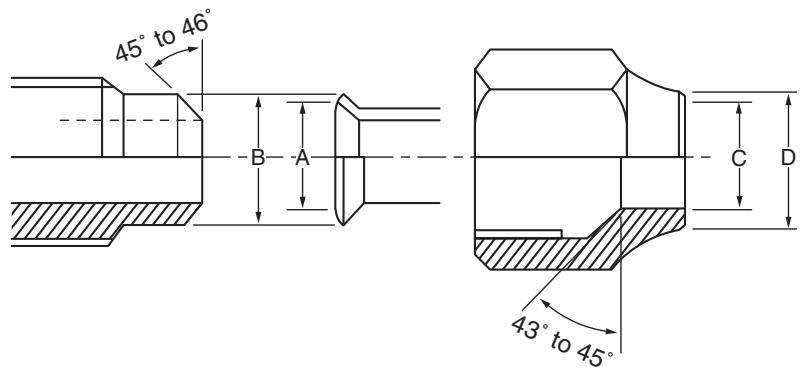
Fig. 3-2-2 Relations between flare nut and flare seal surface
2. Flare Connecting Procedures and Precautions
a) Make sure that the flare and union portions do not have any scar or dust, etc.
b) Correctly align the processed flare surface with the union axis.
c) Tighten the flare with designated torque by means of a torque wrench.
The tightening torque for R410A is the same as that for conventional R22.
Incidentally, when the torque is weak, the gas leakage may occur.
When it is strong, the flare nut may crack and may be made non-removable.
When choosing the tightening torque, comply with values designated by manufacturers.
Table 3-2-7 shows reference values.
NOTE :
When applying oil to the flare surface, be sure to use oil designated by the manufacturer.
If any other oil is used, the lubricating oils may deteriorate and cause the compressor to burn out.
Table 3-2-7 Tightening torque of flare for R410A [Reference values]
| Nominal diameter | Outer diameter (mm) | Tightening torque N·m (kgf·cm) | Tightening torque of torque wrenches available on the market N·m (kgf·cm) |
| 1/4 | 6.35 | 14 to 18 (140 to 180) | 16 (160), 18 (180) |
| 3/8 | 9.52 | 33 to 42 (330 to 420) | 42 (420) |
| 1/2 | 12.70 | 50 to 62 (500 to 620) | 55 (550) |
| 5/8 | 15.88 | 63 to 77 (630 to 770) | 65 (650) |
3-3. Tools
3-3-1. Required Tools
The service port diameter of packed valve of the outdoor unit in the air-water heat pump using R410A is changed to prevent mixing of other refrigerant. To reinforce the pressure-resisting strength, flare processing dimensions and opposite side dimension of flare nut (For Ø12.7 copper pipe) of the refrigerant piping are lengthened.
The used refrigerating oil is changed, and mixing of oil may cause a trouble such as generation of sludge, clogging of capillary, etc. Accordingly, the tools to be used are classified into the following three types.
- Tools exclusive for R410A (Those which cannot be used for conventional refrigerant (R22))
- Tools exclusive for R410A, but can be also used for conventional refrigerant (R22)
- Tools commonly used for R410A and for conventional refrigerant (R22)
The table below shows the tools exclusive for R410A and their interchangeability.
Tools exclusive for R410A (The following tools for R410A are required.)
Tools whose specifications are changed for R410A and their interchangeability
| No. | Used tool | Usage | R410A air-water heat pump installation | Conventional air-water heat pump installation | |
| Existence of new equipment for R410A | Whether conven- tional equipment can be used | Whether new equipment can be used with conventional refrigerant | |||
| 1 | Flare tool | Pipe flaring | Yes | *(Note 1) | ○ |
| 2 | Copper pipe gauge for adjusting projection margin | Flaring by conventional flare tool | Yes | *(Note 1) | *(Note 1) |
| 3 | Torque wrench (For Ø12.7) | Connection of flare nut | Yes | × | × |
| 4 | Gauge manifold | Evacuating, refrigerant charge, run check, etc. | Yes | × | × |
| 5 | Charge hose | ||||
| 6 | Vacuum pump adapter | Vacuum evacuating | Yes | × | ○ |
| 7 | Electronic balance for refrigerant charging | Refrigerant charge | Yes | × | ○ |
| 8 | Refrigerant cylinder | Refrigerant charge | Yes | × | × |
| 9 | Leakage detector | Gas leakage check | Yes | × | ○ |
| 10 | Charging cylinder | Refrigerant charge | (Note 2) | × | × |
(Note 1) When flaring is carried out for R410A using the conventional flare tools, adjustment of projection margin is necessary. For this adjustment, a copper pipe gauge, etc. are necessary.
(Note 2) Charging cylinder for R410A is being currently developed.
General tools (Conventional tools can be used.)
In addition to the above exclusive tools, the following equipments which serve also for R22 are necessary as the general tools.
-
Vacuum pump
-
Reamer
-
Hole core drill (Ø65)
Use vacuum pump by attaching vacuum pump adapter.
-
Pipe bender
-
Hexagon wrench
-
Torque wrench (For 6.35, 9.52)
-
Level vial
(Opposite side 4mm)
-
Pipe cutter
-
Screwdriver (+, -)
-
Tape measure
-
Spanner or Monkey wrench
-
Metal saw
Also prepare the following equipments for other installation method and run check.
-
Clamp meter
-
Insulation resistance tester
-
Thermometer
-
Electroscope
3-4. Recharging of Refrigerant
When it is necessary to recharge refrigerant, charge the specified amount of new refrigerant according to the following steps.
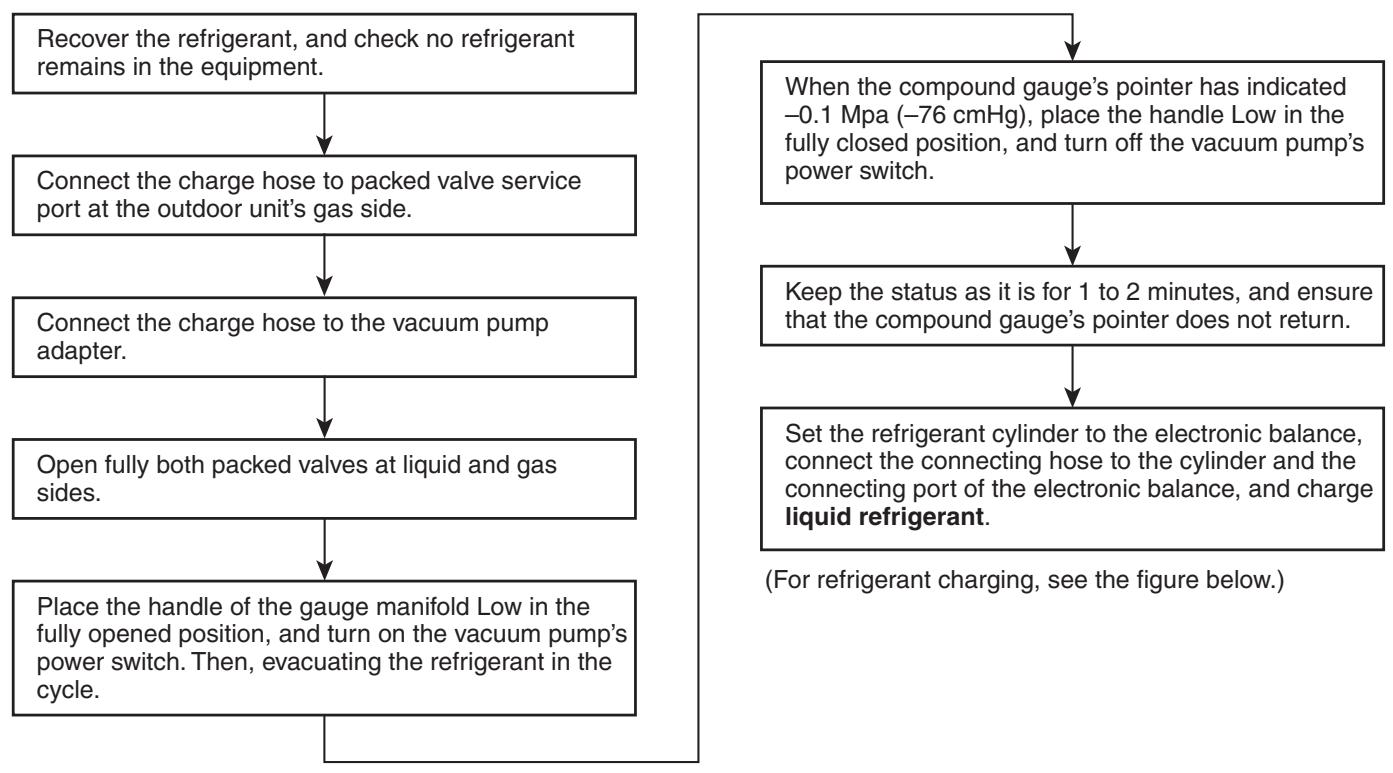
- Never charge refrigerant exceeding the specified amount.
- If the specified amount of refrigerant cannot be charged, charge refrigerant bit by bit in COOL mode.
- Do not carry out additional charging.
When additional charging is carried out if refrigerant leaks, the refrigerant composition changes in the refrigeration cycle, that is characteristics of the air conditioner changes, refrigerant exceeding the specified amount is charged, and working pressure in the refrigeration cycle becomes abnormally high pressure, and may cause a rupture or personal injury.
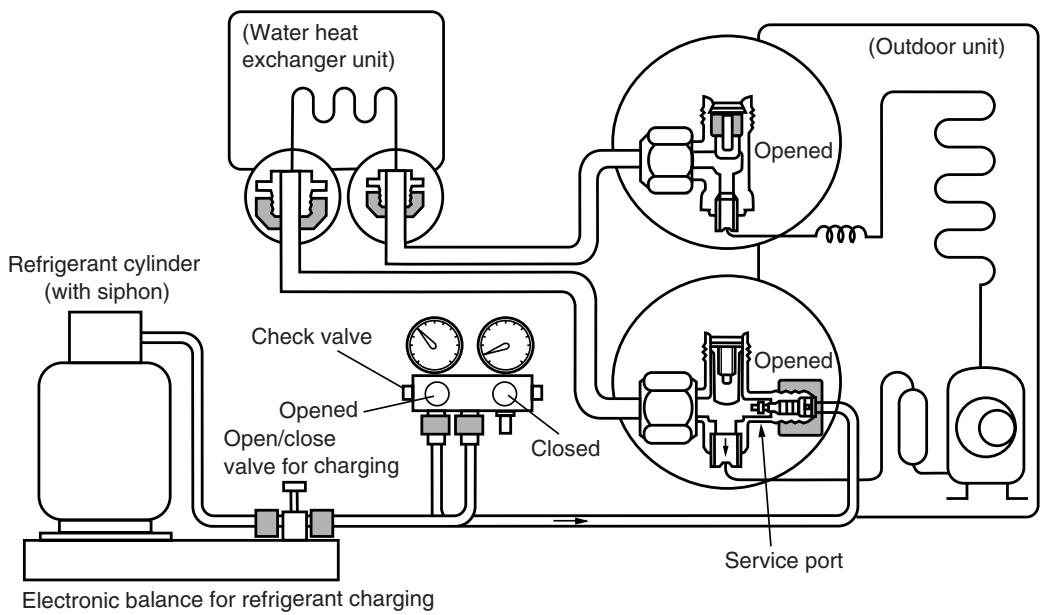
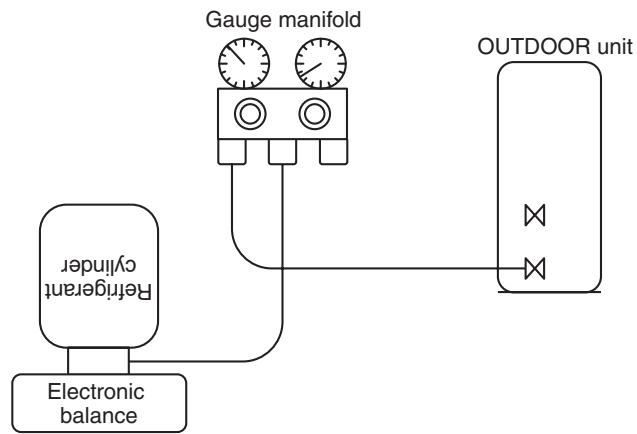
Fig. 3-4-1 Configuration of refrigerant charging
- Be sure to make setting so that liquid can be charged.
- When using a cylinder equipped with a siphon, liquid can be charged without turning it upside down.
It is necessary for charging refrigerant under condition of liquid because R410A is mixed type of refrigerant. Accordingly, when charging refrigerant from the refrigerant cylinder to the equipment, charge it turning the cylinder upside down if cylinder is not equipped with siphon.
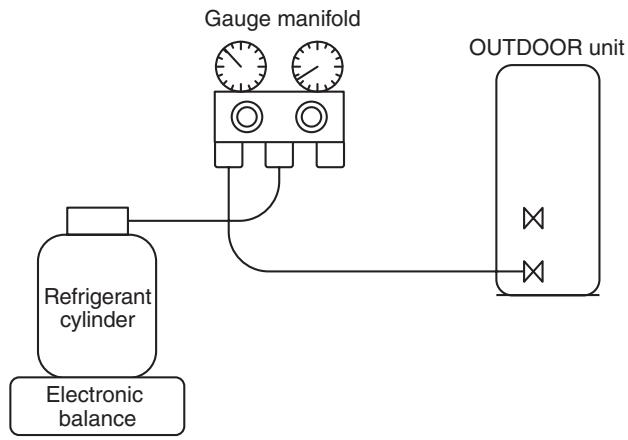
[ Cylinder with siphon ]
[ Cylinder without siphon ]
R410A refrigerant is HFC mixed refrigerant. Therefore, if it is charged with gas, the composition of the charged refrigerant changes and the characteristics of the equipment varies.
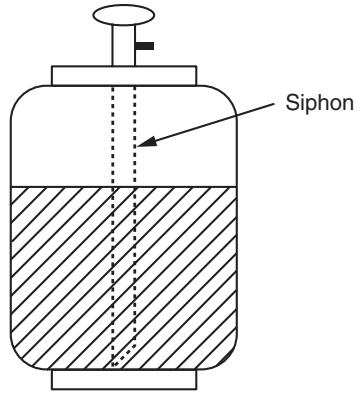
Fig. 3-4-2
3-5. Brazing of Pipes
3-5-1. Materials for Brazing
1. Silver brazing filler
Silver brazing filler is an alloy mainly composed of silver and copper. It is used to join iron, copper or copper alloy, and is relatively expensive though it excels in solderability.
2. Phosphor bronze brazing filler
Phosphor bronze brazing filler is generally used to join copper or copper alloy.
3. Low temperature brazing filler
Low temperature brazing filler is generally called solder, and is an alloy of tin and lead. Since it is weak in adhesive strength, do not use it for refrigerant pipes.
- Phosphor bronze brazing filler tends to react with sulfur and produce a fragile compound water solution, which may cause a gas leakage. Therefore, use any other type of brazing filler at a hot spring resort, etc., and coat the surface with a paint.
- When performing brazing again at time of servicing, use the same type of brazing filler.
3-5-2. Flux
1. Reason why flux is necessary
- By removing the oxide film and any foreign matter on the metal surface, it assists the flow of brazing filler.
- In the brazing process, it prevents the metal surface from being oxidized.
- By reducing the brazing filler's surface tension, the brazing filler adheres better to the treated metal.
2. Characteristics required for flux
- Activated temperature of flux coincides with the brazing temperature.
- Due to a wide effective temperature range, flux is hard to carbonize.
- It is easy to remove slag after brazing.
- The corrosive action to the treated metal and brazing filler is minimum.
- It excels in coating performance and is harmless to the human body.
As the flux works in a complicated manner as described above, it is necessary to select an adequate type of flux according to the type and shape of treated metal, type of brazing filler and brazing method, etc.
3. Types of flux
Noncorrosive flux
Generally, it is a compound of borax and boric acid.
It is effective in case where the brazing temperature is higher than 800^ .
- Activated flux
Most of fluxes generally used for silver brazing are this type.
It features an increased oxide film removing capability due to the addition of compounds such as potassium fluoride, potassium chloride and sodium fluoride to the borax-boric acid compound.
4. Piping materials for brazing and used brazing filler/flux
| Piping material | Used brazing filler | Used flux |
| Copper - Copper | Phosphor copper | Do not use |
| Copper - Iron | Silver | Paste flux |
| Iron - Iron | Silver | Vapor flux |
- Do not enter flux into the refrigeration cycle.
- When chlorine contained in the flux remains within the pipe, the lubricating oil deteriorates. Therefore, use a flux which does not contain chlorine.
- When adding water to the flux, use water which does not contain chlorine (e.g. distilled water or ion-exchange water).
- Remove the flux after brazing.
3-5-3. Brazing
As brazing work requires sophisticated techniques, experiences based upon a theoretical knowledge, it must be performed by a person qualified.
In order to prevent the oxide film from occurring in the pipe interior during brazing, it is effective to proceed with brazing while letting dry Nitrogen gas (N2) flow.
Never use gas other than Nitrogen gas.
1. Brazing method to prevent oxidation
1) Attach a reducing valve and a flow-meter to the Nitrogen gas cylinder.
2) Use a copper pipe to direct the piping material, and attach a flow-meter to the cylinder.
3) Apply a seal onto the clearance between the piping material and inserted copper pipe for Nitrogen in order to prevent backflow of the Nitrogen gas.
4) When the Nitrogen gas is flowing, be sure to keep the piping end open.
5) Adjust the flow rate of Nitrogen gas so that it is lower than 0.05 m^3/Hr or 0.02 MPa (0.2 kgf/cm^2) by means of the reducing valve.
6) After performing the steps above, keep the Nitrogen gas flowing until the pipe cools down to a certain extent (temperature at which pipes are touchable with hands).
7) Remove the flux completely after brazing.
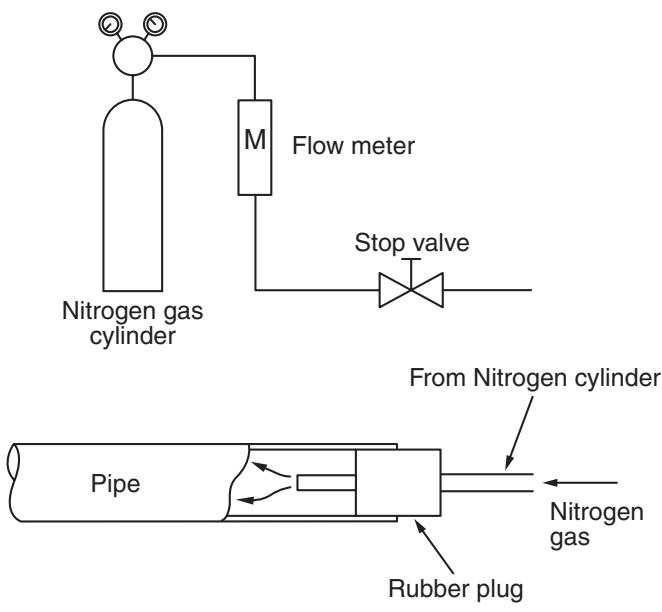
Fig. 3-5-1 Prevention of oxidation during brazing
4. CONSTRUCTION VIEWS
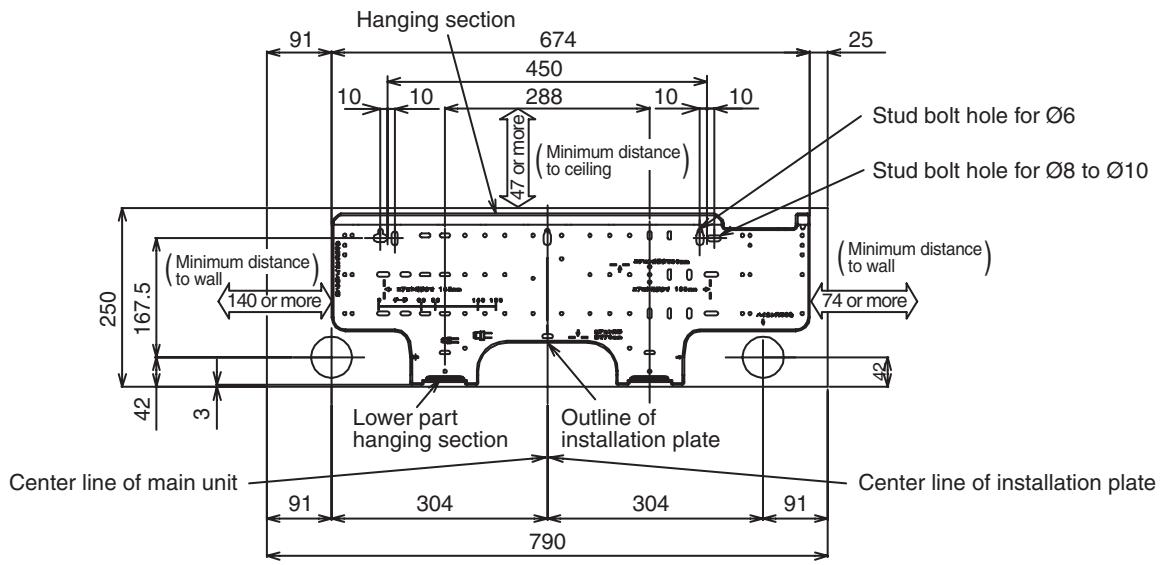
4-1. Indoor Unit
RAS-B10SKVP-E, RAS-B13SKVP-E, RAS-B16SKVP-E
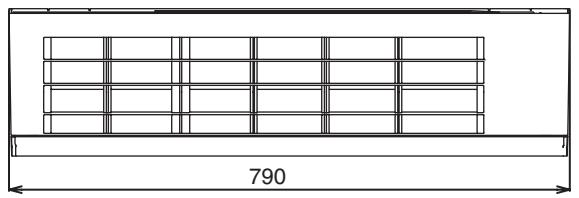
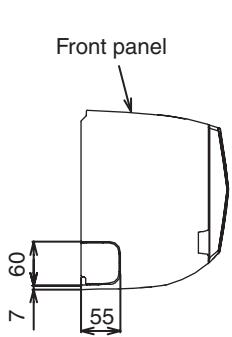
Knockout system
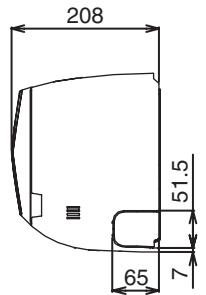
Knockout system
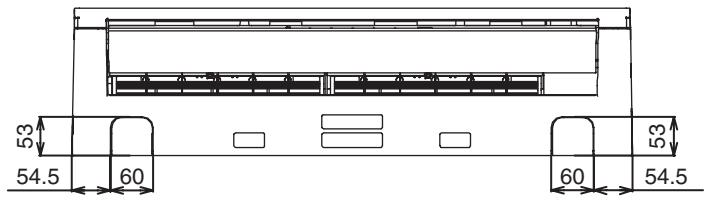
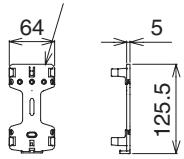
Remote controller holder
Wireless remote controller
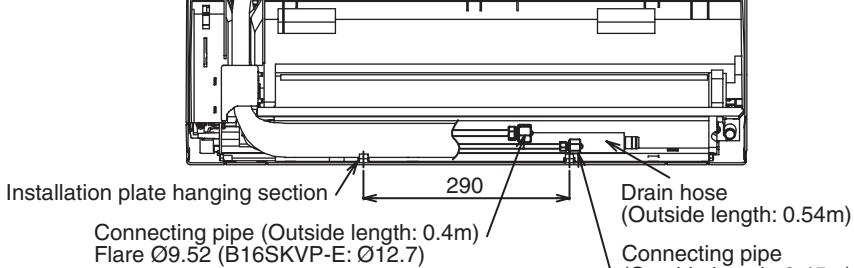
Flare 06.35
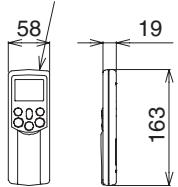
Part of Remote controller
WH-H04JE
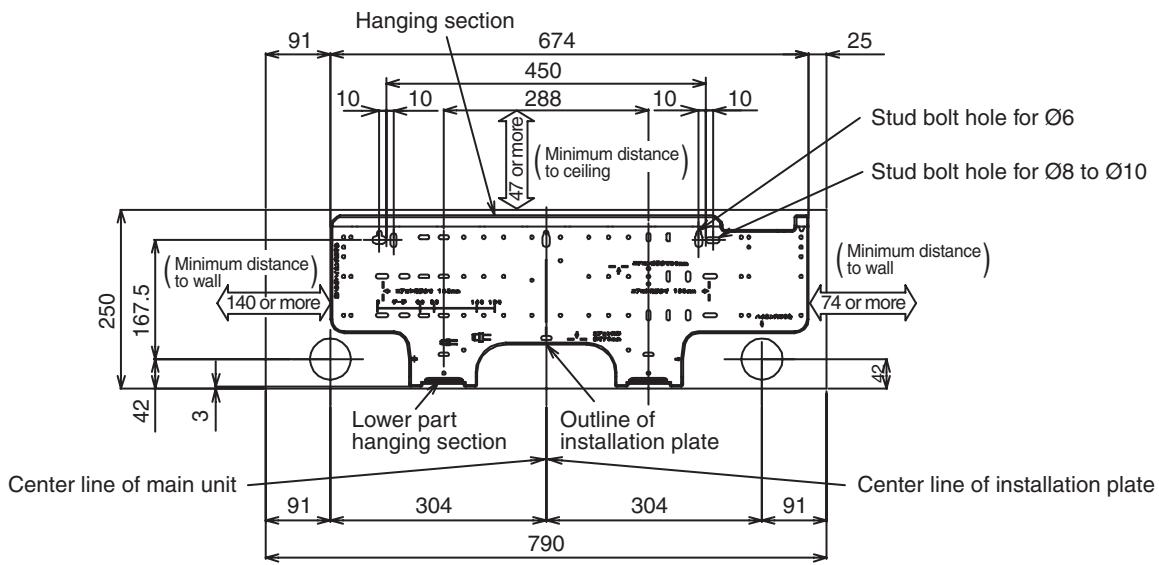
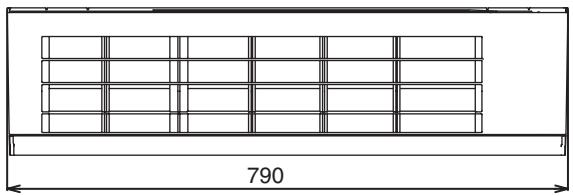
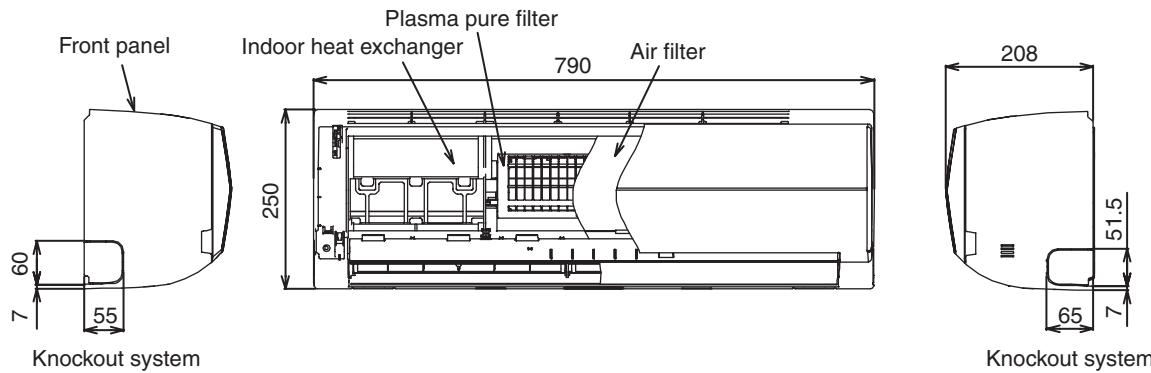
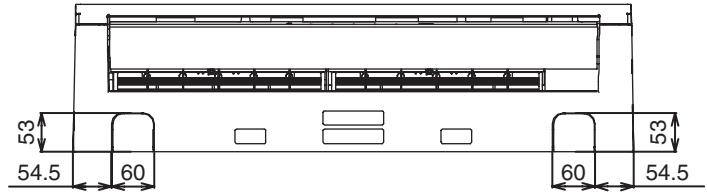
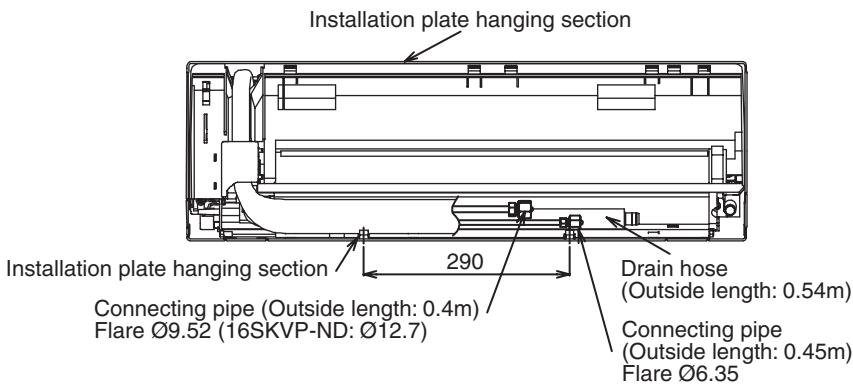
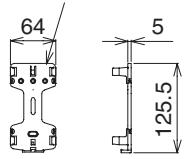
Remote controller holder
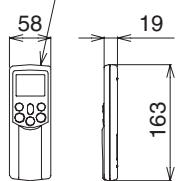
Wireless remote controller
Part of Remote controller
WH-H05JE
4-2. Outdoor Unit
RAS-10SAVP-E, RAS-13SAVP-E, RAS-16SAVP-E, RAS-10SAVP-ND, RAS-13SAVP-ND, RAS-16SAVP-ND
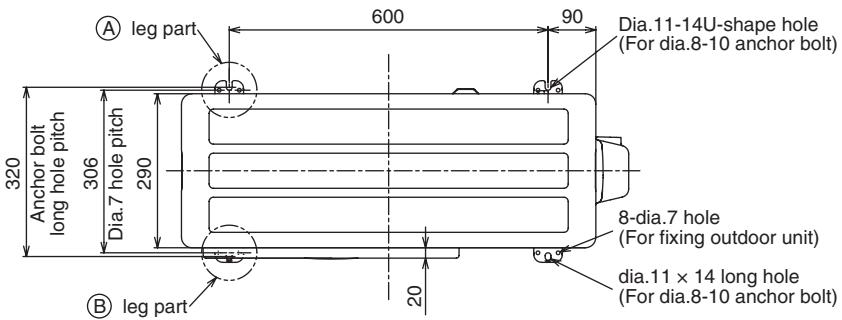
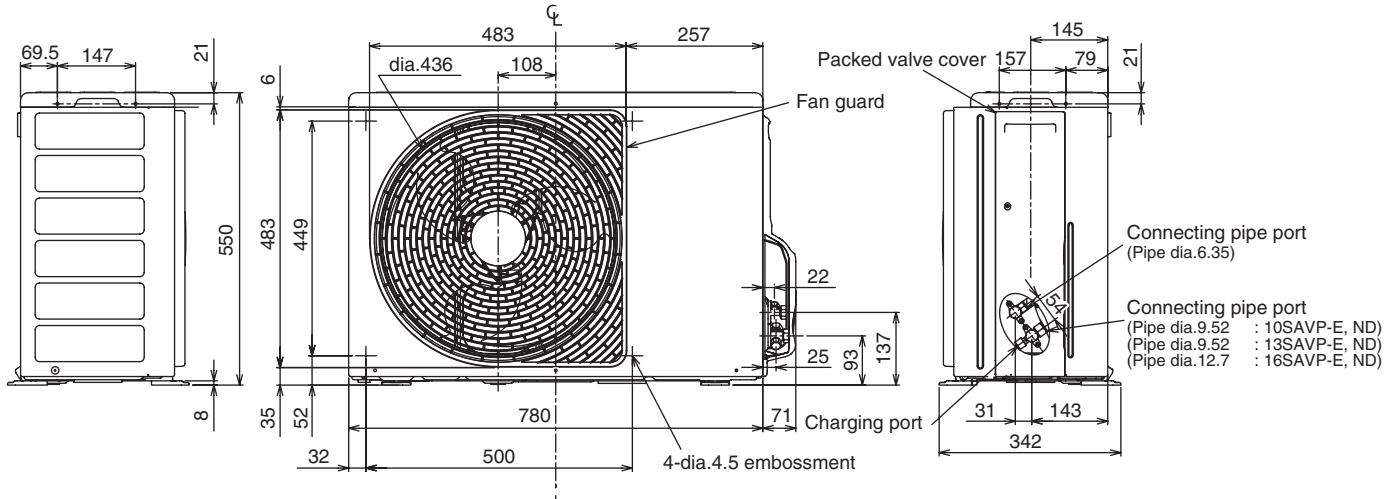
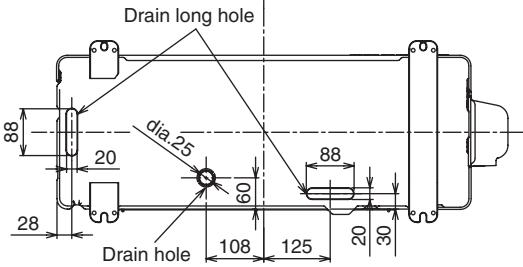
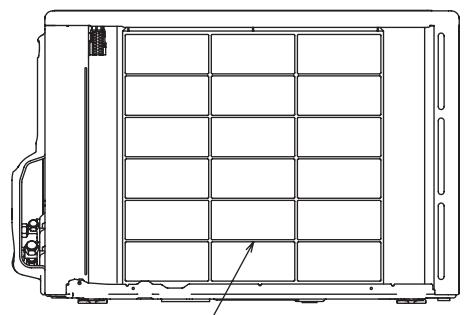
Fin guard
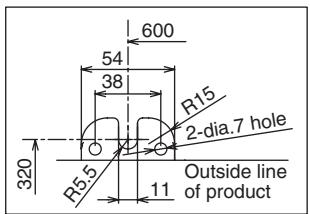
Detailed A leg part
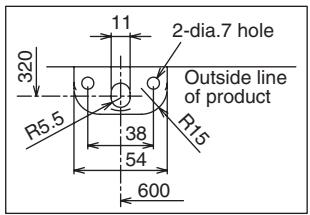
Detailed B leg part
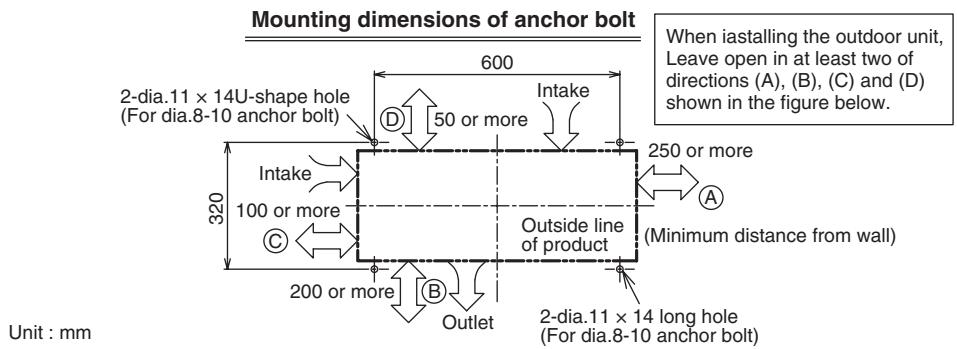
5. WIRING DIAGRAM
5-1. Outdoor Unit
RAS-10SAVP-E, RAS-13SAVP-E, RAS-16SAVP-E
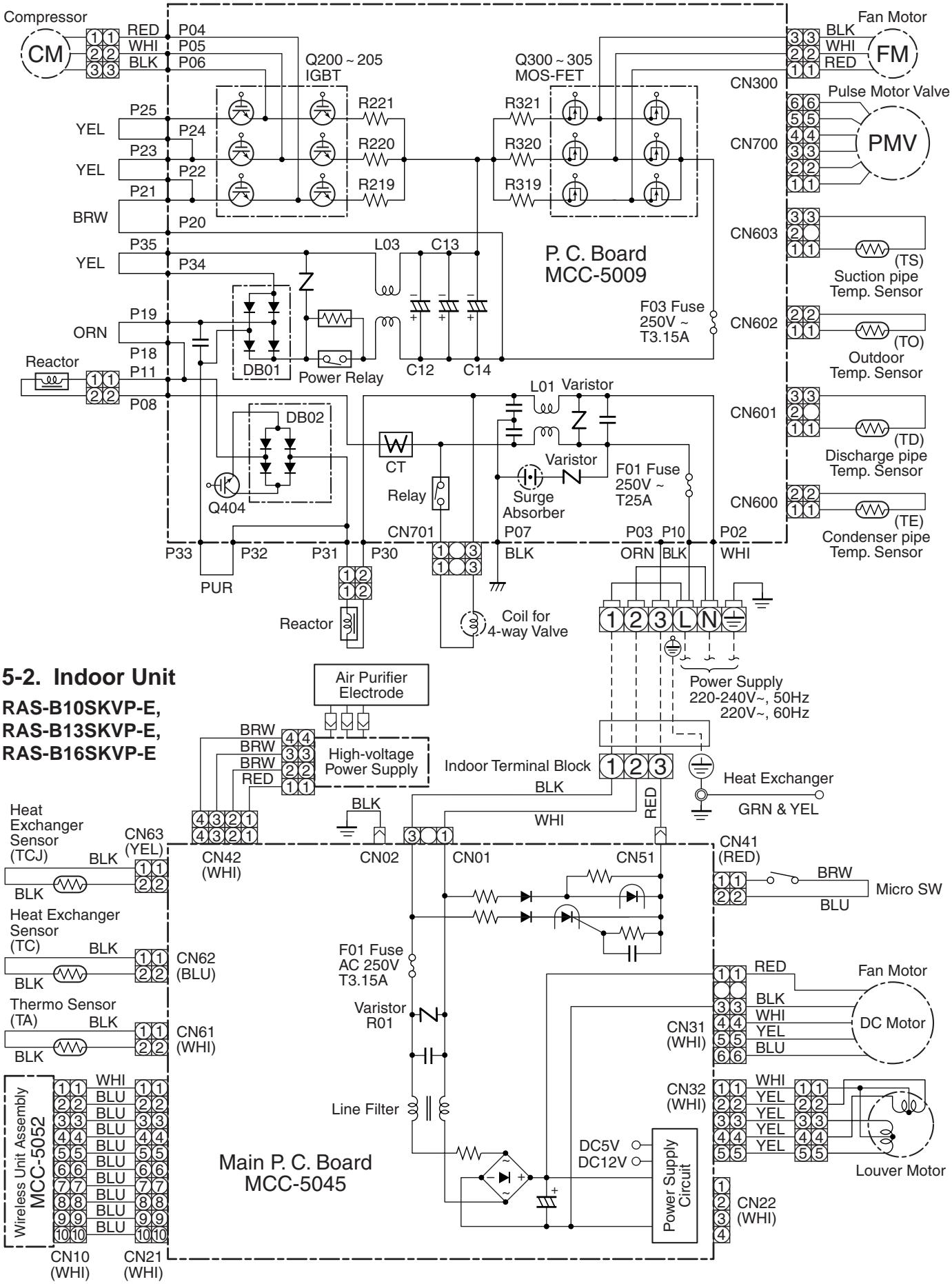
5-3. Outdoor Unit
RAS-10SAVP-ND, RAS-13SAVP-ND, RAS-16SAVP-ND
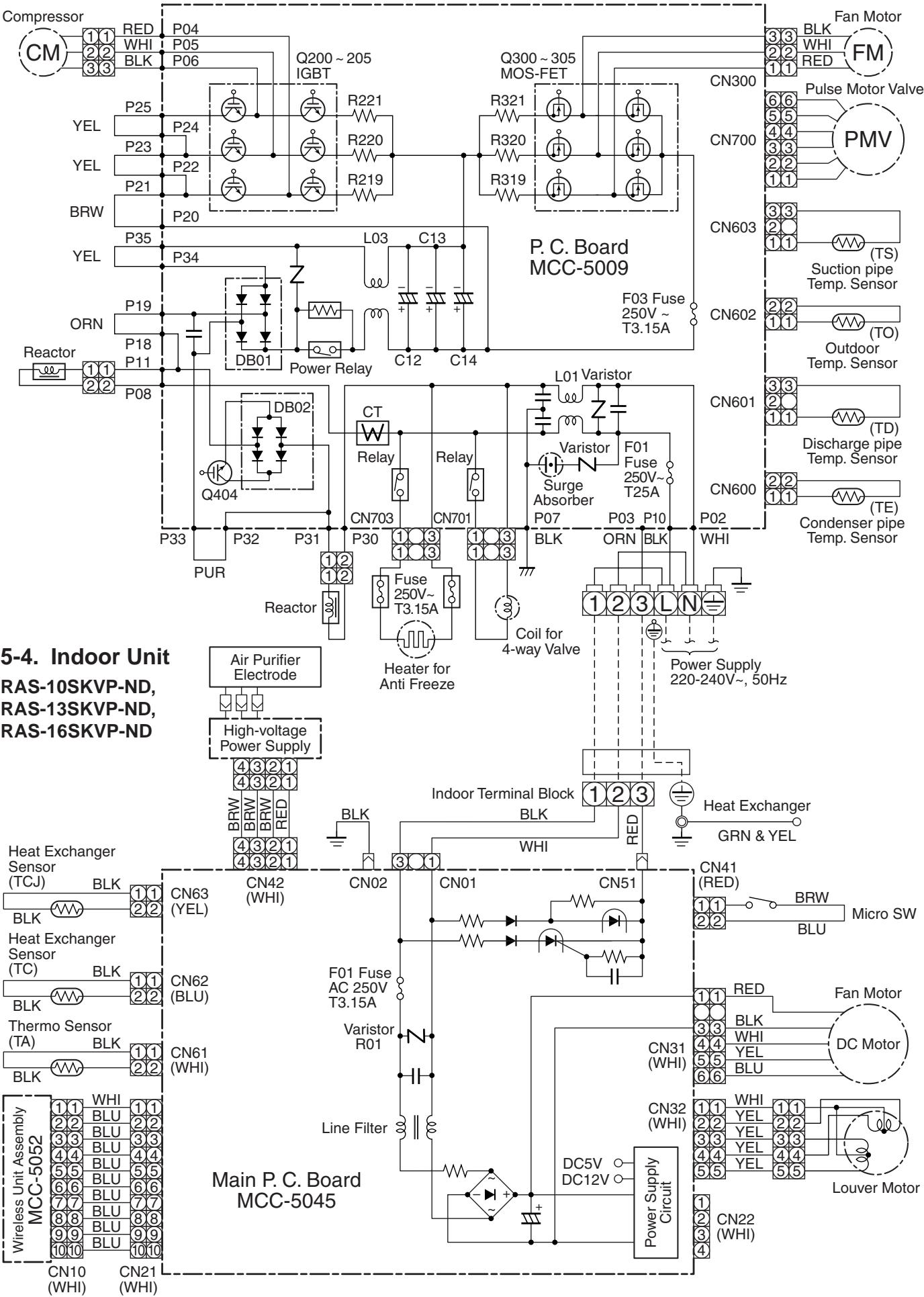
6. SPECIFICATIONS OF ELECTRICAL PARTS
6-1. Indoor Unit
RAS-B10SKVP-E, RAS-B13SKVP-E, RAS-B16SKVP-E
RAS-10SKVP-ND, RAS-13SKVP-ND, RAS-16SKVP-ND
| No. | Parts name | Type | Specifications |
| 1 | Fan motor (for indoor) | MF-280-30-5R | DC280-340V, 30W |
| 2 | Room temp. sensor (TA-sensor) | ( - ) | 10kΩ at 25°C |
| 3 | Heat exchanger temp. sensor (TC-sensor) | ( - ) | 10kΩ at 25°C |
| 4 | Heat exchanger temp. sensor (TCJ-sensor) | ( - ) | 10kΩ at 25°C |
| 5 | Louver motor | MP24Z3N | Output (Rated) 1W, 16 poles, DC12V |
6-2. Outdoor Unit
RAS-10SAVP-E, RAS-13SAVP-E, RAS-16SAVP-E
RAS-10SAVP-ND, RAS-13SAVP-ND, RAS-16SAVP-ND
| No. | Parts name | Model name | Rating |
| 1 | Reactor | CH-57 | L = 10mH, 16A |
| 2 | Outside fan motor | ICF-140-43-4R | DC140V, 43W |
| 3 | Suction temp. sensor (TS sensor) | (Inverter attached) | 10kΩ (25°C) |
| 4 | Discharge temp. sensor (TD sensor) | (Inverter attached) | 62kΩ (20°C) |
| 5 | Outside air temp. sensor (TO sensor) | (Inverter attached) | 10kΩ (25°C) |
| 6 | Heat exchanger temp. sensor (TE sensor) | (Inverter attached) | 10kΩ (25°C) |
| 7 | Terminal block (6P) | —— | 20A, AC250V |
| 8 | Compressor | DA111A1F-24F | 3-phases 4-poles 750W |
| 9 | Coil for P.M.V. | CAM-MD12TF | DC12V |
| 10 | Coil for 4-way valve | STF | AC220-240V |
| 11 | Cord heater assembly (-ND model only) | CSC-2 | AC230V, 75W |
| 12 | Heater fuse assembly (-ND model only) | —— | AC250V, 3.15A |
7. REFRIGERANT CYCLE DIAGRAM
7-1. Refrigerant Cycle Diagram
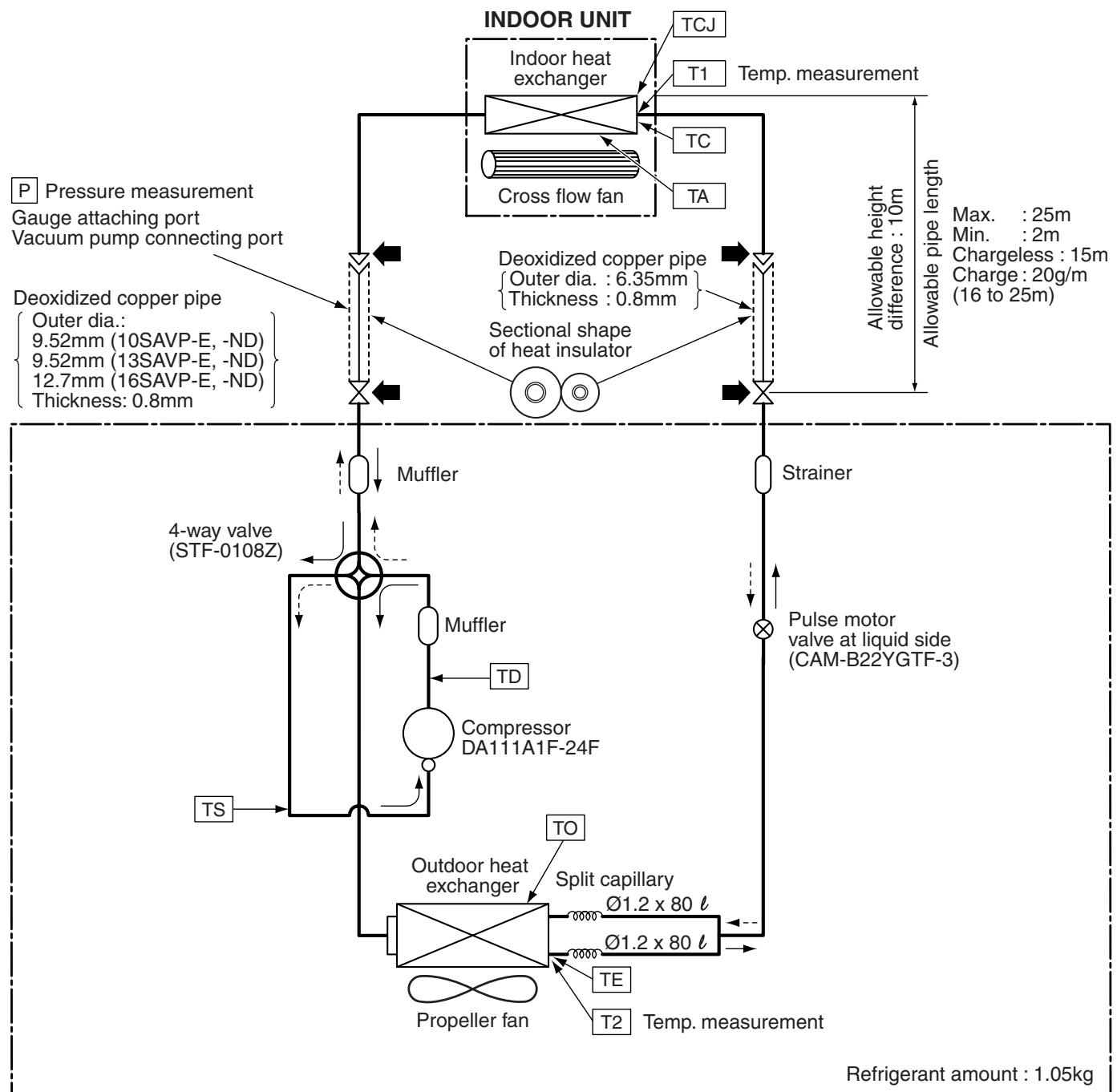
OUTDOOR UNIT
NOTE :

Gas leak check position

Refrigerant flow (Cooling)

Refrigerant flow (Heating)
NOTE :
- The maximum pipe length of this air conditioner is 25m . When the pipe length exceeds 15m , the additional charging of refrigerant, 20g per 1m for the part of pipe exceeded 15m is required. (Max. 200g)
7-2. Operation Data
| Temperature condition (°C) | Model name RAS- | Standard pressure P (MPa) | Heat exchanger pipe temp. | Indoor fan mode | Outdoor fan mode | Compressor revolution (rps) | ||
| Indoor | Outdoor | T1 (°C) | T2 (°C) | |||||
| 27/19 | 35/- | B10SKVP-E 10SKVP-ND | 1.0 to 1.2 | 13 to 15 | 36 to 39 | High | High | 35 |
| B13SKVP-E 13SKVP-ND | 0.9 to 1.1 | 10 to 13 | 37 to 39 | High | High | 56 | ||
| B16SKVP-E 16SKVP-ND | 0.8 to 1.0 | 8 to 11 | 37 to 40 | High | High | 82 | ||
| Temperature condition (°C) | Model name RAS- | Standard pressure P (MPa) | Heat exchanger pipe temp. | Indoor fan mode | Outdoor fan mode | Compressor revolution (rps) | ||
| Indoor | Outdoor | T1 (°C) | T2 (°C) | |||||
| 20/- | 7/6 | B10SKVP-E 10SKVP-ND | 2.1 to 2.3 | 37 to 39 | 3 to 5 | High | High | 46 |
| B13SKVP-E 13SKVP-ND | 2.4 to 2.6 | 41 to 44 | 2 to 4 | High | High | 62 | ||
| B16SKVP-E 16SKVP-ND | 2.8 to 3.0 | 48 to 50 | 2 to 4 | High | High | 85 | ||
NOTES :
- Measure surface temperature of heat exchanger pipe around center of heat exchanger path U bent. (Thermistor thermometer)
- Connecting piping condition : 5 m
8. CONTROL BLOCK DIAGRAM
8-1. Indoor Unit
RAS-B10SKVP-E, RAS-B13SKVP-E, RAS-B16SKVP-E/RAS-10SKVP-ND, RAS-13SKVP-ND, RAS-16SKVP-ND
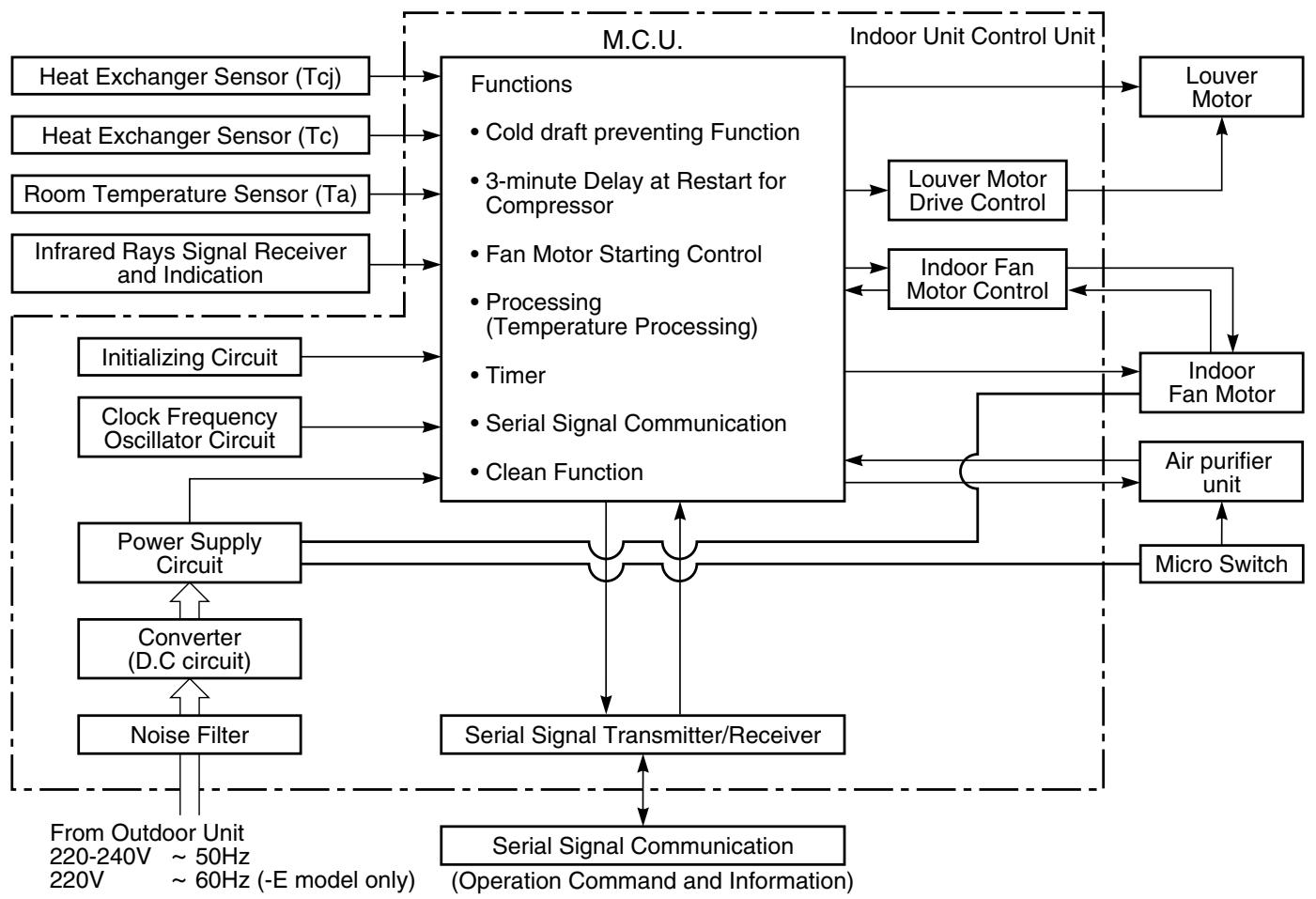
REMOTE CONTROLLER
Remote Controller Infrared Rays, 36.7kHz
Operation (START/STOP)
Operation Mode Selection AUTO, COOL, DRY, HEAT
Thermo. Setting
Fan Speed Selection
ON TIMER Setting
OFF TIMER Setting
Louver AUTO Swing
Louver Direction Setting
SLEEP MODE
Hi POWER
Air Purifier
OFF (1, 3, 5, 9H OFF timer)
8^ (-ND model only)
8-2. Outdoor Unit (Inverter Assembly)
RAS-10SAVP-E, RAS-13SAVP-E, RAS-16SAVP-E
RAS-10SAVP-ND, RAS-13SAVP-ND, RAS-16SAVP-ND
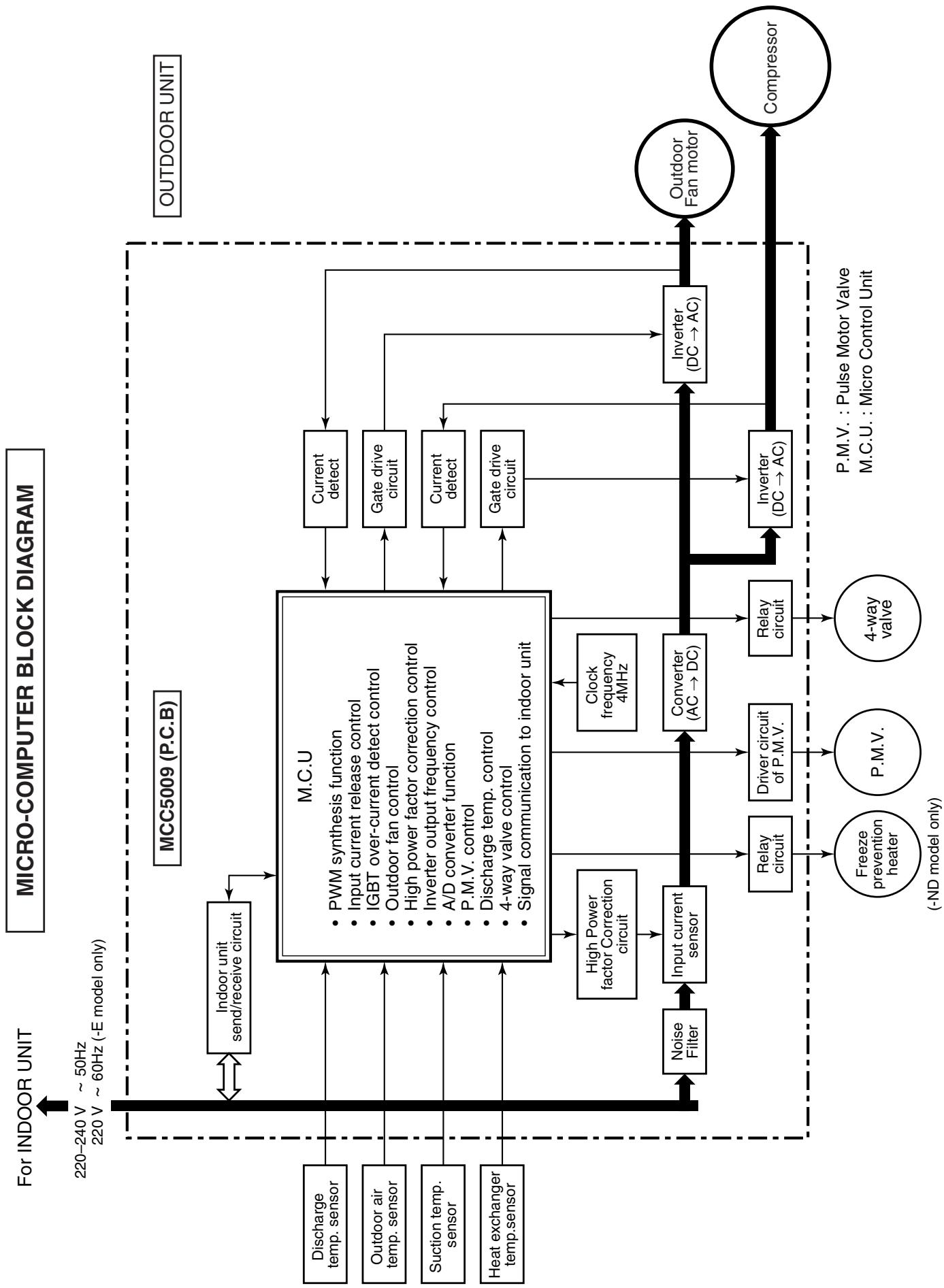
9. OPERATION DESCRIPTION
9-1. Outline of Air Conditioner Control
This air conditioner is a capacity-variable type air conditioner, which uses DC motor for the indoor fan motor and the outdoor fan motor. And the capacity-proportional control compressor which can change the motor speed in the range from 11 to 118 rps is mounted. The DC motor drive circuit is mounted to the indoor unit. The compressor and the inverter to control fan motor are mounted to the outdoor unit.
The entire air conditioner is mainly controlled by the indoor unit controller.
The indoor unit controller drives the indoor fan motor based upon command sent from the remote controller, and transfers the operation command to the outdoor unit controller.
The outdoor unit controller receives operation command from the indoor unit side, and controls the outdoor fan and the pulse motor valve. (P.M.V)
Besides, detecting revolution position of the compressor motor, the outdoor unit controller controls speed of the compressor motor by controlling output voltage of the inverter and switching timing of the supply power (current transfer timing) so that motors drive according to the operation command.
And then, the outdoor unit controller transfers reversely the operating status information of the outdoor unit to control the indoor unit controller.
As the compressor adopts four-pole brushless DC motor, the frequency of the supply power from inverter to compressor is two-times cycles of the actual number of revolution.
1. Role of indoor unit controller
The indoor unit controller judges the operation commands from the remote controller and assumes the following functions.
- Judgment of suction air temperature of the indoor heat exchanger by using the indoor temp. sensor. (TA sensor)
- Judgment of the indoor heat exchanger temperature by using heat exchanger sensor (TC sensor) (Prevent-freezing control and super heat control, etc.)
- Judgment of inlet indoor heat exchanger temperature by using heat exchanger sensor (TCJ sensor) (Super heat control etc.)
Louver motor control - Indoor fan motor operation control
- LED (Light Emitting Diode) display control
- Transferring of operation command signal (Serial signal) to the outdoor unit
- Reception of information of operation status (Serial signal including outside temp. data) to the outdoor unit and judgment/display of error
Air purifier operation control
2. Role of outdoor unit controller
Receiving the operation command signal (Serial signal) from the indoor unit controller, the outdoor unit performs its role.
- Compressor operation control
Operation control of outdoor fan motor
P.M.V.control
4-way valve control - Detection of inverter input current and current release operation
Over-current detection and prevention operation to IGBT module (Compressor stop function) - Compressor and outdoor fan stop function when serial signal is off (when the serial signal does not reach the board assembly of outdoor control by trouble of the signal system)
- Transferring of operation information (Serial signal) from outdoor unit controller to indoor unit controller
- Detection of outdoor temperature and operation revolution control
- Defrost control in heating operation (Temp. measurement by outdoor heat exchanger and control for 4-way valve and outdoor fan)
Operations followed to judgment of serial signal from indoor side.
3. Contents of operation command signal (Serial signal) from indoor unit controller to outdoor unit controller
The following three types of signals are sent from the indoor unit controller.
Operation mode set on the remote controller
- Compressor revolution command signal defined by indoor temperature and set temperature (Correction along with variation of room temperature and correction of indoor heat exchanger temperature are added.)
- Temperature of indoor heat exchanger
- For these signals ([Operation mode] and [Compressor revolution] indoor heat exchanger temperature), the outdoor unit controller monitors the input current to the inverter, and performs the followed operation within the range that current does not exceed the allowable value.
4. Contents of operation command signal (Serial signal) from outdoor unit controller to indoor unit controller
The following signals are sent from the outdoor unit controller.
- The current operation mode
- The current compressor revolution
- Outdoor temperature
- Existence of protective circuit operation
For transferring of these signals, the indoor unit controller monitors the contents of signals, and judges existence of trouble occurrence.
Contents of judgment are described below.
- Whether distinction of the current operation status meets to the operation command signal
- Whether protective circuit operates When no signal is received from the outdoor unit controller, it is assumed as a trouble.
9-2. Operation Description
9-2. 1. Basic operation 29
- Operation control 29
-
Cooling/Heating operation 30
3.AUTO operation 30
4.DRY operation 30 -
Indoor fan motor control 31
- Outdoor fan motor control 33
- Capacity control 34
- Current release control 34
- Release protective control by temperature of indoor heat exchanger 35
- Quick heating control 36
8.Defrost control (Only in heating operation) 36 - Louver control 37
1) Louver position 37
2) Air direction adjustment 37
3) Swing 37
- SLEEP MODE operation 38
- Temporary operation 39
- Air purifying control [Detection of abnormality] 39
- Discharge temperature control 40
- Pulse motor valve (P.M.V.) control 41
- Clean operation 42
- Clean operation release 43
- Select switch on remote controller 44
- Set temp. correction 45
- Outdoor Quiet control 46
- 8^ HEAT operation (-ND model only) 47
- Cord heater control (-ND model only) 49
9-3. Auto Restart Function 50
9-3-1. How to Set the Auto Restart Function 50
9-3-2. How to Cancel the Auto Restart Function 51
9-3-3. Power Failure During Timer Operation 51
9-4. FILTER Indicator 51
9-4-1. How to Turn Off FILTER Indicator 51
9-5. Remote Controller and Its Fuctions 52
9-5-1. Parts Name of Remote Controller 52
9-5-2. Name and Functions of Indications on Remote Controller 53
9-6. Hi POWER Mode
([Hi POWER] button on the remote controller is pushed) 54
| Item | Operation flow and applicable data, etc. | Description |
| 1. Basic operation | 1. Operation control Receiving the user's operation condition setup, the operation statuses of indoor/outdoor units are controlled. 1) The operation conditions are selected by the remote controller as shown in the below. 2) A signal is sent by ON button of the remote controller. 3) The signal is received by a sensor of the indoor unit and processed by the indoor controllers as shown in the below. 4) The indoor controller controls the indoor fan motor and louver motor. 5) The indoor controller sends the operation command to the outdoor controller, and sends/ receives the control status with a serial signal. 6) The outdoor controller controls the operation as shown in the left, and also controls the compressor, outdoor fan motor, 4-way valve and pulse motor valve. | |
| Remote controller | ||
| Selection of operation conditions | Control contents of remote controller ·ON/OFF (Air conditioner/Air purifier) ·Operation select (COOL/HEAT/AUTO/DRY) ·Temperature setup ·Air direction ·Swing ·Air volume select (AUTO/LOW/LOW+/MED/MED+/HIGH) ·Sleep mode ·ON timer setup ·OFF timer setup ·High power ·8°C heat operation (-ND model only) | |
| ON/OFF | ||
| Indoor unit control | Indoor unit control ·Command signal generating function of indoor unit operation ·Calculation function (temperature calculation) ·Activation compensation function of indoor fan ·Cold draft preventive function ·Timer function ·Indoor heat exchanger release control | |
| Operation command | ||
| Serial signal send/receive | ||
| Outdoor unit | ||
| Serial signal send/receive | Outdoor unit control ·Compressor speed control of inverter output ·Waveform composite function ·Calculation function (Temperature calculation) ·AD conversion function ·Quick heating function ·Delay function of compressor reactivation ·Current release function ·GTr over-current preventive function ·Defrost operation function | Inverter |
| Outdoor unit control | Compressor ·Outdoor fan motor ·4-way valve ·Pulse motor valve (P.M.V.) ·Freeze prevention heater (-ND model only) | |
| Outdoor unit control | ||
| 1. Basic operation | 2. Cooling/Heating operationThe operations are performed in the following parts by controls according to cooling/heating conditions. 1) Receiving the operation ON signal of the remote controller, the cooling or heating operation signal starts being transferred from the indoor controller to the outdoor unit. 2) At the indoor unit side, the indoor fan is operated according to the contents of “2. Indoor fan motor control” and the louver according to the contents of “9. Louver control”, respectively. 3) The outdoor unit controls the outdoor fan motor, compressor, pulse motor valve and 4-way valve according to the operation signal sent from the indoor unit. | |
| Operation ON Setup of remote controllerIndoor unit control Indoor fan motor control / Louver controlSending of operation command signalOutdoor unit control Compressor revolution control / Outdoor fan motor control / 4-way valve control [In cooling operation: ON]Pulse motor valve control | ||
| 3. AUTO operationSelection of operation modeAs shown in the following figure, the operation starts by selecting automatically the status of room temperature (Ta) when starting AUTO operation. *1. When reselecting the operation mode, the fan speed is controlled by the previous operation mode. TaCooling operationTs + 1Monitoring (Fan)Ts - 1Heating operation | 1) Detects the room temperature (Ta) when the operation started. 2) Selects an operation mode from Ta in the left figure. 3) Fan operation continues until an operation mode is selected. 4) When AUTO operation has started within 2 hours after heating operation stopped and if the room temperature is 20°C or more, the fan operation is performed with "Super Ultra LOW" mode for 3 minutes. Then, select an operation mode. 5) If the status of compressor-OFF continues for 15 minutes the room temperature after selecting an operation mode (COOL/HEAT), reselect an operation mode. | |
| 4. DRY operationDRY operation is performed according to the difference between room temperature and the setup temperature as shown below. In DRY operation, fan speed is controlled in order to prevent lowering of the room temperature and to avoid air flow from blowing directly to persons. [°C]L-(W5)+(W5+W3)/2SL(W3)Fan speed | 1) Detects the room temperature (Ta) when the DRY operation started. 2) Starts operation under conditions in the left figure according to the temperature difference between the room temperature and the setup temperature (Tsc). Setup temperature (Tsc) = Set temperature on remote controller (Ts) + (0.0 to 1.0) 3) When the room temperature is lower 1°C or less than the setup temperature, turn off the compressor. | |
| Fan speed level | Cool | HEAT | DRY | RAS-B10SKVP-E RAS-10SKVP-ND | RAS-B13SKVP-E RAS-13SKVP-ND | RAS-B16SKVP-E RAS-16SKVP-ND | |||
| Fan speed (rpm) | Air flow rate (m³/h) | Fan speed (rpm) | Air flow rate (m³/h) | Fan speed (rpm) | Air flow rate (m³/h) | ||||
| WF | UH | 1630 | 695 | 1650 | 705 | 1650 | 705 | ||
| WE | H | 1480 | 615 | 1530 | 640 | 1580 | 670 | ||
| WD | UH | M+ | 1400 | 575 | 1440 | 595 | 1550 | 650 | |
| WC | H | 1350 | 550 | 1390 | 570 | 1500 | 625 | ||
| WB | M+ | M | 1200 | 475 | 1240 | 495 | 1350 | 550 | |
| WA | 1110 | 430 | 1150 | 450 | 1230 | 490 | |||
| W9 | M | L+ | 980 | 365 | 1010 | 380 | 1080 | 415 | |
| W8 | L | 910 | 325 | 910 | 325 | 970 | 355 | ||
| W7 | L+ | L- | L+ | 900 | 320 | 900 | 320 | 960 | 350 |
| W6 | L | L | 860 | 300 | 860 | 300 | 920 | 330 | |
| W5 | L- | UL | L- | 820 | 280 | 820 | 280 | 900 | 320 |
| W4 | UL | UL | 730 | 235 | 730 | 235 | 790 | 265 | |
| W3 | SUL | SUL | 630 | 185 | 630 | 185 | 640 | 190 | |
| W2 | SUL | 600 | 170 | 600 | 170 | 600 | 170 | ||
| W1 | 600 | 170 | 600 | 170 | 600 | 170 | |||
| Item | Operation flow and applicable data, etc. | Description | |
| 2. Indoor fan motor control | <In heating operation> | 1) When setting the fan speed to L, L+, M, M+ or H on the remote controller, the operation is performed with the constant speed shown in Fig. 3 and Table 1. 2) When setting the fan speed to AUTO on the remote controller, revolution of the fan motor is controlled to the fan speed level shown in Fig. 5 according to the set temperature and room temperature. 3) Min air flow rate is controlled by temperature of the indoor heat exchanger (Tc) as shown in Fig. 4. 4) Cold draft prevention, the fan speed is controlled by temperature of the indoor heat exchanger (Tc) as shown in Fig. 6. | |
| HEAT ON | INDICATION | Fan speed | |
| Fan speed setup | L | W8 | |
| AUTO | L+ | (L+M)/2 | |
| M | WA | ||
| M+ | (M+H)/2 | ||
| H | WE | ||
| TC ≥ 42°C | Yes | Min air flow rate control | |
| NO | (图.4) | *Fan speed = (TC - (42 + a)) / 10 x (WD - W8) + W8 a: In up operation 1, in down operation 0 | |
| Basic fan control | Fan speed AUTO | *No limitation while fan speed MANUAL mode is in stability. * A: When Tsc ≥ 24, A is 24, and when Tsc < 24, A is Tsc Tsc: Set value | |
| TA [°C] | b | L+ (W9) | |
| TSC | c | *1 | |
| -0.5 | d | *2 | |
| -1.0 | e | *3 | |
| -1.5 | f | M+ (WD) | |
| -2.0 | g | H (WE) | |
| -2.5 | h | *4 | |
| -5.0 | i | A+4 | |
| -5.5 | j | A-4 | |
| *1: Fan speed = (M+ - L+) x 1 ÷ 4 + L | |||
| *2: Fan speed = (M+ - L+) x 2 ÷ 4 + L | |||
| *3: Fan speed = (M+ - L+) x 3 ÷ 4 + L | |||
| *4: Fan speed AUTO in starting | |||
| Fan speed AUTO in stability | |||
| Fan speed AUTO in starting | |||
| T ap | 10SAVP-E 10SAVP-ND | 13SAVP-E 13SAVP-ND | 16SAVP-E 16SAVP-ND | In Heating operation | |||||||
| Compressor speed (rps) | ~16.8 | ~47.9 | 48.5~MAX | ||||||||
| f 9 | To ≥ 15°C | f 3 | f 8 | f 9 | |||||||
| f 1 | 200 | 200 | 200 | f A | To < 15°C | f 3 | f 9 | f A | |||
| f 2 | 300 | 300 | 300 | f B | To < 5.5°C | f 8 | f A | f D | |||
| f 3 | 390 | 390 | 390 | f C | To < -5.0°C | f B | f C | f D | |||
| f 4 | 450 | 450 | 450 | f D | To ≥ 15°C | f 3 | f 3 | f 6 | |||
| f 5 | 500 | 500 | 500 | f E | To < 5.5°C | f 5 | f 9 | f 9 | |||
| f 6 | 500 | 500 | 500 | f F | To < -5.5°C | f 7 | f A | f B | |||
| f 7 | 600 | 600 | 650 | f G | When To is abnormal | f A | f B | f D | |||
| f 8 | 600 | 600 | 650 | f H | |||||||
| Item | Operation flow and applicable data, etc. | Description | ||
| 4. Capacity control | The cooling or heating capacity depending on the load is adjusted.According to difference between the setup value of temperature and the room temperature, the capacity is adjusted by the compressor revolution. | 1) The difference between set temperature on remote controller (Ts) and room temperature (Ta) is calculated.2) According to the temperature difference, the correction value of Hz signal which determines the compressor speed is set up.3) The rotating position and speed of the motor are detected by the electromotive force occurred on the motor winding with operation of the compressor.4) According to the difference resulted from comparison of the correction value of Hz signal with the present operation Hz, the inverter output and the commuta-tion timing are varied.5) Change the compressor motor speed by outputting power to the compressor.* The contents of control operation are same in cooling operation and heating operation | ||
| Remote controller Indoor unit | ||||
| Set temp. (Ts) | Room temp. (Ta) | |||
| Ts-Ta | ||||
| Correction of Hz signal | ||||
| Detection of electromotive force of compressor motor winding | ||||
| Detection of motor speed and rotor position | ||||
| Correction value of Hz signal ≤ Operating Hz | ||||
| Inverter output changeCommutation timing change | ||||
| Change of compressor speed | ||||
| 5. Current release control | This function prevents troubles on the electronic parts of the compressor driving inverter.This function also controls drive circuit of the compressor speed so that electric power of the compressor drive circuit does not exceed the specified value. | 1) The input current of the outdoor unit is detected in the inverter section of the outdoor unit.2) According to the detected outdoor temperature, the specified value of the current is selected.3) Whether the current value exceeds the specified value or not is judged.4) If the current value exceeds the specified value, this function reduces the compressor speed and controls speed up to the closest one commanded from the indoor unit within the range which does not exceed the specified value. | ||
| Outdoor unit inverter main circuit control current | Outdoor temp. To Setup of current release point NO Reduce compressor speed | |||
| Operating current ≤ Setup value YES | ||||
| Capacity control continues. | Current decrease | |||
| Outdoor temp. | Cooling current release value | Heating current release value | ||
| 50°C ≤ TO | 6.45A | 7.72A | ||
| 45°C ≤ TO < 50°C | ||||
| 40°C ≤ TO < 45°C | 6.75A | |||
| 16°C ≤ TO < 40°C | 8.47A | 9.22A | ||
| 11°C ≤ TO < 16°C | ||||
| -5°C ≤ TO < 11°C | 10.80A | |||
| TO < -5°C | 6.90A | |||
| Item | Operation flow and applicable data, etc. | Description | ||
| 6. Release protective control by temperature of indoor heat exchanger | <In cooling/dry operation> (Prevent-freezing control for indoor heat exchanger) In cooling/dry operation, the sensor of indoor heat exchanger detects evaporation temperature and controls the compressor speed so that temperature of the heat exchanger does not exceed the specified value. | 1) When temperature of the indoor heat exchanger drops below 5°C, the compressor speed is reduced. (P zone) 2) When temperature of the indoor heat exchanger rises in the range from 6°C to under 7°C, the compressor speed is kept. (Q zone) 3) When temperature of the indoor heat exchanger rises to 7°C or higher, the capacity control operation returns to the usual control in cooling operation. (R zone) | ||
| Indoor heat exchanger temperature | Usual cooling capacity control 7°C 6°C 5°C Reduction of compressor speed | When the value is in Q zone, the compressor speed is kept. | ||
| <In heating operation> (Prevent-overpressure control for refrigerating cycle) In heating operation, the sensor of indoor heat exchanger detects condensation temperature and controls the compressor speed so that temperature of the heat exchanger does not exceed the specified value. | <In heating operation> (Prevent-overpressure control for refrigerating cycle) In heating operation, the sensor of indoor heat exchanger detects condensation temperature and controls the compressor speed so that temperature of the heat exchanger does not exceed the specified value. | 1) When temperature of the indoor heat exchanger rises in the range from 52°C to 56°C, the compressor speed is kept. (Q zone) When temperature of the indoor heat exchanger drops in the range from 48°C to under 56°C, the compressor speed is kept. (Q zone) 2) When temperature of the indoor heat exchanger rises to 56°C or higher, the compressor speed is reduced. (P zone) 3) When temperature of the indoor heat exchanger does not rise to 52°C, or when it drops below to 48°C, the capacity control operation returns to the usual control in heating operation. (R zone) | ||
| <Reduction of compressor speed P 56°C 52°C 48°C 5°C Usual heating capacity control | <Reduction of compressor speed P 56°C 52°C 48°C 5°C Usual heating capacity control | When the value is in Q zone, the compressor speed is kept. | ||
| Item | Operation flow and applicable data, etc. | Description | ||||||
| 7. Quick heating control | This function quickens the starting of heating operation when indoor/outdoor temperature is low. (Available only in heating operation) When indoor temperature is low, this function stores the heat by heating winding depended on the outdoor temperature and then it enables the hot air blowing out quickly. | When the following conditions are satisfied, winding is heated by output varied by the outdoor heat exchanger temperature. Condition 1: The previous operation was heating. Condition 2: 2 hours passed after operation stop. Condition 3: The room temperature is 20°C or lower. The indoor temperature sensor detects the room temperature. If the detected room temperature is 20°C or lower, the outdoor heat exchanger temperature sensor detects the outdoor heat exchanger temperature. As shown in the left figure, winding of the compressor is heated for each division of the temperature (÷ for each outdoor temperature) and the heat is stored. | ||||||
| In case of operation stop | ||||||||
| The previous operation was heating and NO 2 hours passed after the operation had stopped. YES | ||||||||
| Winding is not heated. | ||||||||
| 20°C 2°C -1°C -6°C -7°C Heating output for winding OFF 10W or equivalent 10W or equivalent | ||||||||
| Indoor heat exchanger temperature | ||||||||
| Outdoor heat exchanger temperature | ||||||||
| Start of heating operation | ||||||||
| 0' | 10' | 15' | 29' | 35' | Operation time (Minute) | The necessity of defrost operation is detected by the outdoor heat exchanger temperature. The conditions to detect the necessity of defrost operation differ in A, B, or C zone each. (Table 1) | ||
| -4°C | C zone | A zone | ||||||
| -6°C | B zone | B zone | ||||||
| -25°C | ||||||||
| Te0 detection time | ||||||||
| * The minimum value of Te sensor 10 to 15 minutes after start of operation is stored in memory as Te0. | ||||||||
| Table 1 | ||||||||
| A zone | When Te0 - TE ≥ 2.5 continued for 2 minutes in A zone, defrost operation starts. | |||||||
| B zone | When the operation continued for 2 minutes in B zone, defrost operation starts. | |||||||
| C zone | When Te0 - TE ≥ 3 continued for 2 minutes in C zone, defrost operation starts. | |||||||
| Item | Operation flow and applicable data, etc. | Description | ||||||
| 9. Louver control 1) Louver position | This function controls the air direction of the indoor unit. • The position is automatically controlled according to the operation mode (COOL/HEAT). • The set louver position is stored in memory by the microcomputer, and the louver returns to the stored position when the next operation is performed. (Cooling/heating memory position) The angle of the louver is indicated as the horizontal angle is 0°. When the louver closes fully, it directs approx. 28° upward. 1) Louver position in cooling operation | |||||||
| Cooling operation/AUTO (COOL) | Powerful | SLEEP MODE operation | ||||||
| Initial setting of "Cooling storage position" Louver:Directs downward (23°) | "Cooling storage position" Louver:Directs downward (23°) | Louver:Directs downward (8°) | ||||||
| 2) Louver position in heating operation | ||||||||
| Heating operation/AUTO (HEAT) | Powerful | SLEEP MODE operation | ||||||
| In case that the following temp. is obtained during 12 minutes or 12 to 25 minutes from start of heating operation: Room temp. (Ta) < Set temp. (Tsc) -3.0 | In case that the following temp. is obtained during 12 to 25 minutes from start of heating operation: Room temp. (Ta) ≥ Set temp. (Tsc) -3.0 or when 25 minutes or more passed from start of heating operation | |||||||
| Initial setting of "Heating storage position" Louver:Directs downward (81°) | "Heating storage position" Louver:Directs downward (81°) | "Heating storage position" Louver:Directs downward (81°) | "Cooling storage position" Louver:Directs downward (23°) | |||||
| 3) Louver position in dry operation | ||||||||
| Dry operation | Only when the operation frequency is COOL Min-Hz under condition of Room temp. (Ta) < Set temp. (Tsc) +1.0 | |||||||
| Initial setting of "Cooling storage position" Louver:Directs downward (23°) | Louver:Directs downward (8°) | |||||||
| 2) Air direction adjustment | Air direction | • The louver position can be arbitrarily set up by pushing [FIX] button. | ||||||
| Horizontal blowing | Inclined blowing | Blowing downward | Inclined blowing | Horizontal blowing | ||||
| 3) Swing | • Swing operation is performed in width 35° with the stop position as the center. • If the stop position exceeds either upper or lower limit position, swing operation is performed in width 35° from the limit which the stop position exceeded. | • Swing When pushing [SWING] button during operation, the louver starts swinging. | ||||||
| Item | Operation flow and applicable data, etc. | Description | ||||||
| 10. SLEEP MODE operation | When pushing [SLEEP MODE] button on the remote controller, a quiet and mild operation is performed by reducing the fan speed and the compressor speed. <Cooling operation> This function operates the air conditioner with the difference between the set and the room temperature as shown in the following figure. The time correction is performed for 8 minutes each. | |||||||
| TA [°C] +4.0 +3.5 +2.5 +1.5 +0.5 TSC -0.5 -1.0 -3.0 | Zone | Compressor speed (rps) | Fan speed (rpm) | Time correction | ||||
| 10 | 13 | 16 | ||||||
| 12 | 31 | 31 | 31 | L (W6) | +1 zone | |||
| 11 | 27 | 27 | 27 | L-(W5) | ||||
| 10 | 24 | 24 | 24 | |||||
| 9 | 20 | 20 | 20 | |||||
| 8 | 17 | 17 | 17 | |||||
| 7 | 14 | 14 | 14 | |||||
| 6 | 11 | 11 | 11 | UL (W4) | ±0 | |||
| 5 | SUL (W3) | -1 zone (min 1) | ||||||
| 4 | ||||||||
| 3 | ||||||||
| 2 | ||||||||
| 1 | ||||||||
| 0 | OFF | OFF | OFF | |||||
| <Heating operation> | ||||||||
| Room temp. - Set temp. | 30 minutes → Time | Compressor speed 0 rps | ||||||
| A | A | A zone 16 rps | ||||||
| B | ||||||||
| C | B | B zone 16 to 52 rps | ||||||
| C | C | C zone 52 rps | ||||||
| Item | Operation flow and applicable data, etc. | Description | |
| 11. Temporary operation | Pushing [RESET] button starts the temporary operation of [AUTO] operation. When keeping [RESET] button pushed for 10 seconds or more, the temporary [COOL] operation is performed. | 1) When pushing [RESET] button, the temporary [AUTO] operation starts. 2) When keeping [RESET] button pushed for 3 seconds or more, Pi, Pi sound is heard and [AUTO START] control is changed. 3) When keeping [RESET] button pushed for 10 seconds or more, “Pi” sound is heard and the temporary [COOL] operation starts. 4) If the filter lamp goes on, push [RESET] button to go off the filter lamp, and then push [RESET] button again. 5) To stop the temporary operation, push the button again. | |
| Filter lamp ON NO Did you push [RESET] button for 3 seconds or more? YES Did you push [RESET] button for 10 seconds or more? NO Switch to [AUTO START] control. | YES Push RESET button. Temporary [AUTO] operation YES Temporary [COOL] Operation | ||
| 12. Air purifying control | This function generates negative ion while cleaning the air in the room. If air purifier-ON signal is received while the air conditioner stops, the air purifier starts operation, and if it is received while the air conditioner operates, the air conditioner and the air purifier start operation. The air ion generator operates linked with the air purifying operation. | ||
| Present status | Operation button | ||
| PURE button | Air conditioner | ||
| Stop | Air purifier | AC operation* | |
| Air purifier only | Stop (All) | AC + Air purifier | |
| Air conditioner | AC + Air purifier | All stop | |
| Joint use of AC and air purifier | AC operation | All stop | |
| Sending air purifier-ON | Fan speed *2 | ||
| Air purifying operation | Cooling position | AUTO, L, L+, M, M+, H | |
| AC + Air purifying operation | Follows to AC operation | Follows to AC operation | |
| Air conditioner stops | Air conditioner operates | ||
| Operation lamp ON | Start of air purifier-ON | ||
| Memory position of louver/COOL | Air conditioner + air purifier operate | ||
| Fan ON | Air purifier-OFF | ||
| Air purifier ON | Louver close | ||
| Air purifying operation | All stop | ||
| Item | Operation flow and applicable data, etc. | Description |
| 12. Air purifying control [Detection of abnormality] | 1. Purpose The air purifying control function is to alert the user to trouble in the ionizing or air purifying operation. 2. Description Trouble is determined to have occurred (indicated by the FILTER indicator) in the following four cases. 1) When a count of 1000H has been reached on the timer 2) When the panel switch has been set to OFF by the opening of the air inlet grille, etc. 3) When an abnormal discharge caused by a symptom such as the build-up of dirt has been detected while the air purifier is ON 4) When the electric dust collector has not been installed correctly * Trouble case (2) or (3) is deemed to have occurred when the action concerned continues for more than one second. 3. Operation The sequence that FILTER indicator is turned on are described in the left flowchart. 1) When 1000H timer counts up, the FILTER indicator keeps lighting even if the operation is stopped by the remote controller. The timer is stored in memory of the microcomputer, and the operation time is cleared by filter RESET button on the indoor unit. (FILTER indicator goes off.) 2) If the air purifying error input was detected by 5 times or under, turn on the purifier again approx. 10 minutes after and judge it again. If the air purifying error input was detected by 5 times or more, determine the error and turn on the Filter lamp. | |
| 117°C | Judges as an error and stops the compressor. | |
| 112°C | Reduce the compressor speed. | |
| 108°C | Reduce slowly compressor speed. | |
| 105°C | Keeps the compressor speed. | |
| 98°C | If the operation is performed with lower speed than one commanded by the serial signal, speed is slowly raised up to the commanded speed. | This operation detects error on the refrigerating cycle or error on the compressor, and performs protective control. 2. Operation • Control of the compressor speed The speed control is performed as described in the left table based upon the discharge temperature. |
| Operates with speed commanded by the serial signal. | ||
| 14. Pulse motor valve (PMV) control | This function controls throttle amount of the refrigerant in the refrigerating cycle.According to operating status of the air conditioner, this function controls the open degree of valve with an expansion valve with pulse motor. | 1) When starting the operation, move the valve until it fits to the stopper. (Initialize) * In this time, “Click” sound may be heard. 2) Adjust the open degree of valve by super heat amount. (SH control) 3) If the discharge temperature was excessively up, adjust the open degree of valve so that it is in the range of set temperature. (Discharge temp. control) 4) When defrost operation is performed, the open degree of PMV is adjusted according to each setup conditions; during preparation for defrost or during defrost operation (4-way valve is reversed).5) When turn off the compressor by thermo. OFF or STOP by remote controller, the open degree of the PMV is adjusted to the setup valve. |
| * SH (Super Heat amount) = Ts (Temperature of suction pipe of the compressor) - Tc or Te (Heat exchanger temperature at evaporation side) * PMV: Pulse Motor Valve | ||
| Item | Operation flow and applicable data, etc. | Description | |
| 15. Clean operation | 1. Purpose The clean operation is to minimize the growth of mold, bacteria etc. by running the fan and drying so as to keep the inside of the air conditioner clean. Clean operation When the cooling or dry operation shuts down, the unit automatically starts the clean operation which is then performed for the specified period based on duration of the operation which was performed prior to the shutdown, after which the clean operation stops. (The clean operation is not performed after a heating operation.) | ||
| Unit now performing cooling or dry operation | |||
| Push “STOP” button | |||
| Only S.CLEAN indicator lights, and clean operation starts | |||
| Time set now elapses | 2. Operation 1) When the stop signal from the remote controller is received, the S.CLEAN indicator (green) on the main body lights, and the clean operation starts. (Neither the OPERATION indicator nor the TIMER indicator light.) 2) The period of the clean operation is determined by the duration of the operation performed prior to the reception of the stop code. 3) After the clean operation has been performed for the specified period, the unit stops operating. | ||
| Operation stops | |||
| • During clean operations: The louver opens slightly. The indoor fan operates continuously at a speed of 260 rpm. Clean operation times | |||
| Operation mode | Operation time | Clean operation time | |
| Cooling: Auto (cooling) Dry | Up to 10 minutes | No clean operation performed (0 minutes) | |
| 10 minutes or longer | 4 hours | ||
| Heating: Auto (heating) | No clean operation performed | ||
| Auto (fan only) | |||
| Shutdown | |||
| • To stop an ongoing clean operation at any time Push the start/stop button on the remote controller twice during the clean operation. (After pushing the button for the first time, push it for the second time without delay (within 10 minutes).) | |||
| Item | Operation flow and applicable data, etc. | Description |
| 16. Clean operation cancel | Setting the clean operation cancel Add J201 of the indoor P.C. board assembly. * This cancels the auto restart function. Hold down the [RESET] button on the indoor unit for at least 3 seconds but not more than 10 seconds. The indoor unit's buzzer emits three beeps. This completes the clean operation cancel setting. | NOTE: Once J201 is added, the [RESET] button on the unit is designated for CLEAN OPERATION (Set/Cancel), therefore the [RESET] button can not be used for the selection (Set/Cancel) of AUTO Restart function (Page 50). * J201 will be near the MCU so take steps to ensure that it will not be exposed to excessive of heat. Also take care to avoid solder bridging with the surrounding components. |
| Setting the clean operation Hold down the [RESET] button on the indoor unit for at least 3 seconds but not more than 10 seconds. The indoor unit's buzzer emits three beeps, and the OPERATION indicator flashes at 5 Hz intervals. This completes the clean operation setting. | ||
| Indoor P.C. board C24 | J201 |
| Item | Operation flow and applicable data, etc. | Description | ||
| 17. Select switch on remote controller | 1. Purpose This operation is to operate only one indoor unit using one remote controller. 2. Description When operating one indoor unit in a situation where two indoor units have been installed in the same room or nearby rooms, this operation prevents the remote controller signal from being received simultaneously by both units, thus preventing both units from operating. 3. Operation The indoor unit on which the remote controller selection has been set to B receives the signal of the remote controller also set to B. (At the factory the remote controller selection is set to A on all the indoor units. There is no A setting display.) | |||
| Push the operation button on the remote controller. Both indoor units start operation. NO Unnecessary set [Remote controller select] | YES Select “B” as the setting for one of the two indoor units and for the remote controller. (See below for details.) | |||
| Jumper wire | 1. Setting the remote controller ① Slide and open the remote controller cover and remove the batteries. ② Cut the jumper wire inside the battery compartment using nippers. • The jumper wire should not remain in contact after being cut. Also be careful not to let plastic scraps, jumper wire cuttings or other debris enter the inside of the remote controller. ③ Insert the batteries. “B” appears in the remote controller display. • Even after the jumper wire has been cut, switching between A and B is still possible by pushing the CHECK button and FIX button together. The A or B setting, which was switched by pushing the CHECK button and FIX button together, is restored to the setting established prior to the switching when the battery is replaced or the RESET button is pushed. 2. Setting the unit Push the RESET button (Indoor unit) to start automatic operation. 3. Push the button of the remote controller that was set in step 1 to stop the air conditioner. (This operation will change the setting to “B”).4. Check that the remote controller operates the indoor unit. | |||
| Cutting direction | ||||
| When switching between settings “A” and “B”, always switch the indoor unit board and the remote controller as a pair. (Otherwise, the indoor unit will not accept the remote controller's signals.) | ||||
| Item | Operation flow and applicable data, etc. | Description | ||
| 18. Set temp. correction | <Indoor control P.C. board (At shipment)> | 1. Purpose When the difference between the set temp. of the remote controller and the room temp. is wide due to the installation condition, etc, the set temp. is corrected. (HEAT operation only) 2. Description The set temp. received from the remote controller is corrected. The correct value from -2°C to +4°C is changed by the jumper wire on P.C. board of the indoor microcomputer. | ||
| Jumper wire J801 J802 J803 J804 | ||||
| <In HEAT operation> | ||||
| Jumper wire setup | HEAT shift value | |||
| J801 | J802 | |||
| × | × | -2 | ||
| × | ○ | +4 | ||
| ○ | × | +2 | ||
| ○ | ○ | 0 | ||
| ○: With Jumper wire ×: Cut Jumper wire | ||||
| <In 8°C HEAT operation> (-ND model only) | ||||
| Jumper wire setup | HEAT shift value | |||
| J803 | J804 | |||
| × | × | -2 | ||
| × | ○ | +4 | ||
| ○ | × | +2 | ||
| ○ | ○ | 0 | ||
| ○: With Jumper wire ×: Cut Jumper wire | ||||
| Item | Operation flow and applicable data, etc. | Description |
| 19. Outdoor Quiet control | <With Quiet control/Non-select method> | 1. Purpose For the users who concern about noise of the outdoor unit, this control controls the max. revolutions of the compressor to reduce the noise. |
| Select “Control” or “No control” by keeping [RESET] button pushed for 20 seconds. (“No control” at shipment from the factory) | 2. Description To reduce noise, [RESET] button of the indoor unit is kept pushed for 20 seconds. The number of revolution for the indoor fan motor and the setup temp value are kept as they are. | |
| ↓ | ||
| • Exchanging from “No control” to “Control”: Beep sound is heard (Pi, Pi, Pi, Pi, Pi) and the operation LED 5Hz flashes for 5 seconds. • Exchanging from “Control” to “No control”: Beep sound is heard. (Operation LED does not flash.) | ||
| 3. Operation As shown in the table, the maximum revolution number of indoor unit compressor can be reduced. As the maximum number of revolution of the compressor is restricted, the rise-up performance at the start time is weakened. |
| RAS-B10SKVP-E | RAS-B13SKVP-E | RAS-B16SKVP-E | |||||
| Outside temp. (TO) | Normal time (rps) | Quiet controlled (rps) | Normal time (rps) | Quiet controlledd (rps) | Normal time (rps) | Quiet controlled (rps) | |
| COOL | 59 | 50 | 86 | 74 | 98 | 83 | |
| HEAT | -5°C ~ | 76 | 65 | 76 | 65 | 92 | 78 |
| -10 ~ -5°C | 76 | 65 | 76 | 65 | 92 | 78 | |
| ~ -10°C | 76 | 65 | 76 | 65 | 92 | 78 | |
| RAS-10SKVP-ND | RAS-13SKVP-ND | RAS-16SKVP-ND | |||||
| Outside temp. (TO) | Normal time (rps) | Quiet controlled (rps) | Normal time (rps) | Quiet controlled (rps) | Normal time (rps) | Quiet controlled (rps) | |
| COOL | 59 | 50 | 86 | 74 | 98 | 83 | |
| HEAT | -5°C ~ | 76 | 76 | 76 | 76 | 92 | 92 |
| -10 ~ -5°C | 85 | 76 | 90 | 76 | 93 | 92 | |
| ~ -10°C | 93 | 76 | 103 | 76 | 105 | 92 | |
| Item | Operation flow and applicable data, etc. | Description |
| 20. 8°C HEAT operation (-ND model only) | Pushing the [8°C] button on the remote controller starts HEAT operation with set temp. 8°C. The air conditioner is controlled according to the room temperature 8°C as a standard. The room temperature may be a little off the room temperature 8°C due to the room size or installation condition of the unit. | <Start>During stop of air conditioner • Pushing [8°C] button turns on the Operation lamp (Green) of the main unit is turned on and the HEAT operation of set temp. 8°C starts. During operation of air conditioner • Pushing [8°C] button shifts the operation to HEAT operation with set temp. 8°C. • In case of COOL (including automatic cooling) or DRY operation, 8°C HEAT operation starts approx. 3 minutes after operation stop. In case of HEAT operation, the operation shifts to 8°C HEAT operation as it is. * If the timer operation has been set up before 8°C HEAT operation, the setup is released when 8°C HEAT operation starts. * When [8°C] button is pushed again during 8°C HEAT operation, the status returns to that before 8°C HEAT operation. * When the operation shifts from 8°C HEAT operation to the normal HEAT operation, the cold draft preventive control works. Therefore the hot air may blow out after approx. 5 minutes. <Stop> Pushing Ⓞ button stops the operation. |
| During stop Push [8°C] button. OPERATION lamp ON 8°C HEAT operation starts Push [8°C] button. NO Do you stop 8°C HEAT operation? YES Push Ⓞ button Operation stop | During operation Push [8°C] button. Shifts to [8°C] HEAT operation. DO you stop 8°C HEAT operation? YES Push Ⓞ button Operation stop | |
| Contents of which setting can be changed during 8°C HEAT operation ① SWING (louver swing) ② FIX (louver position) ③ FAN (fan speed) ④ PURE (pure operation) | ||
| Item | Operation flow and applicable data, etc. | Description | ||
| 20. 8°C HEAT operation (-ND model only) | <Indoor fan control> | <Indoor fan control> When 8°C HEAT operation, the indoor fan control rises up automati- cally. When the indoor fan is operated manually, it is matched with the fan tap. However the cold draft preventive control becomes invalid. | ||
| Push [8°C] button. | ||||
| Fan speed AUTO | ||||
| Fan speed setup | MANUAL | |||
| TC ≥ 42°C | YES | Min air flow rate control | ||
| NO | Limited to Min WD tap | |||
| Basic fan control | ||||
| TA [°C] TSC | b | Fan speed AUTO | ||
| -0.5 | c | L (W8) | ||
| -1.0 | d | *1 | ||
| -1.5 | e | *2 | ||
| -2.0 | f | *3 | ||
| -2.5 | g | M + (WD) | ||
| -5.0 | h | H (WE) | ||
| -5.5 | i | *3: Fan speed = (M + -L) × 3 ÷ 4 + L *2: Fan speed = (M + -L) × 2 ÷ 4 + L *3: Fan speed = (M + -L) × 3 ÷ 4 + L (Calculated with linear approximation from M+ and L) | ||
| <Compressor speed control> | <Compressor speed control> The compressor speed control is carried out according to 4. Capacity control. | |||
| Refer to 4. Capacity control. | ||||
| Item | Operation flow and applicable data, etc. | Description | |
| 21. Cord heater control (-ND model only) | <Base plate cord heater control> | 1. Purpose Base plate freeze prevention of the outdoor unit 2. Operation As shown in the left figure, the base plate freeze preventive heater is controlled by temperature of the outside temp. sensor (TO). | |
| TO temp. | Heater output | ||
| 9°C | OFF | ||
| 4°C | ON (Equivalent to 75W) | ||
| When TO sensor is defective, turn off normal heater output. When COOL thermostat is ON, turn off the heater output. | |||
9-3. Auto Restart Function
This indoor unit is equipped with an automatic restarting function which allows the unit to restart operating with the set operating conditions in the event of a power supply being accidentally shut down.
The operation will resume without warning three minutes after power is restored.
This function is not set to work when shipped from the factory. Therefore it is necessary to set it to work.
9-3-1. How to Set the Auto Restart Function
To set the auto restart function, proceed as follows:
The power supply to the unit must be on ; the function will not set if the power is off.
Push the [RESET] button located in the center of the front panel continuously for three seconds.
The unit receives the signal and beeps three times.
The unit then restarts operating automatically in the event of power supply being accidentally shut down.
- When the unit is standby (Not operating)
| Operation | Motions |
| Push [RESET] button for more than three seconds. (Less than 10 seconds) | The unit is on standby. ↓ The unit starts to operate. The green indicator is on. ↓ After approx. three seconds, The unit beeps three times and continues to operate. The green indicator flashes for 5 seconds. If the unit is not required to operate at this time, push [RESET] button once more or use the remote controller to turn it off. |
- When the unit is in operation
| Operation | Motions |
| Push [RESET] button for more than three seconds. (Less than 10 seconds) | The unit is in operation. The green indicator is on. ↓ The unit stops operating. The green indicator is turned off. ↓ After approx. three seconds, The unit beeps three times. The green indicator flashes for 5 seconds. If the unit is required to operate at this time, push [RESET] button once more or use the remote controller to turn it on. |
- After restarting the air conditioner by the AUTO START OPERATION, the louver swing (AUTO) operation resumes.
- While the filter check indicator is on, the RESET button has the function of filter reset button.
9-3-2. How to Cancel the Auto Restart Function
To cancel auto restart function, proceed as follows :
Repeat the setting procedure : the unit receives the signal and beeps three times.
The unit will be required to be turned on with the remote controller after the main power supply is turned off.
- When the system is on stand-by (not operating)
| Operation | Motions |
| Push [RESET] button for more than three seconds. (Less than 10 seconds) | The unit is on standby. ↓ The unit starts to operate. The green indicator is on. ↓ After approx. three seconds, The unit beeps three times and continues to operate. If the unit is not required to operate at this time, push [RESET] button once more or use the remote controller to turn it off. |
- When the system is operating
| Operation | Motions |
| Push [RESET] button for more than three seconds. (Less than 10 seconds) | The unit is in operation. The green indicator is on. ↓ The unit stops operating. The green indicator is turned off. ↓ After approx. three seconds, The unit beeps three times. If the unit is required to operate at this time, push [RESET] button once more or use the remote controller to turn it on. |
9-3-3. Power Failure During Timer Operation
When the unit is turned off because of power failure during timer operation, the timer operation is cancelled. In that case, set the timer operation again.
NOTE :
The Everyday Timer is reset while a command signal can be received from the remote controller even if it stopped due to a power failure.
9-4. FILTER Indicator
When the elapsed time reaches 1000 hours after air purifier operation, the FILTER indicator lights.
After cleaning the filters, turn off the FILTER indicator.
9-4-1. How to Turn Off FILTER Indicator
Push [RESET] button on the indoor unit.
NOTE :
If [RESET] button is pushed while the FILTER indicator is not lit, the indoor unit will start the automatic operation.
When you want a temporary operation while the FILTER lamp lights, push [RESET] button to turn off the FILTER lamp.
9-5. Remote Controller and Its Fuctions
9-5-1. Parts Name of Remote Controller
1 Infrared signal transmitter
Transmits signals to the indoor unit.
2 button
Push the button to start operation.
(A receiving beep is heard.)
Push the button again to stop operation.
(A receiving beep is heard.)
If no receiving sound is heard from the indoor unit, push the button again.
3 Mode select button (MODE)
Push this button to select a mode. Each time you push the button, the modes cycle in order from A: Auto changeover control, COOL, :DRY, HEAT and back to A. (A receiving beep is heard.)
4 Temperature button (TEMP)
▲... The temperature setting is raised to 30^ .
▼… The temperature setting is lowered to 17^ C . (A receiving beep is heard.)
5 Fan speed button (FAN)
Push this button to select the fan speed.
When you select AUTO, the fan speed is automatically adjusted according to the room temperature. You can also manually select the desired fan speed from five available settings. (LOW_, LOW+, MED_, MED+, HIGH_ ) (A receiving beep is heard.)
6 Auto louver button (SWING)
Push this button to swing the louver.
(A receiving beep is heard.)
Push the button again to stop the louver from swinging. (A receiving beep is heard.)
7 Set louver button (FIX)
Push this button to adjust the air flow direction. (A receiving beep is heard.)
8 ON timer button (ON)
Use this button to change the clock and ON timer times.
To move up the time, push of the ON button.
To move down the time, push of the ON butt
9 OFF timer button (OFF)
Use this button to change the OFF timer times. To move up the time, push of the OFF button.
To move down the time, push of the OFF button.
10 Reserve button (SET)
Push this button to store the time settings.
(A receiving beep is heard.)
11 Cancel button (CLR)
Push this button to cancel the ON timer and OFF timer. (A receiving beep is heard.)
12 High power button (Hi POWER)
Push this button to start high power operation.
13 Memory button (MEMO)
Push this button to ready for storing the settings. Hold down the button for 3 seconds or more to store the setting indicated on the remote control and until the mark is displayed.
14 Automatic operation button (AUTO)
Push this button to operate the air conditioner automatically. (A receiving beep is heard.)
15 SLEEP MODE button
Push this button to start sleep mode.
16 MY COMFORT button
Push this button to operate the air conditioner according to the settings stored using the MEMO button.
17 PURE button (PURE)
Push this button to start the electrical air purifying operation.
Push the button again to stop operation.
18 Off timer button (OFF)
Push this button to start the OFF timer operation. You can select the OFF timer time from among four settings (1, 3, 5 or 9 hours).
19 8^ C operation button (8^ C) (-ND model only)
Push this button to start the 8^ set temperature heating operation.
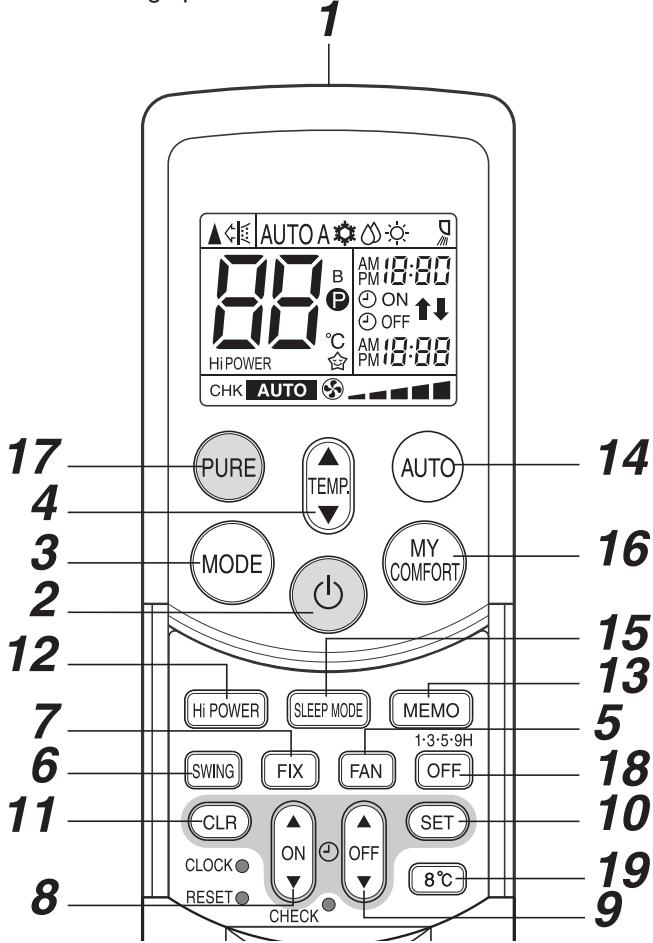
9-5-2. Name and Functions of Indications on Remote Controller
[Display]
All indications, except for the clock time indicator, are displayed by pushing the button.
1 Transmission mark
This transmission mark indicates when the remote controller transmits signals to the indoor unit.
2 Mode indicator
Indicates the current operation mode.
(AUTO: Automatic control, A: Auto changeover
control, 巧 : Cool, 巧 : Dry, 巧 : Heat)
3 Temperature indicator
Indicates the temperature setting.
(17^ to 30^)
4 PURE indicator
Shows that the electrical air purifying operation is in progress.
5 FAN speed indicator
Indicates the selected fan speed.
AUTO or five fan speed levels
(LOW , LOW+, MED , MED+
HIGH can be shown.
Indicates AUTO when the operating mode is either
AUTO or 品 : Dry.
6 TIMER and clock time indicator
The time setting for timer operation or the clock time is indicated.
The current time is always indicated except during TIMER operation.
7 Hi POWER indicator
Indicates when the Hi POWER operation starts.
Push the Hi POWER button to start and push it again to stop the operation.
8 (MEMORY) indicator
Flashes for 3 seconds when the MEMO button is pushed during operation.
The mark is shown when holding down the button for 3 seconds or more while the mark is flashing.
Push another button to turn off the mark.
9 SLEEP MODE indicator
Indicates when the SLEEP MODE is in activated.
Push the SLEEP MODE button to start and push it again to stop operation.
10 A, B change indicator remote controller
When the remote controller switching function is set, "B" appears in the remote controller display.
(When the remote controller setting is “A”, there is no indication at this position.)
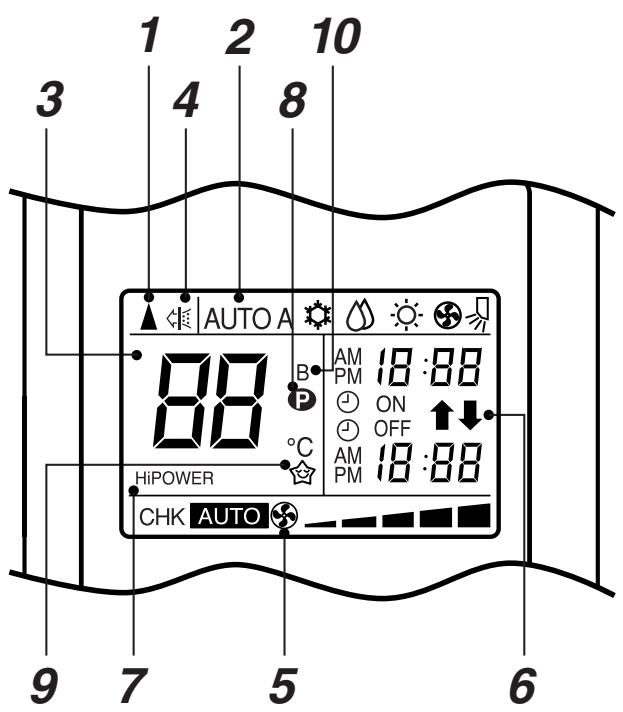
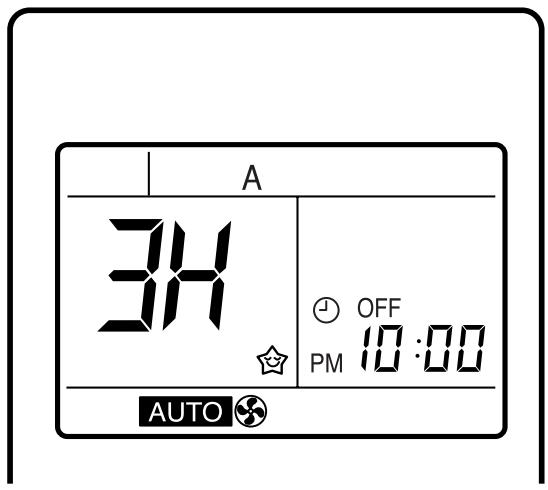
- In the illustration, all indications are shown for purposes of explanation.
During operation, only the relevant indicators are shown on the remote controller.
9-6. Hi POWER Mode
([Hi POWER] button on the remote controller is pushed)
When [Hi POWER] button is pushed while the indoor unit is in Auto, Cooling or Heating operation, Hi POWER mark is indicated on the display of the remote controller and the unit operates as follows.
1. Automatic operation
- The preset temperature changes according to the operation mode selected. In the Cooling operation, the preset temperature drops 1^ . In the Heating operation, the preset temperature increases 2^ .
2. Cooling operation (Manual)
- The preset temperature drops 1^ (The value of the preset temperature on the remote controller does not change.)
3. Heating operation (Manual)
- The preset temperature increases 2^ (The value of the preset temperature on the remote controller does not change.)
4. The Hi POWER mode can not be set in Dry operation
5. Release of Hi POWER mode
- Push [Hi POWER] button on the remote controller again.
10. INSTALLATION PROCEDURE
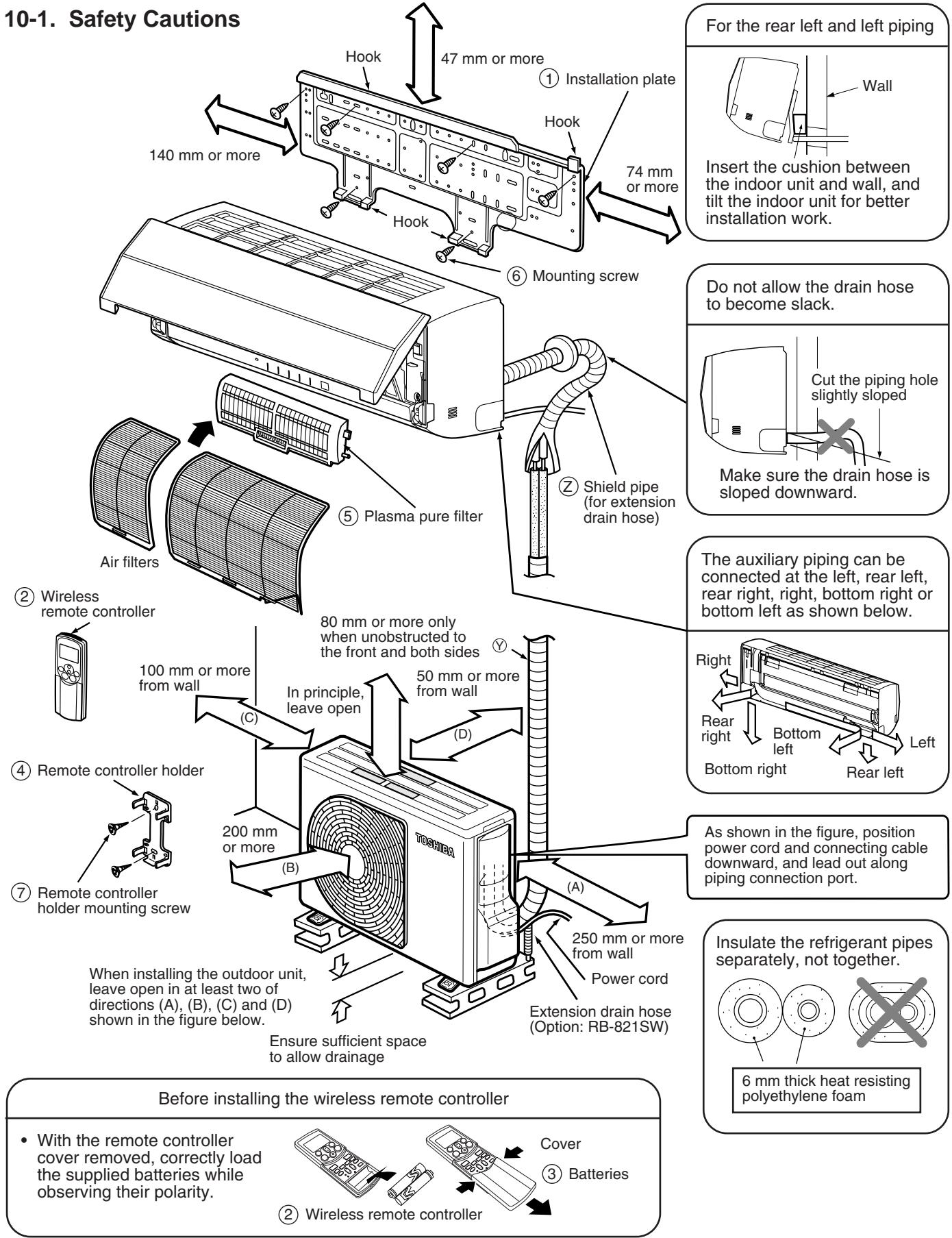
- Indoor units connectable with a multi-system outdoor unit (Other indoor units are unavailable.) RAS-B10SKVP-E, RAS-B13SKVP-E, RAS-B16SKVP-E
- When using a multi-system outdoor unit, refer to the installation manual provided with the model concerned.
10-2. Optional Parts, Accessories and Tools
10-2-1. Optional Installation Parts
| Part Code | Parts name | Q'ty | ||
| ① | Refrigerant piping | 1 ea. | ||
| Indoor unit name | Liquid side (Outer diameter) | Gas side (Outer diameter) | ||
| RAS-B10SKVP-E, B13SKVP-E | 6.35 mm | 9.52 mm | ||
| RAS-10SKVP-ND, 13SKVP-ND | ||||
| RAS-B16SKVP-E, 16SKVP-ND | 6.35 mm | 12.7 mm | ||
| ② | Shield pipe (for extension drain hose) (polyethylene foam, 6 mm thick) | 1 | ||
Attachment bolt arrangement of outdoor unit
- Secure the outdoor unit with the attachment bolts and nuts if the unit is likely to be exposed to a strong wind.
- Use 8 mm or 10 mm anchor bolts and nuts.
If it is necessary to drain the defrost water, attach drain nipple to the base plate of the outdoor unit before installing it.
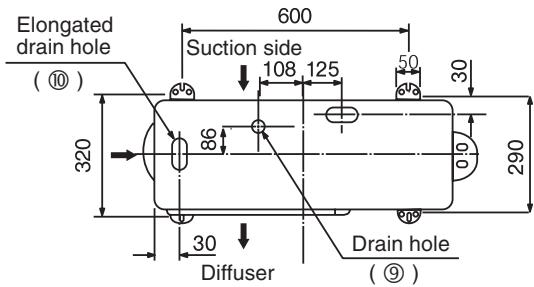
10-2-2. Accessory and Installation Parts
| Part No. | Part name (Q'ty) | Part No. | Part name (Q'ty) | Part No. | Part name (Q'ty) |
| ① | Installation plate × 1 | ④ | Remote controller holder × 1 | ⑦ | Remote controller holder mounting screw Ø3.1 × 16L × 2 |
| ② | Wireless remote controller × 1 | ⑤ | Plasma pure filter × 1 | ⑧ | Drain nipple* × 1 |
| ③ | Battery × 2 | ⑥ | Mounting screw Ø4 × 25L × 6 | ⑨ | Water-proof rubber cap* × 2 |
| Name |
| Owner's manual |
| Installation manual |
| Important information and warning* |
| B/W strips* (Energy efficiency labels) |
This model is not equipped with an extension drain hose.
Parts marked with asterisk (*) are packaged with the outdoor unit.
Option:
For the extension drain hose, use the optionally available RB-821SW or a commercially available one.
- Indoor units connectable with a multi-system outdoor unit (Other indoor units are unavailable.)
RAS-B10SKVP-E, RAS-B13SKVP-E, RAS-B16SKVP-E - When using a multi-system outdoor unit, refer to the installation manual provided with the model concerned.
10-2-3. Installation/Servicing Tools
Changes in the product and components
In the case of an air conditioner using R410A, in order to prevent any other refrigerant from being charged accidentally, the service port diameter of the outdoor unit control valve (3 way valve) has been changed.
(1/2 UNF 20 threads per inch)
- In order to increase the pressure resisting strength of the refrigerant piping flare processing diameter and size of opposite side of flare nuts has been changed. (for copper pipes with nominal dimensions 1/2 and 5/8)
New tools for R410A
| New tools for R410A | Applicable to R22 model | Changes | |
| Gauge manifold | × | As pressure is high, it is impossible to measure by means of conventional gauge. In order to prevent any other refrigerant from being charged, each port diameter has been changed. | |
| Charge hose | × | In order to increase pressure resisting strength, hose materials and port size have been changed (to 1/2 UNF 20 threads per inch). When purchasing a charge hose, be sure to confirm the port size. | |
| Electronic balance for refrigerant charging | ○ | As pressure is high and gasification speed is fast, it is difficult to read the indicated value by means of charging cylinder, as air bubbles occur. | |
| Torque wrench (nominal diam. 1/2, 5/8) | × | The size of opposite sides of flare nuts have been increased. Incidentally, a common wrench is used for nominal diameters 1/4 and 3/8. | |
| Flare tool (clutch type) | ○ | By increasing the clamp bar's receiving hole, strength of spring in the tool has been improved. | |
| Gauge for projection adjustment | - | - | Used when flare is made by using conventional flare tool. |
| Vacuum pump adapter | ○ | Connected to conventional vacuum pump. It is necessary to use an adapter to prevent vacuum pump oil from flowing back to the charge hose. The charge hose connecting part has two ports-one for conventional refrigerant (7/16 UNF 20 threads per inch) and one for R410A. If the vacuum pump oil (mineral) mixes with R410A a sludge may occur and damage the equipment. | |
| Gas leakage detector | × | Exclusive for HFC refrigerant. | |
- Incidentally, the "refrigerant cylinder" comes with the refrigerant designation (R410A) and protector coating in the U. S's ARI specified rose color (ARI color code: PMS 507).
- Also, the "charge port and packing for refrigerant cylinder" require 1/2 UNF 20 threads per inch corresponding to the charge hose's port size.
10-3. Indoor Unit
10-3-1. Installation Location
- A place which provides enough spaces around the indoor unit as shown in the diagram.
- A place where there are no obstacles near the air inlet and outlet.
- A place which allows easy installation of the piping to the outdoor unit.
- A place which allows the front panel to be opened.
CAUTION
- The indoor unit shall be installed so that the top of the indoor unit is positioned at least 2m in height.
Also, avoid putting anything on the top of the indoor unit.
- Direct sunlight on the indoor unit wireless receiver should be avoided.
- The microprocessor in the indoor unit should not be too close to r-f sources.
(For details, see the owner's manual.)
Remote controller
- Should be placed where there are no obstacles, such as curtains, that may block the signal.
- Do not install the remote controller in a place exposed to direct sunlight or close to a heating source, such as a stove.
- Keep the remote controller at least 1 m away from the nearest TV set or stereo equipment. (This is necessary to prevent image disturbances or noise interference.)
- The location of the remote controller should be determined as shown below.
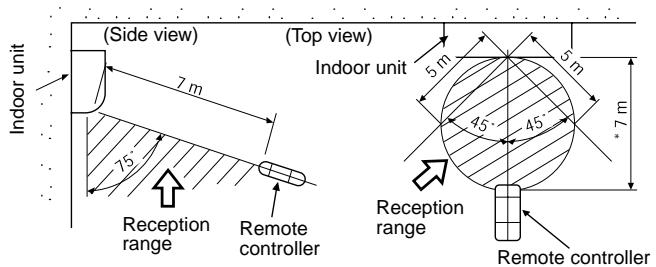
*: Axial distance
Fig. 10-3-1
10-3-2. Drilling and Mounting Installation Plate
Drilling
When install the refrigerant pipes from the rear.
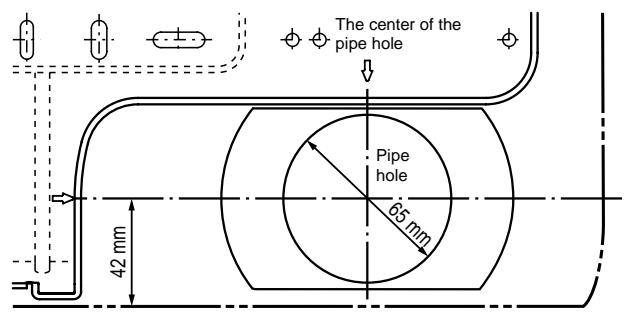
Fig. 10-3-2
- Decide the installation plate mounting position on the wall.
- Mark the corresponding pipe hole wall positions according to the positioning marks ( ) on the installation plate.
- Drill the pipe holes (Ø65 mm) slightly slanted downward to the outside.
NOTE :
- When drilling into a wall that contains a metal lath, wire lath or metal plate, be sure to use a pipe hole brim ring sold separately.
Mounting the installation plate
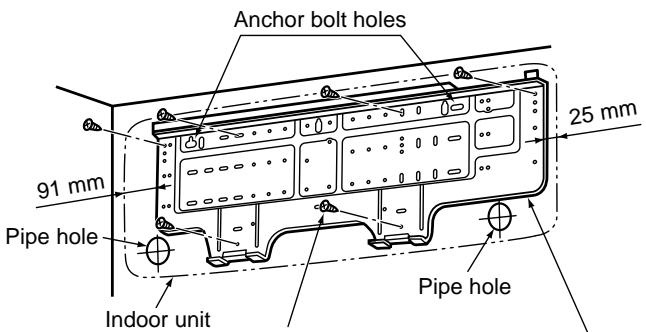

Mounting screw

Installation plate
Fig. 10-3-3
When the installation plate is directly mounted on the wall
- Securely fit the installation plate onto the wall by screws with the upper and lower catches.
- To mount the installation plate on a concrete wall use anchor bolts. Drill the anchor bolt holes as illustrated in the above figure.
- Place the level at the top end of the installation plate, and check that the plate is horizontal.
CAUTION
When installing the installation plate with mounting screws, do not use the anchor bolt holes. Otherwise the unit may fall down and result in personal injury and property damage.
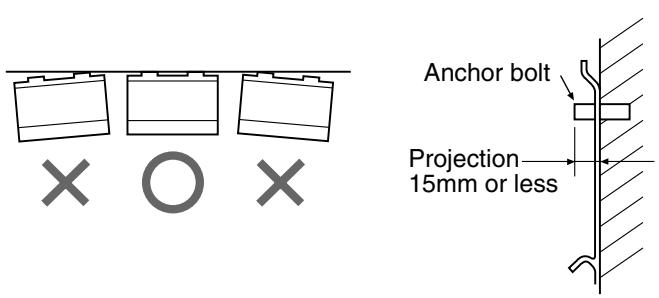
Fig. 10-3-4
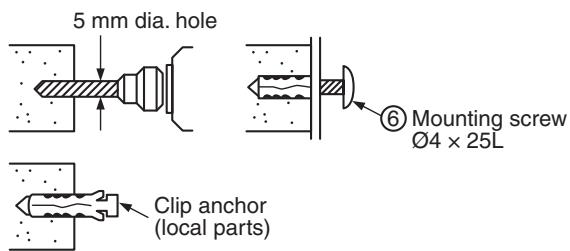
Fig. 10-3-5
CAUTION
Failure to securely install the unit may result in personal injury and/or property damage if the unit falls.
- In case of block, brick, concrete or similar type walls, drill 5 mm dia. holes in the wall.
- Insert clip anchors for the ⑥ mounting screws.
NOTE :
- Install the installation plate using between 4 to 6 mounting screws, making sure all four corners are secure.
10-3-3. Electrical Work
- The supply voltage must be the same as the rated voltage of the air conditioner.
- Prepare a power source for the exclusive use of the air conditioner.
NOTE :
- Wire type : More than H07RN-F or 60245IEC66 (1.0mm²)
CAUTION
A switch or circuit breaker that can disconnect all poles must be included in the fixed wiring. Be sure to use an approved circuit breaker or switch.
NOTE :
- Make sure the wire length is sufficient before performing wiring work.
10-3-4. Wiring Connection
How to connect the connecting cable
Wiring the connecting cable can be carried out without removing the front panel.
- Remove the air inlet grille. Open the air inlet grille upward and pull it toward you.
- Remove the terminal cover and cord clamp.
- Insert the connecting cable (or as according to local regulations/ codes) into the pipe hole on the wall.
- Pull the connecting cable through the cable slot on the rear panel so that it protrudes about 15 cm out of the front.
- Insert the connecting cable fully into the terminal block and secure it tightly with screws. Make a loop with the earth wire under the terminal block and secure it with the earth screw.
- Tightening torque: 1.2 N·m (0.12 kgf·m)
- Secure the connecting cable with the cord clamp.
- Attach the terminal cover, rear plate bushing and air inlet grille on the indoor unit.
CAUTION
- Be sure to refer to the wiring system diagram labeled inside the front panel.
- Check local electrical regulations for any specific wiring instructions or limitations.
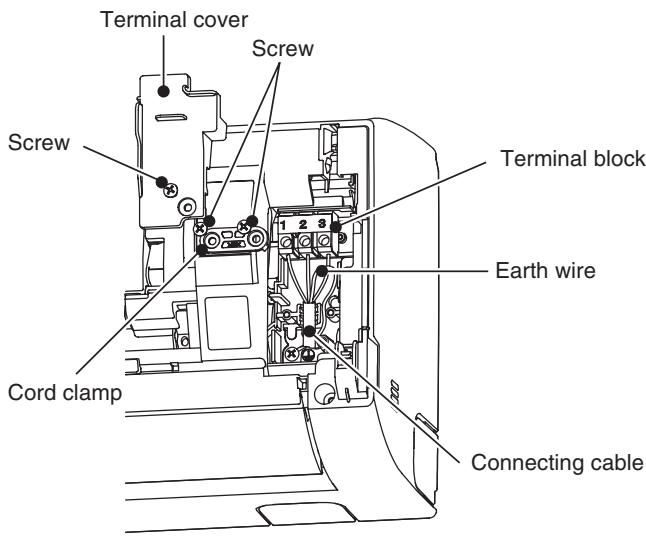
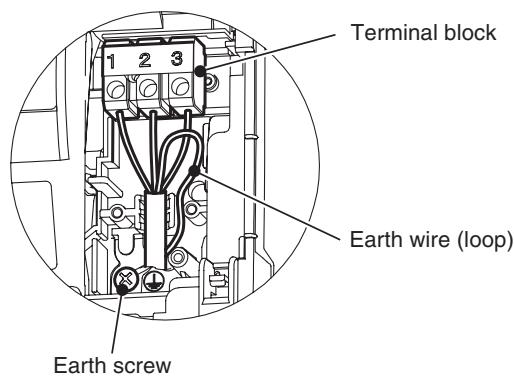
Fig. 10-3-6
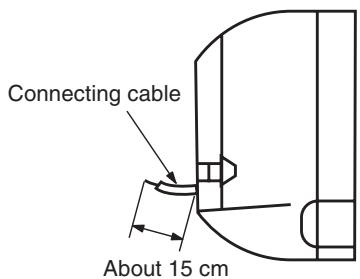
Fig. 10-3-7
Fig. 10-3-8
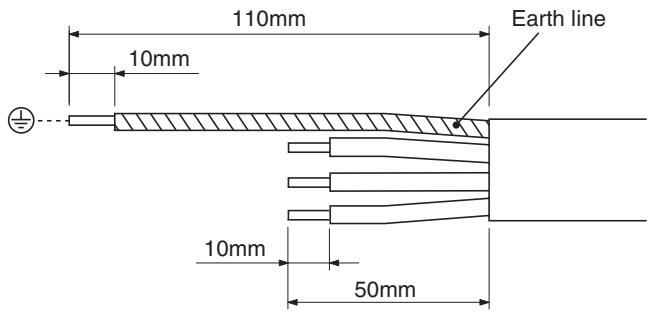
Fig. 10-3-9
NOTE :
- Connecting cable (Indoor unit/outdoor unit)
Wire type: H07RN-F or 60245IEC66 (1.0 mm²)
10-3-5. Piping and Drain Hose Installation
Piping and drain hose forming
- Since condensation results in machine trouble, make sure to insulate both the connecting pipes separately.
(Use polyethylene foam as insulating material.)
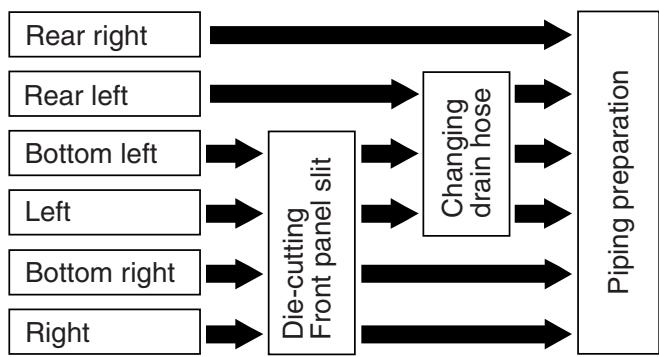
Fig.10-3-10
1. Die-cutting front panel slit
Cut out the slit on the left or right side of the front panel for the left or right connection and the slit on the bottom left or right side of the front panel for the bottom left or right connection with a pair of nippers.
2. Changing drain hose
For left connection, left-bottom connection and rear-left connection's piping, it is necessary to relocate the drain hose and drain cap.
How to remove the drain cap
Clip drain cap with needle-nose pliers, and pull out.
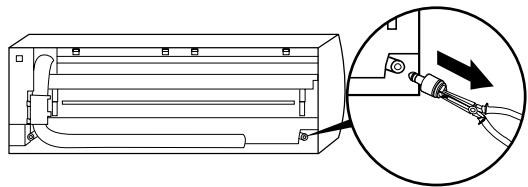
Fig. 10-3-11
How to remove the drain hose
The drain hose is secured in place by a screw. Remove the screw securing the drain hose, then pull out the drain hose.
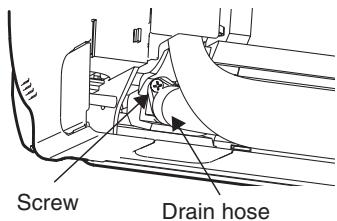
Fig. 10-3-12
How to attach the drain cap
- Insert hexagonal wrench (4 mm).
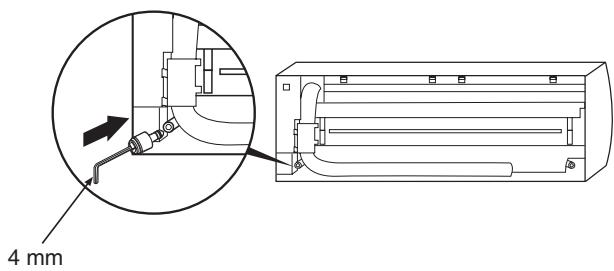
Fig.10-3-13
- Firmly insert drain cap.
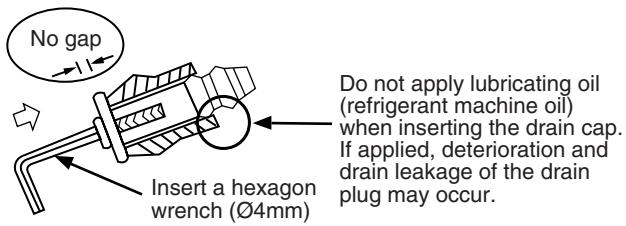
Fig.10-3-14
How to attach the drain hose
Always use the original screw that secured the drain hose to the unit.
Using a different screw may cause water to leak.
Insert the drain hose firmly until the connector contacts with the insulation, then secure it in place using the original screw.
CAUTION
- Securely insert the drain hose and drain cap; otherwise, water may leak.
In case of right or left piping
- After making slits on the front panel with a knife or similar tool, cut them out with a pair of nippers or an equivalent tool.
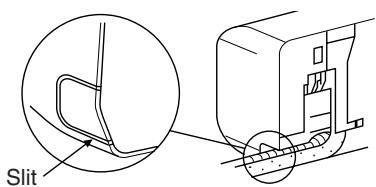
Fig.10-3-15
In case of bottom right or bottom left piping
- After making slits on the front panel with a knife or similar tool, cut them out with a pair of nippers or an equivalent tool.
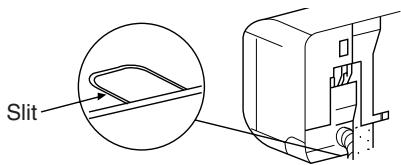
Fig. 10-3-16
Left-hand connection with piping
Bend the connecting pipes so that they are positioned within 43mm above the wall surface.
If the connecting pipes are positioned more than 43mm above the wall surface, the indoor unit may be unstable.
When bending the connecting pipe, make sure to use a spring bender to avoid crushing the pipe.
Refer to the table below for the bending radius of each connection pipe.
| Outer diameter | Bending radius |
| 6.35 mm | 30 mm |
| 9.52 mm | 40 mm |
| 12.7 mm | 50 mm |
To connect the pipe after installation of the unit (figure)
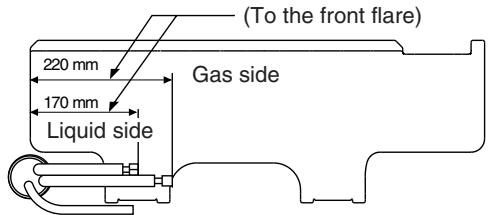
R30 or less (Ø 6.35), R40 or less (Ø9.52), R50 or less (Ø12.7)
Make sure to use a spring bender to avoid crushing the pipe.
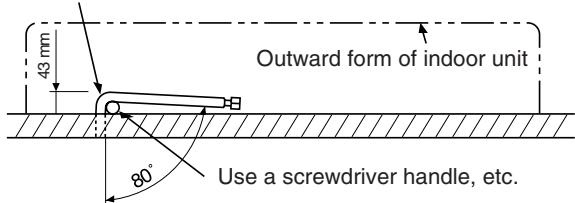
Fig.10-3-17
NOTE :
If the pipe is incorrectly bent, the indoor unit may be unstable on the wall.
After passing the connecting pipe through the pipe hole, connect the connecting pipe to the auxiliary pipes and wrap the facing tape around them.
CAUTION
- Bind the auxiliary pipes (two) and connecting cable with facing tape tightly. In case of leftward piping and rear-leftward piping, bind the auxiliary pipes (two) only with facing tape.
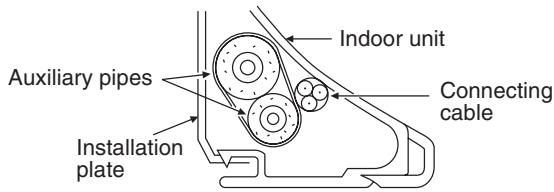
Fig.10-3-18
- Carefully arrange the pipes so that none of the pipes stick out of the rear plate of the indoor unit.
- Carefully connect the auxiliary pipes and connecting pipes to each other and cut off the insulating tape wound on the connecting pipe to avoid double-taping at the joint, moreover, seal the joint with the vinyl tape, etc.
- Since condensation can result in machine performance trouble, be sure to insulate both connecting pipes. (Use polyethylene foam as insulating material.)
- When bending a pipe, be careful not to crush it.
10-3-6. Indoor Unit Installation
- Pass the pipe through the hole in the wall, and hook the indoor unit on the installation plate at the upper hooks.
- Swing the indoor unit to right and left to confirm that it is firmly hooked on the installation plate.
- While pushing the indoor unit onto the wall, hook it at the lower part on the installation plate. Pull the indoor unit toward you to confirm that it is firmly hooked on the installation plate.
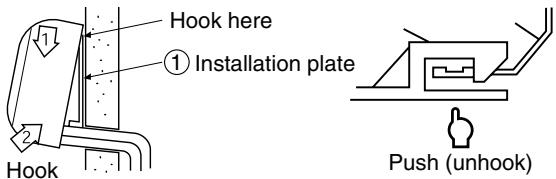
Fig.10-3-19
- For detaching the indoor unit from the installation plate pull the indoor unit toward you while pushing the bottom up at the specified places.
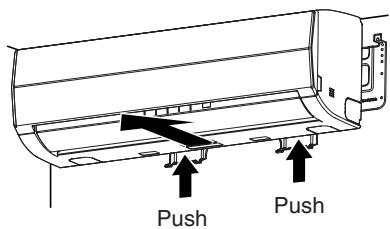
Fig. 10-3-20
10-3-7. Drainage
- Run the drain hose at a downward sloped angle.
NOTE :
- Hole should be made at a slight downward slant on the outdoor side.
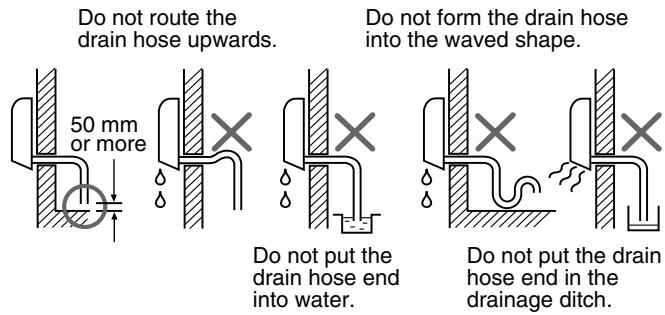
Fig. 10-3-21
- Put water in the drain pan and make sure that the water is being drained outside.
- When connecting extension drain hose, insulate the connection part of extension drain hose with shield pipe.
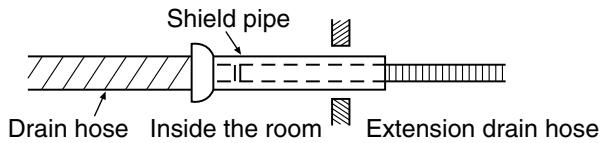
Fig.10-3-22
CAUTION
Install the drain pipe for proper drainage. Improper drainage can result in water dripping inside the room.
This air conditioner has been designed to drain water collected from condensation which forms on the back of the indoor unit, to the drain pan.
Therefore, do not locate the power cord and other parts at a height above the drain guide.
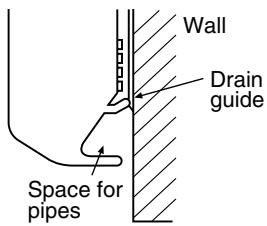
Fig. 10-3-23
10-4. Outdoor Unit
10-4-1. Installation Location
- A place which provides enough space around the outdoor unit as shown in the diagram.
- A place which can bear the weight of the outdoor unit and does not allow an increase in noise level and vibration.
- A place where the operation noise and discharged air do not disturb neighbors.
- A place which is not exposed to a strong wind.
- A place free of combustible gases.
- A place which does not block a passageway.
- When the outdoor unit is to be installed in an elevated position, be sure to secure its feet.
- This air conditioner accepts a connection piping length from 2m to 25m .
- There is no need to add refrigerant as long as the length of the connection piping is 15m or less.
- You will need to add 20g of refrigerant per meter of added connection piping for installations requiring connection piping to be between 16m to 25m .
- An allowable height level is up to 10m
- A place where the drain water does not cause any problems.
Precautions for adding refrigerant
- Use a scale having at least 10g per index line precision when adding the refrigerant. Do not use a bathroom scale or similar instrument.
- Use liquid refrigerant when refilling the refrigerant. Since the refrigerant is in liquid form, it can fill quickly.
Therefore, perform the filling operation carefully and insert the refrigerant gradually.
CAUTION
- Install the outdoor unit in a location where there are no obstructions near its air intake or air outlet.
- When the outdoor unit is installed in a place that is always exposed to strong winds like on the coast or on a high story of a building, secure the normal fan operation using a duct or a wind shield.
- Especially in windy areas, install the unit to prevent the admission of wind.
- Installation in the following places may result in trouble.
Do not install the unit in such places.
- A place full of machine oil.
- A saline-place such as the coast.
- A place full of sulfide gas.
- A place where high-frequency waves are likely to be generated, such as from audio equipment, welders, and medical equipment.
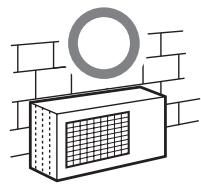
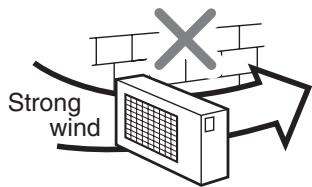
Fig. 10-4-1
10-4-2. Draining the Water
- Holes are provided on the base plate of the outdoor unit to ensure that the defrost water produced during heating operations is drained off efficiently.
If a centralized drain is required when installing the unit on a balcony or wall, follow the steps below to drain off the water.
- Proceed with water-proofing by installing the water-proof rubber caps ⑨ in the 2 elongated holes on the base plate of the outdoor unit. [How to install the water-proof rubber caps]
1) Place four fingers into each cap, and insert the caps into the water drain holes by pushing them into place from the underside of the base plate.
2) Push down on the outer circumferences of the caps to ensure that they have been inserted tightly. (Water leaks may result if the caps have not been inserted properly, if their outer circumferences lift up or the caps catch on or wedge against something.)
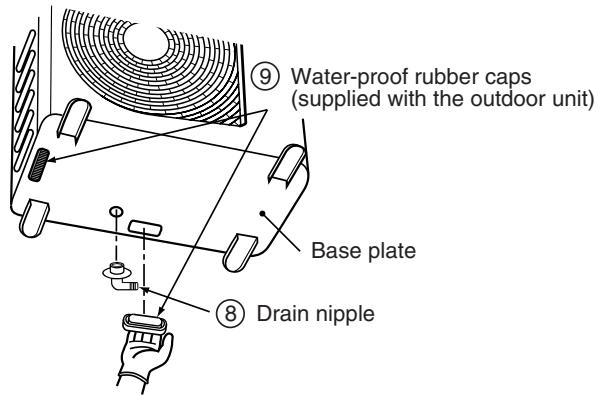
Fig. 10-4-2
- Install the drain nipple ⑧ and a commercially available drain hose (with 16 mm inside diameter), and drain off the water.
(For the position where the drain nipple ⑧ is installed, refer to the installation diagram of the indoor and outdoor units.)
- Check that the outdoor unit is horizontal, and route the drain hose at a downward sloped angle with very little slack to the hose.
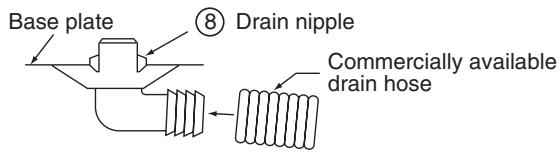
Do not use ordinary garden hose, which can flatten and prevent drainage.
10-4-3. Refrigerant Piping Connection
Flaring
- Cut the pipe with a pipe cutter.
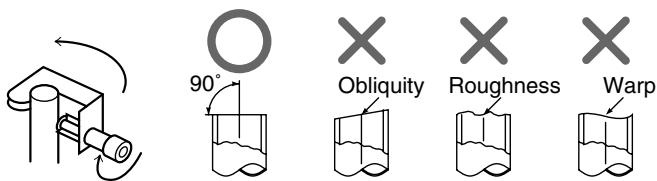
Fig. 10-4-4
- Insert a flare nut into the pipe, and flare the pipe.
- Projection margin in flaring : A (Unit : mm)
Rigid (Clutch type)
| Outer dia. of copper pipe | R410A tool used | Conventional tool used |
| 6.35 | 0 to 0.5 | 1.0 to 1.5 |
| 9.52 | 0 to 0.5 | 1.0 to 1.5 |
| 12.7 | 0 to 0.5 | 1.0 to 1.5 |
Imperial (Wing nut type)
| Outer dia. of copper pipe | R410A |
| 6.35 | 1.5 to 2.0 |
| 9.52 | 1.5 to 2.0 |
| 12.7 | 2.0 to 2.5 |
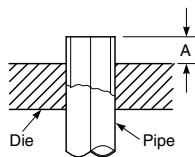
Fig. 10-4-5
- Flaring size: B (Unit: mm)
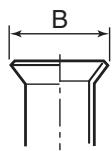
Fig. 10-4-3
Fig. 10-4-6
| Outer dia. of copper pipe | B +0 -0.4 | |
| R410A | R22 | |
| 6.35 | 9.1 | 9.0 |
| 9.52 | 13.2 | 13.0 |
| 12.7 | 16.6 | 16.2 |
- In case of flaring for R410A with the conventional flare tool, pull it out approx. 0.5 ~mm more than that of R22 to adjust to the specified flare size.
The copper pipe gauge is useful for adjusting projection margin size.
Tightening Connection
Align the centers of the connecting pipes and tighten the flare nut as much as possible with your fingers. Then tighten the nut with a wrench and torque wrench as shown in the figure.
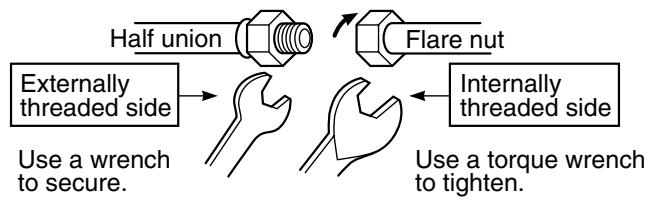
Fig. 10-4-7
CAUTION
- Do not apply excessive force. Otherwise, the nut may break.
(Unit:N·m)
| Outer dia. of copper pipe | Tightening torque |
| Ø6.35 mm | 14 to 18 (1.4 to 1.8 kgf·m) |
| Ø9.52 mm | 33 to 42 (3.3 to 4.2 kgf·m) |
| Ø12.7 mm | 50 to 62 (5.0 to 6.2 kgf·m) |
- Tightening torque for connection of flare pipe The pressure of R410A is higher than R22. (Approx. 1.6 times.) Therefore securely tighten the flare pipes which connect the outdoor unit and the indoor unit with the specified tightening torque using a torque wrench.
If any flare pipe is incorrectly connected, it may cause not only a gas leakage but also trouble in the refrigeration cycle.
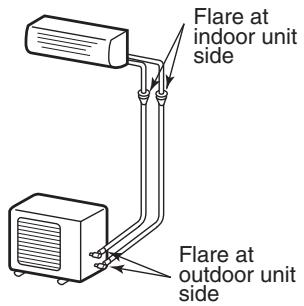
Fig. 10-4-8
10-4-4. Evacuating
After the piping has been connected to the indoor unit, perform the air purge.
AIR PURGE
Evacuate the air in the connecting pipes and in the indoor unit using a vacuum pump.
Do not use the refrigerant in the outdoor unit.
For details, see the vacuum pump manual.
Use a vacuum pump
Be sure to use a vacuum pump with counter-flow prevention function so that oil inside the pump does not flow back into the air conditioner pipes when the pump stops. (If oil inside the vacuum pump enters into the air conditioner circuit which uses R410A, trouble with the refrigeration system may develop.)
- Connect the charge hose from the manifold valve to the service port of the gas side packed valve.
- Connect the charge hose to the port of the vacuum pump.
- Open fully the low pressure side handle of the gauge manifold valve.
- Operate the vacuum pump to begin evacuating. Perform evacuating for about 15 minutes if the piping length is 20 meters (15 minutes for 20 meters) (assuming a pump capacity of 27 liters per minute).
Confirm that the compound pressure gauge reading is -101kPa (-76~cmHg)
- Close the low pressure valve handle of gauge manifold.
- Open fully the valve stem of the packed valves (both sides of Gas and Liquid).
- Remove the charging hose from the service port.
- Securely tighten the caps on the packed valves.
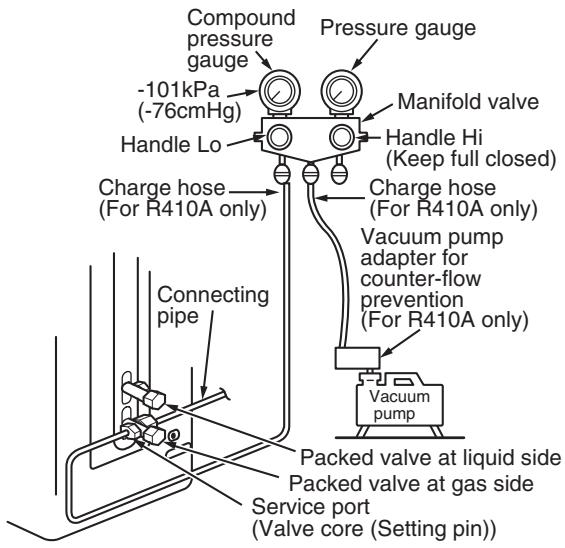
Fig. 10-4-9
CAUTION
- IMPORTANT POINTS FOR PIPING WORK
- Prevent dust and moisture from entering the pipes.
- Tighten connections carefully (between pipes and unit).
- Evacuate the air in the connecting pipes using a VACUUM PUMP.
- Check for gas leaks at all connections.
Packed Valve handling precautions
- Open the valve stem until it touches the stopper. Once it is in contact with the stopper, refrain from applying any more force than is necessary.
- Securely tighten the valve stem cap with torque in the following table:
| Gas side (Ø12.7 mm) | 50 to 62 N·m (5.0 to 6.2 kgf·m) |
| Gas side (Ø9.52 mm) | 33 to 42 N·m (3.3 to 4.2 kgf·m) |
| Liquid side (Ø6.35 mm) | 14 to 18 N·m (1.4 to 1.8 kgf·m) |
| Service port | 14 to 18 N·m (1.4 to 1.8 kgf·m) |
Hexagonal wrench is required.
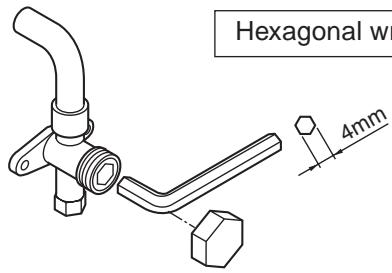
Fig. 10-4-10
10-4-5. Wiring Connection
- Remove the valve cover, the electric parts cover and the cord clamp from the outdoor unit.
- Connect the connecting cable to the terminal as identified by the matching numbers on the terminal block of indoor and outdoor unit.
- Insert the power cord and the connecting cable fully into the terminal block and secure it tightly with screws.
- Use vinyl tape, etc. to insulate the cords which are not going to be used. Locate them so that they do not touch any electrical or metal parts.
- Secure the power cord and the connecting cable with the cord clamp.
- Attach the electric parts cover and the valve cover on the outdoor unit.
Stripping length of connecting cable
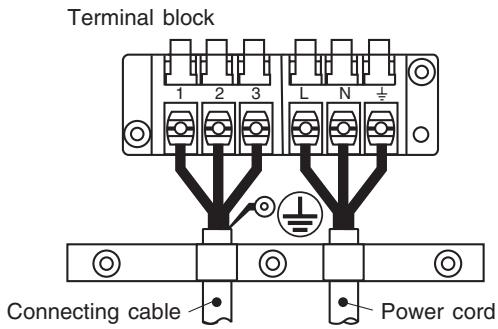
Fig. 10-4-11
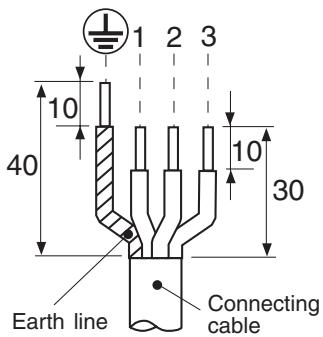
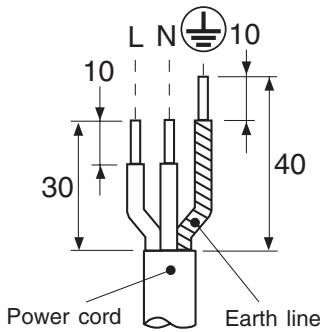
Fig. 10-4-12
| Model RAS- | 10SAVP-E, 13SAVP-E, 16SAVP-E 10SAVP-ND, 13SAVP-ND, 16SAVP-ND |
| Power source | 220 - 240 V ~50 Hz 220 V ~60 Hz (-E model only) |
| Maximum running current | 12.5 A |
| Installation fuse rating | 16 A breaker or fuse (All types can be used.) |
| Power cord | H07RN-F or 60245IEC66 (1.5 mm²) |
| Connection cable | Wire type: H07RN-F or 60245IEC66 (1.0 mm²) |
CAUTION
- Incorrect wiring connection may cause electrical parts to burn out.
- Be sure to comply with local regulations/codes when running the wire from outdoor unit to indoor unit.
(Size of wire and wiring method etc.)
- Every wire must be securely connected.
- If incorrect or incomplete wiring is carried out, fire or smoke may result.
- Prepare the power supply for the exclusive use of the air conditioner.
- This product can be connected to the main breaker.
Connection to fixed wiring:
A switch or circuit breaker that can disconnect all poles must be included in the fixed wiring.
10-5. Test Operation
10-5-1. Gas Leak Test
- Check the flare nut connections for gas leaks with a gas leak detector and/or soapy water.
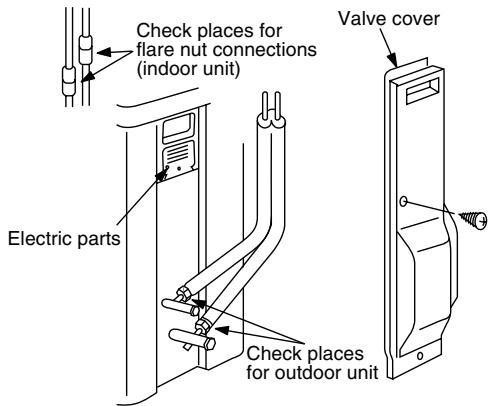
Fig. 10-5-1
10-5-2. Test Operation
To test the system, push and hold RESET button for 10 sec. (There will be one short beep.)
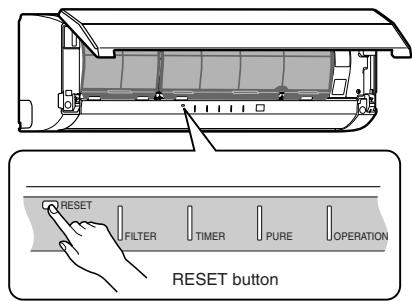
Fig. 10-5-2
10-5-3. Auto Restart Setting
This product is designed so that, after a power failure, it can restart automatically in the same operating mode as before the power failure.
Information
The product was shipped with Auto Restart function in the OFF position.
Turn it ON as required.
How to Set the Auto Restart
- Push and hold the RESET button for about 3 seconds. After 3 seconds, three short electric beeps will be heard to inform you that the Auto Restart has been selected.
- To cancel the Auto Restart, follow the steps described in the section Auto Restart Function on Owner's Manual.
10-5-4. If the air conditioner operates incorrectly
- If two indoor units are installed in the same room or adjoining rooms, when the user tries to operate only one unit, both units may receive the same remote controller signal and operate. This can be prevented by changing one of the indoor units and remote controllers to setting "B" (The default setting for both units is "A").
-
If the indoor unit and remote controller settings are different, the remote controller signal is not accepted.
-
Setting the remote controller
1) Slide open the remote controller cover and remove the batteries.
2) Cut the jumper wire inside the battery compartment using nippers.
- The jumper wire should not remain in contact after being cut. Also, be careful not to let plastic scraps, jumper wire cuttings or other debris enter the inside of the remote controller.
3) Insert the batteries. "B" appears in the remote controller display.
- Setting the unit
Push the RESET button to start automatic operation.
- Push the button of the remote controller that was set in step 1 to stop the air conditioner.
(This operation will change the setting to "B".)
- Check that the remote controller operates the indoor unit.
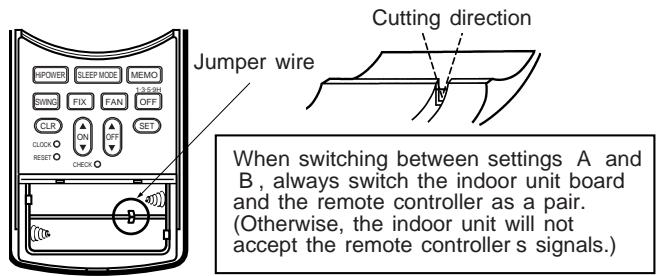
Fig. 10-5-3
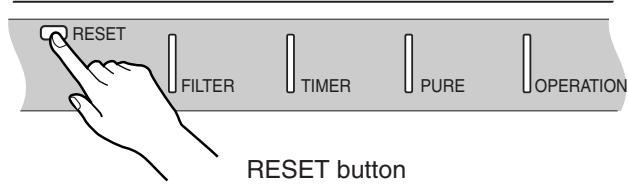
Fig. 10-5-4
11. HOW TO DIAGNOSE THE TROUBLE
The pulse motor circuits are mounted to both indoor and outdoor units.
Therefore, diagnose troubles according to the trouble diagnosis procedure as described below.
(Refer to the check points in servicing written on the wiring diagrams attached to the indoor/outdoor units.)
Table 11-1
| No. | Troubleshooting Procedure | Page |
| 1 | First Confirmation | 70 |
| 2 | Primary Judgment | 71 |
| 3 | Judgment by Flashing LED of Indoor Unit | 71 |
| 4 | Self-Diagnosis by Remote Controller | 72 |
| 5 | Judgment of Trouble by Every Symptom | 75 |
| No. | Troubleshooting Procedure | Page |
| 6 | How to Check Simply the Main Parts | 80 |
| 7 | Troubleshooting | 81 |
| 8 | How to Diagnose Trouble in Outdoor Unit | 82 |
| 9 | How to Check Simply the Main Parts | 83 |
| 10 | How to Simply Judge Whether Outdoor Fan Motor is Good or Bad | 88 |
Precautions when handling the new inverter (3DV Inverter)
CAUTION: HIGH VOLTAGEN
The high voltage circuit is incorporated.
Be careful to do the check service, as the electric shock may be caused in case of touching parts on the P.C. board by hand.
The new inverter (3DV inverter) will be incorporated starting with this unit.
(3DV: 3-shunt Discrete Vector control)
The control circuitry has an uninsulated construction.
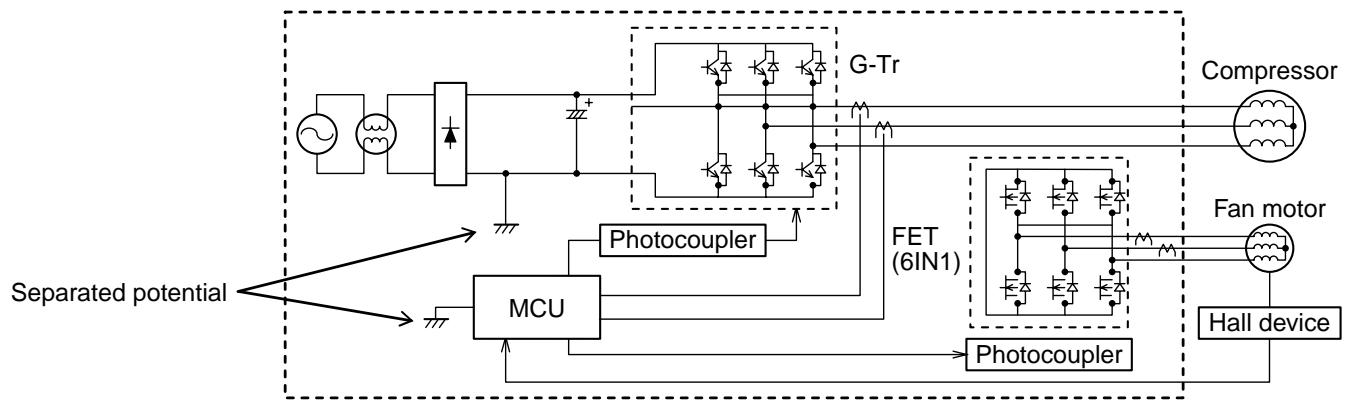
JAVP-E series (insulated type)
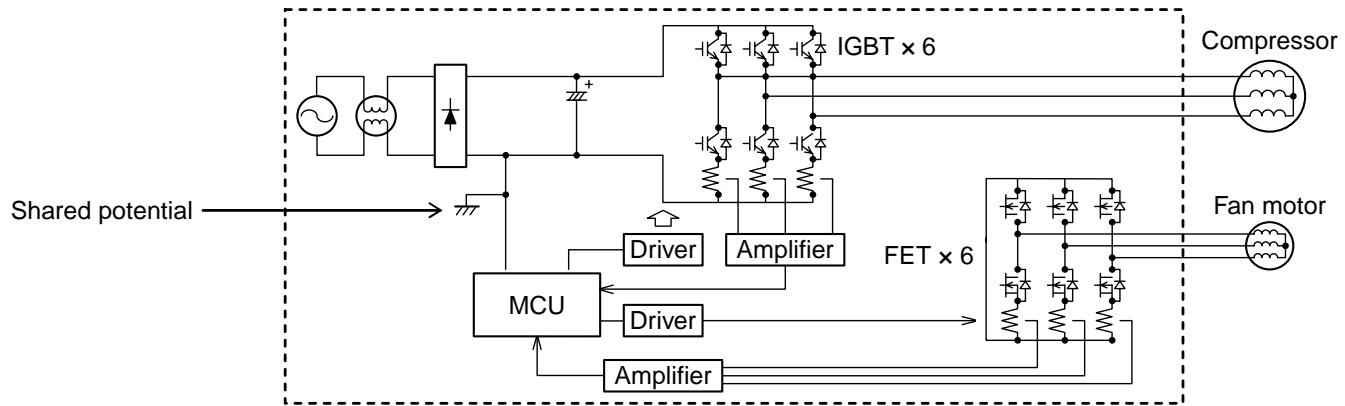
SAVP-E, SAVP-ND, GAVP-E, EAVP-E series (uninsulated type)
Fig. 11-1
A high voltage (equivalent to the supply voltage) is also energized to ground through the sensors, PMV and other low-voltage circuits. The sensor leads and other wires are covered with insulated tubes for protection. Nevertheless, care must be taken to ensure that these wires are not pinched.
Take sufficient care to avoid directly touching any of the circuit parts without first turning off the power.
At times such as when the circuit board is to be replaced, place the circuit board assembly in a vertical position.
Laying the board flat on an electrically conductive object (such as the top panel of the air conditioner's outdoor unit) while a charge is still retained by the electrolytic capacitors of the inverter's main circuit may cause short-circuiting between the electrolytic capacitors and secondary circuit components and result in damage to the components.
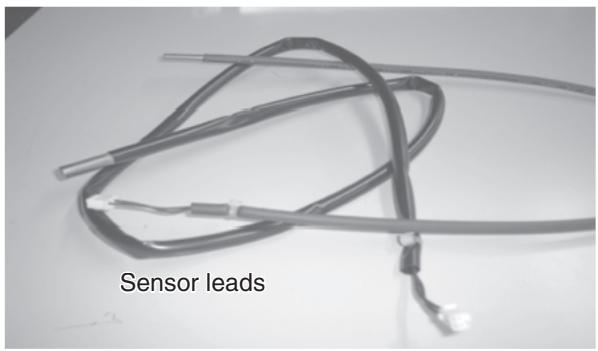
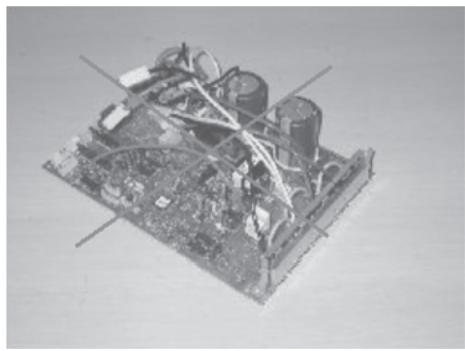
Fig. 11-2
Do NOT lay the circuit board assembly flat.
Precautions when inspecting the control section of the outdoor unit
NOTE :
A large-capacity electrolytic capacitor is used in the outdoor unit controller (inverter). Therefore, if the power supply is turned off, charge (charging voltage DC280 to 380V) remains and discharging takes a lot of time. After turning off the power source, if touching the charging section before discharging, an electrical shock may be caused. Discharge the electrolytic capacitor completely by using soldering iron, etc.
< Discharging method >
- Remove the inverter cover (plating) by opening four mounting claws.
- As shown below, connect the discharge resistance (approx. 100 40W ) or plug of the soldering iron to voltage between + - terminals of the C14 ("CAUTION HIGH VOLTAGE" is indicated.) electrolytic capacitor (500 F / 400V) on P.C. board, and then perform discharging.
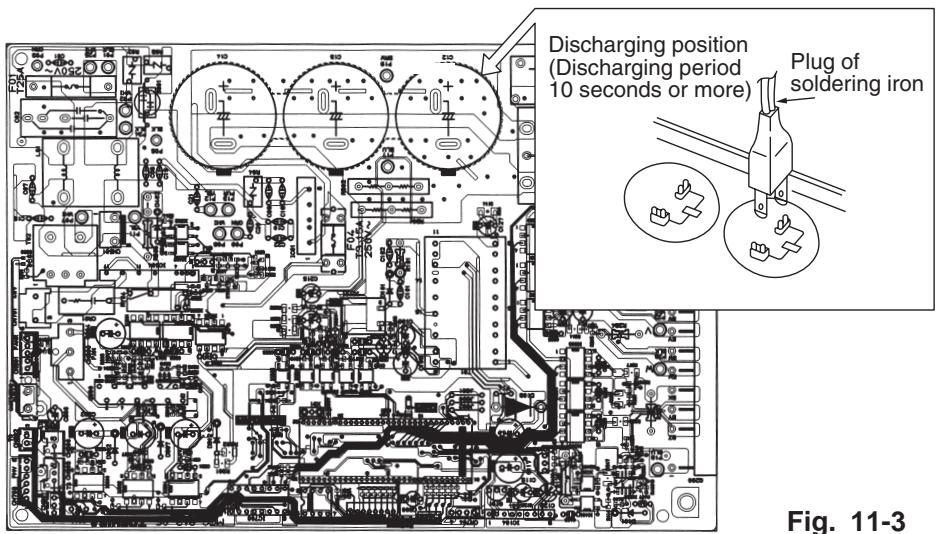
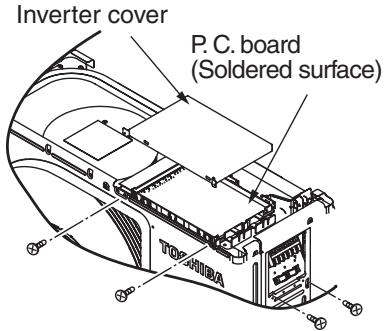
Fig. 11-3
11-1. First Confirmation
11-1-1. Confirmation of Power Supply
Confirm that the power breaker operates (ON) normally.
11-1-2. Confirmation of Power Voltage
Confirm that power voltage is AC 220-230-240 ± 10%.
If power voltage is not in this range, the unit may not operate normally.
11-1-3. Operation Which is not a Trouble (Program Operation)
For controlling the air conditioner, the program operations are built in the microcomputer as described in the following table.
If a claim is made for running operation, check whether or not it meets to the contents in the following table.
When it does, we inform you that it is not trouble of equipment, but it is indispensable for controlling and maintaining of air conditioner.
Table 11-1-1
| No. | Operation of air conditioner | Description |
| 1 | When power breaker is turned “ON”, the operation indicator (Green) of the indoor unit flashes. | The OPERATION lamp of the indoor unit flashes when power source is turned on. If [START/STOP] button is operated once, flashing stops.(Flashes also in power failure) |
| 2 | Compressor may not operate even if the room temperature is within range of compressor-ON. | The compressor does not operate while compressor restart delay timer (3-minutes timer) operates.The same phenomenon is found after power source has been turned on because 3-minutes timer operates. |
| 3 | In Dry and SLEEP MODE, FAN (air flow) display does not change even though FAN (air flow select) button is operated. | The air flow indication is fixed to [AUTO]. |
| 4 | Increasing of compressor motor speed stops approx. 30 seconds after operation started, and then compressor motor speed increases again approx. 30 seconds after. | For smooth operation of the compressor, the compressor motor speed is restricted to Max. 41 rps for 2 minutes, and Max.91 rps for 2 minutes to 3 minutes, respectively after the operation has started. |
| 5 | In AUTO mode, the operation mode is changed. | After selecting Cool or Heat mode, select an operation mode again if the compressor keeps stop status for 15 minutes. |
| 6 | In HEAT mode, the compressor motor speed does not increase up to the maximum speed or decreases before the temperature arrives at the set temperature. | The compressor motor speed may decrease by high-temp. release control (Release protective operation by temp.-up of the indoor heat exchanger) or current release control. |
11-2. Primary Judgment
To diagnose the troubles, use the following methods.
1) Judgment by flashing LED of indoor unit
2) Self-diagnosis by service check remote controller
3) Judgment of trouble by every symptom
Firstly use the method 1) for diagnosis. Then, use the method 2) or 3) to diagnose the details of troubles.
11-3. Judgment by Flashing LED of Indoor Unit
While the indoor unit monitors the operation status of the air conditioner, if the protective circuit operates, the contents of self-diagnosis are displayed with block on the indoor unit indication section.
Table 11-3-1
| Indoor indication lamp flashes. | Item | Check code | Block display | Description for self-diagnosis |
| A | — | OPERATION (Green) Flashing display (1 Hz) | Power failure (when power is ON) | |
| Which lamp does flash? | B | OPERATION (Green) Flashing display (5 Hz) | Protective circuit operation for indoor P.C. board | |
| C | OPERATION (Green) TIMER (Yellow) Flashing display (5 Hz) | Protective circuit operation for connecting cable and serial signal system | ||
| D | OPERATION (Green) FILTER (Orange) Flashing display (5 Hz) | Protective circuit operation for outdoor P.C. board | ||
| E | OPERATION (Green) TIMER (Yellow) FILTER (Orange) Flashing display (5 Hz) | Protective circuit operation for others (including compressor) |
NOTES :
- The contents of items B and C and a part of item E are displayed when air conditioner operates.
- When item B and C, and item B and a part of item E occur concurrently, priority is given to the block of item B.
- The check codes can be confirmed on the remote controller for servicing.
11-4. Self-Diagnosis by Remote Controller (Check Code)
- If the lamps are indicated as shown B to E in Table 11-3-1, execute the self-diagnosis by the remote controller.
- When the remote controller is set to the service mode, the indoor controller diagnoses the operation condition and indicates the information of the self-diagnosis on the display of the remote controller with the check codes. If a fault is detected, all lamps on the indoor unit will flash at 5Hz and it will beep for 10 seconds
(Beep, Beep, Beep ...). The timer lamp usually flashes (5Hz) during self-diagnosis.
11-4-1. How to Use Remote Controller in Service Mode
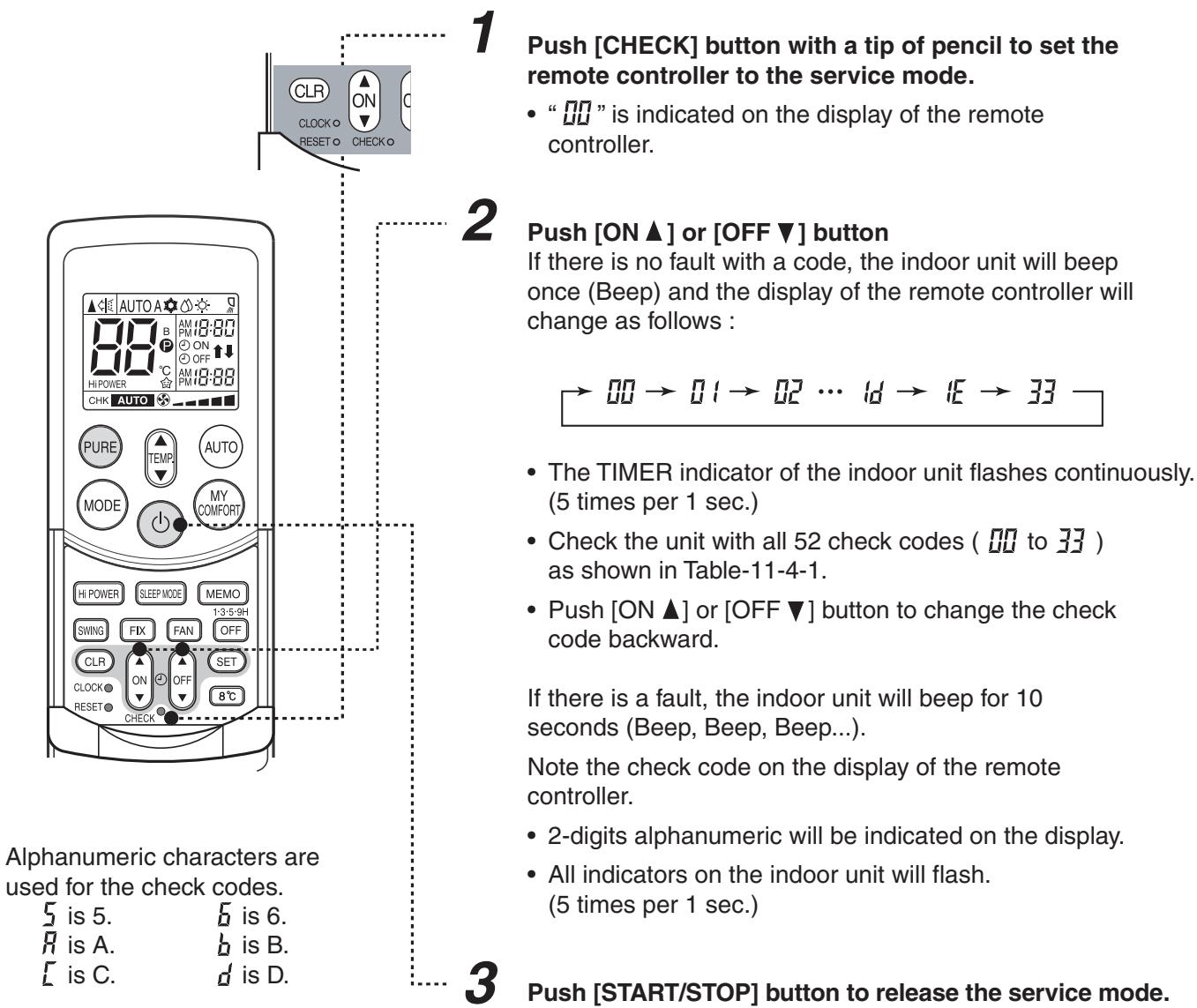
Fig. 11-4-1
- The display of the remote controller returns to as it was before service mode was engaged.
4 Time shortening method.
- Push SET button while pushing CHECK button.
- Push [START/STOP] button.
11-4-2. Caution at Servicing
- After servicing, push the START/STOP button to return to the normal mode.
- After servicing by the check code, turn off breaker of the power supply, and turn on breaker of the power supply again so that memory in the microcomputer returns the initial status.
However, the check codes are not deleted even if the power supply is turned off because they are stored in the fixed memory.
- After servicing, push [CLR] button under check mode status and then send the check code "7F" to the indoor unit. The error code stored in memory is cleared.
Table 11-4-1
| Block distinction | Operation of diagnosis function | Judgment and action | ||||
| Check code | Block | Check code | Cause of operation | Air conditioner status | Remarks | |
| 00 | Indoor P.C. board etc. | 00 | Short-circuit or disconnection of the room temperature sensor (TA sensor). | Operation continues. | Displayed when error is detected. | 1. Check the room temp. sensor. 2. When the room temp. sensor is normal, check P.C. board. |
| 00 | Being out of place, disconnection, short-circuit, or migration of heat exchanger sensor (TC sensor) | Operation continues. | Displayed when error is detected. | 1. Check heat exchanger sensor. 2. When heat exchanger sensor is normal, check P.C. board. | ||
| 00 | Being out of place, disconnection, short-circuit, or migration of heat exchanger sensor (TCJ sensor) | Operation continues. | Displayed when error is detected. | 1. Check heat exchanger sensor. 2. When heat exchanger sensor is normal, check P.C. board. | ||
| 11 | Lock of indoor fan or trouble on the indoor fan circuit | All off | Displayed when error is detected. | 1. Check the motor. 2. When the motor is normal, check P.C. board. | ||
| Not displayed | 12 | Trouble on other indoor P.C. boards | Operation continues. | Displayed when error is detected. | Replace P.C. board. | |
| 01 | Connecting cable and serial signal | 04 | Return serial signal is not sent to indoor side from operation started. 1) Defective wiring of connecting cable 2) Operation of compressor thermo Gas shortage Gas leak | Operation continues. | Flashes when trouble is detected on Return serial signal, and normal status when signal is reset. | 1. When the outdoor unit never operate: 1) Check connecting cable, and correct if defective wiring. 2) Check 25A fuse of inverter P.C. board. 3) Check 3.15A of inverter P.C. board. 2. To display [Other] block during operation, check compressor thermo. operation and supply gas (check gas leak also). 3. Unit operates normally during check. If return serial signal does not stop between indoor terminal board 2 and 3, replace inverter P.C. board. If signal stops between indoor terminal board 2 and 3, replace indoor P.C. board. |
| 02 | Outdoor P.C. board | 14 | Inverter over-current protective circuit operates. (Short time) | All off | Displayed when error is detected. | Even if trying operation again, all operations stop immediately.: Replace P.C. board. |
| 15 | Position-detect circuit error or short-circuit between windings of compressor | All off | Displayed when error is detected. | 1. Even if connecting lead wire of compressor is removed, position-detect circuit error occurred.: Replace P.C. board.2. Measure resistance between wires of compressor, and perform short-circuit.: Replace compressor. | ||
| 17 | Current-detect circuit error | All off | Displayed when error is detected. | Even if trying operation again, all operations stop immediately.: Replace P.C. board. | ||
| 18 | Being out of place, disconnection or short-circuit of the outdoor heat exchanger sensor (TE) or suction temp. sensor (Ts) | All off | Displayed when error is detected. | 1. Check sensors (TE, TS).2. Check P.C. board. | ||
| 19 | Disconnection or short-circuit of discharge temp. sensor | All off | Displayed when error is detected. | 1. Check discharge temp. sensor (TD).2. Check P.C. board | ||
| 19 | Outdoor fan drive system error | All off | Displayed when error is detected. | Position-detect error, over-current protective operation of outdoor fan drive system, fan lock, etc.: Replace P.C. board or fan motor. | ||
| Not displayed | 16 | Being out of place, disconnection or short-circuit of the outdoor temp. sensor (TO) | Operation continues | — | 1. Check outdoor temp. sensor (TO).2. Check P.C. board. | |
| Outdoor P.C. board | 17 | Compressor drive output error, Compressor error (lock, missing, etc.), Break down | All off | Displayed when error is detected. | When 20 seconds passed after start-up, position-detect circuit error occurred.: Replace compressor. Trouble on P.M.V. | |
| 03 | Others (including compressor) | 07 | Return serial signal has been sent when operation started, but it is not sent from halfway. 1) Compressor thermo. operation Gas shortage Gas leak 2) Instantaneous power failure | Operation continues | Flashes when trouble is detected on return serial signal, and normal status when signal is reset. | 1. Repeat Start and Stop with interval of approx. 10 to 40 minutes. (Code is not displayed during operation.) Supply gas. (Check also gas leak).2. Unit operates normally during check. If return serial signal does not stop between indoor terminal block 2 and 3, replace inverter P.C. board. If signal stops between indoor terminal block 2 and 3, replace indoor P.C. board. |
| 18 | Compressor does not rotate. (Current protective circuit does not operate when a specified time passed after compressor had been activated.) | All off | Displayed when error is detected. | 1. Trouble on compressor 2. Trouble on wiring of compressor (Missed phase) | ||
| 19 | Discharge temp. exceeded 117°C | All off | Displayed when error is detected. | 1. Check discharge temp. sensor (TD).2. Gas leakage3. Trouble on P.M.V. | ||
| 19 | Break down of compressor | All off | Displayed when error is detected. | 1. Check power voltage. (220–230–240 V +10%)2. Overload operation of refrigeration cycle Check installation condition (Short-circuit of outdoor diffuser). | ||
| 20 | 4-way valve inverse error (TC sensor value lowered during heating operation.) | Operation continues | — | 1. Check 4-way valve operation. | ||
11-5. Judgment of Trouble by Every Symptom
11-5-1. Indoor Unit (Including Remote Controller)
(1) Power is not turned on (Does not operate entirely)
- Is the supply voltage normal?
- Is the normal voltage provided to the outdoor unit?
- Is the crossover cable connected properly?
- Is the fuse (F01) blown?
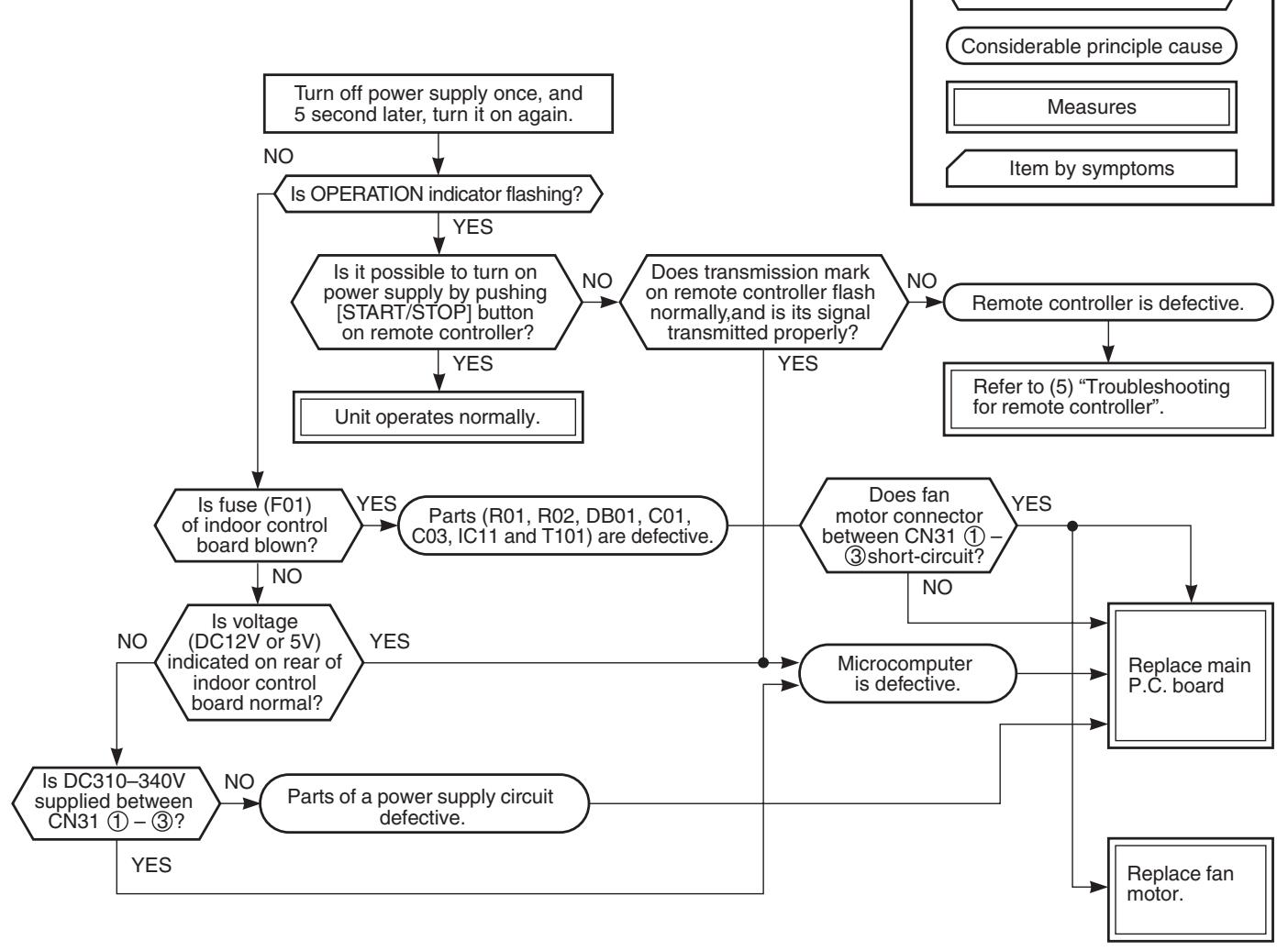
- Be sure to disconnect the motor connector CN10 after shut off the power supply, or it will be a cause of damage of the motor.
(2) Power is not turned on though Indoor P.C. board is replaced
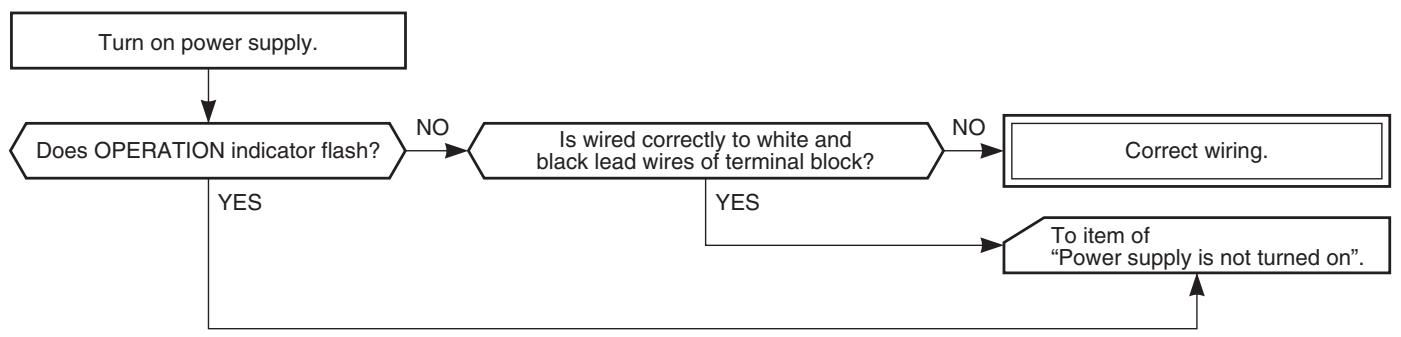
(3) Only the indoor motor fan does not operate
- Is it possible to detect the power supply voltage (AC220-240V) between ① and ② on the terminal block?
- Does the indoor fan motor operate in cooling operation?
(In heating operation, the indoor fan motor does not operate for approximately 10 minutes after it is turned on, to prevent a cold air from blowing in.)
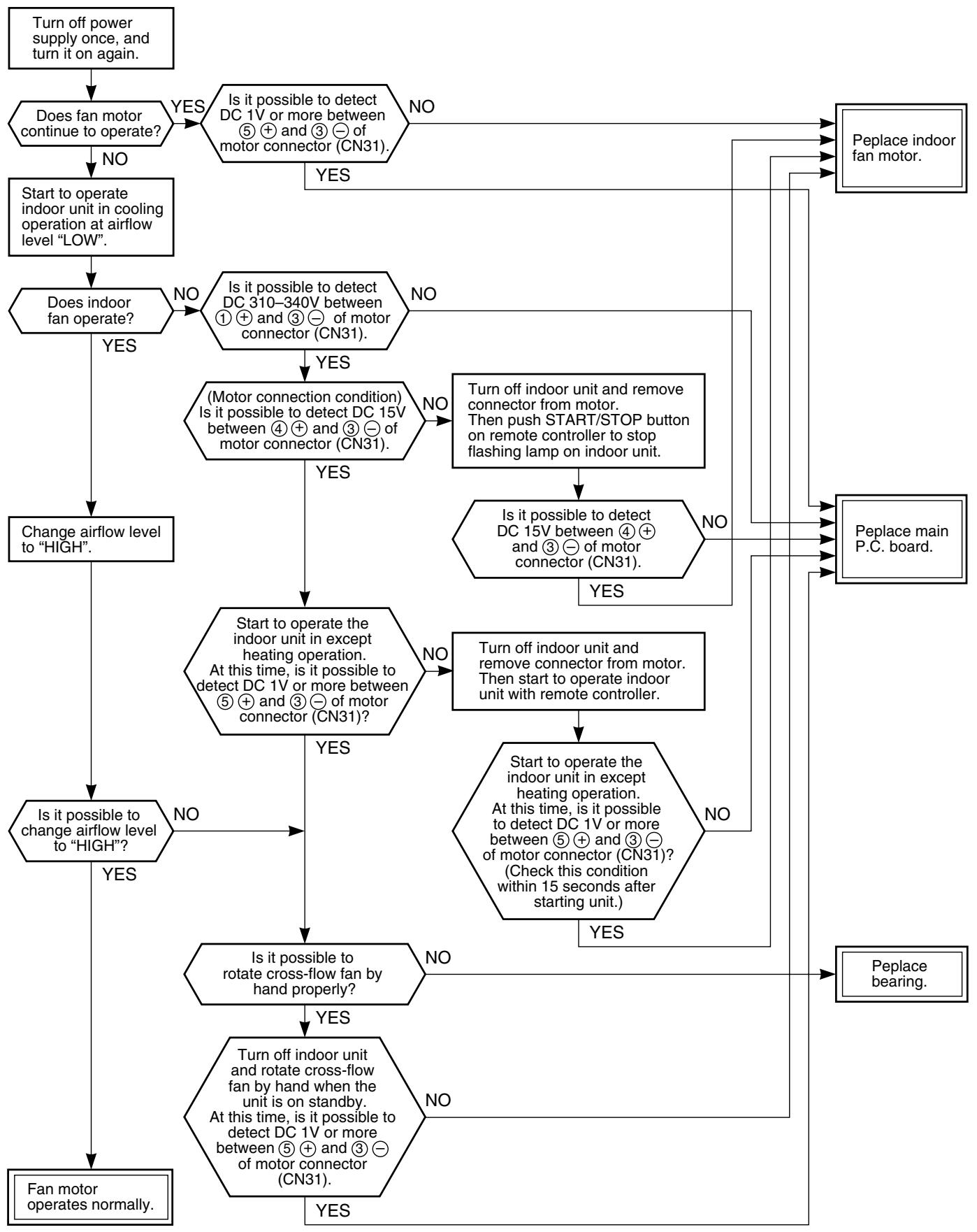
(4) Indoor fan motor automatically starts to rotate by turning on power supply
The IC is built in the indoor fan motor. Therefore the P.C. board is also mounted to inside of the motor.
If the P.C. board is soldered imperfectly or the IC is defective, the fan motor may automatically rotate by turning on power supply.
- Remove the front panel. (Remove 2 screws.)
- Remove the cover of the fan motor lead wires.
- Check DC voltage with CN31 connector while the fan motor is rotating.
NOTE :
- Do not disconnect the connector while the fan motor is rotating.
- Use a thin test rod.
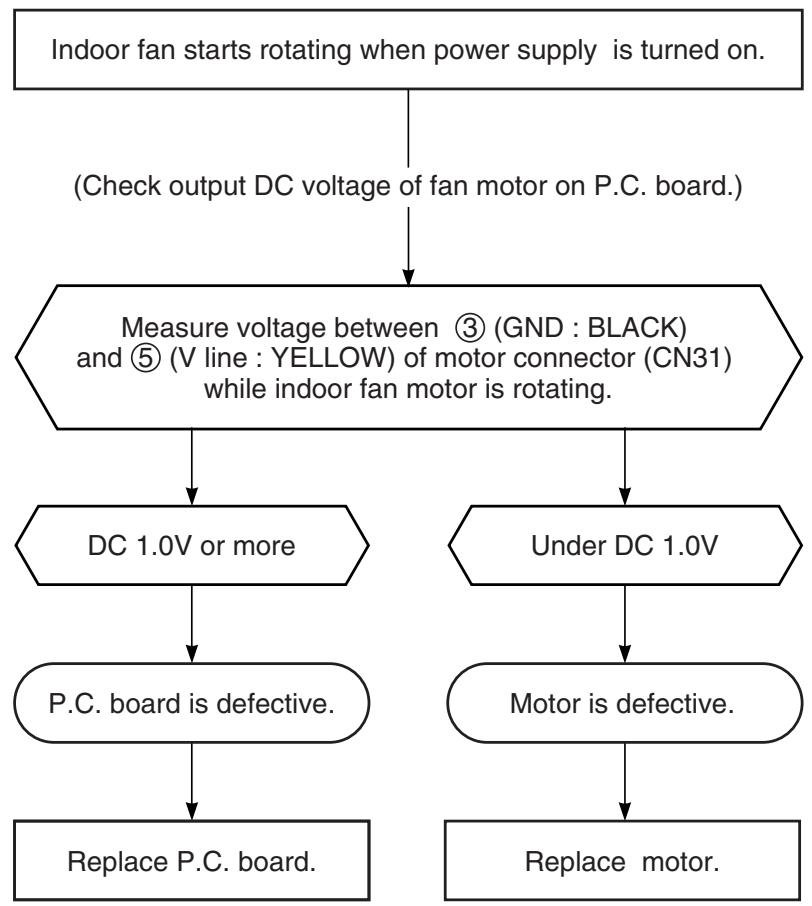
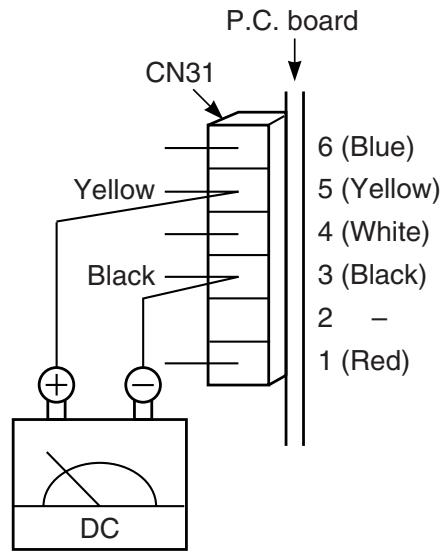
(5) Troubleshooting for remote controller
Check that A or B selected on the main unit is matched with A or B selected on the remote controller.
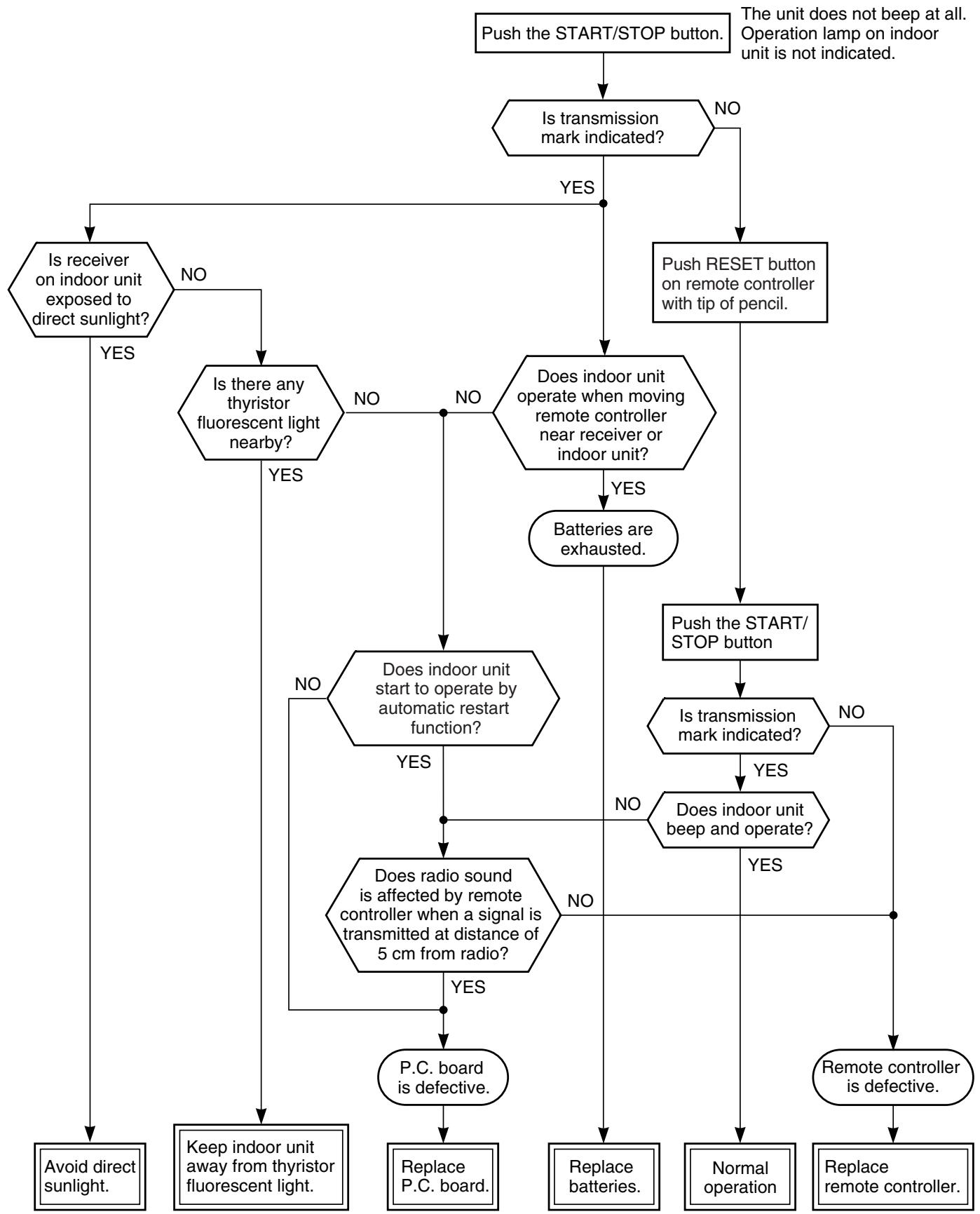
NOTE: After replacing batteries, push the RESET button with a tip of a pencil.
11-5-2. Wiring Failure (Interconnecting and Serial Signal Wire)
(1) Outdoor unit does not operate
1) Is the voltage between ② and ③ of the indoor terminal block varied?
Confirm that transmission from indoor unit to outdoor unit is correctly performed based upon the following diagram.
NOTE:
- Measurement should be performed 2 minutes and 30 seconds after starting of the operation.
- Be sure to prepare a diode for judgment.

Normal time : Voltage swings between DC15 and 60V. Inverter Assembly check (11-8-1.)
Abnormal time : Voltage does not vary.
(2) Outdoor unit stops in a little while after operation started
Select phenomena described below.
1) The outdoor unit stops 10 to 20 minutes after operation started, and 10 minutes or more are required to restart the unit.
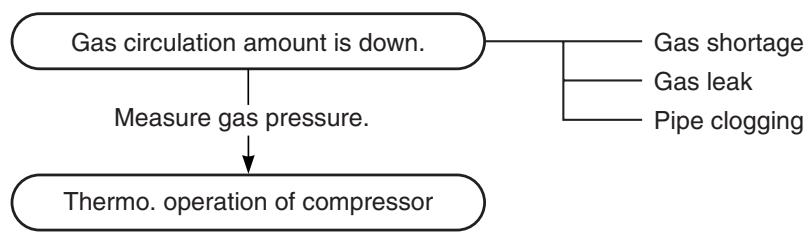
2) If the unit stops once, it does not operate until the power will be turned on again.
To item of Outdoor unit does not operate.
3) The outdoor unit stops 10 minutes to 1 hour after operation started, and an alarm is displayed. (Discharge temp. error check code 03, 1E Sensor temp. error check code 02, 1C)

11-6. Check Code 1C (Miswiring in indoor/outdoor units) and 1E
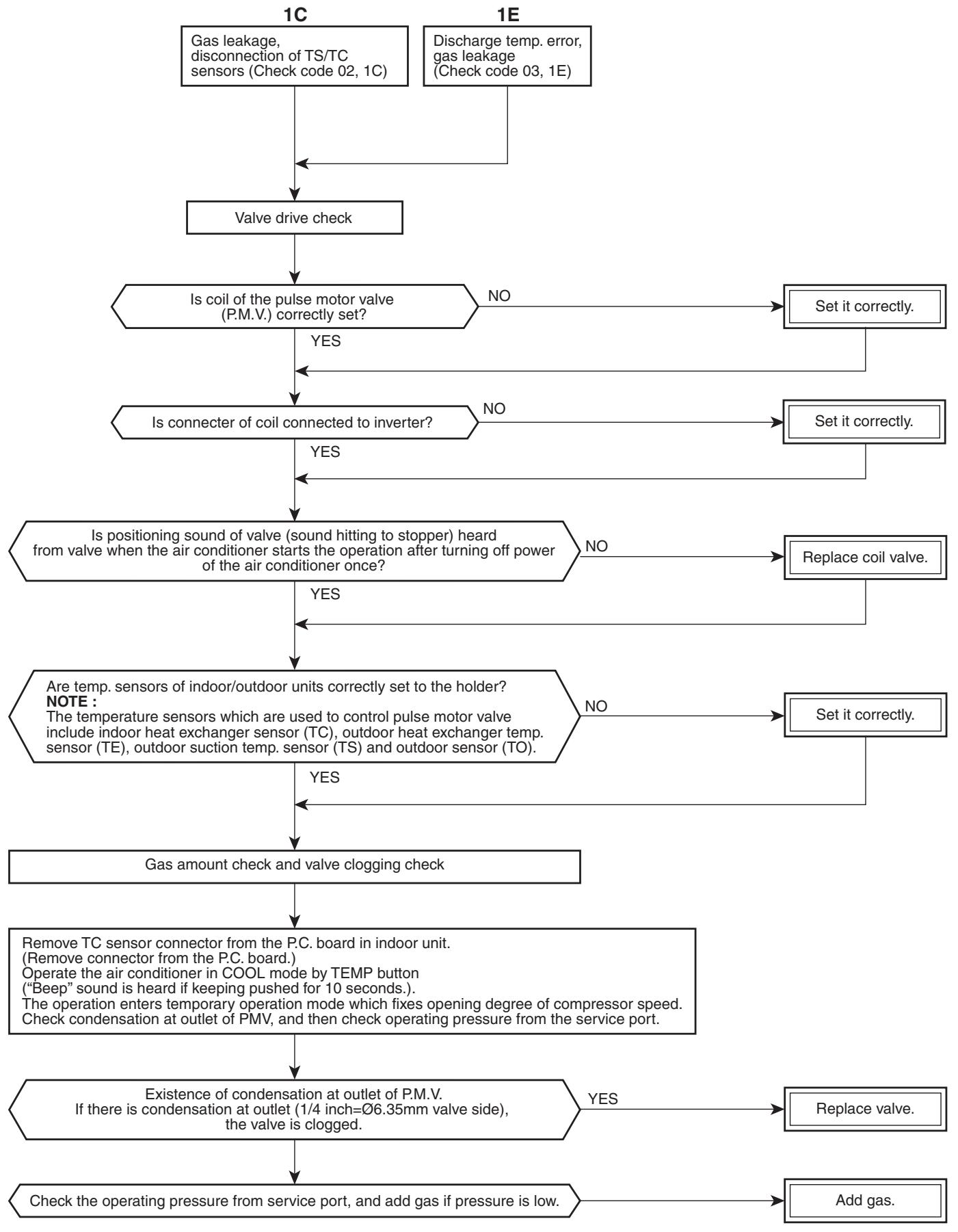
11-7. Troubleshooting
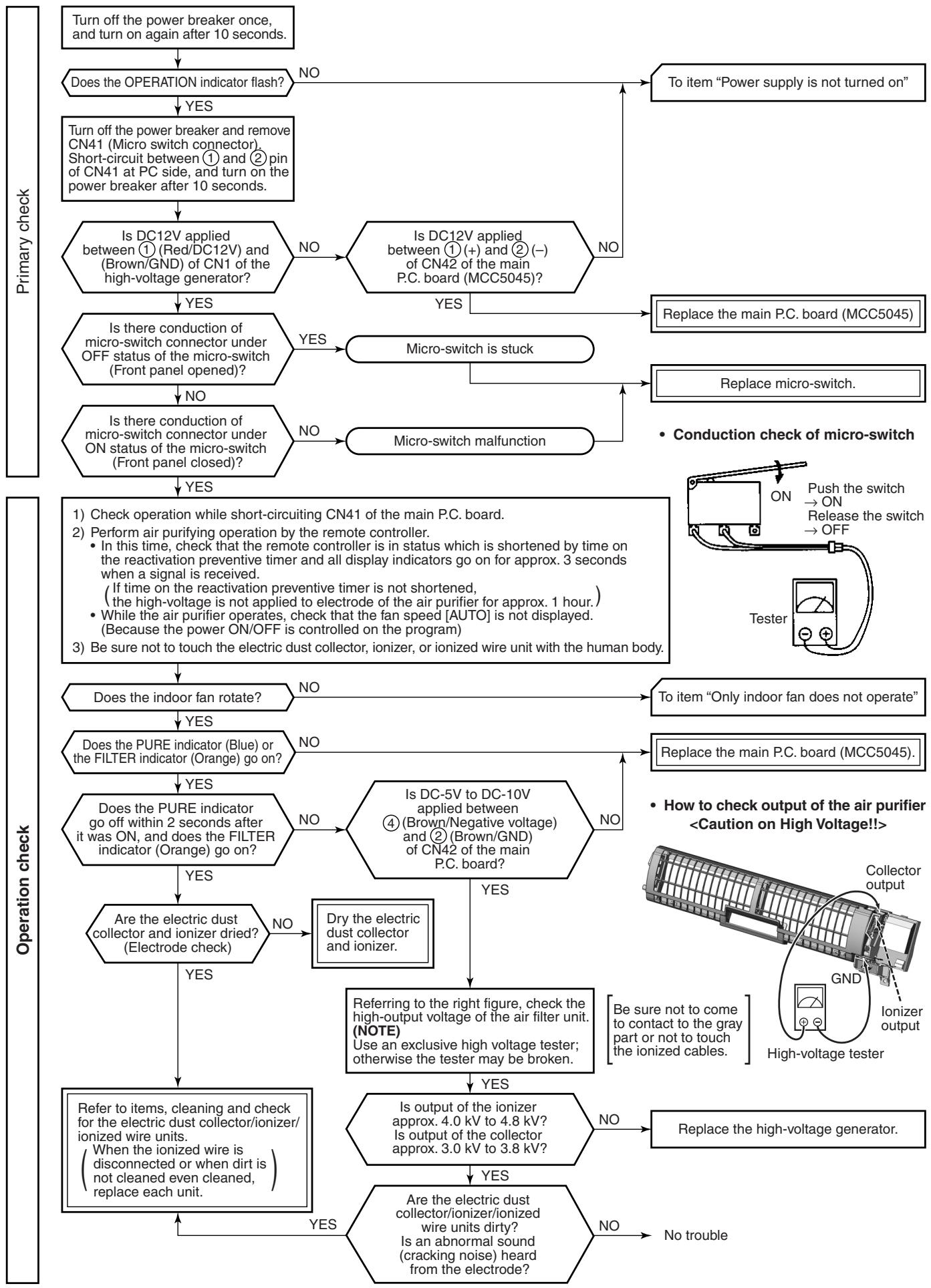
11-7-1. How to Check Whether the Air Purifier is Good or Not
11-8. How to Diagnose Trouble in Outdoor Unit
11-8-1. Summarized Inner Diagnosis of Inverter Assembly
Table 11-8-1
| Diagnosis/Process flowchart | Item | Contents | Summary | |
| Remove connector of compressor. | Preparation | Turn "OFF" the power supply breaker, and remove 3P connector which connects inverter and compressor. | ||
| Check 25A fuse (Part No.F01). NG Replace fuse. | Check | · Check whether 25A fuse on the control board assembly is blown or not. (F01) | If fuse was blown, be sure to check the electrolytic capacitor and diode block. (DB01) | |
| Check electrolytic capacitor, diode block (DB01), etc. | Check | · Connect discharge resistance (approx. 100Ω, 40W) or soldering iron (plug) between +, - terminals of the electrolytic capacitor (500μF) of C14 (with printed CAUTION HIGH VOLTAGE) on P.C. board. | ||
| Check terminal voltage of electrolytic capacitor. NG Check electrolytic capacitor, diode (DB01), etc. | Operation | Turn on the power breaker, and operate the air conditioner in COOL mode by time shortening. | Discharging position (Discharging period 10 seconds or more) Plug of soldering iron OK if 500μF → DC280 to 380V Remove CN300 while pushing the part indicated by an arrow because CN300 is a connector with lock. | |
| Does outdoor fan rotate? YES NG Remove connector CN300 of outdoor fan motor, and using a tester, check resistance value between every phases at motor side. | Measurement | Measure terminal voltage of the electrolytic capacity. 500μF:400WV × 3 After operation, turn off the power breaker after 2 minutes 20 seconds passed, and discharge the electrolytic capacitor by soldering iron. Check voltage between motor phases. | ||
| Replace outdoor fan motor. A B | Stop | · Is not winding between ①-②, ②-③, or ①-③ opened or short-circuited? · Is not frame grounded with ①, ②, or ③? | → Resistance between phases should be approx. 55 to 77Ω → Should be 10MΩ or more. | |
| Diagnosis/Process flowchart | Item | Contents | Summary | |
| A B Replace control board assembly. Check compressor winding resistance. OK Replace control board. | Check | Check winding resistance between phases of compressor, and resistance between outdoor frames by using a tester. • Is not grounded. • Is not short-circuited between windings. • Winding is not opened. | → OK if 10MΩ or more → OK if 0.51Ω → 0.57Ω (Check by a digital tester.) | |
| Operation | Remove connector CN300 of the outdoor fan motor, turn on the power supply breaker, and perform the operation. (Stops though activation is prompted.) Check operation within 2 minutes 20 seconds after activation stopped. | |||
11-9. How to Check Simply the Main Parts
11-9-1. How to Check the P.C. Board (Indoor Unit)
(1) Operating precautions
1) When removing the front panel or the P.C. board, be sure to shut off the power supply breaker.
2) When removing the P.C. board, hold the edge of the P.C. board and do not apply force to the parts.
3) When connecting or disconnecting the connectors on the P.C. board, hold the whole housing. Do not pull at the lead wire.
(2) Inspection procedures
1) When a P.C. board is judged to be defective, check for disconnection, burning, or discoloration of the copper foil pattern or this P.C. board.
2) The P.C. board consists of the following 2 parts
a. Main P.C. board part :
DC power supply circuit (5V, 12V, 15V), Indoor fan motor control circuit, CPU and peripheral circuits, buzzer, and Driving circuit of louver.
b. Indication unit of infrared ray receiving infrared ray receiving circuit, LED :
To check defect of the P.C. board, follow the procedure described below.
(3) Check procedures
Table 11-9-1
| No. | Procedure | Check points | Causes |
| 1 | Turn off the power supply breaker and remove the P.C. board assembly from electronic parts base. Remove the connecting cables from the terminal block. | Check whether or not the fuse (F01) is blown. | Impulse voltage was applied or the indoor fan motor short-circuited. |
| 2 | Remove the connector of the motor and turn on the power supply breaker. If OPERATION indicator flashes (once per second), it is not necessary to check steps (1 to 3) in the right next column. | Check power supply voltage : 1. Between No. 1 and No. 3 of CN01 (AC 220-240V) 2. Between ⊕ and ⊙ of C03 (DC 310-340V) 3. Between ⊙ of C124 and output side of IC13 (DC 15V) 4. Between 12V and GND 5. Between 5V and GND | 1. The terminal block or the crossover cable is connected wrongly. 2. The capacitor (C01), line filter (L01), resistor (R02), or the diode (DB01) is defective. 3. IC11, IC13 and T101 are defective. 4. IC11, IC13 and T101 are defective. 5. IC11, IC13, IC14 and T101 are defective. |
| 3 | Push [START/STOP] button once to start the unit. (Do not set the mode to On-Timer operation.) | Check power supply voltage : 1. Between CN51 and No. 1 of CN01 (DC 15-60V) | IC51 and IC52 are defective. |
| 4 | Shorten the restart delay timer and start unit. | Check whether or not all indicators (OPERATION, TIMER, FILTER, PURE) are lit for 3 seconds and they return to normal 3 seconds later. | The indicators are defective or the housing assembly (CN21) is defective. |
| 5 | Push [START/STOP] button once to start the unit, • Shorten the restart delay timer. • Set the operation mode to COOL. • Set the fan speed level to AUTO. • Set the preset temperature much lower than the room temperature. (The unit (compressor) operates continuously in the above condition.) | 1. Check whether or not the compressor operates. 2. Check whether or not the OP-ERATION indicator flashes. | 1. The temperature of the indoor heat exchanger is extremely low. 2. The connection of the heat ex-changer sensor is loose. (The connector is disconnected.) (CN62) 3. The heat exchanger sensor and the P.C. board are defective. (Refer to Table 11-4-1.) 4. The main P.C. board is defective. |
| 6 | If the above condition (No. 5) still continues, start the unit in the following condition. • Set the operation mode to HEAT. • Set the preset temperature much higher than room temperature. | 1. Check whether or not the compressor operates. 2. Check whether or not the OP-ERATION indicator flashes. | 1. The temperature of the indoor heat exchanger is extremely high. 2. The connection of the heat ex-changer sensor short-circuited. (CN62) 3. The heat exchanger sensor and the P.C. board are defective. (Refer to Table 11-4-1.) 4. The main P.C. board is defective |
| 7 | Connect the motor connector to the motor and turn on the power supply. Start the unit the following condition. • Set the fan speed level to HIGH. (The unit (compressor) operates continuously in the above condition in No. 5.) | 1. Check it is impossible to detect the voltage (DC 15V) between 3 and 4 of the motor terminals. 2. The motor does not operate or the fan motor does not rotate with high speed. (But it is possible to receive the signal from the remote controller.) 3. The motor rotates but vibrates strongly. | 1. The indoor fan motor is defective. (Protected operation of P.C. board.) 2. The P.C. board is defective. 3. The connection of the motor connector is loose. |
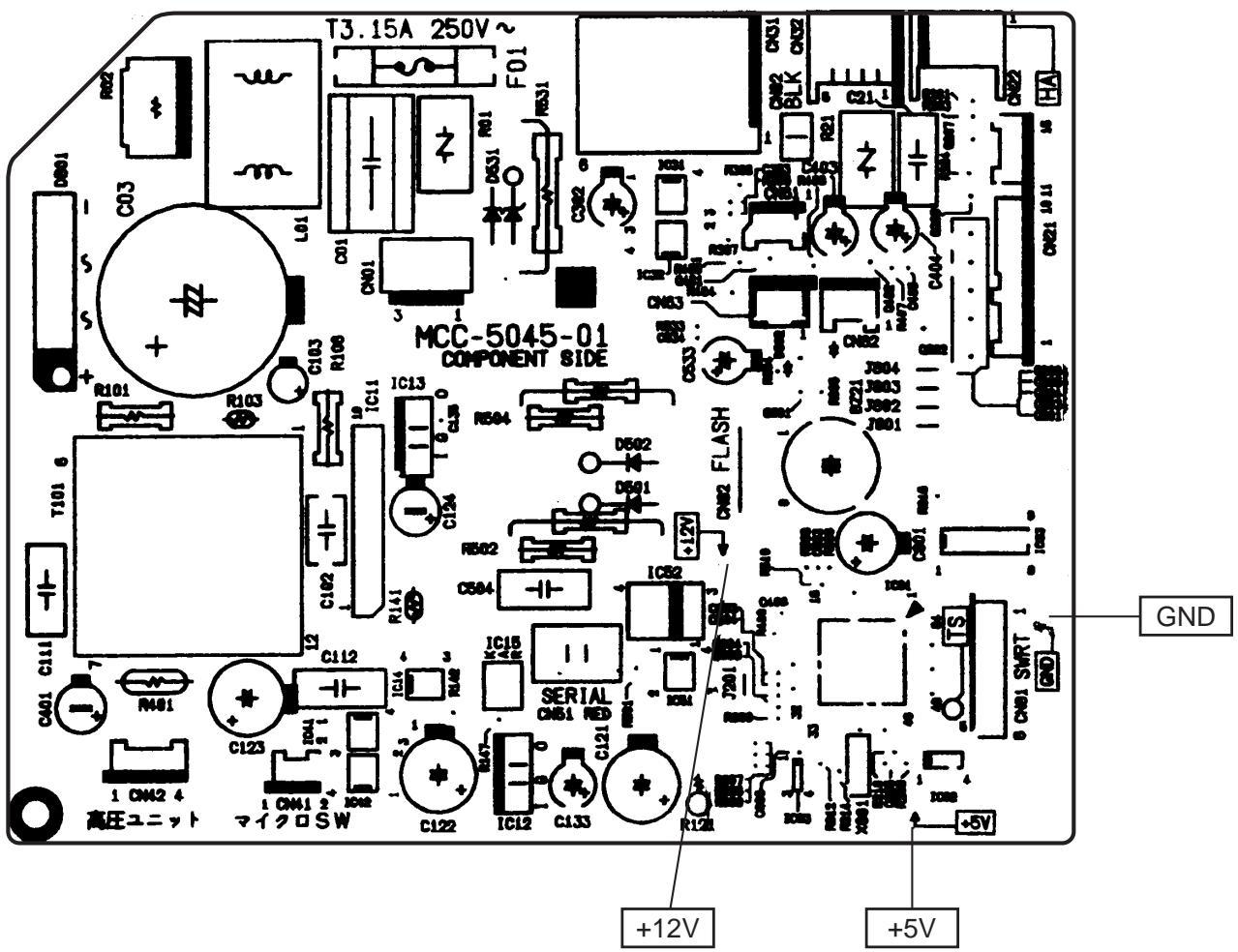
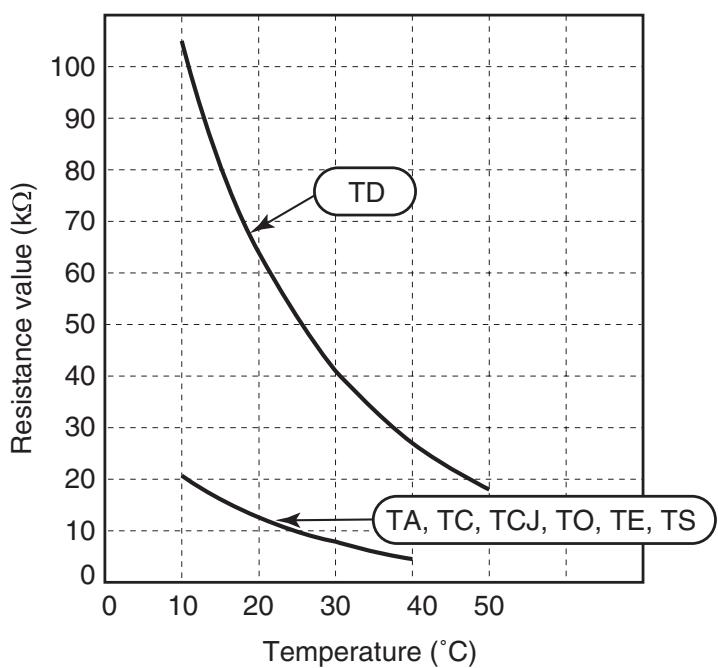
[1] Sensor characteristic table
TD : Discharge temp. sensor
TA : Room temp. sensor
TC, TCJ: Heat exchanger temp. sensor
TO : Outdoor temp. sensor
TE : Outdoor heat exchanger temp. sensor
TS : Suction temp. sensor
11-9-3. Indoor Unit (Other Parts)
| No. | Part name | Checking procedure | |||||
| 1 | Room temp. (TA) sensor Heat exchanger (TC) sensor Heat exchanger (TCJ) sensor | Disconnect the connector and measure the resistance value with tester. (Normal temp.) | |||||
| Temperature Sensor | 10°C | 20°C | 25°C | 30°C | 40°C | ||
| TA, TC, TCJ (kΩ) | 20.7 | 12.6 | 10.0 | 7.9 | 4.5 | ||
| 2 | Remote controller | Refer to 11-5-1. (5). | |||||
| 3 | Louver motor MP24Z3N | Measure the resistance value of each winding coil by using the tester. (Under normal temp. 25°C) | |||||
| White Yellow Yellow Yellow | 1 ① ② ② ③ ③ ④ ④ ⑤ ⑤ | Position | Resistance value | ||||
| 1 to 2 1 to 3 1 to 4 1 to 5 | 250 ± 20Ω | ||||||
| 4 | Indoor fan motor | Refer to 11-5-1. (3) and (4). | |||||
11-9-4. Outdoor Unit
| No. | Part name | Checking procedure | ||||||
| 1 | Compressor (Model:DA111A1F-24F) | Measure the resistance value of each winding by using the tester. | ||||||
| Red White Black | Position | Resistance value | ||||||
| Red - White | 1.02 to 1.12Ω | |||||||
| White - Black | ||||||||
| Black - Red | ||||||||
| Under 20°C | ||||||||
| 2 | Outdoor fan motor (Model:ICF-140-43-4R) | Measure the resistance value of winding by using the tester. | ||||||
| Red White Black | Position | Resistance value | ||||||
| Red - White | 20 to 22Ω | |||||||
| White - Black | 20 to 22Ω | |||||||
| Black- Red | 20 to 22Ω | |||||||
| Under 20°C | ||||||||
| 3 | 4-way valve coil (Model:STF-01AJ502E1) | Measure the resistance value of winding by using the tester. | ||||||
| 1 W COM→6 R 3 O Y BR BL COM 2 5 4 | Resistance value | |||||||
| 1435 ± 144Ω | ||||||||
| Under 20°C | ||||||||
| 4 | Pulse motor valve coil (Model:CAM-MD12TF-10) | Measure the resistance value of winding by using the tester. | ||||||
| 1 W COM→6 R 3 O Y BR BL COM 2 5 4 | Position | Resistance value | ||||||
| Red - White | 42 to 50kΩ | |||||||
| White - Orange | 42 to 50kΩ | |||||||
| Brown- Yellow | 42 to 50kΩ | |||||||
| Brown- Blue | 42 to 50kΩ | |||||||
| Under 20°C | ||||||||
| 5 | Outdoor temperature sensor (TO), discharge temperature sensor (TD), suction temperature sensor (TS), outdoor heat exchanger temperature sensor (TE) | Disconnect the connector, and measure resistance value with the tester. (Normal temperature) | ||||||
| Temperature Sensor | 10°C | 20°C | 25°C | 30°C | 40°C | 50°C | ||
| TD (kΩ) | 100 | 64 | 50 | 41 | 27 | 18 | ||
| TO,TS,TE (kΩ) | 20.7 | 12.6 | 10.0 | 7.9 | 4.5 | — | ||
11-9-5. Checking Method for Each Part
| No. | Part name | Checking procedure | ||
| 1 | Electrolytic capacitor (For boost, smoothing) | 1. Turn OFF the power supply breaker. 2. Discharge all three capacitors completely. 3. Check that safety valve at the bottom of capacitor is not broken. 4. Check that vessel is not swollen or exploded. 5. Check that electrolytic liquid does not blow off. 6. Check that the normal charging characteristics are shown in continuity test by the tester. C12, C13, C14 → 500μF/400V | ||
| 2 | Diode block | 1. Turn OFF the power supply breaker. 2. Completely discharge the four electrolytic capacitors. 3. Remove the diode block from the PCB (which is soldered in place). 4. Use a multimeter with a pointer to test the continuity, and check that the diode block has the proper rectification characteristics. 1 2 3 4 (DBO1) | Tester rod + | Resistance value in good product |
| ~2 | +1 | |||
| ~3 | ||||
| -4 | ~2 | |||
| ~3 | ||||
| 10 to 20Ω when the multimeter probe is reversed | ||||
11-10. How to Simply Judge Whether Outdoor Fan Motor is Good or Bad
1. Symptom
- Outdoor fan motor does not rotate.
- Outdoor fan motor stops within several tens seconds though it started rotating.
- Outdoor fan motor rotates or does not rotate according to the position where the fan stopped, etc.
Remote controller check code "02 : Outdoor block, 1A : Outdoor fan drive system error"
2. Cause
The following causes are considered when the outdoor fan motor does not normally rotate.
1) Mechanical lock of the outdoor fan motor
2) Winding failure of the outdoor fan motor
3) Position-detect circuit failure inside of the outdoor fan motor
4) Motor drive circuit failure of the outdoor P.C. board
3. How to simply judge whether outdoor fan motor is good or bad
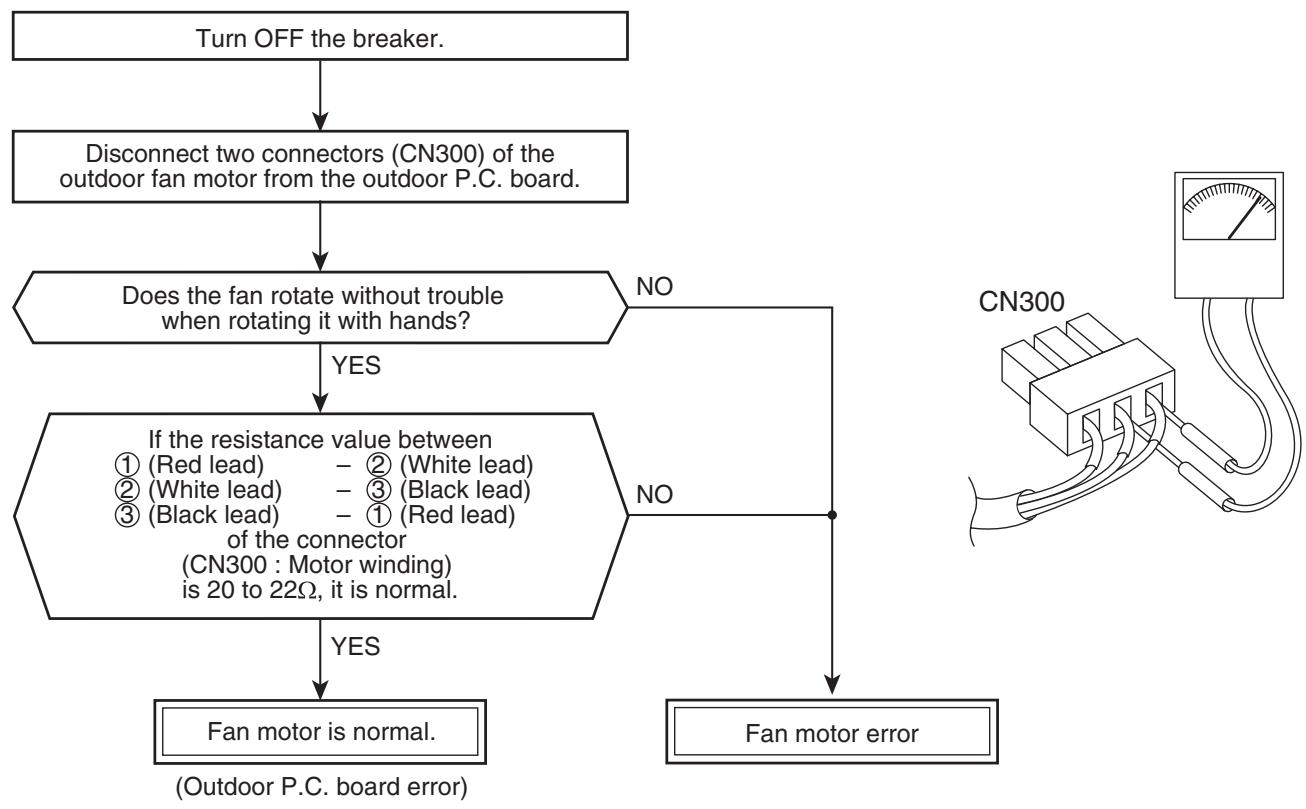
NOTE :
However, GND circuit error inside of the motor may be accepted in some cases when the above check is performed.
When the fan motor does not become normal even if P.C. board is replaced, replace the outdoor fan motor.
12. HOW TO REPLACE THE MAIN PARTS
WARNING
- Since high voltages pass through the electrical parts, turn off the power without fail before proceeding with the repairs.
Electric shocks may occur if the power plug is not disconnected.
- After the repairs have been completed (after the front panel and cabinet have been installed), perform a test run, and check for smoking, unusual sounds and other abnormalities.
If this check is omitted, a fire and/or electric shocks may occur.
Before proceeding with the test run, install the front panel and cabinet.
-
Ensure that the following steps are taken when doing repairs on the refrigerating cycle.
-
Do not allow any naked flames in the surrounding area.
If a gas stove or other appliance is being used, extinguish the flames before proceeding.
If the flames are not extinguished, they may ignite any oil mixed with the refrigerant gas.
- Do not use welding equipment in an airtight room.
Carbon monoxide poisoning may result if the room is not properly ventilated.
- Do not bring welding equipment near flammable objects.
Flames from the equipment may cause the flammable objects to catch fire.
- If keeping the power on is absolutely unavoidable while doing a job such as inspecting the circuitry, wear rubber gloves to avoid contact with the live parts.
Electric shocks may be received if the live parts are touched.
High-voltage circuits are contained inside this unit.
Proceed very carefully when conducting checks since directly touching the parts on the control circuit board may result in electric shocks.
12-1. Indoor Unit
| No. | Part name | Procedures | Remarks |
| ① | Front panel | 1) Stop operation of the air conditioner and turn off its main power supply. 2) Open the air inlet grille, push the arm toward the outside, and remove the grille. 3) Remove the left and right air filters, and remove the electric dust collector. | |
| ① | Front panel | 4)Push “PUSH” part under the front panel and remove hooks of the front panel from the installation plate. Installation plate Front panel Push | Pull here Push here |
| 5)Remove the front panel fixing screws. (2 pcs.) 6)Push the electric parts box with the right thumb while pulling the both sides of the front panel toward you. | |||
| <How to assemble the front panel> | |||
| 1)Push three center positions and two lower center positions of the air outlet, and then hang the hanging hooks (4 pcs.) at the top side of the front panel to the rear plate. 2)Insert the electric dust collector and left and right air filters. Push in the electric dust collector until the protrusions on both sides are completely inserted into the holders. If installation is incomplete, the FILTER indicator (orange) may light. 3)Tighten two screws. ·Incomplete hanging or incomplete pressing may cause a dewdrops or generation of a fluttering sound. | |||
| ② | High voltage generator | 1) Follow to the procedure in the item ①. 2) Disconnect the connectors of the high-voltage generator, and disconnect the four leads from where they are fitted into the other components. 3) Remove the fixing screw which secures the high voltage generator, and remove the high voltage generator from the evaporator. | Screw ↓ High voltage generator ↓ Connector ← Screw |
| <How to assemble the high voltage generator> | |||
| 1) Put the high voltage generator on the evaporator and then fix it with two screws. 2) Pass the leads of the high voltage generator through the area designated and insert them into its connectors. | Claw 1 2 3 Claw → | ||
| ③ | Electric parts box assembly | 1) Follow the procedure up to 4) in ② above. 2) Remove screw of earth lead attached to the end plate of the evaporator. 3) Remove the lead wire cover, and remove connector (5P) for the fan motor and connector (5P) for the louver motor from the electric parts box assembly. 4) Pull out TC and TCJ sensors from sensor holder of the evaporator. 5) Disengage the two claws at the top of the display unit. (They can be easily disengaged by pushing the drain pan above the claws and at the same time pulling the display unit toward you.) 6) Remove the fixing screw that secures the electric parts box assembly, and remove the assembly. | TCJ sensor Lead wire cover Earth screw Fixing screw Push the drain pan Pull the display unit toward you TCJ sensor → Fan motor connector TC sensor → Louver motor connector Earth screw → Make absolutely sure that the leads form a loop |
| <How to assemble the electric parts box>1) Hook the top part of the electric parts box assembly onto the claws on the back body, and secure it using the fixing screw. Now attach the display unit. Connect the connectors for the fan motor and louver motor. 2) Secure the grounding wire using the fixing screw. Insert the TC and TCJ sensors into the sensor holder. * Be absolutely sure to loop the grounding wire, TC and TCJ sensor leads once at the bottom. | |||
| ④ | Horizontal louver | 1) Remove shaft of the horizontal louver from the back body. (First remove the left shaft, and then remove other shafts while sliding the horizontal louver leftward.) | DASERVA Slide the horizontal louver leftward |
| ⑤ | Evaporator (Heat exchanger) | 1) Follow to the procedure in the item ③. 2) Remove the pipe holder from the rear side of the main unit. 3) Remove two fixing screws at the left side of the end plate of the heat exchanger. Screw Screw 4) Remove the heat exchanger fixing holder by removing the two fixing screws used to secure it. 5) Remove right side of the end plate from two fixing ribs while sliding slightly the heat exchanger rightward. | Pipe holder Disengage the claw Screw Heat exchanger fixing holder Screw Hangeg part |
| ⑥ | Bearing | 1) Follow to the procedure in the items ①. 2) Remove the two fixing screws used to secure the left edge panel of the heat exchanger, and remove the two screws used to secure the bearing base. 3) Raise the left side of the heat exchanger slightly, and remove the bearing base. <Caution at assembling> • If the bearing is out from the housing, push it into the specified position and then incorporate it in the main body. • After assembling the bearing base, check that it is fitted into the stepped part of the drain pipe. Drainpipe Bearingbase Drainpipe | Screw Bearing base Screw |
| Raise the left side Remove in this direction | |||
| Bearingbase Bearing Drain pipe | |||
| ⑦ | Fan motor | 1) Follow to the procedure in the item ③. 2) Loosen the set screw of the cross flow fan. 3) Remove two fixing screws of the motor band (Right), and then remove the motor band (Right). 4) Pull the fan motor outward. In assembling work, install the fan motor as follows. • When assembling the fan motor, the fan motor must be installed in such a way that the fan motor leads will be taken out is positioned at the bottom front. • After assembling the two hooking claws of the motor band (right) into the main body, position the fan motor, insert it, and then secure the motor band (right) using the two fixing screws. Fan motor leads | Set screw |
| ⑧ | Cross flow fan | 1) Follow to the procedure in the item ⑥. 2) Remove the heat exchanger fixing holder by removing the two fixing screws used to secure it. 3) Loosen the set screw of the cross flow fan. 4) Lift the left side of the heat exchanger, and pull out the cross flow fan. | Raise the left side Pull out here |
| ⑧ | Cross flow fan | <Caution at reassembling> 1) At assembling work of the bearing base, check that the drain pipe is surely incorp- rated in the back body. (Otherwise, water leak is caused.) 2) To incorporate the fan motor, remove the fan motor rubber (at shaft core side), incorporate the motor into the position in the following figure, and then install the fan motor. Drain pipe < img src=""> | < img src=""> Bearingbase |
| • Install the cross flow fan so that the right end of the 1st joint from the right of the cross flow fan is set keeping 70.5 mm from wall of rear plate of the main unit. • Holding the set screw, install the cross flow fan so that U-groove of the fan motor comes to the mounting hole of the set screw. < img src=""> | |||
| • Perform positioning of the fan motor as follows: • When assembling the fan motor, the fan motor must be installed in such a way that the fan motor leads will be taken out is positioned at the bottom front. • After assembling the two hooking claws of the motor band (right) into the main body, position the fan motor, insert it, and then secure the motor band (right) using the two fixing screws. U groove | |||
12-2. Microcomputer
| No. | Part name | Procedure | Remarks |
| ① | Common procedure | 1) Turn the power supply off to stop the operation of air-conditioner. 2) Remove the front panel. • Remove the 2 fixing screws. 3) Remove the electrical part base. | Replace terminal block, microcomputer ass'y and the P.C. board ass'y. |
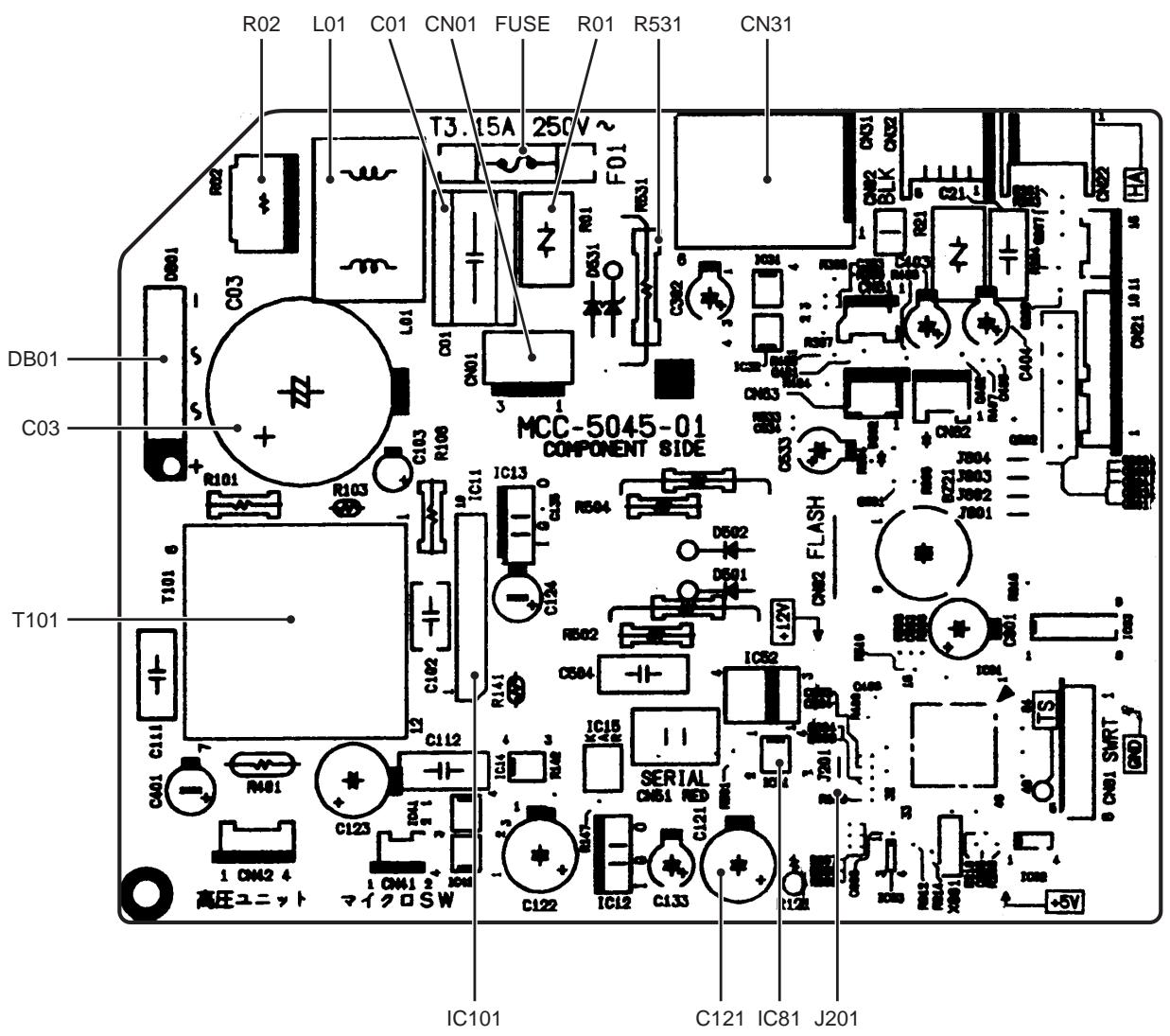
12-3. Outdoor Unit
| No. | Part name | Procedure | Remarks |
| ① | Common procedure | 1. Detachment NOTE Wear gloves for this job. Otherwise, you may injure your hands on the parts, etc. | Upper cabinet Water proof cover Valve cover |
| 1) Stop operation of the air conditioner, and turn off the main switch of the breaker for air conditioner. 2) Remove the valve cover. (ST1T04 x 8L 1 pc.) • After removing screw, remove the valve cover pulling it downward. 3) Remove wiring cover (ST1T04 x 8L 2 pcs.), and then remove connecting cable. 4) Remove the upper cabinet. (ST1T04 x 8L 5 pcs.) • After removing screws, remove the upper cabinet pulling it upward. | Insert the bent part into the rear panel of the inverter Bring into contact against these parts | ||
| 2. Attachment 1) Attach the water-proof cover. NOTE The water-proof cover must be attached without fail in order to prevent rain water, etc. from entering inside the indoor unit. | Align the stitch line with the top edge of the front cabinet Bend downward, and align with the inside surface of the front cabinet | ||
| 2) Attach the upper cabinet. (ST1T04 x 8L 5 pcs.) 3) Perform cabling of connecting cable, and attach the wiring cover. • Place the wiring cover over the opening used to work on the connecting wires of the side cabinet, and secure it using the two fixing screws (ST1T04 x 8L 2 pcs.). At this point, the top cushion of the wiring cover must be on the inside of the opening. 4) Attach the valve cover. (ST1T04 x 8L 1 pc.) • Insert the upper part into the square hole of the side cabinet, set hook claws of the valve cover to square holes (at three positions) of the main unit, and attach it pushing upward. | How to mount the water-proof cover | ||
| ② | Front cabinet | 1. Detachment 1) Perform step 1 in ①. 2) Remove the fixing screws (ST1TØ4 × 8L 2 pcs.) used to secure the front cabinet and inverter cover, the screws (ST1TØ4 × 8L 3 pcs.) used to secure the front cabinet at the bottom, and the fixing screws (ST1TØ4 × 8L 2 pcs.) used to secure the motor base. • The front cabinet is fitted into the side cabinet (left) at the front left side so pull up the top of the front cabinet to remove it. 2. Attachment 1) Insert the claw on the front left side into the side cabinet (left). 2) Hook the bottom part of the front right side onto the concave section of the bottom plate. Insert the claw of the side cabinet (right) into the square hole in the front cabinet. 3) Return the screws that were removed above to their original positions, and attach them the main unit, and attach it pushing upward. | Front cabinet Claw Square hole Concave section |
| ③ | Inverter assembly | 1) Perform work of item 1 in ①. 2) Remove screw (ST1TØ4 x 8L 2 pcs.) of the upper part of the front cabinet. • If removing the inverter cover in this condition, P.C. board can be checked. • If there is no space above the unit, perform work of 1 in ②. Be careful to check the inverter because high-voltage circuit is incorporated in it. | Inverter cover P.C. board (Soldered surface) Discharging position (Discharging period 10 seconds or more) Plug of soldering iron A screw (STIT-4X8MSZN) Terminal block |
| 3) Perform discharging by connecting ④, ⑤ polarity by discharging resistance (approx. 100Ω40W) or plug of soldering iron to ④, ⑤ terminals a of the C14 (printed “CAUTION HIGH VOLTAGE” is attached.) electrolytic capacitor (760μF) on P.C. board. | |||
| Be careful to discharge the capacitor because the electrolytic capacitor cannot naturally discharge and voltage remains according to trouble type in some cases. | |||
| NOTE This capacitor is one with mass capacity. Therefore, it is dangerous that a large spark generates if short-circuiting between ④, ⑤ polarity with screwdriver, etc. for discharging. | |||
| 4) Remove screw (ST1TØ4 x 8L 2 pcs.) fixing the main body and the inverter box. | |||
| 5) Remove the front cabinet by performing step 1 in ②, and remove the fixing screws (ST1TØ4 x 8L) for securing the main body and inverter box. | |||
| 6) Remove various lead wires from the holder at upper part of the inverter box. | |||
| 7) Pull the inverter box upward. | |||
| 8) Disconnect connectors of various lead wires. | |||
| Requirement As each connector has a lock mechanism, avoid to remove the connector by holding the lead wire, but by holding the connector. | |||
| Be sure to remove the connector by holding the connector, not by pulling the lead wire. |
| No. | Part name | Procedure | Remarks | |
| ④ | Control board assembly | 1. Disconnect the leads and connectors connected to the other parts from the control board assembly. 1) Leads · 3 leads (black, white, orange) connected to terminal block. · Lead connected to compressor : Disconnect the connector (3P). · Lead connected to reactor : Disconnect the two connectors (2P). 2) Connectors (×8) CN300 : Outdoor fan motor (3P: white)* (See NOTE) CN701 : 4-way valve (2P: yellow)* CN600 : TE sensor (2P: white)* CN700 : PMV (6P: white) CN603 : TS sensor (3P: white)* CN601 :TD sensor (3P: white)* CN602 : TO sensor (2P: white) CN703: Freeze prevention heater (2P: red) | CN603 CN603 CN603 CN703 CN703 CN703 CN703 CN703 CN703 CN703 CN703 CN703 CN703 CN703 CN703 CN703 CN703 CN703 CN703 CN703 CN703 CN703 CN703 CN603 CN603 CN603 CN603 CN603 CN603 CN603 CN603 CN603 CN603 CN603 CN603 CN603 CN603 CN603 CN603 CN603 CN603 CN603 CN603 CN700 CN700 CN700 CN700 CN700 CN700 CN700 CN700 CN700 CN700 CN700 CN700 CN700 CN700 CN700 CN700 CN700 CN700 CN700 CN700 CN70 CN70 CN70 CN70 CN70 CN70 CN70 CN70 CN70 CN70 CN70 CN70 CN70 CN70 CN70 CN70 CN70 CN70 CN70 CN70 CN70 CN70 CN70 CN70 CN70 CN NOTE These connectors have a disconnect prevention mechanism: as such, the lock on their housing must be released before they are disconnected. 2. Remove the control board assembly from the P.C. board base. (Remove the heat sink and control board assembly while keeping them screwed together.) NOTE Disengage the four claws of the P.C. board base, hold the heat sink, and lift to remove it. 3. Remove the two fixing screws used to secure the heat sink and control board assembly. 4. Mount the new control board assembly. NOTE When mounting the new control board assembly, ensure that the P.C. board is inserted properly into the P.C. board support groove. | CN300, CN701, CN703, CN600 and CN603 are connectors with locking mechanisms: as such, to disconnect them, they must be pressed in the direction of the arrow while pulling them out. P.C. board base P.C. board P.C. board P.C. board P.C. board P.C. board P.C. board P.C. board P.C. board P.C. board P.C. board P.C. board P.C. board P.C. board P.C. board P.C. board P.C. board P.C. board P.C. board P.C. board P.C. board P.C. P.C. P.C. P.C. P.C. P.C. P.C. P.C. P.C. P.C. P.C. P.C. P.C. P.C. P.C. P.C. P.C. P.C. P.C. P.C. P.C. P.C. P.C. P.C. P.C. P.C. |
| No. | Part name | Procedure | Remarks |
| ⑤ | Side cabinet | 1. Side cabinet (right) 1) Perform step 1 in ② and all the steps in ③. 2) Remove the fixing screw (ST1TØ4 x 8L 5 pcs.) used for securing the side cabinet to the bottom plate and valve fixing panel. 2. Side cabinet (left) 1) Perform step 1 in ②. 2) Remove the fixing screw (ST1TØ4 x 8L 1 pcs.) used to secure the side cabinet (left) onto the heat exchanger. 3) Remove the fixing screw (ST1TØ4 x 8L 2 pc.) used for securing the side cabinet to the bottom plate and heat exchanger. | Hook the claw onto the bottom plate here. The back body section is hooked onto the bottom plate here. Detail A Detail B Detail C |
| ⑥ | Fan motor | 1) Perform work of item 1 of ① and ②. 2) Remove the flange nut fixing the fan motor and the propeller. • Flange nut is loosened by turning clock-wise. (To tighten the flange nut, turn counterclockwise.) 3) Remove the propeller fan. 4) Disconnect the connector for fan motor from the inverter. 5) Remove the fixing screws (2 pc.) holding by hands so that the fan motor does not fall. * Precautions when assembling the fan motor Tighten the flange nut using a tightening torque of 4.9 N·m. | Propeller fan Fan motor Flange nut |
| ⑦ | Compressor | 1) Perform work of item 1 of ① and ②, ③, ④, ⑤. 2) Extract refrigerant gas. 3) Remove the partition board. (ST1T04 × 8L 3 pcs.) 4) Remove the sound-insulation material. 5) Remove terminal cover of the compressor, and disconnect lead wire of the compressor from the terminal. 6) Remove pipe connected to the compressor with a burner. • Take care to keep the 4-way valve away from naked flames. (Otherwise, it may malfunction.) 7) Remove the fixing screw of the bottom plate and heat exchanger. (ST1T04 × 8L 1 pc.) 8) Remove the fixing screw of the bottom plate and valve fixing plate. (ST1T04 × 8L 1 pc.) 9) Pull upward the refrigeration cycle. 10) Remove BOLT (3 pcs.) fixing the compressor to the bottom plate. * Precautions when assembling the compressor. Tighten the compressor bolts using a tighten-ting torque of 4.9 N·m. | Partition board Valve fixing plate Compressor Reactor |
| ⑧ | Reactor | 1) Perform work of item 1 of ②, and ③. 2) Remove screws fixing the reactor. (ST1T04 × 8L 4 pcs.) | |
| ⑨ | Electronic expansion valve coil | 1. Detachment 1) Perform step 1 in ②, all the steps in ③ and 1 in ⑤. 2) Remove the coil by pulling it up from the electronic control valve body. 2. Attachment 1) When assembling the coil into the valve body, ensure that the coil anti-turn lock is installed properly in the pipe. <Handling precaution> When handling the parts, do not pull the leads. When removing the coil from the valve body, use your hand to secure the body in order to prevent the pipe from being bent out of shape. | Coil anti-turn lock Coil anti-turn lock position Coil inserting position |
| ⑩ | Fan guard | 1. Detachment 1) Perform work of item 1 of ②. 2) Remove the front cabinet, and put it down so that fan guard side directs downward. Perform work on a corrugated cardboard, cloth, etc. to prevent flaw to the product. 3) Remove the hooking claws by pushing minus screwdriver according to the arrow mark in the right figure, and remove the fan guard. 2. Attachment 1) Insert claws of the fan guard in the holes of the front cabinet. Push the hooking claws (9 positions) by hands and fix the claws. All the attaching works have completed. Check that all the hooking claws are fixed to the specified positions. | Minus screwdriver Hooking claw |
| ⑪ | TE sensor (outdoor heat exchanging temperature sensor) • Attachment With the leads pointing downward and the sensor leads pointing in the direction shown in the figure, install the sensor onto the straight pipe part of the condenser output pipe. | Detail A Arrow D Detail B Detail C | |
| ⑫ | TS sensor (Suction pipe temperature sensor) • Attachment With its leads pointing downward, point the sensor in the direction of the packed valve, and install it onto the straight pipe part of the suction pipe. | ||
| ⑬ | TD sensor (Discharge pipe temperature sensor) • Attachment With its leads pointed downward, install the sensor onto the vertical straight pipe part of the discharge pipe. | ||
| ⑭ | TO sensor (Outside air temperature sensor) • Attachment Insert the outdoor air temperature sensor into the holder, and install the holder onto the heat exchanger. | ||
| Detail B TS sensor | Detail A TD sensor | Arrow D TO sensor | |
| CAUTION During the installation work (and on its completion), take care not to damage the coverings of the sensor leads on the edges of the metal plates or other parts. It is dangerous for these coverings to be damaged since damage may cause electric shocks and/or a fire. | |||
| CAUTION After replacing the parts, check whether the positions where the sensors were installed are the proper positions as instructed. The product will not be controlled properly and trouble will result if the sensors have not been installed in their proper positions. | |||
| No. | Part name | Procedure | Remarks | ||
| 15 | Replacement of temperature sensor for servicing onlyCommon service parts of sensor TO, TS, TE, TD | 1) Cut the sensor 100 mm longer than old one. 2) Cut the protective tube after pulling out it (200 mm). 3) Move the protective tube toward the thermal sensor side and tear the tip of lead wire in two then strip the covering part. 4) Pass the stripped part through the thermal constrictent tube. 5) Cut the old sensor 100 mm length on the connector side, and recycle that connec-tor. 6) Tear the lead wire in two on the connector side and strip the covering part. 7) Twist the leads on the connector and sensor sides, and solder them. 8) Move the thermal constrictent tubes toward the soldered parts and heat them with the dryer and constring them. 9) Wind the attached color tape round the both terminals of the protective tube when colored protective tube is used. 10) Fix the sensor again. | Thermal sensor part Cutting here ConnectorCutting here Cutting here Thermal constrictent tube Cutting here Soldered part Dryer Winding the color tape | ||
| These are parts for servicing sensors.Please check that the accessories shown in the right table are packed. | NOTE 1) Store the joint part of the sensor and the connector in the electric parts box. 2) Never joint them near the thermal sensor part. Otherwise it would cause insulation inferiority because of dew drops. 3) When replacing the sensor using the colored protective tube, wind the color tape matching the color of that tube. | ||||
| 1 | Sensor 2 3 4 5 6 | 1 1 1 3 1 3 | Length: 3m For spare For spare Including one spare 9 colors 3 | ||
| 16 | Cord heater assembly(-ND model only) | 1) Perform the procedures in ⑦ above.(Do not perform the procedure in ⑦-6).) 2) Remove the cord clamp.(ST1Tø4 x 10L 1 pc.) 3) Remove the cord clamps (12 locations) fixing the cord heater assembly to the base plate. 4) Attach the new cord heater assembly to the base plate using the cord clamps supplied with the cord heater assembly.(Service code: 37557729) | Cord heater assembly | ||
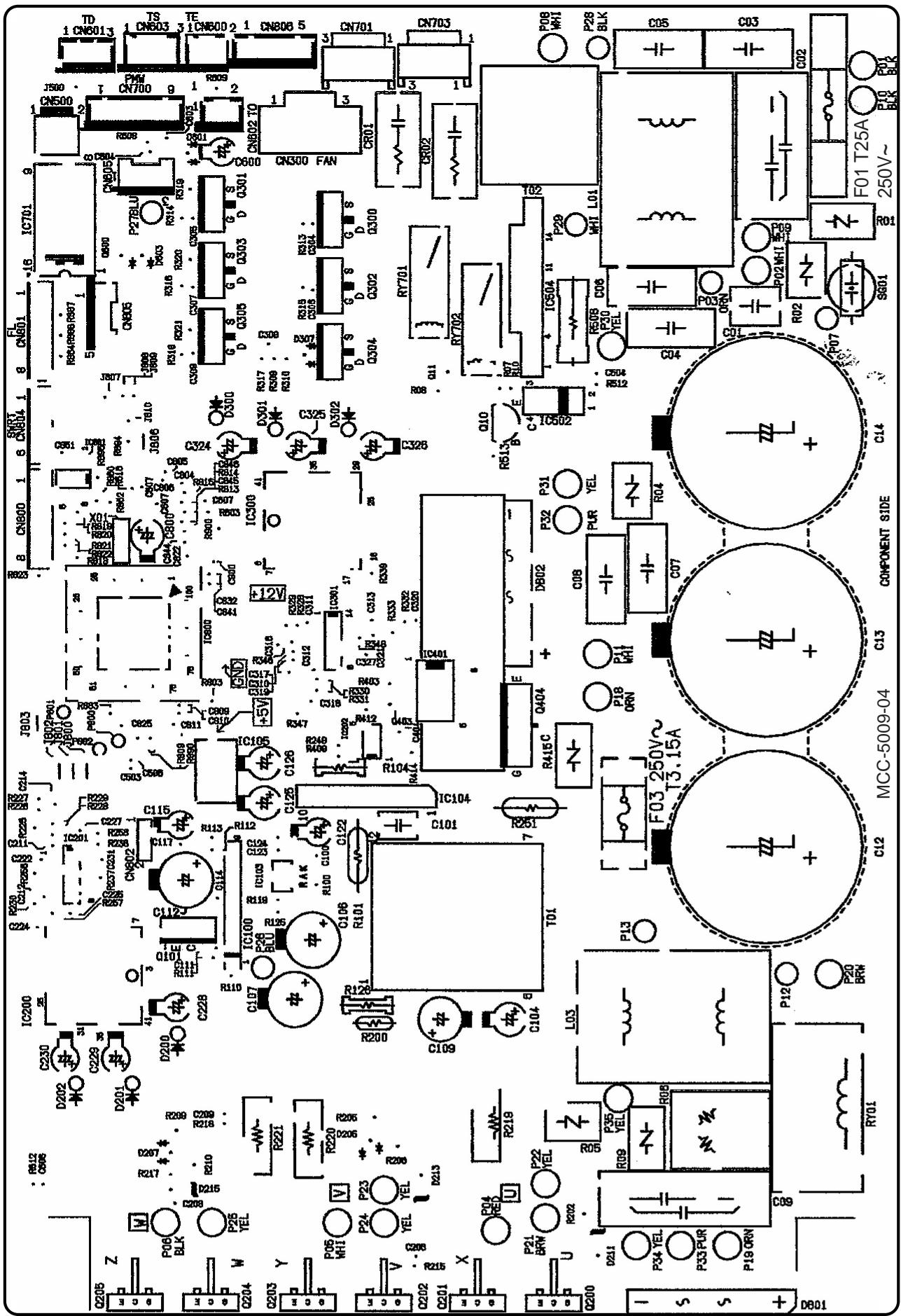
13. EXPLODED VIEWS AND PARTS LIST
13-1. Indoor Unit
RAS-B10SKVP-E, RAS-B13SKVP-E, RAS-B16SKVP-E
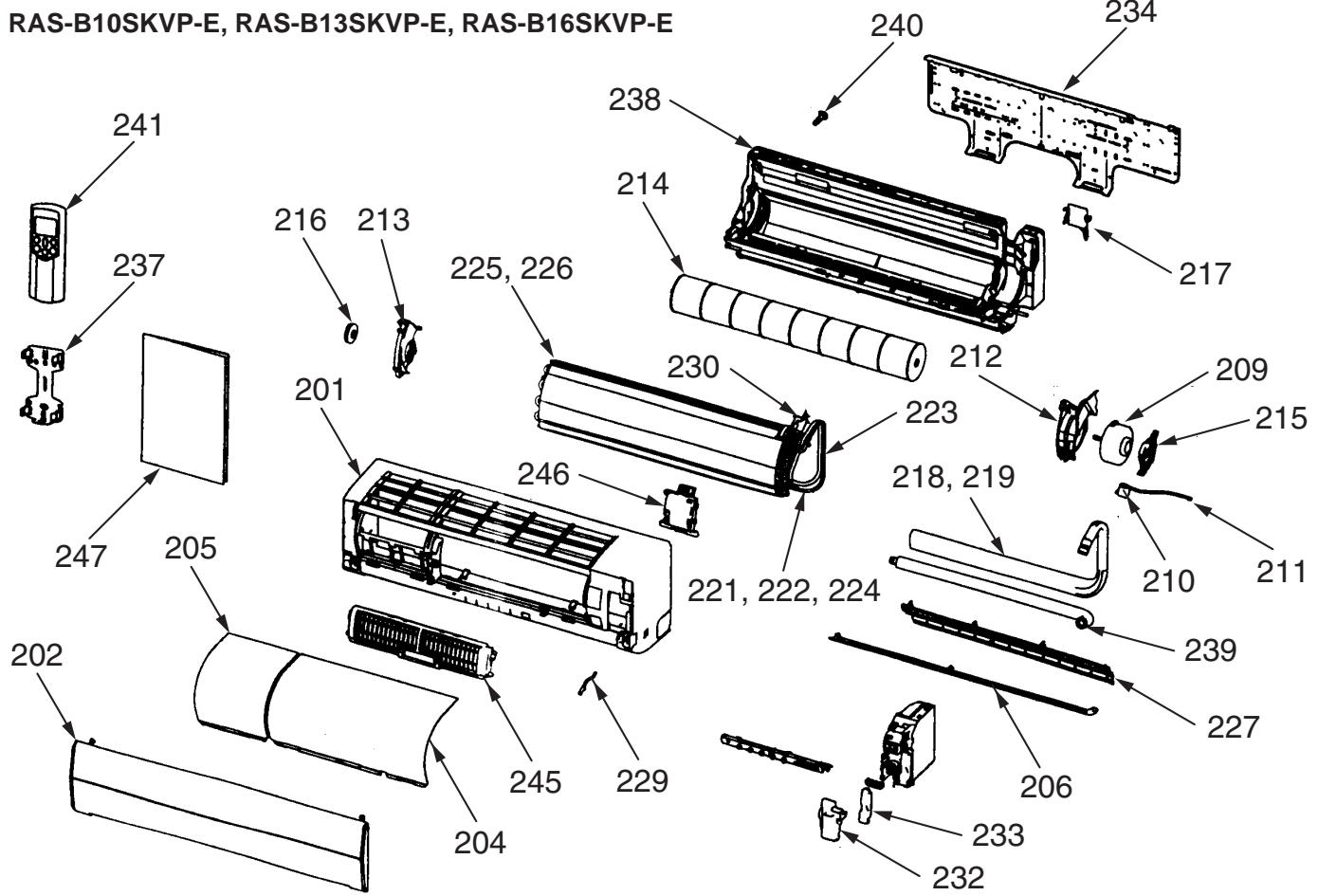
* The parts in the following parts list are conformed to RoHS.
Therefore be sure to use the following parts for repairing and replacing.
| Location No. | Part No. | Description |
| 201 | 43005709 | Panel Ass'y, Front |
| 202 | 43009694 | Grille, Air Inlet |
| 204 | 43080512 | Filter, Air, Right |
| 205 | 43080521 | Filter, Air, Left |
| 206 | 43009693 | Louver, Horizontal |
| 209 | 4302C067 | Motor, Fan, DC |
| 210 | 4302D003 | Motor, Louver |
| 211 | 4306A024 | Cord, Motor, Louver |
| 212 | 43039363 | Band, Motor, Left |
| 213 | 43039321 | Base, Bearing |
| 214 | 43020346 | Fan, Cross Flow |
| 215 | 43039314 | Band, Motor |
| 216 | 43020253 | Bearing |
| 217 | 4301V028 | Holder, Pipe |
| 218 | 43049701 | Pipe, Shield (B16SKVP-E) |
| 219 | 43049698 | Pipe, Shield (B10SKVP-E, B13SKVP-E) |
| 221 | 43047671 | Pipe Ass'y, Connecting, Gas (B10SKVP-E, B13SKVP-E) |
| 222 | 43047672 | Pipe Ass'y, Connecting, Gas (B16SKVP-E) |
| Location No. | Part No. | Description |
| 223 | 43049674 | Spring (B16SKVP-E) |
| 224 | 43047673 | Pipe Ass'y, Connecting, Liquid |
| 225 | 43044821 | Evaporator Ass'y (B10SKVP-E, B13SKVP-E) |
| 226 | 43044822 | Evaporator Ass'y (B16SKVP-E) |
| 227 | 43039324 | Guide, Drain |
| 229 | 43019904 | Holder, Sensor |
| 230 | 43049770 | Holder, Evaporator, Right |
| 232 | 43062256 | Cover, Terminal |
| 233 | 43062247 | Cover, Lead |
| 234 | 43082293 | Plate, Installation |
| 237 | 43083071 | Holder, Remote Controller |
| 238 | 43003311 | Body Ass'y, Back |
| 239 | 43070188 | Hose, Drain |
| 240 | 43079268 | Cap, Drain |
| 241 | 43066014 | Remote Controller, WH-H04JE |
| 245 | 43080528 | Plasma Pure Filter |
| 246 | 43080563 | Generator Ass'y, HV |
| 247 | 4308N971 | Owner's Manual |
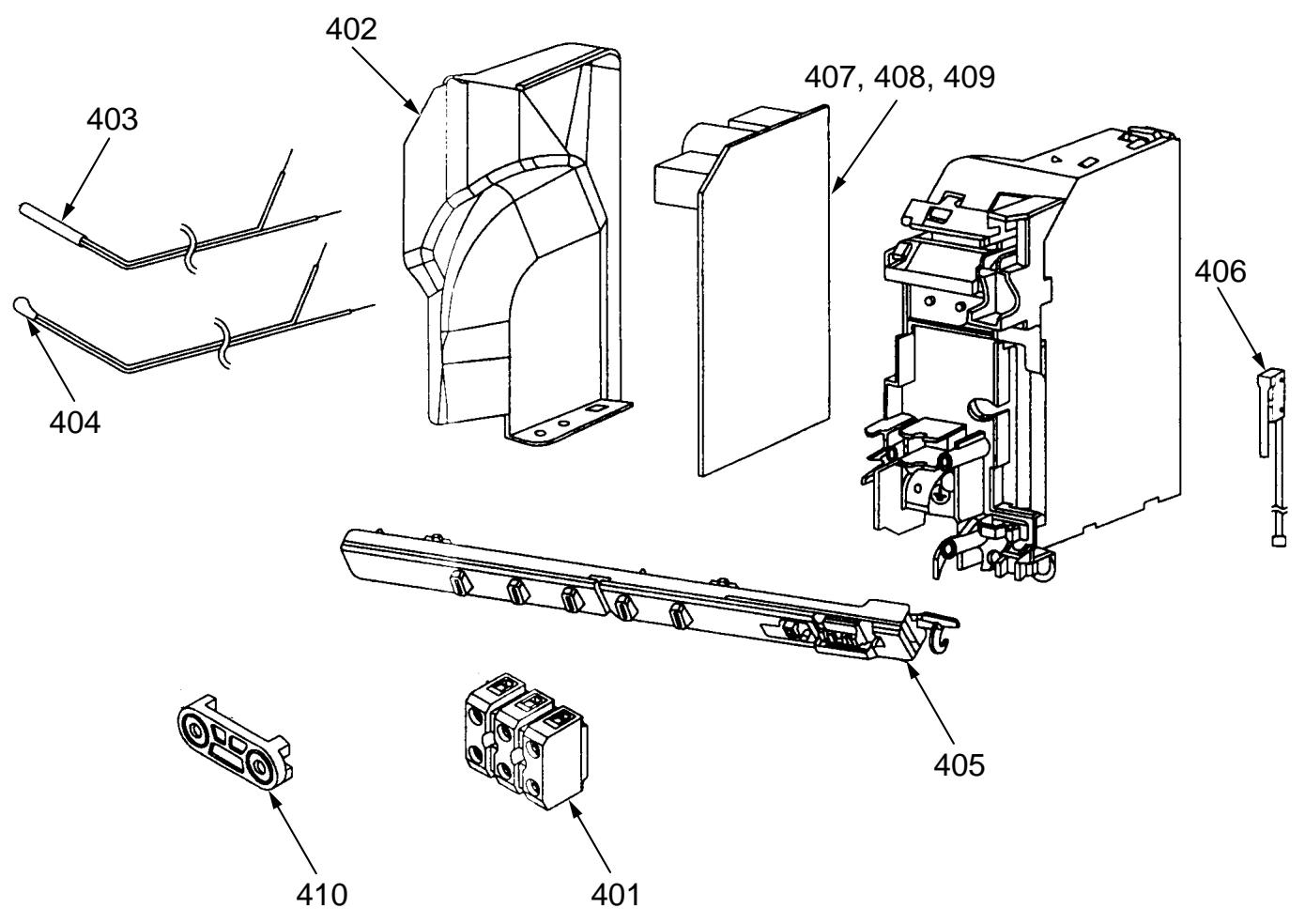
- The parts in the following parts list are conformed to RoHS. Therefore be sure to use the following parts for repairing and replacing.
| Location No. | Part No. | Description |
| 401 | 4306A132 | Terminal Block, 3P |
| 402 | 43062263 | Cover, E-Parts |
| 403 | 43050425 | Sensor, TC (Ø6), TCJ (Ø6) |
| 404 | 43050426 | Sensor, TA |
| 405 | 4306S936 | P.C. Board Ass'y, WRS-LED |
| 406 | 43051350 | Switch Ass'y, Micro |
| Location No. | Part No. | Description |
| 407 | 4306S937 | P.C. Board Ass'y (B10SKVP-E) |
| 408 | 4306S938 | P.C. Board Ass'y (B13SKVP-E) |
| 409 | 4306S939 | P.C. Board Ass'y (B16SKVP-E) |
| 410 | 43067115 | Clamp, Cord |
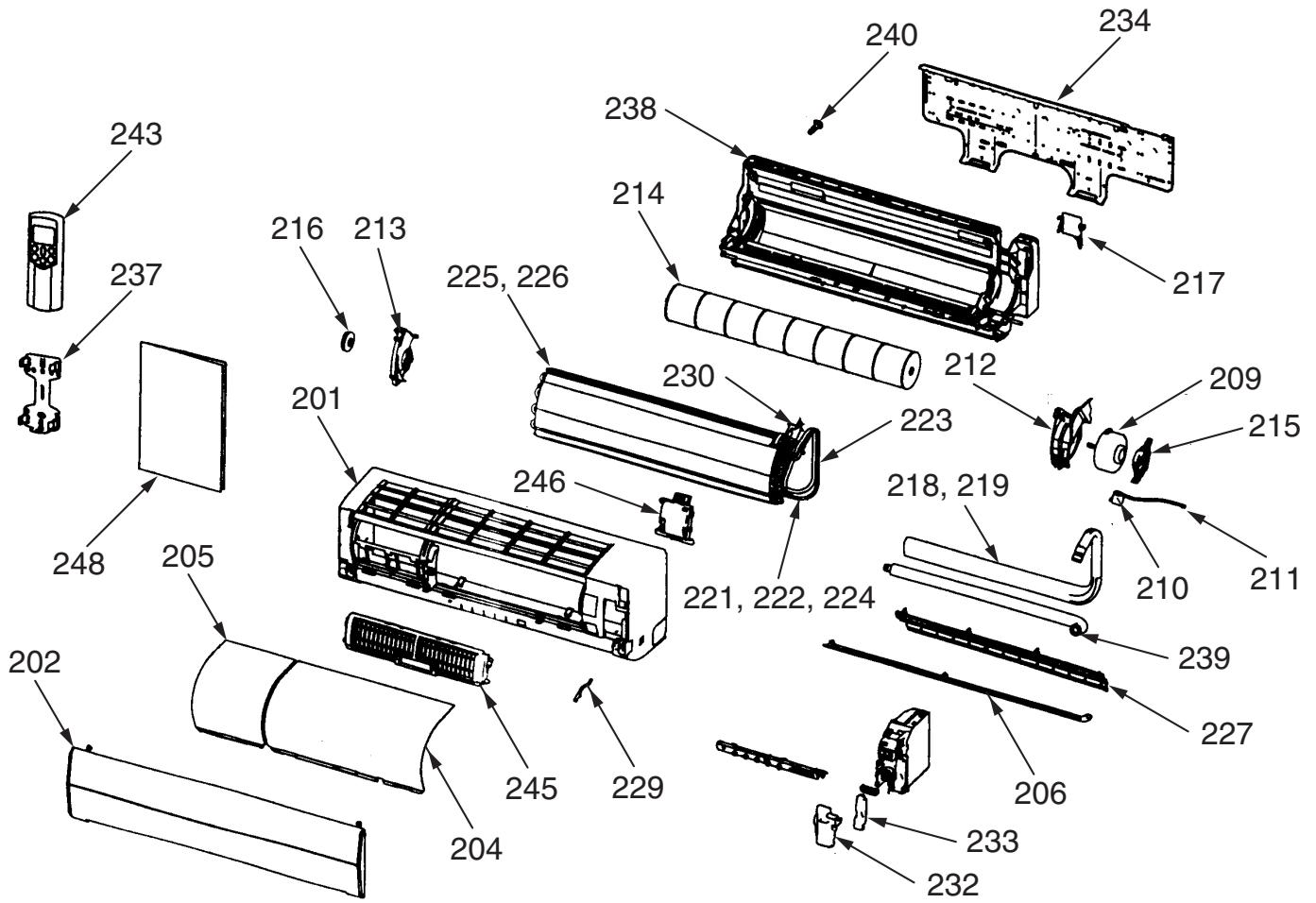
* The parts in the following parts list are conformed to RoHS.
Therefore be sure to use the following parts for repairing and replacing.
| Location No. | Part No. | Description |
| 201 | 43005709 | Panel Ass'y, Front |
| 202 | 43009694 | Grille, Air Inlet |
| 204 | 43080512 | Filter, Air, Right |
| 205 | 43080521 | Filter, Air, Left |
| 206 | 43009693 | Louver, Horizontal |
| 209 | 4302C067 | Motor, Fan, DC |
| 210 | 4302D003 | Motor, Louver |
| 211 | 4306A024 | Cord, Motor, Louver |
| 212 | 43039363 | Band, Motor, Left |
| 213 | 43039321 | Base, Bearing |
| 214 | 43020346 | Fan, Cross Flow |
| 215 | 43039314 | Band, Motor |
| 216 | 43020253 | Bearing |
| 217 | 4301V028 | Holder, Pipe |
| 218 | 43049701 | Pipe, Shield (16SKVP-ND) |
| 219 | 43049698 | Pipe, Shield (10SKVP-ND, 13SKVP-ND) |
| 221 | 43047671 | Pipe Ass'y, Connecting, Gas (10SKVP-ND, 13SKVP-ND) |
| 222 | 43047672 | Pipe Ass'y, Connecting, Gas (16SKVP-ND) |
| Location No. | Part No. | Description |
| 223 | 43049674 | Spring (16SKVP-ND) |
| 224 | 43047673 | Pipe Ass'y, Connecting, Liquid |
| 225 | 43044821 | Evaporator Ass'y (10SKVP-ND, 13SKVP-ND) |
| 226 | 43044822 | Evaporator Ass'y (16SKVP-ND) |
| 227 | 43039324 | Guide, Drain |
| 229 | 43019904 | Holder, Sensor |
| 230 | 43049770 | Holder, Evaporator, Right |
| 232 | 43062256 | Cover, Terminal |
| 233 | 43062247 | Cover, Lead |
| 234 | 43082293 | Plate, Installation |
| 237 | 43083071 | Holder, Remote Controller |
| 238 | 43003311 | Body Ass'y, Back |
| 239 | 43070188 | Hose, Drain |
| 240 | 43079268 | Cap, Drain |
| 243 | 43066016 | Remote Controller, WH-H05JE |
| 245 | 43080528 | Plasma Pure Filter |
| 246 | 43080563 | Generator Ass'y, HV |
| 248 | 4308N972 | Owner's Manual |
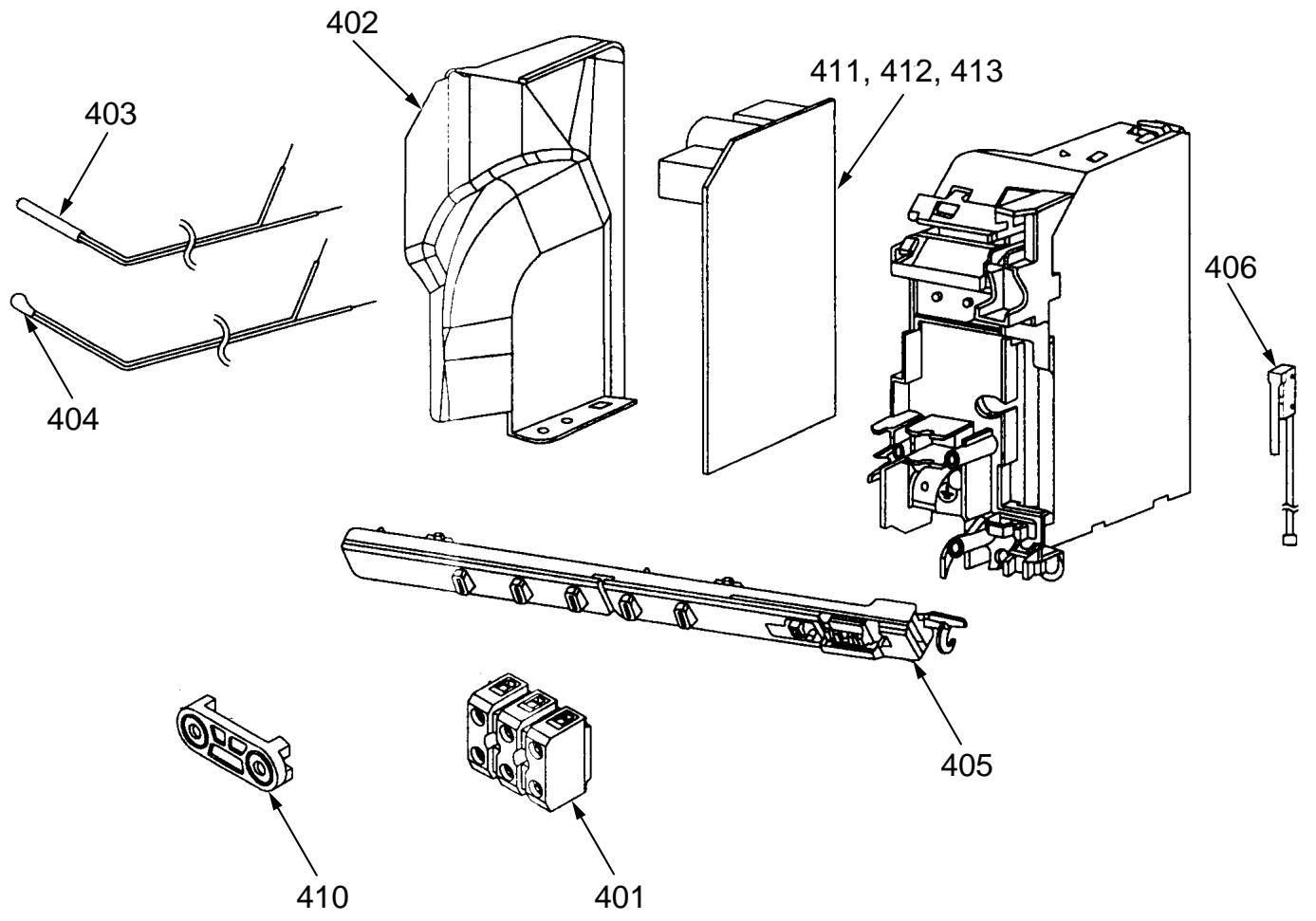
- The parts in the following parts list are conformed to RoHS.
Therefore be sure to use the following parts for repairing and replacing.
| Location No. | Part No. | Description |
| 401 | 4306A132 | Terminal Block, 3P |
| 402 | 43062263 | Cover, E-Parts |
| 403 | 43050425 | Sensor, TC (Ø6), TCJ (Ø6) |
| 404 | 43050426 | Sensor, TA |
| 405 | 4306S936 | P.C. Board Ass'y, WRS-LED |
| 406 | 43051350 | Switch Ass'y, Micro |
| Location No. | Part No. | Description |
| 410 | 43067115 | Clamp, Cord |
| 411 | 4306S949 | P.C. Board Ass'y (10SKVP-ND) |
| 412 | 4306S950 | P.C. Board Ass'y (13SKVP-ND) |
| 413 | 4306S951 | P.C. Board Ass'y (16SKVP-ND) |
13-2. Outdoor Unit
RAS-10SAVP-E, RAS-13SAVP-E, RAS-16SAVP-E
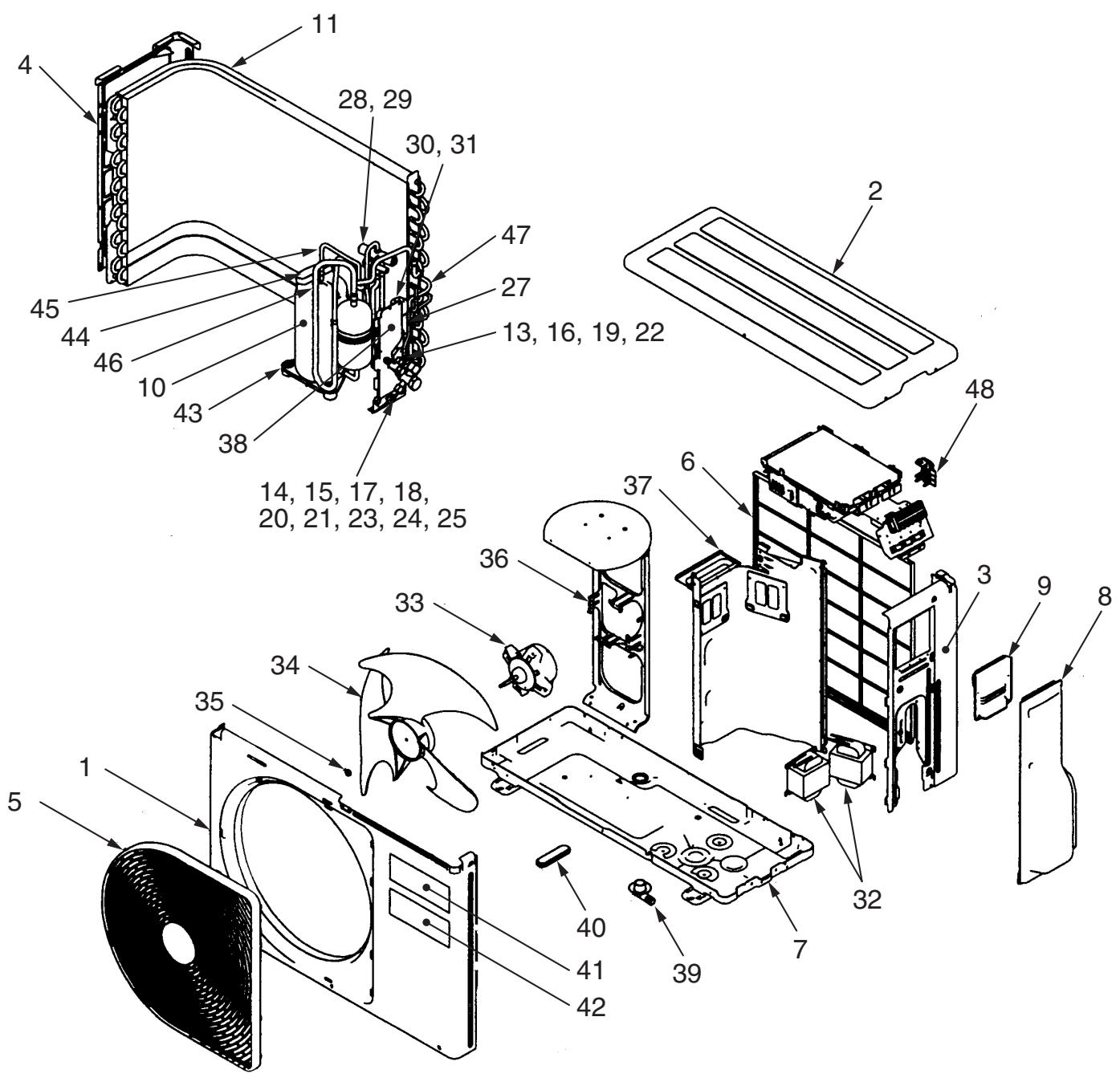
| Location No. | Part No. | Description |
| 1 | 43005657 | Cabinet, Front |
| 2 | 43005642 | Cabinet, Upper |
| 3 | 43005658 | Cabinet, Side, Right |
| 4 | 43005634 | Cabinet, Side, Left |
| 5 | 4301V035 | Guard, Fan |
| 6 | 4301V053 | Guard, Fin |
| 7 | 43100346 | Base Ass'y, RoHS |
| 8 | 43119471 | Cover, Valve, Packed |
| 9 | 43062262 | Cover, Wiring Ass'y |
| 10 | 43041641 | Compressor, DA111A1F-24F |
| 11 | 43043780 | Condenser Ass'y |
| 13 | 37546845 | Valve, Packed, 6.35 |
| 14 | 43046442 | Valve, Packed, 9.52 (10SAVP-E, 13SAVP-E) |
| 15 | 43146680 | Valve, Packed, 12.7 (16SAVP-E) |
| 16 | 43147196 | Bonnet, 1/4 IN |
| 17 | 43047401 | Bonnet, 3/8 IN (10SAVP-E, 13SAVP-E) |
| 18 | 43147195 | Bonnet, 1/2 IN (16SAVP-E) |
| 19 | 43047676 | Nut, Flare, 6.35 |
| 20 | 43047677 | Nut, Flare, 9.52 (10SAVP-E, 13SAVP-E) |
| 21 | 43047655 | Nut, Flare, 12.7 (16SAVP-E) |
| 22 | 43047679 | Cap, Valve, Packed, 6.35 |
| 23 | 43047680 | Cap, Valve, Packed, 9.52 (10SAVP-E, 13SAVP-E) |
| Location No. | Part No. | Description |
| 24 | 43047659 | Cap, Valve, Packed, 12.7 (16SAVP-E) |
| 25 | 43047674 | Cap, Charge, Port |
| 27 | 44246239 | Tube, Capillary, I.D 1.2 |
| 28 | 43046444 | Valve, 4-Way, STF-0108Z |
| 29 | 43046443 | Coil, Solenoid, VHV-01AJ503C1 |
| 30 | 37546848 | Valve, Pulse, Modulation, CAM-B22YGTF-3 |
| 31 | 43046450 | Coil, PMV, CAM-MD12TF-9 |
| 32 | 43058270 | Reactor |
| 33 | 4302C068 | Motor, Fan, ICF-140-43-4R |
| 34 | 43020329 | Fan, Propeller, PJ421 |
| 35 | 43047669 | Nut, Flange |
| 36 | 43039394 | Base, Motor |
| 37 | 43004242 | Plate, Partition |
| 38 | 4301V072 | Plate, Fix, Valve, Packed |
| 39 | 43032441 | Nipple, Drain |
| 40 | 43089160 | Cap, Waterproof |
| 41 | 4301P703 | Mark, TOSHIBA |
| 42 | 4301P702 | Mark, DAISEIKAI |
| 43 | 43042485 | Rubber, Cushion |
| 44 | 43062176 | Sleeve, Flag |
| 45 | 43063321 | Holder, Sensor (TD) |
| 46 | 43063322 | Holder, Sensor (TS) |
| 47 | 43063325 | Holder, Sensor (TE) |
| 48 | 43063339 | Holder, Sensor (TO) |
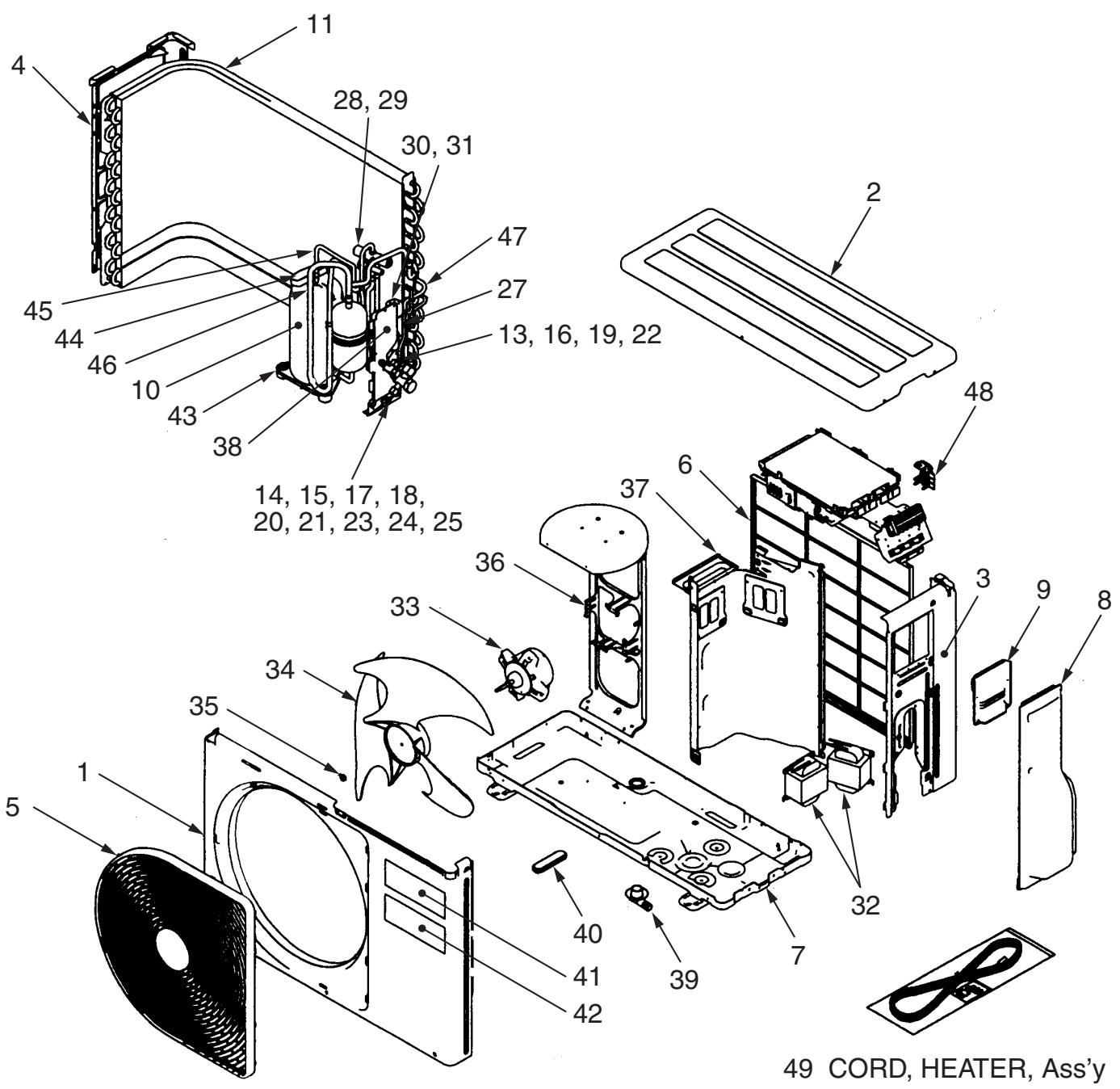
| Location No. | Part No. | Description |
| 1 | 43005657 | Cabinet, Front |
| 2 | 43005642 | Cabinet, Upper |
| 3 | 43005658 | Cabinet, Side, Right |
| 4 | 43005634 | Cabinet, Side, Left |
| 5 | 4301V035 | Guard, Fan |
| 6 | 4301V053 | Guard, Fin |
| 7 | 43005716 | Base Ass'y |
| 8 | 43119471 | Cover, Valve, Packed |
| 9 | 43062262 | Cover, Wiring Ass'y |
| 10 | 43041641 | Compressor, DA111A1F-24F |
| 11 | 43043780 | Condenser Ass'y |
| 13 | 37546845 | Valve, Packed, 6.35 |
| 14 | 43046442 | Valve, Packed, 9.52 (10SAVP-ND, 13SAVP-ND) |
| 15 | 43146680 | Valve, Packed, 12.7 (16SAVP-ND) |
| 16 | 43147196 | Bonnet, 1/4 IN |
| 17 | 43047401 | Bonnet, 3/8 IN (10SAVP-ND, 13SAVP-ND) |
| 18 | 43147195 | Bonnet, 1/2 IN (16SAVP-ND) |
| 19 | 43047676 | Nut, Flare, 6.35 |
| 20 | 43047677 | Nut, Flare, 9.52 (10SAVP-ND, 13SAVP-ND) |
| 21 | 43047655 | Nut, Flare, 12.7 (16SAVP-ND) |
| 22 | 43047679 | Cap, Valve, Packed, 6.35 |
| 23 | 43047680 | Cap, Valve, Packed, 9.52 (10SAVP-ND, 13SAVP-ND) |
| Location No. | Part No. | Description |
| 24 | 43047659 | Cap, Valve, Packed, 12.7 (16SAVP-ND) |
| 25 | 43047674 | Cap, Charge, Port (10SAVP-ND, 13SAVP-ND) |
| 27 | 44246239 | Tube, Capillary, I.D 1.2 |
| 28 | 43046444 | Valve, 4-Way, STF-0108Z |
| 29 | 43046443 | Coil, Solenoid, VHV-01AJ503C1 |
| 30 | 37546848 | Valve, Pulse, Modulation, CAM-B22YGTF-3 |
| 31 | 43046450 | Coil, PMV, CAM-MD12TF-9 |
| 32 | 43058270 | Reactor |
| 33 | 4302C068 | Motor, Fan, ICF-140-43-4R |
| 34 | 43020329 | Fan, Propeller, PJ421 |
| 35 | 43047669 | Nut, Flange |
| 36 | 43039394 | Base, Motor |
| 37 | 43004242 | Plate, Partition |
| 38 | 4301V072 | Plate, Fix, Valve, Packed |
| 39 | 43032441 | Nipple, Drain |
| 40 | 43089160 | Cap, Waterproof |
| 41 | 4301P703 | Mark, TOSHIBA |
| 42 | 4301P702 | Mark, DAISEIKAI |
| 43 | 43042485 | Rubber, Cushion |
| 44 | 43062176 | Sleeve, Flag |
| 45 | 43063321 | Holder, Sensor (TD) |
| 46 | 43063322 | Holder, Sensor (TS) |
| 47 | 43063325 | Holder, Sensor (TE) |
| 48 | 43063339 | Holder, Sensor (TO) |
| 49 | 37557729 | Cord, Heater A'ssy |
13-3. P.C. Board Layout
RAS-10SAVP-E-INV, RAS-13SAVP-E-INV, RAS-16SAVP-E-INV
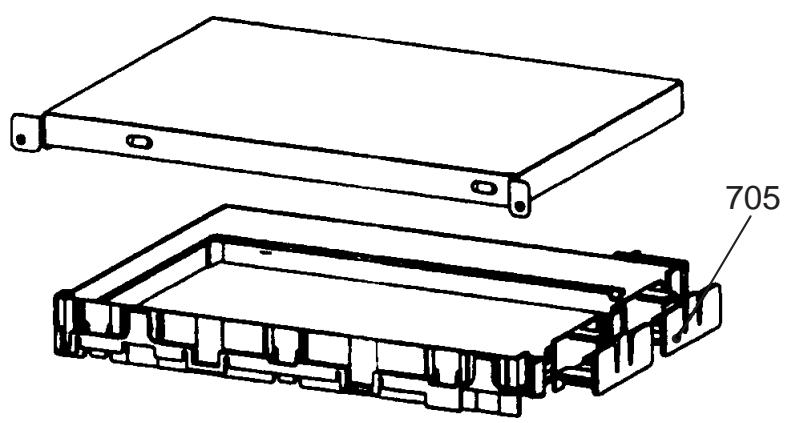
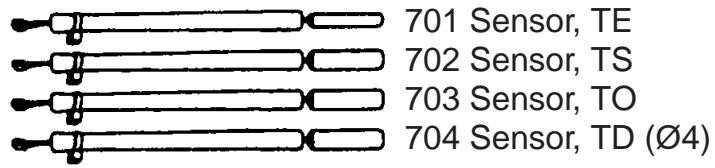
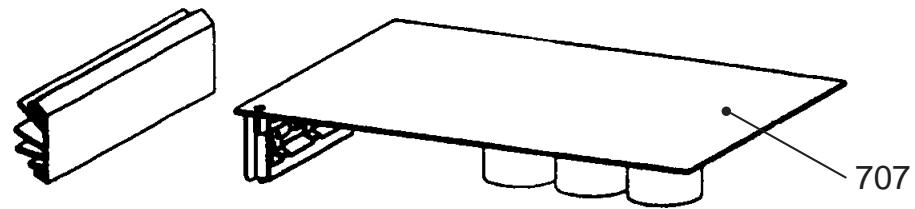
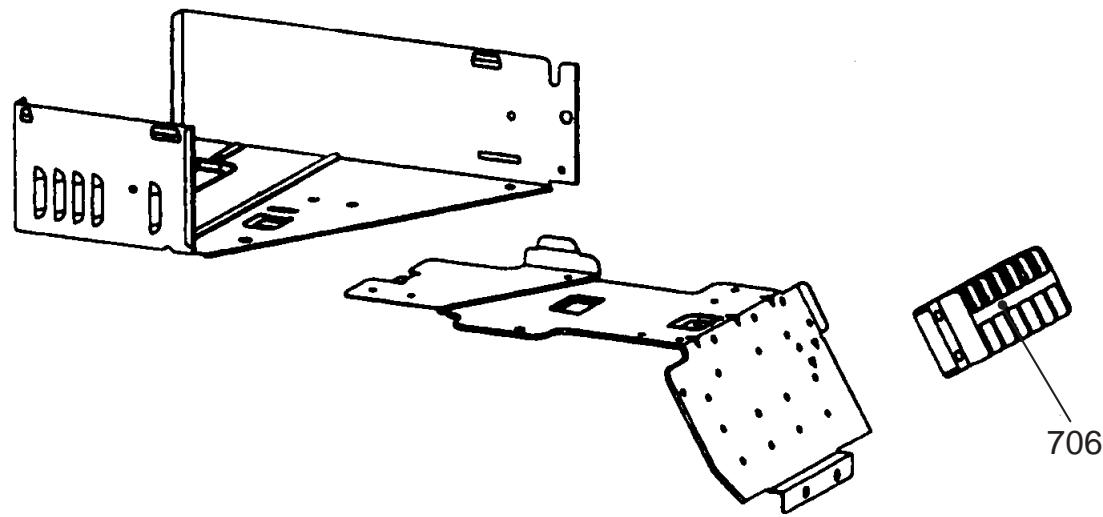
* The parts in the following parts list are conformed to RoHS.
Therefore be sure to use the following parts for repairing and replacing.
| Location No. | Part No. | Description |
| 701 | 43050422 | Sensor, TE |
| 702 | 43050423 | Sensor, TS |
| 703 | 43050427 | Sensor, TO |
| 704 | 43050430 | Sensor, TD |
| Location No. | Part No. | Description |
| 705 | 43062228 | Base, P.C. board |
| 706 | 43160566 | Terminal Block, 6P, 20A |
| 707 | 4306S914 | P.C. board Ass'y, MCC5009 |
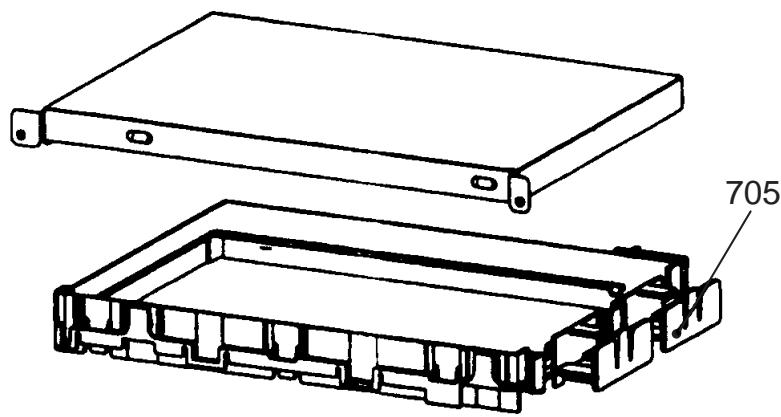
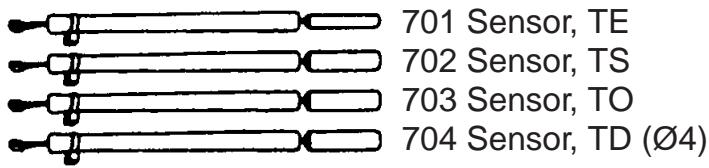
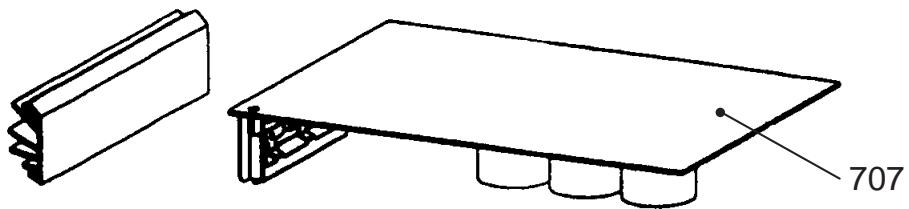
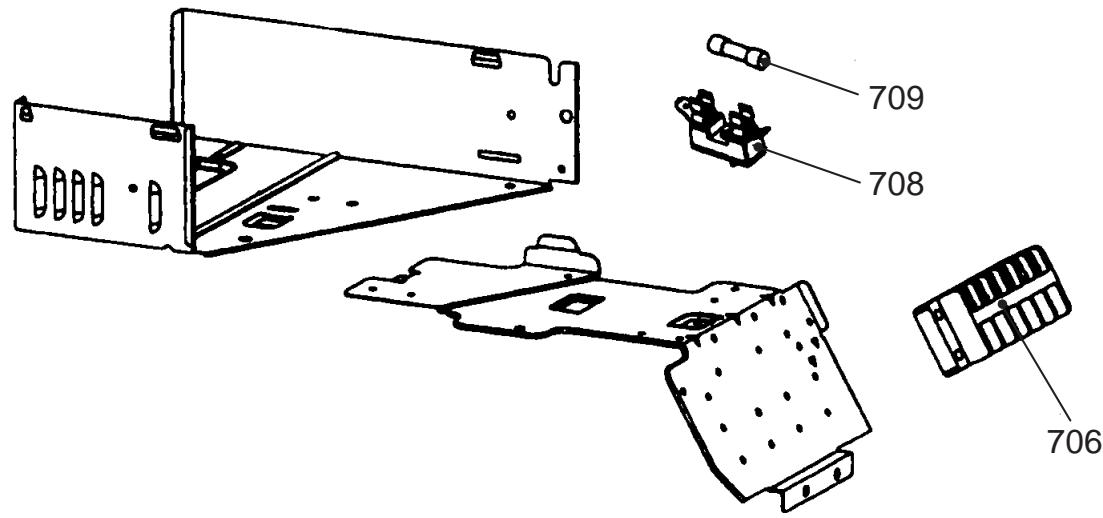
- The parts in the following parts list are conformed to RoHS. Therefore be sure to use the following parts for repairing and replacing.
| Location No. | Part No. | Description |
| 701 | 43050422 | Sensor, TE |
| 702 | 43050423 | Sensor, TS |
| 703 | 43050427 | Sensor, TO |
| 704 | 43050430 | Sensor, TD |
| 705 | 43062228 | Base, P.C. board |
| Location No. | Part No. | Description |
| 706 | 43160566 | Terminal Block, 6P |
| 707 | 4306S914 | P.C. board Ass'y, MCC5009 |
| 708 | 43160571 | Fuse, Holder, 15A, 250V |
| 709 | 4306A156 | Fuse (ET), 3.15A, AC250V |
14. SET UP OF SERVICE P.C. BOARD
Before replacing the P.C. board, set up the P.C. board according to the following table.

Caution
When repaired P.C. board should be electric discharge of capacitor. (C12, C13, C14)
APPLICATION MODELS :
RAS-10SAVP-E, RAS-13SAVP-E, RAS-16SAVP-E
RAS-10SAVP-ND, RAS-13SAVP-ND, RAS-16SAVP-ND
JUMPER SET UP :
As shown in the following table, cut jumper lead wire (J800, J801, J802, J806) according to each model.
| Corresponding model | ORIGINAL | RAS-10SAVP-E | RAS-13SAVP-E | RAS-16SAVP-E | RAS-10SAVP-ND | RAS-13SAVP-ND | RAS-16SAVP-ND |
| Jumper lead wire J800 | Close (Original) | Close (Original) | Close (Original) | Open (Cut) | Open (Cut) | Close (Original) | Close (Original) |
| Jumper lead wire J801 | Close (Original) | Close (Original) | Open (Cut) | Close (Original) | Open (Cut) | Close (Original) | Open (Cut) |
| Jumper lead wire J802 | Close (Original) | Close (Original) | Close (Original) | Close (Original) | Close (Original) | Open (Cut) | Close (Original) |
| Jumper lead wire J806 | Close (Original) | Close (Original) | Close (Original) | Close (Original) | Close (Original) | Close (Original) | Close (Original) |
Copyright © 1999 to 2007 TOSHIBA CARRIER CORPORATION, ALL Rights Reserved.