PowerVolt PSQC3-SP - Battery charger Scosche - Free user manual and instructions
Find the device manual for free PowerVolt PSQC3-SP Scosche in PDF.


User questions about PowerVolt PSQC3-SP Scosche
0 question about this device. Answer the ones you know or ask your own.
Ask a new question about this device
Download the instructions for your Battery charger in PDF format for free! Find your manual PowerVolt PSQC3-SP - Scosche and take your electronic device back in hand. On this page are published all the documents necessary for the use of your device. PowerVolt PSQC3-SP by Scosche.
USER MANUAL PowerVolt PSQC3-SP Scosche
natural_image
Line drawing of a handheld electrical connector with a circular housing and cable (no text or symbols)STOP
IMPORTANT!
DO NOT RETURN PRODUCT TO THE RETAILER
IF YOU NEED ASSISTANCE OR REPLACEMENT PARTS CALL US TOLL FREE: 1-800-363-4490 X1
HOURS: MON-FRI 8AM-5:30PM (PST) SATURDAY 8AM-2PM (PST)
LIABILITY DISCLAIMER
This Instruction manual is based on carefully documented data and research. Scosche Industries Inc. cannot be held responsible for discrepancies/inconsistencies that may occur due to the vehicle manufacturing changes or options, or damages that may occur in the vehicle during the installation of components while using this manual.
If you have any further questions, call our toll free technical help line: 1-800-363-4490 x1 or visit us online at www.scosche.com/contact
MOUNTING PREPARATION OPTION
CUSTOM INSTALL
- Remove the lock nut from the PSQ3.
- Remove the weather cap from the PSQ3.

natural_image
Diagram showing two mechanical components with arrows indicating rotation, no text or symbols present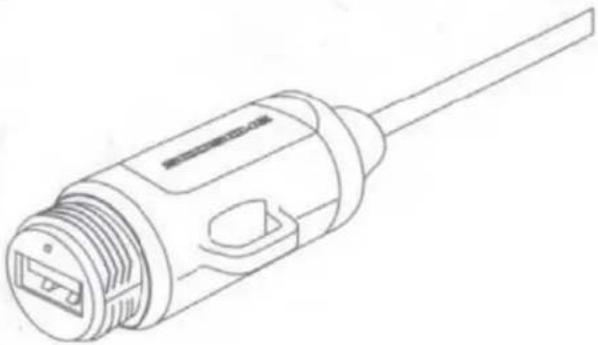
natural_image
Line drawing of a mechanical connector or connector with threaded end and central port (no text or symbols)1.
- Choose an area of the dash that is free of obstructions behind the panel and allows the cables to reach the rear inputs of the stereo.
-
Use a hole saw or step drill bit to drill a 1" (26mm) hole for the 12V POWER plug (Figure 4).
-
Feed PSQ3 from behind custom drilled panel hole.
- Secure weather cap to the exposed PSQ3 on front of panel.
- Secure tightening lock to the PSQ3 to secure into place

text_image
1" (26mm)
text_image
custom drilled exposed PSQ3 the e 5. 6. 7.ZIP TIE MOUNTING OPTION
Secure nut to protective cover, then zip tie to the wire loom.

natural_image
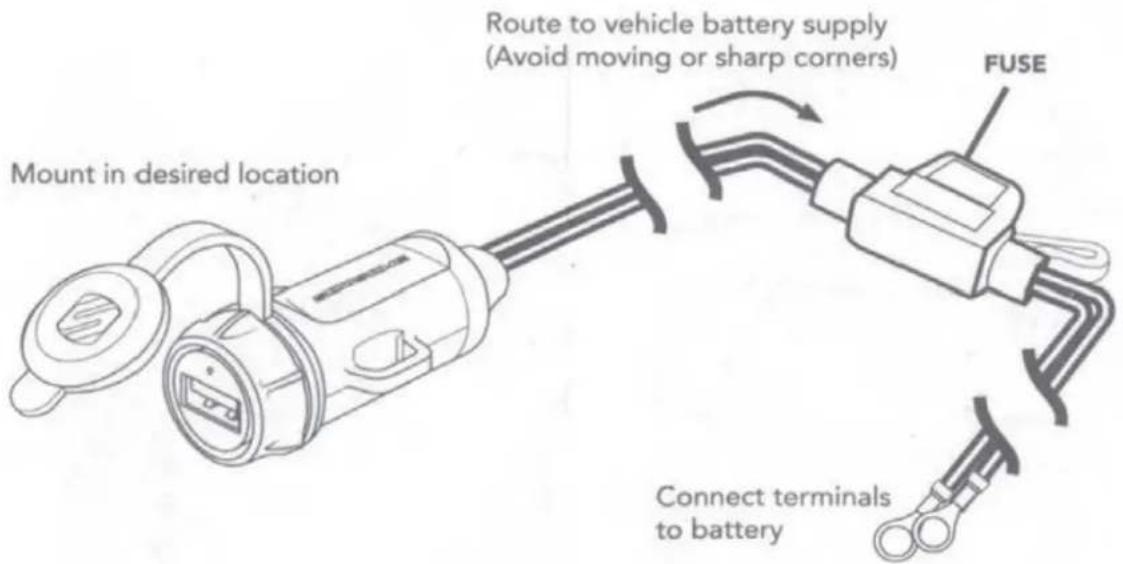
Line drawing of a mechanical device with a handle and connector (no text or symbols)WIRING DIAGRAM
text_image
Mount in desired location Route to vehicle battery supply (Avoid moving or sharp corners) FUSE Connect terminals to battery
SCOSCHE
Scosche Industries
1550 Pacific Avenue
Oxnard, California 93030
Phone: 800-363-4490x1 / 805-486-4450x1
www.scosche.com
©Scosche Industries 2021
PSQ3 5/21


Find instructions, warranty information;
and register your product online at scosche.com
customerservice@scosche.com 800-363-4490 X1 | 805-486-4450 X1