
FAX ATA 101S - Fax ATA SAGEM - Free user manual and instructions
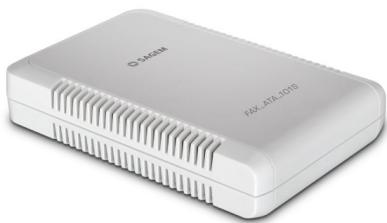
Find the device manual for free FAX ATA 101S SAGEM in PDF.

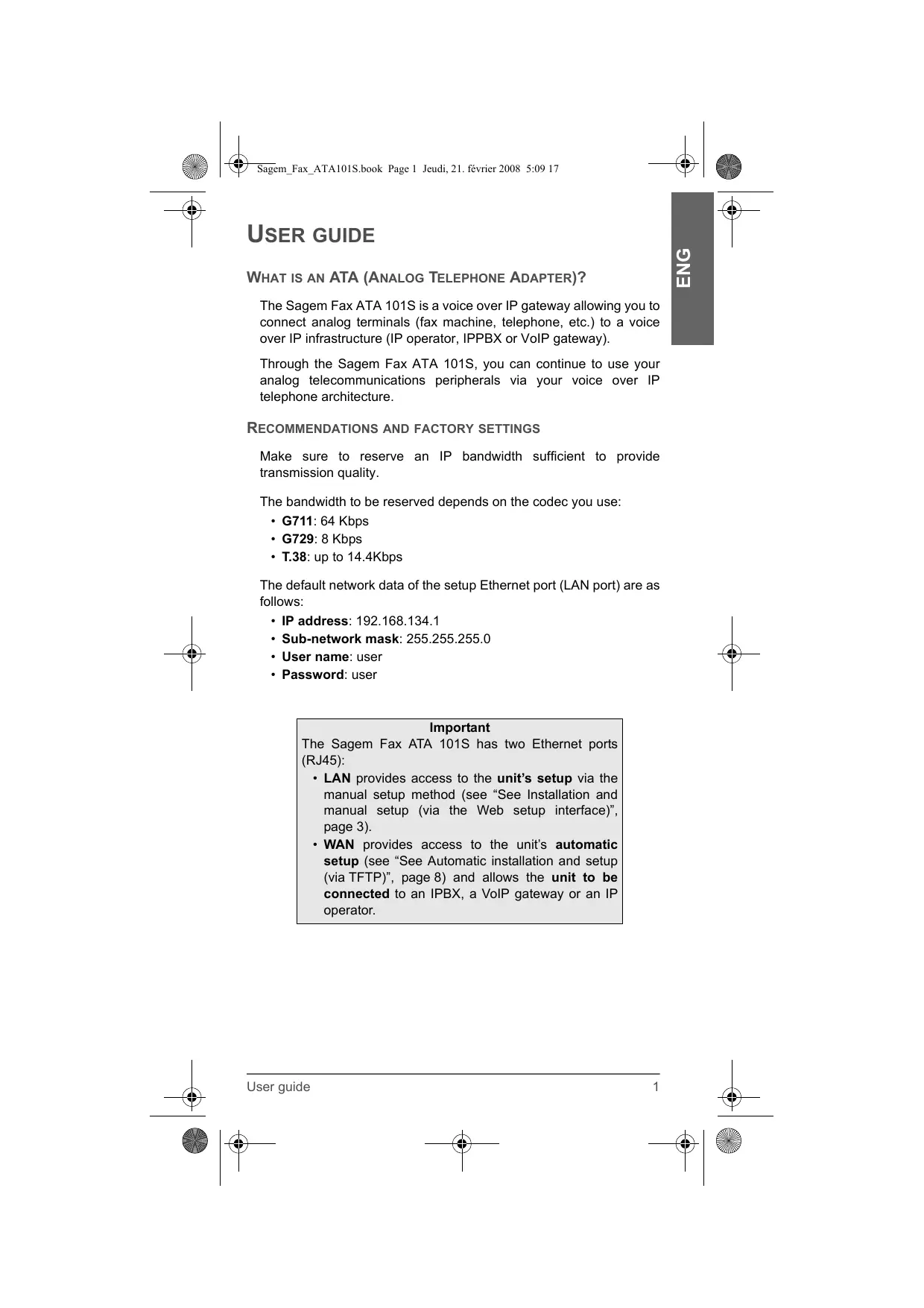


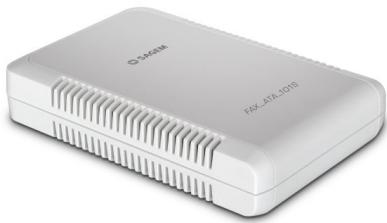
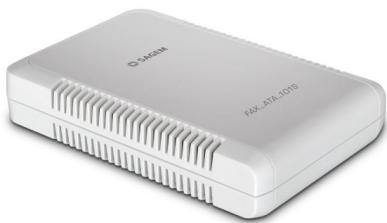
| Product Type | Analog Telephone Adapter (ATA) for fax |
| Dimensions (approx.) | 12 x 8 x 3 cm |
| Weight (approx.) | 200 g |
| Power supply | 5V or 9V power adapter (unspecified) |
| Main functions | Analog fax to IP conversion, configuration via web interface, DHCP support, LAN/WAN routing |
| Connectivity | 1 RJ45 LAN port, 1 analog RJ11 port (fax) |
| Manual configuration | Via web interface http://192.168.134.1, default credentials user/user |
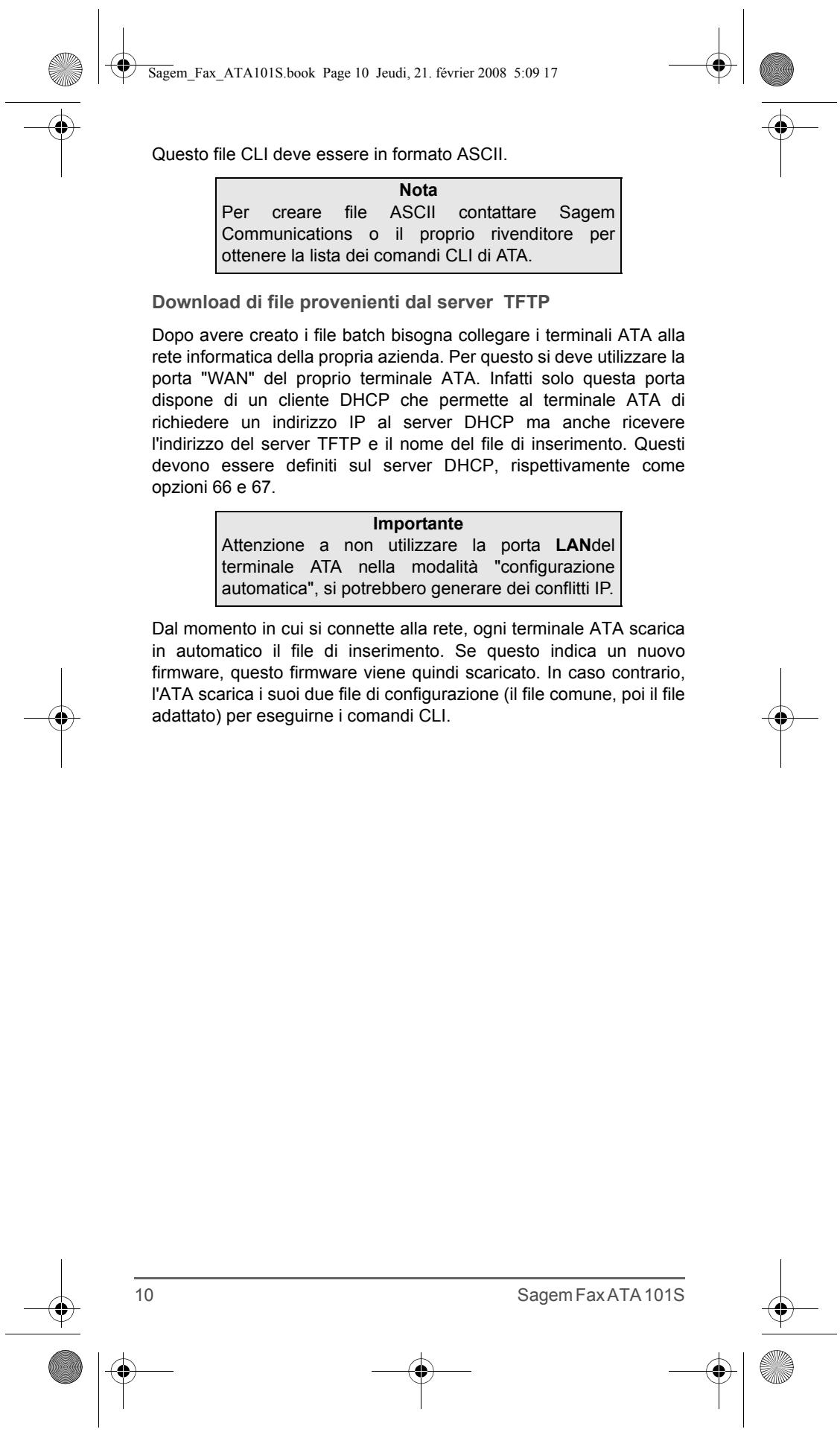
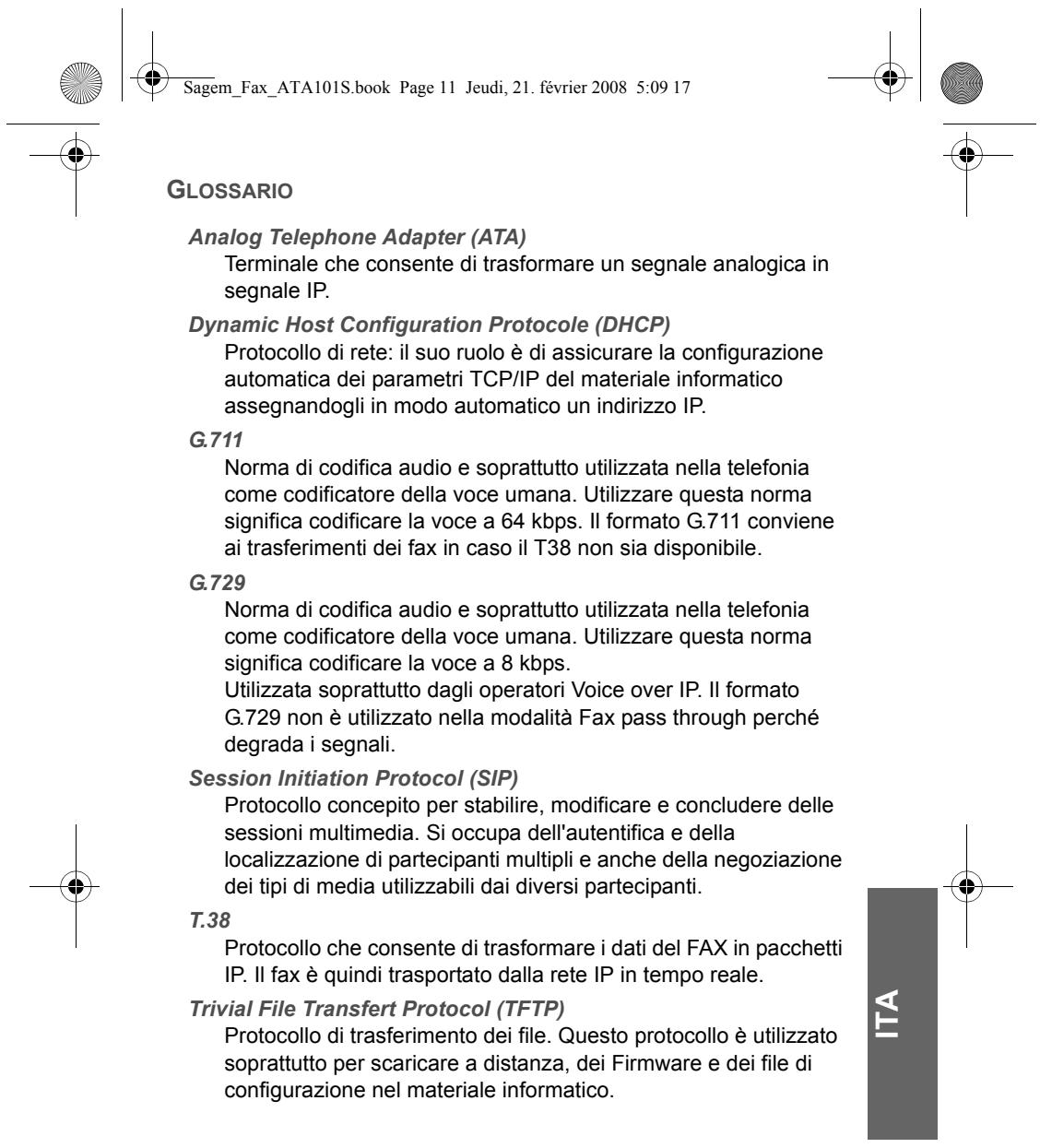
| Automatic configuration | Via TFTP server and CLI command files |
| Maintenance and cleaning | Clean with a soft, dry cloth; do not use abrasive products |
| Operating safety | Do not open the device; use the supplied power supply; avoid shocks and humidity |
| Spare parts and repairability | Repair by Sagem approved service center; contact the seller or Sagem Communications |
| Legal warranty | 1 year parts and labor; legal warranty against hidden defects (art. 1641 Civil Code) |
| General information | Brand SAGEM, model FAX ATA 101S, FCC class B, CE marking |
Frequently Asked Questions - FAX ATA 101S SAGEM
User questions about FAX ATA 101S SAGEM
0 question about this device. Answer the ones you know or ask your own.
Ask a new question about this device
Download the instructions for your Fax ATA in PDF format for free! Find your manual FAX ATA 101S - SAGEM and take your electronic device back in hand. On this page are published all the documents necessary for the use of your device. FAX ATA 101S by SAGEM.
USER MANUAL FAX ATA 101S SAGEM
- Access the setup interface of your Sagem Fax ATA 101S using your Internet browser by entering the address http://192.168.134.1, then enter the required access codes.
You can use the following default access codes:
- User name: user
- Password: user

SAGEM
Welcome to the Sagem FAX ATA 101S configuration interface
Welcon
Quick Status Save/Beehnt
USER
user
VQIP
SIP Configuration
STUN Setup
Line Settings
BASIC
LAN/WAN Setup
Access Control
Factory Default
Upgrade
ADVANCED
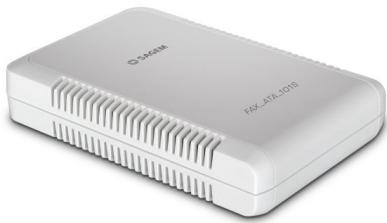
You can then assign an IP address (fixed or dynamic via a DHCP server) to the Sagem Fax ATA 101S WAN port via the Web setup interface.
Manual setup of the Sagem Fax ATA 101S
Step 1 - Basic > LAN/WAN Setup menu
LAN/WAN Setup
| Select | Interface name | IP address | Subnet mask | MAC address | Status |
| C | eth0 | 192.168.134.1 | 255.255.255.0 | 00:60:4c:99:99:99 | Up |
| C | vif0 | 10.204.131.151 | 255.255.255.0 | 00:60:4c:99:99:99 | Up |
Configure Interface
DNS & Default G/W
Help
eth0 setting
These settings do not need to be changed as they are the settings of the Sagem Fax ATA 101S "LAN" interface, i.e. the interface that allows you to access the ATA unit setup interface.








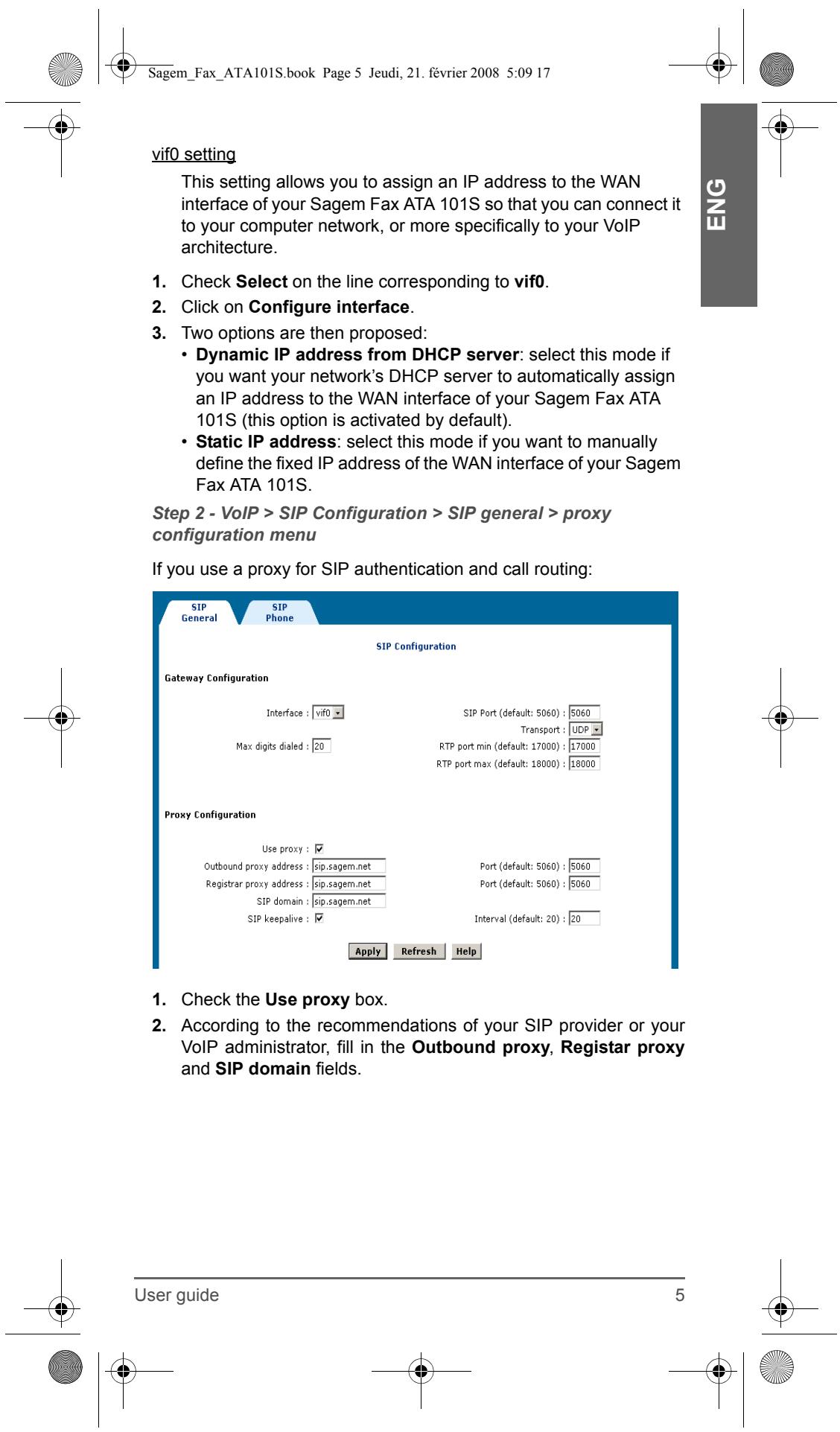
Step 3 - SIP Configuration > SIP general > Tel to IP routing table menu
If you do not use a proxy, you can set up the routing tables via this menu. The routing tables of the Sagem Fax ATA 101S allow you to create a routing of type "Tel to IP".
Route the call coming from the analog terminal connected to the Sagem Fax ATA 101S to a specific IP terminal (IPBX, VoIP gateway, IP telephone, IP fax machine, etc.) according to the dialled number prefix.
- To create a routing table click on Add.
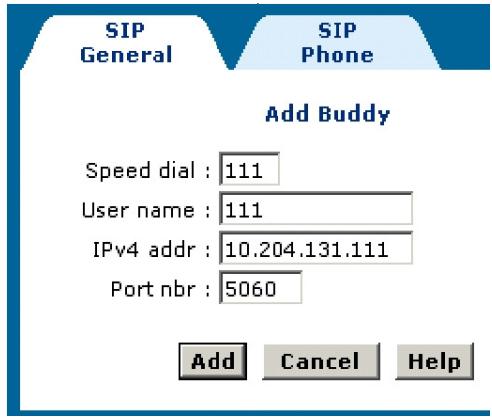
The following window is displayed:
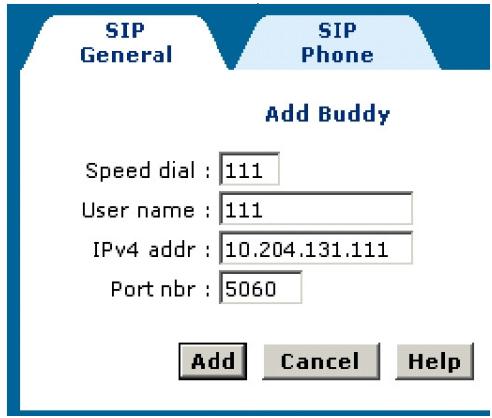
- In the Speed dial field, enter the code used to detect the routing table to be used when the user dials a number starting with this code. This code can contain one to three digits.
- In the User name and IPv4 addr fields, enter the information relating to the VoIP peripheral to which the call is to be routed. You can also define the communication port (the ATA default port proposed is the port normally used by the SIP protocol).
- To validate, click on Add.
The new routing rule is then created.
Remote Callees
| Select | Speed dial | Remote SIP URI |
| ○ | 111 | sip:111@10.204.131.111 |
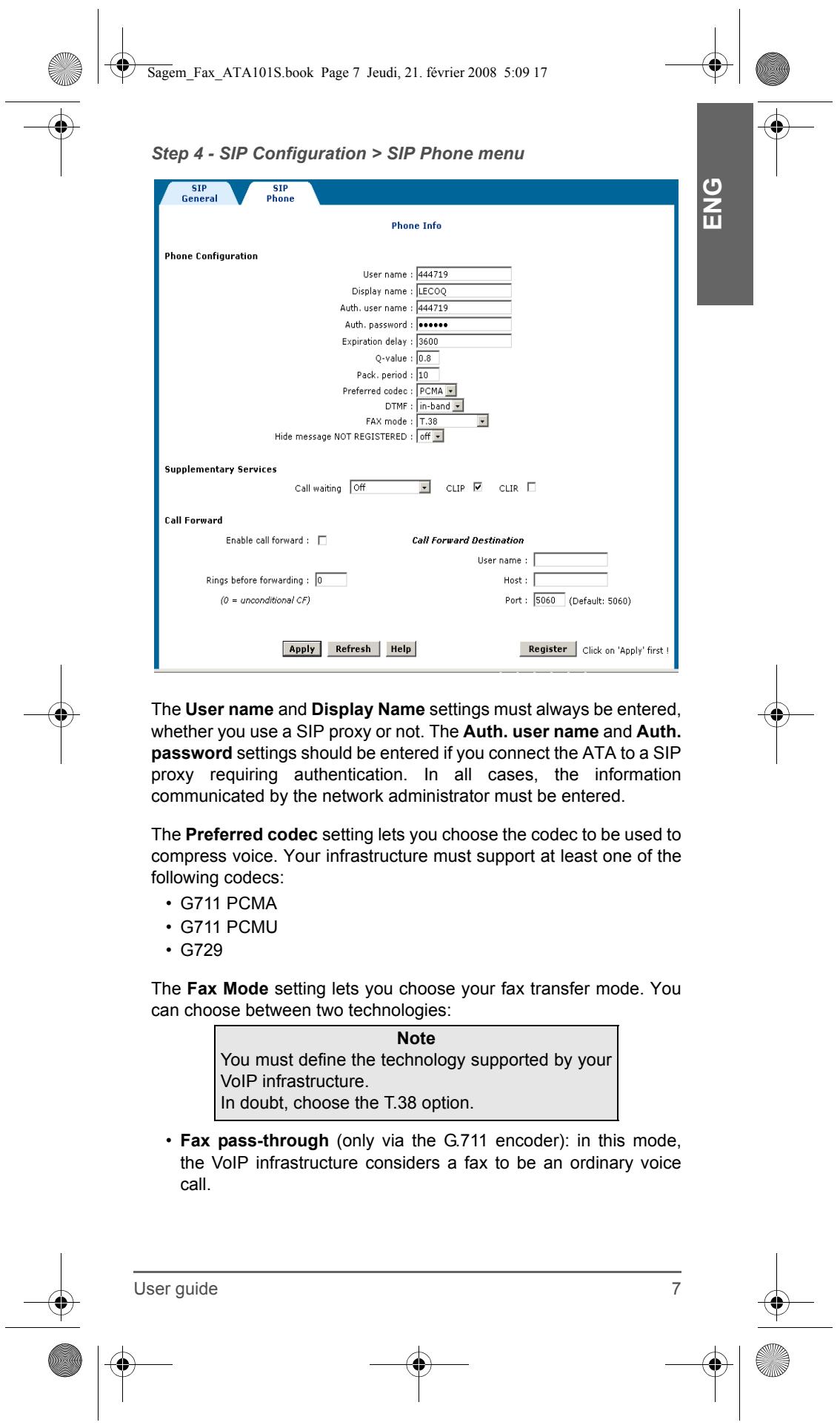
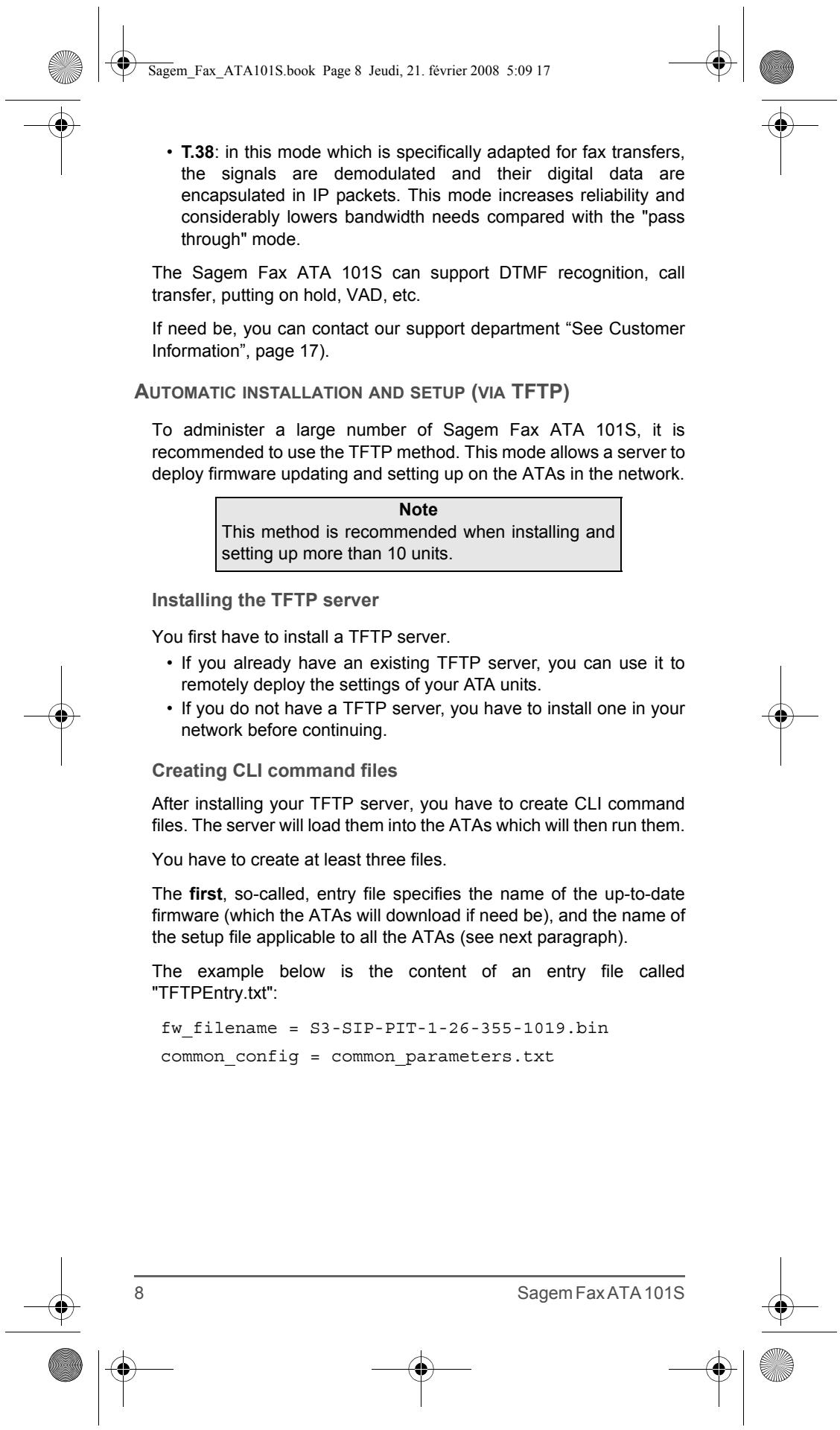
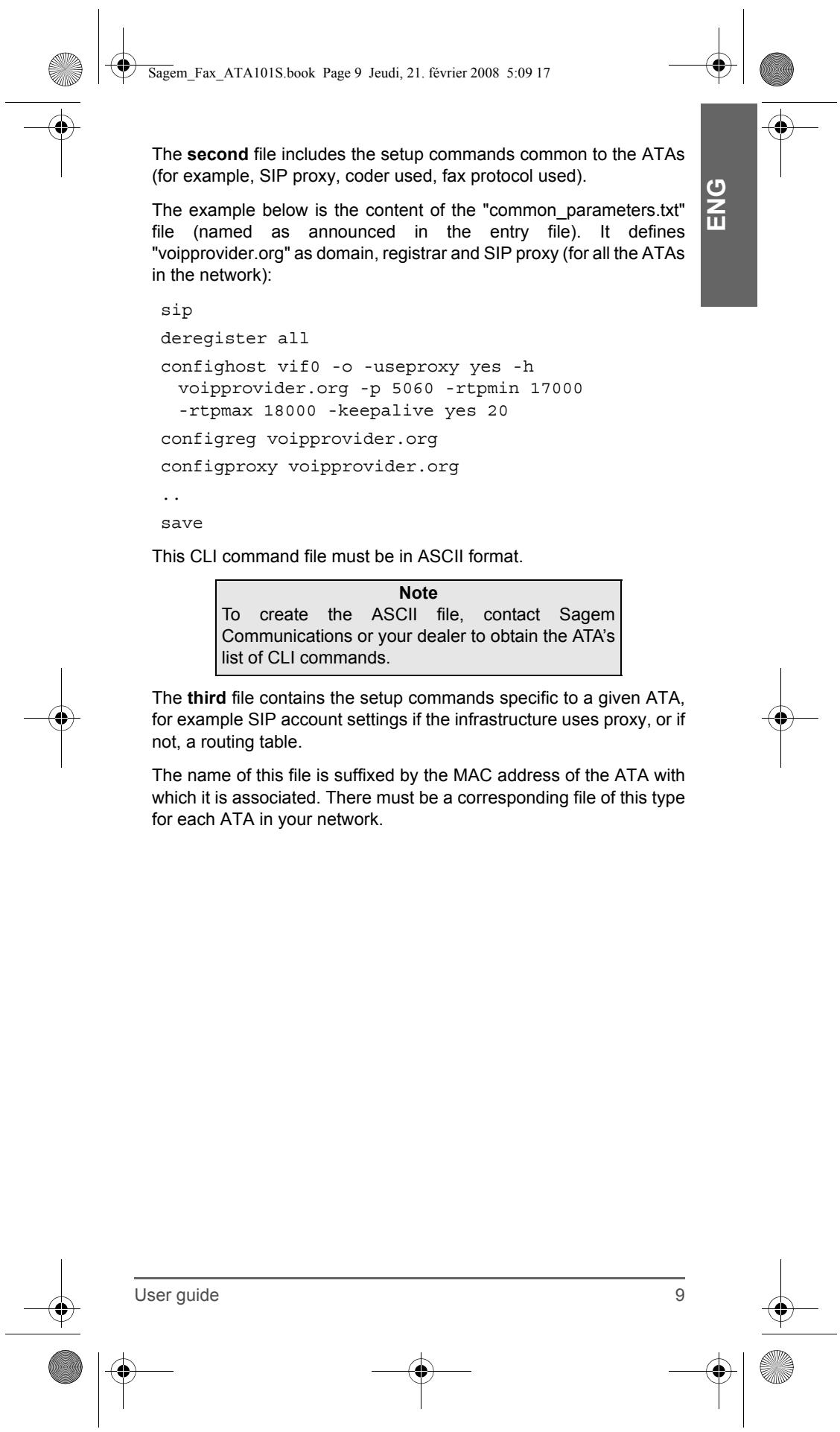
TABLE DE MATIÈRES
Welcome to the Sagem FAX ATA 101S configuration interface
Welcome
Quick Status Save/Behnt
USER
USE
VOIP
SIP Configuration
STUN Setup
Line Settings
BASIC
LAN/WAN Setup
Access Control
Factory I
Upgrade
ADVANCED
List of Interface Entries
| Select | Interface name | IP address | Subnet mask | MAC address | Status |
| C | eth0 | 192.168.134.1 | 255.255.255.0 | 00:60:4c:99:99:99 | Up |
| C | vif0 | 10.204.131.151 | 255.255.255.0 | 00:60:4c:99:99:99 | Up |
Configure Interface
DNS & Default G/W
Help
Parametre eth0
SAGEM COMMUNICATIONS
Service des relations clientèle
Welcome to the Sagem FAX ATA 101S configuration interface
Welcon
Quick Status
Save/Reboot
USER
VOIP
SIP Configuration
STUN Setup
Line Settings
BASU
B
LAN/WAN Setup
Access Control
Factory Default
Upgrade
ADVANCED
SAGEM COMMUNICATIONS
Fase 3 - Menu SIP Configuration > SIP general > Tel to IP routing table
G711 PCMA
G711 PCMU
G729
-rtpmax 18000 -keepalive yes 20
configreg voipprovider.org
configproxy voipprovider.org
.
salva
MACConfigversion = V1_01
sip/configphone 1 444719 -o -d Lecoq
sip/configauth 1 444719 MySecretPassword
salva
sip/register all
ÍNDCICE DE CONTENIDOS
Welcome to the Sagem FAX ATA 101S configuration interface
Welcome
Quick Status
Save/Reboot
USER
ISEN
VOIP
SIP Configuration
STUN Setup
Line Settings
BASU
B
LAN/WAN Setup
Access Control
Factory Default
Upgrade
ADVANCED

List of Interface Entries
| Select | Interface name | IP address | Subnet mask | MAC address | Status |
| C | eth0 | 192.168.134.1 | 255.255.255.0 | 00:60:4c:99:99:99 | Up |
| R | vif0 | 10.204.131.151 | 255.255.255.0 | 00:60:4c:99:99:99 | Up |
Configure Interface
DNS & Default G/W
Help
Parametro eth0
G711 PCMA
G711 PCMU
G729
SAGEM COMMUNICATIONS
Service des relations clientèle
Welcome to the Sagem FAX ATA 101S configuration interface
Welcon
Quick Status
Save/Reboot
USER
ISEN
VOIP
SIP Configuration
STUN Setup
Line Settings
BASI
B
LAN/WAN Setup
Access Control
Factory Default
Upgrade
ADVANCED
Poder é除外月至每 10000000000000000000000000000000000000000000000000000000000000000000000000000000000000000000000000000
SAGEM COMMUNICATIONS
Service des relations clientèle
Brand : SAGEM
Model : FAX ATA 101S
Category : Fax ATA